We Tested the 10 Best Notion Alternatives [2026 Updated]
The best Notion Alternatives are Saner.AI, Linear, Tana, ClickUp, Jira, Asana, Airtable, Coda, Routine, and Lark

The 10 Best Notion Alternatives for Knowledge Management, Task Management, and Database.
If you’re searching for the Best Notion Alternatives, you’re probably not “bad at Notion.”
You’re just tired of tools that require constant setup, maintenance, and mental energy before real work can happen.
This guide is for knowledge workers, founders, managers, creators, and students who want something simpler, more structured, or more AI-assisted than Notion's flexibility. We’ll walk through the best options, what they’re actually good at, and how to choose one that fits how your brain works.
What Is Notion
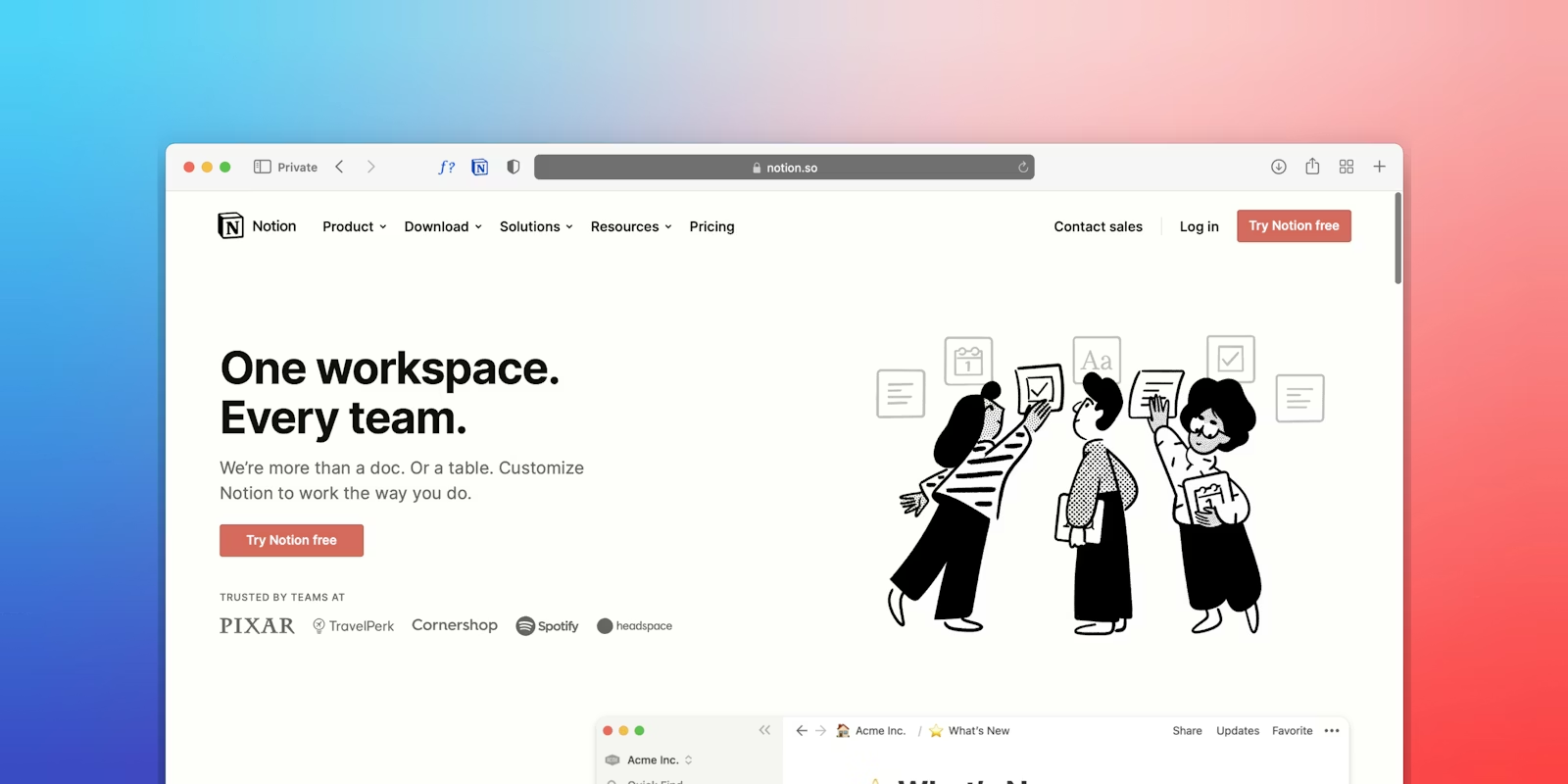
Notion is an all-in-one workspace that combines notes, documents, databases, wikis, and project tracking.
It’s strong if you want:
- Maximum flexibility
- Custom databases and templates
- A blank canvas to build your own system
For some people, that freedom is empowering. For others, it’s exhausting.
Why People Look for Notion Alternatives
Most people don’t leave Notion because it’s “bad.” They leave because it’s too much.
Common reasons include:
- Too much manual setup before anything feels useful
- Endless tweaking instead of actual work
- High cognitive load (you must design your own system)
- Weak or bolt-on AI compared to newer tools
- Hard to maintain consistency over time
- Overwhelming for ADHD or easily distracted brains
If you’ve ever thought “I just want something that works out of the box”, this list is for you.
How We Evaluated the Best Notion Alternatives
To make this guide useful, we evaluated each tool using the same criteria:
- Ease of use – How fast can you get value?
- Learning curve – Does it require tutorials and setup?
- Structure vs flexibility – Is guidance built in?
- AI assistance – Does AI help thinking, not just writing?
- Primary use case – Notes, tasks, docs, or teams?
- Who it replaces Notion for – Notion users it fits best
Notion Alternatives Quick Takeaways:
- 🧠 Best for Knowledge Management: Saner.AI, Tana, Coda
- 🗂️ Best for Databases & Structured Data: Airtable, Coda
- 🤖 Strong AI Assistance: Saner.AI, Coda, Airtable
- ✅ Best for Task & Project: Saner.AI, ClickUp, Asana, Linear, Jira
- 👥 Best for Team Collaboration: Lark, ClickUp, Asana
- 🧍 Best for Personal Focus & Planning: Saner.AI, Routine
What are the best Notion Alternatives?
The best Notion Alternatives are Saner.AI, Linear, Tana, ClickUp, Jira, Asana, Airtable, Coda, Routine, and Lark
Notion Alternatives Comparison (by Core Use Case)
| 🧰 Tool | 🧠 Primary Category | 📚 Knowledge Management | ✅ Task / Project Management | 🗂️ Database / Structured Data | 🤖 AI Use Case | 📝 Notes |
|---|---|---|---|---|---|---|
| Saner.AI | Hybrid (KM + Tasks) | ✔️ AI searh & synthesis | ✔️ Tasks from emails, notes, braindump | Minimal | 🧠 AI assistant for prioritization, synthesis, planning | Designed to reduce cognitive load; strong for ADHD and knowledge workers |
| Coda | Docs + Database | ✔️ Structured docs with logic | ✔️ Tasks inside docs | ✔️ Powerful relational tables | ✨ AI chat, summaries, AI columns | Strong Notion-like replacement with more logic and automation |
| Tana | Knowledge Management (Graph) | ✔️ Graph-based, interconnected knowledge | ✔️ Tasks linked to notes | ✔️ Structured nodes | 🧩 AI commands & meeting processing | Very powerful, but steep learning curve |
| Lark | Team Collaboration Suite | ✔️ Docs + searchable knowledge | ✔️ Tasks, calendar, workflows | ⚠️ Basic structured data | 🗣️ AI meeting notes & workflow AI | Best for teams that need chat + docs + tasks |
| Routine | Personal Productivity | ⚠️ Lightweight notes | ✔️ Daily tasks, calendar, routines | ❌ | ⚙️ AI via integrations | Great for focus and daily planning, not deep knowledge |
| Linear | Product / Dev Tasks | ❌ | ✔️ Issues, projects, roadmaps | ⚠️ Simple structures | 🚀 AI for issue tracking & dev workflows | Opinionated, fast, and focused on execution |
| ClickUp | Task & Project Management | ⚠️ Docs & wikis | ✔️ Advanced task & project system | ✔️ Custom fields & views | 🤖 AI for writing, summaries, automation | Powerful but can feel overwhelming |
| Jira | Agile Project Management | ❌ | ✔️ Sprint & issue tracking | ✔️ Structured issue data | ⚙️ AI via automation & add-ons | Best for engineering teams, very rigid |
| Asana | Task Management | ⚠️ Light documentation | ✔️ Projects, timelines, dependencies | ⚠️ Basic fields | ✨ AI Studio for task automation | Clean and easy for teams, limited KM depth |
| Airtable | Database / App Builder | ⚠️ Text fields only | ✔️ Task-like workflows | ✔️ Relational databases | 🧠 AI agents & AI-powered apps | Best for structured data, not narrative thinking |
1. Saner.AI
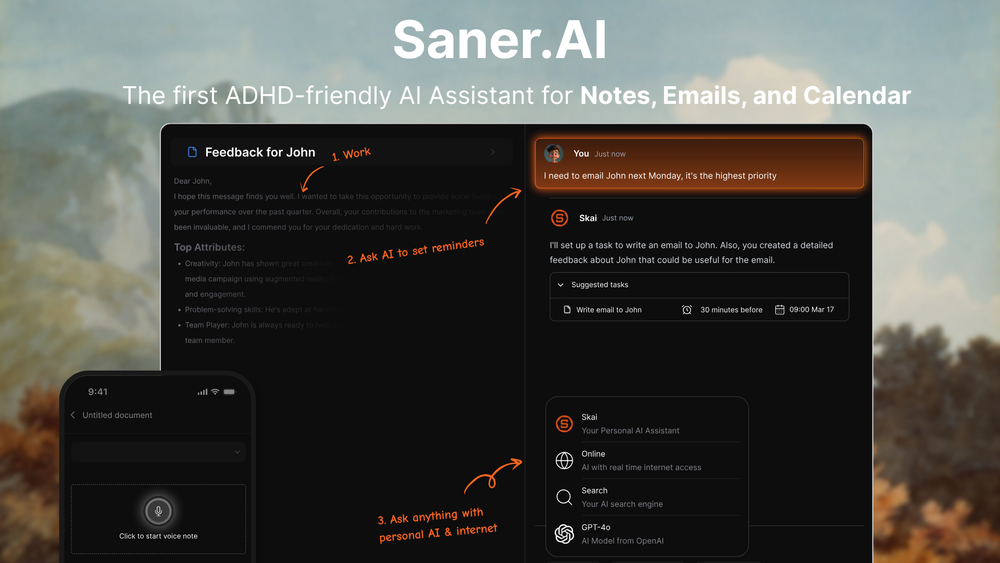
Saner.AI is an AI-powered productivity assistant designed to help you capture, organize, and retrieve notes, tasks, and ideas automatically. It’s often positioned as a Notion alternative for people who want less manual setup and more AI-driven organization.
Key features:
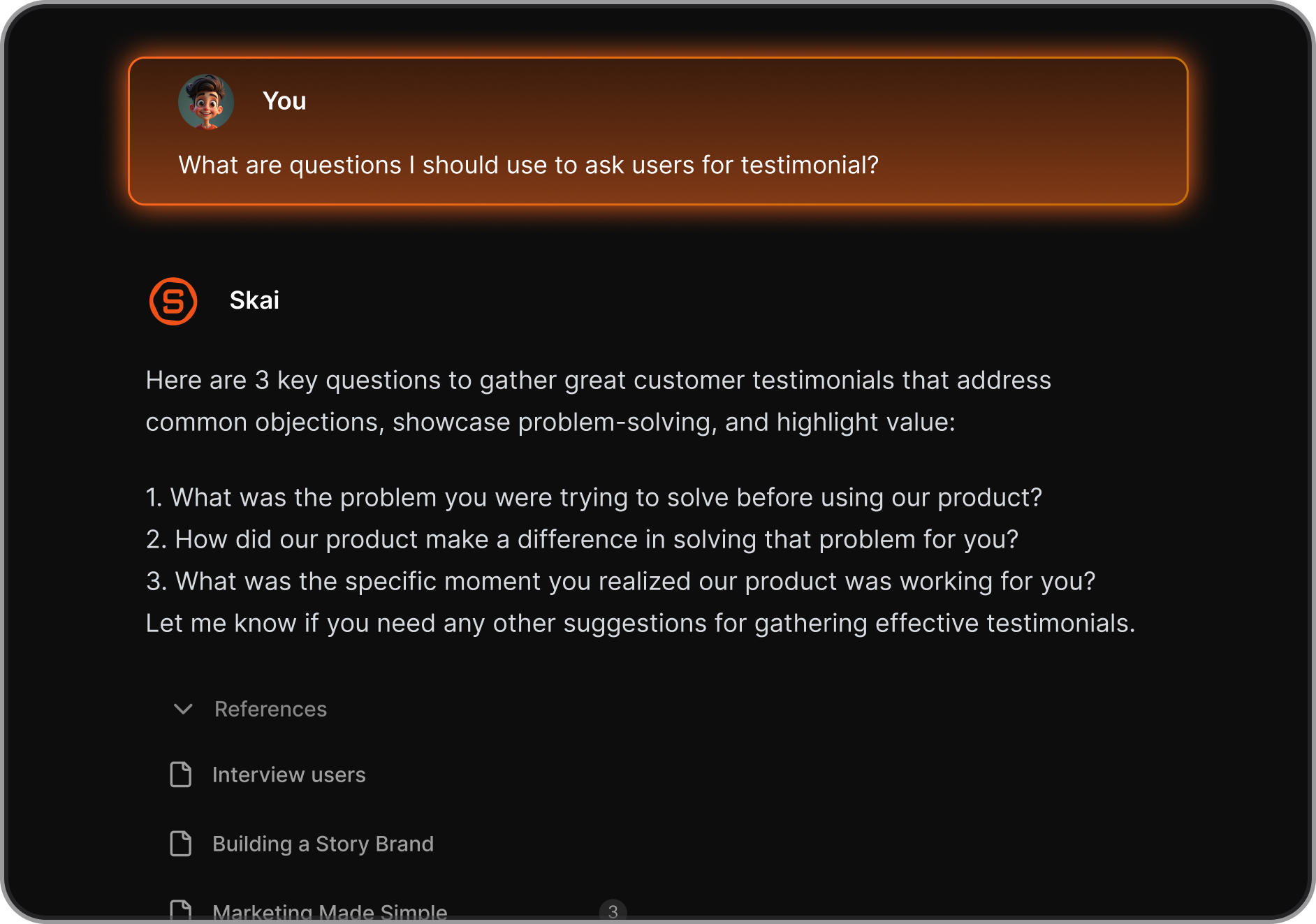
- Personal AI assistant that learns from your notes and tasks and helps organize them
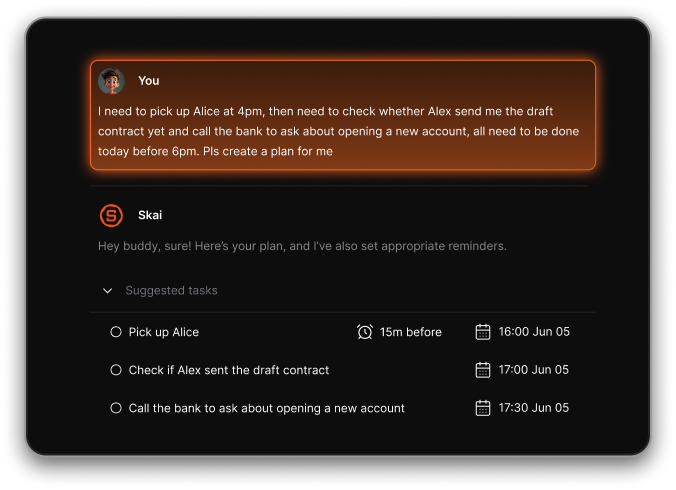
- AI task capture that turns thoughts and ideas into to-dos
- Natural-language semantic search across notes, tasks, and ideas
- Automatic tagging, summarization, and structuring of information
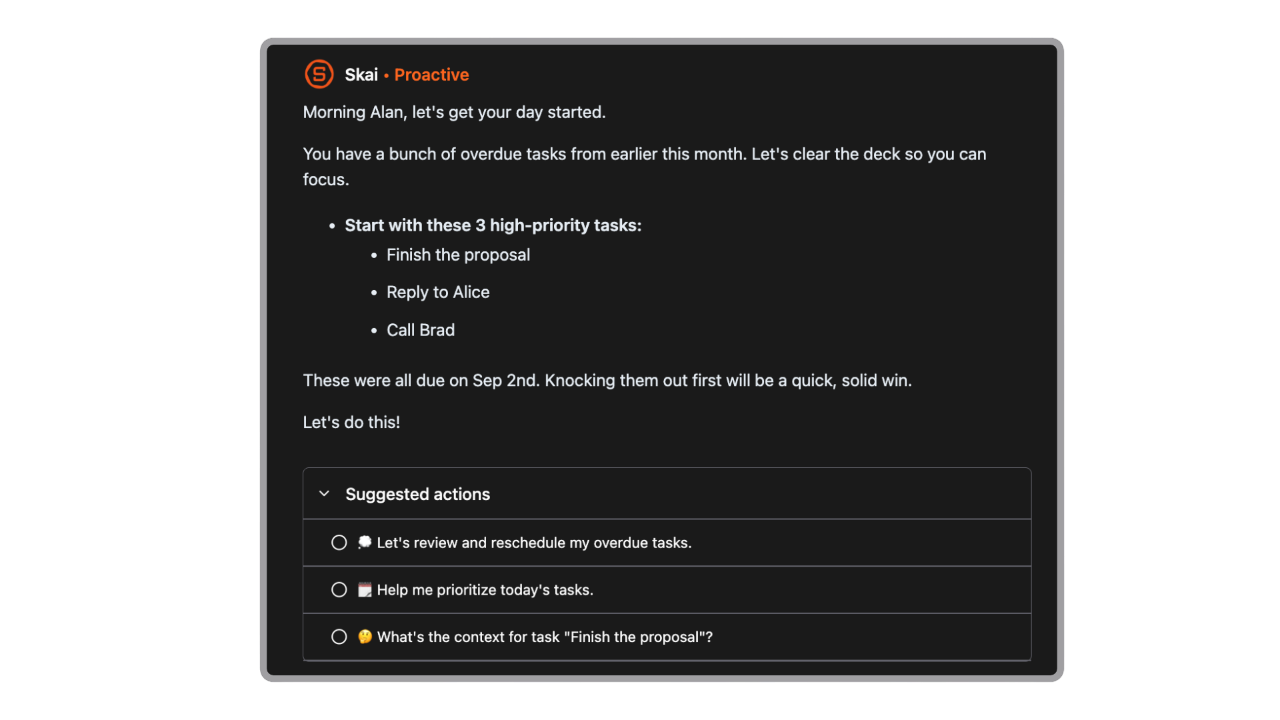
- Proactive daily plans generated automatically
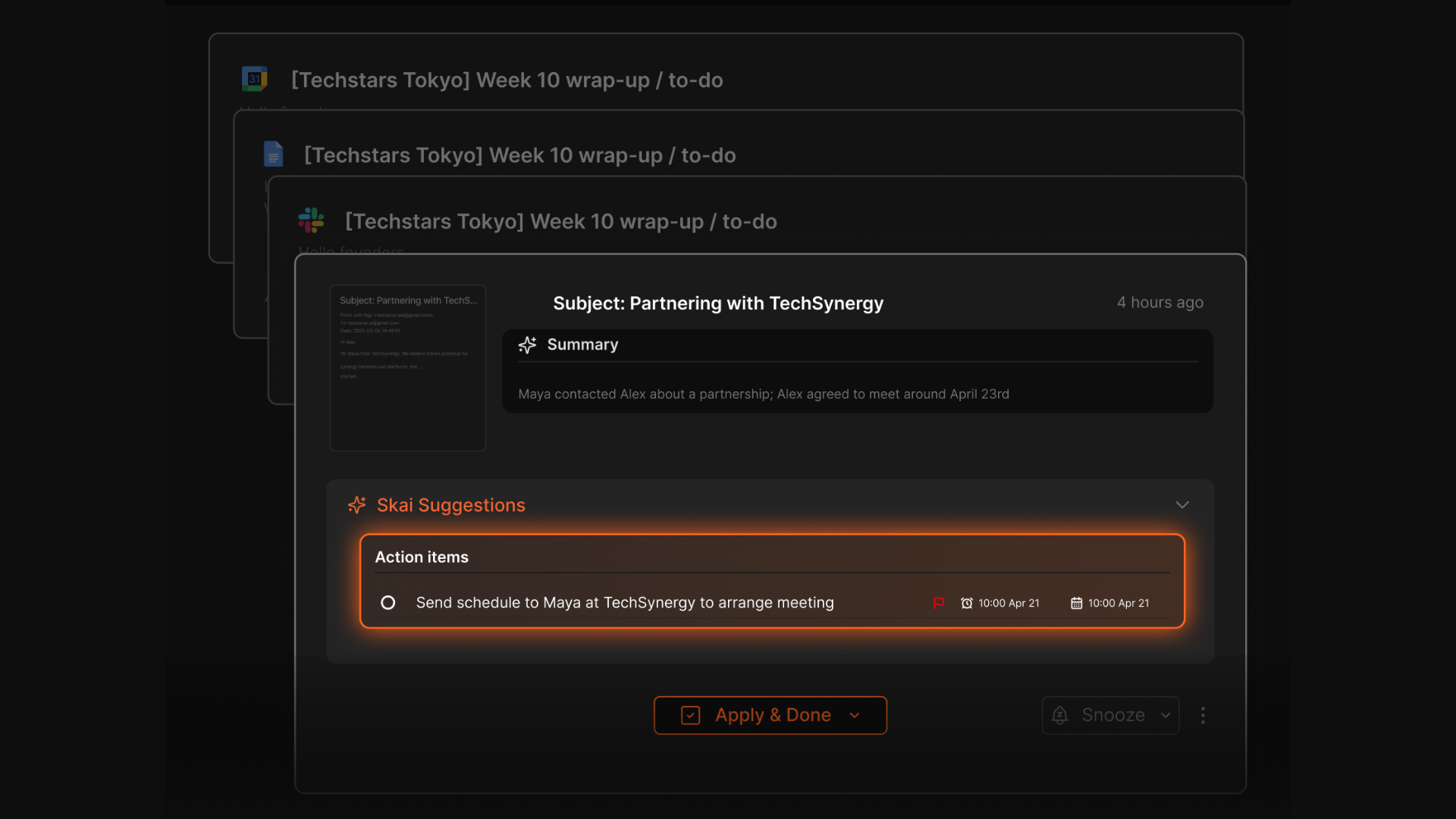
- Automatic task extraction from notes, emails, and inputs
- Integrations with email, calendar, and other work tools
- Cross-platform access (web, mobile, browser extension)
What I liked
- The AI actively organizes information instead of making you build complex systems
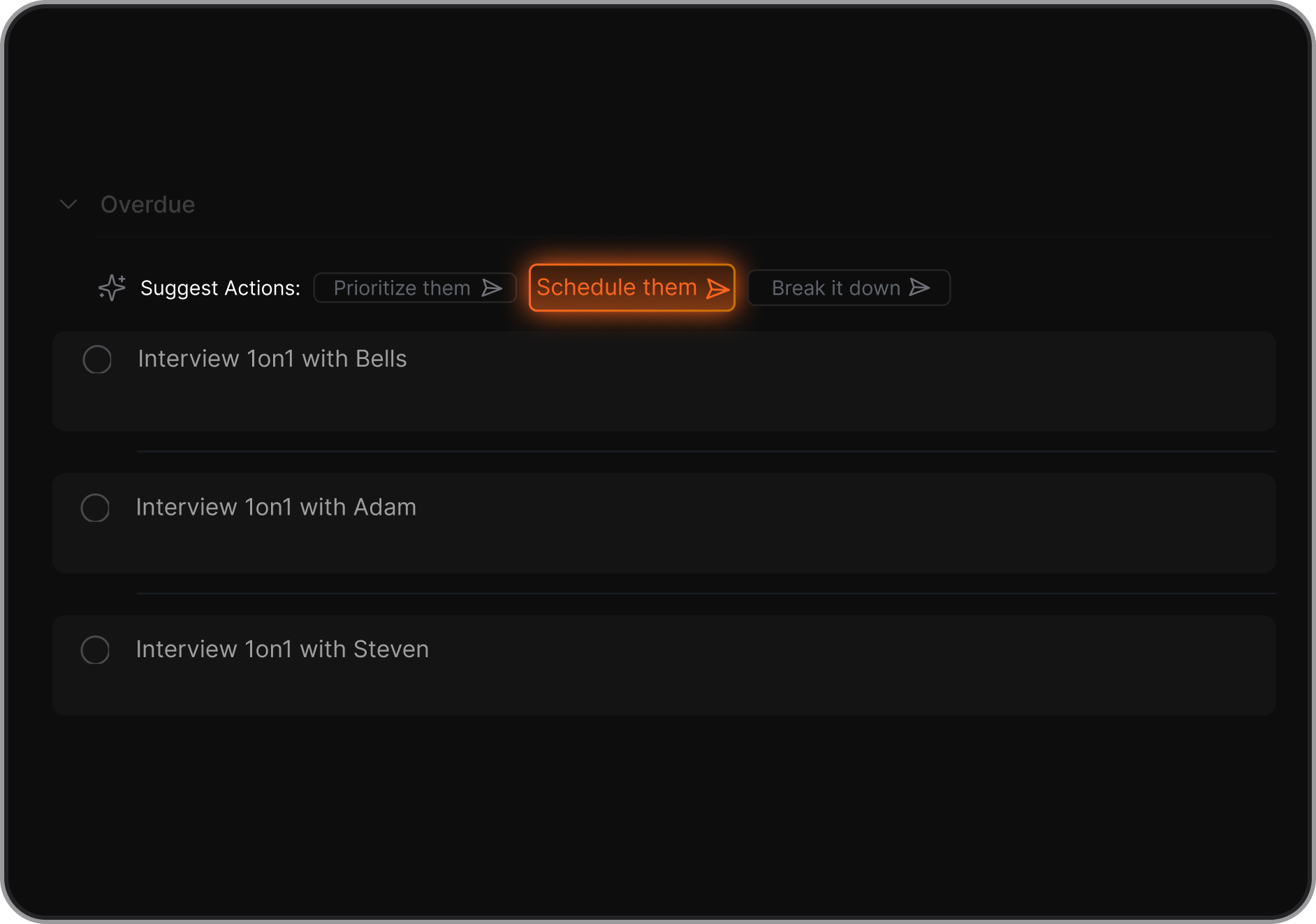
- You don’t need to design databases, templates, or dashboards like in Notion
- Searching feels more like asking a question than remembering where something lives
- AI suggestions for breaking down tasks and deciding what to do next
Cons
- Not a full-fledged project management app with Gantt Charts yet
Pricing
- Free plan with limited AI usage
- Paid plans start around $8/month
Who is it suitable for?
- Individuals who want an AI “second brain”
- People who find Notion too manual or time-consuming to maintain
- Professionals who want faster recall and less context switching
- ADHD-prone users who prefer AI help over rigid structure
Saner.AI review
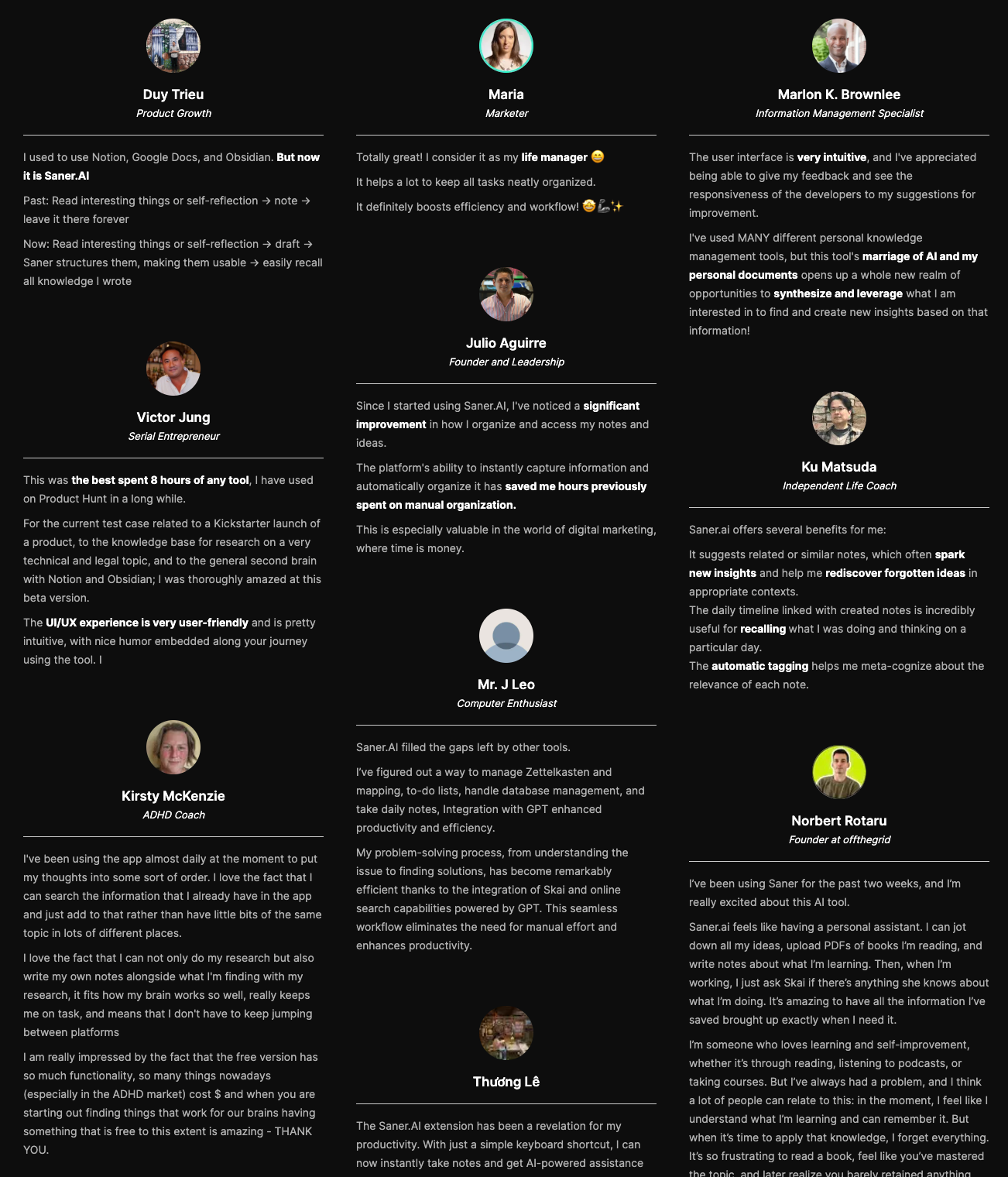
How to start using it?
- Go to Saner.AI
- Create a free account
- Start capturing notes, tasks, or ideas
- Let the AI organize and help you retrieve information when you need it

Stay on top of your work with the Top Notion Alternative
2. Coda
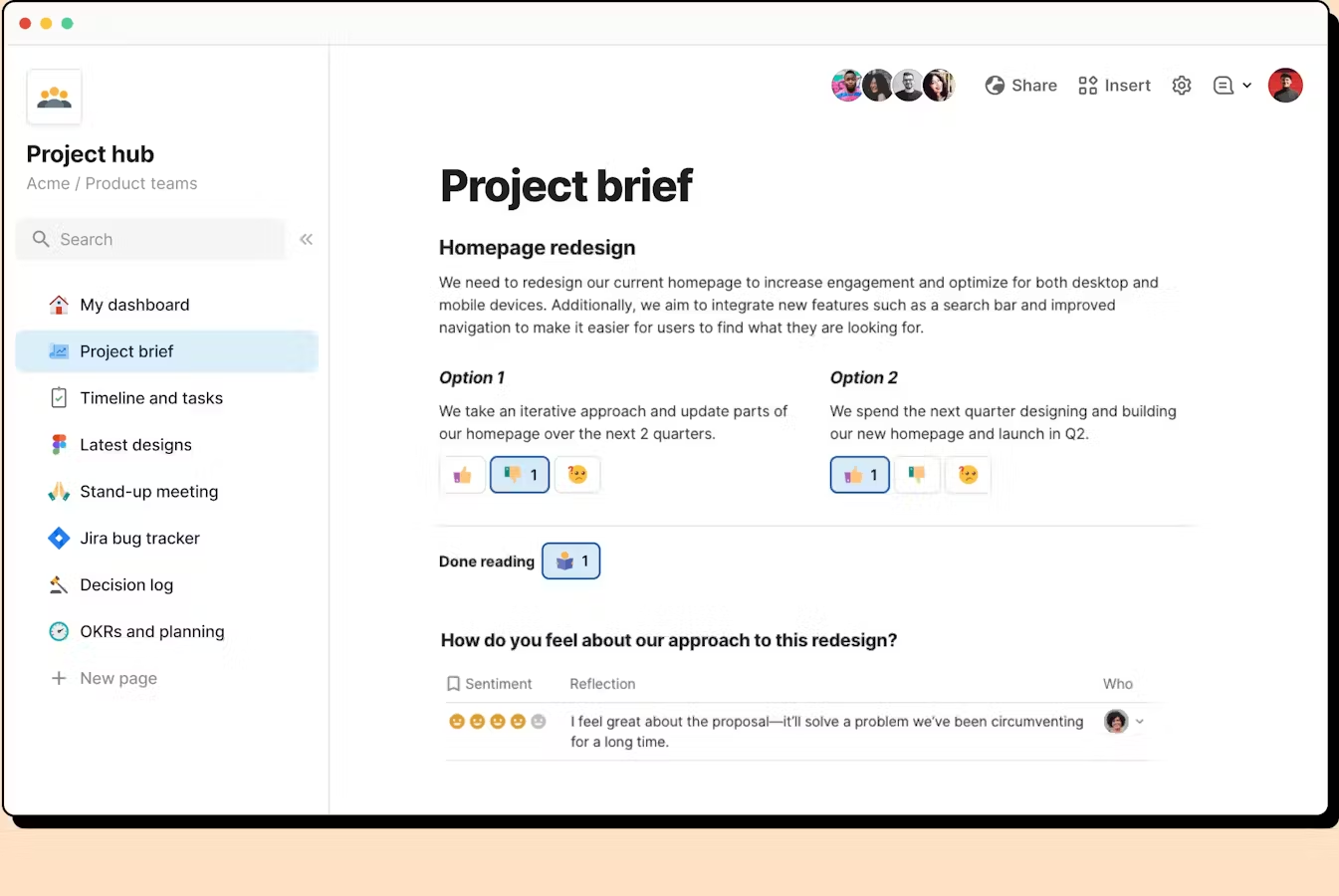
Coda is a flexible all-in-one knowledge management app that works as a strong Notion alternative by combining documents, tables, databases, automation, and integrations in one place.
Key features
- Docs and tables combined into a single canvas that behaves like an app
- Powerful tables with formulas, buttons, conditional formatting, and relationships
- Built-in automation to update data, send notifications, or trigger actions
- Packs (native integrations) for tools like Slack, Google Calendar, Jira, and more
What I liked
- Tables are much more powerful than typical note-taking tools
- Automation and integrations let you run real workflows inside docs
What I disliked
- Steeper learning curve than Notion, especially around formulas and tables
- Template ecosystem isn’t as large or community-driven as Notion’s
- Mobile experience can feel less polished for heavy editing
Pricing
- Free plan
- Paid plans from 12$/month
Suitable for
- Teams that want more power than simple notes and pages
- Builders creating custom workflows, trackers, or lightweight internal apps
How to start
- Create a free Coda account
- Browse the template gallery
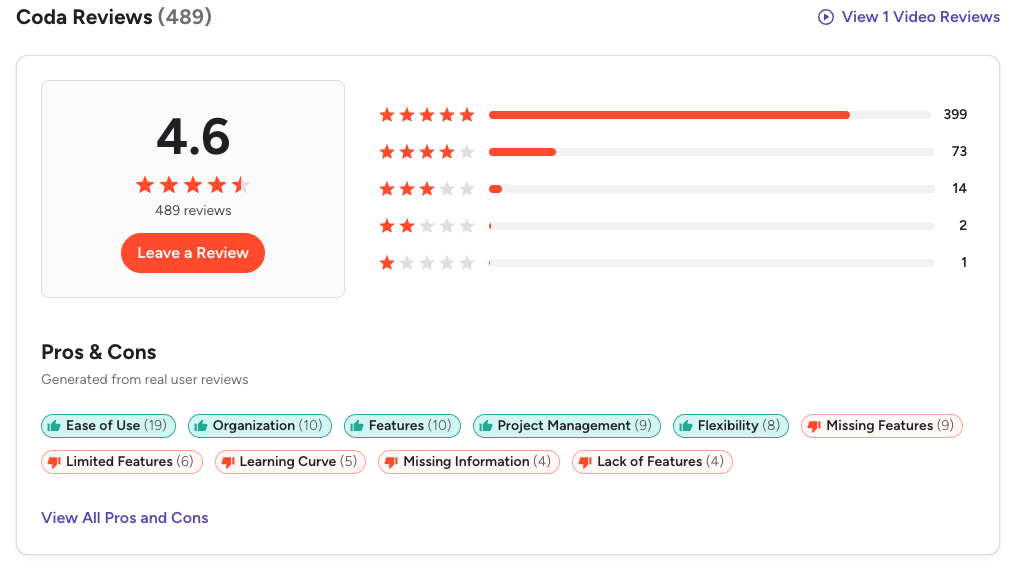
Coda Reviews (source)
3. Tana
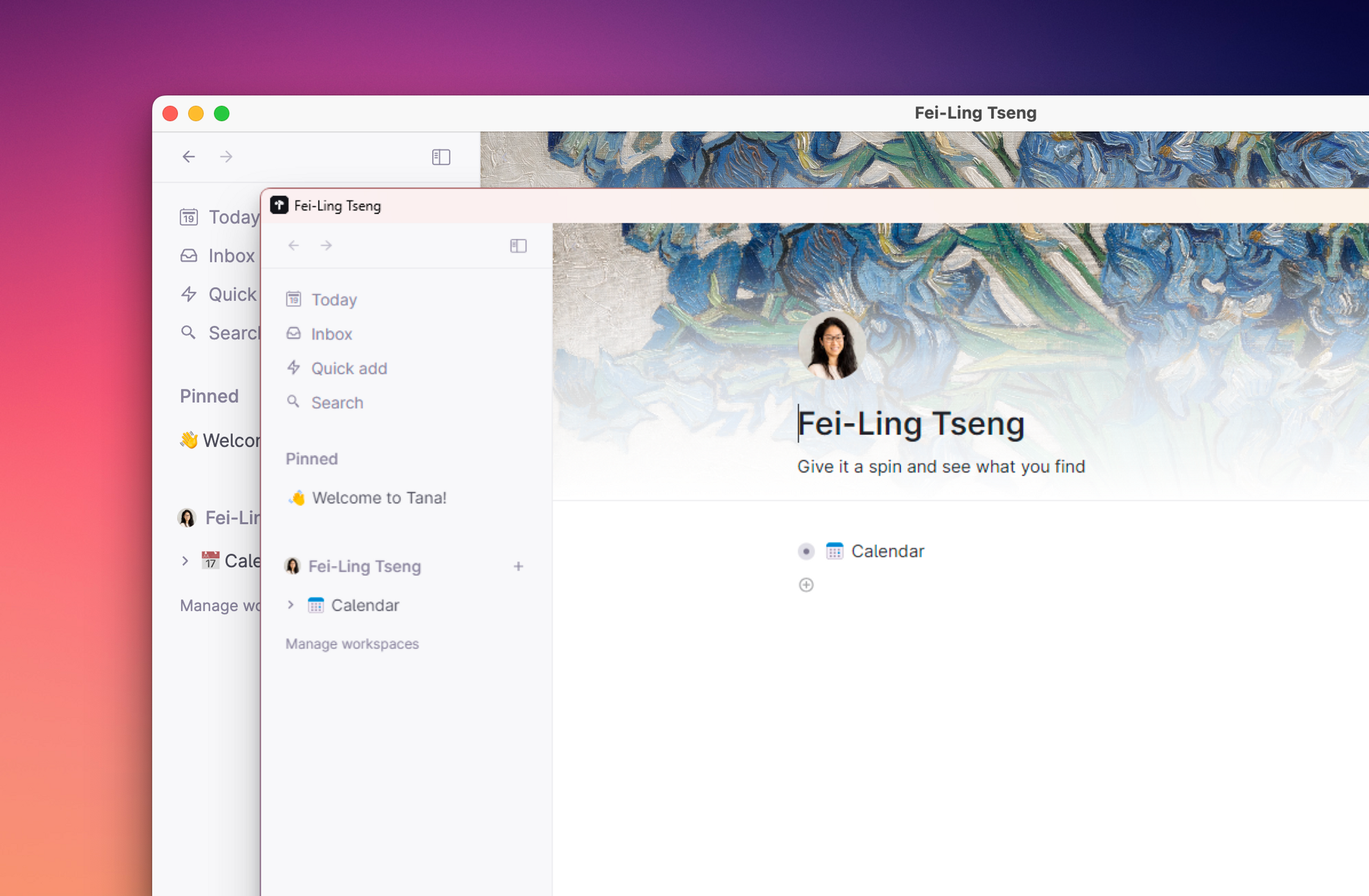
Tana is a knowledge management tool often seen as a Notion alternative.
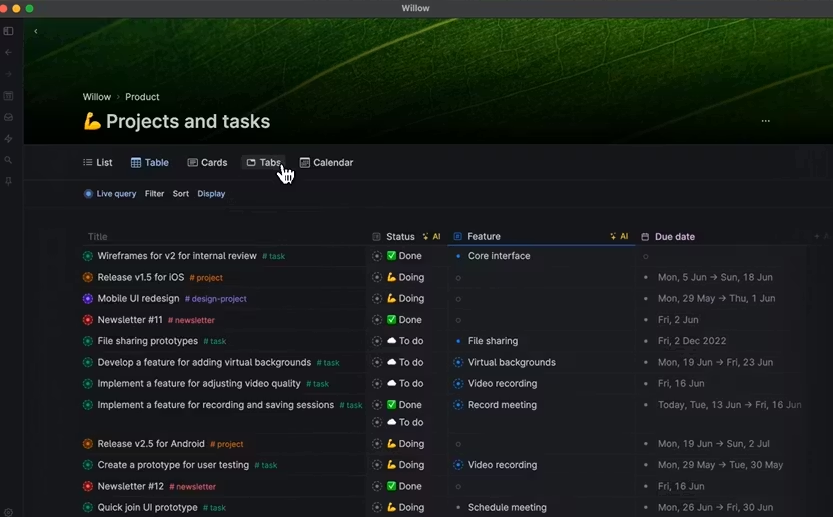
Instead of organizing work into pages and folders, Tana uses a node-based knowledge graph, so every piece of information can connect, resurface, and stay reusable over time.
Features
- Node-based system where every note, task, or idea is a connected object
- Supertags that act like flexible templates and metadata without building databases
- Live search and dynamic views that update automatically as your content grows
- Built-in AI for summaries, transcription, smart prompts, and image generation
Pros
- Supertags make structured data feel lighter and more flexible than Notion databases
- Live searches reduce the need to manually maintain dashboards
Cons
- Steeper learning curve than Notion, especially around Supertags and nodes
- Free plan is more limited compared to Notion’s free tier
- Mobile experience is still basic and best for quick capture only
Price
- Monthly at $18/month, Annually at $14/month
Suitable for:
- People who want networked, connected knowledge instead of rigid pages
- Heavy note-takers who rely on daily notes, meetings, and contextual linking
- Users willing to invest time learning a more powerful mental model than Notion
How to start:
- Go to Tana
- Create an account
Tana Reviews (Source)
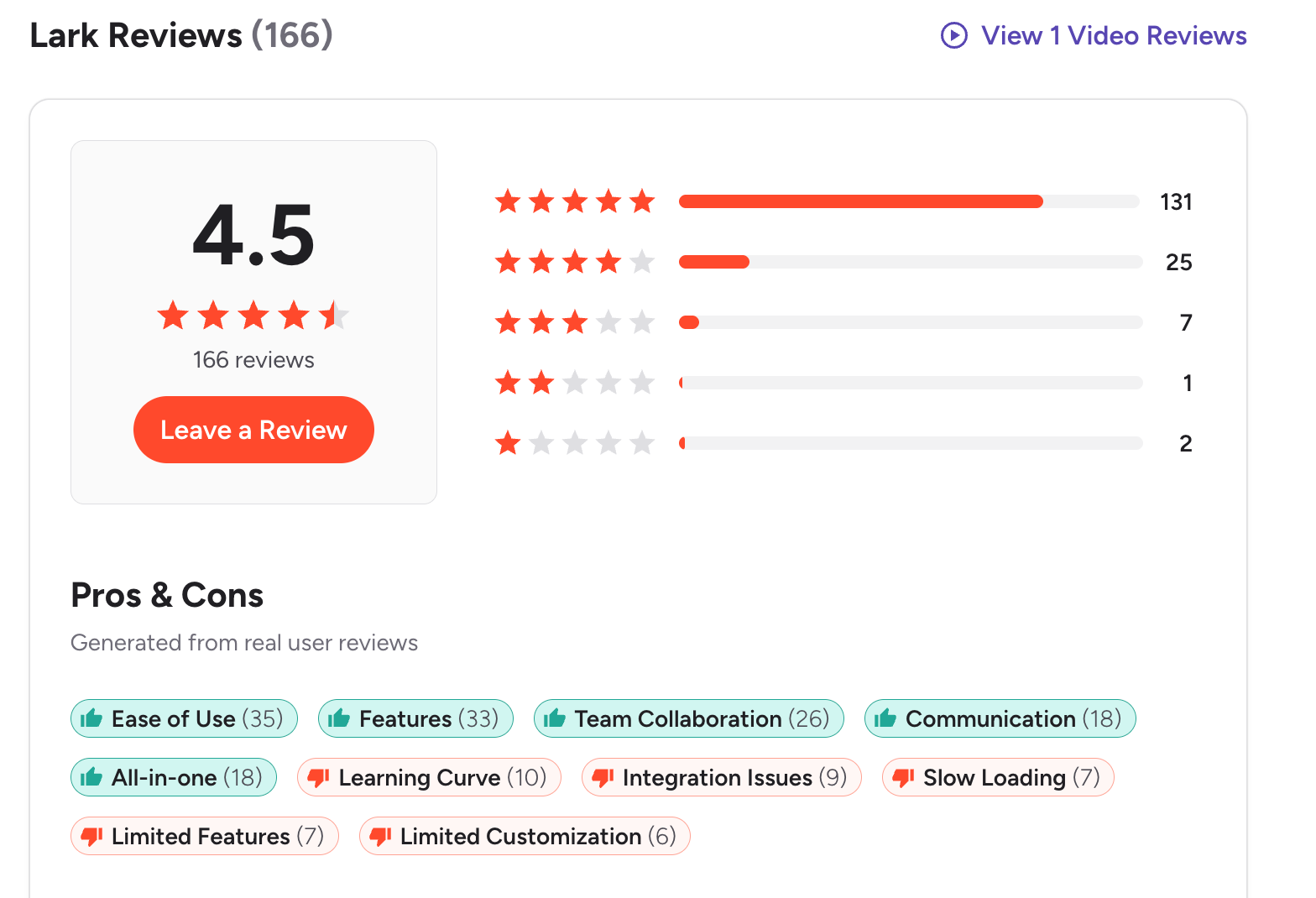
4. Lark

Lark is an all-in-one collaboration platform that combines messaging, documents, spreadsheets, meetings, calendar, and lightweight databases in one workspace. It can work as a Notion alternative for teams that want documentation and collaboration tightly integrated with real-time communication.
Key features
- Built-in chat and messaging for team communication
- Real-time collaborative docs and spreadsheets
- Shared team calendar and scheduling
- Video meetings and calls without extra tools
What I liked
- Everything lives in one place, so there’s less app switching
- Real-time collaboration feels fast and reliable
- Strong free plan for small teams
What I disliked
- Content structure and databases are less flexible than Notion
- Fewer third-party integrations compared to Notion’s ecosystem
- Permissions and file sharing can feel clunky at times
- Takes time to learn because there are many built-in tools
Pricing
- Free plan with core features included
- Paid plans start around $12 per user per month for advanced features and storage
Suitable for
- Teams that want chat, docs, and meetings in one tool
- Companies replacing Slack + Google Docs with a single platform
- Remote teams that rely heavily on real-time collaboration
How to start
- Go to Lark
- Create a free account
Lark reviews (source)
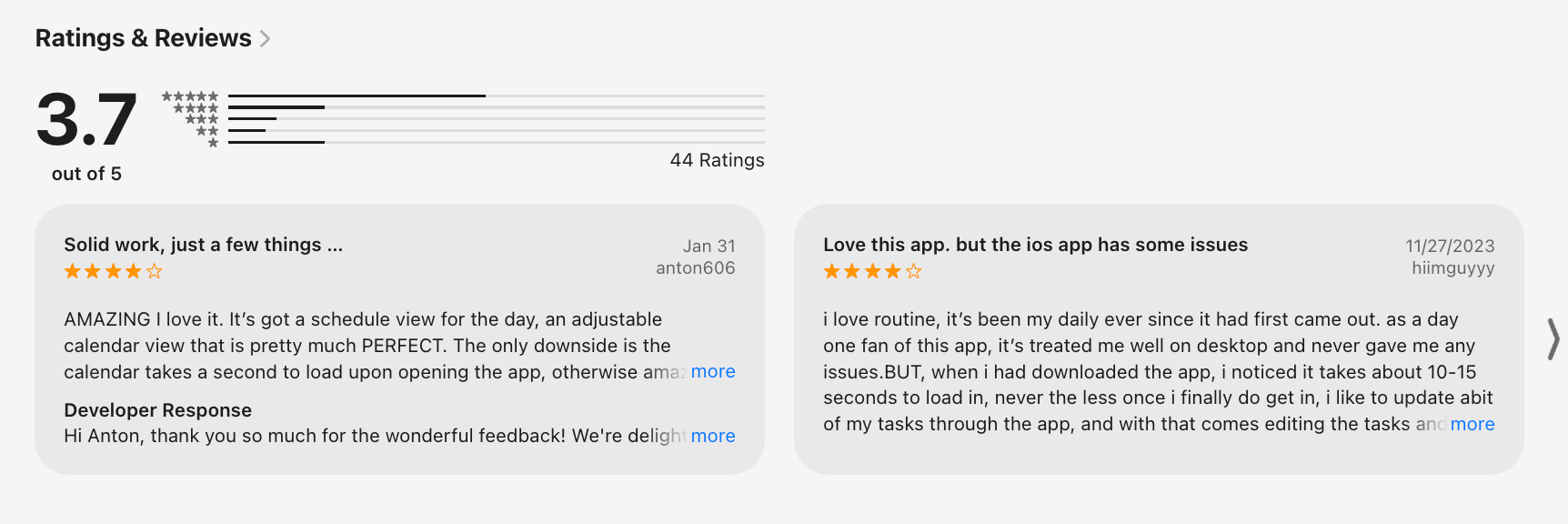
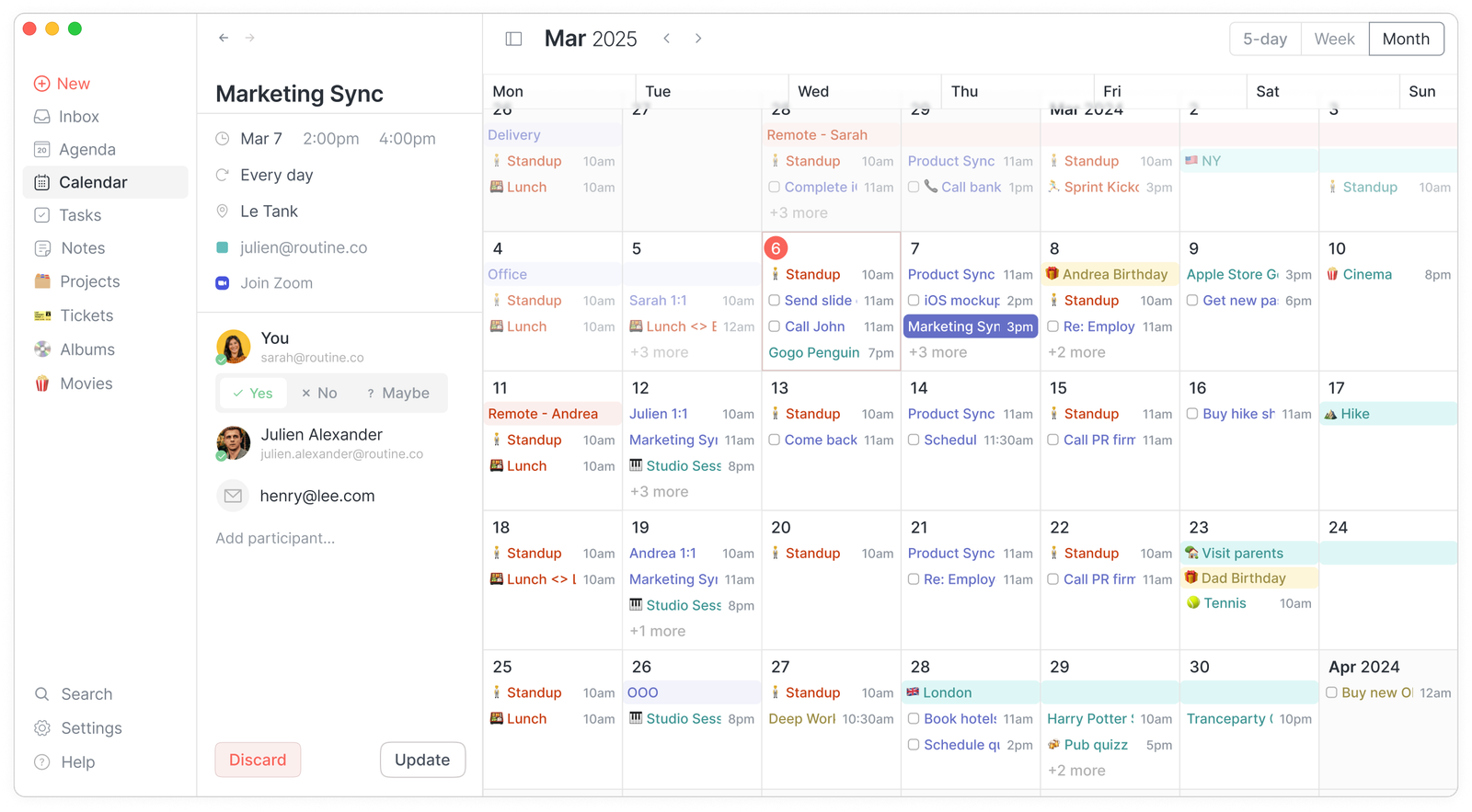
5. Routine
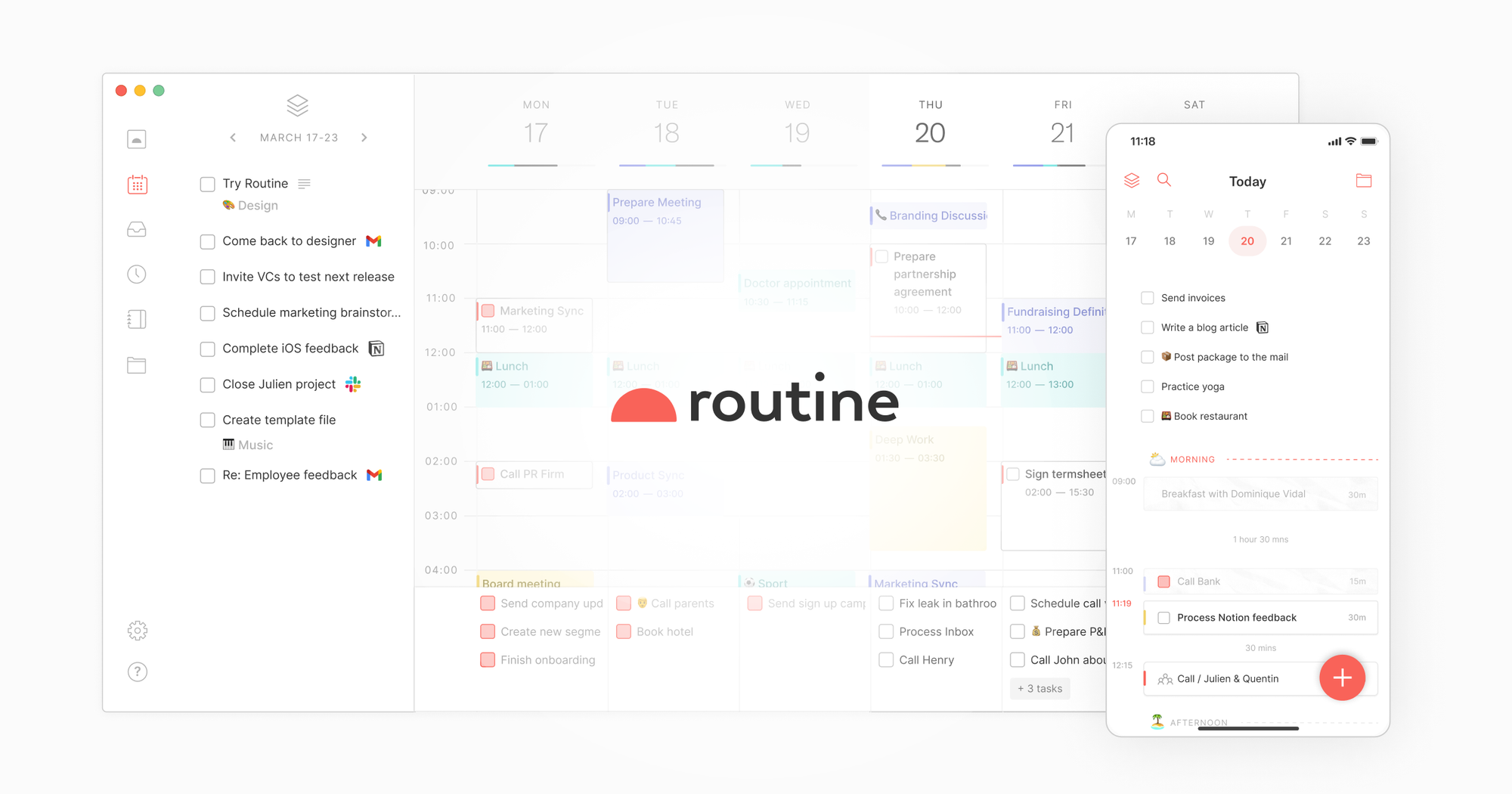
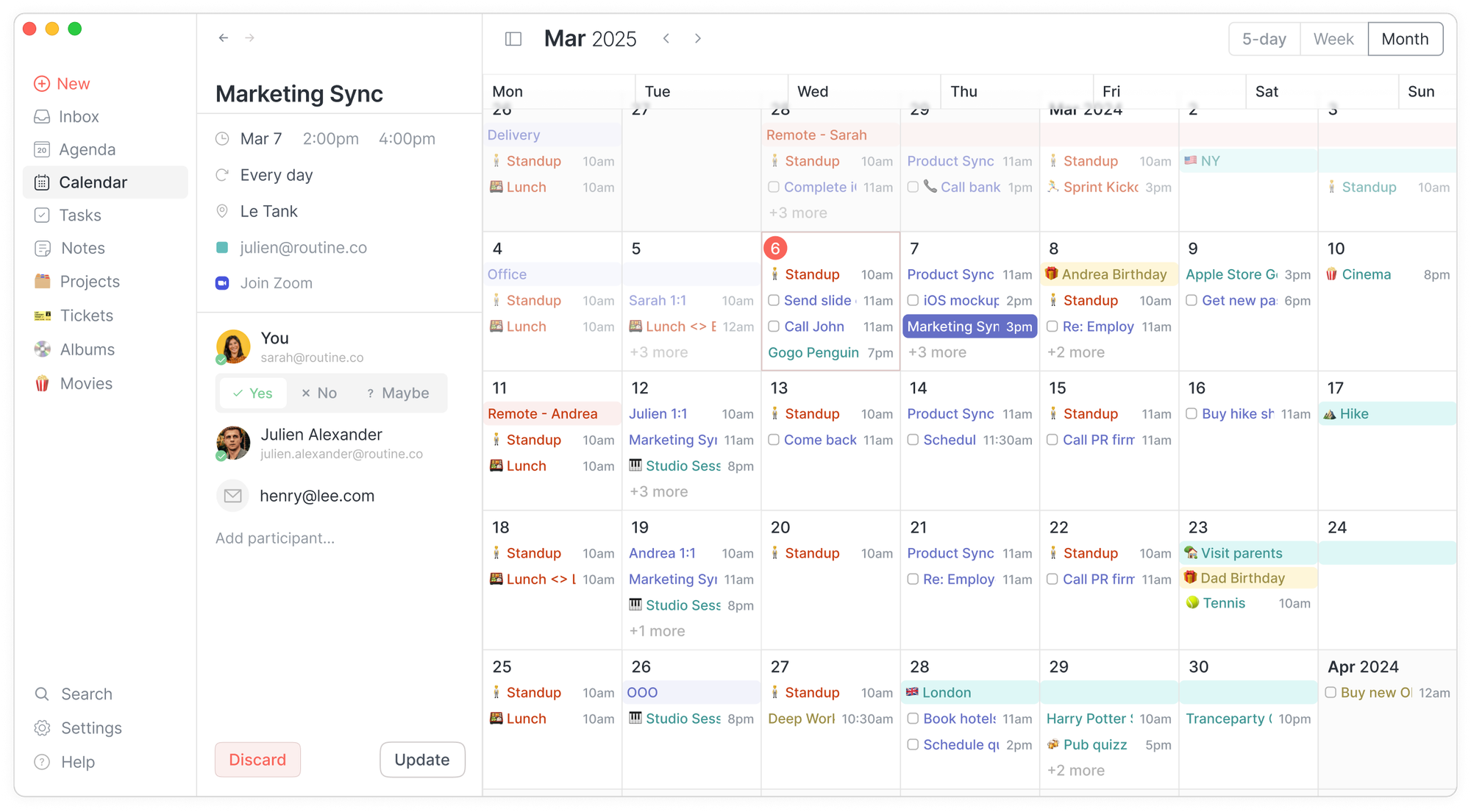
Routine is a productivity app that combines tasks, calendar, and notes into one focused workspace. It’s designed as a simpler, planning-first alternative to Notion, especially for daily execution rather than long-term knowledge databases. Instead of building custom pages and systems, Routine gives you a ready-made structure for planning your day and week.
Key Features
- Unified view of tasks, calendar, and notes in one dashboard
- Fast capture for tasks, ideas, and reminders
- Built-in time blocking and daily planning
- Google Calendar sync
What I Liked
- Strong daily focus. You always know what you should work on next.
- Clean, thoughtful UI
What I Didn’t Like
- Not a full Notion replacement. No databases, relations, or deep customization.
- Better for personal use than team collaboration.
- Some advanced features still feel early or limited.
- There's no chat-style assistant that you can talk to, like “Move my deep work to Friday”
Pricing
- Free plan with core features
- Pro plan around $10/month
- Business plan around $15/month
Who It’s For
- Individuals who want a daily planner + task manager without complexity
- People who find Notion too flexible or distracting
- Users focused on routines, habits, and weekly planning
How to Get Started
- Go to Routine.co and create a free account
Routine Reviews (source)
6. Asana

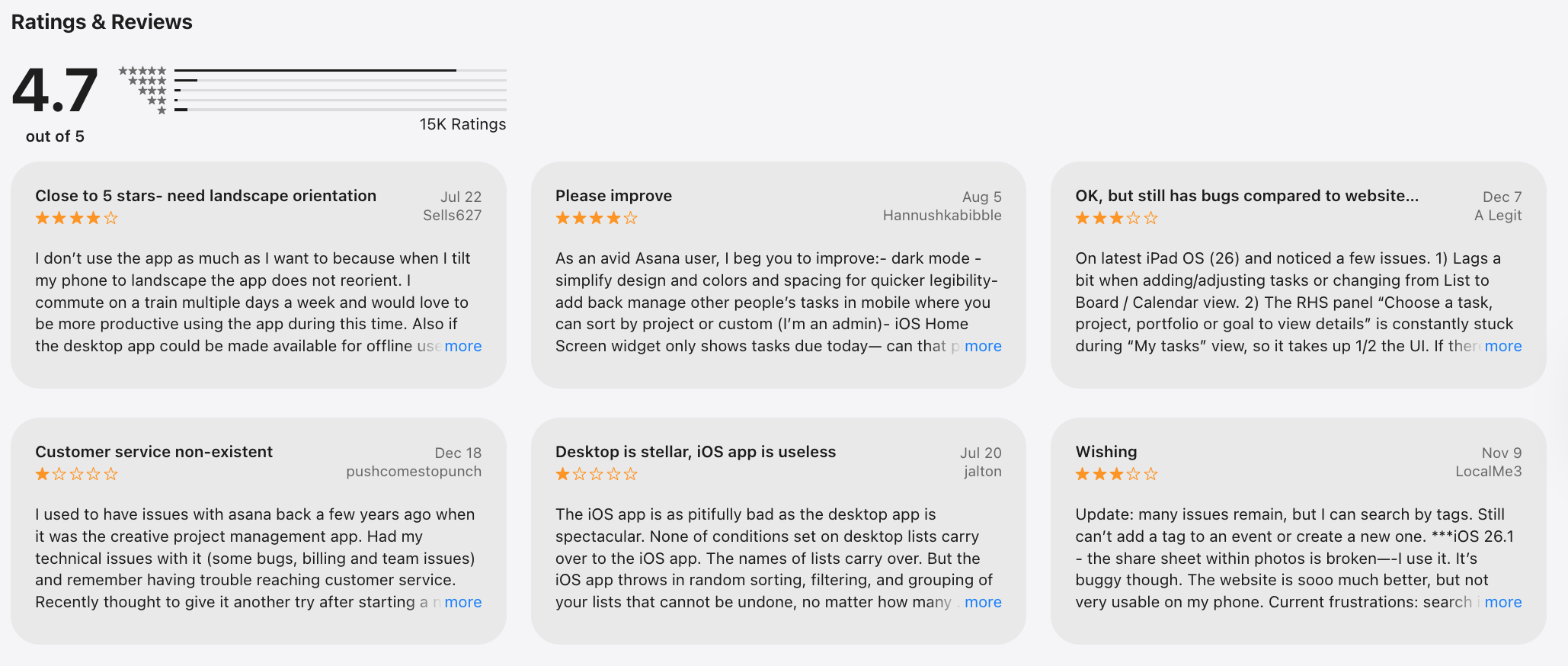
Asana is a work and project management platform designed to help teams plan, track, and execute work. Compared to Notion, it works as a Notion alternative mainly when your priority is structured task execution and project visibility, not flexible docs or databases.
Key features
- Task and project management using lists, boards, calendars, and timelines
- Clear task ownership, deadlines, priorities, and dependencies
- Custom dashboards and reporting for tracking progress and bottlenecks
- Workflow automation with rules and triggers
What I liked
- Very strong at structured project management and execution
- Easy to see who’s working on what and what’s blocked
- Reporting and dashboards are built in, no custom setup needed
What I disliked
- Not ideal for free-form notes, wikis, or knowledge bases like Notion
- Less flexible for custom databases or mixed content pages
- Complex workflows still take time to set up properly
Pricing
- Free plan with basic task and project management
- Paid plans start around $10–$11 per user/month
Suitable for
- Teams that need clear task ownership and deadlines
- Businesses managing multiple projects and dependencies
How to start
- Go to Asana
- Create a free account
Asana review (sources)
7. Linear
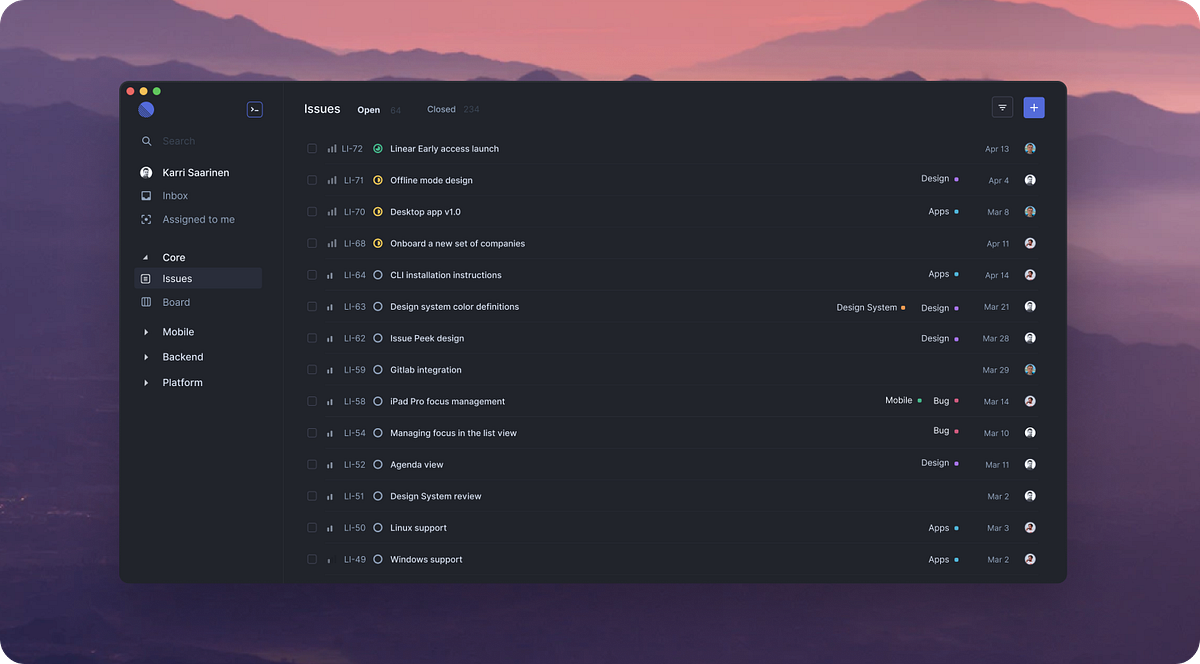
Linear is a fast, minimalist project management and issue-tracking tool built for fast, focused work, especially for software and product teams. It helps teams plan, track, and ship work through streamlined workflows - making it a specialized Notion alternative when your main need is execution, not documentation.
Key features
- Purpose-built issue and task tracking with clear statuses and workflows
- Agile support with cycles (sprints), backlogs, and roadmaps
- Keyboard-first, fast UI designed to reduce friction
What I liked
- Very fast and focused compared to all-in-one tools like Notion
- Designed specifically for product and engineering execution
- Clean interface that stays out of your way
What I disliked
- Not flexible like Notion for docs, wikis, or databases
- Weak for non-engineering use cases (marketing, content, research)
- No built-in knowledge base or long-form documentation
Pricing
- Free plan with limited features
- Paid plans start around $8 per user/month (billed annually)
Suitable for
- Engineering and product teams running agile workflows
- Teams that want speed and structure over customization
- Companies already using GitHub, Slack, or similar tools
How to start
- Go to Linear
- Create a free account
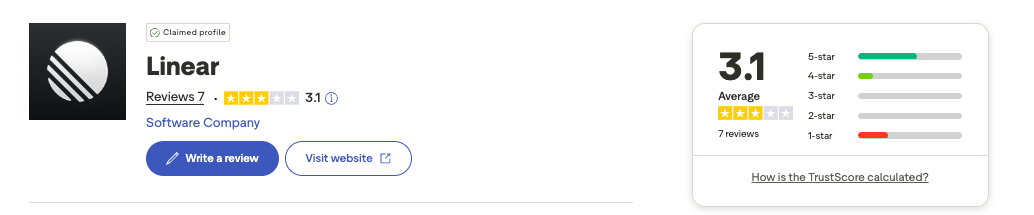
Linear review (source)
8. ClickUp
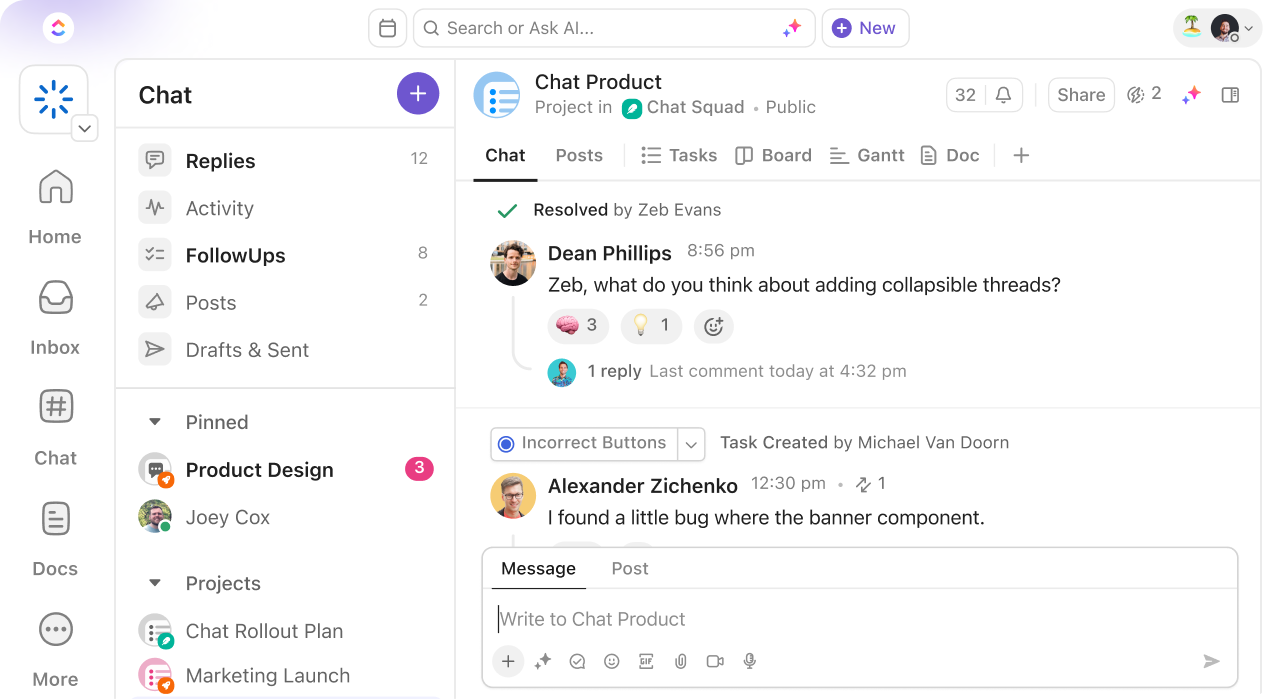
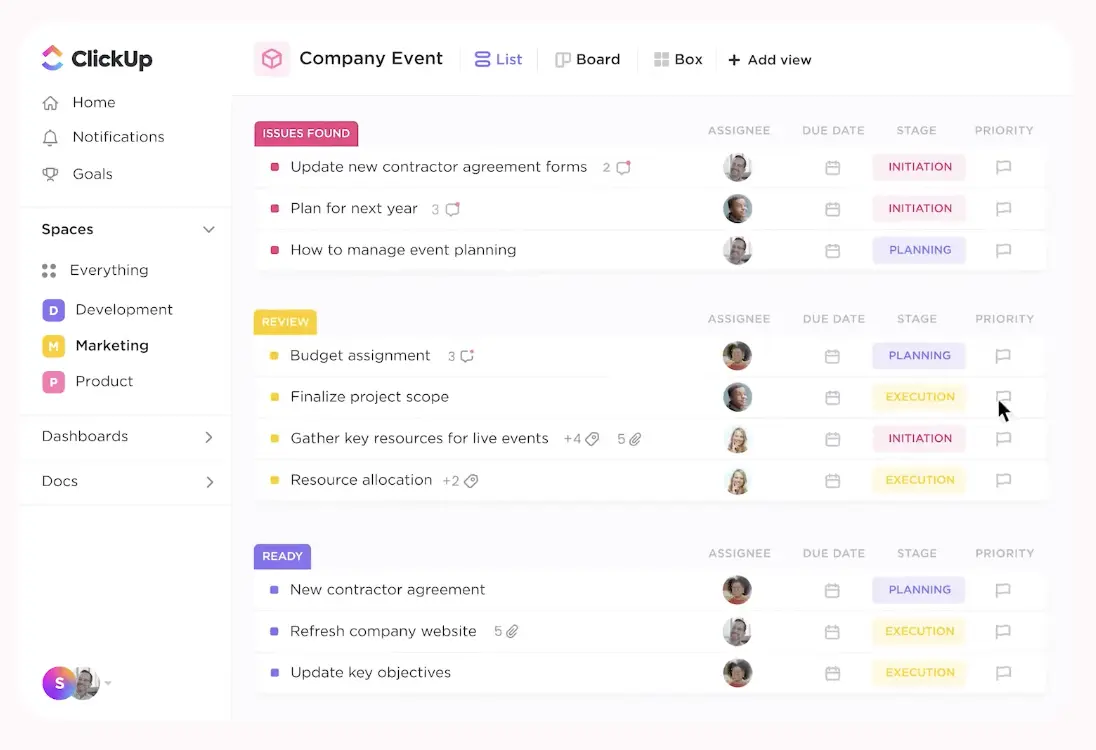
ClickUp is an all-in-one project and work management platform that’s often used as a Notion alternative, especially by teams that want more structure around tasks, workflows, and execution. It combines tasks, docs, goals, dashboards, automations, and collaboration tools into one workspace.
Key features
- Task and project management with multiple views (list, board, calendar, Gantt)
- Docs and Whiteboards for notes, planning, and real-time collaboration
- Built-in automations to handle repetitive workflows
- Goals, time tracking, and dashboards for progress visibility
Pros
- Stronger project management than Notion, especially for dependencies and timelines.
- Generous free plan that works well for small teams.
Cons
- Can feel overwhelming due to the number of features and settings.
- Docs are less flexible and intuitive than Notion for deep knowledge bases.
- UI can feel cluttered, especially for new users.
Pricing
- Free plan with unlimited users and tasks
- Paid plans start at around $7 per user per month
Best for
- Teams that need structured task and project management
- Businesses that want docs tightly connected to execution
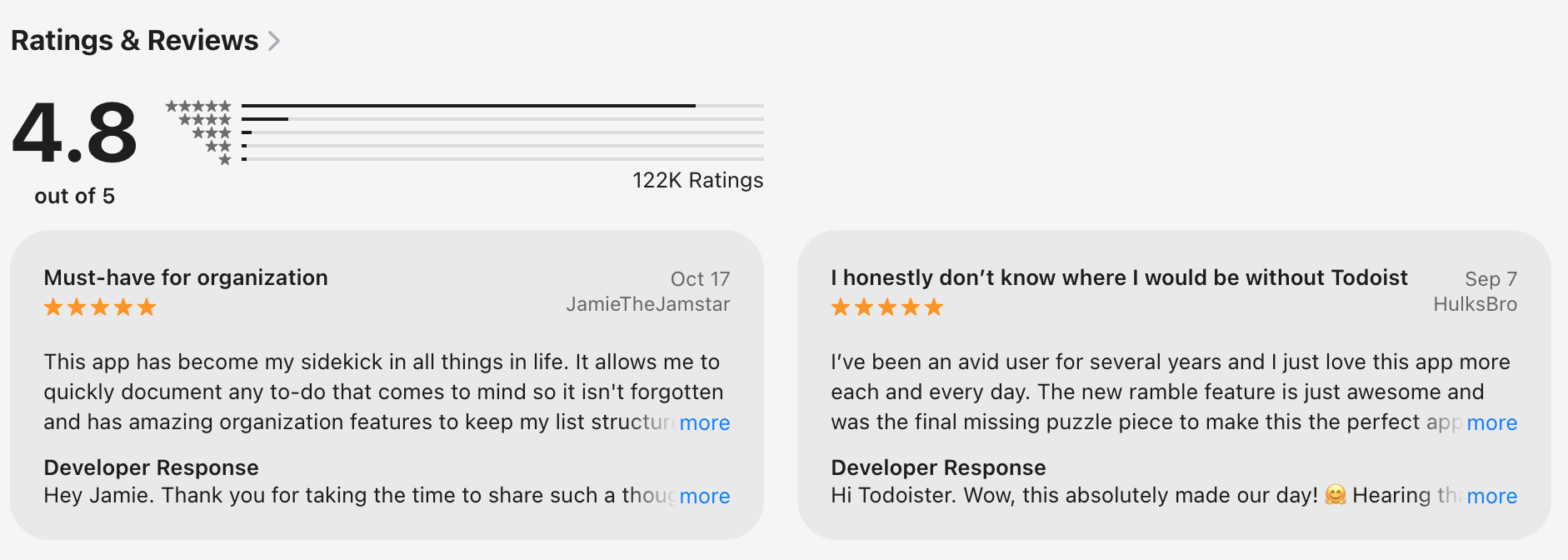
ClickUp review (source)
How to get started
- Go to ClickUp
- Create a free account
9. Jira
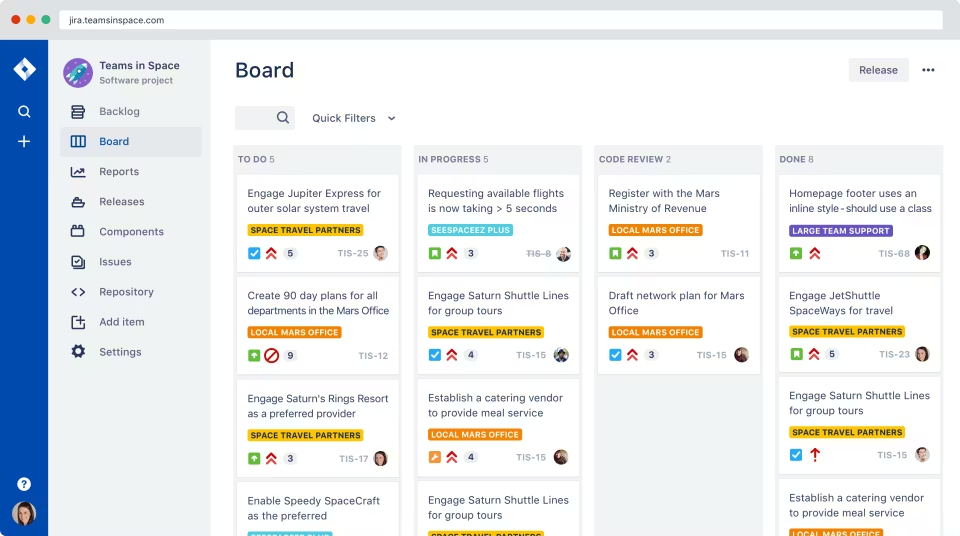
Jira is a project management and issue-tracking tool from Atlassian that helps teams plan, track, and manage work. It’s best known for agile software development, but it’s also used by product, operations, and business teams.
Key features
- Agile project management with Scrum and Kanban boards
- Issue and task tracking with highly customizable workflows and statuses
- Backlogs, sprints, and roadmaps for long-term planning
- Built-in reports like burndown charts, velocity, and sprint insights
Pros
- Extremely strong for structured task and issue management
- Agile tools are mature and work well at scale
- Reporting is detailed and useful for tracking progress and bottlenecks
Cons
- Steep learning curve compared to more flexible tools like Notion
- Feels rigid if you want free-form notes, docs, or lightweight planning
- Interface is optimized for technical teams, not general knowledge work
Pricing
- Free plan for small teams.
- Paid plans start around $8/user/month.
Best for
- Engineering and product teams running agile workflows
- Teams that need precise issue tracking and accountability
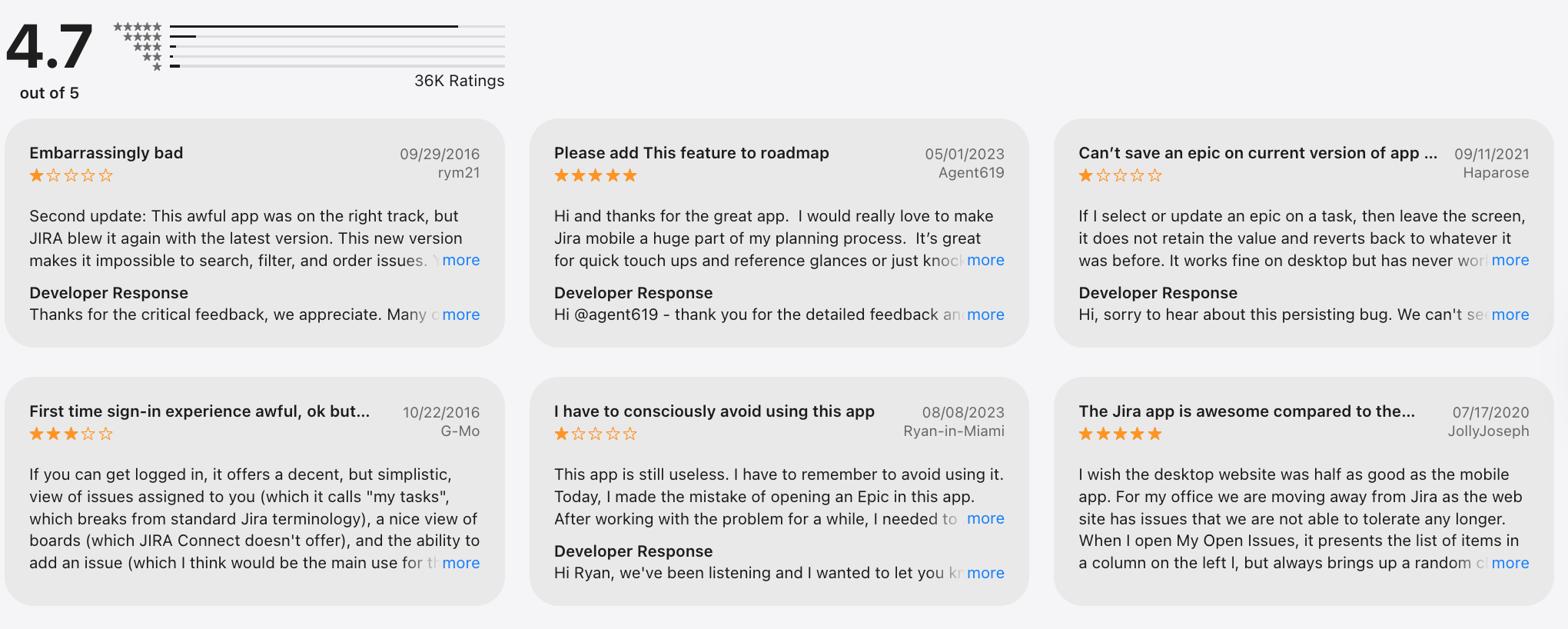
Jira review (source)
How to get started
- Go to Jira on Atlassian
- Create a free account
10. Airtable
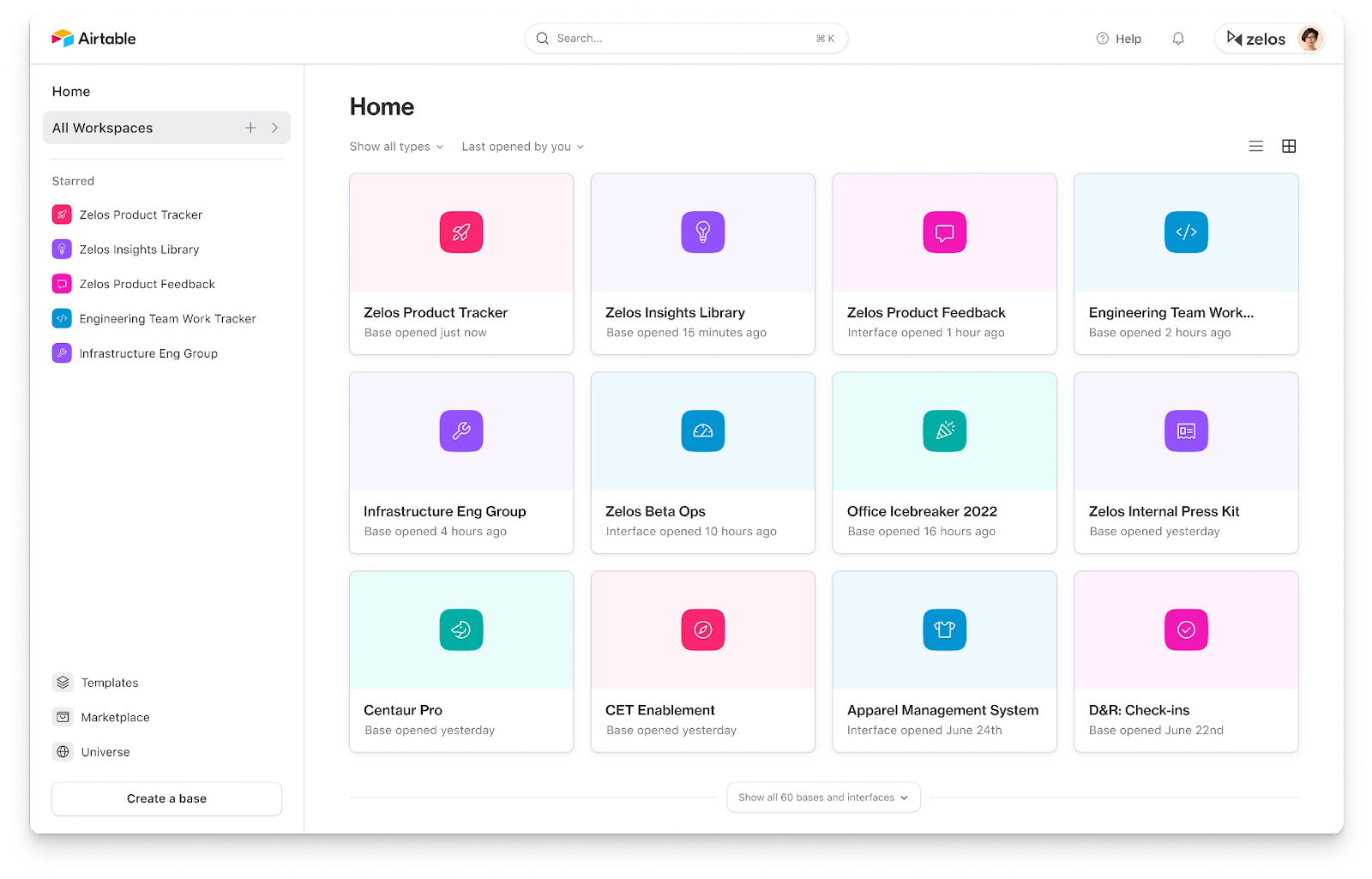
Airtable is a cloud-based spreadsheet-database hybrid that helps teams organize, manage, and automate structured data. It’s often used as a Notion alternative when the main need is databases, workflows, and automation, rather than docs or long-form notes.
Key features
- Spreadsheet-style interface with relational databases under the hood
- Multiple views for the same data (grid, calendar, Kanban, Gantt)
- Strong automations and integrations with tools like Slack, Zapier, CRM, and email
- Custom field types, linked records, forms, and dashboards
What I liked
- Much stronger than Notion for structured data and databases
- Multiple views make it easy to reuse the same data in different ways
- Automations and integrations are more powerful than Notion’s native setup
What I disliked
- Not great for rich documentation, wikis, or nested notes
- There’s a learning curve if you’ve never used relational databases
- Some task-management basics feel indirect unless automated
Pricing
- Free plan available with limited records and automation runs
- Paid plans typically start around $20–$24 per user/month
Suitable for
- Teams managing CRMs, content calendars, roadmaps, or operations data
- Users who want a Notion alternative focused on databases and workflows
How to start
- Go to Airtable
- Create a free account
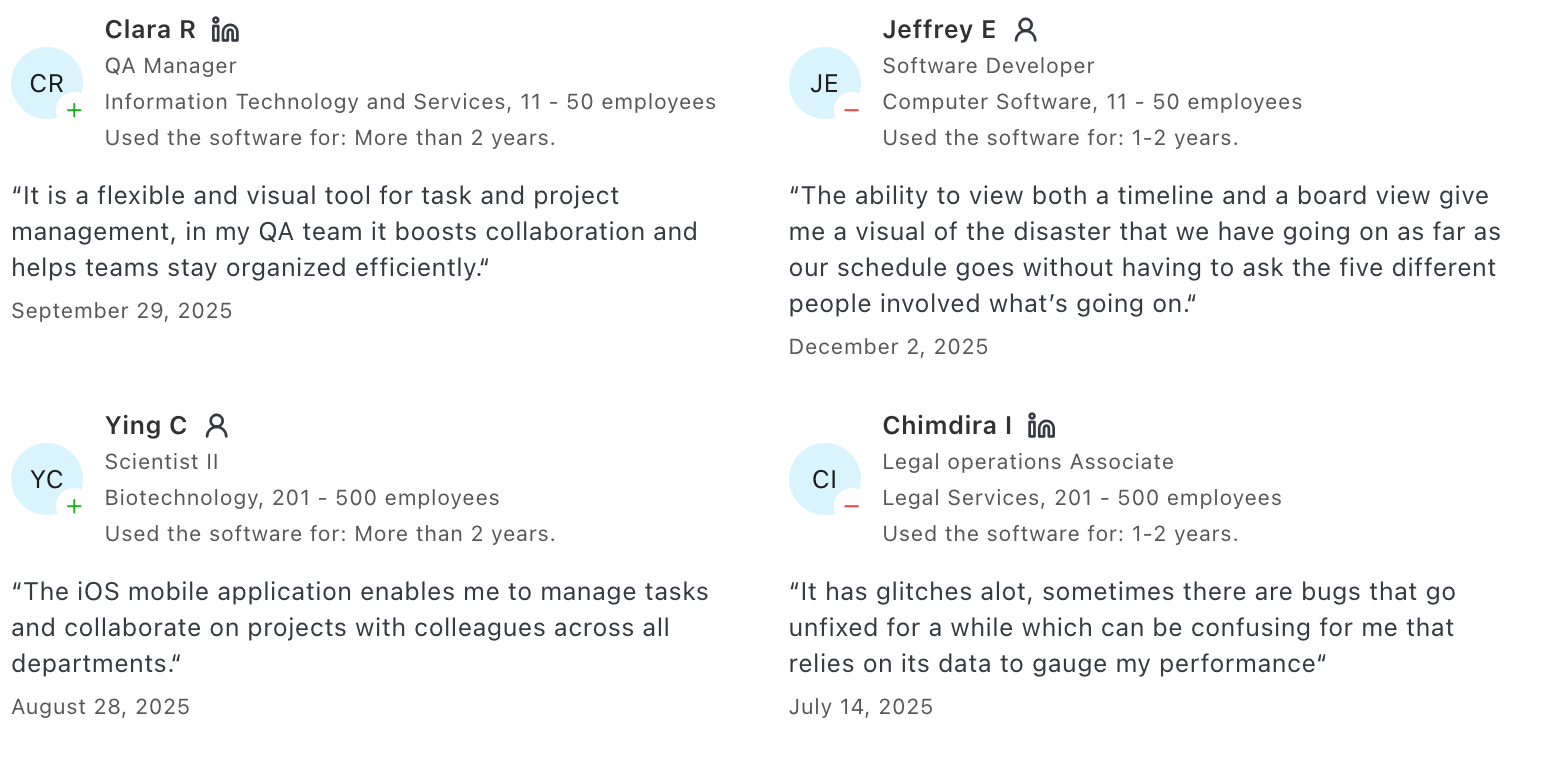
Airtable reviews (source)
Final Thoughts: Choosing the Best Notion Alternative for You
There’s no single “best” tool that replaces Notion for everyone - and that’s the point.
Notion works well if you enjoy building systems from scratch. But if it feels heavy, distracting, or mentally draining, that’s not a personal failure. It’s a signal that you may need a tool with more guidance, a clearer structure, or better AI assistance.
The best Notion alternatives tend to fall into clear buckets:
- Some reduce cognitive load and help you think more clearly
- Some focus on execution and project tracking
- Others specialize in structured data or team collaboration
The right choice depends on how you actually work, not how a tool says you should work.
If you want clarity and AI-assisted thinking, Saner.AI can help connect ideas for you.
If you want momentum and execution, choose something opinionated about tasks and workflows like Linear
Start with the tool that feels easiest to use on day one. That’s usually the one you’ll still be using six months from now.
Stay on top of your work and life
FAQ: Best Notion Alternatives (2026 Guide)
1. What are the best Notion alternatives?
The best Notion alternatives depend on why Notion isn’t working for you. Some people want:
- Less setup and fewer templates
- Better task management
- Stronger databases
- More automation or AI help
- Tools that work better for ADHD or fast-moving teams
Popular Notion alternatives include Saner.AI, Coda, Tana, Airtable, and task-focused tools like ClickUp or Asana.
There’s no single “best” option - only the best fit for your workflow.
2. Why do people look for alternatives to Notion?
Notion is powerful, but many users eventually hit friction. Common reasons people switch:
- Too much manual setup and maintenance
- Pages get messy over time
- Tasks, notes, and projects feel disconnected
- Performance slows with large workspaces
- It becomes another system to manage instead of something that helps you think
Most Notion alternatives aim to reduce complexity, add structure automatically, or focus on one core job really well.
3. Which Notion alternative is best for knowledge management?
If your main use case is notes, ideas, and thinking, look beyond traditional project tools.
Strong knowledge-focused alternatives include:
- Saner.AI – Designed for messy notes, fast capture, and AI recall
- Tana – Structured outlines with powerful backlinks
- Coda – Docs + databases with more logic than Notion
These tools prioritize finding and using information, not just storing it.
4. What’s the best Notion alternative for task and project management?
Notion works for light task tracking, but dedicated tools are often better for execution.
Popular task-first alternatives include:
- Saner.AI – AI assistant, emails, calendar, all-in-one task system
- Asana – Clean structure for team workflows
- Jira – Built for engineering and agile teams
- Linear – Fast, opinionated, developer-friendly
These tools shine when deadlines, dependencies, and ownership matter more than documentation.
5. Which Notion alternatives are best for teams?
For teams, clarity and coordination matter more than flexibility.
Good team-oriented alternatives:
- Lark – Docs, chat, meetings, and tasks in one workspace
- Asana – Clear task ownership and timelines
- ClickUp – Custom workflows across departments
Teams that outgrow Notion often want less freedom, more alignment.
6. What’s the best Notion alternative for ADHD?
Many people with ADHD struggle with Notion’s open-ended nature.
Helpful alternatives tend to:
- Reduce manual organization
- Work with incomplete or messy inputs
- Surface what matters automatically
Saner.AI is often preferred by ADHD users because it:
- Turns notes into actions automatically
- Reduces context switching
- Doesn’t rely on perfect structure or tagging
Instead of building a system, you focus on doing the work.
7. Are there Notion alternatives with better databases?
Yes. If databases are your primary reason for using Notion, there are stronger options.
Top database-focused alternatives:
- Airtable – Spreadsheet-like power with real relational databases
- Coda – Flexible tables embedded directly into docs
These tools are better for structured data, reporting, and automation than Notion.
8. Which Notion alternatives use AI more effectively?
Many tools now claim AI, but they use it differently.
Examples:
- Saner.AI – AI understands your notes, tasks, and context
- Coda – AI for formulas, summaries, and automation
- ClickUp – AI for writing and task summaries
The key difference is whether AI actually connects your work, or just helps you write faster.
9. What’s the simplest alternative to Notion?
If Notion feels overwhelming, simpler tools may be a better fit.
Options people choose for simplicity:
- Saner.AI – Minimal setup, natural language input
- Routine – Focused daily planning
- Linear – Opinionated and fast
The best simple alternative is usually one that does less - but does it well.
10. Is Notion still worth using in 2026?
Notion is still useful for:
- Wikis and documentation
- Light databases
- Highly customized workspaces
But many users now prefer alternatives that:
- Require less maintenance
- Offer better task execution
- Use AI to reduce mental overhead
That’s why searches for Best Notion Alternatives continue to grow.
11. Can I replace Notion completely with one tool?
Sometimes - but not always. Some people replace Notion entirely with:
- Saner.AI for notes + tasks
- ClickUp for projects
- Airtable for structured data
Others intentionally split tools to avoid one giant, fragile system.
12. How do I choose the best Notion alternative for me?
Ask yourself:
- Do I need thinking space or execution space?
- Am I overwhelmed by structure - or lacking it?
- Do I work solo or with a team?
- Do I want flexibility or opinionated workflows?
The best Notion alternative is the one that removes friction from your daily work - not the one with the most features.
Stay on top of your work and life effortlessly
[Last updated in 2026]