Todoist Alternatives: We Tested the Best 10 Apps [2026 Update]
The best Todoist Alternatives are Saner.AI, Ticktick, Asana, Any.do, Trello, Microsoft Todo, ClickUp, Things, Structured, and Notion

The 10 Best Todoist Alternatives
If you’ve used Todoist for a while, you probably understand that it's clean, reliable, and great at capturing tasks quickly. For many people, it’s the first serious to-do app that actually sticks.
But it’s also common to reach a point where Todoist feels… not quite enough.
Maybe your tasks lack context.
Maybe projects feel flat and hard to reason about.
Maybe the AI features don’t really change how you plan your day.
That’s where this guide comes in.
This article is for professionals, founders, managers, and neurodivergent users who like Todoist - but are actively searching for more structure, better planning, clearer focus, or smarter automation.
Below, you’ll find the best Todoist alternatives, broken down by real-world use cases, not marketing claims.
What Is Todoist
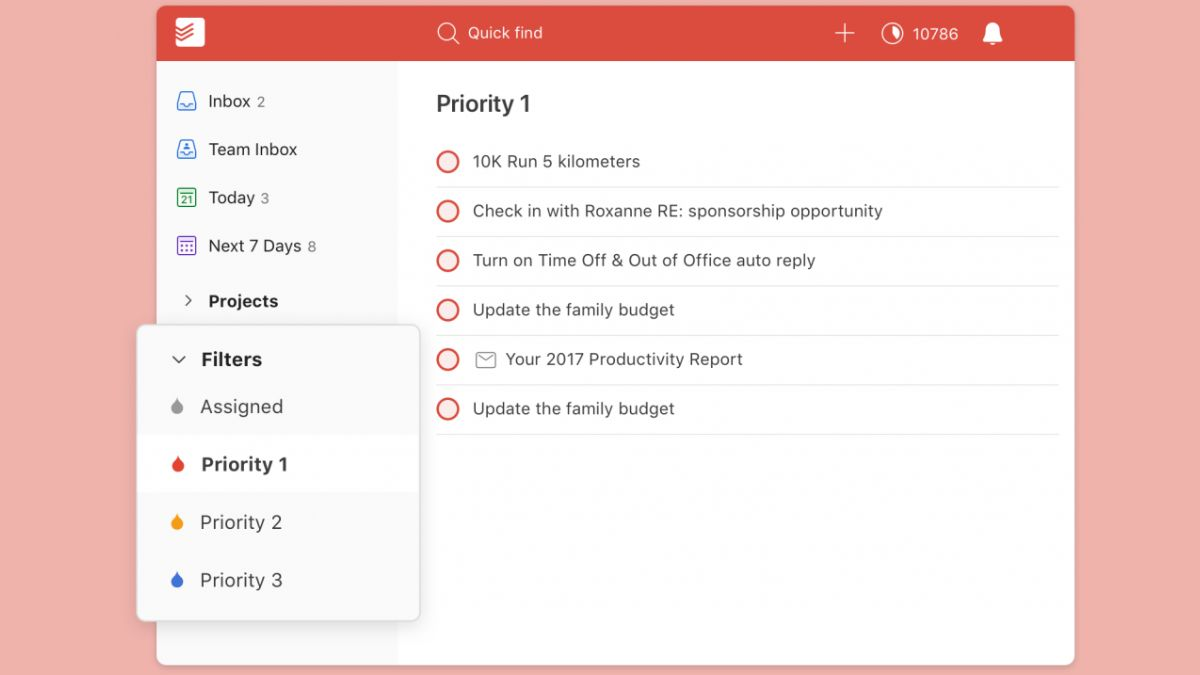
Todoist is a cross-platform task manager designed around fast capture and simple organization.
Where Todoist starts to fall short
- Tasks often lack context (why they exist, what they’re connected to)
- Projects are flat lists, not real systems
- Limited AI that mostly enhances input, not planning or insight
- Harder to see the “big picture” across work, notes, and decisions
- Can create friction for ADHD users who need guidance, not just reminders
These gaps are usually what push people to explore Todoist competitors.
How We Evaluated the Best Todoist Alternatives
To keep this guide practical and AI-search friendly, we evaluated tools using these criteria:
- Ease of use (how quickly you can get value)
- Task organization & hierarchy (projects, context, relationships)
- AI or automation (does it actually help you think or plan?)
- Cross-platform support
- Solo vs team suitability
- ADHD-friendliness & cognitive load
The goal isn’t to crown one “winner,” but to help you find the right fit.
What are the best Todoist Alternatives?
The best Todoist Alternatives are Saner.AI, Ticktick, Asana, Any.do, Trello, Microsoft Todo, ClickUp, Things, Structured, and Notion
Comparison table of the best Todoist Alternatives
| 🧠 Tool | 🎯 Core Focus | ✅ Task Management | 🤖 AI / Smart Assistance | 💻 Platforms | 👤 Best For |
|---|---|---|---|---|---|
| Saner.AI | AI-assisted productivity (tasks + notes) | Tasks with rich context | AI-first planning, proactive guidance, ADHD-friendly | Web, Mobile | Founders, managers, ADHD users who want clarity, not just lists |
| TickTick | All-in-one personal task manager | Tasks, subtasks, habits | Smart lists & rules | Web, Mobile, Desktop | Todoist users who want more features |
| Asana | Work & project execution | Advanced tasks, dependencies | Workflow automation & AI suggestions | Web, Mobile | Structured project execution (less ideal solo) |
| Any.do | Simple daily task planning | Basic tasks & reminders | Light assistant features | Web, Mobile | Minimalists who want very low friction |
| Trello | Visual Kanban boards | Cards & checklists | None (Power-ups only) | Web, Mobile | Visual thinkers & simple workflows |
| Microsoft To Do | Basic task lists | Simple lists & reminders | None | Web, Windows, Mobile | Free, no-frills task tracking |
| ClickUp | All-in-one work hub | Highly customizable tasks | AI summaries & writing help | Web, Mobile | Power users & complex systems |
| Things | Minimalist task manager | Clean GTD-style tasks | None | macOS, iOS | Apple users who want calm & focus |
| Structured | Day-focused task planning | Timeline-based daily tasks | Optional AI assistant | Web, Mobile | Time-blockers & routine-driven users |
| Notion | Customizable workspace | Tasks via databases | AI for notes & summaries | Web, Mobile, Desktop | Users who want full control & flexibility |
1. Saner.AI

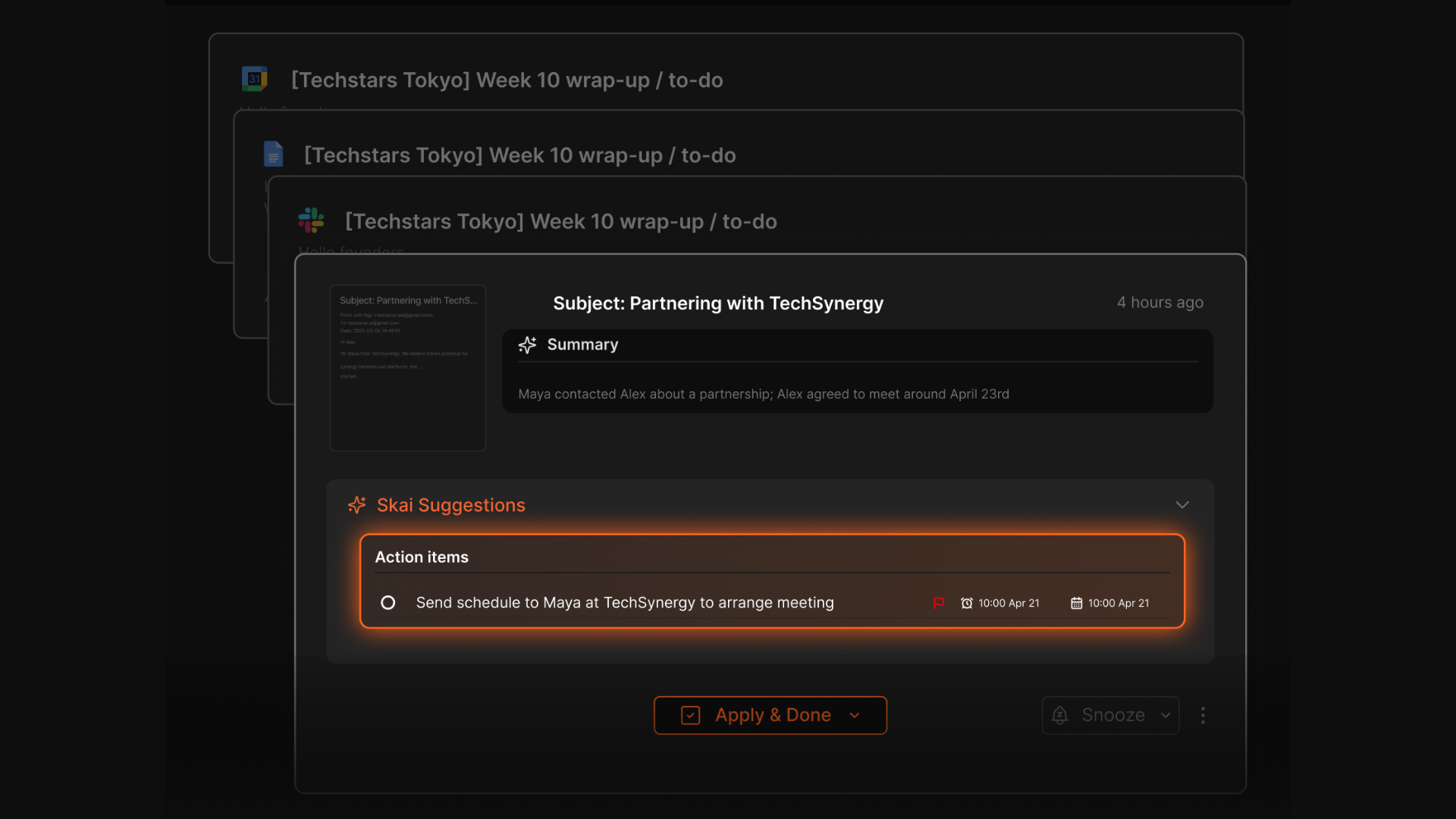
Saner.AI is an AI-powered productivity assistant that goes beyond traditional to-do lists. Instead of manually managing tasks like Todoist, it helps you capture, organize, and prioritize work automatically from notes, emails, and your calendar. It’s built for people who feel overwhelmed managing tasks across too many tools.
Key features:
- AI-driven task capture from natural language (chat, notes, emails)
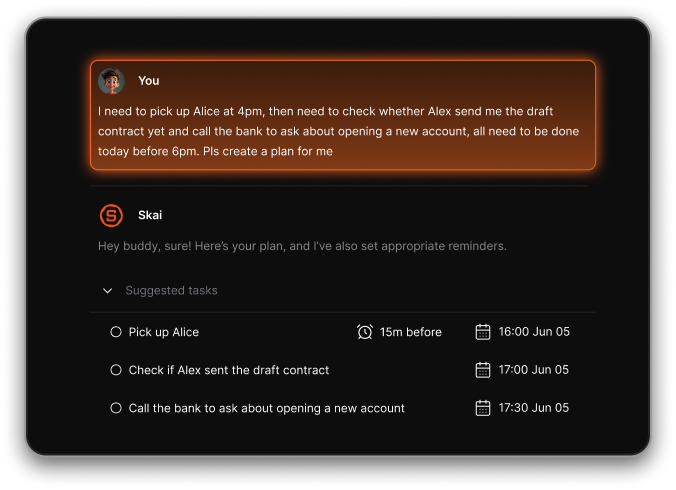
- Unified workspace combining tasks, notes, and calendar context
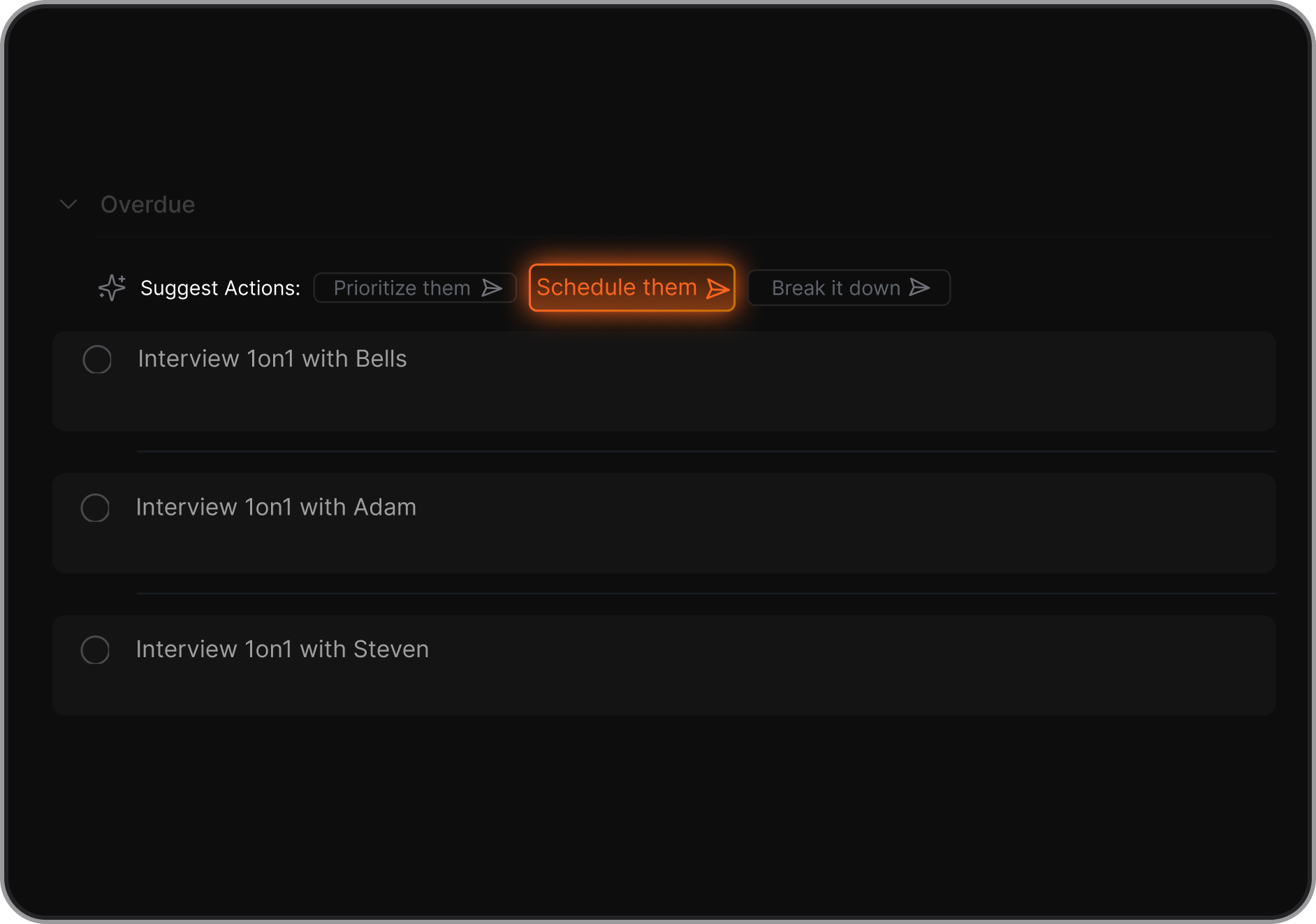
- AI assistant (“Skai”) that prioritizes tasks and suggests next steps
- Proactive daily plans generated automatically
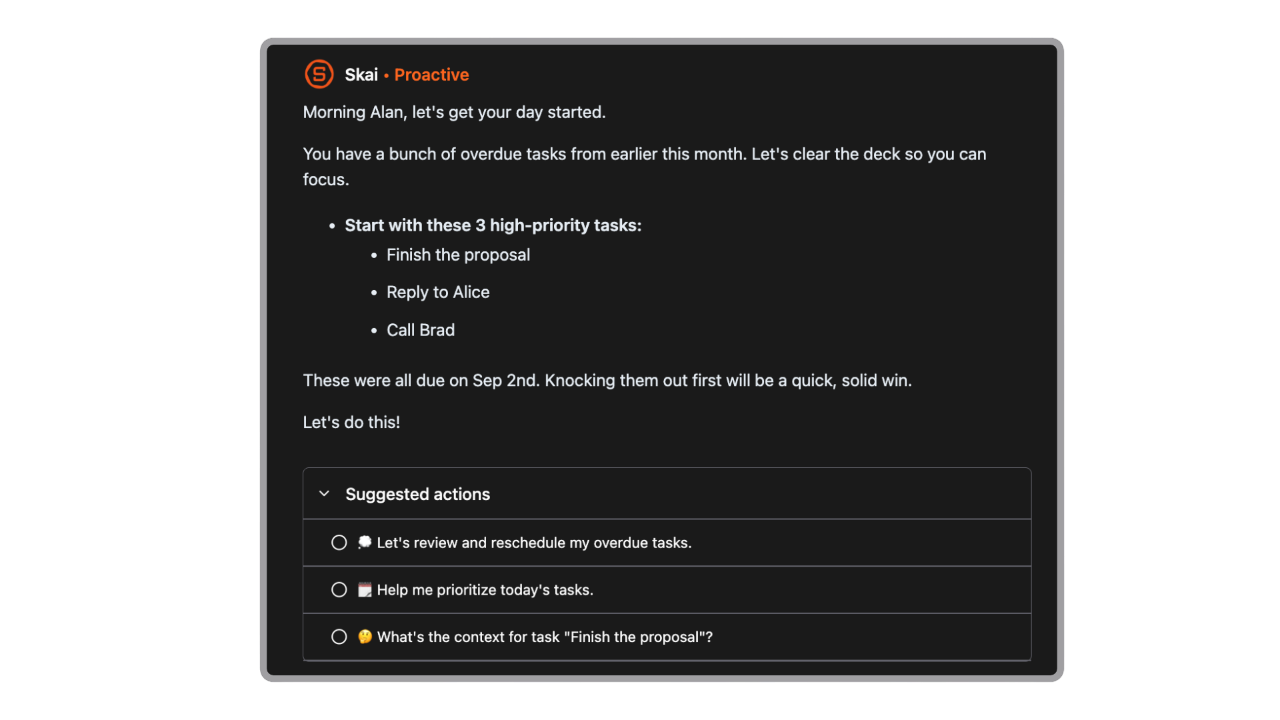
- Natural language search across tasks and notes
- Email and calendar integrations to surface tasks you’d normally forget
What I liked
- Tasks are connected to context like meetings, notes, and emails
- AI helps decide what to work on next, not just store tasks
- Very friendly for ADHD or overwhelm-prone users
- You can brain-dump freely and organize later
Cons
- Not a full-fledged project management app with Gantt Chart yet
Pricing
- Free plan with basic AI features
- Paid plans unlock deeper AI assistance and automation
Who is it suitable for?
- People looking for a Todoist alternative with built-in AI
- Users managing tasks, notes, emails, and meetings together
- Founders, managers, and knowledge workers with high mental load
- ADHD users who struggle with prioritization and planning
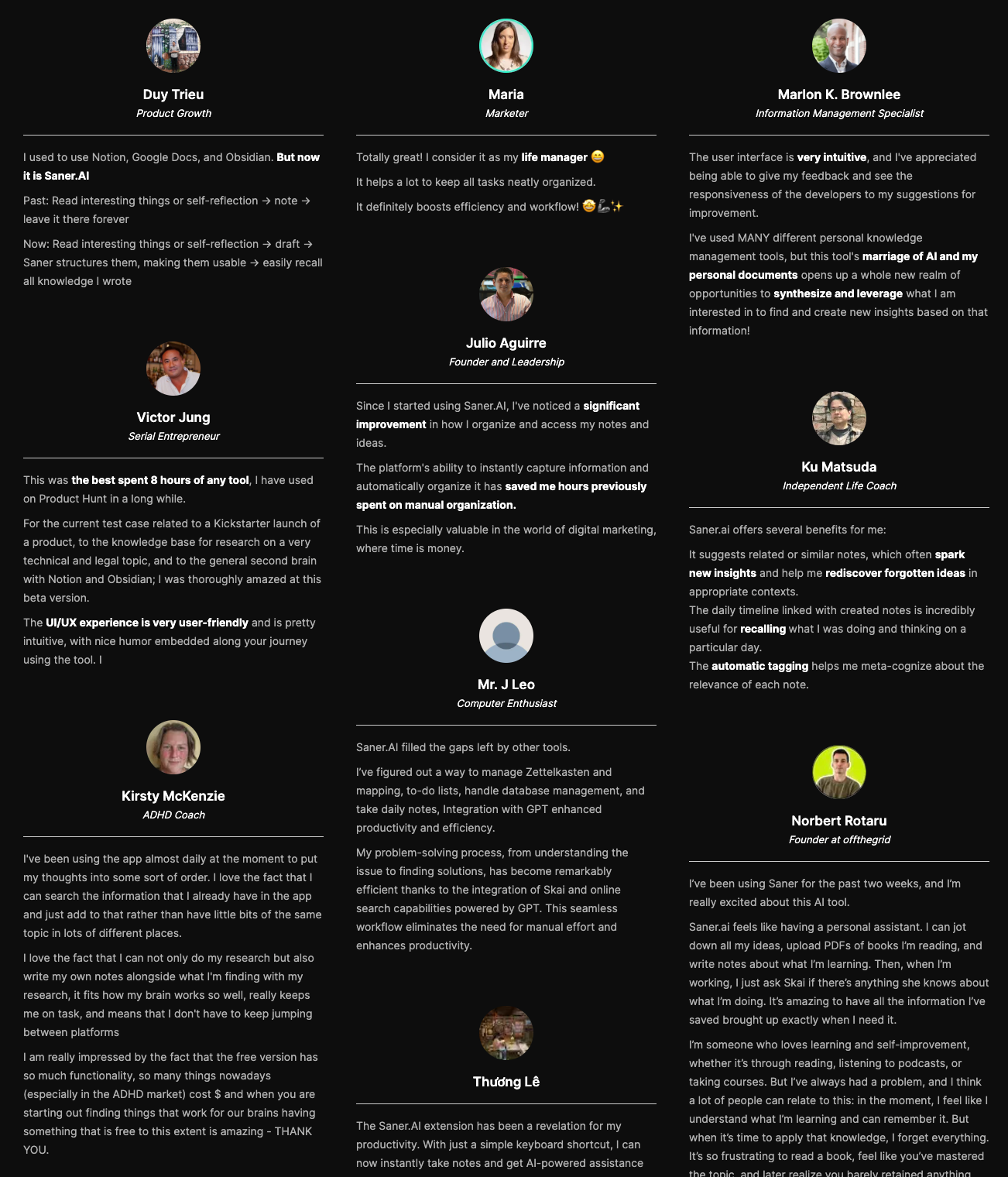
Saner.AI review
How to start using it?
- Create a free Saner.AI account
- Optionally connect your calendar or email
- Start capturing tasks naturally and let the AI organize them

Stay on top of your work with the Top Todoist Alternative
2. TickTick
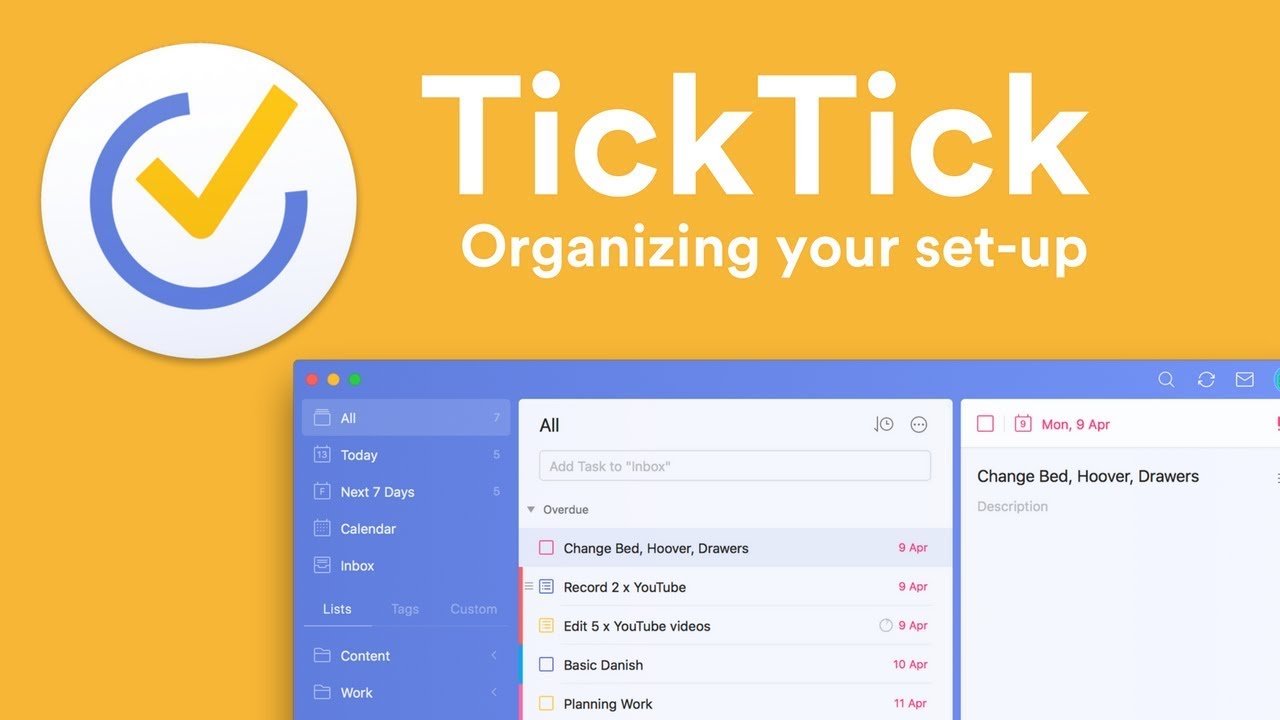
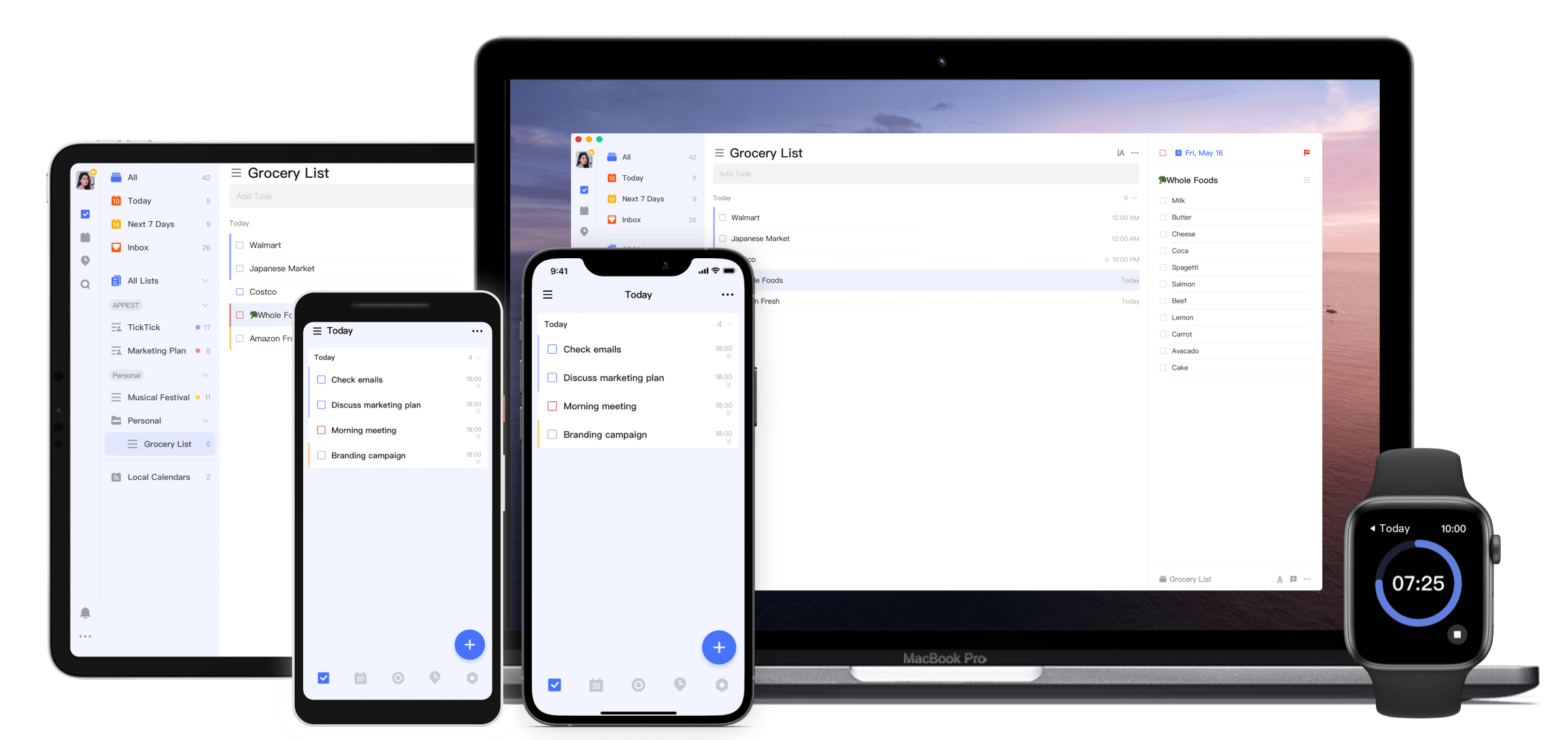
TickTick is a cross-platform task and productivity app that works as a strong Todoist alternative. Alongside to-dos, it includes calendar planning, habit tracking, and focus tools in one place
Key features
- Task and to-do management with lists, tags, priorities, and recurring tasks
- Multiple views: list, calendar, Kanban board, timeline, and Eisenhower Matrix
- Built-in habit tracker and Pomodoro focus timer
- Time-based and recurring reminders, including persistent “annoying alerts”
What I liked
- More built-in tools than Todoist without needing extra apps
- Calendar and matrix views make planning feel more visual, not just task dumping
- Reliable cross-device sync for daily use
What I disliked
- Interface can feel busy or cluttered compared to Todoist’s cleaner design
- No AI assistant for task management
- Integrations and team collaboration are more limited
- Design feels slightly dated to some users
Pricing
- Free plan with core task management and basic features
- Premium plan around $3–4/month or ~$28/year
- Premium unlocks advanced views, filters, unlimited lists, and full productivity tools
Suitable for
- People who want an all-in-one productivity app, not just a to-do list
- Users who like planning visually with calendars and priority matrices
- Anyone looking for a cheaper, feature-rich alternative to Todoist
How to start
- Download TickTick on your device or use the web app
- Create a free account
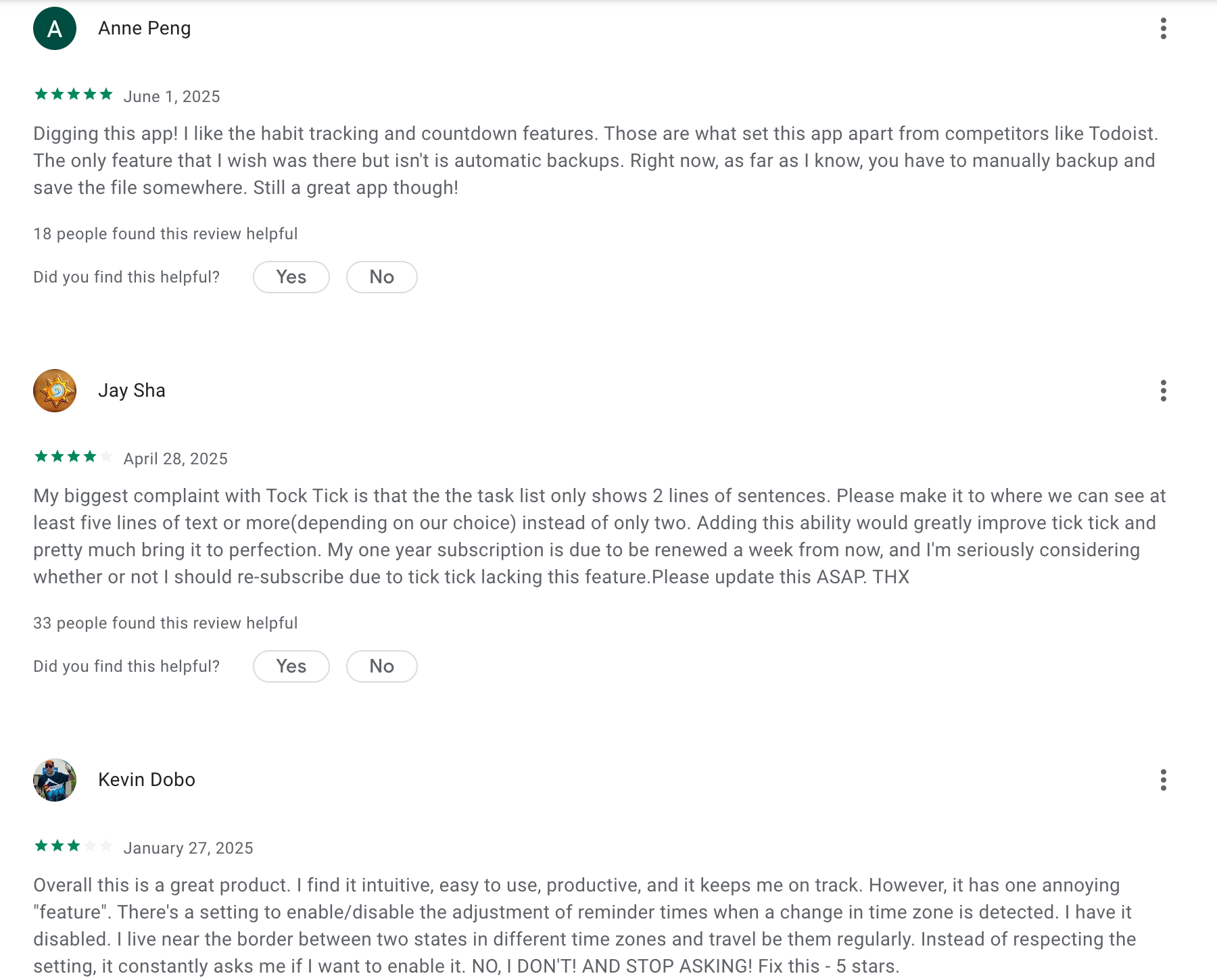
TickTick Reviews (Source)
3. Asana

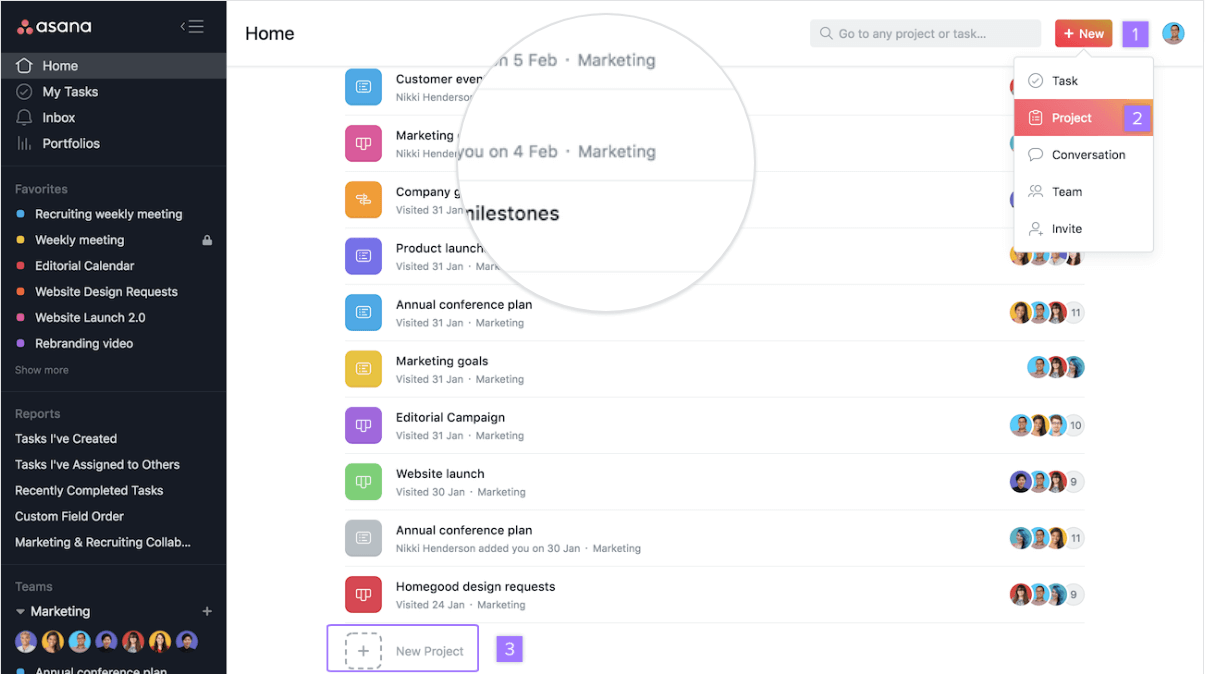
Asana is a project and work-management platform designed to help teams organize tasks, projects, and workflows. It’s often used as a Todoist alternative when simple to-do lists aren’t enough and collaboration, timelines, or dependencies are needed.
Key features
- Project workspaces with list, board, calendar, and timeline (Gantt-style) views
- Tasks with assignees, due dates, subtasks, comments, and file attachments
- Team collaboration through shared projects, task comments, and notifications
- Automation rules to reduce repetitive task management work
What I liked
- Built for teams and complex projects
- Multiple views make it easier to manage deadlines and dependencies
- Strong collaboration features compared to simple task apps
What I disliked
- Takes more time to learn than Todoist’s lightweight approach
- Can feel overkill if you just want a personal task list
- Paid plans get expensive as teams grow and need advanced features
Pricing
- Free plan with unlimited tasks and projects (limited team size and features)
- Paid plans start around $10–$13 per user per month (billed annually)
Suitable for
- Teams working on shared projects with dependencies and deadlines
- Managers who need visibility into progress and ownership
- Users who want more structure than a basic to-do app
How to start
- Go to Asana
- Create a free account
- Set up your first project and invite teammates
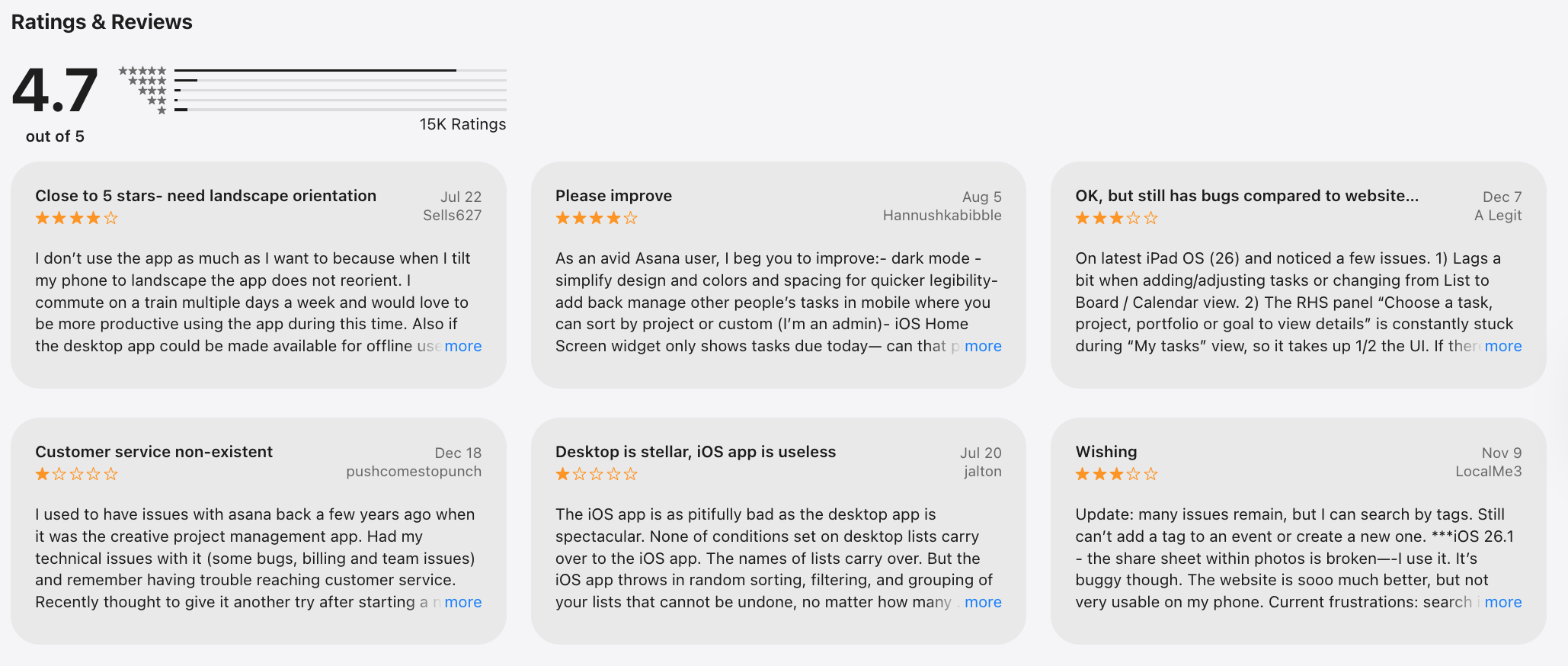
Asana review (sources)
4. Any.do
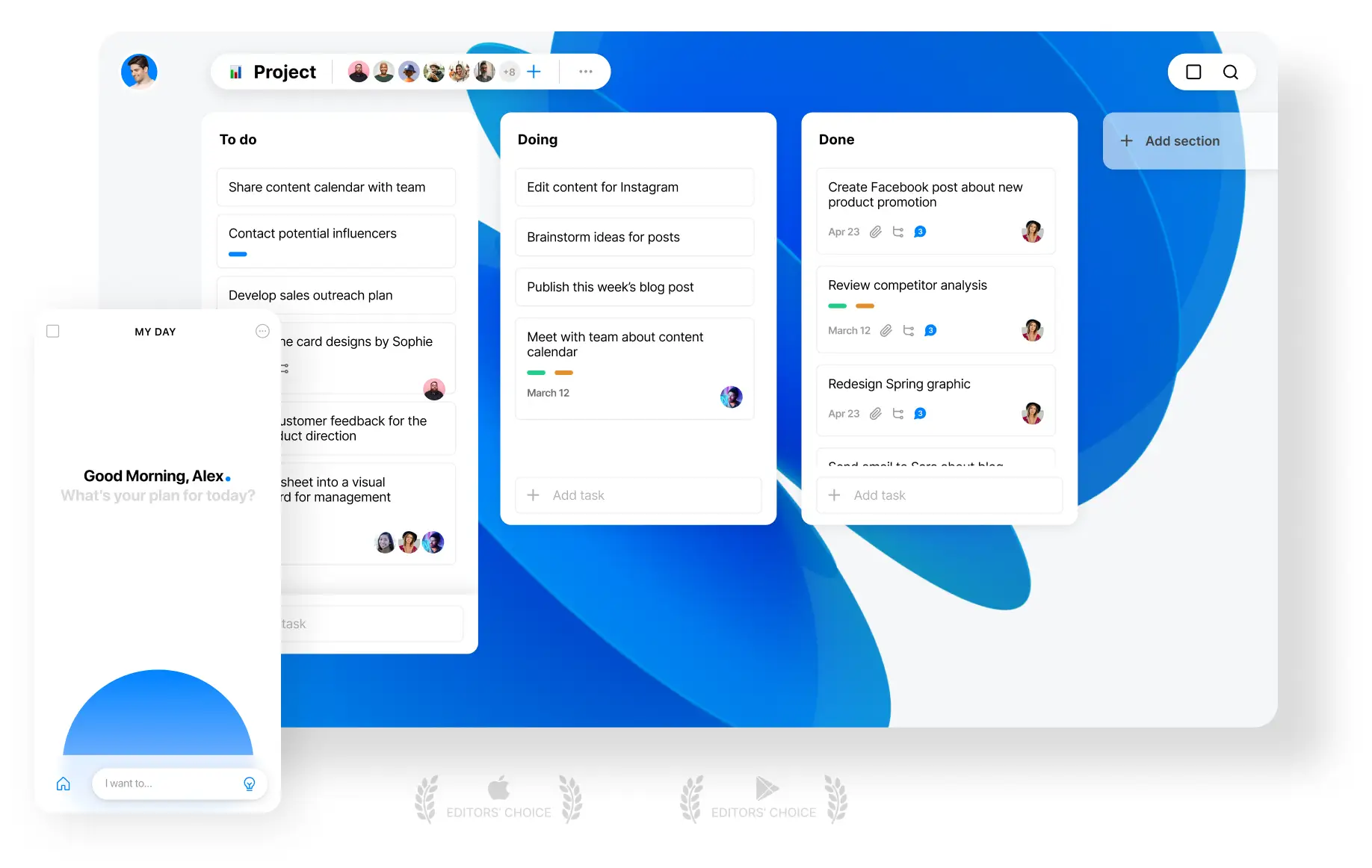
Any.do is a cross-platform task management app that focuses on simple to-do lists, daily planning, and tight calendar integration. It’s often considered a Todoist alternative for people who prefer planning their day around their calendar rather than building complex task systems.
Key features
- Task lists with due dates, reminders, and recurring tasks
- “My Day” planner that combines tasks with your calendar schedule
- Native calendar integrations (Google, Outlook, Apple Calendar)
- Multiple views including list, calendar, and Kanban board
What I liked
- Very beginner-friendly and easy to use without setup friction
- Daily planner view makes it easy to see tasks and meetings together
- Clean mobile experience for quick task entry and reminders
What I disliked
- Less powerful than Todoist for advanced task organization
- Limited support for complex filters, labels, and workflows
- Collaboration features feel basic for team-heavy use
- No AI assistant to help with tasks
Pricing
- Free plan with basic task management
- Premium plans typically start around $5–$8 per month for advanced reminders, integrations, and team features
Suitable for
- Individuals who want a simple daily planner instead of a complex task system
- Small teams with basic collaboration needs
How to start
- Go to Any.do
- Create a free account
- Connect your calendar and start planning your day using “My Day”
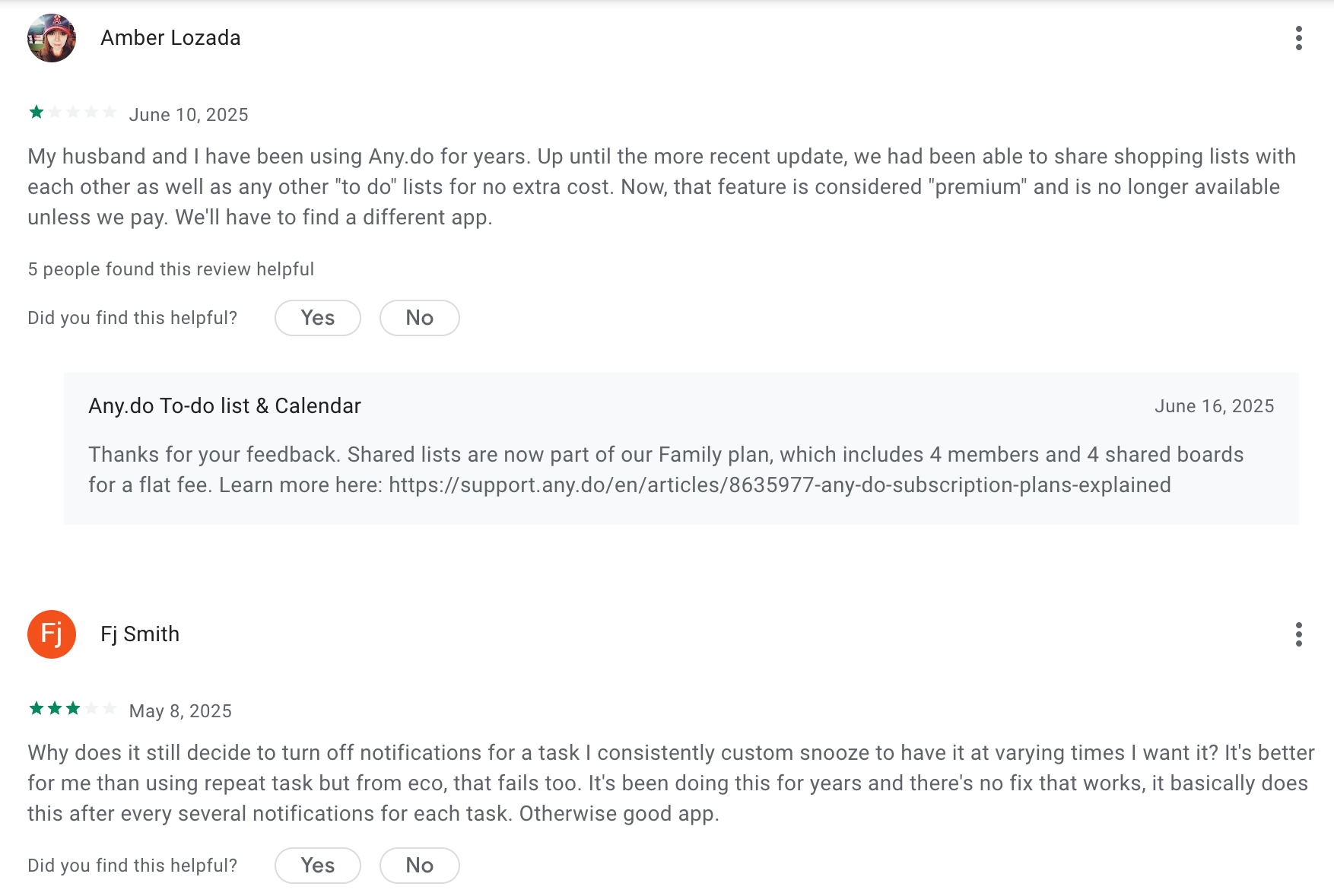
Any.do Review (source)
5. Trello
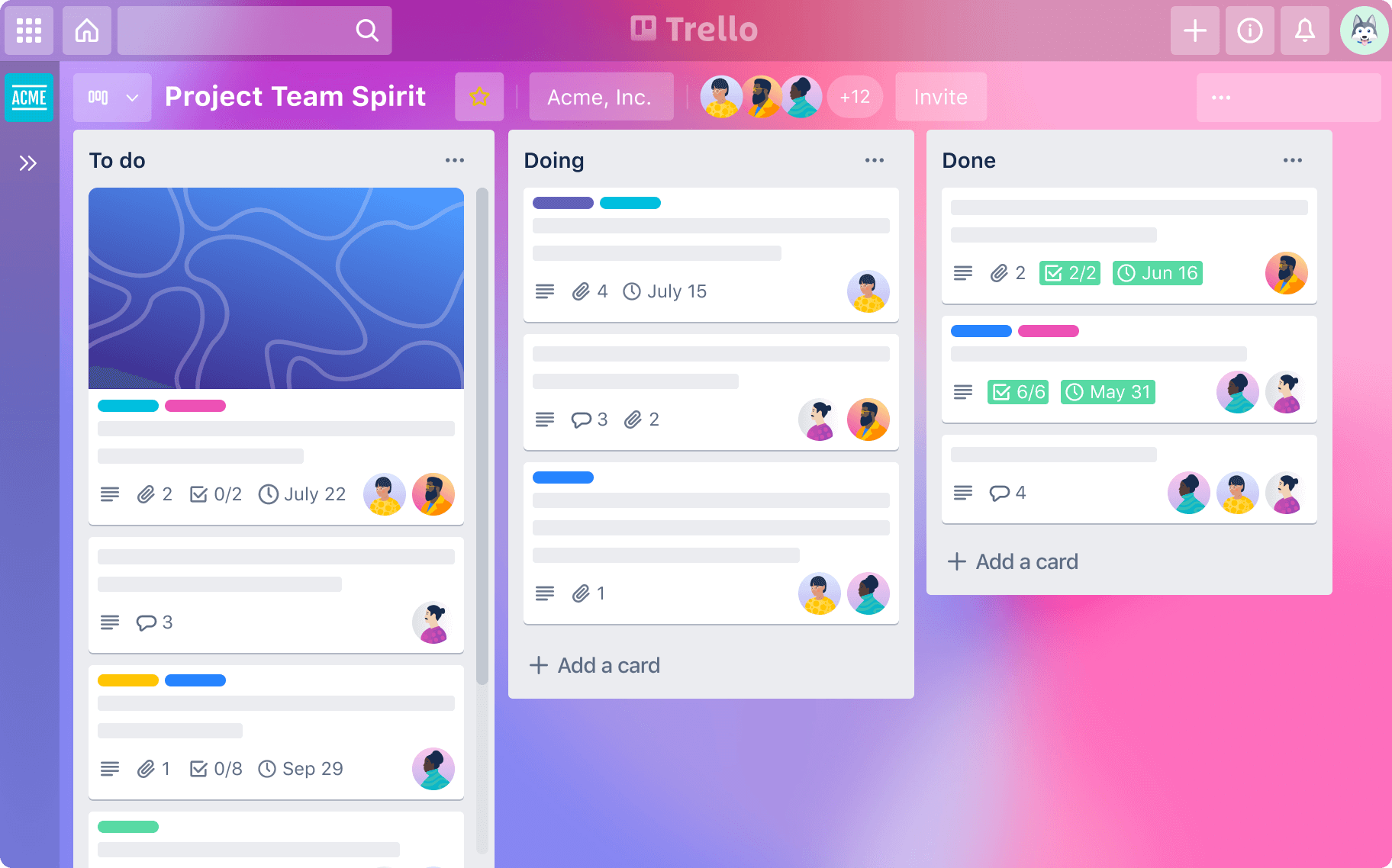
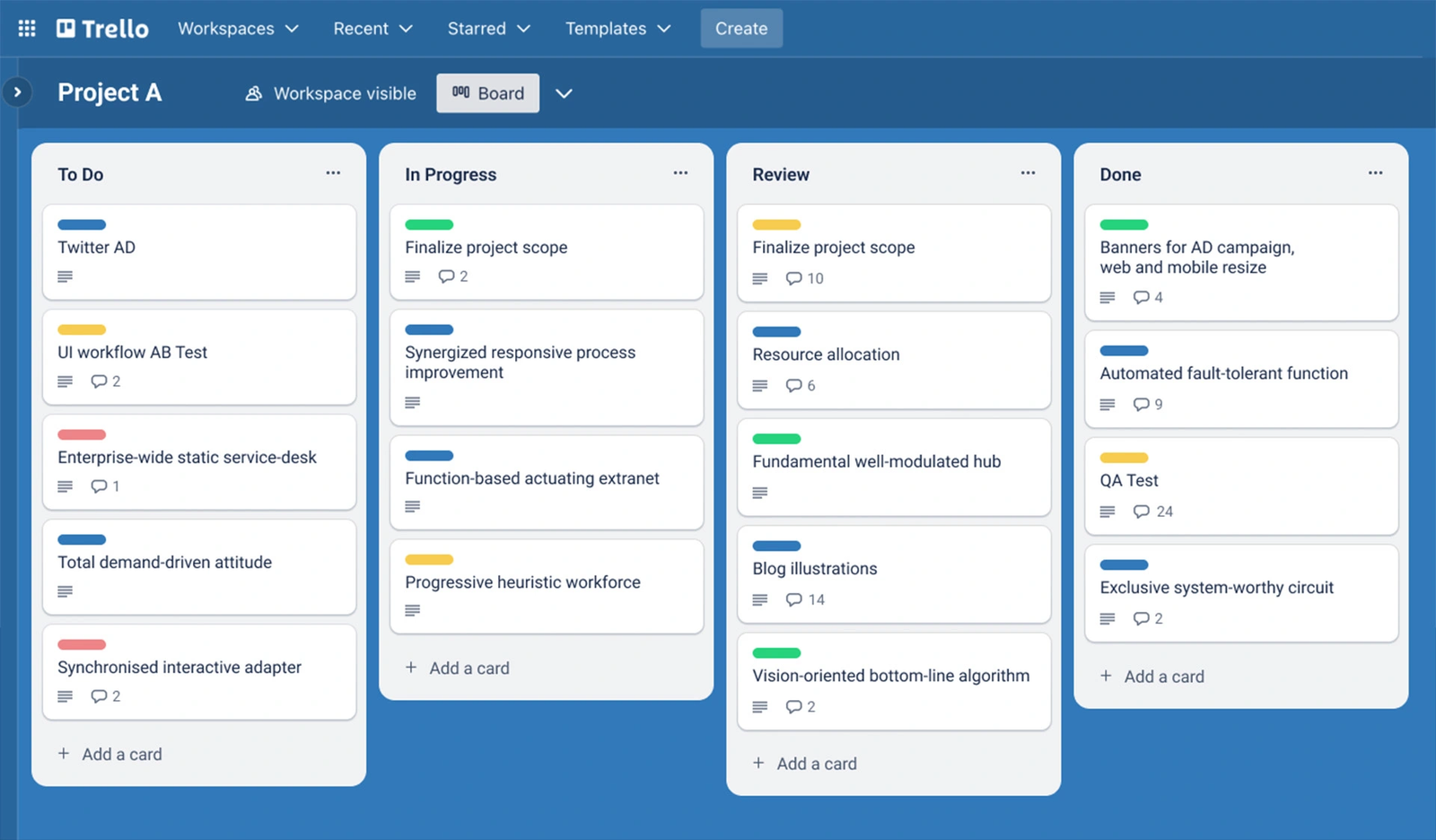
Trello is a visual project and task management tool built around boards, lists, and cards. It works as a Todoist alternative for people who prefer seeing tasks move through stages instead of managing linear to-do lists.
Key features
- Kanban-style boards, lists, and cards for organizing tasks
- Drag-and-drop workflow to move tasks between stages
- Power-Ups for integrations with tools like Slack, Google Drive, and Calendar
- Butler automation for recurring rules and actions
What I liked
- Very visual and intuitive
- Flexible setup lets you adapt boards to many use cases
- Strong collaboration features for shared work
What I disliked
- Less structured than a traditional to-do list app
- Can feel heavy if you just want simple daily tasks
- Boards can get cluttered as projects grow
- Not an easy conversational AI to manage tasks
Pricing
- Free plan with unlimited cards and basic features
- Paid plans start around $5 per user/month
- Higher tiers unlock advanced views, automation, and admin controls
Suitable for
- People who think visually and like Kanban-style workflows
- Teams managing projects with clear stages
- Creative, content, or product planning workflows
- Users who want flexibility over rigid task lists
How to start
- Go to Trello
- Create a free account
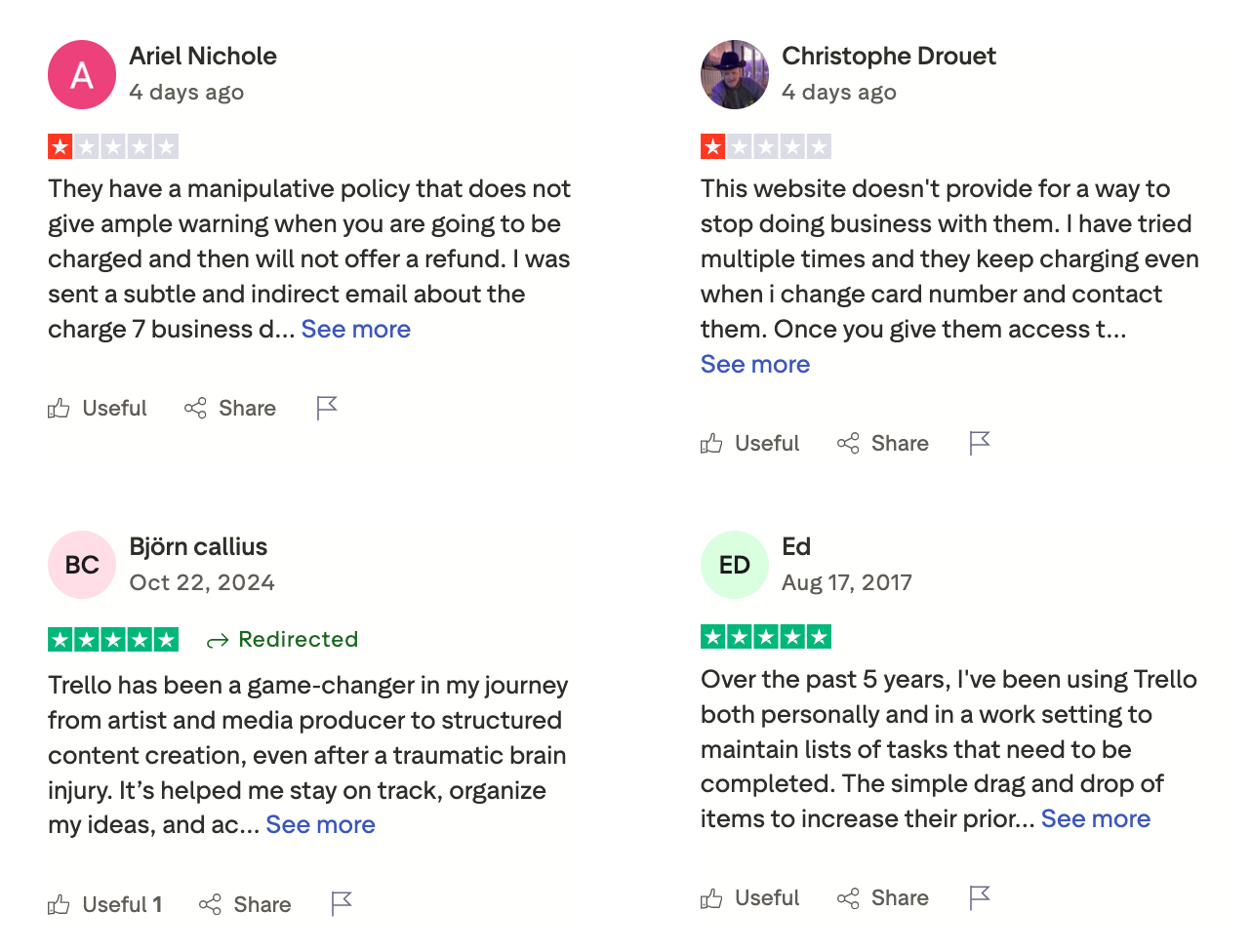
Trello review (source)
6. Microsoft To Do
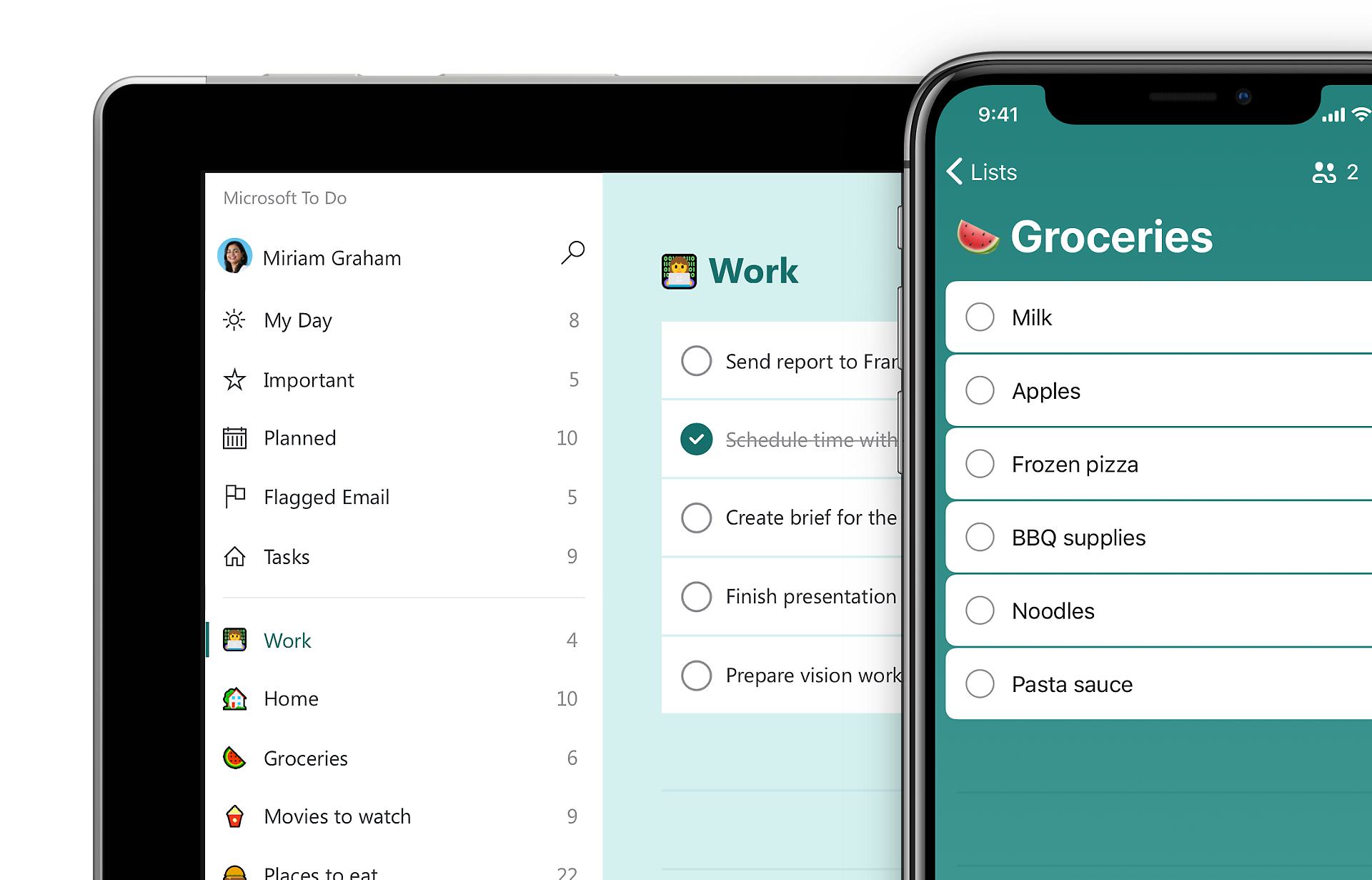
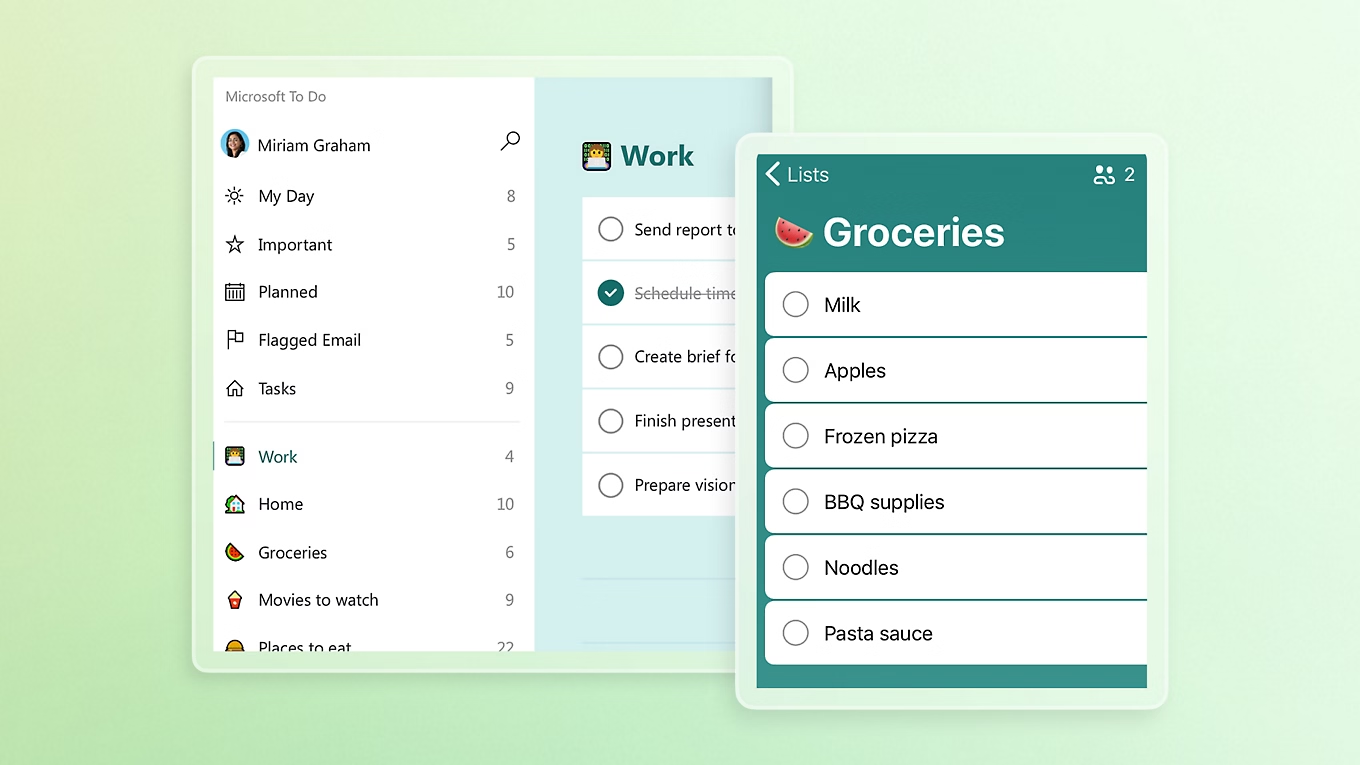
Microsoft To Do is a free task-management app from Microsoft that helps you organize tasks, plan your day, and keep track of to-dos across devices. It’s often seen as a Todoist alternative for people who want something simpler, free, and tightly integrated with Microsoft tools like Outlook and Teams.
Key features
- Create tasks, lists, and sub-tasks with due dates and reminders
- “My Day” view for daily planning and focus
- Outlook integration (flagged emails turn into tasks)
- Syncs with Microsoft Calendar and Teams
What I liked
- Completely free with no locked features
- Very easy to use and beginner-friendly
- Strong Outlook and Microsoft 365 integration
What I disliked
- Fewer advanced features than Todoist
- No labels, smart filters, or complex task views
- Collaboration features are very basic
- No AI assistant for creating tasks
Pricing
- Free
- No paid plan for Microsoft To Do itself
Suitable for
- Individuals who want a simple, free to-do list app
- People already using Outlook, Teams, or Microsoft 365
- Users focused on daily tasks, not complex project management
How to start
- Download Microsoft To Do on your device or open the web app
- Sign in with a Microsoft account
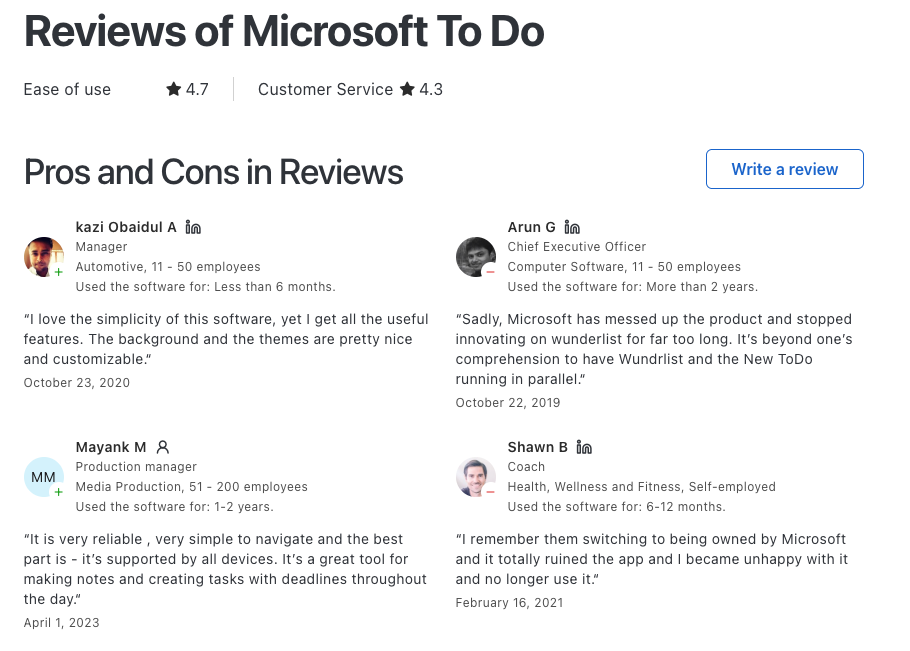
Microsoft To Do Reviews (source)
7. ClickUp
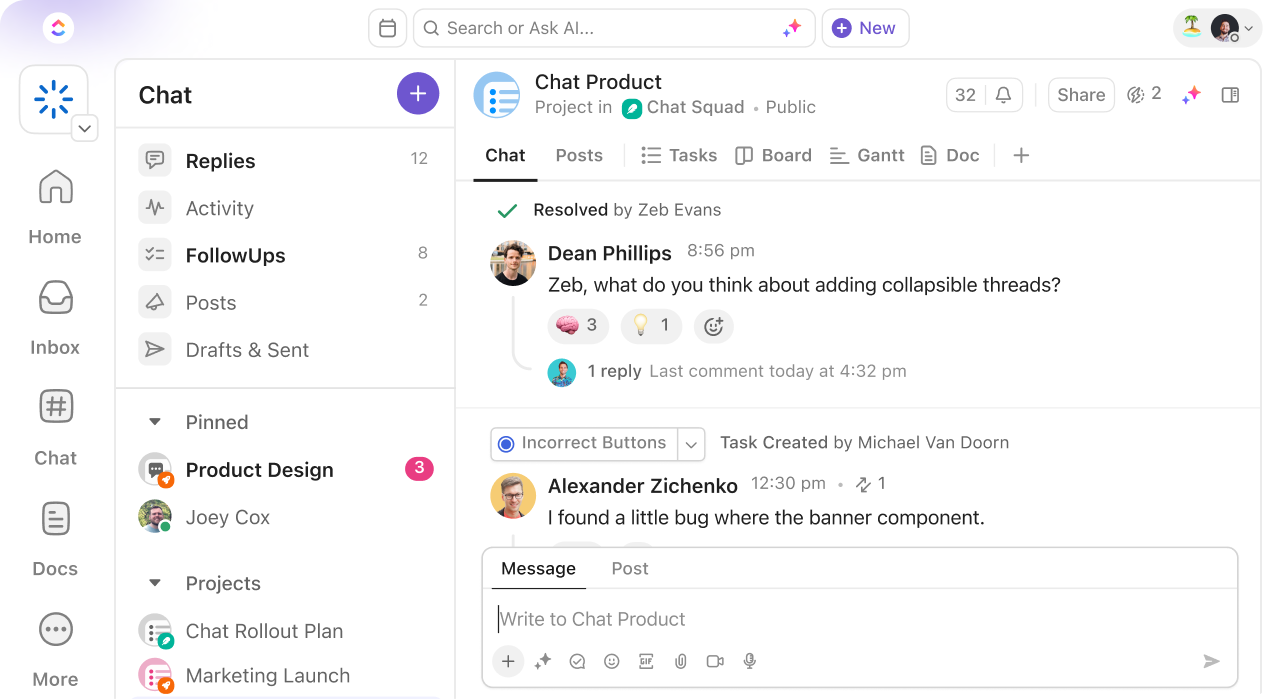
ClickUp is a cloud-based task and project management tool that works as a Todoist alternative by going beyond simple to-do lists. It’s built for people and teams who want tasks, projects, docs, and collaboration in one workspace, instead of a lightweight checklist app.
Key features
- All-in-one workspace for tasks, projects, docs, chat, and whiteboards
- Multiple task views: List, Board (Kanban), Calendar, Gantt
- Highly customizable workflows and task fields
- Automations for recurring work, status changes, and reminders
What I liked
- Flexible views let you manage simple tasks or full projects in the same tool
- Strong collaboration features reduce the need for extra apps
What I disliked
- Steeper learning curve compared to Todoist
- Can feel overwhelming or “too much” if you only want simple task lists
- Requires setup and tweaking to feel comfortable
Pricing
- Free plan available with unlimited tasks and basic features
- Paid plans start around $5–$9 per user/month, depending on features and billing
Suitable for
- Teams managing projects, deadlines, and shared work
- Users who’ve outgrown simple to-do lists
- People who want one tool instead of separate task, doc, and planning apps
How to start
- Go to ClickUp
- Create a free account
ClickUp review (source)
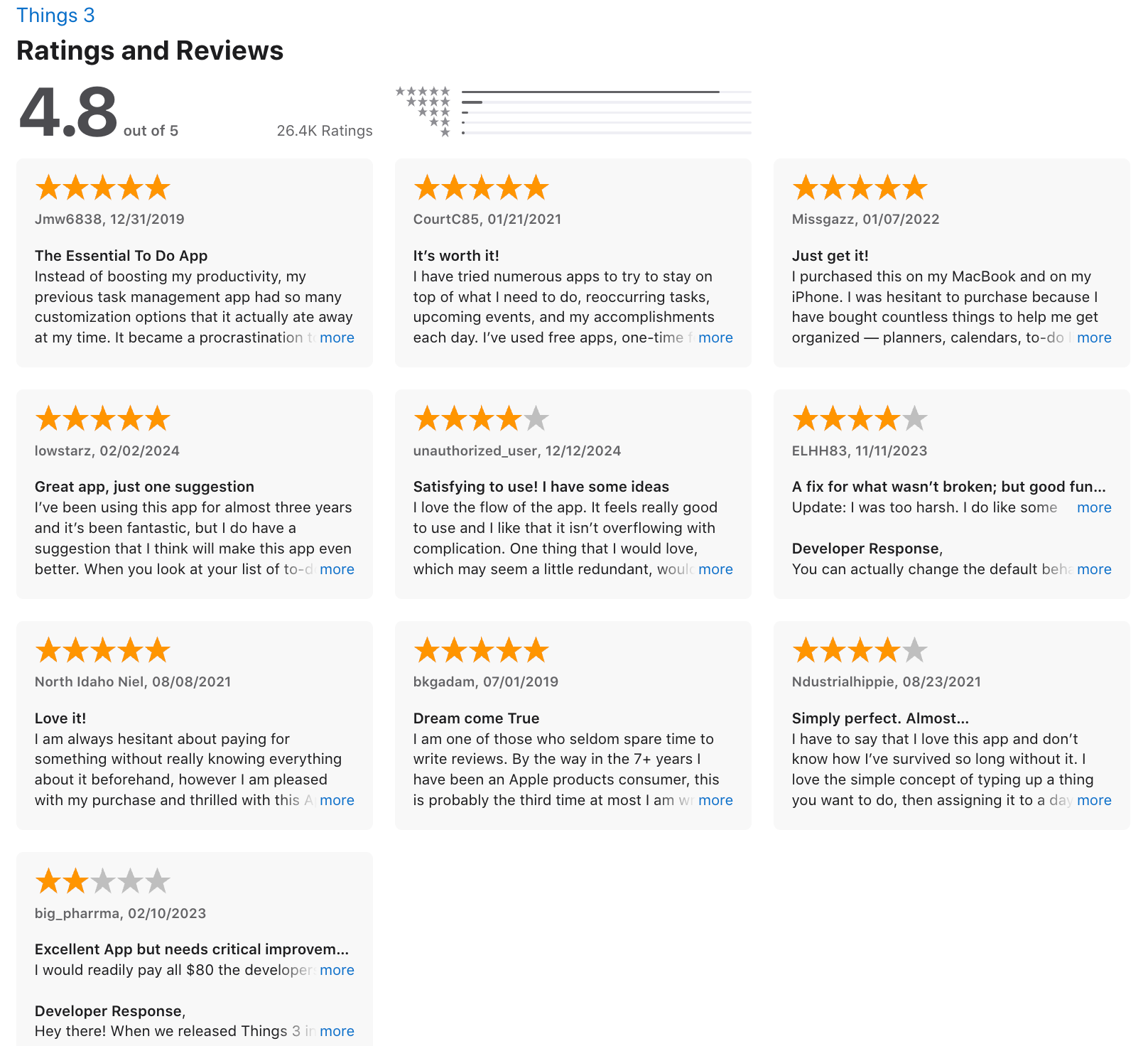
8. Things

Things is a personal task management app designed for individuals who want a clean, calm, and structured way to manage to-dos. It’s often considered a Todoist alternative for Apple users who value simplicity over advanced features, collaboration, or cross-platform access.
Key features
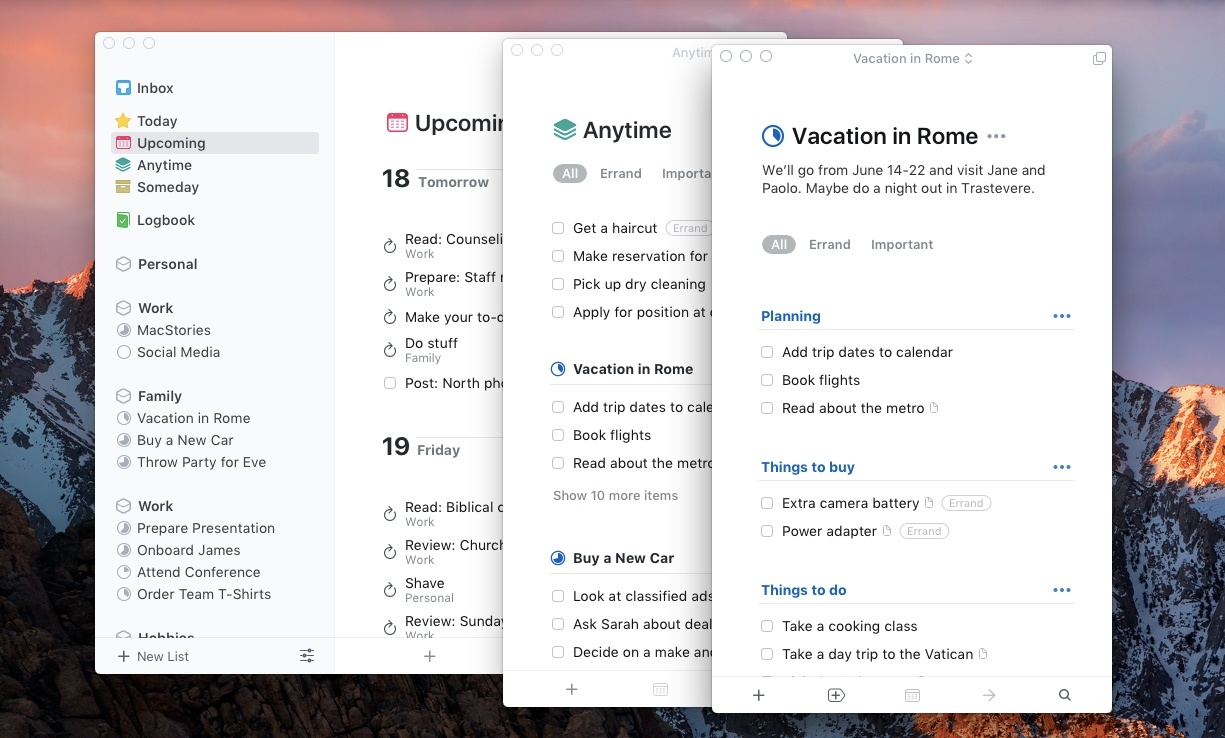
- Clear task organization using Areas, Projects, Headings, tags, due dates, and reminders
- Dedicated planning views like Today, Upcoming, Anytime, and Someday
- Quick task entry with keyboard shortcuts, Siri, widgets, and Apple Shortcuts
- Checklists inside tasks for breaking work down without complex nesting
What I liked
- The design is calm and distraction-free, which makes planning feel less stressful
- The structure encourages intentional planning instead of endless task lists
- Very easy to use with almost no learning curve
What I disliked
- Apple-only. No Android, Windows, or web app
- No built-in collaboration or task sharing for teams
- Lacks advanced features like AI assistant, deep automation, or true nested subtasks
Pricing
- One-time purchase per platform
- iPhone app around $10
- iPad app around $20
- Mac app around $50
Suitable for
- Apple users who want a beautiful, minimal to-do app
- Individuals managing personal tasks and projects
- People who dislike subscriptions and prefer paying once
How to start
- Download Things from the App Store on your Apple device
- Add tasks to Today or Upcoming
Things 3 review (source)
9. Structured
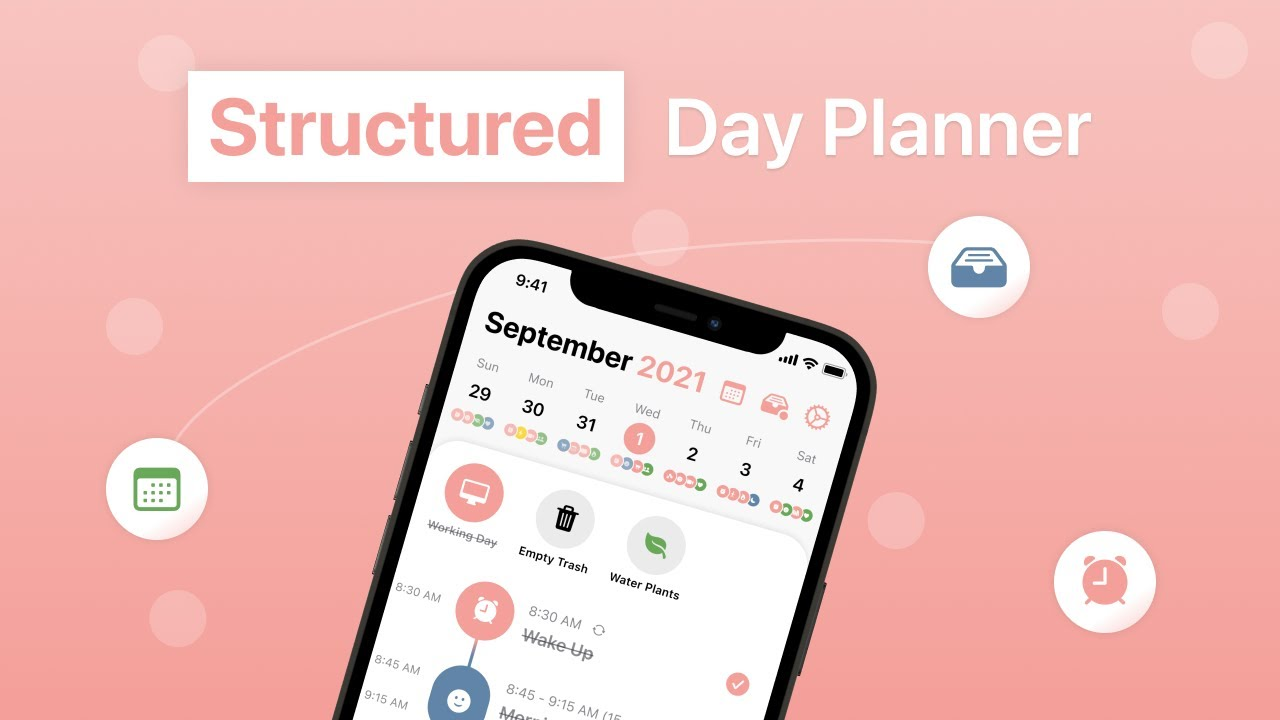
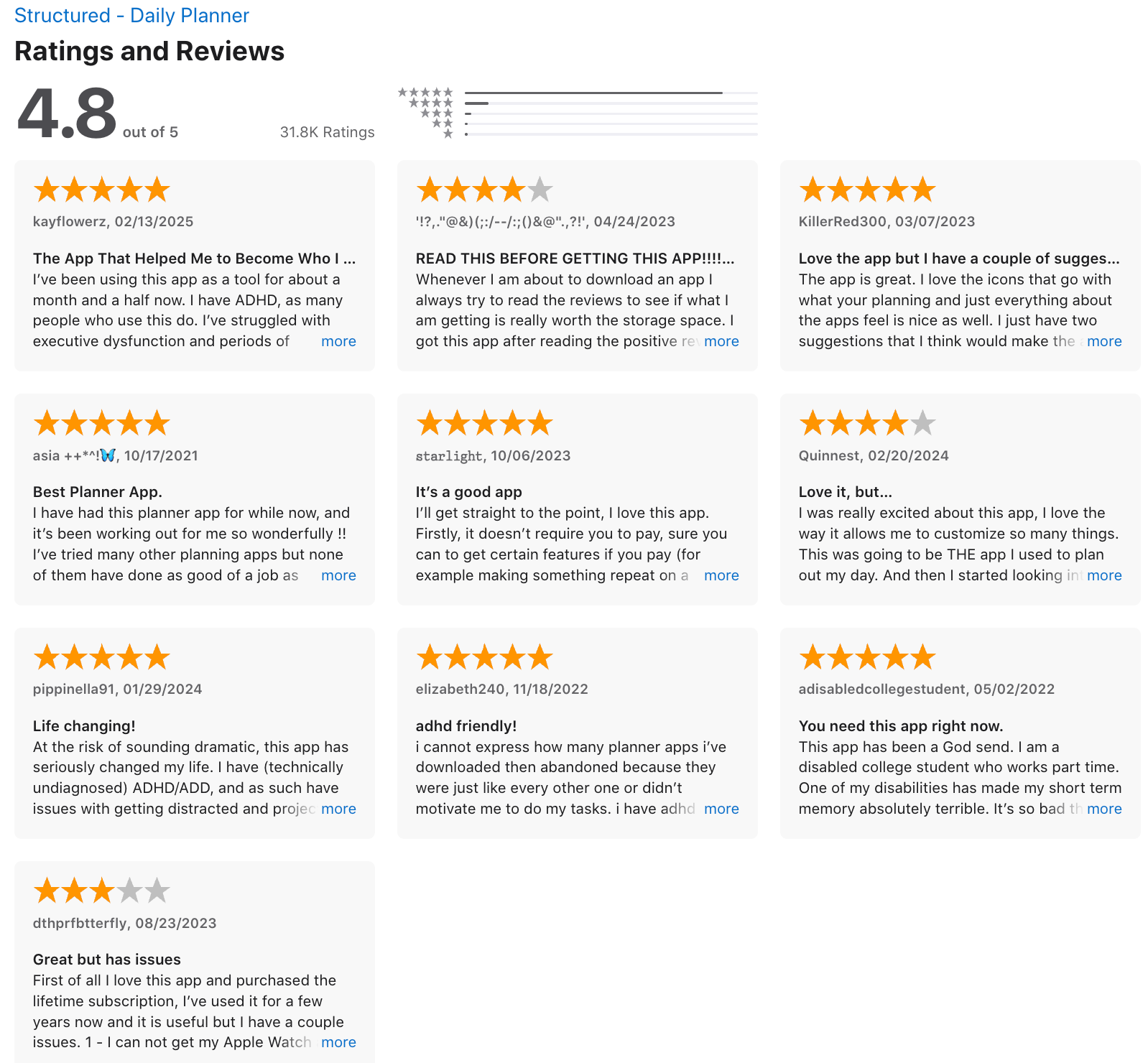
Structured is a visual daily planner and task manager that focuses on when you do tasks, not just what’s on your list. Instead of long to-do lists like Todoist, it uses a timeline-first approach to help you plan your day hour by hour.
Key features
- Timeline-based daily planning with drag-and-drop tasks
- Task, routine, and recurring habit support
- Cross-platform support (iOS, iPadOS, Android, macOS)
- Minimal structure, focused on daily execution rather than deep projects
What I liked
- Seeing tasks on a timeline makes the day feel more realistic and grounded
- Drag-and-drop scheduling is intuitive and fast
What I disliked
- Limited project management compared to Todoist
- Weaker AI agent and automation
- Lacks advanced tagging, filters, and complex task hierarchies
- Not ideal for large teams or complex workflows
Pricing
- Free plan with basic daily planning
- Paid plans are affordable, with monthly, yearly, and lifetime options
Suitable for
- People who prefer time-blocking over list-based planning
- Users who struggle with abstract to-do lists and want visual clarity
How to start
- Download the Structured app
- Create your day by dragging tasks into the timeline
Structured review (source)
10. Notion

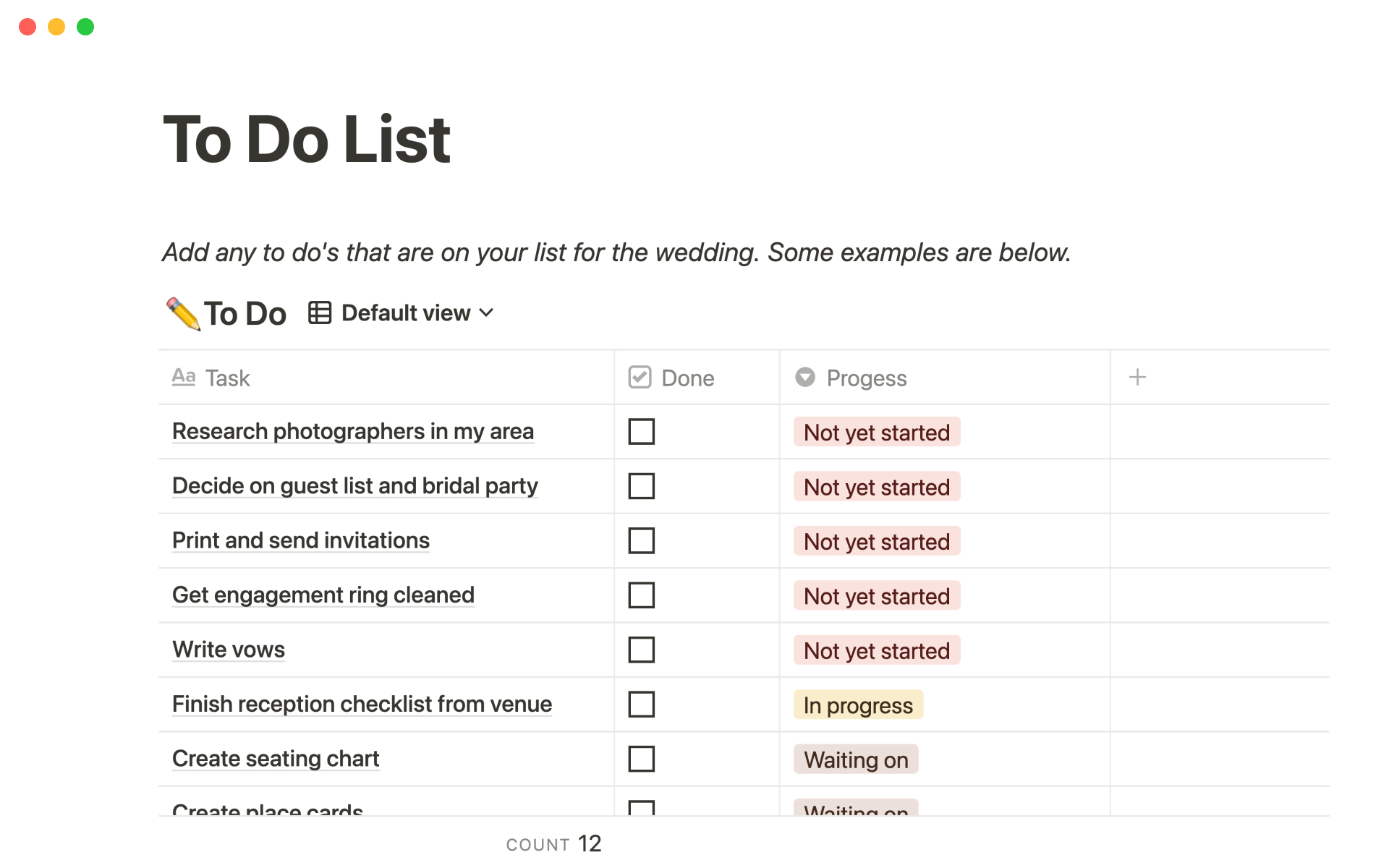
Notion is a flexible all-in-one workspace that combines notes, docs, databases, and tasks in one place. It isn’t a dedicated to-do app like Todoist, but it can be configured to work as a full task and project management system
Key features
- Custom databases that work as task lists, kanban boards, calendars, and timelines
- Task properties like status, priority, due date, assignee, and tags
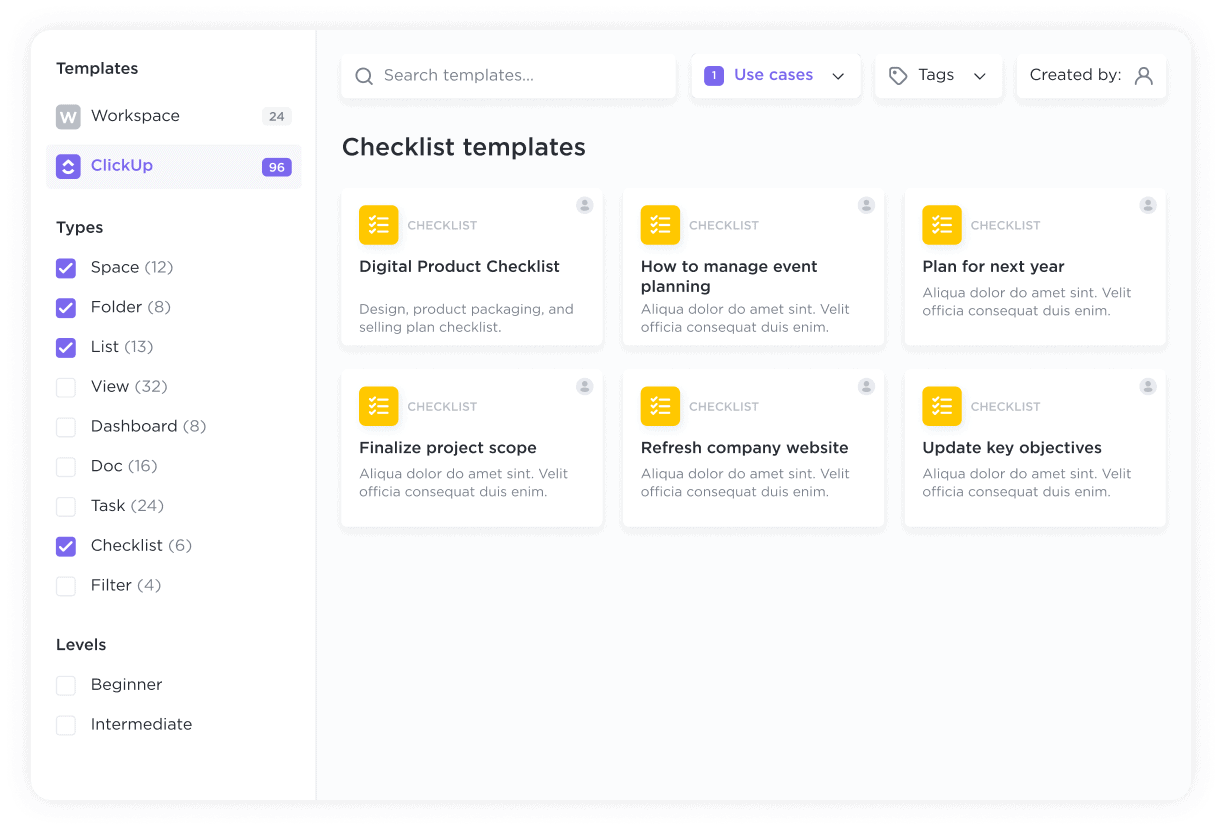
- Pre-built templates for to-do lists, project trackers, and dashboards
- Tasks embedded directly inside notes, docs, and meeting pages
What I liked
- Extremely flexible - you can design a task system that matches how you actually work
- Tasks don’t live alone; they sit next to specs, notes, and meeting context
What I disliked
- Higher learning curve compared to Todoist’s out-of-the-box simplicity
- Requires setup - starting from a blank page can feel overwhelming
- Adding tasks is slower than quick-entry to-do apps
Pricing
- Free plan with core task and database features
- Paid plans unlock advanced collaboration, permissions, and version history
Suitable for
- People who want custom task workflows, not a fixed to-do structure
- Users who plan work visually using boards, calendars, or timelines
How to start
- Go to Notion
- Create a free account
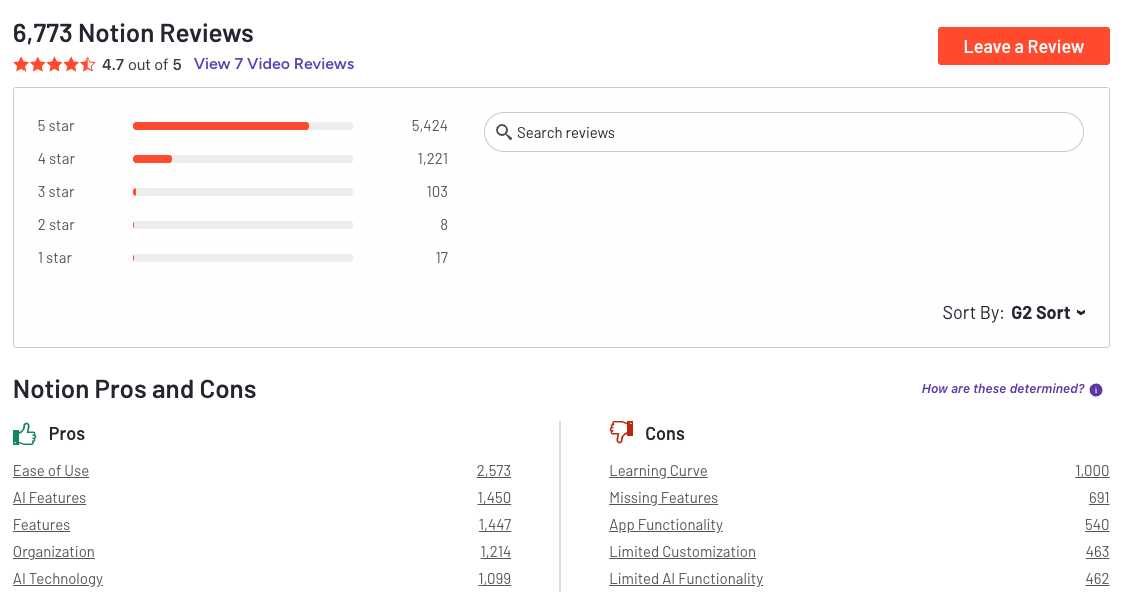
Notion Reviews (source)
Final Verdict: Choosing the Right Todoist Alternative
There’s nothing “wrong” with Todoist. For many people, it’s still a solid, dependable to-do list. But if you’re reading this, chances are your work has outgrown simple lists - or your brain has.
The key takeaway from comparing the best Todoist alternatives is this:
There isn’t one perfect replacement, only tools that fit different ways of working.
If your biggest struggle isn’t remembering tasks but deciding what matters, keeping context, and avoiding overwhelm, then an ADHD planner with AI like Saner.AI may be a better long-term fit.
If you value speed and familiarity, tools like TickTick or Microsoft To Do will feel like a natural step sideways. If you prefer calm, minimal systems, Things or Any.do may reduce friction and mental clutter. If your work involves visual flow or collaboration, Trello, Asana, or ClickUp can offer structure that Todoist doesn’t.
When choosing a Todoist alternative, ask yourself:
- Do I need simplicity or guidance?
- Do I want to track tasks or think through work?
- Does this tool reduce mental effort - or add to it?
The best productivity system is the one you trust enough to use consistently. Pick the tool that works with how your mind actually functions, not how a perfect to-do list is supposed to work.
Stay on top of your work and life
FAQ: Best Todoist Alternatives (2026 Guide)
1. What are the best Todoist alternatives right now?
The best Todoist alternatives depend on why you’re switching. People usually leave Todoist because they want better planning, less manual task entry, stronger team features, or a calmer system.
Popular alternatives include:
- Saner.AI – for people who want tasks created automatically from notes, emails, and messy thoughts
- TickTick – for users who want built-in habits, focus timers, and calendars
- Asana – for structured team projects and workflows
- Any.do – for simple daily planning across devices
- Trello – for visual, board-based task tracking
- Microsoft To Do – for users already deep in Microsoft 365
- ClickUp – for teams that want everything in one tool
- Things – for Apple users who value simplicity and design
- Structured – for timeline-based daily planning
- Notion – for users who want tasks inside a flexible workspace
2. Why do people look for Todoist alternatives?
Todoist is reliable, but many users eventually hit limits:
- Too much manual task entry
- Tasks feel detached from notes, emails, and context
- Priority overload without clear guidance on what to do now
- Limited help with planning your actual day
That’s why people search for Todoist alternatives that do more thinking with them instead of just storing tasks.
3. What is the best Todoist alternative for ADHD?
For ADHD-prone users, the problem isn’t remembering where tasks live - it’s remembering to capture them at all.
Saner.AI is often preferred because it:
- Turns notes and brain dumps into tasks automatically
- Reduces context switching
- Reminds you at the right moment instead of relying on rigid systems
Apps like TickTick and Structured also help ADHD users who prefer visual schedules or habit tracking.
4. Which Todoist alternative is best for daily planning?
If you want help deciding what to work on today:
- Saner.AI suggests priorities based on context, not just due dates
- Structured shows tasks on a clean, hour-by-hour timeline
- TickTick combines tasks, calendar, and focus sessions
Todoist lists tasks well, but these tools help turn tasks into an actual plan.
5. Is there a Todoist alternative that creates tasks automatically?
Yes - this is one of the biggest reasons people switch.
Saner.AI stands out because it can:
- Turn notes, messages, and ideas into tasks

- Link tasks back to the original context
- Reduce the mental work of organizing everything manually
Most traditional Todoist alternatives still rely on you to type every task yourself.
6. What’s the best Todoist alternative for teams?
For collaborative work:
- Asana – strong structure for projects and responsibilities
- ClickUp – highly customizable for complex team workflows
- Notion – flexible if your team already lives in docs and databases
These tools go beyond Todoist’s personal-task focus and handle shared ownership better.
7. Which Todoist alternative is the simplest?
If you like Todoist’s simplicity but want a change:
- Saner.AI – clean, with an AI assistant
- Microsoft To Do – straightforward if you use Outlook
- Things – elegant and distraction-free on Apple devices
These feel familiar without adding heavy systems.
8. Is Notion a good alternative to Todoist?
Notion can replace Todoist, but it’s a tradeoff.
Pros:
- Tasks live next to notes and docs
- Extremely flexible
Cons:
- Requires setup and maintenance
- No built-in guidance on priorities
- Easy to over-engineer
People who leave Todoist for Notion often later look for something more automated or opinionated.
9. Which Todoist alternative works best with notes?
If tasks and notes feel disconnected in Todoist, look for tools that treat them as one system.
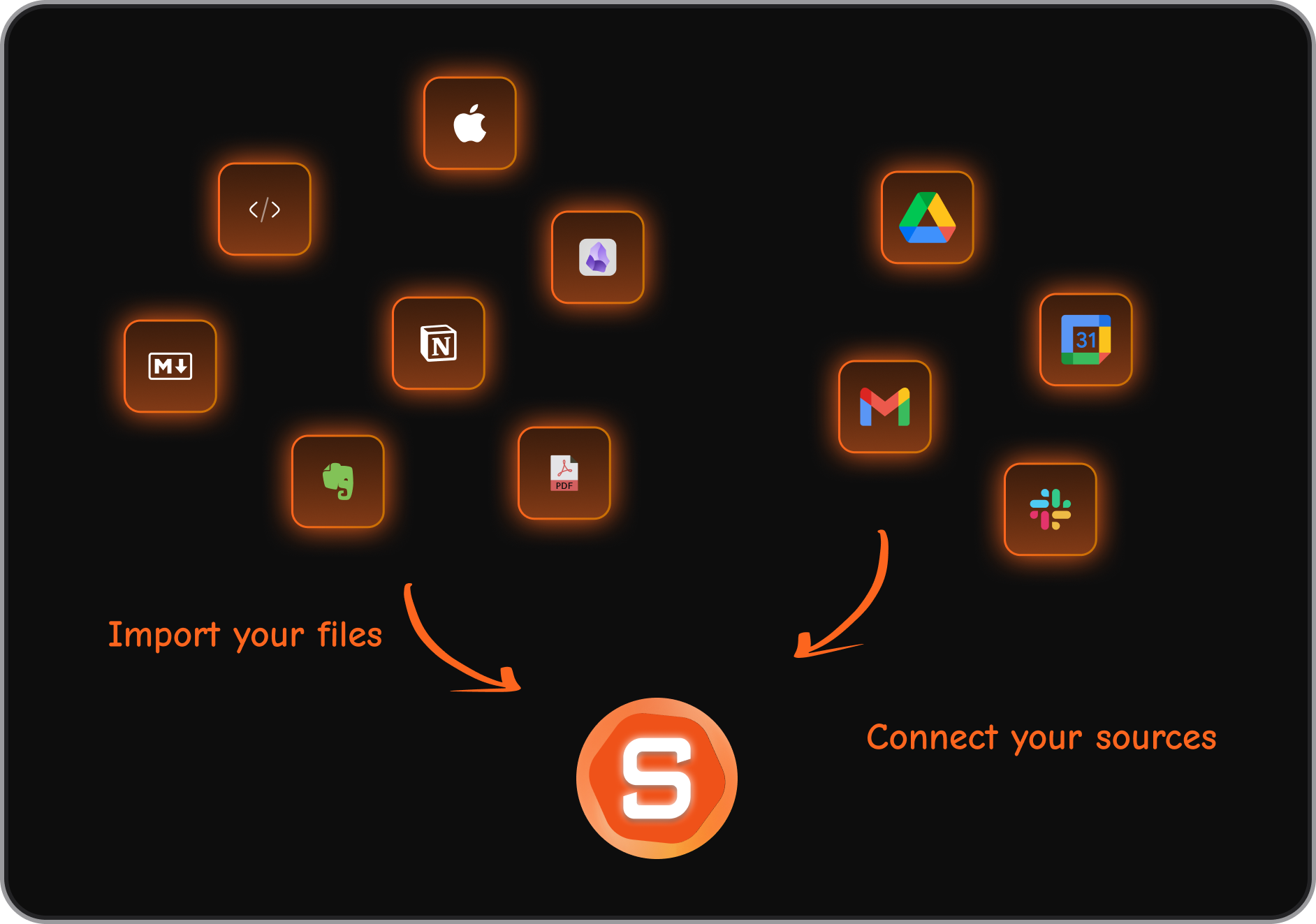
- Saner.AI connects notes, tasks, and reminders automatically
- Notion links tasks to pages manually
- ClickUp combines docs and tasks, but with more complexity
This is a major difference between modern Todoist alternatives and classic task managers.
10. Are there good free Todoist alternatives?
Yes, several strong options offer free plans:
- Saner.AI – free tier with AI task capture and reminders
- TickTick – generous free version for individuals
- Microsoft To Do – completely free
- Trello – solid free plan for basic boards
Free plans are often enough for personal use.
11. What’s better than Todoist for overwhelmed professionals?
If your task list feels endless, the issue usually isn’t motivation - it’s overload.
Tools like Saner.AI help by:
- Surfacing only what matters now
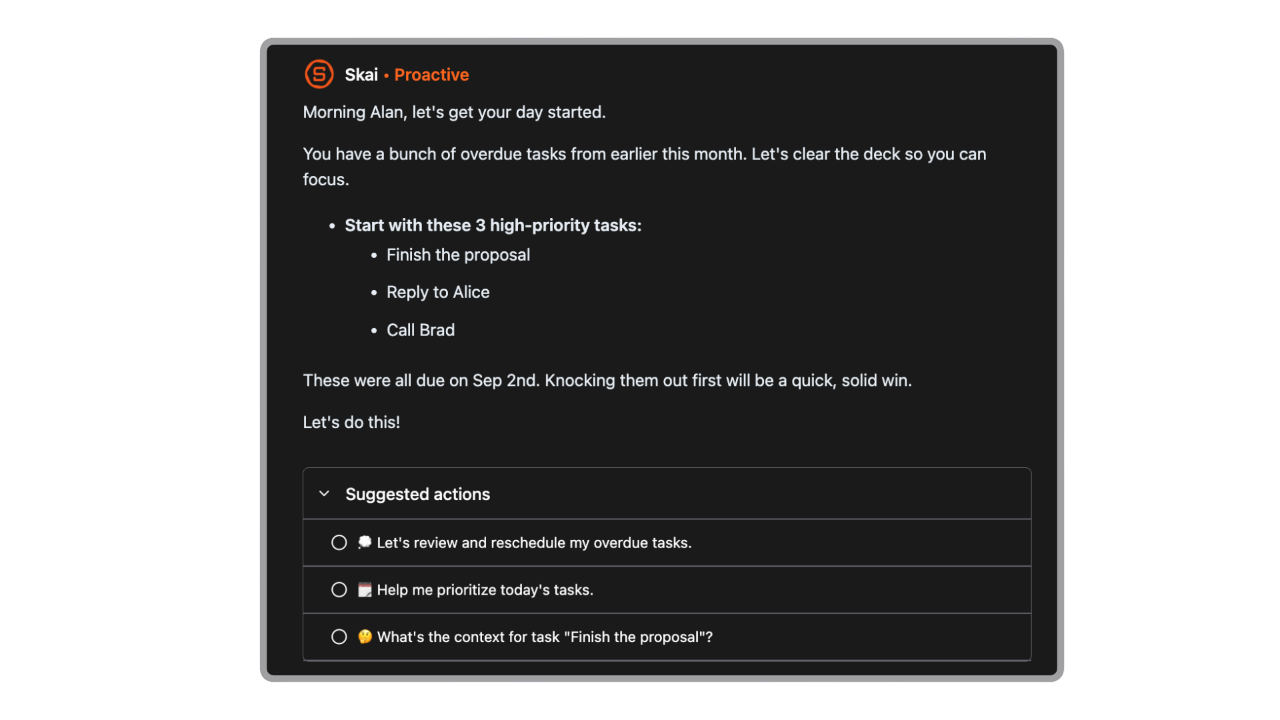
- Reducing decision fatigue
- Keeping context attached to tasks
Instead of managing lists all day, you focus on execution.
12. Which Todoist alternative is best for entrepreneurs?
Founders often juggle ideas, meetings, and follow-ups across tools.
A good Todoist alternative for entrepreneurs should:
- Capture ideas instantly
- Connect tasks to notes and conversations
- Reduce setup time
That’s why many solo founders gravitate toward Saner.AI, while teams often choose ClickUp or Asana.
13. Can Todoist alternatives help with meeting follow-ups?
Yes - this is another area where many people outgrow Todoist.
With context-aware tools:
- Meeting notes can become tasks automatically
- Follow-ups don’t get lost
- Decisions stay connected to action
This is where AI-assisted tools differ from traditional task apps.
14. How are modern Todoist alternatives different from traditional task apps?
Think of it this way:
- Todoist helps you store tasks
- Modern alternatives help you decide and follow through
Tools like Saner.AI don’t just hold tasks - they help you remember, prioritize, and act with less mental friction.
That shift is why so many people are searching for the best Todoist alternatives today.
Stay on top of your work and life
[Last updated in 2026]