10 Best Trello Alternatives for Personal Use [2026 Updated]
The best Trello Alternatives are Saner.AI, Linear, Monday.com, ClickUp, Jira, Asana, Airtable, Coda, Todoist, and Notion


We Tested the 10 Best Trello Alternatives
If you’re reading this, there’s a good chance Trello almost works for you - but not quite.
Maybe your boards feel cluttered.
Maybe your team outgrew simple Kanban.
Maybe you want automation, AI help, or clearer structure without adding complexity.
You’re not alone. Many professionals start with Trello, then begin searching for the best Trello alternatives once their work, team, or brain needs something more flexible or powerful.
In this guide, we’ll break down the top Trello competitors in 2026, explain where each tool shines, and help you choose the right option based on how you actually work - whether you’re a solo operator, a growing team, or a manager juggling too many moving parts.
Why Look for a Trello Alternative?
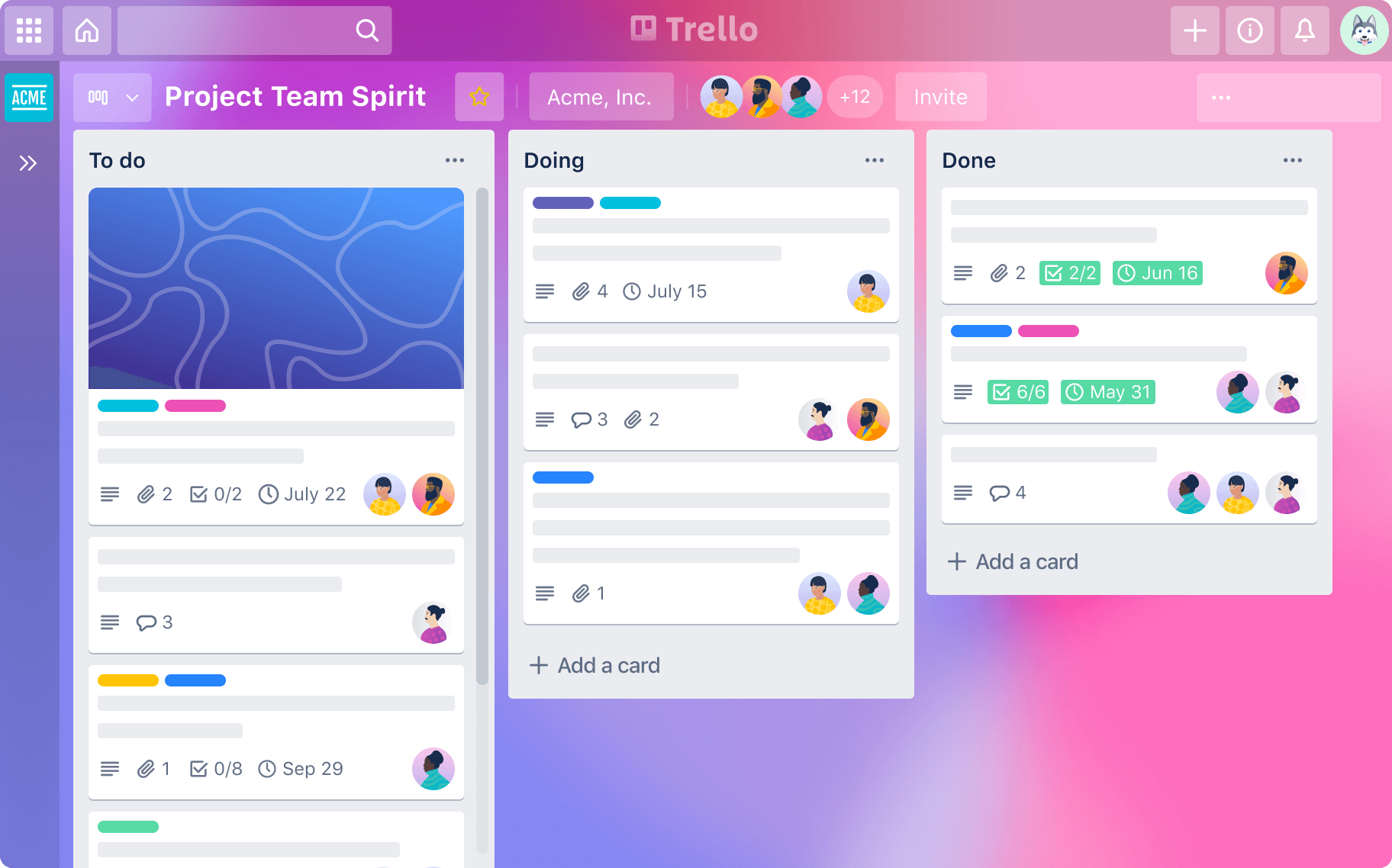
Trello is popular for a reason. It’s visual, simple, and easy to get started with.
But simplicity can turn into friction as your needs grow.
Where Trello breaks down
- Limited structure for complex work
- Weak native reporting and analytics
- Automation and AI are basic
- Hard to manage large teams or dependencies
- Boards get noisy and overwhelming over time
Different needs, different tools
- Individuals often want clarity and low mental overhead
- Teams need visibility, collaboration, and automation
- Managers need structure, reporting, and accountability
- ADHD-prone users need flexibility without chaos
That’s where Trello alternatives come in.
How We Chose the Best Trello Alternatives
To make this guide genuinely useful, we evaluated tools based on real-world use cases - not marketing pages.
- Use cases: personal, team, manager, ADHD-friendly, automation-heavy
- Core features: Kanban, tasks, timelines, AI, automations
- Ease of use: learning curve vs power
- Flexibility: can it adapt to different workflows?
- Pricing clarity: transparent free vs paid tiers
Now, let's dive in!
What are the best Trello Alternatives?
The best Trello Alternatives are Saner.AI, Linear, Monday.com, ClickUp, Jira, Asana, Airtable, Coda, Todoist, and Notion
Trello Alternatives Comparison 2026
| 🛠 Tool | 🎯 Primary Focus | 🤖 AI / Automation | 👤 Best For | ⚠️ Notable Trade-offs |
|---|---|---|---|---|
| Saner.AI | AI-first tasks + knowledge | Strong AI for organizing thoughts, notes, tasks | Individuals, founders, ADHD-prone users | Not a classic Kanban board |
| Linear | Product & issue tracking | Light automation, limited AI | Product & engineering teams | Not flexible for non-dev work |
| Monday.com | Visual team workflows | Automations + light AI features | Cross-functional teams | Can feel complex to set up |
| ClickUp | All-in-one work hub | Strong automations + built-in AI | Power users, operations teams | Feature overload, steep learning curve |
| Jira | Agile & issue tracking | Rule-based automation | Engineering & enterprise teams | Heavy, not beginner-friendly |
| Asana | Task & project planning | Workflow automations | Managers, structured teams | Less flexible visually |
| Airtable | Database-driven workflows | Automations + logic | Ops, custom systems | Requires system thinking |
| Coda | Docs that act like apps | Coda AI + automations | Teams building custom workflows | Different mental model than boards |
| Todoist | Personal task management | Basic automation | Individuals, daily tasks | Limited team & project depth |
| Notion | Docs + databases + tasks | Notion AI (writing & summaries) | Knowledge-heavy teams, builders | Setup effort, can feel unstructured |
1. Saner.AI
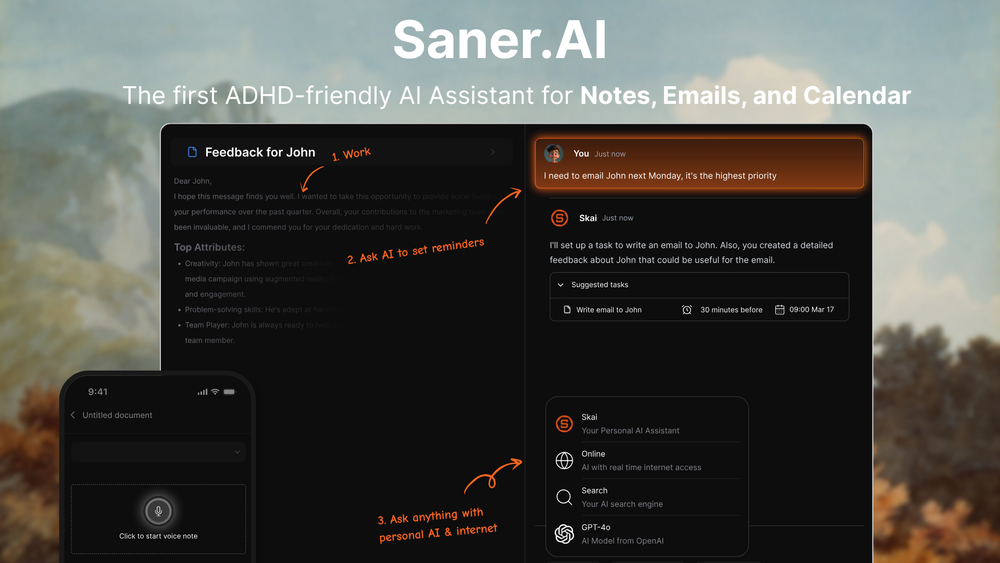
Saner.AI is an AI personal assistant tool that combines notes, tasks, and calendar awareness into one workspace. It works as a Trello alternative for people who don’t want to manage boards manually and prefer an AI assistant to organize work for them.
Key features:
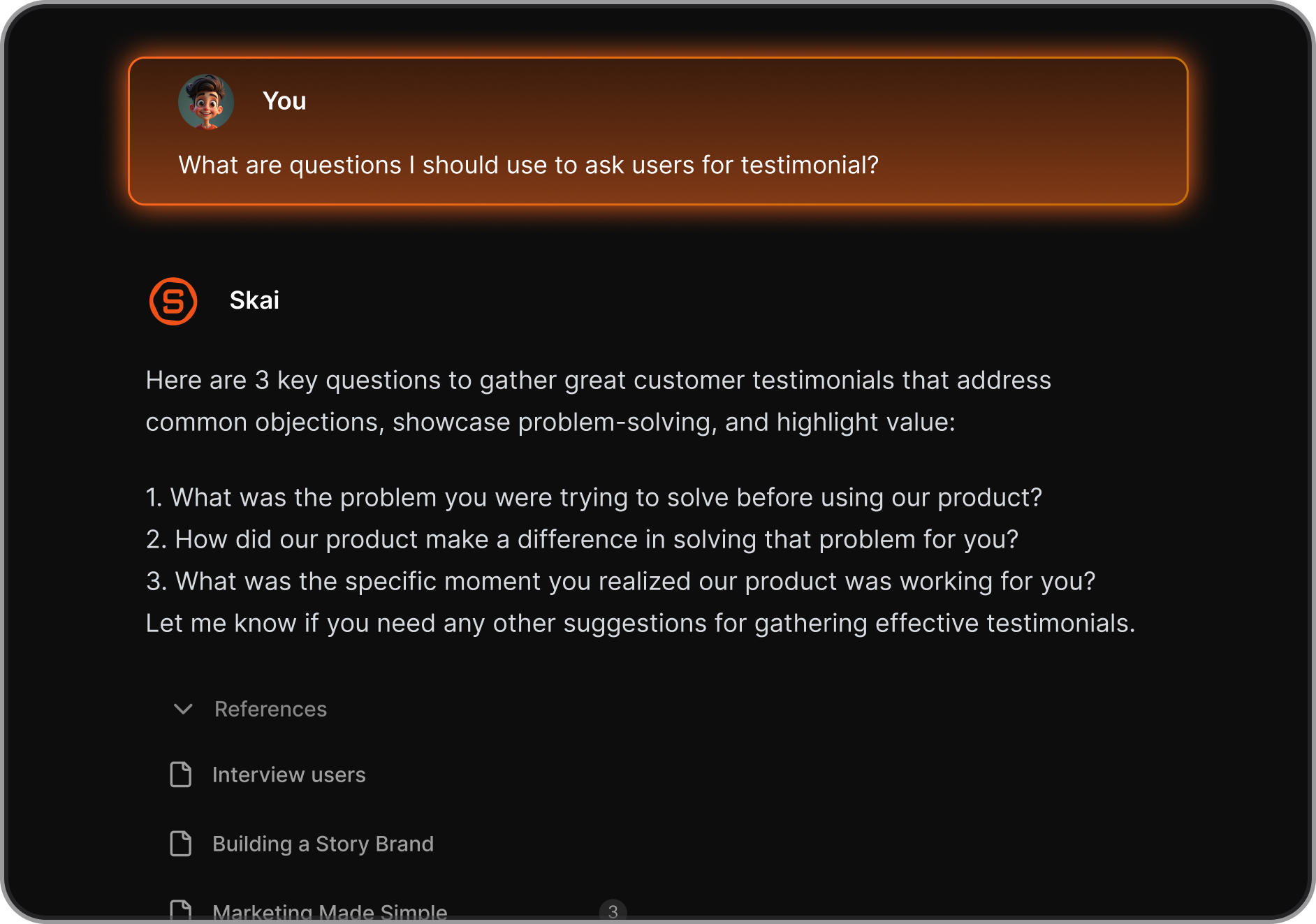
- Conversational AI to create, manage, and update tasks using natural language
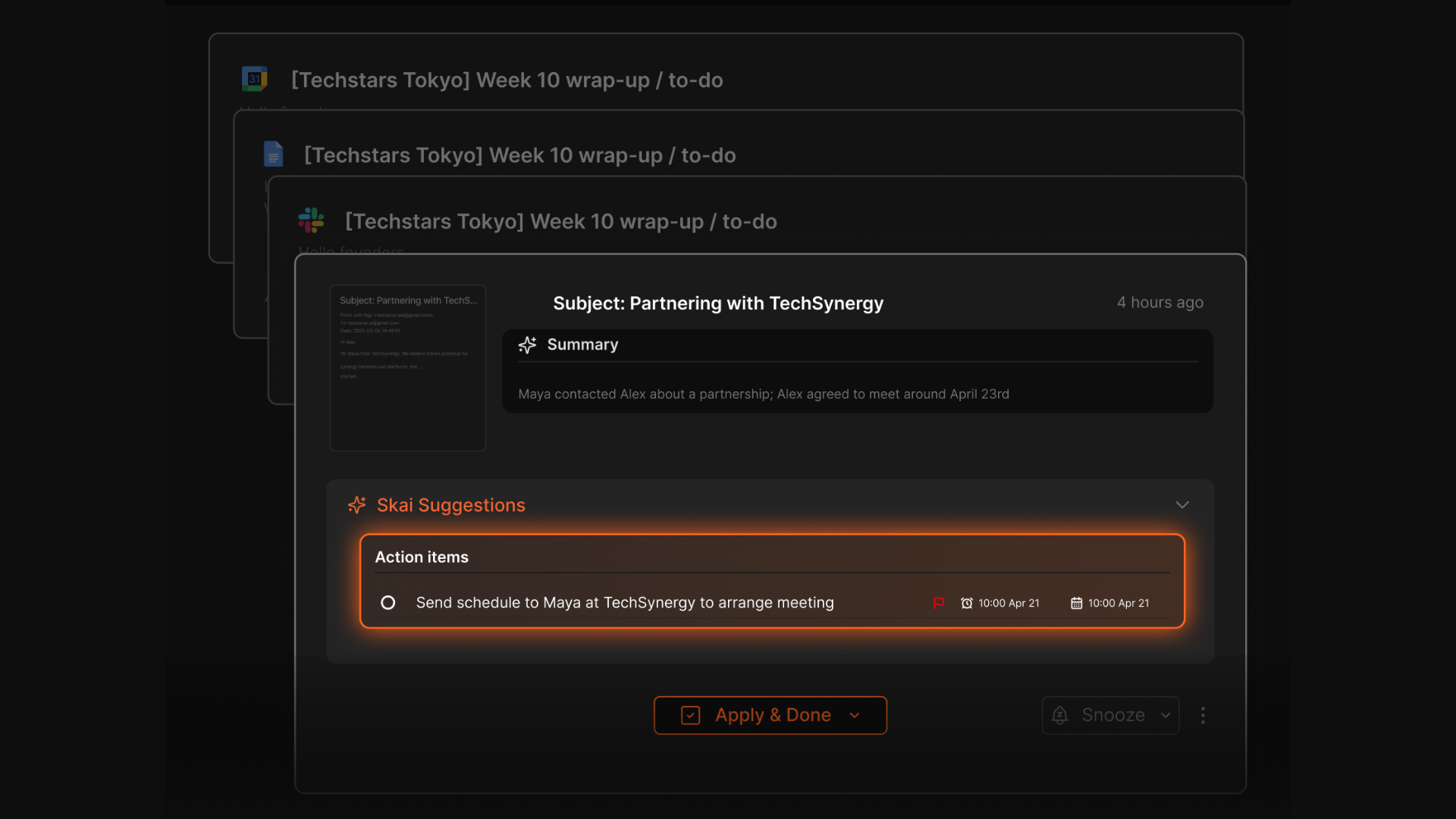
- Automatic task extraction from notes and ideas
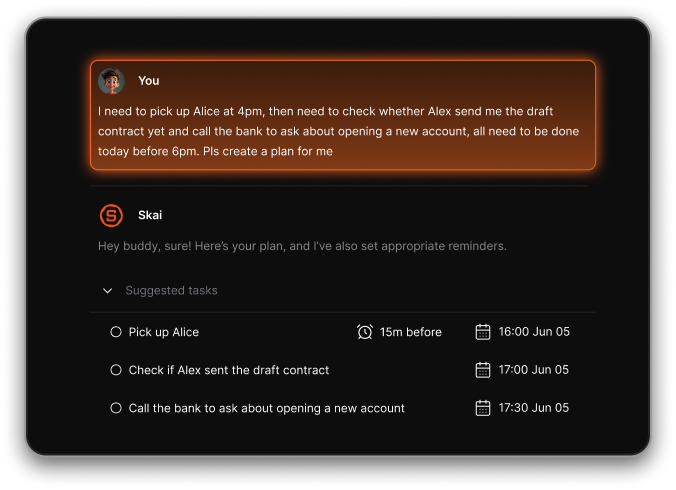
- Calendar-aware planning and reminders
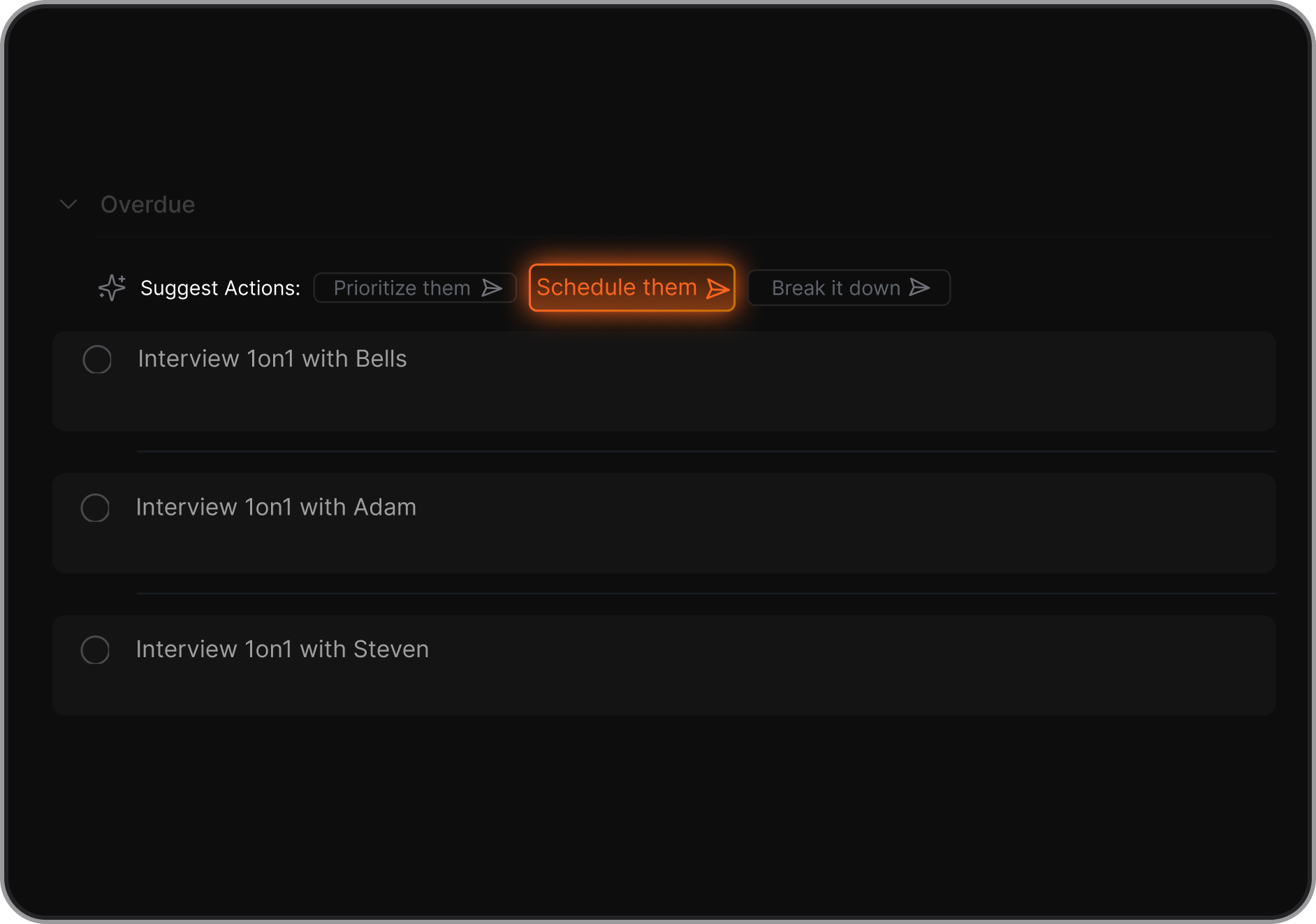
- AI-driven prioritization instead of manual lists or boards
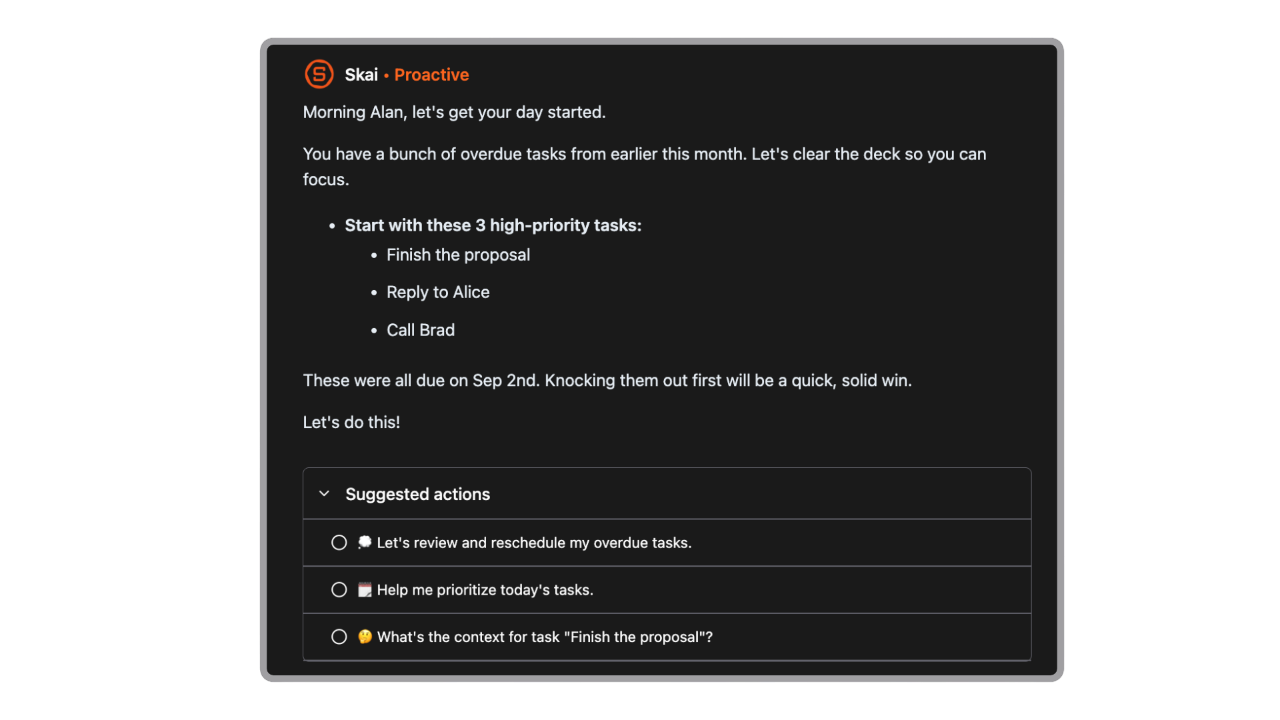
- Proactive daily plans generated automatically
- Automatic task extraction from emails
What I liked
- Feels more like a smart assistant than a traditional task manager
- Very fast to capture ideas without worrying about structure
- AI suggestions for breaking down tasks and deciding what to do next
Cons
- Not a visual kanban tool like Trello
Pricing
- Free plan with limited AI usage
- Paid plans start around $8/month
Who is it suitable for?
- Individuals and solopreneurs who want a Trello alternative without boards
- People who prefer typing or chatting instead of dragging cards
- ADHD-prone users who struggle with rigid project structures
- Knowledge workers managing tasks, notes, and schedules together
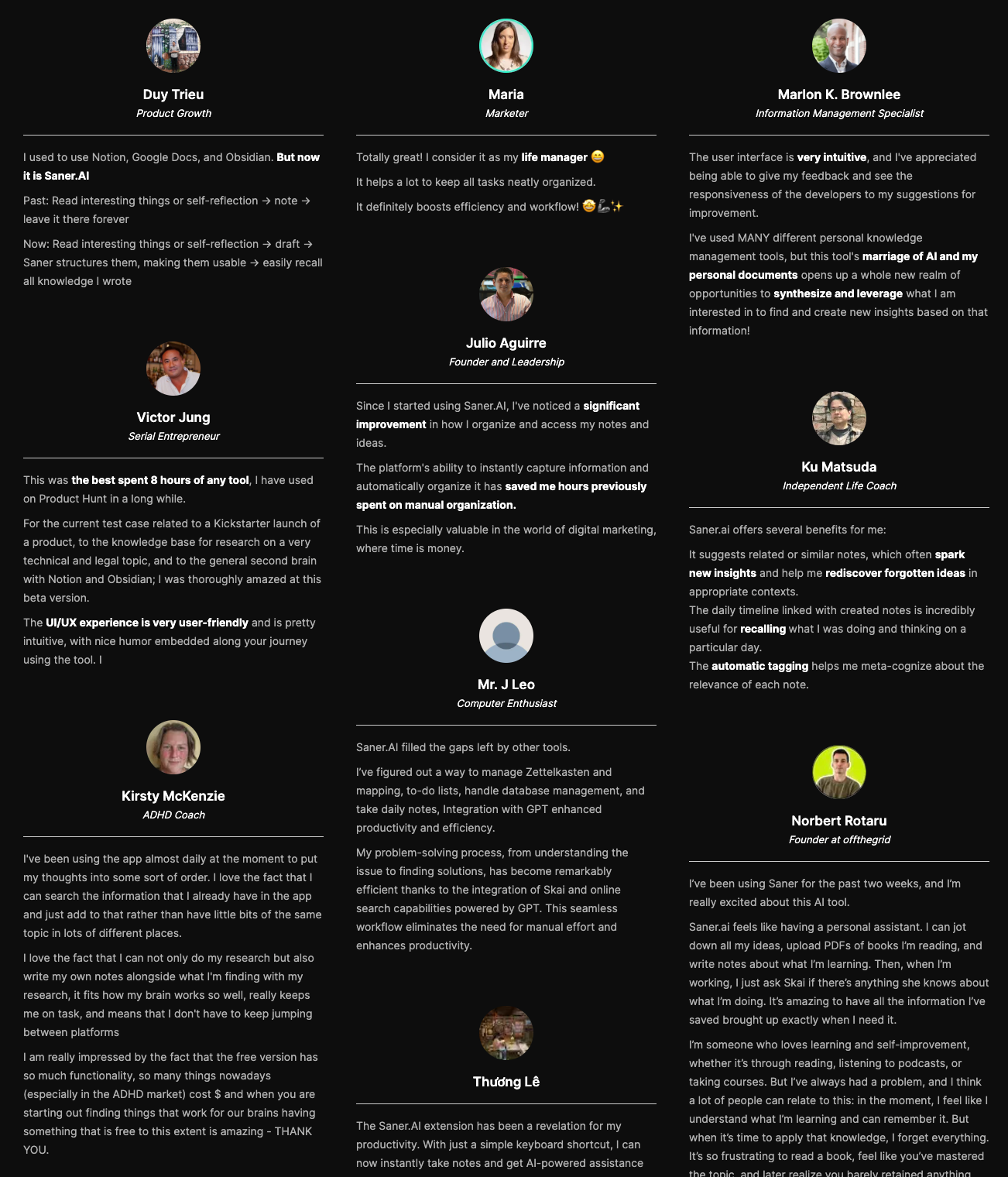
Saner.AI review
How to start using it?
- Go to Saner.AI
- Create a free account
- Start capturing tasks and notes by chatting with the AI

Stay on top of your work with the Top Trello Alternative
2. Linear
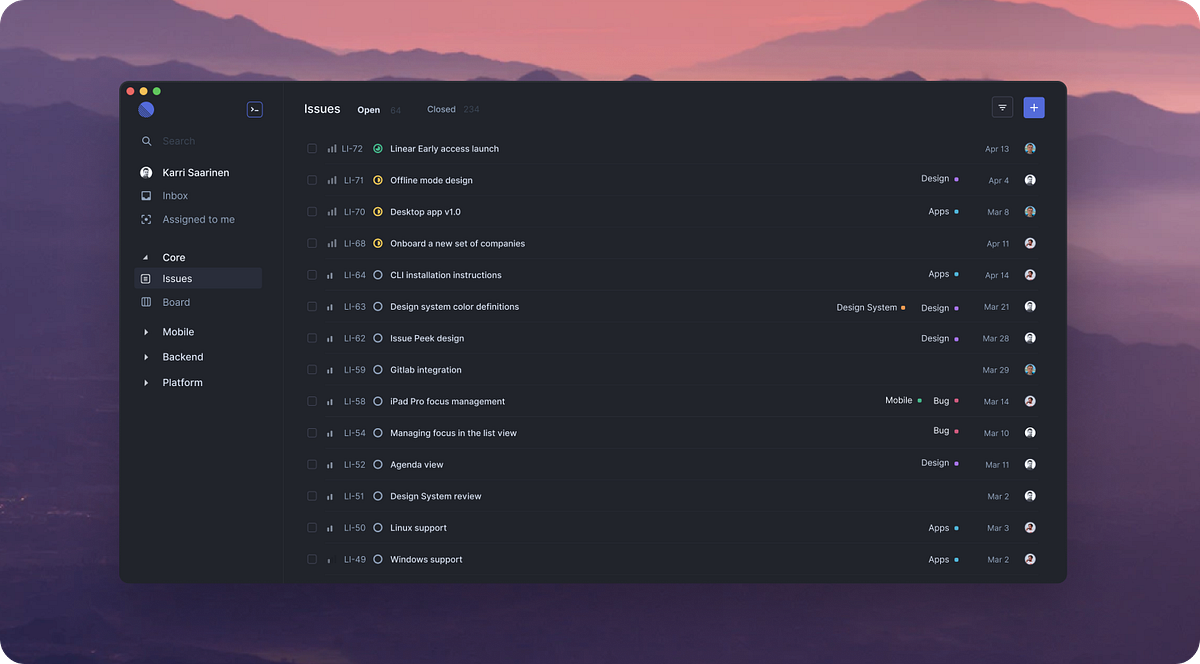
Linear is a fast, minimalist project management and issue-tracking tool built for modern product and software teams. It’s often used as a Trello alternative when teams outgrow simple boards and need more structure. Focuses on speed, opinionated workflows, and predictable execution rather than flexibility
Key features
- Issue tracking for bugs, tasks, and feature requests
- Projects and cycles for sprint and release planning
- Roadmaps and milestones for long-term visibility
- Strong integrations with tools like GitHub and Slack
What I liked
- Very fast and responsive compared to traditional Kanban tools
- Opinionated structure helps teams stay organized without constant manual setup
- Integrations keep issues in sync with code and team communication
What I disliked
- Less visual and playful than Trello’s drag-and-drop boards
- Steeper learning curve for non-technical or non-product users
- Not ideal if you just want a lightweight task board
Pricing
- Free plan available with basic functionality
- Paid plans start around $10 per user/month for full team features
Suitable for
- Product and engineering teams that need structured issue tracking
- Teams moving beyond simple Kanban boards
- Companies that already use developer tools and want tighter workflows
How to start
- Go to Linear
- Create a free account
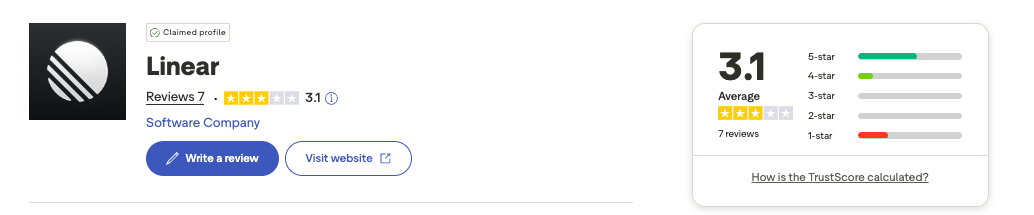
Linear review (source)
3. Airtable
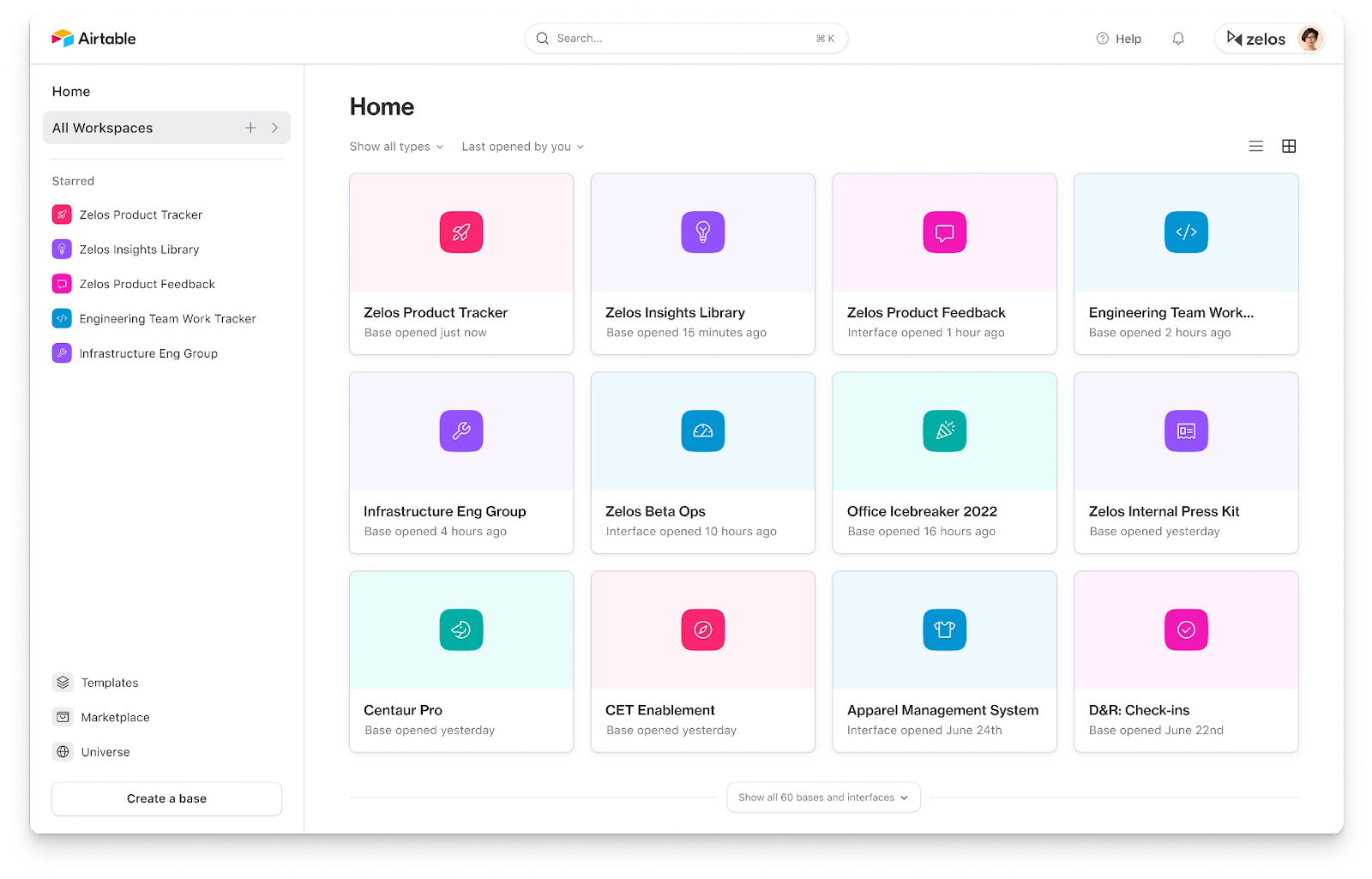
Airtable is a flexible work management tool that combines spreadsheet simplicity with database-level structure. Many teams use it as a Trello alternative when Kanban boards aren’t enough and they need richer data, multiple views, and custom workflows.
Key features
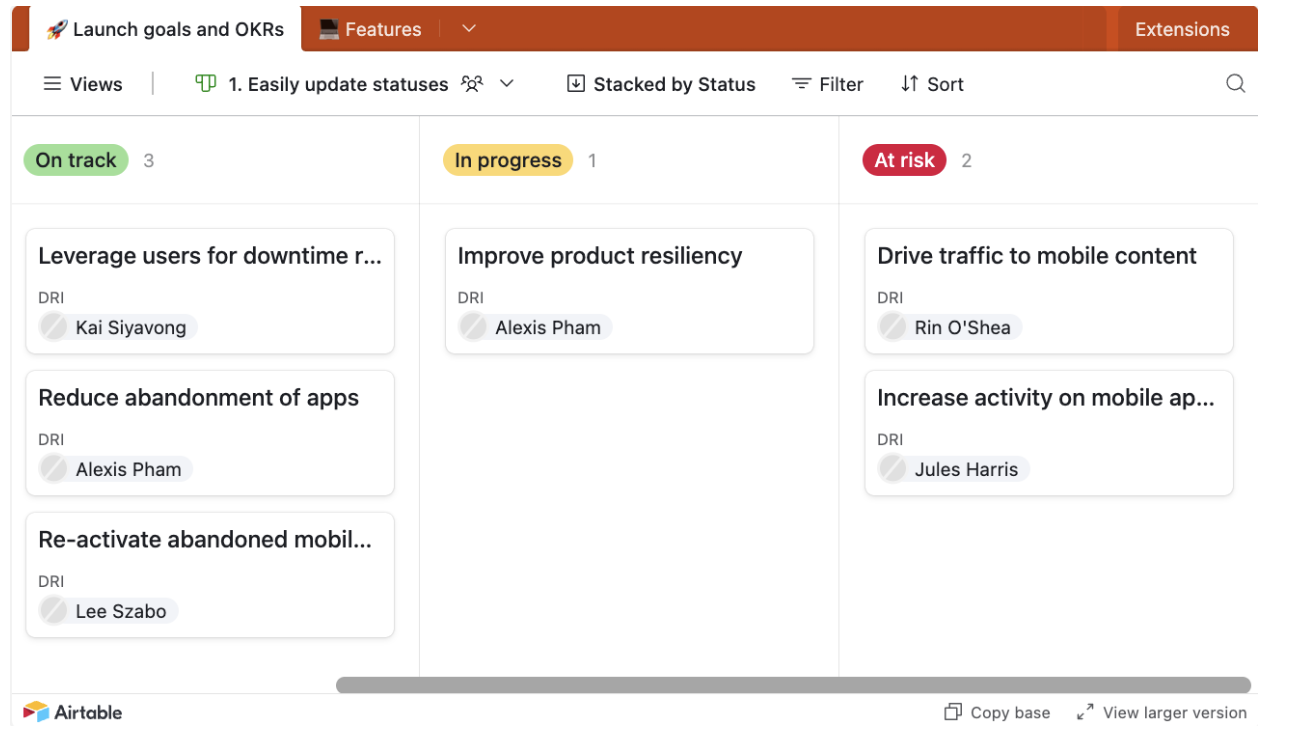
- Spreadsheet-database hybrid with rich field types (checkboxes, dropdowns, attachments, links)
- Multiple views: grid, Kanban, calendar, timeline, and Gantt
- Built-in automations to trigger actions and reduce manual work
- Large template library for projects, content calendars, CRMs, and ops
What I liked
- Much more flexible than Trello for complex projects and structured data
- You’re not locked into Kanban; switching views changes how you think about work
- Linked records make it powerful for cross-team workflows and shared data
What I disliked
- Steeper learning curve compared to Trello’s simplicity
- Setup takes time if you want a clean, scalable structure
- Some task-management basics feel indirect unless automated
- Pricing can scale quickly for larger teams
Pricing
- Free plan available with limited records and automation runs
- Paid plans typically start around $20–$24 per user/month
Suitable for
- Teams that have outgrown simple boards and need structured project tracking
- Workflows involving more than just tasks (content, assets, CRM, operations)
- People who want flexibility and customization over simplicity
How to start
- Go to Airtable
- Create a free account
- Pick a project or workflow template
Airtable reviews (source)

4. Coda
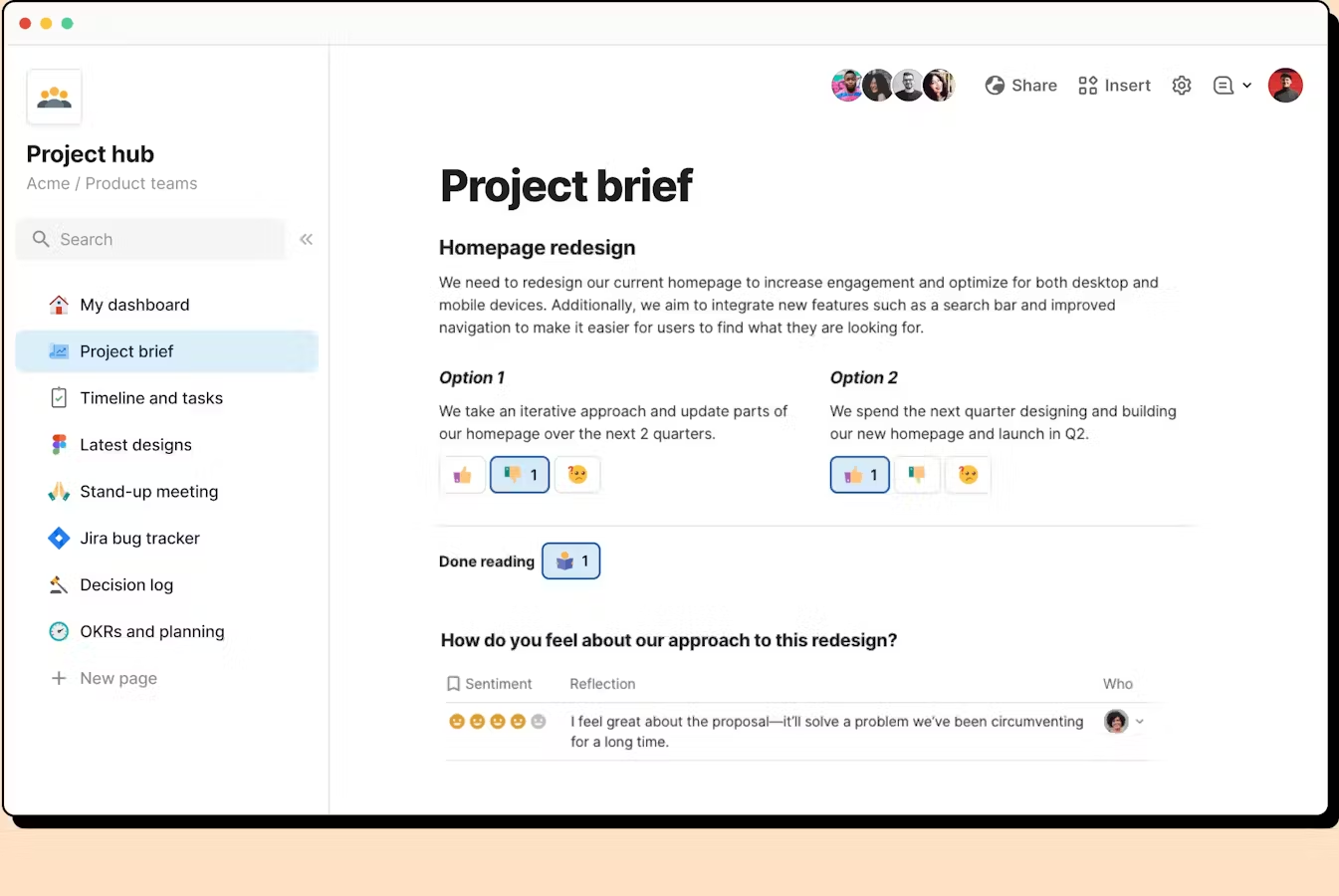
Coda is a flexible all-in-one knowledge management app that blends documents, spreadsheets, databases, and lightweight apps into one platform.
It works as a Trello alternative by letting teams plan projects, track tasks, and manage workflows with more flexibility than a simple Kanban board.
Key features
- Combines docs, tables, and apps in a single workspace
- Multiple views for tasks and projects, including boards, tables, calendars, and timelines
- Automation and formulas to reduce repetitive manual work
- Integrations with tools like Slack, Google Calendar, and Jira
What I liked
- Much more flexible than Trello if your workflow goes beyond basic boards
- Tasks, documentation, and data can live together instead of being split across tools
What I disliked
- Not as instantly intuitive as Trello’s drag-and-drop boards
- You often need to customize or build templates to get real value
- Can feel like overkill for very simple task tracking
Pricing
- Free plan
- Paid plans from 12$/month
Suitable for
- Teams that want more structure and flexibility than Trello offers
- Projects that mix tasks, documentation, and data
How to start
- Go to Coda.io
- Create a free account
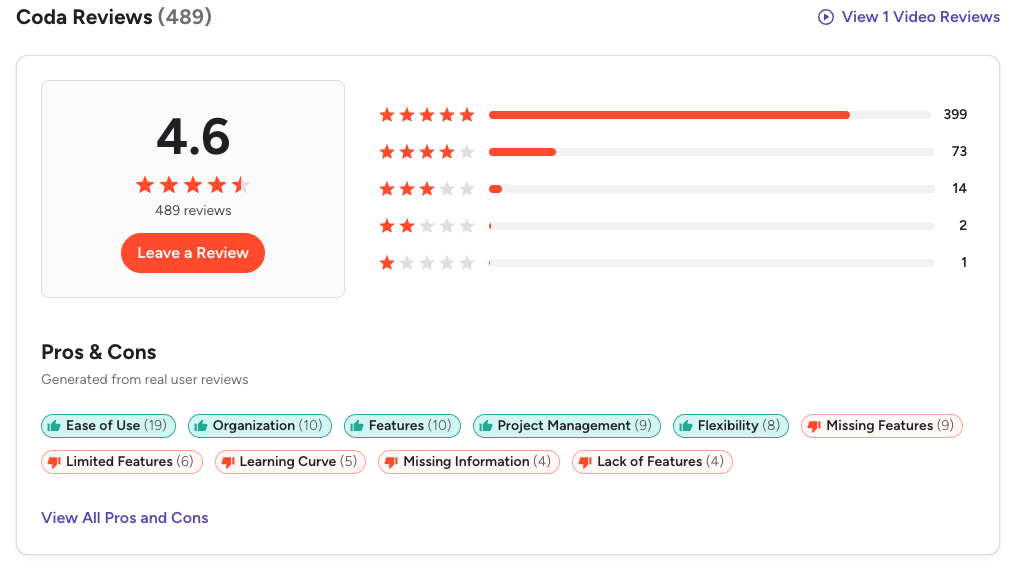
Coda Reviews (source)
5. Asana

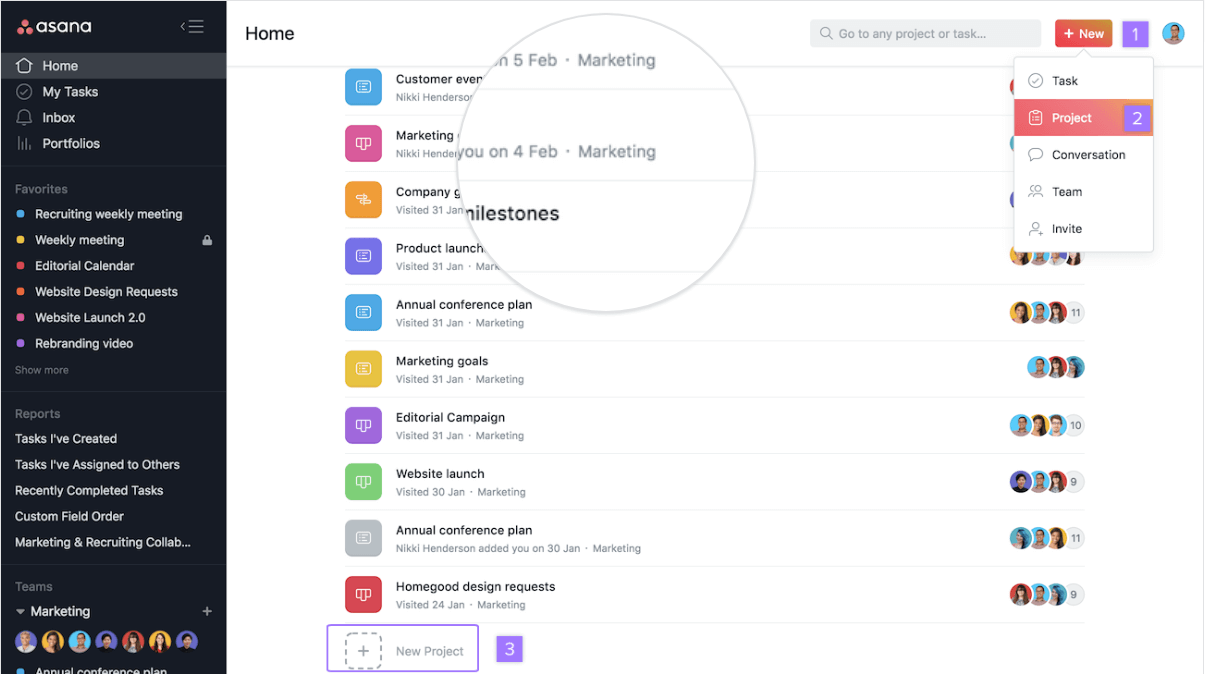
Asana is a cloud-based project and work management tool that works well as a Trello alternative for teams that need more structure than simple kanban boards. It helps teams plan, track, and manage work across projects, timelines, and departments, not just task cards.
Key features
- Multiple project views, including list, board (kanban), timeline (Gantt), and calendar
- Task hierarchy with subtasks, dependencies, milestones, and custom fields
- Built-in dashboards, reporting, and workload tracking
- Automation rules to reduce repetitive actions
Pros
- Much more powerful than Trello for complex or long-term projects
- Timelines and dependencies make planning easier for multi-step work
- Built-in reporting gives visibility without extra tools
Cons
- Steeper learning curve compared to Trello’s simplicity
- Can feel overwhelming for small teams or simple task tracking
- No AI assistant to talk to manage tasks
Pricing
- Free plan with basic task and project management
- Paid plans start around $10–11 per user per month (billed annually)
Best for
- Teams that have outgrown Trello’s basic boards
- Companies managing complex projects with dependencies and deadlines
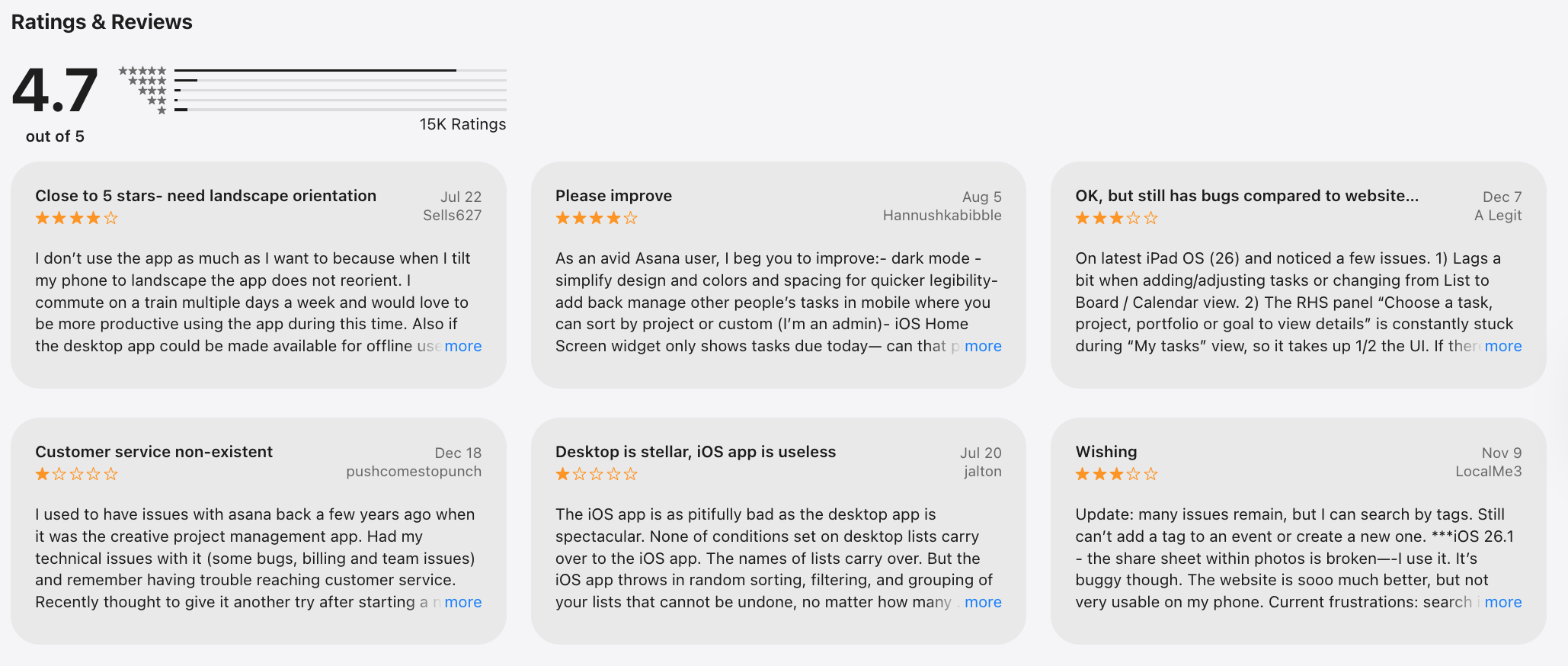
Asana review (sources)
How to get started
- Go to Asana
- Create a free account
6. Monday.com

Monday.com is a cloud-based work and project management platform often used as a Trello alternative. It helps teams organize tasks, track projects, and manage workflows with more structure than simple Kanban boards. It’s designed to scale from basic task tracking to cross-team project management.
Key features
- Customizable boards with multiple views (Kanban, table, timeline, calendar)
- Automations to reduce repetitive manual work
- Dashboards for reporting and high-level project visibility
- Integrations with tools like Slack, Google Drive, Zoom, and CRMs
Pros
- Much more powerful than Trello for complex or multi-step workflows
- Flexible views make it easier to track timelines and dependencies
- Automations save time once set up
Cons
- More setup and learning time compared to Trello’s simplicity
- Can feel overwhelming if you just want lightweight task boards
Pricing
- Basic plan around $8–$10 per user/month
- Standard plan around $10–$12 per user/month
- Pro plan around $16–$20 per user/month
Best for
- Teams that have outgrown Trello’s simple boards
- Businesses that need timelines, dependencies, and reporting
How to start
- Go to monday.com
- Create a free account
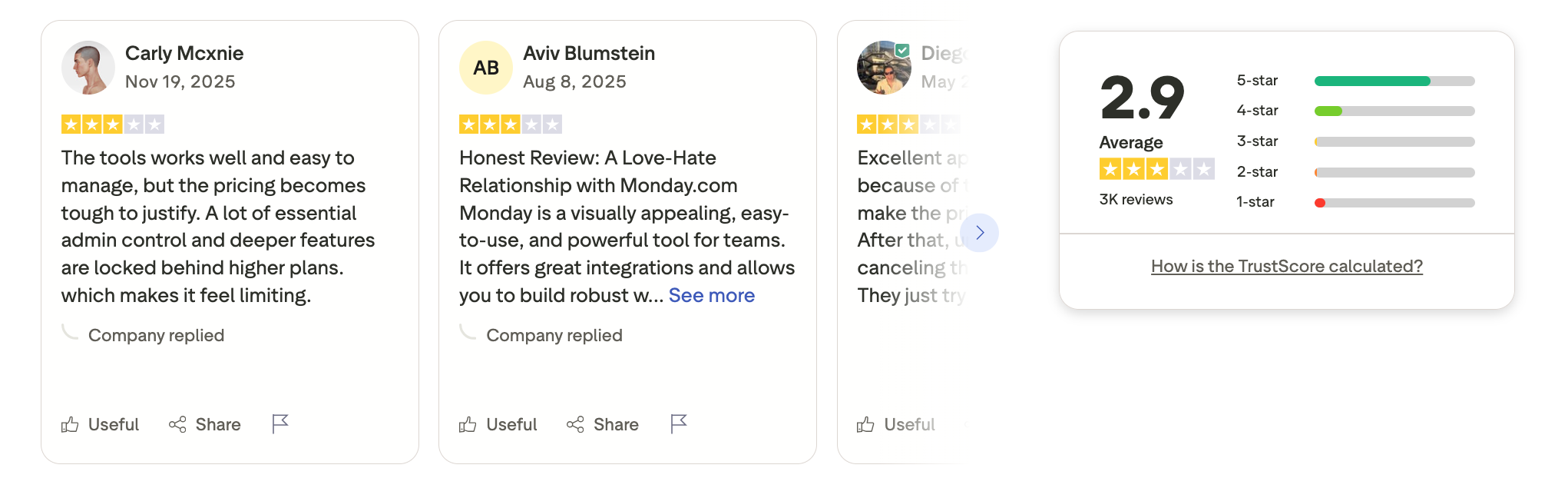
Monday.com review (soucre)
7. ClickUp
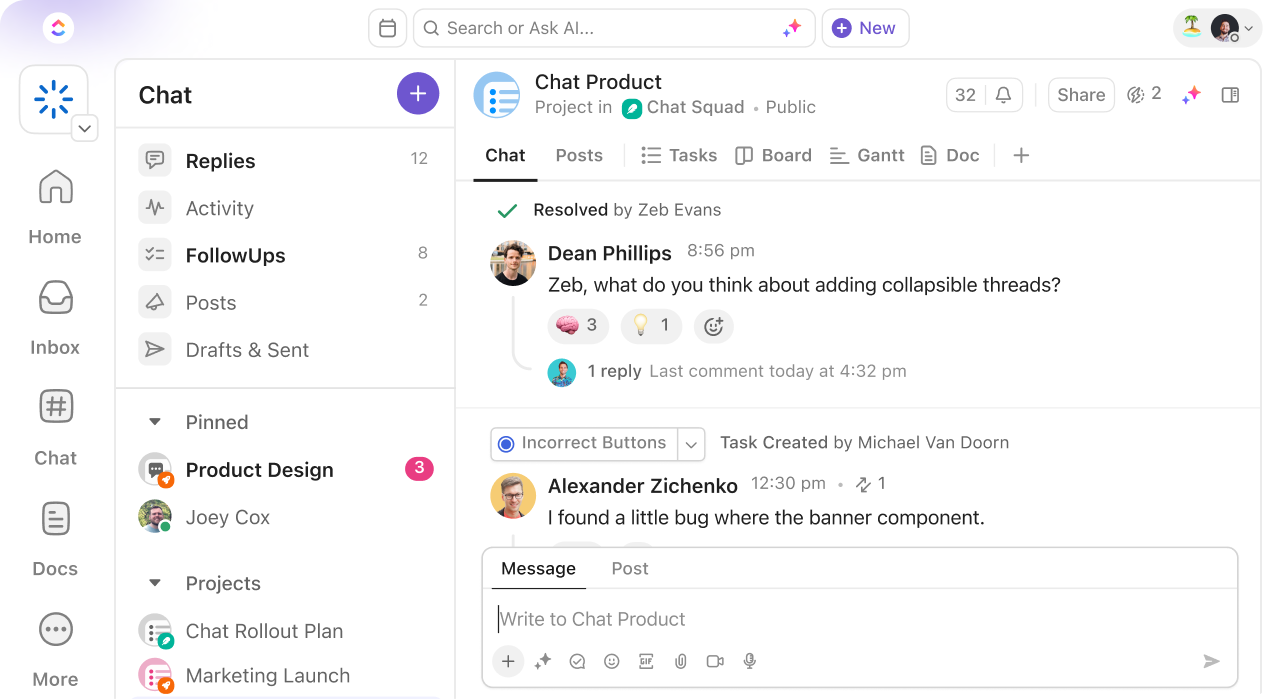
ClickUp is an all-in-one project management and work collaboration tool that many teams use as a more powerful Trello alternative. It goes beyond simple boards by combining tasks, docs, dashboards, automation, and team collaboration in one workspace.
Key features
- Board (Kanban), list, calendar, timeline, Gantt, and dashboard views
- Hierarchical structure (Spaces, Folders, Lists, Tasks, Subtasks)
- Built-in docs, whiteboards, comments, and team chat
- Automation for repetitive workflows
Pros
- Much more flexible than Trello for complex projects
- Multiple views let different teams work the way they prefer
- Built-in docs and collaboration reduce the need for extra tools
Cons
- Steeper learning curve compared to Trello
- Can feel overwhelming for simple use cases
- Setup takes time to get right
Pricing
- Free plan with unlimited users and tasks
- Unlimited plan around $7 per user/month (billed annually)
- Business plan around $12 per user/month (billed annually)
Best for
- Teams that have outgrown Trello’s simplicity
- Companies managing complex or multi-department projects
ClickUp review (source)
8. Jira
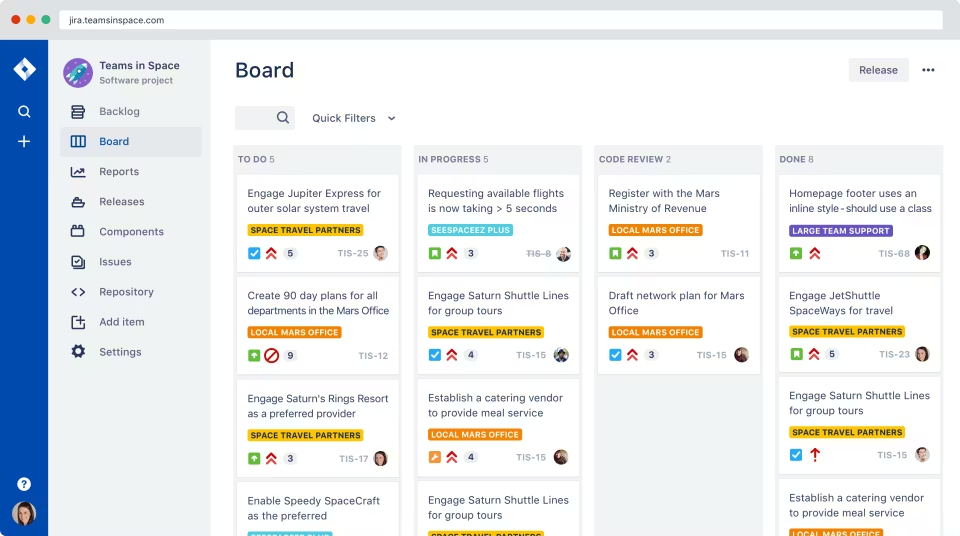
Jira is a powerful project management and issue-tracking platform built for teams that need more structure than Trello offers. It’s commonly used for software development, agile planning, and complex workflows, but can also replace Trello when teams outgrow simple boards.
Key features
- Kanban and Scrum boards with backlogs, sprints, and releases
- Advanced task and issue tracking with custom fields and issue types
- Highly customizable workflows, rules, and permissions
Pros
- Much more powerful than Trello for complex or long-term projects
- Strong agile features for teams running sprints and backlogs
- Deep customization lets you match the tool to your exact process
Cons
- Steeper learning curve compared to Trello’s simplicity
- Initial setup can feel heavy if you just want basic task tracking
- Can feel overkill for small teams or personal projects
Pricing
- Free plan for small teams.
- Paid plans start around $8/user/month.
Best for
- Software and product teams running agile workflows
- Organizations that need detailed tracking, permissions, and reporting
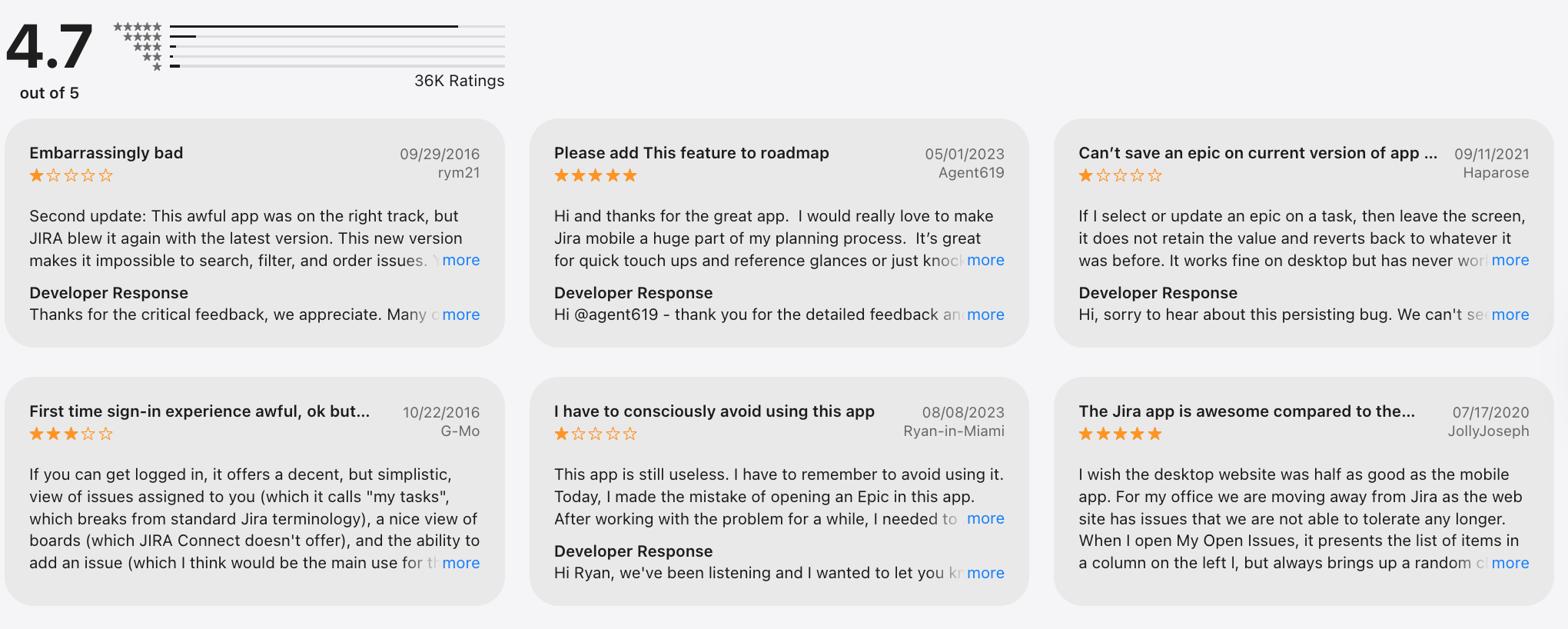
Jira review (source)
How to get started
- Create an Atlassian account
- Choose Jira Software or Jira Work Management
9. Todoist
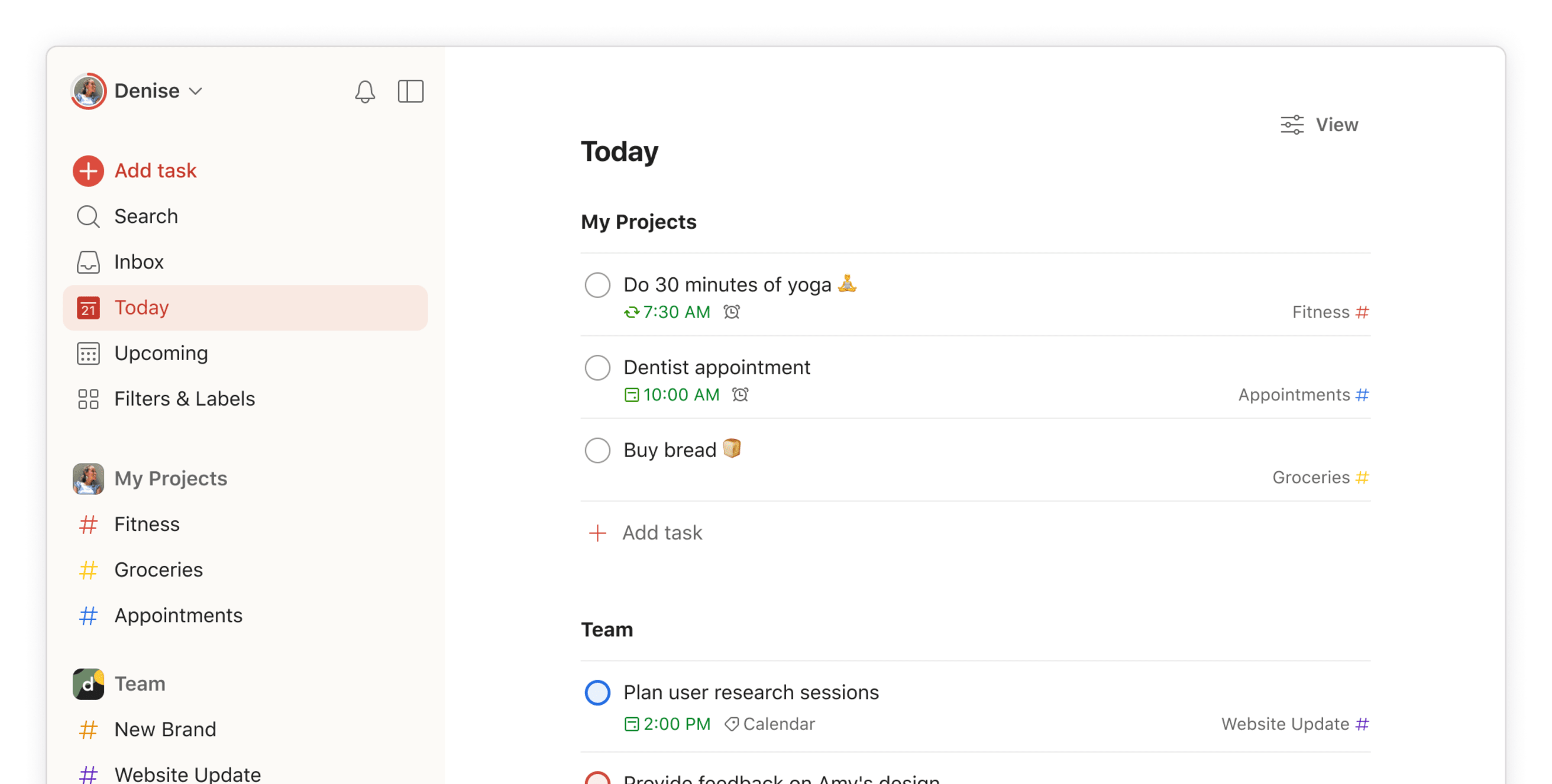
Todoist is a task management and productivity app that helps you organize to-dos, priorities, and projects across devices. While it isn’t a full project management tool like Trello, many people use Todoist as a Trello alternative when they want a simpler, list-based way to manage tasks instead of Kanban boards.
Key features
- Task creation with due dates, priorities, nested subtasks, labels, and filters
- List-based project organization (with calendar-style views on paid plans)
- Shared projects and team workspaces with basic collaboration features
- Integrations with other productivity tools
What I liked:
- Clean, minimal interface that’s very easy to learn
- Good for personal task management and daily planning

What I disliked:
- Lacks advanced project management features like timelines, dependencies, notes management, or workload views.
- Collaboration features are basic compared to Trello boards
- Limited automation and workflow customization
Pricing:
- Free plan with core task features
- Pro plan around $7/month per user
- Business plan around $10/month per user
Suitable for:
- Small teams that don’t need complex project workflows
How to start:
- Go to Todoist
- Create a free account
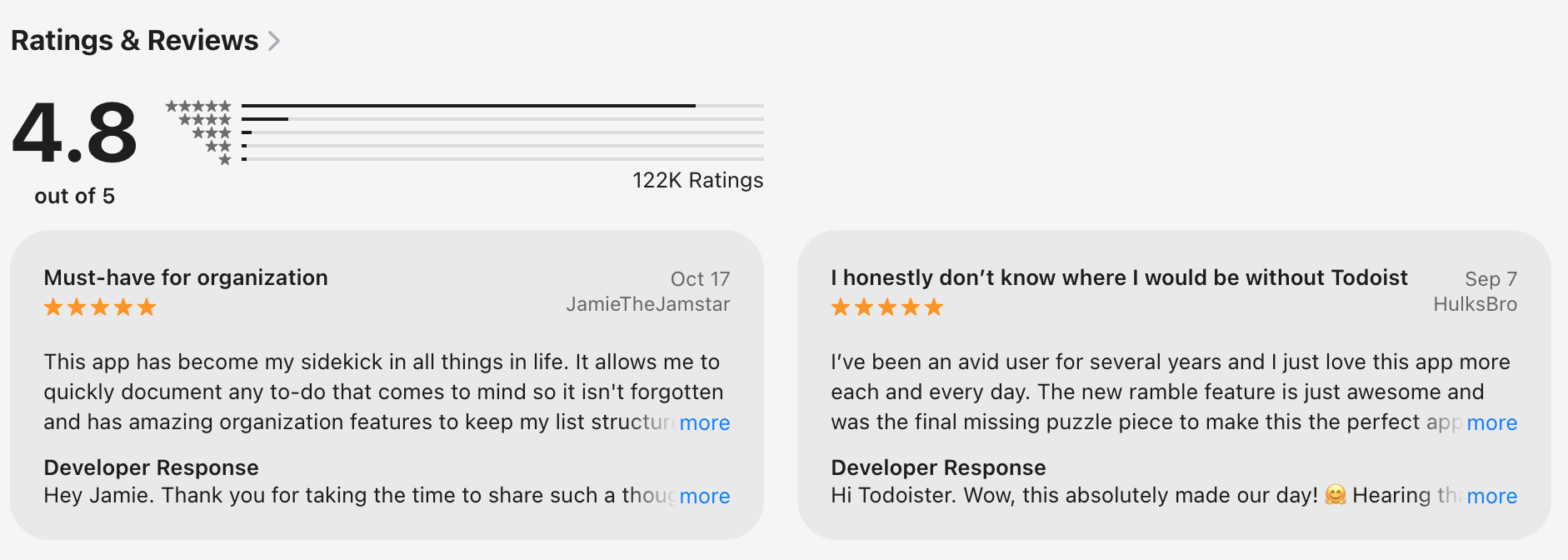
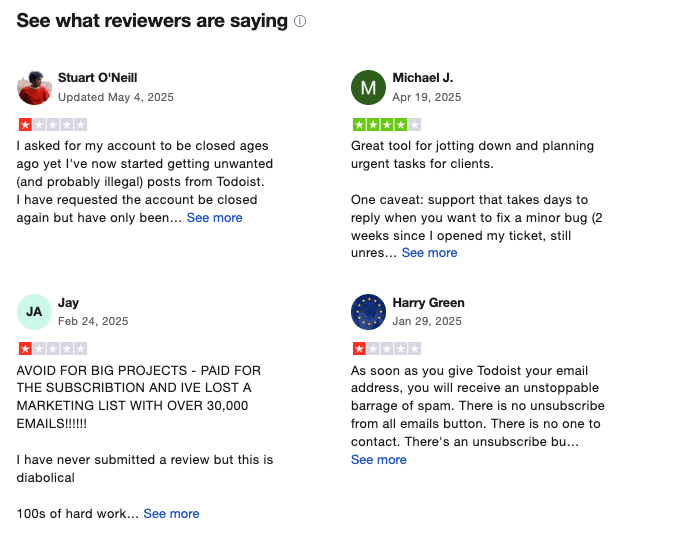
Todoist Reviews (source)
10. Notion

Notion is a flexible workspace that goes beyond simple task boards. It combines notes, docs, databases, and project tracking in one place. As a Trello alternative, it offers Kanban-style boards plus deeper customization and context.
Key features
- Kanban-style boards for task tracking, similar to Trello
- Multiple views for the same data (board, list, table, calendar, timeline)
- Pages and blocks to combine tasks with docs, notes, and project context
- Linked databases so tasks connect to projects, docs, and goals
Pros
- Tasks and knowledge live together, which reduces context switching.
- Templates make it faster to replace a Trello board without starting from scratch.
Cons
- Takes more setup time than Trello to feel “just right.”
- Can feel overwhelming if you only want simple drag-and-drop boards.
Pricing
- Free plan available.
- Paid plans start around $8/month.
Best for
- Teams that want more than just task boards
- People replacing Trello with a more customizable system
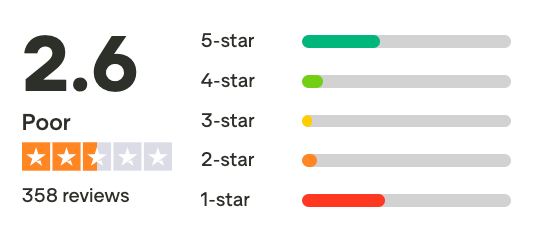
Notion review (source)
How to get started
- Create a Notion account
- Pick a project or Kanban board template
Final Thoughts: Choosing the Right Trello Alternatives
Trello isn’t a bad tool. It’s just no longer enough for many people.
As work gets more complex, teams grow, and mental load increases, the limits of simple boards become more obvious. That’s why so many professionals end up searching for the best Trello alternatives - not because they want more features, but because they want more clarity.
The key takeaway from this guide is simple:
- There is no universally “best” Trello alternative
- The right tool depends on how you work, not how powerful the software is
- More structure helps some people - but overwhelms others
If your work is thinking-heavy, messy, or easily overwhelming, Saner.AI can make a bigger difference than another Kanban column.
If you’re managing people, timelines, and dependencies, tools like Asana, Monday.com, or ClickUp may give you the visibility Trello can’t.
If you’re building products or shipping code, Linear or Jira will feel far more natural.
Before switching, ask yourself:
- Do I need tighter control, or more flexibility?
- Do I want a system that tells me what to do next, or one that lets me figure it out?
- Is this tool reducing mental effort - or adding to it?
The best project management system is the one you actually stick with. Start small. Test one tool at a time. Optimize for calm, not complexity.
That’s how you move from managing tasks to actually getting work done.
Stay on top of your work and life
Best Trello Alternatives: Frequently Asked Questions
1. What are the best Trello alternatives in 2026?
The best Trello alternatives depend on what you feel Trello is missing - structure, automation, scale, or flexibility.
Popular options include:
- Saner.AI – AI-first task and note management for fast-moving, easily distracted minds
- Linear – Lightweight issue tracking for modern product teams
- Monday.com – Highly visual project management for teams
- ClickUp – All-in-one tasks, docs, and goals
- Jira – Advanced workflows for engineering teams
- Asana – Structured task and project tracking
- Airtable – Spreadsheet-database hybrid for custom workflows
- Coda – Docs that behave like apps
- Todoist – Simple, fast personal task tracking
- Notion – Flexible workspace for notes, tasks, and databases
Each solves a different limitation of Trello - there’s no single “best,” only best for your use case.
2. Why do people look for Trello alternatives?
Most people outgrow Trello for one of these reasons:
- Boards get messy as projects scale
- Limited automation without power-ups
- Weak support for notes, docs, or context
- Hard to manage priorities across boards
- Not ideal for complex or long-term planning
Trello is great for simple kanban. Many alternatives focus on clarity, automation, or deeper structure.
3. What’s the best Trello alternative for personal productivity?
If you mainly used Trello for personal tasks, lighter tools tend to work better:
- Saner.AI – Turns messy notes into clear tasks using AI, with reminders and context

- Todoist – Clean, fast task lists with minimal setup
- Notion – Flexible, but requires manual structure
These tools reduce friction compared to managing multiple boards just to stay organized.
4. What’s the best Trello alternative for teams?
For team collaboration, people often choose:
- Monday.com – Visual, customizable workflows for non-technical teams
- Asana – Clear task ownership and timelines
- ClickUp – One tool for tasks, docs, and goals
These platforms handle dependencies, visibility, and accountability better than Trello.
5. What’s the best Trello alternative for software or product teams?
Product and engineering teams usually outgrow Trello quickly.
Strong alternatives include:
- Linear – Fast, opinionated issue tracking with minimal overhead
- Jira – Deep customization for complex development workflows
- Saner.AI – AI task and note management for team members
These tools are designed around sprints, backlogs, and releases - not just cards.
6. Is there an AI-powered alternative to Trello?
Yes. Some newer tools use AI to reduce manual organization.
For example:
- Saner.AI focuses on understanding your notes, tasks, and priorities automatically
- Instead of managing boards, you ask questions, set reminders, and let AI surface what matters
This approach appeals to people who feel overwhelmed by maintaining systems.
7. What’s the best Trello alternative for ADHD or easily distracted users?
Many Trello users with ADHD struggle with:
- Too many boards
- Visual overload
- Forgetting where things live
Tools like Saner.AI are designed to reduce context switching by:
- Connecting notes, tasks, and reminders
- Surfacing relevant work automatically
- Letting you work in natural language instead of rigid systems
8. What’s the simplest Trello alternative?
If simplicity is your main goal:
- Saner.AI – For fast task capture and daily planning
- Linear – For teams that want speed with minimal UI clutter
These tools trade flexibility for clarity.
9. What’s the most flexible Trello alternative?
If you want full customization:
- Saner.AI - Combine notes, docs, AI, cand alendar in one app
- Airtable – Build your own workflows with database logic
- Notion – Combine docs, tables, and automation in one place
These tools feel more like building blocks than traditional task apps.
10. Which Trello alternative is best for long-term planning?
Trello is best for short-term visual tracking. For bigger-picture planning:
- Asana – Goals, timelines, and dependencies
- ClickUp – OKRs, roadmaps, and multi-level projects
- Saner.AI – Connects long-term notes with daily execution
11. Are there free Trello alternatives?
Yes. Most Trello alternatives offer free plans, often with limits on:
- Team size
- Automation
- Advanced views
Tools like Todoist, Notion, and Saner.AI are commonly used for free personal workflows before upgrading.
12. How do I choose the right Trello alternative?
Ask yourself:
- Am I managing tasks, projects, or knowledge?
- Do I want structure or flexibility?
- Do I enjoy setting up systems - or hate it?
- Do I work solo or with a team?
The best Trello alternative is the one that reduces friction, not adds more features.
13. Is Trello still worth using?
Trello is still a solid choice for:
- Simple kanban workflows
- Small projects
- Visual thinkers
But if you need deeper planning, automation, AI assistance, or mental clarity, many Trello alternatives offer a better long-term experience.
Stay on top of your work and life