
The 7 Best AI Meeting Note Taker We Tested in 2026

7 Best AI Meeting Note Taker in 2026
If you have ever siting through meetings, furiously typing out every single word, then ending up with a five-page block of text that still can't give you a full recap of what the meeting was about.
That's the hole in standard transcription tools is that they assume the goal of a meeting is to create a word-for-word script. But what we actually need isn't a recorder; we need a tool that filters out the noise and surfaces the exact decisions, tasks, and context without requiring us to type a single line.
The right AI meeting note tool in 2026 acts as a cognitive filter. It understands the underlying intent of a conversation, maps action items to the right owners, and structures the messiness of human banter into professional clarity.
In this article, we’ll look at how each platform handles bot-less recording, how deeply they integrate with your secondary knowledge bases, and the specific trade-offs you will face between deep team collaboration archives and individual, distraction-free productivity.
What is an AI Meeting Note?
An AI meeting note is a software tool that automatically captures, transcribes, and summarizes meetings using artificial intelligence. Instead of manually writing notes during a meeting, the tool listens to the conversation and produces structured outputs after the meeting ends.
Key takeaway: Top 3 ranked AI meeting note tools
2. Otter.ai: Best for large teams that need a live, real-time searchable transcript database for collaborative, multi-person live editing.
3. Fireflies.ai: Best for enterprises requiring deeply automated post-meeting workflows, custom summary templates, and extensive app integrations.
Why People Need AI Meeting Notes?
How we chose the best AI meeting note tools
The best tool should reduce the friction of capturing what matters. We evaluated each platform based on the practical challenges professionals face every day:
- Social Presence & Friction: Does the tool require a visible bot that changes how participants behave, or can it record locally and silently?
- Actionable Synthesis: Does it output a dense wall of text, or does it cleanly extract clear action items, owners, and underlying rationale?
- Cross-Context Intelligence: Can the AI recall past meetings or connect your notes to your peripheral tools (Slack, Gmail, calendars) without manual copy-pasting?
- Input Versatility: Can it handle multiple types of conversations, including impromptu voice memos, in-person huddles, and external video links?
- Data Privacy & Security: Does it comply with local standards (like GDPR and SOC 2 Type 2) and process data safely without training public models on sensitive data?
What are Best AI Meeting Note Taker in 2026?
The Best AI Meeting Note Takers in 2026 are Otter.ai, Fireflies.ai, Fathom, Granola, tl;dv, Audionotes, and Avoma
🏆 Best AI Meeting Note Takers in 2026 - Comparison Table
| 🤖 Tool | 💪 Key Strengths | 🎯 Best For | 💻 Platforms | 💰 Pricing (2026) |
|---|---|---|---|---|
| Otter.ai | Real-time transcription, strong speaker identification, solid AI summaries, widely trusted | Teams needing live captions & searchable transcripts | Web, iOS, Android, Zoom, Google Meet | Free (limited) · Pro ~$16.99/user/month · Business ~$30/user/month |
| Fireflies.ai | Auto-joins meetings, powerful keyword search, CRM & tool integrations | Teams managing lots of recurring meetings | Web, Chrome, Zoom, Google Meet, MS Teams | Free · Pro ~$18/user/month · Business ~$29/user/month |
| Fathom | Excellent summaries, instant highlights, very clean UX | Individuals & small teams wanting zero-friction summaries | Zoom, Google Meet | Free for individuals · Team ~$19/user/month |
| Avoma | Deep analytics, conversation intelligence, coaching insights | Sales & CS teams needing performance insights | Zoom, Google Meet, MS Teams | ~$29–$99/user/month (tier-based) |
| tl;dv | Fast highlights, async sharing, strong Notion & Slack workflows | Remote teams doing async collaboration | Zoom, Google Meet, MS Teams | Free · Pro ~$20/user/month |
| Audionotes | Simple voice-to-notes, fast summaries, minimal setup | Solo users capturing quick spoken thoughts | Web, Mobile | Free · Premium ~$10–15/month |
| Granola | Lightweight, privacy-friendly, local-first approach | Users wanting distraction-free meeting notes | macOS (early), Web | Free (beta) · Paid plan TBA |
1. Granola
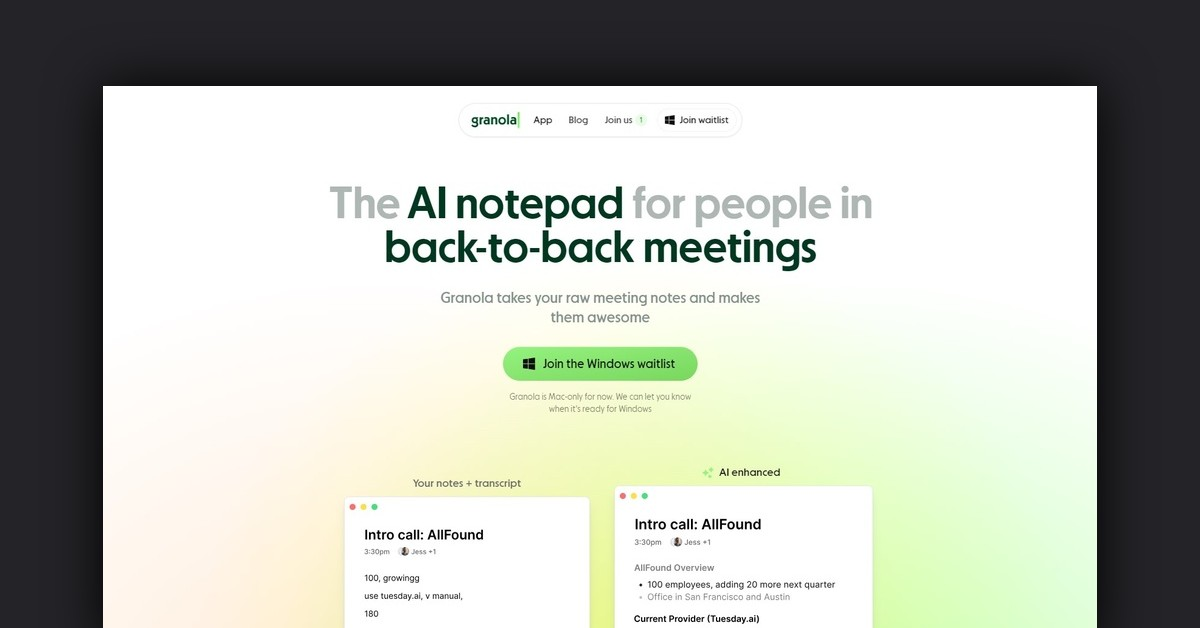
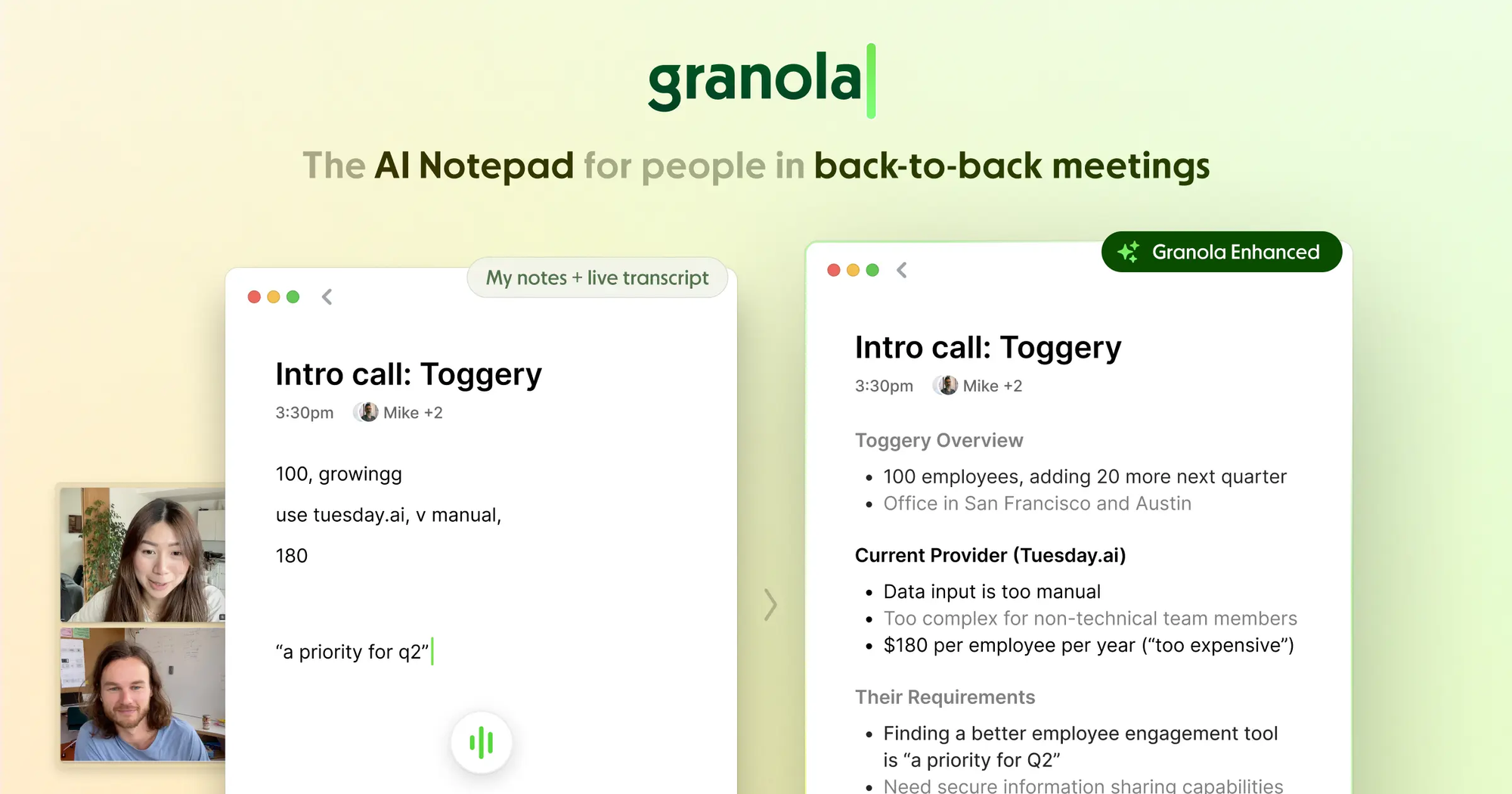
Granola is an AI meeting note app focused on turning live conversations into clean, human-readable notes without recording audio. Instead of joining meetings as a bot, Granola listens locally and helps you write structured notes in real time.
Key features
- Bot-Free Audio Capture: Granola operates seamlessly from your operating system without injecting an external bot or virtual participant into your Zoom, Google Meet, or Webex links, keeping your internal and client calls completely natural.
- Human-in-the-Loop Note Blending: Instead of ignoring your input, Granola combines the quick words or triggers you type during the meeting with its own AI memory to build an optimized summary.
"I can keep taking my own notes, and I never have to worry about missing anything important... The notes it generates are incredibly helpful on their own, but the real magic is the follow‑up discussion in the chat." – Verified Reviewer
- "I like the most the chat function with Granola itself. I can go back in history without having to search for the chat. It's great to just say, 'tell me about this interview,' and get the details." – Verified Reviewer
Pros
- No bots, no shared recordings, and no awkward “AI joined the meeting” moments.
- I like that I can actively participate and jot down tiny notes while trusting the AI to effortlessly fill in the complex technical gaps.
- Little setup and no complex integrations to manage.
Cons
- If you want verbatim records or exact quotes, this may not be enough.
- The mobile app experience doesn't perfectly replicate the full desktop experience for iPad-based Zoom or Google Meet calls yet.
- Best suited for individual use rather than shared team workspaces.
- Compared to meeting bots, workflow integrations are minimal.
Who is it for?
- Granola is custom-built for founders, product managers, user researchers, and sales professionals who jump from one meeting to another and cannot afford the distraction of manual typing.
- Individuals who hold sensitive or high-profile client conversations where having an intrusive AI bot join the screen would break rapport or compromise trust.
Pricing:
- Free plan: Limited recordings and features
- Paid plan: Around $10–15/month, depending on usage and billing cycle
Granola review (source)
"The summaries it produces are actually good, not just a raw transcript dump, but key insights and actions. It's become one of those tools that delivers every time. Not sure how I lived so long without it!" – verified Review
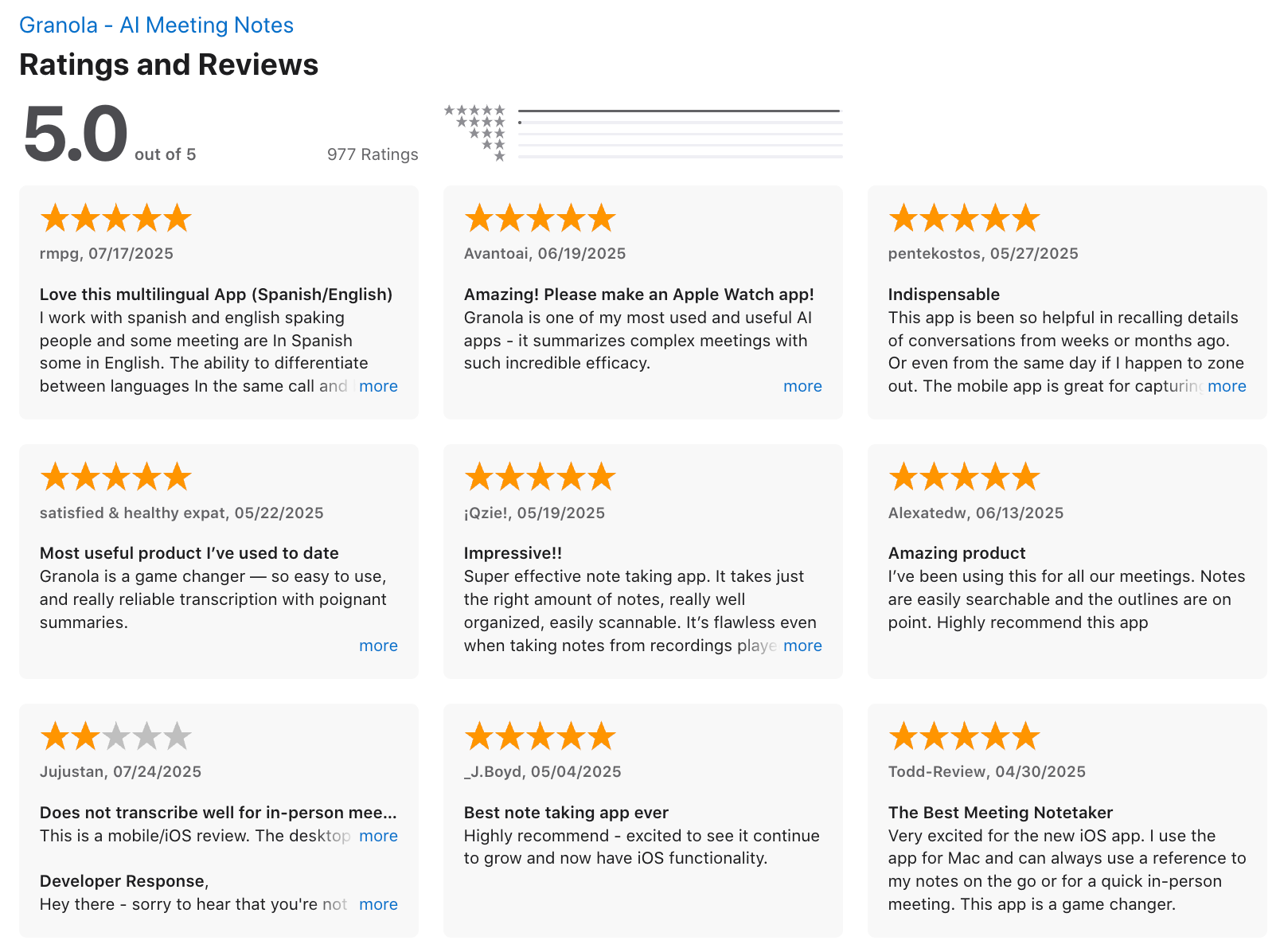
"I’ve noticed the transcript isn’t completely accurate. It also doesn’t always distinguish between different voices, so it can be unclear who is speaking." - verified review
How to get started
- Create a Granola account and install the app
- Start a meeting note and let the AI assist as you write
2. Otter.ai
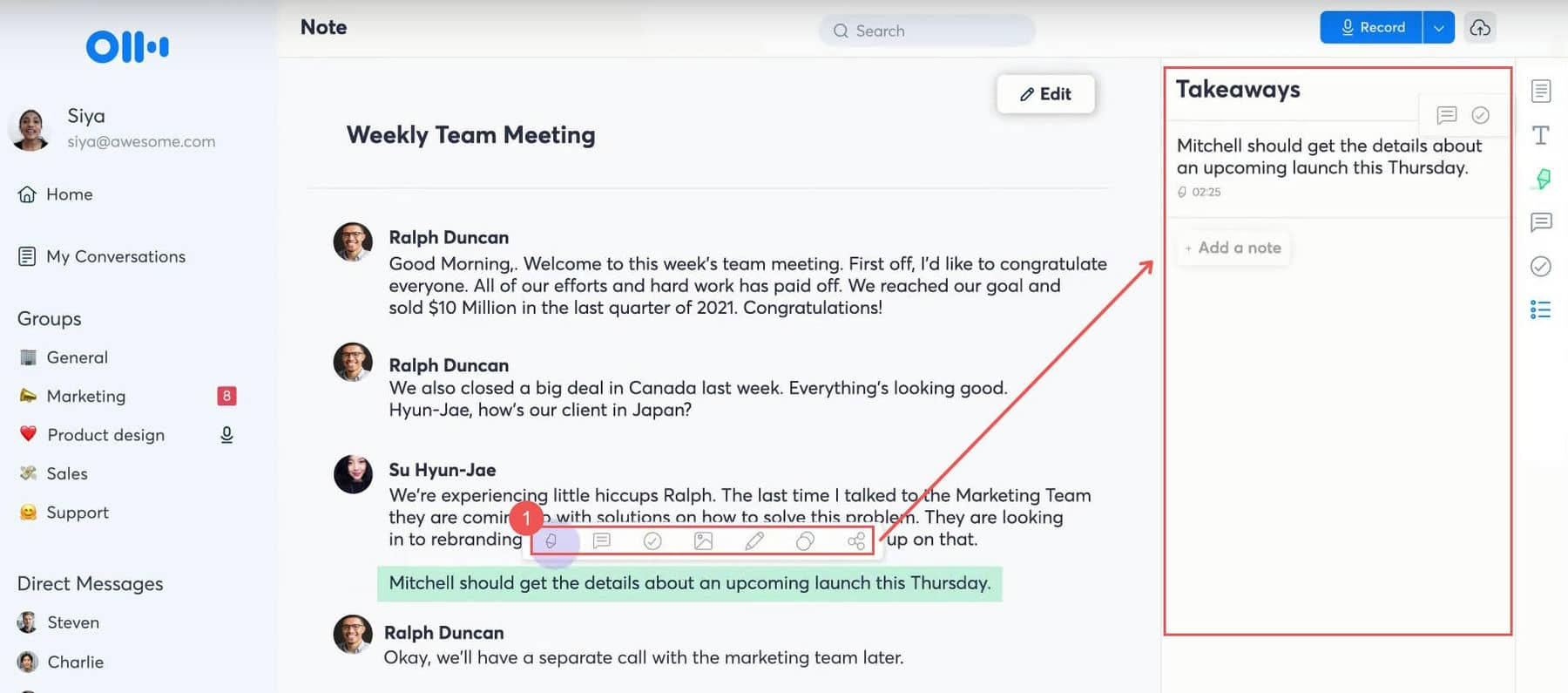
Otter.ai is an AI meeting transcription and note-taking tool that records conversations, converts speech to text in real time, and generates searchable meeting notes. It works across virtual and in-person meetings, capturing who said what and when.
Key Features
- Real-Time Transcription & Live Captioning: Otter converts spoken dialogue into synchronized text instantly, allowing team members to follow along live, even during highly complex and fast-paced discussions.
- Automated Meeting Summaries & Action Items: Immediately following a scheduled call, the platform synthesizes long transcripts into concise, bulleted summaries highlighting core decisions and next steps.
- Otter AI Chat: An interactive workspace companion that allows users to query past meetings, draft follow-up emails, or synthesize recurring themes across multiple transcripts simultaneously.
"I love the Otter AI Chat feature. Being able to ask 'What did we decide about the budget last week?' and getting an accurate answer based on multiple meeting records saves me hours of manual digging." – Verified Review
Pros
- Transcription quality is strong in quiet environments and structured meetings.
- Once connected to your calendar, Otter can auto-join meetings without manual effort.
- For managers or sales teams with frequent calls, the time saved on note-taking and summaries adds up quickly.
- Shared workspaces and comments make it useful for teams reviewing meetings together.
Cons
- Otter focuses on transcription and summaries, not deeper task automation or knowledge management. You’ll still need another tool for follow-ups.
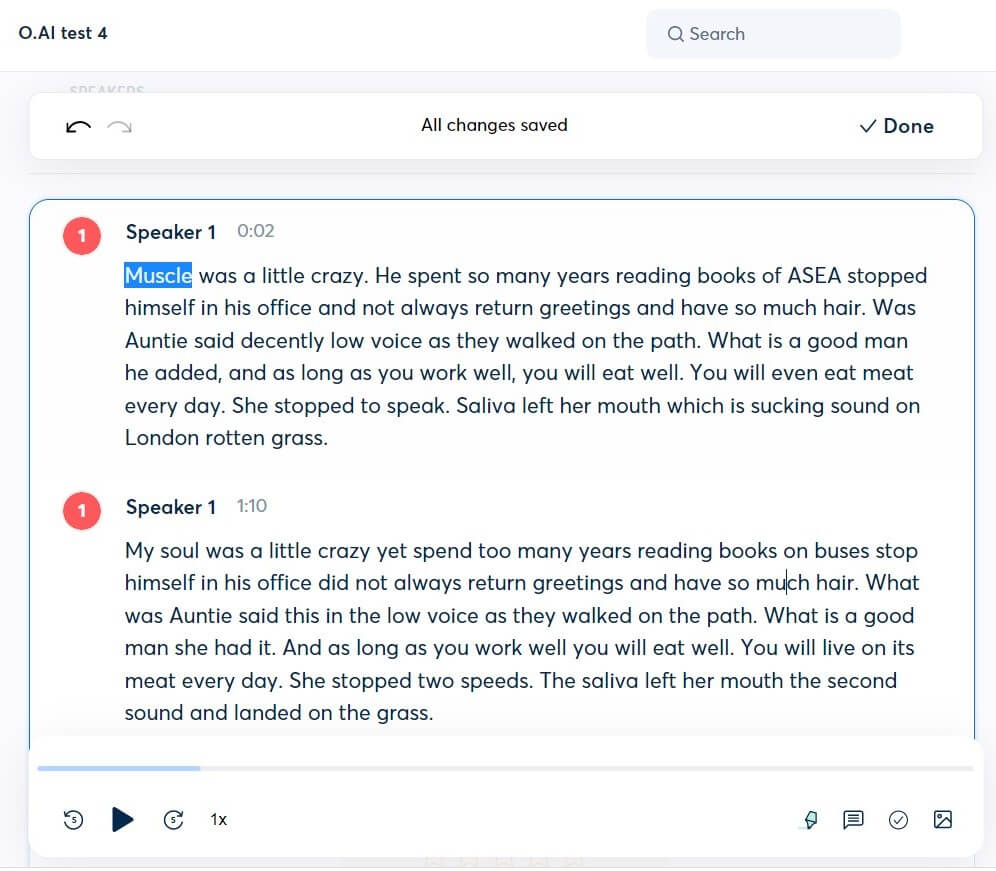
- "In meetings with multiple people, Otter can struggle to distinguish between voices. It might mislabel speakers or treat one person as two, which makes reviewing the transcript confusing sometimes." - verified review
- You can’t deeply control how summaries are structured or tailored to specific workflows.
- It’s designed for meetings, not general note-taking or idea capture outside conversations.
Who is it for?
- Knowledge workers and teams who attend many meetings and want a reliable, hands-off AI meeting note taker.
Pricing:
- Free plan: Limited monthly transcription minutes
- Pro plan: Around $16–20 per user/month (monthly or discounted yearly plans available)
Otter.ai Reviews (source)
"Otter has fundamentally changed how our agency operates. We no longer assign a designated note-taker to our client calls, meaning every single team member can remain 100% engaged in the strategy discussion." – Verified Review
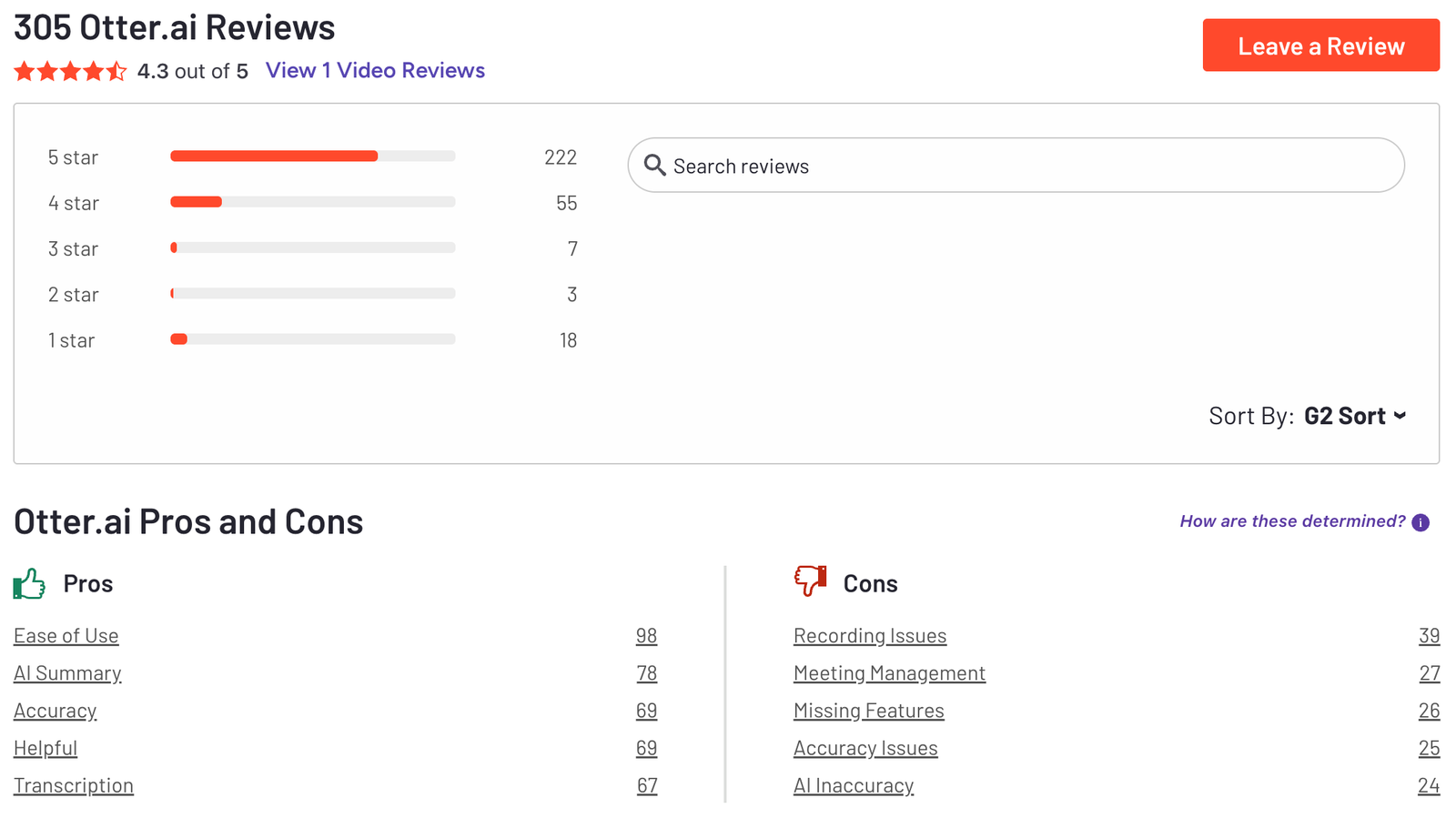
"Sometimes it auto-joins internal huddles where we didn't necessarily want notes taken. Managing the auto-join calendar settings takes a bit of getting used to so you don't accidentally record private conversations."–Verified Review
How to get started?
- Create a free account on Otter.ai and connect your calendar
- Invite Otter to your next meeting and review the auto-generated notes
3. Fireflies.ai
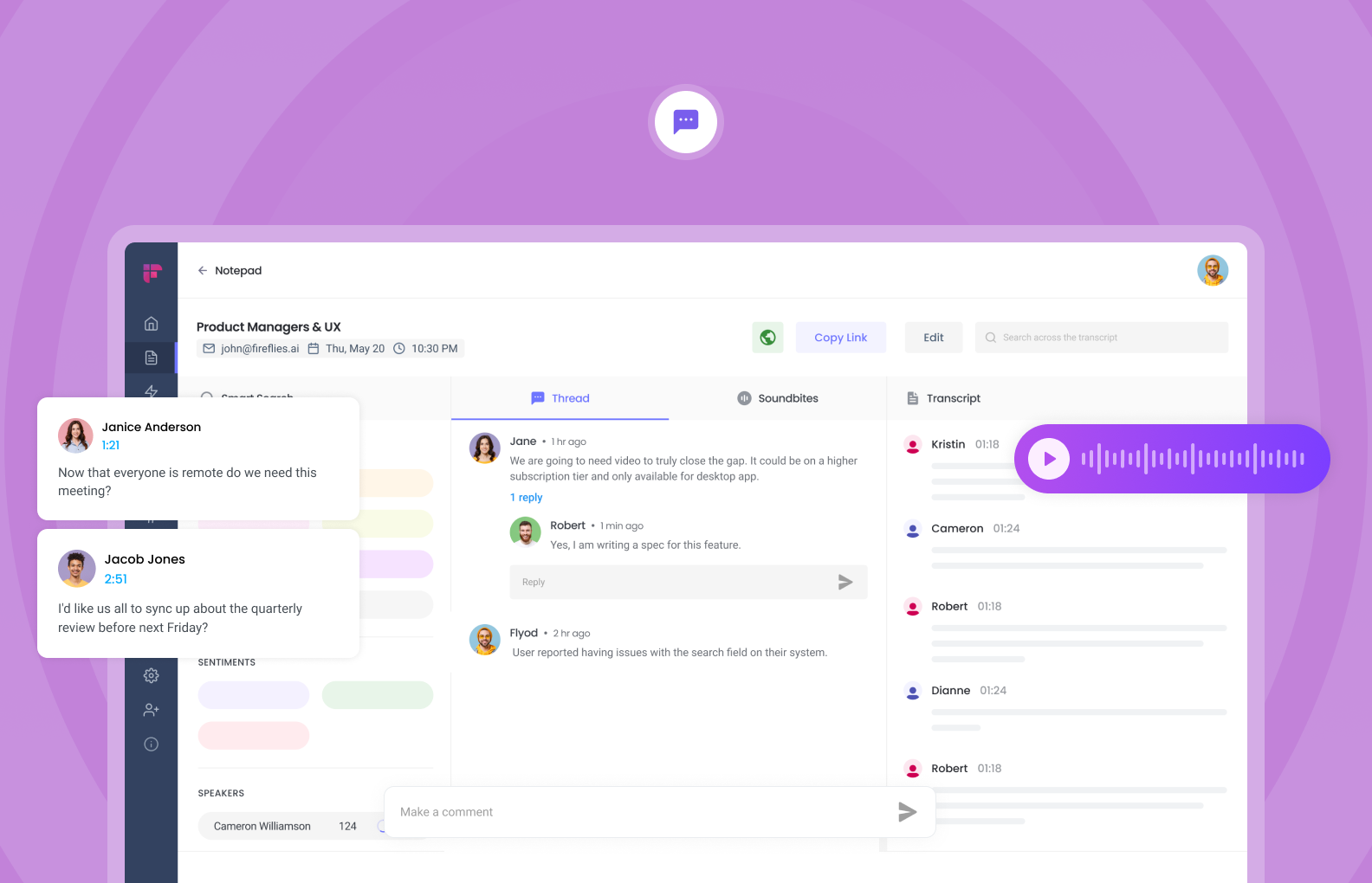
As a top contender for the Best AI Meeting Note tool in 2026, Fireflise's core strength lies in its expansive integration ecosystem, allowing teams to seamlessly push searchable meeting transcripts and custom AI notes directly into CRMs and project management dashboards without lifting a finger.
Key Features
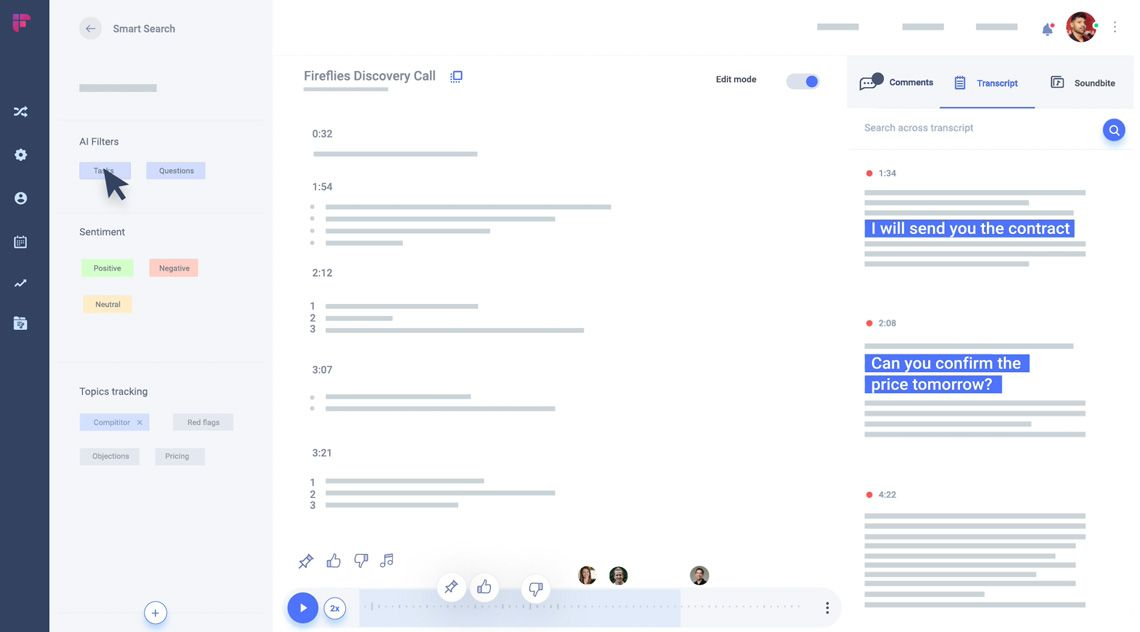
- AI-Powered Summaries and Action Items: Fireflies generates human-grade multi-part summaries, comprehensive outlines, and precise task extractions immediately following a call, eliminating the need for post-meeting manual cleanup.
- AskFred — AI Meeting Assistant: AskFred allows users to ask follow-up questions, draft emails, or isolate specific context from any individual recorded call.
- Broad App and CRM Ecosystem Integration: By natively connecting with over 200 platforms—including Salesforce, HubSpot, Slack, and Notion. Fireflies automates data data entry by syncing transcripts and summaries right to the relevant client record.
Pros
- Conversation insights and CRM sync make it valuable for revenue teams that rely on call reviews.
- The platform delivers supports 100+ languages, cleanly separating individual speakers even when capturing audio from a large physical room or complex virtual layout.
- You can quickly find moments across past meetings by keyword, speaker, or topic.
- Shared libraries and integrations help distribute meeting knowledge across teams.
Cons
- AI summaries sometimes miss context or nuance, especially in complex discussions.
- With many analytics and features, the interface may feel overwhelming for casual users.
- Like most AI meeting note takers, noisy environments and accents can reduce accuracy.
Who is it for?
- Fireflies.ai is best suited for sales teams, remote managers, recruiters, and consultants who manage high volumes of daily client interactions and require automated workflow syncing.
- It is particularly valuable for organizations heavily reliant on CRMs like HubSpot or Salesforce, as it automates follow-up tracking.
Pricing:
- Free plan: Limited transcription and features
- Pro plan: Around $18 per user/month (billed annually)
- Business plan: Around $29–39 per user/month, with advanced integrations and analytics
Fireflies.ai Reviews (source)
"Works like magic. Incredibly impressed by the quality of transcription and summarization. Very useful to see all my to-dos from meetings in one place! Love this product." —Verified Review
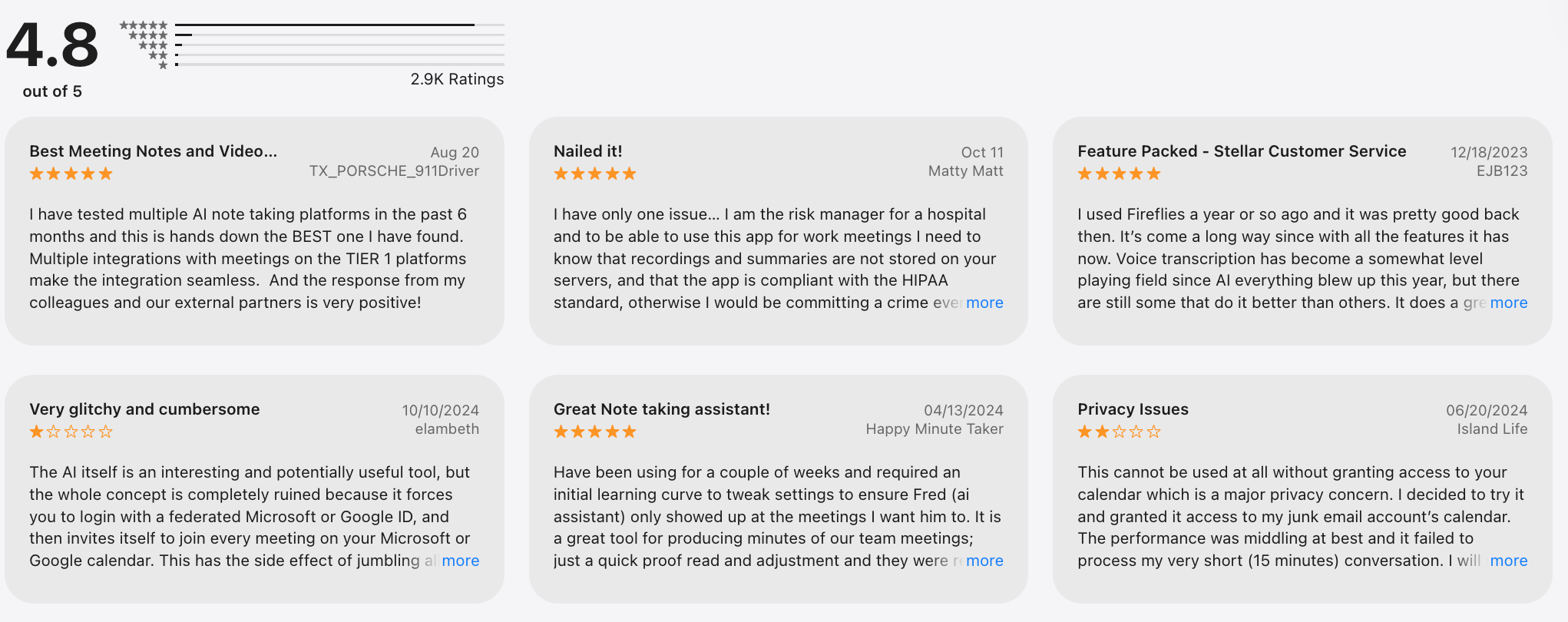
"Fireflies make you pay to download your own recording. 800 minutes limit and no option to auto-delete old meetings. So when you reach the limit, you have to go and manually delete the meetings to get transcripts." —Verified Review
How to get started?
- Sign up for a free Fireflies.ai account and connect your calendar
- Let Fireflies join your next meeting and review the transcript and summary
4. Fathom
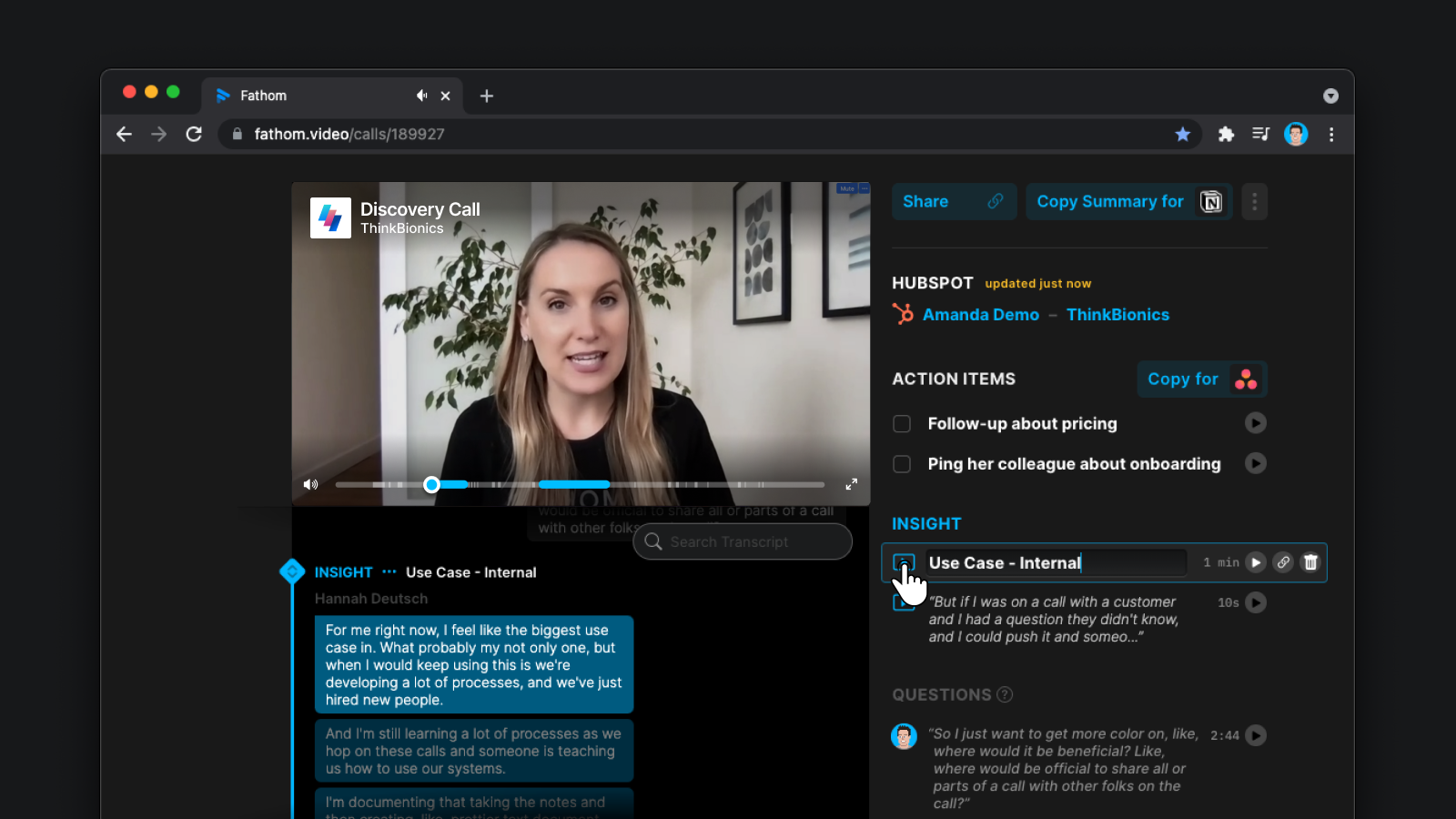
Fathom is designed to stay out of the way during meetings while delivering usable notes right after. It’s often mentioned as a best AI meeting note taker for people who want fast results without heavy setup.
Key features
- Fathom generates concise summaries and action items immediately after meetings.
- You can highlight important moments in real time with a single click.
- Meetings are transcribed accurately with clear speaker separation.
- Fathom syncs meeting notes with tools like Salesforce, HubSpot, reducing manual copy-paste work after calls.
Pros
- Setup takes minutes, and the interface is very clean.
- Summaries are clear, structured, and more readable than many competitors, especially for business meetings.
- The free tier is generous and usable for individuals who attend frequent meetings.
Cons
- Compared to tools like Fireflies, it lacks deep conversation intelligence and performance metrics.
- Accuracy and features are strongest in English; other languages may be more limited.
- You can’t deeply control summary formats or workflow logic.
- It doesn’t support broader note-taking or knowledge management outside meetings.
Who is it for?
- Professionals and teams who want fast, high-quality AI meeting summaries with minimal setup.
Pricing:
- Free plan: Unlimited meeting recordings and summaries (individual use)
- Premium plan: Around $19 per user/month, billed monthly or yearly
- Team plans: Higher-tier pricing with CRM and admin features
Fathom Reviews (source)
"The ease of accessing the summary, full transcript, and recorded video is brilliantly implemented. The automatically generated Action Items are extremely helpful; having the option to copy these items and create an AI-generated follow-up email is a fantastic time-saver." - verified review
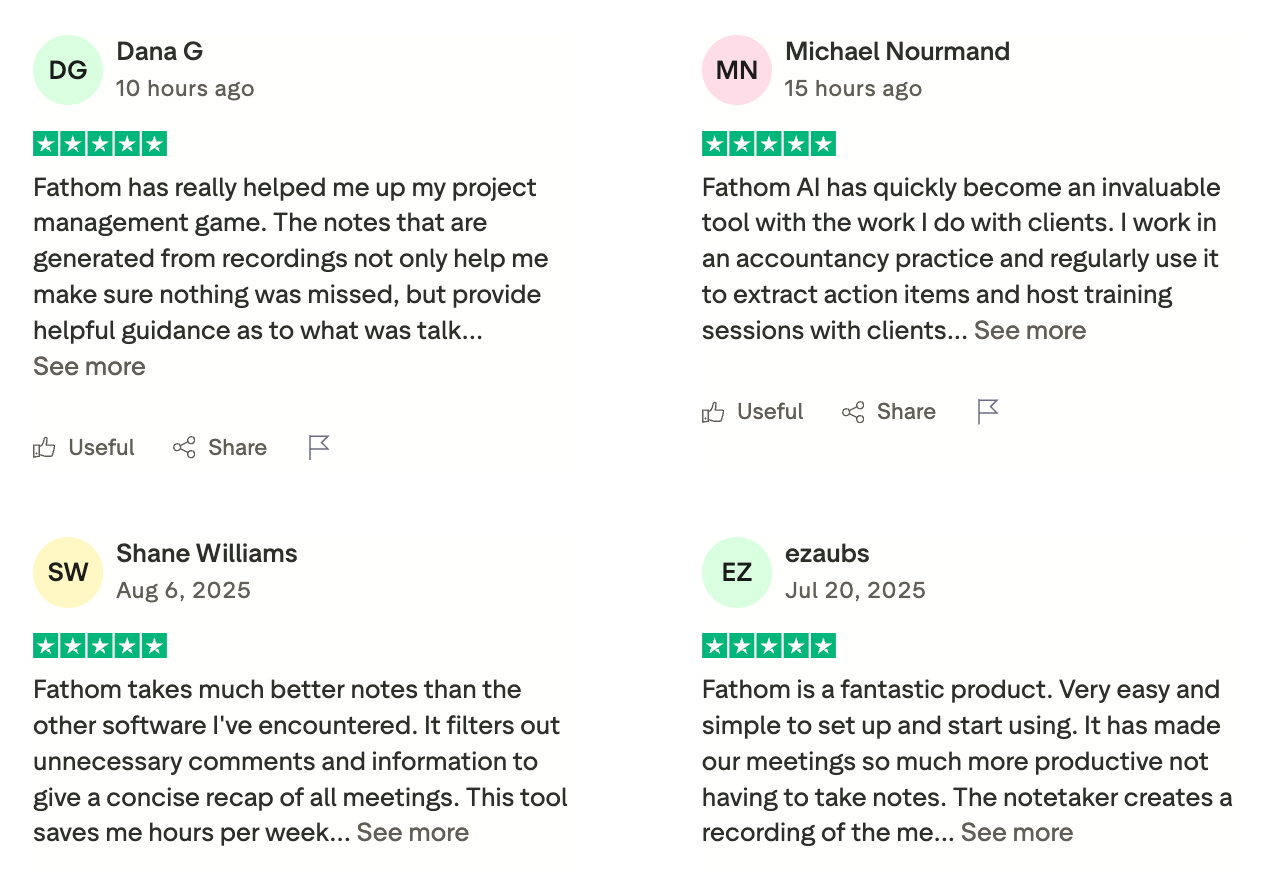
"I have also noticed that if people talk over one another, the system sometimes misses a speaker or attributes the text to the wrong person. Additionally, the formatting of the text exports can be a bit messy and requires some manual tidying up." - verified review
How to get started?
- Sign up for a free Fathom account and connect Zoom or Google Meet
- Join a meeting and receive automatic notes and summaries instantly
5. Avoma
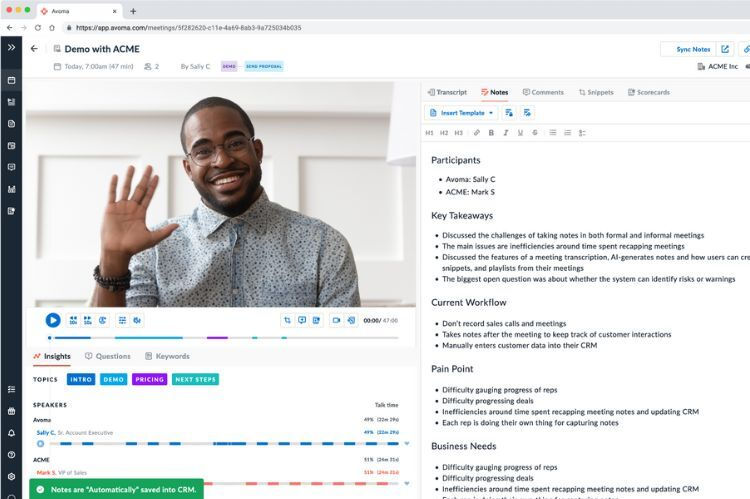
Avoma is an AI meeting intelligence and note-taking platform designed primarily for sales and revenue teams. It records, transcribes, and summarizes meetings, then turns conversations into structured insights, action items, and coaching data.
Key features
- Avoma records meetings and generates structured notes, key takeaways, and follow-ups.
- It tracks talk ratios, keywords, objections, and topics across calls.
- Avoma syncs notes, summaries, and insights directly into tools like Salesforce and HubSpot.
- Teams can prepare shared agendas before meetings and collaborate on notes afterward.
Pros
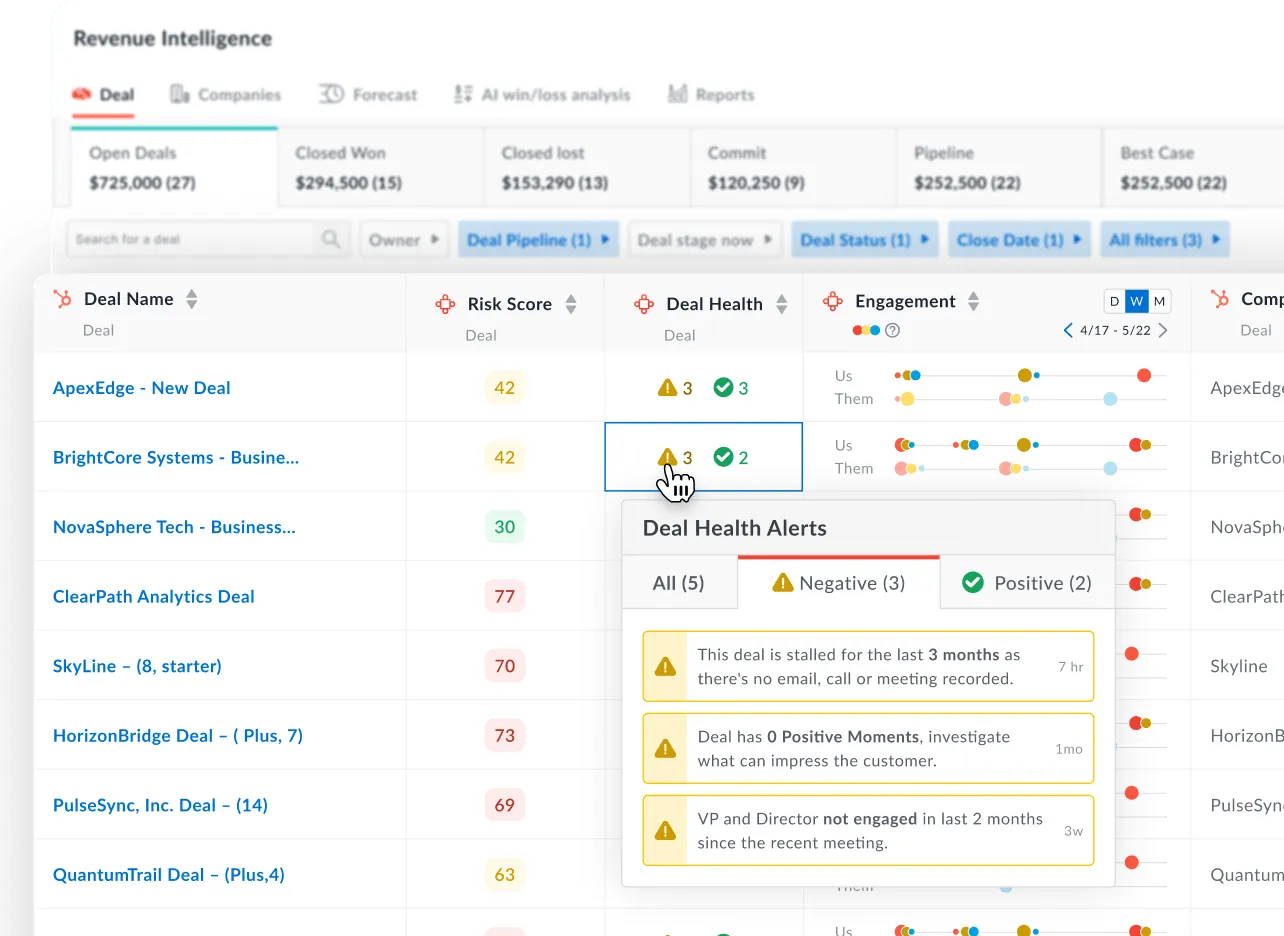
- Deal insights, coaching tools, and CRM sync make it valuable for revenue organizations.
- Notes are organized around outcomes, next steps, and objections, not just raw transcripts.
- Leaders can review calls, trends, and rep performance without joining every meeting.
- Designed for multi-user environments with admin controls and reporting.
Cons
- If you just need simple meeting notes, Avoma may feel too complex.
- To benefit from analytics and workflows, teams need time to set it up properly.
- It’s more expensive than lightweight AI meeting note takers.
- Less suitable for personal meetings, creative sessions, or non-revenue teams.
Who is it for?
- Sales and revenue teams that want AI meeting notes plus coaching and deal insights.
Pricing:
- No permanent free plan (free trial available)
- Paid plans: Start around $29–39 per user/month, depending on features and billing cycle
Avoma Reviews (source)
"I use Avoma for listening to sales calls and recording recruiting and internal calls. It's really helpful with not having to take a ton of notes during each call I'm in, which allows me to be more present. I like the Ask Avoma AI feature because I can look up anything and there's always context from the system and all the calls I've been on." - verified review
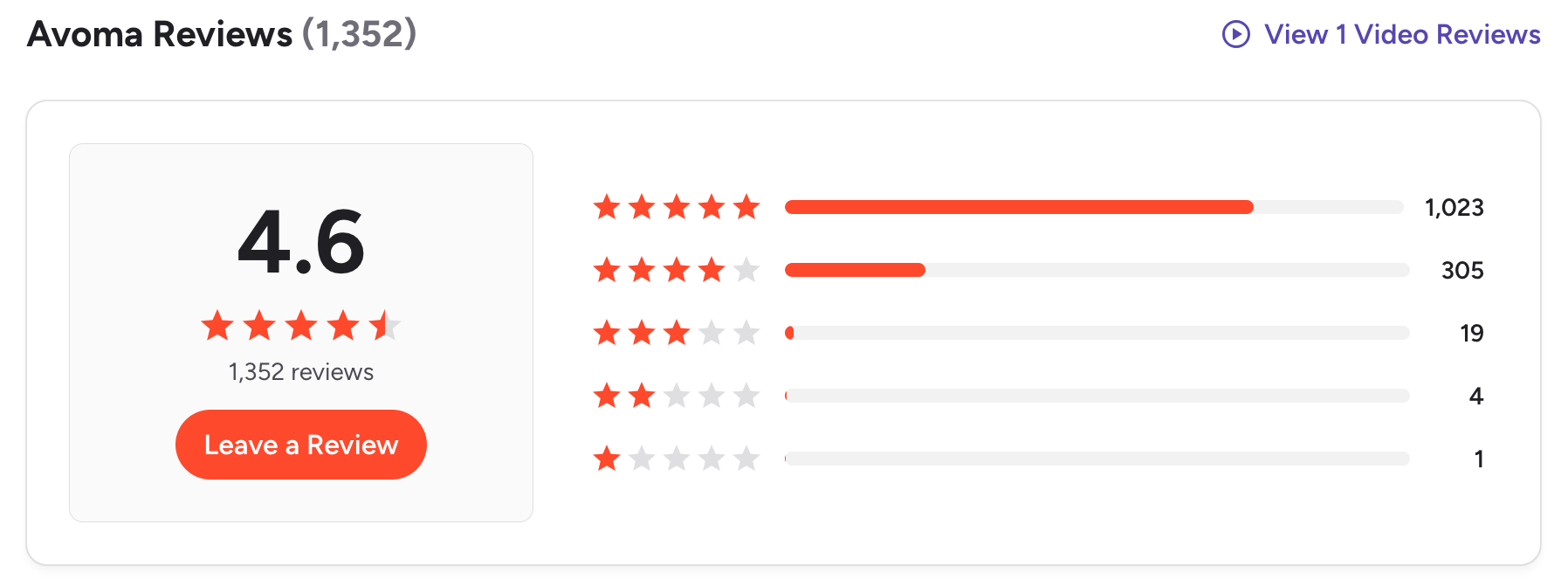
"The summaries and action items are not always perfectly accurate, so they still need a quick manual review. The platform can also feel a bit overwhelming because there are many features and views to navigate." - verified review
How to get started?
- Create an Avoma account and connect your calendar and CRM
- Let Avoma join meetings and review AI summaries and insights afterward
6. tl;dv
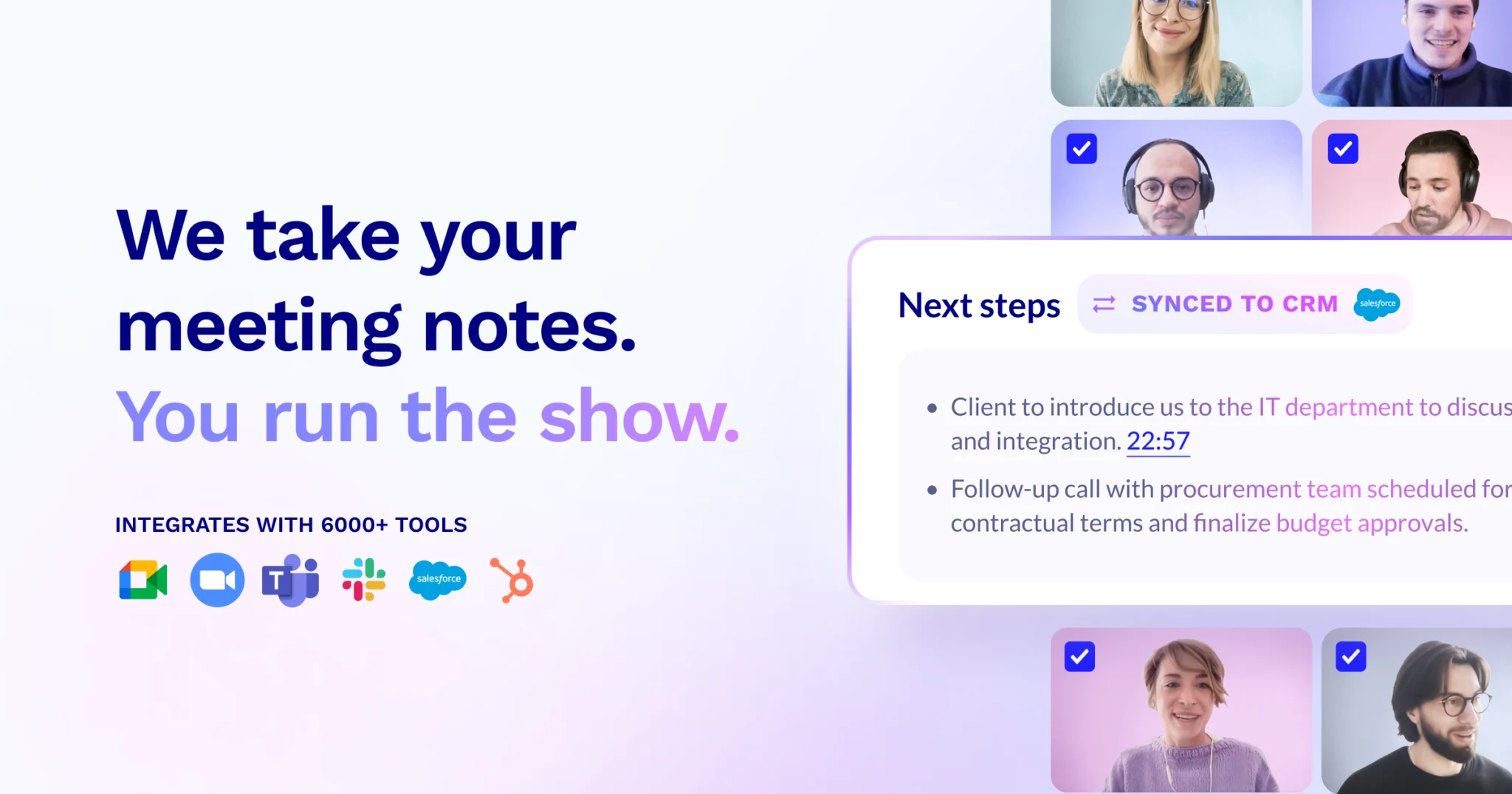
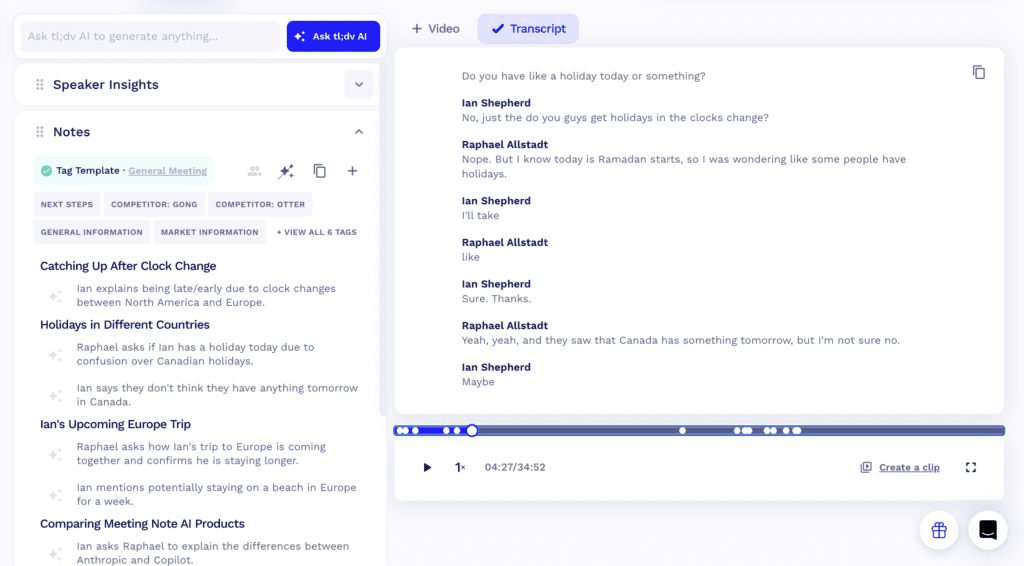
tl;dv is an AI meeting note taker that records, transcribes, and summarizes meetings with a strong focus on async sharing. It captures conversations from Zoom, Google Meet, and Microsoft Teams, then turns them into short, shareable highlights and summaries.
Key features
- tl;dv automatically generates concise summaries and highlights important parts of meetings.
- Users can tag moments during or after meetings and share direct video clips.
- You can search across meetings by keyword, speaker, or topic.
- Meeting notes and highlights can be shared across teams, keeping everyone aligned even if they didn’t attend.
Pros
- Short video clips and summaries make it easy to share context without scheduling follow-up meetings.
- The interface is simple and focused, with minimal setup required.
- The free tier is usable for individuals and small teams with frequent meetings.
- Connecting calendars and meeting tools takes only a few minutes.
Cons
- It doesn’t offer deep conversation intelligence or coaching metrics like sales-focused tools.
- Complex discussions may still require reviewing parts of the transcript or recording.
- Not designed for general note-taking or task management outside meetings.
- Integrations are solid but not as deep as enterprise-focused platforms.
Who is it for?
- Remote and async teams that want fast, shareable AI meeting notes and highlights.
Pricing:
- Free plan: Unlimited recordings with usage limits
- Pro plan: Around $18–20 per user/month, billed monthly or yearly
- Business plan: Higher-tier pricing with team and admin features
tl;dv Reviews (source)
"What I like most is that tl;dv turns meetings into structured, searchable information rather than just recordings. The transcription quality is strong, follow-ups become easier, and reliance on fragmented notes or memory is reduced." - vertified review
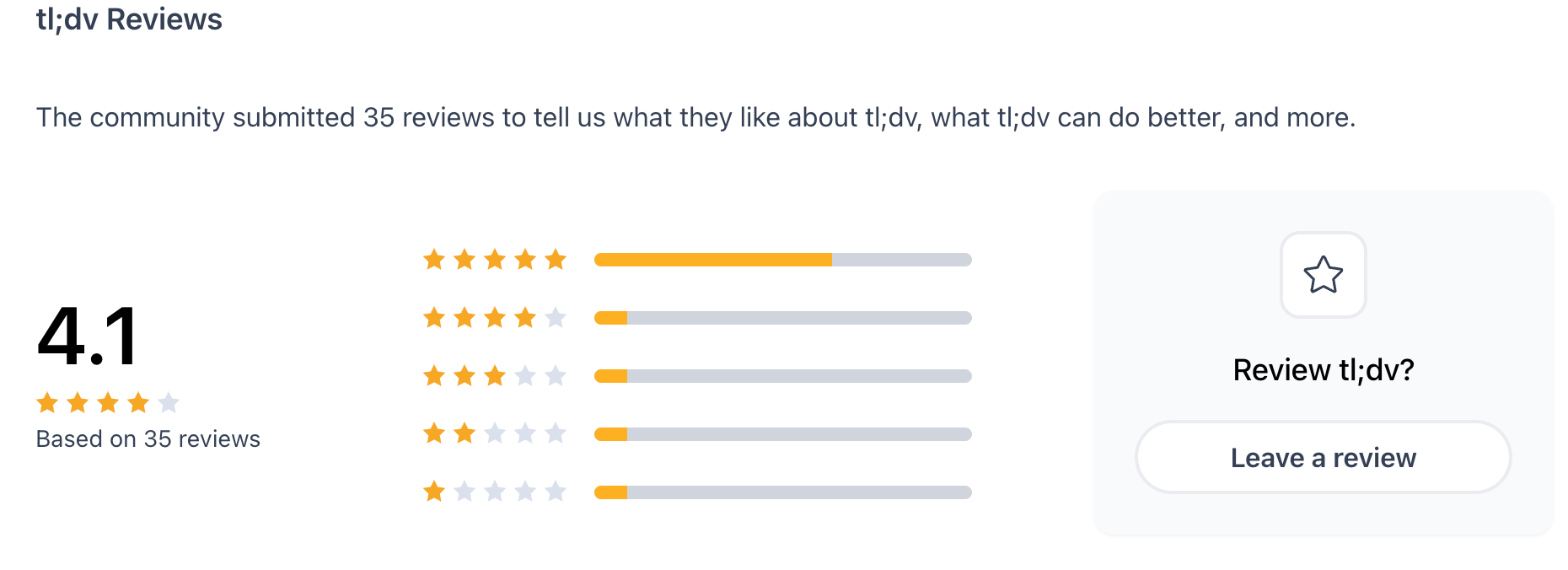
"On the flip side, what I dislike about tl;dv is that the pricing feels a bit steep, making it a rather expensive investment for what it offers. Additionally, while the AI summaries are top-notch, the actual transcripts definitely need work." - verified review
How to get started?
- Sign up for a free tl;dv account and connect your meeting tools
- Join a meeting and review AI summaries and video highlights afterward
7. Audionotes
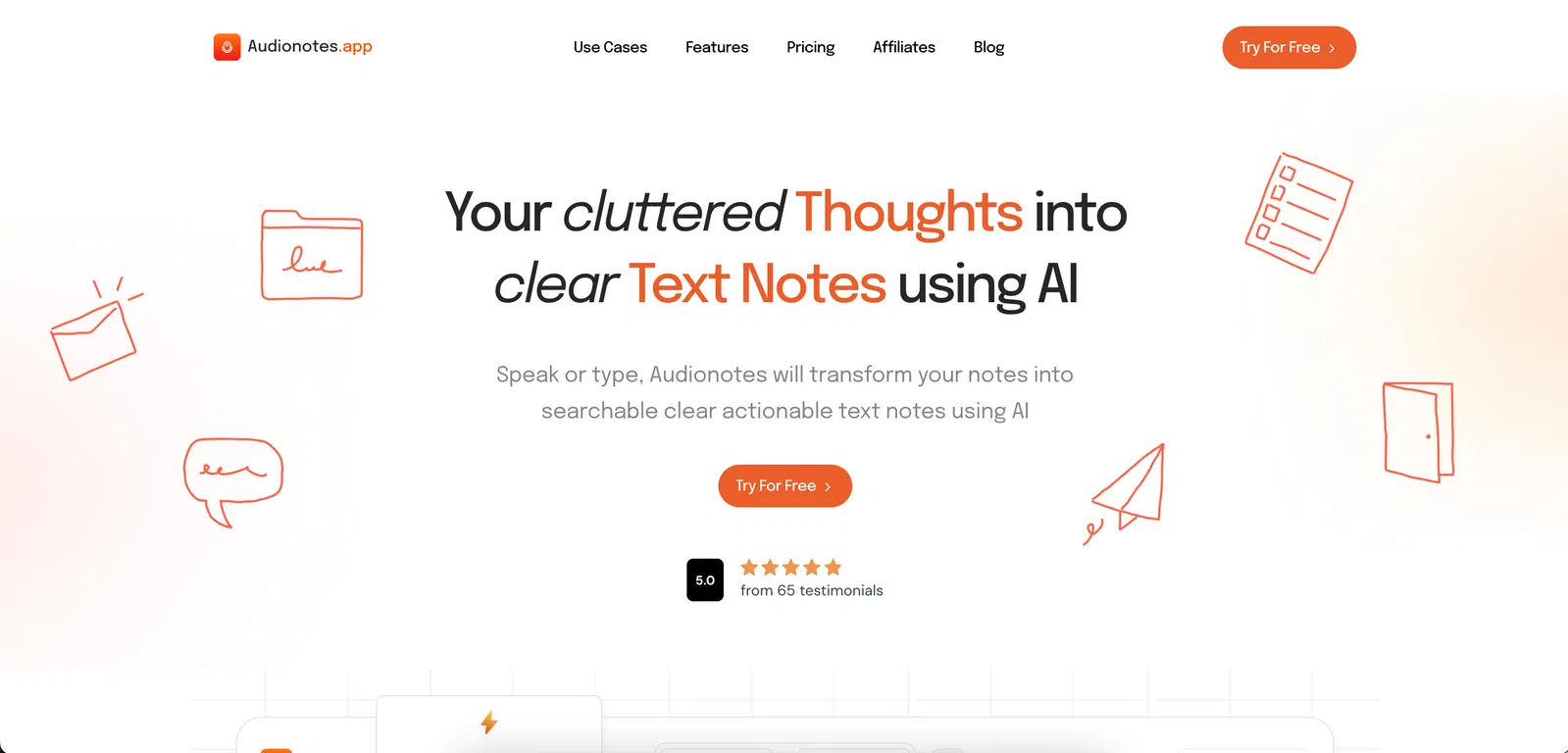
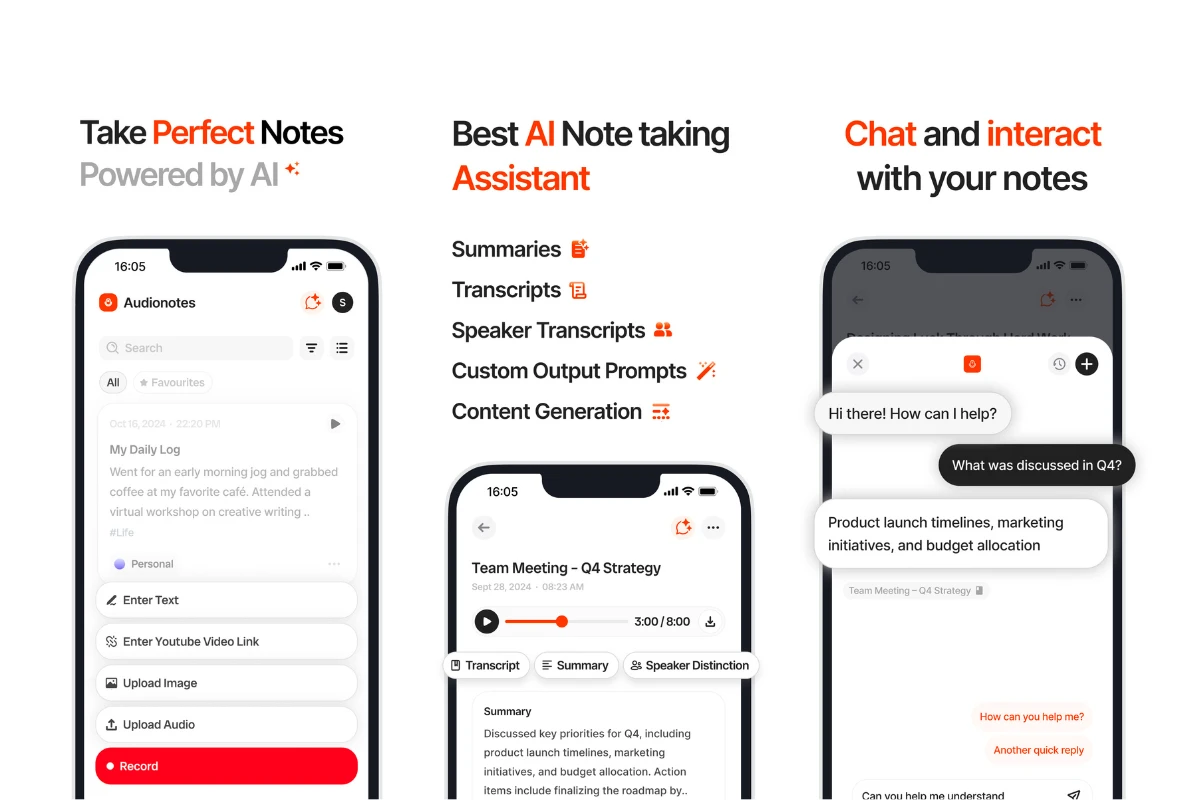
Audionotes is an AI-powered note-taking app built for people who capture information in many different formats. Instead of manually switching between apps or rewriting content, users can rely on Audionotes to transcribe, summarise, translate, and organise information in one place.
Key features
- AI transcription and translation supporting 80+ languages
- Speaker recognition to identify different voices in recordings
- Create notes from audio, video files, images, text, and YouTube videos
- AI-generated summaries, templates, and custom output formats
Pros
- Supports multiple input formats beyond just voice notes
- Easy organisation and search for large note libraries
- Integrates well with popular productivity tools
- Useful for both real-time and asynchronous note-taking
Cons
- Advanced features are locked behind the Pro plan
- Interface may feel feature-heavy for users who only need basic notes
Who is it for?
- Audionotes is a good fit for students, professionals, creators, and researchers who work with recordings, videos, or mixed media content. It’s especially useful for people who attend frequent meetings, watch long educational videos, or need multilingual transcription and summaries.
Pricing:
- Personal Plan: $9.99 per month or $69.99 per year
- Pro Plan: $19.99 per month or $129.99 per year,
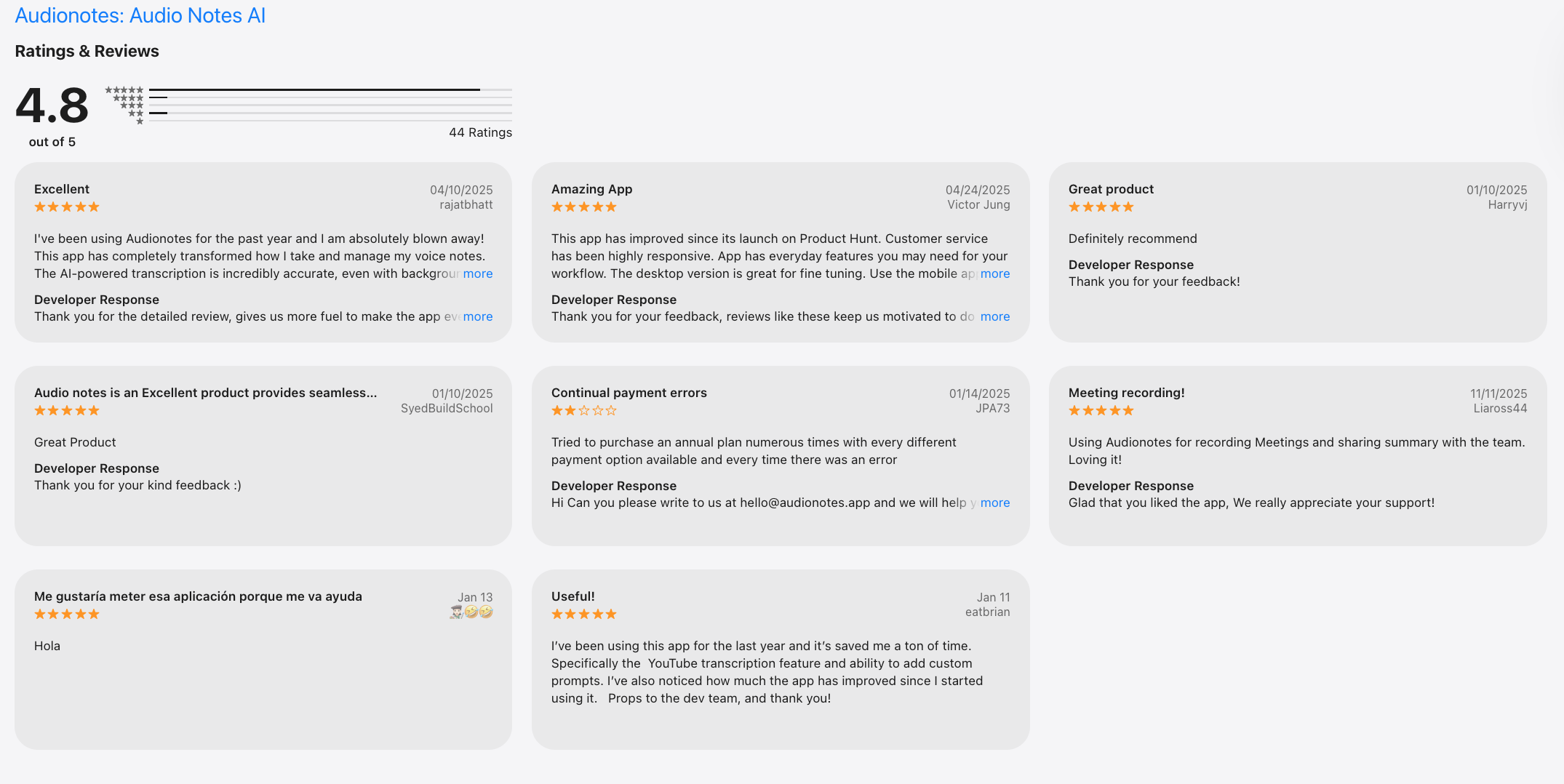
Audionotes Reviews (source)
How to get started?
- To get started, sign up on the Audionotes website, choose a plan, and upload an audio file, video, image, or YouTube link. The platform automatically converts the content into structured notes, which you can edit, organise, and integrate with your existing productivity tools.
How to Manage Meeting Notes Easily After the Meeting
Capturing meeting notes is only half the problem. Managing them is where most teams struggle.
Meeting outputs often end up:
- Scattered across tools
- Forgotten after a few days
- Disconnected from tasks
This is where tools like Saner.AI are useful.
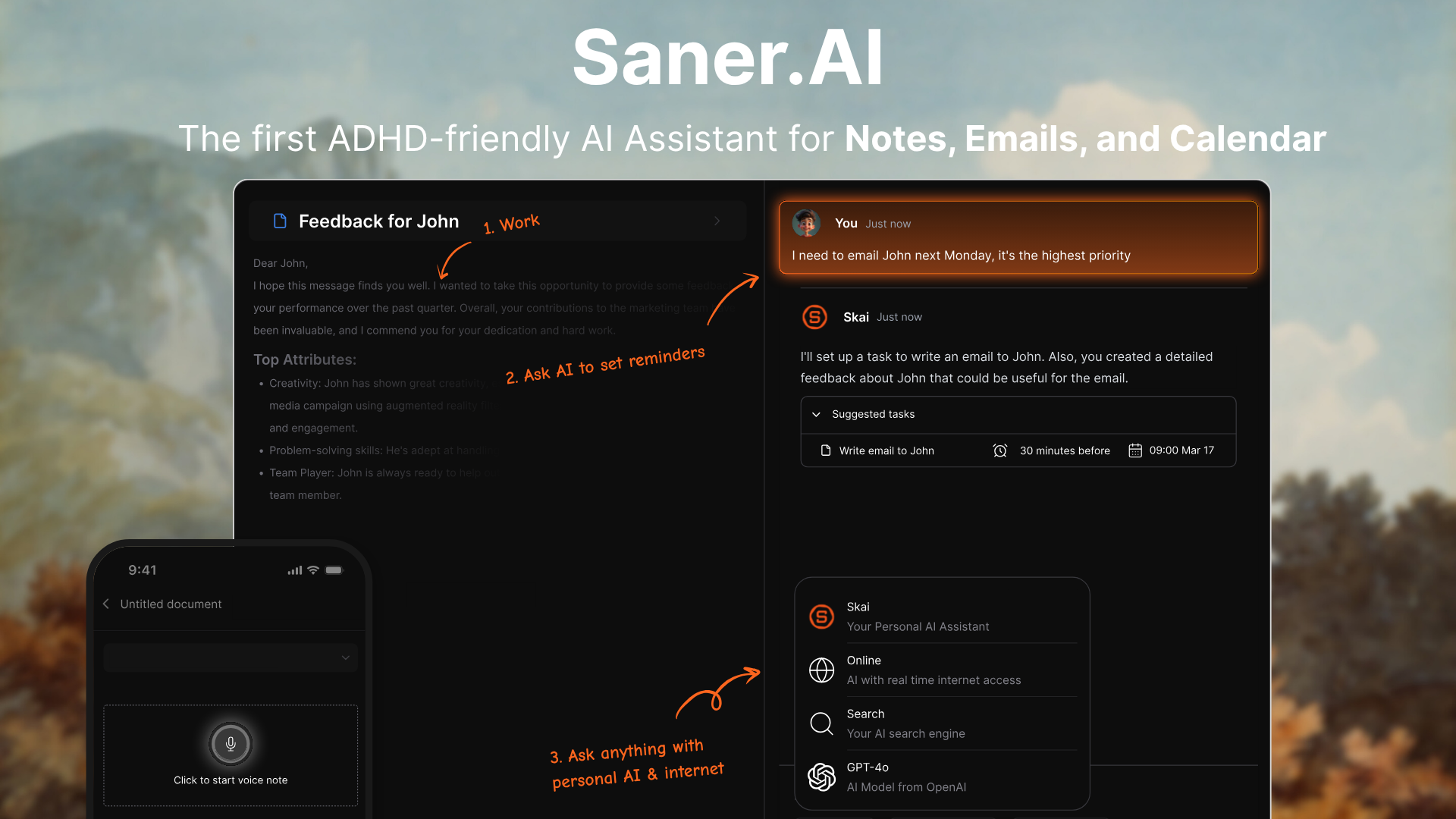
Instead of recording or transcribing meetings itself, Saner.AI works alongside AI meeting note taker apps by turning summaries, action items, and ideas into structured tasks and plans.
You can paste meeting notes or sync outputs from other tools and let the AI break them down into clear next steps. It helps close the gap between “meeting notes” and actual execution.
Key Features
- Paste summaries or action items from tools like Otter, Fireflies, or Fathom, and Saner.AI turns them into actionable tasks. This reduces manual rewriting after meetings.
- Tasks are organized by priority, intent, and context, not just by date. This makes meeting follow-ups easier to revisit later.
- You can drop in messy notes, bullet points, or raw thoughts, and Saner.AI cleans them up. It works well with imperfect meeting summaries.
- Saner.AI helps you decide what to work on next, based on urgency and mental load.
Things you may like
- It solves the common problem where meeting notes exist but tasks never get done.
- You’re not locked into a single transcription tool. Saner.AI fits on top of your existing stack.
- Especially helpful when meetings generate more tasks than you can track manually.
- No strict formats required - just paste and move on.
Saner.AI Reviews
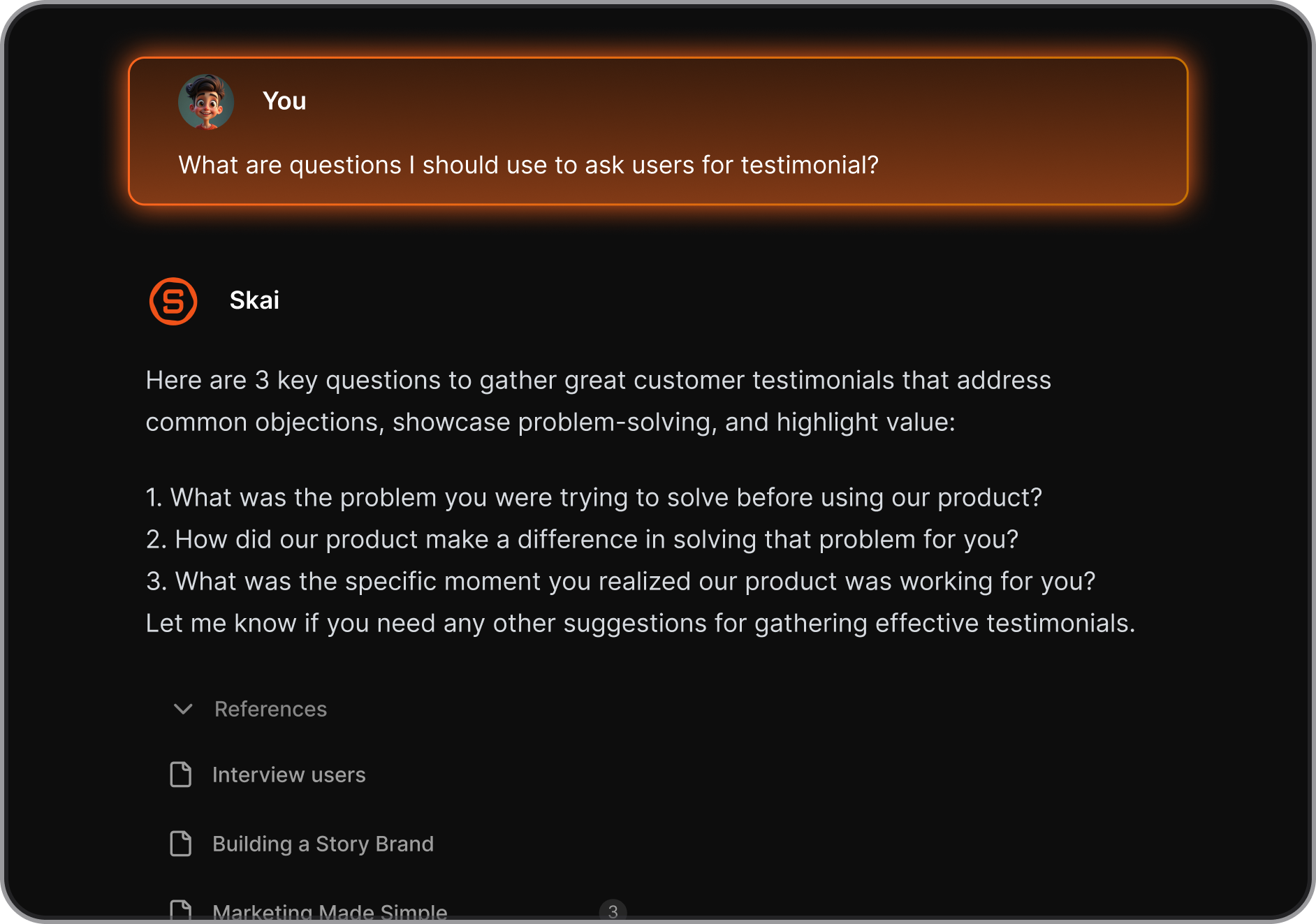
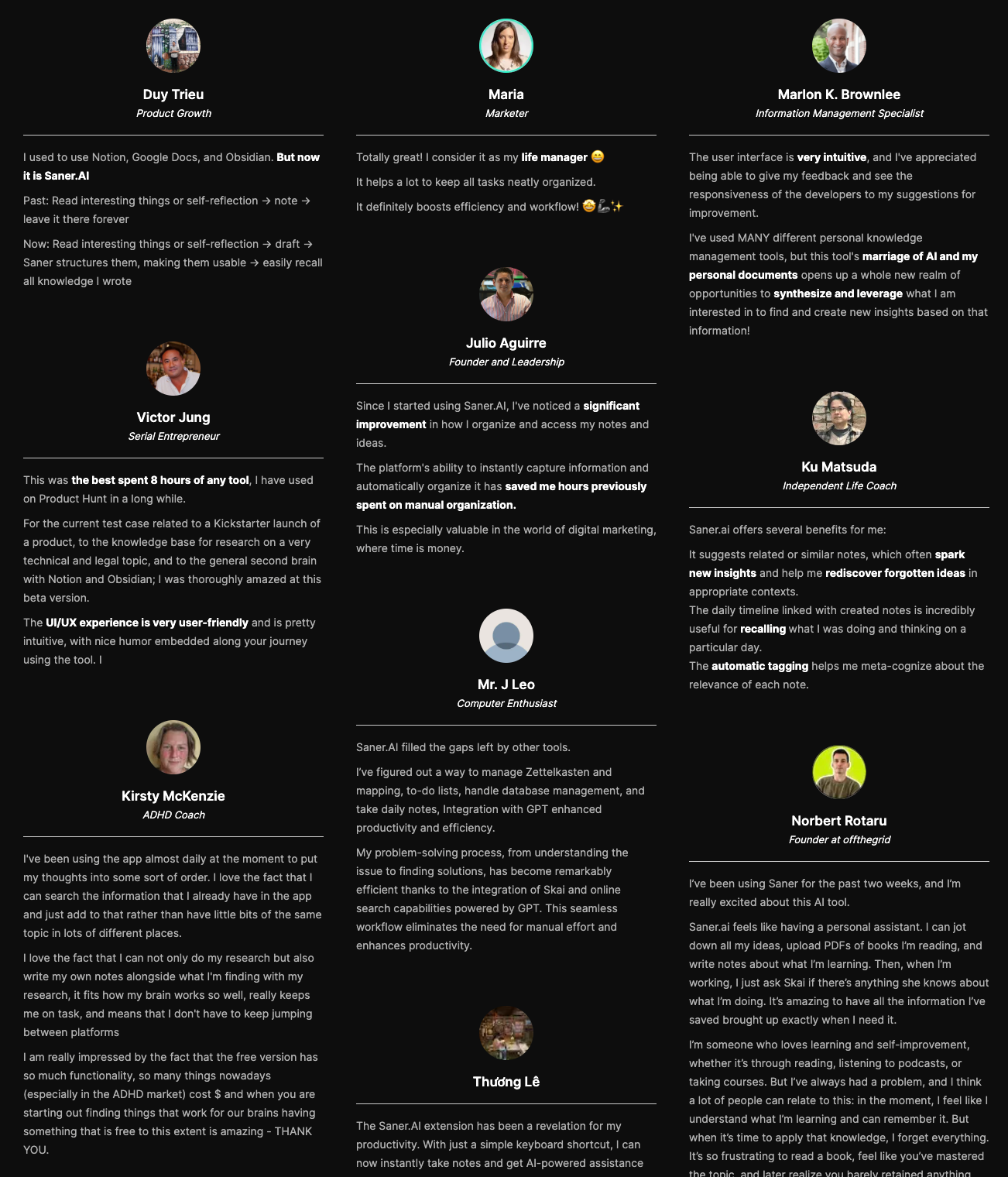
"I was impressed that saner.ai answers questions based on my own knowledge through Skai. At the same time, I think it would be great if I could save all the information I come across in saner.ai and use Skai as my personal secretary." - verified review
"Since I started using Saner.AI, I've noticed a significant improvement in how I organize and access my notes and ideas. The platform's ability to instantly capture information and automatically organize it has saved me hours previously spent on manual organization." - verified review
"I especially like the Chrome Extension. It's super handy, I can pull up a new note immediately alongside web articles, chatGPT,... It reduces the mental friction I have to suffer to note side by side on Mac." - verified review
How to get started?
- Copy meeting summaries or action items from your AI meeting note taker into Saner.AI
- Let the AI convert them into tasks and plan your next steps

Stay on top of your work and life
Conclusion: Choosing the Best AI Meeting Note Taker in 2026
If you’re searching for the best AI meeting note taker, here’s the truth in 2026:
👉 Recording and summarizing meetings is no longer the hard part.
Most leading tools already do this well.
Think of it this way:
- Otter, Fireflies, Fathom, Avoma, tl;dv, and Audionotes help you capture the meeting
- Saner.AI helps you move forward after the meeting
Rather than chasing a single “best AI meeting note taker,” here’s a smarter approach:
Try 2–3 tools from different categories (meeting note taker + personal assistant)
Test them in real work — meetings, follow-ups, planning, execution
Measure mental clarity, not just time saved
FAQ: Best AI Meeting Note Taker (2026)
1. What is the best AI meeting note taker?
The best AI meeting note taker is a tool that can automatically record meetings, generate accurate transcripts, summarize key points, and extract action items - with minimal setup.
In 2026, top options include Otter.ai, Fireflies.ai, Fathom, Avoma, tl;dv, and Audionotes-each suited to different workflows.
2. How do AI meeting note takers work?
AI meeting note takers join or record meetings, transcribe speech in real time, and use natural language processing to:
- Summarize discussions
- Identify decisions
- Extract action items
- Make notes searchable afterward
Most integrate with Zoom, Google Meet, or Microsoft Teams.
3. Are AI meeting note takers accurate?
Accuracy depends on audio quality, accents, and the model used.
In general:
- Transcription accuracy is strong for clear audio
- Summaries are reliable for main points
- Action items still benefit from quick human review
This is why many teams pair meeting note takers with a follow-up system.
4. What’s the difference between an AI meeting note taker and a Personal GPT?
An AI meeting note taker focuses on capturing meetings.
A Personal GPT like Saner.AI focuses on making sense of what happens next.
For example, Saner.AI helps you:
- Turn meeting summaries into tasks
- Connect notes across multiple meetings
- Surface follow-ups automatically
- Plan your day based on real context
They work best together, not as replacements.
5. Can AI meeting notes automatically create tasks?
Some tools extract action items, but they rarely manage execution well.
Using a Personal GPT like Saner.AI lets you:
- Convert meeting notes into tasks
- Schedule follow-ups
- Get reminders without manual setup
This closes the gap between “notes taken” and “work done.”
6. Which AI meeting note taker is best for remote teams?
Remote teams often choose:
- Otter.ai - live transcription & collaboration
- Fireflies.ai - strong integrations & search
- Fathom - fast summaries for Zoom
Pairing these with Saner.AI helps remote teams avoid losing follow-ups across tools.
7. What is the best AI meeting note taker for managers?
Managers benefit from tools that:
- Summarize long discussions quickly
- Highlight decisions and blockers
- Track follow-ups across meetings
Using a meeting note taker + Saner.AI helps managers stay aligned without rereading transcripts.
8. What’s the best AI meeting note taker for executives?
Executives usually want:
- Short, high-level summaries
- Clear decisions and next steps
- Easy retrieval before the next meeting
Saner.AI complements meeting note takers by acting as a command center for decisions, tasks, and context.
9. Can AI meeting note takers replace manual note-taking?
They reduce manual note-taking significantly-but don’t fully replace thinking. AI handles capture and structure; humans still:
- Validate decisions
- Prioritize tasks
- Add nuance
The biggest productivity gains come from post-meeting organization, not transcription alone.
10. Are there free AI meeting note takers?
Yes. Many offer free plans with limits:
- Otter.ai - limited transcription minutes
- Fireflies.ai - basic summaries
- Fathom - free for individuals
Saner.AI also offers a free plan to organize and retrieve meeting notes intelligently.
11. How do I choose the best AI meeting note taker for my workflow?
Ask three questions:
- Do I need live transcription or just summaries?
- Do I want individual use or team collaboration?
- How will I manage follow-ups after the meeting?
Most users choose one meeting note taker + one Personal GPT.
12. Can AI meeting note takers help with meeting preparation?
Indirectly, yes.
But a Personal GPT helps more by answering questions like:
- “What did we decide last time?”
- “What’s still pending from this client?”
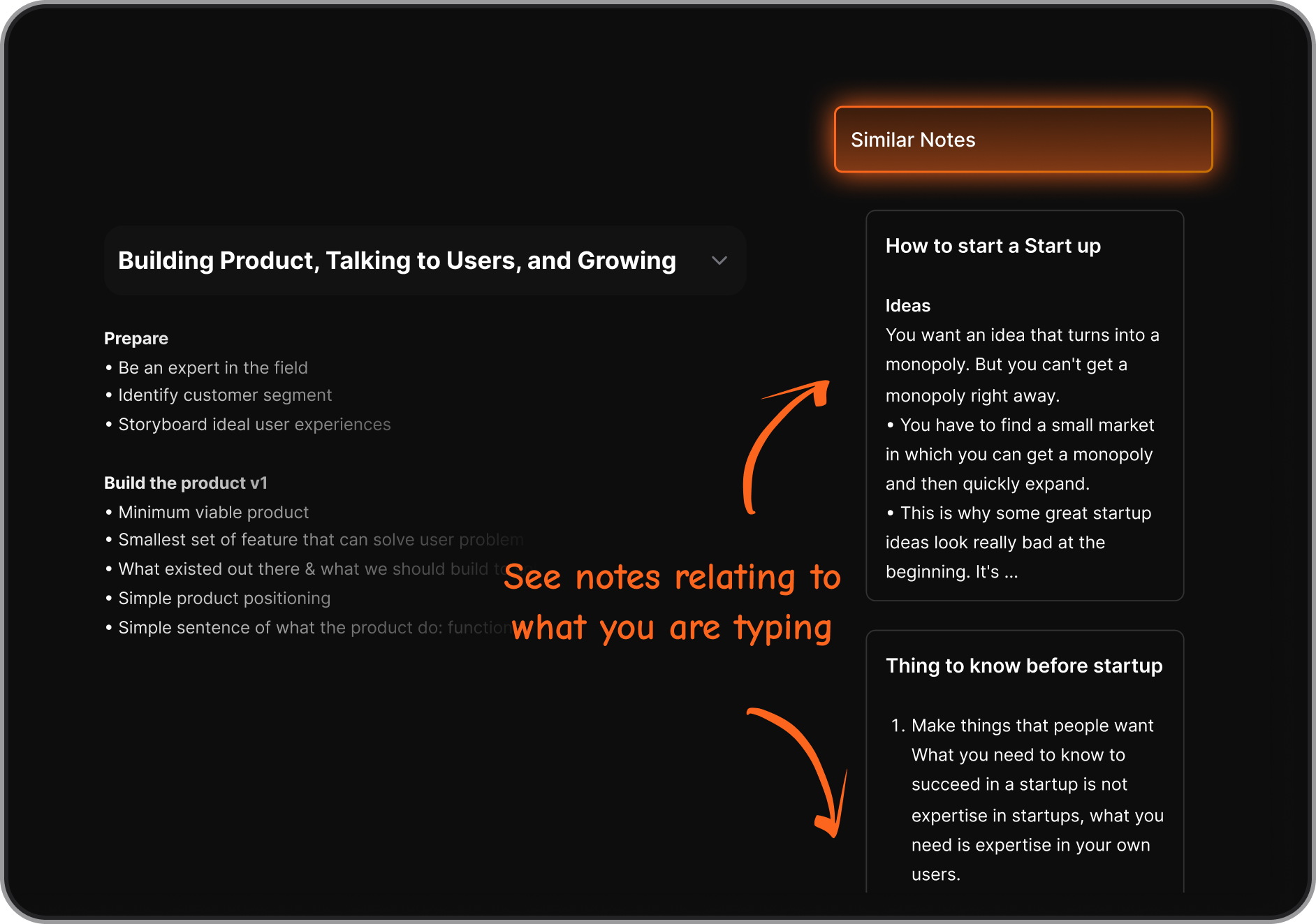
Saner.AI pulls context from past notes and tasks instantly.
13. What’s the best AI meeting note taker for ADHD?
The best option minimizes cognitive load:
- Automatic capture
- Clear summaries
- Fewer tools to manage
Saner.AI is often preferred by ADHD users because it turns messy notes into clear actions without rigid systems.
14. Do AI meeting note takers support voice notes?
Some tools support voice-based input outside meetings.
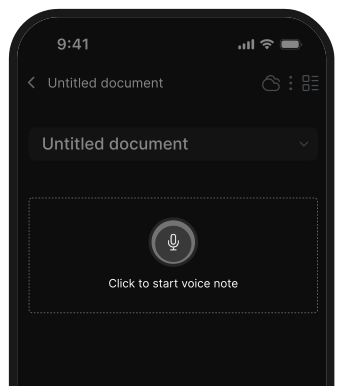
Saner.AI supports voice-to-task, which is useful for capturing ideas immediately after meetings.
15. What’s the best setup for AI meeting notes in 2026?
For most professionals:
- Use one AI meeting note taker (Otter, Fireflies, Audionotes, etc.)
- Use one Personal GPT like Saner.AI to manage tasks, context, and follow-ups
This setup reduces app switching and ensures meeting insights actually lead to action.
Stay on top of your work and life



