4 Best AI Websites for Marketing Workflow in 2026


4 Best AI Websites for Marketing Workflow in 2026
Modern marketing workflows break down because work is scattered across too many disconnected tools, requiring constant manual coordination and context switching. Ideas live in documents, tasks live in project boards, conversations happen in chat apps, and reporting sits in spreadsheets - none of which truly talk to each other.
As marketing complexity increases, fragmented tools create friction instead of efficiency. This is why AI-powered marketing workflows are replacing traditional tool stacks: they add an intelligent layer that understands goals, turns plans into actions, and keeps context intact from strategy to execution.
This article is designed to help you understand:
- What an AI website for marketing workflow actually is
- Why marketing teams are moving away from fragmented tools
- What are these AI websites for Marketing workflow
- How to choose the right platform for your team
1. What Is an AI Website for Marketing Workflow?

An AI website for marketing workflow is a platform that uses artificial intelligence to plan, manage, and coordinate marketing work across the entire workflow, not just automate individual tasks. Instead of acting as a static tool, it functions as an active system that understands goals, breaks down work, and adapts as projects evolve.
2. Why Marketing Workflows Need AI?
Modern marketing workflows are breaking - not because marketers lack skills, but because the systems they rely on were never designed to work together.
A.Tool overload
A typical marketing workflow today looks like this:
- Ideas start in Slack or meetings.
- Planning lives in Notion or Google Docs.
- Tasks are tracked in Sheets, Asana, or ClickUp.
- Assets move through email.
- Reporting happens somewhere else entirely.
Each step works in isolation, but the workflow as a whole collapses under fragmentation. This is where an AI website for marketing workflow comes in.
B. Manual handoffs
Every transition - from strategy to content, from content to launch - requires human translation. That’s where errors, delays, and misalignment creep in.
C. Lost context
The “why” behind decisions disappears once tasks are created.
- New team members lack background
- Decisions are repeated
- Execution drifts from strategy
D. Cognitive overload
Marketers must simultaneously:
- Think strategically
- Execute tactically
- Coordinate cross-functionally
- Track progress
- Report outcomes
AI marketing workflow platforms exist to reduce this cognitive load, not add more dashboards.
What are 4 AI Websites for Marketing Workflow?
4 AI Websites That Speed up My Marketing Workflow are Saner.AI, ChatGPT, Grammarly, Canva
🚀 AI Websites That Speed Up My Marketing Workflow in 2026
| 🤖 AI Tool | 💪 Key Strengths | 🎯 Best For | 💻 Platform | 💰 Pricing (Clear & Simple) |
|---|---|---|---|---|
| Saner.AI | AI-first task & note management, turns ideas into actionable marketing tasks, context-aware planning | Marketers juggling ideas, tasks, campaigns & notes in one place | Web | Free plan availablePaid plans from ~$8–10/month |
| ChatGPT | Fast content ideation, copywriting, SEO outlines, brainstorming & research | Writing blogs, ads, emails, content strategy | Web, iOS, Android | Free versionPlus from $20/month |
| Grammarly | Grammar, clarity, tone optimization, brand-consistent writing | Polishing marketing copy, emails, landing pages | Web, Browser extension, Desktop | Free basicPremium from ~$12/month (annual) |
| Canva | AI-powered design, Magic Design, brand kits, quick visuals | Social posts, ads, presentations, marketing visuals | Web, iOS, Android | Free planPro from ~$12.99/month |
| Perplexity | AI search with sources, fast market & competitor research | Fact-checking, trend research, insight discovery | Web, iOS, Android | Free versionPro from $20/month |
| Claude | Long-form reasoning, structured thinking, nuanced content | Deep content writing, strategy docs, analysis | Web | Free versionPro from ~$20/month |
1. ChatGPT
ChatGPT is a generative AI assistant that helps marketers brainstorm, write, edit, research, and automate everyday marketing tasks. It’s designed to feel like a creative partner, not just a chatbot - making it one of the most versatile AI tools for marketers today.
It’s ideal for solo marketers, content teams, and agencies looking to speed up content creation, research, and planning without needing complex setups.
Key Features
- Generate campaign ideas, blog titles, hooks, and social media posts tailored to your audience and goals
- Drafts compelling copy across formats, with adjustable tone and structure for different platforms
- Summarize competitor pages, whitepapers, or long documents into digestible insights
- With GPT-5, you can generate or edit marketing visuals alongside your written content
What I liked
- It’s fast and flexible - perfect for marketers juggling multiple tasks
- You can brainstorm, write, and tweak campaign ideas in one thread
- GPT-5 supports image generation, so you can create ad visuals or mockups without switching tools
What I disliked
- It’s not tailored just for marketing - you’ll need to create your own prompts or templates
- Some outputs may need heavy editing, especially for highly technical or regulated industries
- Visual features and advanced tools require a paid plan
- Not ideal if you need deep analytics, automation integrations, or CRM syncing out of the box
Pricing
- Free tier available with basic features
- 20$/month for standard package
Suitable for
- Marketers, content creators, and teams looking for a powerful AI writing assistant that can generate ideas, craft copy, summarize research, and even create visuals - all in one place.
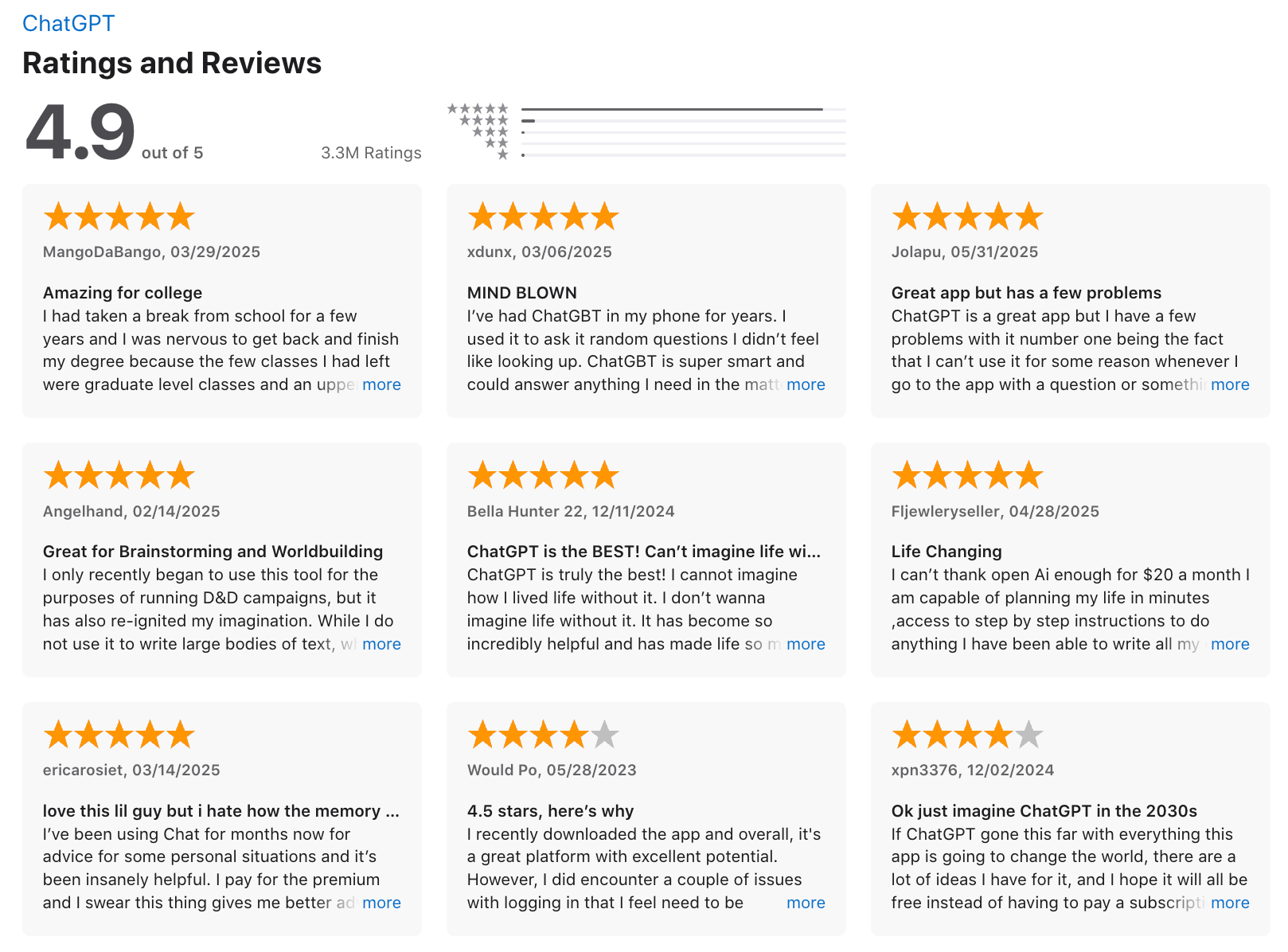
ChatGPT reviews (source)
How to start
- Go to chat.openai.com, sign up for a free account, and try out a few prompts. You can also explore the GPT Store to find marketing-focused GPTs or create your own.
2. Saner.AI - Proactive AI assistant
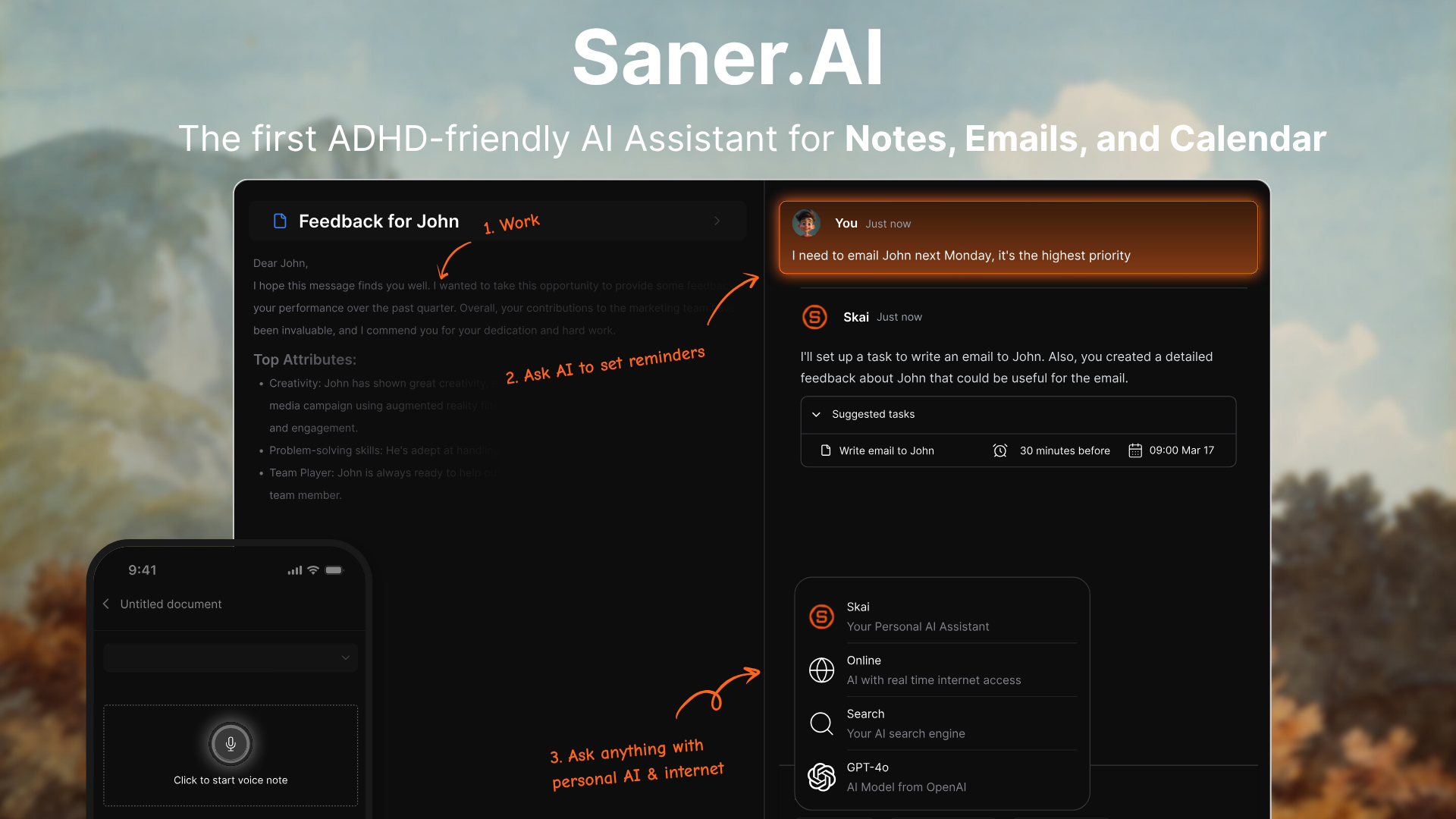
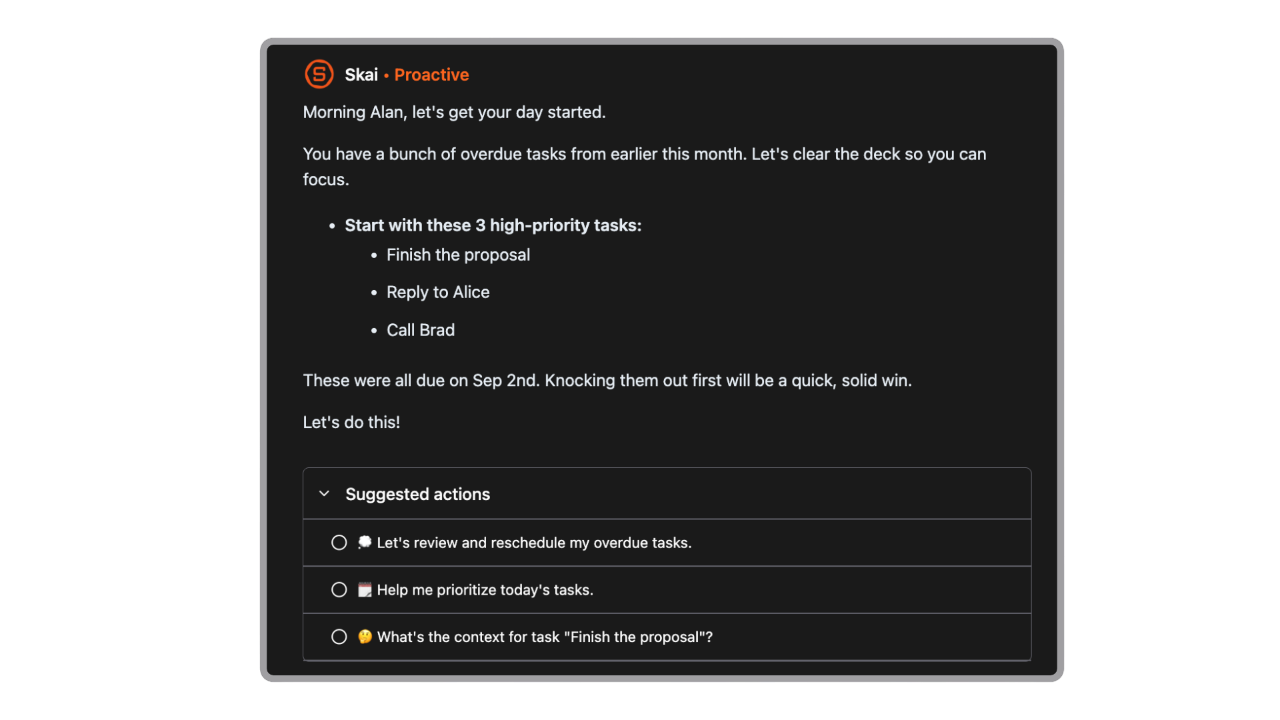
Saner.AI is an AI-powered second brain built for marketers who want to stay focused while handling a flood of ideas, emails, and research. It helps you capture information, search across notes with natural language, generate insights with AI, and stay on top of tasks - all in one lightweight workspace.
It’s ideal for marketers who want to plan campaigns, write content, and manage research without having to bounce between five different tools.
Key features
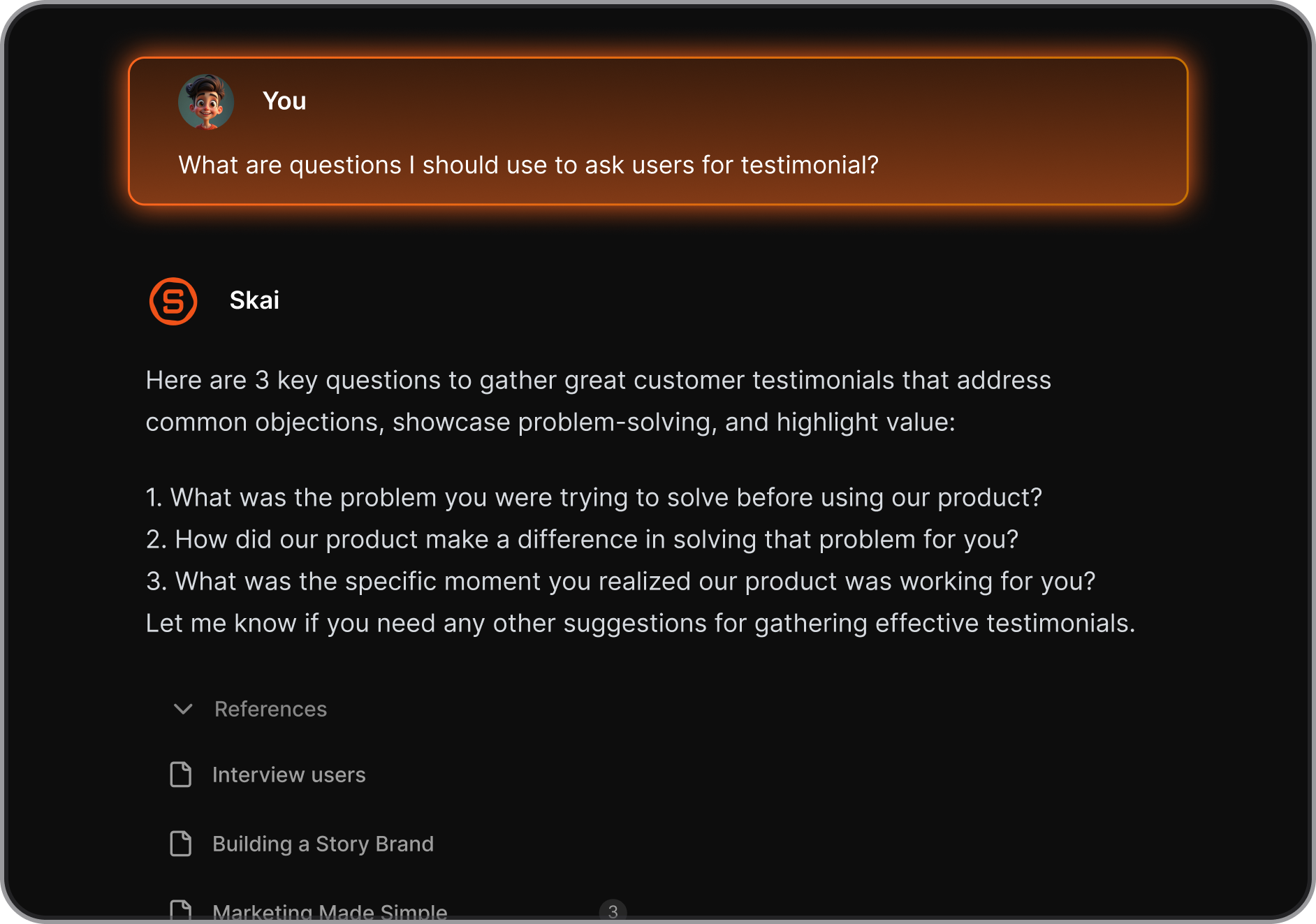
- Personal AI Assistant: Ask questions about your notes, get summaries, and connect ideas automatically
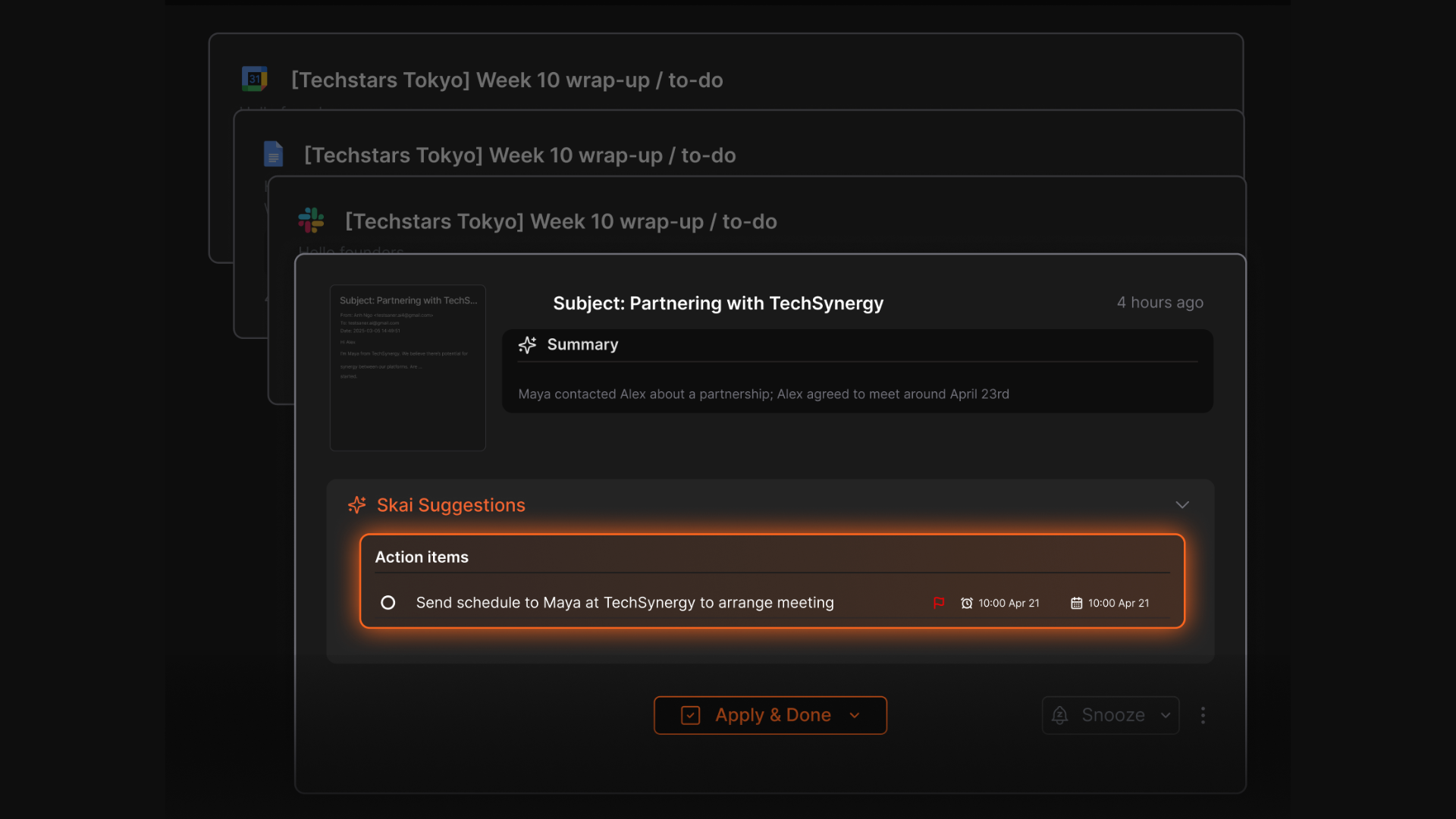
- Task + Email Support: Create tasks from email or notes, set reminders, and let AI break them down for you
- Focus mode helps you write content, outlines, and strategies without visual clutter
- Works offline, syncs automatically, and supports bulk import from other tools like Obsidian or Notion
What I liked
- I like how quick it is to capture ideas or research when I’m browsing. Just one click and it’s saved.
- The semantic search is also great - no need to remember exact phrases. I can just search “campaign ideas from March” and it pulls up relevant notes.
- Skai, the AI assistant, feels super useful. It can answer questions like “what were my insights about our competitor’s last launch?” and give a usable summary.
- It’s a calm, clean workspace - perfect when I need to write or plan without distractions.
Cons
- Not ideal for large teams or project timelines — no Gantt charts or complex task dependencies.
Pricing
- Free
- Starter: Monthly at $8/month, Annually at $6/month (with early user discount)
- Standard: Monthly at $16/month, Annually at $12/month (with early user discount)
Who is it suitable for?
- Marketers, solopreneurs, and content strategists who want a simpler, AI-driven way to manage notes, research, and creative work - especially those overwhelmed by juggling tabs and tools.
Saner.AI review

How to start using it?
- Go to saner.ai, sign up for the free plan, install the Chrome extension, and start by clipping your next research article or asking Skai to organize your notes.

Stay on top of your work and life
3. Grammarly
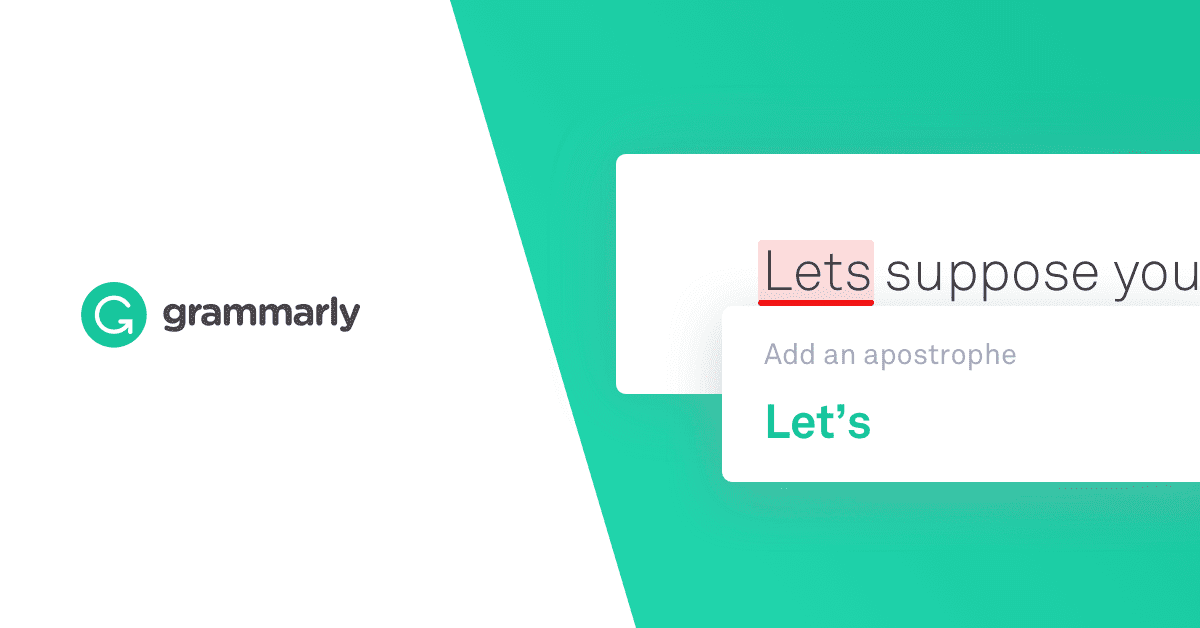
Grammarly is an AI writing assistant that helps marketers write with clarity, confidence, and consistency. It catches grammar mistakes, improves tone, and even offers AI-generated content suggestions.
Key features
- Real-time correction of errors, typos, and awkward phrasing
- Tailor your message to fit your audience and channel
- Flags duplicate content and ensures originality
- Set rules for tone, voice, and phrasing across teams
- Works across Gmail, Google Docs, Word, Notion, and more
What I liked:
- I like how Grammarly gives real-time suggestions without being annoying. It’s especially helpful when switching between casual and professional tones - something marketers do constantly.
What I disliked:
- It’s not the cheapest tool - $30/month if you pay monthly feels steep for solo marketers.
- Sometimes it overcorrects creative copy or flags things that are intentionally casual, so you still need a human eye.
- Also, if you’re a student or a casual user, the upgrade to Pro might not feel worth it unless you’re writing every day.
Pricing:
- Free plan available
- Pro plan: $12/month (billed annually) or $30/month (billed monthly)
- Enterprise: Custom pricing for teams needing advanced features and admin tools
Suitable for:
- Marketers, content creators, and teams who need fast, polished, and on-brand writing across channels.
How to start:
- Go to grammarly.com, sign up for a free account, and test it across your favorite writing tools. You can upgrade to Pro when you’re ready to unlock the full feature set.
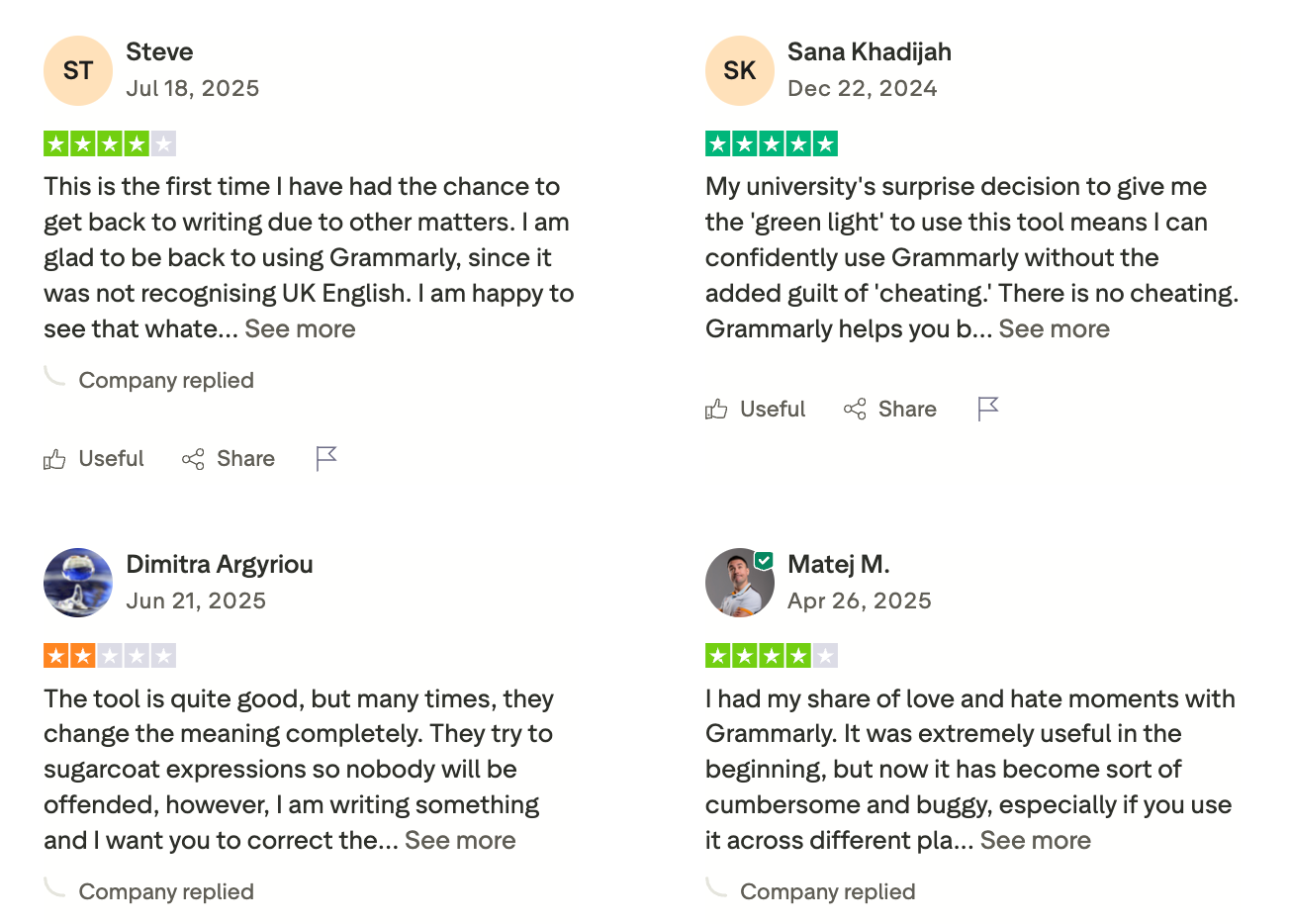
Grammarly Review (source)
4. Canva
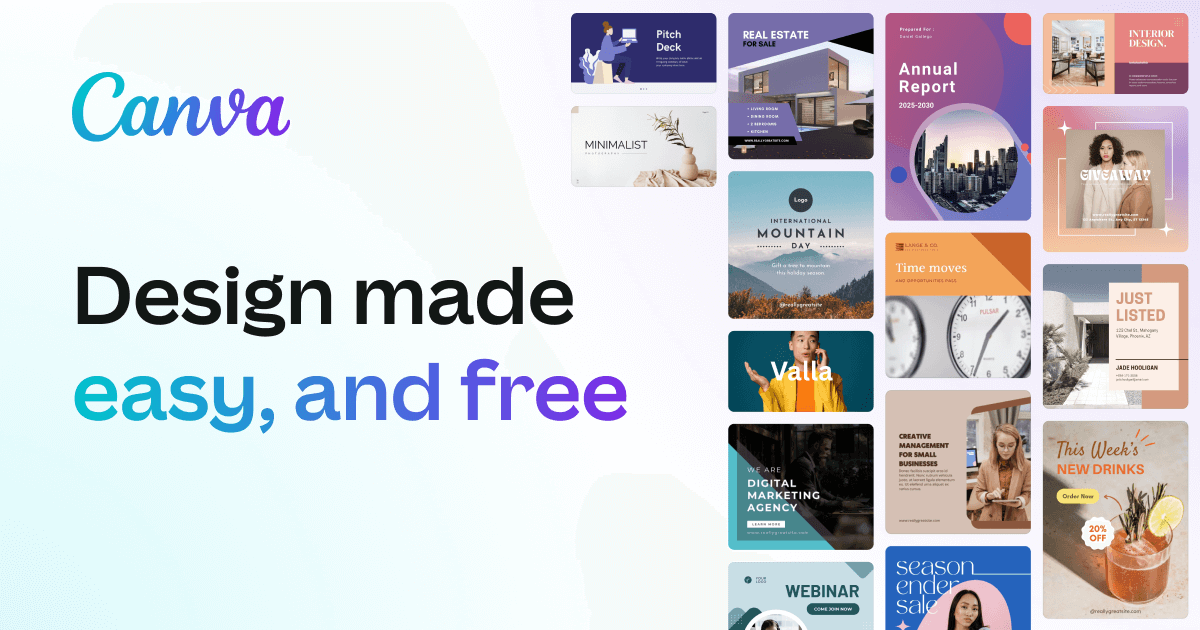
Canva becomes one of the most powerful tools for marketers looking to create everything from social media graphics to pitch decks to interactive web assets. With its recent AI upgrades, Canva now supports fast content generation, brand consistency, and team collaboration
Key features
- Create high-quality designs with thousands of templates, fonts, and assets
- Keep everything on-brand and instantly resize for every platform
- Generate content, images, and presentations with simple prompts
- Ask Canva to create or modify content using natural language (via Claude AI)
What I liked
- I like how fast it is to create polished marketing assets without needing a designer.
- The Brand Kit is a game-changer. It makes it super easy to keep all your assets aligned, whether you’re working solo or with a team.
What I disliked
- Some of the free templates can feel overused if you don’t customize them much.
- The website builder is too limited for serious SEO use. You can create nice landing pages, but don’t expect full control over metadata or forms.
- Also, offline use is still clunky. You’ll need a solid connection to get the most out of Canva.
Pricing
- Free plan available with generous template access
- Pro plan around $12.99/month for individuals
- Team and Enterprise plans available with advanced collaboration and AI features
Suitable for
- Marketers, content teams, agencies, and solo creators who want fast, beautiful visual content without relying on designers.
How to start
- Head to canva.com, create a free account, and start with a few templates.
- Explore Magic Studio and Brand Kit to see how Canva can fit into your daily marketing workflow.
Canva review (source)
5. Claude
I’ve used Claude mainly as a thinking and writing partner for marketing work. It’s an AI assistant that helps with content drafting, campaign ideas, research summaries, and long-form reasoning.
Compared to other chatbots, it feels calmer and more structured when handling complex briefs. I often use it to clean up rough ideas, outline blogs, and think through strategy docs. It’s less about flashy automation and more about clear thinking and writing support. For marketing workflows, it fits best at the ideation → drafting → refinement stage.
Key features
- Claude handles long documents well, which is useful for blog drafts, content briefs, and strategy notes. It keeps context better when you’re iterating multiple times on the same piece.
- When I ask for marketing content, the output usually sounds less robotic. This helps reduce editing time, especially for thought leadership or explanatory content.
- I use it a lot to summarize research, meeting notes, or messy outlines into clear sections.
- Claude is more cautious with claims and wording, which can be useful for brand-safe content. It’s less likely to overpromise or invent aggressive marketing angles.
What I liked
- Blog posts, landing page drafts, email copy, and content outlines feel more coherent.
- I can paste long briefs or documents without it losing track.
- You don’t need prompts that are too complex. Plain instructions usually work well.
- It’s good at helping you think, not just spit out text. This fits the strategy and planning work.
What I disliked
- Claude doesn’t manage tasks, triggers, or integrations.
- Sometimes the tone is too safe for direct-response or sales-heavy marketing.
- It doesn’t connect directly to CRM, email tools, or analytics platforms.
- For short, high-volume tasks (like ad variations), it’s not always the fastest option.
Best for
- Content marketers and strategists who need help with thinking, writing, and structuring ideas within a marketing workflow.
Pricing
- Free plan: Available with usage limits
- Claude Pro: ~$20/month (monthly subscription)
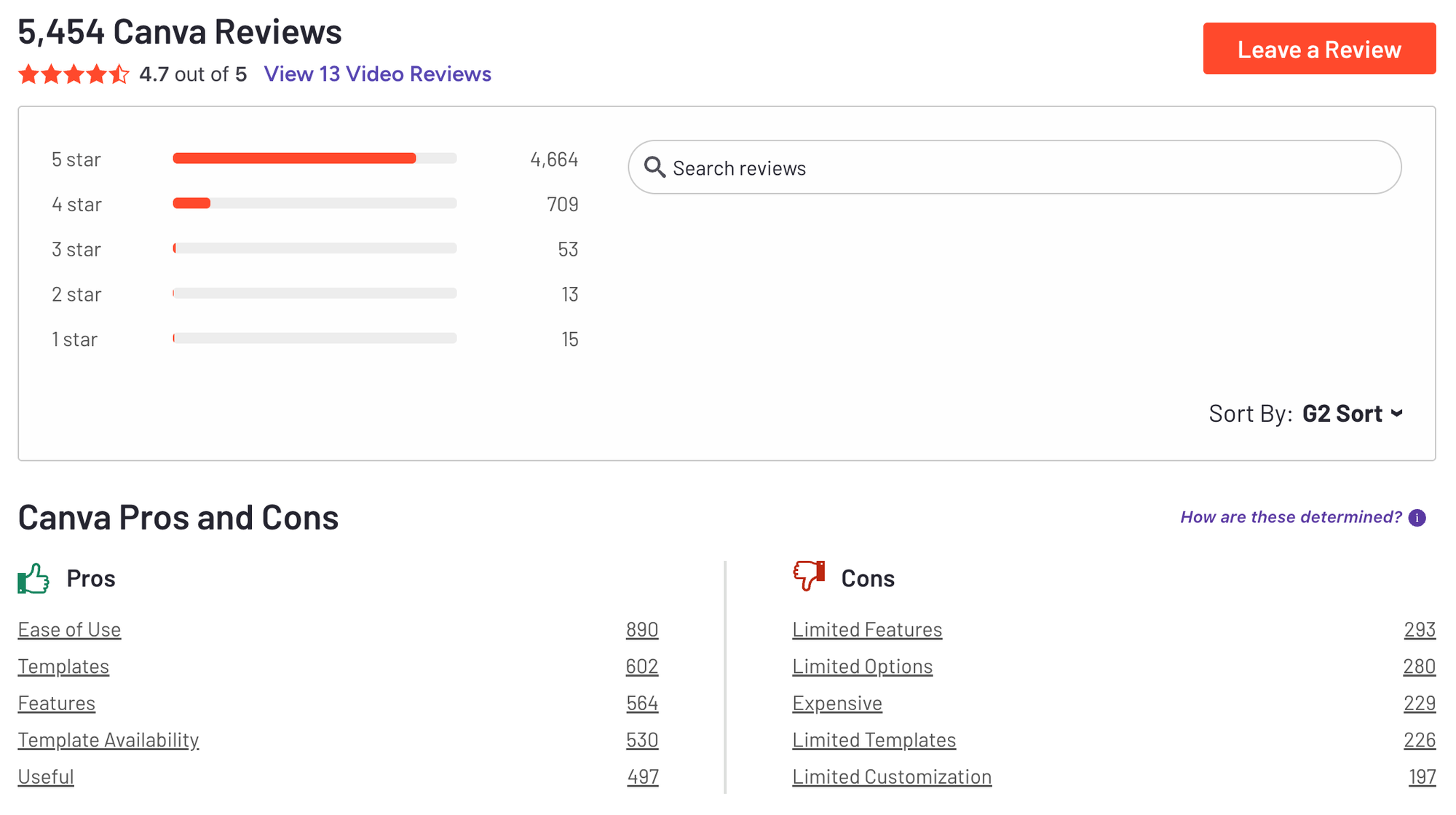
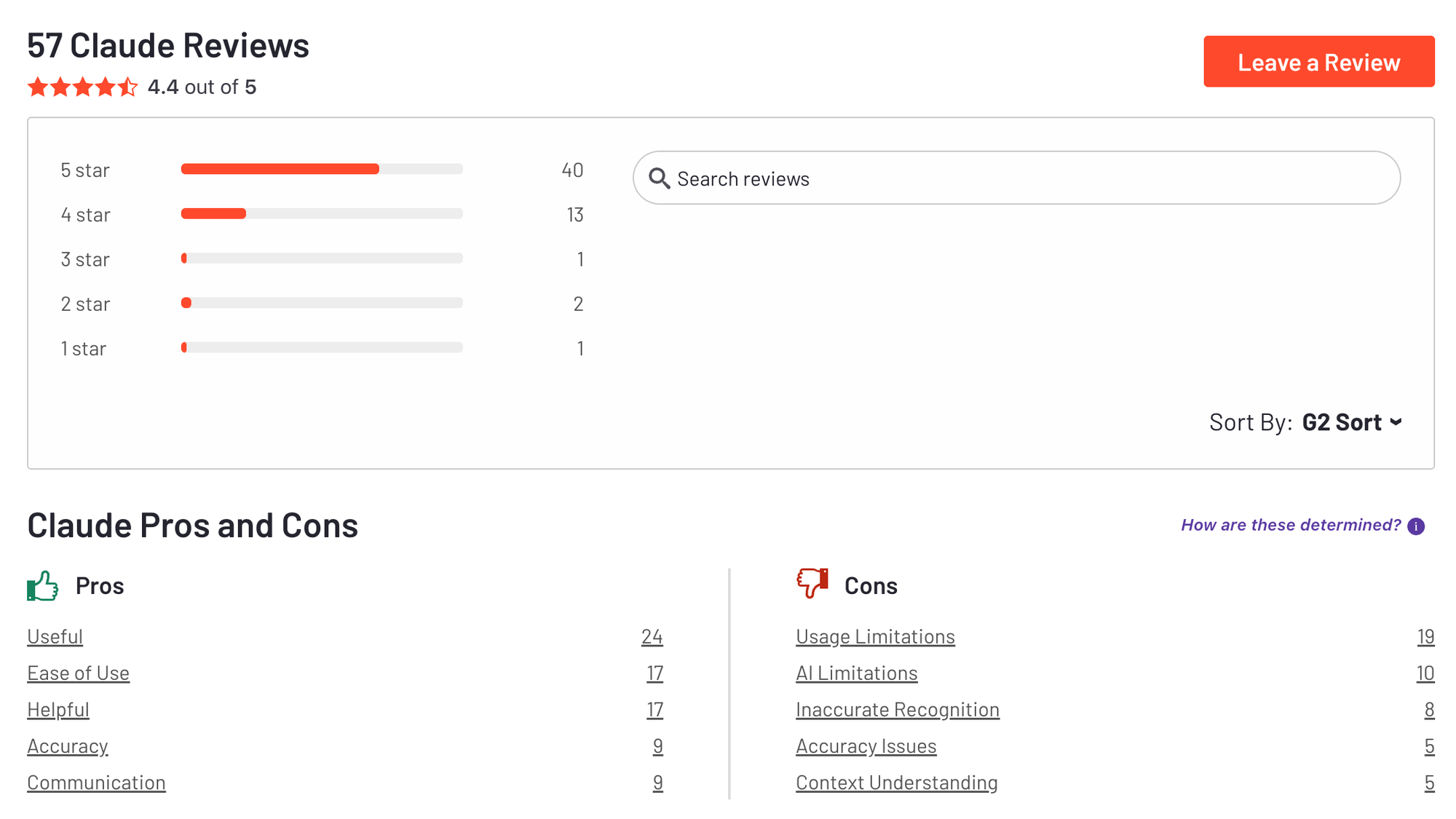
Claude reviews (source)
How to get started
- Go to Claude and create a free account
- Start with a real marketing task (blog outline, campaign idea, or content rewrite)
6. Perplexity AI
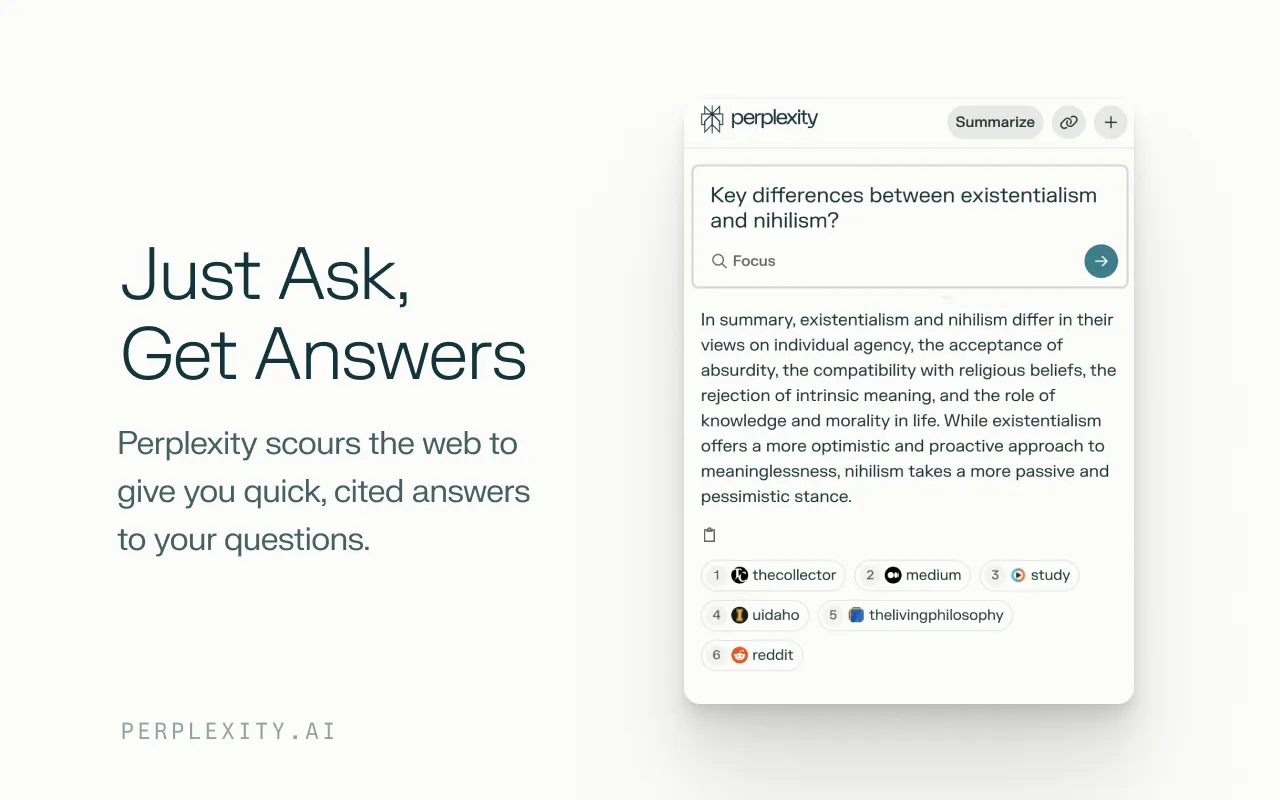
I use Perplexity as my go-to AI research tool when I need fast, up-to-date information I can actually trust. It works like an AI-powered search engine that answers questions with clear explanations and sources.
Instead of scrolling through Google results, I get a summarized answer immediately. I mainly use it to research market trends, validate facts, and gather supporting data for content. It fits naturally at the very beginning of my marketing workflow. Especially useful when accuracy matters.
Key features
- Perplexity shows where information comes from, which helps when writing SEO content or research-backed blogs.
- I use it to quickly understand industries, competitors, and trends. It saves time compared to manual searching.
- The responses are concise and straight to the point. No ads, no fluff, no digging through irrelevant links.
- You can keep refining your query in the same thread. This is helpful when exploring a topic in deeper steps.
Pros
- Ideal for SEO blogs, reports, and thought leadership that require facts and data. It reduces the risk of misinformation.
- I get answers in minutes instead of opening multiple tabs.
- Simple questions work well. You don’t need complex instructions.
- I often research with Perplexity, then write and refine with ChatGPT or Claude.
Cons
- It’s strong at answering questions but weaker at creative writing. You’ll still need another AI for drafting.
- Perplexity doesn’t manage tasks or integrate deeply into marketing tools. It’s mainly for research.
- For very niche topics, you may need to dig deeper or ask multiple follow-ups.
- Power users may hit limits on the free plan.
Best for
- Marketers who need fast, reliable research and fact-checking as part of their marketing workflow.
Pricing
- Free plan: Available with usage limits
- Perplexity Pro: ~$20/month (monthly subscription)
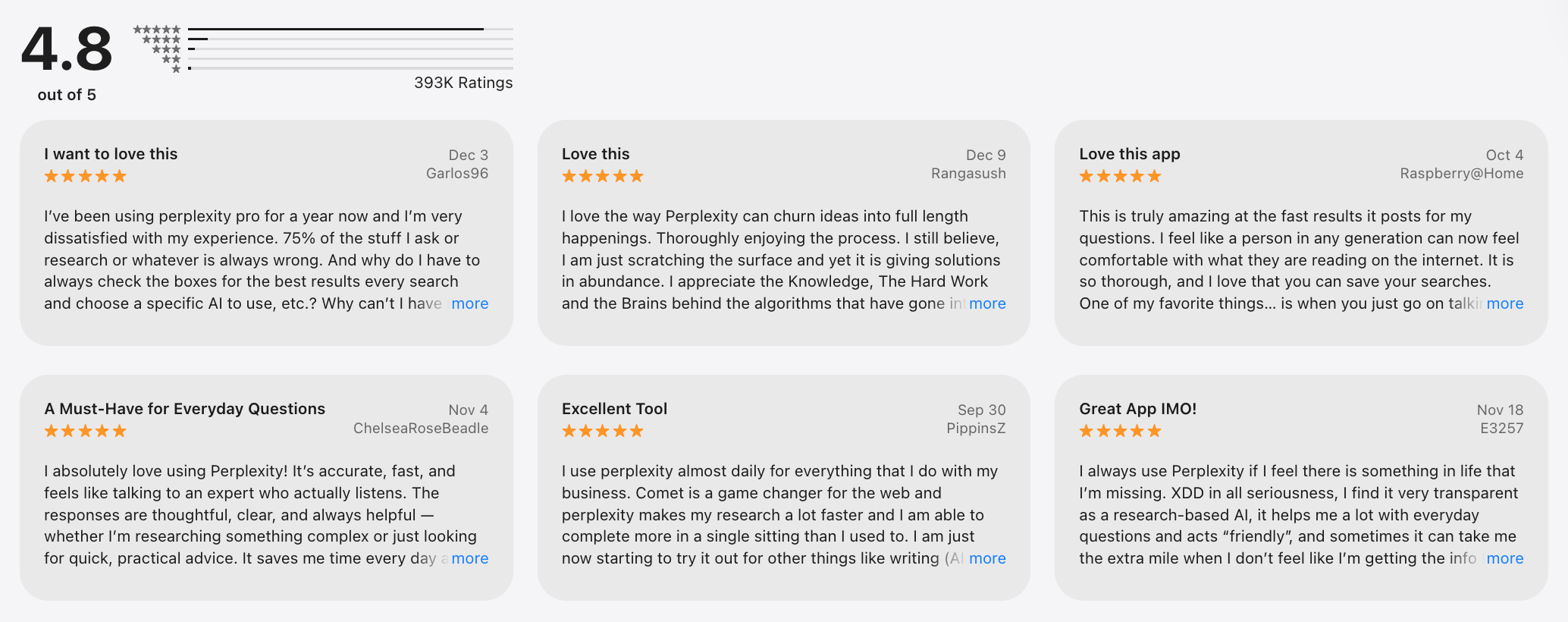
Perplexity reviews (source)
How to get started
- Go to Perplexity AI and create a free account
- Start by researching a real campaign, trend, or SEO topic before writing content
Final Thoughts: The Smartest Marketers Use AI as Their Creative Partner
Marketing in 2026 isn’t just about working harder - it’s about working smarter.
Tools like ChatGPT help you brainstorm and draft fast. Saner.AI keeps your notes, to-dos, and campaign plans organized in one AI-powered workspace. Grammarly makes sure your words are right. And Canva turns your ideas into visuals in minutes.
Each of these tools solves a common marketing headache - and when combined, they form a lightweight, powerful AI stack that saves time, sharpens output, and boosts creativity.
🧠 ChatGPT = your brainstorm buddy
🗂 Saner.AI = your proactive marketing assistant
✍️ Grammarly = your real-time editor
🎨 Canva = your brand’s visual engine
You don’t need to master everything at once. Start with the tool that solves your biggest bottleneck.
Stay on top of your marketing work effortlessly
FAQ: Best AI Websites for Marketing Workflow
1. What are AI websites for marketing workflow?
AI websites for marketing workflow are platforms that use artificial intelligence to help marketers plan, execute, and manage work more efficiently.
Instead of juggling separate tools for notes, content, design, and follow-ups, these tools reduce manual handoffs by assisting with thinking, organizing, and execution across the workflow.
Common examples include Saner.AI, ChatGPT, Grammarly, and Canva - each supporting a different stage of marketing work.
2. How do AI websites improve a marketing workflow?
They reduce friction. Instead of switching between tools to capture ideas, summarize meetings, write copy, or design assets, AI websites help marketers:
- Turn unstructured inputs into usable outputs
- Retrieve information quickly without manual searching
- Reduce cognitive load during planning and execution
The result is less context switching and more time spent on actual marketing decisions.
3. What problems do marketers usually face without AI workflow tools?
Most marketing teams struggle with:
- Scattered notes from meetings and brainstorms
- Forgotten follow-ups after calls or reviews
- Too many tools that don’t talk to each other
- Time lost rewriting, summarizing, or reformatting information
AI websites for marketing workflow aim to solve these issues by connecting thinking, planning, and action.
4. What makes a good AI website for marketing workflow?
A strong platform usually does three things well:
- Captures ideas naturally (notes, meetings, voice, text)
- Understands context instead of relying only on tags or folders
- Supports execution, not just brainstorming
Some tools focus on creation (like design or writing), while others focus on organizing and following through.
5. How is a Personal GPT relevant to marketing workflows?
A Personal GPT is an AI assistant trained to understand your work context - your notes, tasks, meetings, and priorities. In a marketing workflow, this means you can:
- Ask what was decided in a campaign review
- Pull action items from meeting notes
- Find past ideas or briefs instantly
This shifts marketing work from manual organization to conversational retrieval and planning.
6. Can AI websites manage notes from meeting note-taker apps?
Yes. Some AI workflow tools are designed to absorb meeting notes and turn them into usable actions.
For example, using a system like Saner.AI, marketers can:
- Import or paste meeting summaries
- Automatically extract follow-ups and decisions
- Surface those tasks later when planning campaigns
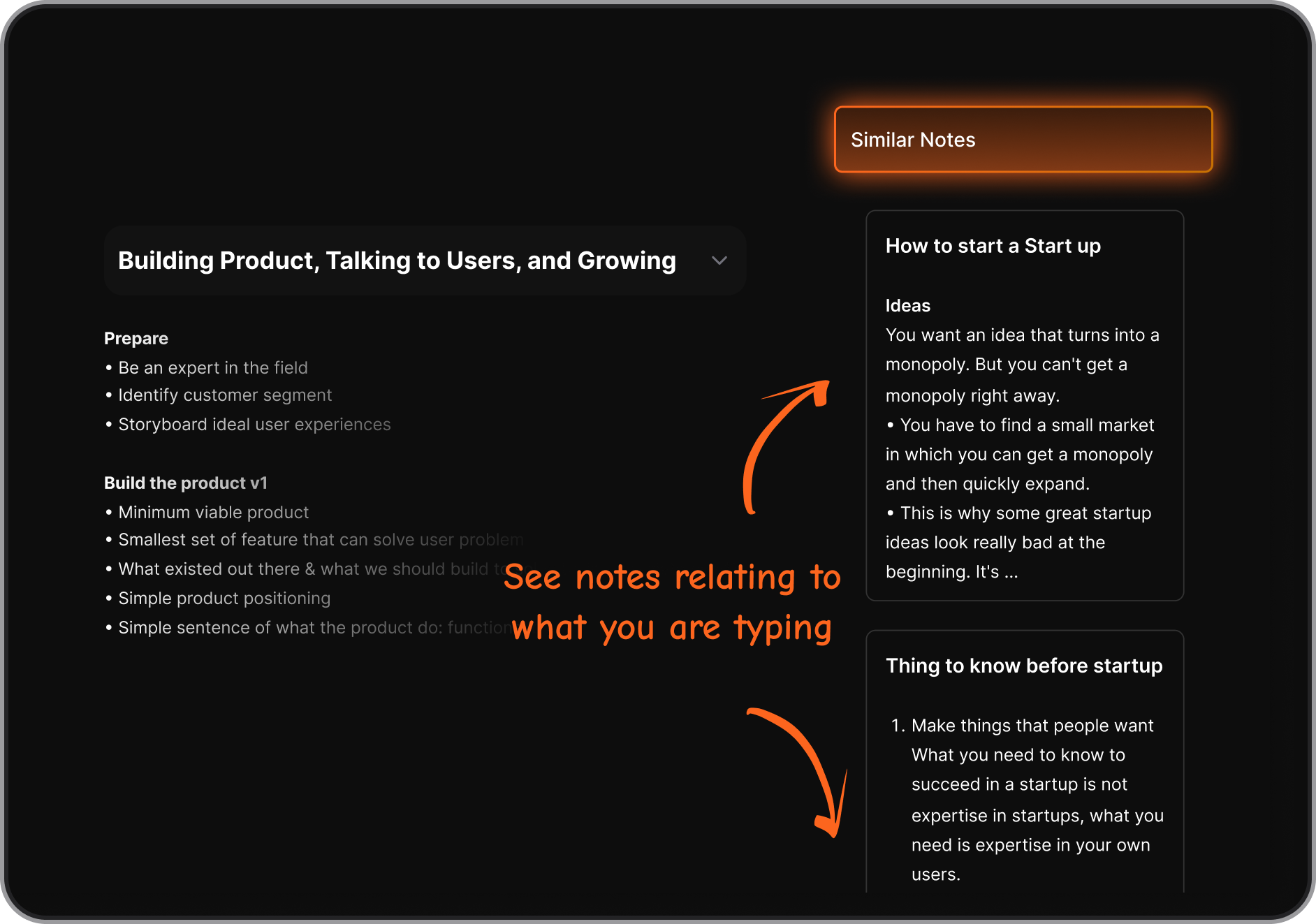
This helps bridge the gap between “meeting happened” and “work actually gets done.”
7. What’s the difference between ChatGPT and AI workflow tools?
ChatGPT is excellent for:
- Writing drafts
- Ideation
- Explaining concepts
However, it doesn’t natively manage tasks, calendars, or long-term context. AI websites built for marketing workflow focus more on continuity - remembering what matters across days, projects, and meetings.
Many marketers use ChatGPT alongside workflow tools rather than instead of them.
8. Which AI website is best for organizing marketing notes?
It depends on how you work:
- If you want structured writing help → Grammarly
- If you want visual content creation → Canva
- If you want ideas and drafts → ChatGPT
- If you want notes, tasks, and follow-ups connected → Saner.AI
For note-heavy workflows, tools that understand messy, real-world notes tend to be more effective.
9. Can AI websites help with campaign planning?
Yes. AI websites for marketing workflow can:
- Summarize past campaign performance notes
- Pull insights from previous planning sessions
- Help outline timelines, tasks, and priorities
This is especially useful when campaigns evolve over weeks or months and context is easily lost.
10. Are AI workflow tools useful for solo marketers?
Very much so. Solo marketers often handle strategy, content, coordination, and reporting alone.
AI workflow tools help by:
- Acting as a second brain
- Reducing the need for rigid systems
- Making it easier to pick up work where you left off
This is where context-aware tools tend to outperform traditional task managers.
11. How do teams use AI websites for marketing workflow?
Teams commonly use AI tools to:
- Share summarized meeting notes
- Track decisions across stakeholders
- Maintain clarity across handoffs
While some AI tools are individual-first, they still support team workflows by keeping information clean and retrievable.
12. Can AI websites replace traditional project management tools?
Not entirely - but they complement them well.
Traditional tools are good at:
- Timelines
- Dependencies
- Reporting
AI workflow tools are better at:
- Thinking
- Remembering
- Translating discussions into actions
Many teams use both together.
13. Are there free AI websites for marketing workflow?
Yes. Several tools offer free tiers:
- ChatGPT (basic access)
- Grammarly (core writing support)
- Canva (limited design assets)
- Saner.AI (basic note and task management)
Free plans are often enough to test whether the workflow fits your style.
14. How do AI websites reduce context switching?
Instead of jumping between:
- Notes app
- Task manager
- Calendar
- Docs
You interact through questions or natural input. For example:
- “What’s pending from the last client call?”
- “What should I work on today?”
This is one of the biggest productivity gains for marketers.
15. What’s the best way to start using AI websites for marketing workflow?
Start with one use case:
- Managing meeting notes
- Planning weekly priorities
- Drafting content faster
Once that feels natural, expand gradually. The best AI websites for marketing workflow don’t require complex setup. They adapt as your work grows.
Stay on top of your work and life