What is AI.com - and What Are the Best Alternatives?


AI.com and the 7 Best AI.com Alternatives
AI.com matters right now for two reasons.
First, the AI.com domain is one of the most valuable and visible domains on the internet, which instantly gave the platform global attention.
Second, AI agents are quickly becoming one of the most talked-about directions in AI, as users move from “AI that responds” to “AI that acts.”
AI.com launched on February 8 with a 30-second Super Bowl ad. The company saw a massive surge in traffic after the commercial aired, which briefly caused its website to crash before it recovered.
At the same time, many users search for AI.com alternatives because agent-style automation is not the right fit for every workflow, especially for people who want more control, transparency, or thinking support instead of automation.
This guide is for:
- Knowledge workers comparing AI tools beyond hype
- Entrepreneurs and founders evaluating AI agents vs assistants
- Productivity-focused professionals who want leverage
- AI-curious users deciding where autonomy actually helps
If you’re wondering what AI.com is and looking for the best AI.com alternatives, this article is for you.
What Is AI.com?
AI.com is a newly launched artificial intelligence platform focused on bringing autonomous AI agents into mainstream use for consumers and professionals alike. The platform - founded by Kris Marszalek, co-founder and CEO of Crypto.com - debuted publicly with a high-profile marketing push including a Super Bowl commercial in February 2026, which drew massive traffic and briefly overwhelmed the site.
“Insane traffic levels. We prepared for scale, but not for THIS.” Marszalek wrote in a post on X
At its core, AI.com says it lets users create personal AI agents in just a few clicks - private digital assistants that go beyond traditional chat interfaces to execute real-world tasks on a user’s behalf. These agents can organise work, send messages, manage calendars, execute app workflows, and even build projects without technical expertise.
A distinguishing feature of the platform is its focus on agents that adapt and improve: if an agent encounters a task requiring new skills, it can theoretically develop or extend its own capabilities, and those improvements are shared across the agent network to benefit all users.
AI.com positions this approach as a step toward more generalised artificial intelligence that can perform multi-stage tasks for users, moving beyond simple question-and-answer assistants toward practical digital helpers that act independently within defined boundaries.
In addition to task execution, the service emphasises privacy and control, with agents operating within encrypted, permission-based environments so users retain authority over what their agents can access and do.
Why People Look for AI.com Alternatives
You may search for AI.com alternatives not because AI.com is ineffective, but because AI agents are not universally optimal.
Common reasons include:
- Wanting more control over every step
- Needing AI to support thinking, not replace it
- Concerns about automation acting incorrectly
- Preference for knowledge-based workflows
- Desire for clearer context, memory, or source tracking
Some users want AI to act. Others want AI to help them decide how to act. These are different needs.
How We Evaluated AI.com Alternatives
Every AI.com alternative was evaluated using the same criteria:
- Core use case – productivity, research, planning, execution, or synthesis
- Agent autonomy vs control – how much the AI acts independently
- Data privacy & transparency – clarity around storage, training, and access
- Learning curve – setup time and cognitive load
- Best-fit user type – who actually benefits most
This approach favors tools that work reliably in daily workflows - not just demos.
Now, let's dive in!
What Are The Best AI.com Alternatives?
The Best AI.com alternatives are: Saner.AI, Claude, Manus, ChatGPT, Gemini, Copilot, Zapier, OpenClaw
Best AI.com Alternatives Comparison Table
| 🤖 Tool | 🧠 What It Is | 💪 Core Strength | 🎯 Best For | ⚠️ Key Limitation |
|---|---|---|---|---|
| Saner.AI | AI knowledge workspace that understands and manages your tasks | Knowledge synthesis & planning support | Entrepreneurs, managers, ADHD users | Need internet for full access |
| Claude | AI assistant optimized for safety, reasoning, and long-context understanding | Deep reasoning & structured analysis | Research, writing, policy, analysis | Limited workflow integrations |
| Manus | Task-oriented AI system designed to complete multi-step workflows | End-to-end task execution | Power users, operators, automation experiments | Steep learning curve |
| ChatGPT | General-purpose AI assistant for writing, coding, planning, and reasoning | Versatility & broad capability | Knowledge workers, solo professionals | No built-in execution layer |
| Gemini | Google’s AI assistant integrated into Workspace tools | Native Docs, Gmail, Sheets integration | Teams using Google Workspace | Less useful outside Google ecosystem |
| Genspark | Goal-driven AI system that breaks objectives into executable tasks | Multi-step planning & execution | Business workflows, agent-style tasks | Newer platform, limited transparency |
| OpenClaw | Open-source AI agent that runs locally with plugins | Local control & extensibility | Developers, local-first automation | Security and permission risks |
1. Saner.AI
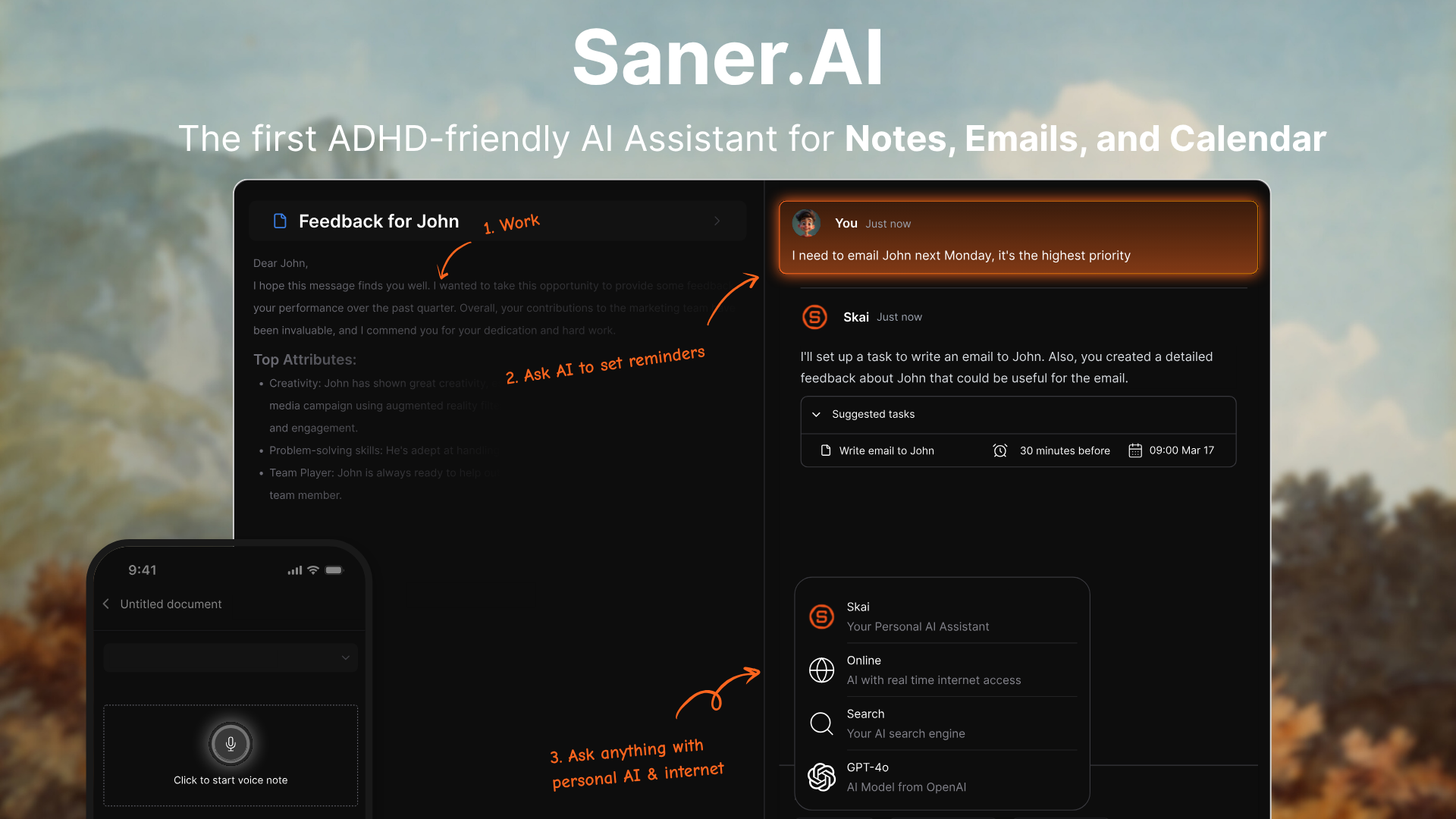
Saner.AI is an AI personal assistant designed to help you organize notes, tasks, and information in one place. Instead of acting like a generic AI chat (like ai.com), it works directly on your notes, documents, and tasks to surface insights and next actions.
It’s especially positioned for knowledge workers, founders, researchers, and ADHD-prone users who struggle with scattered information.
Key features
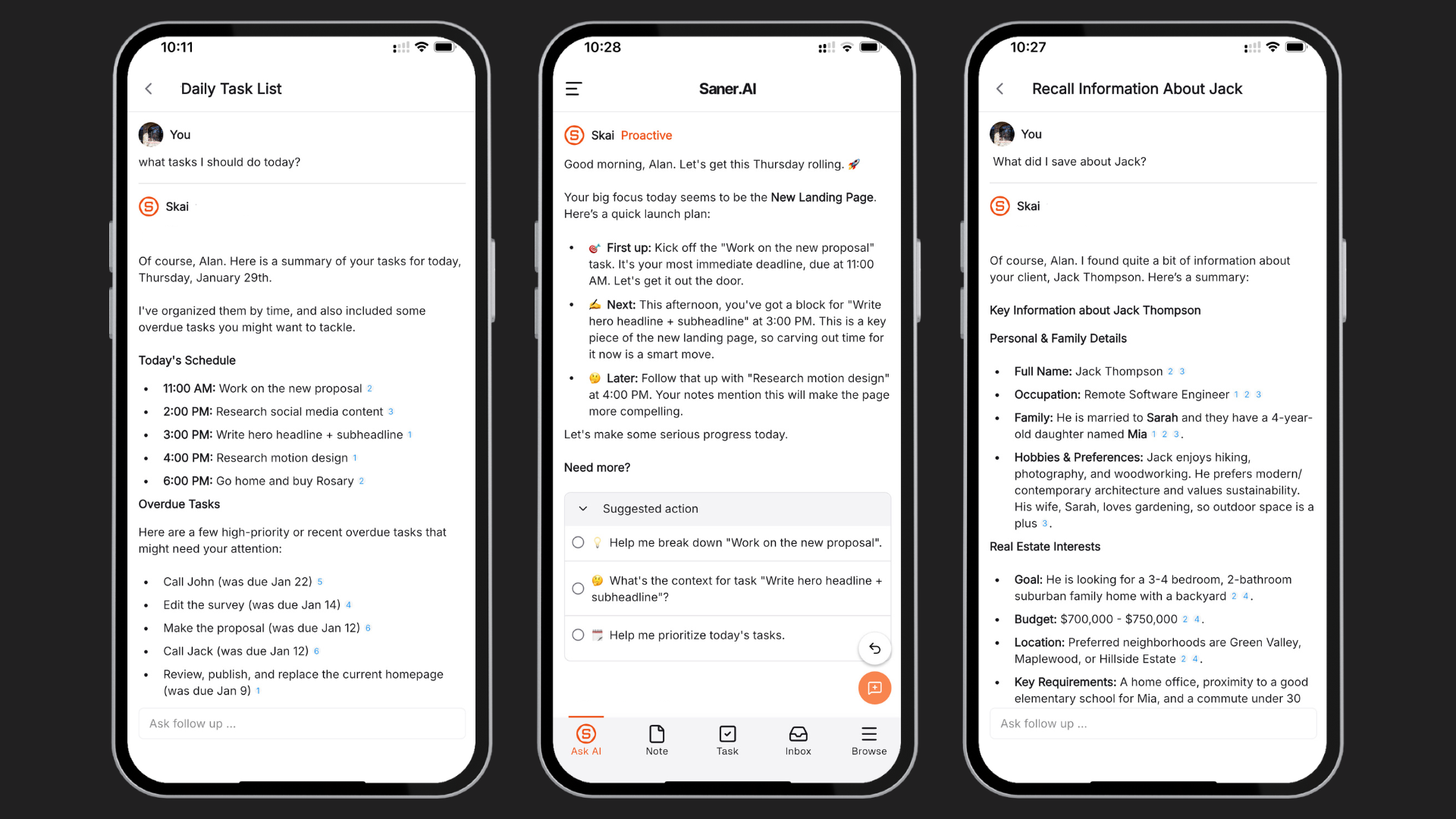
- Chat-based interface to brain dump thoughts, create tasks, and organize information
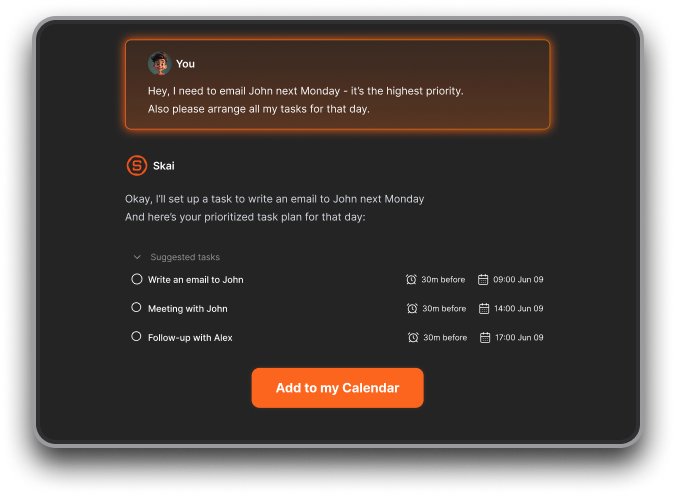
- Semantic search that finds information by meaning, not just keywords
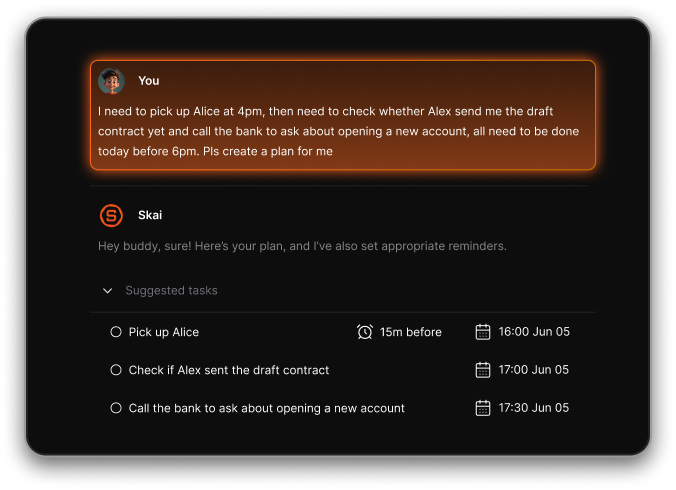
- Automatic planning: The app goes through your notes, emails, todos and plans your day based on what’s due or important
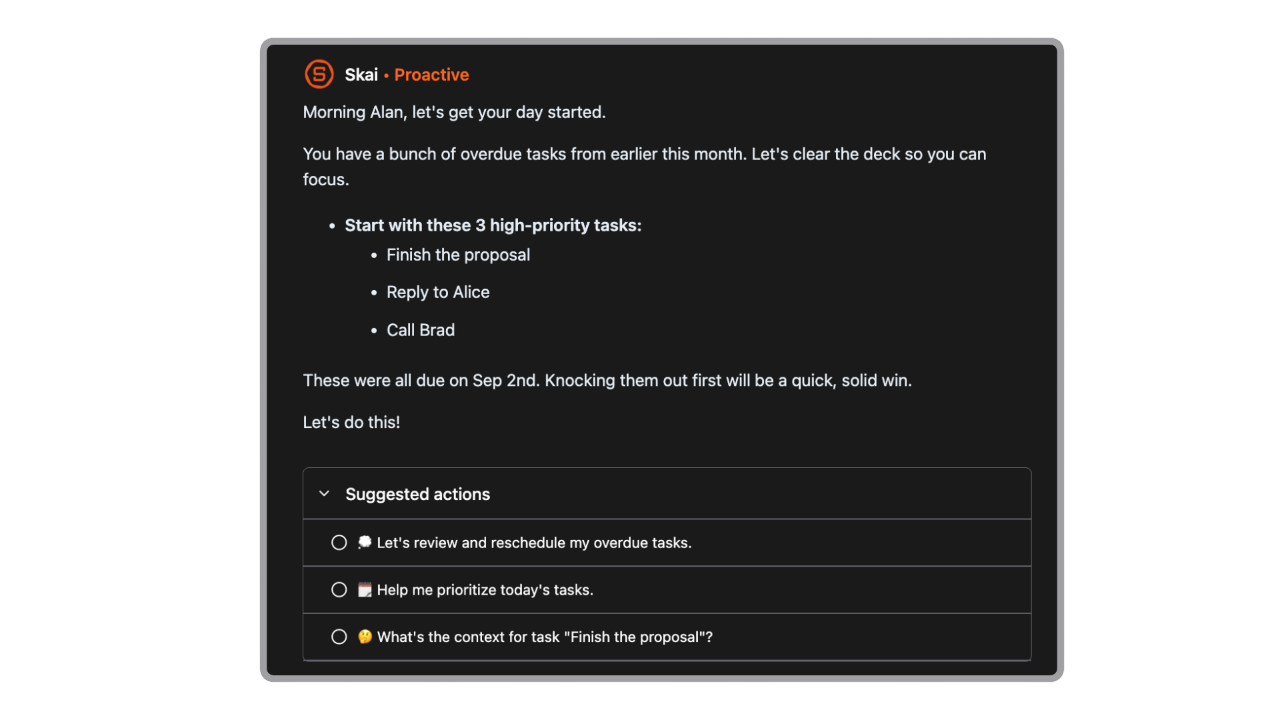
- Unified workspace for notes, tasks, and AI insights (no constant app-switching)
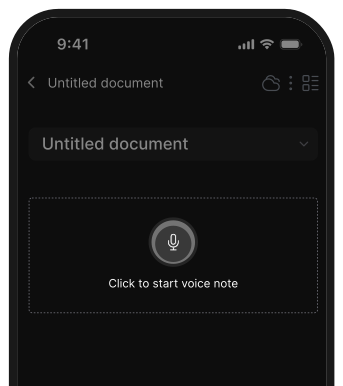
- Quick capture for voice notes, ideas, links, and documents
- Works across web, mobile, and browser extensions
What I liked
- Works on your data, which makes answers more relevant than ai.com-style tools
- Strong for turning messy notes into structured tasks and insights
- The automatic check in help me stay on track with tasks
Cons
- Requires internet access for full functionality
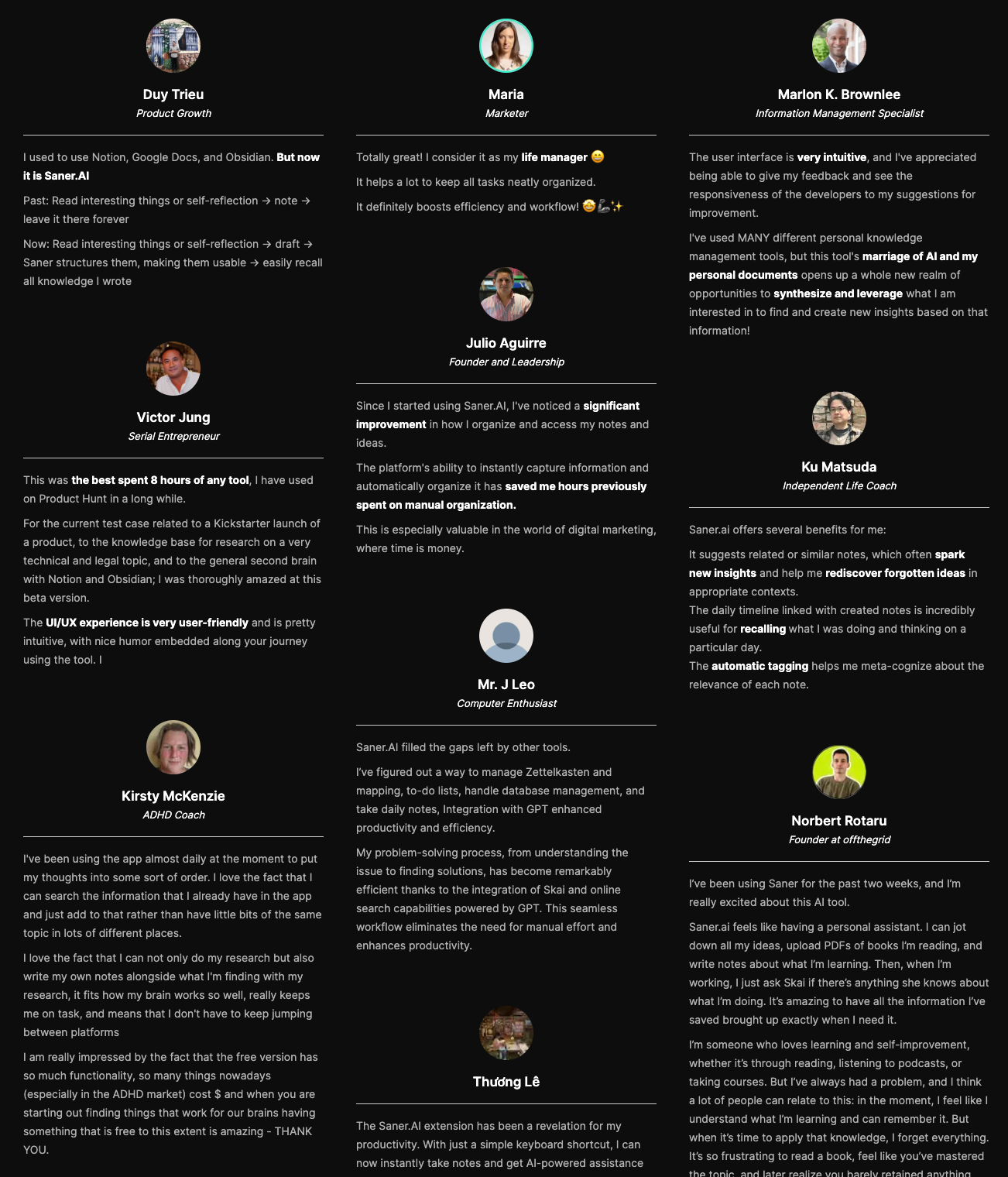
Saner.AI Reviews
Pricing
- Free plan with limited AI usage
- Paid plans start around $8–$12/month
- Higher tiers (~$16–$20/month) unlock more AI usage and advanced features
Who is it suitable for?
- People who feel overwhelmed by notes, docs, and tasks spread across tools
- Founders, researchers, managers, and ADHD users who want AI to organize thinking, not just reply
- Anyone who finds ai.com too generic and disconnected from their actual work
How to start using it?
- Go to saner.ai
- Create a free account
- Import notes or start writing → let the AI organize and surface insights

Work more efficient with your Top AI.com Alternatives
2. Claude
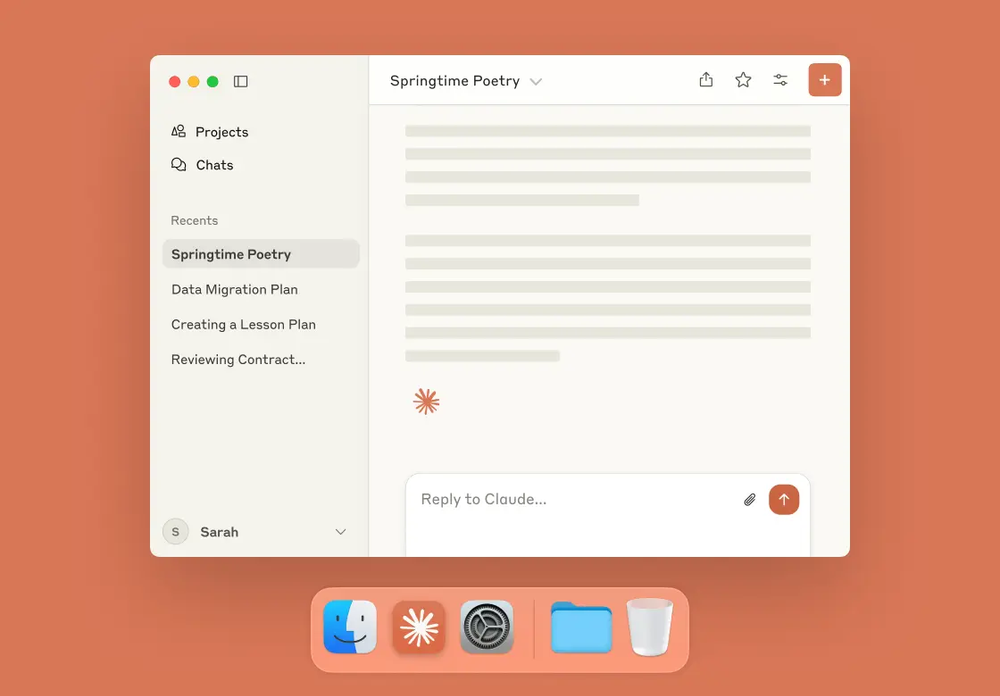
Claude is Anthropic’s cloud-hosted AI assistant that can handle writing, research, reasoning, coding, summarization, and long-form conversations - making it a strong AI.com alternative for general-purpose AI work.
Key features
- Advanced conversational AI for writing, analysis, brainstorming, and problem-solving
- Multiple models (Haiku, Sonnet, Opus) optimized for speed, cost, or deep reasoning
- Strong long-context handling for large documents and complex prompts
- Coding assistance for debugging, refactoring, and explaining code
- API access for developers to build apps and workflows
What I liked
- Very strong at structured thinking and long, nuanced answers
- Handles large documents and complex instructions better than many general chatbots
- Model options make it easy to balance speed vs depth depending on the task
- Feels calm, deliberate, and reliable for research and writing-heavy work
What I disliked
- Usage limits on free and lower tiers can feel restrictive
- API and advanced usage pricing can become expensive at scale
- Less focused on automation or agent-style workflows compared to some AI platforms
Pricing
- Free plan available with usage limits
- Pro plan around $20/month
- Higher-tier plans (Max / Team / Enterprise) for heavy or professional use
Suitable for
- Users who want a reliable, general-purpose AI assistant instead of a simple AI portal
- Writers, researchers, analysts, and knowledge workers
- Developers who want API access to powerful language models
How to get started
- Go to claude.ai
- Create a free account
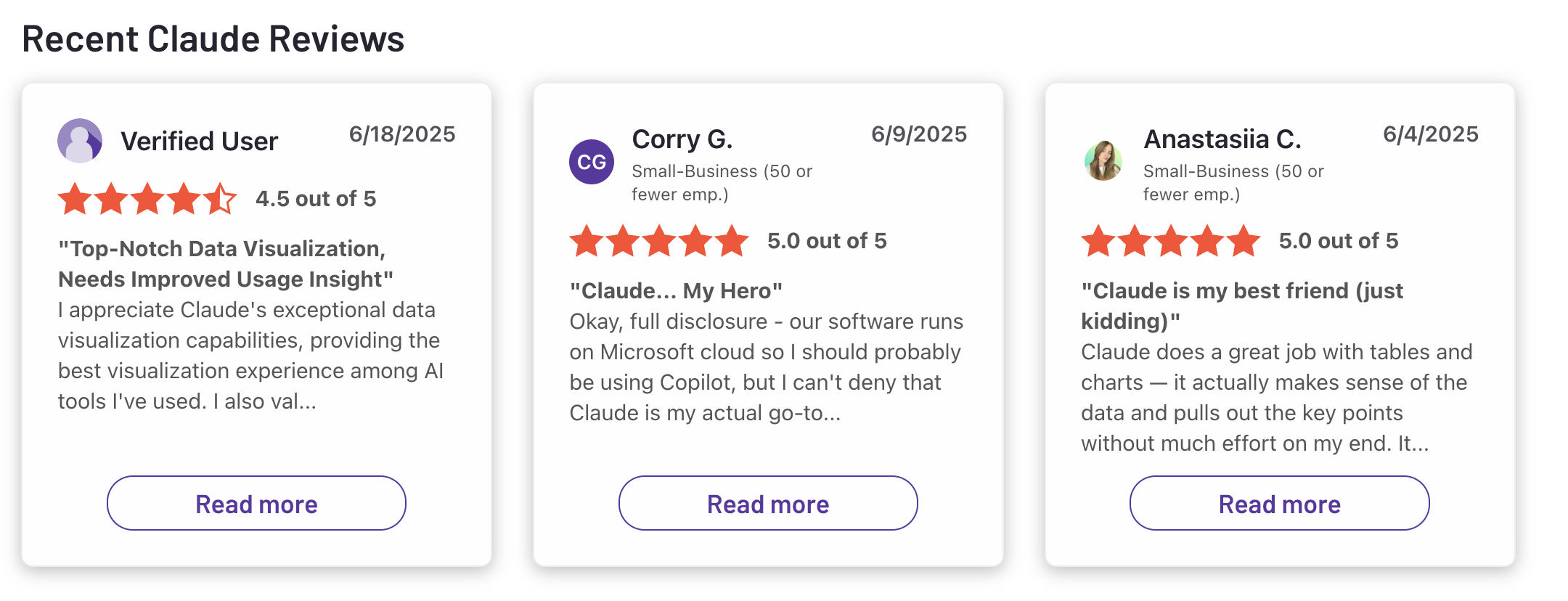
Claude reviews (source)
3. OpenClaw
OpenClaw is an open-source autonomous AI agent designed to do things for you, not just chat. It can interact with messaging apps, system tools, and AI models to run tasks like email handling, scheduling, and workflow automation.
Key features
- Open-source and self-hosted (no mandatory subscription)
- Autonomous task execution using external AI models (GPT, Claude, local models)
- Works across chat platforms like Slack, Telegram, Discord, WhatsApp, and more
- Persistent memory that allows long-running behavior
- Plugin/skill system for extending capabilities
What I liked
- Fully open-source, giving you control over data and deployment
- Flexible model choice (cloud or local LLMs)
- Designed for real automation, not just answering prompts
What I disliked
- Setup is technical and not beginner-friendly
- Security risks if plugins or permissions are misconfigured
- Costs can become unpredictable due to external API usage
- Less polished UX compared to commercial AI assistants
Pricing
- OpenClaw itself is free
- You pay separately for:
- Hosting (local machine or VPS)
- AI model usage (typically ~$5–$50/month depending on usage)
Suitable for
- Developers or technical users who want a self-hosted AI agent
- Teams experimenting with autonomous workflows
- Users who want deeper system access than chat-based AI tools offer
How to start
- Visit OpenClaw’s website or GitHub repository
- Install locally or on a server (often via Docker)
- Connect your preferred AI model and messaging platforms
👉 You may be interested in these OpenClaw Alternatives
4. Manus
Manus is an autonomous AI agent platform that goes beyond simple chat. Instead of just answering questions, Manus can plan, execute, and complete multi-step tasks on its own. This makes it a potential AI.com alternative for users who want AI to do work, not just respond to prompts.
Key features
- Autonomous task execution for complex, multi-step workflows
- Multi-agent system that separates planning, execution, and verification
- Web browsing, research, data analysis, and file handling
- Code generation, debugging, and technical task execution
What I liked
- You can give it a goal, and it actually acts, not just chats
- Handles long, complex tasks without constant follow-ups
- Multi-agent approach lets it work on several parts of a task in parallel
What I disliked
- Results aren’t always perfectly reliable and may need human review.
- Credit-based usage can be hard to predict for large or complex tasks
- Outputs often need human review, especially for nuanced requirements
Pricing
- 20$/month
Suitable for
- Free tier with limited daily credits
- Paid plans typically start around $19–$40/month
- Higher-usage or advanced plans can go up to $199+/month depending on credits and features
How to start
- Users who want autonomous AI agents, not just conversational AI
- Teams that need AI to handle research, coding, or operational tasks end-to-end
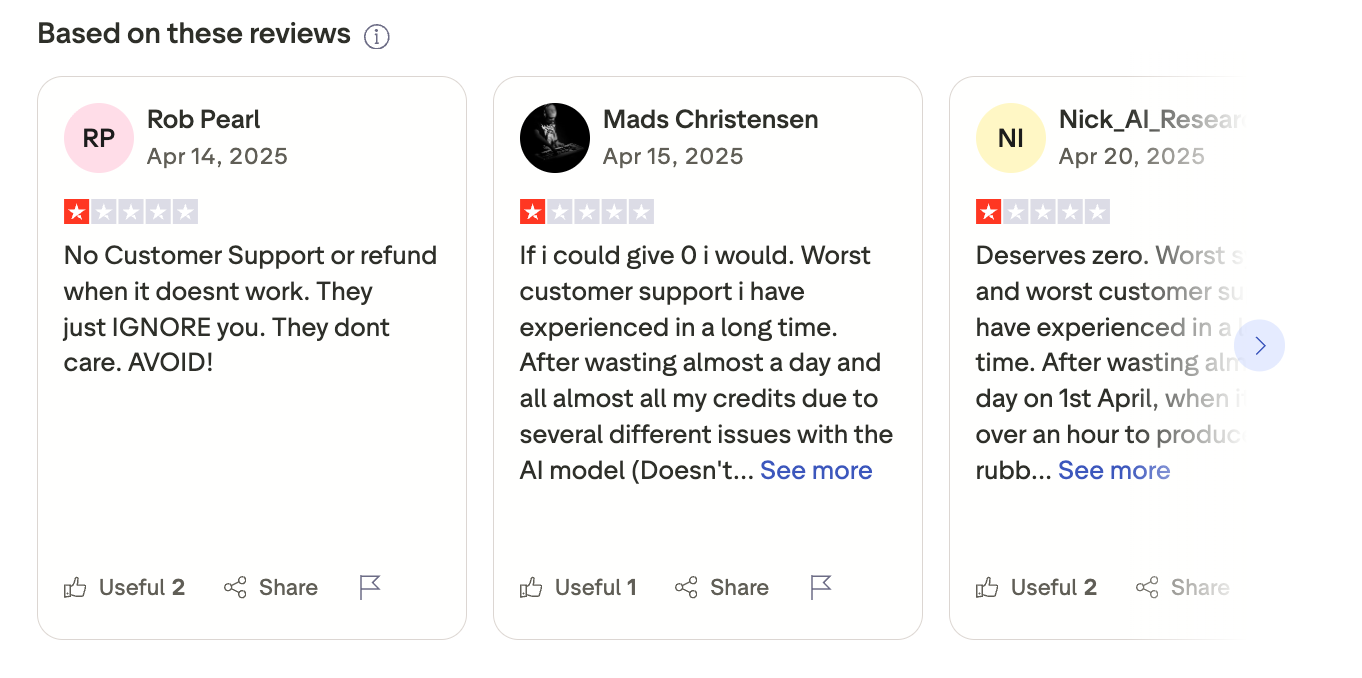
Manus review (source)
5. Google Gemini

Google Gemini is Google’s AI assistant designed to help with writing, planning, research, and productivity across text, images, audio, and video. It works as an AI.com alternative by acting as a general-purpose AI assistant, but with deep integration across Google’s ecosystem (Search, Gmail, Docs, Drive, Chrome, etc.), rather than a single standalone chat interface.
Key features
- Multimodal AI that understands and generates text, images, audio, and video
- Native integration with Gmail, Google Docs, Sheets, Drive, Calendar, Maps, and Chrome
- AI-powered research and web answers (including Deep Research features)
- Built-in AI assistance inside Google Search and browser workflows
What I liked:
- Very strong ecosystem integration - it actually works inside real Google workflows instead of sitting on the side
- Multimodal input makes it useful for more than just chat (images, voice, documents)
- Flexible for different users: casual users, professionals, teams, and developers
What I disliked:
- Best experience requires being deep in the Google ecosystem
- Pricing tiers are fragmented and can be confusing to compare
- Privacy-conscious users may be uncomfortable connecting personal Google data, even though it’s optional
Pricing:
- Free plan with core Gemini features
- Google AI Plus: ~$7/month
- Google AI Pro: ~$20/month with higher limits and advanced research tools
- Google AI Ultra: ~$250/month for maximum capabilities (advanced reasoning, video generation, highest limits)
Suitable for:
- Individuals who want an AI assistant for writing, research, and daily productivity
- Teams already using Google Workspace who want AI embedded directly into docs, email, and collaboration
How to start:
- Go to gemini.google.com
- Sign in with a Google account
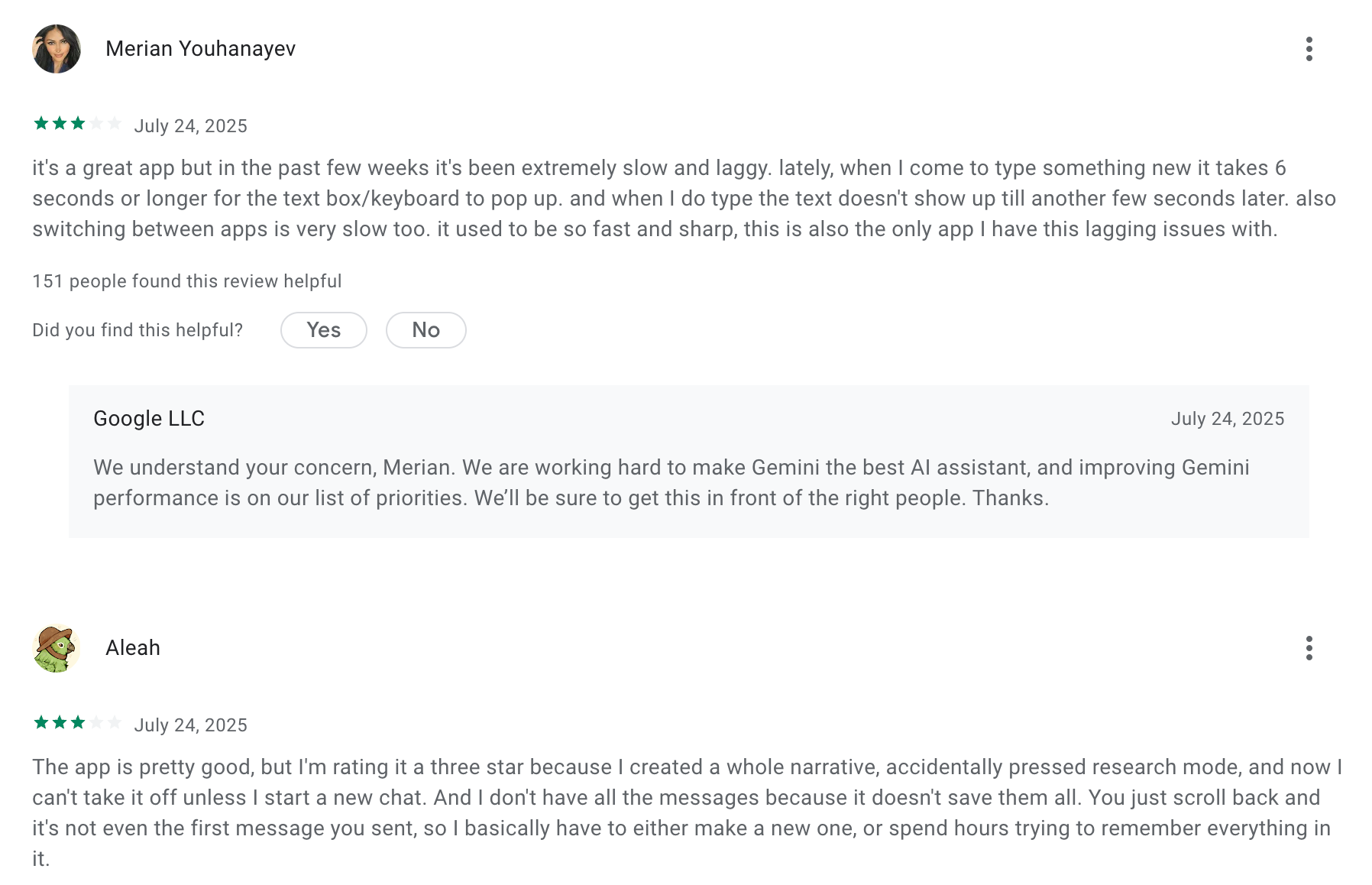
Google Gemini review (source)
6. ChatGPT

ChatGPT is a cloud-hosted AI assistant from OpenAI that lets you chat, generate text and images, analyze data, research topics, brainstorm ideas, and build custom AI tools
Key features
- Agent mode that can help plan and execute multi-step tasks
- Conversational AI for writing, research, coding, planning, and problem-solving
- Multimodal input and output (text, images, voice)
- Built-in tools for data analysis, deep research, and document handling
What I liked:
- You can use it for research, content, strategy, coding, and learning in one place
- No setup required to get value; you can start asking useful questions immediately
What I disliked:
- It’s very general-purpose, so repeatable workflows often require careful prompting or custom GPT setup
- Feature set and plan differences can feel overwhelming for new users
- Advanced capabilities and higher usage limits are locked behind paid plans
Pricing:
- Free plan available with limited access
- Plus plan around $20/month for higher limits and more powerful models
Suitable for:
- Individuals who want one AI for writing, research, learning, and creative work
- Professionals who need a flexible AI second brain rather than a single-use tool
- Teams experimenting with custom AI assistants without building from scratch
How to start
- Go to ChatGPT
- Create an account
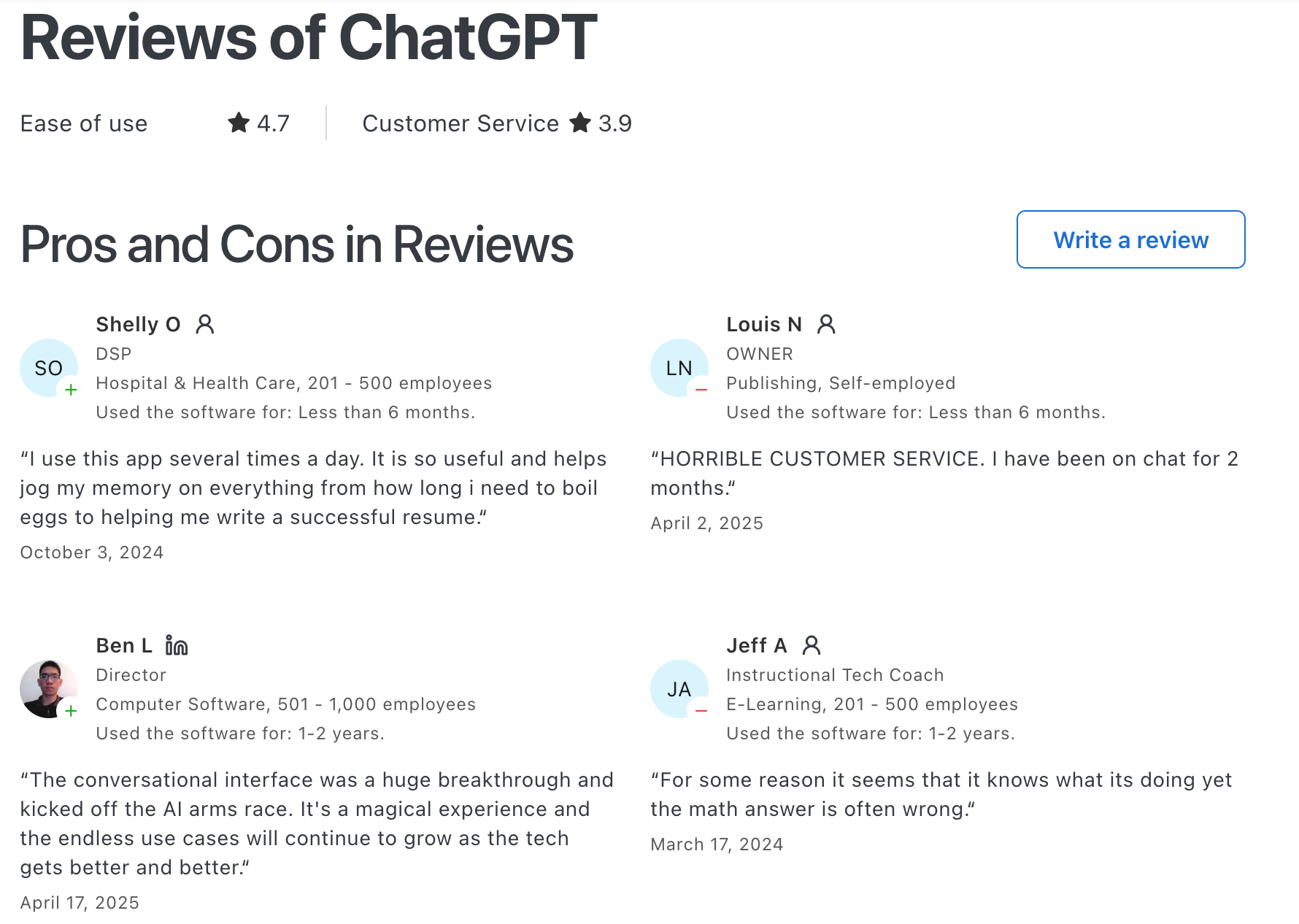
ChatGPT Reviews (source)
7. Genspark
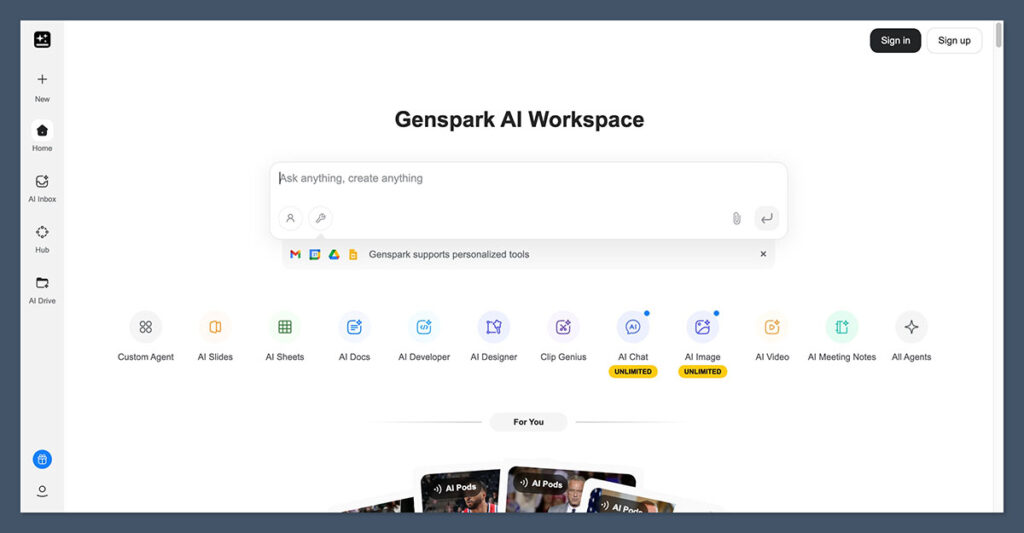
Genspark is an AI-powered platform built around a “Super Agent” workspace that combines AI search, research, content creation, and autonomous task execution into one system.
Key features
- Super Agent that breaks complex tasks into subtasks and runs them across specialized AI agents
- AI research that generates Sparkpages (structured, synthesized knowledge pages) instead of blue links
- One-prompt generation of slides, documents, spreadsheets, websites, videos, and reports
- Autonomous task execution for research-heavy and content-heavy workflows
What I liked
- The agent actually produces complete artifacts like presentations and research pages.
- Everything lives in one workspace, so you don’t need separate tools for search, writing, and formatting.
- Research outputs are structured and readable, which makes them easier to reuse than raw AI answers.
What I disliked
- Credit-based usage can get expensive if you generate large outputs like slides or videos frequently.
- It’s not a deep automation tool for business processes or app-to-app workflows.
- Generated designs (slides, websites) often need polishing in other tools to look professional
Pricing
- Free plan with limited daily credits
- Plus plan around $25/month with higher credit limits
- Pro plan around $249/month for heavy usage and advanced outputs
Suitable for
- Users who want AI research and synthesis instead of traditional search engines
- Creators and professionals who need structured outputs (reports, slides, pages) fast
- Solo users or small teams looking for an AI workspace rather than multiple AI tools
How to start
- Go to Genspark
- Create a free account
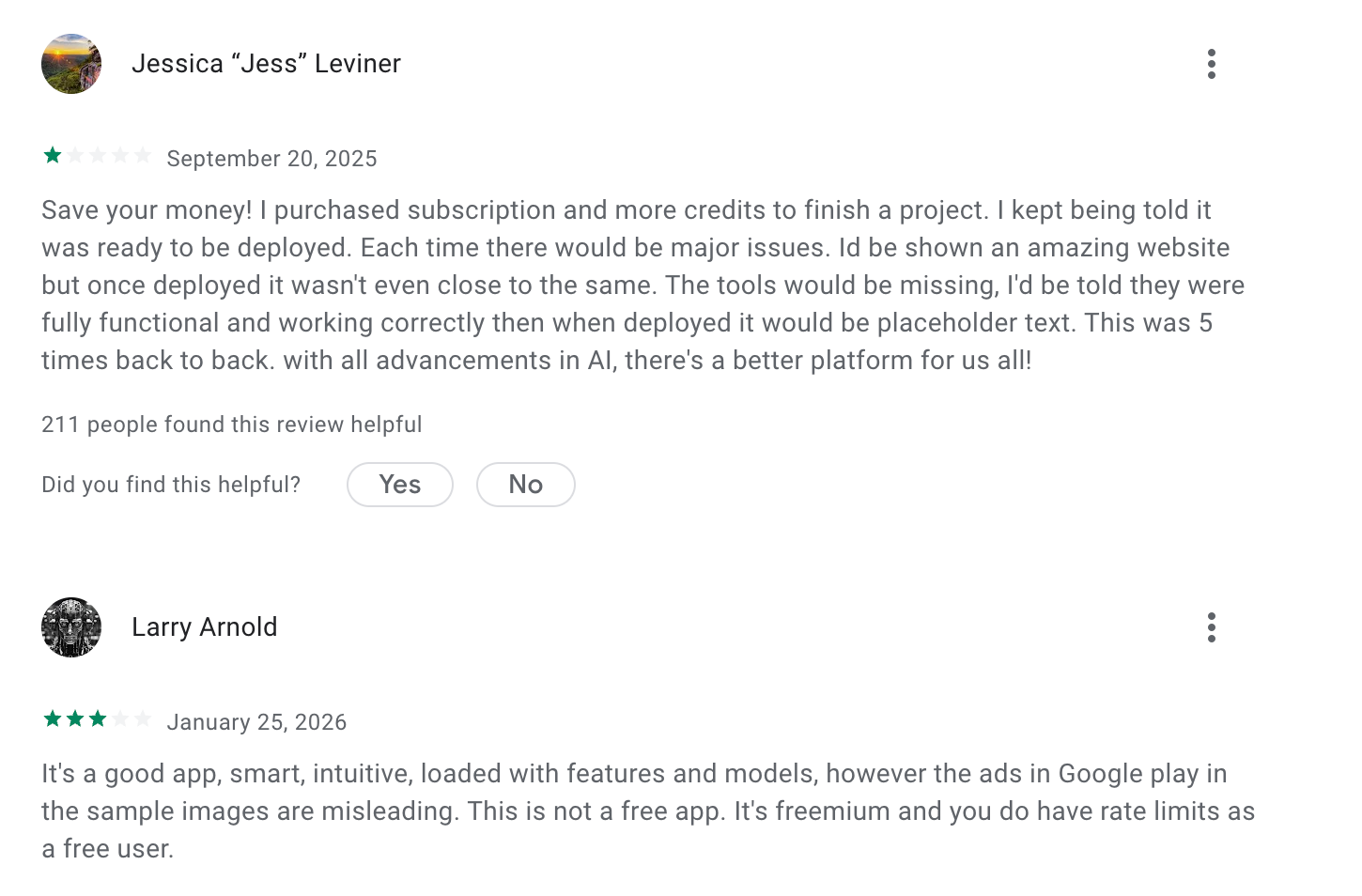
Genspark reviews (source)
Conclusion: Choosing the Right AI.com Alternative
AI.com represents an ambitious direction for AI - systems that don’t just assist, but act. For certain narrowly defined workflows, that level of delegation can be useful. But for most professionals, fully autonomous AI is not the default best choice.
The reality is that most work still requires judgment, context, and iteration. That’s why many users end up searching for AI.com alternatives: not because AI agents are ineffective, but because they often introduce more risk, friction, or uncertainty than expected.
A few grounded takeaways to close this guide:
- If you want AI to think with you, tools like ChatGPT, Claude, or Saner.AI are often more reliable than agent-first platforms.
- If your work depends on research accuracy and traceability, assistants and answer engines outperform autonomous systems.
- If you value control, transparency, and predictability, alternatives with human-in-the-loop workflows are usually a better long-term fit.
- If you’re experimenting with automation, agent platforms like Manus or Genspark can be powerful — but only when tasks are clearly scoped.
There is no universally “best” AI.com alternative. The right choice depends on how much responsibility you’re willing to hand over to software, and how well the tool aligns with your real daily workflow.
The most effective AI setups today are rarely the most autonomous ones. They’re the ones that amplify human thinking, reduce cognitive overhead, and fit naturally into how work already happens.
Choosing thoughtfully - rather than chasing the most advanced agent - is what actually leads to better outcomes.
Stay on top of your work with the top AI Assistant
AI.com Alternatives – Frequently Asked Questions
1. What is AI.com, and why are people looking for alternatives?
AI.com is positioned as a platform for autonomous AI agents - assistants that can perform tasks on your behalf rather than just respond to prompts. While the idea is compelling, many people look for AI.com alternatives because they want:
- More control over privacy and data
- Clearer productivity use cases (not just agents “in theory”)
- Tools that work better for daily work, planning, or ADHD
- Mature products with real workflows, not experiments
That’s where tools like Saner.AI, ChatGPT, Claude, Gemini, Manus, Genspark, and OpenClaw come in.
2. What should I look for in the best AI.com alternative?
The best AI.com alternatives usually fall into two camps:
AI agents that act vs AI assistants that think with you.
Key things people care about:
- Can it turn thoughts into actions, not just replies?
- Does it work with notes, tasks, and calendars?
- Is it reliable for daily work (not just demos)?
- How much setup or technical knowledge is required?
- Does it reduce cognitive load - or add more tools to manage?
Not every “AI agent” is actually useful in day-to-day work.
3. Is AI.com more like an AI agent or a productivity assistant?
AI.com is closer to an AI agent platform - focused on autonomy and execution.
Many alternatives focus instead on decision support, planning, and follow-through, which is often what people actually need.
For example:
- Saner.AI focuses on turning messy thoughts into tasks and reminders.
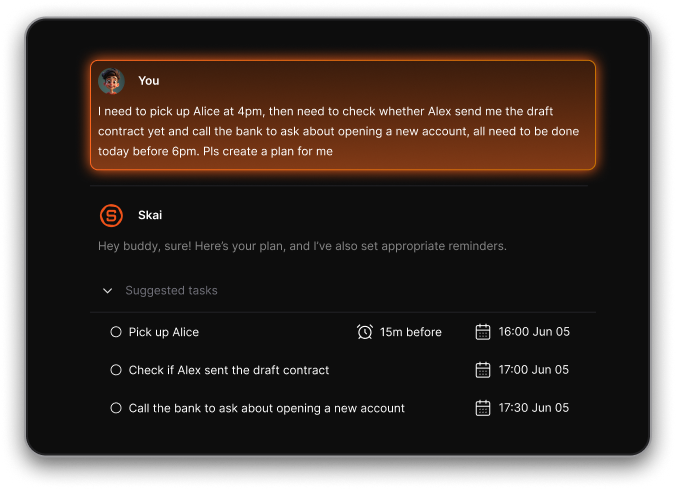
- ChatGPT and Claude excel at reasoning, writing, and thinking.
- Gemini integrates deeply with Google Workspace.
- Manus and OpenClaw lean toward agent-based automation.
Different tools solve very different problems.
4. What is the best AI.com alternative for productivity?
If productivity means actually getting things done, not just chatting:
- Saner.AI is built around tasks, reminders, and context
- It connects notes, calendar events, and follow-ups automatically.
- You don’t need to “manage” the system - it surfaces what matters.
For users overwhelmed by tabs, tools, and mental clutter, this approach often works better than fully autonomous agents.
5. Which AI.com alternatives are best for work and teams?
For work use cases, people usually want clarity and follow-through, not just autonomy.
Strong options include:
- Saner.AI – for personal productivity and execution
- Claude – for deep thinking, writing, and long documents
- Gemini – for teams living inside Google Docs, Gmail, and Calendar
- Manus – for more experimental agent-driven workflows
The best choice depends on whether you want thinking help or doing help.
6. Are there open-source alternatives to AI.com?
Yes. Some users prefer transparency and control.
- OpenClaw focuses on open-source, self-hosted AI agents.
- These tools give more flexibility 0 but require more setup and responsibility.
Open-source options are powerful, but they’re usually better for technical users than busy professionals.
7. Which AI.com alternative is best for ADHD or overwhelmed users?
People with ADHD or cognitive overload often struggle with:
- Context switching
- Forgetting follow-ups
- Keeping systems “maintained”
Saner.AI is designed specifically for this:
- You write naturally - no strict structure required.
- It turns notes into reminders and next steps.
- It reduces the need to remember where things live.
For ADHD users, less autonomy and more gentle structure often works better.
8. Can AI.com alternatives schedule tasks automatically?
Many can - but the quality varies.
- Saner.AI suggests reminders based on what you write.
- Manus and OpenClaw can automate tasks via agents.
- Gemini supports scheduling within Google Calendar.
The key difference is whether scheduling is context-aware or just rule-based.
9. Which AI.com alternative is best for founders and entrepreneurs?
Founders typically need:
- Fast capture of ideas
- Clear next actions
- Minimal system overhead
Tools like Saner.AI work well here because:
- Brain dumps become tasks automatically
- Old notes resurface when relevant
- No setup tax before you can work
Autonomous agents sound exciting - but clarity usually wins.
10. Can AI.com alternatives help with meetings and follow-ups?
Yes - this is one of the strongest use cases.
With the right tool, you can:
- Capture decisions during meetings
- Automatically surface follow-ups
- Recall past conversations instantly
Saner-style systems excel here because they connect notes + actions + time instead of treating them separately.
11. Are AI.com alternatives better than AI agents for daily work?
For most people, yes.
Fully autonomous agents are powerful - but:
- They require trust
- They require setup
- They can feel opaque
Many users prefer assistive AI like Saner.AI that:
- Supports decisions
- Nudges follow-through
- Keeps humans in control
That’s why productivity-focused AI tools often outperform agent platforms in real life.
Stay on top of your work and life