We Tested The 5 Best AI for ADHD Adults
The 5 Best AI for ADHD are Saner.AI, ChatGPT, Perplexity, Goblin.tools, Pi.ai

The 5 Best AI Productivity Tools for ADHD Adults
I have tried most ADHD productivity systems, apps, and tools out there. Most of them last for a week.
When AI tools started getting useful a couple of years back, for the first time, I saw tools that could actually absorb some of the cognitive labor that ADHD makes brutal: starting tasks, keeping track of things, translating "chaos in my head" into something actionable.
This article is for adults with ADHD, people who suspect they have ADHD but haven't been diagnosed, and anyone who has tried every productivity system and still ends up staring at their to-do list feeling completely stuck. My friends and I tested each tool below for several weeks across real work and personal scenarios to bring you the answer.
Quick Answer: What are the Best AI for ADHD right now?
- ChatGPT: Best AI for on-demand executive function support. Breaks down tasks, drafts emails, and helps you start things when you're stuck.
- Goblin.tools: Best free tool for task paralysis. The Magic ToDo feature breaks overwhelming tasks into micro-steps automatically.
- Perplexity AI: Best for research without the rabbit hole. ADHD brains often lose hours to open-ended Google searches.
- Pi.ai: Best for emotional regulation and thinking out loud. Not a productivity tool. It's a conversational AI that listens, reflects back, and helps you process.
1. What Is ADHD?
ADHD - Attention Deficit Hyperactivity Disorder - is a neurodevelopmental condition defined in the DSM-5 as a persistent pattern of inattention and/or hyperactivity-impulsivity that interferes with functioning or development.
2. How AI Actually Helps with ADHD
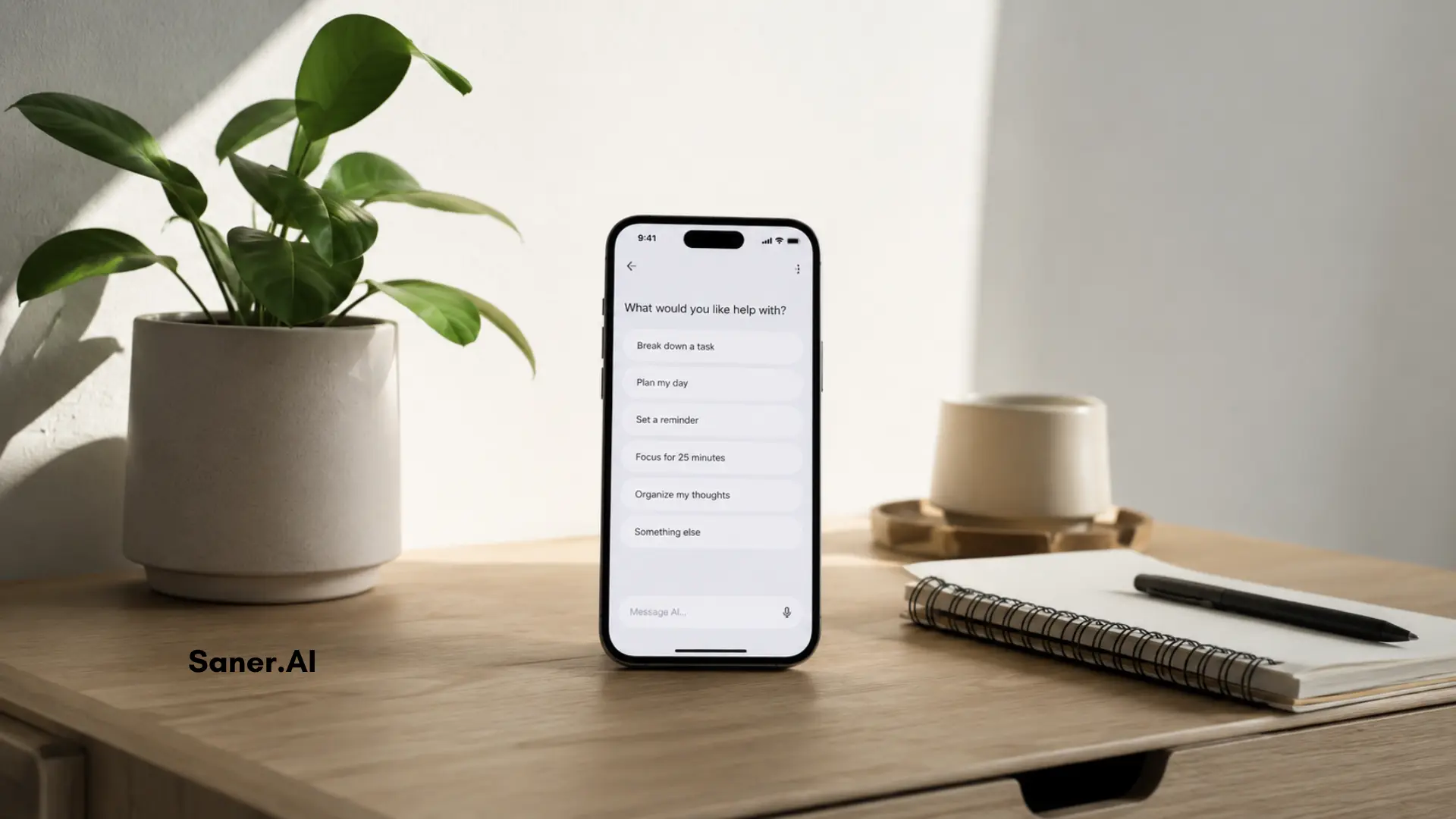
AI doesn't treat ADHD. Medication, therapy, and clinical support remain the evidence-backed interventions for managing the condition itself.
What AI can do is act as external scaffolding for the executive functions that ADHD depletes. And for many people - especially the large majority who are undiagnosed, unmedicated, or waiting months for assessment - that scaffolding makes a measurable difference:
How We Chose These AI
We evaluated over 20 AI tools across a period of several weeks, focusing on how each one performs for the specific challenges ADHD creates at work and in daily life. Here's what we looked at:
- Task initiation support — Does the tool lower the friction of getting started, or does it just store tasks and leave you staring at them?
- Executive function offloading — Can the tool absorb cognitive work that ADHD makes hard, like organizing, prioritizing, and keeping track of context across days?
- Interface cognitive load — A cluttered, feature-heavy interface is actively harmful for ADHD users.
- Flexibility vs. structure — The better tools accommodate both without requiring you to build a system from scratch.
- Real-world staying power — Did the tool still feel useful after 30 days, or did novelty wear off?
- Price and friction to entry — Tools that require long setup, expensive subscriptions from day one, or complex onboarding were penalized.
What are best AI apps for ADHD?
5 Best AI for ADHD are Saner.AI, ChatGPT, Perplexity, Goblin.tools, Pi.ai
AI for ADHD: Comparison table 🧠
| 🤖 App | 💪 Key Strengths | 🎯 Best For | 💻 Platform | 💰 Pricing |
|---|---|---|---|---|
| Saner.AI | Proactive daily planning, brain-dump → tasks, context-aware reminders, ADHD-friendly task breakdown | ADHD users who struggle with planning, task initiation, and overwhelm | Web, Mobile (iOS/Android) | Free plan available · Paid plans from ~$8/month |
| ChatGPT | Strong reasoning, writing, brainstorming, task breakdown via conversation | Thinking through problems, writing, idea generation | Web, iOS, Android | Free · Plus ~$20/month |
| Perplexity | AI-powered search with citations, fast summaries, research-focused | ADHD users who need quick, reliable answers without deep rabbit holes | Web, iOS, Android | Free · Pro ~$20/month |
| Goblin.tools | Simple task breakdown, tone checking, low cognitive load tools | Executive dysfunction, breaking down “too big” tasks | Web, Mobile | Mostly free · One-time small fee for full access |
| Pi.ai | Emotionally supportive, reflective conversations, gentle guidance | Emotional regulation, self-talk, feeling supported | Web, iOS, Android | Free |
1. Saner.AI
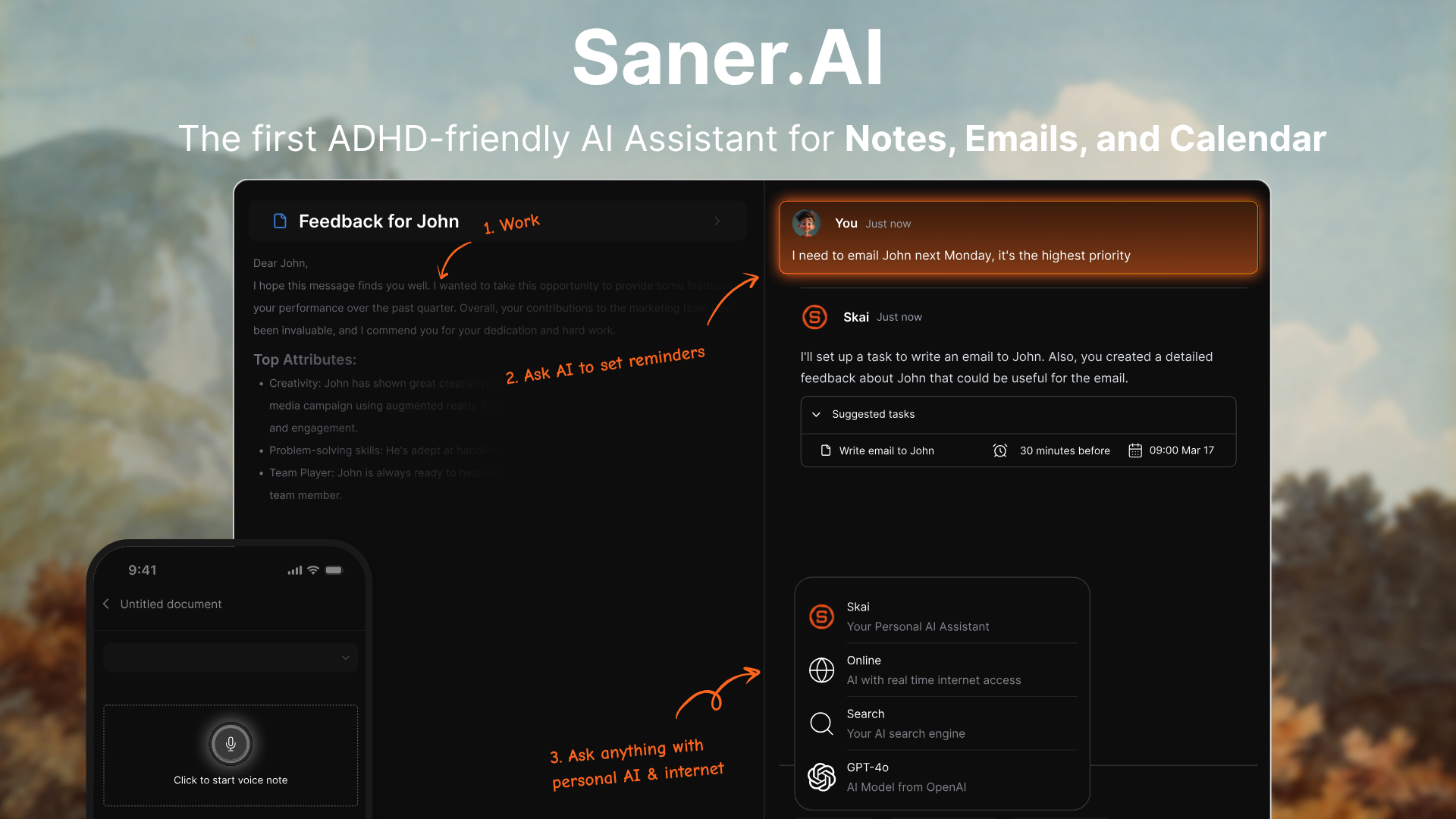
Saner.AI is the first ADHD-friendly AI assistant designed to give you peace of mind. It helps you manage notes, tasks, calendar, and emails by simply chatting with AI. No context switching.
ADHD symptoms it directly addresses:
- Working memory gaps — captures and surfaces information so your brain doesn't have to hold it
- Context switching — consolidates notes, tasks, email, and calendar into one interface
- Task initiation paralysis — brain-dump to Saner and it turns your chaos into an actionable to-do list
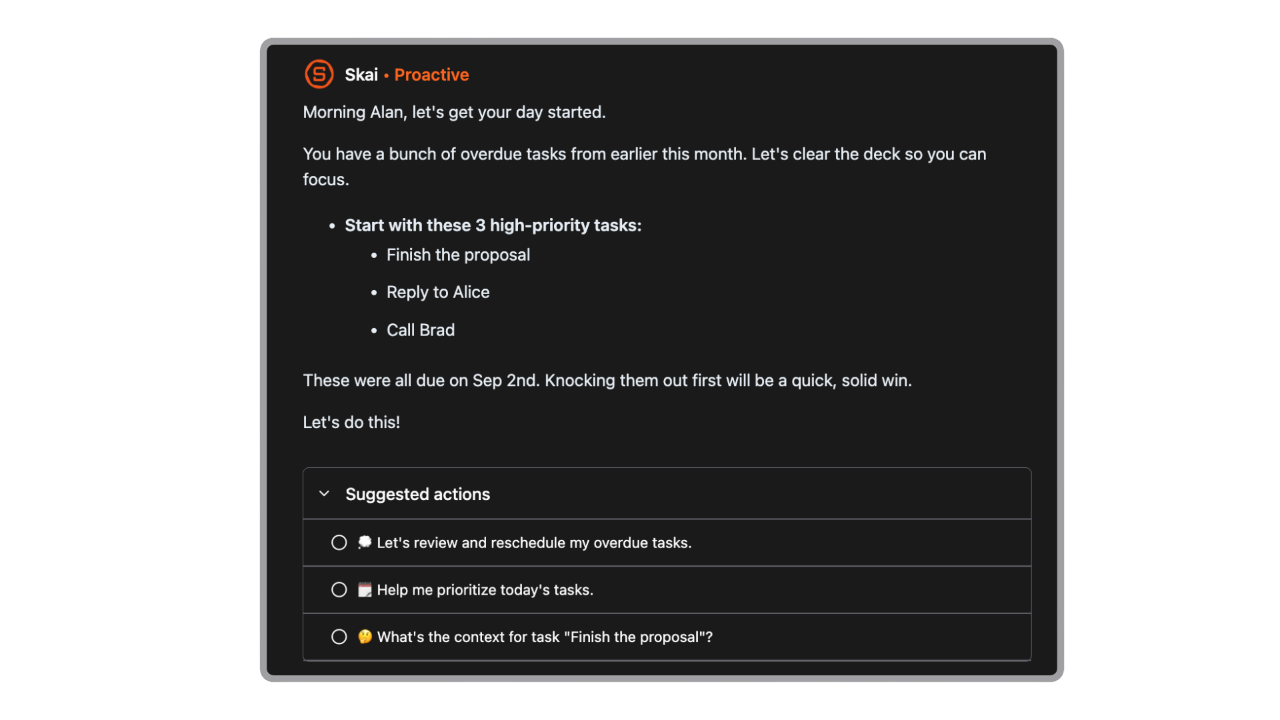
- Time blindness — proactive daily summaries and check-ins so deadlines don't sneak up on you
- Information overload — semantic search means you find things in plain language, not by remembering where you put them
Key features
- Proactive day planning: Every day, the AI actively goes through your notes, tasks, emails, and calendar, and gives you an optimal day plan
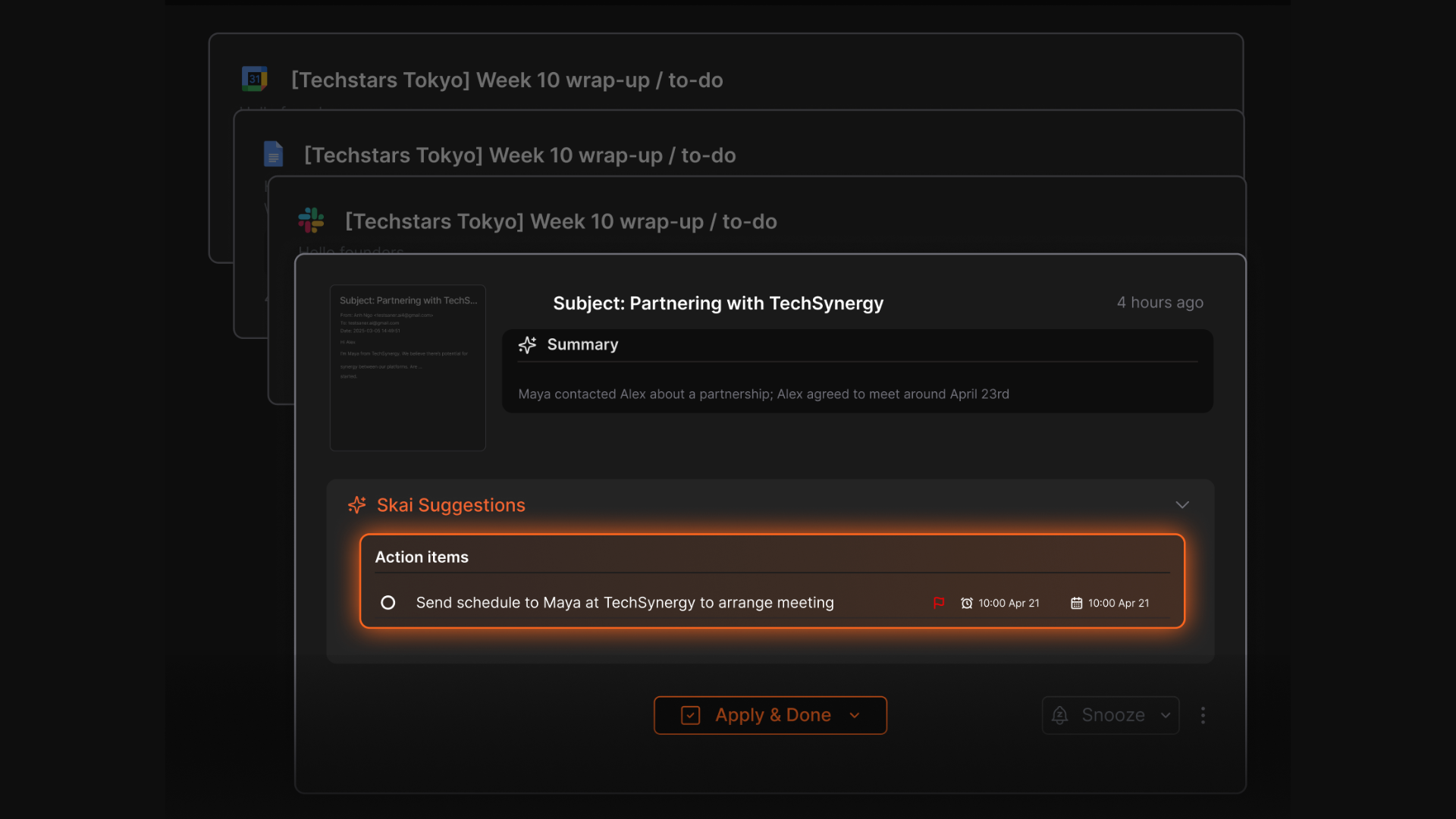
- Saner connects with Gmail, Google Drive, and notes so everything - from emails to meeting notes - is searchable and actionable.
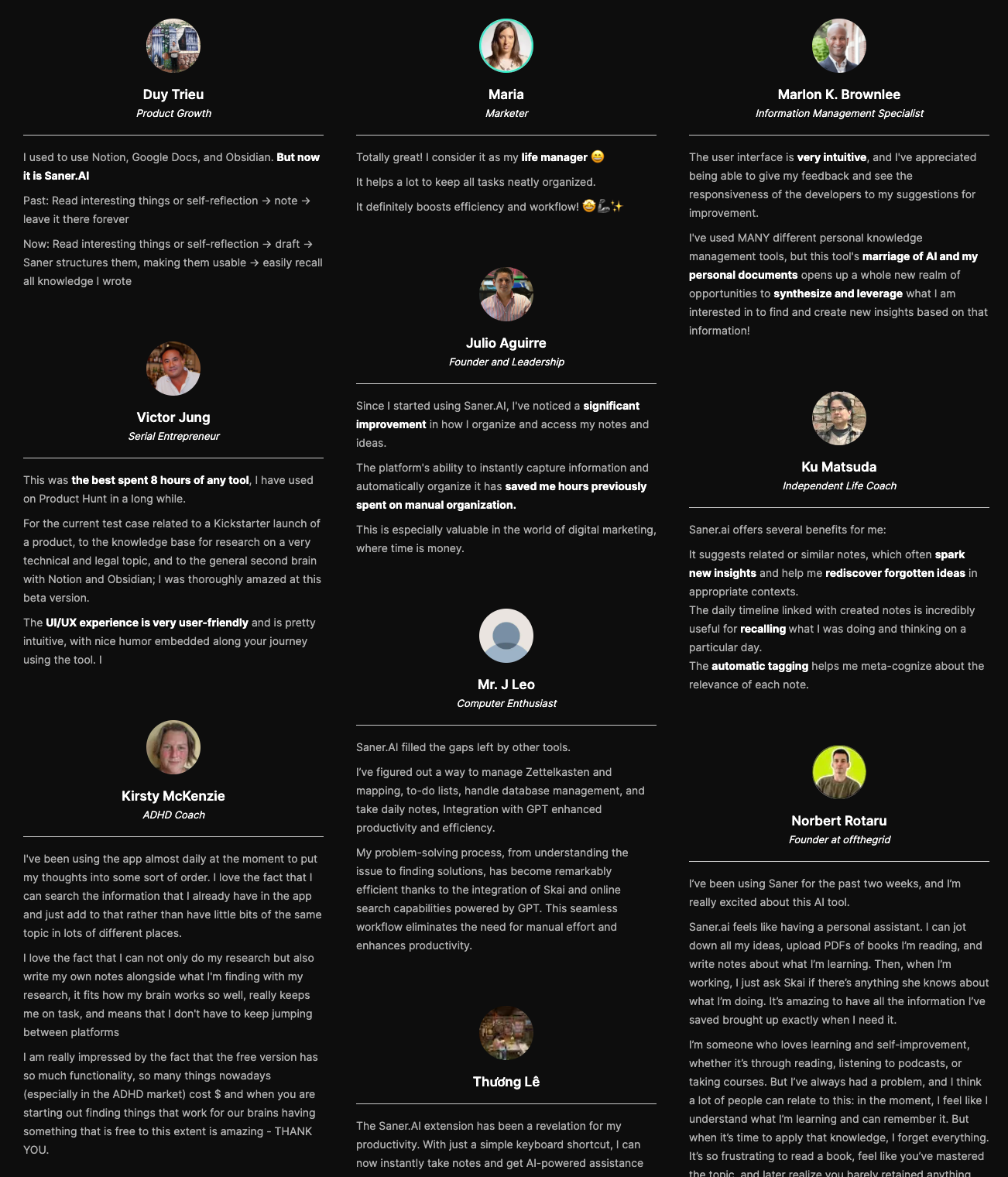
- "The platform's ability to instantly capture information and automatically organize it has saved me hours previously spent on manual organization." - verified review
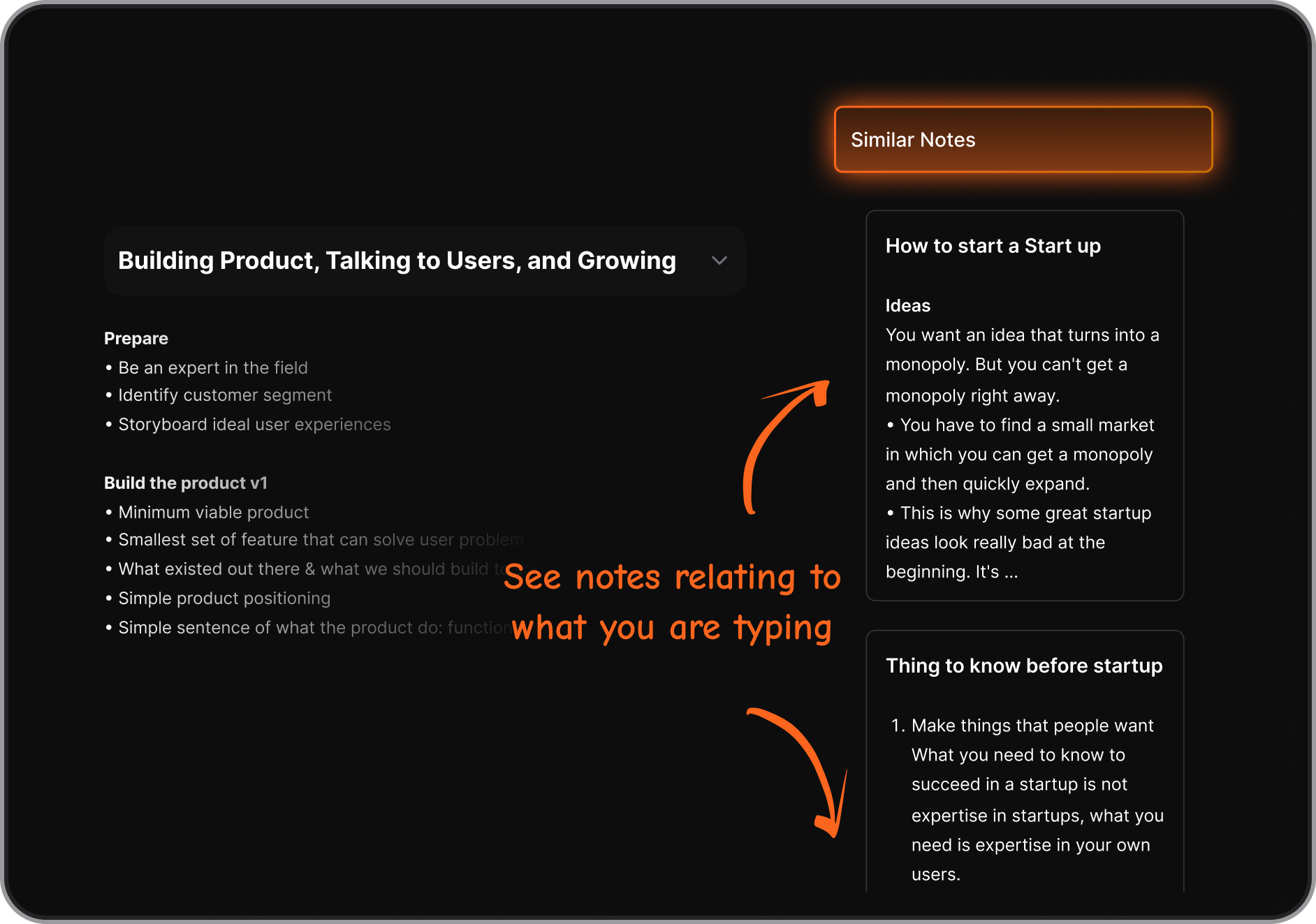
- Ask questions across your notes, PDFs, and docs - even ones from Google Drive. Saner gives the answer.
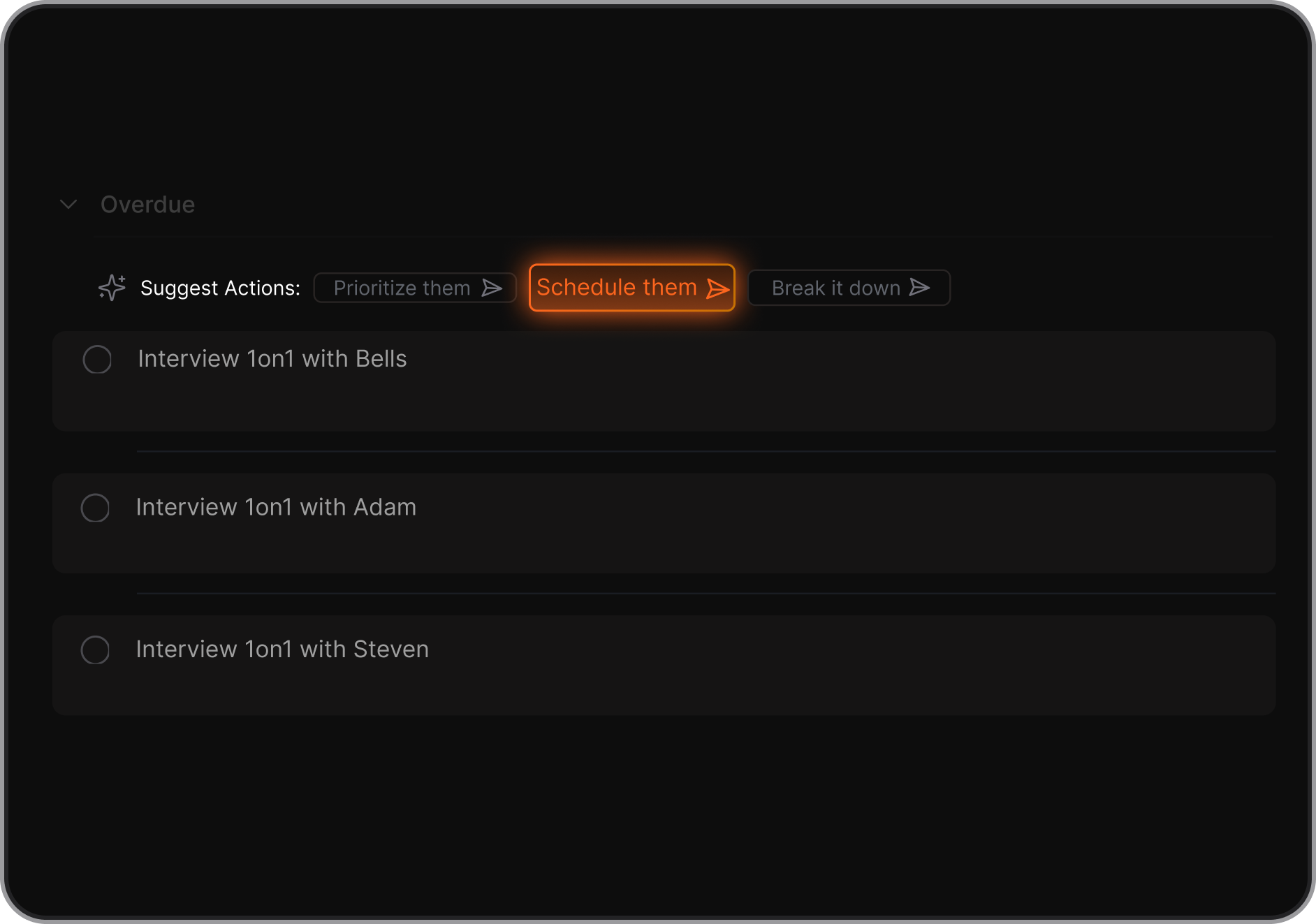
- It breaks big tasks into smaller ones, sets reminders, and suggests what to do next.
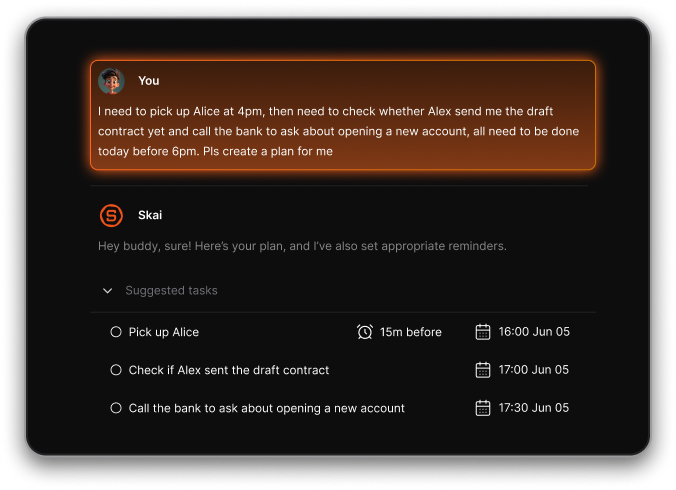
- Just talk or rant. Saner turns your thoughts into scheduled tasks, reminders, or calendar events automatically
Pros
- It feels like an actual assistant. I can just chat with it when I’m overwhelmed, and it figures out what needs doing.
- I don’t have to remember everything. Saner reminds me what matters, even if I forgot I said it.
- It pulls info from everywhere - emails, notes, docs - and suggests what to follow up on.
- "I had a hard time document all my design decision and user interview without theming and synthesizing them. With Saner, this works just seem so easy now. And the semantic search and chatting with bot makes the workflow more nature and less cocky machinary thingy" - verified review
Cons
- Does not support complicated project management tools like the Gantt Chart
Saner.AI Reviews
Pricing
- Free plan: basic capture and search.
- Starter: about $6–$8/month
- Pro: around $12–$16/month.
Who it for
- ADHD entrepreneurs and freelancers who run across multiple apps and constantly lose threads
- Knowledge workers whose main bottleneck is finding information they know they've already captured
- Anyone whose notes currently live in five different places and get abandoned within two weeks
How to start
- Go to Saner.AI, create a free account, connect your email and calendar, and start chatting.
- You don’t need to set anything up perfectly. Just start brain-dumping. The AI will handle the rest.

Stay on top of your work and life with an AI for ADHD
2. Perplexity

Perplexity is an AI research assistant that helps you turn scattered thoughts into structured knowledge. It’s ideal for people with ADHD who want to reduce information overload, quickly find reliable answers, and externalize their mental clutter into something usable.
Key features
- You can narrow searches by topic or ask follow-up questions without restarting.
- Long articles and complex topics are condensed into skimmable answers.
Pros
- You get answers first, sources second. This prevents endless tab-hopping.
- Feels less open-ended than ChatGPT, which can help ADHD users stay on track.
- Ideal for quick research, comparisons, and fact-checking.
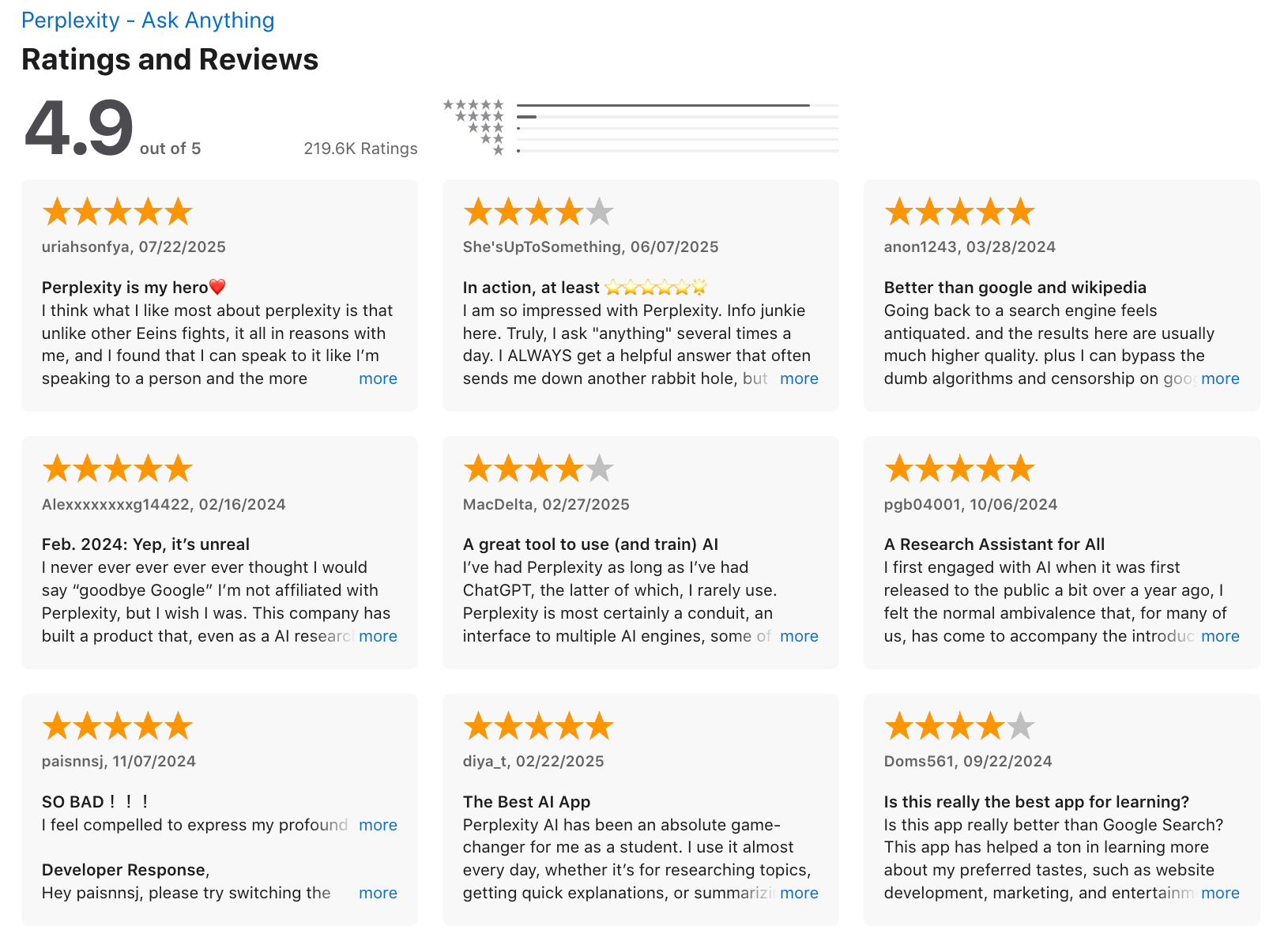
"Perplexity is genuinely helpful for quick answers and browsing—it’s fast, well-organized, and pulls in sources better than most. The interface is clean, and the overall experience is smooth." - verified review
Cons
- It helps you understand things, not manage to-dos or execution.
- Best for answers, not for messy ideation or emotional processing.
"In longer conversations, the AI can suddenly behave as if nothing was said before the current answer: it forgets details, contradicts itself, and ignores previously agreed steps and instructions." - verified review
Pricing
- Free: Core search and answers
- Pro: ~$20/month (or yearly discount)
Suitable for
- Professionals who want a research co-pilot to get trusted answers without the chaos of open tabs.
Perplexity reviews (source)
How to get started
- Go to perplexity.ai, try a few questions to see if it fits your workflow.
3. ChatGPT
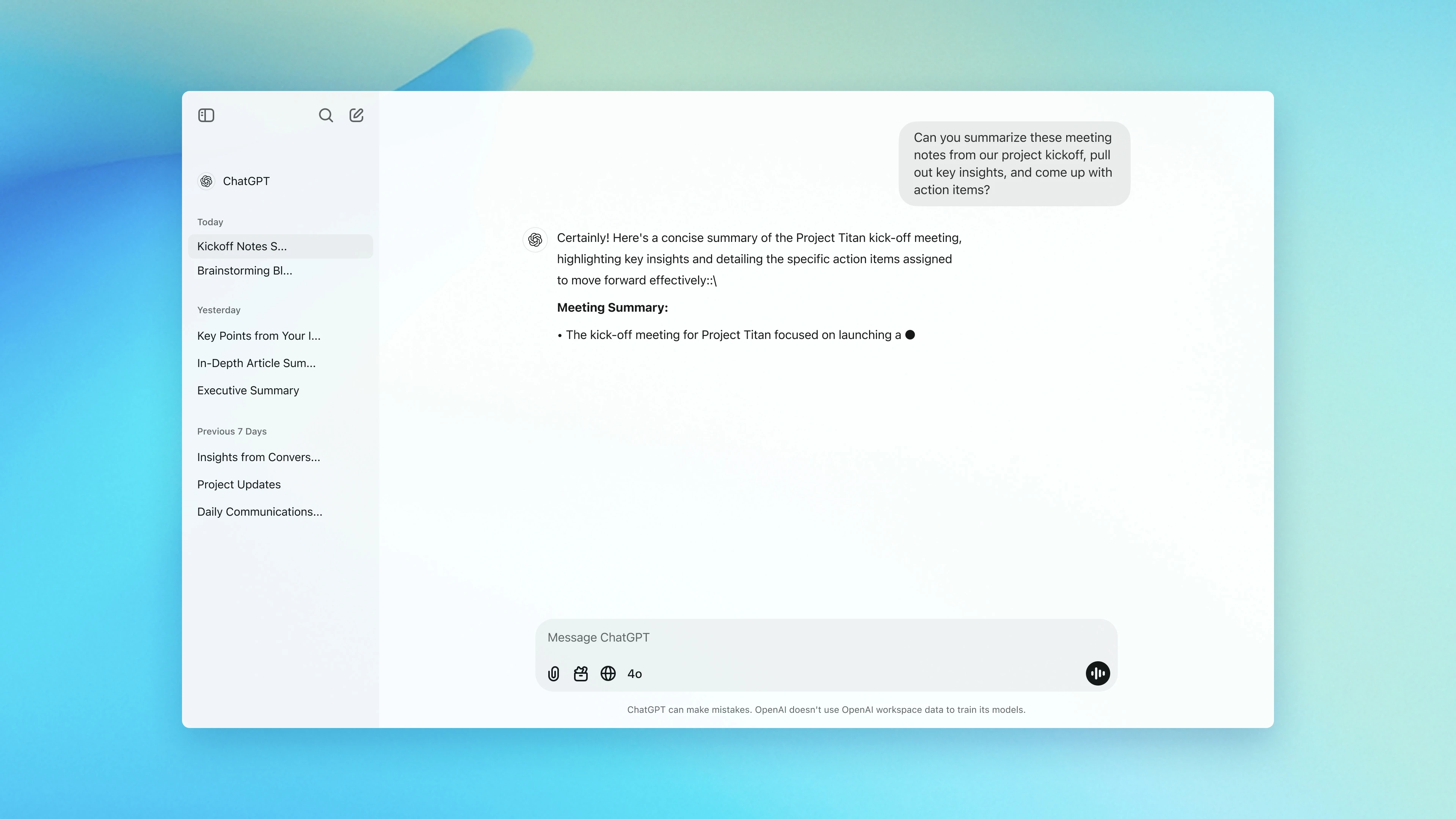
ChatGPT is a conversational AI assistant from OpenAI that helps you organize thoughts, break down tasks, and manage daily overwhelm. While it’s not a calendar or to-do list app like Saner.AI, it acts like a thinking partner, making it easier to tackle executive dysfunction and information overload.
Key Features
- Turn messy to-do lists into prioritized, step-by-step plans
- Get help with prioritizing, planning, and shifting out of black-and-white thinking
- Use ChatGPT as a non-judgmental voice to talk through mental blocks or anxiety
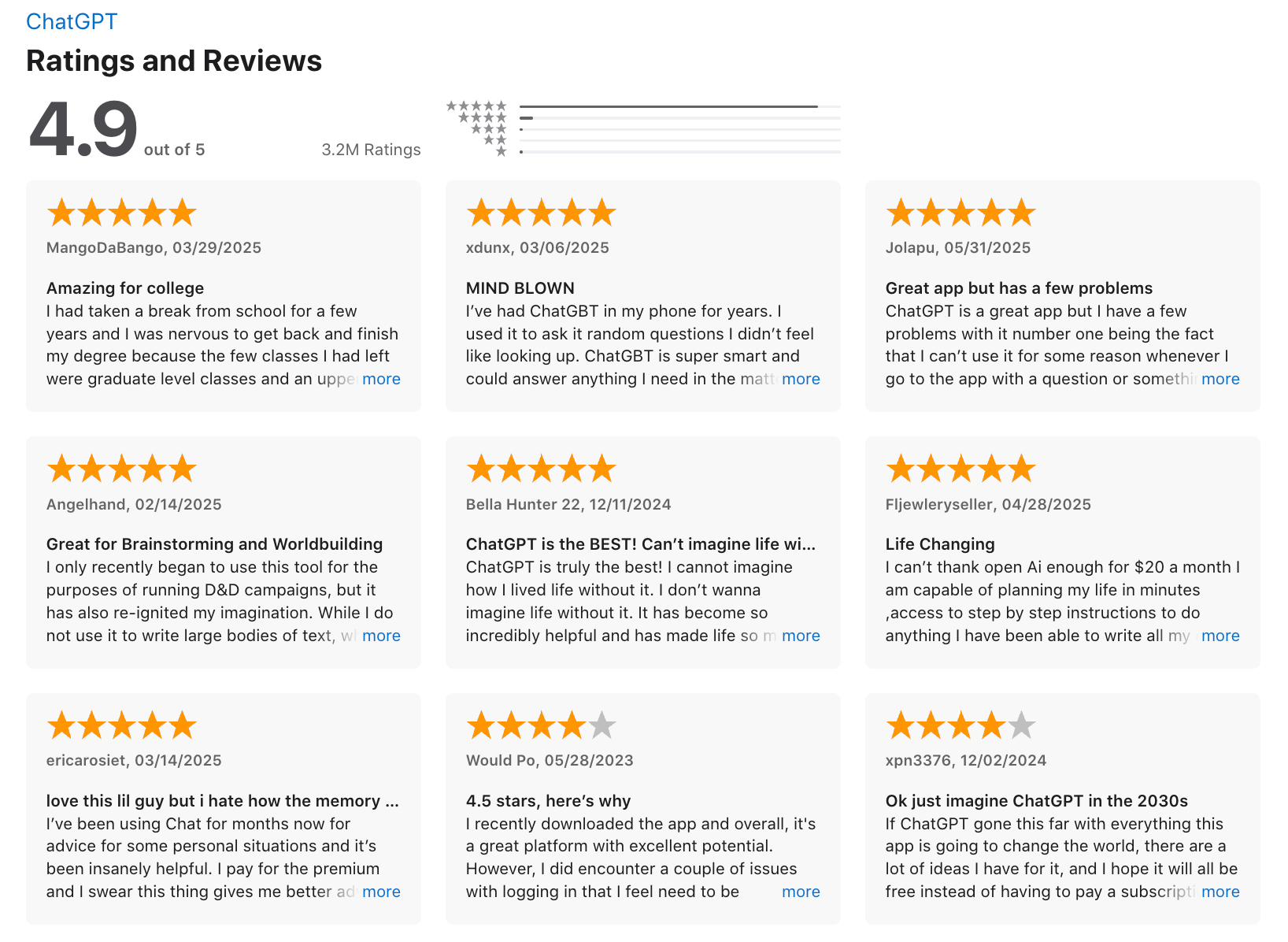
" I can turn a 1-hour agenda into a tighter 45-minute session in just a few minutes. It’s also useful for coding tasks, research, and drafting content across different parts of my work." - verified review
Pros
- You just type or paste, no setup, no structure required. Great for brain dumps and “help me think” moments.
- One tool for planning, writing, learning, and ideation. Useful when ADHD makes juggling many apps overwhelming.
- Instant responses help maintain momentum and reduce the drop-off between intention and action.
"The thing I like most is how easy and understandable its explanations are. I really appreciate its “not giving up” approach. I also like the UI and the way it answers any question. It’s very, very beginner-friendly." - verified review
Cons
- There’s no built-in task manager or calendar like other AI assistants - it won’t automatically schedule things for you
- You can’t rely on it for health or therapy advice - it can give helpful suggestions, but it’s not a professional
"The app constantly changes its own answers, even within the same conversation." - verified review
"Instead of helping you dive deep, it keeps you dangling in a shallow pool of generic fluff." - verified review
Pricing
- Free basic plan available
- ChatGPT Plus plan: $20/month (includes access to GPT-5.2 with faster responses)
Suitable For
- Adults with ADHD who want help breaking through task paralysis and overwhelm
- Students and professionals who need help organizing thoughts and planning
ChatGPT Review (source)
How to Start
- Create a free account at chat.openai.com
- Start with simple prompts like “Break this task into tiny steps” or “Help me decide the next action”
4. Goblin
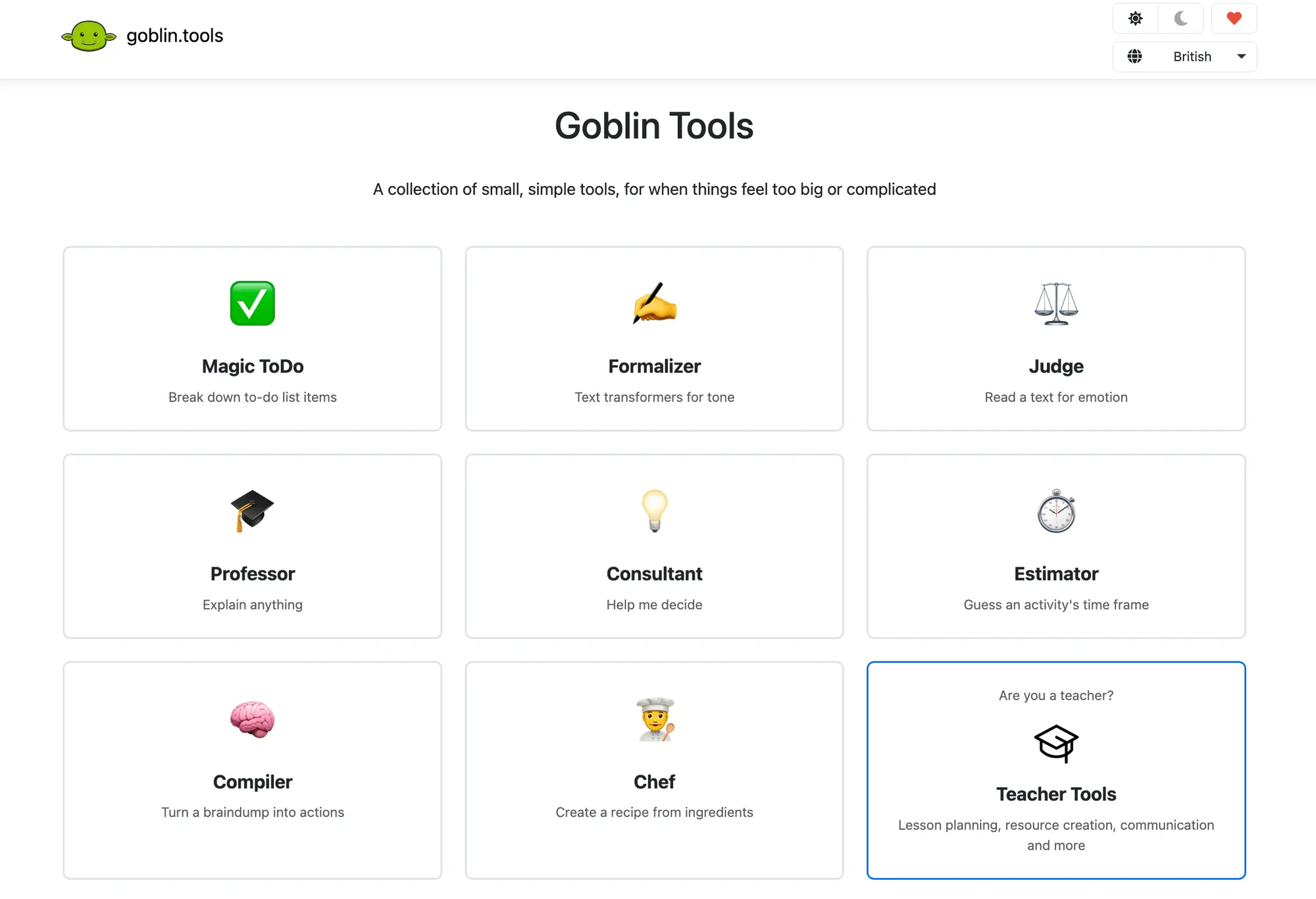
Goblin.tools is a suite of lightweight AI helpers designed specifically for neurodivergent users. It breaks down overwhelming tasks, translates tone, organizes thoughts, and helps with everyday executive functioning - without complex interfaces or distractions.
Key features
- Turns vague or overwhelming tasks into bite-sized steps
- Gives realistic time estimates for how long a task will take
- Converts messy braindumps into actionable checklists
- Rewrites your message in a chosen tone (formal, friendly, assertive, etc.)
- Analyzes the emotional tone and intent of messages
Pros
- Neurodivergent-first design that doesn’t overwhelm
- Magic ToDo is genuinely helpful for breaking large chores into small, doable steps
- Chef is a nice bonus for ADHD meal planning
"This helps me a lot in breaking tasks into more manageable sub-tasks, making it easier to brainstorm new ideas and understand them deeply" - verified review
Cons
- The mobile app can be buggy - occasional crashes and screen refresh issues
- Doesn’t include scheduling, reminders, or calendar sync - purely focused on task clarity
- AI tone tools aren’t always accurate - it helps, but still requires judgment
- Not built for knowledge management or task management
Pricing
- Free to use on the web
- Mobile app is a one-time purchase (~$1.99) or subscription, depending on the platform
Suitable for
- Individuals with ADHD, autism, or executive dysfunction who want quick AI support to plan tasks, clarify tone, or get unstuck
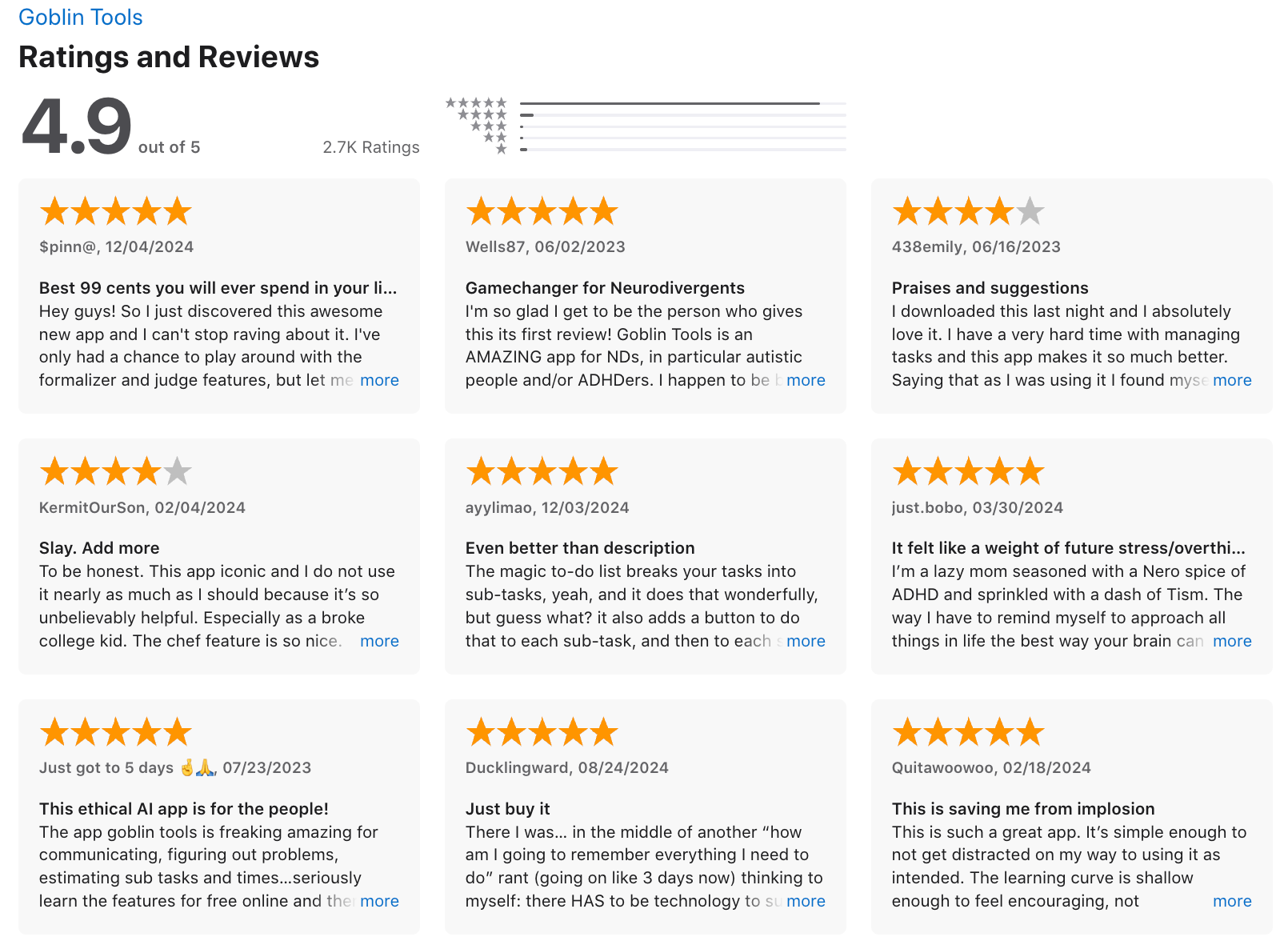
Goblin reviews (source)
How to start
- Head to goblin.tools to use it for free, or download the mobile app if you want it on the go.
5. Pi.ai
Pi is a conversational AI designed to be supportive, calm, and reflective rather than task-driven. For AI for ADHD, Pi works more like a thinking companion you talk things through with feelings, decisions, motivation, or overwhelm.
It’s not built for productivity systems or workflows, but it helps reduce mental noise by slowing your thoughts down. You use it mainly for conversation, self-reflection, and gentle guidance.
Key Features
- Pi is tuned to respond with empathy and warmth. This helps when ADHD overwhelm is emotional, not logistical.
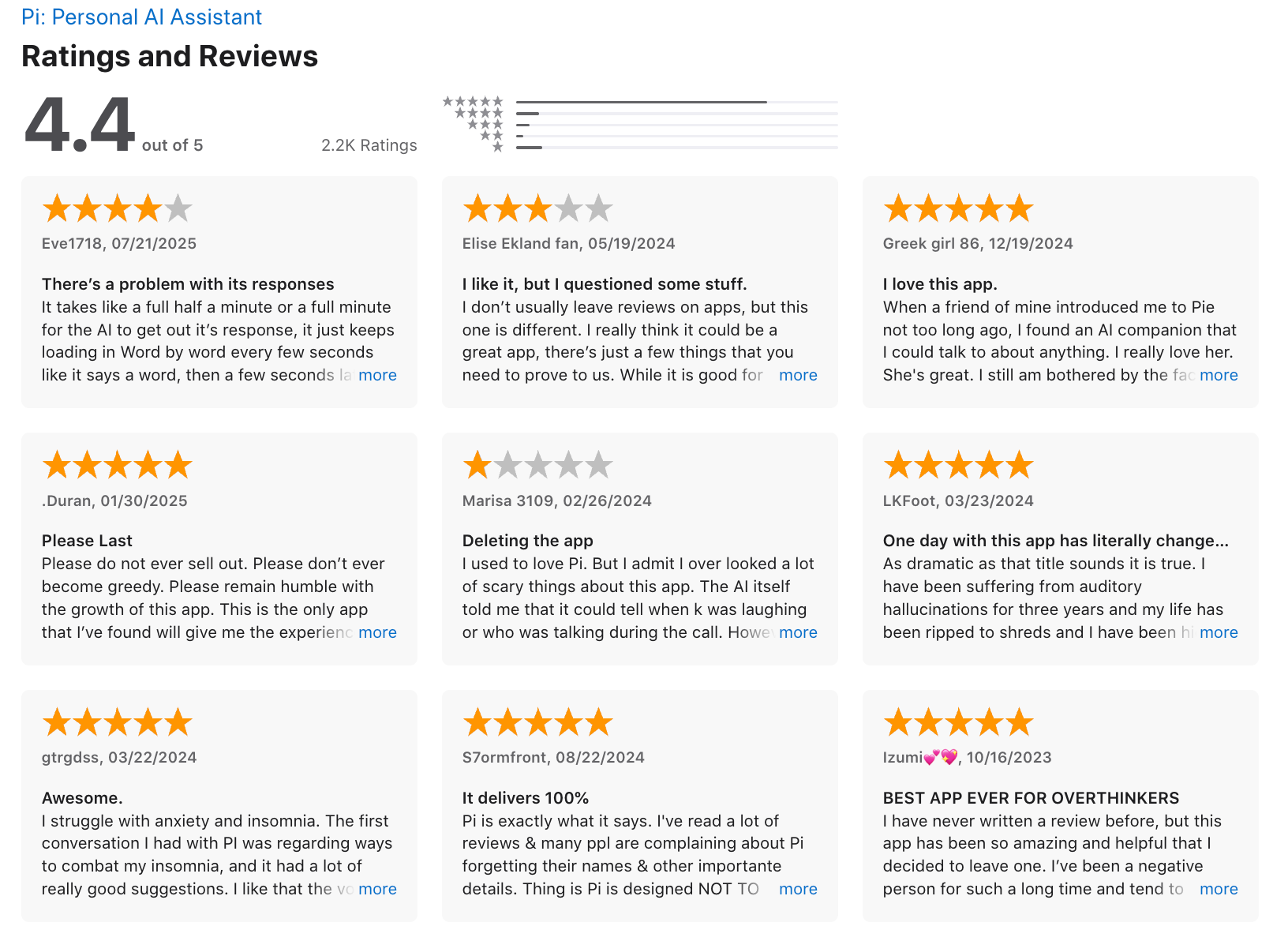
"Because of it's human like feel and it's non-judgemental and caring attitude, I've found pi.ai unbelievably helpful to talk to about minor problems or upsets that aren't significant enough to hold onto until my next therapy session." - verified review
- Responses feel calm and supportive rather than instructional.
- Designed for ongoing conversation rather than one-off prompts. It remembers conversational context within a session.
Pros
- Feels like talking to a thoughtful friend
- Helps me untangle mental clutter with gentle questions
- Useful when I feel stuck or can’t organize thoughts out loud
- Easy to access on phone or desktop, no learning curve
"I have been talking with Pi, for about 1 year and a half now and it has been a great help to me as an older person." - verified review
Cons
- Doesn’t handle tasks, reminders, or scheduling
- No integrations with Google Calendar, Notion, or task managers
- Not useful for breaking down big tasks into small chunks
- Can’t delegate actions or automate routines
"Poor memory, loses track of the conversation, quickly makes it apparent that it has extreme limitation." - verified review
Pricing
- Free to use across platforms (web, iOS, Android)
Suitable for
- Adults with ADHD, students, or professionals who need an emotionally supportive AI to talk through plans, calm down during stressful moments, or reflect on what’s going on in their day.
- Less suitable for those who want task automation or productivity-focused AI.
Pi.ai review (source)
How to get started
- Go to heypi.com and open Pi
- Start with prompts like “I feel overwhelmed and don’t know where to start”
Final thoughts: choosing the right AI apps for ADHD (in 2026)
There’s no single best AI app for ADHD - because ADHD brains don’t work the same way. What matters isn’t how “powerful” an AI tool looks on paper, but how well it fits your thinking style, energy level, and daily friction points.
Some people need a proactive AI assistant that turns mental chaos into a clear, realistic plan - this is where Saner.AI stands out. It’s built for brain-dumping, task initiation, and context-aware daily planning, which are common pain points for ADHD.
Others benefit more from conversational AI tools like ChatGPT or Perplexity - great for writing, research, and thinking things through out loud.
If overwhelm is your main blocker, Goblin.tools helps break tasks into non-intimidating steps, while Pi.ai offers calm, supportive check-ins when motivation dips.
The truth is: the best ADHD AI apps don’t try to change how you work—they adapt to it.
What we recommend:
- ✨ Try 2 - 3 AI apps for ADHD from different categories (planner, chatbot, support tool)
- 🧪 Test them in real situations: planning your day, writing emails, starting hard tasks
- 🧠 Measure energy saved, not just time saved
If an AI app helps you feel more focused, less scattered, and more in control—that’s your best tool.
Stay on top of your work and life
AI for ADHD: Frequently Asked Questions
1. What is AI for ADHD?
AI for ADHD refers to artificial intelligence tools designed to support focus, planning, memory, and task follow-through. These tools reduce mental load by externalizing organization, reminders, and decision-making - areas where ADHD brains often struggle.
2. How does AI actually help people with ADHD?
AI helps by:
- Turning unstructured thoughts into clear next actions
- Reducing decision fatigue
- Providing gentle, timely reminders
- Minimizing app switching
Instead of relying on memory and willpower, AI acts as an external support system.
3. Is AI for ADHD clinically proven?
AI tools are not medical treatments, but they align well with evidence-based ADHD strategies such as:
- Externalizing working memory
- Breaking tasks into smaller steps
- Reducing cognitive friction
Many users find AI helpful as a daily functional aid, especially for executive dysfunction.
4. What types of ADHD challenges can AI support?
AI for ADHD is commonly used for:
- Task initiation and follow-through
- Planning and prioritization
- Time blindness and reminders
- Overwhelm from too many ideas
- Forgetting context between tasks
5. What are the best AI apps for ADHD?
Some of the most popular AI for ADHD tools include:
- Saner.AI - ADHD-friendly planning, notes, and task execution
- ChatGPT - Thinking partner, brainstorming, and explanations
- Perplexity - Fast research and summarization
- Goblin.tools - Task breakdown for executive dysfunction
- Pi.ai - Emotional support and reflection
Each tool supports ADHD differently.
6. How is Saner.AI different from other AI for ADHD tools?
Saner.AI is built around doing, not just chatting. It combines:
- Notes, tasks, and calendar in one place
- Brain-dump → structured tasks automatically
- Context-aware reminders
- Minimal setup, no complex systems
This makes it especially helpful for ADHD users who struggle with maintaining rigid productivity systems.
7. Can AI help with ADHD task initiation?
Yes. One of the biggest benefits of AI for ADHD is reducing the friction of starting. Tools like Saner.AI or Goblin.tools help by:
- Breaking tasks into small, clear steps
- Suggesting a “next action” instead of a vague goal
- Removing the need to plan before acting
8. Does AI for ADHD help with time blindness?
AI can support time awareness by:
- Surfacing tasks at the right moment
- Nudging you before deadlines - not after
- Helping plan realistic schedules
Calendar-aware tools like Saner.AI are particularly useful here.
9. Is AI better than traditional to-do lists for ADHD?
For many people with ADHD, yes. Traditional to-do lists require:
- Manual organization
- Constant updating
- Remembering to check them
AI reduces this effort by organizing automatically and responding to natural language.
10. Can AI reduce overwhelm for ADHD?
Yes - when designed correctly. AI helps reduce overwhelm by:
- Holding information so your brain doesn’t have to
- Filtering what matters now vs later
- Turning large projects into manageable steps
The key is fewer features, not more.
11. Are there free AI tools for ADHD?
Yes. Many AI for ADHD tools offer free plans:
- Saner.AI - Free plan with task reminders and AI search
- ChatGPT - Free version for brainstorming and planning
- Goblin.tools - Free task breakdown tool
Free plans are often enough to test what works for you.
12. Can AI replace an ADHD coach?
AI can’t replace human coaching or therapy, but it can:
- Support daily execution
- Reinforce routines
- Reduce reliance on memory
Many people use AI as a between-sessions support tool.
13. Is AI for ADHD safe to use daily?
Generally yes, as long as:
- You treat it as a support tool, not a crutch
- You avoid over-optimizing or micromanaging your system
- The tool respects privacy and data security
Used well, AI should simplify - not control your workflow.
14. How should someone with ADHD start using AI?
Start small:
- Dump thoughts instead of organizing them
- Ask AI to break down one task
- Use reminders for things you usually forget
Once that feels helpful, expand gradually.
15. What’s the best AI for ADHD if I struggle with consistency?
Consistency is where many ADHD tools fail. AI tools like Saner.AI work well because:
- You don’t need perfect input
- Messy notes are okay
- The system adapts to how you think
The best AI for ADHD is the one that still works on low-energy days.
Stay on top of your work and life