
Honest Akiflow Reviews (2026): Is It Worth $34/Month?

Akiflow has one honest pitch: your tasks are scattered across too many apps, and that's costing you focus. It pulls everything into one place, lets you time-block your day from a single calendar view, and gives keyboard shortcuts for almost everything. For people drowning in tabs, that sounds like a lifeline.
But Akiflow costs $34/month on a monthly plan, has no free tier, and a growing number of users are reporting billing nightmares, buggy mobile apps, and integrations that don't work as advertised.
So the real question isn't whether Akiflow does what it says. It's whether what it does is worth the price, and whether there isn't a smarter, cheaper way to get the same result.
Key Takeaways
- Akiflow does task consolidation and time-blocking well, especially for keyboard-first power users on desktops
- The mobile app is unreliable and considered by many users as an afterthought, not a real product
- Billing practices are a recurring complaint: users report being charged without notice and struggling to get refunds
- There's no free plan, and the 7-day trial is too short to properly evaluate a tool this complex
- For users who need their context (notes, research, emails) connected to their tasks, Akiflow leaves a real gap, which tools like Saner.AI fill better
Akiflow at a Glance
| Category | Score |
|---|---|
| Ease of Use | 3.8 / 5 |
| Features | 3.9 / 5 |
| Value for Money | 3.2 / 5 |
| Mobile Experience | 2.5 / 5 |
| Customer Support | 4.0 / 5 |
| Integrations | 3.6 / 5 |
| AI Capabilities | 2.8 / 5 |
| Overall | 3.4 / 5 |
What Is Akiflow?
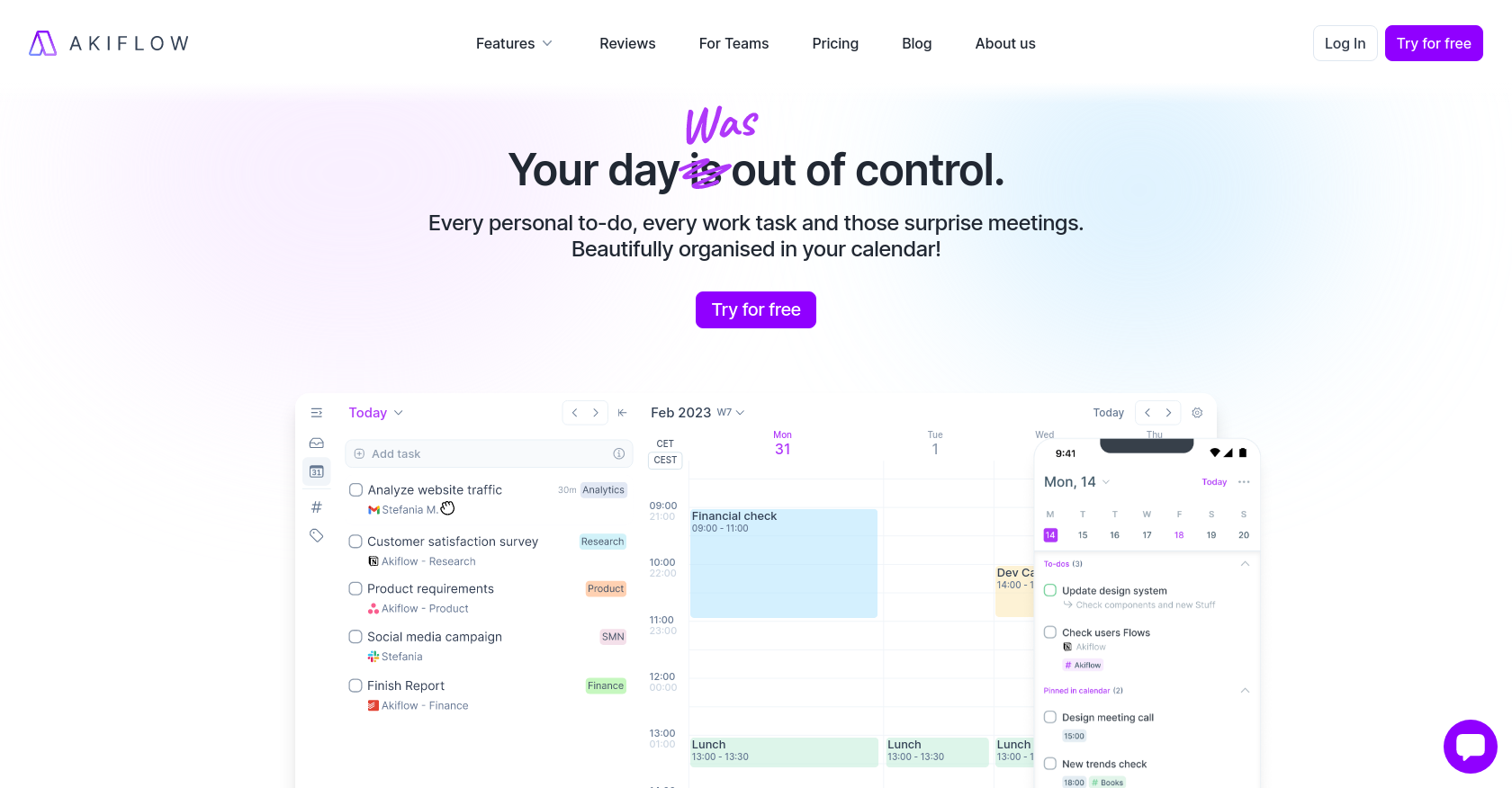
Akiflow is a desktop-first daily planner that combines tasks and calendar into one view. The idea is that instead of checking Gmail for flagged emails, Slack for pinned messages, Asana for assigned tasks, and your calendar for meetings, you open Akiflow and see all of it together. You triage the inbox, drag tasks onto your calendar, and go execute.
The tool was built by a team of workflow-obsessed engineers who wanted something faster than most task managers. The keyboard shortcuts are central to how it works - nearly every action has a hotkey, and the Command Bar lets you create, schedule, move, and snooze tasks without touching your mouse. On paper, this is genuinely useful. In practice, it works well on desktop and falls apart when you leave your desk.
Core features include:
- Universal Inbox: pulls tasks from 30+ apps (Gmail, Slack, Asana, ClickUp, Notion, Todoist, Jira, and more) into one triage view
- Time blocking: drag tasks onto a calendar view, and they sync back to your Google Calendar or Outlook
- Daily Rituals: an optional morning planning and evening shutdown workflow
- Aki AI: an AI assistant that can handle commands, send schedule summaries, and manage recurring workflows
- Share Availability: a built-in scheduling feature that replaces Calendly for simple availability sharing
- Command Bar: a keyboard-first interface for handling everything without a mouse
Akiflow Features Breakdown
Universal Inbox
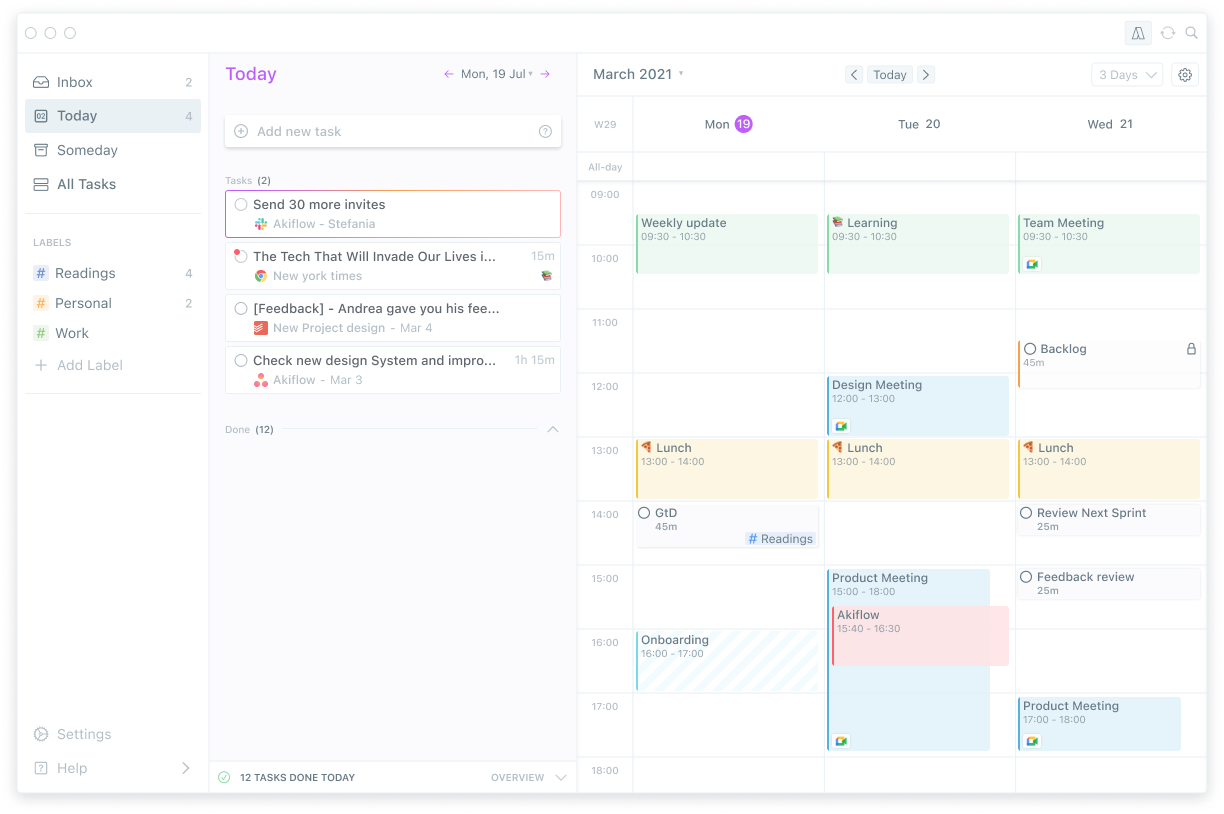
The Universal Inbox is the main reason people try Akiflow. It automatically imports tasks from connected apps into a single triage view. Two-way sync means that when you update something in Akiflow, it reflects back in the source tool. For people who get tasks from five different places every morning, this genuinely saves time. Users on G2 highlight this as the feature that keeps them subscribed.
The limitation is depth. Not all integrations are equally robust, and some of the syncs are one-way in practice.
"The integrations with Slack and ClickUp are okay (only one-way), and they can get confusing - new tasks appear when you flag messages in Slack, for instance." - according to this review
Time Blocking
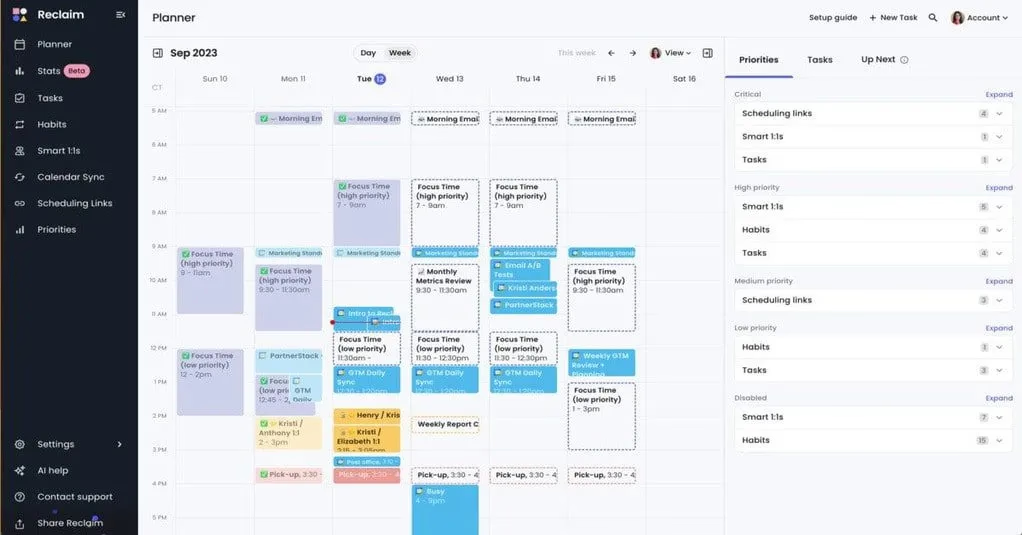
You drag tasks from your inbox onto a calendar view, and Akiflow blocks the time on your connected calendar so colleagues can see you're busy. It's one of the cleaner implementations of time-blocking in any productivity app. Recurring time slots let you pre-structure your week and fill them with tasks during your planning session.
Still, time blocking requires you to be the one doing the thinking. Akiflow doesn't auto-schedule - you have to manually place every task.
"There is a need for manual adjustment in time slots instead of the system being able to calculate and auto input the time values." — reviews
Keyboard Shortcuts and Command Bar
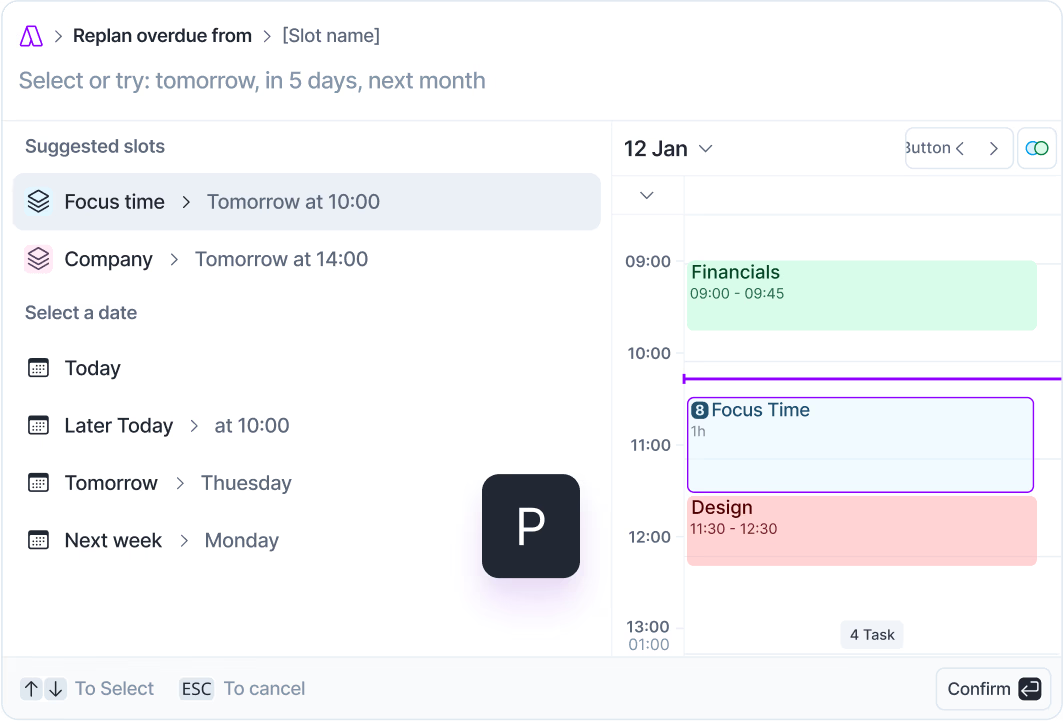
The Command Bar is where Akiflow earns its reputation among power users. You can create tasks, change priorities, move items between lists, and schedule blocks without touching the mouse. Once you learn the shortcuts, the speed is real.
"I become blazing fast with Akiflow's shortcuts so that I can focus on doing rather than organizing." — reviews
The problem: the learning curve is steep. New users frequently describe feeling overwhelmed.
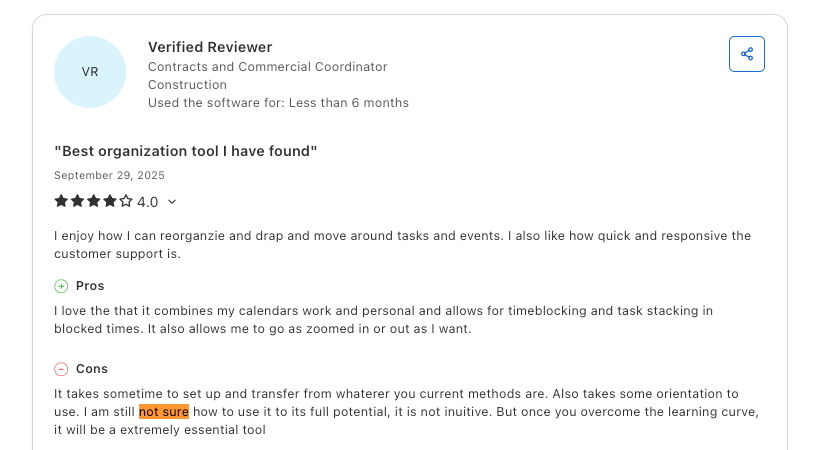
"I am still not sure how to use it to its full potential, it is not intuitive. But once you overcome the learning curve, it will be an extremely essential tool." — reviews
Aki AI Assistant
Akiflow has an AI feature called Aki that handles commands, sends proactive schedule summaries, and manages habit check-ins. It can reschedule conflicts and send weather or digest updates at set times. What it won't do is plan your day for you. If you're expecting Motion-style auto-scheduling where AI fills your calendar, Aki is not that.
Mobile App
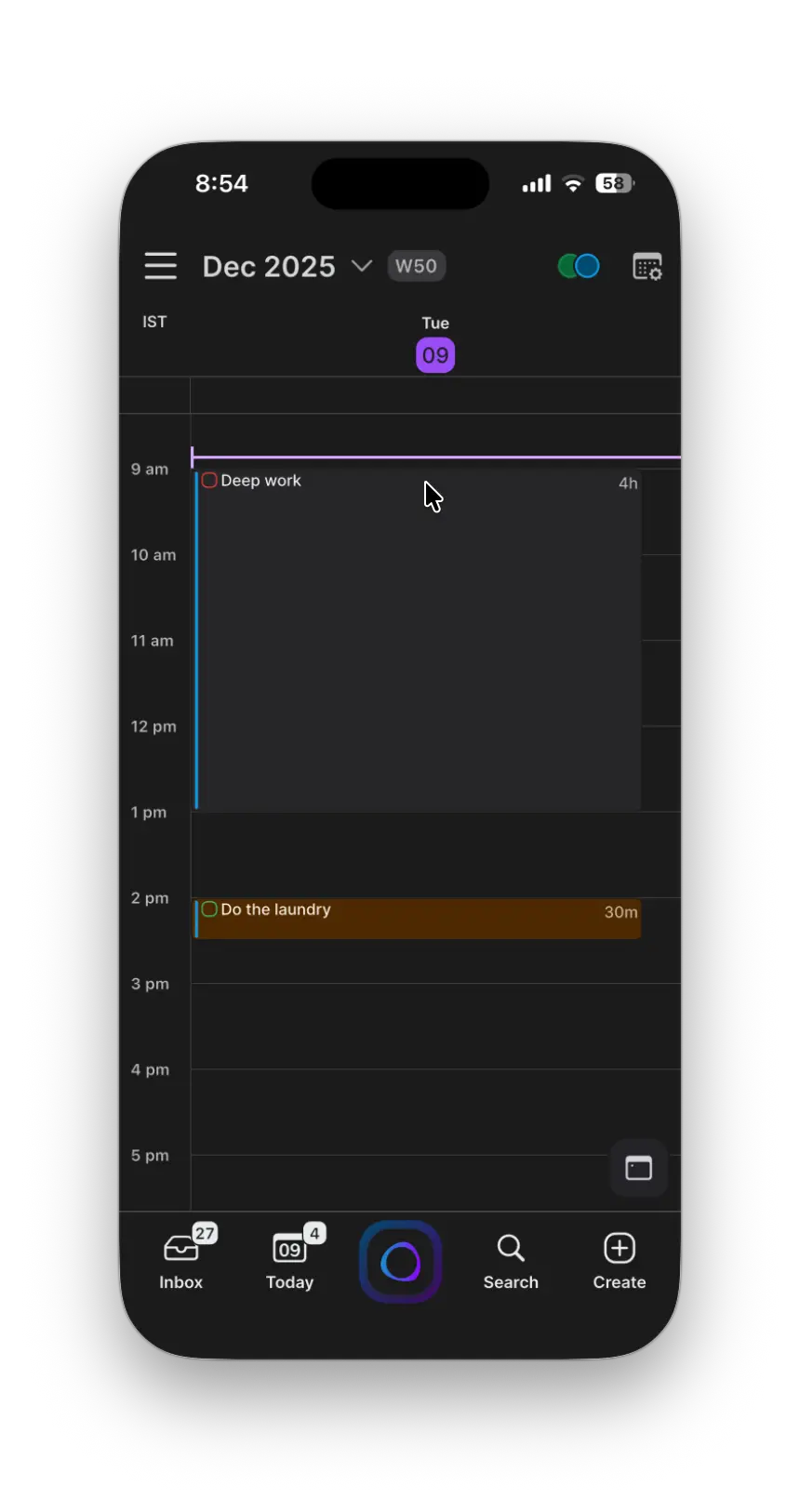
This is the weakest part of Akiflow's product. The desktop experience is polished and fast. The mobile app is lagging, buggy on some devices, and widely described as an afterthought.
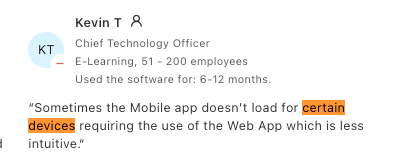
"Sometimes the mobile app doesn't load for certain devices, requiring the use of the Web App, which is less intuitive." — reviews
There's also no Apple Calendar support at all, which is a blocker for Mac and iPhone users who live in iCal.
"I am desperate for iOS apps to allow me to use Akiflow when I'm on the go or simply not at my desk." — reviews
Pricing Table
| Plan | Monthly Cost | Billed | Free Trial | Free Version |
|---|---|---|---|---|
| Monthly | $34/month | Monthly | 7 days | No |
| Annual | ~$19/month | Annually | 7 days | No |
| "Believer" | ~$8.33/month | Every 5 years | 7 days | No |
Payment methods: Credit card required even for the free trial.
Free plan: None.
Note: Akiflow uses purchasing power parity, so prices vary by country. The "Believer" plan is a hidden long-term option only visible in the billing section after signing up.
Akiflow Pros and Cons
| Pros | Cons |
|---|---|
| Universal inbox genuinely reduces tab-switching | No free plan; 7-day trial is short for a complex tool |
| Keyboard shortcuts are fast once you learn them | Mobile app is unreliable and under-developed |
| Clean, polished desktop experience | Billing practices have frustrated many users |
| Two-way sync with major task tools | No Apple Calendar / iCloud / CalDAV support |
| Onboarding call included | No subtasks or timed deadlines |
| Responsive support team on Slack | AI doesn't auto-schedule your day |
| Time blocking integrates directly with Google Calendar / Outlook | Some integrations are one-way despite being marketed as two-way |
| Purchasing power parity pricing available | No data export feature; users have lost tasks after losing account access |
What People Say
Akiflow tends to split its users cleanly. Power users on desktop who learn the shortcuts love it. People who need it on mobile, expect AI to do the heavy lifting, or deal with billing issues, do not.
The positives:
Users who commit to the daily rituals and keyboard-first workflow tend to stick around. The unified inbox is the most praised feature across review platforms.
"If you just want next-level task and calendar planning in one place, Akiflow is magic. If you need hardcore project management or free tools, look elsewhere." — reviews
The customer support team comes up positively in the onboarding experience.
"I had a few doubts and decided to contact their customer support. These days, a lot of products simply direct you to their FAQs... the team at Akiflow took the time to understand my concerns and responded extremely quickly." — reviews
The negatives:
Billing is the loudest complaint on Trustpilot and Reddit. Multiple users report being charged after cancellation with no advance notice.
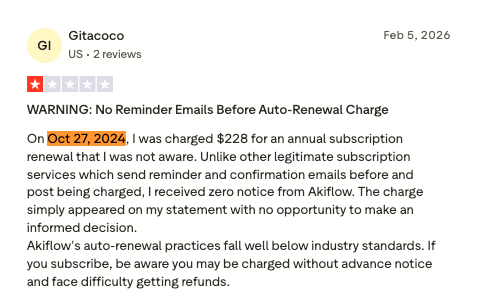
"On Oct 27, 2024, I was charged $228 for an annual subscription renewal that I was not aware of. Unlike other legitimate subscription services which send reminder and confirmation emails, I received zero notice from Akiflow." — reviews
Another user had a similar experience:
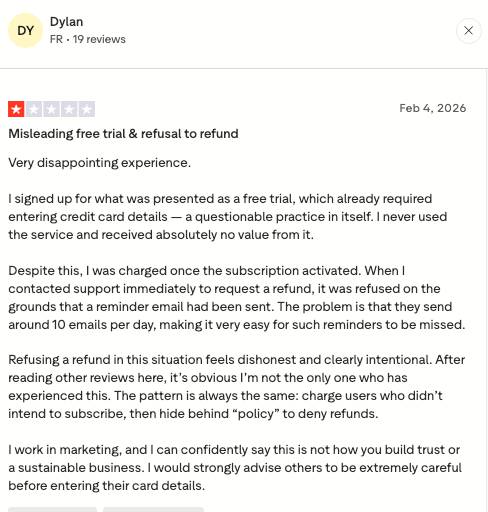
"I signed up for what was presented as a free trial, which already required entering credit card details — a questionable practice in itself. I never used the service and received absolutely no value from it. Despite this, I was charged once the subscription activated." — reviews
On the product side, the lack of basic features keeps coming up.
"There is no time component to deadlines for tasks — a fundamental feature. Akiflow is missing an industry standard for some reason." — reviews
A user from Product Hunt pointed to another real frustration:
"My biggest complaint is that the app doesn't support any kind of export for tasks. I lost access to my account last week and it was really stressful not having my tasks." — reviews
And for people juggling tasks across tools, some integrations fall short:
"For example, CalDAV support or simple support for creating Notion tasks from Akiflow — all these seem basic but don't exist here." — reviews
Who Is It Best For
Akiflow works well for:
- Freelancers and consultants who get tasks from many different client tools and need to consolidate them
- Power users who work primarily on desktop and will put in the time to learn the keyboard shortcuts
- Professionals who already know they want time-blocking and just need a faster, cleaner way to do it
- People who use Asana, ClickUp, Gmail, Slack, and want one place to see it all
- Users who have tried other to do list apps and found them either too rigid or not fast enough
Akiflow is not a good fit for:
- Anyone who works primarily from a phone or tablet
- Teams looking for shared project management, Kanban boards, or Gantt charts
- Users who want AI to actually auto-schedule their day, not just take commands
- Users who want AI to manage their notes, knowledge
- People on a budget or who want to test a tool before paying
- Anyone who needs Apple Calendar, CalDAV, or Fastmail support
- Knowledge workers whose work involves a lot of notes, research, and context around their tasks - Akiflow holds tasks but not the thinking behind them
Akiflow Alternatives Comparison
Akiflow vs Saner.ai
Saner.ai is built to solve more problems. Where Akiflow organizes tasks you already have, Saner.ai also does that AND helps you manage the context around those tasks - the notes, emails, and research that tell you why you're doing something and how. For knowledge workers, this is often the bigger bottleneck.
Saner.ai has an AI assistant (Skai) that can extract tasks from brain dumps, emails, and meeting notes, and turn them into structured action items. Then, if you want to reschedule your day, just ask.
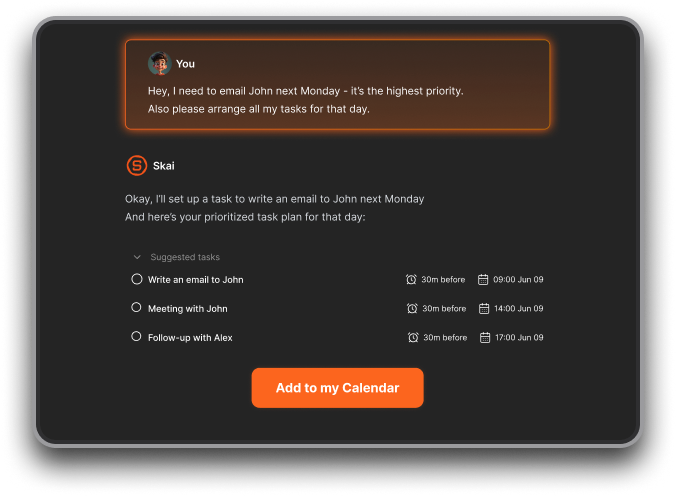
It also has a permanent free plan and starts at $8/month on paid tiers - compared to Akiflow's $19/month minimum with a 7-day trial.
And finally, if you feel like Akiflow is too complex, Saner.AI offers a simpler UI that most ADHD users really like and resonate with.
The gap becomes obvious when you're doing research-heavy or note-heavy work. With Akiflow, the task says "prepare client proposal." With Saner.ai, the notes, the email thread, and the relevant context are all attached to that task in the same workspace. And you can just ask AI to search for them in 10s
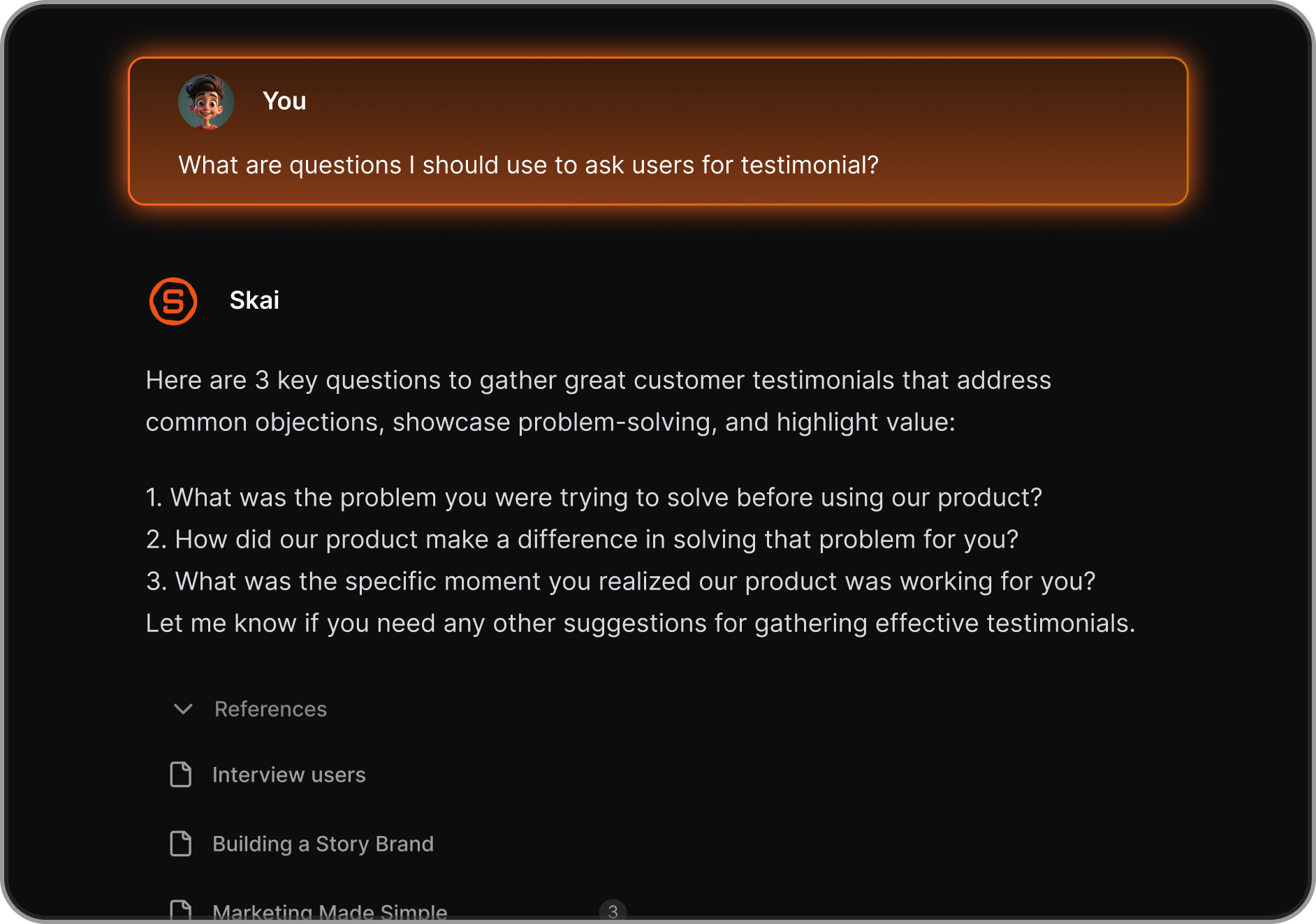
"Compared to other Akiflow alternatives, Saner feels more like an AI working partner than just a scheduling tool." — reviews
Akiflow vs Sunsama
Sunsama is the direct competitor in the calendar field. Both pull tasks from external tools and let you plan your day from a calendar view. Sunsama's approach is more guided - you go through a deliberate morning ritual, set time estimates, and commit to what you'll actually do. Akiflow is faster and more keyboard-centric.
Sunsama costs around $25/month, has a 14-day trial, and no free plan. Neither tool does AI auto-scheduling.
Akiflow vs Motion
Motion auto-schedules your day for you. You add tasks with durations and deadlines, and Motion fills your calendar automatically, rescheduling when things shift. This is fundamentally different from Akiflow's manual approach. Motion is better if you want the scheduling handled. Akiflow is better if you want control over where things go.
Akiflow vs Reclaim AI
Reclaim AI is closer to Motion - it finds time for tasks, deep work, and habits automatically. It also supports more calendar types, including iCloud. Reclaim is the better choice if you want AI calendar to protect your time without you having to manually drag tasks onto a calendar every day.
Side-by-Side Table
| Feature | Akiflow | Saner.ai | Sunsama | Motion |
|---|---|---|---|---|
| Free plan | No | Yes | No | No |
| Starting price | $19/mo (annual) | $8/mo (annual) | $20/mo | $19/mo |
| AI auto-scheduling | No | Partial | No | Yes |
| Mobile app quality | Weak | Good | Moderate | Good |
| Task + notes in one place | No | Yes | No | No |
| Apple Calendar support | No | Yes | Yes | Yes |
| Keyboard shortcuts | Excellent | Moderate | Basic | Basic |
| Free trial | 7 days | Permanent free tier | 14 days | 7 days |
| Knowledge management | No | Yes | No | No |
Final Verdict
Akiflow is a good desktop tool for a specific type of person: organized, keyboard-fluent, already juggling tasks across five apps, and willing to pay $34/month for something faster than their current setup. The universal inbox works. The time-blocking is clean. The shortcuts are real. If that's you, Akiflow delivers.
But there's a growing list of things it doesn't do. It doesn't auto-schedule. It doesn't handle your notes or context. It doesn't work reliably on mobile. It doesn't support Apple Calendar. It doesn't have subtasks or timed deadlines. And if you're not careful, it'll charge your card without warning and make it hard to get your money back.
For people who need their tasks connected to their thinking - the notes, the emails, the "why this matters" - Akiflow isn't built for that. Saner.ai is. And Saner.ai also has a free plan, which means you can figure out whether it sticks before putting a credit card anywhere near it.
If you're a desktop power user who loves keyboard shortcuts and just needs one inbox for all your tasks: try Akiflow. If you're a knowledge worker who needs your tasks to actually connect to your work - not just organize it - start with Saner.ai.

Stay on top of your work and life, easily
FAQ on Akiflow reviews:
Does Akiflow have a free plan? No. Akiflow has a 7-day free trial, but you need to enter a credit card to start it. After the trial, you're on a paid plan. There's no permanent free tier. Several users have reported being charged immediately after the trial without a clear notification.
What is Akiflow's pricing in 2026? Monthly plan is $34/month. The annual plan runs approximately $19/month billed upfront.
Does Akiflow work on mobile? It has iOS and Android apps, but they're widely described as underdeveloped compared to the desktop experience. Multiple reviewers note that the mobile app sometimes fails to load entirely and redirects users to a less functional web version.
What tools does Akiflow integrate with? Akiflow integrates with Google Calendar, Outlook, Gmail, Slack, Asana, ClickUp, Notion, Trello, Todoist, Jira, and others. However, some integrations are one-way despite being marketed otherwise, and there's no support for Apple Calendar, CalDAV, or iCloud.
Is Akiflow good for teams? Akiflow is primarily a personal productivity tool. It doesn't have shared project views, Kanban boards, Gantt charts, or real-time collaboration features. Some consultants use it to consolidate tasks from multiple client accounts, but it's not a team project management tool.
How does Akiflow compare to Saner.ai? Akiflow organizes tasks from external apps into a calendar-first view. Saner.ai connects tasks to the context around them - notes, emails, research - and uses AI to extract action items from messy inputs. Saner.ai also has a free plan and starts at $8/month on paid tiers. For knowledge workers who need an AI planner to understand their work, not just schedule it, Saner.ai is the stronger choice.
Is Akiflow actually worth the price? Depends heavily on how you work. If you're an individual contributor who gets tasks from five or six different tools every morning and you spend real time every day just figuring out what to work on, Akiflow probably is a good fit. Reddit users regularly describe the monthly rate as "really high" and "outrageously priced" compared to what competitors charge, and there's no free plan to test before committing. The people who stick with Akiflow tend to be those who already know they want time-blocking in a single desktop app and are willing to pay for a polished version of it. If that's not you yet, a cheaper or free tool like Saner.ai (which has a permanent free tier) might be a smarter place to start.
How steep is the learning curve with Akiflow? Steeper than most task managers. Akiflow is built around keyboard shortcuts and a Command Bar, which is genuinely fast once you know it, but it's not the kind of tool you open and figure out in an afternoon. New users frequently describe feeling overwhelmed by the number of options visible at once. The interface looks clean, but there's a lot happening under the surface.
What's a better alternative to Akiflow for knowledge workers? If your work involves a lot of notes, research, emails, and context around your tasks - not just a list of things to do - Akiflow leaves a real gap. It holds your tasks but not the thinking behind them. Saner.ai was built specifically for this. It connects tasks to notes, emails, and research in a single workspace, and its AI assistant (Skai) can pull action items directly out of brain dumps, meeting notes, or unstructured text. It also has a permanent free plan and starts at $8/month on paid tiers, which is considerably less than Akiflow's $19–34/month. And for people who want AI to actually auto-schedule their day (not just take commands), Motion or Reclaim AI are the tools to look at
Stay on top of your work and life



