
Akiflow vs Saner.AI for ADHD (2026): Which Planner Actually Fits an ADHD Brain?

The quick answer
- Akiflow is a fast, keyboard-driven inbox and calendar. It pulls tasks in from Slack, Gmail, Notion, and Asana, and you drag them onto your calendar yourself.
- Saner.AI is an AI assistant built for ADHD. It keeps your notes, email, tasks, and calendar in one place, drafts your day each morning, and reminds you about the things you forgot you had to do.
If you're already fairly organized and your main problem is that tasks live in eight apps, Akiflow is very good at what it does. If your real problem is that things fall out of your head, or you open a planner and freeze, Saner.AI fits an ADHD brain better.
Quick Guide:
Saner.AI has a free plan. Paid plans are $8 a month (Starter) or $16 a month (Standard) billed yearly.
Akiflow wins on integrations with work tools, keyboard speed, and visual time blocking.
Saner.AI wins on capture, memory, brain dumps, and doing the first draft of your day for you.
Pick Akiflow if your problem is where your tasks live. Pick Saner.AI if your problem is remembering they exist.
Akiflow vs Saner.AI: how do they compare side by side?
Akiflow | Saner.AI | |
|---|---|---|
Core idea | Universal inbox plus time blocking on a calendar | AI assistant that catches info and drafts your plan |
Free plan | No (7-day trial, card required) | Yes |
Price, billed yearly (USD/month) | $19 | $8 Starter, $16 Standard |
Price, billed monthly (USD/month) | $34 | $12 Starter, $20 Standard |
Who builds the daily plan | You, by dragging tasks onto the calendar | Skai drafts it, you edit |
Notes and ideas | Task notes only, not a notes app | Full notes, voice capture, search, auto-tags |
Brain dump to tasks | Type tasks one by one in the command bar | Dump a messy paragraph, Skai splits it into tasks |
Email to tasks | Star or flag an email and it lands in the inbox | Emails become tasks with reminders |
Calendars | Google, Outlook/Microsoft 365, iCloud | Google (two-way), Outlook |
Work tool integrations | Slack, Gmail, Notion, Todoist, Asana, ClickUp, Jira, Linear, Trello, GitHub, Zapier and more | Gmail, Outlook, Slack, Google Drive, Google Calendar |
AI assistant | Aki, plus scheduled AI workflows and MCP | Skai, which reads your notes, email and calendar |
Rituals | Light daily and weekly rituals | No formal ritual; Skai sends a morning plan |
Best fit | Organized people with scattered tools | Forgetters, brain-dumpers, people who freeze at a blank plan |
In Akiflow, you collect tasks and build the plan by hand. In Saner.AI, Skai drafts the plan, and you edit it.
Prices as listed in November 2026. Confirm on Akiflow's pricing page and Saner.AI's pricing page. Check both before you buy, since plans change.
Why is planning so hard with ADHD?

Because most planner apps assume you can hold things in mind, sense how long things take, and get started on your own. ADHD makes all of that harder.
- Working memory is smaller and leakier. A meta-analysis of 38 studies found moderate working memory gaps in adults with ADHD, for both verbal and visual-spatial tasks (Alderson et al., Neuropsychology 2013).
- Time is slippery. A 2021 meta-analysis of 55 studies found timing deficits in people with ADHD across every type of timing task it looked at (Marx et al., 2021).
- Structure helps, and it can be learned. In a randomized trial of 88 adults, a 12-week program built around time management, organization and planning beat supportive therapy (Solanto et al., American Journal of Psychiatry 2010).
So a good ADHD app holds information for you, so your working memory doesn't have to. It also makes the plan easy to start, because a blank day is where a lot of us stall.
That's the lens for this comparison. Akiflow assumes you'll show up and sort your inbox every day. Saner.AI assumes you sometimes won't, and tries to catch you anyway.
What does Akiflow offer people with ADHD?
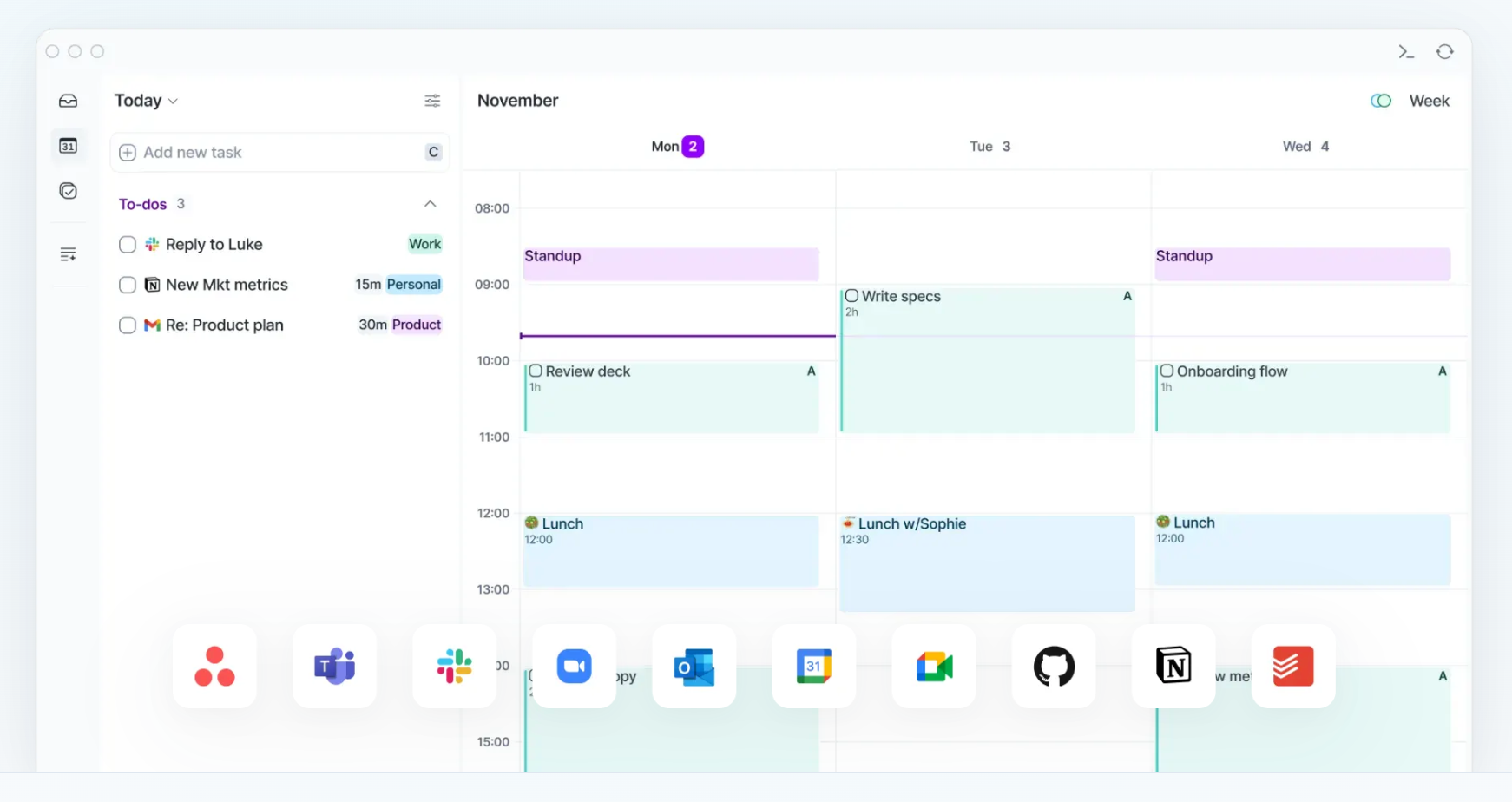
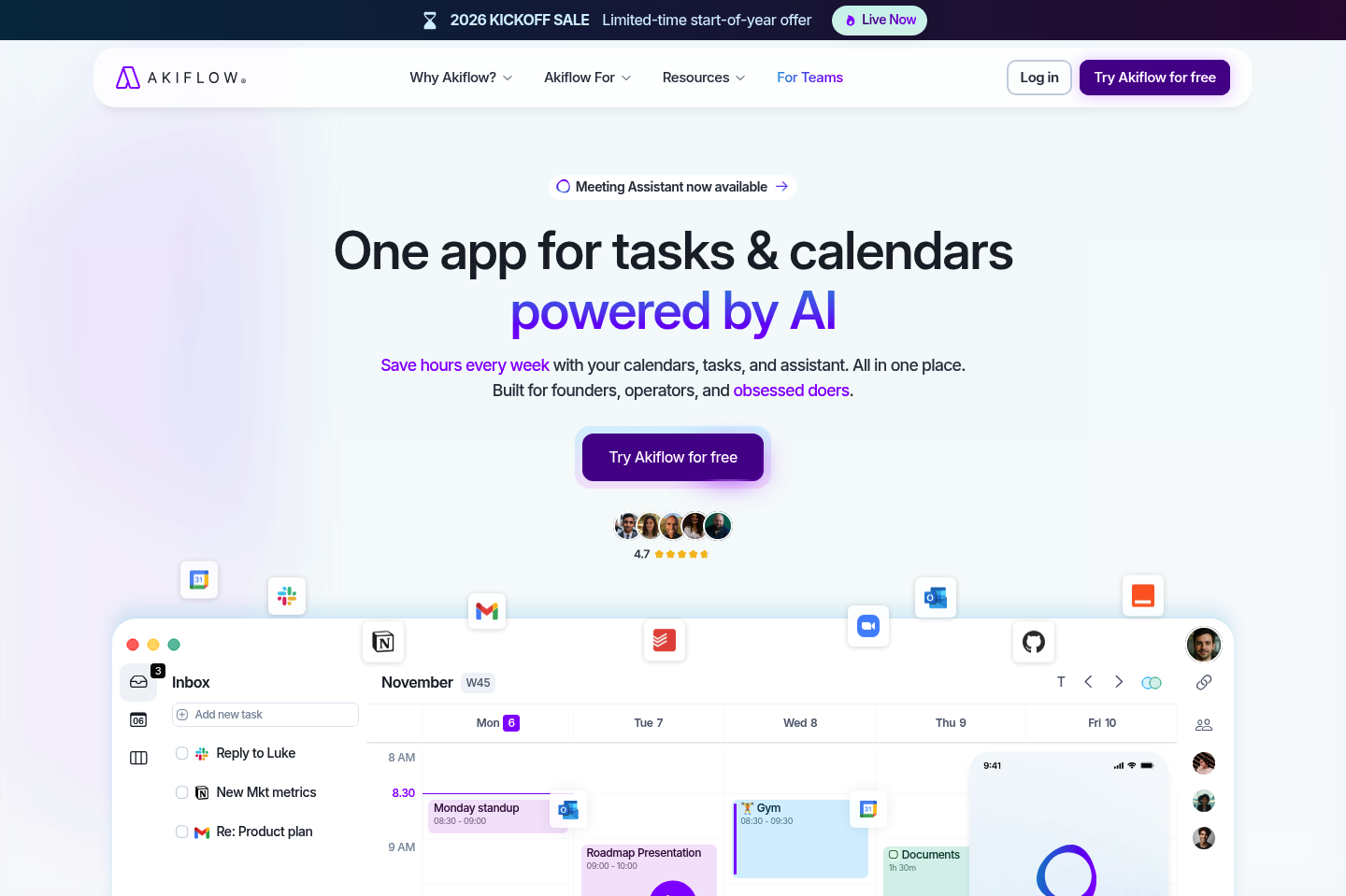
Akiflow is a planner for people whose work arrives from everywhere. Its big idea is a universal inbox: tasks from your other tools land in one list, and you drag them onto a calendar to time-block your day.
What you actually get:
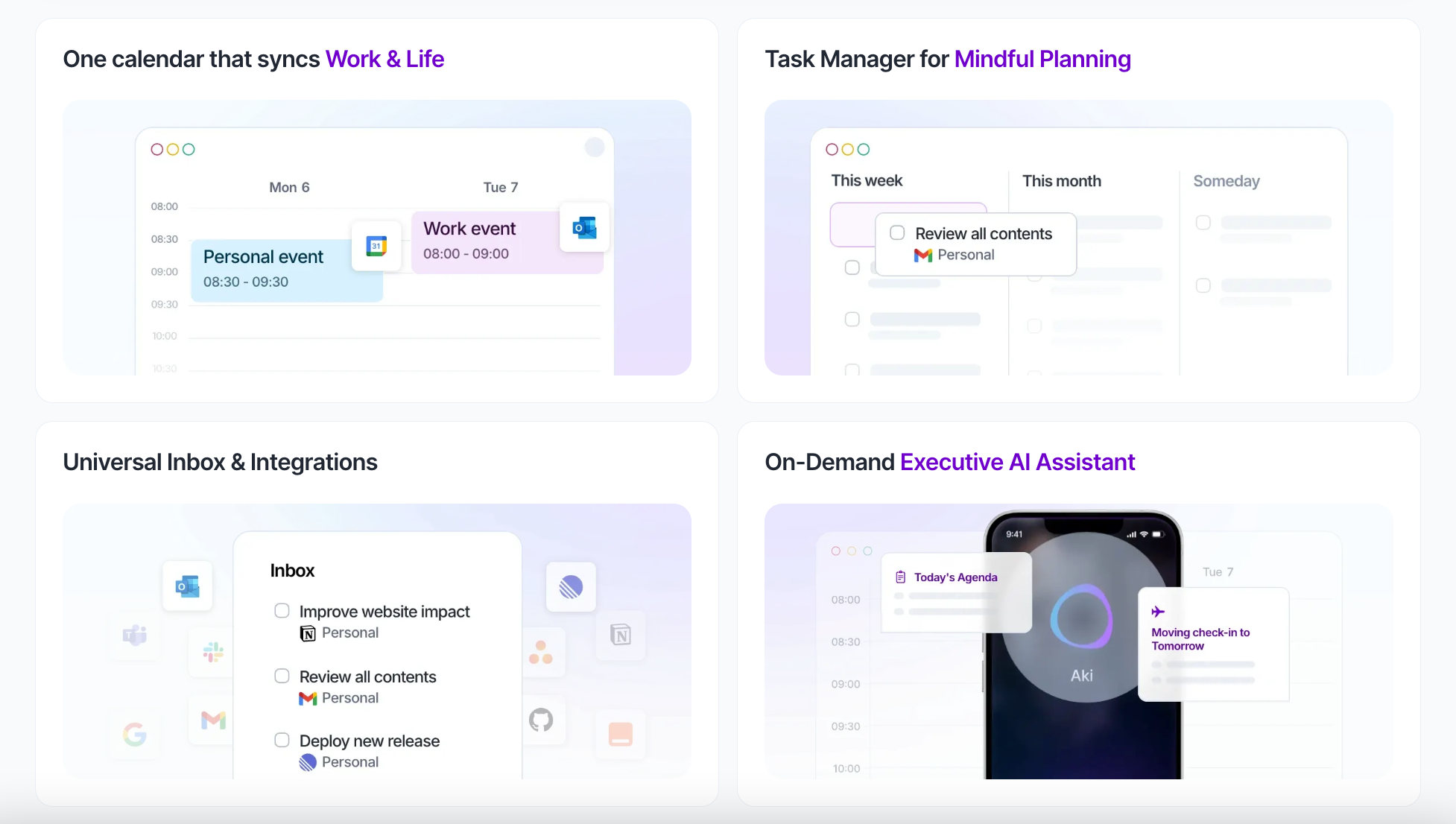
- A universal inbox that pulls tasks from Slack, Gmail, Notion, Todoist, Asana, ClickUp, Jira, Linear, Trello, GitHub, Outlook, and Teams, plus Zapier and IFTTT for everything else.
- A command bar for capturing and rescheduling without touching the mouse. It understands plain phrases like "call the vet tomorrow at 9".
- Time blocking on a calendar that combines Google, Outlook/Microsoft 365, and iCloud accounts.
- Aki, an in-app AI assistant you can also message on WhatsApp, plus AI workflows that send you scheduled summaries or check-ins.
- Light daily and weekly rituals, a focus timer, availability sharing for booking links, and an Apple Watch app.
- Apps for web, macOS, Windows, iOS, and Android.
Price: $19 a month billed yearly or $34 billed monthly, after a 7-day trial that needs a card.
Why Akiflow clicks for some ADHD brains: if your anxiety comes from "I know there's a task buried in Slack somewhere", one inbox takes a lot of that weight off. Fast keyboard capture also helps when an idea shows up, and you have about four seconds before it's gone.
Akiflow cons for ADHD
- No free plan. $228 a year is real money, and a 7-day trial is short for a tool you have to build a habit around.
- It only works if you process the inbox. Connect ten tools and the inbox can fill faster than you can sort it, which is exactly the kind of pile that makes ADHD brains shut down.
- You build the plan yourself, every day. Aki and the rituals help, but nobody drafts your day for you.
- You have to estimate how long tasks take before you block them. That's the skill the timing research says is shaky for us.
- It isn't a home for ideas, meeting notes or reference material, so you still need a second app.
What does Saner.AI offer people with ADHD?
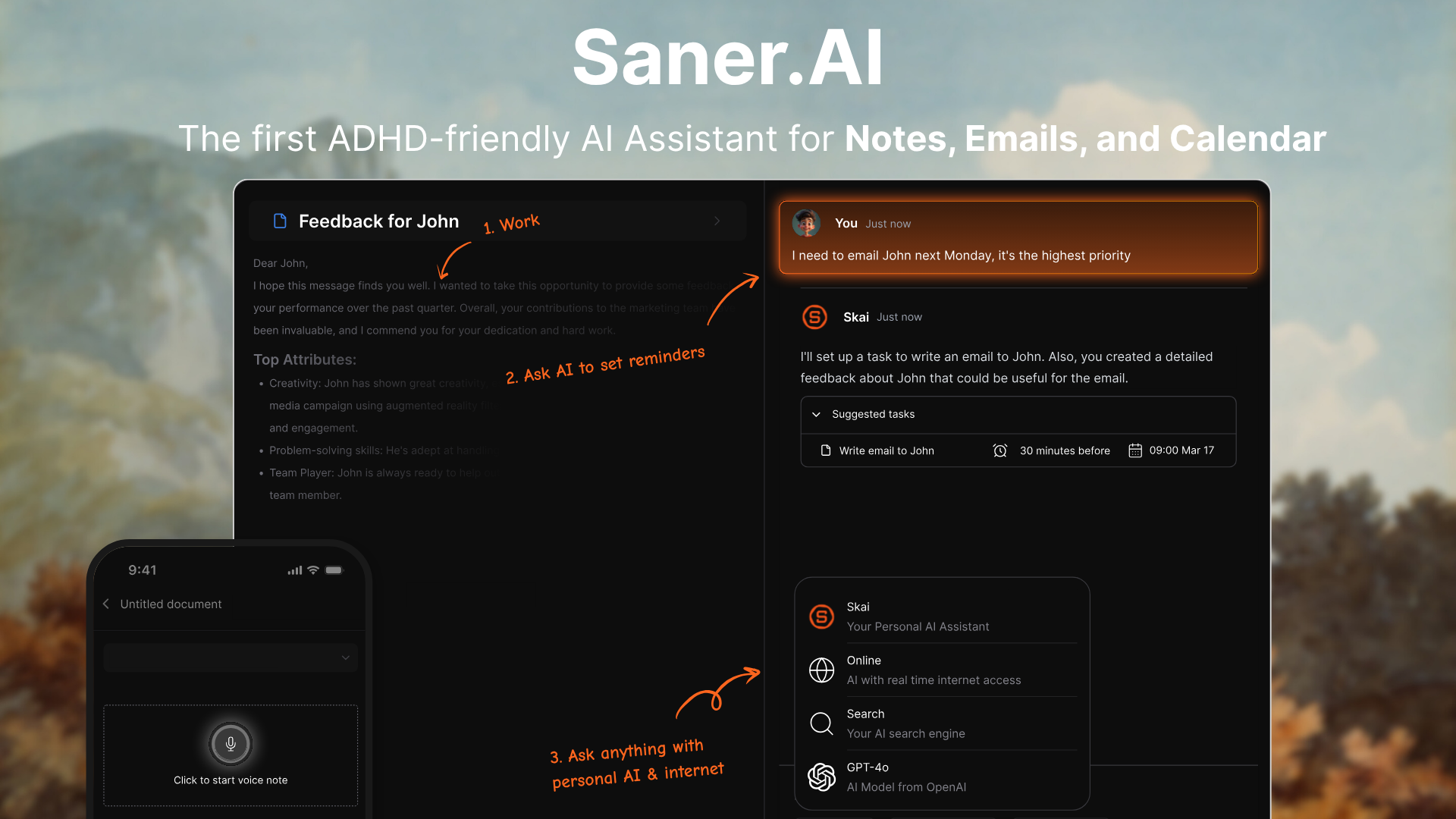
Saner.AI is an AI personal assistant for your notes, email, tasks, and calendar. The center of it is Skai, an assistant that reads what you've saved, drafts your day, and checks in with you. You talk to it instead of maintaining a system.
What you actually get:
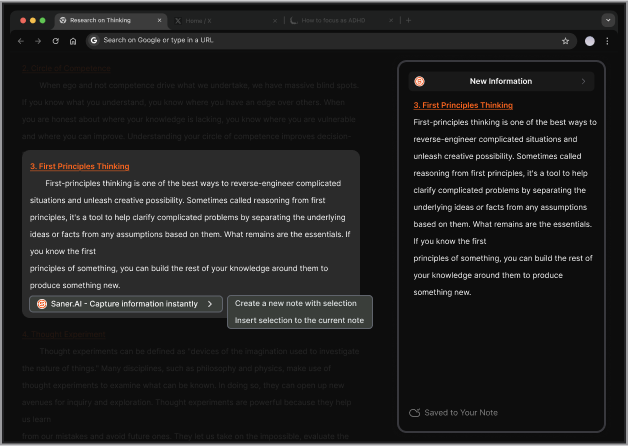
- Capture from anywhere: quick notes, voice notes, and a Chrome extension.
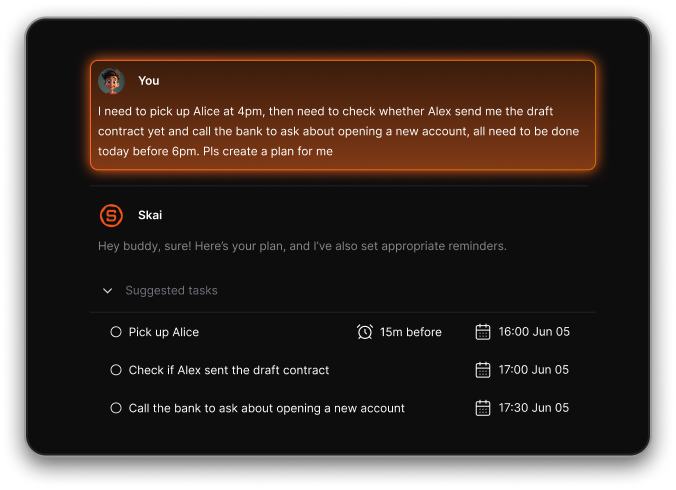
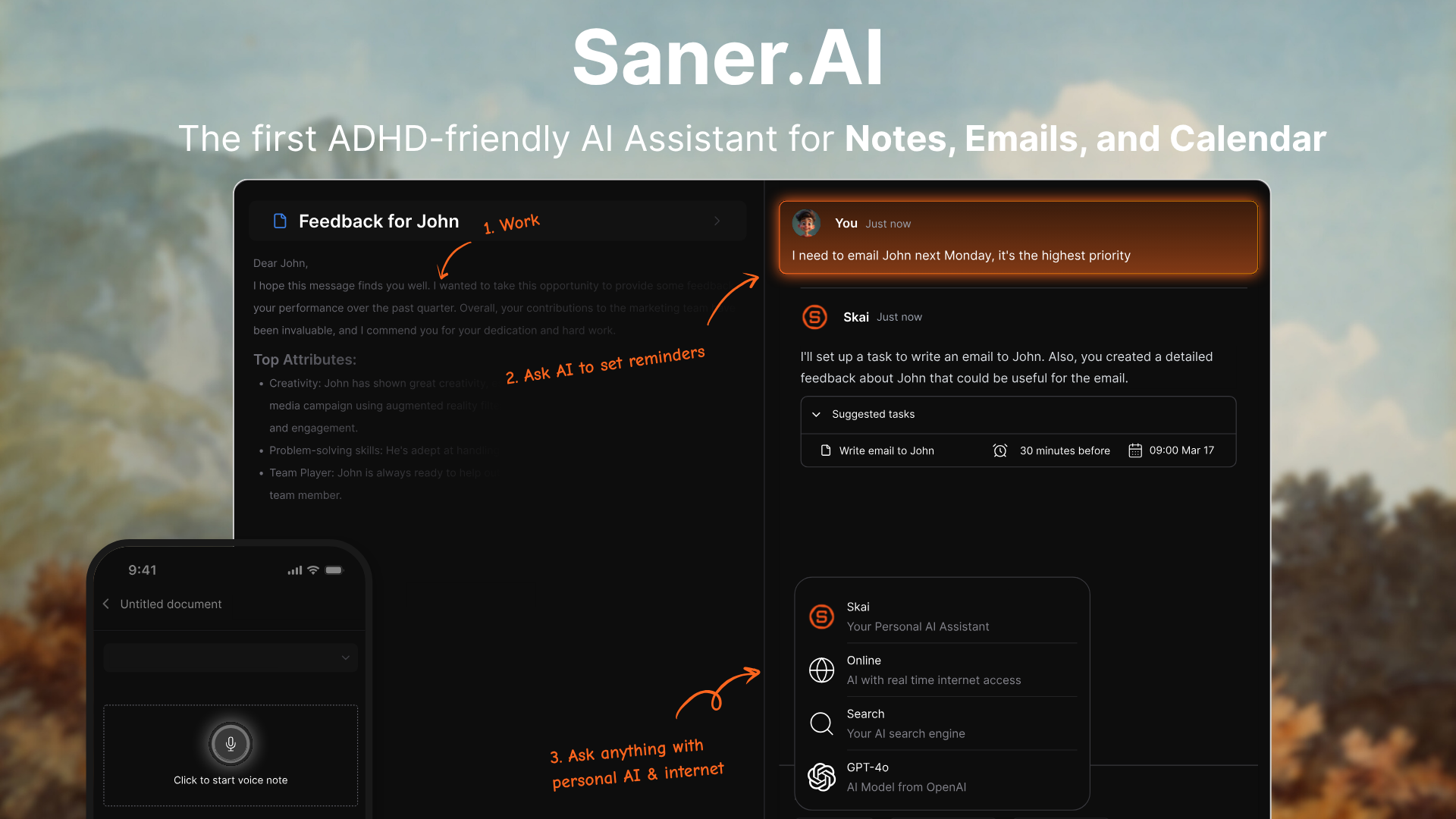
- Brain dump to plan: Type or say the mess, and Skai turns it into tasks you can prioritize and schedule.
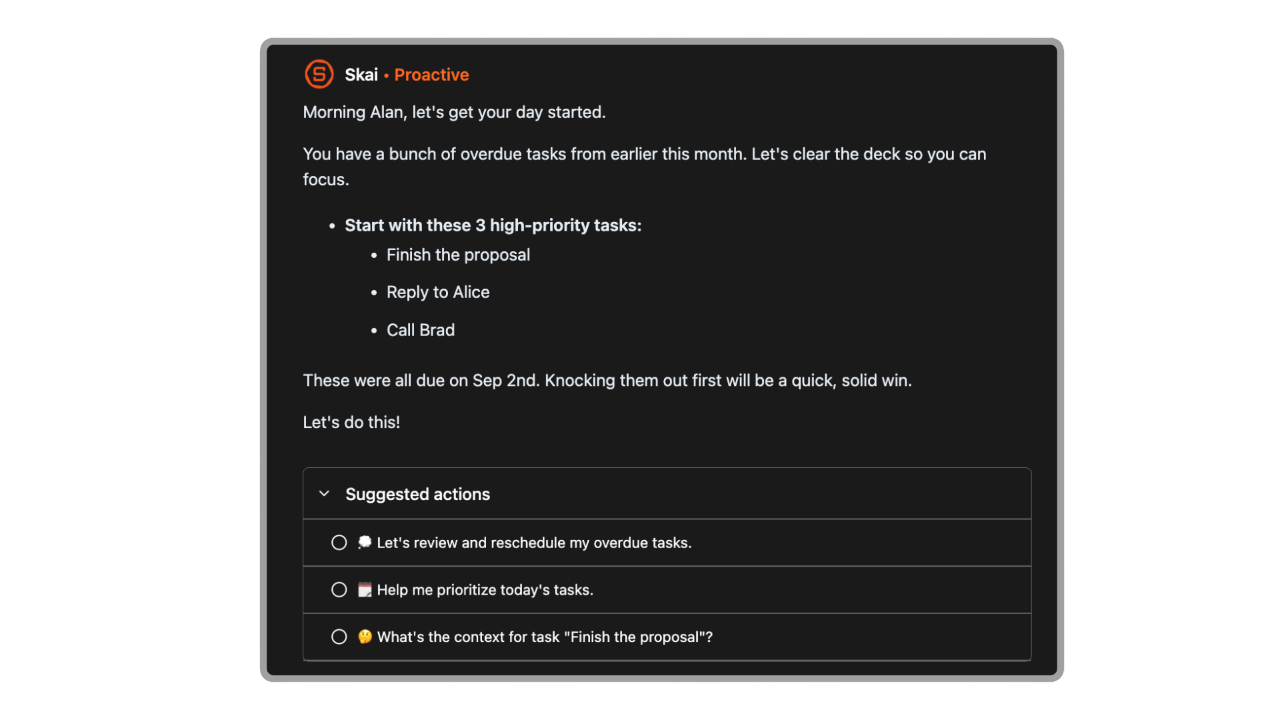
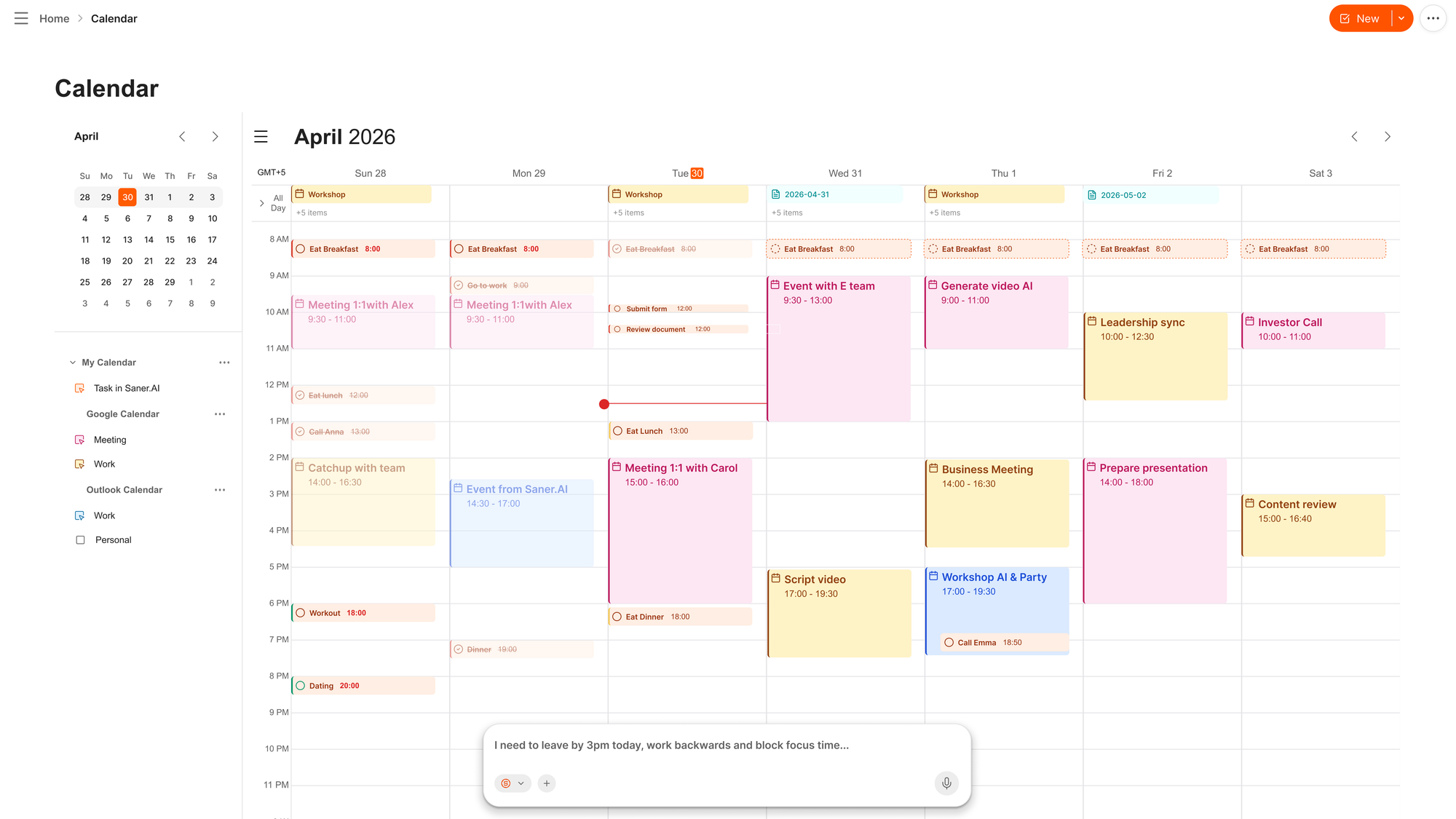
- Proactive planning: Each morning, or at a time you pick, Skai looks at your calendar, overdue tasks and recent notes and tells you what needs attention.
- Email to tasks: Emails become tasks with reminders, so the "I'll reply tonight" email doesn't vanish.
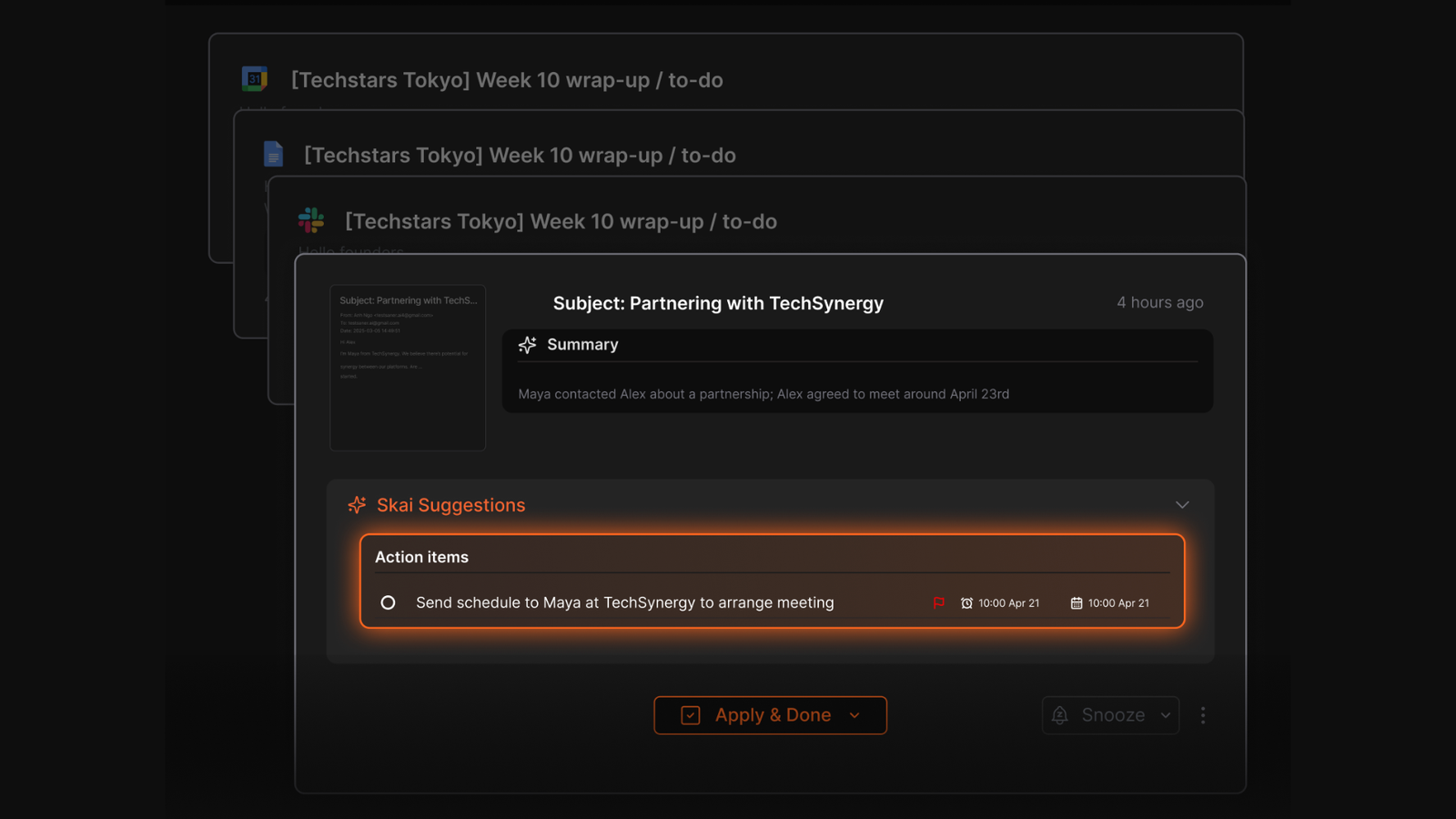
- Search that doesn't need the exact words, with auto-tags and folder suggestions so you can stop filing.
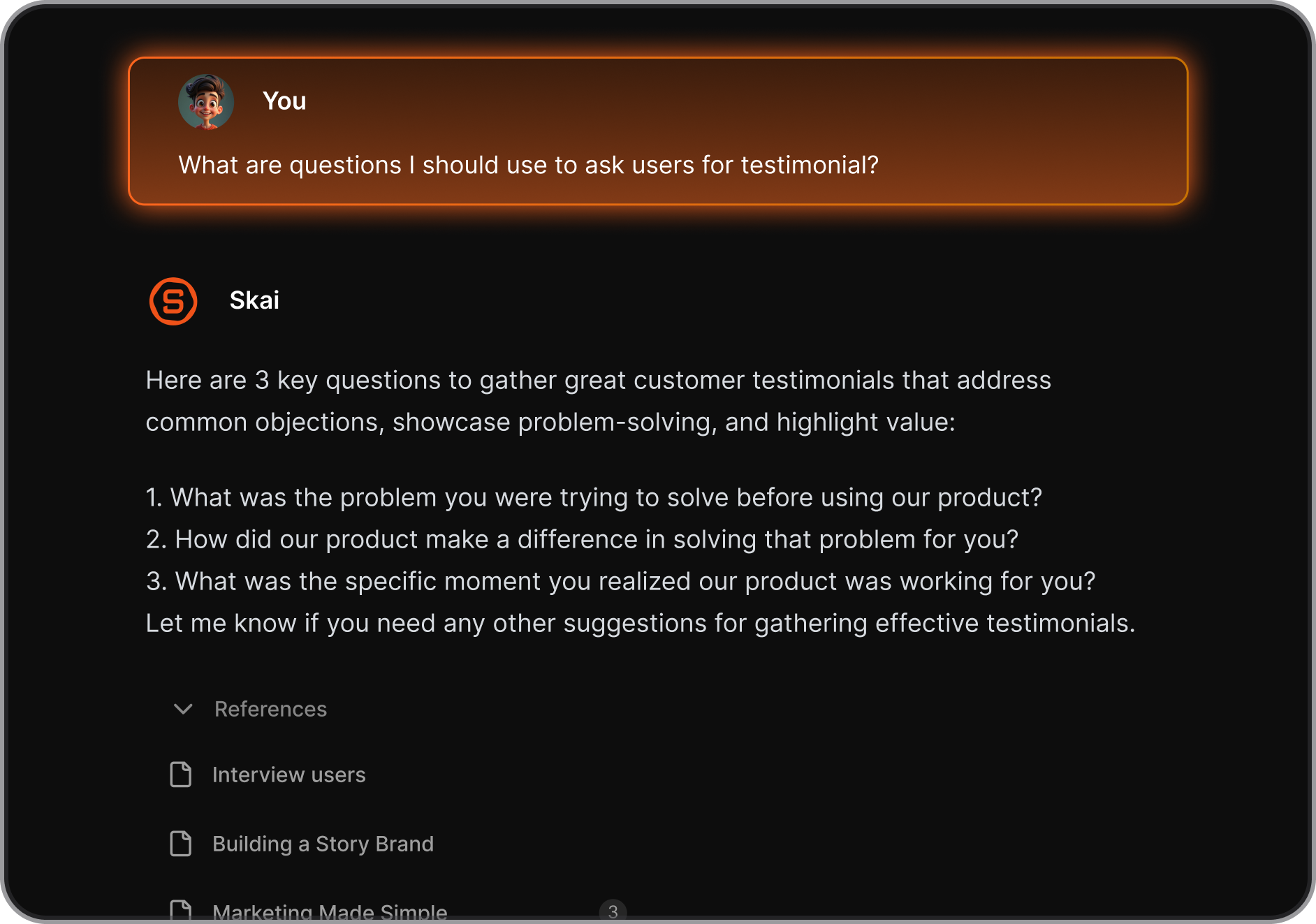
- Time blocking with two-way Google Calendar sync and Outlook support.
- Focus Box to pin your top tasks, plus a lock-screen Live Activity on your phone.
Price: free plan available. Starter is $8 a month, and Standard is $16 a month, billed yearly.
Why Saner.AI clicks for some ADHD brains: it catches the shower idea, the thing your manager said on a call, and the email you meant to answer. And you don't need to be in a good planning headspace, because the plan shows up as a draft. Editing a draft is a lot easier than staring at an empty day. One of the cofounders has ADHD, and it shows in the product.
Saner.AI cons for ADHD
- It's a bigger app than a pure planner. Some people only want a calendar and a list, and that's fair.
How do you actually use each one on an ADHD day?
The Saner.AI workflow
- Connect Gmail or Outlook and Google Calendar once, so emails and meetings flow in on their own.
- All day, dump everything into Saner: a voice note in the car, a half-sentence between meetings. Don't sort. Sorting is Skai's job.
- In the morning, read Skai's plan. Don't build one from scratch, just edit. Delete what's unrealistic and bump what's actually urgent.
- For the task you've been avoiding, ask Skai to break it into steps, then schedule only the first one.
- Give tasks a duration so they land as blocks on your calendar.
- Pin your top three in the Focus Box and turn on the lock-screen Live Activity, so your phone shows your task before it shows you TikTok.
- When you forget something ("what did Jen say about the deadline?"), ask Skai instead of digging through five apps.
- In the evening, ask Skai what's still open and push it to tomorrow. That's a two-minute shutdown.
The Akiflow workflow
- Connect your calendars first, then only the two or three tools where your tasks really live. Every extra connection means more inbox to sort, so start small.
- Put a 15-minute "process inbox" block on your calendar every morning. Treat it like a meeting, because future you will skip it otherwise.
- Clear the inbox with keyboard shortcuts: schedule it, snooze it, or delete it. If you're not sure, snooze it.
- Drag your three most important tasks onto the calendar. Estimate each one, then add half again.
- Leave a 30-minute empty block after lunch. Something will eat it.
- Start the focus timer on task one.
- Replan at midday from the command bar when a meeting eats your morning. Move one task to tomorrow instead of pretending.
- Run the daily ritual at the end of the day so unfinished tasks roll forward instead of piling up.
Notice the difference in steps 1 to 3. Akiflow asks you to do the sorting every single day. Saner.AI does the first pass and asks you to react. On a low-energy ADHD day, reacting is much easier than starting.
Where Akiflow is better
We'd rather say this up front than have you find out after paying.
- Work-tool integrations: Akiflow connects to Asana, ClickUp, Jira, Linear, Trello, GitHub, Todoist, and Notion natively. Saner.AI doesn't connect to most of those yet. If your job runs on a project tool, this matters a lot.
- Keyboard speed: The command bar is genuinely fast for people who live on the keyboard.
- Calendar coverage: Akiflow handles Google, Outlook/Microsoft 365, and iCloud calendars, plus an Apple Watch app.
- Visual time blocking: Dragging tasks onto a calendar you can see is great for people who need the day laid out in front of them.
Where Saner.AI is better for ADHD
- Price and risk: You can use Saner.AI free, forever, and only pay once it earns its spot. Akiflow asks for a card on day one and costs more than twice as much per month on monthly billing.
- Capture without sorting: Brain dumps, voice notes, and emails turn into tasks without you filing anything. Akiflow captures fast, but the sorting is still yours to do.
- The plan comes to you: Skai drafts your day each morning. With Akiflow, nothing happens until you open the inbox and build the plan yourself.
- Memory: Notes, ideas, and reference material live in the same place as your tasks, and you can ask Skai about any of it in plain words. Akiflow has no notes app, so the context behind a task lives somewhere else.
- Less inbox overload: Instead of piling every flagged message into one list, Skai surfaces what needs attention. For ADHD brains that freeze at a long list, that difference is huge.
Which one should you pick for your kind of ADHD?
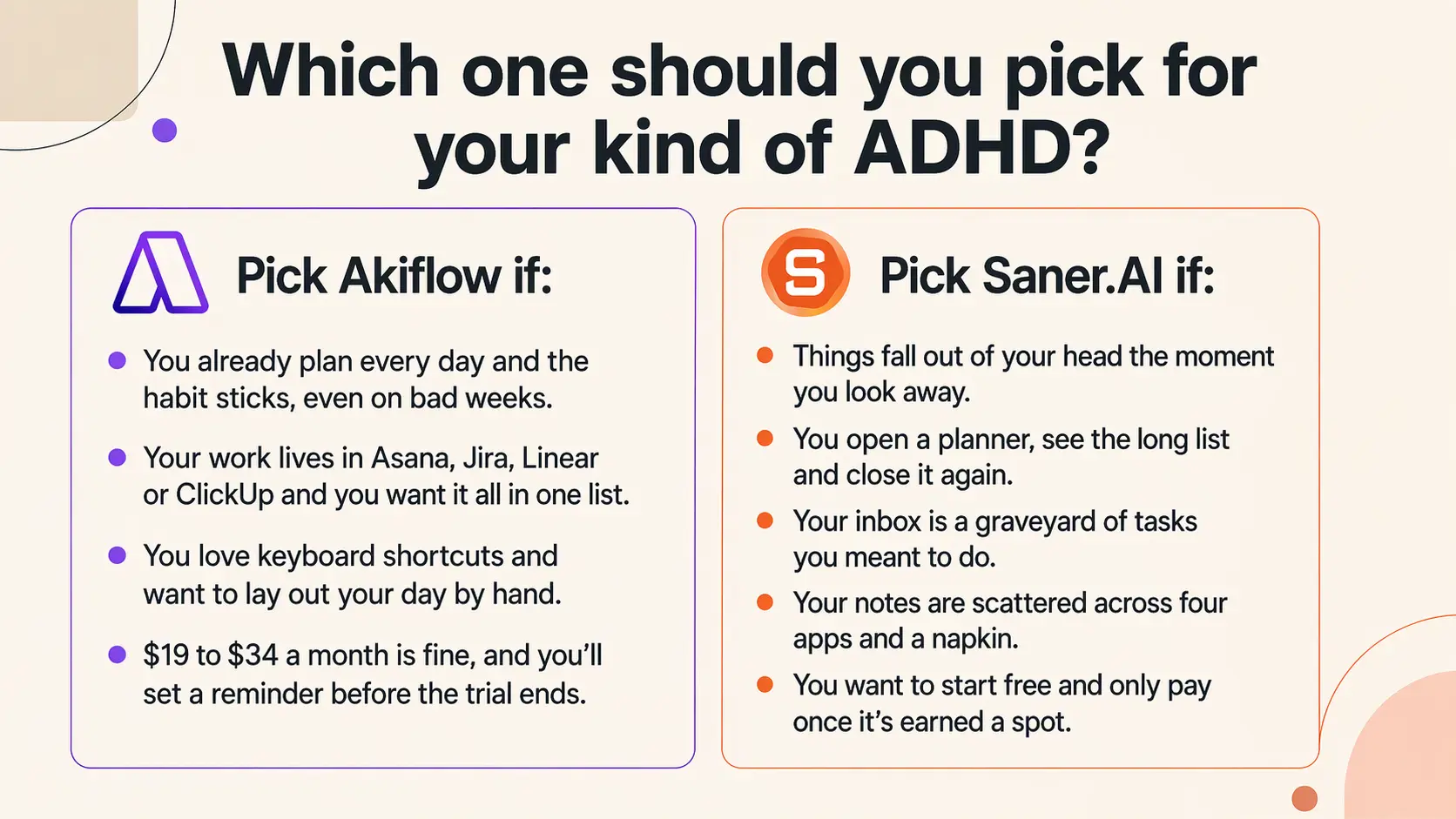
Pick Akiflow if:
- You already plan every day, and the habit sticks, even on bad weeks.
- Your work lives in Asana, Jira, Linear or ClickUp and you want it all in one list.
- You love keyboard shortcuts and want to lay out your day by hand.
- $19 to $34 a month is fine, and you'll set a reminder before the trial ends.
Pick Saner.AI if:
- Things fall out of your head the moment you look away.
- You open a planner, see the long list, and close it again.
- Your inbox is a graveyard of tasks you meant to do.
- Your notes are scattered across four apps and a napkin.
- You want to start free and only pay once it's earned a spot.
Final verdict
Akiflow is a well-made tool for organized people with too many apps. For many ADHD brains, though, the hard part was never where tasks live. It's remembering them, starting the plan, and not drowning in the list, and Akiflow leaves all of that to you.
Saner.AI is built around those exact problems. It catches what you throw at it, drafts your day, so you're editing instead of starting from zero, and keeps your notes next to your tasks. It has fewer project-tool integrations, so if your job runs on Jira, test that first. For most people with ADHD, though, it's the safer bet, and the free plan means you can find out without risking a card.
Stay on top of your work and life effortlessly
FAQ
Does Akiflow have a free plan?
No. Akiflow has one paid plan at $34 a month, or $19 a month billed yearly. There's a 7-day trial, but it needs a card, and there's no free tier after it.
Will Akiflow charge me when the trial ends?
Yes, unless you cancel first. Because the trial asks for a card, even Akiflow's own comparison tells switchers to set a reminder for day 6 so the renewal is a decision, not a surprise. With ADHD, set that reminder the day you sign up.
Is Akiflow worth $34 a month?
It depends on where your day breaks. Long-time users who pull tasks from many tools say it's worth it, while others say the price isn't justified for what they use. If you don't already plan daily, you may be paying for an inbox you won't open.
Is Saner.AI free?
Yes. Saner.AI has a free plan, and paid plans start at $8 a month (Starter) or $16 a month (Standard) billed yearly.
Is Akiflow good for ADHD?
It can be, for some people. One Capterra reviewer called it ADHD-friendly because it doesn't force a system on you, and a graduate student with ADD said it suits their needs. Others say they spent more time organizing than doing, which is a real risk for ADHD brains.
Can Akiflow plan my day automatically?
Not really. Akiflow doesn't auto-schedule or replan your day when things change. You drag tasks onto the calendar yourself, and if your day goes sideways, you move them by hand.
Does Akiflow work with Apple Calendar?
Yes, as of 2026. Akiflow supports iCloud Calendar with two-way event sync, and it has an Apple Watch app for capturing and completing tasks.
Does Akiflow have subtasks?
Not natively. Subtasks are one of the most requested features in reviews, with users coming from Microsoft To Do saying they miss them.
How good is Akiflow's mobile app?
It has improved, but it's still behind the desktop app. G2 reviewers mention the Android app being slow, and older reviews said the mobile app wasn't ready for a long time.
Does Saner.AI work with Asana or Jira?
Not natively yet. Saner.AI connects to Gmail, Outlook, Slack, Google Drive and Google Calendar. If your tasks live in Asana or Jira, Akiflow has the edge there.
Sources
- Alderson RM et al. ADHD and working memory in adults: a meta-analytic review. Neuropsychology, 2013. PubMed 23688211
- Marx I et al. Meta-analysis: altered perceptual timing abilities in ADHD. JAACAP, 2021. Southampton repository
- Solanto MV et al. Efficacy of meta-cognitive therapy for adult ADHD. American Journal of Psychiatry, 2010. PubMed 20231319