
alfred_ Review 2026: Is this product legit?


I spent the past two weeks going through alfred_'s own product pages, its help docs, and every independent write-up I could track down. alfred_ (get-alfred.ai) is an AI email, calendar, and task assistant built for founders, consultants, and anyone who bills for their time and drowns in inbox admin. It says that it triages your email overnight, drafts replies in your voice, pulls tasks out of messages, and hands you a short morning brief.
The pitch is bold. But the open question is whether a tool with almost no independent track record yet can back that pitch up, or whether you're mostly taking a young product's word for it.
Key takeaways
- alfred_ triages your inbox overnight, drafts replies, extracts tasks, and scores your calendar
- Individual pricing is listed at $29.99/month on the live pricing page and billing FAQ, though several of alfred_'s own blog posts still quote $24.99/month. Confirm the number before you buy.
- As of this writing, alfred_ has zero user reviews on Capterra and no verifiable footprint on G2, Trustpilot, or Product Hunt. It's a new product, not an established one.
alfred_ at a glance
| Category | Score |
|---|---|
| Email triage and drafting | 4.3 / 5 |
| Calendar intelligence | 3.5 / 5 |
| Task and Kanban workspace | 3.2 / 5 |
| SMS assistant | 3.8 / 5 |
| Setup and onboarding | 4.5 / 5 |
| Pricing clarity | 3.0 / 5 |
| Independent review footprint | 1.5 / 5 |
| Team and collaboration | 2.5 / 5 |
| Overall | 3.4 / 5 |
What is alfred_?
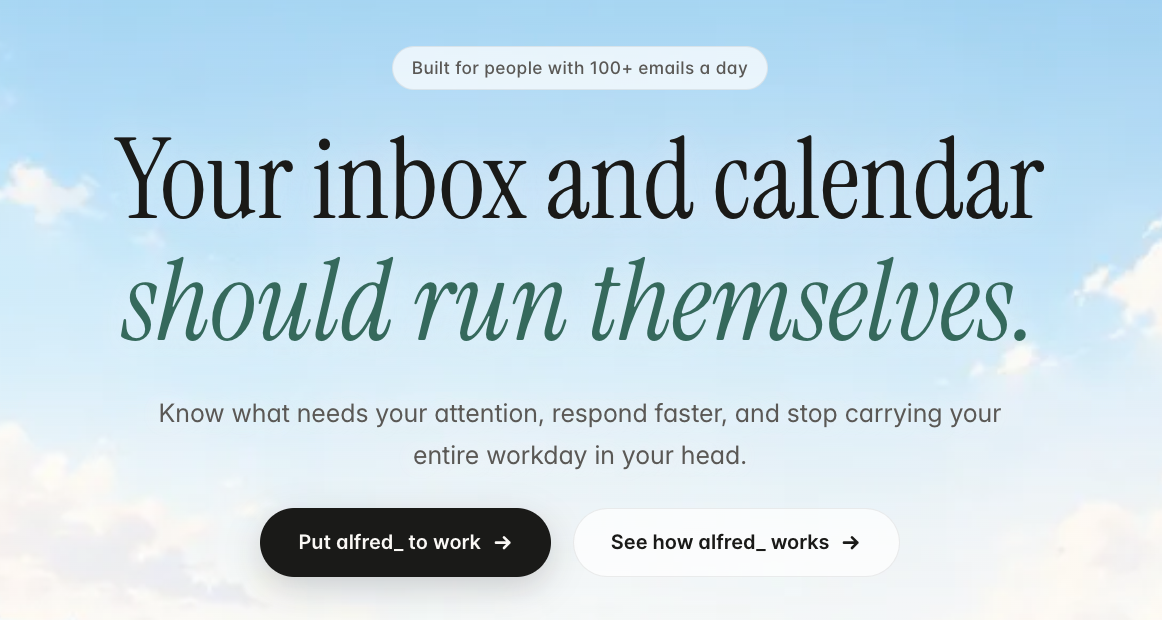
alfred_ is an AI executive assistant that connects to Gmail or Outlook plus your calendar, then works in the background rather than waiting for a prompt. It scores every incoming email, drafts replies for anything that needs a response, extracts tasks and deadlines from your messages, tracks follow-ups, and wraps a small workspace of Kanban boards and notes around it all.
On its about page, the team is direct about the philosophy: "We eliminate work." It's deliberately narrow. This isn't a document AI or a build-your-own agent platform, and it doesn't touch customer support inboxes. It handles email, calendar, and tasks for one person, and it tries to do that well.
alfred_ features breakdown
Text-based access
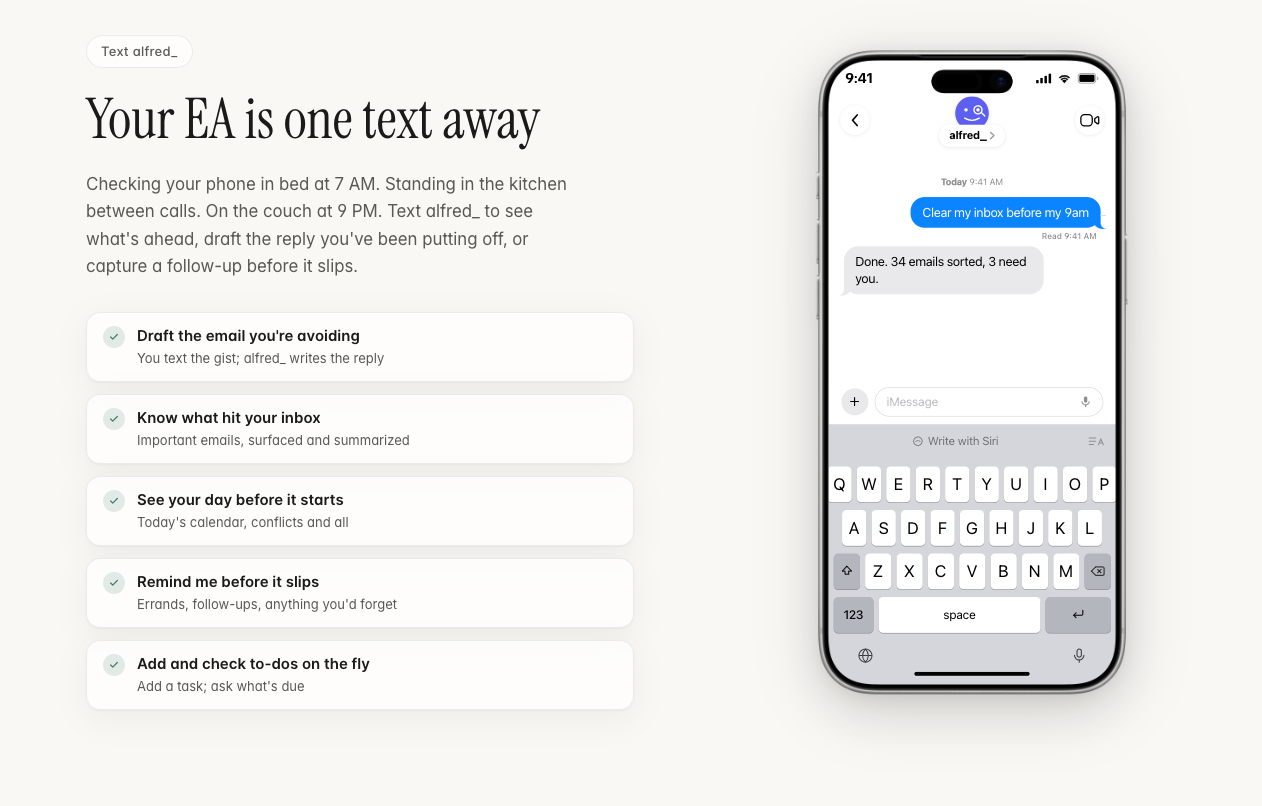
You can run the whole assistant over iMessage, SMS, or RCS, texting things like "what does my day look like?" or "draft a reply to the investor update." It's a genuinely compelling idea for anyone who wants an assistant that meets them where their attention already is. Two things worth knowing: there's a cap of 30 messages per hour, and proactive texting, where alfred_ pings you first instead of waiting for you to reach out, is on the roadmap rather than live yet.
Overnight email triage
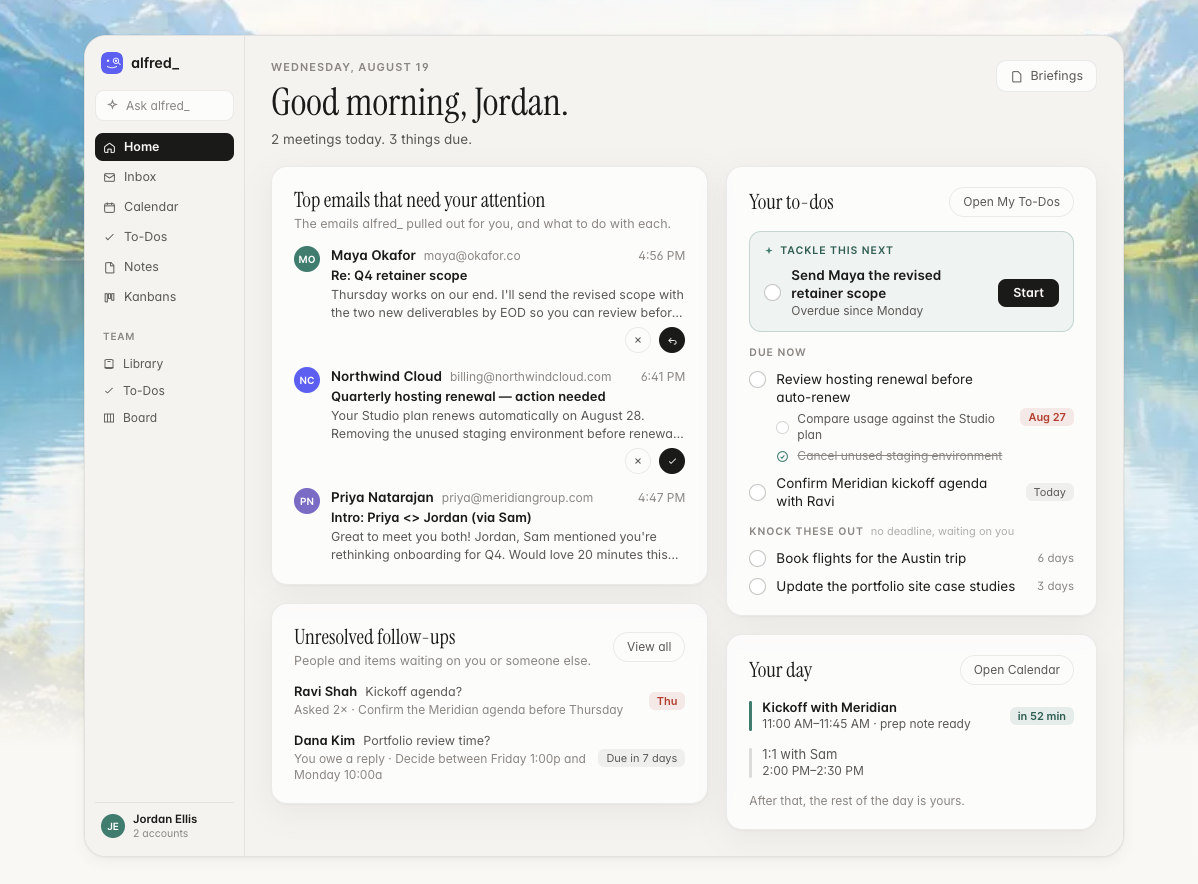
alfred_ scores every message on urgency keywords, sender importance, and how many times someone has already followed up, then archives the obvious noise before you wake up. The result is a short list instead of a wall of unread mail. Per alfred_'s own help docs, "Your inbox is triaged, draft replies are ready, and tasks have been extracted."
Task extraction from email
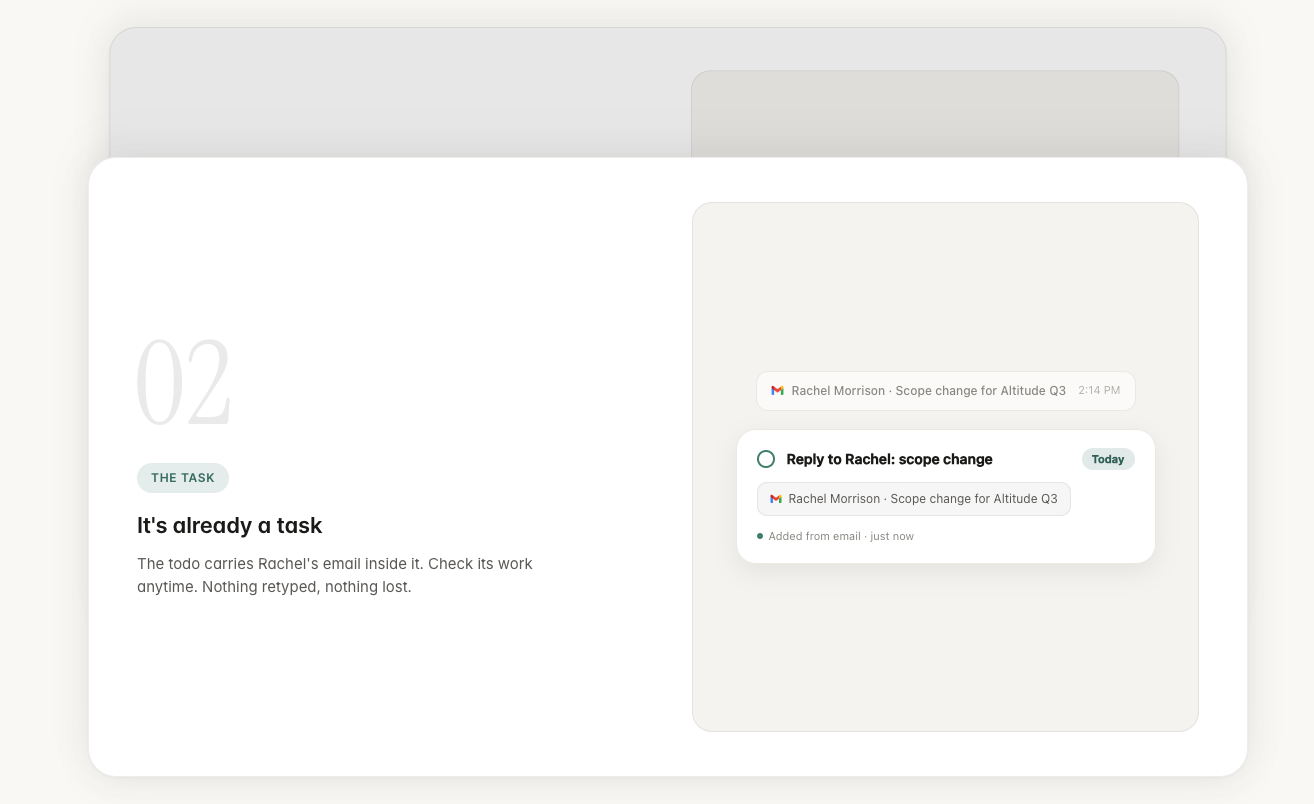
Commitments and deadlines buried in a message get pulled into a task automatically, linked back to the email that created it, so you can see why the task exists rather than wondering where it came from.
Kanban boards and notes
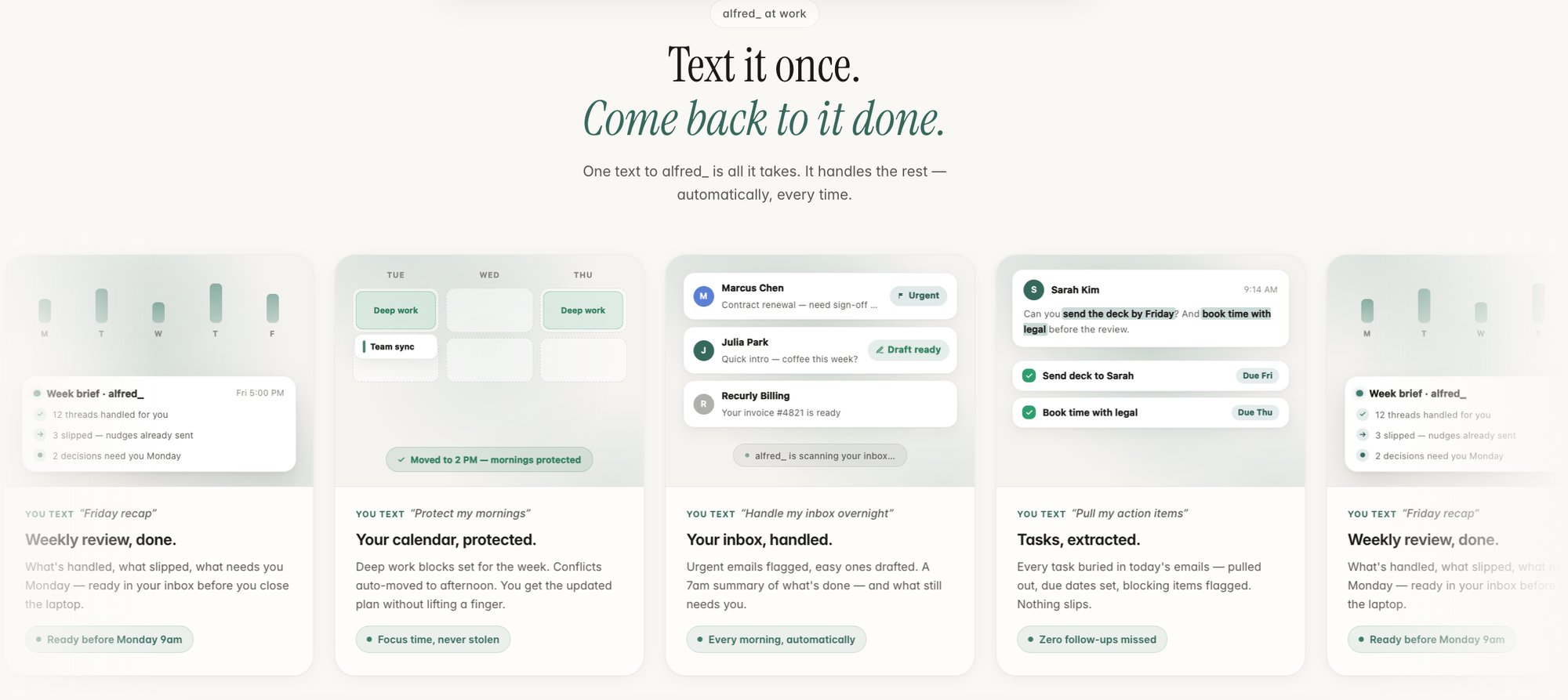
Around the core inbox and calendar work sits a small productivity layer: Kanban boards with prebuilt templates, WIP limits, and a notes editor with AI summarization. This is also where the product shows its one real structural limit. As eesel AI's independent review put it, "the work stays inside its own app" rather than syncing with tools you already use. If you already run projects in Notion, Linear, or Asana, alfred_'s boards are one more place to check, not a replacement.
Drafted replies in your voice
For anything that needs a response, alfred_ writes a full draft rather than an autocomplete suggestion, ready to review, edit, or send with one tap. The framing on the features page is blunt: "Your inbox, handled before you wake up."
Follow-up tracking
Threads get flagged with escalating urgency as they age unanswered. It's built to catch the polite third "just checking in" that a date-sorted inbox usually buries. The site puts it simply: "Never lose a thread."
Calendar intelligence
alfred_ connects to Google or Outlook Calendar, flags conflicts, and scores each day's health based on the ratio of meeting time to real focus time. The clever part is that it ignores short gaps between meetings when calculating that focus time, since a 20-minute window between two calls rarely produces actual deep work. Creating events or sending scheduling emails still requires your approval, so it suggests rather than acts.
Pricing table
| Plan | Price | Billing | Free trial | Free version | Payment |
|---|---|---|---|---|---|
| Individual | $29.99/month (some alfred_ blog pages list $24.99/month, worth confirming) | Monthly or annual toggle | 7 days, no card required | None | Stripe checkout |
| Team | $34.99/seat/month, 2-seat minimum | Monthly or annual | Same 7-day trial | None | One company bill via Stripe |
The pricing page itself leans on the math: "If it doesn't save you time, don't pay."
Pros and cons
| Pros | Cons |
|---|---|
| Genuinely proactive, works overnight without needing a prompt | Zero user reviews on Capterra, no verifiable footprint on G2, Trustpilot, or Product Hunt as of this writing |
| Follow-up tracking catches the threads a date-sorted inbox buries | Pricing is inconsistent across alfred_'s own pages, $24.99 vs $29.99 depending on which page you land on |
| Flat pricing, no per-seat maze, no usage meter to watch | Every send and every calendar change needs manual approval, so it's not truly hands-off |
| Task extraction links every to-do back to its source email | Proactive SMS alerts are marketed but not live yet, still on the roadmap |
| Candid in its own materials about the multi-week ramp before drafts sound like you | Tasks, Kanban, and notes live entirely inside alfred_'s own app rather than syncing elsewhere |
| No permanent free tier, only a 7-day trial |
What people say
This is the part where I have to be straightforward with you. Searching G2, Capterra, Trustpilot, Product Hunt, Reddit, and LinkedIn for independent feedback on this specific tool turns up almost nothing.
Capterra's own listing for alfred_ shows a rating based on 0 user reviews. Part of the confusion is the name itself. There are at least eight different products called "Alfred," including a LinkedIn outreach tool and a macOS launcher, and most of the star ratings floating around when you search "Alfred AI" belong to those, not to this one.
What does exist is alfred_ being unusually candid about its own rough edges. The company's own writing acknowledges that reply tone can be off for sensitive or negotiation emails, and that it takes two to four weeks before drafts start to feel like something you'd actually send.
For a tool this new, your own free trial is a more reliable signal than any star rating you'll find right now.
Who alfred_ is best for
- Solo founders and consultants whose single biggest time drain is their own inbox
- People billing $100 or more per hour who are losing real money to admin work
- Anyone who wants zero-configuration setup and is comfortable reviewing AI drafts before they go out
Who alfred_ isn't ideal for
- Teams needing a shared support or sales inbox, since this is built around one person's accounts
- Anyone already living inside Notion, Linear, or Asana who doesn't want another task app to check
- Buyers who need SSO, admin controls, or a vetted review history before they commit
- People managing scattered notes and ideas rather than just email volume, since alfred_ doesn't build a knowledge base the way a genuine second brain does
alfred_ alternatives
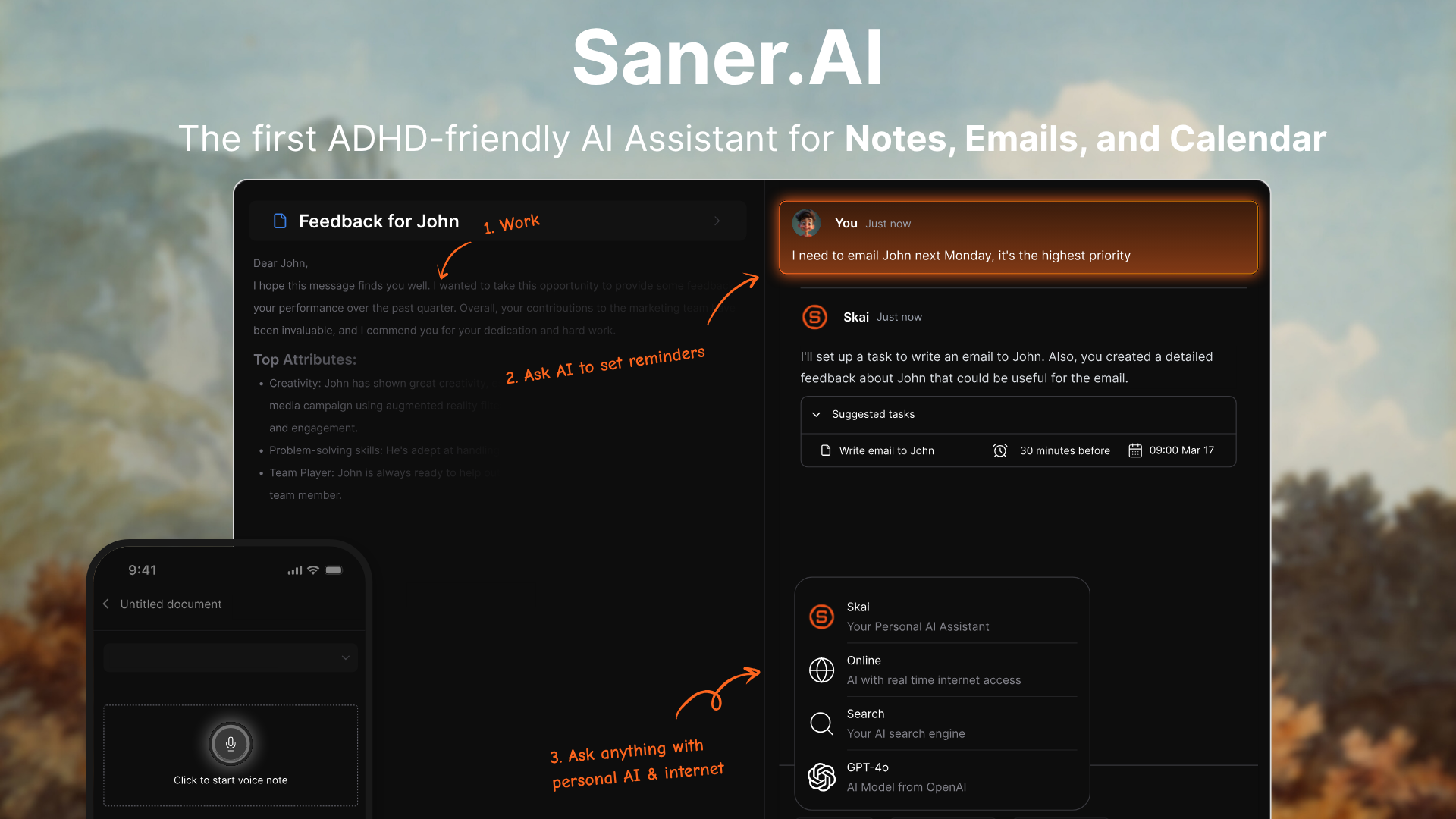
Saner.AI organizes the information notes, tasks, email, and calendar- into one AI workspace built specifically around ADHD and information-overload workflows.
If information overload and inbox execution are your actual bottleneck, this is for you
Where Saner.AI beats alfred_
- Saner.AI provides all the things alfred_ is providing plus:
- A real free tier. Saner gives you 30 AI messages, 100 notes, and 100MB of storage for free, permanently, not a 7-day countdown that ends in a credit card prompt.
- Lower cost. Saner's Starter tier runs $8/month on annual billing, less than a third of alfred_'s $29.99.
- Built for the actual audience. Saner was designed around ADHD and executive dysfunction from the start, not adapted from a generic productivity template afterward.
- Organizes more than your inbox. Notes, ideas, and calendar sit alongside tasks and calendar, closer to a second brain
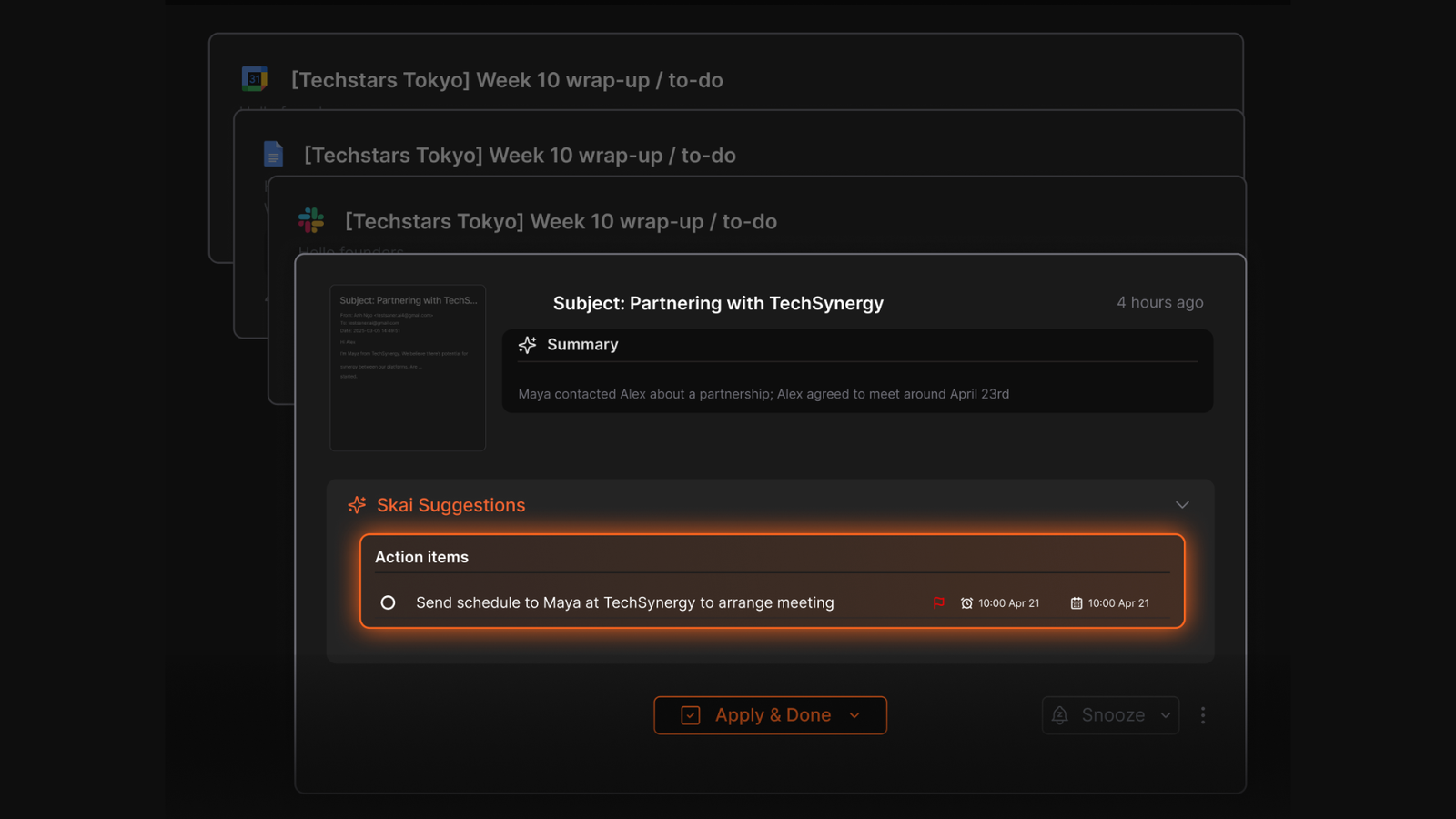
- Semantic search across your own knowledge. Ask a plain-language question, and Skai pulls from notes you wrote weeks ago, something alfred_ doesn't attempt.
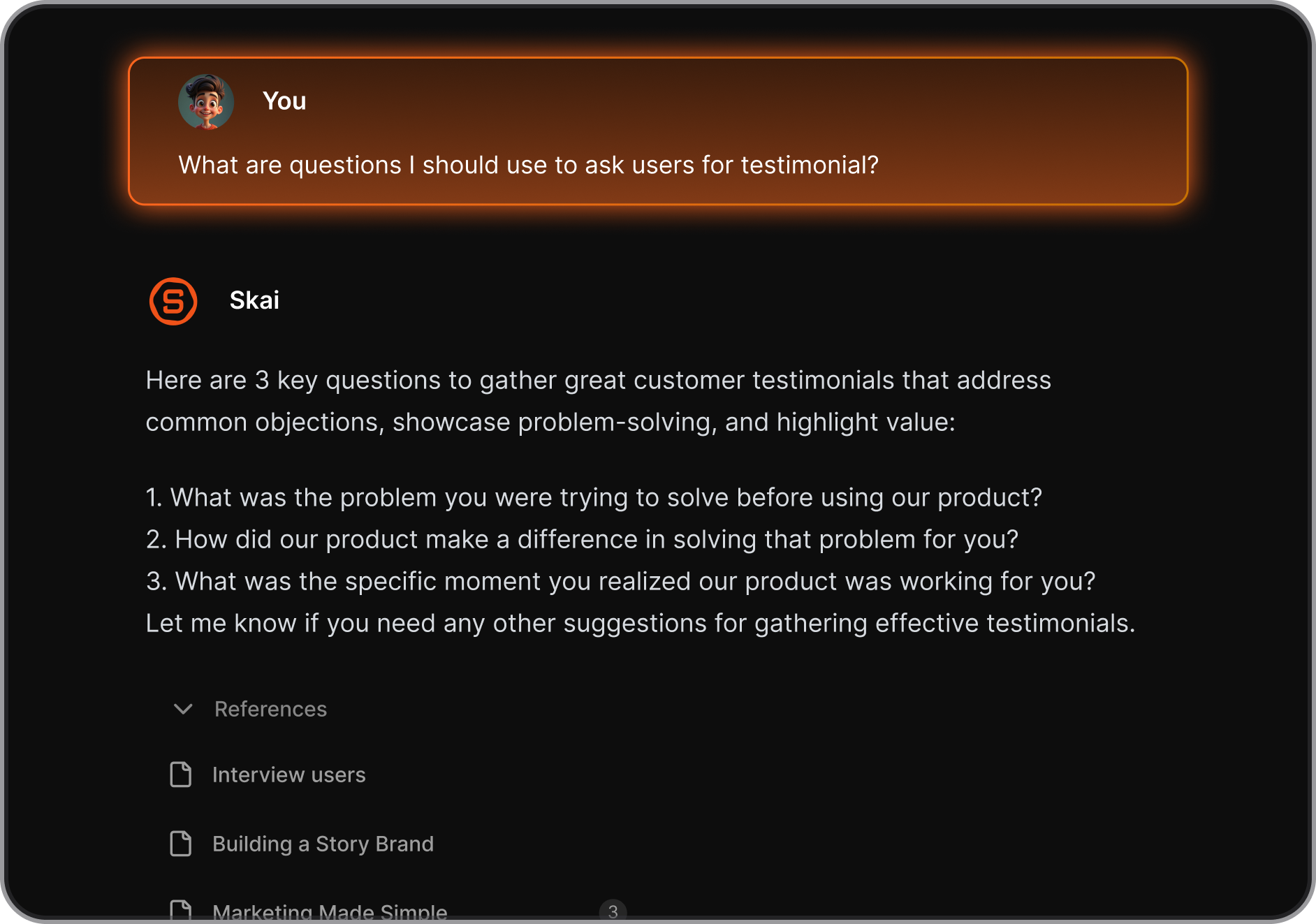
- A track record you can actually check. alfred_'s Capterra page reads zero reviews right now, while Saner has a public footprint you can look at before you pay anything.
Saner.AI suits people managing scattered information and ADHD-related executive dysfunction more than people whose only problem is email volume, and it's the better pick if you want to test something for free before spending a dollar. If founder-specific admin is more your speed, Best tools for Founders from Saner.AI's blog breaks down how founders are combining tools like this in practice.
Alfred_ vs Motion vs Lindy vs Saner.AI
| alfred_ | Motion | Lindy | Saner.AI | |
|---|---|---|---|---|
| Price | $29.99/mo | $49/mo | $49+/mo | $8 to $16/mo |
| Free tier | None, 7-day trial | None, 7-day trial | Limited | Yes, permanently |
| Core job | Executes email and calendar admin | Auto-schedules your calendar | Build-your-own agents | Organizes notes, tasks, email, calendar |
| Setup effort | Minutes | Minutes | Hours to days | Minutes |
| Built for ADHD or overload | No | No | No | Yes, purpose-built |
| Independent review footprint | None yet | Established | Established | Growing |
| Team plan | Yes, per seat | No | Yes | In development |
- Motion ($49/month) is a pure AI calendar. It rebuilds your calendar automatically as tasks and meetings shift, but it doesn't read your inbox, so email admin stays entirely on you.
- Lindy ($49+/month) is a build-your-own agent platform. It can do more than alfred_ once you've configured it, but that configuration takes hours to days. alfred_ works from minute one; Lindy rewards the setup investment.
- Microsoft Copilot (roughly $42.50/month combined with a Microsoft 365 seat) lives inside Outlook, Word, and Teams. It's reactive though; you still have to ask it for help each time, whereas alfred_ works through your inbox while you sleep.
Final verdict
alfred_ does one thing well: it processes your inbox.
Where it falls short is trust you can verify from the outside. There's no independent review history yet, the pricing on its own site doesn't agree with itself, and the workspace layer around email stays locked inside alfred_'s own app.
If your single worst problem is your own inbox and you're comfortable being an early adopter, you can try the 7-day trial. But if your problem is bigger than email, scattered notes, fragmented calendar, ADHD overload, Saner.AI is worth trying first, and it won't cost you anything to find out.

Stay on top of your work and life effortlessly
FAQ
What is alfred_ and who is it for?
alfred_ (get-alfred.ai) is an AI executive assistant that triages email, drafts replies, extracts tasks, and manages your calendar overnight. It's built for founders, consultants, and freelancers who bill for their time.
How much does alfred_ actually cost?
The live pricing page and billing FAQ list $29.99/month for individuals and $34.99/seat/month for teams (2-seat minimum). Some of alfred_'s own blog content still quotes $24.99/month, so it's worth double-checking the number at signup.
Does alfred_ send emails on its own?
No. Every draft needs your approval before it sends, and calendar changes work the same way. It suggests and drafts; it doesn't act unsupervised.
Is alfred_ the same as Meet Alfred or other "Alfred" products?
No. There are at least eight products using the Alfred name. alfred_ at get-alfred.ai handles personal email, calendar, and tasks. Meet Alfred is a LinkedIn outreach tool, and the two share nothing but a name.
Does alfred_ have real user reviews?
Not yet in any verifiable way. Capterra lists its rating as based on zero user reviews, and no independent search turns up a real footprint on G2, Trustpilot, or Product Hunt for this specific product.
What's a good alfred_ alternative if my problem is bigger than email?
If the real issue is scattered notes, context switching, or ADHD overload rather than pure email volume, Saner.AI is built for that specific problem and offers a free tier to test it before you pay.
Stay on top of your work and life effortlessly