
The All-in-One AI Productivity App: This Replaces Your Entire Tool Stack

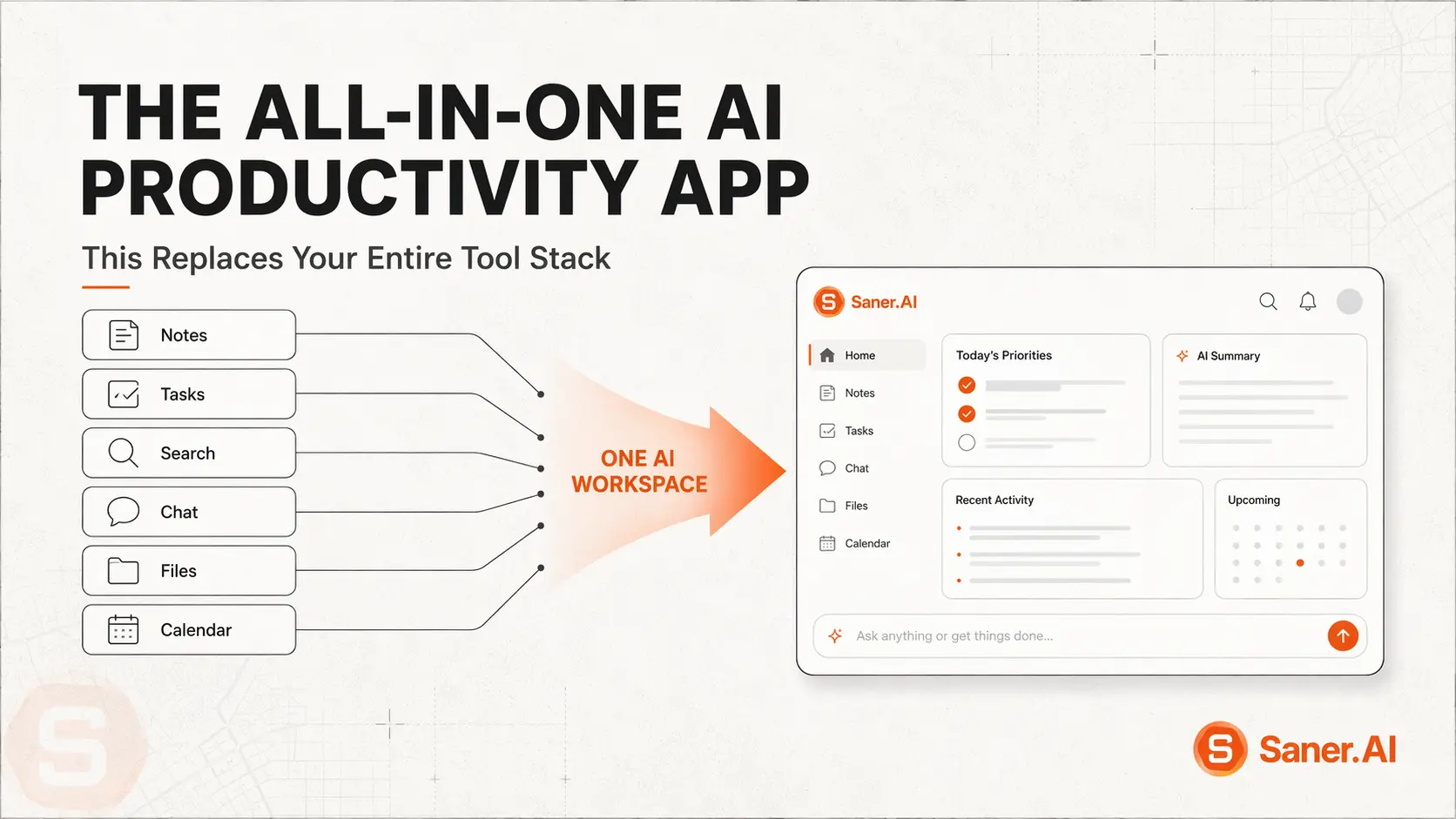
If your work system is a notes app, a to-do app, a calendar, an inbox, and a Slack tab held together by muscle memory and hope, you don't have a productivity stack. You have five part-time jobs, and none of them talk to each other. This is the only AI app you need to connect and manage them all
Quick Answer:
The best all-in-one AI productivity app is Saner.AI
- It unifies notes, tasks, inbox, and calendar into one workspace, with an AI assistant (Skai) that auto-tags, prioritizes, and turns messy brain-dumps into organized action items
- It replaces the manual transfer step — copying a task from your inbox into your to-do app into your calendar — that eats up hours of most people's weeks
- It was built with direct input from 200+ people with ADHD, which means it's designed for the hardest case: a brain that won't reliably maintain a system. If it works for that, it tends to work for everyone else too
- Free to start, with paid plans from roughly $8–12/month
1) What is an all-in-one AI productivity app?
An all-in-one AI productivity app combines notes, tasks, calendar, and email into a single AI-organized workspace, so you stop manually re-entering the same information into five different tools.
2) Why a Scattered Tool Stack Fights You
Researchers call it "work about work" — the searching, re-entering, and switching that happens around your actual job.
A separate wave of that same research found employees juggle close to a dozen different apps a day, switching between them dozens of times before lunch.
Every one of those switches carries a cost most people underestimate.
3) The Four Traps of Having Too Many Tools
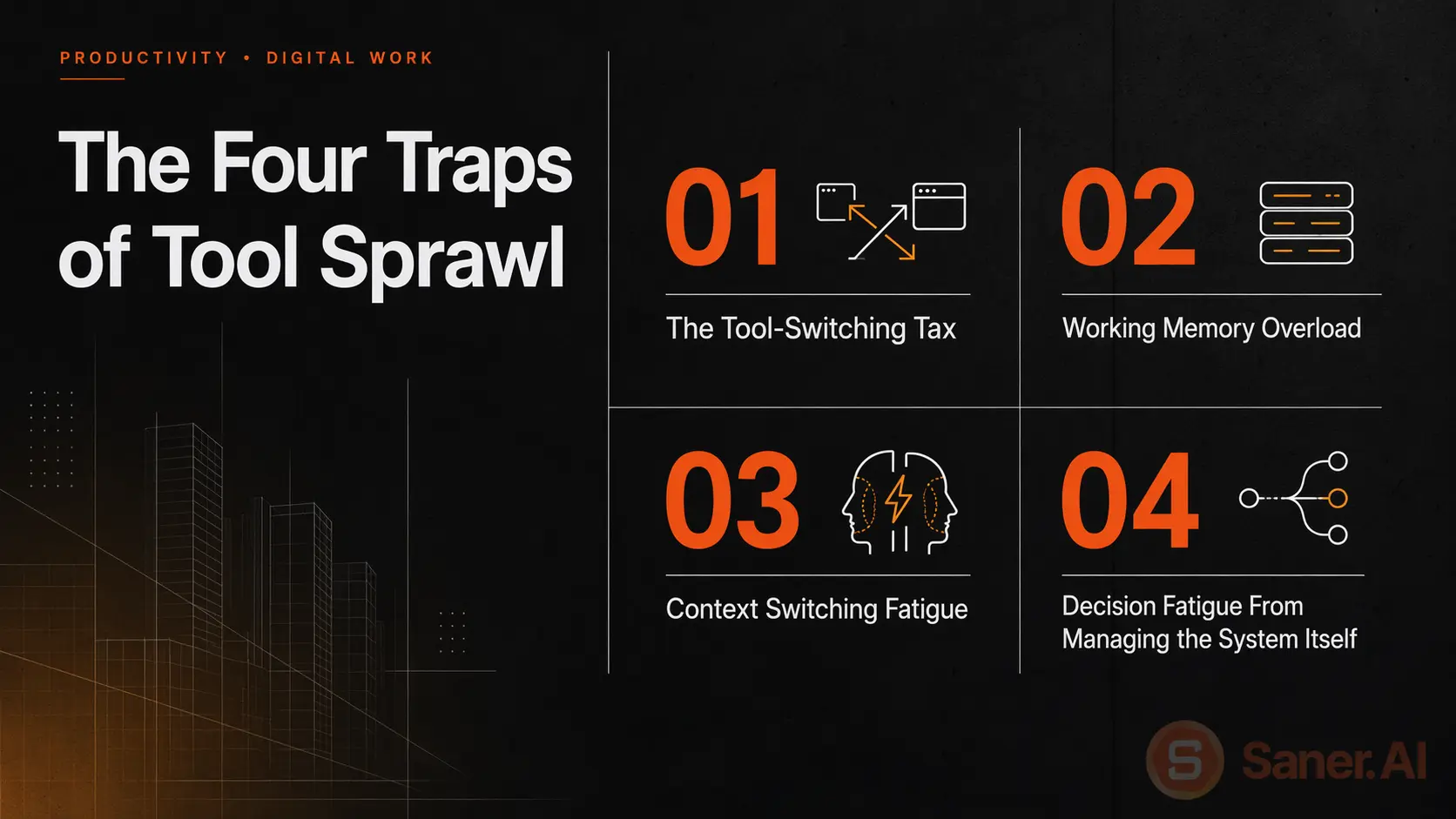
1. The Tool-Switching Tax
- Every time information has to move manually — from inbox to task list, from meeting notes to calendar — there's a chance it doesn't make the trip. You read the email, mean to add it to your to-do list, and get pulled into the next tab before you do.
2. Working Memory Overload
- If a message contains two action items, most people act on the first one and lose the second somewhere in the shuffle between apps. It's what happens when working memory has to hold information across multiple disconnected systems instead of one.
3. Context Switching Fatigue
- Notes in one app, tasks in another, calendar in a third: every time you move between them, you pay that ~23-minute refocus cost researchers keep finding. A "quick check" of your task app turns into losing the thread on what you were actually doing.
4. Decision Fatigue From Managing the System Itself
- Before you can even decide what to work on, a fragmented stack makes you decide where to look — which app has the task, which app has the deadline, which app has the context. That's an extra layer of decisions stacked on top of the actual decisions your job requires.
4) Why do most productivity apps fail to solve tool switching?
Every category of productivity app tends to solve its own slice of the problem well, and then leave the connective work to you.
- Notes Apps: A notes app is great at holding a thought. It's not built to turn that thought into a task with a due date, or to remind you about it later. Whatever you write down stays exactly as you wrote it until you manually go back, reread it, and decide what to do.
- Task Managers: A to-do list can tell you what, in order to complete, it means going and digging that context back up somewhere else.
- Calendar Tools: A calendar is excellent at telling you when something is happening. It's not designed to hold the prep notes, the linked tasks, or the follow-ups that come out of a meeting.
- Bolted-On AI Chatbots: A lot of AI productivity tools add a chat window on top of a single-purpose app (smart search, summary). What it doesn't do is fix the fragmentation between apps, since the AI still only sees the slice of your workflow that particular tool holds.
Solving one slice of the problem well isn't the same as solving the fragmentation between slices, which is the part that's actually costing the time.
How is Saner.AI the best all-in-one AI productivity tool?
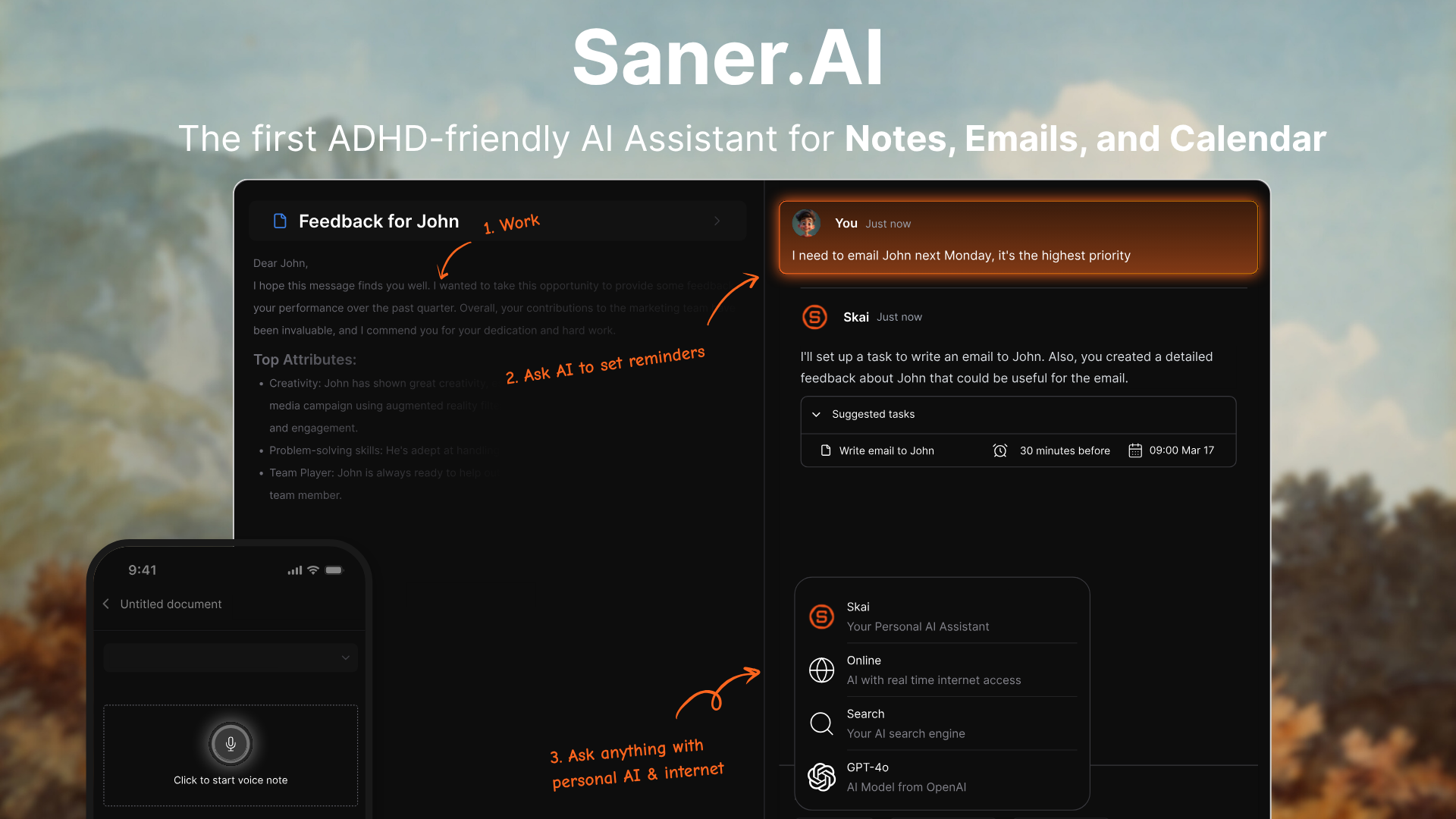
Saner.AI is a unified AI workspace that combines notes, tasks, email, and calendar into one place, with an AI assistant called Skai — that does the organizing work you'd otherwise do by hand.
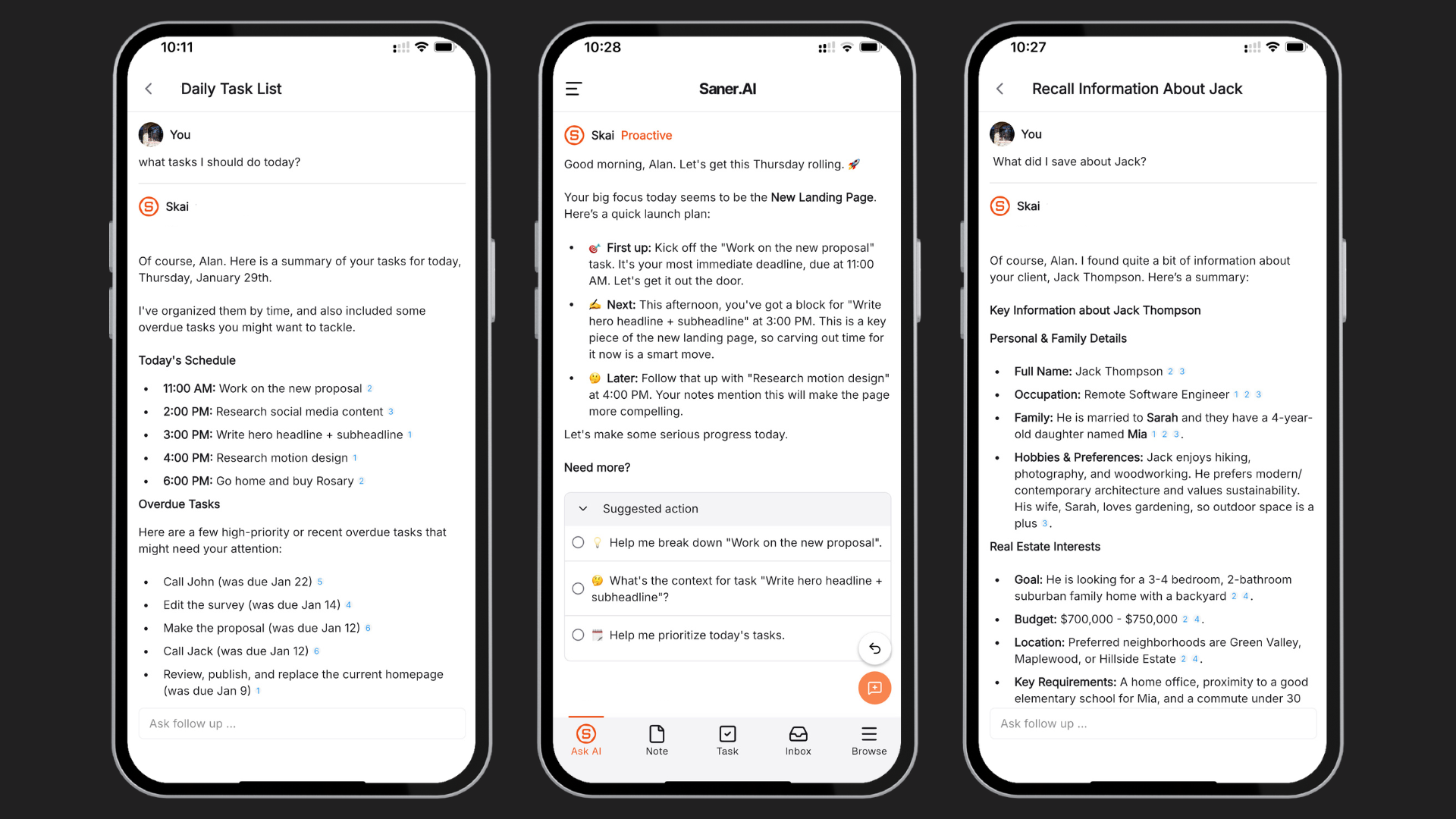
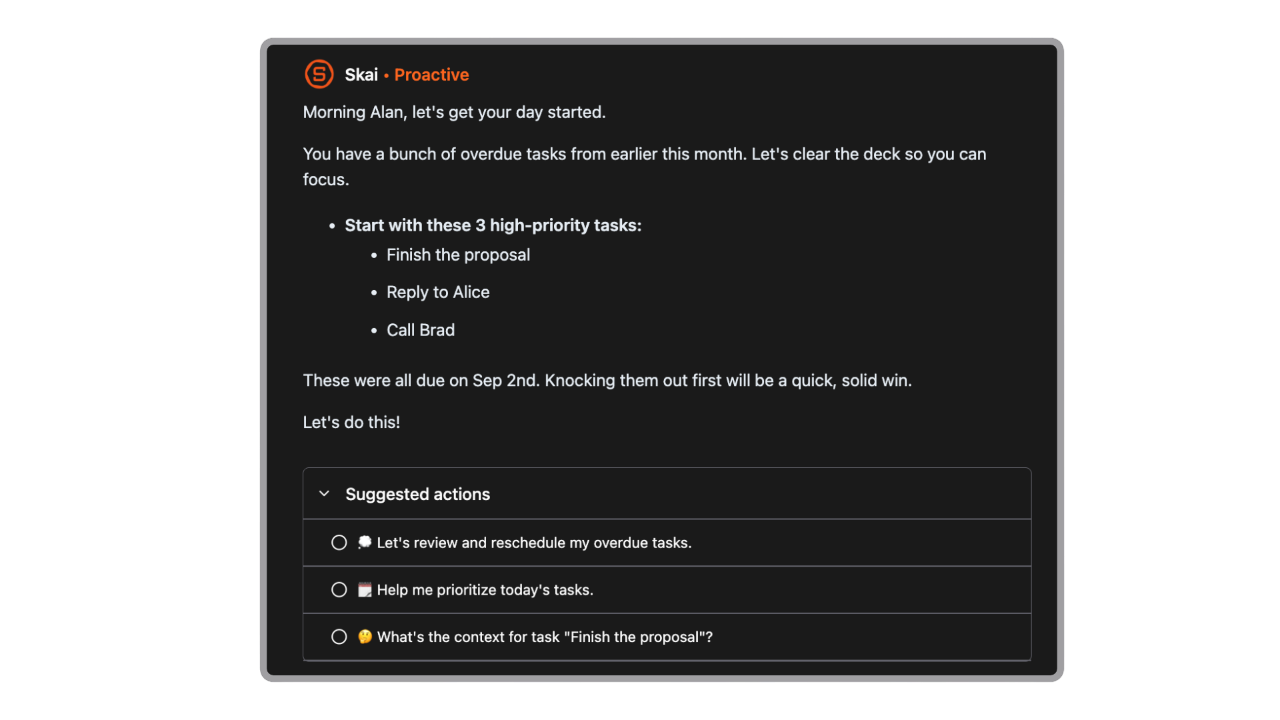
- Proactive daily check-in
Each morning, Skai scans your inbox and calendar and hands you a plan for the day, so the executive-function step of "what should I actually do first" is already done before you open the app.
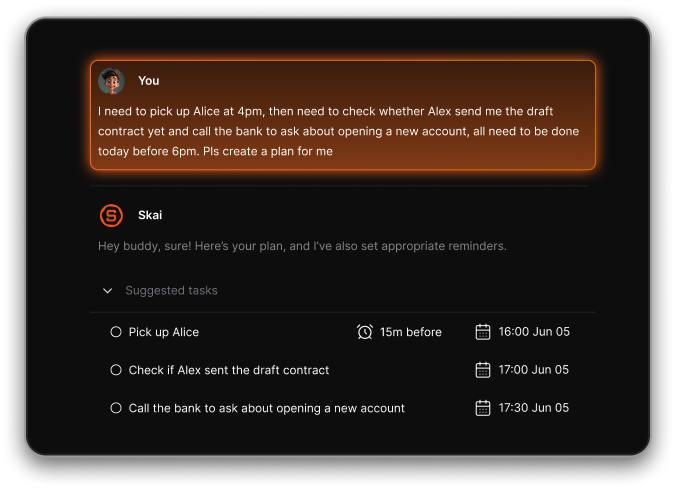
- Braindump to task list
Talk or type out everything swirling in your head in one unstructured stream, and Skai turns it into a clean, prioritized task list with realistic due dates, no manual re-entry into a separate to-do app.
- Timeline & note capture
Voice notes, quick thoughts, and meeting notes all land in one searchable timeline instead of scattered across apps.
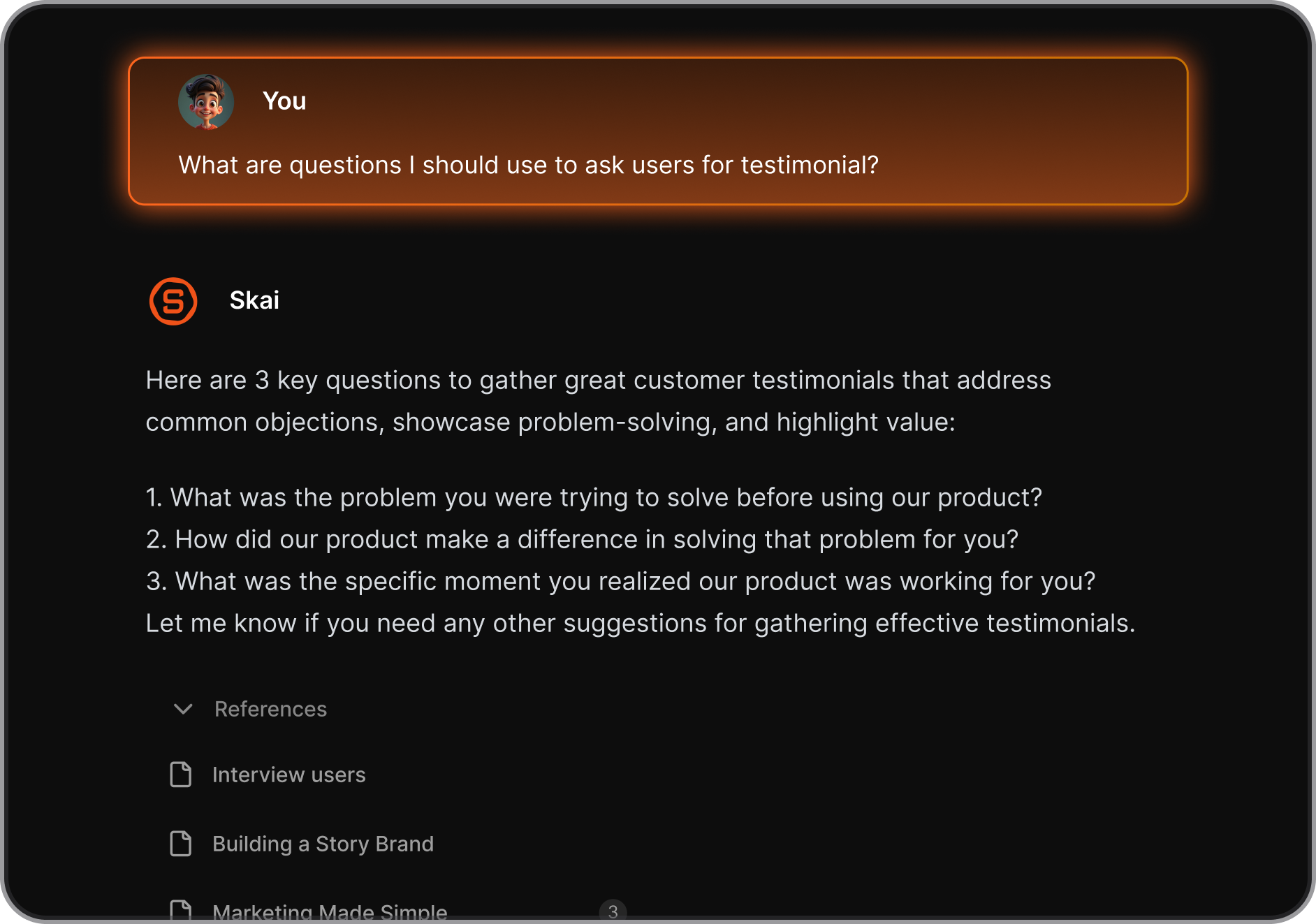
- Semantic search across everything
Ask a question in natural language, and Skai searches across your notes, tasks, and calendar simultaneously instead of making you remember which app you filed it in.
- Smart Inbox
Skai scans incoming notes and emails and suggests how to organize them or what action to take. You can agree with the suggestion, tweak it, or snooze it to reappear later so nothing sits unsorted in a separate app waiting for you to process it manually.
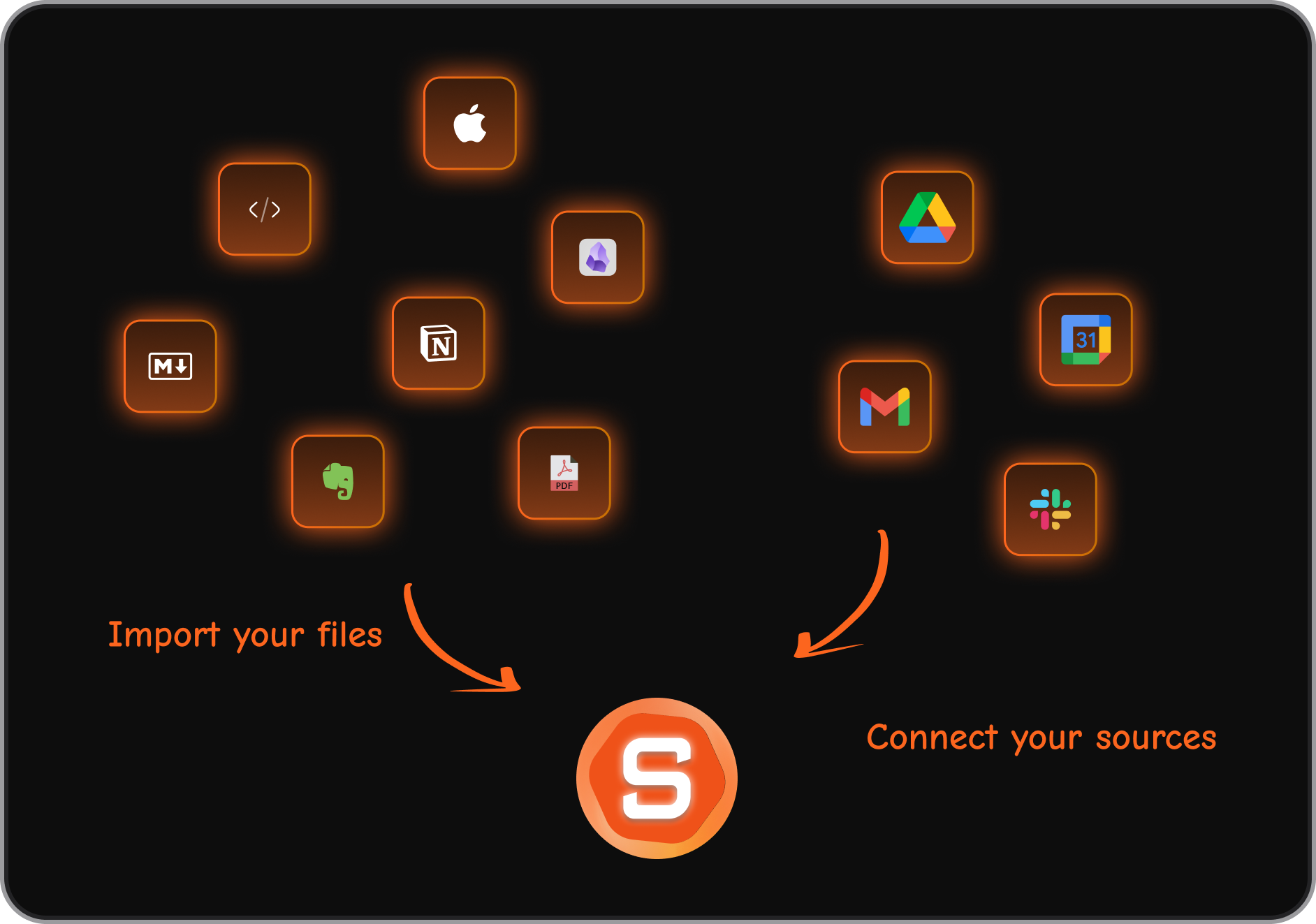
- Integrations ecosystem
Saner.AI connects to Gmail, Google Calendar, Google Drive, and Slack from day one, so it adds a layer on top of what you already use rather than demanding you rebuild everything inside a new system.
- One Subscription Instead of Several
Running a separate notes app, to-do app, and calendar add-on can quietly add up to well more than Saner.AI's paid tier, which starts around $8–12/month for the unified version of all three.
- Cross-Platform by Design
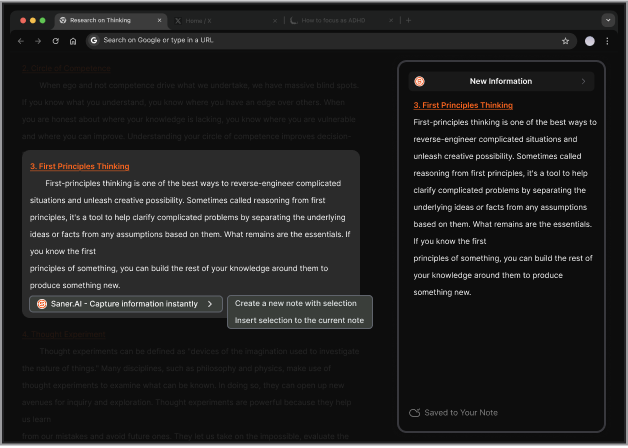
Desktop, iOS, Android, and a Chrome extension mean the same organized workspace follows you from laptop to phone to whatever tab you're mid-research in, without re-syncing or re-entering anything by hand.
Getting Started
- Sign up for free at Saner.Ai — no credit card required to try the core workspace.
- Connect Gmail and Google Calendar so Skai can start surfacing action items and building your daily check-in.
- Brain-dump and let Skai sort it into an organized task list.

Stay on top of your work and life
A Day in the Life: Before and After using Saner.AI
Before: Five Tabs, One Brain
- 8:00 AM: Open your notes app. Three half-finished to-do lists from last week are still sitting there.
- 8:20 AM: Check email. See something you need to act on. Forget to move it to your task app before the next Slack ping pulls you away.
- 9:45 AM: Open your calendar to prep for a 10 AM meeting. Can't remember which app you saved your notes for it in.
- 4:30 PM: Realize the thing from the 8:20 AM email never made it onto a list anywhere. It's gone.
After: One Workspace
- 8:00 AM: Open Saner.AI. Skai's proactive check-in already scanned your inbox and calendar overnight and surfaced today's priorities.
- 8:10 AM: Review the Smart Inbox. Approve the suggested action items, snooze the ones that can wait.
- 9:50 AM: Semantic search pulls up your meeting notes instantly — no memory of which app you filed them in required.
- 5:00 PM: Nothing fell through, because there was only one place for it to fall through from.
What You Might Still Want Alongside Saner.AI
Saner.AI handles the notes, tasks, inbox, and calendar in one AI-organized workspace. But no single tool addresses every dimension of focus and productivity, and a well-rounded setup often includes a few complements:
- Body doubling apps for structured, accountable focus sessions when starting a task is the hardest part
- Visual time-blocking tools for people who experience time blindness and need duration made visually concrete, not just listed
- ADHD coaching or therapy for the parts of executive function — emotional regulation, self-advocacy, long-term pattern-building — that no app, AI-powered or not, is designed to replace
Saner.AI reduces the administrative and organizational load. It isn't a substitute for clinical support, and it doesn't claim to be one.
Conclusion - The All-in-one Productivity App You Need
I didn't need a better notes app, or a smarter to-do list, or one more calendar reminder shouting over the other three. I needed all of it to stop being separate things I was responsible for holding together.
That's the shift an all-in-one AI productivity app makes: it's not that Saner.AI does more than a notes app plus a task app plus a calendar app. It's that it does the connecting those apps never did.
Start free at Saner.AI and see what a day looks like when everything actually lives in one place.
Stay on top of your work and life
Frequently Asked Questions
1. What makes an AI productivity app "all-in-one"?
It means notes, tasks, calendar, and often email live in a single connected workspace instead of separate apps that require you to manually copy information between them. The AI layer does the organizing — tagging, prioritizing, extracting tasks — that would otherwise be manual upkeep.
2. Is Saner.AI only for people with ADHD?
No. It was built with direct input from people with ADHD specifically because that's a harder design constraint to solve for — a system has to work even on days when maintaining it perfectly isn't realistic. A tool built to survive that ends up being lower-effort for anyone, ADHD diagnosis or not.
3. Will switching to an all-in-one tool mean giving up my existing apps?
Not necessarily. Saner.AI integrates with Gmail, Google Calendar, Google Drive, and Slack, so it can pull information from tools you already use rather than requiring you to abandon them outright.
4. How much does Saner.AI cost?
There's a free plan to test the core workspace. Paid plans start at roughly $8–16/month for expanded AI usage and storage, which is significantly less than running several separate subscription apps side by side.
5. Is Saner.AI a replacement for ADHD treatment or coaching?
No. It's a productivity and organization tool, not a clinical treatment. It reduces the administrative load of managing notes, tasks, and follow-ups, but it doesn't address emotional regulation, therapy, or medication — areas where a doctor, therapist, or ADHD coach plays a role no software can.
Stay on top of your work and life