
Amazing Marvin Review 2026: Is the Customization Worth the Learning Curve?


I spent a chunk of this week reading through every public review of Amazing Marvin I could find, on G2, Capterra, and Product Hunt, going back to 2020. The pattern was consistent. People who stick with Amazing Marvin tend to love it in a slightly obsessive way. People who bounce off it tend to bounce hard, usually in the first week
That's the whole story of this app, really. Amazing Marvin is a task manager and daily planner built around behavioral psychology, and its entire pitch is that you build your own productivity system out of "strategies" instead of accepting whatever workflow the developers decided was best.
The question worth asking is whether you actually want to spend your first week building a to-do app instead of using one, and whether an app with no notes section and no team features can really be the only tool you open every morning.
If you want notes, tasks, calendar, and email handled together with AI instead of manual toggles, an all-in-one productivity app review blog is worth a look before you commit.
Key takeaways
- Amazing Marvin's 100+ toggleable "strategies" make it the deepest personal task manager we've tested, but multiple reviewers describe the first week as genuinely overwhelming.
- There's no permanent free plan. You get a 14-day trial (some third-party listings say 30 days, so confirm before you commit), then it's $12/month or $8/month billed annually.
- It has no built-in AI. What Marvin calls "strategies" are rule-based toggles you switch on and off yourself, not an assistant that plans your day for you.
- Collaboration is still absent years after users first asked for it.
- The desktop and web experience consistently outscores the mobile apps in user reviews, and there's no dedicated space for notes separate from tasks.
Amazing Marvin at a glance
Editorial scorecard based on cross-referencing G2, Capterra, and Product Hunt reviews for recurring praise and complaints. This differs from the platforms' own star averages (4.6 to 4.9), which skew high because the people who bother reviewing a tool this customizable are usually the ones who already love tinkering with it.
| Category | Score |
|---|---|
| Ease of use | 3.2 / 5 |
| Customization and features | 4.9 / 5 |
| Mobile experience | 3.0 / 5 |
| Customer support | 4.6 / 5 |
| Team collaboration | 1.5 / 5 |
| Value for money | 3.6 / 5 |
| Overall | 3.5 / 5 |
What is Amazing Marvin?
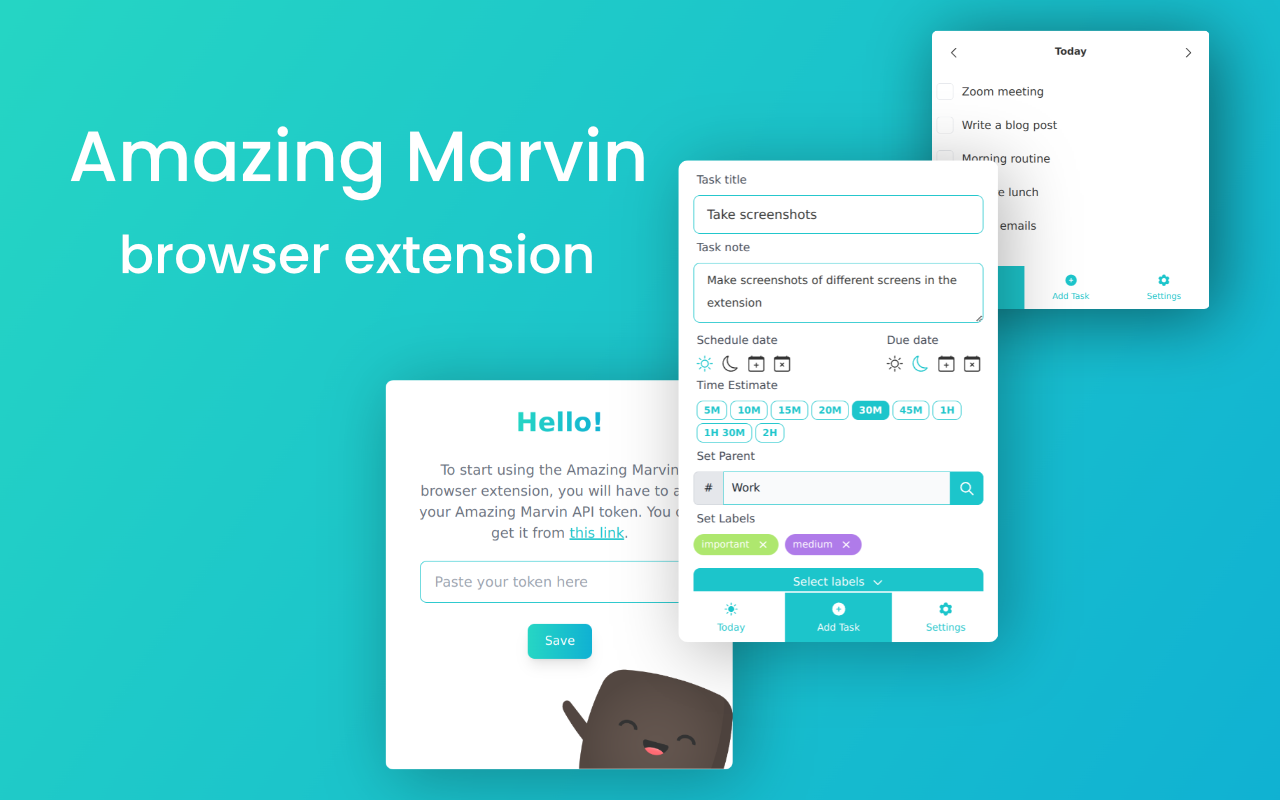
Amazing Marvin is a web, desktop, and mobile task manager built by a small, self-funded Swiss team since 2017.
The core idea is that most productivity apps fail because they force everyone into one rigid system, so Marvin ships as a mostly blank canvas with a library of over 100 "strategies" you switch on individually: time blocking, a procrastination wizard, a Pomodoro-style timer, smart lists, habit tracking, goal setting, and a full calendar sync. Tasks live inside a nested hierarchy of Categories, Sub-Categories, Projects, Sub-Projects, Tasks, and Sub-Tasks, which is about as deep as task hierarchies get in this category.
The app leans hard into behavioral psychology and is explicitly positioned toward people with ADHD and chronic procrastination, a niche it's earned real credibility in. What it isn't is an all-in-one workspace. There's no dedicated notes or document space, no email inbox integration, and no way for a second person to see or share your tasks.
Amazing Marvin features breakdown
The strategies system
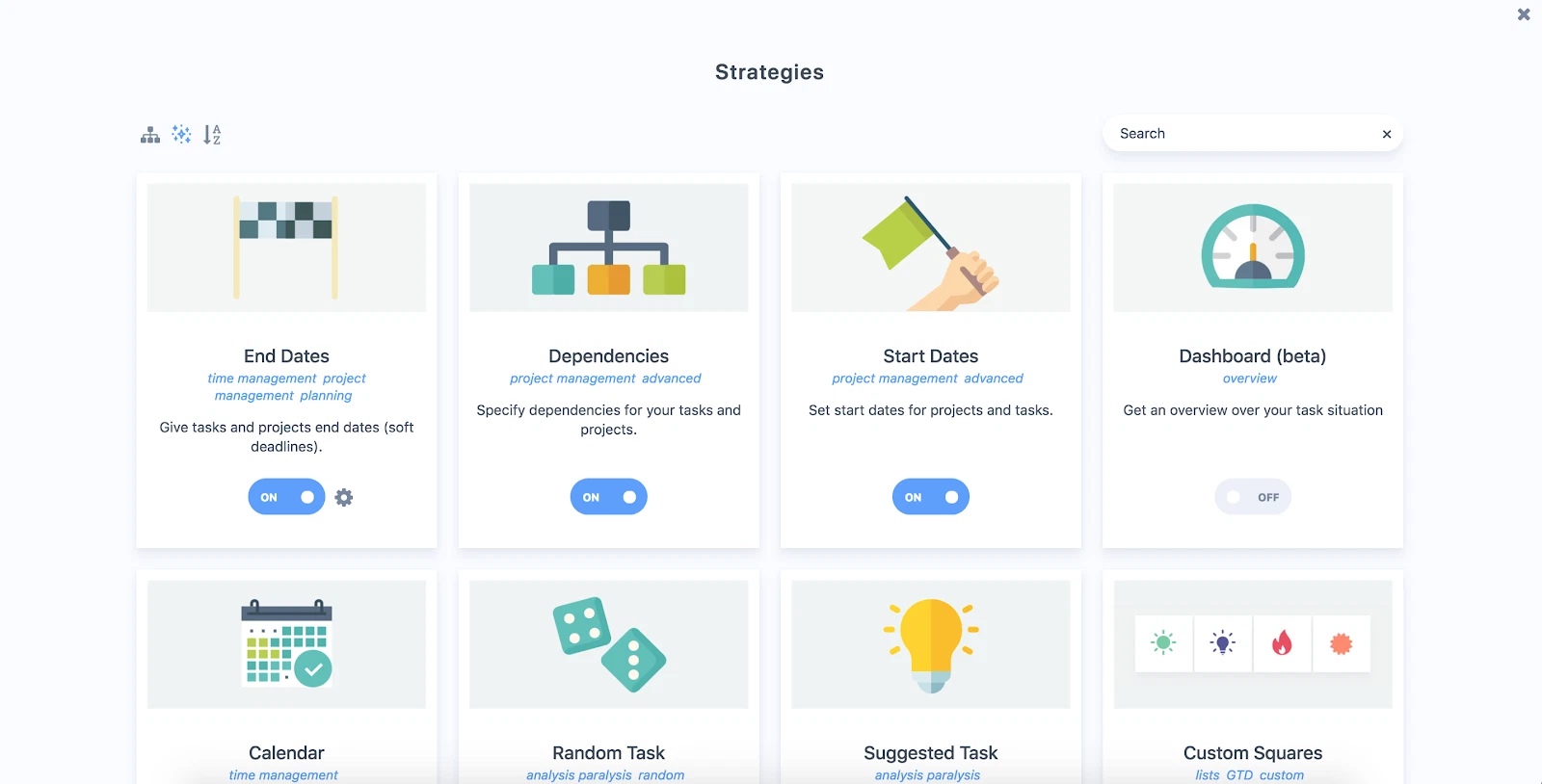
This is the entire reason people either fall in love with Marvin or give up on it in week one. Instead of a fixed interface, you get a library of features you enable one at a time, and the app explicitly recommends starting with only a handful so you don't drown yourself in options.
"There can be a learning curve and, at first, potentially feeling overwhelmed" – verified reviews
Task and project hierarchy
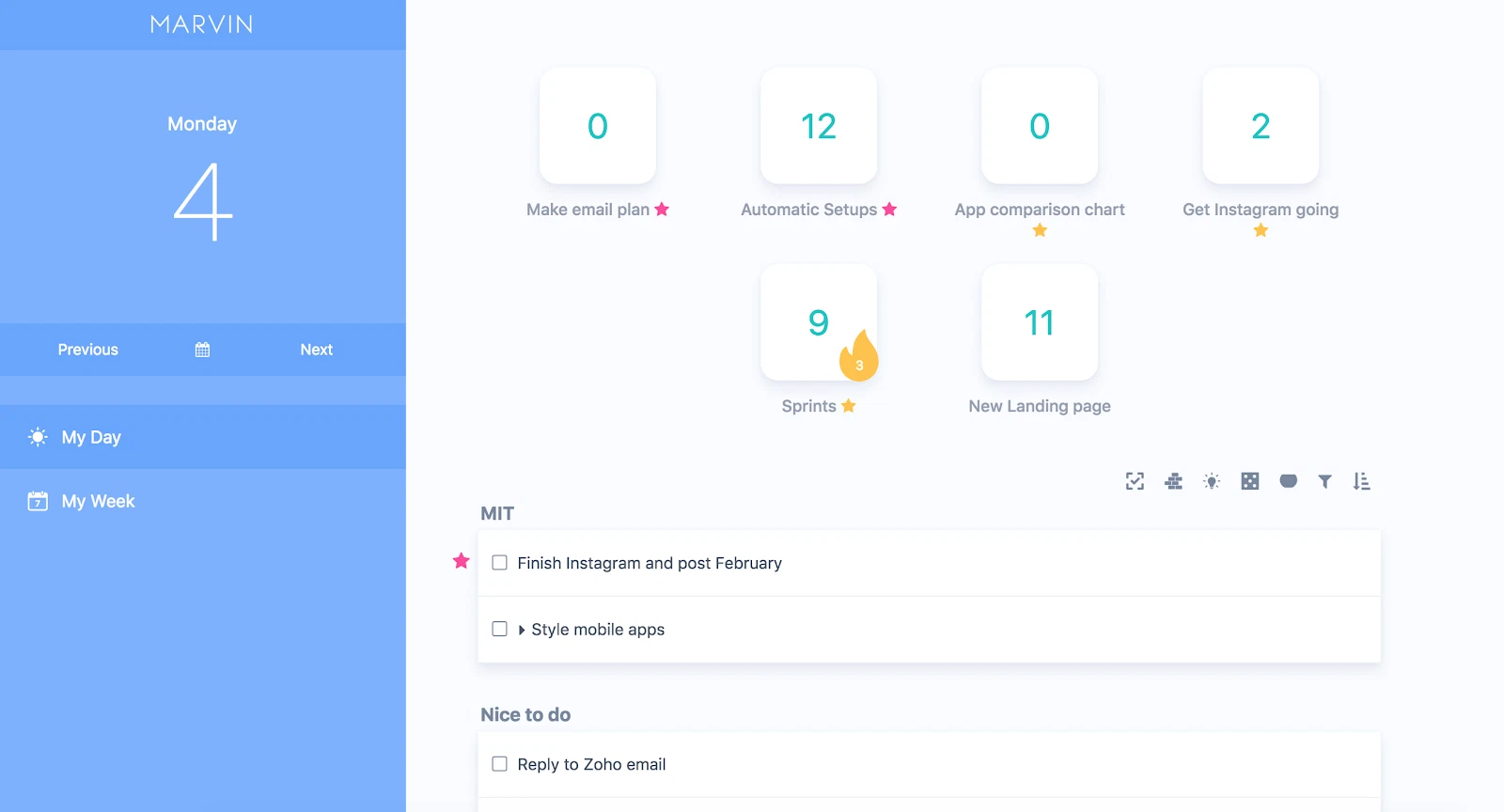
Categories can hold unlimited sub-categories, projects can hold unlimited sub-projects, and any task can be promoted into a sub-project with one click if it grows too big for a single line. For people who've been fighting flat to-do lists for years, this is the feature that gets mentioned first in almost every glowing review.
"The only tool that lets me build a productivity system that truly fits me" – verified reviews
Procrastination Wizard and Super Focus Mode
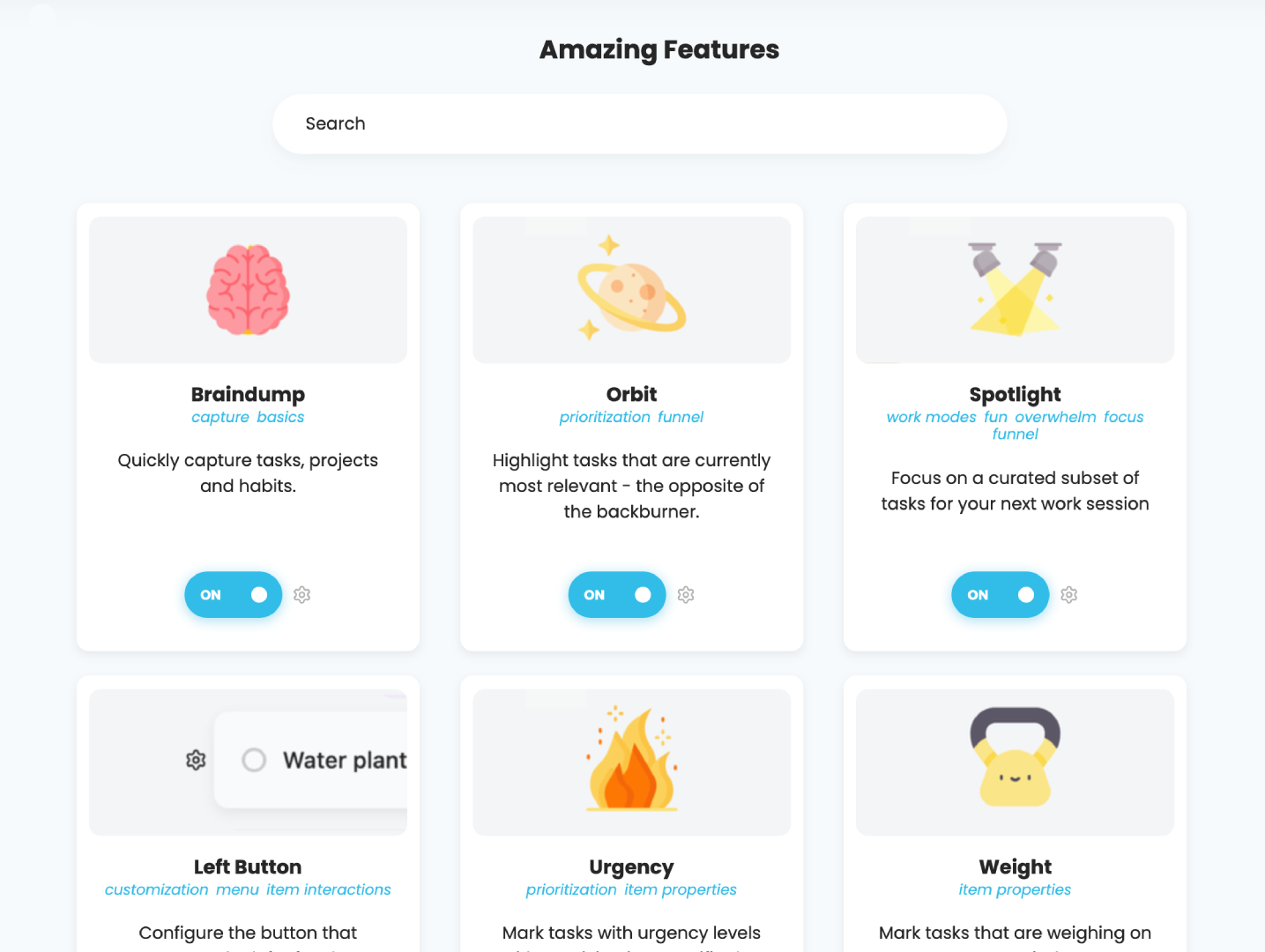
Super Focus Mode strips the interface down to one task at a time, and the Procrastination Wizard walks you through getting unstuck when you're staring at a task you can't start. Several long-term users single this pair out as the actual reason they stopped switching apps every few months. It's also, tellingly, one of the features people miss most when they're stuck on their phone.
"My beloved Procrastination Wizard is not on mobile" – verified reviews
Daily planner and calendar sync
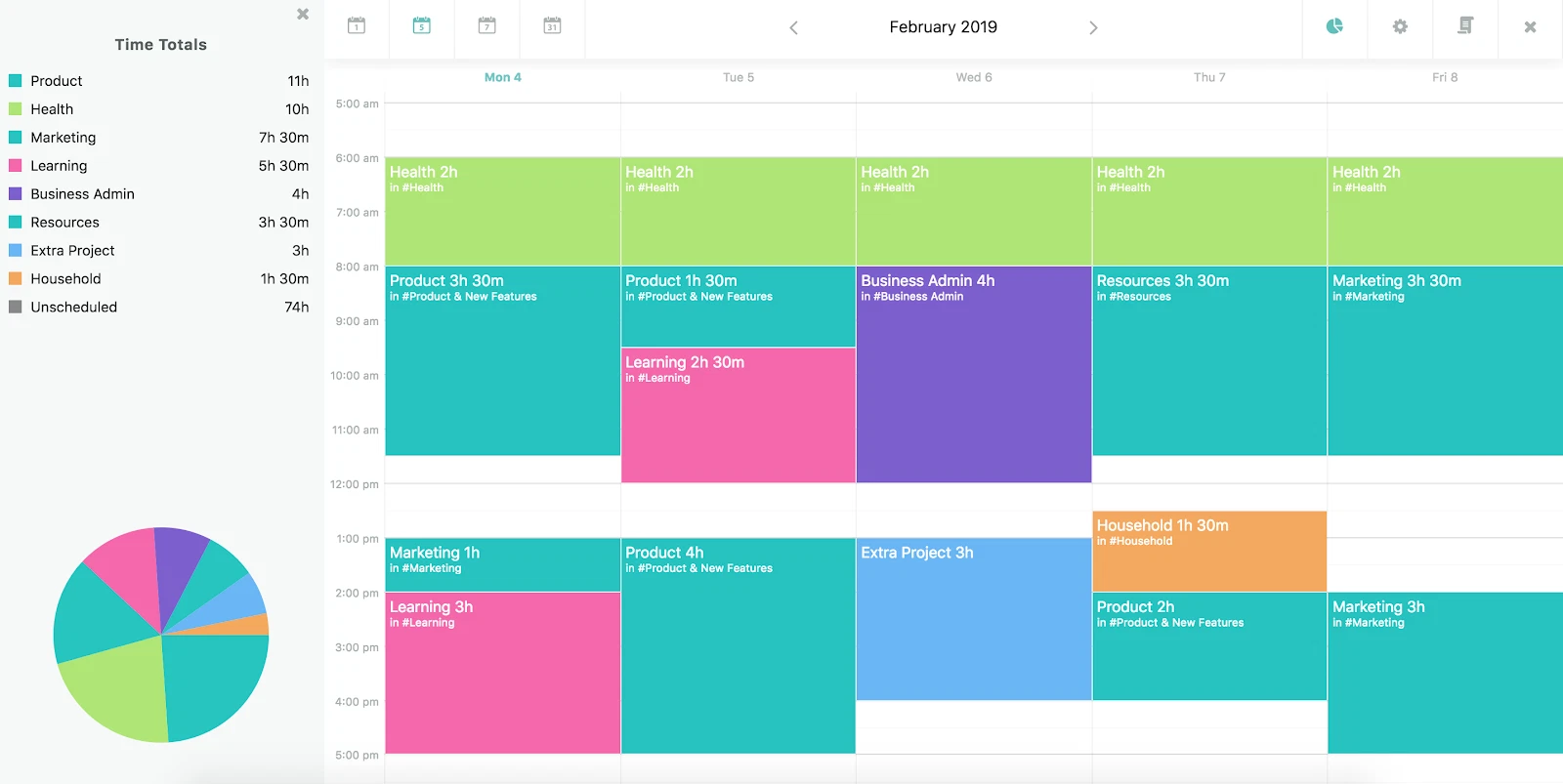
You can assign due dates, due dates, start dates, and end dates to the same task, which sounds excessive until you realize it solves a real problem: the difference between when something is due and when you actually plan to work on it. Calendar sync pulls events in so you can time-block around them. What it doesn't do is read your inbox for you.
Cross-device apps
Marvin runs on web, Mac, and (per more recent coverage) Windows, plus iOS and Android under one subscription. Older reviews flagged a missing Windows app specifically, which appears to have been addressed since. What hasn't changed as much is the gap between the desktop experience and the mobile one.
"Mobile apps feel a bit clunky but work" – verified reviews
Amazing Marvin pricing
| Plan | Price | Billing | Notes |
|---|---|---|---|
| Monthly | $12/month | Billed monthly, cancel anytime | Full feature set, no gates |
| Annual | $8/month ($96/year) | Billed yearly | 33% cheaper than monthly |
| Lifetime | $300 one-time | One-time payment | Reported by several third-party sources; not visible on the standard pricing page during our check, so confirm current availability directly with Marvin before promising it to readers |
| Free trial | 14 days | No credit card required | A few third-party listings cite 30 days instead, worth double-checking |
| Free version | None | — | No permanent free plan |
| Student discount | 50% off | Monthly or annual | Available by request |
| Payment methods | Card checkout | — | Not publicly detailed beyond standard checkout |
Amazing Marvin pros and cons
| Pros | Cons |
|---|---|
| 100+ toggleable strategies for real personalization | Steep learning curve, expect a slow first week |
| Deep task hierarchy (categories, sub-projects, sub-tasks) | No dedicated notes or notebook space |
| Built specifically around ADHD and procrastination research | No team or multi-user collaboration, years after users first asked |
| Responsive, hands-on founder and support team | Mobile apps consistently rated below desktop/web |
| One-time lifetime option for subscription-averse users | No native AI assistant, only manual rule-based toggles |
| 14-day free trial, no credit card required | No permanent free plan |
| Works across web, desktop, and mobile under one price | No native Gmail/Outlook inbox integration |
What people say about Amazing Marvin
The praise is genuine and often intense.
Others describe a real shift in how much they actually finish, not just organize:
"I'm actually getting things done now, not just creating endless lists" – Capterra reviews
But the complaints cluster in the same few places every time. On collaboration:
"Using it with a team is not an option at this stage" – Capterra reviews
On the interface, especially outside the desktop:
"Their Android and iOS version felt old" – Capterra reviews
On a feature request that comes up more than once, and one that matters a lot if you also want to think, not just track tasks:
"A separate section for notebooks and notes" – Product Hunt reviews
And on a smaller but real workflow gap:
"Doesn't support multiple timezones as it uses system timezone for task schedules" – Capterra reviews
Who is Amazing Marvin best for?
Best for:
- Solo users managing their own workload, not teams
- People with ADHD or chronic procrastination who genuinely enjoy building custom systems (This covers a wider set of ADHD-specific options if you're still comparing)
- Anyone who's bounced off Todoist, Asana, or Notion and suspects the tool wasn't flexible enough, not that they failed
- Power users who want a lifetime-style purchase instead of another subscription
Not ideal for:
- Teams or anyone who needs a shared or delegated task list
- People who want something that works well immediately, with no setup phase
- Anyone who wants notes, research, or a knowledge base living next to their tasks
- People who manage most of their day from a phone
- Anyone who'd rather have AI draft the plan than build one manually from a settings menu
Amazing Marvin Alternatives comparison
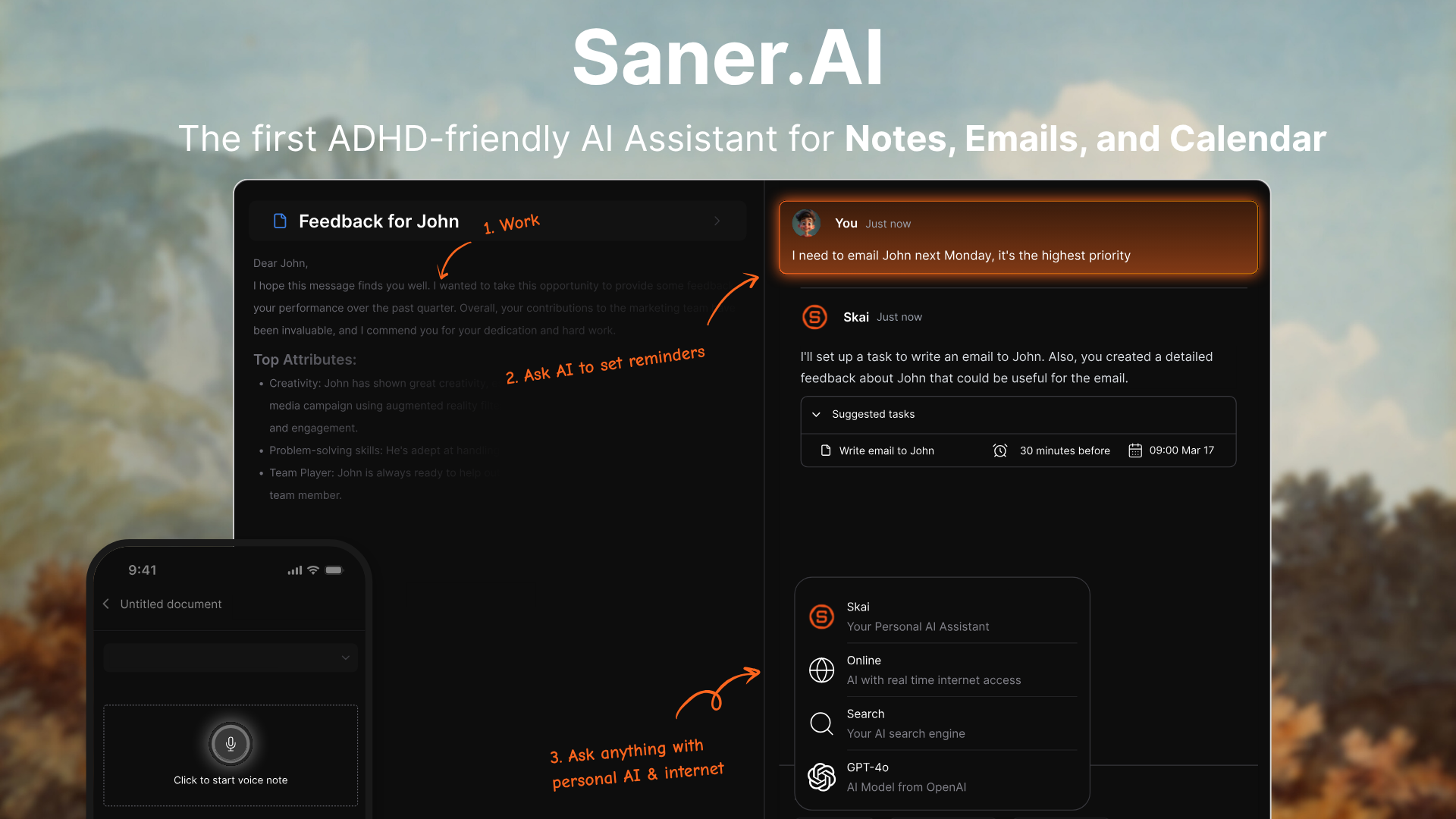
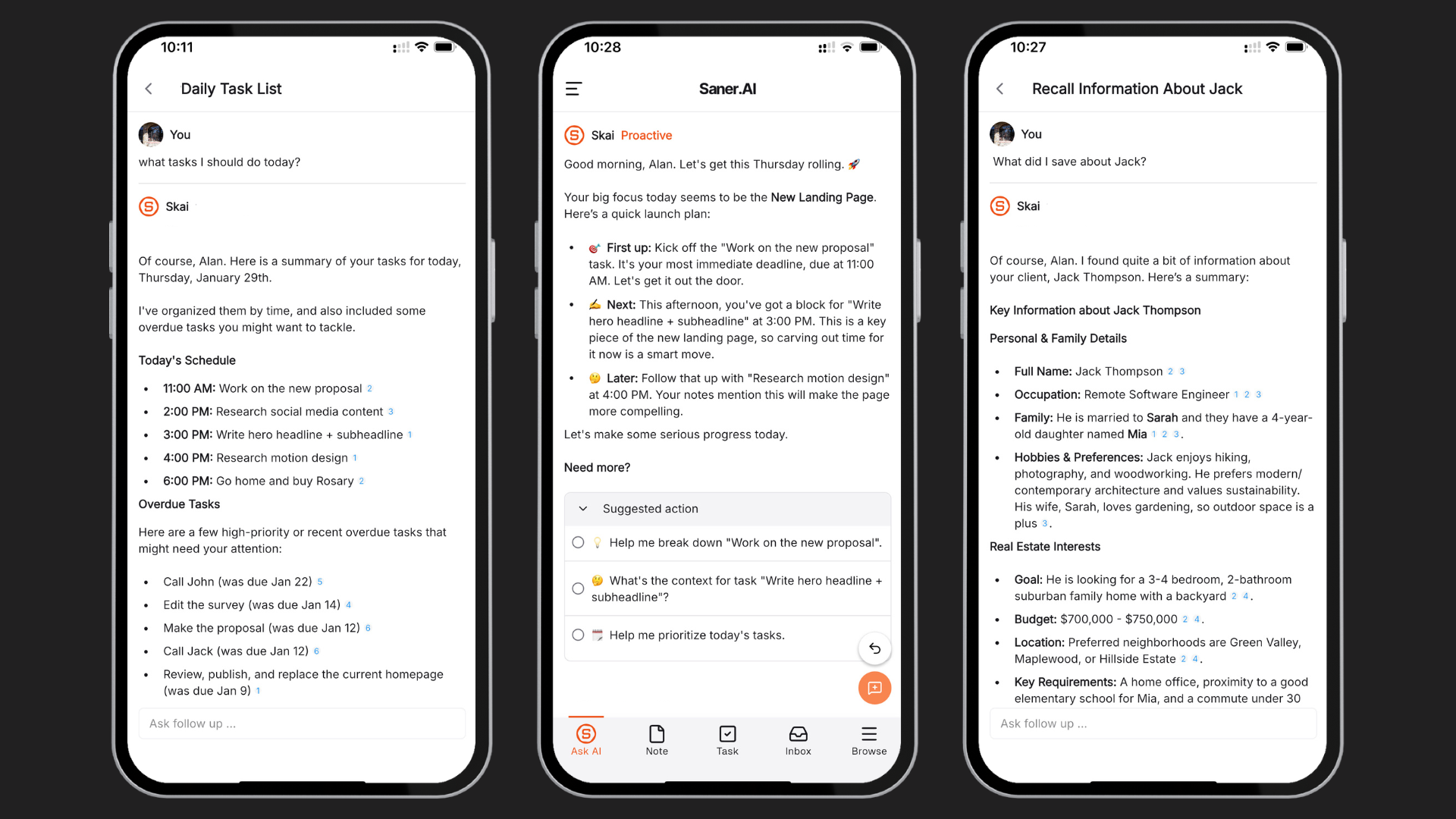
Saner.AI takes a different approach. Instead of asking you to assemble a system from 100+ toggles, it uses an AI assistant (Skai) to read your notes, tasks, calendar, and inbox together and build the plan for you, in the same workspace where you'd otherwise be taking notes, something Marvin still doesn't offer.
Amazing Marvin vs Saner.AI: where Saner.AI pulls ahead
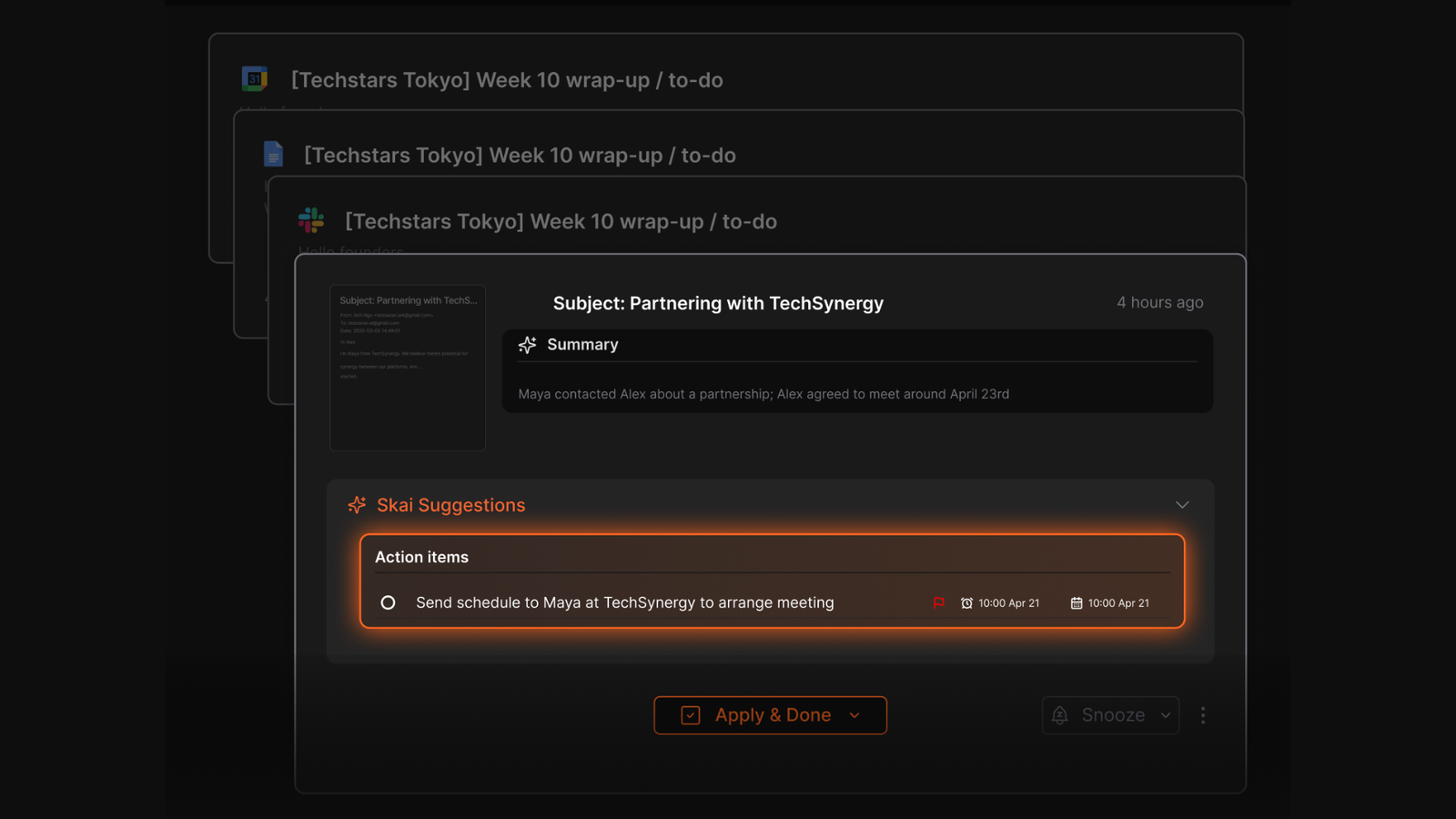
- Notes and tasks in one place. Saner.AI keeps notes, tasks, calendar, and email together, closing the exact gap Product Hunt reviewers specifically asked Marvin for.
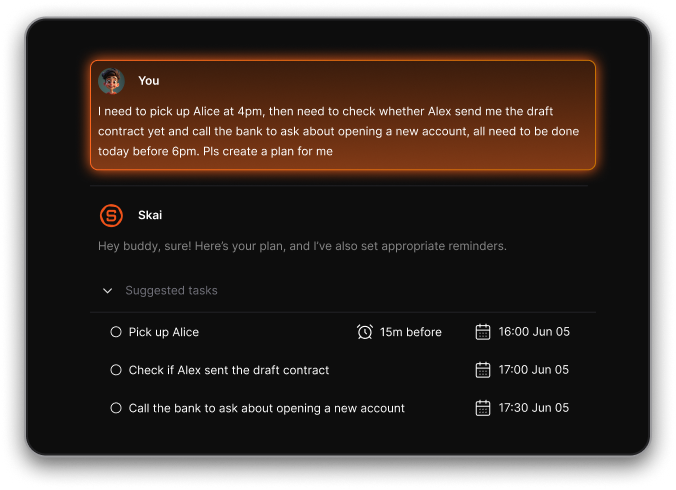
- AI plans your day instead of you configuring it. Skai reads your notes, calendar, and inbox and proposes a day plan; Marvin's strategies are switches you flip yourself, one at a time.
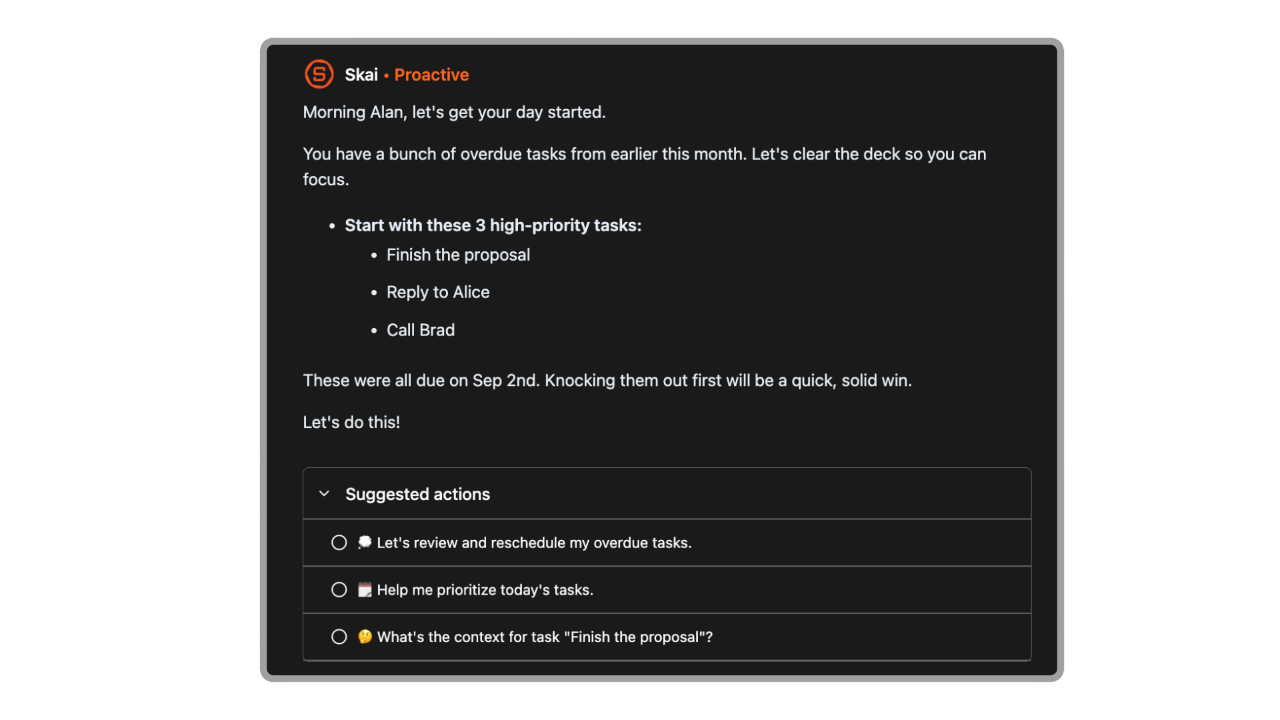
- Email is handled natively. Saner.AI triages your inbox and turns emails into tasks automatically, the integration multiple Marvin reviewers said they were missing.
- A real free plan. You can use Saner.AI's core features, mobile app, and browser extension for $0. Marvin's cheapest option is a 14-day countdown.
- Faster time to value. Less setup, no strategy library to sort through solo before you feel organized.
- Built with the same audience in mind. Saner.AI was shaped with direct input from 200+ people with ADHD, which shows up in how it handles capture and follow-through
Who each tool actually fits
- Choose Amazing Marvin if: you're a solo user who genuinely enjoys building your own system from raw parts, doesn't mind a learning curve, and mainly works from a desktop.
- Choose Saner.AI if: you want notes, tasks, email, and calendar handled together with AI doing the organizing, or you've tried a manual system like Marvin's and the maintenance itself became the problem
| Amazing Marvin | Todoist | TickTick | Saner.AI | |
|---|---|---|---|---|
| Starting price | $12/mo ($8/mo annual) | ~$4/mo annual | ~$2.40/mo annual | Free |
| Free plan | No | Limited | Limited | Yes |
| AI assistant | No | No | No | Yes (Skai) |
| Notes + tasks combined | No | No | Limited | Yes |
| Email/inbox integration | No | No | No | Yes |
| Team collaboration | No | Limited | Limited | Team support available |
| Best for | Solo power users, ADHD tinkerers | Simplicity seekers | Budget all-rounders | ADHD/knowledge workers wanting AI to organize for them |
- Todoist is the cleaner, cheaper, faster-to-learn option if you just want a reliable list with natural language input. It won't match Marvin's depth of customization, but it also won't ask you to spend a week configuring it.
- TickTick sits in the middle: it bundles a calendar, habit tracker, and Pomodoro timer into one app for less than Marvin costs, with a usable free tier Marvin doesn't offer at all.
Final verdict
Amazing Marvin earns its reputation. The depth of customization is real.
What it asks of you in return is real too: a learning investment, a subscription with no free tier to fall back on, no space for notes, and nothing resembling AI, just switches you flip yourself.
If you want the deepest, most personal task manager on the market and you're willing to spend the first week building it before it starts working for you, Marvin delivers.
If what you actually want is your notes, tasks, email, and calendar handled together, with AI doing the organizing instead of you maintaining a settings menu, it's worth trying Saner.AI before you commit to a year of Marvin.

Stay on top of your work and life effortlessly
FAQ
Is Amazing Marvin good for ADHD?
Yes, Reviewers and independent write-ups describe it as ok. The tradeoff is that its depth can itself become overwhelming for some ADHD users before it clicks.
Does Amazing Marvin have a free plan?
No. There's a 14-day free trial with no credit card required, but no permanent free tier. Compare that to Saner.AI, which offers a genuinely usable free plan.
Can teams use Amazing Marvin?
Not really. Multiple reviews across G2 and Capterra confirm it's built for individual use, and collaboration has been requested for years without shipping.
Does Amazing Marvin have AI features?
No. Despite some third-party listings tagging it as "AI enabled," Marvin's core mechanism is rule-based toggles ("strategies") that you configure manually, not an AI assistant that plans or prioritizes for you.
What's the real difference between Amazing Marvin and Saner.AI?
Marvin gives you the raw materials and expects you to build the system. Saner.AI uses AI to build and adjust the plan for you inside a workspace that also holds your notes and email, not just your tasks.
Is Amazing Marvin worth the price?
For solo users who want maximum control and don't mind the setup time, most reviewers say yes. For anyone who wants results faster, works mostly from a phone, or needs to share tasks with someone else, the price is harder to justify given what's missing.
Stay on top of your work and life effortlessly