7 Best ADHD Task Management Apps (Tested & Reviewed)
The Best ADHD Task Management Apps are Saner.AI, Todoist, Goblin.tools, TickTick, Structured, Tiimo.


The Best ADHD Task Management Apps in 2026
If you have ADHD, task management isn’t about laziness or lack of discipline. It’s about overwhelm, forgetting, time blindness, and the painful gap between knowing what to do and actually starting.
Most traditional to-do apps assume users can plan ahead, estimate time accurately, and consistently follow systems.
ADHD brains don’t work that way, which is why many people cycle through planners, apps, and notebooks without sticking to any of them.
In this guide, we’ll break down
- What makes a task-management app truly ADHD-friendly
- How AI reduces cognitive load, and
- Compare the best ADHD task-management apps in 2026
So you can find one that fits your brain, not an idealized version of it.
1. What Is a Task-Management App?
A task-management app is a tool designed to help you capture, organize, prioritize, and complete tasks.
For ADHD users, a task app isn’t just a list - it’s external support for:
- Remembering what matters
- Deciding what to do next
- Starting when motivation is low
- Recovering when routines break
2. Trends in ADHD Task Management Apps
- AI-assistant workflows: quick task capture, summarizing notes into tasks, resurfacing notes
- Cross-app collaboration - a unified workspace (email/meetings notes/todo list→ task)
- Proactive planning: automatically plan your day based on your old tasks
- Brain dump tasks using the voice assistant.
3. How We Evaluate Task-Management Apps for ADHD
Our evaluation focuses on how well an app supports real ADHD cognition, especially under stress, low energy, or distraction.
🔹 Quick Task Capture
ADHD brains lose thoughts quickly. If capturing a task requires choosing a project, priority, or due date, the task often disappears before it’s saved.
What we look for
- One-step task capture
- Brain-dump style input (text, voice, or quick add)
- No forced decisions at entry
🔹 Task Breakdown
Why this matters for ADHD
Large or vague tasks trigger task paralysis. ADHD brains struggle to translate “big goals” into first actions.
What we look for
- Automatic or guided task breakdown
- Clear next actions (not just sub-tasks)
- Support for “start here” clarity
🔹 Smart Reminders & Nudges
Why this matters for ADHD
Standard reminders are easy to ignore when they arrive at the wrong time or without context.
What we look for
- Time-aware or behavior-based reminders
- Gentle nudges instead of alarm-style alerts
- Flexibility when tasks are postponed
- Customized reminder message
🔹 Visual Clarity
Why this matters for ADHD
Too much information on screen increases cognitive load and decision fatigue.
What we look for
- Clean, minimal task views
- Limited visible priorities at once
- Clear hierarchy of what matters now
🔹 AI Prioritization or Auto-Organization
Why this matters for ADHD
Deciding what to do next is often harder than doing the task itself.
What we look for
- AI-driven daily focus
- Automatic sorting by urgency or relevance
- Reduced need for manual planning
Now, let's dive in!
What are The Best ADHD Task Management Apps?
The Best ADHD Task Management Apps are Saner.AI, Todoist, Goblin.tools, TickTick, Structured, Tiimo.
🧠 Best ADHD Task Management Apps (2026) – Quick Comparison
| 🚀 App | 💡 Key Strengths | 🎯 Best For | 📱 Platform | 💰 Pricing (2026) |
|---|---|---|---|---|
| Saner.AI | AI breaks down tasks automatically, captures messy thoughts, reduces executive dysfunction | ADHD adults who feel overwhelmed & hate planning | Web, iOS (Android planned) | Free plan available; Paid from ~$8/month |
| Todoist | Clean UI, natural-language input, strong habit & priority system | ADHD users who want structure without clutter | Web, iOS, Android, Desktop | Free; Pro from $5/month |
| Goblin.tools | One-click task breakdown, tone checking, neurodivergent-friendly | Task paralysis & emotional overload | Web | Mostly free; Optional one-time support |
| TickTick | Tasks + calendar + Pomodoro + habits in one place | ADHD users with time blindness | Web, iOS, Android, Desktop | Free; Premium ~$3/month |
| Structured | Timeline-based day view, visual scheduling, minimal decisions | ADHD users who think visually | iOS, macOS | Free; Pro ~$5/month |
| Tiimo | Visual routines, gentle reminders, neurodivergent-first design | ADHD & autism daily routines | iOS, Android, Web | Free trial; Paid ~$10/month |
| Akiflow | Time-blocking, calendar + task inbox unification | ADHD professionals juggling many tools | Web, macOS, Windows | Paid ~$34/month |
1. Saner.AI
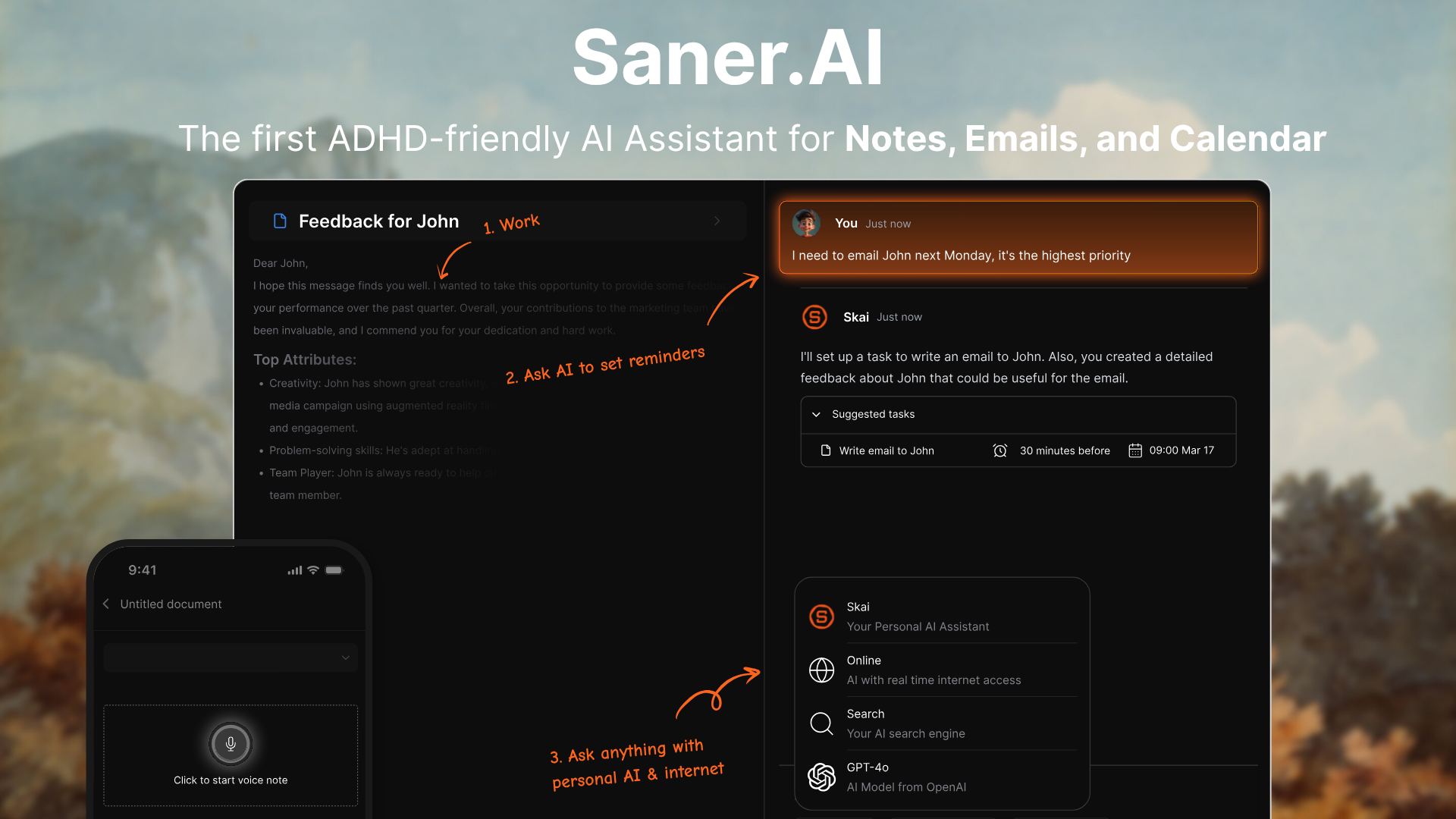
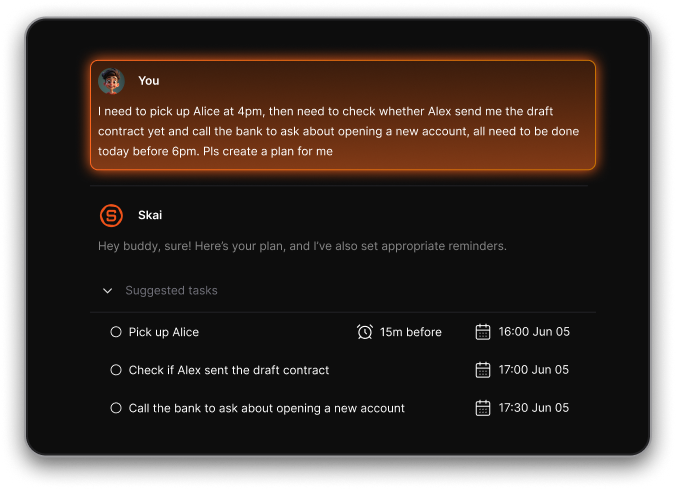
Saner.AI is an AI productivity assistant built with ADHD task management in mind. It centralizes your notes, calendar, email, and tasks into one workspace and lets you create, capture, and organize things using natural language or chat.
Its core goal is to reduce context switching by turning thoughts and digital clutter into actionable next steps. Built-in AI (called Skai) helps you break down tasks, recall old ideas, prioritize work, and suggest reminders tailored to your patterns.
Key features
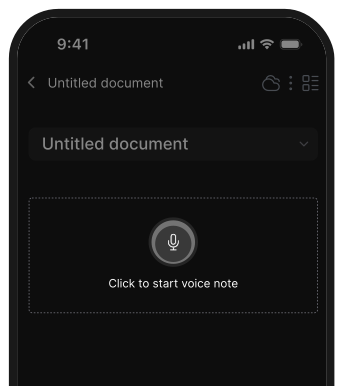
- Capture ideas as text or voice and let the AI instantly turn them into searchable notes or tasks without forcing you to choose folders or tags upfront.
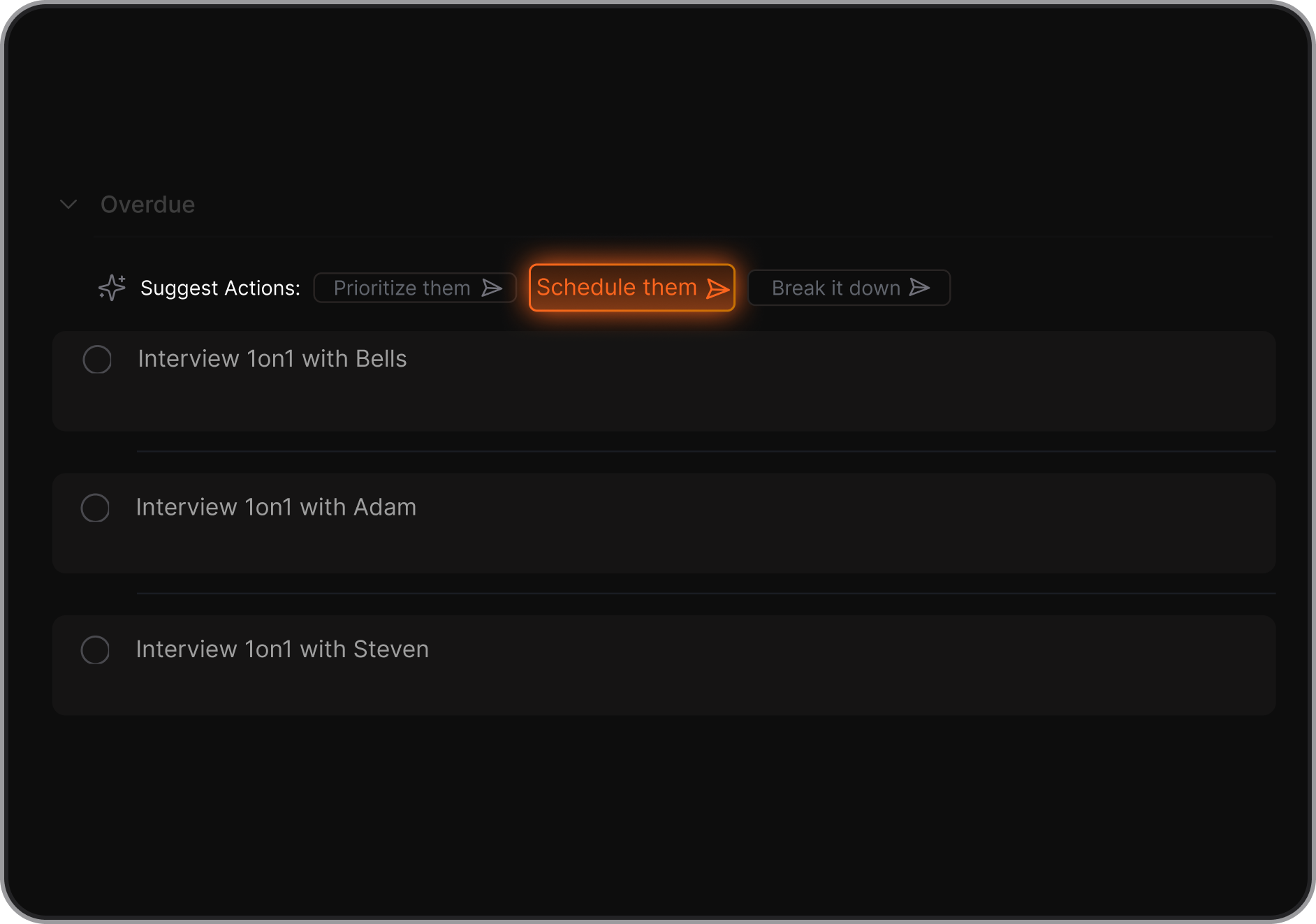
- Chat with the assistant to break down big tasks into clear next actions, get automatic prioritization suggestions, and reschedule tasks naturally without menus.
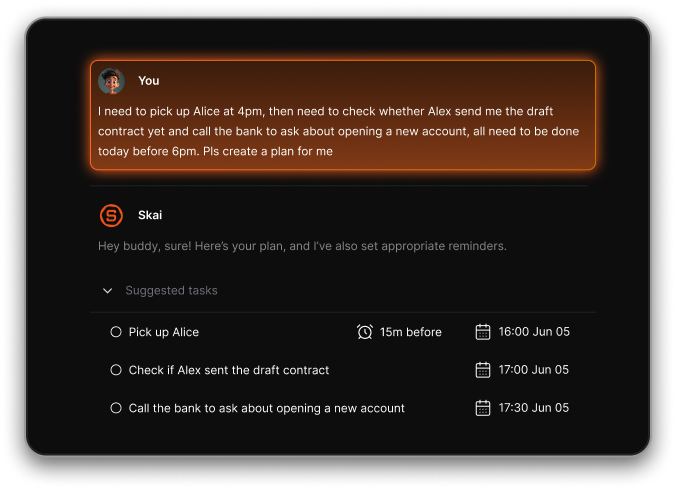
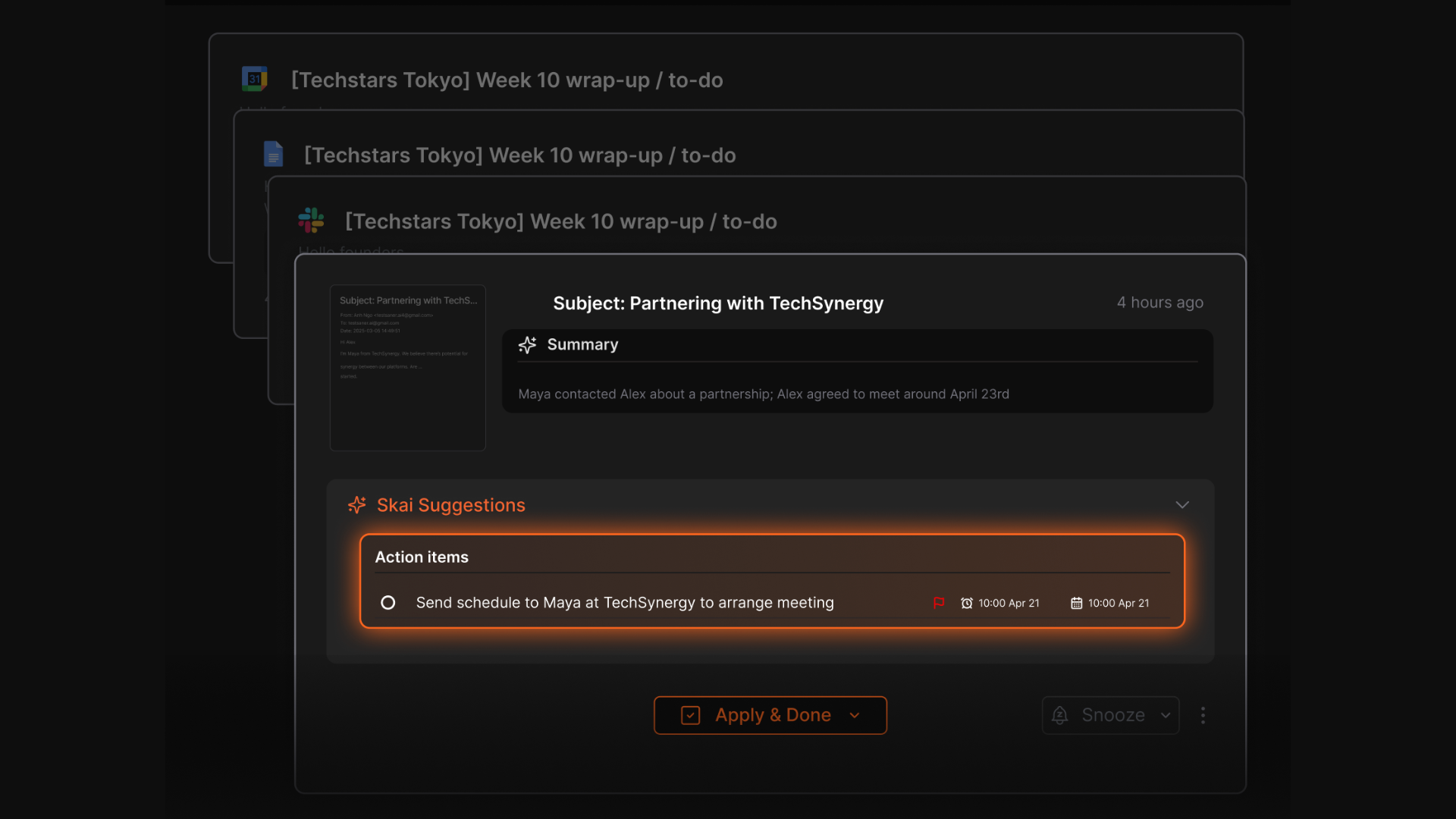
- Connect your calendar, emails, and let Saner suggest the best time to remind you, adjusting nudges based on your schedule, not rigid alerts.
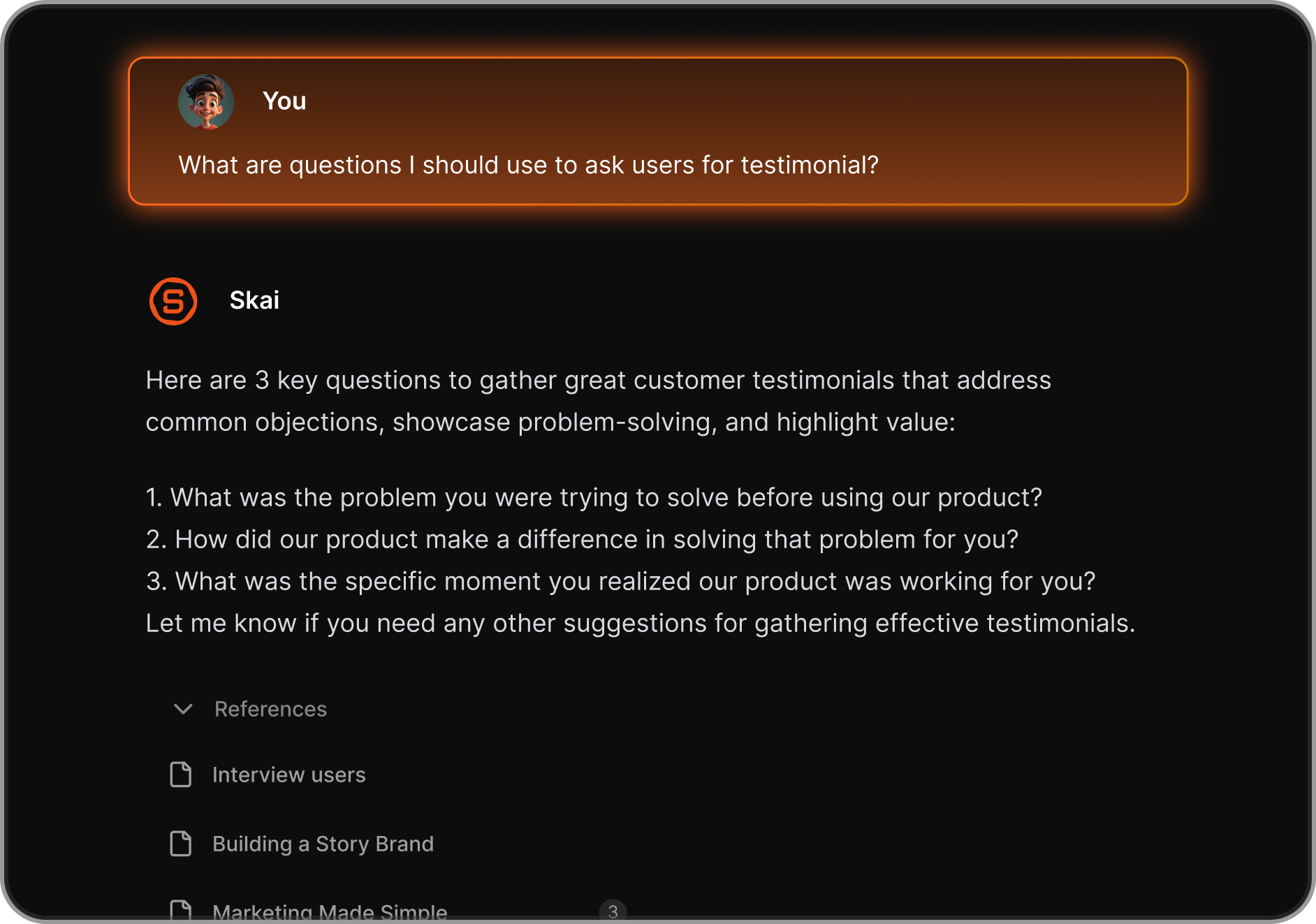
- Find past notes or ideas with natural language queries; the AI pulls context from related items so you’re not digging through messy lists.
What I liked
- You can dump thoughts quickly without tagging or structuring, which keeps focus on ideas rather than busywork.
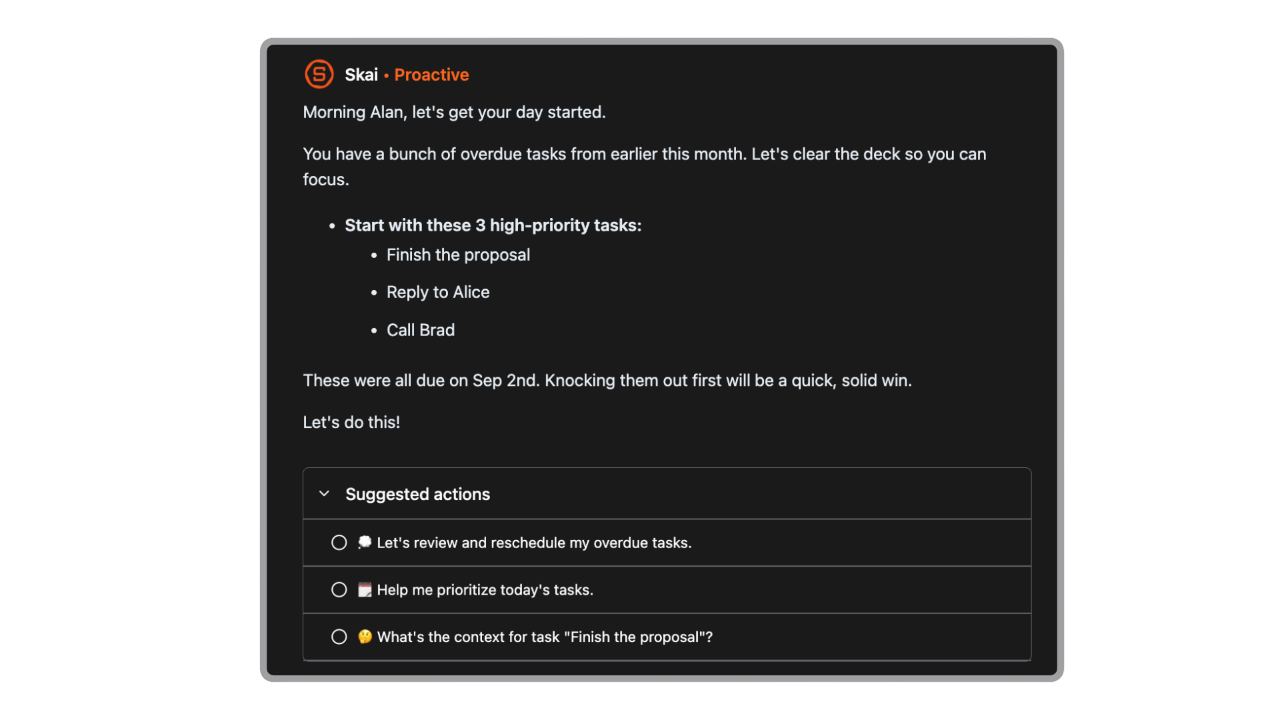
- Instead of static lists, the AI suggests how to break down and prioritize work, making it easier to decide what to do next.
- Notes, tasks, email, and calendar live together; you don’t bounce between five separate tools.
- You can ask things the way you remember them (“Where did I note X?”) and get results tied to meaning, not exact terms.
Cons
- Not ideal for a large team.
- Many advanced capabilities, like AI summarization and reminders, need online connectivity.
Pricing
- Free plan
- Paid plans start at $8/month
Who is it suitable for?
- People with ADHD or ADHD-like thinking who want an AI assistant to turn messy thoughts into clear plans without manual structure.
Saner.AI review
The biggest benefit for me in using Saner is the Proactive AI. Staying on top of the constant flow of email and multiple calendars is challenging, and so far, Saner is the only AI-based tool that truly feels like a personal assistant. - Jerry

How to start using it?
- Sign up at saner.ai and create a free account.
- Connect your calendar or email and start typing/voice-capturing tasks with Skai.

Stay on top of your life with the Top ADHD Task Management app
2. Todoist
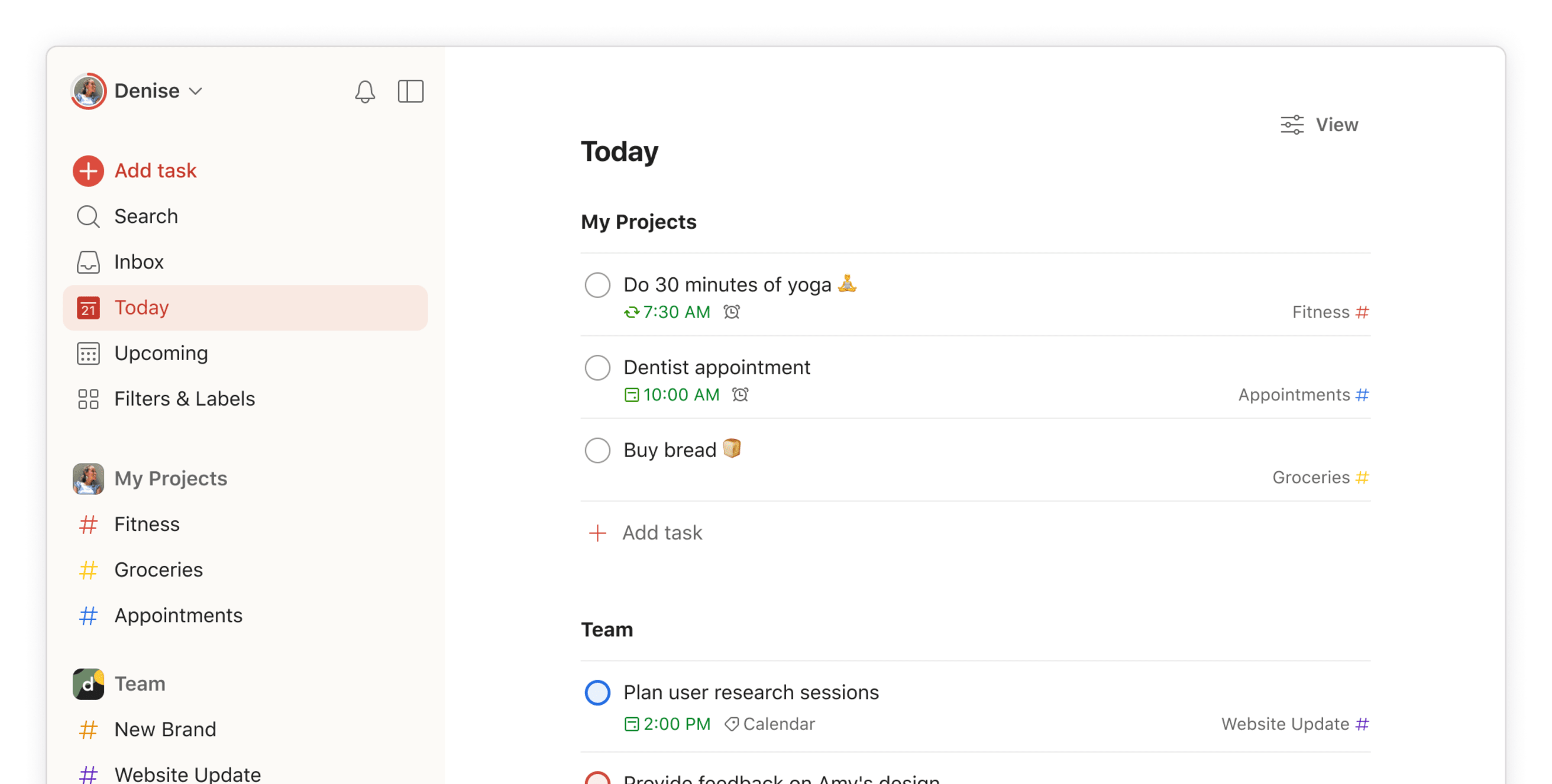
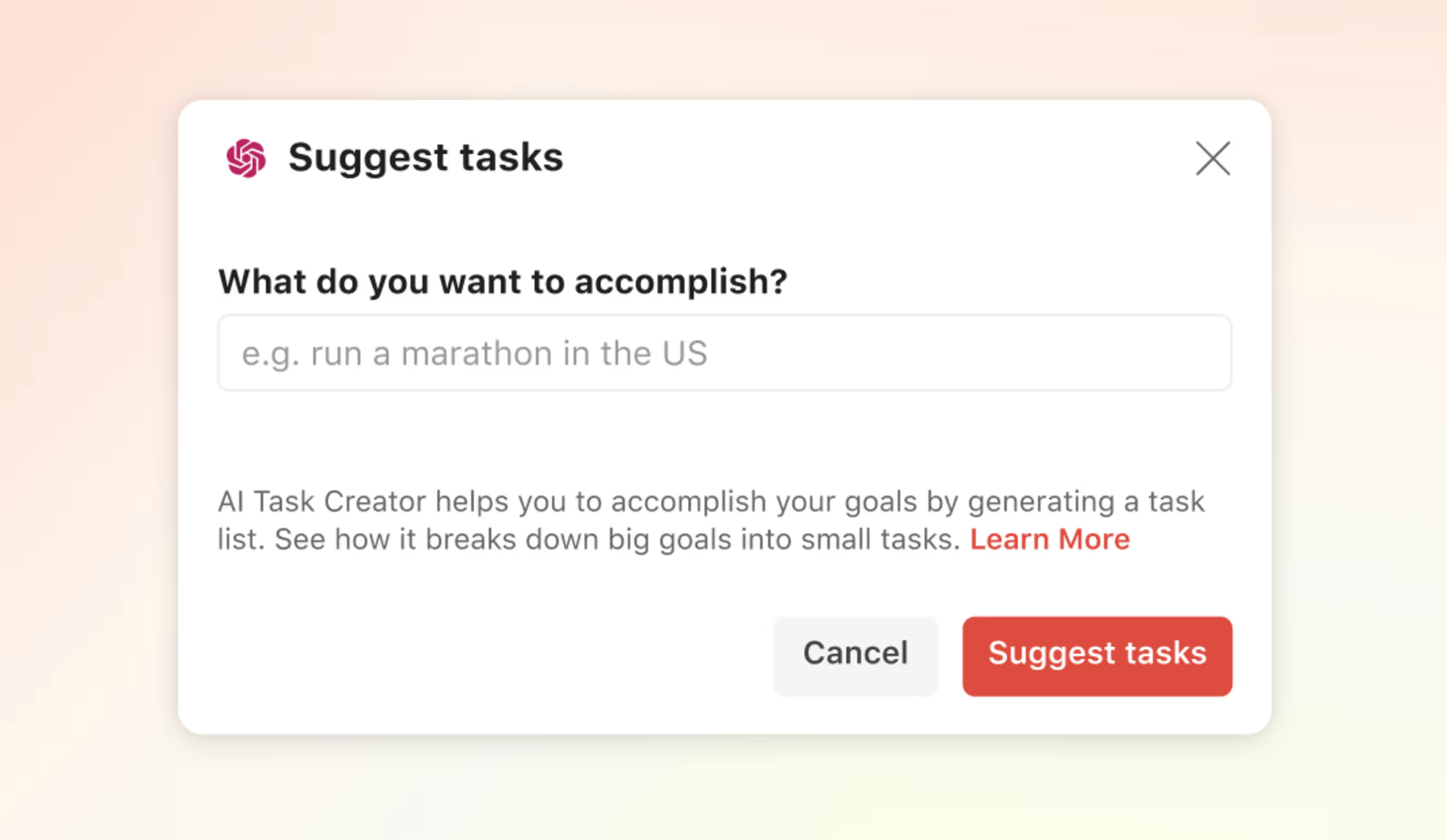
Todoist is a cross-platform to-do list that helps you capture, organize, and track tasks across work and life. While not ADHD-specific out of the box, its quick entry and clear views make it adaptable to low-friction capture and daily focus.
Key features
- Add tasks in seconds using plain text like “Pay rent on Friday,” and Todoist auto-parses dates and due times.
- Organize tasks into nested projects with priority flags and labels to group related items.
- Custom filters let you surface tasks based on criteria like labels, due dates, or priority levels.
- Set reminders (Pro) and flexible recurring schedules.
What I liked
- Adding tasks is fast (Inbox + natural language), and everything syncs reliably across iOS, Android, Windows, Mac, web, and extensions
- Todoist balances structure with simplicity: projects and labels help keep context
What I disliked
- Filters, unlimited reminders, and some views require Pro.
- Todoist’s design is general productivity; it doesn’t customize reminders or nudges based on behavior or time context.
- Filters and advanced organization take time to learn and maintain.
- The minimal design is clean but sometimes feels like a web app with limited visual cues compared to more tailored ADHD task tools.
Pricing
- Free plan with up to 5 projects
- Pro plan at $5/month
- Business plan at $8/user/month with team workspaces and collaboration features.
Suitable for
- People who want a reliable, cross-platform task manager that supports quick capture and customizable views.
How to start
- Create a free Todoist account on web, mobile, or desktop.
- Start capturing tasks then organize into projects/filters as needed.
Todoist Reviews (source)
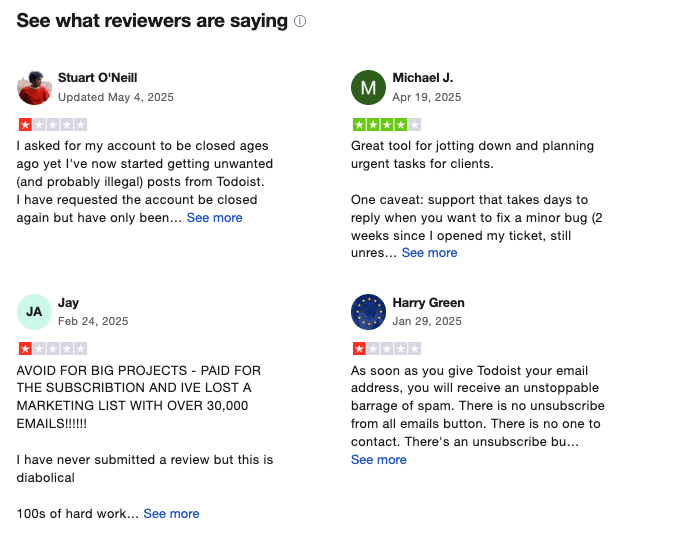
Fantastic todo list software. I like how simple it is; each task has just 4 possible priority states, and can be tagged with a project to keep them organised. It's no more and no less than I need for my todo list organiser app - Dane Rossenrode
3. Goblin.tools
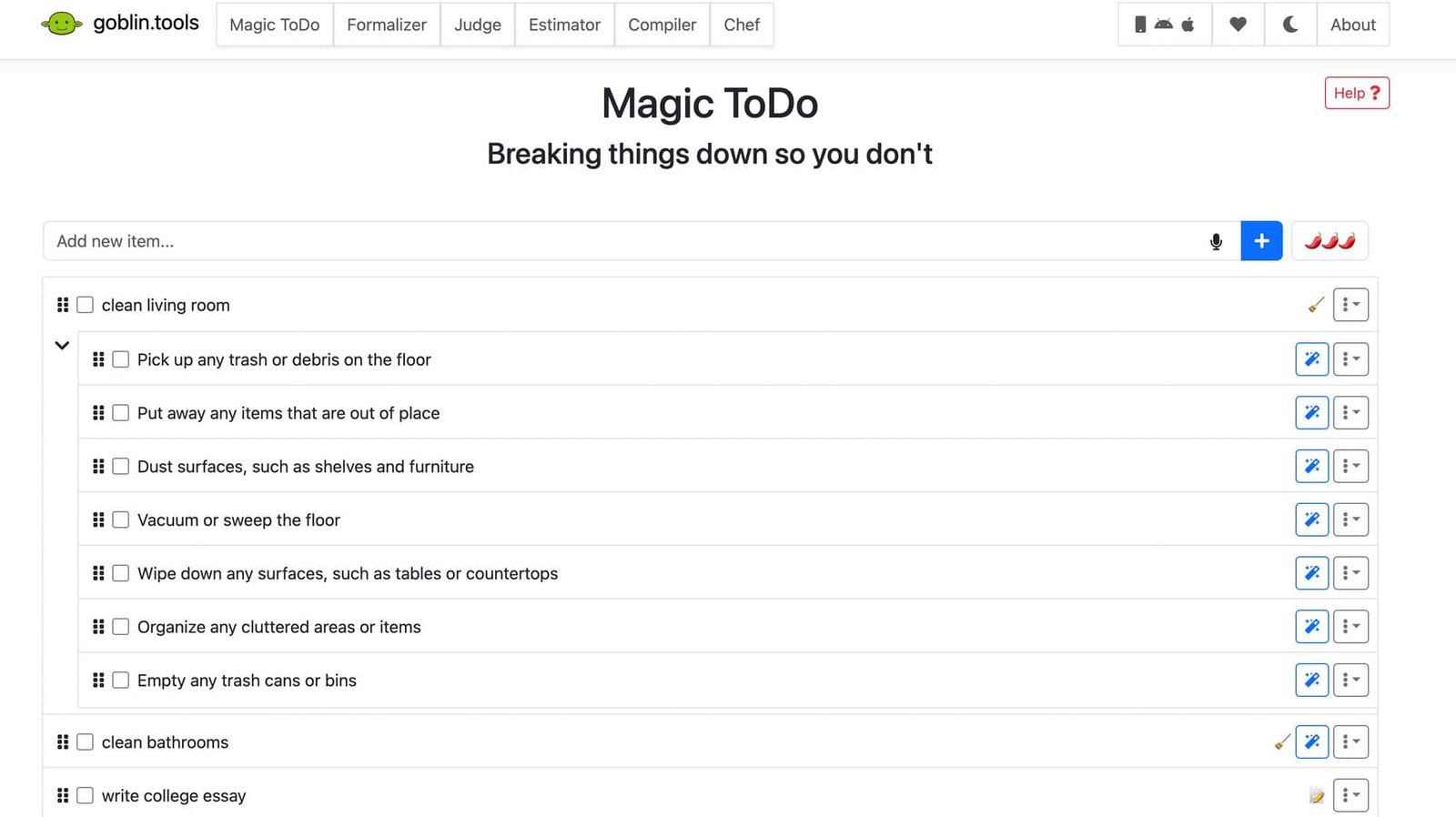
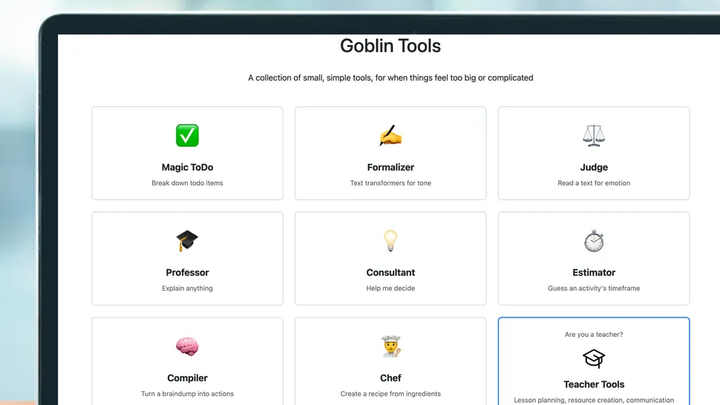
Goblin.tools is a set of small, single-purpose AI tools designed specifically to support neurodivergent users, especially people with ADHD and autism. Instead of being a full task manager, it focuses on breaking things down, estimating effort, rewriting text, or interpreting tone.
Key features
- Enter a task like “clean the house” and the tool breaks it into concrete, step-by-step actions.
- Gives a rough estimate of how long a task might take.
- Tools like “Formalizer” and “Judge” rewrite messages or explain emotional tone, useful for emails, chats, or social situations that feel cognitively heavy.
What I liked
- The breakdown tool is one of the clearest examples of AI-assisted task decomposition.
- No dashboards, lists, or planning decisions; this makes it very approachable when your brain is already overloaded.
- The language, controls, and explanations are intentionally gentle and non-judgmental.
What I disliked
- There are no reminders, schedules, priorities, or task tracking, so it can’t replace a full task management app.
- Tasks and breakdowns aren’t stored or connected unless you manually copy them elsewhere.
- It helps you think, but it doesn’t follow up, nudge, or adapt over time based on your behavior.
Pricing
- Free - Web version
- Paid - One-time purchase on mobile (around $1–$3, platform-dependent)
Suitable for
- People with ADHD who struggle with starting, understanding, or emotionally processing tasks and want instant cognitive support.
How to start
- Go to goblin.tools and choose the tool you need (Magic ToDo is the most popular).
- Paste the breakdown into your main task app if you want to track or schedule it.
Goblin.tools Reviews (source)
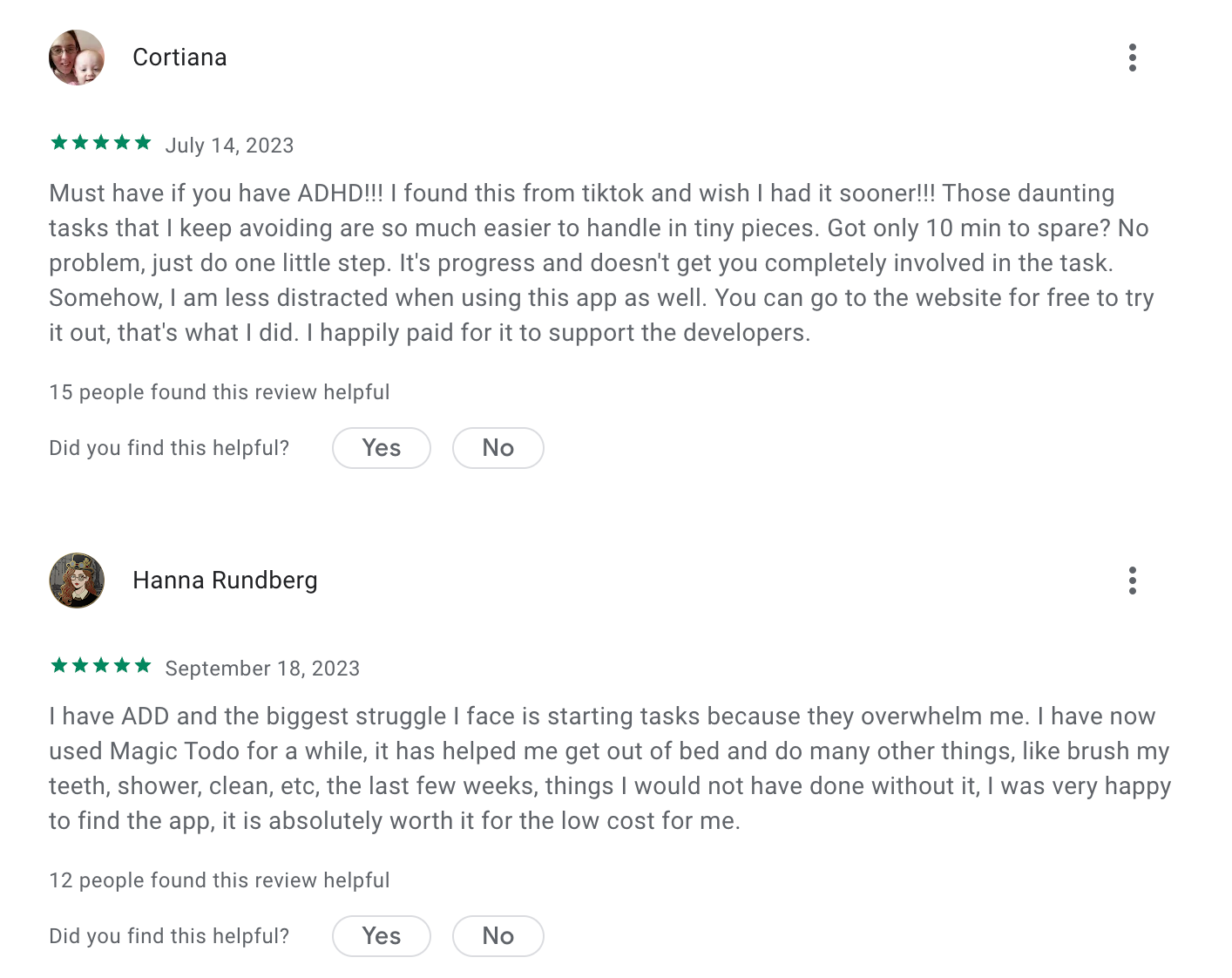
I have been using Goblin Tools on and off for several years. It does a very good job of breaking down tasks into smaller steps so I can get started on something - Sarah
4. TickTick
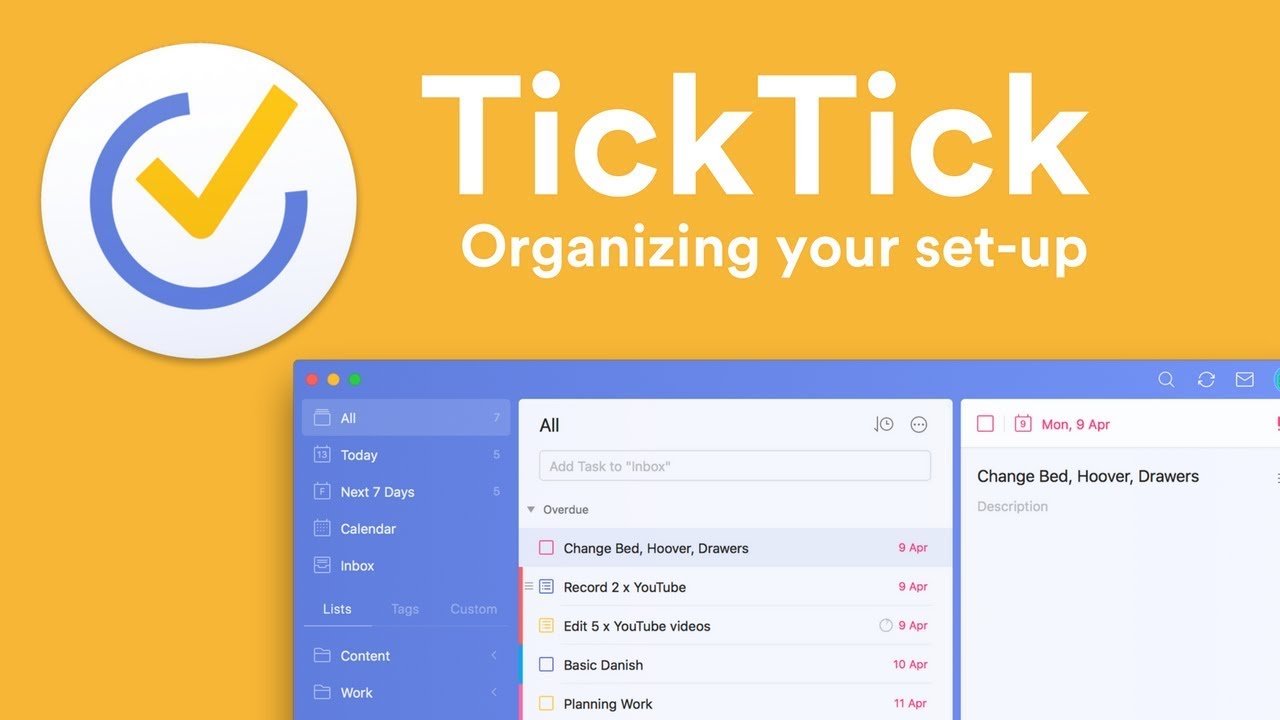
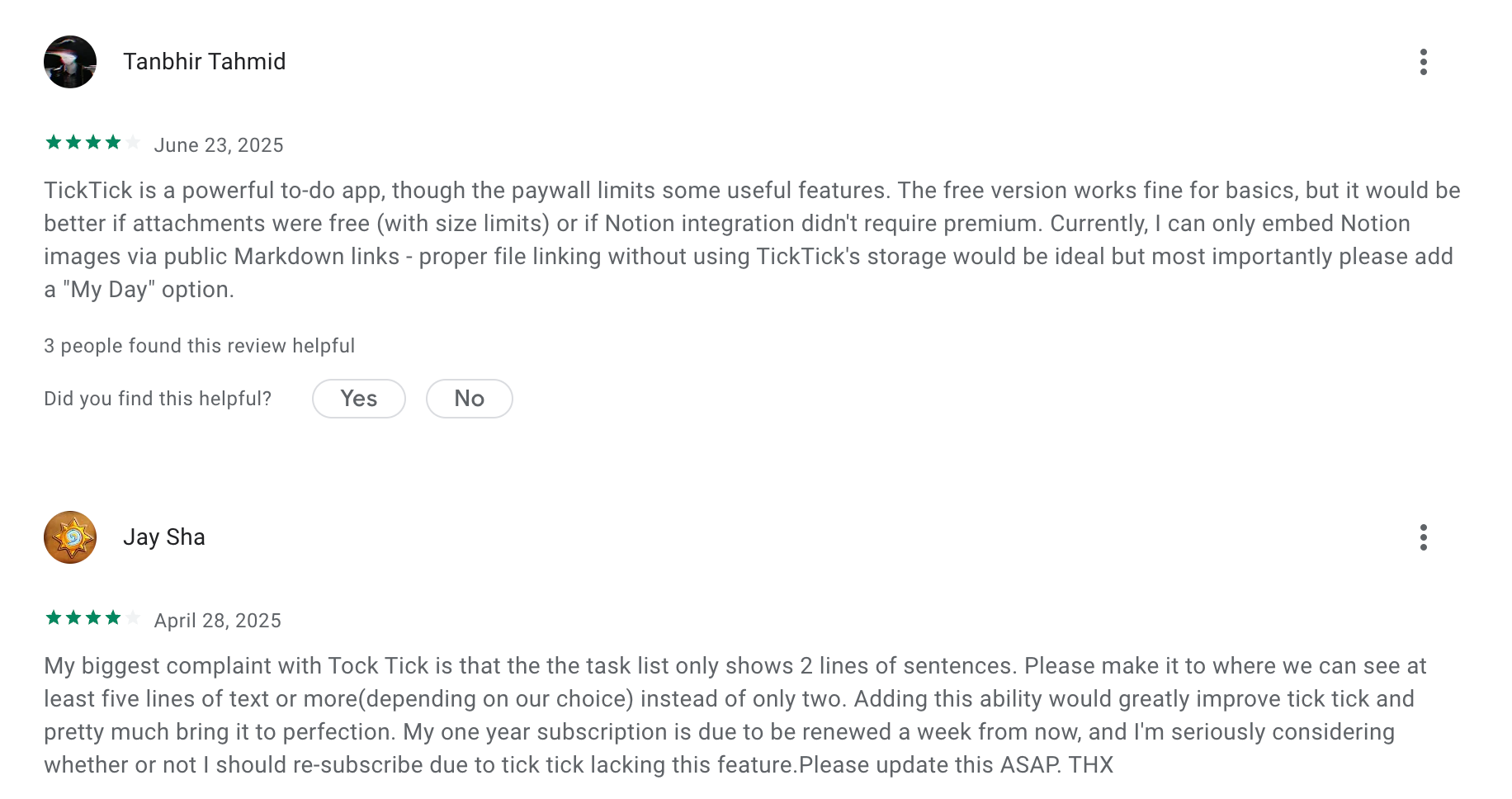
TickTick is a full-featured task management app that combines to-do lists, calendar views, reminders, and habit tracking in one place. It’s designed to help users capture tasks quickly, then plan and execute them using deadlines, priorities, and time blocks.
Key features
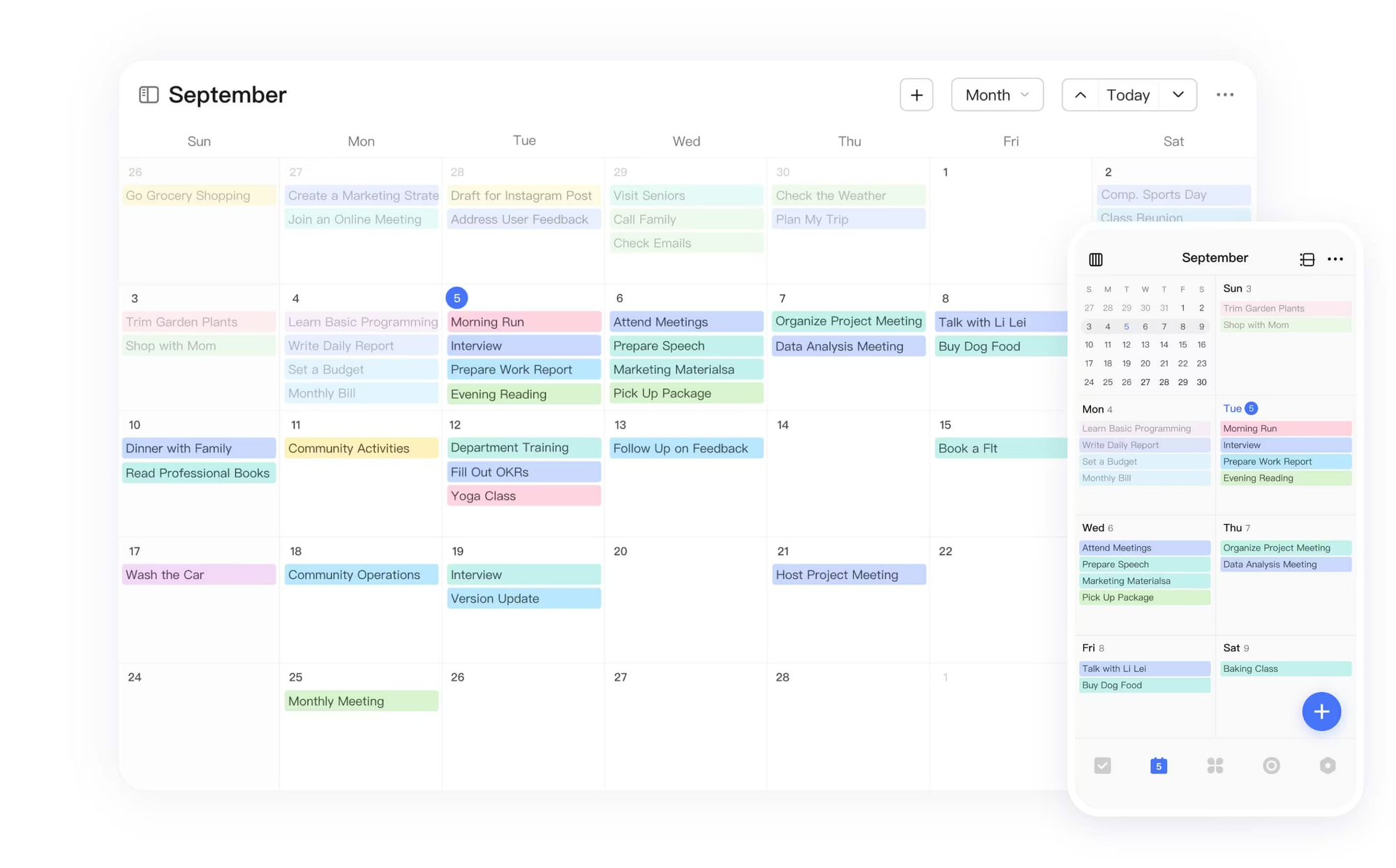
- Tasks can be displayed directly on a calendar, helping users visually plan their day and see realistic workloads.
- Set more than one reminder per task and use flexible recurring rules.
- Built-in Pomodoro timer, focus stats, and habit tracking support execution, not just planning.
What I liked:
- Multiple reminders, snooze options, and persistent alerts make it harder to forget tasks once they’re scheduled.
- Seeing tasks laid out by time helps reduce overwhelm
- Tasks, calendar, habits, and focus tools live in one app, reducing the need to juggle multiple systems.
What I disliked:
- There’s no true AI assistance prioritization; users still need to decide what matters most each day.
- Large or vague tasks aren’t automatically decomposed, which can still trigger task paralysis.
- If too many lists or reminders are active, cognitive load can increase rather than decrease.
Pricing:
- Free
- Premium plan start at ~$3/month billed yearly (around $36/year) or ~$4/month billed monthly
Suitable for:
- People who want a powerful, affordable ADHD-friendly task management app with strong reminders and calendar-based planning.
How to start:
- Create a free TickTick account on mobile or web and start adding tasks
- Enable calendar view and reminders first, then gradually add habits or focus tools if needed.
TickTick review (source)
5. Akiflow
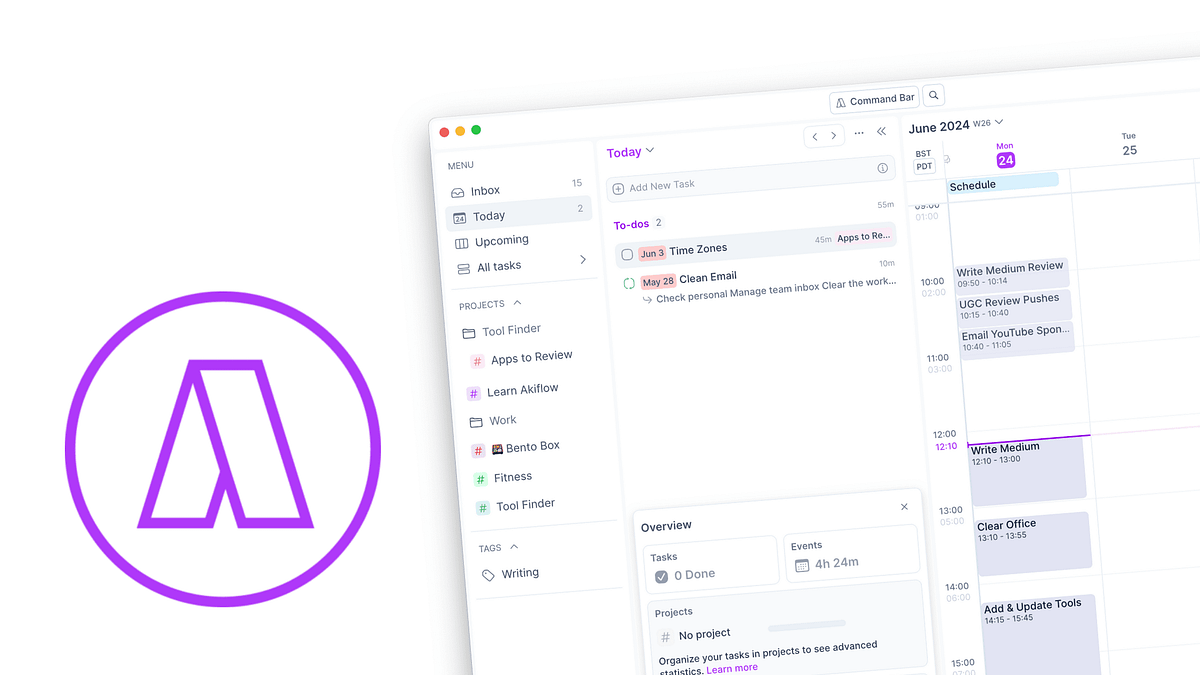
Akiflow is a task and time-blocking app that centralizes tasks from multiple tools (email, Slack, Notion, Todoist, etc.) into one daily planning workspace. Its core focus is helping you decide what to work on today and when to do it
Key features
- Pulls tasks from multiple apps into one place.
- Tasks can be dragged directly onto your calendar.
- Fast task entry and shortcuts make capture efficient once learned.
What I liked
- The calendar-centric layout makes it familiar
- Time blocking forces realistic scheduling.
- Works well if you already use multiple tools and want one place to organize.
- Daily and weekly rituals help users build consistent planning habits.
What I disliked
- Requires active planning decisions.
- No AI task breakdown or prioritization means large or vague tasks must be broken down manually.
- Time blocking can feel rigid when focus or energy fluctuates.
- No free tier for long-term use.
Pricing
- Free: Limited trial
- Paid: ~$34/month billed monthly or ~$15/month billed yearly
Suitable for
- People who want a structured task management app focused on intentional planning and time blocking rather than AI assistance.
How to start
- Sign up for an Akiflow trial and connect your existing task tools and calendar.
Akiflow Reviews (source)
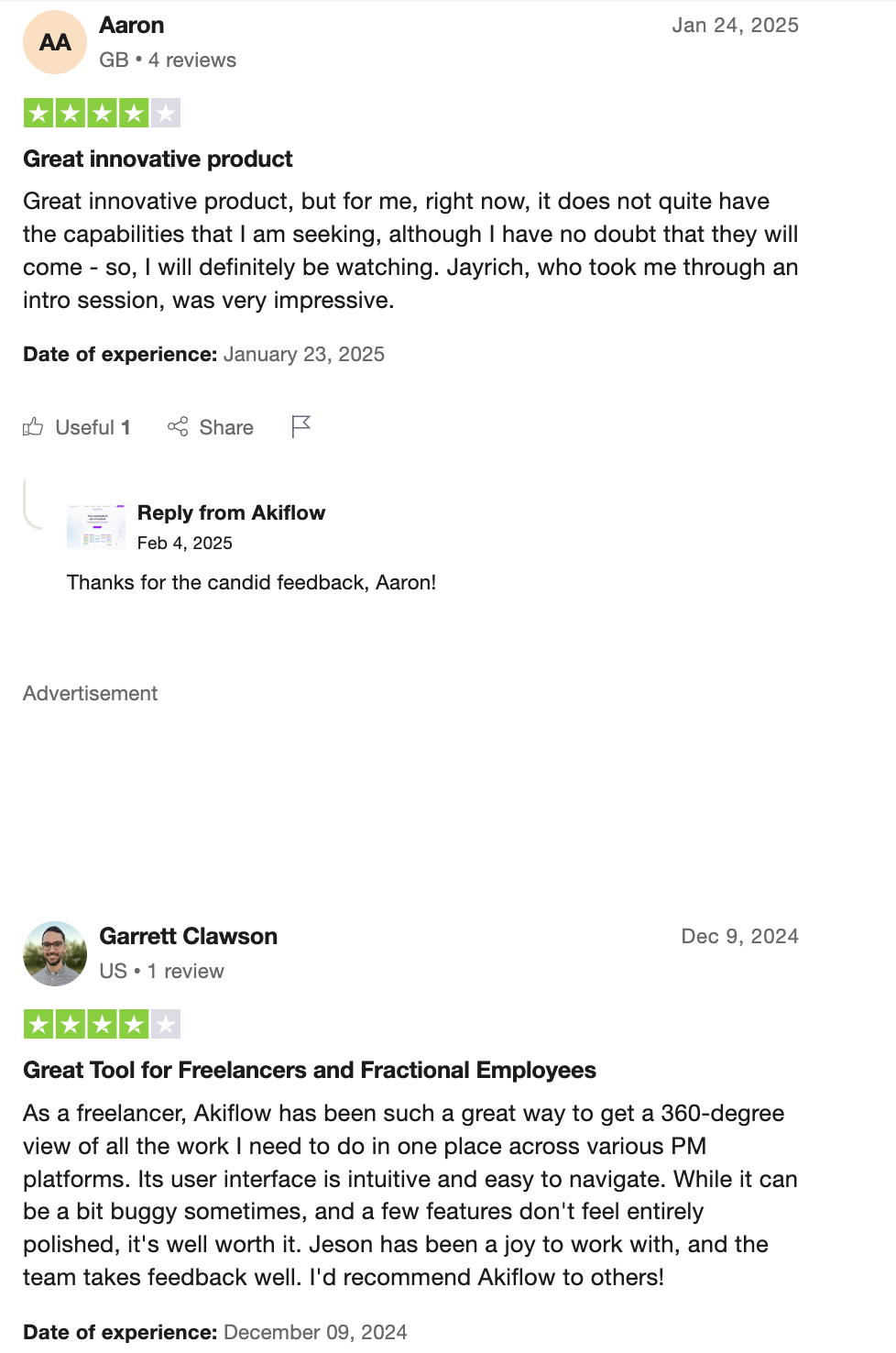
It's a very solid time-blocking/daily planning tool that can integrate with your Gmail, Slack, Notion - James.
6. Structured
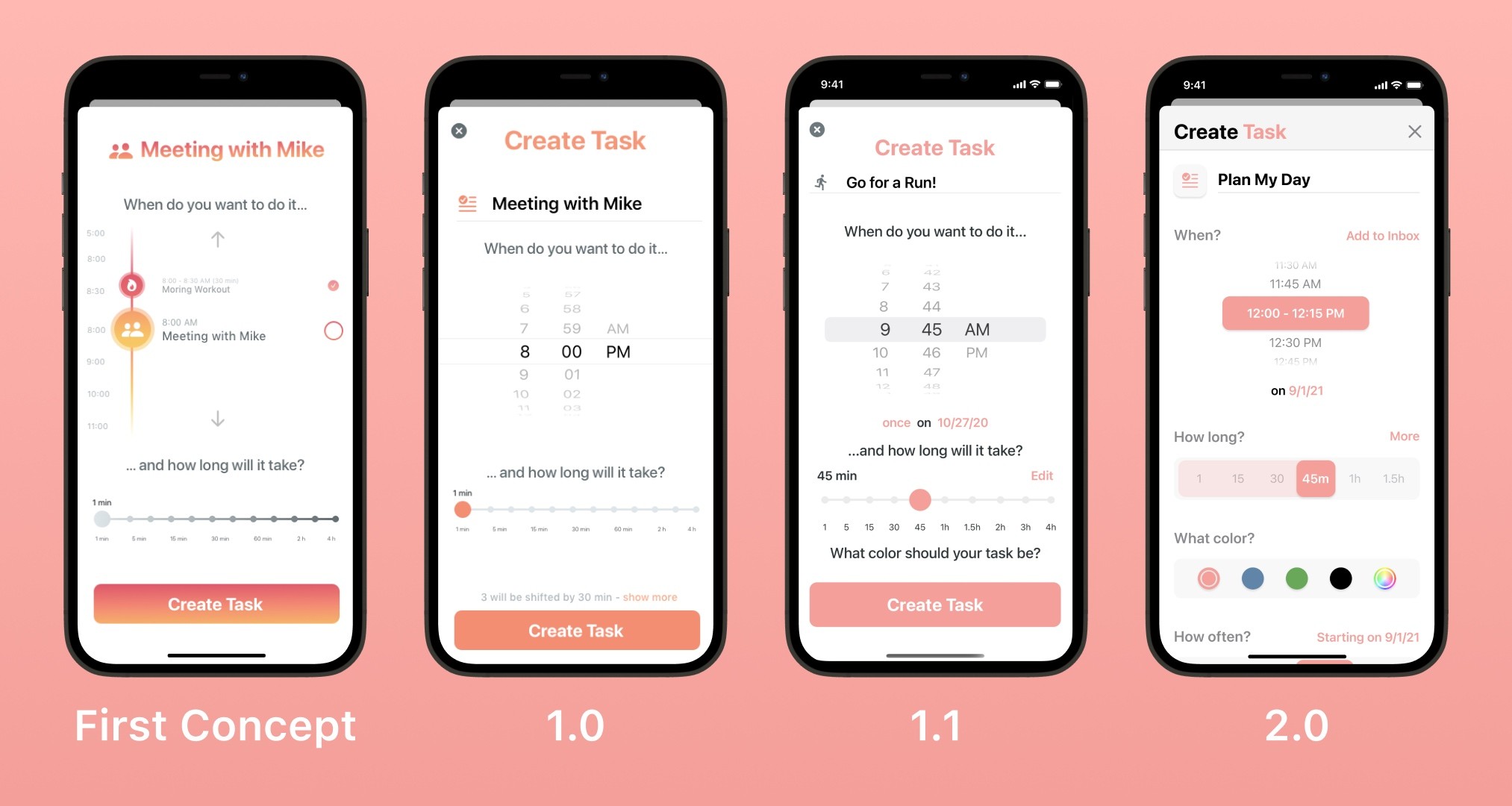
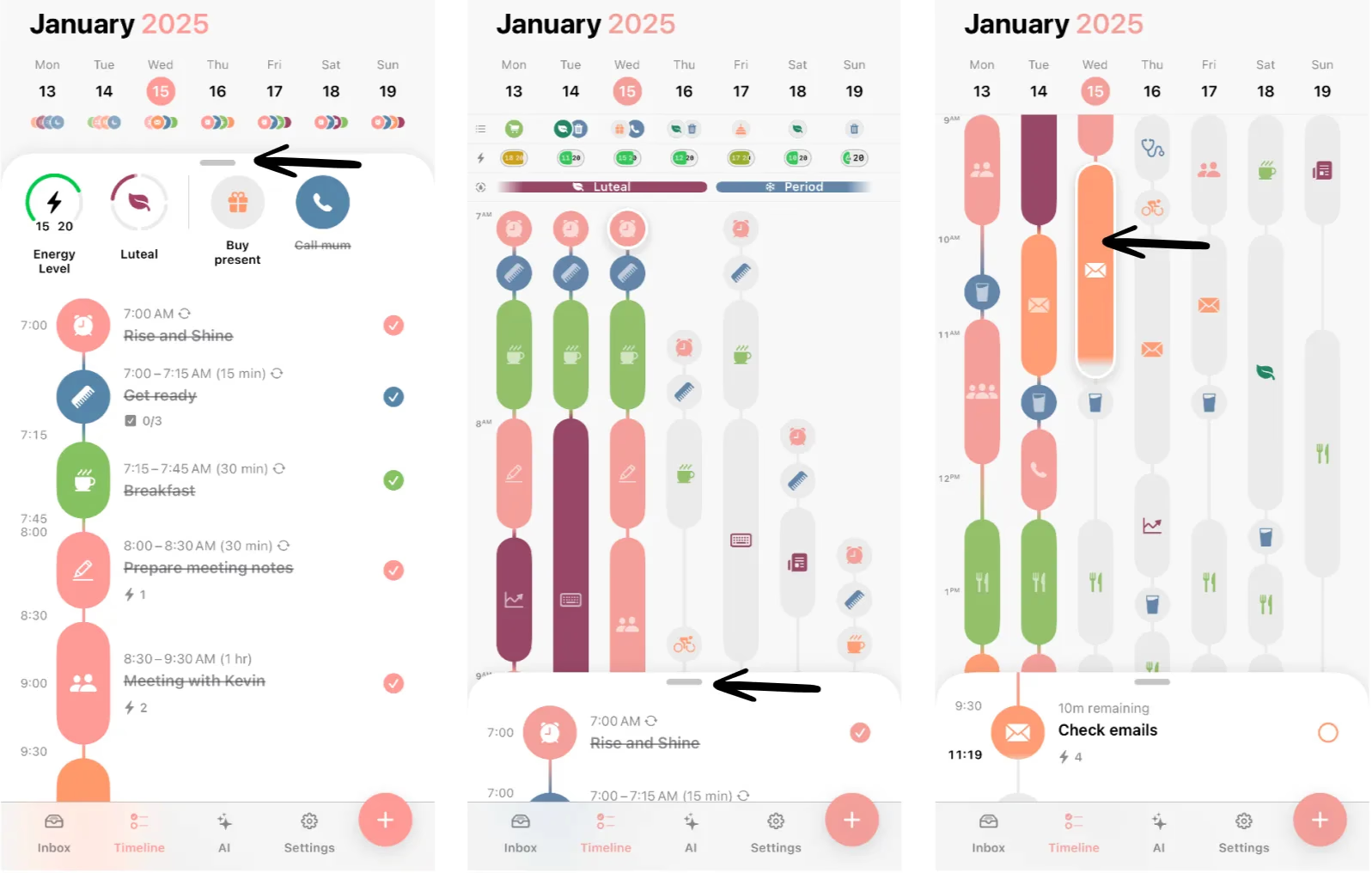
Structured is a visual day planner designed to help people with ADHD plan their day hour by hour with minimal friction. Instead of long task lists, it focuses on a clear timeline that shows what you should be doing right now and what’s next.
Key features
- Tasks are displayed in chronological order, helping users with time blindness understand how their day actually fits together.
- You can add tasks quickly without assigning priorities, tags, or projects.
- Syncs with your calendar so events and tasks appear in one unified timeline, reducing context switching.
- The interface intentionally limits what’s visible, helping users avoid overwhelm from future tasks.
What I liked:
- The timeline layout makes it immediately obvious what to work on.
- No complex hierarchies, filters, or planning rules.
- Encourages realistic daily planning rather than endless to-do accumulation.
What I disliked:
- Large or vague tasks must be manually split before adding them to the schedule.
- The app doesn’t have a personal AI assistant to help you manage the tasks
- Lacks deep project management, dependencies, or long-term planning tools.
- If your day changes often, adjusting time blocks repeatedly may feel tedious.
Pricing:
- Free with basic daily planning features
- Paid plans start at ~$5/month billed monthly or ~$30–40/year billed yearly
Suitable for:
- People with ADHD who want a simple, visual ADHD task management app focused on daily planning and execution.
How to start:
- Download Structured on iOS, Android, or web and create a free account.
- Start by planning only today’s tasks on the timeline before adding future days.
Structured review (source)
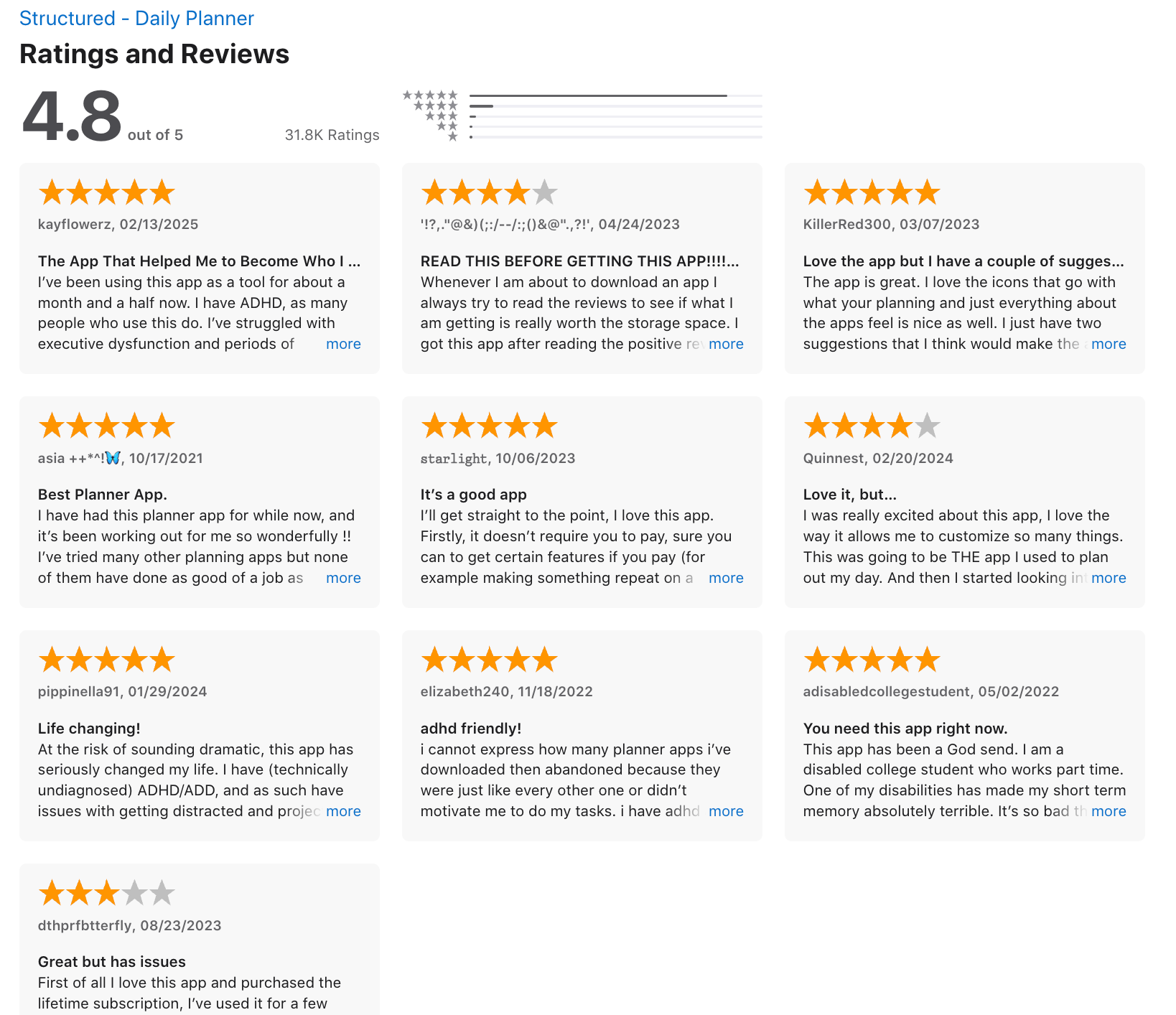
Solid app at a glance but haven't used it very long yet. Inbox tasks can't easily be reordered and the widgets are a little funky on android, like only showing one or two upcoming tasks or the check sub-tasks widget randomly changing into the upcoming tasks widget. - Ferris Campbell.
7. Tiimo
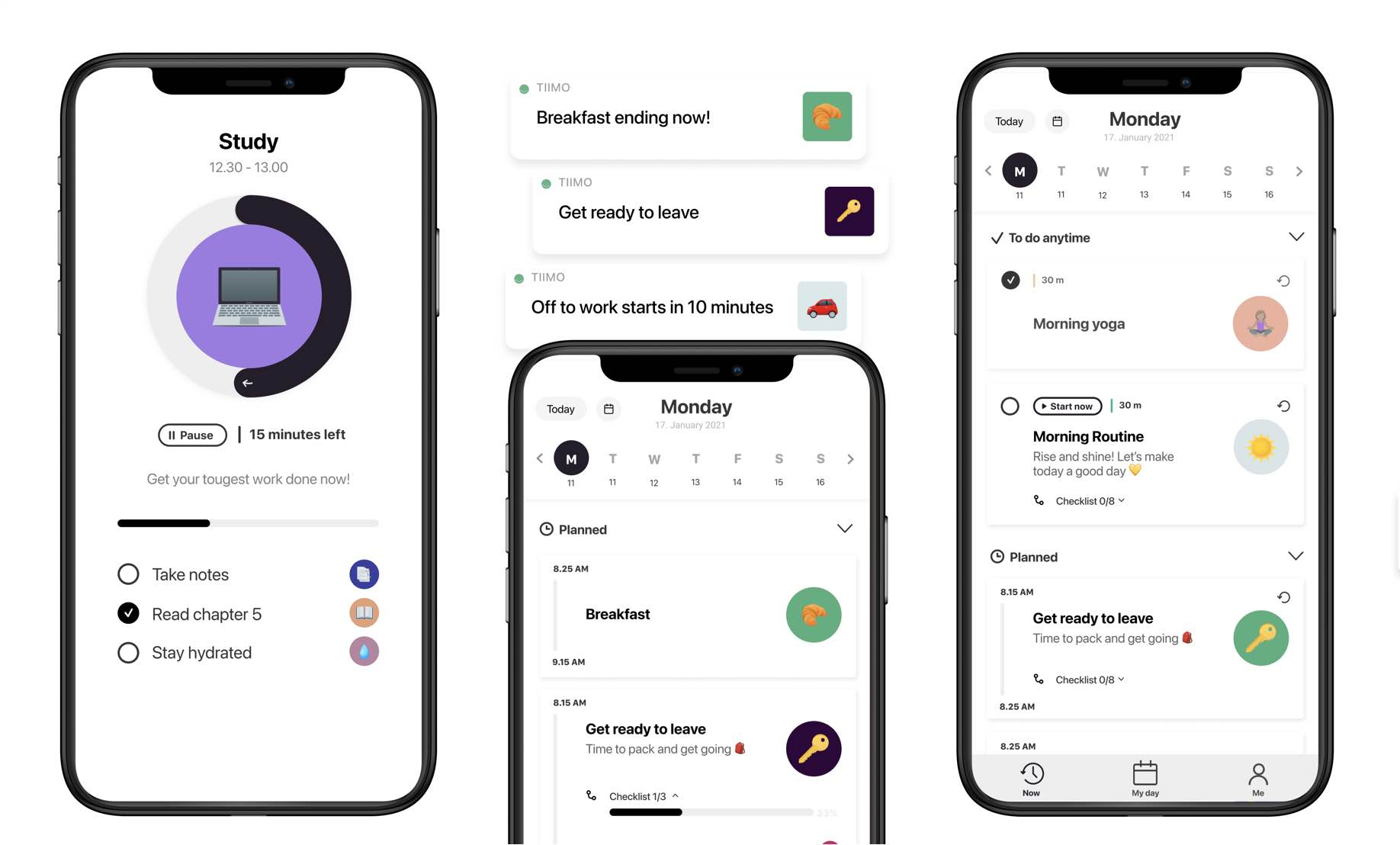
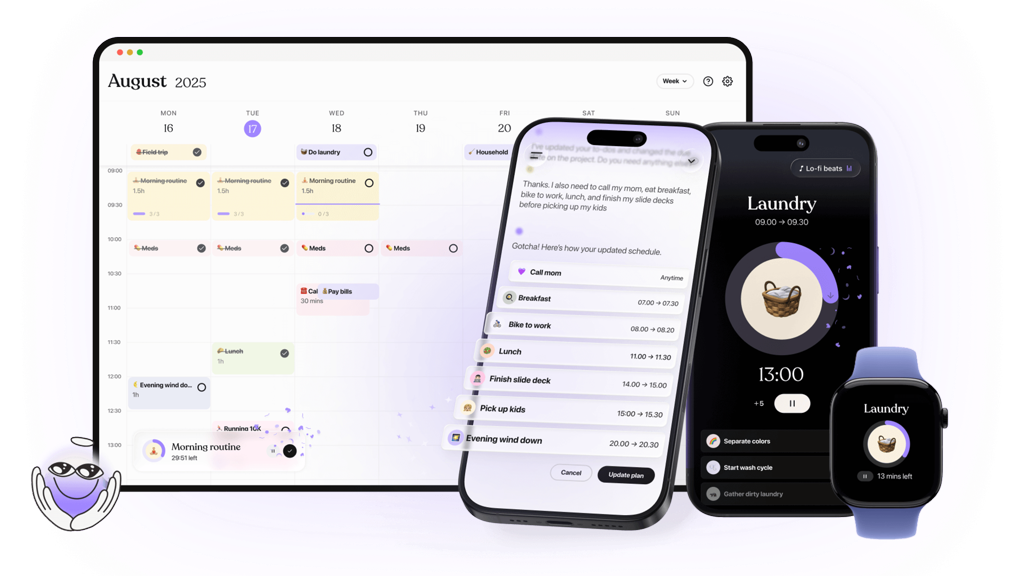
Tiimo is a visual daily planner designed specifically for neurodivergent users, including people with ADHD and autism. Instead of traditional to-do lists, it focuses on time-based routines and visual schedules, tasks are placed on a timeline with icons, colors to show what’s happening now and what’s next.
Key features
- Tasks appear as blocks on a timeline with icons and colors, helping users see their day at a glance.
- Instead of harsh alarms, Tiimo uses soft nudges and countdowns to help with transitions between tasks.
- Pre-built routines (morning, work, evening) make it easier to start without designing systems from scratch.
What I liked:
- The timeline-based design is easy to understand
- Language, visuals, and reminders are intentionally supportive
- Useful for managing daily habits, self-care, and work-life boundaries.
What I disliked:
- Not suited for complex projects, detailed task breakdowns, or multi-step workflows.
- Tasks must be planned manually; there’s no AI assistant to tell what to do next.
- If plans shift frequently, maintaining the visual schedule can feel tedious.
- Power users may outgrow it quickly for professional task tracking.
Pricing:
- Free - Limited features
- Paid - ~$6–7/month billed monthly or ~$45–50/year billed yearly
Suitable for
- People with ADHD who benefit from visual schedules, gentle structure, and routine-based daily planning.
How to start
- Download Tiimo on iOS, Android, or the web and create a free account.
- Start with one simple daily routine before adding more tasks or schedules.
Tiimo review (source)
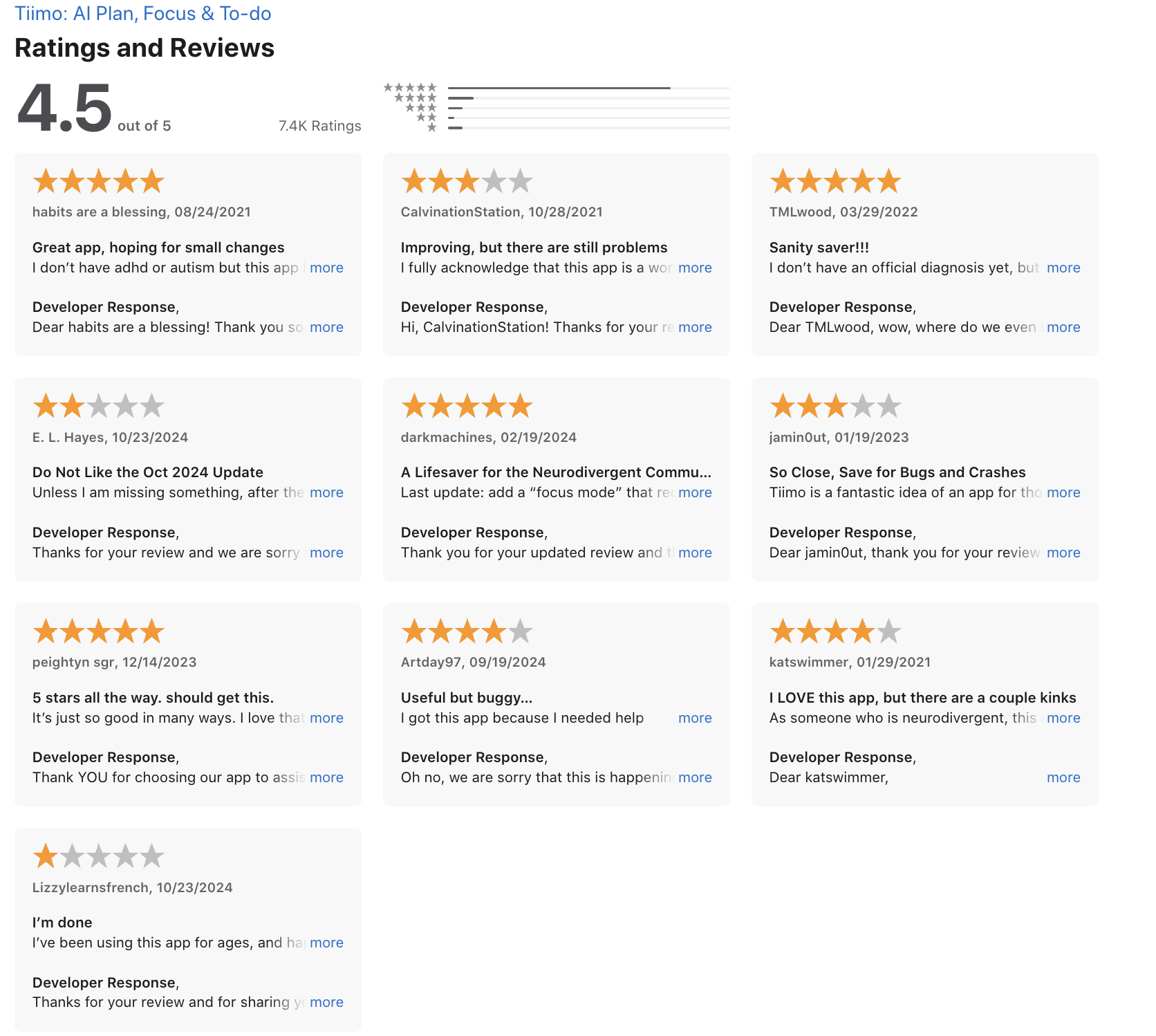
As a neurodivergent individual, Tiimo has been an absolute lifesaver for me. Having used it daily for over two years, I can confidently say it's essential part of my routine - Dark Machines.
Conclusion: Choosing the Best ADHD Task Management App in 2026
There’s no single best ADHD task management app for everyone in 2026 - because ADHD doesn’t look the same for everyone.
Best personal task management apps for ADHD focus on how you think, not just what you need to do.
Among today’s top options are Todoist and Goblin.tools, TickTick, Structured, Tiimo - each shines for different ADHD needs: structure, reminders, time blocking, or simplicity.
But if your biggest pain point is this👇
“I take meeting notes… then forget to turn them into actual tasks.”
That’s where Saner.AI stands out.
Instead of forcing you to manually organize everything, Saner.AI acts like a calm, context-aware personal assistant. It helps transform messy meeting notes, voice notes, and random thoughts into clear, actionable tasks without breaking your focus.
For ADHD adults, that reduction in friction is often the difference between knowing what to do and actually doing it.
Stay on top of your work and life with the best task management app
FAQ: Best ADHD Task Management App (2026)
1. What is an ADHD Task Management App?
An ADHD Task Management App is designed to reduce friction for people who struggle with focus, task initiation, memory, and overwhelm.
Unlike traditional to-do lists, these apps prioritize:
- Fast task capture (no complex setup)
- Clear next steps
- Visual or time-based structure
- Gentle reminders instead of rigid systems
Many modern ADHD task management apps now use AI to turn messy thoughts or meeting notes into actionable tasks automatically.
2. How is an ADHD Task Management App different from a normal to-do app?
Traditional to-do apps expect you to:
- Manually organize tasks
- Decide priorities upfront
- Maintain systems consistently
An ADHD Task Management App adapts to how ADHD brains work:
- You write things naturally (notes, thoughts, meeting takeaways)
- The app helps organize, prioritize, and remind you
- Less planning, more follow-through
This is why AI-assisted tools like Saner.AI are becoming popular in ADHD productivity workflows.
3. What are the best ADHD Task Management Apps in 2026?
Based on usability, ADHD-friendly design, and real-world workflows, the 7 best ADHD Task Management Apps in 2026 are:
- Saner.AI
- Todoist
- Goblin.tools
- TickTick
- Structured
- Tiimo
- Akiflow
Each works best for different ADHD needs - from visual planning to AI-assisted task breakdown.
4. Can an ADHD Task Management App turn meeting notes into tasks?
Yes, and this is where AI-powered tools stand out.
Some ADHD Task Management Apps can:
- Extract action items from meeting notes
- Link tasks back to context (who, when, why)
- Surface follow-ups automatically
Saner.AI, for example, lets you write or paste meeting notes naturally, then turns relevant parts into tasks with no tagging or manual sorting required.
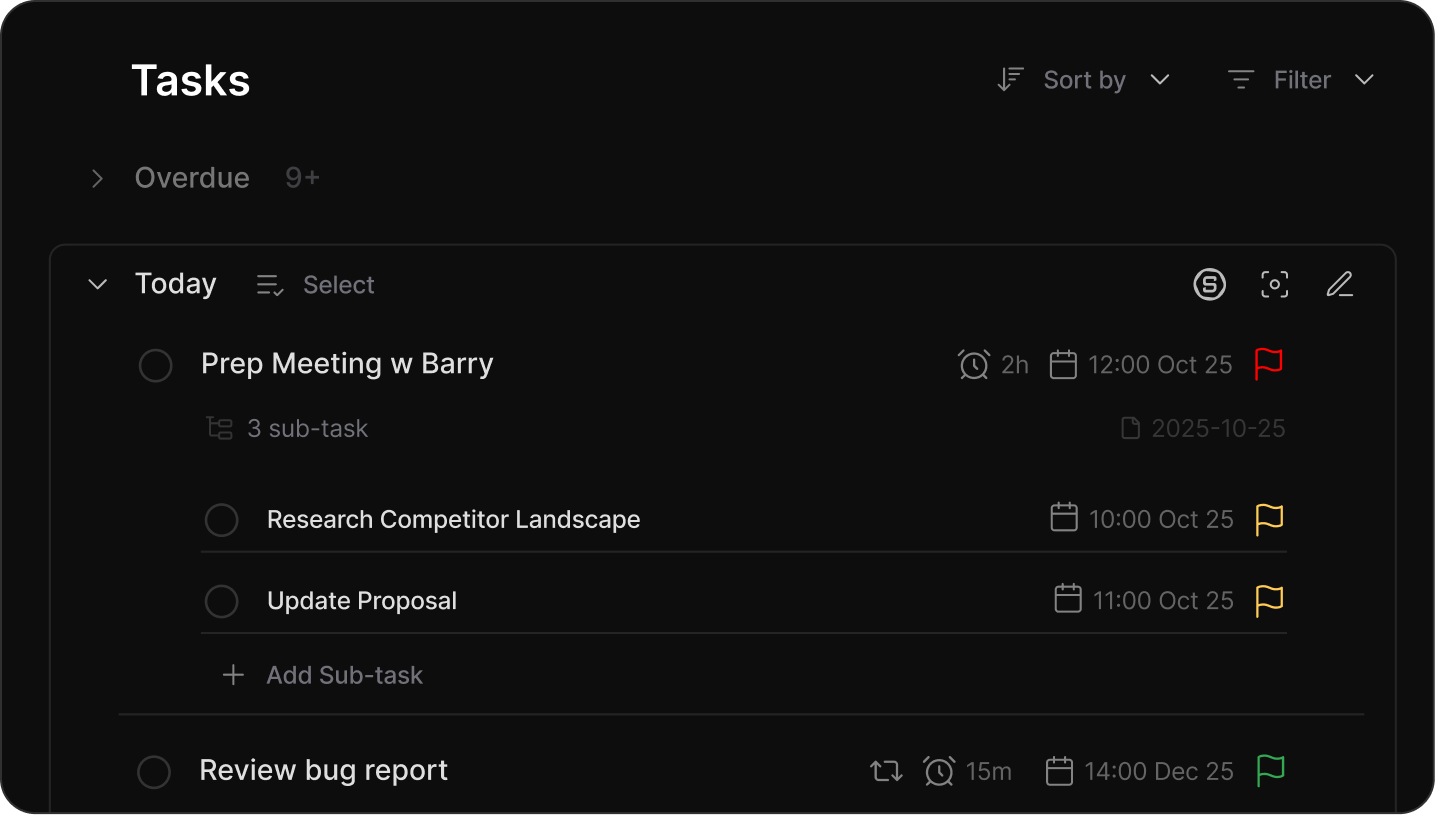
5. Which ADHD Task Management App is best for people who forget tasks?
Apps that work well for memory challenges usually include:
- Smart reminders (not just deadlines)
- Context-aware nudges
- Daily focus suggestions
Tools like Saner.AI and TickTick are often preferred because they actively surface what matters today, instead of relying on you to remember to check lists.
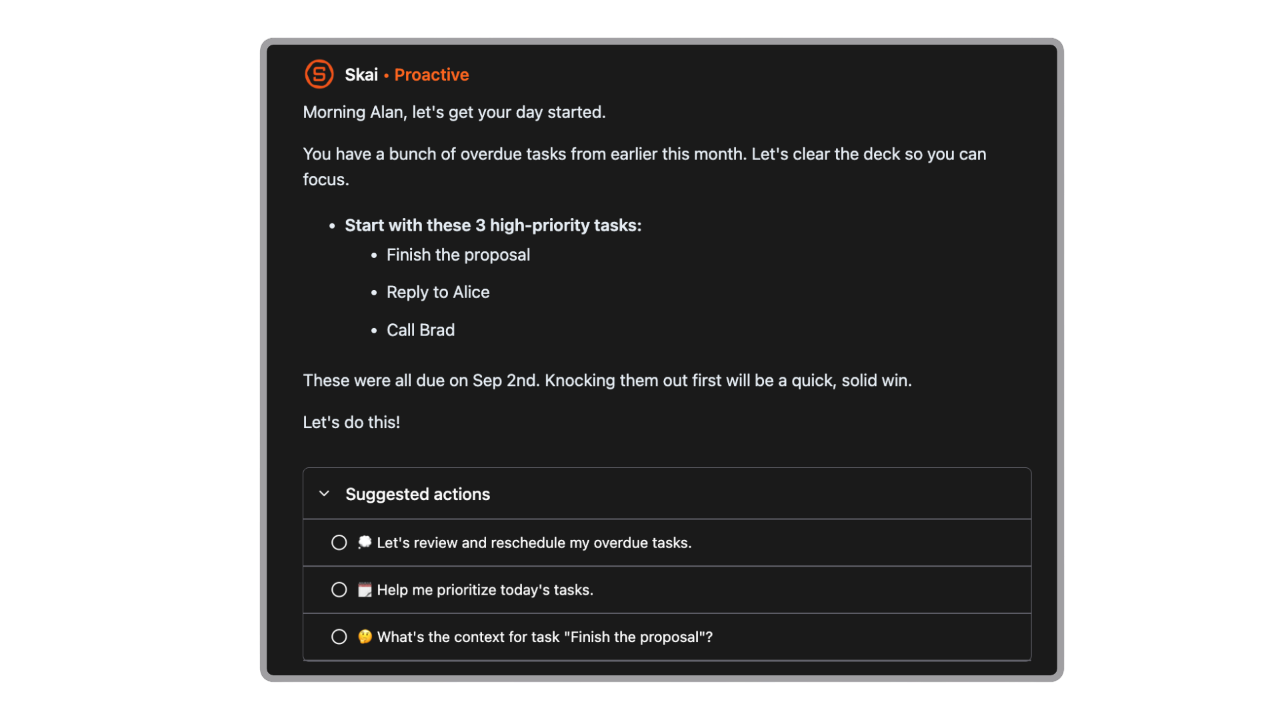
6. Are there free ADHD Task Management Apps?
Yes. Many ADHD Task Management Apps offer free plans:
- Saner.AI – Free tier includes AI task capture, reminders, and note search
- Todoist – Free for basic task lists
- Goblin.tools – Free ADHD-friendly task breakdown tools
- TickTick – Free with limited advanced features
Free plans are usually enough to test whether an app fits your ADHD workflow.
7. What’s the best ADHD Task Management App for messy thinkers?
If your thoughts come out unstructured: brain dumps, half sentences, meeting scribbles, then look for apps that:
- Accept raw input
- Organize later
- Don’t punish inconsistency
AI-first tools like Saner.AI are built for this style: write first, organize later.
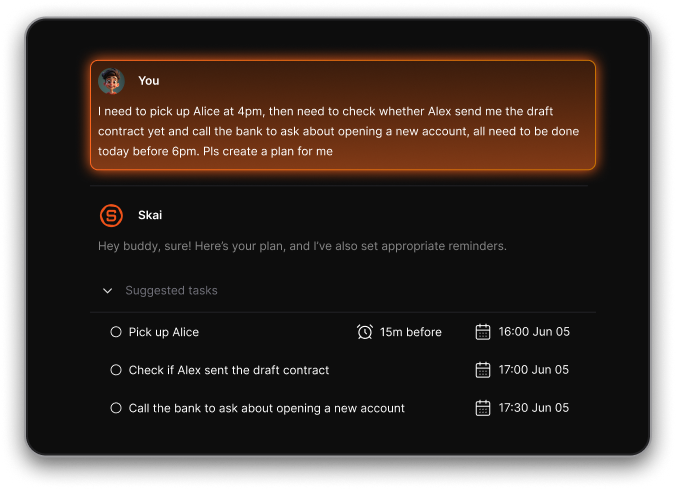
8. Can ADHD Task Management Apps help with task paralysis?
Yes. Many ADHD users struggle not with knowing what to do, but where to start.
Helpful features include:
- Breaking tasks into smaller steps
- Showing only the next actionable item
- Reducing visible overload
Goblin.tools and Saner.AI are commonly used for task breakdown and next-step clarity.
9. Which ADHD Task Management App is best for time blindness?
Apps that visualize time tend to work best:
- Timeline-based planning
- Time blocks instead of long lists
- Clear “now vs later” separation
Structured, Tiimo, and Akiflow are strong options for ADHD users who lose track of time easily.
10. Can an ADHD Task Management App replace multiple productivity apps?
For many people, yes.
Some modern ADHD Task Management Apps combine:
- Notes
- Tasks
- Calendar awareness
- Reminders
This reduces context switching - one of the biggest productivity drains for ADHD users. Saner.AI is often used as a single hub for notes → tasks → follow-ups.
11. Is an ADHD Task Management App good for work and meetings?
Absolutely. At work, ADHD challenges often show up as:
- Missed follow-ups
- Lost meeting context
- Overloaded task lists
An ADHD-friendly task app helps by:
- Connecting tasks to meeting notes
- Reminding you at the right time
- Keeping context attached to action items
This is especially useful for knowledge workers and managers.
12. Do ADHD Task Management Apps support voice input?
Some do. Voice input is helpful for:
- Capturing tasks quickly
- Reducing friction when focus is low
For example:
- Saner.AI supports voice-to-task capture
- Other apps may rely on system-level dictation or integrations
13. What’s the best ADHD Task Management App for professionals?
Professionals often need more than a checklist. Look for apps that:
- Handle meetings, notes, and tasks together
- Reduce decision fatigue
- Scale across multiple projects
Saner.AI, Akiflow, and Todoist (with careful setup) are common choices depending on structure preference.
14. How do I choose the right ADHD Task Management App?
Instead of asking “Which app is best?”, ask:
- Do I think in notes or lists?
- Do I need visual time or simple reminders?
- Do I want AI help or manual control?
Try 1–2 ADHD Task Management Apps for real work (meetings, emails, planning) before committing.
15. Are AI-powered ADHD Task Management Apps worth it?
For many ADHD users, yes.
AI helps by:
- Reducing manual organization
- Turning thoughts into actions
- Surfacing tasks without constant checking
When done well, AI doesn’t add complexity, it removes it. That’s why AI-first ADHD task management apps like Saner.AI are gaining traction in 2026.
Stay on top of your work and life