AI Agent Tools: We Tested The 11 Best Apps in 2026
The Best AI Agent Tools are: Saner.AI, N8n, Relay, Zapier, GumLoop, Lindy, Make, Relevance, Manus, Genspark


Ever feel buried under repetitive tasks, constantly toggling between apps, distracted by context switching, or overwhelmed by a to-do list that never ends?
You’re not alone. Many of us waste precious focus on mundane admin work - writing the same email drafts, logging notes, syncing spreadsheets.
Imagine if your digital tools didn’t just respond to prompts, but actually planned your next move - and executed it for you. That's where AI agent tools come in.
In this guide, you’ll find out
- what makes an AI agent tool stand out,
- how to choose the right one for you,
- what the top options are in 2025, and
- which tool fits your workflow best.
Let’s dive in!
1. What is AI Agent?
An AI agent is an AI system that can decide, plan, and execute actions to achieve a goal, instead of only responding to prompts like a chatbot.
| Tool type | What it does |
|---|---|
| Chatbot AI | Answers questions |
| AI assistant | Helps you do tasks |
| AI agent | Does tasks for you |
2. What Makes a Great AI Agent Tool?
AI Agents vs Traditional AI Assistants
- AI Assistants primarily respond to explicit prompts (e.g. "Draft an email").
- AI Agents bridge intention and action - reasoning through tasks, acting proactively, managing workflows autonomously.
Core Features of High-Performing AI Agents
- Automation: Execute multi-step tasks without micromanagement.
- Integrations: Work across tools like email, calendars, CRMs.
- Reasoning & Planning: Break complex goals into subtasks, maintain context.
- Proactivity: Nudge you with decisions, not just follow instructions.
Use Cases
Perfect for:
- Entrepreneurs managing diverse responsibilities.
- Freelancers needing administrative relief.
- Remote teams coordinating tasks.
- People with ADHD or anyone prone to overwhelm.
3. How I Researched & Tested AI Agent Tools
My methodology was hands-on and criteria-driven. I evaluated each tool based on:
- Usability: How intuitive is the interface?
- Pricing & Value: Is there a free tier? Subscription costs?
- Integrations: Slack, Gmail, Notion, etc.
- Reasoning Depth: Can it plan, not just act?
- Transparency: Are its actions traceable?
- Reliability: Consistency and predictability are key.
I also examined recent benchmark results, user feedback, and independent reviews to paint a holistic picture.
What Are The Best AI Agent Tools in 2026?
The Best AI Agent Tools are: Saner.AI, N8n, Zapier, Lindy, Make, Relevance, Manus, Genspark, and Clawdbot
🤖 Best AI Agent Tools in 2026 – Comparison Table
| Tool | 🧭 Category | 🎯 Best For | ⚙️ Key AI Agent Capabilities | 📱 Platforms | 🆓 Free Plan | 💳 Paid Plan (Latest 2026) |
|---|---|---|---|---|---|---|
| Saner.AI | Personal AI Assistant | AI-powered personal productivity & task management | AI task planning, knowledge retrieval, automatic organization | Web, iOS, Android | Free trial | From ~$8–15/month |
| Lindy.ai | Personal AI Assistant | Personal workflow automation & task delegation | AI agents that automate emails, scheduling, research | Web | Yes | From ~$29/month |
| Zapier | No-Code to Low-Code Agents | Workflow automation between apps | AI-powered automation, AI agents that run multi-step workflows | Web | Yes | From ~$19.99/month |
| n8n | No-Code to Low-Code Agents | Technical users building automated agents | Visual workflow builder, AI integrations, API automation | Web, Self-hosted | Yes | Cloud from ~$20/month |
| Make | No-Code to Low-Code Agents | Visual workflow automation | Multi-step automation, AI integrations, scenario builder | Web | Yes | From ~$9/month |
| Relevance AI | AI Agent Builders | Building custom AI agents for teams | Agent builder, multi-agent workflows, data pipelines | Web | Limited | From ~$19/month |
| Manus | Autonomous AI Agents | Fully autonomous task execution | AI agents that plan, research, execute tasks independently | Web | Limited | Pricing varies / early access |
| Genspark | Autonomous AI Agents | AI-powered research & task execution | AI agent search, autonomous information gathering | Web | Yes | Premium plans available |
| OpenClaw | Emerging AI Agent | Experimental autonomous agents | Open-source agent framework, customizable agent systems | Web / Self-hosted | Yes | Mostly free / open-source |
1. Personal AI Agents
A. Saner.AI
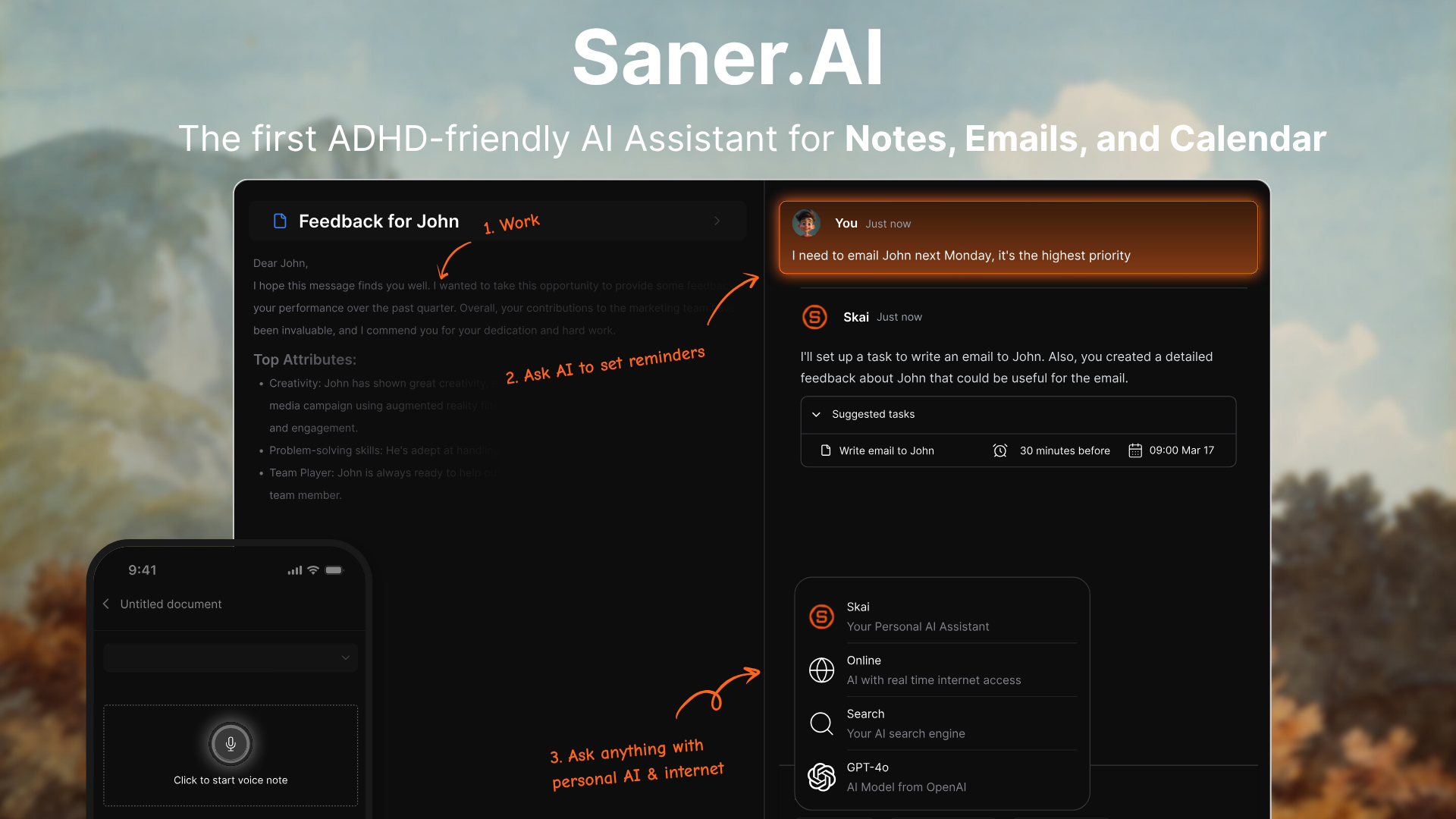
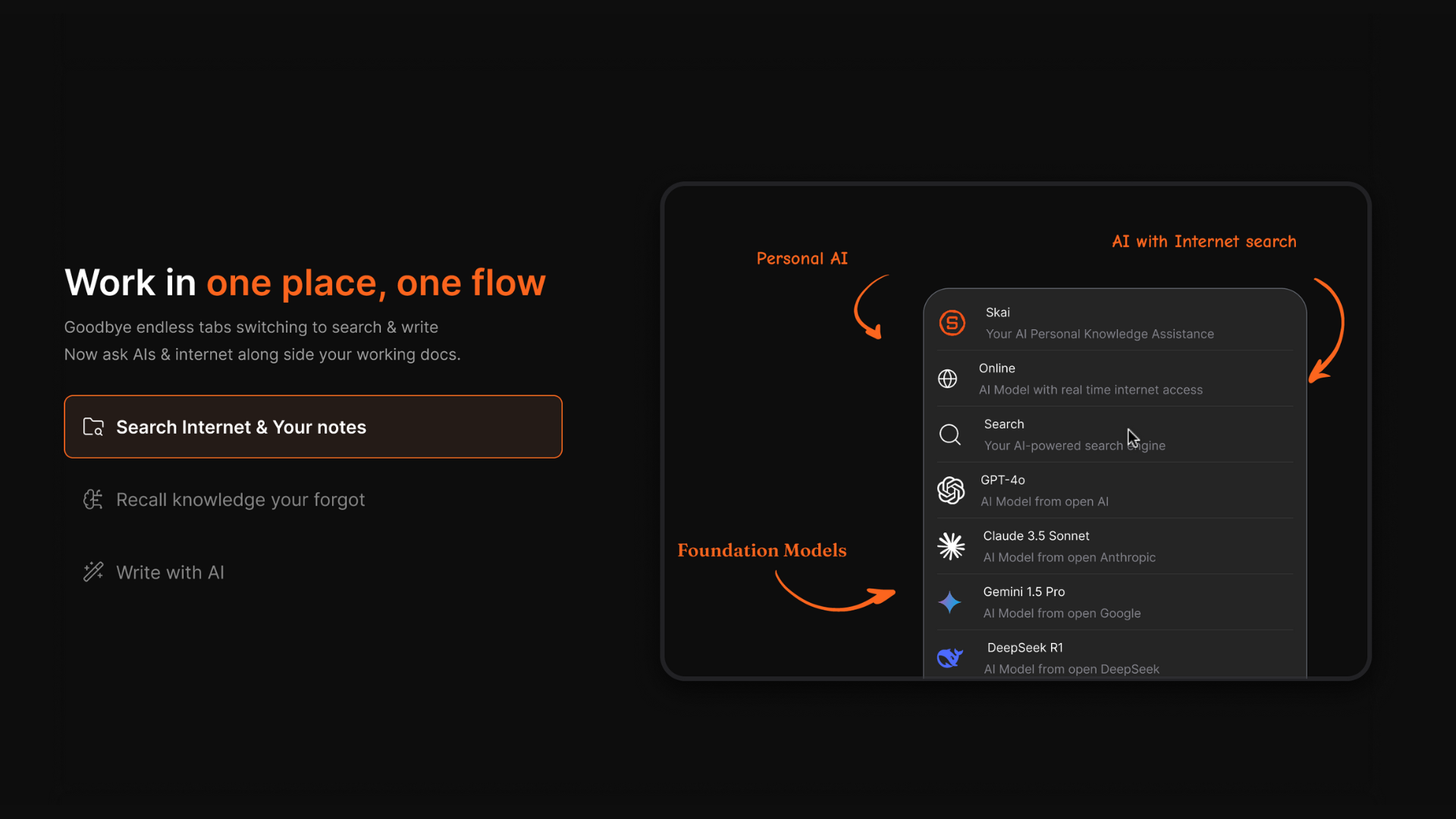
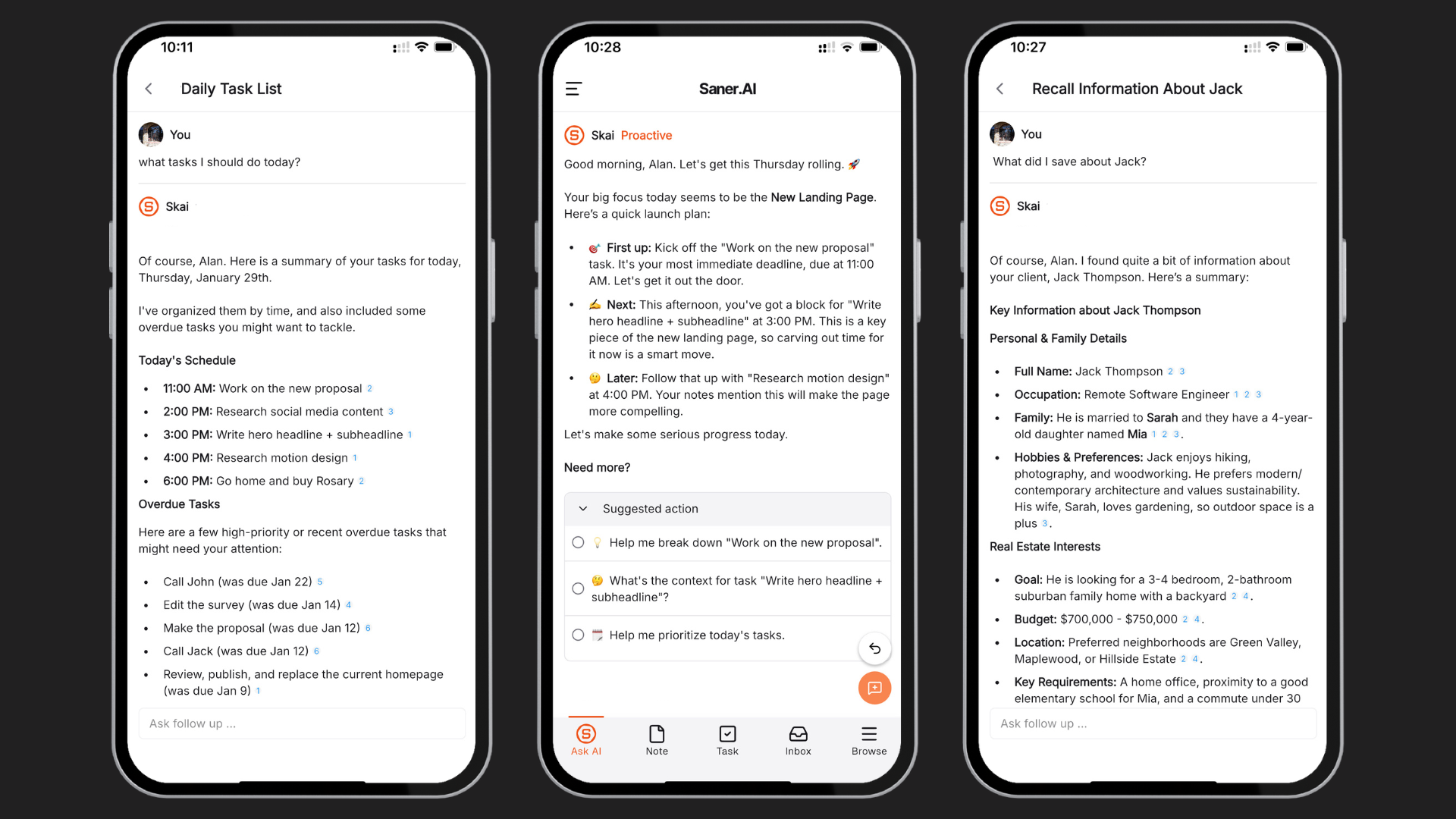
Saner.AI is a proactive AI assistant that helps you turn scattered thoughts, emails, and notes into an organized plan - without switching apps or losing context. It acts like a second brain that remembers what you forget, plans your day automatically, and keeps everything in one calm, searchable place.
Key features
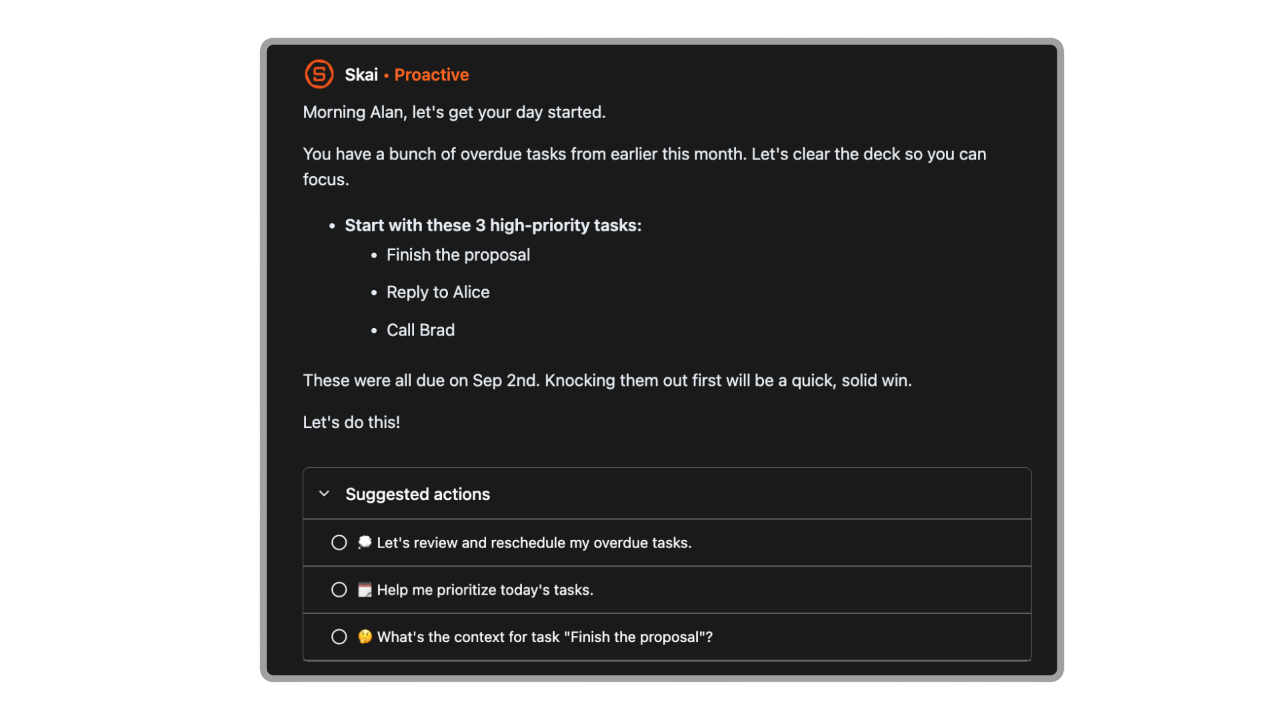
- Smart daily planning that suggests your day based on tasks, deadlines, and context
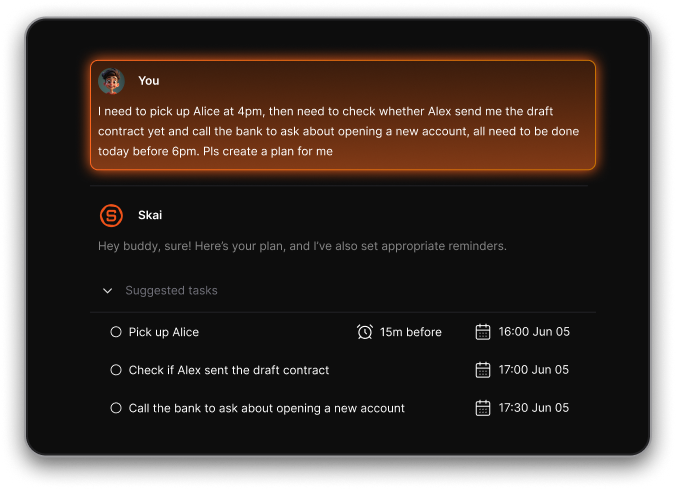
- Automatic task extraction from rants, emails, or brain dumps
- Natural-language search across everything you've saved or said
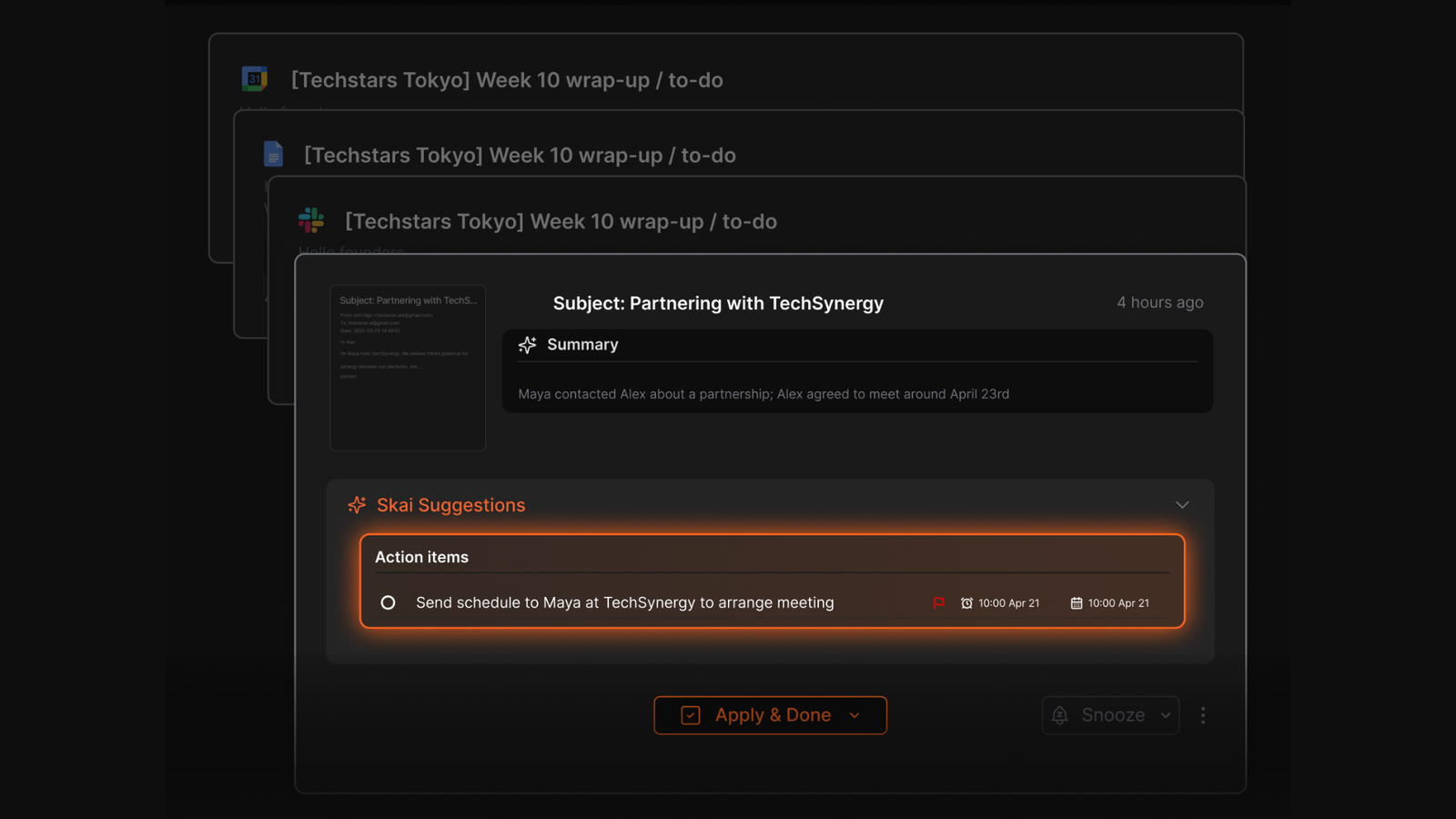
- Gmail and Google Calendar sync with proactive reminders
- Clean, distraction-free interface designed for overwhelmed minds
What I liked
- I like that I can just vent or brain-dump, and it automatically turns that into organized tasks with deadlines
- The daily planner feels like having a Chief of Staff — it shows what to do next without hassle
- You don’t need to tag or label anything - just search in natural language, and it finds what you meant
- It’s designed to reduce overwhelm
Cons
- Not ideal for large teams or project timelines - no Gantt charts or complex task dependencies.
Pricing
- Free
- Starter: Monthly at $8/month, Annually at $6/month (with early user discount)
- Standard: Monthly at $16/month, Annually at $12/month (with early user discount)
Who is it suitable for?
- Solo professionals, founders, and ADHD-prone individuals who want an AI agent that does more than chat.
Saner.AI review
"The biggest benefit for me in using Saner is the Proactive AI. Staying on top of the constant flow of email and multiple calendars is challenging, and so far, Saner is the only AI-based tool that truly feels like a personal assistant." - Jerry

How to start using it?
- Go to saner.ai, create a free account,
- Connect your email and calendar, and start chatting with your AI. Just write what’s on your mind - it’ll handle the rest.

AI Agent tool that Works Instantly without any setup
B. Lindy AI
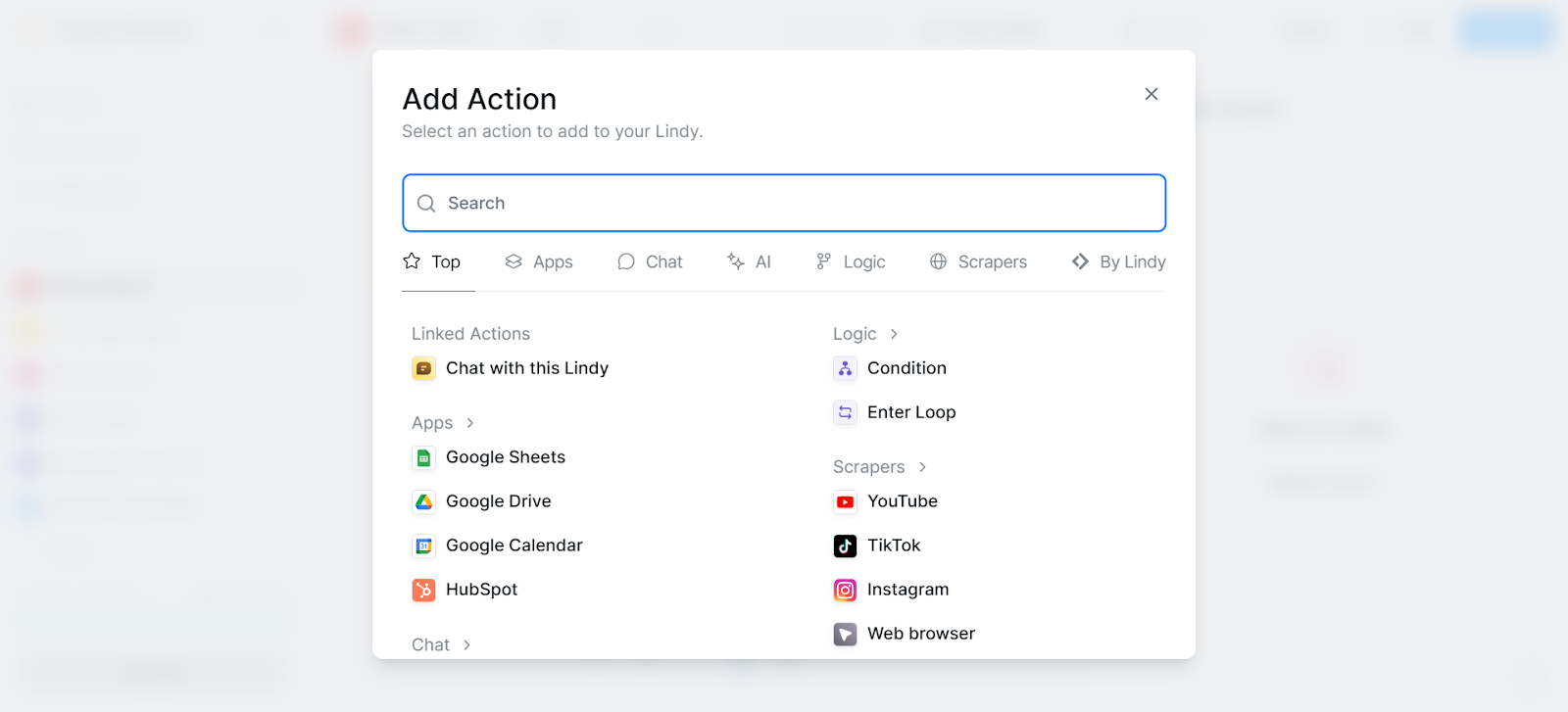
Lindy.ai is a no-code AI agent platform that acts like a digital teammate. It helps automate repetitive office tasks like replying to emails, qualifying leads, scheduling meetings.
Key features
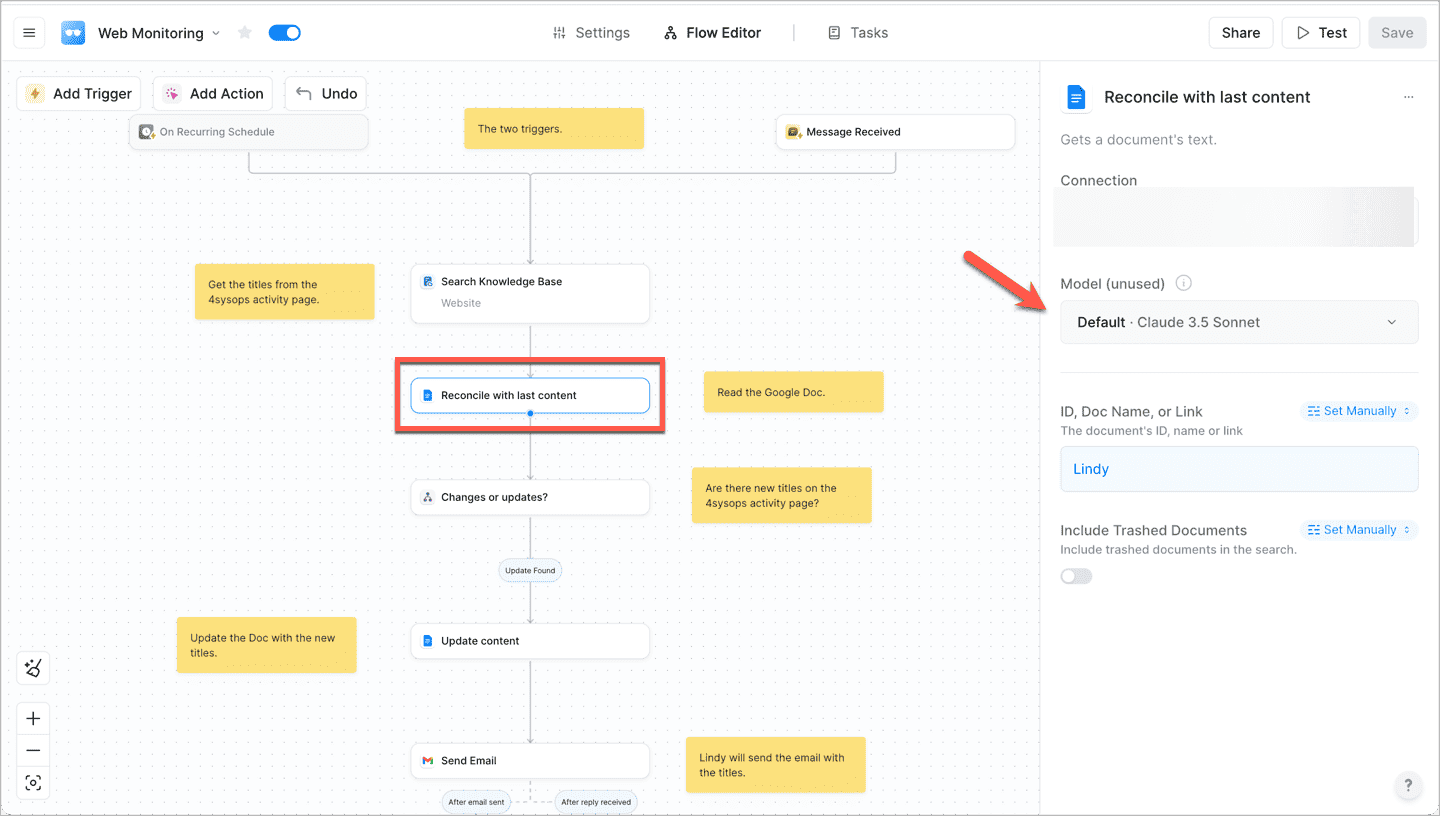
- No-code agent builder with drag-and-drop logic or prompt-based setup
- Prebuilt use-case templates for outreach, meeting notes, lead qualification, and more
- Connects with 200+ business tools including Gmail, Notion, Slack, and Google Calendar
- Supports logic filters, condition-based triggers, and knowledge base context
What I liked:
- The no-code builder is intuitive - it feels like setting up Zapier with AI
- There are solid templates for sales outreach, CRM updates, and note summarization
What I disliked:
- The free plan is limited by credits, so you’ll hit ceilings quickly if you automate a lot
- Pricing jumps up fast - Business starts around $299/month, which may be tough for solo users
- You still need to understand conditional logic and workflows, there’s a learning curve
Pricing:
- Free plan with 400 credits/month
- Pro plan around $50/month
Suitable for:
- Operations managers and fast-moving teams who want to automate busywork like email follow-ups, scheduling, and CRM updates
How to start:
- Head to lindy.ai, sign up for the free plan, and pick a template that fits your workflow
Lindy AI Review (source)
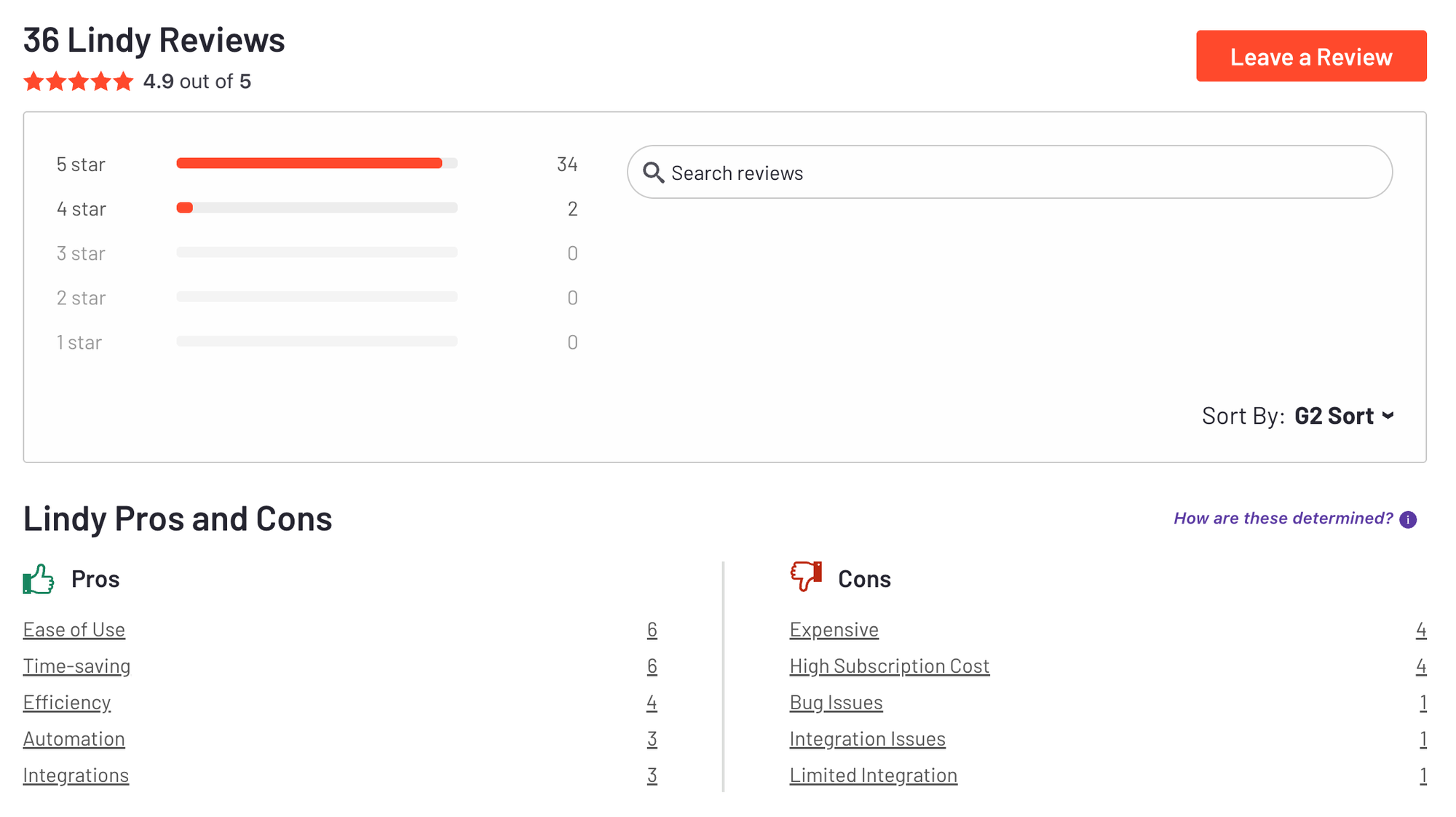
"With Lindy, I created an "assistant" that monitors my email, understands the context of a new conversation, checks if the lead fits our ideal profile, and, if so, suggests available times in my schedule. It's like having a dedicated employee working 24/7." - Vera Lúcia H.
"I wish there were more tutorials or examples to help new users unlock the full potential of agents. Also, having to pay can feel like a barrier, though I do think the value is worth it once you see what’s possible." - Charlotte B
2. No-code to low-code AI Agents
A. Zapier
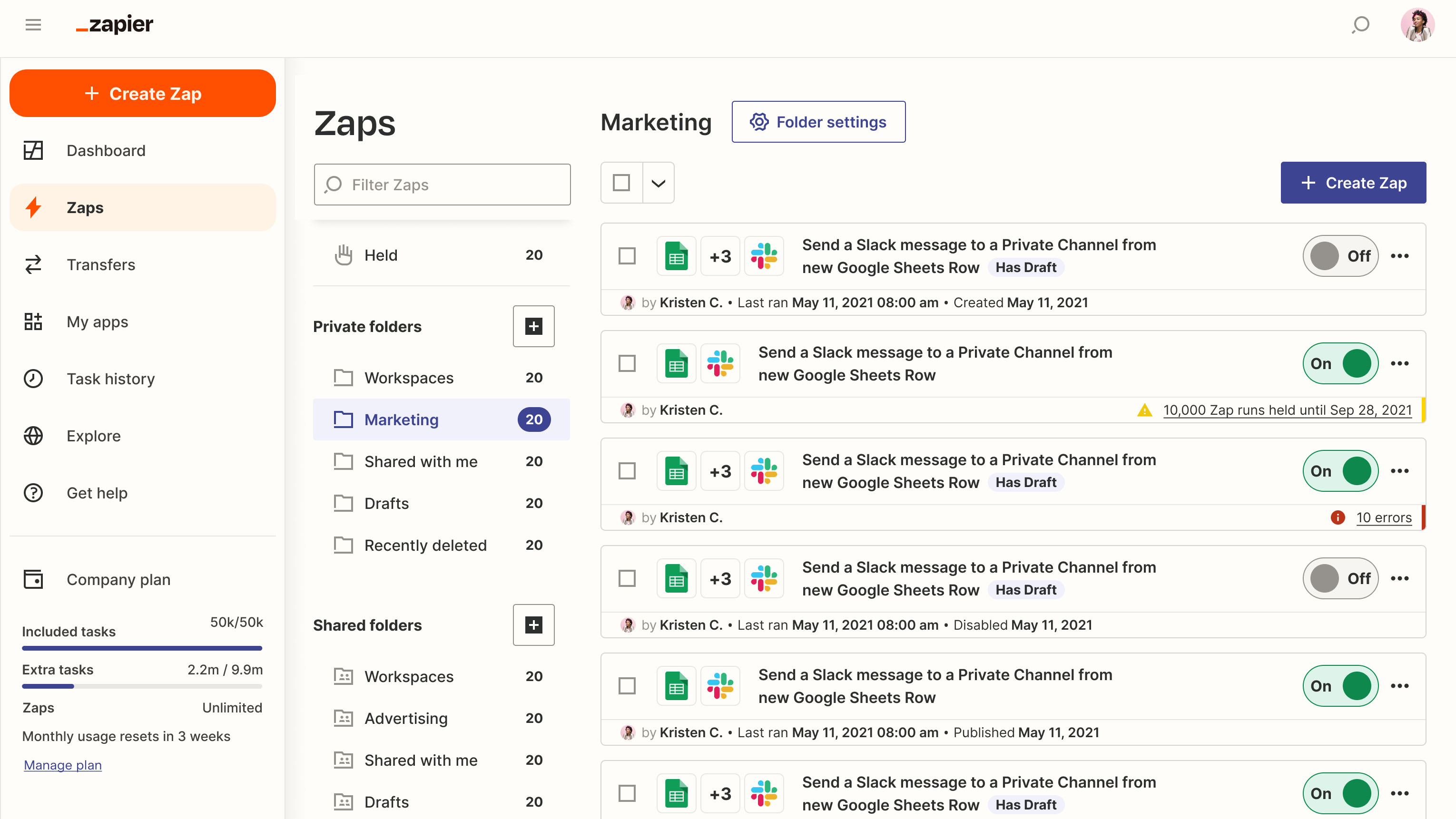
Zapier is an AI automation platform that helps you offload repetitive work by creating smart workflows and AI agents that run across thousands of apps. It’s a go-to tool if you want to streamline operations, trigger multi-step actions
Key features
- AI workflow builder: Describe what you want and let AI generate the automation
- Zapier Agents: Customizable AI agents that act like virtual coworkers and work autonomously
- Works with 6,000+ apps, including Gmail, Slack, HubSpot, Notion, and more
- Build mini-apps and lightweight databases to support workflows
What I liked
- I like the scale of integrations. Zapier connects with almost every app I use, which saves tons of time
- The platform gives you the freedom to start small with basic automations
What I disliked
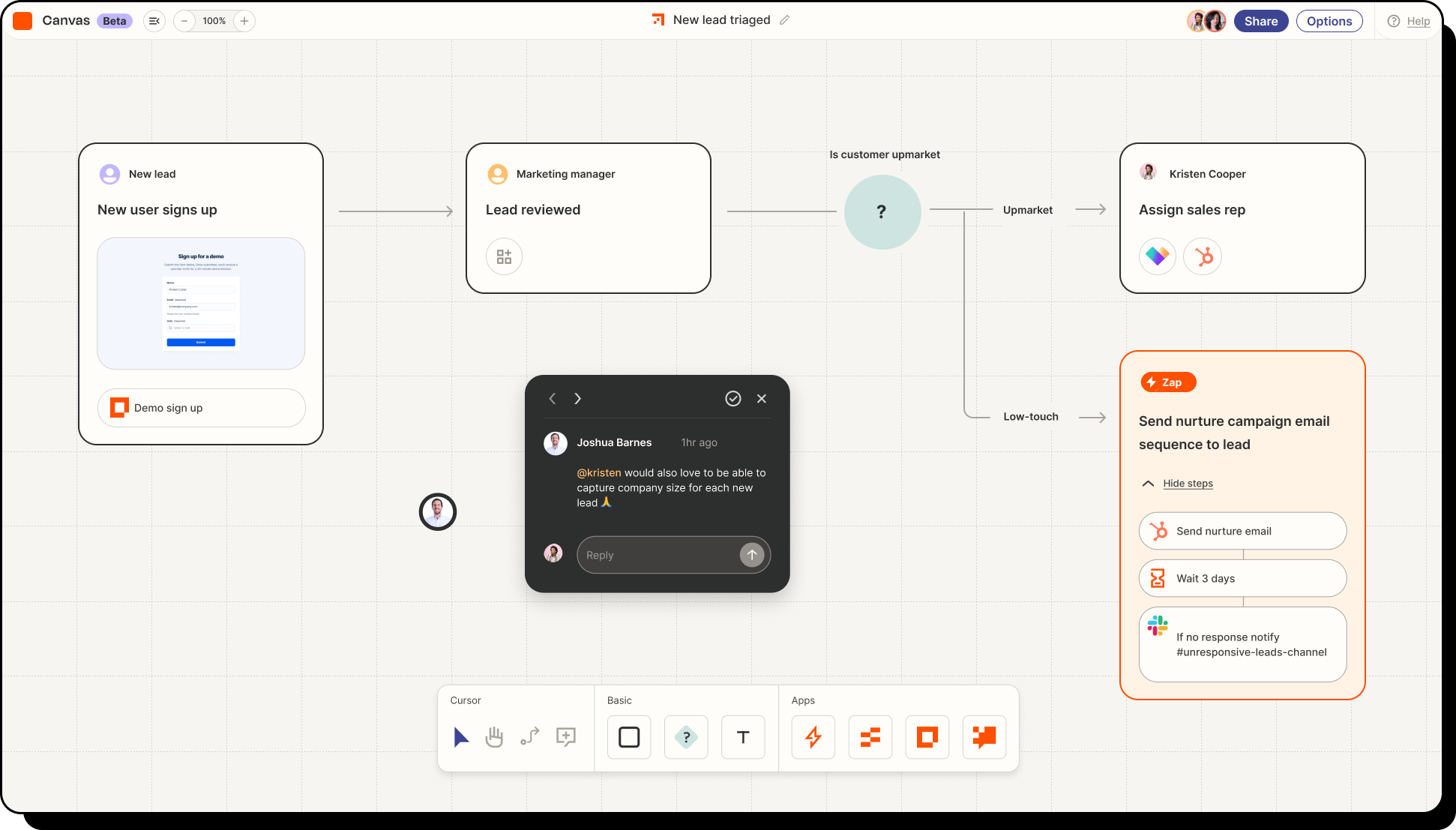
- The Agents feature is still in beta, so some rough edges and reliability issues can pop up
- It’s powerful, but not always beginner-friendly
Pricing
- Free plan available (100 tasks/month)
- Professional: $29.99/month
- Team: $103.50/month
Suitable for:
- Anyone who wants to automate repetitive tasks, delegate workflows to AI agents, or connect multiple apps without writing code.
How to start:
- Go to zapier.com and sign up for a free account.
- Try building a simple Zap using natural language or test-drive the Zapier Agents beta
Zapier Reviews (Source)
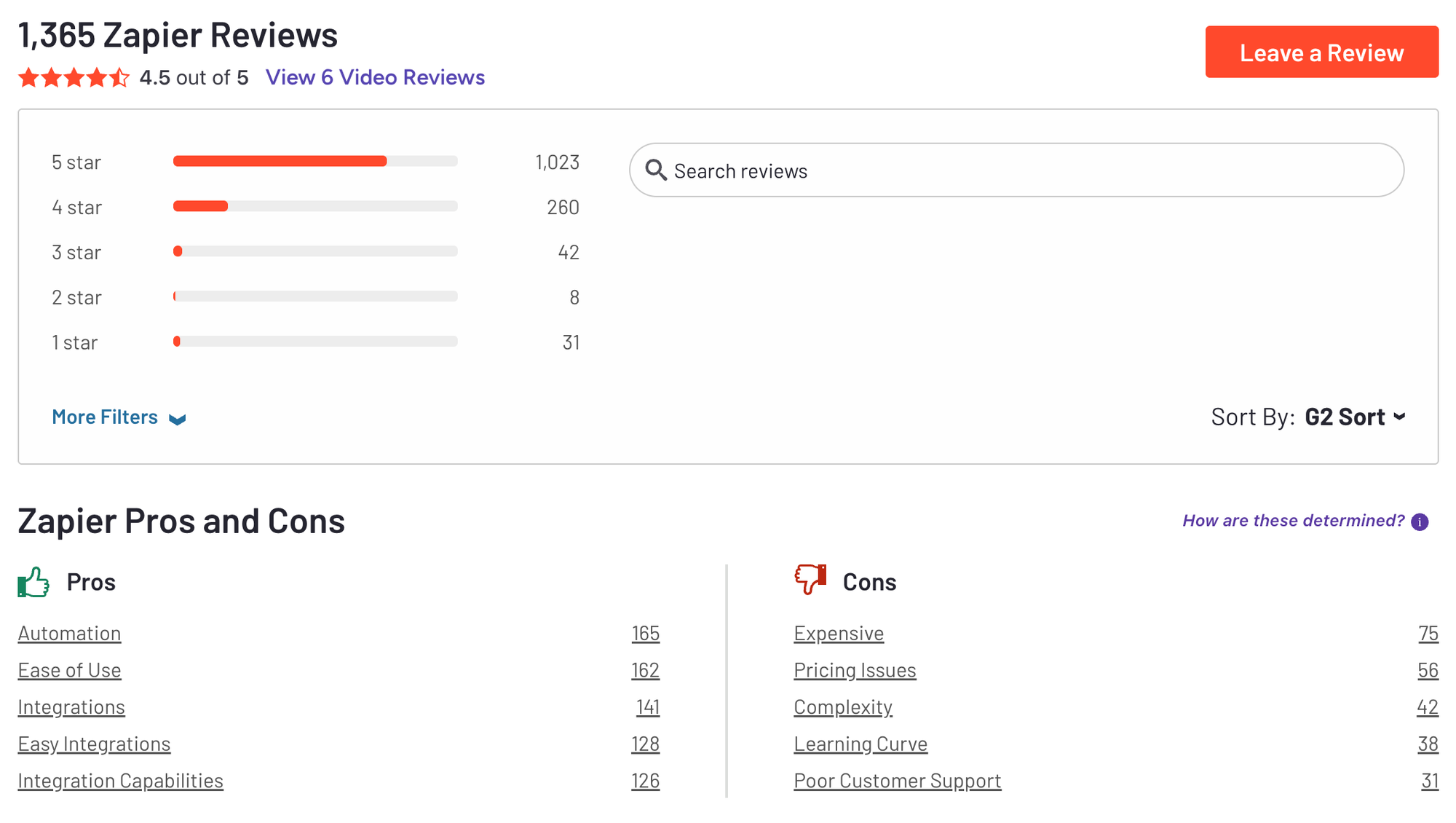
"I really like Zapier's ability to seamlessly connect different apps that typically don't integrate with each other, turning disconnected tools into one cohesive and efficient ecosystem." - Amie L
"The free plan has some limitations that become noticeable as workflows grow. Each Zap is limited to two steps, so I can’t add extra actions or conditional logic in a single workflow." - Tarun K
B. n8n
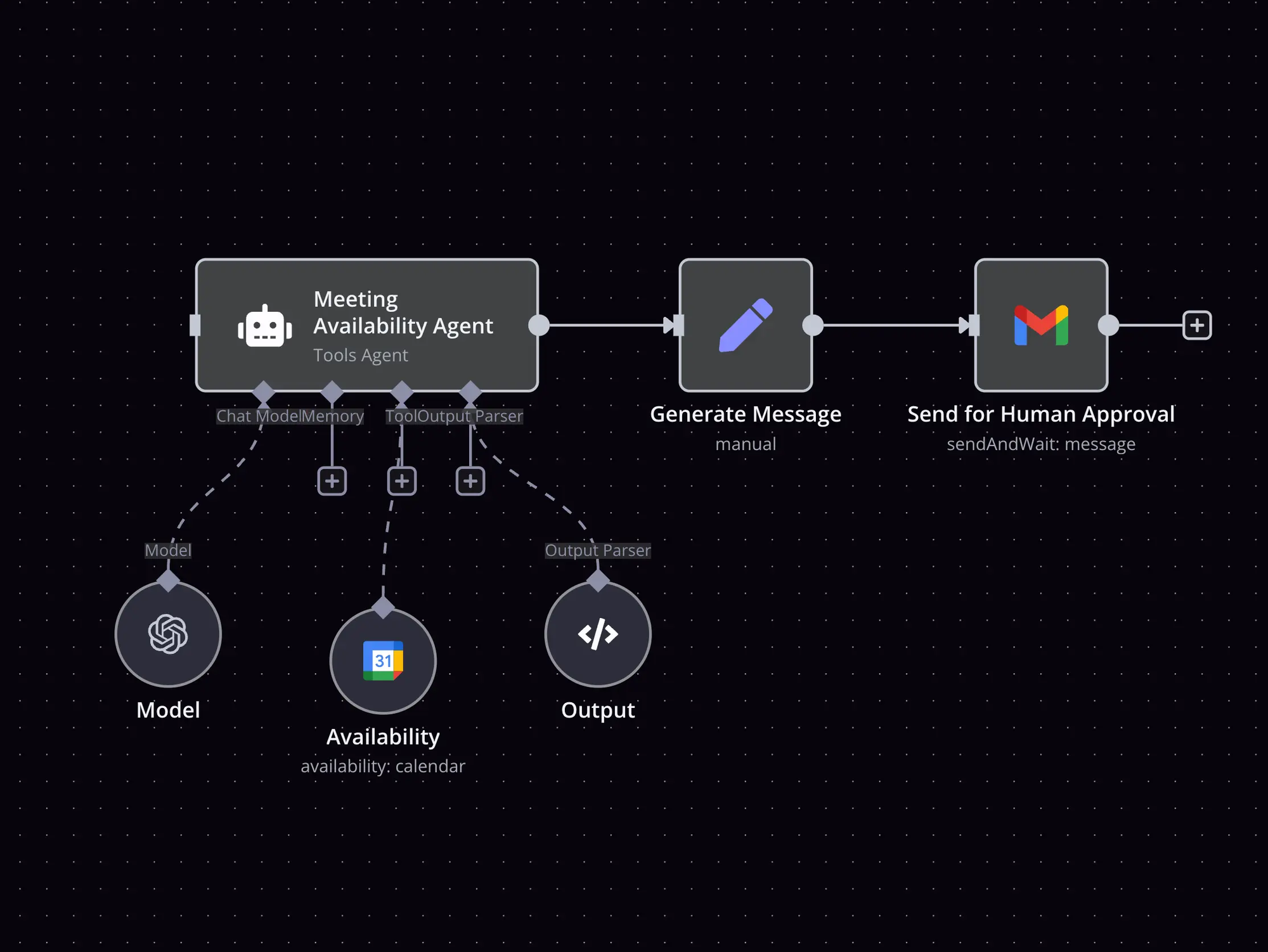
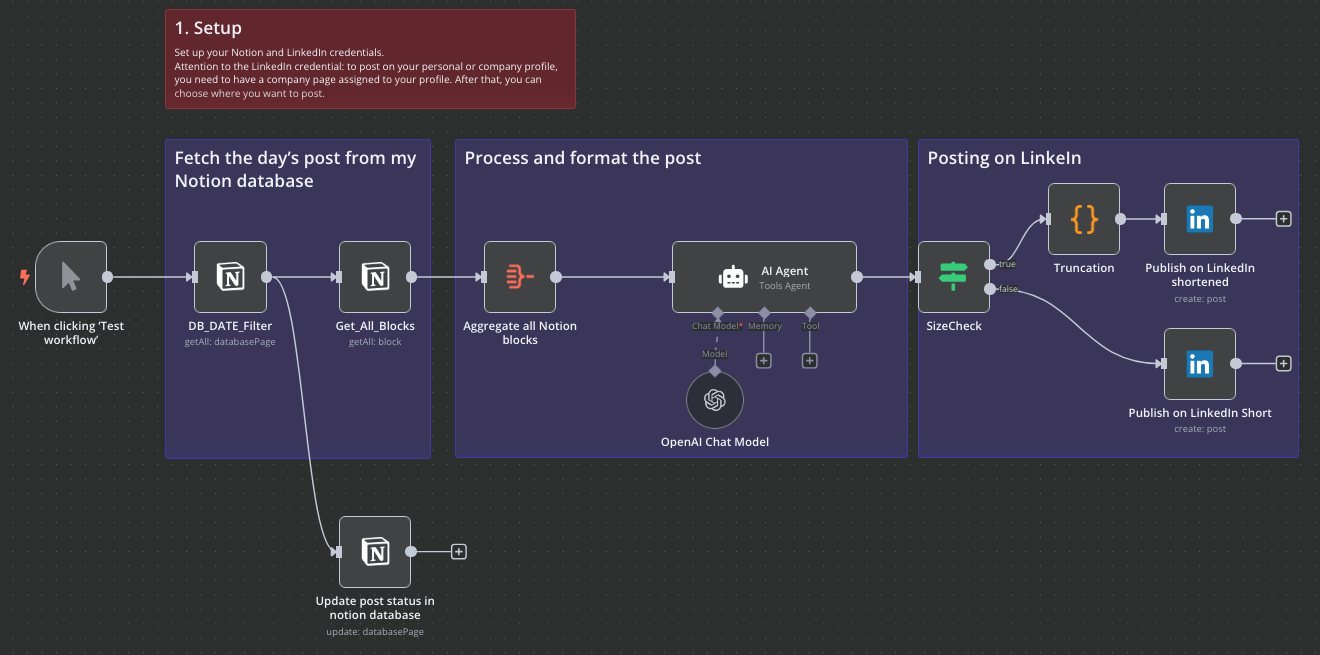
n8n is a powerful low-code automation platform that lets you build AI agents and workflows that connect across apps, APIs, and logic steps. You can create autonomous agents that take action, call APIs, delegate to other agents, and incorporate human feedback
Key features
- Visual drag-and-drop workflow builder with triggers, logic, loops, and conditions
- 500+ pre-built app integrations plus support for custom API calls and code nodes
- AI Agent framework that allows for reasoning, tool use, long-term memory, and autonomous decision-making
What I liked
- I like how much control you get - it’s not just about chatting, the agents can actually take actions
- The visual builder is intuitive once you get the hang of it, and workflows are easy to test and iterate
- The fact that you can host it yourself is a huge plus if you're working with sensitive data
What I disliked
- There's definitely a learning curve, especially if you’re not used to automation platforms
- Setting up self-hosting takes some time and effort
Pricing
- Free self-hosted version
- Cloud Starter plan from ~$20/month
- Cloud Pro plan from ~$50/month
- Enterprise plans available with custom pricing
Suitable for:
- Developers, product teams, and automation pros who want to build AI agents that go beyond chat
How to start:
- Go to n8n.io, sign up for a free trial of the cloud version, or self-host the open-source version
n8n Reviews (Source)
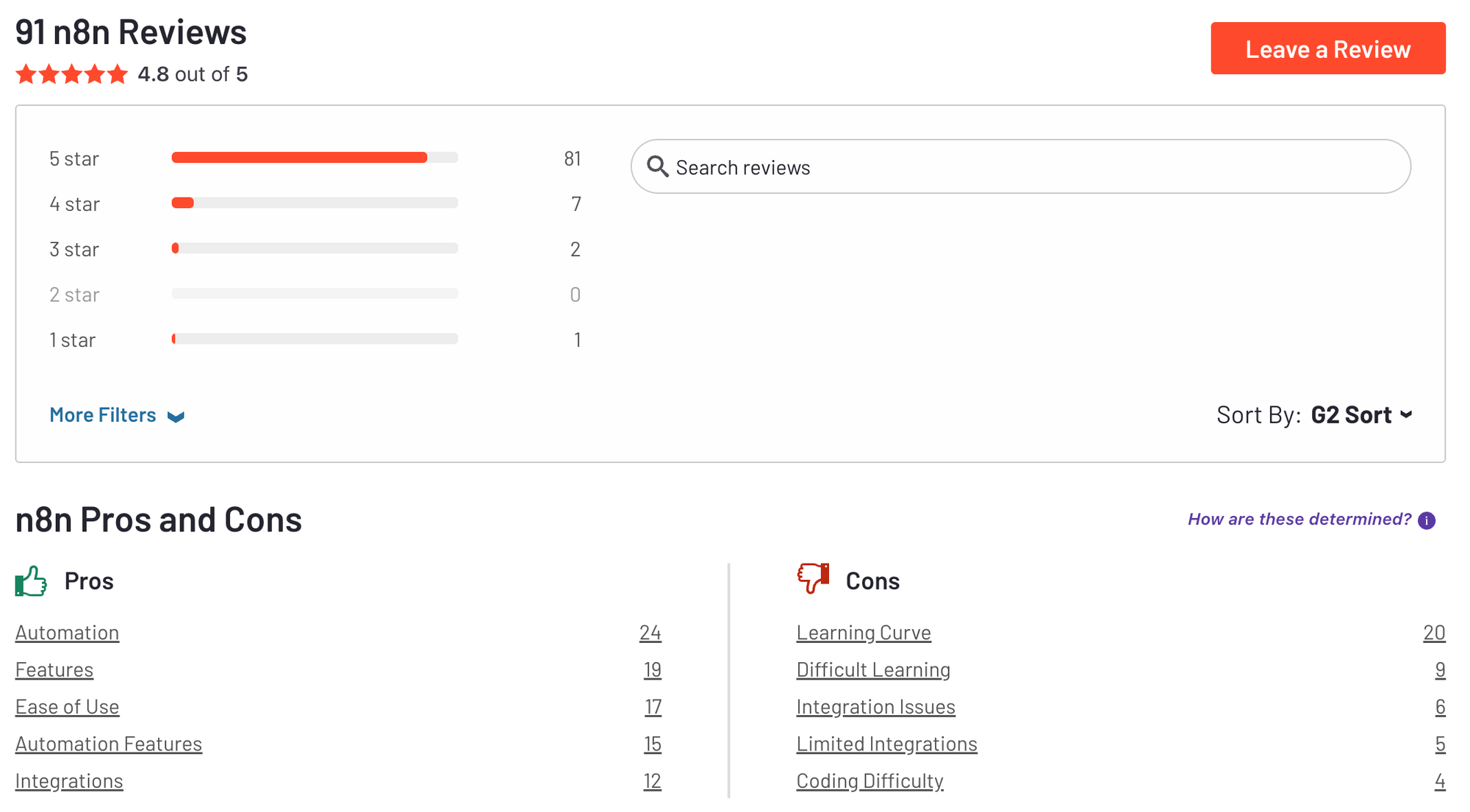
"I use n8n every single day and it has completely transformed how I automate workflows. The visual node-based editor makes it incredibly intuitive to build complex automations, and the constantly growing library of integrations means I can connect virtually any tool I use." - Ali S
"n8n can feel heavy and technical, particularly for non-technical marketing or sales teams. The learning curve is steeper, as you often need to understand JSON structures, APIs, and error handling to build reliable flows." - Sachin M
C. Make
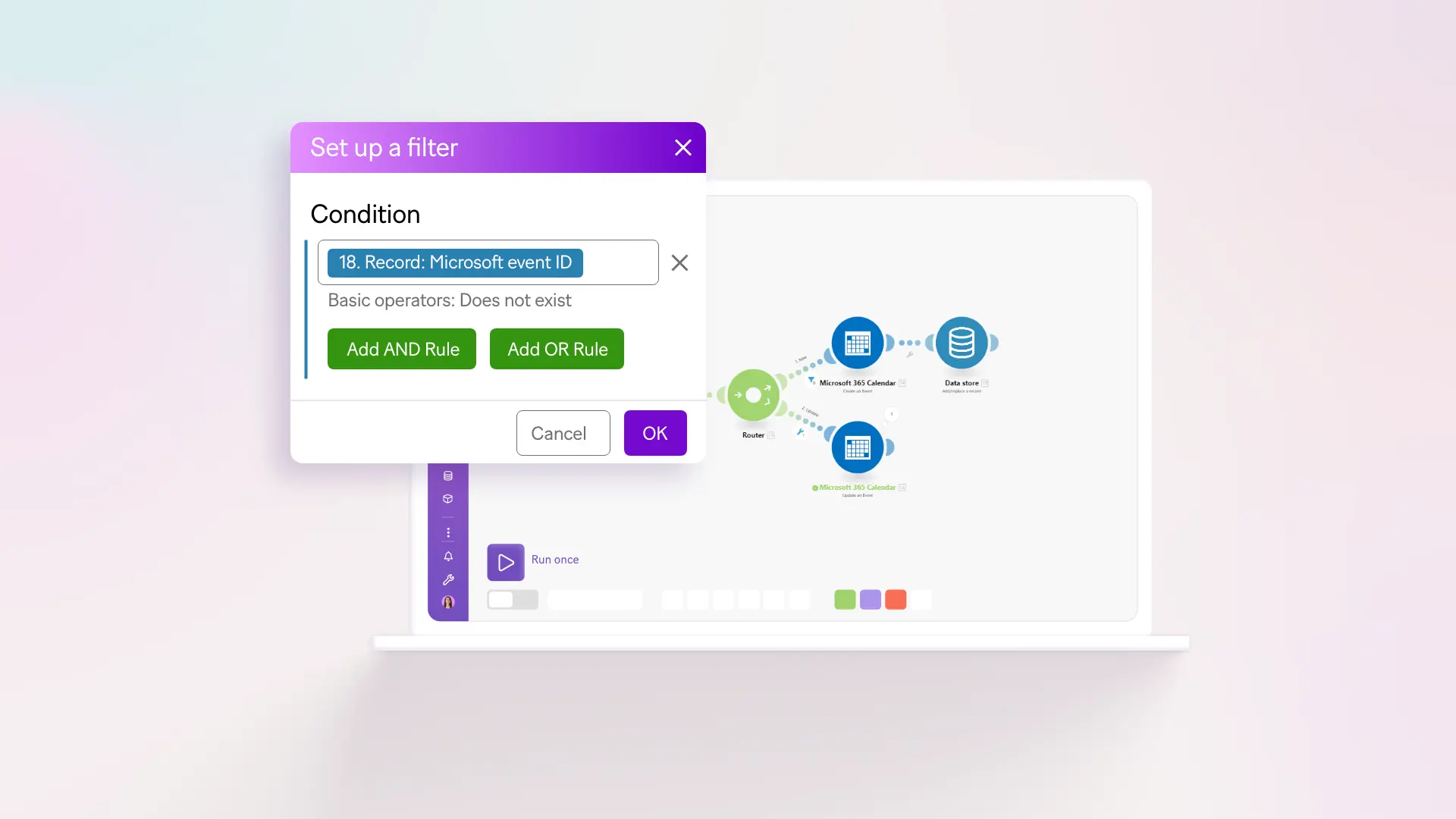
Make is a flexible automation platform that now includes AI agents to act on your behalf. It lets you define goal‑driven agents using natural language and visual workflows, making smart automation accessible without writing code.
Key features
- Natural language agent creation: describe the outcome, and Make builds the logic
- Drag and drop steps and AI actions into a flow
- Integrates with top AI tools: OpenAI, Claude, Gemini, Perplexity, ElevenLabs, Hugging Face, and more
- Agents can respond to changing input in real time
What I liked:
- You don’t need to write code
- The visual interface makes it really clear how AI decisions flow from one step to the next
- I like how many AI models it supports
What I disliked:
- It still takes time to learn how to build workflows - there's a learning curve if you're new
- Pricing can add up fast, depending on how many operations and API calls your agents use
- Make’s agents don’t have persistent memory or long-term learning yet
Pricing:
- Free plan available (1,000 ops/month)
- Core plan starts at $9/month
- Pro plans start around $16–18/month
Suitable for:
- Freelancers, teams, and startups that want flexible, no-code AI automation and need agents that take action
How to start:
- Go to make.com, sign up for a free account, and create your first AI scenario.
Make Reviews (Source)
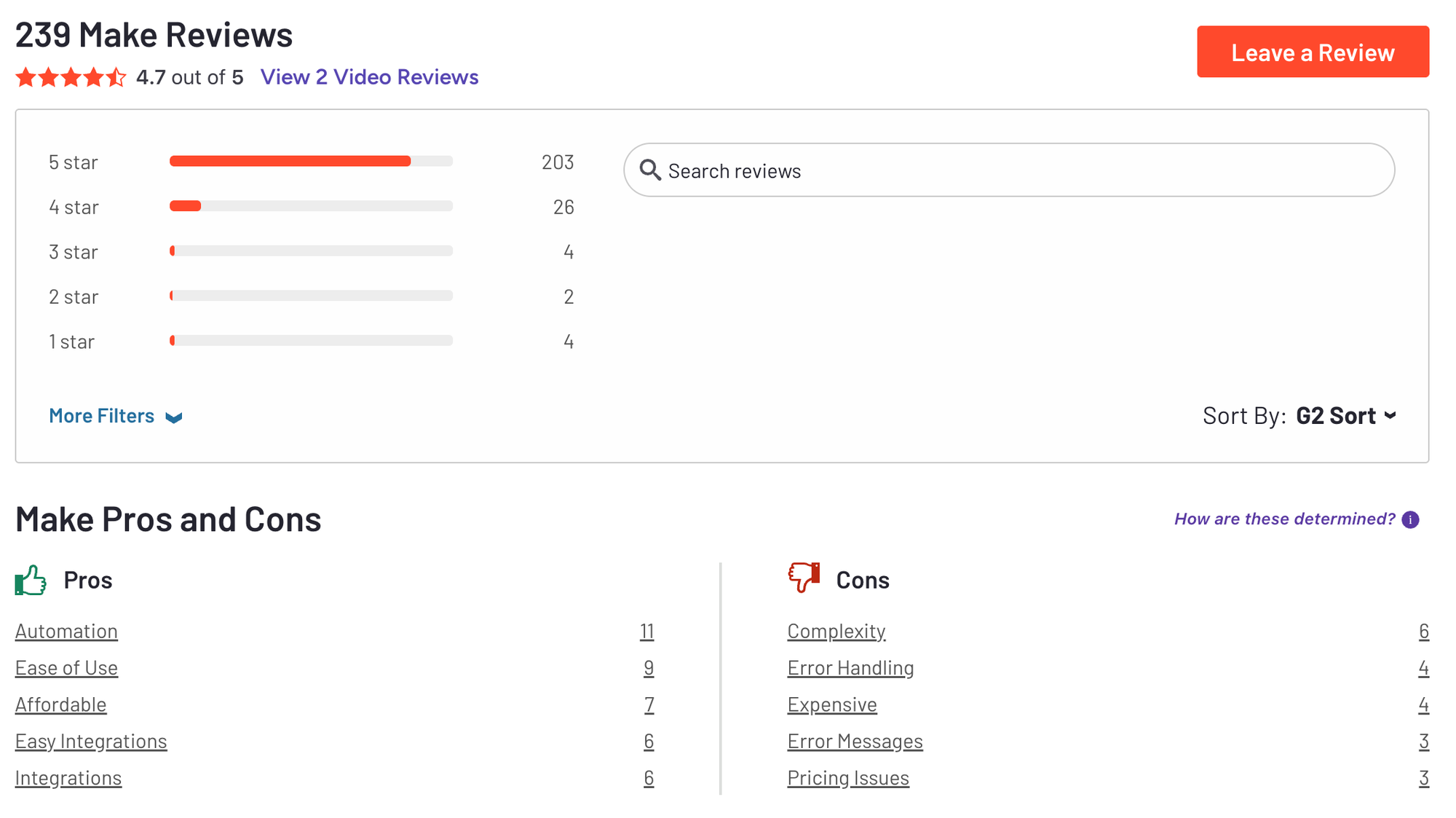
"This is a fantastic platform that offers a wide range of features for automating your business processes. Its extensive capabilities make setting up automation straightforward and effective." - Muhammad Faiz M
"One aspect that could be improved is the ability to set a delay between one run execution and the next, in order to better manage the API limits of the services." - Giuseppe A
3. AI Agents Builder
A. Relevance.ai
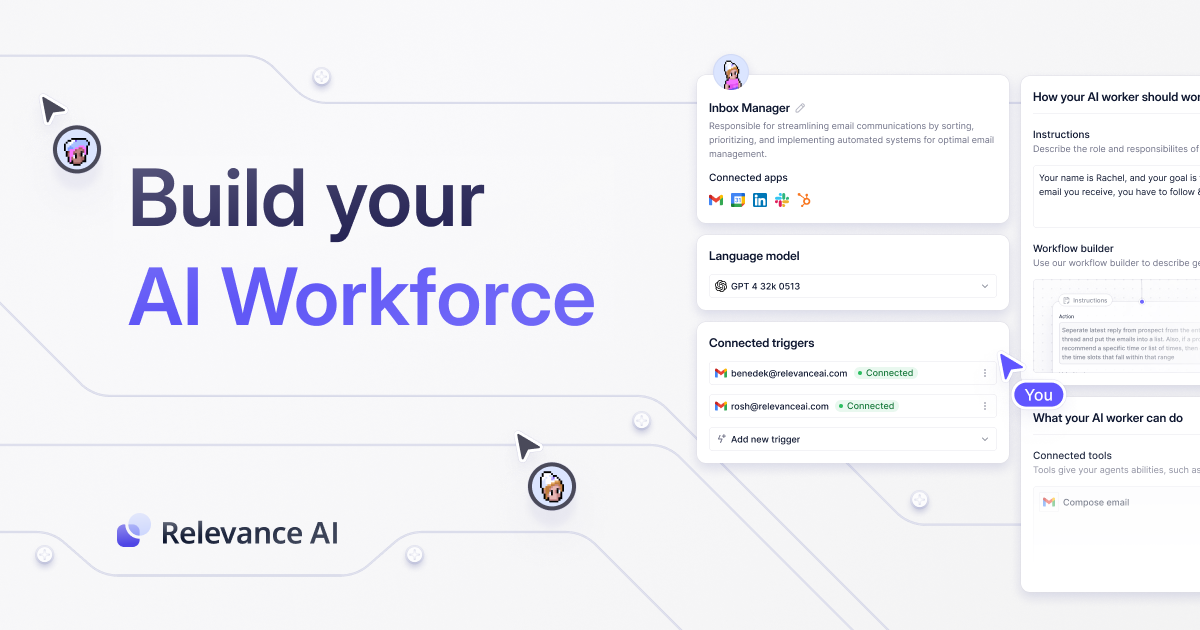
Relevance AI is a no-code platform that helps teams design, deploy, and automate AI agents without writing a single line of code. It works behind the scenes to power AI workflows across sales, operations, customer support, and internal processes
Key features
- AI Agent Builder: Define goals, behavior, and logic of agents in plain English
- Multi-Agent Systems: Create AI “workforces” that coordinate with each other to handle complex workflows
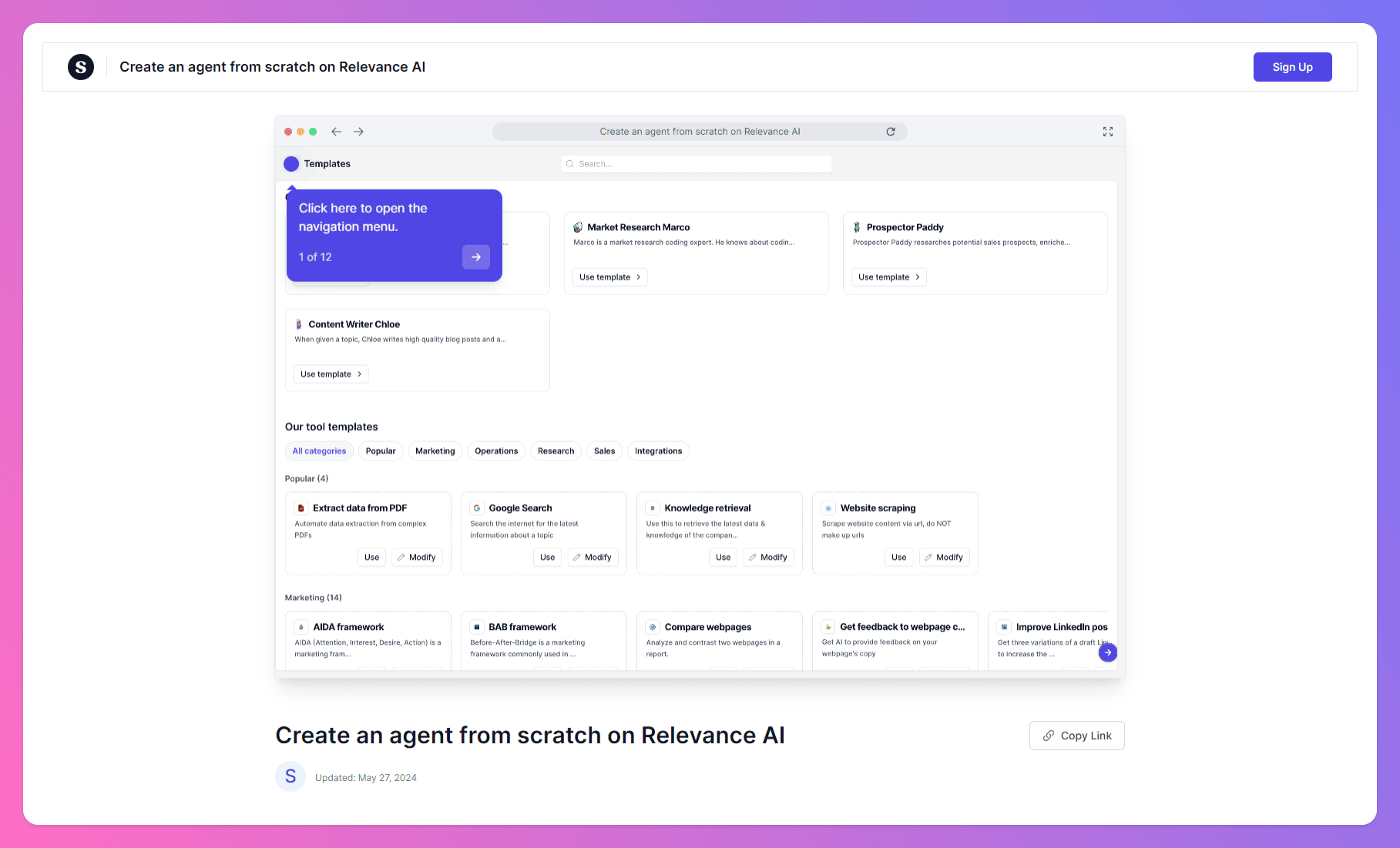
- Tool Templates: Pre-built and custom tools you can assign to agents, such as sending emails, calling APIs, or querying databases
What I liked
- I like how easy it is to build an agent - no code, just write out the goal and logic
- You can create full “AI workforces” with agents that communicate and cooperate
- The pre-built tool templates help you ship something fast, even as a non-technical user
What I disliked
- The credit-based pricing model can be a bit confusing at first
- There’s a learning curve when building more complex multi-agent setups
- Some powerful features (like MAS and premium integrations) are only in higher-tier plans
Pricing
- Free plan available
- Pro plan starts at $19/month
- Team plan around $199/month
Suitable for
- Operations leads, consultants, and non-technical teams who want to build and deploy AI agents for internal and client workflows
How to start
- Just go to relevance.ai, create a free account, and test the agent builder with a template
Relevance.ai review (source)
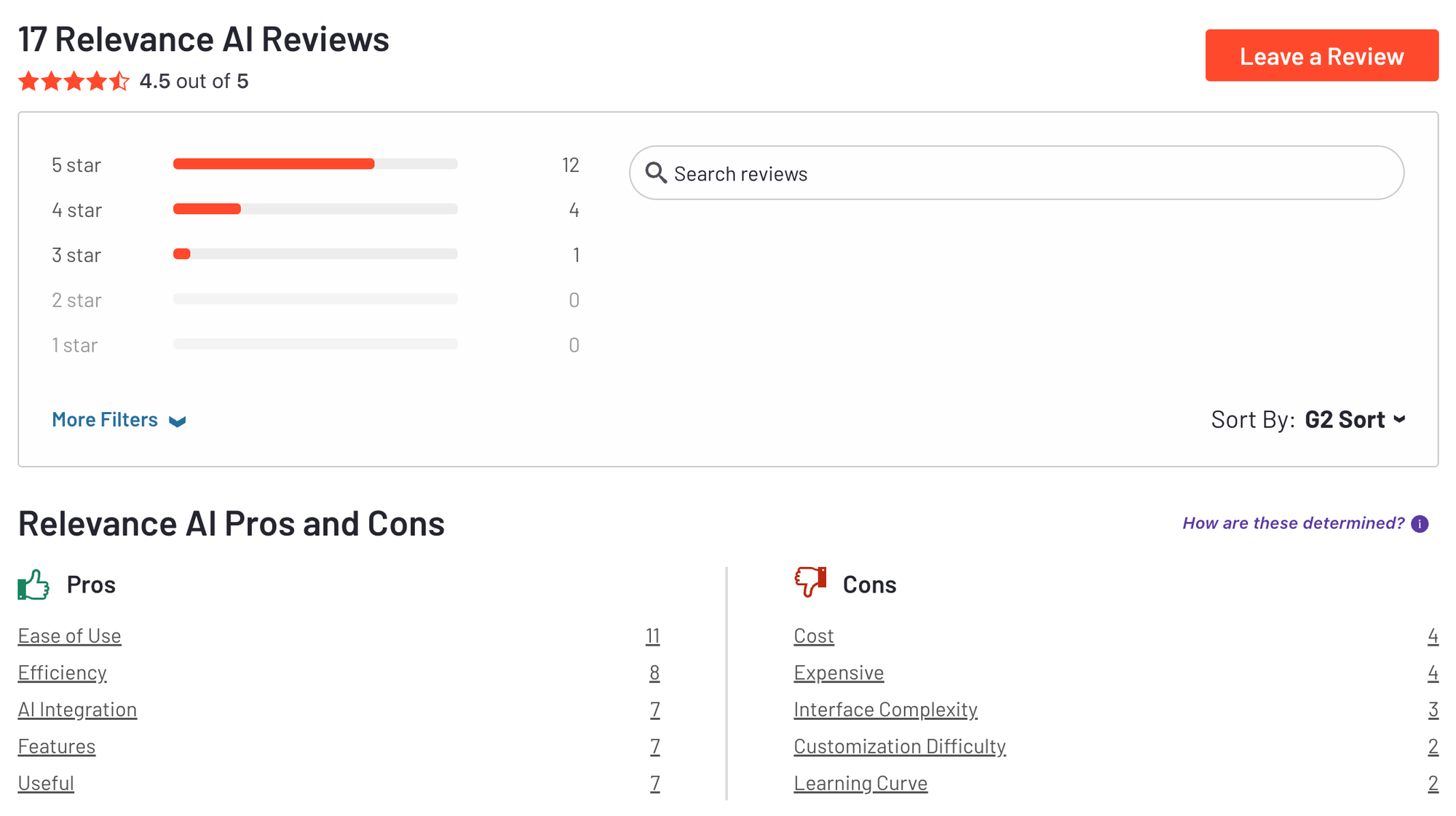
"It provides a transparent pricing structure, so we don't have to invest until we are certain about its capabilities. With over 9000 tools, it allows us to build the most advanced AI agents for solving problems across any industry." - Nabin P
"Right now, all agents are shown in one big list, which makes it harder to navigate when you have a lot of them. It would be great to have folders or categories to keep everything organized by project." - Margarita C
4. Autonomous AI Agents
A. Manus
Manus is an autonomous AI agent designed to handle complex tasks from start to finish. It doesn’t just generate answers - it plans, acts, and executes full workflows across research, writing, coding, design, and more.
Key features
- Executes end-to-end tasks like building websites, analyzing data, writing reports, and generating visuals
- Uses a multi-modal engine that processes text, images, code, and tables within a single workflow
- Operates in a secure cloud sandbox and can call external tools like browsers, APIs, and file systems
What I liked
- I like that Manus doesn’t stop at suggestions - it actually executes tasks from start to finish
- It handles multiple formats in the same workflow, text, code, images, which makes it feel more like a coworker than a bot
What I disliked
- Some tasks still result in errors or hallucinated outputs - you can’t fully “set and forget” yet
- There's some uncertainty around data privacy and storage
Pricing
- 20$/month
Suitable for
- Developers, researchers, and advanced users looking for a powerful, autonomous AI agent that can work across multiple media types
How to start
- Go to manus.im and start chatting with the AI
Manus reviews (source)
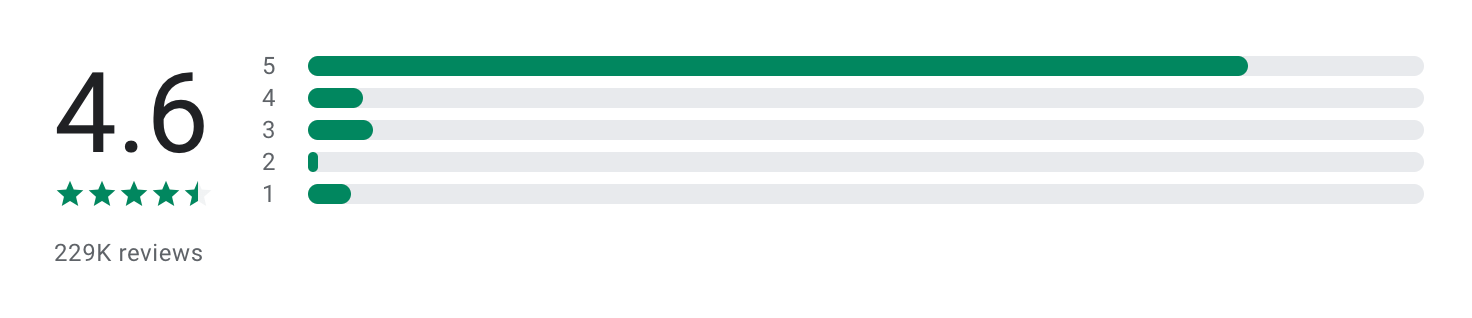
"Manus is an excellent app for writing reports. It is easy to use, well-designed, and helps me write quickly and accurately. The interface is clean and simple, and the writing tools make organizing and editing content very smooth." - Ranjdar Noori
"I'm using their top AI model Manus 1.6 Max for it. But it built an app full of bugs. And wasted my 75% credits to fix a single bug with several attempts and it's still not fixed. Rest of bugs are still need to fix so far." - Naginder Pal Singh
B. Genspark
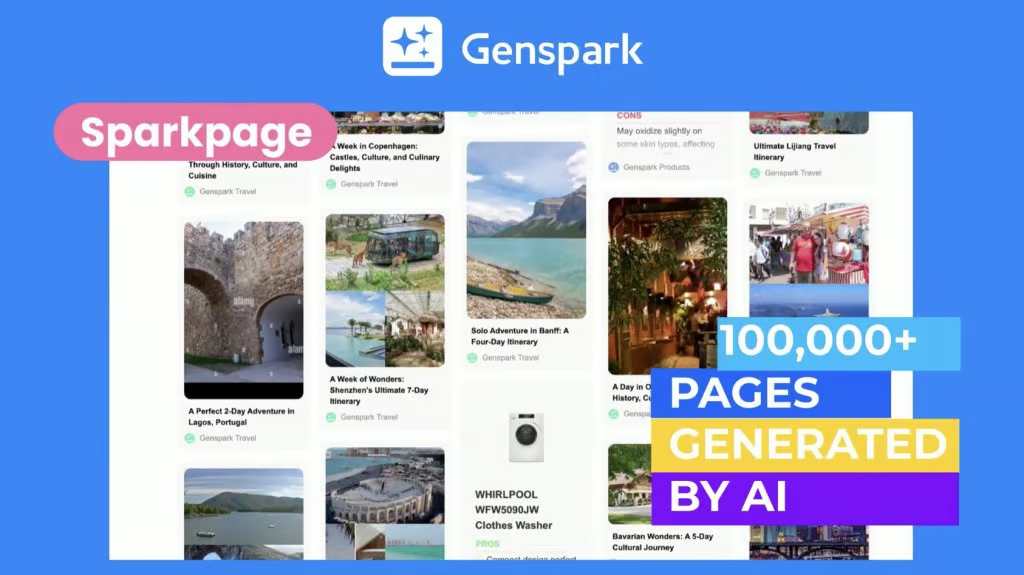
Genspark is a powerful AI agent platform designed to take actions, not just answer questions. It combines multiple AI models and integrated tools to complete real-world tasks
Key features
- Uses multiple LLMs and 80+ tools to break down and complete complex tasks
- Can make phone calls, book appointments, and handle speech-to-speech conversations
- Generates slides, videos, websites, and more beyond just text
- No-code interface: You describe the task, and Genspark handles the workflow behind the scenes
What I liked:
- I like that Genspark doesn’t just respond - it actually executes multi-step tasks for you
- The ability to make real phone calls or generate full presentations from a prompt feels like real autonomy
What I disliked:
- The broad scope can be overwhelming - it’s not ideal if you just need a lightweight assistant
- Advanced outputs like videos and calls can use up credits quickly
- It’s not fully transparent how it routes or handles your data under the hood
Pricing:
- Free plan available
- Plus plan: 25$/month
Suitable for:
- Busy professionals, creators, entrepreneurs, and researchers who want a powerful AI agent that handles real tasks across formats
How to start:
- Head to genspark.ai, create an account, and try it out using your free credits.
Genspark reviews (source)

"Great app, one of the few AI apps that won’t disappoint. The interface is clean, it responds quickly, and the results are consistently useful without a lot of tweaking. It’s become my go-to for writing, summarizing, and brainstorming on the fly." - Nathaniel Ady
"Listened, responded, and worked accordingly without all the extra warnings unless given instruction to provide them. Definitely the best one out." - Cr Js
5. Emerging AI Agent
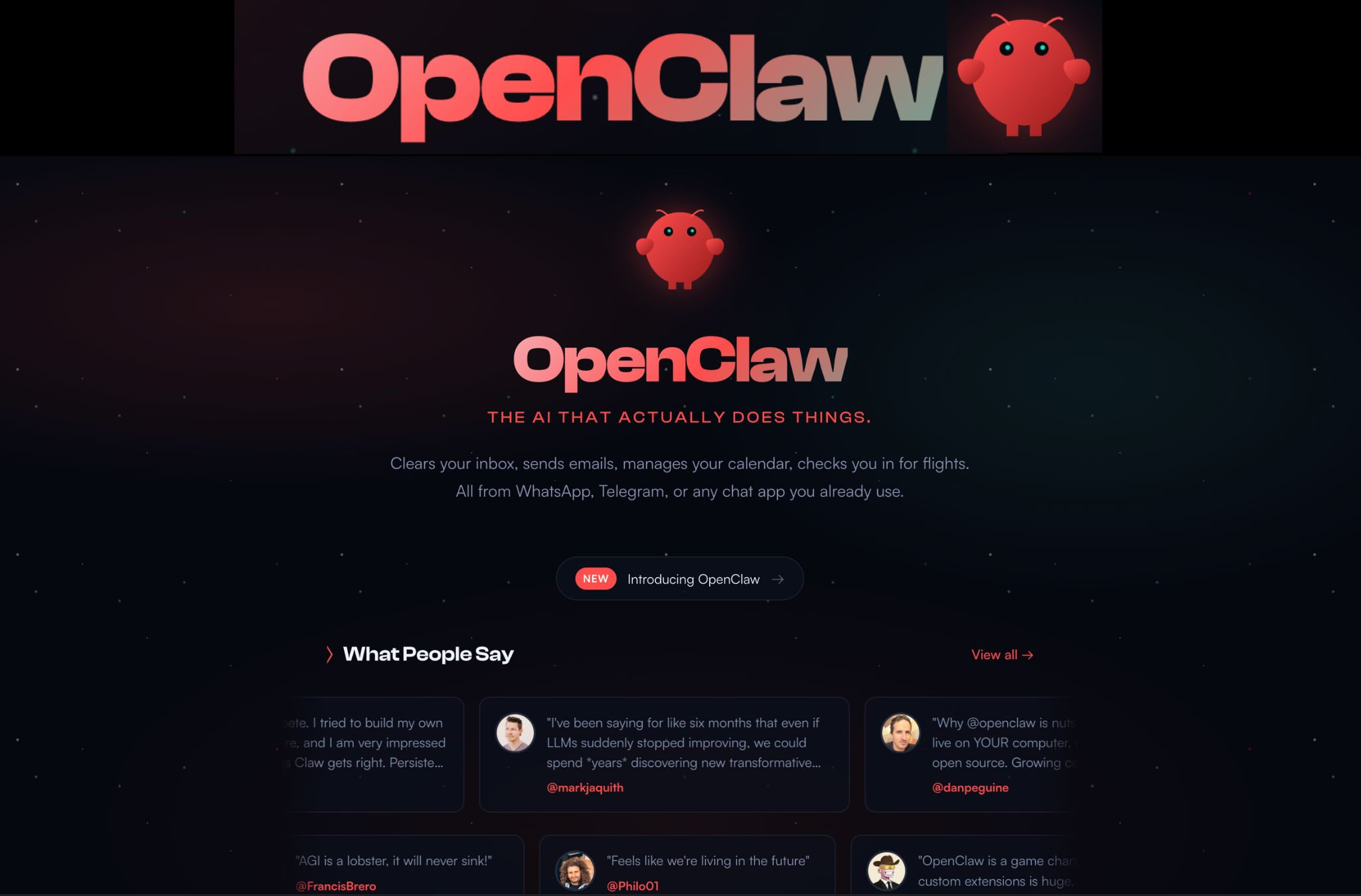
When I tested OpenClaw, it felt more like a developer toolkit for autonomous AI agents than a typical automation platform. You define an objective, provide the agent with tools, and the system attempts to plan and execute the steps needed to achieve the goal.
Key features
- OpenClaw agents can break down a goal into multiple steps and attempt to execute them automatically.
- The framework allows agents to interact with external tools such as browsers, APIs, or command-line utilities.
- Developers can define agent roles, tools, memory, and instructions.
- Because it’s open source, OpenClaw can be modified or integrated into existing applications. Developers can extend the system with additional tools, APIs, or custom logic.
Pros
- You can quickly prototype agents that attempt complex tasks without building everything from scratch.
- Since the framework is open source, developers can modify how agents work or integrate it with other systems.
- Unlike simple chatbot frameworks, OpenClaw agents can interact with tools and environments.
Cons
- OpenClaw requires technical setup and familiarity with AI APIs. Non-technical users may find it difficult to install or configure.
- In practice, autonomous agents can sometimes loop, misinterpret instructions, or produce inconsistent results.
- Compared to more mature agent frameworks, learning resources and integrations are still limited.
Pricing
- OpenClaw framework: Free and open source
- AI model costs: Pay-as-you-go depending on the model provider (such as OpenAI or other APIs)
Who it’s best for
- Developers experimenting with autonomous AI agents
- AI researchers exploring agent-based workflows
- Teams building custom AI automation systems
How to get started
- Visit OpenClaw’s GitHub repository
- Install the framework and connect it to your preferred LLM API
- Configure an agent with tools and define a goal to test your first workflow
🎯 Conclusion: The Future Is Agentic
AI agents aren’t just another layer of productivity software - they represent a shift in how we work. Instead of clicking through endless menus or juggling multiple apps, these tools can reason, plan, and execute on your behalf.
The right tool depends on your context:
- If you’re an overwhelmed professional or ADHD-prone, something like Saner.AI helps you turn chaos into clarity.
- If you’re a team leader needing approvals and structure, Relevance AI bring governance to automation.
- If you’re an experimenter hungry for cutting-edge autonomy, Manus and other beta agents show what’s possible.
- And for those who just need reliable, no-code integrations, platforms like Zapier, Make.com, and n8n remain staples.
No single tool is perfect. Some excel in ease of use, others in flexibility or depth of automation. What unites them is the promise of less busywork and more focus - helping you spend time on meaningful, creative, high-value work.
If you’re curious to experience how an AI agent feels when it’s designed for clarity and calm, give Saner.AI a try - it’s built to help you think less about juggling tasks and more about doing what matters.
Get your AI personal assistant without complicated setup
FAQ: Best AI Agent Tools (2026)
1. What is an AI agent tool?
An AI agent tool is an intelligent assistant that doesn’t just respond to prompts - it acts on your behalf. Unlike traditional chatbots or passive note apps, AI agents can:
- Understand context from your notes, emails, and tasks
- Take proactive steps (like scheduling, organizing, following up)
- Connect with your tools (Slack, Gmail, Calendar, Notion, etc.)
- Help reduce manual work and cognitive overload
Popular AI agent tools in 2025 include Saner.AI, n8n, Zapier, Lindy, Make, Relevance, Manus, and Genspark - each with different levels of automation and smart task execution.
2. What’s the difference between an AI agent and a regular AI assistant?
Most AI assistants (like ChatGPT) wait for instructions. AI agents go further:
- AI Assistant: Reactive. Answers your questions.
- AI Agent: Proactive. Understands your goals and takes action - like scheduling meetings, following up, or turning notes into tasks.
For example, Saner.AI reads your scattered thoughts and turns them into a daily plan - without you doing the sorting.
3. What can the best AI agent tools do in 2026?
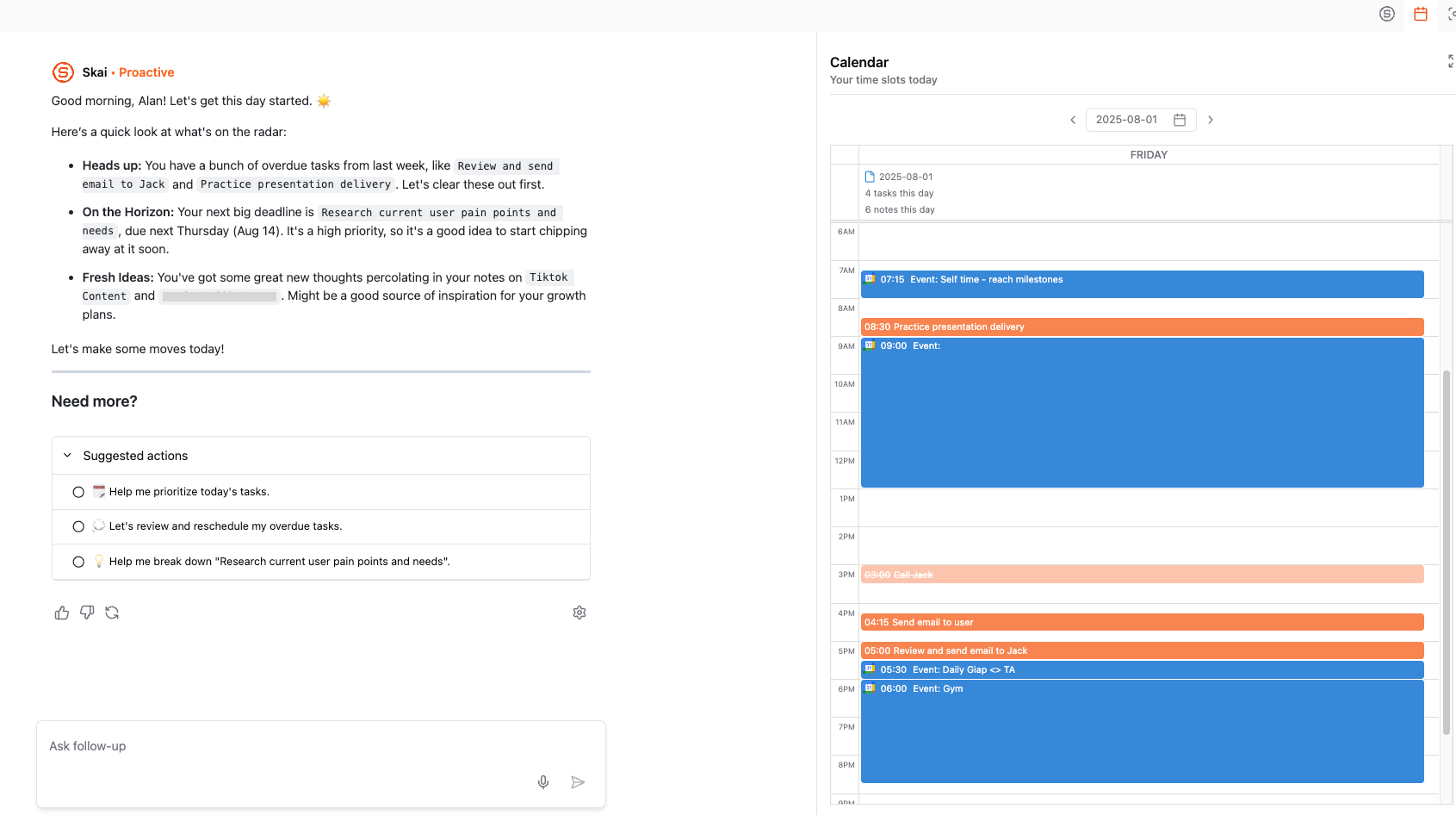
The top AI agents automate and simplify your workflow. Key features include:
- Task from text: Turn rambles, notes, or voice into actionable tasks
- Auto-planning: Suggest or schedule tasks based on your calendar and priorities
- Workflow automation: Trigger actions across your tools (e.g., Slack + Gmail + Notion)
- Smart search: Find anything across docs, notes, and emails
- Meeting prep: Pull up context, decisions, and follow-ups
- Follow-up reminders: Never forget what you said you’d do
4. Which AI agent tools are best for beginners?
If you want to start simple:
- Saner.AI: Great for task management, note-based planning, ADHD-friendly interface
- Zapier: No-code automation for beginners, but limited "reasoning" capability
- Make: Visual automation builder with lots of templates
- Manus: General agent that acts on your workflow via chat
5. Are there free AI agent tools?
Yes, several top-tier tools offer free plans:
- Saner.AI: Free plan with voice-to-task, natural search, calendar sync
- Zapier: Free tier includes 100 tasks/month
- Make: Free plan with limited automation scenarios
6. What’s the best AI agent tool for task management?
Saner.AI leads here. It’s designed to:
- Turn messy notes into clear, actionable tasks
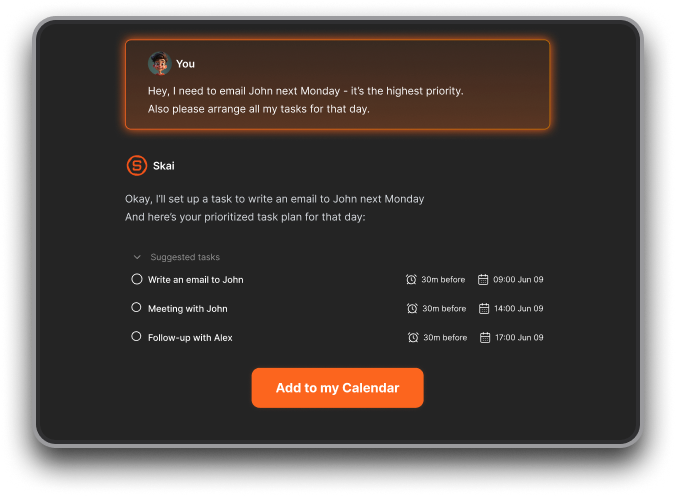
- Auto-plan your day from emails, todos, and calendar
- Keep you focused without switching between apps
If you want more backend automations, n8n and Make are also great picks.
7. How do I choose the best AI agent tool for my needs?
Ask yourself:
- Do I want simple daily task help? → Saner.AI
- Do I need full automation workflows? → n8n, Zapier, Make
- Do I want chat-style automation? → Genspark, Saner.AI, Manus
- Do I need integration with business tools? → Zapier, Make, Saner.AI
8. Which AI agent tools help with daily planning?
- Saner.AI: Reads your notes, todos, and emails to generate a custom daily plan
9. Can AI agent tools automate across apps?
Yes. These are your go-to picks:
- Zapier: Best for business-friendly workflows
- n8n: Open-source, self-hostable, more control
- Make: Great visual interface for complex flows
- Relevance: Designed for product, ops, and CX teams with deep AI-driven logic
10. What’s the most ADHD-friendly AI agent tool?
Saner.AI stands out - it’s designed by ADHDers for ADHDers:
- No manual tagging or rigid folders
- Brain dump your thoughts and Saner turns them into a plan
- Reminds you when things are due - without you having to set it up
11. Which AI agent tool is best for remote teams?
- Relay: Focused on post-meeting accountability and async follow-ups
- Lindy: Assists in shared team workflows and summaries
- Saner.AI: Keeps tasks, notes, and planning in one shared context
- Make + Zapier: Enable backend automations between team tools
12. Best AI agent for entrepreneurs or solo founders?
Entrepreneurs love:
- Saner.AI: One chatbox for notes, tasks, email follow-up, and calendar
- Manus: Experimental agent with flexible chat prompts
13. What’s the easiest AI agent tool to set up?
- Saner.AI: Plug-and-play setup, works from day one
- Relay: Connects to your calendar, works behind the scenes
- Zapier: Templates available but can get complex fast
- Make: Easier than n8n, but steeper learning curve than Saner or Relay
14. What’s the difference between Saner.AI and tools like Zapier or n8n?
- Saner.AI: Built for daily execution - manages your notes, tasks, and thoughts in real-time
- Zapier/n8n: Built for backend workflows - connects apps behind the scenes, no frontend UX
In short:
Saner = your second brain.
Zapier = your backend assistant
15. Can AI agent tools help me actually do the work, not just remind me?
Some do.
Saner.AI go beyond nudging. They:
- Break down complex tasks
- Prioritize based on deadlines
- Provide the next step in the moment
- Let you “talk it out” when overwhelmed
[Last updated in 2026]