We Tested 16 AI Agent Tools. Here are the Best 8 in 2026
The Best AI Agent Tools are: Saner.AI, N8n, Relay, Zapier, GumLoop, Make, Relevance, Manus, Genspark


In 2026, the paradigm has finally shifted from passive chatbots to autonomous AI agents. These digital workers don't wait around; they log into your software, execute multi-step workflows, make logic-based decisions, and actively solve problems in the background while you sleep.
But with dozens of platforms claiming "total autonomy," finding an agent that actually works without constant babysitting is a minefield. In this article, we evaluated the leading autonomous agent platforms of the year to see which ones deliver genuine ROI.
What is an AI Agent?
An AI agent is an AI system that can decide, plan, and execute actions to achieve a goal, instead of only responding to prompts like a chatbot.
| Tool type | What it does |
|---|---|
| Chatbot AI | Answers questions |
| AI assistant | Helps you do tasks |
| AI agent | Does tasks for you |
Quick guide: What are the best AI agents in 2026?
2. Zapier Central: Best for small-to-medium businesses wanting to convert standard data triggers into active, decision-making AI bots.
3. OpenClaw: Best for developers seeking an enterprise-grade, open-source framework to deploy collaborative multi-agent swarms.
4. Relevance AI: Best for growth and GTM (Go-To-Market) teams looking to build full, multi-agent digital workforces for sales and support.
5. Make: Best for visual builders who need deep, granular control over enterprise integrations and conditional agent paths.
6. Genspark: Best for replacing traditional research by deploying agents that generate live, customized, multi-source info pages.
7. Manus: Best general-purpose browser agent for executing complex, a utonomous research and web-based tasks.
8. Saner.AI: Best for personal knowledge workers who want an agent to actively organize, synthesize, and surface insights from messy notes.
How we chose the best AI agents
Not all agents are built equal. To find tools that actually drive productivity rather than creating more debugging work, we evaluated each platform against strict real-world operational benchmarks:
- Autonomy & Decision Logic: Can the agent handle unexpected changes in a workflow (like a broken link or a format shift) and self-correct, or does it crash and wait for human input?
- Integration Ecosystem: How easily does it connect with standard business stacks (Slack, Salesforce, HubSpot, GitHub) without requiring fragile custom code?
- Memory & Context Retention: Does the agent remember past interactions and cross-reference historical data, or does it treat every task like a blank slate?
- Execution Speed & Latency: How fast can the agent execute multi-step routines, especially when chaining multiple large language models together?
- Cost Predictability: Does the platform offer a transparent structure, or will hidden credit consumption and LLM api pass-through tokens cause your monthly bill to skyrocket?
- Security & Governance: Does it meet SOC 2 and GDPR compliance standards? Can you set boundaries on what data the agent can access and edit?
What Are The Best AI Agent Tools in 2026?
The Best AI Agent Tools are: Saner.AI, n8n, Zapier, Lindy, Make, Relevance, Manus, Genspark, and OpenClawd
1. Personal AI Agents
Saner.AI
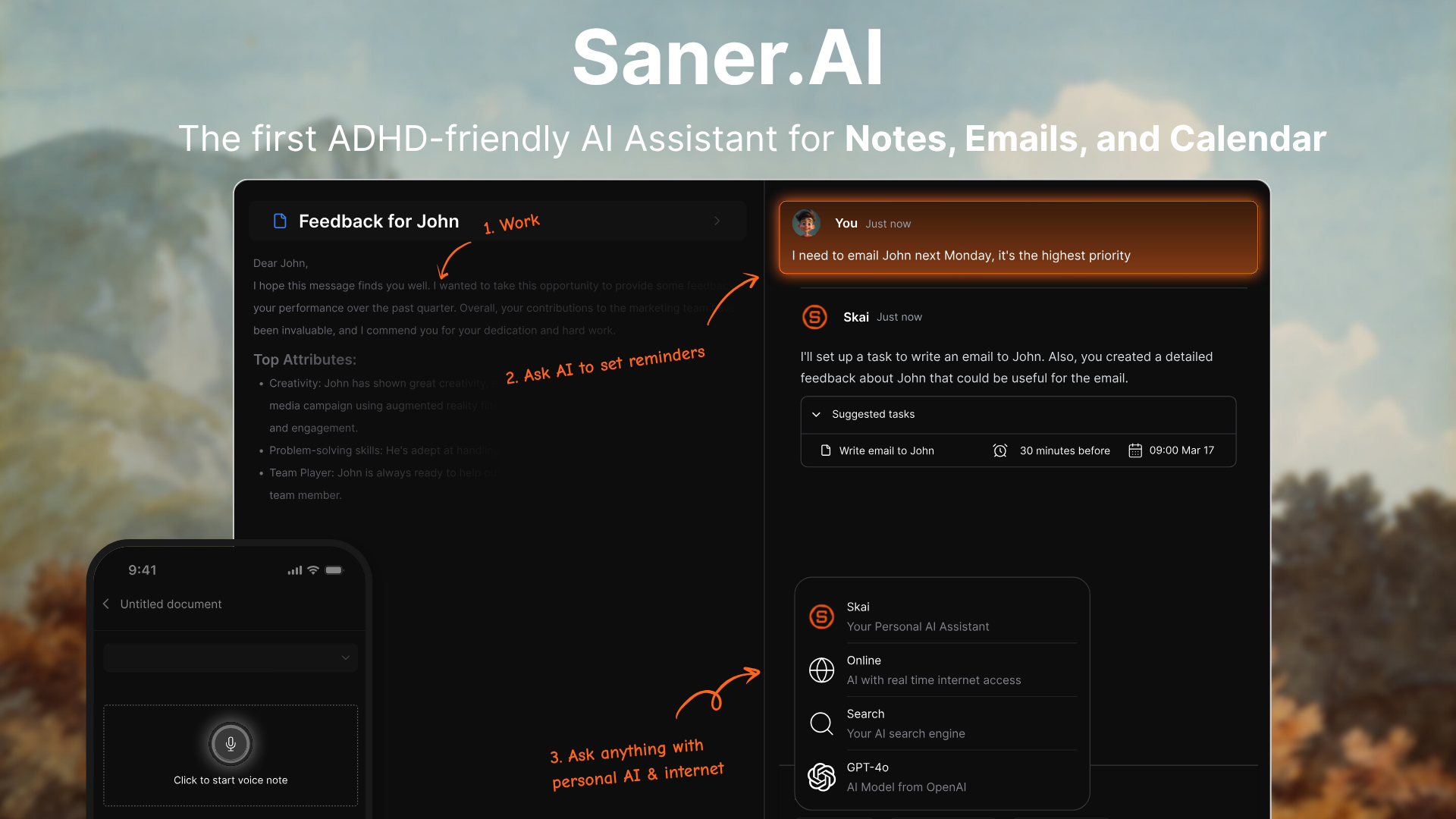
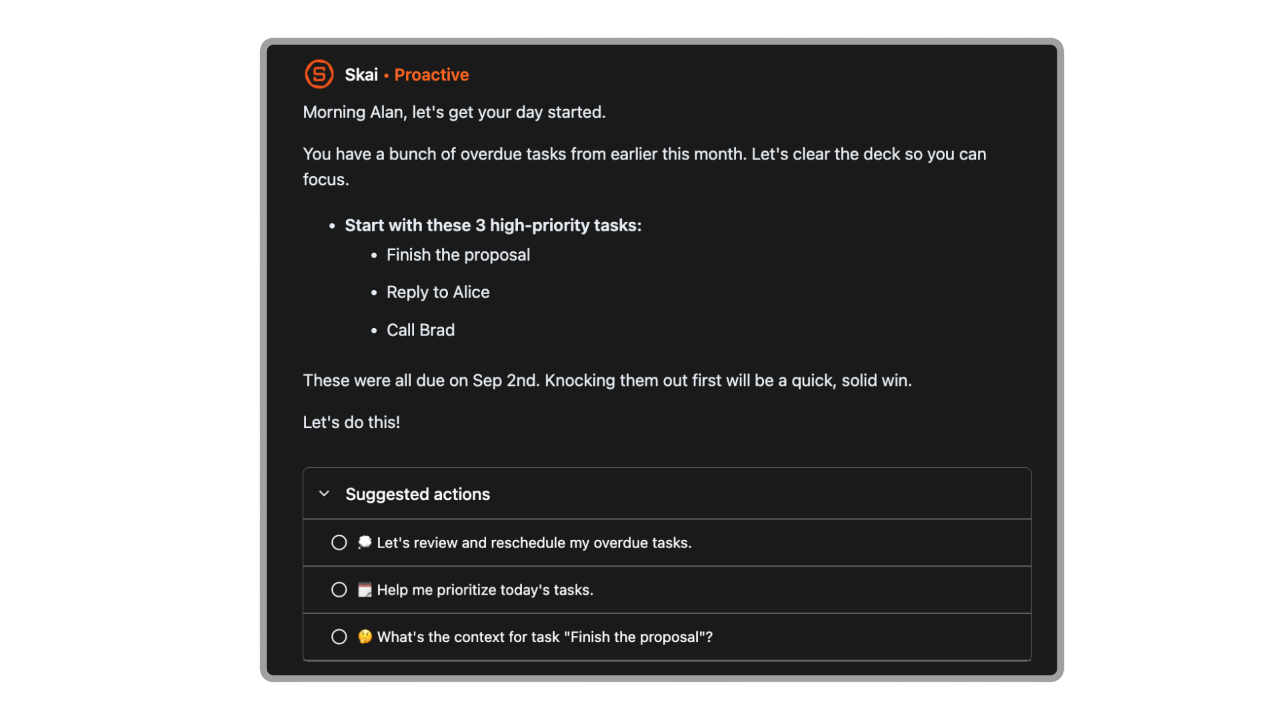
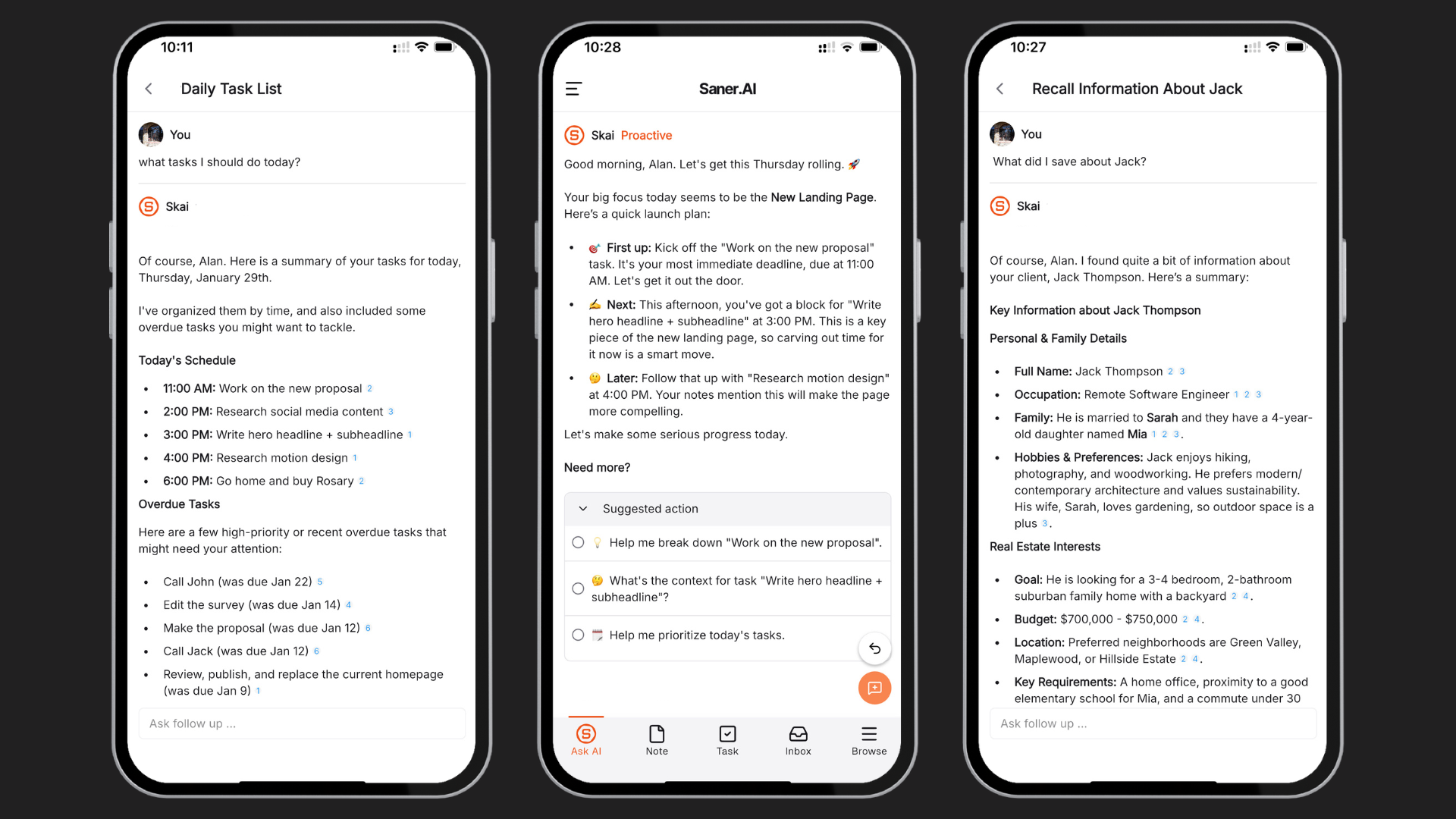
Saner.AI is an AI personal agent designed specifically to combat information overload, making it a popular choice for neurodivergent professionals and researchers. The platform uses an autonomous personal AI assistant named Skai to centralize scattered data from emails, documents, calendars, and web clips into a single interface.
Key features
- Smart daily planning that suggests your day based on tasks, deadlines, and context
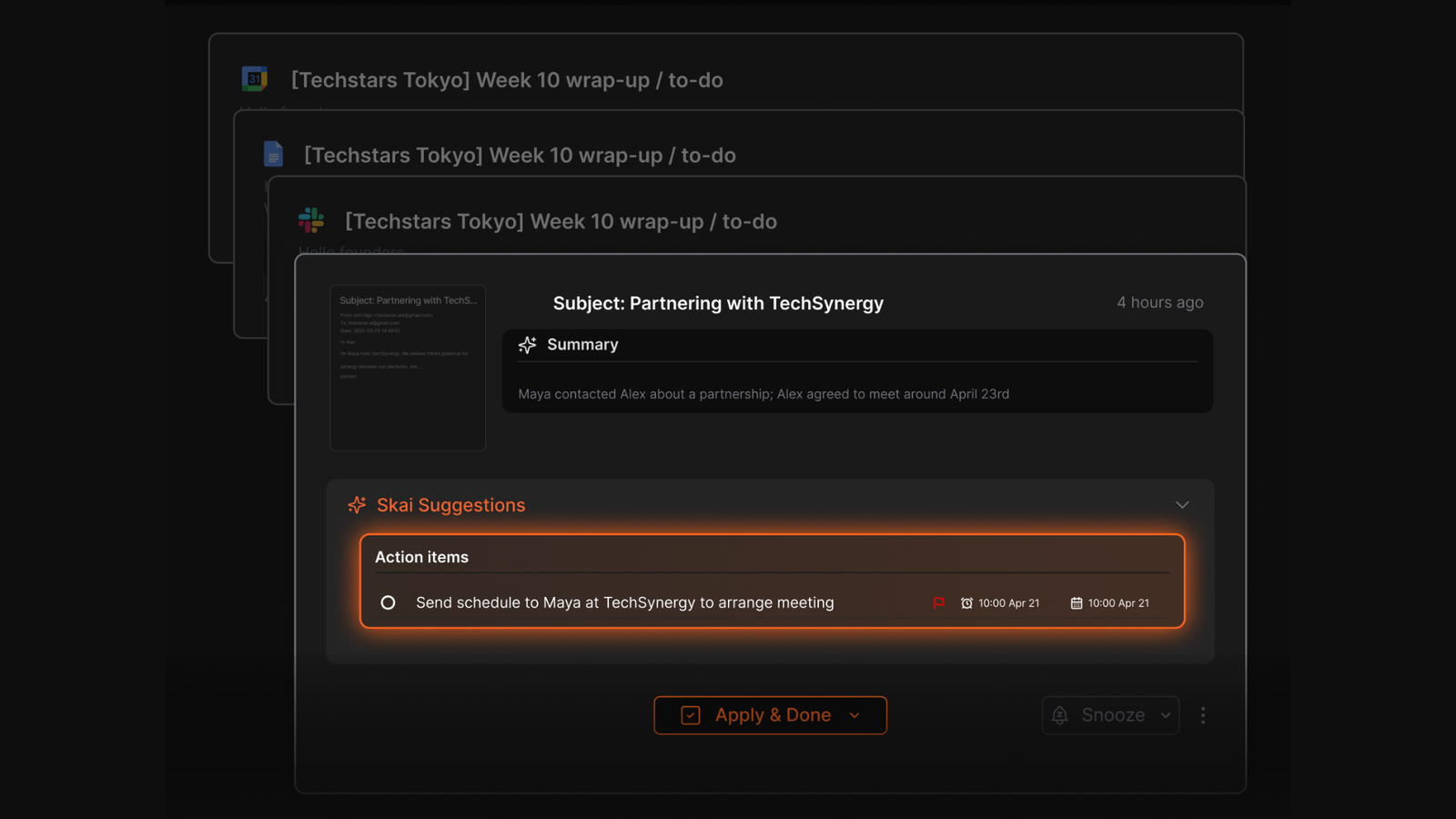
- Zero-friction universal capture
The app uses a web extension, a side panel, and a voice recorder to grab text from different apps, even from emails, instantly
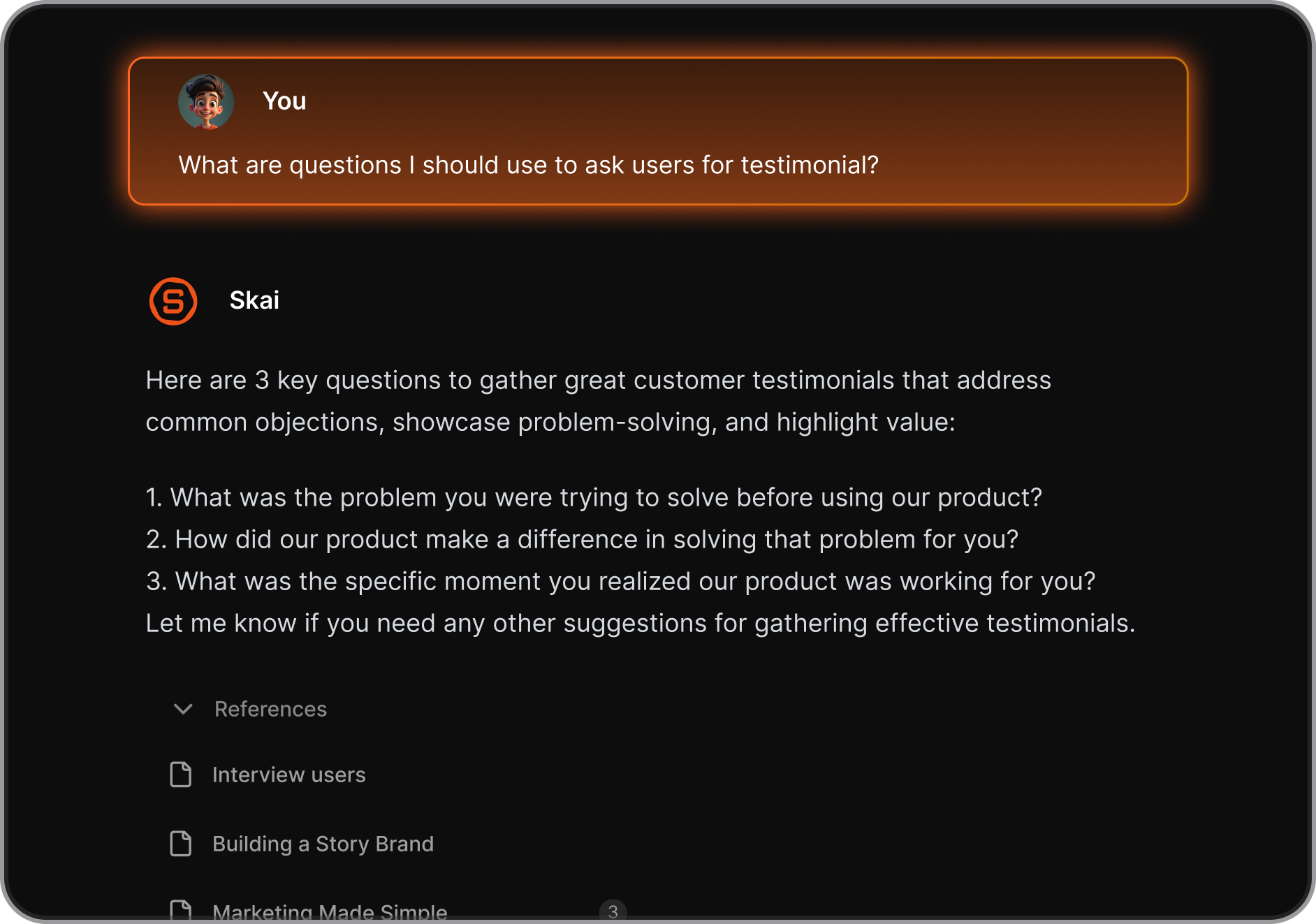
- Skai AI productivity assistant: I like that it answers targeted questions based entirely on my private files rather than generic web summaries.
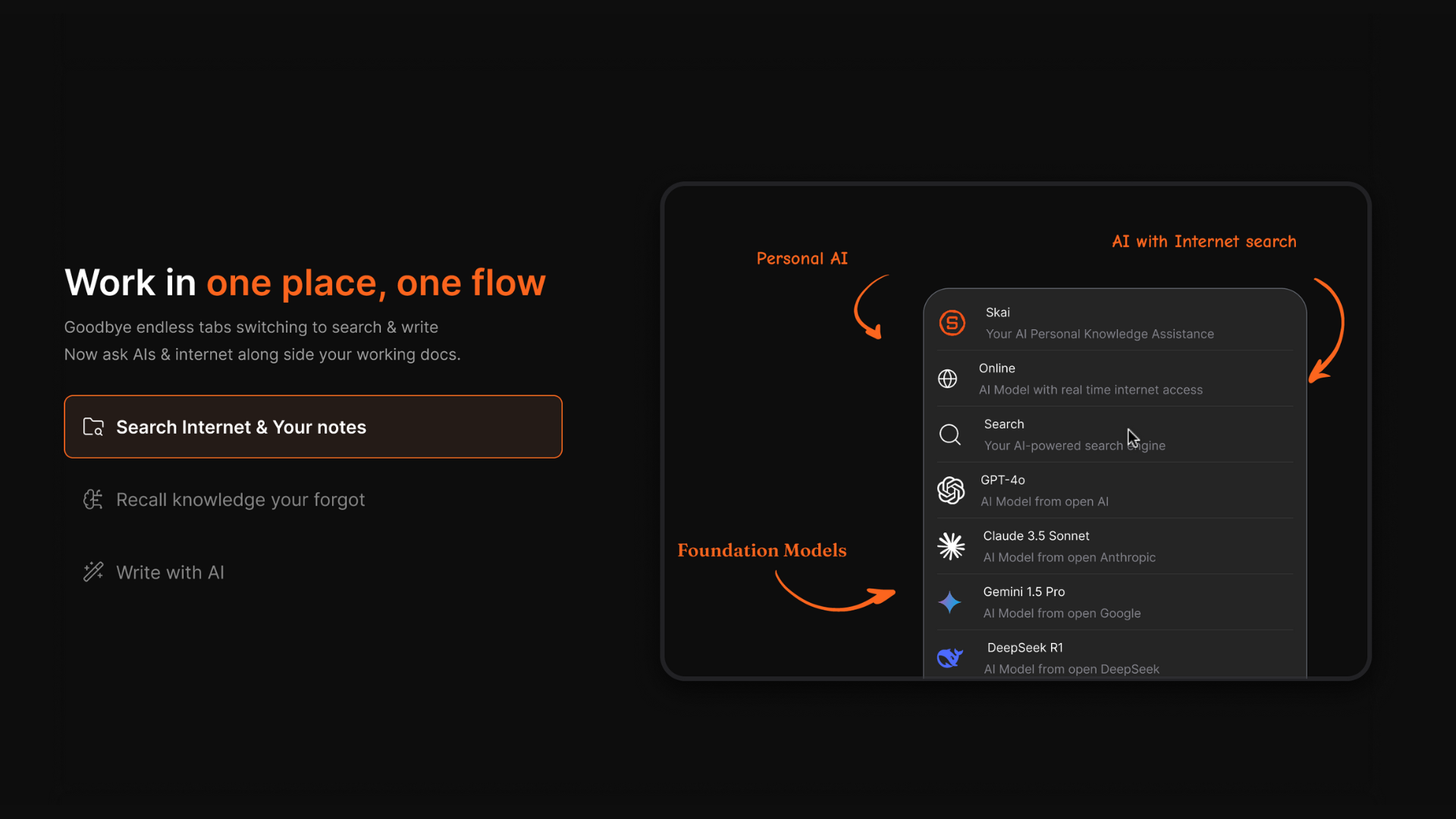
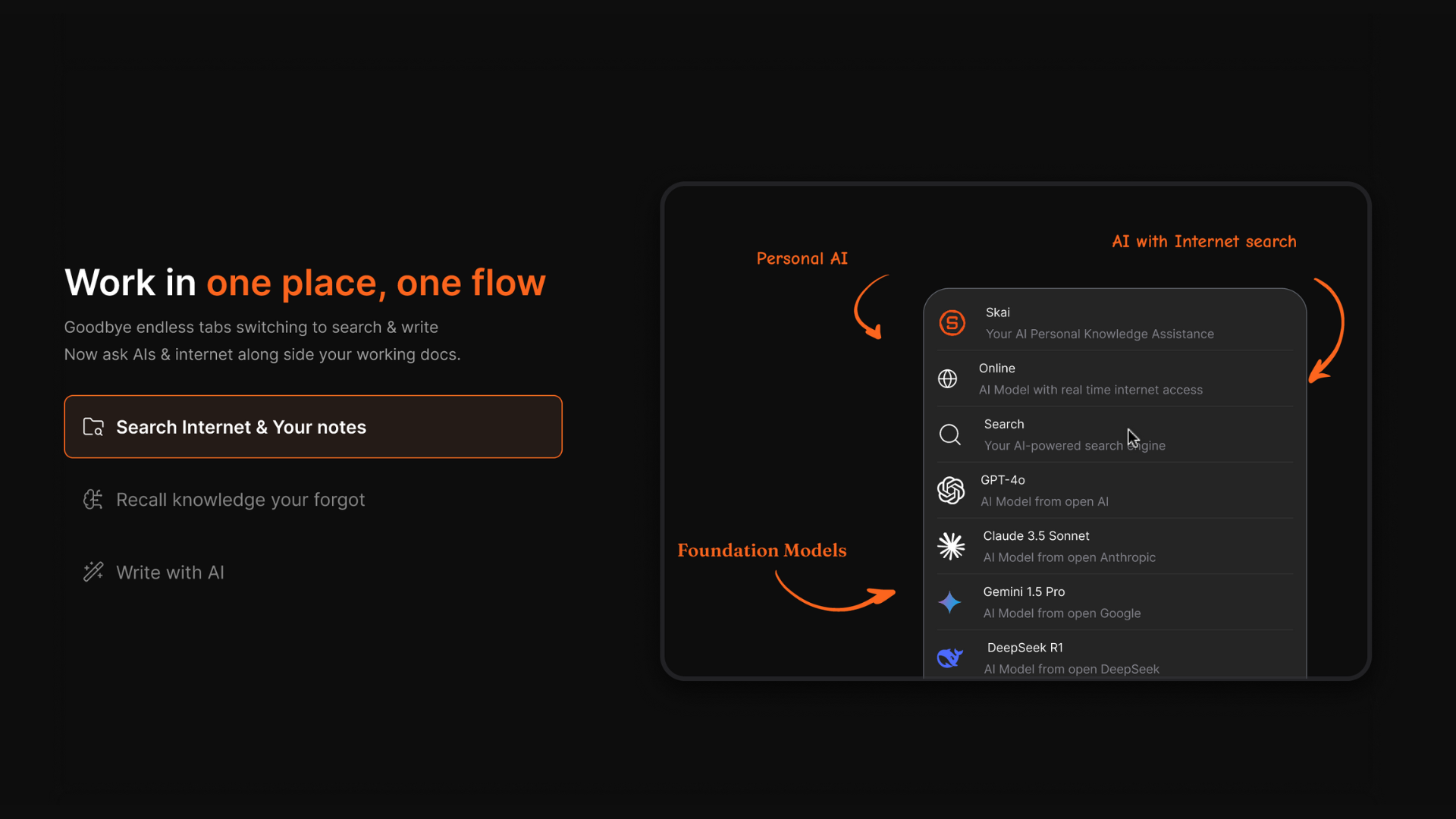
- Multi-model AI processing: The application lets you switch between different top-tier foundational models (like GPT, Gemini, and Claude) inside your notes.
What I liked
- I like that the AI automatically categorizes and links my stray thoughts so I do not have to spend weekends managing folders.
- The daily planner feels like having a Chief of Staff — it shows what to do next without hassle
- You don’t need to tag or label anything - just search in natural language, and it finds what you meant
- It’s designed to reduce overwhelm
Cons
- Not ideal for large teams or project timelines - no Gantt charts or complex task dependencies.
Pricing
- Free
- Starter: Monthly at $8/month (yearly)
- Standard: Monthly at $16/month (yearly)
Who is it suitable for?
- Solo professionals, founders, and ADHD-prone individuals who want an AI agent that does more than chat.
Saner.AI review
"The biggest benefit for me in using Saner is the Proactive AI. Staying on top of the constant flow of email and multiple calendars is challenging, and so far, Saner is the only AI-based tool that truly feels like a personal assistant." - Jerry

How to start using it?
- Go to saner.ai, create a free account,
- Connect your email and calendar, and start chatting with your AI. Just write what’s on your mind - it’ll handle the rest.

AI Agent tool that Works Instantly without any setup
2. No-code to low-code AI Agents
A. Zapier
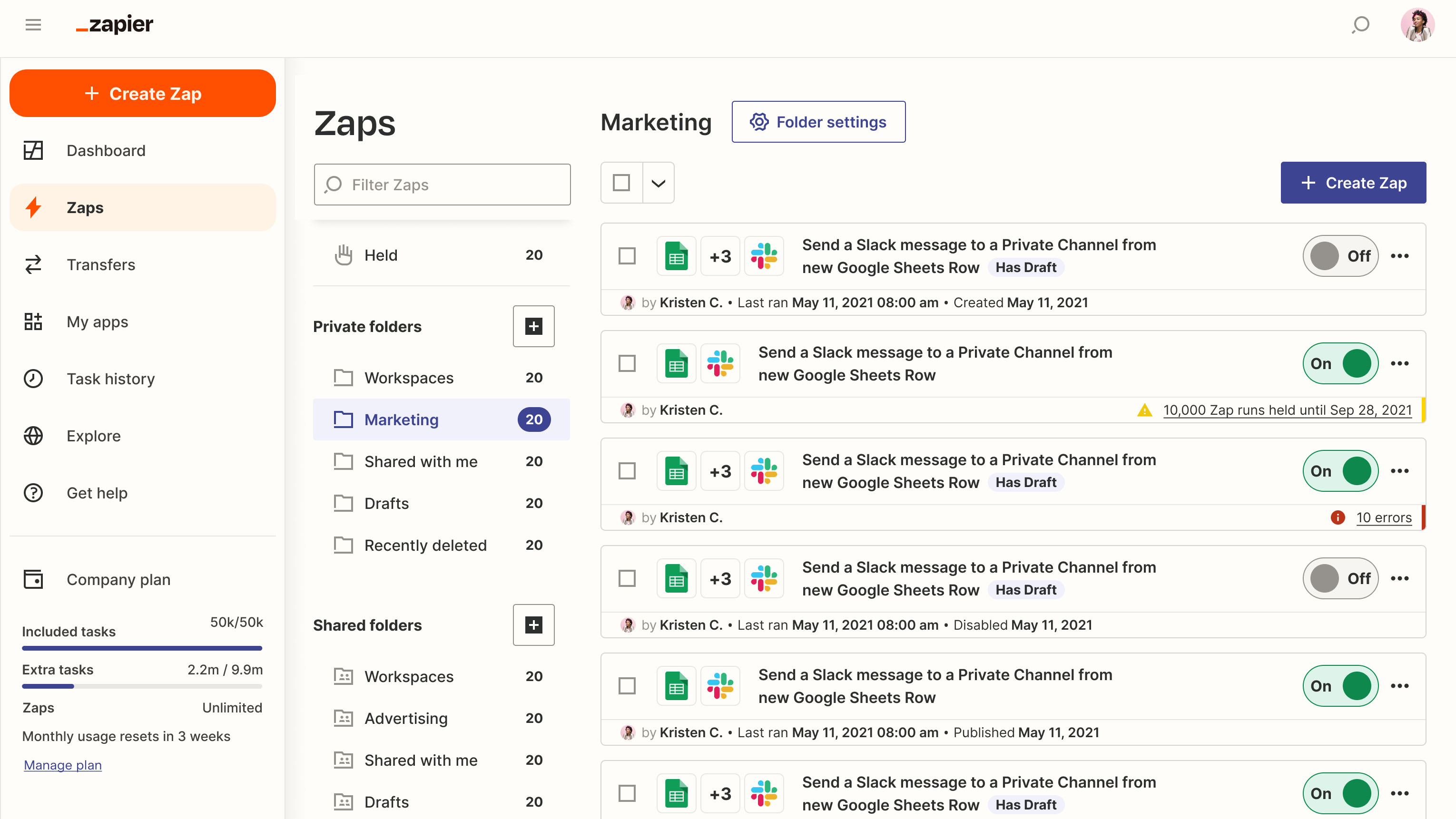
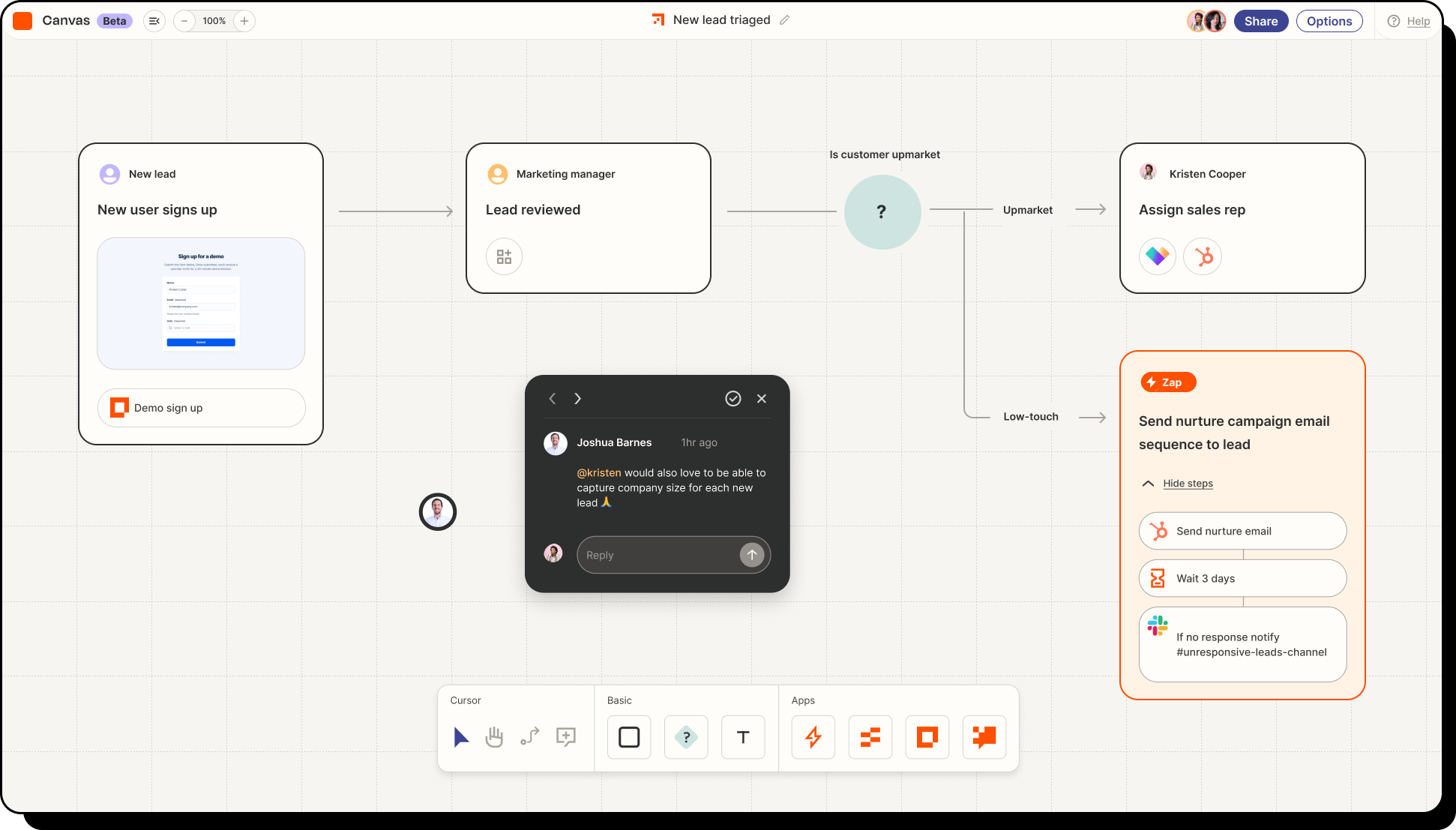
Zapier Agents turn natural language instructions into actual cross-platform execution. The standout capability linking it to the best AI agents conversation is its built-in AI Guardrails system.
Why is it on the list?
Building an agent usually means wrestling with API keys and custom code. Zapier completely bypasses this by giving your agent governed access to over 9,000 apps out of the box.
I recently tested setting up a lead-scoring agent to review open-text contact forms, research the company website, and ping our team in Slack. Instead of mapping a dozen complicated steps, I simply talked to the setup wizard in plain English. The agent figured out the logic on its own, and the built-in activity dashboard let me review its reasoning before letting it run wild.
Pros and Cons
- Pros: Unmatched integration library that uses Zapier's established, secure credentialing system. It includes human-in-the-loop approval steps, meaning you can force the agent to pause and ask for your permission before taking critical actions like sending an email or updating a CRM.
- Cons: The pricing structure scales based on the number of steps the AI takes, which can make autonomous loops expensive if an agent gets stuck trying to solve a complex problem. It also lacks compliance certifications for highly regulated industries, meaning it is not a fit for healthcare or government teams needing HIPAA or FedRAMP alignment.
Pricing
- Free Plan: Basic agent testing with limited monthly runs.
- Paid Plans: Start at $19.99/month (billed annually), with usage-based scaling for AI step execution.
Suitable for:
- Anyone who wants to automate repetitive tasks, delegate workflows to AI agents, or connect multiple apps without writing code.
How to start:
- Go to zapier.com and sign up for a free account.
- Try building a simple Zap using natural language or test-drive the Zapier Agents beta
Zapier Reviews (Source)
"I really like Zapier's ability to seamlessly connect different apps that typically don't integrate with each other, turning disconnected tools into one cohesive and efficient ecosystem." - Amie L
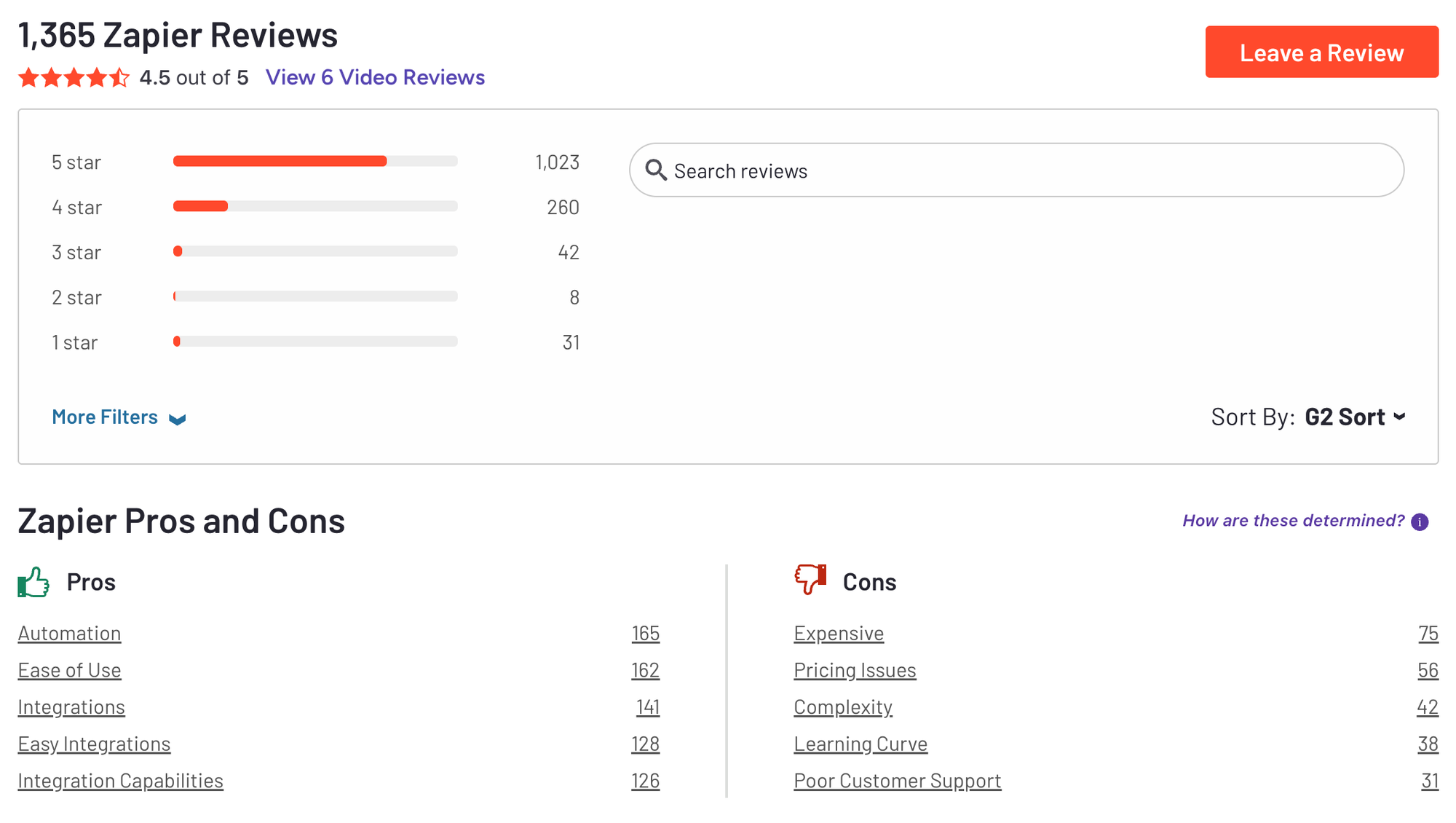
"The free plan has some limitations that become noticeable as workflows grow. Each Zap is limited to two steps, so I can’t add extra actions or conditional logic in a single workflow." - Tarun K
B. n8n
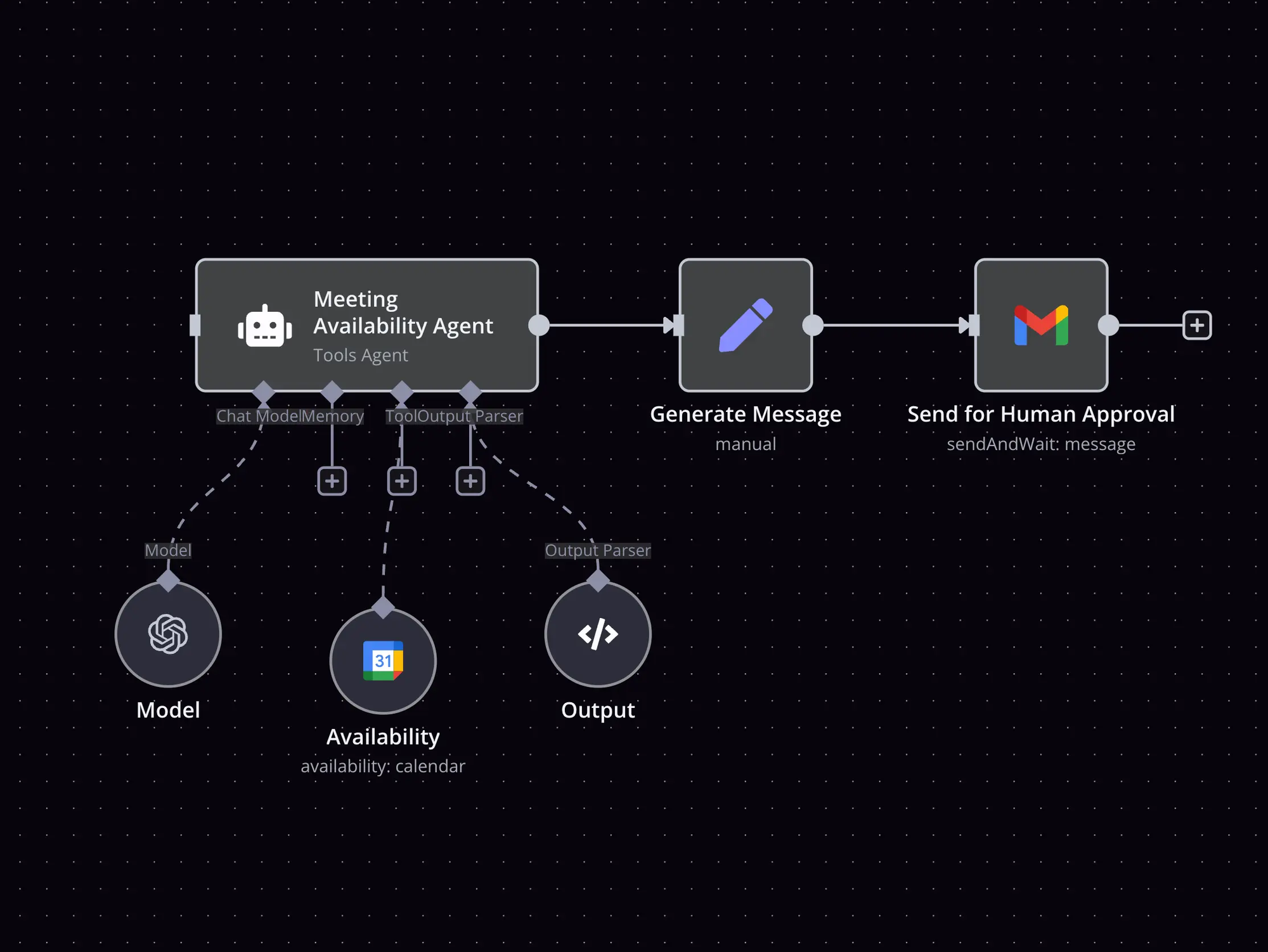
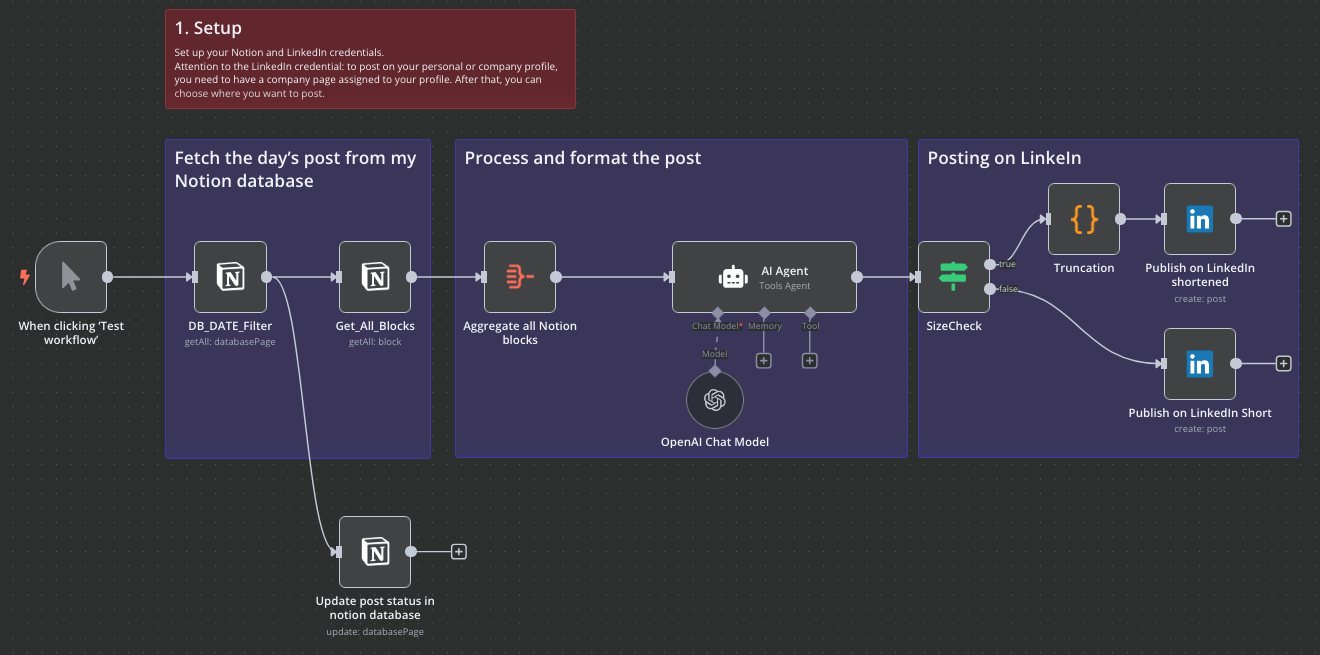
n8n shifts the focus of automation from simple, rigid triggers to complex, decision-making pipelines. Instead of just passing data from one app to another, n8n treats its dedicated AI Agent node as a programmable team member. This node transforms the platform into an orchestration hub where you can link language models, memory storage, and external APIs to build autonomous digital workers.
Why is it on the list?
In my experience testing n8n, the node-based architecture solves the biggest headache of agent development: debugging. When an agent gets stuck in a loop or returns bad data, you can look at the exact step in the execution visualizer to see what the agent thought, what tool it called, and where it went off the rails.
It also supports the Model Context Protocol (MCP), meaning your custom agents can easily communicate with external tools and development environments like Claude Code or Lovable.
Pros and Cons
- Pros: Unlike platforms that charge you for every single step an AI takes, n8n uses execution-based pricing. A complex workflow with dozens of tool cycles counts as one single run, which saves a massive amount of money when running complex loops. The self-hosted version also gives you complete control over your data privacy.
- Cons: The learning curve is steep. Setting up an agent requires a solid grasp of structural logic, schema definitions, and API connections. If you don't explicitly constrain your agent with rigid rule nodes before the AI step, it can quickly burn through your LLM tokens by calling tools repetitively.
Pricing
- Free self-hosted version
- Cloud Starter plan from ~$20/month
- Cloud Pro plan from ~$50/month
- Enterprise plans available with custom pricing
Suitable for:
- Developers, product teams, and automation pros who want to build AI agents that go beyond chat
How to start:
- Go to n8n.io, sign up for a free trial of the cloud version, or self-host the open-source version
n8n Reviews (Source)
"I use n8n every single day and it has completely transformed how I automate workflows. The visual node-based editor makes it incredibly intuitive to build complex automations, and the constantly growing library of integrations means I can connect virtually any tool I use." - Ali S
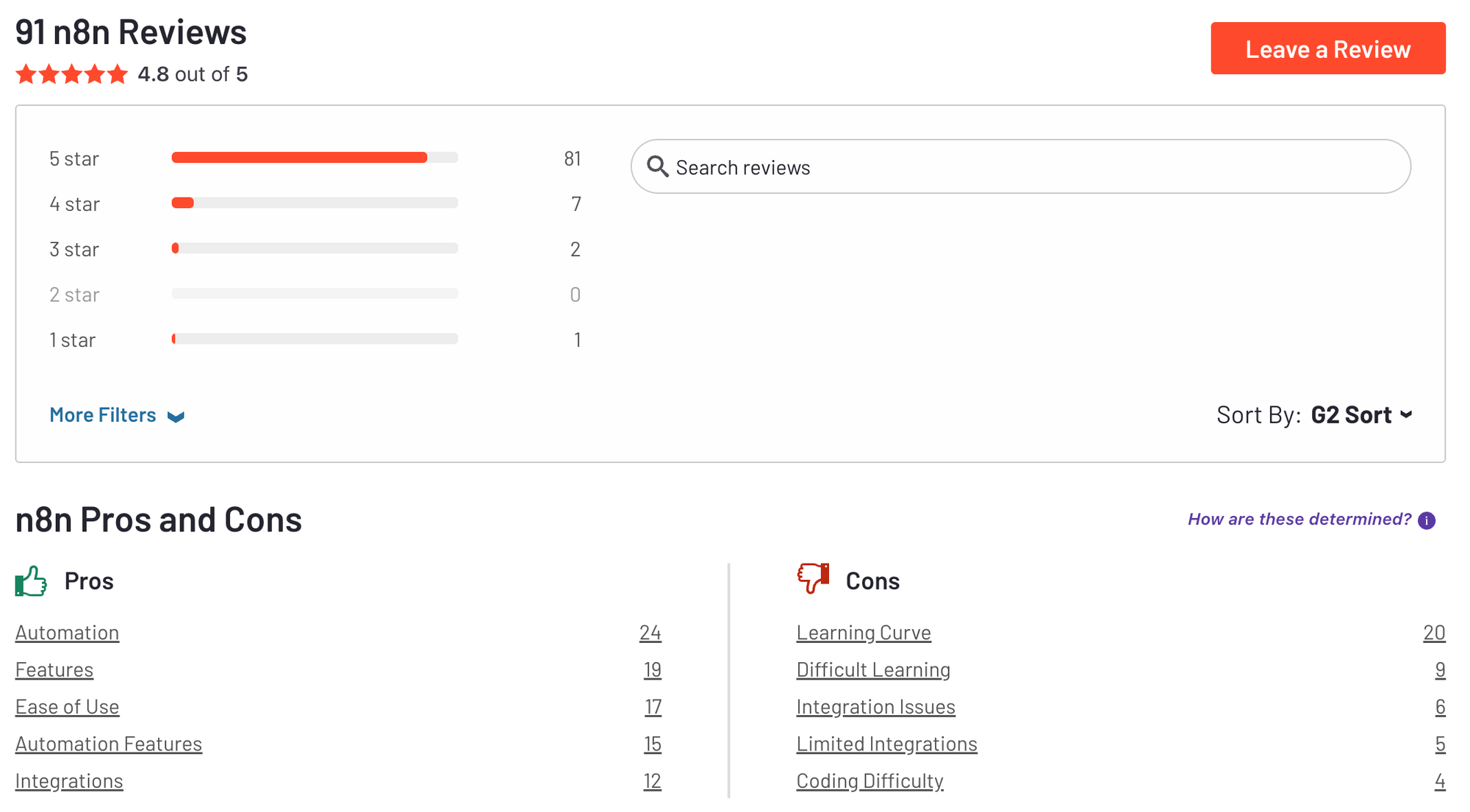
"n8n can feel heavy and technical, particularly for non-technical marketing or sales teams. The learning curve is steeper, as you often need to understand JSON structures, APIs, and error handling to build reliable flows." - Sachin M
C. Make
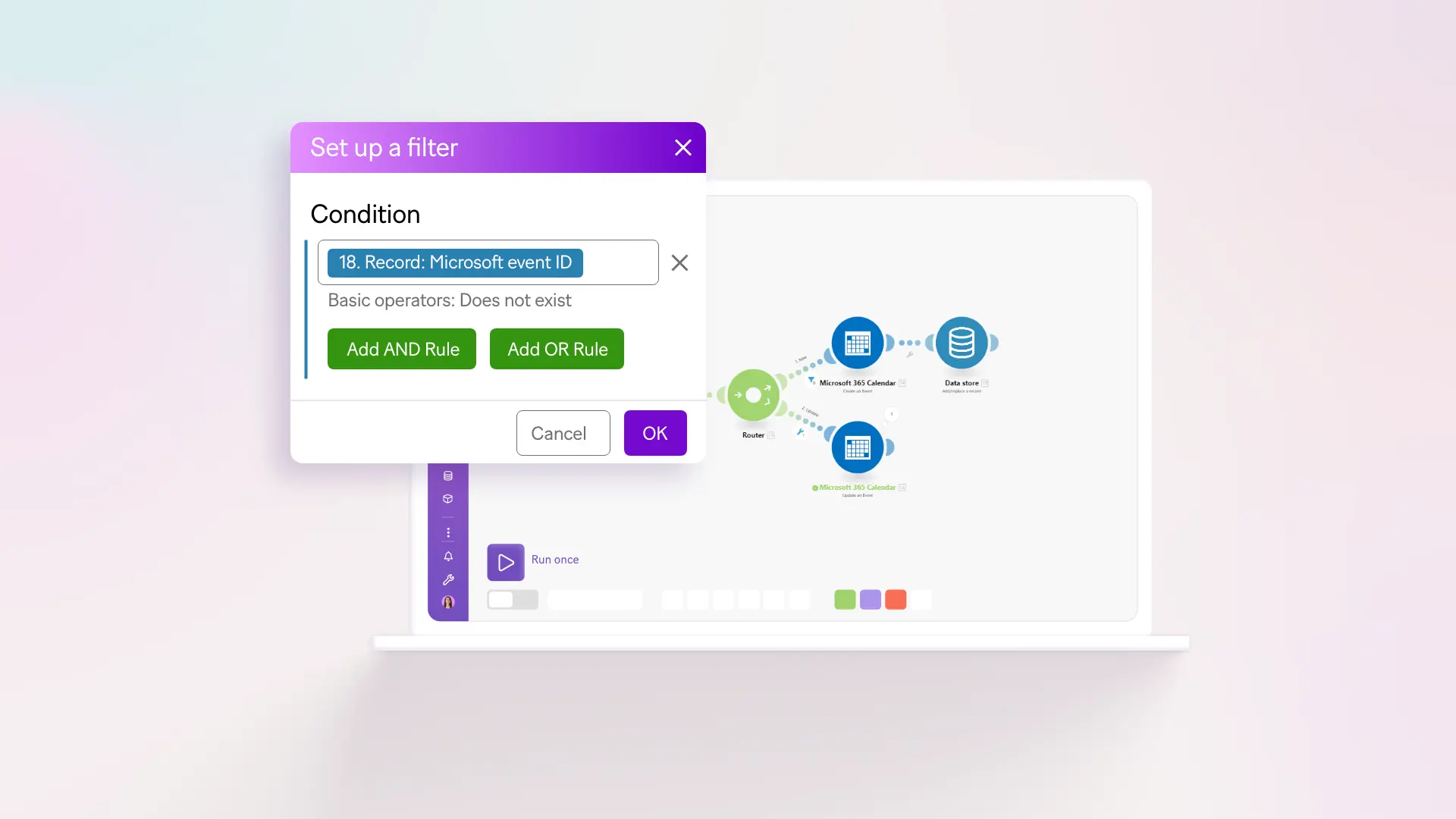
Make has shifted from a standard no-code integrator to a heavy hitter for orchestrating best AI agents directly within automated business pipelines. Make allows you to embed autonomous agents inside a visual drag-and-drop canvas alongside thousands of regular apps.
Why it's on the list?
Make is a top choice for deploying the best AI agents because it solves the biggest issue with agentic AI: unpredictability. With its Make AI Agents module and the dedicated Reasoning Panel, you get total transparency. The Reasoning Panel lets you look under the hood to see the agent's step-by-step thinking, showing you exactly why it called a specific tool or chose a certain path.
I tested this out by building a customer support triage agent on the canvas. I hooked an LLM up to a live email inbox and a Slack channel. Seeing the agent analyze a messy, emotional customer email, decide it was a "high-priority billing issue," and route it to the right team without any hardcoded keyword rules convinced me that this is how modern operations will run.
Pros and Cons
- Pros: The in-canvas chat makes it easy to test, tweak instructions, and refine agent behavior on the fly without running the entire scenario. It also supports multimodal inputs, meaning your agent can analyze raw PDFs, CSVs, or images right on the canvas.
- Cons: The learning curve is steep. While the canvas looks friendly, mapping data outputs between the AI agent and third-party apps requires careful configuration, and you will likely run into data formatting errors on your first few tries.
Pricing:
- Free plan available (1,000 ops/month)
- Core plan starts at $9/month
- Pro plans start around $16–18/month
Suitable for:
- Freelancers, teams, and startups that want flexible, no-code AI automation and need agents that take action
How to start:
- Go to make.com, sign up for a free account, and create your first AI scenario.
Make Reviews (Source)
"This is a fantastic platform that offers a wide range of features for automating your business processes. Its extensive capabilities make setting up automation straightforward and effective." - Muhammad Faiz M
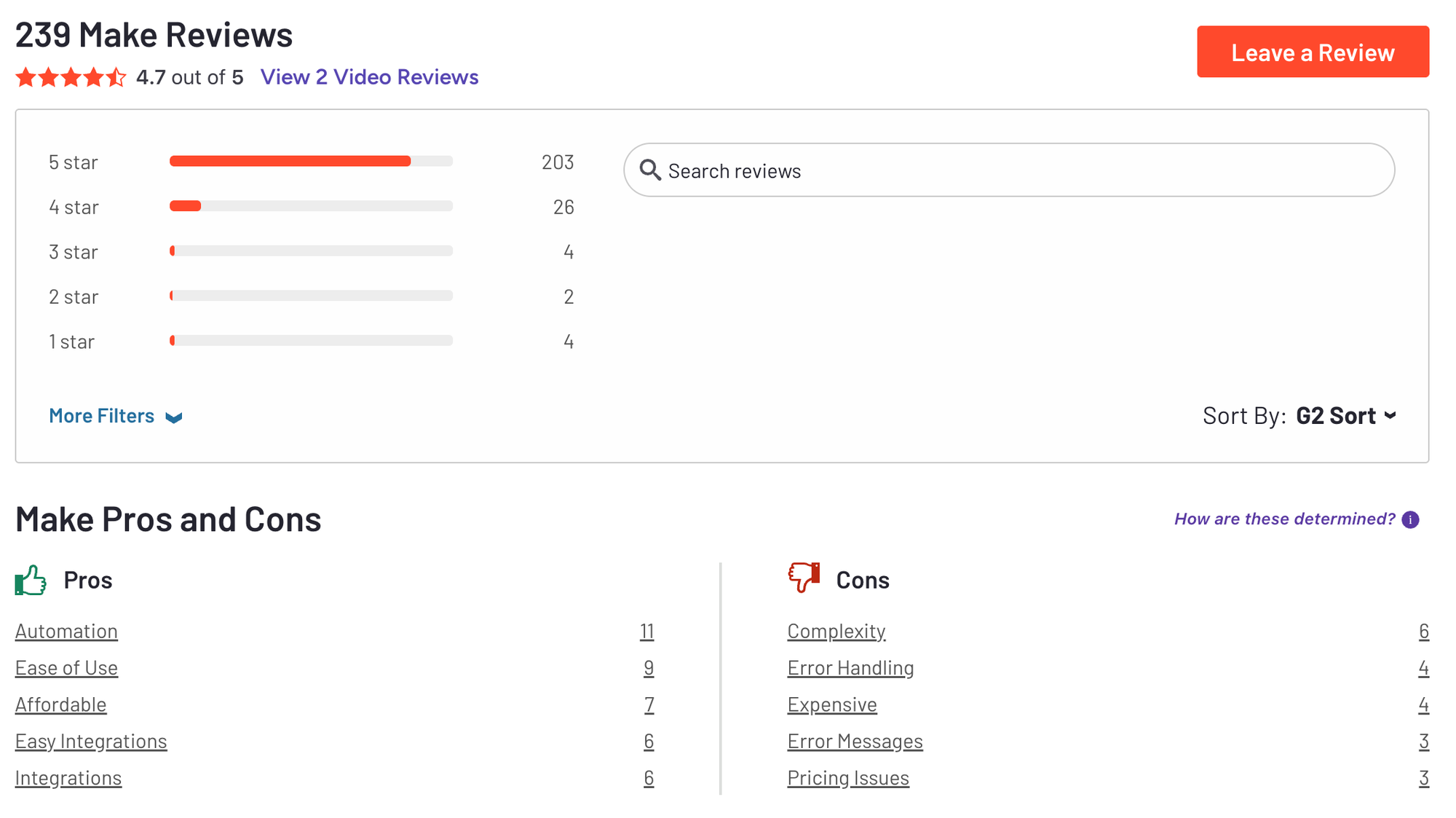
"One aspect that could be improved is the ability to set a delay between one run execution and the next, in order to better manage the API limits of the services." - Giuseppe A
3. AI Agents Builder
A. Relevance.ai
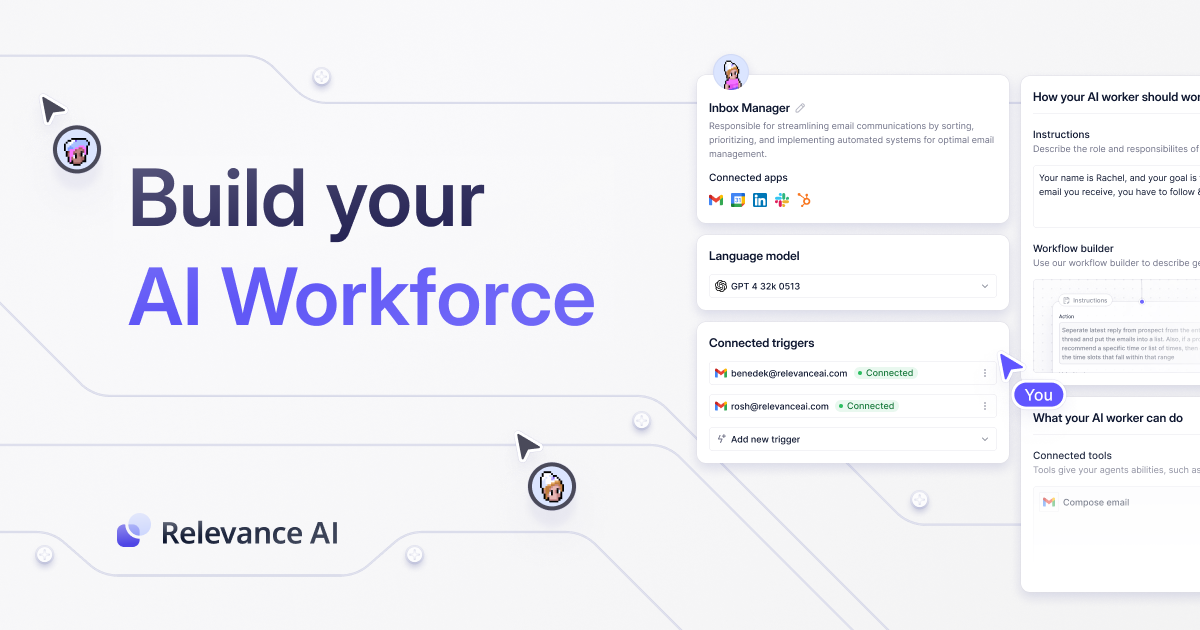
Relevance AI is a low-code platform built to deploy autonomous AI workers that handle data extraction, sales qualification, and operational tasks. Instead of relying on a single chat prompt, it introduces a Workforce Canvas that lets you connect multiple specialized AI agents into a coordinated team.
Why it's on the list
It shifts the focus from standalone assistants to full operational pipelines. Its native multi-agent architecture gives each digital worker its own dedicated tools, memory, and task boundaries.
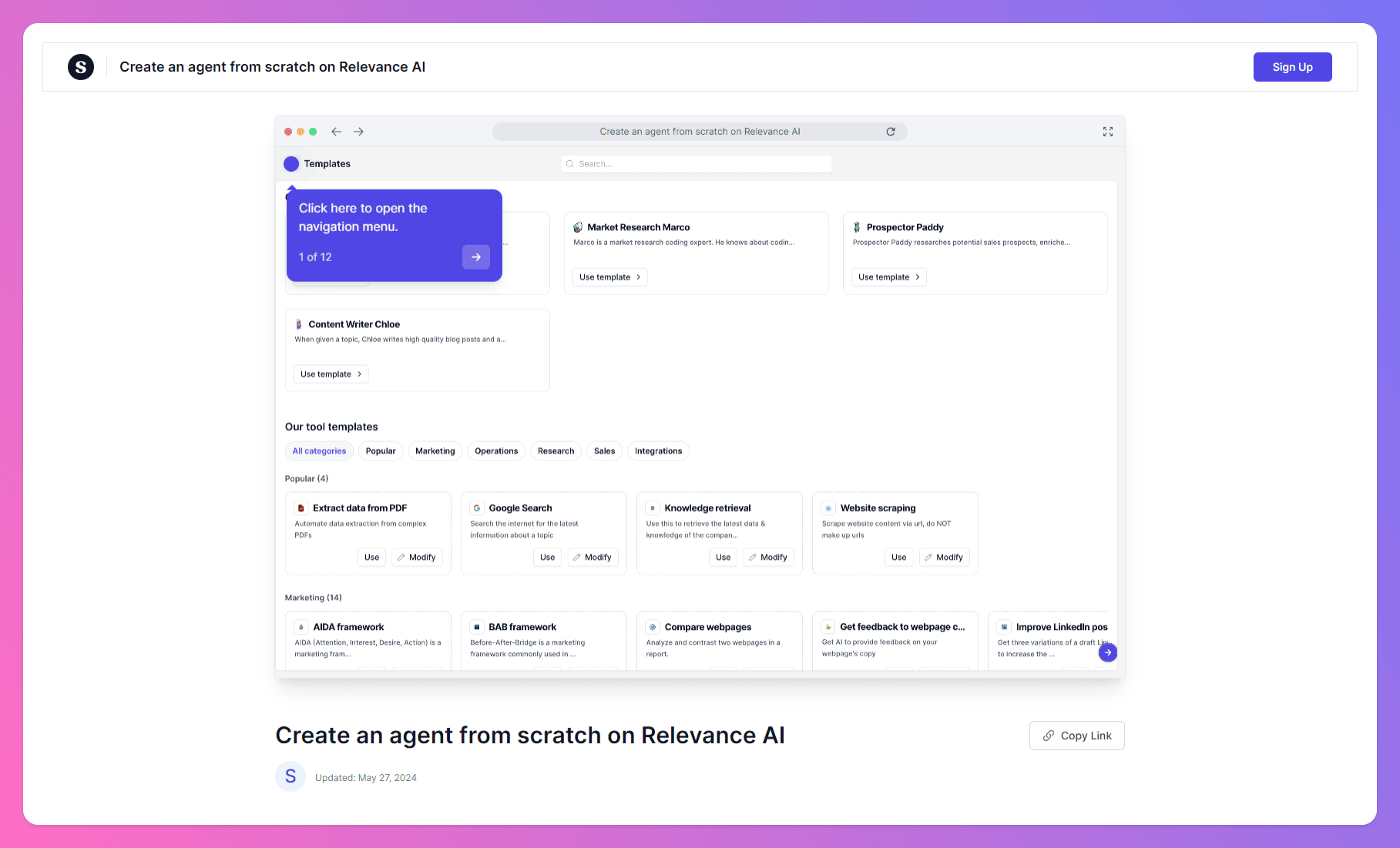
When testing the platform, setting up a lead-scoring agent took less than an hour using their pre-built templates. The agent successfully triggered via a live webhook, used Google Search to research the company's size, and correctly categorized the lead in a shared database without dropping context mid-run.
Pros and Cons
- Pros: The drag-and-drop workflow builder is highly visual and does not require complex coding skills. It connects with over a thousand external tools and APIs, allowing agents to execute bulk background tasks like triaging massive datasets on a set schedule.
- Cons: The credit-based pricing model can disappear quickly if you run loop-heavy tasks on large data sheets. There is also a steep learning curve when configuring custom API responses, and the platform lacks a built-in human approval dashboard, meaning an agent can push raw output straight to your external apps before you can spot an error.
Pricing
- Free plan available
- Pro plan starts at $19/month
- Team plan around $199/month
Suitable for
- Operations leads, consultants, and non-technical teams who want to build and deploy AI agents for internal and client workflows
How to start
- Just go to relevance.ai, create a free account, and test the agent builder with a template
Relevance.ai review (source)
"It provides a transparent pricing structure, so we don't have to invest until we are certain about its capabilities. With over 9000 tools, it allows us to build the most advanced AI agents for solving problems across any industry." - Nabin P
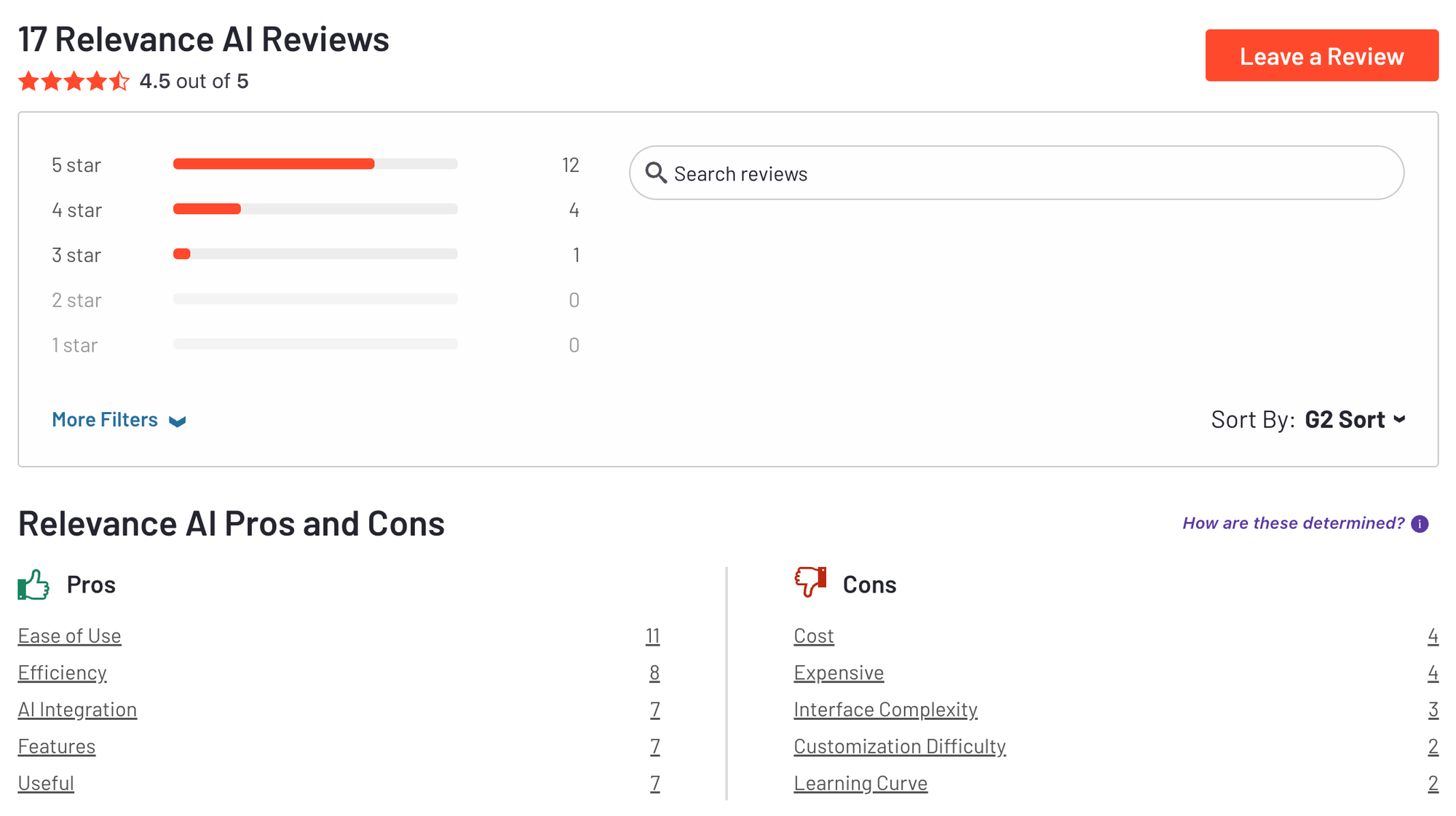
"Right now, all agents are shown in one big list, which makes it harder to navigate when you have a lot of them. It would be great to have folders or categories to keep everything organized by project." - Margarita C
4. Autonomous AI Agents
A. Manus
Manus has Asynchronous Cloud Execution. Once you assign a goal, Manus breaks it down into individual tasks and handles the heavy lifting in the background, allowing you to close your laptop and return later to a finished deliverable.
Why it's on the list
In my testing, I asked Manus to run a competitive analysis on project management software, scrape the pricing tiers, and compile the findings into a downloadable Excel sheet. The agent opened multiple browser tabs, navigated the web, handled data extraction, and served up the finished file in fifteen minutes.
Its ability to write and test Python scripts in its own sandbox environment makes it a highly capable digital intern for long-form research and prototyping.
Pros and Cons
- Pros: The asynchronous nature means you do not have to watch the AI build in real time. It delivers actual output files like PDFs, Excel sheets, and fully functional web prototypes with live deployment links rather than just advice.
- Cons: The credit consumption is incredibly aggressive, and a single complex task can drain thousands of credits in an hour. Additionally, because it operates autonomously in a closed loop, the agent occasionally makes incorrect layout assumptions or hallucinates data formatting if left completely unmonitored on larger builds.
Pricing
- 20$/month
Suitable for
- Developers, researchers, and advanced users looking for a powerful, autonomous AI agent that can work across multiple media types
How to start
- Go to manus.im and start chatting with the AI
Manus reviews (source)
"Manus is an excellent app for writing reports. It is easy to use, well-designed, and helps me write quickly and accurately. The interface is clean and simple, and the writing tools make organizing and editing content very smooth." - Ranjdar Noori
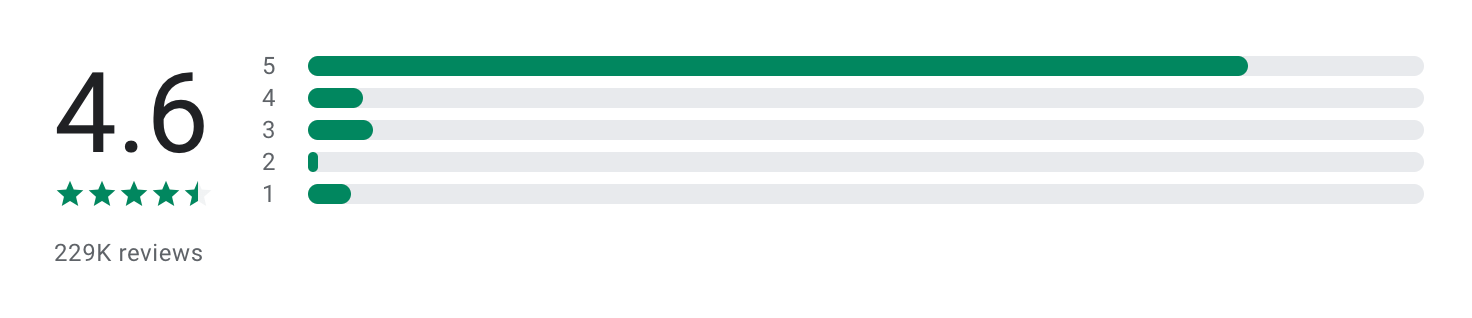
"I'm using their top AI model Manus 1.6 Max for it. But it built an app full of bugs. And wasted my 75% credits to fix a single bug with several attempts and it's still not fixed. Rest of bugs are still need to fix so far." - Naginder Pal Singh
B. Genspark
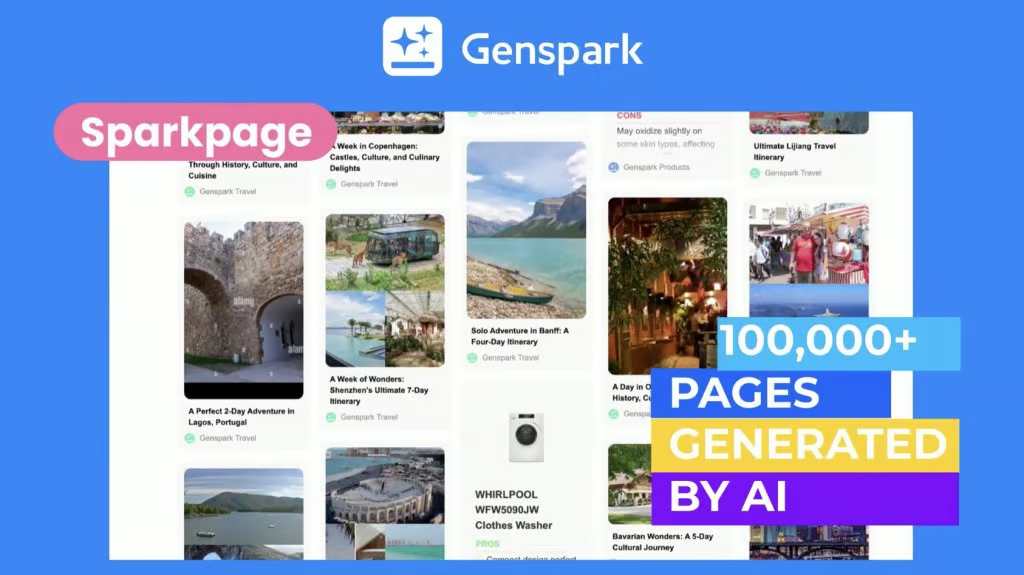
Genspark is an autonomous workspace designed to turn single prompts into complete digital deliverables. The platform is built around a "Super Agent" architecture that delegates sub-tasks to a fleet of specialized internal tools to build everything from full web landing pages to complete slide decks.
Why it's on the list
Its core Super Agent feature acts like a project manager, taking a goal and breaking it down among 15 different specialized AI agents (like AI Sheets, AI Slides, and AI Developer). I tested this by asking it to run a deep competitor analysis and package the results into a presentation.
The Super Agent orchestrated a multi-model search, built a structured data table, and generated a downloadable 10-slide PowerPoint deck, complete with charts and notes, all asynchronously while I worked in another tab.
Pros and Cons
- Pros: The platform handles the heavy lifting of multi-app workflows incredibly well. Its background execution means you can close your laptop, and the agent keeps working. Plus, the paid tiers give you unlimited image generation using multiple models without annoying credit systems.
- Cons: The sheer number of specific agents can feel overwhelming and confusing when you first log in. While the Super Agent handles general tasks well, highly specialized industries or complex data processing will still require a dedicated, human-managed setup to catch logical errors.
Pricing:
- Free plan available
- Plus plan: 25$/month
Suitable for:
- Busy professionals, creators, entrepreneurs, and researchers who want a powerful AI agent that handles real tasks across formats
How to start:
- Head to genspark.ai, create an account, and try it out using your free credits.
Genspark reviews (source)
"Great app, one of the few AI apps that won’t disappoint. The interface is clean, it responds quickly, and the results are consistently useful without a lot of tweaking. It’s become my go-to for writing, summarizing, and brainstorming on the fly." - Nathaniel Ady

"Listened, responded, and worked accordingly without all the extra warnings unless given instruction to provide them. Definitely the best one out." - Cr Js
C. OpenClaw
OpenClaw is a free, open-source personal AI assistant that changes how we think about automation. Unlike typical chatbots that wait around in a browser tab for you to ask a question, this tool runs locally on your machine and connects directly to chat apps like WhatsApp, Telegram, and Discord.
Why it's on the list
It handles tasks through a continuous loop, meaning it can manage email inboxes, track calendar conflicts, and scrape data without you needing to prompt it for every single step.
When I set it up on my laptop, I linked it to my Telegram app. I was able to text it a messy prompt to research a topic, and it spun up a headless browser, summarized three articles, and saved a clean markdown file to my desktop while I was away making coffee.
Pros and Cons
- Pros: It gives you total control over your data because it runs locally. You can use free local models through Ollama or connect it to major cloud APIs. The community skill registry, ClawHub, also means you have instant access to thousands of pre-made automations for everything from GitHub management to smart home controls.
- Cons: Giving an autonomous script full access to your terminal is inherently risky. Early versions had security vulnerabilities, and there are documented cases of unvetted community skills accidentally deleting entire email folders during automated cleanups. It also requires a technical setup that might intimidate non-developers.
Pricing
- OpenClaw framework: Free and open source
- AI model costs: Pay-as-you-go depending on the model provider (such as OpenAI or other APIs)
Who it’s best for
- Developers experimenting with autonomous AI agents
- AI researchers exploring agent-based workflows
- Teams building custom AI automation systems
How to get started
- Visit OpenClaw’s GitHub repository
- Install the framework and connect it to your preferred LLM API
- Configure an agent with tools and define a goal to test your first workflow
🎯 Conclusion
AI agents aren’t just another layer of productivity software - they represent a shift in how we work. Instead of clicking through endless menus or juggling multiple apps, these tools can reason, plan, and execute on your behalf.
The right tool depends on your context:
- If you’re an overwhelmed professional or ADHD-prone, something like Saner.AI helps you turn chaos into clarity.
- If you’re a team leader needing approvals and structure, Relevance AI bring governance to automation.
- If you’re an experimenter hungry for cutting-edge autonomy, Manus and other beta agents show what’s possible.
- And for those who just need reliable, no-code integrations, platforms like Zapier, Make.com, and n8n remain staples.
No single tool is perfect. Some excel in ease of use, others in flexibility or depth of automation. What unites them is the promise of less busywork and more focus - helping you spend time on meaningful, creative, high-value work.
If you’re curious to experience how an AI agent feels when it’s designed for clarity and calm, give Saner.AI a try - it’s built to help you think less about juggling tasks and more about doing what matters.
Get your AI personal assistant without complicated setup
FAQ: Best AI Agent Tools (2026)
1. What is an AI agent tool?
An AI agent tool is an intelligent assistant that doesn’t just respond to prompts - it acts on your behalf. Unlike traditional chatbots or passive note apps, AI agents can:
- Understand context from your notes, emails, and tasks
- Take proactive steps (like scheduling, organizing, following up)
- Connect with your tools (Slack, Gmail, Calendar, Notion, etc.)
- Help reduce manual work and cognitive overload
Popular AI agent tools include Saner.AI, n8n, Zapier, Make, Relevance, Manus, and Genspark - each with different levels of automation and smart task execution.
2. What’s the difference between an AI agent and a regular AI assistant?
Most AI assistants (like ChatGPT) wait for instructions. AI agents go further:
- AI Assistant: Reactive. Answers your questions.
- AI Agent: Proactive. Understands your goals and takes action - like scheduling meetings, following up, or turning notes into tasks.
For example, Saner.AI reads your scattered thoughts and turns them into a daily plan - without you doing the sorting.

3. What can the best AI agent tools do in 2026?
The top AI agents automate and simplify your workflow. Key features include:
- Task from text: Turn rambles, notes, or voice into actionable tasks
- Auto-planning: Suggest or schedule tasks based on your calendar and priorities
- Workflow automation: Trigger actions across your tools (e.g., Slack + Gmail + Notion)
- Smart search: Find anything across docs, notes, and emails
- Meeting prep: Pull up context, decisions, and follow-ups
- Follow-up reminders: Never forget what you said you’d do
4. Which AI agent tools are best for beginners?
If you want to start simple:
- Saner.AI: Great for task management, note-based planning, ADHD-friendly interface
- Zapier: No-code automation for beginners, but limited "reasoning" capability
- Make: Visual automation builder with lots of templates
- Manus: General agent that acts on your workflow via chat
5. Are there free AI agent tools?
Yes, several top-tier tools offer free plans:
- Saner.AI: Free plan with voice-to-task, natural search, calendar sync
- Zapier: Free tier includes 100 tasks/month
- Make: Free plan with limited automation scenarios
6. What’s the best AI agent tool for task management?
Saner.AI leads here. It’s designed to:
- Turn messy notes into clear, actionable tasks
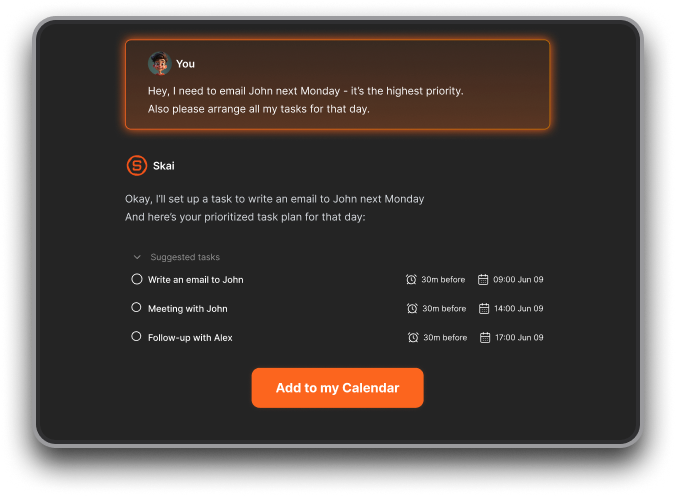
- Auto-plan your day from emails, todos, and calendar
- Keep you focused without switching between apps
If you want more backend automations, n8n and Make are also great picks.
7. How do I choose the best AI agent tool for my needs?
Ask yourself:
- Do I want simple daily task help? → Saner.AI
- Do I need full automation workflows? → n8n, Zapier, Make
- Do I want chat-style automation? → Genspark, Saner.AI, Manus
- Do I need integration with business tools? → Zapier, Make, Saner.AI
8. Which AI agent tools help with daily planning?
- Saner.AI: Reads your notes, todos, and emails to generate a custom daily plan
9. Can AI agent tools automate across apps?
Yes. These are your go-to picks:
- Zapier: Best for business-friendly workflows
- n8n: Open-source, self-hostable, more control
- Make: Great visual interface for complex flows
- Relevance: Designed for product, ops, and CX teams with deep AI-driven logic
10. What’s the most ADHD-friendly AI agent tool?
Saner.AI stands out - it’s designed by ADHDers for ADHDers:
- No manual tagging or rigid folders
- Brain dump your thoughts and Saner turns them into a plan
- Reminds you when things are due - without you having to set it up
11. Which AI agent tool is best for remote teams?
- Relay: Focused on post-meeting accountability and async follow-ups
- Saner.AI: Keeps tasks, notes, and planning in one shared context
- Make + Zapier: Enable backend automations between team tools
12. Best AI agent for entrepreneurs or solo founders?
Entrepreneurs love:
- Saner.AI: One chatbox for notes, tasks, email follow-up, and calendar
- Manus: Experimental agent with flexible chat prompts
13. What’s the easiest AI agent tool to set up?
- Saner.AI: Plug-and-play setup, works from day one
- Relay: Connects to your calendar, works behind the scenes
- Zapier: Templates available but can get complex fast
- Make: Easier than n8n, but steeper learning curve than Saner or Relay
14. What’s the difference between Saner.AI and tools like Zapier or n8n?
- Saner.AI: Built for daily execution - manages your notes, tasks, and thoughts in real-time
- Zapier/n8n: Built for backend workflows - connects apps behind the scenes, no frontend UX
In short:
Saner = your second brain.
Zapier = your backend assistant
[Last updated in 2026]