AI Apps for Android: We Tested the Best 6 Apps (Free & Paid)
The best AI apps on Android are: Saner.AI, ChatGPT, Gemini, Claude, Deepseek, and Perplexity

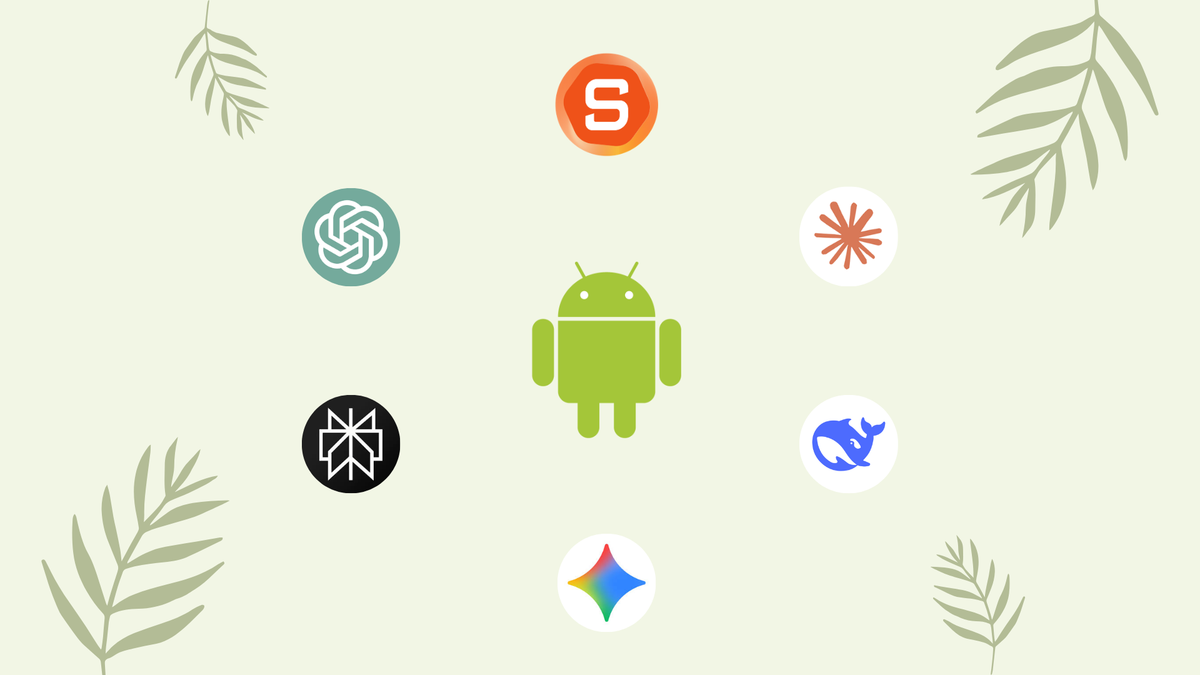
The Top 6 AI apps for Android
You’ve got a smartphone in your pocket - but if you’re juggling 15 apps, missing reminders, and still scrambling to get stuff done, it’s not working smart for you.
The truth is, most people weren’t built for the chaotic, multi-tasking, 500-tabs-open kind of life we live today. But AI apps are changing the game.
This guide cuts through the noise and helps you find the best AI apps for Android - tools that actually make your phone smarter, your day easier, and your work more productive.
In this guide, we cover what AI apps are, how we evaluated them, a ranked list of today’s leading Android AI apps, comparison tables, use-case recommendations, and practical FAQs.
✅ What Makes a Great AI App for Android?
Before diving into the list, here’s a simple checklist of what to look for in any AI app on Android:
| Must-Have Feature | Why It Matters |
|---|---|
| ✅ Mobile-Optimized UI | Works smoothly on phones, not just desktops |
| ✅ Fast, Smart Responses | Real-time or near-instant AI output that’s helpful |
| ✅ Real-World Use Cases | Helps with actual tasks: notes, search, planning, etc. |
| ✅ Offline Functionality | Works even without a constant internet connection |
| ✅ Integration-Friendly | Syncs with Gmail, Calendar, Drive, or other apps you use |
| ✅ Customizable Workflows | Can adapt to how you think and work |
| ✅ Trustworthy & Safe | Built by reputable companies with secure data practices |
Not every app checks all the boxes - but the best ones come close.
That equals ~13 working days saved per employee per year.
🧠 How I Chose These AI Apps
To keep this list genuinely helpful, here’s how I evaluated each AI app:
- Real-world usability: Not just hype - does it solve everyday problems?
- Android compatibility: Fully functional on Android phones and tablets.
- Reviews: Rated well in real user forums.
- Unique AI features: Goes beyond just “chat” or “autocorrect.”
- Affordability: Includes free tiers or fair pricing.
- Specialization: Some general-purpose, others niche but powerful.
Now, let’s break down the top picks!
What Are The Best AI apps on Android?
The best AI apps on Android are: Saner.AI, ChatGPT, Gemini, Claude, Deepseek and Perplexity
Best AI Apps for Android (Quick Comparison)
| 📌 App | 👥 Best For | ⚙️ Key Features | 💸 Price | 👍/👎 Pros & Cons |
|---|---|---|---|---|
| Saner.AI | 🧠 ADHDers, Task Managers | Brain-dump notes, AI task planner, Gmail/Calendar sync | Free / ~$8–10/mo | ✅ Super helpful for messy minds ❌ Not for complex Gantt chart |
| ChatGPT | ✍️ Writers, Thinkers, Students | GPT-4 Turbo, file uploads, memory, voice mode | Free / $20/mo (Plus) | ✅ Very versatile ❌ Needs internet + gets pricey |
| Perplexity | 🔍 Fact-checkers, Quick learners | Real-time search, citations, follow-up threads | Free / $20/mo (Pro) | ✅ Fast + trustworthy ❌ Not great for deep writing |
| Gemini | 📆 Google app power users | Gmail/Docs integration, mobile-native, image & file input | Free / $20–249/mo | ✅ Feels native on Android ❌ Ultra plan is pricey |
| Claude | 🧘♂️ Long-form writers, Safety-conscious | Long memory, safe tone, image input, Workspace integrations | Free / $20–100/mo | ✅ Calm + smart ❌ Lacks media tools, some limits |
| DeepSeek | 💻 Devs, Coders, Budget users | Code-gen, logic tasks, fast replies, open model | Free (App) / Pay-as-you-go (API) | ✅ Fast + free ❌ Fewer integrations, new player |
1. Saner.AI - AI Assistant for ADHDer
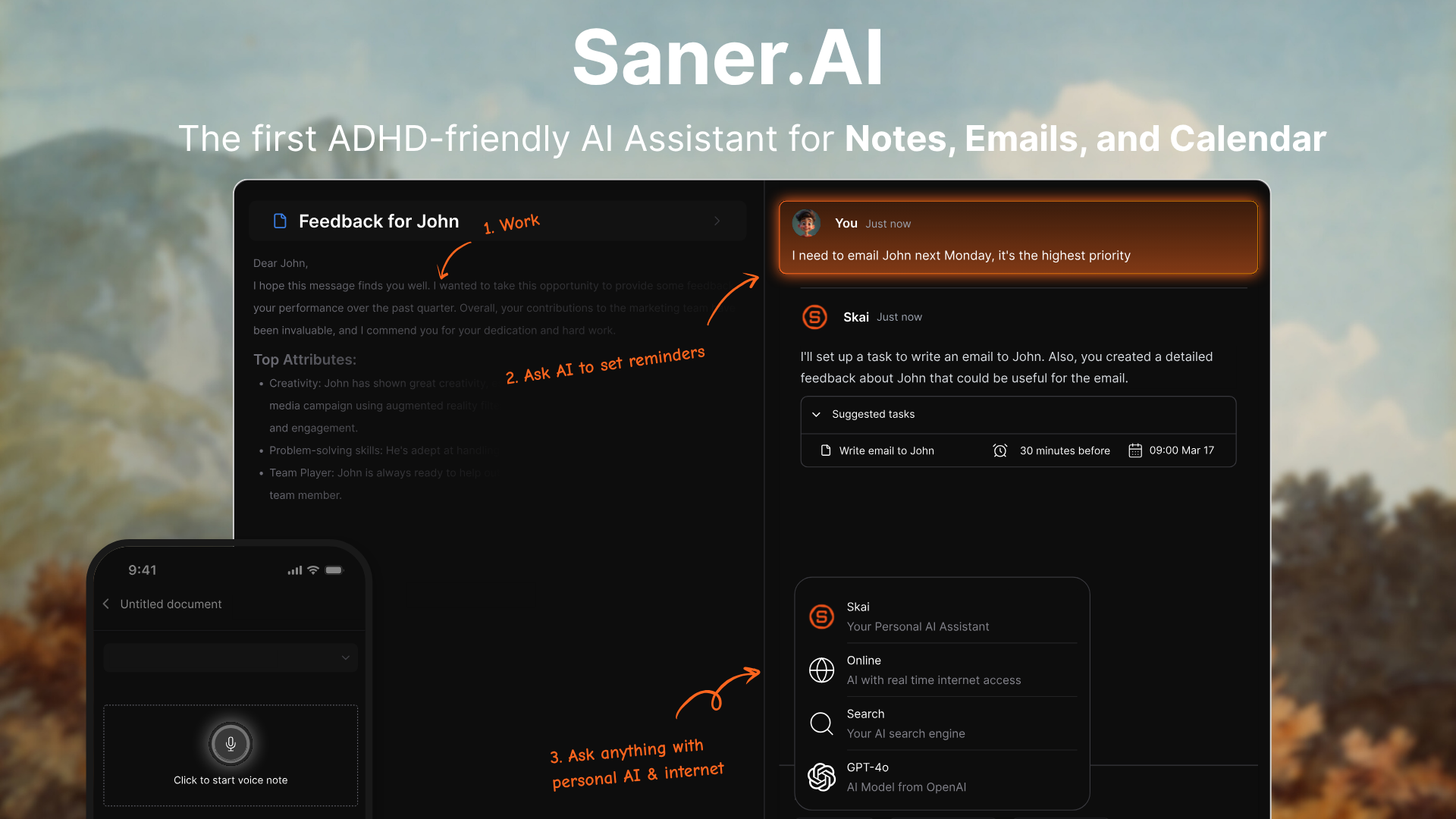
Saner.AI is a personal AI assistant that helps you stay focused and organized - especially if you’re juggling notes, tasks, emails, and ideas all day. Designed with ADHD-friendly features in mind, it brings everything into one place so you don’t lose track of what matters.
What makes Saner.AI one of the best AI apps for Android is how it turns your chaotic brain dumps into structured tasks, searchable notes, and smart reminders
Key features
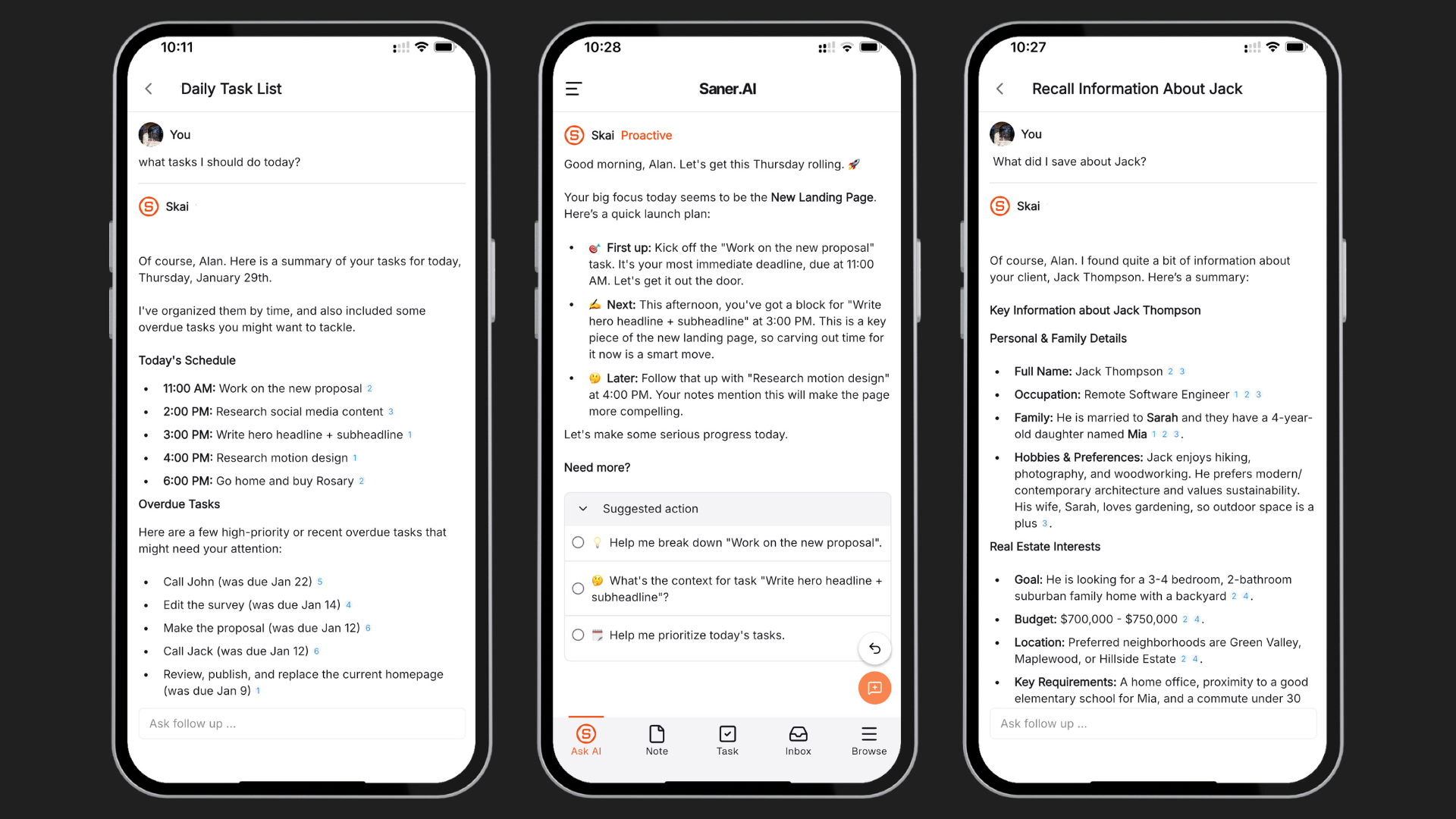
- Smart AI assistant: Lets you ask follow-ups, find lost ideas, and summarize notes in natural language
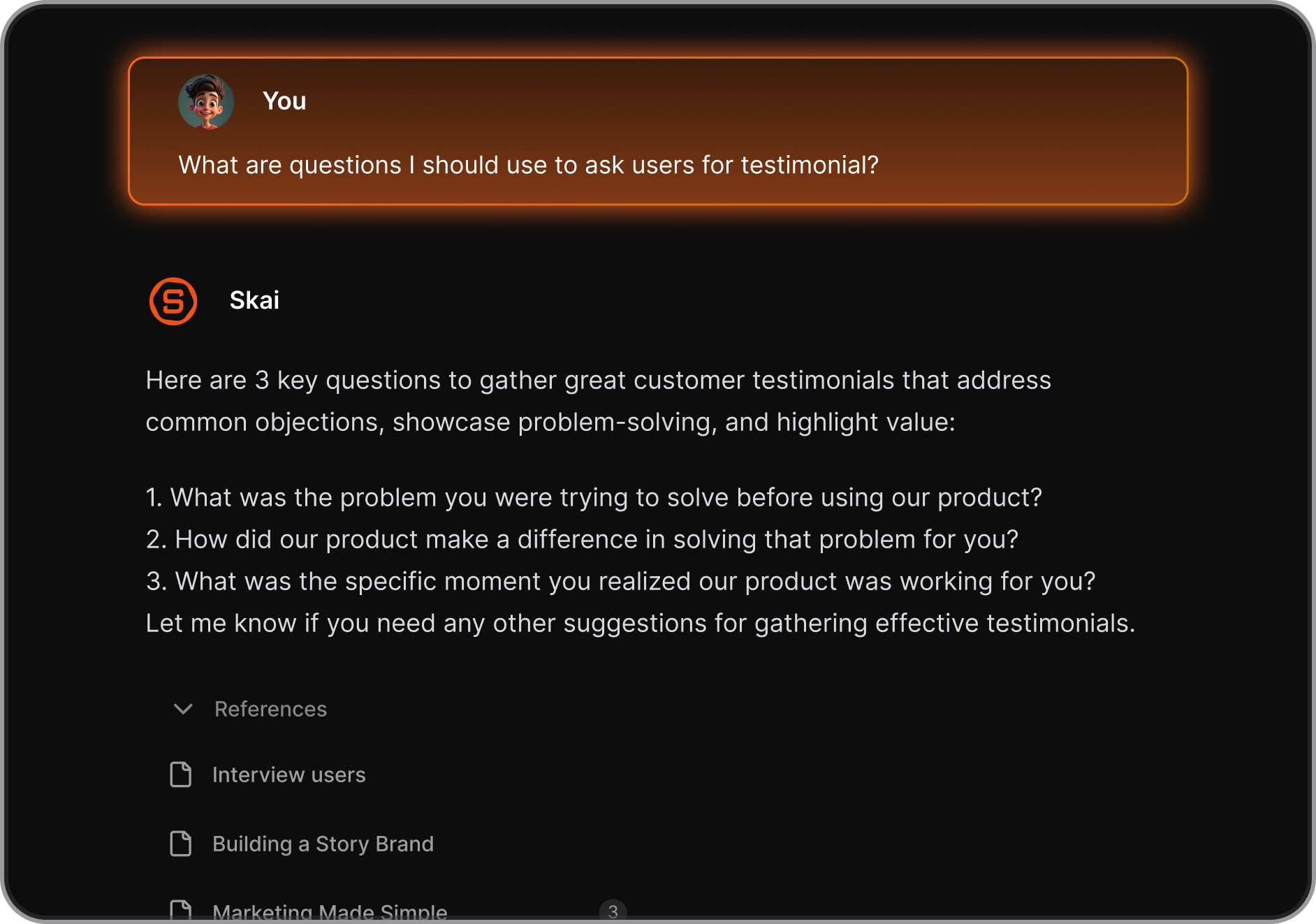
- All-in-one workspace: Combines tasks, notes, calendar, and knowledge in a single app
- Email and calendar sync: Pulls in tasks from Gmail and events from Google Calendar
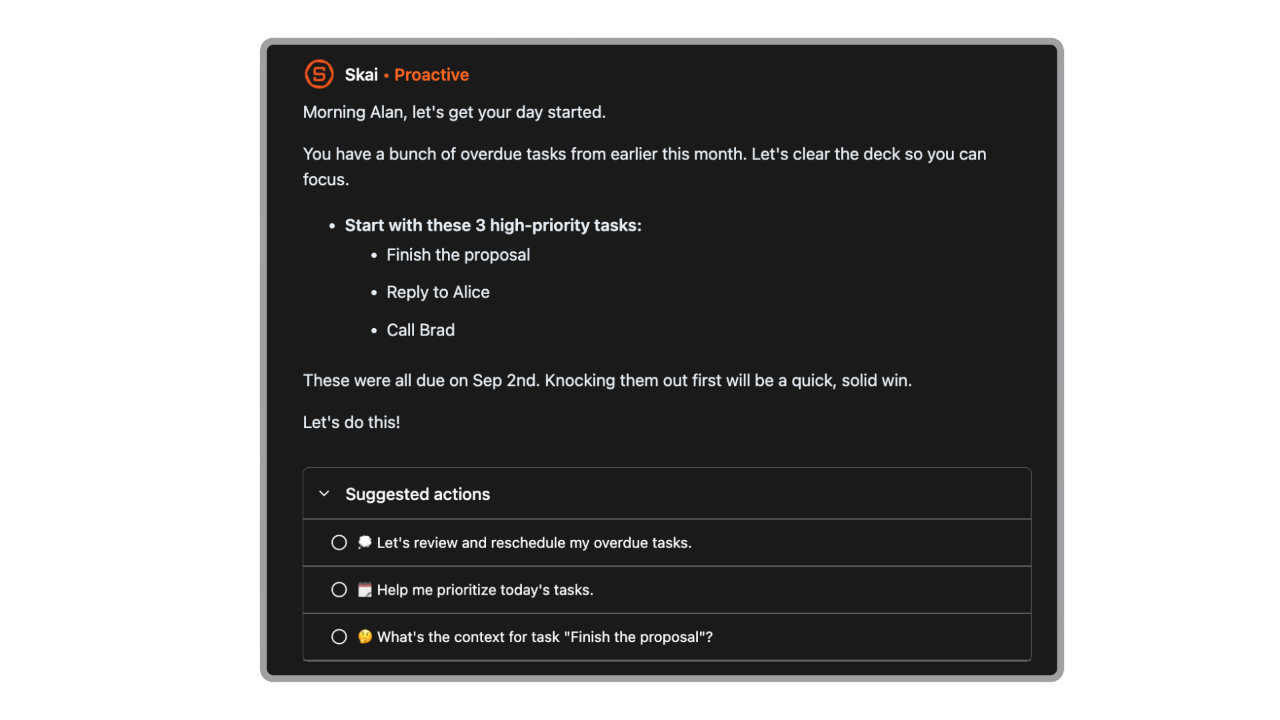
- Proactive Daily Planning: Plan your day each morning to reduce decision fatigue
- Auto-tagging and smart linking: Organizes your content without manual foldering
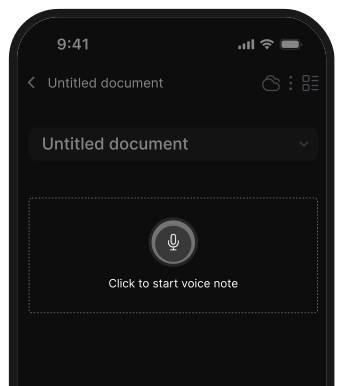
- You can talk to chat with AI or create voice notes
What I liked
- You can brain-dump anything - voice, text, partial ideas - and come back later to clean it up
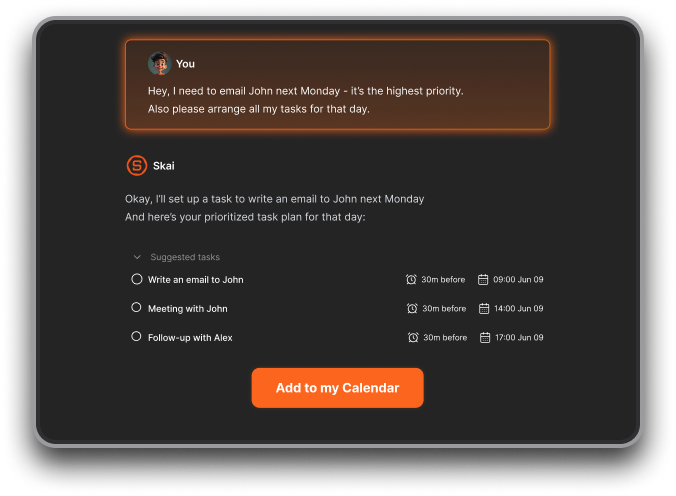
- The mobile experience is thoughtfully designed - quick to capture, clean to browse
Cons
- ❌ Requires internet access for full functionality.
Saner.AI Reviews
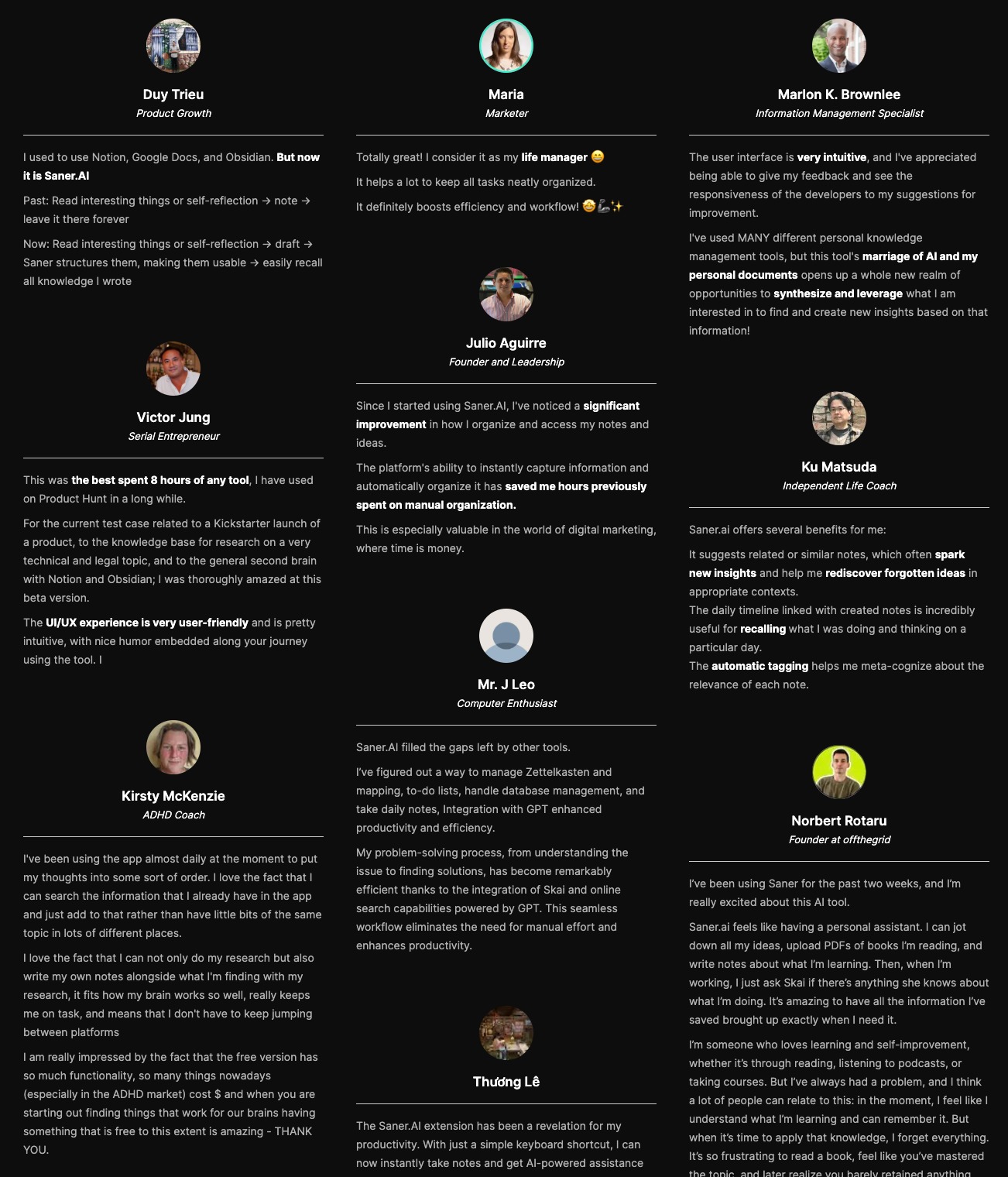
"The biggest benefit for me in using Saner is the Proactive AI. Staying on top of the constant flow of email and multiple calendars is challenging, and so far, Saner is the only AI-based tool that truly feels like a personal assistant" - Jerry
Pricing
- Free
- Starter: Monthly at $8/month, Annually at $6/month (with early user discount)
- Standard: Monthly at $16/month, Annually at $12/month (with early user discount)
Who is it suitable for?
- Android users who want an AI assistant that actually helps manage their real day-to-day chaos
- ADHD-prone professionals who struggle with too many apps and scattered thoughts
- Founders, researchers, freelancers, or anyone who blends personal + work info in one place
- People who want to use AI to search, summarize, and plan - but inside their own notes and tasks
How to start using it?
- Download Saner.AI from the Play Store
- Sign up and connect your Gmail, calendar, or drive (optional but helpful)
- Start talking to the AI

Stay of top of work with an AI Assistant App
2. ChatGPT

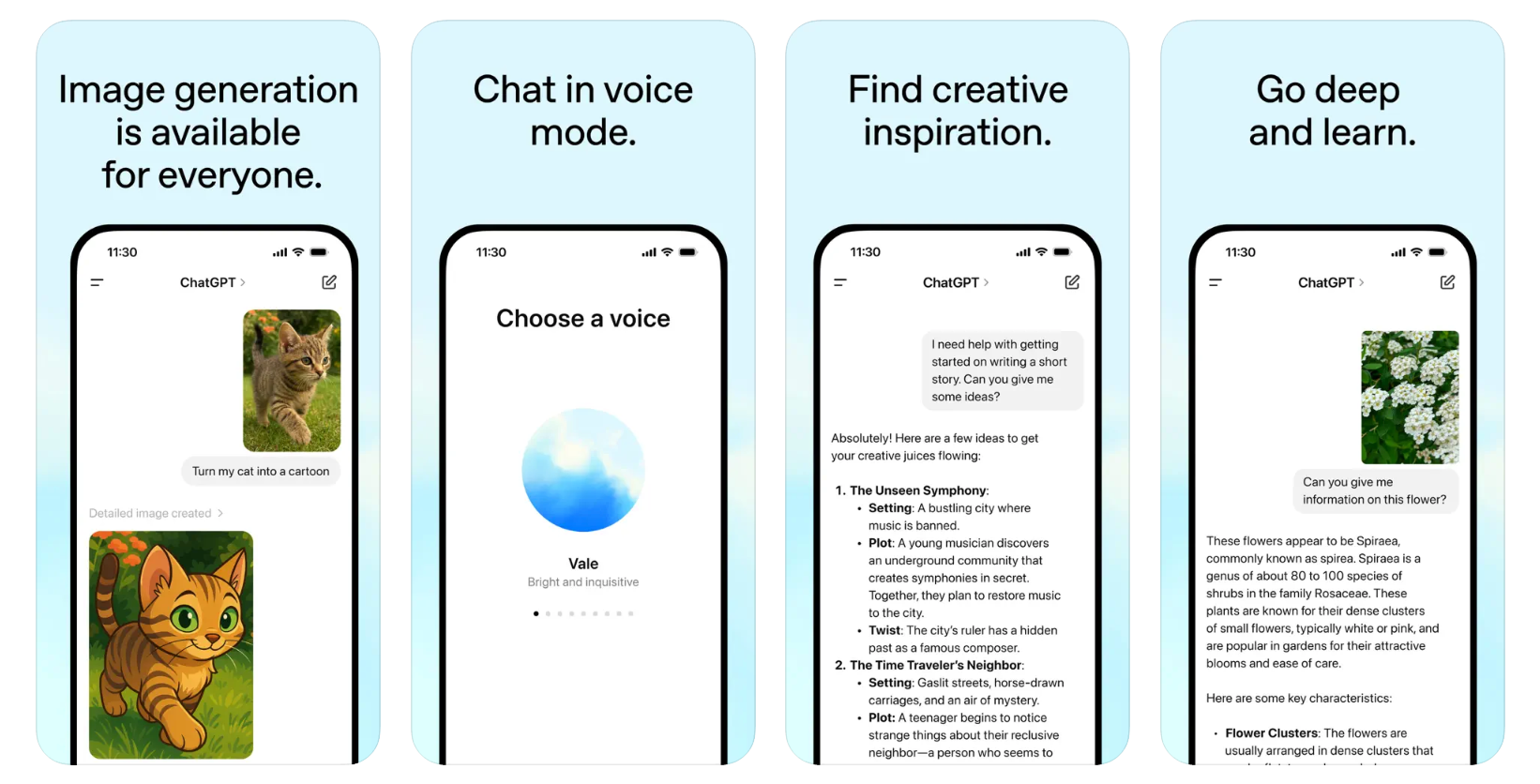
ChatGPT brings conversational AI, voice, and image capabilities straight to your Android phone. It helps with everything from writing and brainstorming to planning, explaining, and researching - without needing to sit at your desk.
Key features
- Cross-device sync: Your chats and settings sync across desktop, Android, and iOS
- Voice input: Talk to ChatGPT with a natural voice mode (more advanced with premium)
- Image input: Upload screenshots, photos, or diagrams and ask questions about them
- Web browsing: Get real-time, up-to-date answers (on paid plans)
What I liked
- The voice mode feels very natural, especially in the newer versions
- You can switch between typing, speaking, or uploading images
- The memory and file features are useful for larger projects or ongoing tasks
What I disliked
- Most of the powerful features (like memory, web browsing, and better models) are only available in the paid plans
- Sometimes the voice mode lags or gets cut off if the network is unstable
- If you’re just using the free version, the experience is more limited than other AI apps that offer more out of the box
Pricing
- Free tier: Access to GPT with basic features
- Plus plan: $20/month
Suitable for
- Best for users who want flexibility and are open to upgrading for premium features.
How to start
- Just download ChatGPT from the Play Store, sign in with an OpenAI account, and start chatting
ChatGPT Review (source)
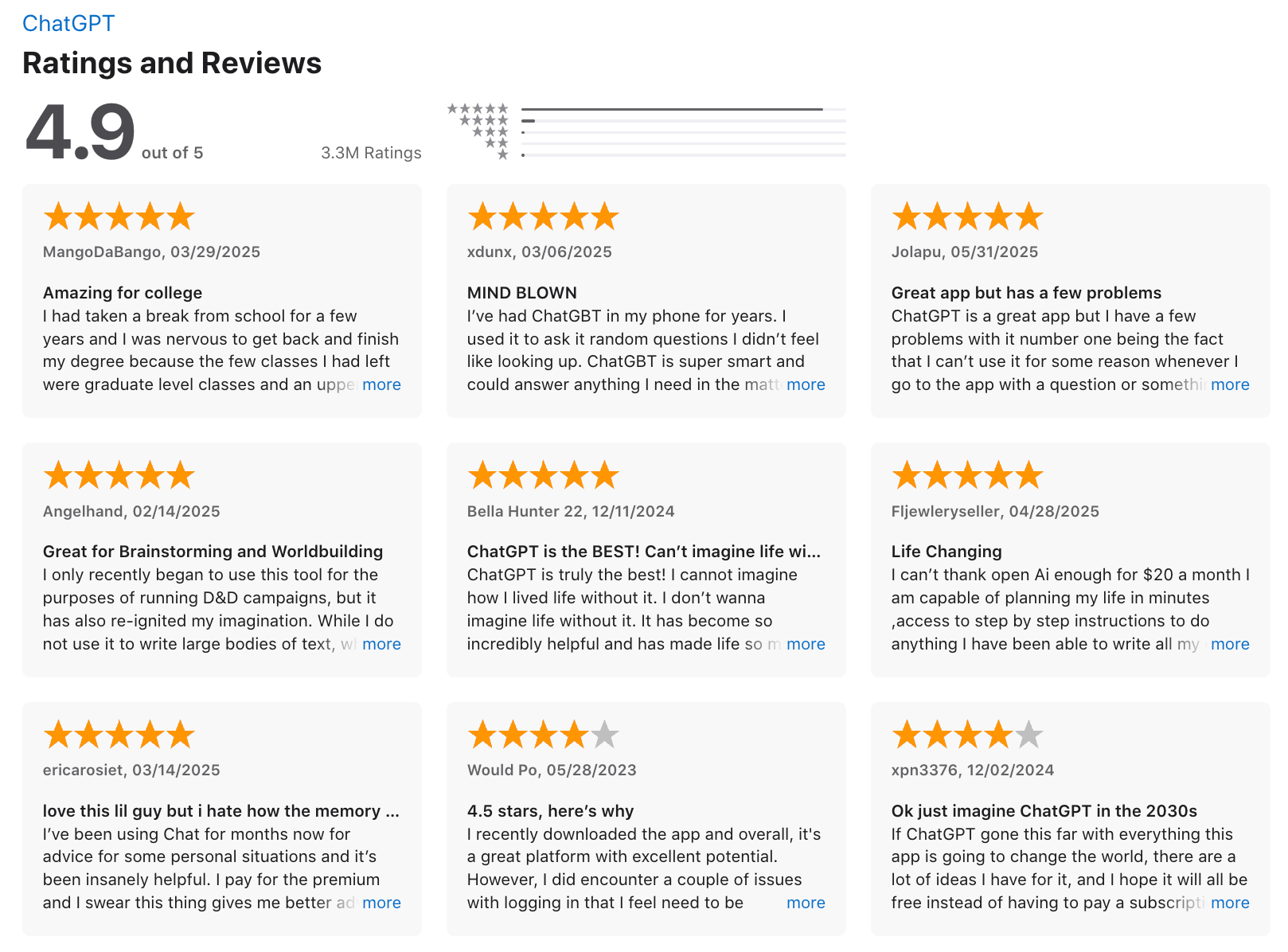
"Easy to set up and personalise, easy to use even for beginners, great at early stage idea planning and has fast response time. Paid use has a lot more value with photo generation and how much you can utilise it for."- Chelsea G.
3. Claude
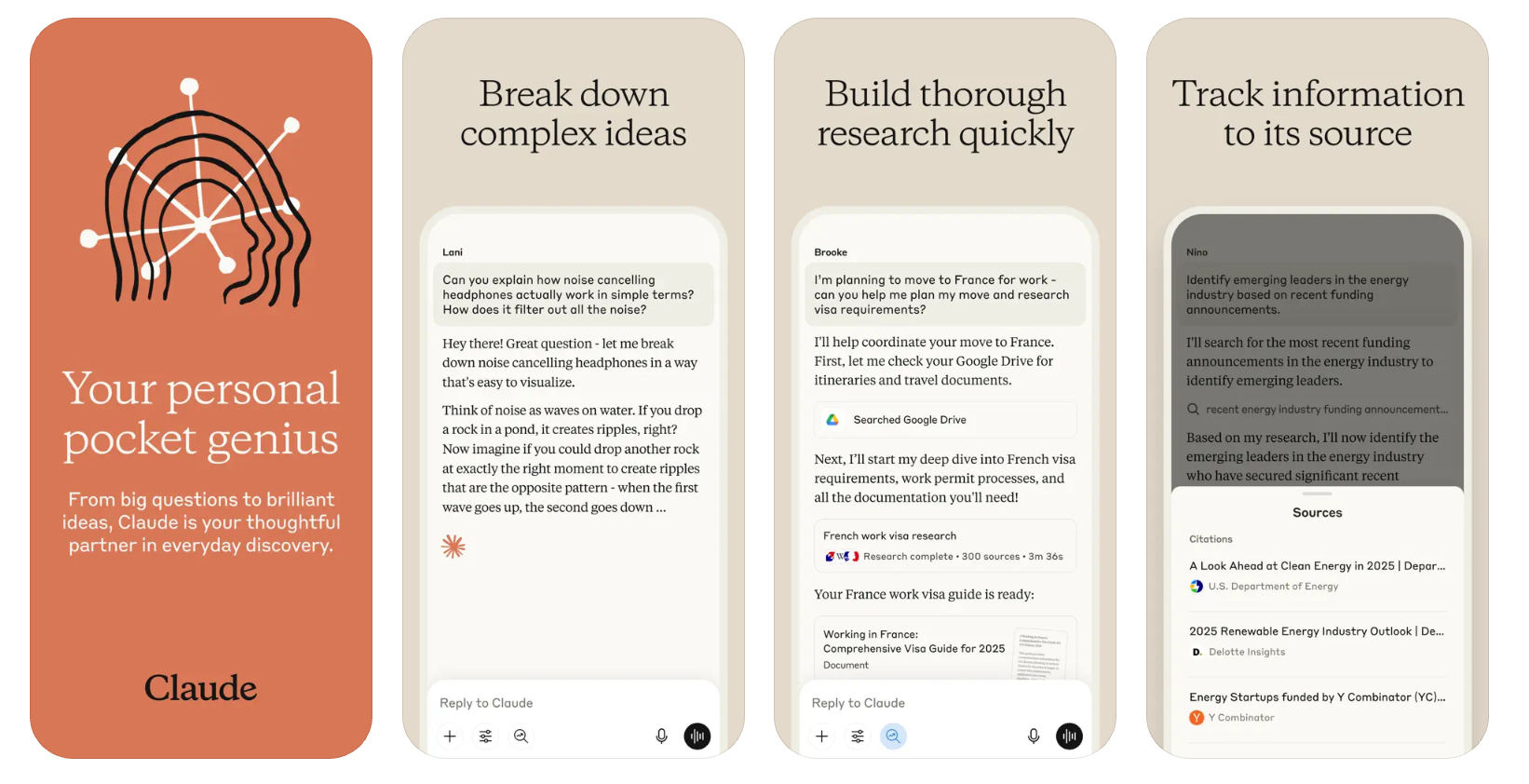
Claude is an intelligent AI assistant developed by Anthropic, now available as a full-featured Android app. It supports real-time conversation, file uploads, and smart integrations.
Key features
- Cross-device sync: Continue conversations between Android, iOS, and desktop
- File and image uploads: Analyze documents, photos, screenshots, and more
- Multilingual translation: Translate across languages instantly
What I liked
- The Android app has almost full feature parity with the web version
- It’s great for quick tasks like summarizing PDFs, generating ideas, or translating text
- Voice mode is useful when I’m walking, driving, or just don’t want to type
What I disliked:
- Some features, like reminders and contacts access, are still missing
- If you’re on the free plan, you’ll hit usage caps pretty quickly
- It doesn't have an interface to manage notes/ tasks like saner.ai
- It doesn’t offer deep project management or team features like some other tools
Pricing:
- Free plan available with limited daily usage
- Pro plan around $20/month with access to Claude 3.5 and higher usage caps
- Max plans ($100–200/month)
Suitable for:
- Professionals, students, researchers, or frequent AI users who want a smart assistant on their phone.
How to start:
- Just download the Claude app from the Google Play Store, create a free account, and explore its core features
Claude review (source)
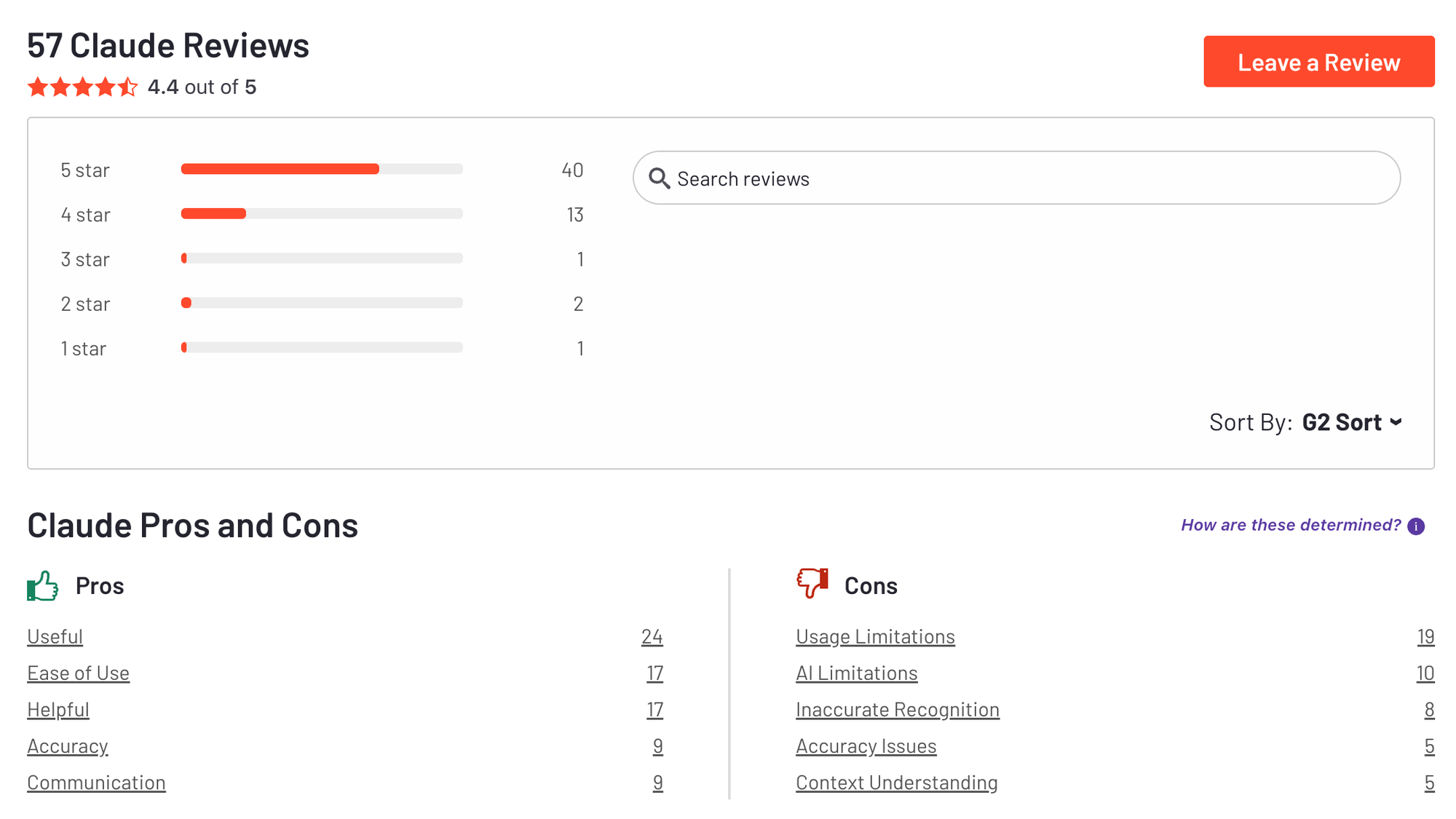
"Claude is super smart, easy to work with, and great at staying on track even with complicated questions. It writes really well and feels thoughtful compared to some other chatbots. Sometimes it’s a bit overly careful, but that also means I can trust its responses more. Definitely one of the best AI assistants out there."- Ashish Dubey
4. Gemini
Gemini is Google’s intelligent AI assistant built for Android. It combines chat, voice, and image inputs with tight integration into Google’s ecosystem. From answering questions to summarizing Gmail threads, Gemini helps you get more done without switching apps or tabs.
Key features
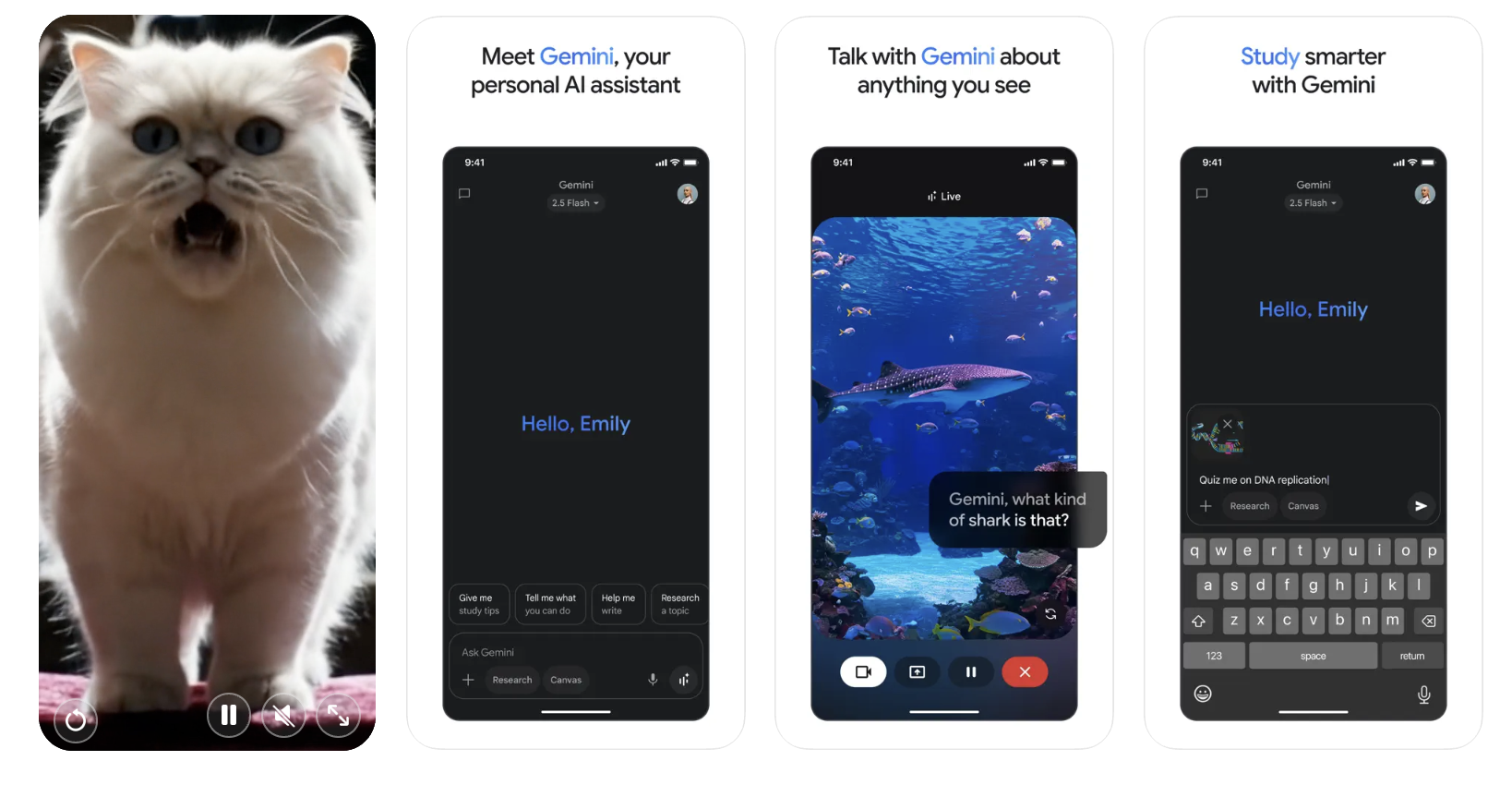
- Multimodal inputs: ask questions using voice, text, screenshots, or live camera
- Gemini Live: analyze photos, visuals, or screen content in real time
- Google integration: works with Gmail, Drive, Docs, Maps, Calendar, and more
- Smart suggestions: understands screen context to offer quick actions
What I liked:
- The screen understanding (Gemini Live) feels useful in real-life scenarios like translating signs, getting context on images, or summarizing content
- Tie-in with Gmail and Drive lets you ask things like “summarize this thread” without digging through email
What I disliked:
- Some of the most useful features are locked behind paid tiers.
- While it replaces Google Assistant, it doesn’t support every voice command yet
- Don't have an interface to manage notes like Saner.AI
Pricing
- Free tier: includes basic AI chat, image input, screen understanding, and Google integrations
- Google One AI Premium (Gemini Advanced): $19.99/month for access to Gemini 1.5 Pro, faster responses, and deeper integrations
Suitable for
- Android users who want an assistant that understands voice, screen, and camera
- People who already rely on Google services and want a deeper layer of AI
How to start
- Install the Gemini app from the Play Store
- Sign in with your Google account
Google Gemini review (source)
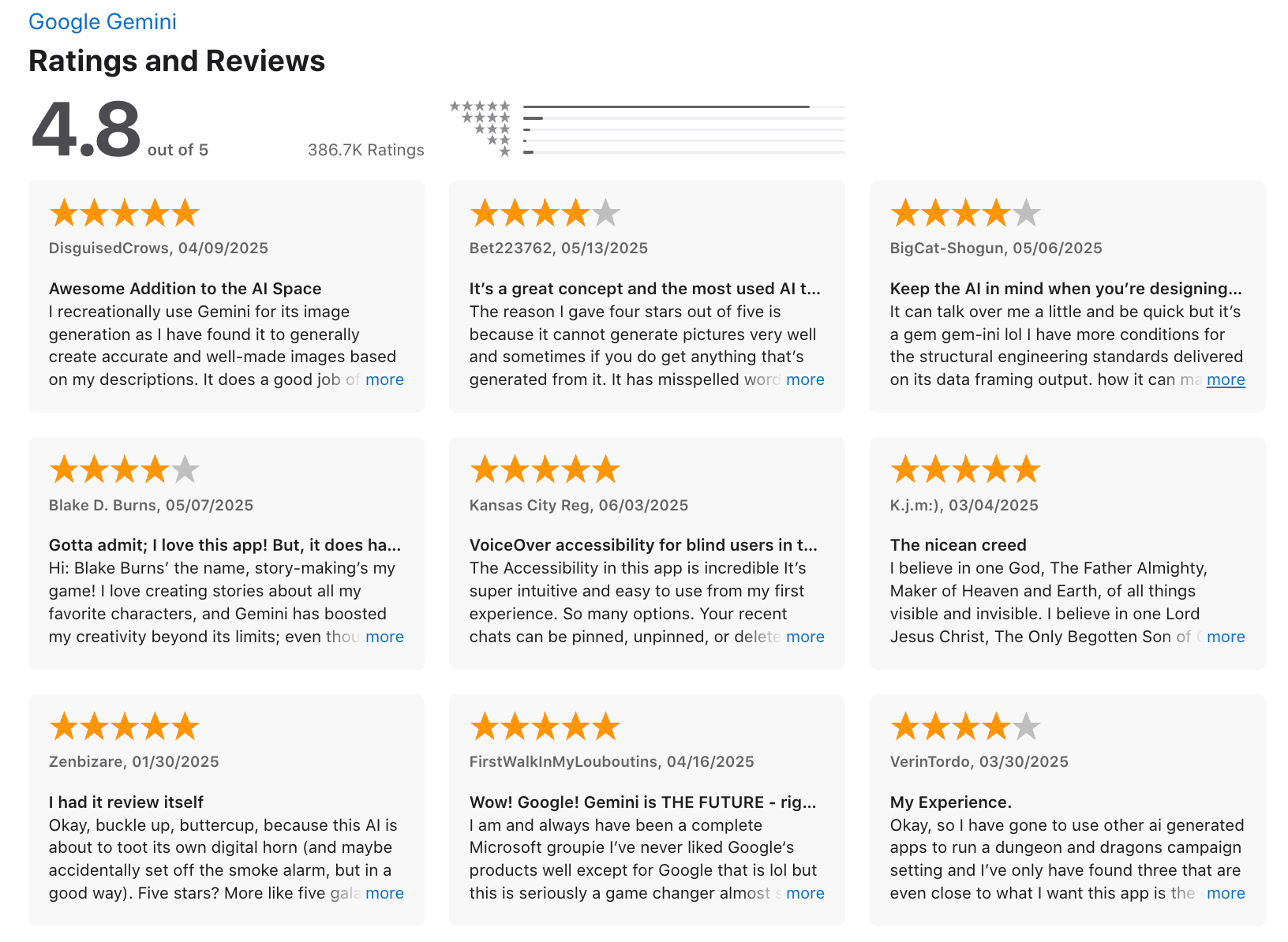
"Gemini is well worth the cost, taking the burden off our team for smaller tasks. If someone said "unlimited notes" for the cost of Gemini, or "unlimited high level review" for our organization, even if it were lower quality, I would take it any day of the week"- Capterra
4. DeepSeek
DeepSeek is an AI assistant app that brings powerful large language model capabilities to Android users. It helps you answer questions, solve problems, code, and even reason through complex tasks
Key features
- Large language model (DeepSeek-V3.1) designed for strong reasoning and coding assistance
- Free access for light use, with paid tiers for API and heavy use
- Supports large context windows to retain more conversation history
- Android app regularly updated, responsive UI with dark mode
What I liked
- It’s surprisingly capable across a range of tasks
- You can use it for free right away
- It supports long inputs, which is useful for thinking through long ideas or reviewing documents
What I disliked
- There are growing concerns about privacy and data handling, especially in regulated industries
- Some topics may be censored or restricted due to compliance with Chinese internet laws
- It occasionally lags or shows server errors, especially during high traffic
- It’s not always as nuanced or safe as models like GPT-4 or Claude in sensitive topics
Pricing
- Free version available for chat-based use
- API usage starts around $0.07 per million input tokens (cache hit)
- Higher rates apply for cache misses or high-output tasks
Suitable for
- A free or affordable AI assistant for writing, coding, and thinking
- An Android-native experience with good performance
- A developer-friendly LLM with API access and generous context limits
How to start
- Download DeepSeek from the Google Play Store, open the app, and start chatting
Deepseek reviews (source)
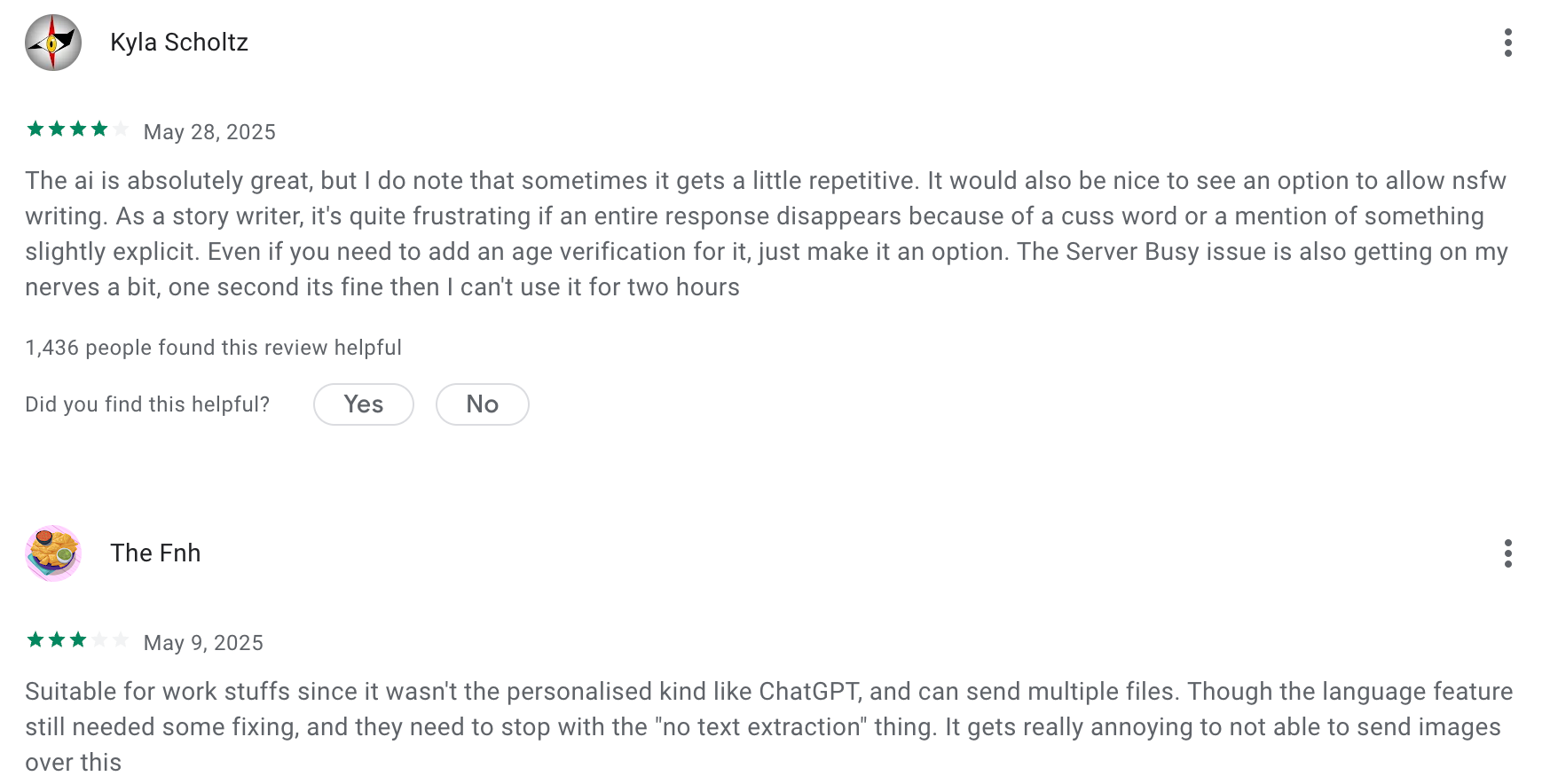
"Okay, Deepseek is a literal genius, sometimes even better than ChatGPT, but I use ChatGPT more, Deepseek feels like my Physics teacher - too cool and genius to talk to me, ChatGPT is more of a supportive and that's what cool in ChatGPT, Deepseek is a genius - he can sometimes solve problems that ChatGPT cannot." - YoN_SunN
6. Perplexity
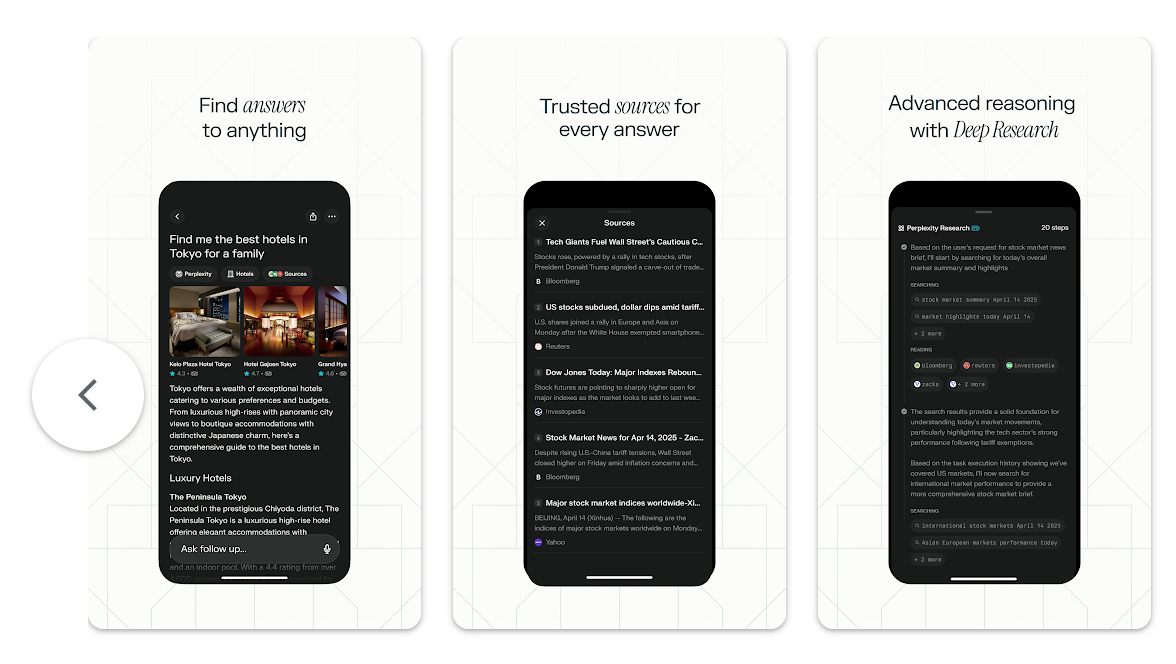
Perplexity is an AI-powered search and assistant app for Android that blends fast, accurate answers with productivity tools. It acts like a cross between Google Search and ChatGPT, but with more structure and citations
Key features
- Perplexity Assistant (Android): A built-in assistant to help you search, summarize, and draft messages
- Real-time answers: Pulls info from the web, not just training data
- Research tools: Pro and Max plans include tools to summarize papers, explore topics in-depth, and browse with context
- Cross-device sync: Use it across mobile, tablet, or desktop with the same history and experience
What I liked:
- The Android Assistant is handy
- Search feels smarter than Google when you're doing deeper research or need multiple perspectives
- If you upgrade, you get access to more powerful models for better answers and deeper research
What I disliked:
- Free users get limited access to advanced models and features
- Some Android users report bugs like losing progress on long tasks if the screen locks or app switches
- Not all assistant features work with every app on your phone yet—it depends on your setup
Pricing:
- Free plan available with basic search and assistant
- Pro plan at $20/month or $200/year with upgraded models and more features
- Max plan at $200/month for unlimited access
Suitable for:
- Android users who want a smarter, faster AI search engine
- Students, researchers, and professionals who need reliable summaries and follow-up answers
How to start:
- Just install the Perplexity app from the Play Store, allow the permissions to activate the Assistant, and start chatting
Perplexity review (source)
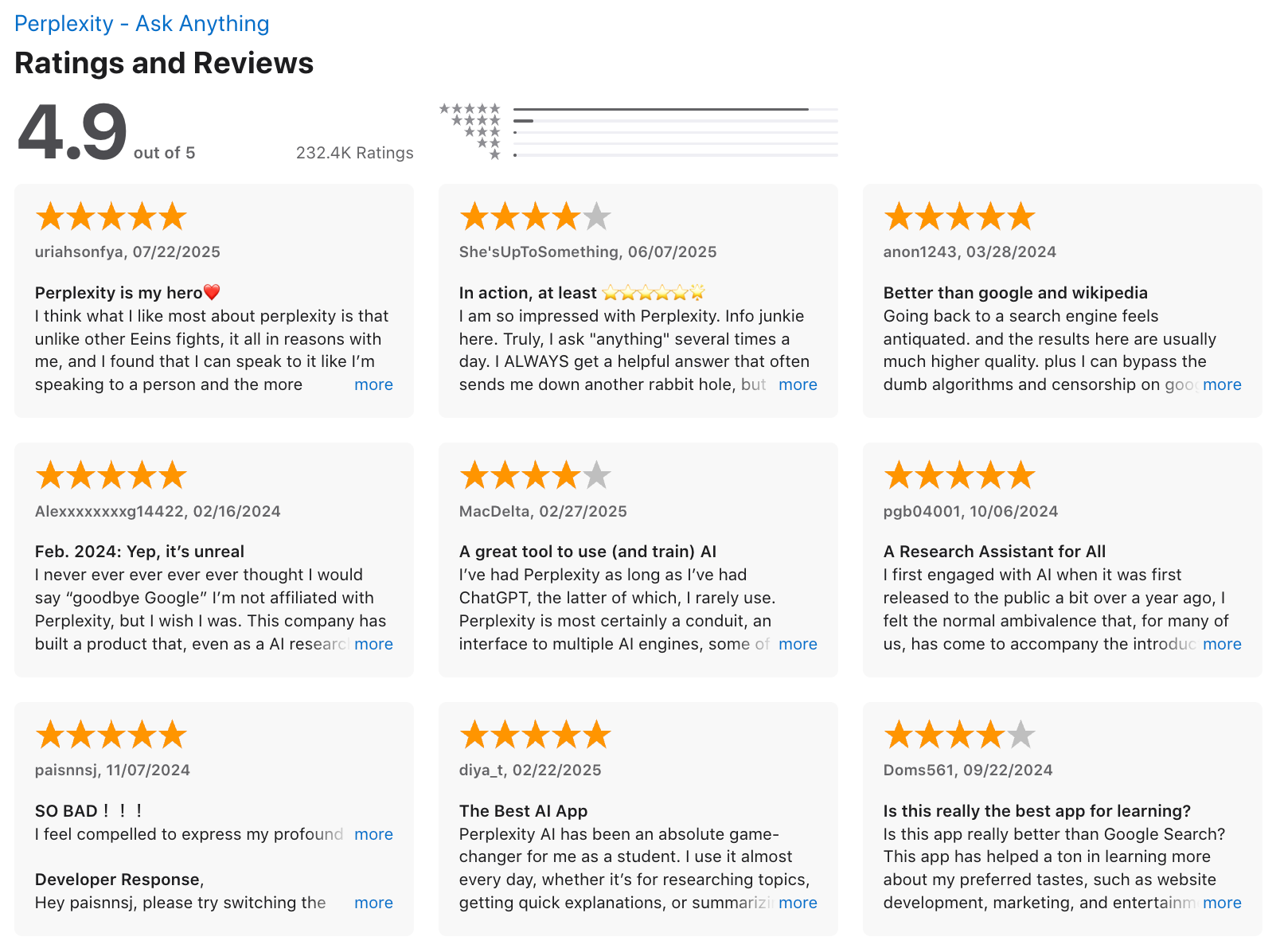
"My overall experience is great. I am using this daily in my life for organising my experiments, designing new experiments and take a hold of literature in my field. I also use it for analysis of my scientific data like growth curves, PCR, genomics and proteomics." - Waheed Ahmad K.
🚀 Final Thoughts: Smarter Android, Smarter You
Your Android phone can do more than just send messages or scroll social media. With the right AI apps, it becomes a:
- 📅 Planner that remembers everything for you
- ✍️ Writing partner that never runs out of ideas
- 🧠 Second brain that organizes your chaos
- 🔍 Research assistant that finds facts in seconds
- 🤖 Coding buddy, meeting notetaker, and more
Whether you need help staying on top of tasks (💡 try Saner.AI), writing and brainstorming (✍️ ChatGPT, Claude), researching smarter (🔍 Perplexity), or making the most of Google tools (📆 Gemini), there’s an AI app ready to make your Android experience faster, calmer, and more productive.
👉 There’s no one-size-fits-all. Try a mix of general-purpose AI (like ChatGPT or Gemini) and specialized tools (like Saner.AI or DeepSeek).
See what clicks with your workflow - and let your phone work the way you do.
If you’ve ever thought, “I wish my phone could help me work,” now it can.
Stay on top of your work and life
FAQ: Best AI Apps for Android
1. What are the Best AI Apps for Android right now?
The top AI apps for Android include Saner.AI, ChatGPT, Claude, Gemini, DeepSeek, and Perplexity. Each app serves a different purpose:
- Saner.AI – all-in-one productivity hub (notes, tasks, email, calendar)
- ChatGPT – versatile conversational AI for writing, coding, and problem-solving
- Claude – great for long documents and ethical, “helpful” responses
- Gemini (Google) – tight integration with Gmail, Docs, and Android ecosystem
- DeepSeek – fast, research-heavy answers for deeper problem-solving
- Perplexity – real-time, citation-backed AI search engine
2. How do AI apps for Android actually help?
AI apps reduce busywork and decision fatigue. On Android, they can:
- Draft or summarize texts and emails
- Turn messy notes into clear tasks
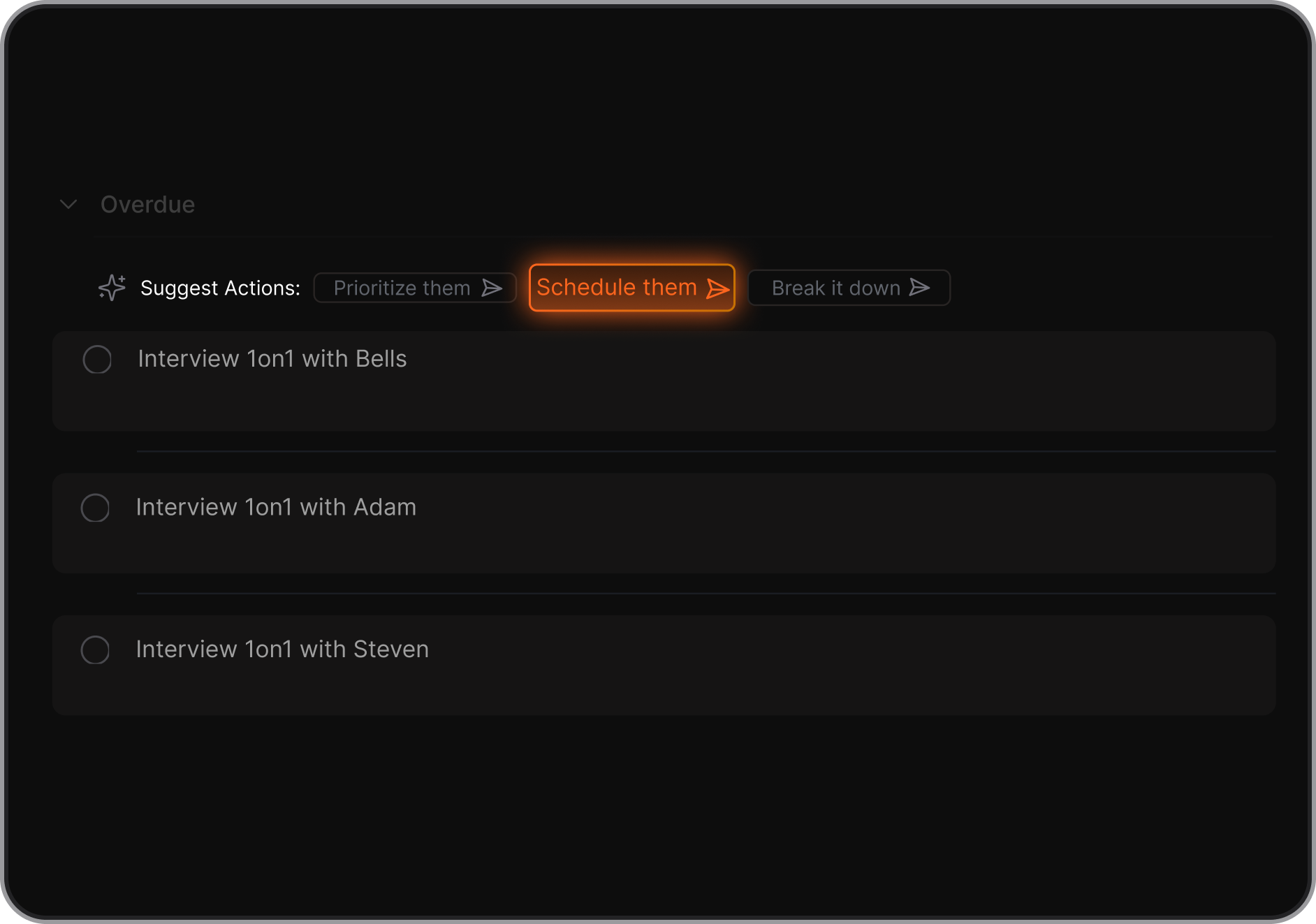
- Suggest schedules based on your calendar
- Answer questions with real-time web data
- Help you learn, brainstorm, or research faster
3. Are the Best AI Apps for Android free?
Yes, most offer free plans:
- Saner.AI – free tier includes task reminders, natural language note search, and calendar sync
- ChatGPT – free with limited access
- Gemini – free through Google Workspace
- Perplexity – free plan with limited daily queries
4. Which AI app is best for productivity on Android?
- Saner.AI is ideal for productivity - it combines tasks, notes, and email into one calm workspace.
- ChatGPT is best for brainstorming and quick content help.
- Gemini shines if you’re already inside Google’s ecosystem.
5. What’s the Best AI App for Android if I have ADHD?
Saner.AI stands out. It helps ADHD users by:
- Reducing context switching (tasks, notes, email all in one place)
- Converting brain dumps into action steps
- Nudging you to follow through without complex tagging systems
6. Can AI apps on Android schedule tasks automatically?
Yes, these AI apps can:
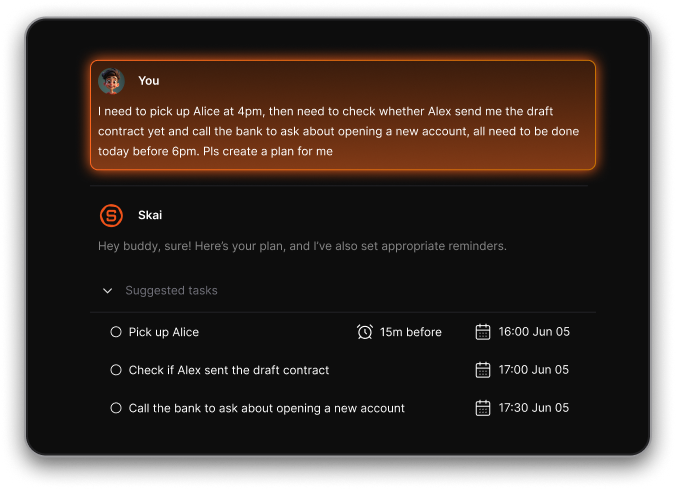
- Saner.AI suggests task timing based on context
- Gemini connects with Google Calendar for smart scheduling
7. Which AI app is best for research on Android?
- Perplexity – real-time search with citations
- Claude – excellent at summarizing long documents and giving nuanced answers
8. Do these AI apps support voice input on Android?
Yes, but with differences:
- Saner.AI – built-in voice-to-task input
- ChatGPT & Gemini – voice via Google/third-party keyboard integration
- Perplexity – some Android builds support voice queries
9. Which AI app should entrepreneurs or founders use?
Saner.AI is best for solo founders juggling multiple projects - it connects notes, investor updates, and tasks in one place.
ChatGPT is great for quick pitch drafts, while Perplexity helps with market research.
10. Do AI apps really improve productivity on Android?
Yes. Studies show reducing context switching boosts focus. For example:
- Saner.AI surfaces the right task at the right time
- ChatGPT speeds up writing and ideation
- Gemini removes friction in the Google ecosystem
- Perplexity saves hours by citing sources directly
11. What’s the difference between Saner.AI, ChatGPT, and Gemini on Android?
- Saner.AI = action + memory → tasks, notes, reminders, follow-through
- ChatGPT = conversation + creativity → writing, problem-solving, coding
- Gemini = integration + Google tools → email, docs, and search automation
12. How do I start using an AI app on Android?
Start small:
- Ask it to summarize a text message or email
- Use voice to create a task reminder
- Try a quick question: “What are 3 ways to explain X in simple terms?”
Then expand into planning, workflows, and research.
13. Which AI apps are best for students on Android?
- ChatGPT – essays, explanations, practice problems
- Claude – summarizing long readings
- Perplexity – citation-based research help
- Saner.AI – organizing notes, study reminders
14. Final tip: Which AI app should I install first?
- If you want productivity, start with Saner.AI.
- If you want conversation and creativity, start with ChatGPT.
- If you want search and research, try Perplexity or DeepSeek.
- Many Android users end up combining two or three apps for the best results.
15. Which AI app is fastest and most accurate on Android?
- If speed matters, DeepSeek and ChatGPT (especially GPT-4o) are among the fastest in generating answers.
- Perplexity is highly accurate since it cites real web sources.
- For productivity workflows, Saner.AI balances both speed and context by surfacing the right notes or tasks instantly.
16. Which AI apps do people actually use every day?
On Reddit, the most frequently mentioned daily AI apps include:
- ChatGPT – for quick questions, learning, and brainstorming
- Perplexity – for real-time research with citations
- Saner.AI – for personal task and note management
- Gemini – integrated tightly with Gmail and Docs
Usage often depends on whether someone needs research (Perplexity, DeepSeek) or productivity (Saner.AI, Gemini).
17. What’s the most popular AI app on Android right now?
The crowd favorites:
- ChatGPT – still the go-to for general AI use
- Perplexity – trending fast for mobile research
- Saner.AI – gaining traction among ADHD and productivity users
- Gemini – popular among Android users already in Google’s ecosystem
18. Which AI apps are best for entrepreneurs and business use?
- Saner.AI – turns messy ideas into action plans, connects notes with follow-ups, great for solo founders
- Perplexity – market research, competitive analysis, quick answers with citations
- ChatGPT – pitch drafting, brainstorming, coding help
- Claude – summarizing contracts or investor docs with long-form clarity
19. Should I use the web version or install the Android app?
Redditors often debate this.
- Web versions (ChatGPT, Claude, DeepSeek) sometimes give more stable results and fewer limitations.
- Android apps (Saner.AI, Gemini, Perplexity) are more convenient due to their mobile-optimized workflows, notifications, and voice input.
Many users combine both: web for heavy work, app for daily use.
Improve your productivity with the top AI app