AI Assistant for Business: We Reviewed The Best 7 in 2026
The Best AI Assistants for Business are: Saner.AI, Nano Banana, Claude, Microsoft Copilot, Reclaim, Gamma, Fireflies


We tried the 7 Best AI Assistants for Business in 2026
Imagine this: You arrive at your office (or fire up your laptop at home), and your AI assistant has already triaged your inbox, summarized your latest project updates, flagged urgent tasks, and drafted responses you just need to review.
That scenario is no longer science fiction - it’s becoming the norm.
In 2026, AI assistants for business are rapidly shifting from optional tools to essential team members. Companies that adopt them are seeing major gains in efficiency, cost savings, decision speed, and error reduction.
Whether you’re a solo founder, a scaling startup, or an enterprise, the best AI assistant for business can help you automate repetitive tasks, level up team productivity, and focus on high-value work.
In this guide, we’ll explore:
- What an AI business assistant really is
- Why businesses are adopting them
- The top tools to watch in 2025
- How to choose and implement one
1. What Is an AI Assistant for Business?
An AI assistant for business is a software agent powered by advanced artificial intelligence that assists with tasks, provides insights, and streamlines workflows within a business context.
2. Why Businesses Are Adopting AI Assistants
A. Automating Admin Work
- Handling incoming email triage, drafting responses, and flagging priority messages
- Scheduling meetings across time zones, rescheduling conflicts
- Generating follow-up tasks automatically from conversations
B. Assisting with Research & Strategy
- Scanning market trends, summarizing competitor analyses
C. Project & Client Communication Management
- Sending status updates, reminders, and check-ins
- Managing internal task assignments or follow-ups
D. Providing Summaries & Insights from Data
- Turning raw data, dashboards, or spreadsheets into actionable summaries
E. Workflow Automation & Orchestration
- Connecting tools (CRM, marketing, analytics, email) and automating cross-tool flows
- Enabling multi-step agentic workflows (e.g. “if lead scores > X, send email, assign task, alert team”)
3. How I put each AI assistant to the test
- Used them across three real work scenarios - meetings, planning, and daily task management
- Evaluated how well they handled tasks, notes, and reminders together
- Checked their ability to understand context and suggest follow-ups intelligently
- Tested how quickly and accurately I could retrieve information later when I needed it
What Are The Best AI Assistants for Business in 2026?
The Best AI Assistants for Business are: Saner.AI, Nano Banana, Claude, Microsoft Copilot, Reclaim, Gamma, Fireflies
🤖 The Best AI Assistants for Business in 2026 – Comparison Table
| Tool | 🎯 Best For | 🧠 Core AI Capability | 📱 Platforms | 🆓 Free Plan | 💳 Paid Plan (Latest 2026) |
|---|---|---|---|---|---|
| Saner.AI | Personal task & knowledge management | AI task breakdown, auto-organization, daily planning | Web, iOS, Android | Free trial | From ~$8–15/month |
| Nano Banana (by Google) | AI image generation for marketing & creatives | Text-to-image, social visuals, concept art | Web (via Gemini) | Limited free access | Included in Gemini Advanced (~$19.99/month) |
| Anthropic’s Claude | AI content marketing & long-form writing | Strategy writing, brand voice adaptation, document analysis | Web, API | Limited free plan | Pro ~$20/month; Team & Enterprise custom pricing |
| Reclaim.ai | AI calendar & time blocking | Smart scheduling, auto time-blocking, meeting optimization | Web (Google Calendar integration) | Lite plan available | Paid from ~$8/month |
| Gamma | AI slide & presentation design | Auto-generate decks from prompts, design formatting | Web | Limited free plan | Pro ~$10/month |
| Fireflies.ai | AI meeting notes & transcription | Auto-recording, summaries, action items extraction | Web, Zoom, Google Meet, Teams integrations | Yes | Pro ~$10/month; Business ~$19/month |
| Microsoft Copilot | AI workflow automation inside Microsoft 365 | Email drafting, Excel analysis, workflow automation | Web, Windows, Microsoft 365 apps | No standalone free plan | ~$30/user/month (Microsoft 365 Copilot) |
1. Saner.AI - Personal Task Management
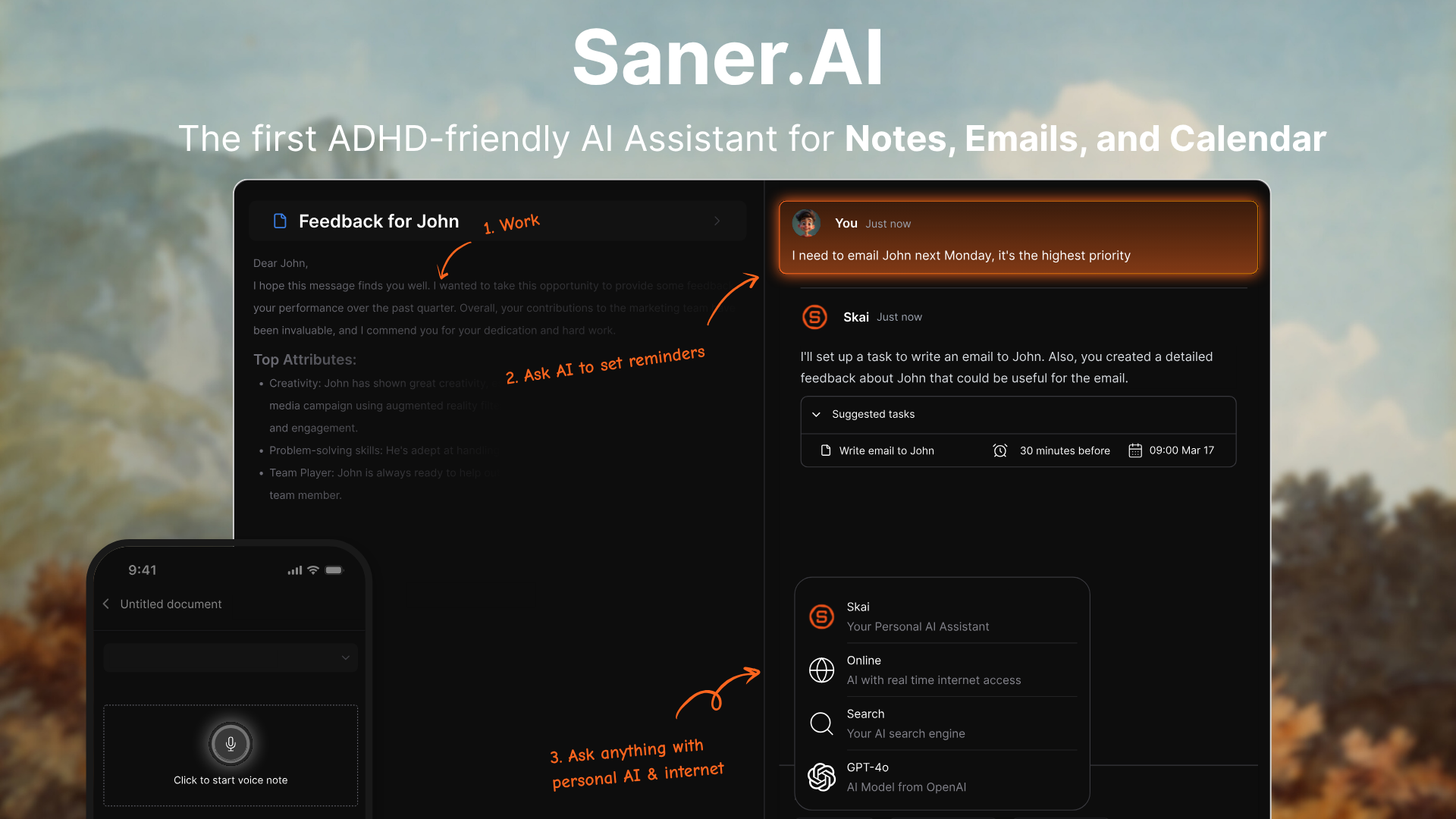
Saner.AI is an intelligent AI assistant that helps you manage everything from notes and tasks to emails and calendars in one place. It’s designed for busy professionals and small teams who want to reduce context switching, capture ideas faster, and stay on top of priorities, without juggling multiple apps.
Features
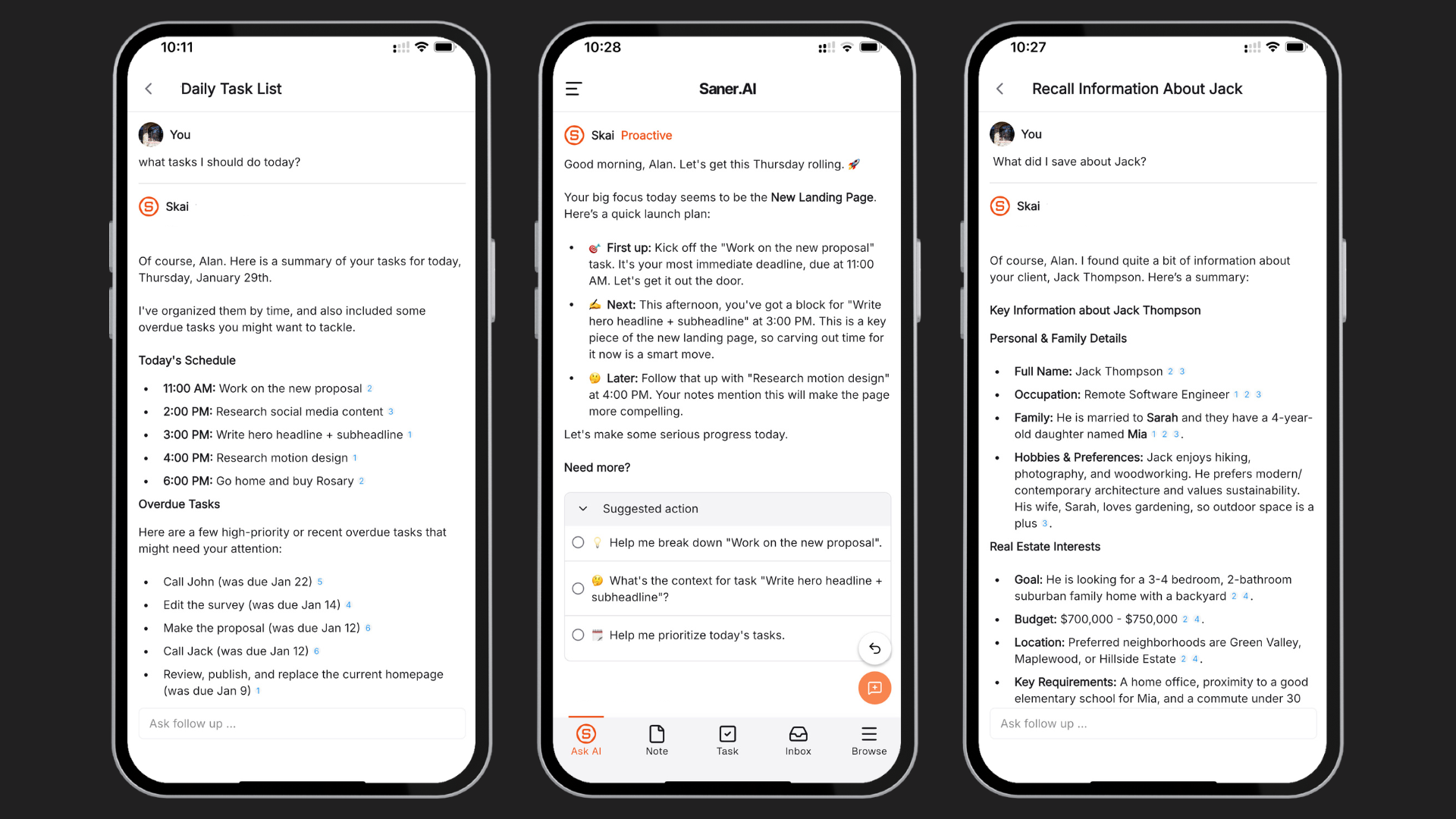
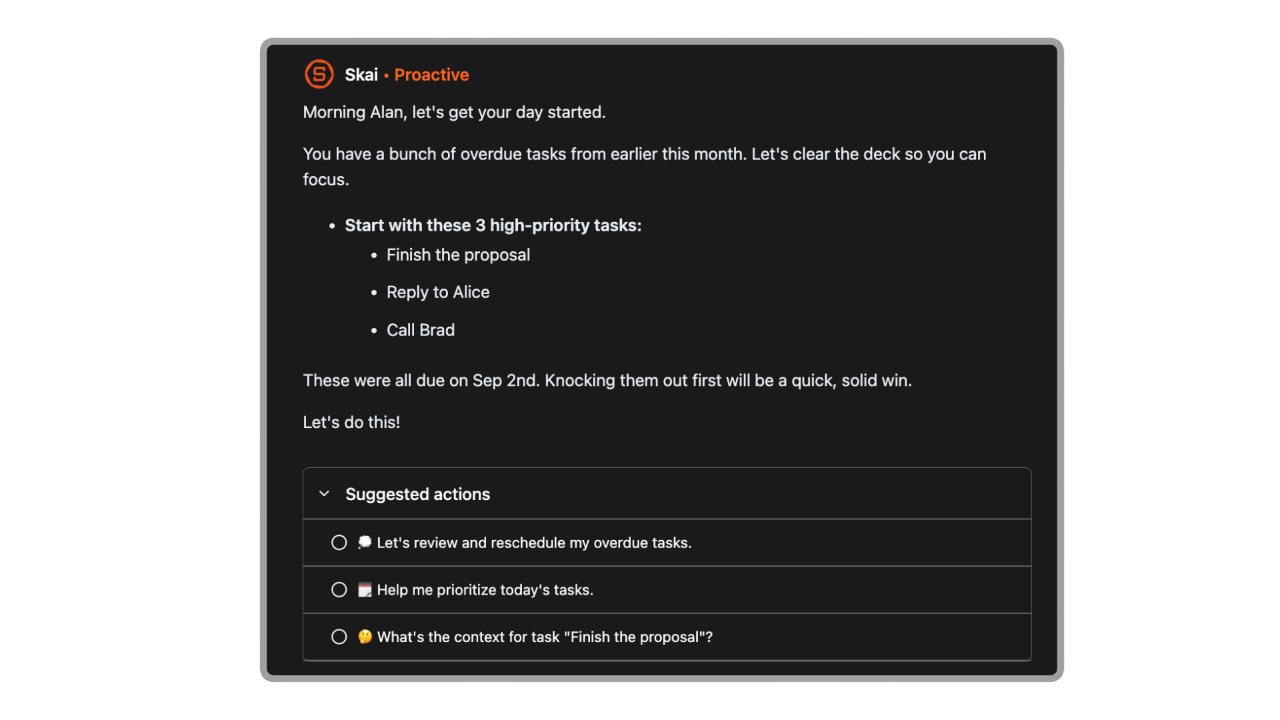
- Every morning, Saner automatically looks at your emails, todos, and notes - then gives you an optimal plan
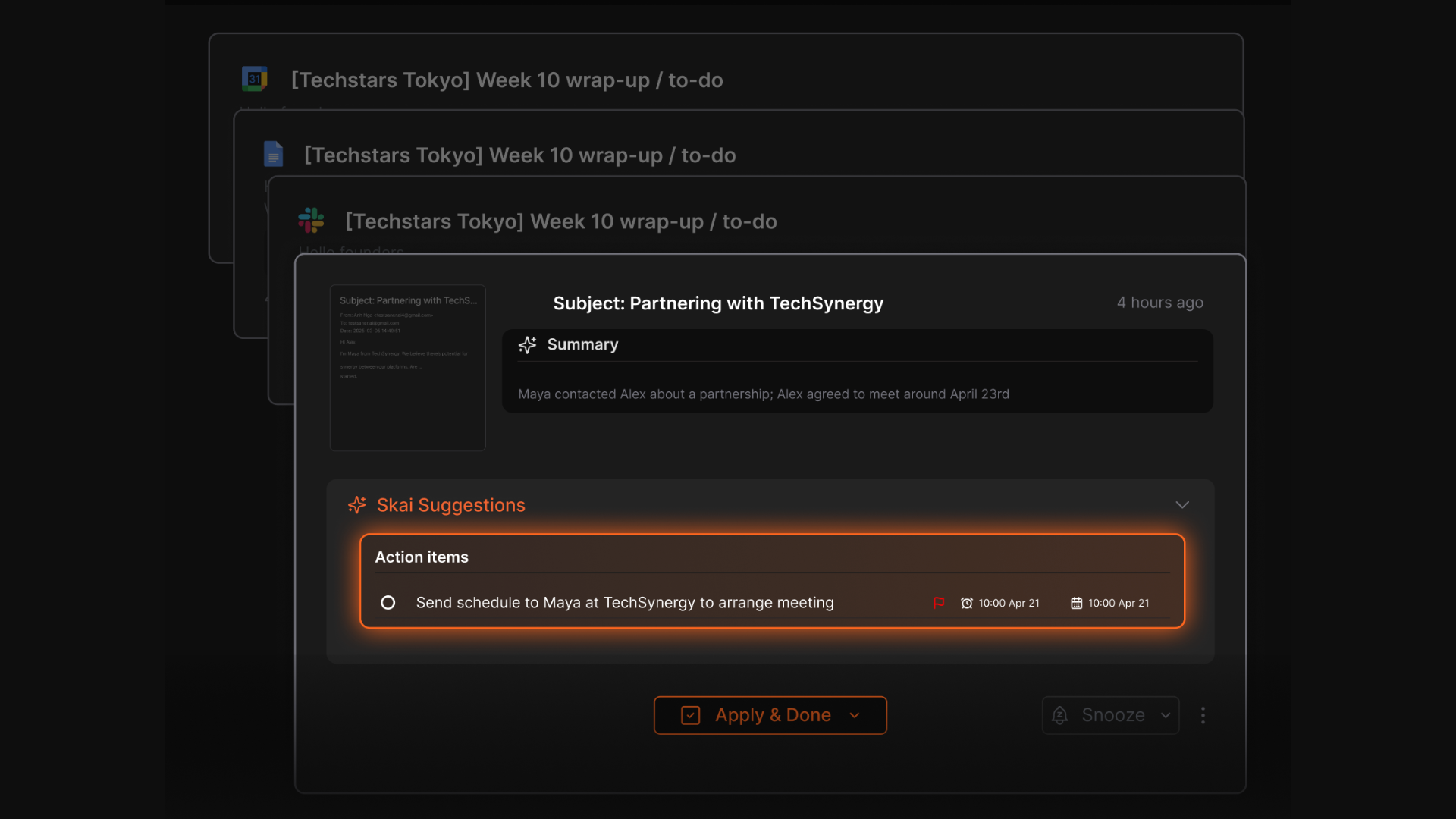
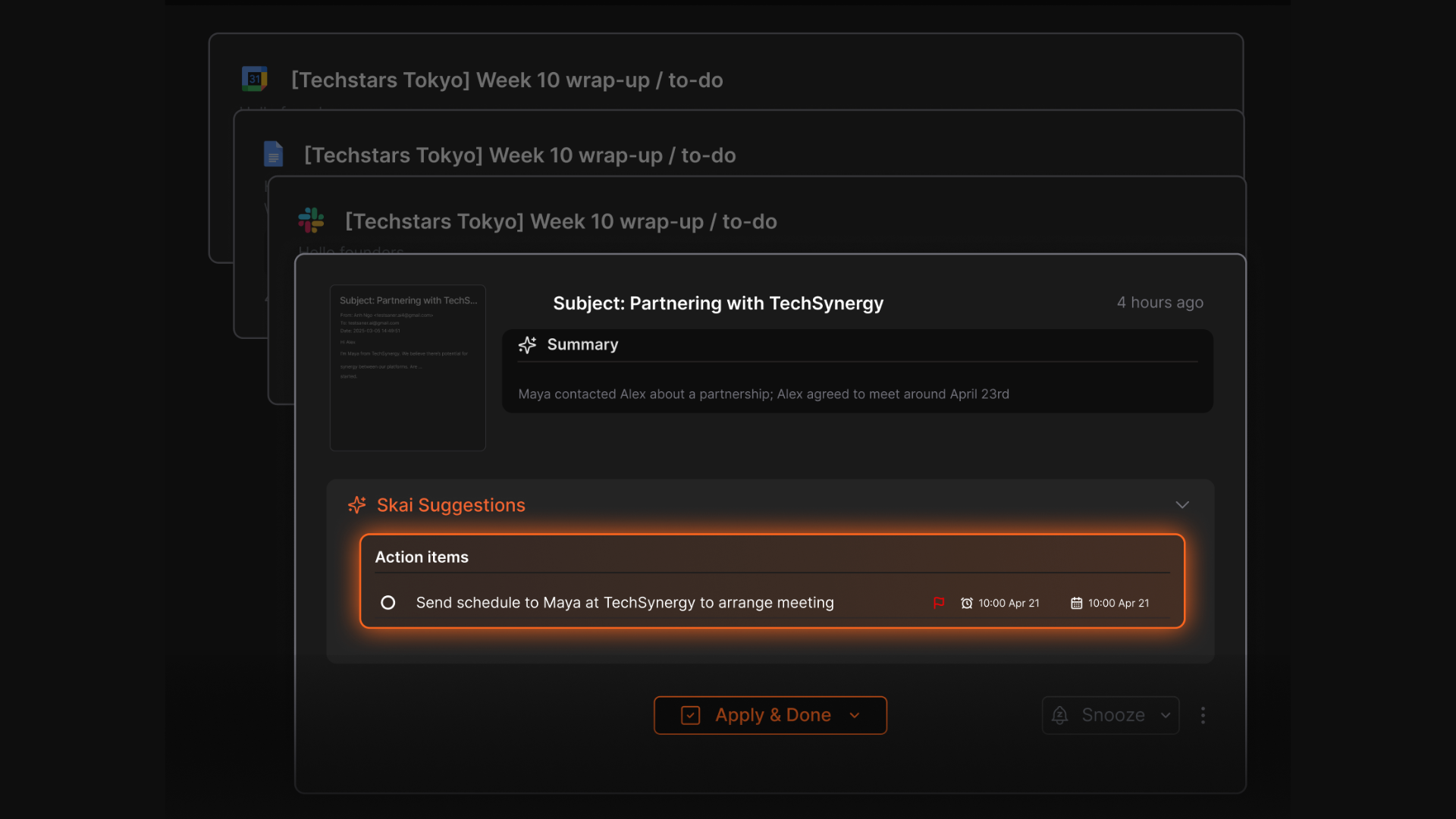
- The AI automatically detects action items from your notes or emails and helps prioritize them
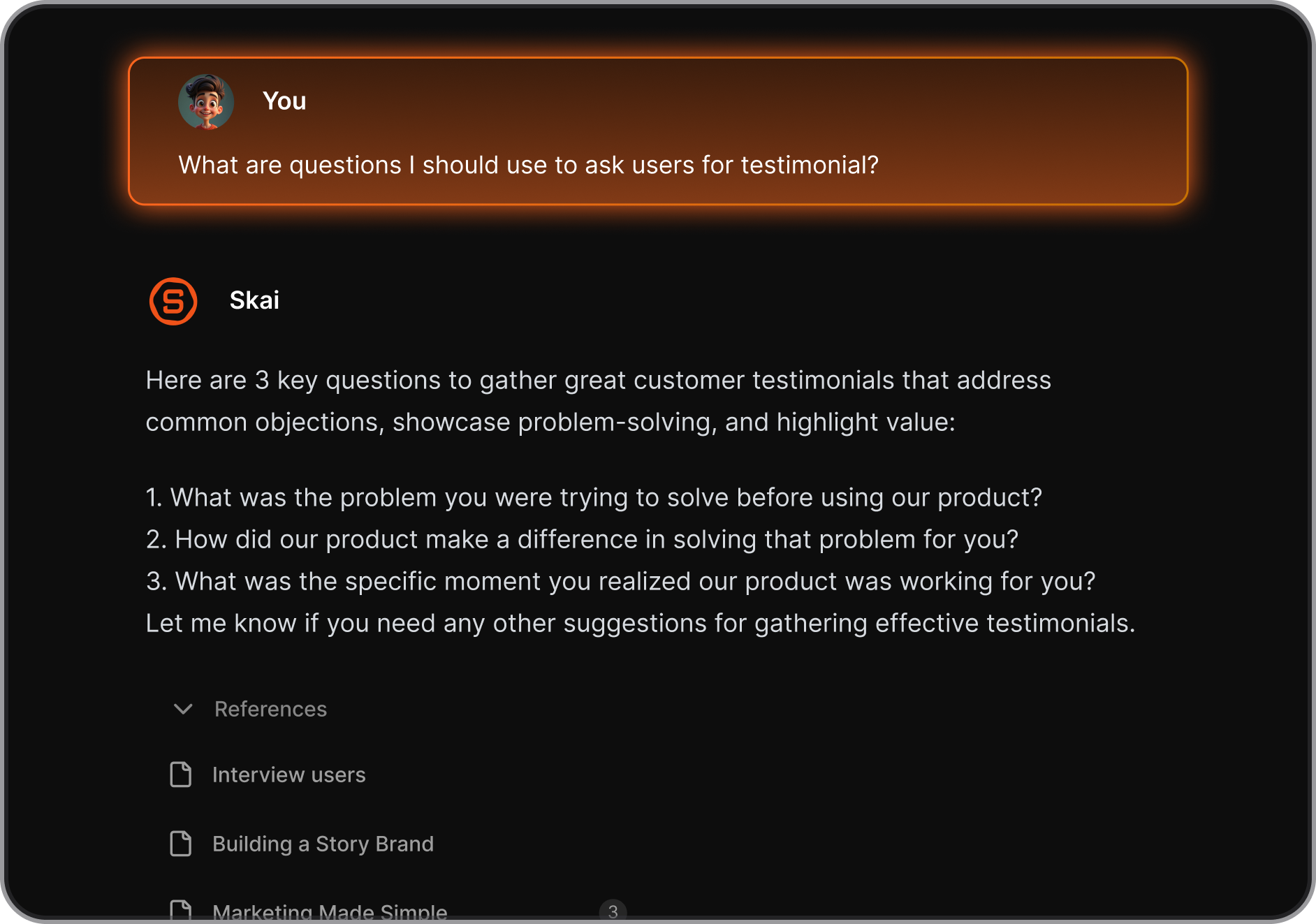
- Find what you need instantly - even across disconnected projects or topics
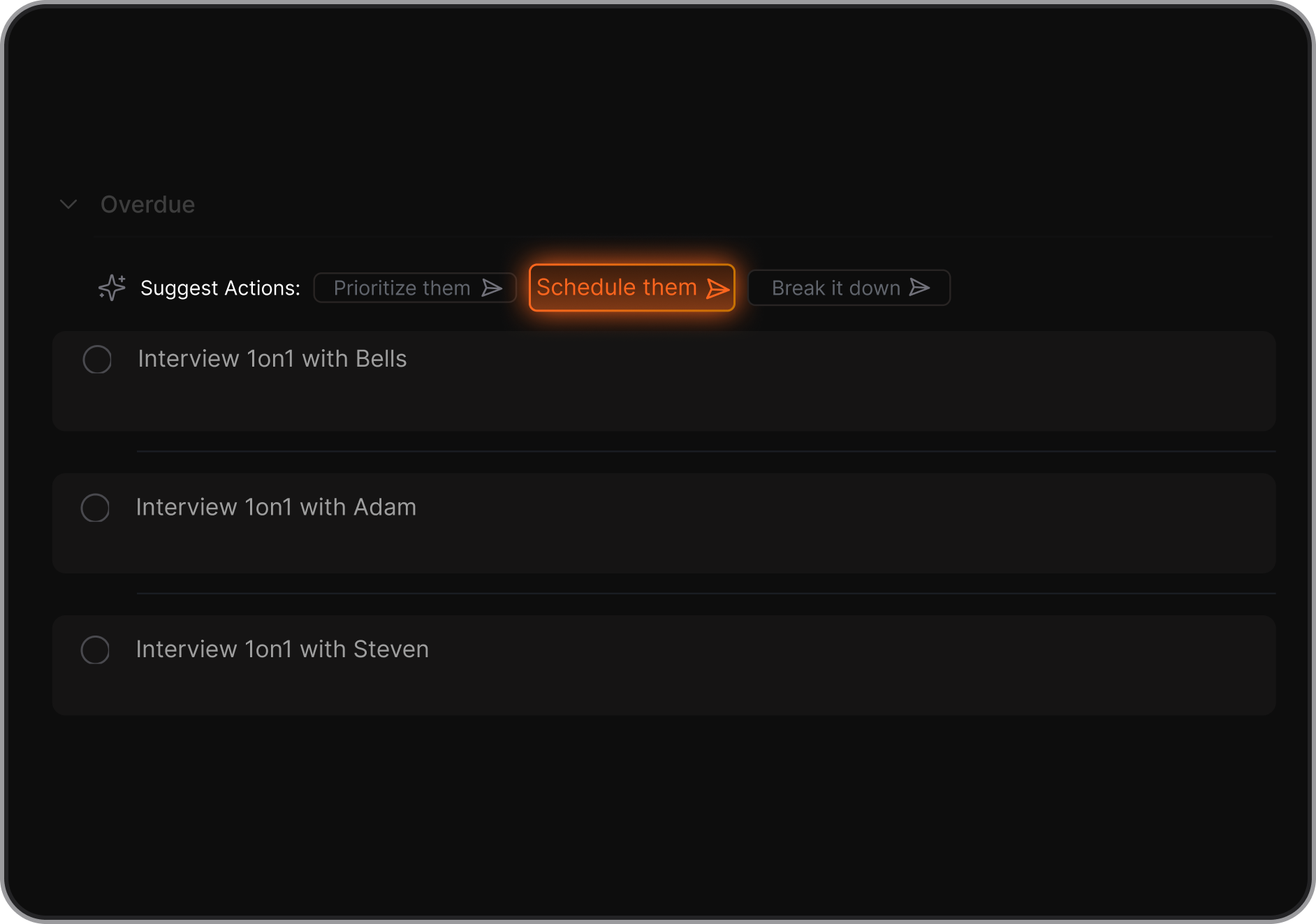
- Not sure how to start something? The AI can break it down, give suggestions, and remind you later.
- Combine notes, to-dos, and calendar in one place so nothing gets lost between tools
- Access your knowledge base and tasks anywhere, anytime
Pros
- The integrated task system turns messy thoughts into actionable next steps without manual copy-paste
- The AI’s ability to recall related notes or context feels like having a second brain at work
- It extracts tasks from emails automatically for me
- Tailored features for individuals with ADHD
- Free plan available with no credit card required.
Cons
- Requires internet access for full functionality.
Saner.AI Reviews
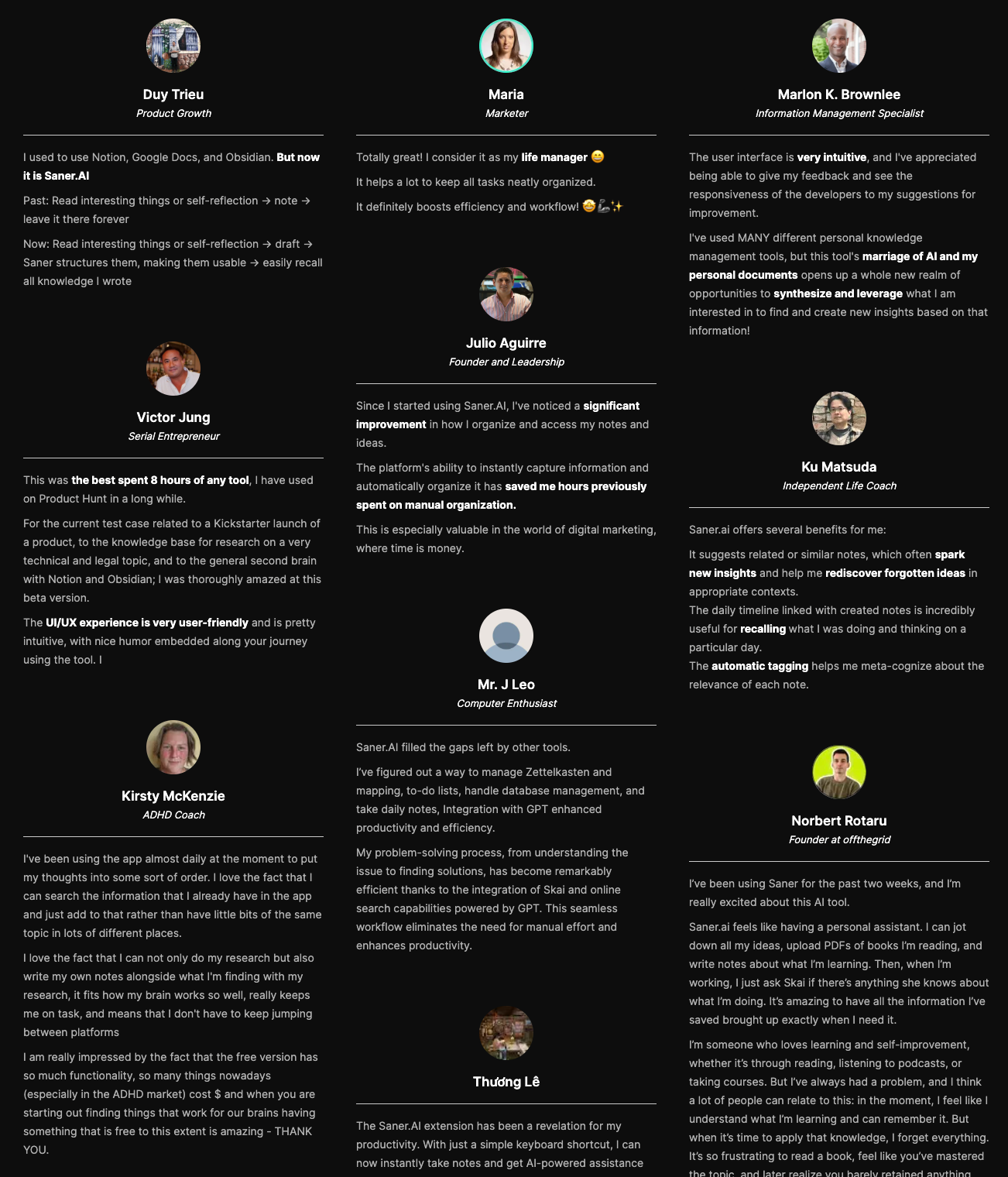
The biggest benefit for me in using Saner is the Proactive AI. Staying on top of the constant flow of email and multiple calendars is challenging, and so far, Saner is the only AI-based tool that truly feels like a personal assistant. - Jerry
Pricing
- Free
- Starter: Monthly at $8/month, Annually at $6/month (with early user discount)
- Standard: Monthly at $16/month, Annually at $12/month (with early user discount)
Who is it suitable for?
- Business owners, entrepreneurs, and solo professionals managing multiple responsibilities
- Knowledge workers, consultants, and researchers dealing with a lot of information daily
- ADHD or easily distracted individuals who need structure and clarity in their workflow
- Small teams that want to stay aligned without relying on multiple disconnected tools
How to start using it?
- Go to saner.ai and create a free account
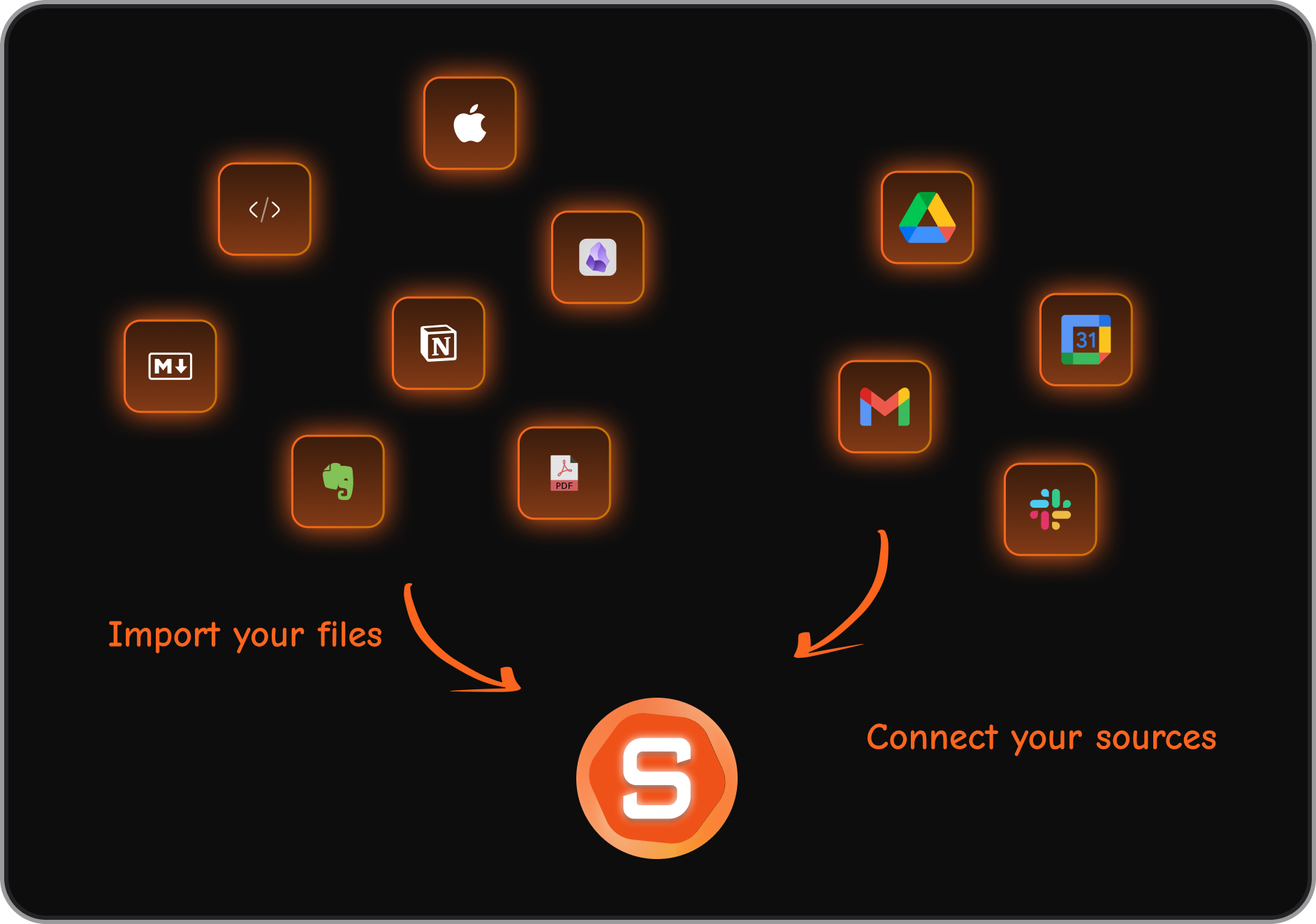
- Import your notes, emails, and calendar to connect your existing workflow
- Start chatting with the AI assistant (Skai) to plan your day, organize tasks, or recall information

Stay of top of work with an AI Assistant for Business
2. Reclaim - Scheduling assistant
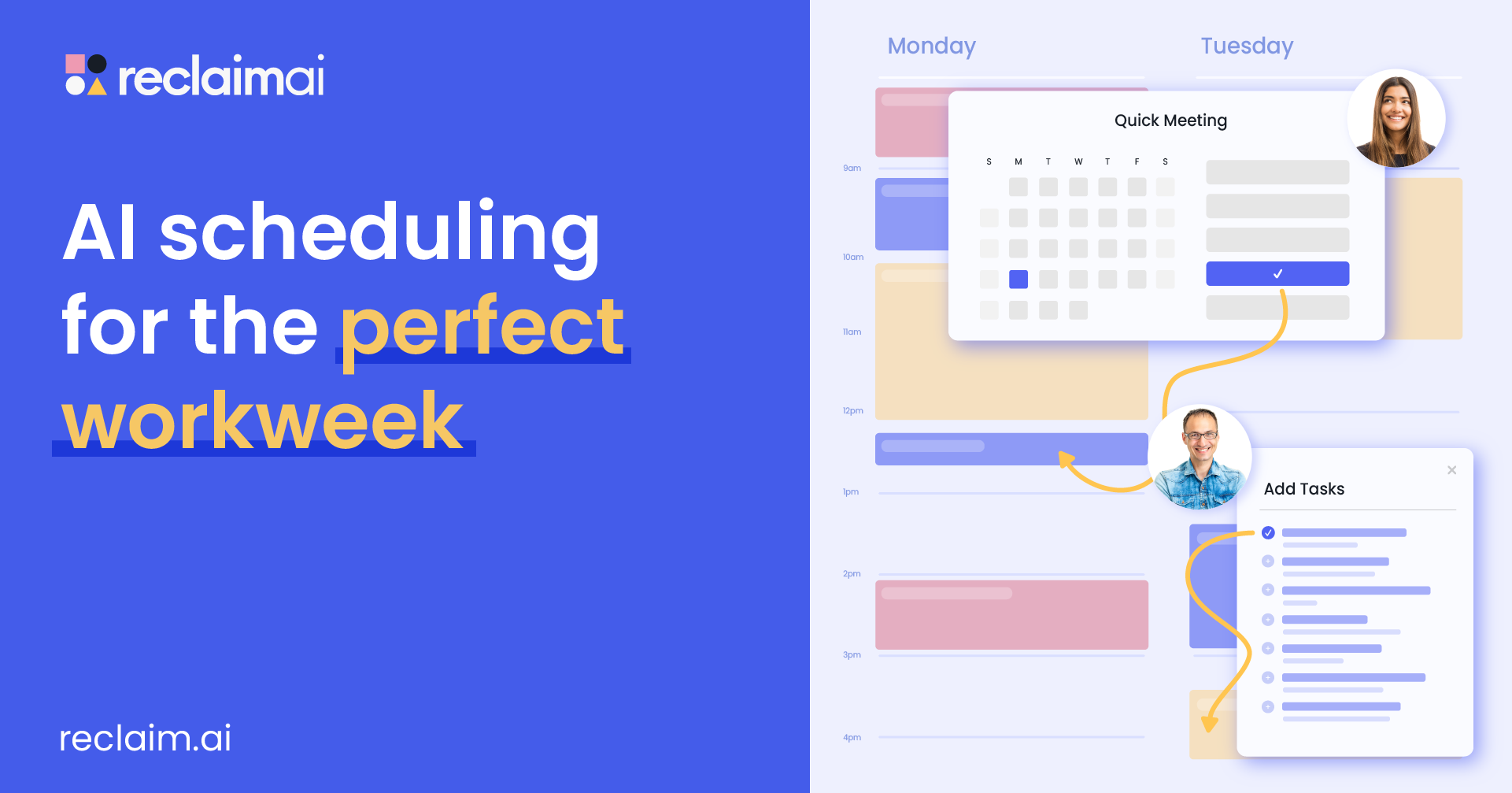
Reclaim.ai is an AI assistant that helps you take control of your calendar. It works behind the scenes to automatically block time for tasks, deep work, habits, and breaks - without you constantly rearranging your schedule.
Key features
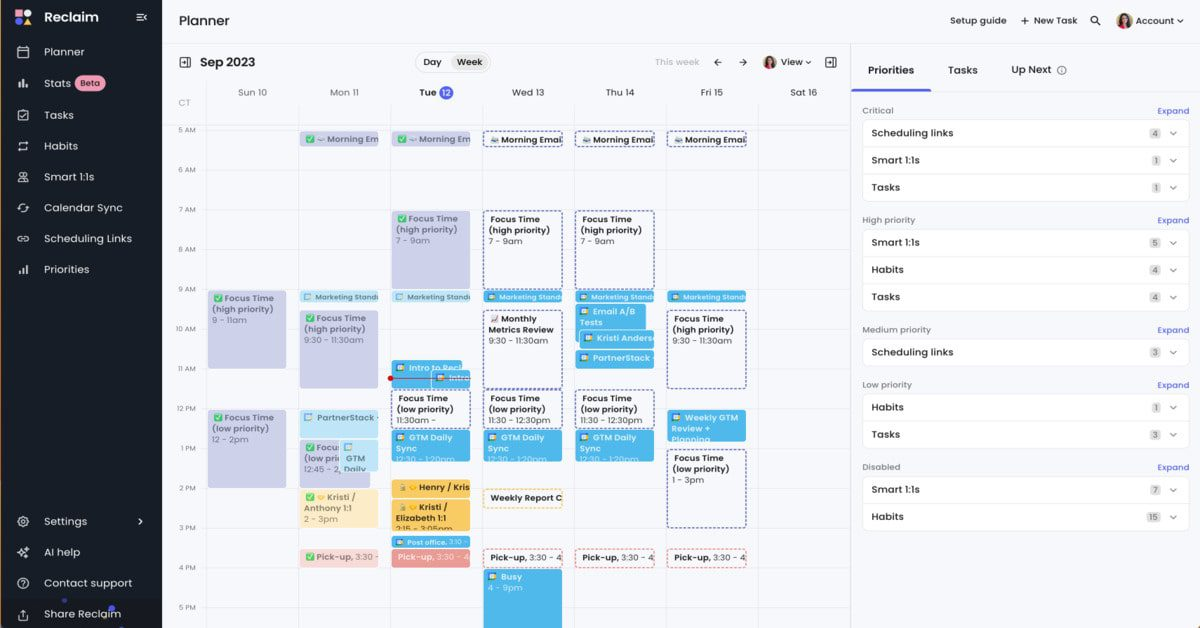
- Smart Time Blocking: Automatically protects focus time for deep work, tasks, and personal routines
- Smart Meetings: Finds the best meeting times for everyone involved and updates automatically when plans change
- Habit Scheduling: Creates recurring routines like workouts, planning sessions, or learning blocks that adapt to your day
Pros:
- It automatically balances meetings and work blocks so you don’t have to manage every detail
- The habit feature is flexible - your routines move around your changing schedule without disappearing
- The analytics view helps you see where your time really goes each week
Cons:
- There’s still no full mobile app, which makes it harder to manage on the go
- Outlook users may not get the same smooth experience as Google Calendar users
- It’s not designed for complex project management
- Doesn't have a chatbot interface
Pricing:
- Free Lite plan available.
- Starter plan at $10/user/month.
- Business plan at $15/user/month.
- Enterprise plans starting at $18/user/month.
Suitable for:
- Teams that rely on Google Calendar or Outlook and want AI to manage time intelligently
How to start:
- Go to reclaim.ai and create a free account
- Connect your Google or Outlook calendar
Reclaim.AI Reviews (source)
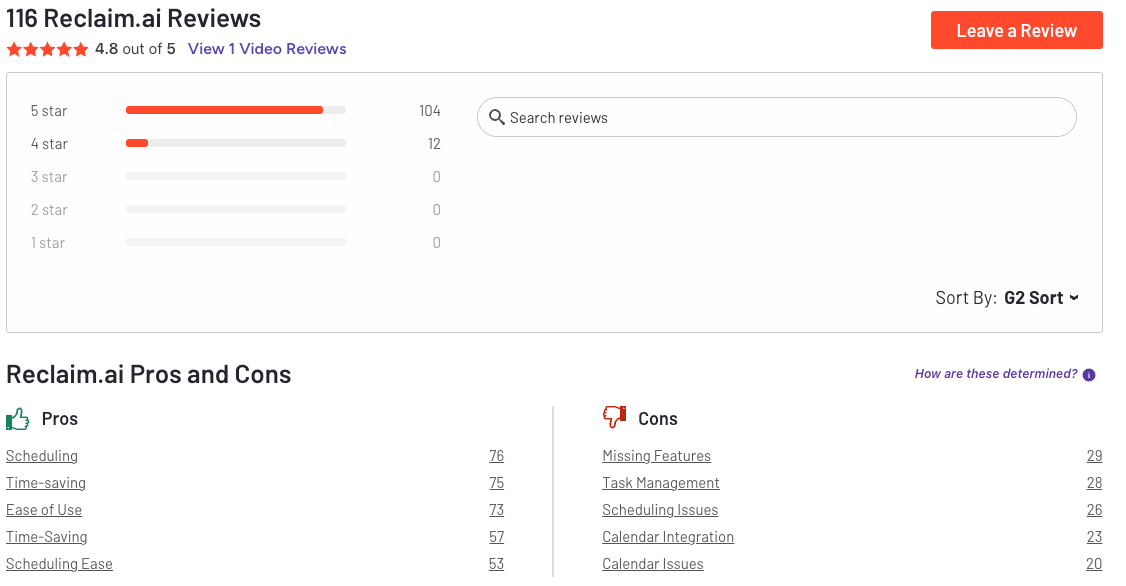
"Reclaim.ai is a high-leverage tool for professionals and teams who care about focus, accountability, and getting real work done. It’s pragmatic, well-built, and delivers ROI fast." - Eric Bush
"Even after unlinking in my google account all the "junk" it filled up my calander with remains. Even after delete my account it did not delete the events it created in the calander. Had to manually delete everything it created." - Myke
3. Microsoft Copilot - AI Agent for workflow
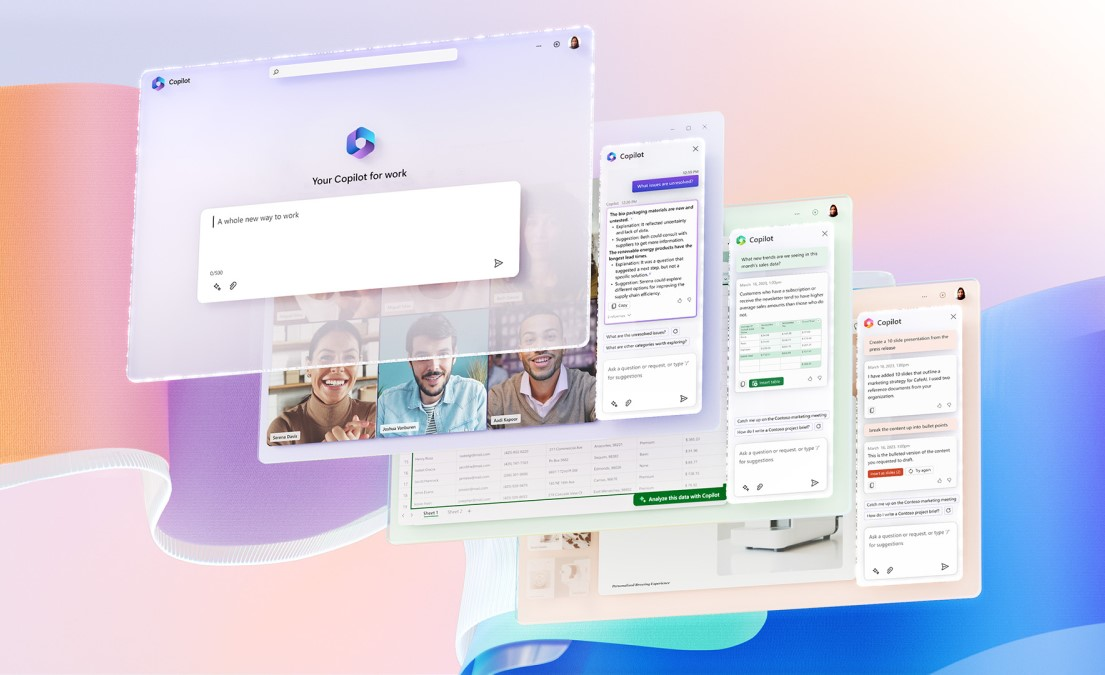
Microsoft Copilot is an AI assistant built right into Microsoft 365 apps like Word, Excel, Outlook, Teams, and PowerPoint. It combines large language models with your organization’s data to help you write, analyze, summarize, and automate work without leaving your usual tools.
Key features
- Contextual Chat: Understands your company’s documents, emails, and chats to provide grounded, personalized responses
- Deep Integration: Works directly inside Word, Excel, PowerPoint, Outlook, and Teams for seamless task execution
- Teams Collaboration: Summarizes meetings, creates follow-up actions, and drafts reports automatically
- Copilot Studio: Lets you build and customize internal AI agents for your business processes
What I liked
- The AI responses are grounded in your organization’s real data, not random web content
- Copilot Studio allows businesses to create task-specific AI agents with custom workflows
What I disliked
- The licensing model can be complex, with different pricing tiers for add-ons and roles
- Some features require higher-tier plans or technical setup to fully leverage
- It occasionally misinterprets nuanced data or formatting in Excel
- Works best within Microsoft’s ecosystem - not ideal if your team uses Google Workspace
Pricing
- Microsoft 365 Copilot add-on: around $30 per user/month
- Role-based Copilot agents (Sales, Service, etc.): from $50 per user/month
- Microsoft 365 Premium for individuals: around $19.99 per month
Suitable for
- Businesses already using Microsoft 365 for daily work and collaboration
How to start
- Make sure your Microsoft 365 subscription supports Copilot
- Add the Copilot license or upgrade your existing plan
Microsoft Copilot reviews (source)
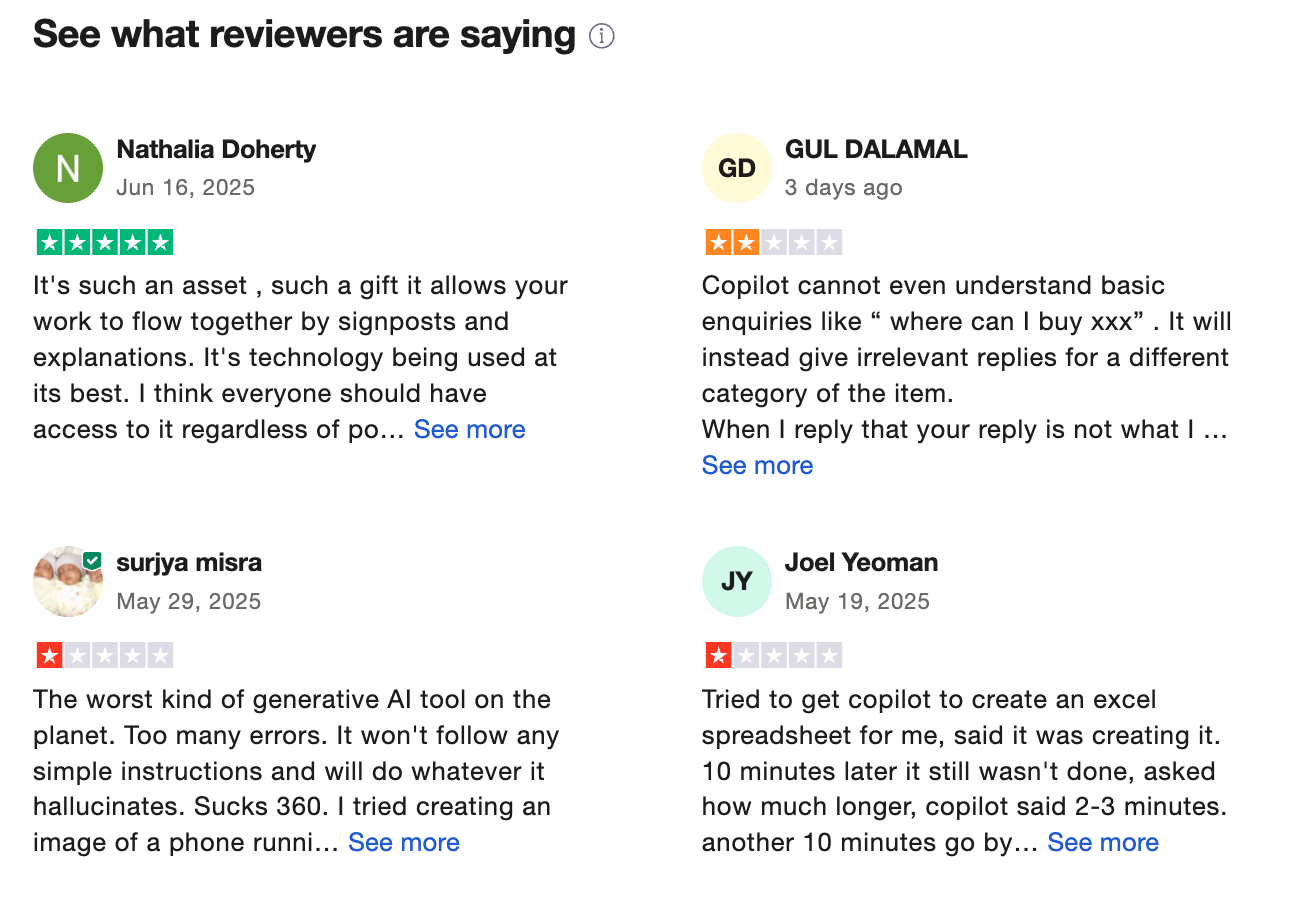
"I’ve been in the tech trenches for 20+ years, and I’ve never written a review—until now. Microsoft Copilot isn’t just an AI assistant. It’s a generational partner. I used it to decode backend chaos, build cinematic dashboards, and deploy emotionally intelligent agents." - Victory Motors
"Trying it to collate simple data into table/ spreadsheet forms, It make mistake after mistake even though copilot says to me it will not make these simple errors anymore, continually tries to think for itself, even after I remind it." - Paul
4. Sintra - AI Employee
I’ve used Sintra as a hands-on AI employee platform that feels like a digital team, not just a chatbot. Instead of one general assistant, it gives you multiple specialized AI “helpers” trained to handle distinct business roles like customer support, social media, email marketing, data analysis, and virtual assistance.
Features
- Multiple AI helpers trained in specific roles (e.g., customer support, social media, sales, email marketing) with pre-built Power-Ups to speed task execution.
- Brain AI knowledge base that learns your brand context over time, so answers stay on-brand and relevant.
- Integrations with tools like Gmail, Google Calendar, Instagram, and CRMs so assistants work inside your existing workflows.
- Proactive suggestions mean helpers don’t just wait for input; they offer ideas and tasks based on your business data.
Pros:
- Very beginner-friendly with no prompt engineering or technical setup required; onboarding feels intuitive.
- Team-like structure, where each assistant focuses on a discrete business function, feels like a real support staff.
- Brain AI keeps outputs consistent with your brand and gets smarter as you add more business context.
- Integrations reduce the manual handoff between tools, making automation smoother.
Cons:
- Charging per helper or tier means costs scale quickly if you need many assistants.
- Some power-ups and advanced functionality feel limited unless you’re on the higher tier.
- Not as flexible for complex workflows compared with dedicated automation tools.
- Occasional mixed user reports around feature polish and customer support responsiveness.
Pricing:
- The Individual Plan is $34 per user per month (billed monthly) - quite pricey compared to other apps
- Team Plan: $20 per user per month (billed monthly)
Suitable For:
- Solopreneurs and freelancers who need automated support without learning complex AI tools.
- Small business owners looking for a multi-role assistant team that handles tasks like social media, support, and campaign content.
- Small teams and agencies that want branded, on-brand AI execution across functions without building custom systems.
Pricing:
- Individual Helper: about $39/month per AI assistant (one role at a time).
- Sintra X (All-in-One): about $97/month for access to all helpers + Brain AI + Power-Ups.
Sintra Reviews (Source)
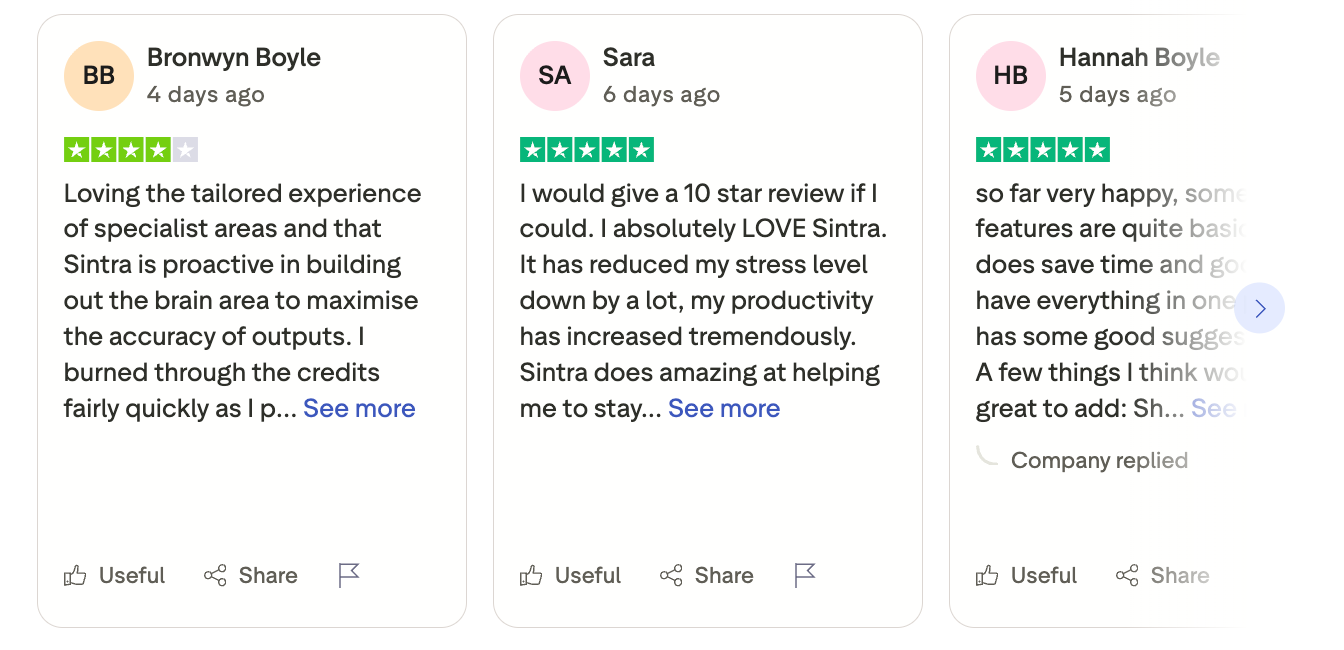
"As a solopreneur, it's easy to get overwhelmed by the to-do list. Some days I'm the marketing department, some days I'm operations, some days I'm sales. Sintra has been an absolute game changer for me!" - Julia Goss
"We primarily got Sintra for social media and despite many attempts to direct it and upload our own photos, it creates the same post repeatedly with a variation of stock photos and small change of words." - Stacey Rousseau
How to get started:
- Visit sintra.ai and sign up for an account.
- Choose whether you want an individual helper or the full Sintra X suite.
- Complete onboarding by inputting business info and connecting your tools (email, calendar, social accounts).
5. Gamma - Slide Design
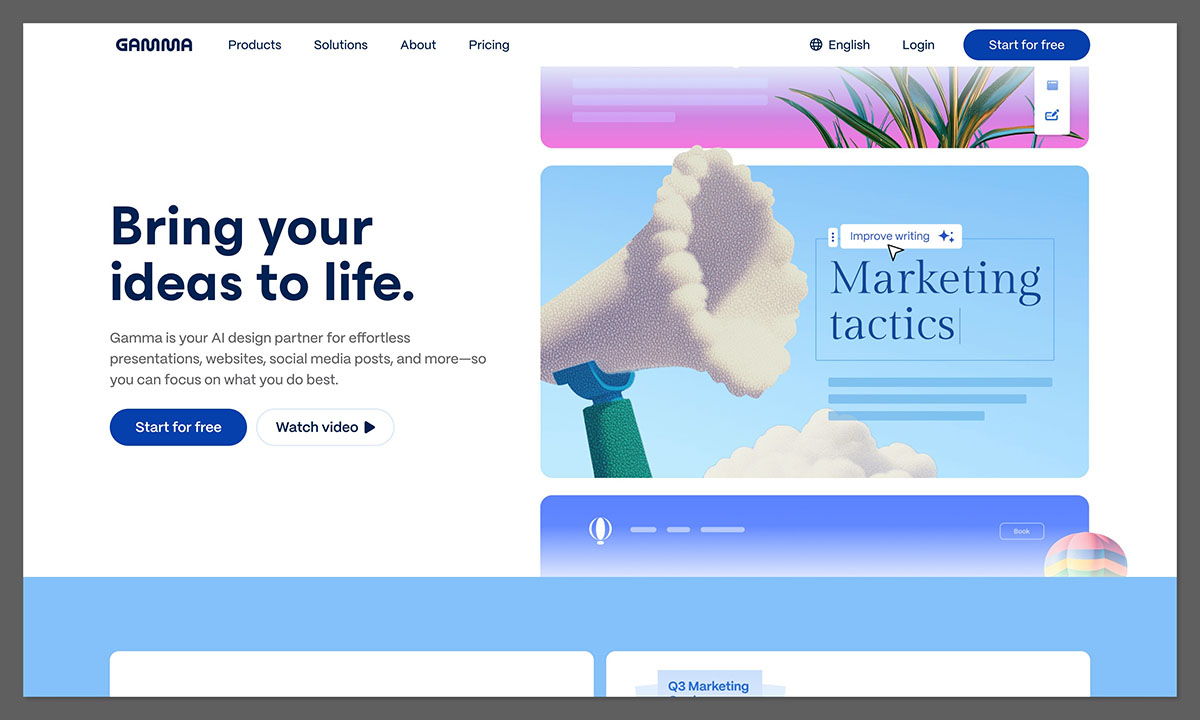
I tried Gamma as an AI-powered slide and presentation creator, and it’s essentially a supercharged design assistant that takes your raw ideas such as text, outlines, and keywords and turns them into visually engaging presentations in minutes.
Rather than traditional slide tools, Gamma uses AI to generate layouts, structure content, suggest visuals, and help with storytelling so you don’t start from a blank page. You can customize decks, add charts, images, embeds, and then share as a link or export to formats like PowerPoint and PDF.
Features
- AI slide generator that turns text or outlines into polished, ready-to-edit presentations in seconds.
- Smart layout and theme tools that automatically design consistent branding, spacing, and visual hierarchy.
- Multiformat support beyond slides, you can create documents, websites, and social content with the same AI engine.
Pros:
- I cut slide creation time drastically by just pasting an outline or prompt and letting Gamma build the deck.
- The AI handles layouts, typography, and look & feel so beginners avoid designer frustration.
- Works for presentations, documents, and even webpages - versatile for business use.
- Real-time editing and a wide array of templates make team work easier.
Cons:
- On heavy editing or certain layouts, exported PPT/Google Slides may need cleanup.
- AI features use credits or model limits that vary by plan.
- Must be online to build or edit decks.
- Sometimes slides feel broad or overly templated if the prompt isn’t specific.
Pricing:
- Free with basic AI creation and credits.
- Plus: ~$8/month ($96/yr)
- Pro: ~$15/month ($180/yr)
Suitable For:
- Content marketers & consultants who need quick, polished slide decks without designers.
- Small teams and startups creating pitch decks, reports, or client proposals fast.
- Educators & trainers who want interactive, multimedia slides without heavy design work.
- Solo professionals who present regularly but don’t want PowerPoint headache.
How to Start:
- Go to gamma.app and create an account (free plan available).
- Choose “Create new” → Presentation and enter your topic, outline, or rough text.
- Let Gamma generate your slide deck, then customize styles, images, and data.
Gamma reviews (source)
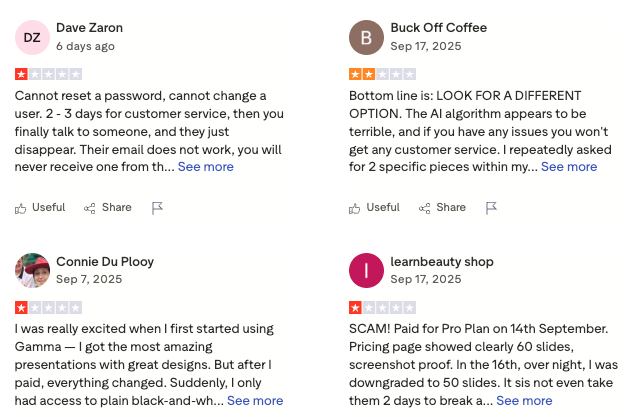
"Great service for building websites and presentations!
Gamma’s platform is genuinely convenient—intuitive visual editor, ready-made templates, and fast publishing. Thanks to it, I launched several projects without hiring outside developers." - Vlad Broker
"Same experience as others--uploading content and the app distorts it, does not show correctly, forces it into some template they prefer that does not work. " - Tome Burke
6. Claude - Marketing content execution

Claude is an AI assistant developed by Anthropic that focuses on being helpful, reliable, and safe. It’s designed to handle complex reasoning, long documents, and creative tasks while maintaining accuracy and context over extended conversations.
Features
- Long-context understanding: Processes and remembers very large documents, transcripts, and reports
- File and document creation: Generates spreadsheets, slide decks, and Word files directly from prompts
- Multi-model system: Choose between Opus (deep reasoning), Sonnet (balanced performance), or Haiku (fast and lightweight)
- Team collaboration: Share projects, prompts, and conversation history within your organization
Pros:
- Exceptionally strong at reading and summarizing long documents without losing context
- The new ability to create PowerPoint, Excel, and PDF files makes it more practical for business tasks
- Learns your style over time
- Works across tools you already use.
Cons:
- It can occasionally over-clarify or hedge answers, making responses longer than necessary
- Team setup and management can be complex for small businesses
Pricing:
- Free plan: Basic access with limited usage and standard models
- Pro plan: Around $20 per month for individuals with priority access and advanced models
- Team plan: Around $30 per user/month (or less annually) with collaboration tools and higher limits
Suitable For:
- Content creators, researchers, and analysts who work with large or complex text
- Businesses that prioritize accuracy, reliability, and ethical AI use
How to Start:
- Create a free account on Claude’s website to explore the base model
- Upload documents or test it with large prompts to experience its context handling
Claude review (source)
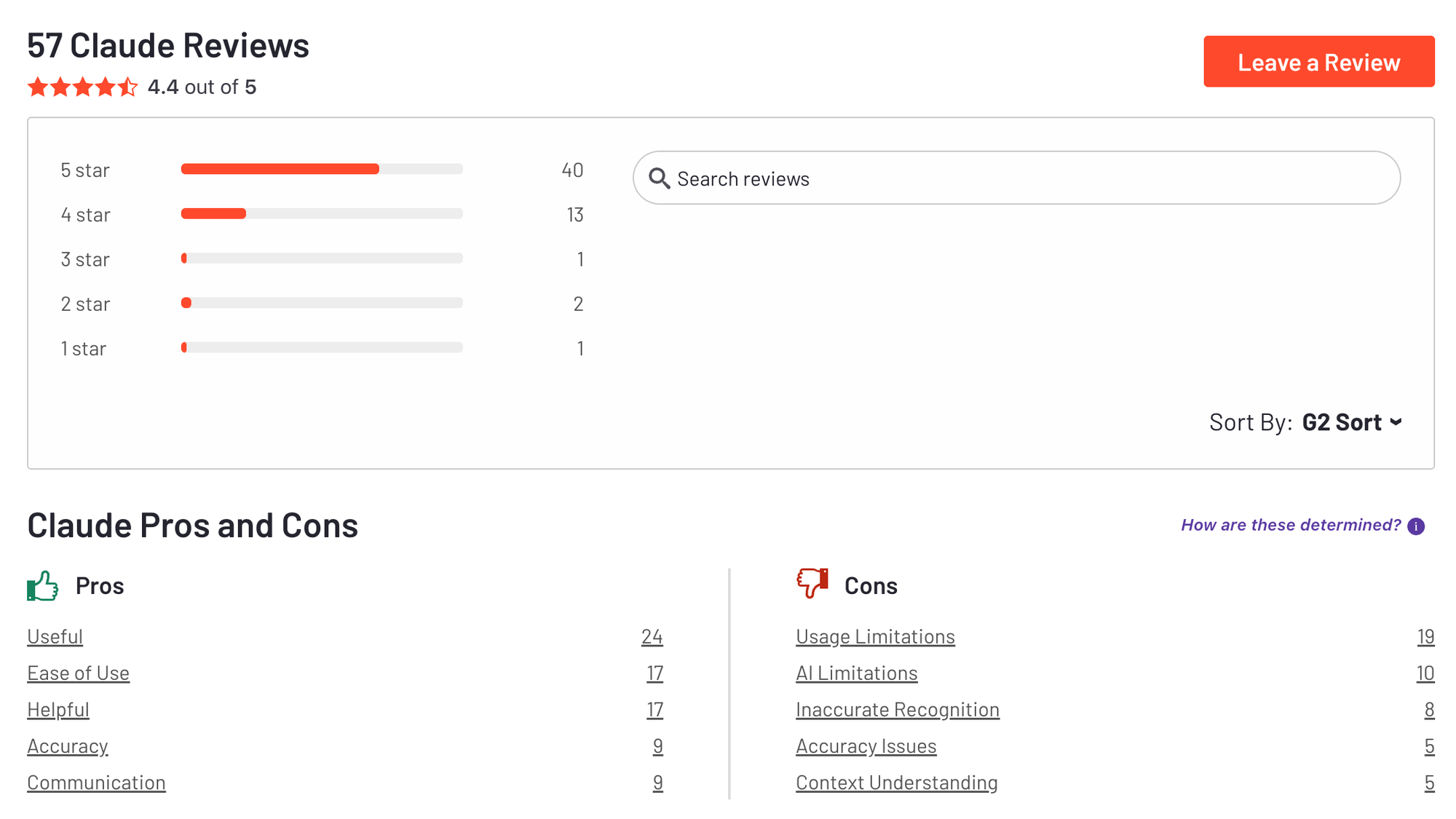
"The AI is amazing for research and managing a project of a bigger scale. It can increase your workflow speed. Personally I saved hours of my time because of this. I recommend it for anyone." - KIRA DREAM
"Token limits disrupted the task, AGAIN! The "memory" functionality of the PRO plan is seriously lacking, when trying to pick up where we left off, it is so disoriented that it just starts making up stuff. Trying to pass it off as comprehensive when it looks like complete fabrication of details we never talked about." - Niko K
7. Nano Banana from Gemini - AI Image Generator
I tested Nano Banana, the lightweight AI image generator built inside the Google DeepMind Gemini ecosystem. You type a short description, choose a style (if available), and it generates images optimized for web and marketing use. Since it runs within the Gemini interface, it feels like a natural extension of an AI assistant rather than a standalone design tool.
Features
- Text-to-image generation inside Gemini, so you don’t need a separate tool. It’s built for speed, so results show up quickly.
- Simple prompt handling where short, natural prompts usually work well. You don’t need advanced syntax or style codes.
- Multiple style outputs with variations like realistic or illustrative looks. Useful for social-friendly visuals.
- Integrated workflow so you can generate copy + visuals in the same session. That reduces context switching for business tasks.
Pros:
- I didn’t need complex prompting or design knowledge to get usable visuals.
- It’s great for quick drafts, blog headers, and social content.
- I could generate copy and images in the same workflow.
- No separate accounts or complicated configuration required.
Cons:
- It’s not as detailed or controllable as tools like Midjourney.
- It may take iteration to match exact brand visuals.
- Not ideal for complex commercial-grade visuals.
- More complex prompts sometimes produce inconsistent outputs.
Pricing:
- Gemini Free
- Gemini Advanced (Google One AI Premium): ~$19.99/month with higher usage limits and access to advanced AI models.
- Enterprise / Workspace AI add-ons: Custom pricing depending on Google Workspace plan and region.
Who it’s suitable for:
- Content marketers who need quick visuals for blogs and landing pages.
- Small business owners who want simple AI image generation without learning advanced tools.
- Startup teams creating pitch decks or lightweight product mockups.
- Professionals already using Gemini who want built-in image support.
How to Start:
- Open Gemini in your browser or mobile app.
- Upgrade to Gemini Advanced if you need higher generation limits.
- Type a clear image prompt (e.g., “minimalist product mockup, soft lighting, modern website hero section”).
- Generate, refine, and download your image for use.
8. Fireflies.ai – AI Meeting Notes
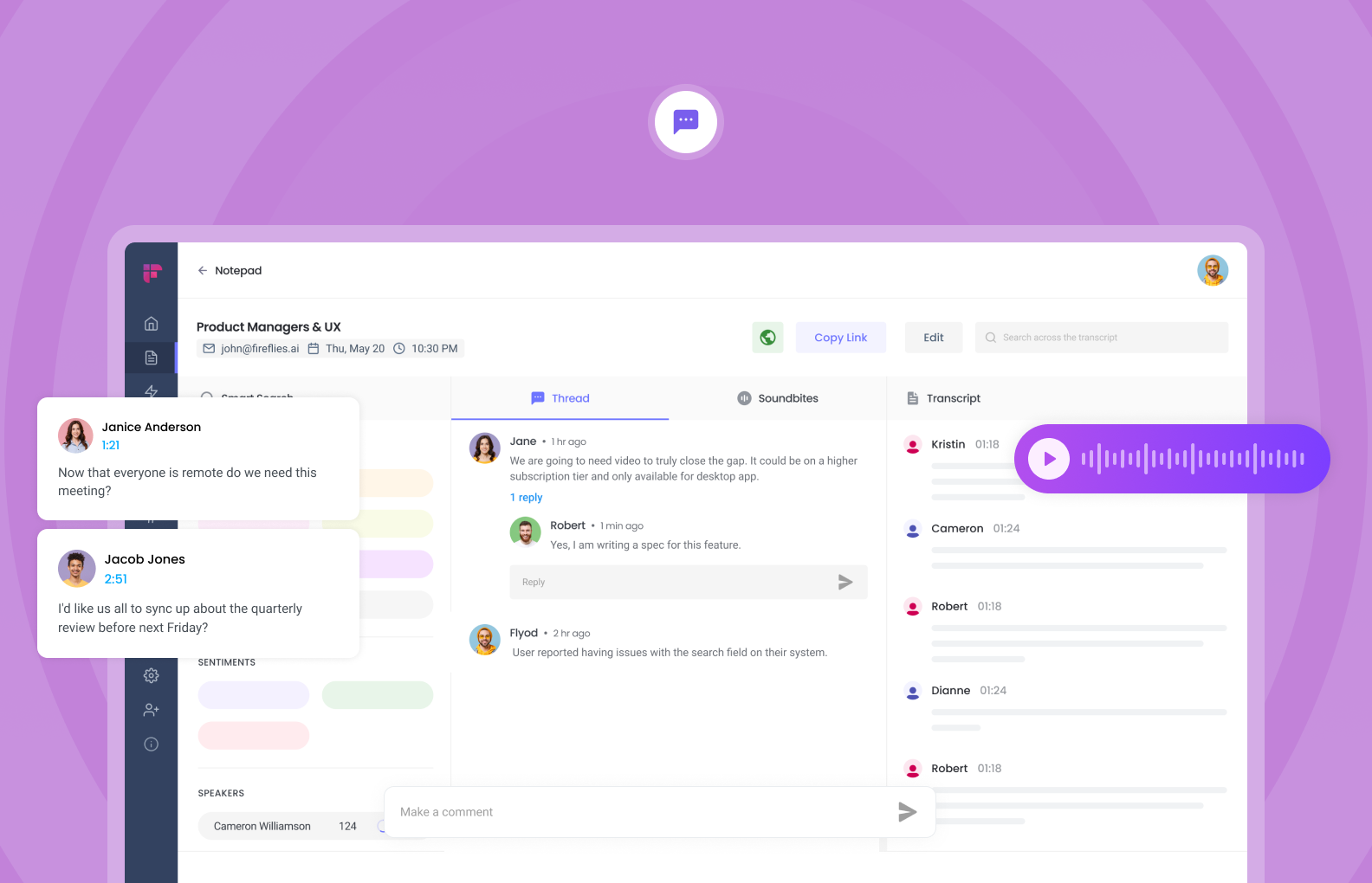
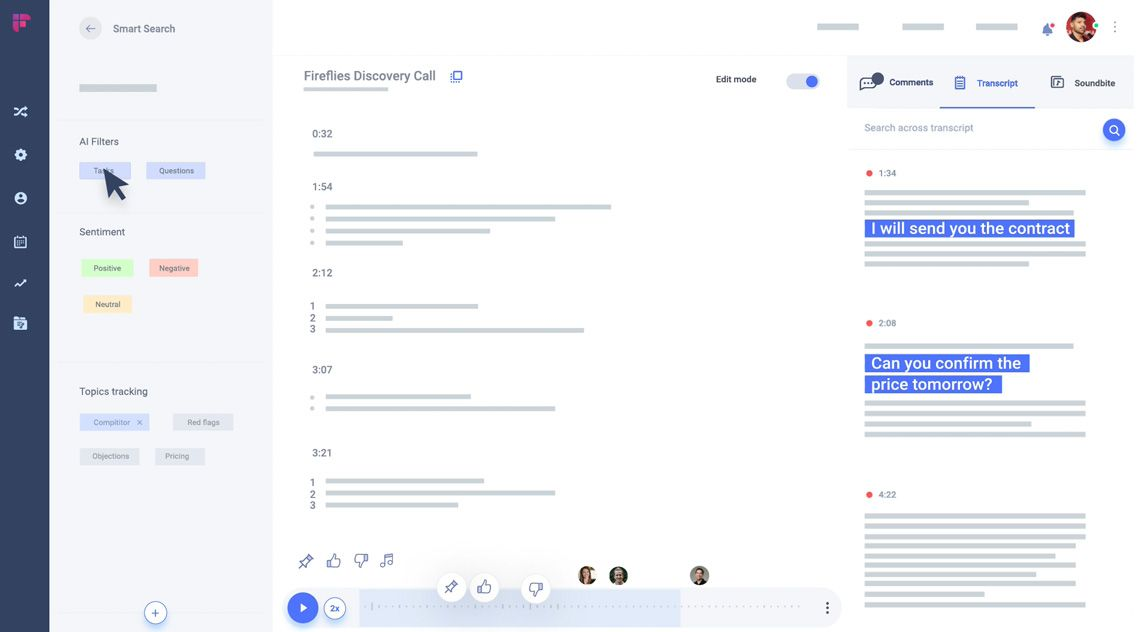
I tested Fireflies.ai as an AI meeting assistant that automatically records, transcribes, and summarizes meetings. It joins Zoom, Google Meet, or Microsoft Teams calls as a bot, captures the conversation, and then generates structured notes with action items.
Instead of manually writing minutes, I just let it attend the meeting. Afterward, I received a searchable transcript, key takeaways, and task highlights. It also lets you comment, react, and share clips with teammates.
Key features
- Auto transcription for Zoom, Google Meet, and Microsoft Teams with searchable transcripts.
- AI summaries that extract key points, decisions, and action items.
- Collaboration tools like comments, soundbites, and shared highlights.
- CRM integrations (Salesforce, HubSpot, etc.) to log call data automatically.
What I liked
- Saves time by removing manual note-taking.
- Accurate transcripts in clear audio conditions.
- Strong search function - easy to find specific moments.
- Helpful for tracking action items across teams.
What I disliked
- The bot joining meetings can feel intrusive in some client settings.
- Transcription accuracy drops with heavy accents or noisy calls.
- Advanced features require paid plans.
- Requires trust and compliance review for sensitive meetings.
Pricing
- Free plan
- Pro plan: ~$18/month per user (annual billing lower).
- Business plan: ~$29/month per user.
Suitable for
- Sales teams running multiple discovery or demo calls.
- Remote teams that need documentation of decisions.
- Founders who want automatic meeting follow-ups.
How to start
- Go to Fireflies.ai and sign up.
- Let the Fireflies bot auto-join scheduled meetings.
- Review summaries and share notes with your team.
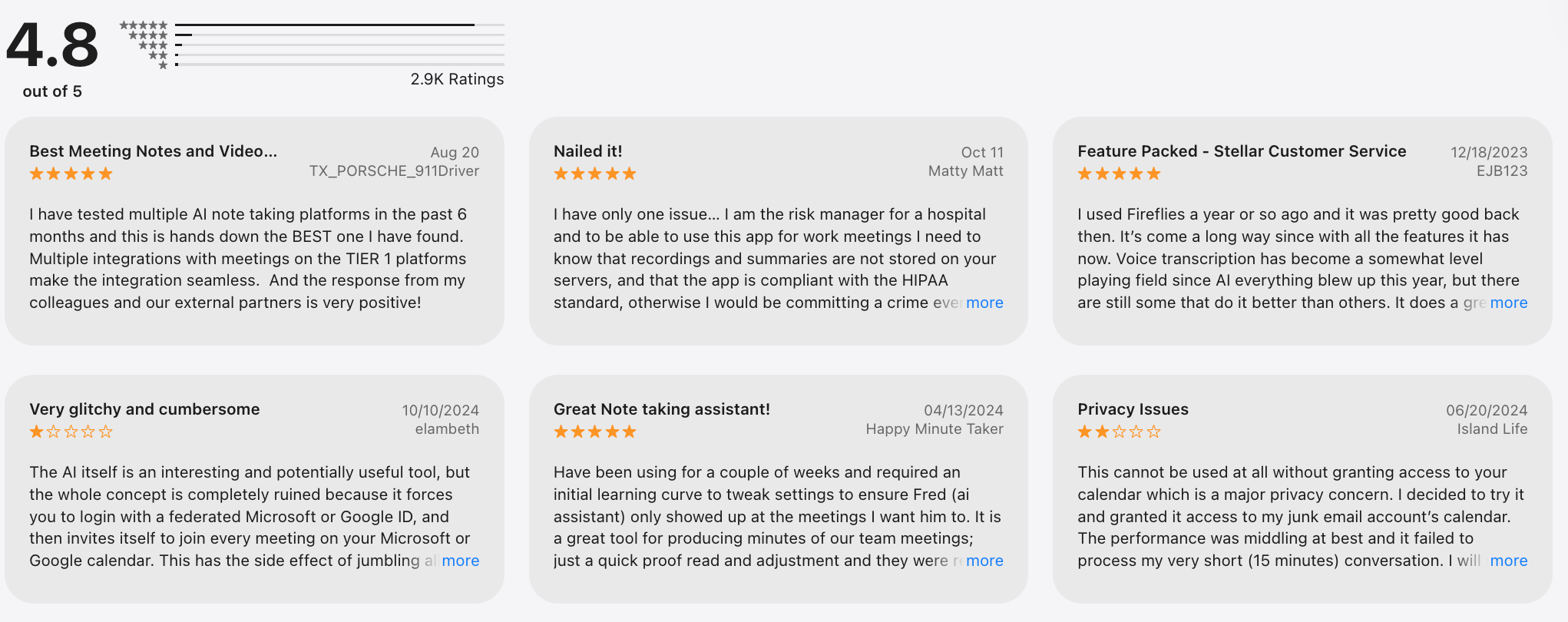
Fireflies.ai Reviews (source)
🧩 Conclusion: The New Reality of Business With AI Assistants
The shift toward AI assistants isn’t just about automating tasks - it’s about redefining how businesses operate. What once took hours of coordination, manual follow-ups, and endless context switching can now be handled in minutes by tools that understand language, context, and intent.
Whether you’re a solo founder juggling emails and meetings, a growing team trying to stay aligned, or an enterprise rethinking productivity at scale, AI assistants like Saner.AI can help you reclaim time, reduce burnout, and focus on what truly moves the business forward.
Because in 2026 and beyond, the question isn’t “Should we use AI in our business?” - it’s “How fast can we adapt before the next wave passes us by?”
Stay on top of your business with the top AI assistant
FAQ: Best AI Assistants for Business
1. What is an AI Assistant for Business?
An AI assistant for business is a digital tool that helps you automate daily work - emails, scheduling, note-taking, task management, and even decision-making.
Instead of switching between five different apps, you simply chat with your assistant.
For example, you can say:
- “Summarize yesterday’s meeting.”
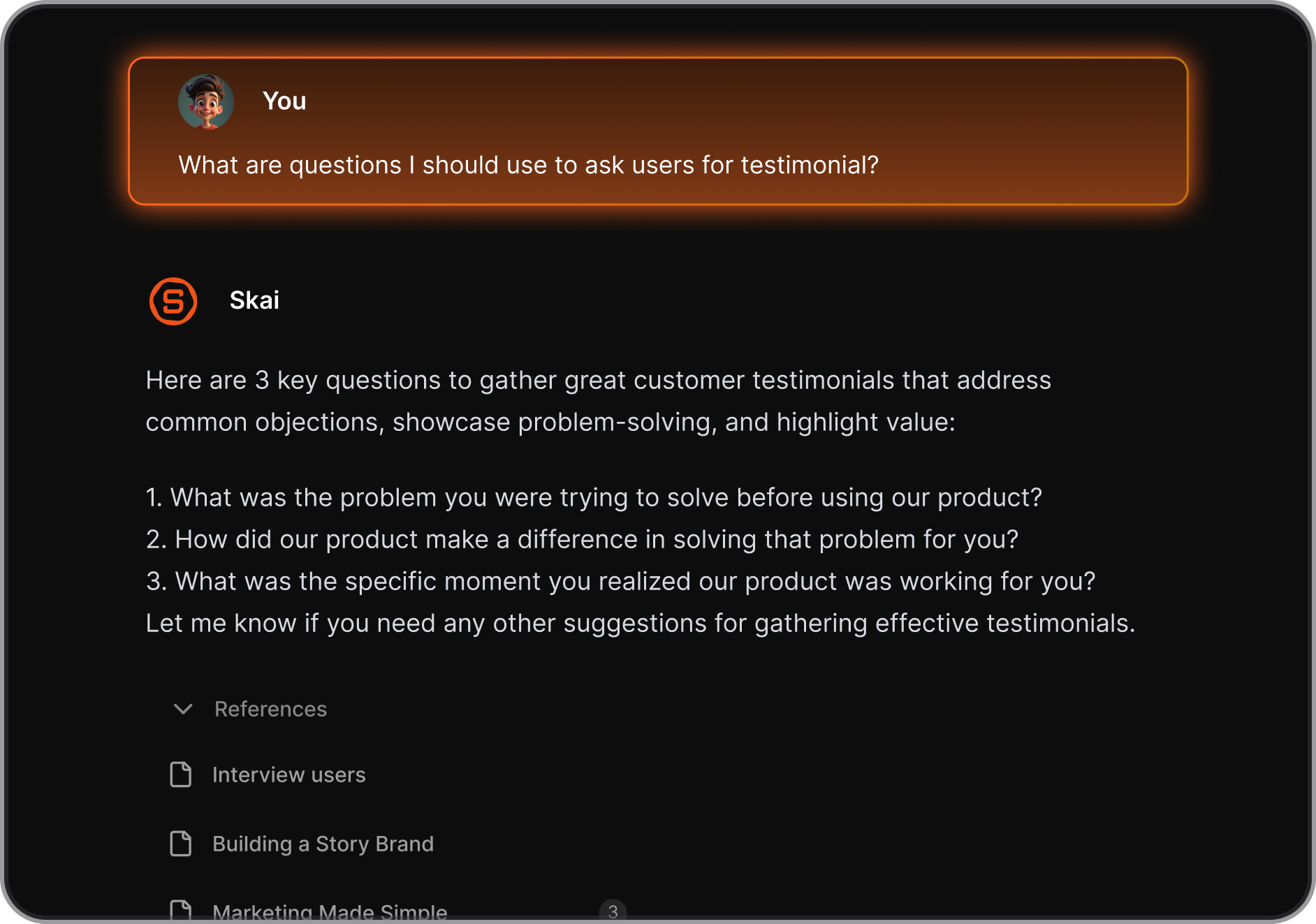
- “Add a follow-up task from this email.”
- “Show me what’s overdue this week.”
2. What can AI assistants for business actually do?
Modern AI assistants are much more than chatbots. They act like proactive coworkers who help you move faster.
Common capabilities include:
- 🧠 Turning ideas or messages into clear tasks
- 🔍 Searching your notes or files by meaning, not keywords
- 🗓️ Scheduling meetings or blocking focus time automatically
- ✍️ Drafting emails, reports, or client updates
- 📋 Summarizing meetings and surfacing follow-ups
- ⚡ Prioritizing what to do next based on your workload
Saner.AI, for example, combines notes, tasks, emails, and calendar in one workspace - perfect for busy entrepreneurs and teams who want less context-switching.
3. Which are the best AI assistants for business in 2025?
Here’s a quick overview of the top choices:
- Saner.AI – All-in-one workspace for notes, tasks, emails, and calendar.
- Nano Banana from Gemini – Quick and easy prompt for visuals.
- Claude – Ideal for long document summaries and collaborative writing.
- Microsoft Copilot – Best for Outlook, Teams, and Office 365 workflows.
- Reclaim – Time-blocking AI for automatic calendar optimization.
Each tool shines in a specific area and Saner.AI is the most balanced for entrepreneurs and managers who want focus and follow-through in one place.
4. Are AI assistants for business free?
Yes, many offer free tiers to start:
- Saner.AI – Free plan with task automation and smart reminders.
- Gemini – Free inside Google Workspace accounts.
- Reclaim – Free for up to a few automated scheduling rules.
Paid plans unlock more integrations, automation, and enterprise features.
5. How do I start using an AI assistant for my business?
Start small. You don’t need to automate everything on day one.
Try this flow:
- Ask it to summarize your daily emails or Slack messages.
- Use it to create and prioritize tasks.
- Sync your calendar to schedule work sessions automatically.
Once comfortable, integrate more tools - CRM, project boards, and document storage - to make your AI truly collaborative.
6. Which AI assistant is best for entrepreneurs and small business owners?
Saner.AI stands out for solo founders and lean teams.
It helps you:
- Turn messy thoughts into organized tasks
- Manage notes, tasks, and emails in one chat
- See a daily plan with top priorities and overdue items
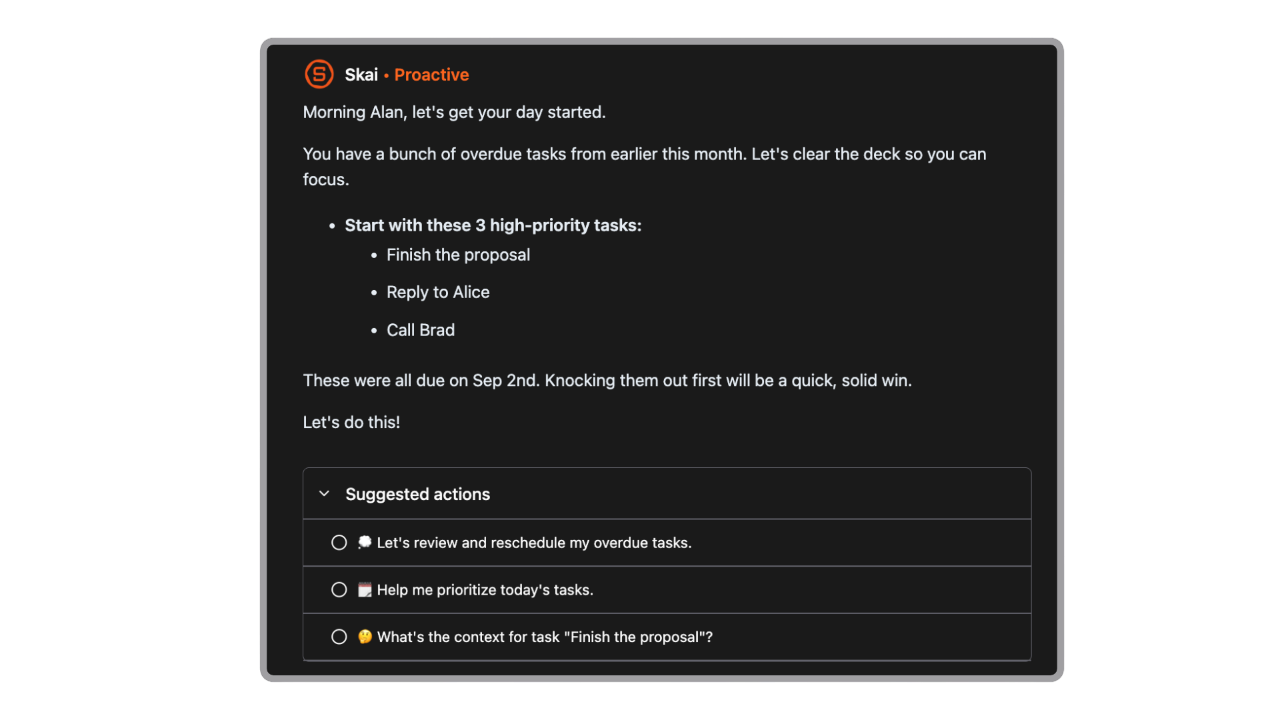
It’s like having a part-time Chief of Staff that costs less than your morning coffee.
7. Do AI assistants actually improve productivity?
Yes. By handling repetitive admin work, AI assistants free up time for creative and strategic thinking.
Example:
- Saner.AI surfaces your next best action automatically.
- Copilot saves hours of manual reporting in Excel or PowerPoint.
8. Can AI assistants understand my business context?
Some can. Saner.AI, Claude learn from your notes, emails, and projects - so they respond in context.
Instead of starting from scratch every time, they remember your goals, tone, and recurring tasks.
That’s what makes them more like assistants than just tools.
9. Can AI assistants help with meeting preparation?
Absolutely.
Tools like Saner.AI can pull relevant notes and past meeting summaries instantly.
You can ask things like:
“What did we decide in last week’s marketing sync?”
“Show me follow-ups from my last client call.”
No scrolling or searching—just answers.
10. What’s the best AI assistant for managers?
Managers benefit most from Saner.AI, Reclaim, and Copilot.
They can:
- Track action items from meetings
- Get daily summaries of pending approvals
- Schedule 1:1s and reminders automatically
- Keep notes, tasks, and project updates in sync
Saner.AI goes a step further by linking notes to tasks and follow-ups automatically - no manual tagging required.
11. What’s the difference between AI assistants and traditional productivity tools?
Think of it like this:
- Traditional tools = You manage them (lists, folders, spreadsheets).
- AI assistants = They manage for you (tasks, notes, scheduling).
With Saner.AI, for example, you can:
- Dump ideas in plain language
- Let it organize and tag automatically
- Get reminders exactly when you need them
Your system finally works the way your brain does.
12. Do AI assistants support voice or mobile use?
Yes.
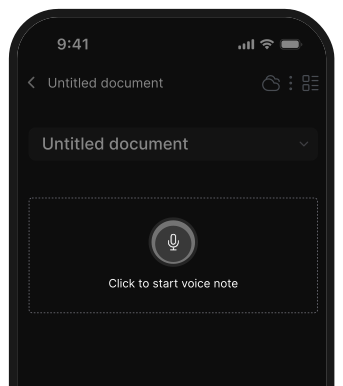
- Saner.AI – Voice-to-task support built in
- Gemini – Integrates with Android voice assistant
- Copilot – Voice commands through Teams and Outlook
14. How do I choose the right AI assistant for my business?
Ask yourself:
- Do I need it for writing, planning, or coordination?
- Does it integrate with my existing tools (Gmail, Slack, etc.)?
- Do I prefer simplicity or deep customization?
15. What’s the future of AI assistants for business?
Expect AI assistants to become proactive, not reactive.
Soon, your assistant won’t just respond - it’ll anticipate what you need next.
For instance:
- Flagging uncompleted client follow-ups
- Suggesting next steps after meetings
- Drafting progress reports automatically
Tools like Saner.AI are already moving in that direction - bridging the gap between AI chat and true autonomous productivity.
Never miss your deadlines again with your AI Assistant