
Honest Todoist Review (2026): Is It Still "the" To-Do List App?

Todoist is a task manager built by Doist, the independent company that has run it since 2007 without ever taking outside funding. What it does is simple: type "call the dentist tomorrow at 3pm" into the box, and it turns into a scheduled, labeled, prioritized task in under two seconds.
The tension is that Todoist raised its prices in December 2025 for the first time since 2022, and the free plan lost some of its shine along the way. So the real question isn't whether Todoist is good. It clearly is, sitting at 4.5 out of 5 across 830 reviews on G2 and 4.6 out of 5 across 2,634 reviews on Capterra.
The question is whether a task list, even a fast one, is still enough for how people actually work in 2026, when email, notes, and calendars all compete for the same five minutes of morning planning.
Key Takeaways
- Todoist's natural language input is still its best feature.
- The free "Beginner" plan caps you at 5 active projects and holds back custom filters, which is what pushes most people toward Pro within a few weeks of signing up.
- Ratings vary a lot by platform. G2 and Capterra both sit around 4.5 to 4.6 out of 5, but Trustpilot tells a rockier story, hovering closer to an "Average" 3 to 3.5 out of 5. Trustpilot
- The December 2025 price increase, plus the removal of regional pricing in some countries, left a real dent in long-time user goodwill.
- Todoist manages tasks. It doesn't read your email, summarize your notes, or plan your day for you, which is the exact gap that AI-native tools like saner.ai/blogs/10-best-todoist-alternatives are built to close.
Todoist At a Glance
| Category | Score | Why |
|---|---|---|
| Ease of use | 4.7/5 | Fastest task capture of any app I've tested |
| Natural language & quick add | 4.6/5 | Best-in-class parsing of dates, tags, priorities |
| Team & project management depth | 3.5/5 | Fine for small teams, thin for complex programs |
| Integrations & AI | 3.7/5 | Broad but the newer AI/MCP connectors are shaky |
| Mobile experience | 3.8/5 | Reliable, though several call the mobile UI cluttered |
| Value for money | 3.9/5 | Fair before Dec 2025, tighter now |
| Customer support | 4.0/5 | Fast when you reach them, hit or miss otherwise |
| Overall score | 4.2/5 | Great task list, not a full work hub |
What Is Todoist?
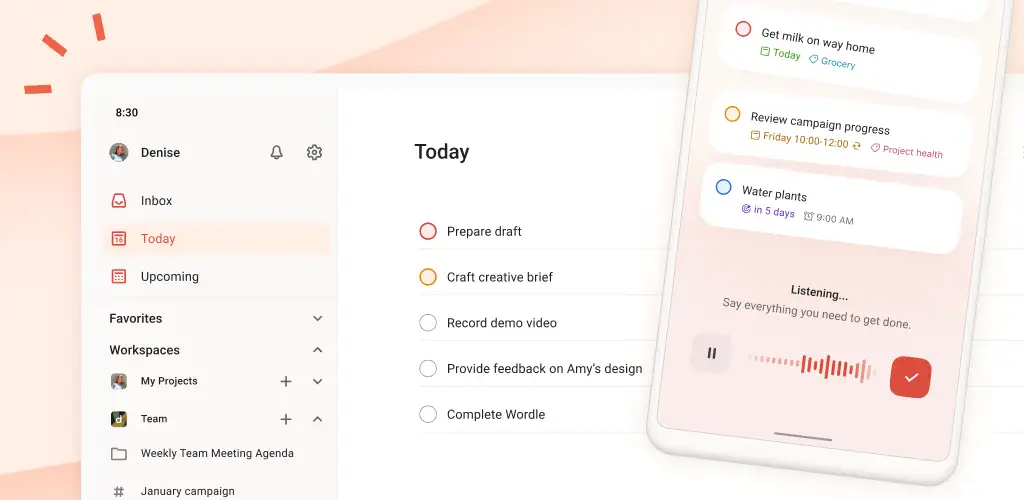
Todoist launched in 2007 as a side project from founder Amir Salihefendic and grew into one of the most recognized to-do list apps around, still run by Doist, a bootstrapped company that has never taken venture funding.
At its core, it's a task manager built around projects, sections, labels, and four priority levels (P1 to P4), with recurring due dates and natural language quick add doing most of the heavy lifting.
The feature set has grown over the years. You get a board (Kanban) view, a calendar/timeline layout, comments and file attachments on tasks, a slightly odd "Karma" gamification system that scores your productivity, and as of November 2025, a voice-to-task feature called Ramble.
Todoist also connects to 60-plus tools, including Slack, Gmail, Outlook, Google Calendar, Zapier, and now Claude through MCP. None of that turns it into a full project management suite. It's still, at heart, a very well-built list.
Todoist Features Breakdown
Natural language quick add - Todoist Ramble
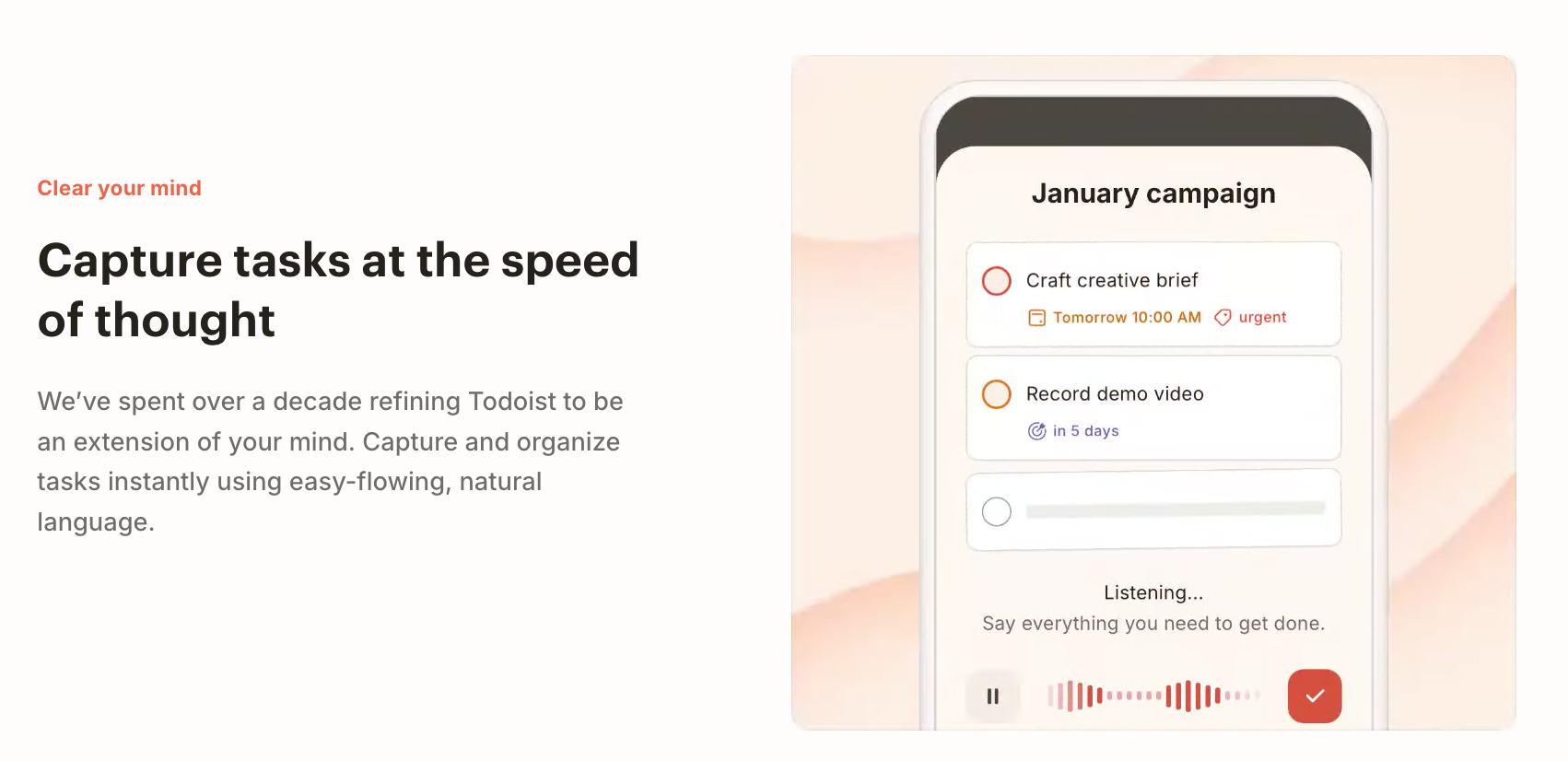
This is the feature that keeps people around. Type or voice "submit design proposal every Thursday at 4pm #Work p1" and Todoist instantly reads the date, recurrence, project, and priority without you touching a single dropdown.
Reminders and the free plan paywall
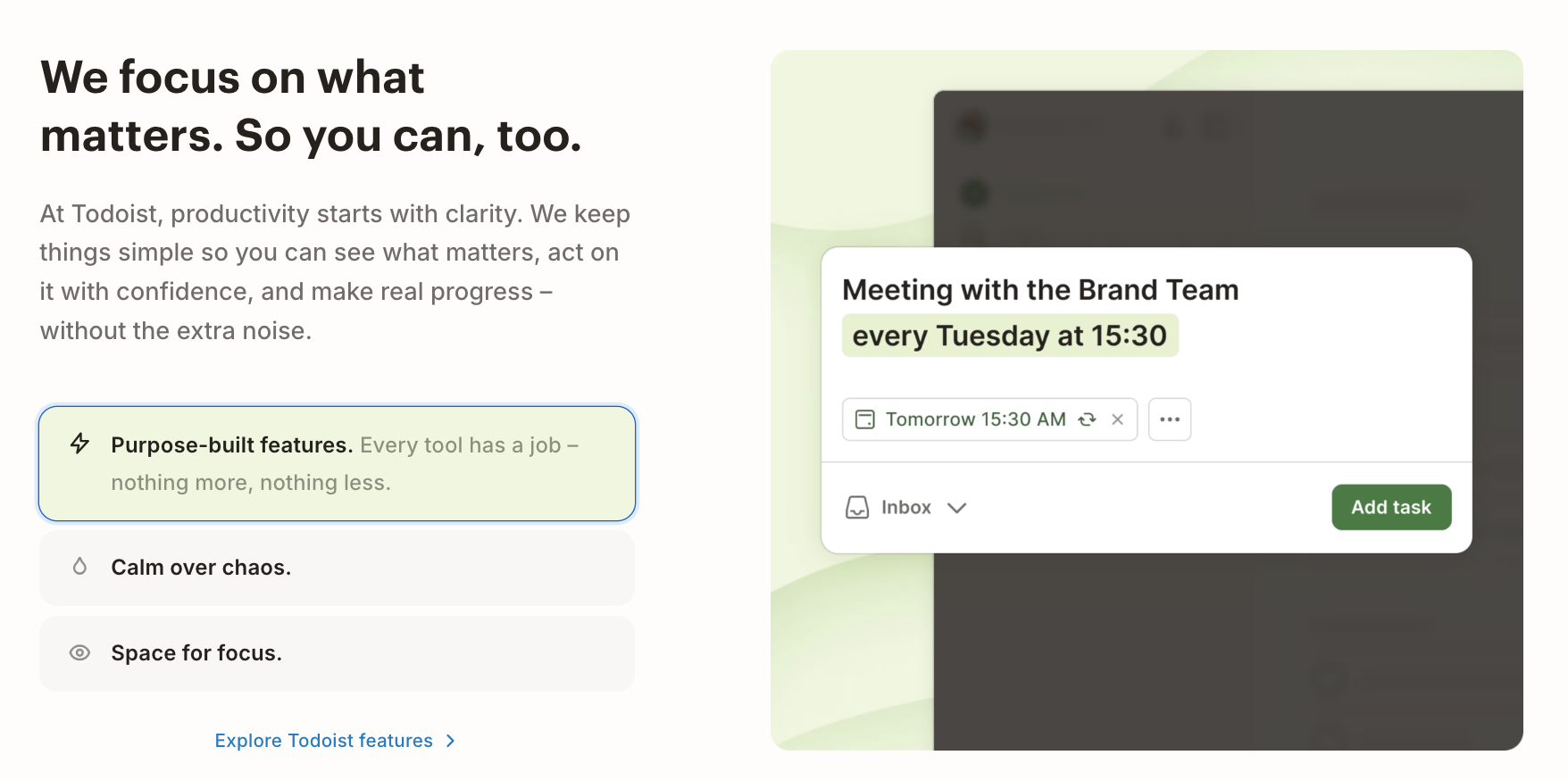
Here's where the free plan starts to hurt. Custom reminders, extended activity history, and location- or time-based alerts all sit behind the paid Pro tier, which means the free version can log your tasks but won't always nudge you about them.
One G2 reviewer put it bluntly, calling the lack of built-in reminders on the free tier "a major friction point" – reviews.
If reminders are the deal-breaker for you, it's worth comparing options in saner.ai/blogs/best-reminder-apps before you commit to a paid plan anywhere.
Filters, labels, and views
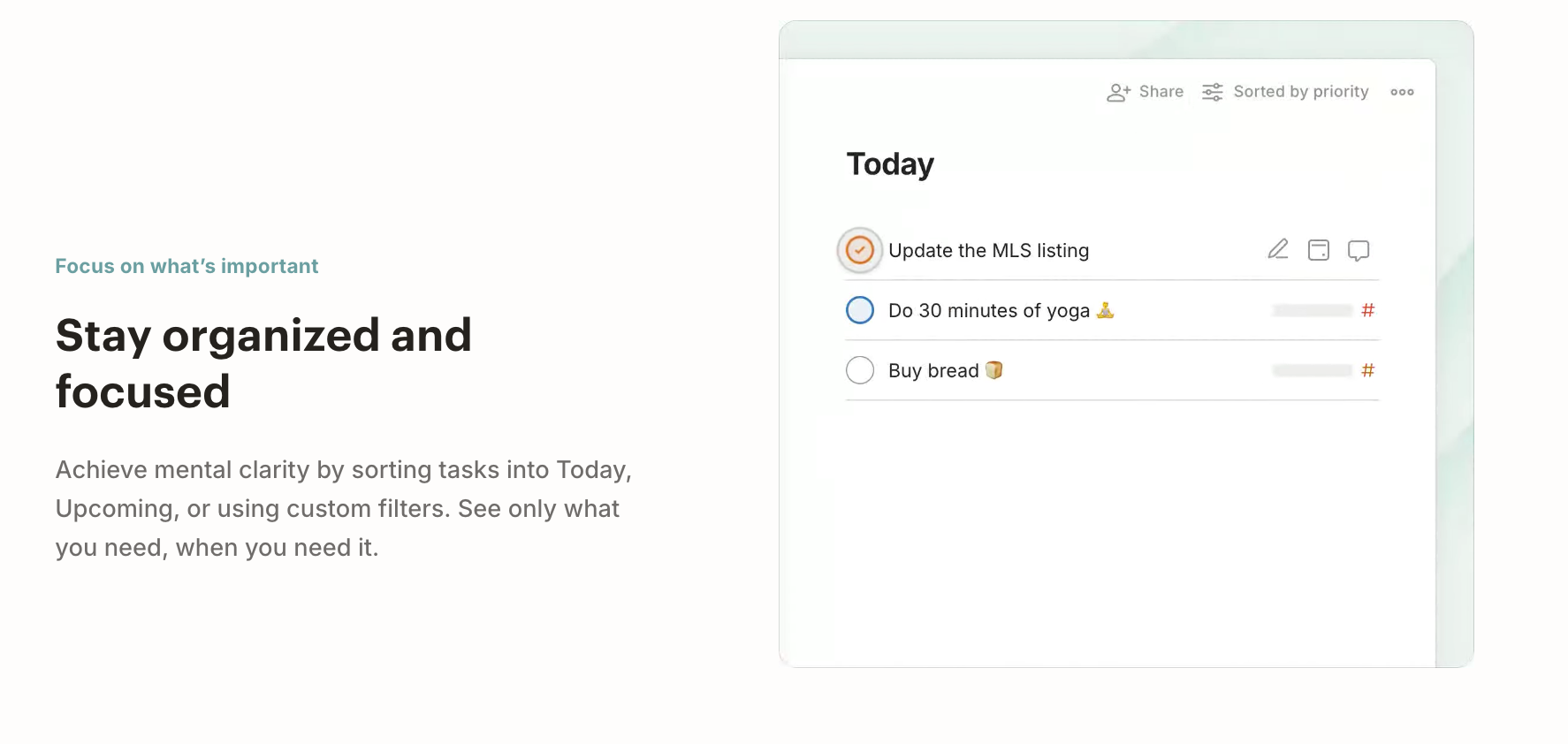
Filters and labels are genuinely powerful once you learn the syntax, letting you build custom views like "everything due today, tagged urgent, in my work project." The board and calendar views are where things get thinner. A
Capterra reviewer summed up the board layout as feeling underbuilt: "Board view feel basic" – reviews
And I'd agree it hasn't evolved much compared to what Trello or ClickUp offer in the same space.
Subtasks and complex project handling
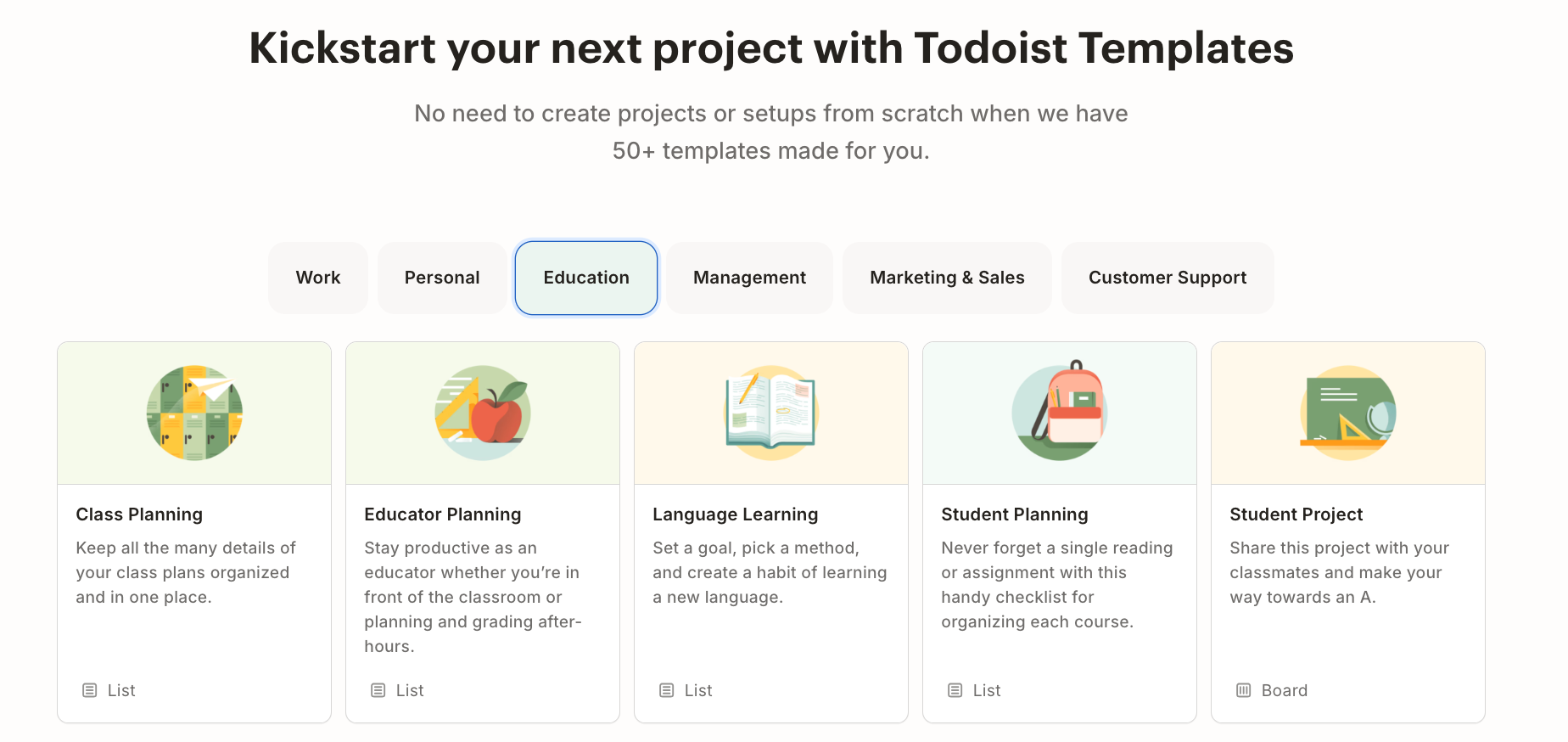
This is the feature area that comes up most when people outgrow Todoist. Subtasks work, but they don't inherit priority or dates as cleanly as the parent task does, and managing indentation across a large project gets fiddly fast.
One reviewer flagged exactly this after praising the natural language input: "the way it handles the subtask" left them frustrated – reviews.
Cross-platform sync
For a tool people rely on daily across phone, laptop, and browser, sync quality matters more than almost any other spec. Todoist earns real trust here.
Long-time users describe it as dependable enough to build a multi-device workflow around, with one Capterra reviewer of 18 months noting "the web app has been rock solid" – reviews.
Pricing Table
| Plan | Monthly | Annual | Free Trial | Free Version | Payment Methods |
|---|---|---|---|---|---|
| Free (Beginner) | $0 | $0 | Free forever | Yes | N/A |
| Pro | $7/mo | $5/mo ($60/yr) | 7 days | No | Credit/debit card |
| Business | $10/user/mo | $8/user/mo ($96/user/yr) | 14 days | No | Credit/debit card, centralized billing |
Todoist raised Pro from $4 to $5 per month and Business from $6 to $8 per user in December 2025, its first price increase since 2022. The free plan caps you at 5 active projects, 3 filter views, and 5MB file uploads, though it does now include basic scheduled reminders, which used to be a Pro-only feature.
Todoist Pros and Cons
| Pros | Cons |
|---|---|
| Fastest natural language task entry available | Custom reminders and filters gated behind Pro |
| Reliable, near-flawless cross-device sync | Weak for complex, multi-team project management |
| Clean, distraction-free interface | Business tier gets pricey per seat at scale |
| Affordable Pro tier relative to most rivals | Subtask handling feels clunky on larger projects |
| Flexible labels, recurring tasks, and priorities | New AI/MCP integrations are still rough around the edges |
| 60+ integrations across email, calendar, and chat | December 2025 price hike frustrated long-time users |
What People Say
The overall sentiment across review sites skews positive but not uncritically so.
On the strength side, a Product Hunt reviewer summed up daily reliability well:
"extremely reliable and robust, without the fluff" – reviews.
Another long-time Trustpilot user called it flatly:
"the best to-do list app available" – reviews.
But the cons carry real weight too. One Trustpilot reviewer described their onboarding as needlessly difficult, which stood out to me given how often Todoist gets praised for simplicity elsewhere:
"the app feels unnecessarily complicated" – reviews
And a Capterra reviewer who eventually left the platform admitted they ended up somewhere else because they:
"had better success with something that offers more complex features" – reviews.
Who Is Todoist Best For / Not Ideal For
Best for:
- Solo professionals and freelancers who want the fastest possible way to capture and schedule tasks
- Small teams that just need shared lists, not full project tracking
- GTD (Getting Things Done) practitioners who live inside quick-capture workflows
- Anyone who wants a lightweight app and is fine paying $5/month for it
Not ideal for:
- Teams that need Gantt charts, resource management, or deep reporting (look at ClickUp or monday instead)
- People with ADHD or attention challenges who need a tool that proactively organizes information rather than waits for input, a gap covered in saner.ai/blogs/free-adhd-apps-for-adults
- Anyone who wants their calendar, notes, and email pulled into the same planning surface as their tasks, something explored in saner.ai/blogs/best-calendars-for-adhd
- Larger teams sensitive to per-seat pricing once headcount climbs past 10 or so.
Alternatives Comparison of Todoist
Saner.AI
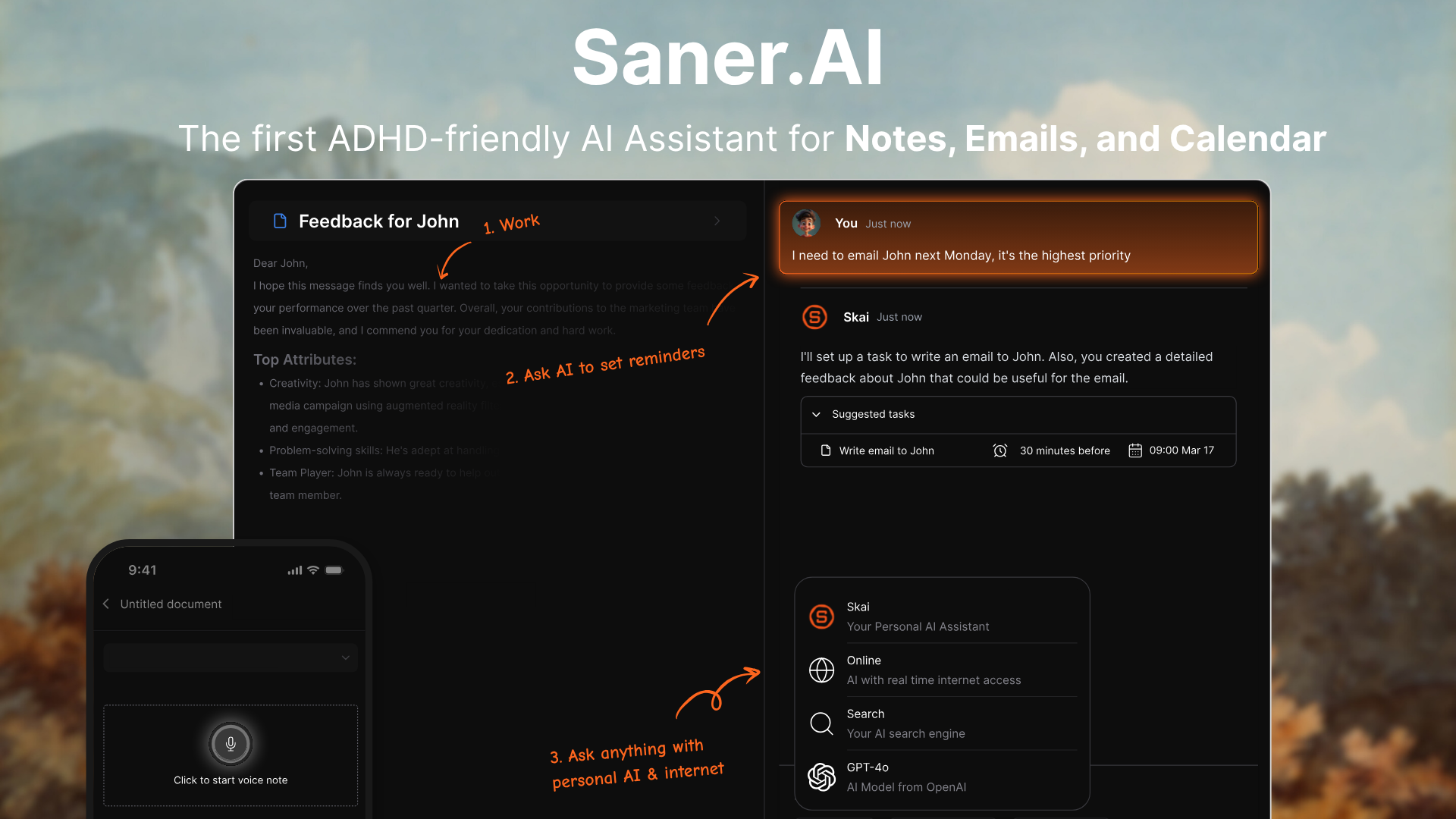
Instead of being a list you feed manually, Saner.AI is an AI personal assistant that reads your notes, email, and calendar and turns them into organized tasks on its own.
It was built specifically with ADHD-friendly workflows in mind, which shows up in details like proactive daily planning and a "Smart Inbox" that surfaces what actually needs your attention, covered in more depth in saner.ai/blogs/sanerai-adhd-tool-for-adults.
Todoist vs Saner.AI: Where Saner.AI Pulls Ahead
- Todoist waits for you to type a task. Saner.AI reads your Gmail, Slack, Google Drive, and calendar on its own and turns what it finds into tasks, so nothing depends on you remembering to add it.
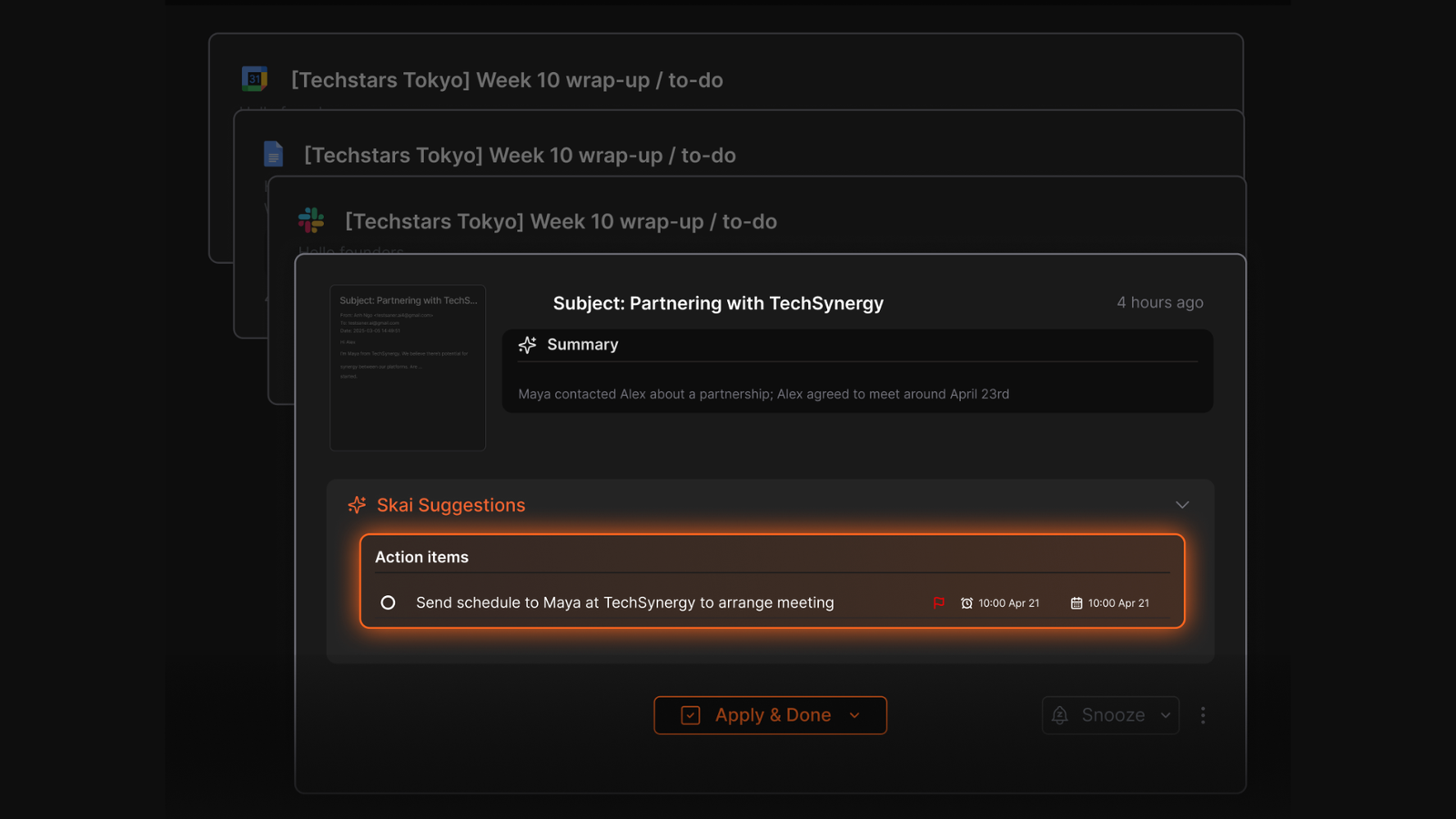
- Todoist's free plan caps you at 5 projects and basic reminders. Saner.AI's free tier gives you full access to the task system with no project ceiling.
- Todoist keeps tasks, notes, and email in three separate apps that you still have to check individually. Saner.AI merges all three into one chat-based assistant, which cuts down on the app-switching
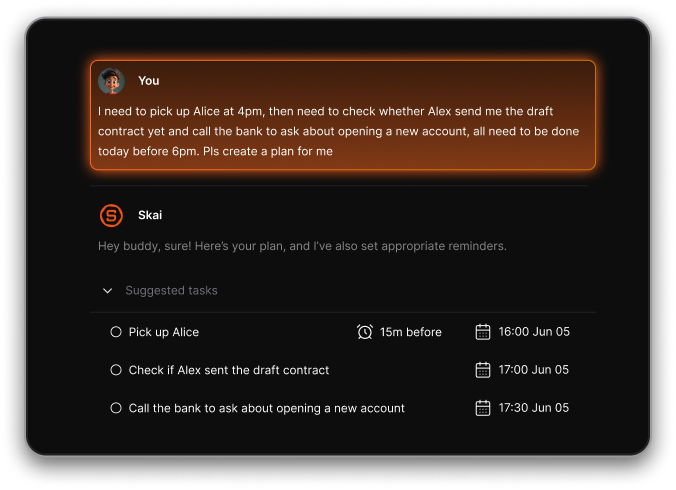
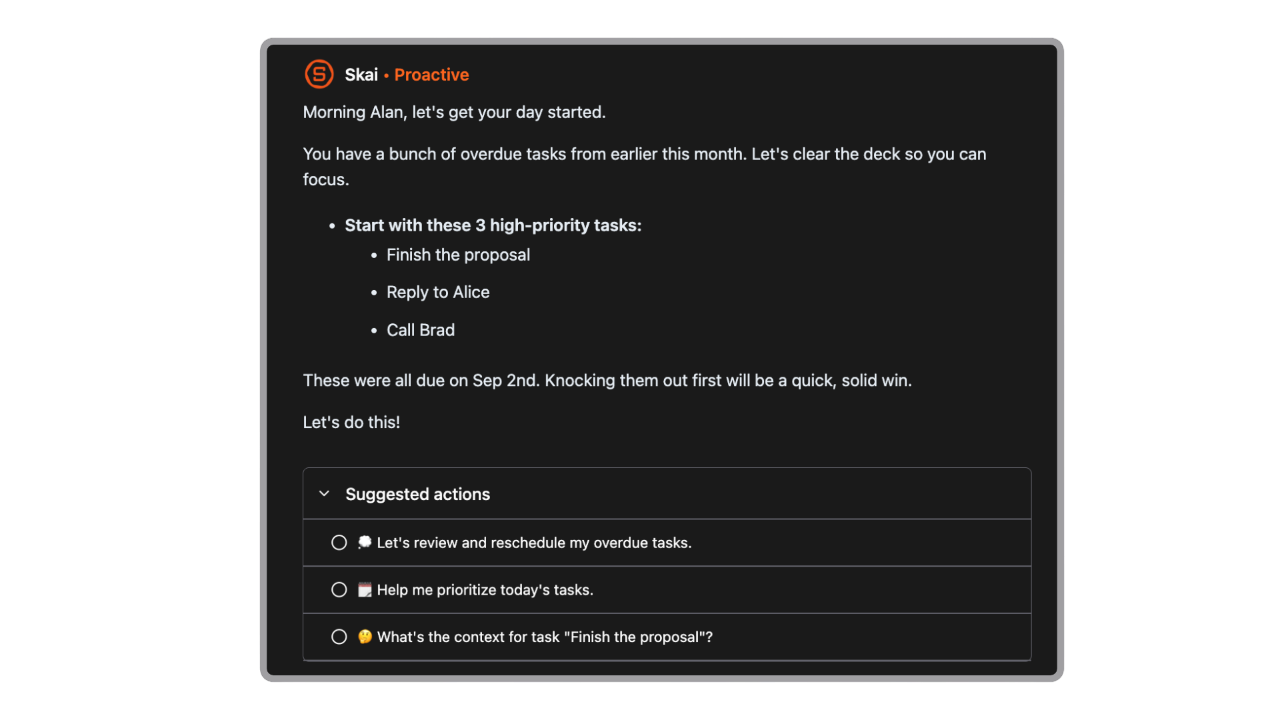
- Todoist's AI features are still early (Ramble voice input, basic AI text generation). Saner.AI's Skai assistant proactively plans the day, drafts email replies, and surfaces relevant past notes without being asked.
- Todoist's Pro tier at $5 to $7/month gets you a faster to-do list. Saner.AI's Starter tier at $8/month gets you an assistant that also manages your inbox and knowledge base
Who Saner.AI is suitable for: entrepreneurs juggling scattered notes across tools, ADHD adults who lose track of tasks buried in email, researchers and writers drowning in half-organized information, and anyone who has tried Todoist, kept it running for years, and still feels like they're the one doing all the organizing work instead of the app.
| Tool | Best For | Starting Price | Reads Email/Notes Automatically |
|---|---|---|---|
| Todoist | Fast manual task capture | Free / $5/mo | No |
| Saner.AI | AI-organized notes, email & tasks in one place | Free / $8/mo | Yes |
| ClickUp | Complex team project management | Free / $7/mo | No |
| TickTick | Budget-friendly Todoist alternative | Free / $2.99/mo | No |
- ClickUp is the pick for teams that have genuinely outgrown a task list and need Gantt charts, dependencies, and reporting dashboards. It's more powerful than Todoist for complex projects, but that power comes with a steeper learning curve and a busier interface.
- TickTick is the closest like-for-like competitor to Todoist, with a similar natural language quick add and a built-in Pomodoro timer. It's cheaper on paper, but it doesn't solve the core problem either: it's still just a task list waiting for you to fill it in.
Final Verdict
Todoist earns its reputation. The natural language input is still unmatched for pure speed, the sync is dependable, and for $5 a month, Pro remains one of the fairer deals in productivity software even after the price hike.
Where it falls short is scope. It manages the tasks you remember to type in, but it doesn't touch the emails, notes, or half-formed ideas sitting everywhere else, and reviewers increasingly mention outgrowing it for exactly that reason.
If you just need a fast, reliable to-do list and nothing more, Todoist is still a strong pick. If you're tired of manually feeding a task app while your actual work lives scattered across your inbox and notes app, it's worth trying something built to close that gap.

Stay on top of your work and life effortlessly
FAQ
Is Todoist actually free to use?
Yes, the Beginner plan is free forever with no trial clock, though it caps you at 5 active projects, 3 filter views, and 5MB file uploads.
What do you get with Todoist Pro?
Pro unlocks 300 projects, unlimited reminders, custom filters, automatic backups, and calendar layout view for $5/month billed annually or $7/month billed monthly.
Does Todoist have AI features?
Yes, but they're limited to Ramble voice-to-task input and basic AI text generation and summarization. It doesn't proactively read your email or notes the way an assistant-style tool does.
Is Todoist good for team project management?
It works for small teams that need shared lists, but it lacks the Gantt charts, dependencies, and reporting that larger or more complex teams typically need.
What's the best free alternative to Todoist?
It depends on what you're missing. For pure task lists, Microsoft To Do is free with fewer limits. For an AI-organized approach that also handles notes and email, Saner.AI's free tier is worth testing.
Should I switch to Saner.AI instead of Todoist?
If a task list covers your needs, there's no reason to switch. If you're tired of manually entering everything and want an assistant that reads your inbox and notes automatically, Saner.AI is built for that specific gap.
Stay on top of your work and life effortlessly