
AI Chat Apps: We Tested The 8 Best Apps in 2026 (Free & Paid)
The Best AI Chat Apps are: Saner.AI, ChatGPT, Gemini, Claude, Perplexity, Grok, Deepseek, and Pi

We tested the 8 Best AI Chat Apps in 2026
We tested eight of the leading AI chat apps to figure out where each one actually earns its place. We'll look at how each app handles complex reasoning, who it's built for, and the compromises you'll run into when you pick one as your main tool.
Quick answer: What are the best AI chat apps?
- ChatGPT is still the safest all-around pick for most people. It does more things adequately than any other tool.
- Claude is the better writer and the better thinker - if your work is language-heavy, it pulls ahead clearly.
- Gemini is the only one you should trust when citations and multimodal output actually matter.
Two things worth reframing before you read on:
- Most AI chat apps make you smarter about generic topics. Only Saner.AI makes you smarter about your own life and work.
- And picking "the best" AI chatbot is the wrong question. The right question is: which tool fits the kind of thinking you do every day?
What Is an AI Chat App?
An AI chat app is a text-based interface that lets you have a back-and-forth conversation with a large language model (LLM). You type something, the model generates a response, and you keep going from there. That's the basic form.
How we chose the best AI chat apps in 2026
We spent weeks testing eight of the most-used AI chat apps in real work scenarios: writing, research, code debugging, task planning, and long-document analysis. We evaluated each tool based on five criteria, not marketing copy.
- Response quality — Does it give accurate, well-reasoned answers, or does it fill space with confident-sounding nonsense?
- Real-world usefulness — Does it help with actual work tasks, or mainly with "write me a poem about Mondays"?
- Context and memory — Can it hold a long conversation without losing the thread, and does it remember anything across sessions?
- Speed and reliability — How does it perform under normal usage, not just in demo conditions?
- Value at the free tier — Is the free plan actually usable, or is it a bait-and-switch for the paid plan?
- Pricing fairness — Does the paid tier cost what it should, relative to what you get?
What Are The Best AI Chat Apps in 2026?
The Best AI Chat Apps are: Saner.AI, ChatGPT, Gemini, Claude, Perplexity, Grok, Deepseek, and Pi
Comparison Table: Best AI Chat Apps
| Tool | Best For | Starting Price | Free Plan | Real-Time Web Search | Memory / Context | Rating |
|---|---|---|---|---|---|---|
| Saner.AI | Knowledge workers who want AI chat tied to their own notes, tasks, and email | $8/mo | ✓ | ✓ | ✓ (learns from your notes) | 4.7/5 |
| ChatGPT | All-around general use | $20/mo | ✓ | ✓ | ✓ (with paid plan) | 4.6/5 |
| Claude | Writing, analysis, and long documents | $20/mo | ✓ | ✓ | ✓ (Projects feature) | 4.7/5 |
| Gemini | Google Workspace users and multimodal tasks | $19.99/mo | ✓ | ✓ | ✓ (with Google account) | 4.5/5 |
| Perplexity | Research with cited sources | $20/mo | ✓ | ✓ | ✗ | 4.5/5 |
| Grok | Real-time X/social media context | $30/mo | ✓ | ✓ | ✗ | 4.2/5 |
| DeepSeek | Developers and cost-sensitive users | Free / Pay-as-you-go API | ✓ | ✗ | ✗ | 4.3/5 |
| Pi | Conversational support and emotional check-ins | Free | ✓ | ✗ | ✓ (remembers across sessions) | 4.4/5 |
1. Saner.AI
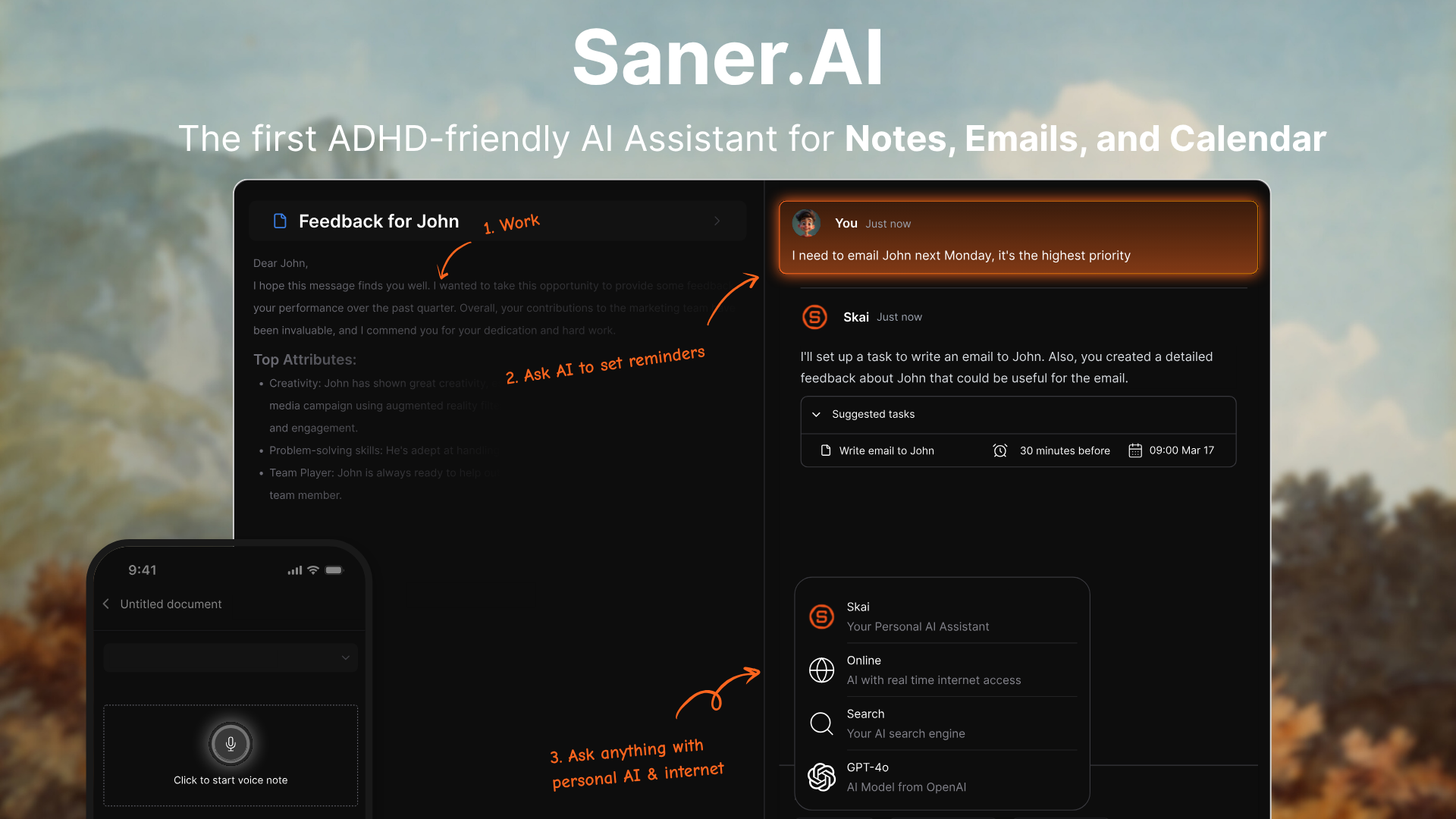
Saner.AI is a personal AI assistant built around one central idea: you should be able to talk to your work. Instead of searching through notes, digging through emails, or trying to remember where you saved something, you just ask Skai - Saner's built-in AI assistant in plain English.
Saner.AI was built with ADHD users specifically in mind. The interface is minimal, distraction-free, and the AI does the organizing so you don't have to. There's no tagging system to maintain, no folders to sort.
Key features
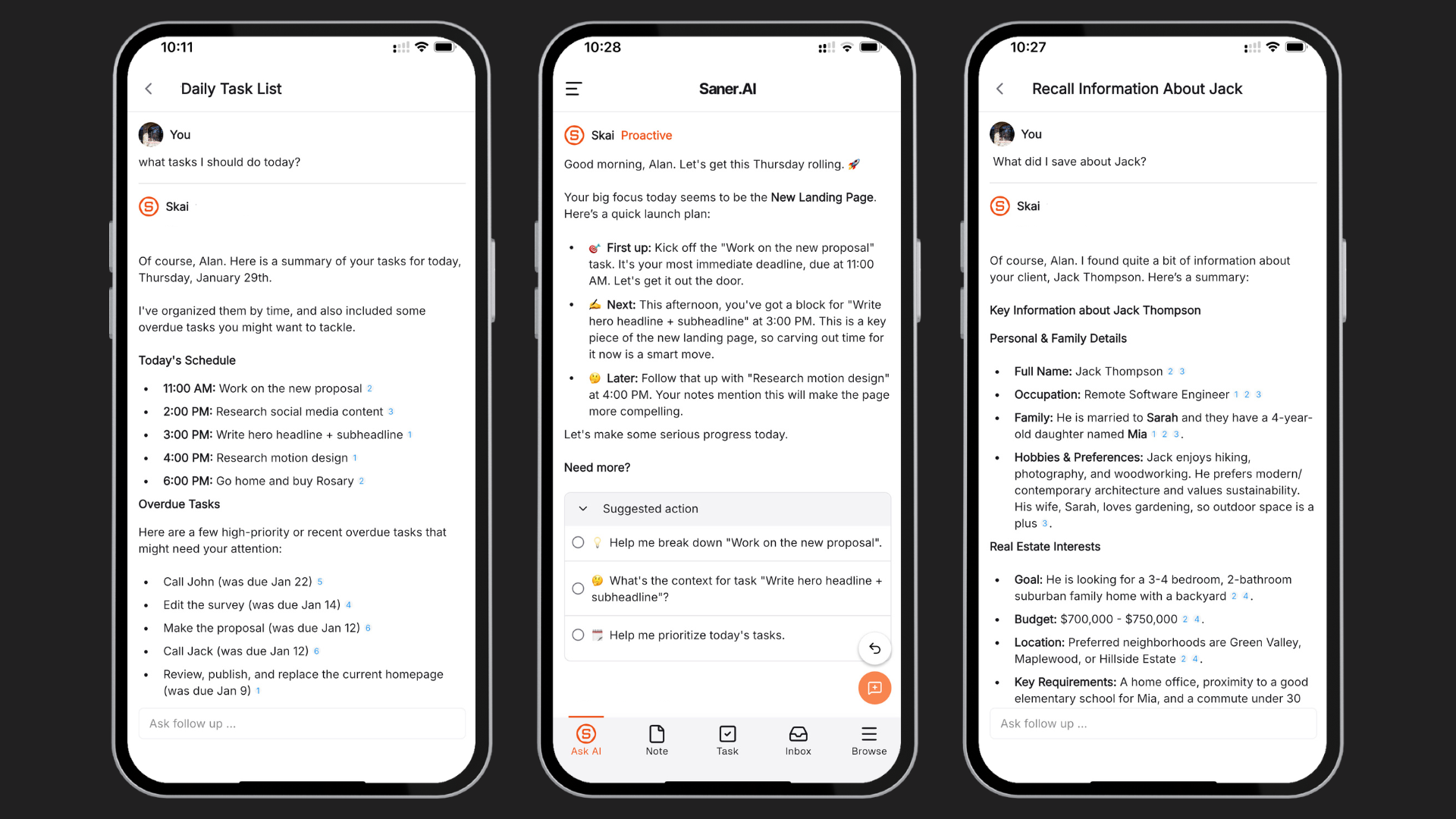
- Skai - conversational AI over your own notes. You can ask it to summarize what you captured last week, pull up a past decision, or turn a brain dump into a task list. Ask it "what did I decide last Thursday about the project?" and it'll find the answer.
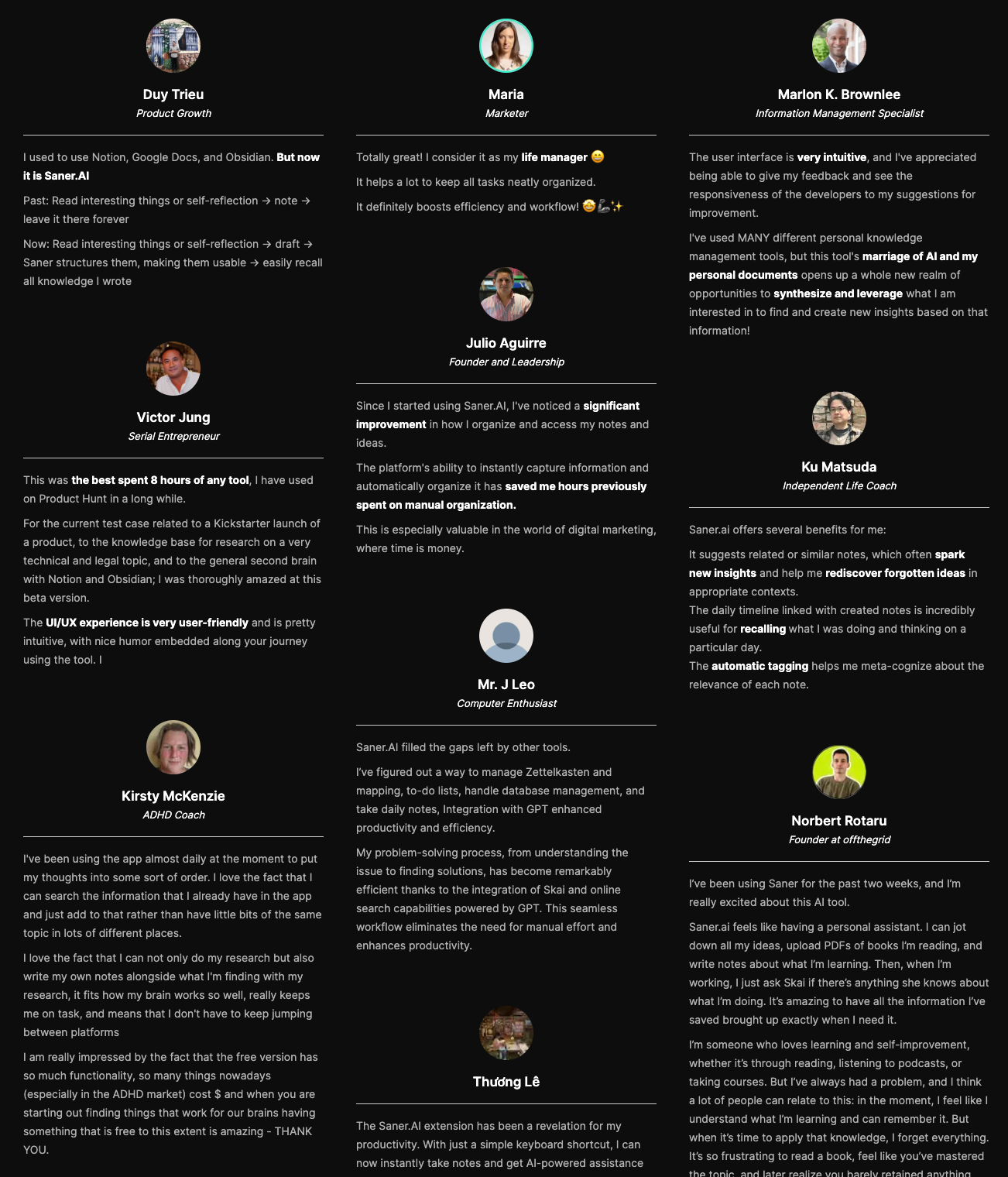
"I was impressed that saner.ai answers questions based on my own knowledge through Skai." — verified reviews
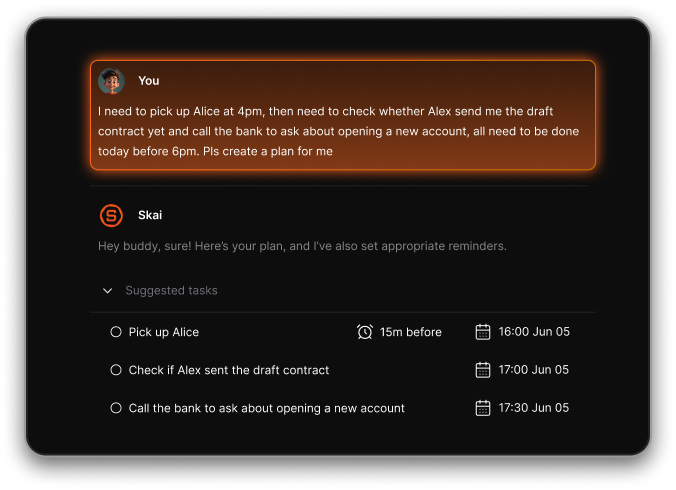
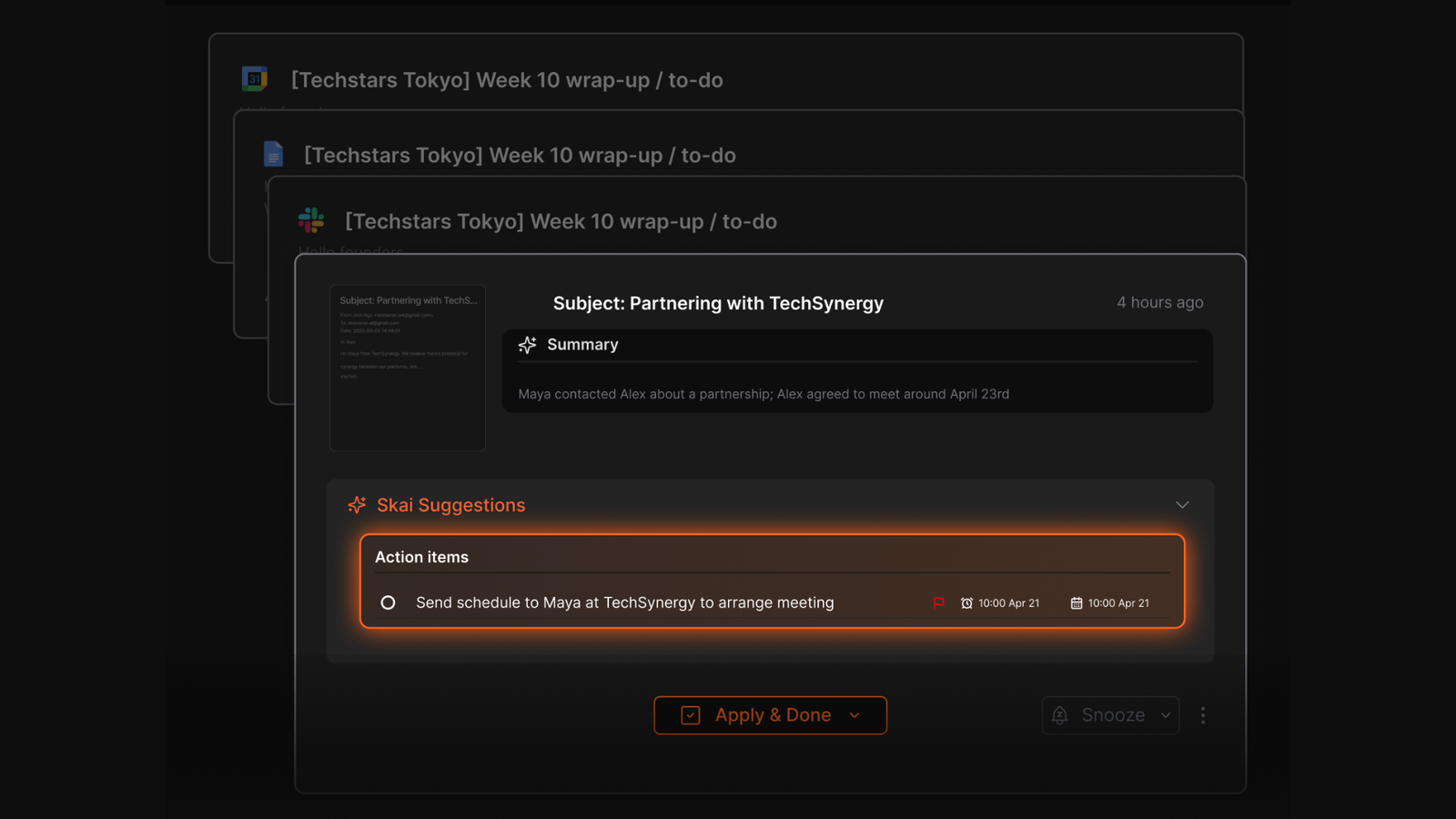
- AI daily planner. Each morning, Skai scans your inbox, notes, and calendar and puts together a suggested plan for your day. It's more like a daily briefing that tells you what matters today and nudges you through it.
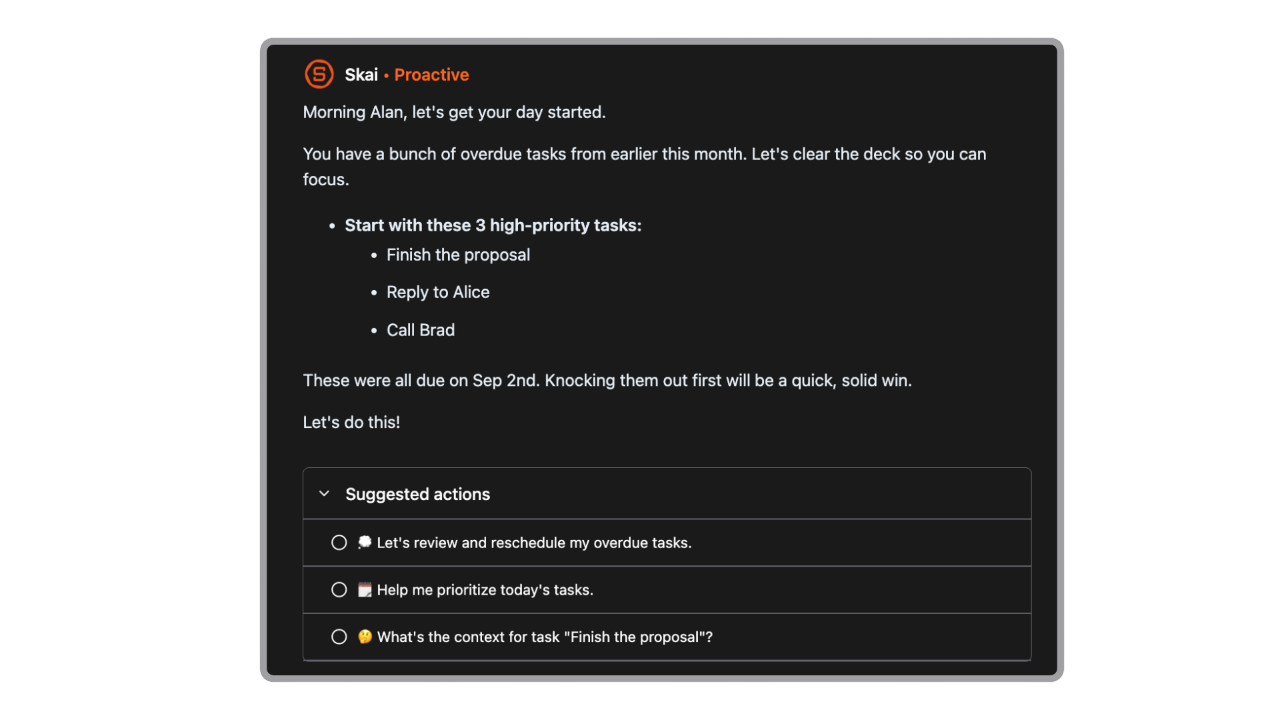
- Semantic search You don't need to remember the exact wording you used when saving a note. Type a question or a rough idea, and Skai finds the relevant content across everything in your workspace.
"I've used MANY different personal knowledge management tools, but this tool's marriage of AI and my personal documents opens up a whole new realm of opportunities to synthesize and leverage what I am interested in to find and create new insights based on that information!" — verified review
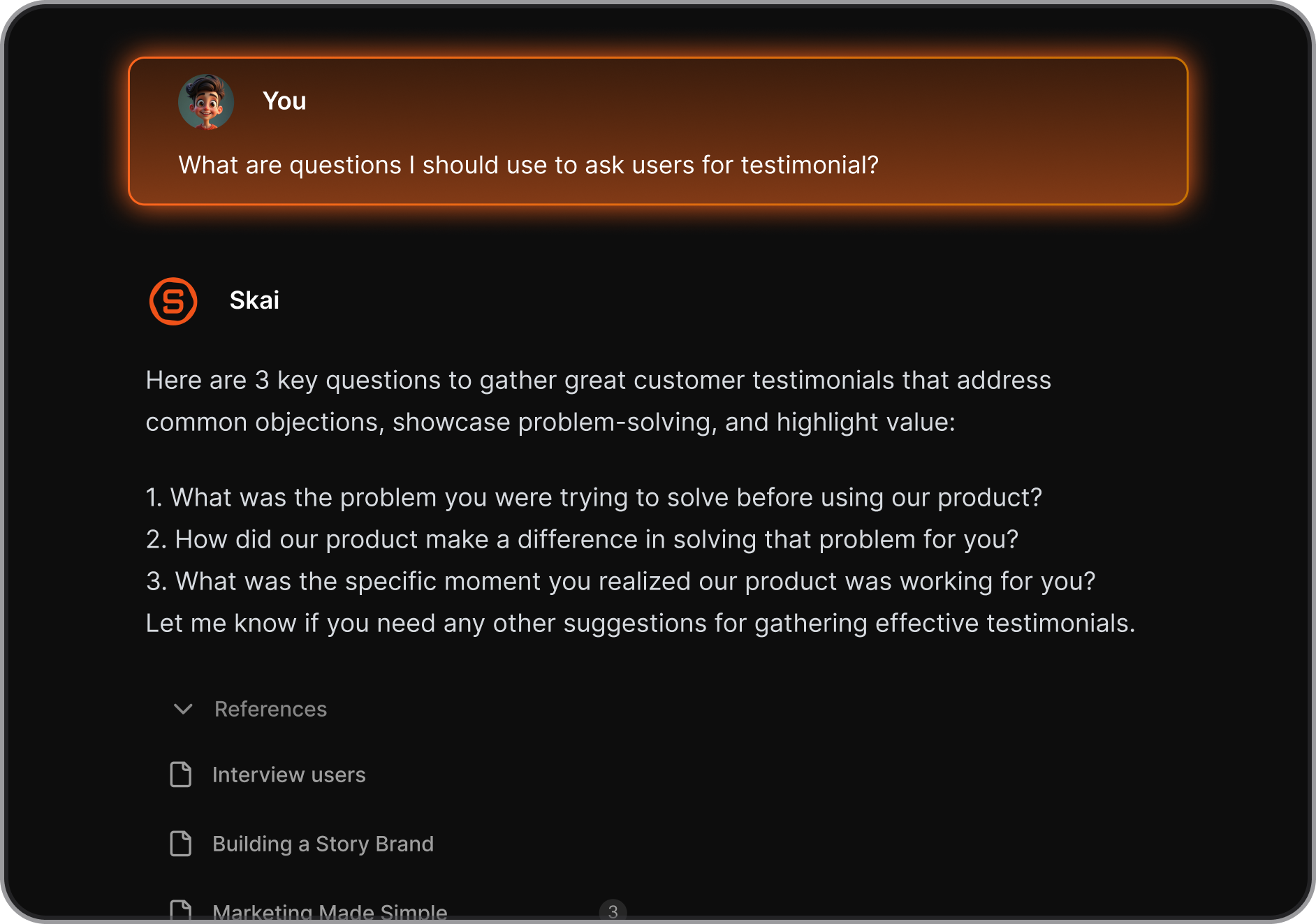
- Chrome extension side panel. The extension opens as a side panel inside your browser - you clip content from any page without leaving the tab. What you save goes straight into Skai's knowledge base and gets auto-tagged.
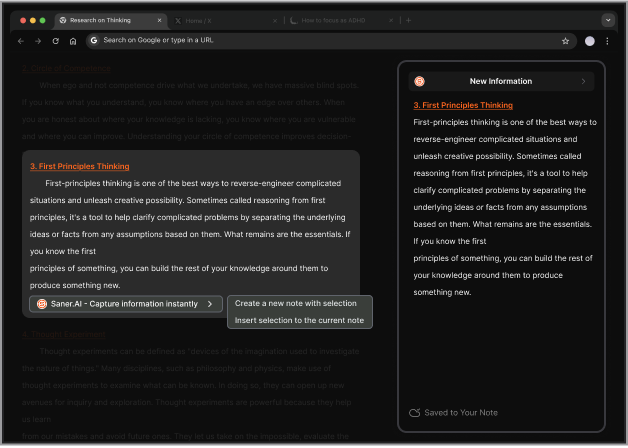
- Integrations: Saner connects to Gmail, Google Drive, Slack, and Google Calendar. Saner reads from them to surface context, not to act on your behalf.
Pros
- It feels like a real “thinking partner” rather than a simple chatbot. You can chat with it about your work, and it remembers context from your notes and tasks.
- Standard plan users can call GPT-5, Claude 4, and Gemini Pro directly from within Saner, alongside their personal notes.
- The AI automatically links related ideas, so when you’re researching something or revisiting an old project, it brings up relevant content you forgot you had.
- The ADHD-friendly interface is a huge plus
- "Great not only as an organization tool, but the chatbot has great insights on productivity." — verified reviews
- "Totally great! I consider it as my life manager, and it helps a lot to keep all tasks neatly organized. It definitely boosts efficiency and workflow!" — verified reviews
Cons
- Requires internet access for full functionality
Saner.AI Reviews
"The biggest benefit for me in using Saner is the Proactive AI. Staying on top of the constant flow of email and multiple calendars is challenging, and so far, Saner is the only AI-based tool that truly feels like a personal assistant" - Jerry
Pricing
- Free
- Starter: $8/month
- Standard: $16/month
Who is it suitable for?
- Entrepreneurs, researchers, and ADHD-prone professionals who want a single AI workspace to think, plan, and act
- Anyone who feels overwhelmed by scattered information and wants a tool that turns chaos into clarity
How to start using it?
- Sign up for free, connect your email, calendar, or drive
- Start chatting with the AI about your ideas or to-dos

Work more efficient with your AI Chat Apps
2. Google Gemini

I have a confession: I wrote off Gemini the moment I tried its predecessor, Bard. It was slow, it hedged every answer, and it felt like Google had bolted a chatbot onto a search engine and called it a day.
Three years later, the product is genuinely hard to ignore, especially if you already live in Google's apps. Gemini is Google's AI assistant, built on the Gemini 3 family of models and available on the web, Android, and iOS.
Key features
- Gemini connects every answer to live Google Search results and adds a "Double-check" button so you can verify any claim against the current web instantly.
"Google Gemini has provided excellent support in several areas. Specifically in summarizing documents, drafting emails and also processing raw data in spreadsheets." — Verified Enterprise User, Gartner Peer Insights
- Deep Research turns a query into a multi-step plan. The model browses dozens of live web sources, synthesizes findings, and returns a cited report you can actually use.
- The 1M-token context window on Pro and Ultra plans means you can feed Gemini a 1,500-page document, a full code repo, or an hour-long video and it will hold all of it in a single session.
"I've uploaded massive PDFs, long videos, and notes, and Gemini still manages needle-in-a-haystack retrieval accuracy that smaller context models just can't match." — Soundarya Jayaraman, G2 Learn Review
- Google Workspace integration: Gemini's single most meaningful edge over other AI chat apps is that it reads your actual files. You can tag @Gmail or @Drive in a prompt, and the model scans your real inbox and documents.
"First I appreciate most it's seamless integration with Google apps like Gmail and Google Drive which allow me to do research, content creation, summarize documents and creative activities without having to switch different tools." — Verified Reviewer, Capterra
Pros
- It fits naturally into the Google apps I already use - summarizing Drive documents, drafting Gmail replies, or planning travel using Maps data.
- Since March 2026, users can upload a ZIP file of their chat history from other AI providers and import their stored preferences and memories directly into Gemini Google, which means switching from ChatGPT or Claude no longer means starting from scratch.
"Gemini helps me overcome creative blocks by acting as a brilliant brainstorming partner. It instantly structures my fragmented ideas into concrete plans." — Verified Reviewer, G2
Cons
- Works best if you’re already in the Google ecosystem; non-Google users won’t get the full experience.
- Long conversations hit a ceiling where the model starts generating repetitive output and can't break the loop, even when you explicitly point it out
- The free tier's 32K context window cuts off at around 50 pages, making it impractical for serious document analysis
- "There's still space for improvement, and sometimes I feel it gets 'stupid' and doesn't give me outputs I usually get." — Verified IT Manager, Capterra
- "It occasionally produces 'hallucinations,' confidently stating incorrect information. I've noticed this particularly with complex calculations." — Verified Reviewer, G2
Pricing:
- Free tier – includes core chat and multimodal features
- Advanced / Pro plan – around $19.99 per month
- Support student plan.
Suitable for:
- Professionals and students who want an all-in-one AI companion within Google Workspace
- Teams that rely on Gmail, Docs, or Calendar and want built-in AI assistance
How to start:
- Go to the Gemini website or app
- Sign in with a Google account
Google Gemini review (source)
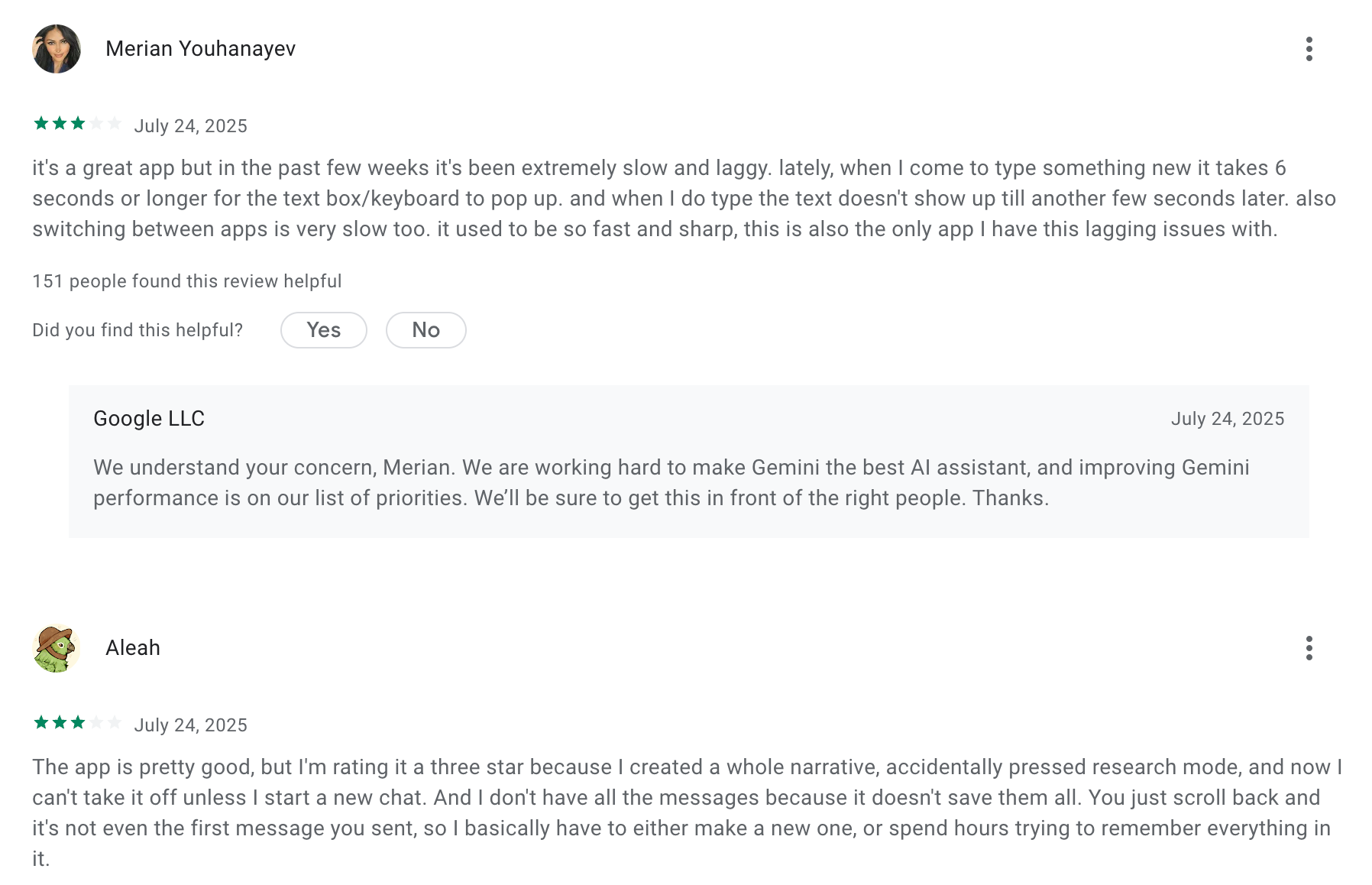
"Gemini is well worth the cost, taking the burden off our team for smaller tasks. If someone said "unlimited notes" for the cost of Gemini, or "unlimited high level review" for our organization, even if it were lower quality, I would take it any day of the week"- Capterra
3. ChatGPT

I remember the first time I typed a question into ChatGPT in late 2022. The response came back so fast I read it twice just to be sure I hadn't imagined it. Built by OpenAI and released to the public in November 2022, ChatGPT is an AI chat assistant powered by the GPT-5 model family.
In 2026, the product has expanded well past chatbot territory: you can run autonomous deep research sessions, analyze documents, generate images with GPT Image 1.5, and connect it to tools like Slack, Google Drive, GitHub, and Canva.
Key features
- ChatGPT's GPT-5 model family doesn't just respond to prompts; it adjusts to context across a long conversation, making it useful for complex back-and-forth tasks like revising a draft or debugging code step by step.
"I like how versatile and responsive ChatGPT is. It helps with code generation, reviewing code, troubleshooting issues, and answering technical questions quickly." — Verified User, G2
- Users can upload images, generate visuals with GPT Image 1.5, produce short video clips through Sora.
"One of the best in terms of formulating coding plans or building codes for apps or web design with Codex, doing web research with deep search, formulating stock images with Sora or new image LLM, autonomous research with Agent Mode." — Verified LinkedIn User, Sr. Business Analyst, Capterra
- Agent Mode (Plus and above) lets ChatGPT execute multi-step tasks on your behalf - running searches, opening files, filling forms, writing and running code.
- ChatGPT's built-in web search pulls live data for current events, prices, and recent news.
Pros
- The multimodal capability: talking to ChatGPT by voice or uploading an image makes it feel human-like.
- Security and enterprise options give confidence for business use.
- Works across web, desktop, and mobile apps; context-aware across a long conversation
"I use ChatGPT to create marketing emails and content for our social media sites to try to help for better audience reach." — Verified review
Cons
"The numerous restrictions on their AI model. If you try to do a deep dive on some topics you are hit with blocks or given very vague information." — Verified review
- Integrations with third-party tools still require manual setup or workarounds.
- Hallucinations are still a known issue; outputs need a verification pass, especially for dates, numbers, and citations
Pricing:
- Free plan: Basic GPT access with limited features.
- Plus plan: $20/month.
- Team plan: Around $25–30/user/month
Suitable for:
- Creators, marketers, and writers who want quick drafts, brainstorming, and research help.
- Professionals and analysts who need AI-powered data exploration and productivity support
How to start
- Sign up for a free account at chat.openai.com.
ChatGPT Reviews (source)
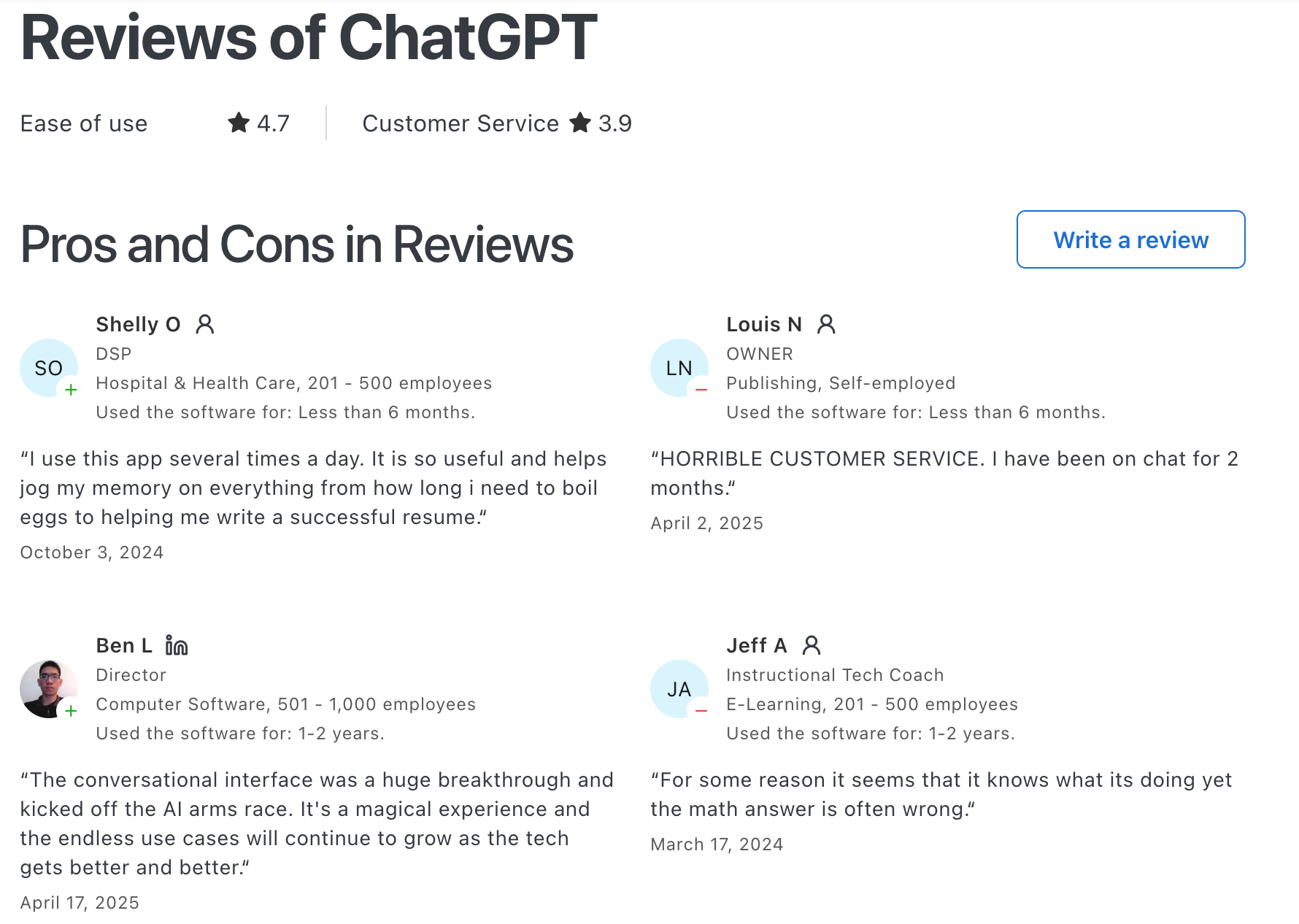
"Easy to set up and personalise, easy to use even for beginners, great at early stage idea planning and has fast response time. Paid use has a lot more value with photo generation and how much you can utilise it for."- Chelsea G.
4. Pi.ai
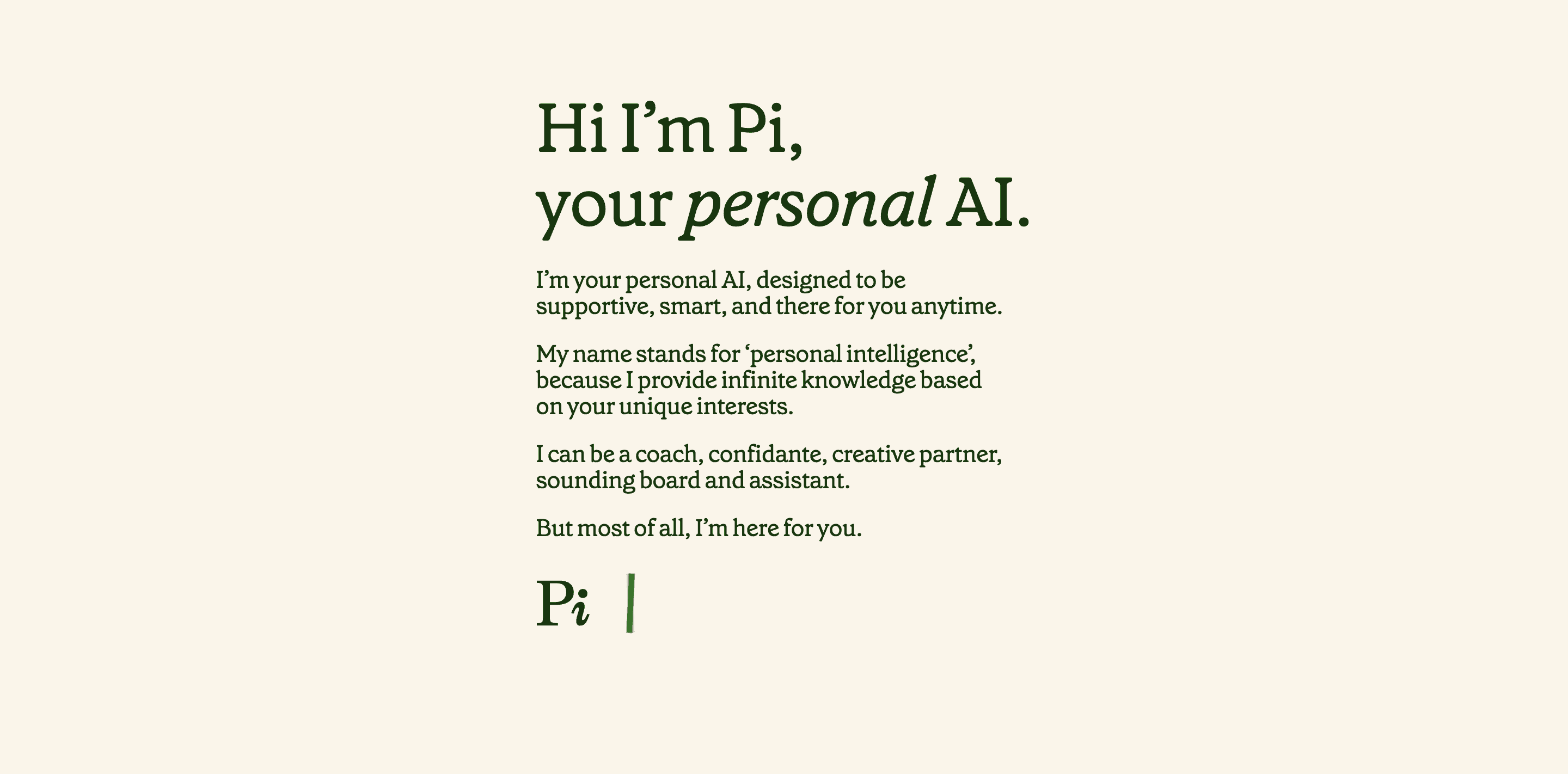
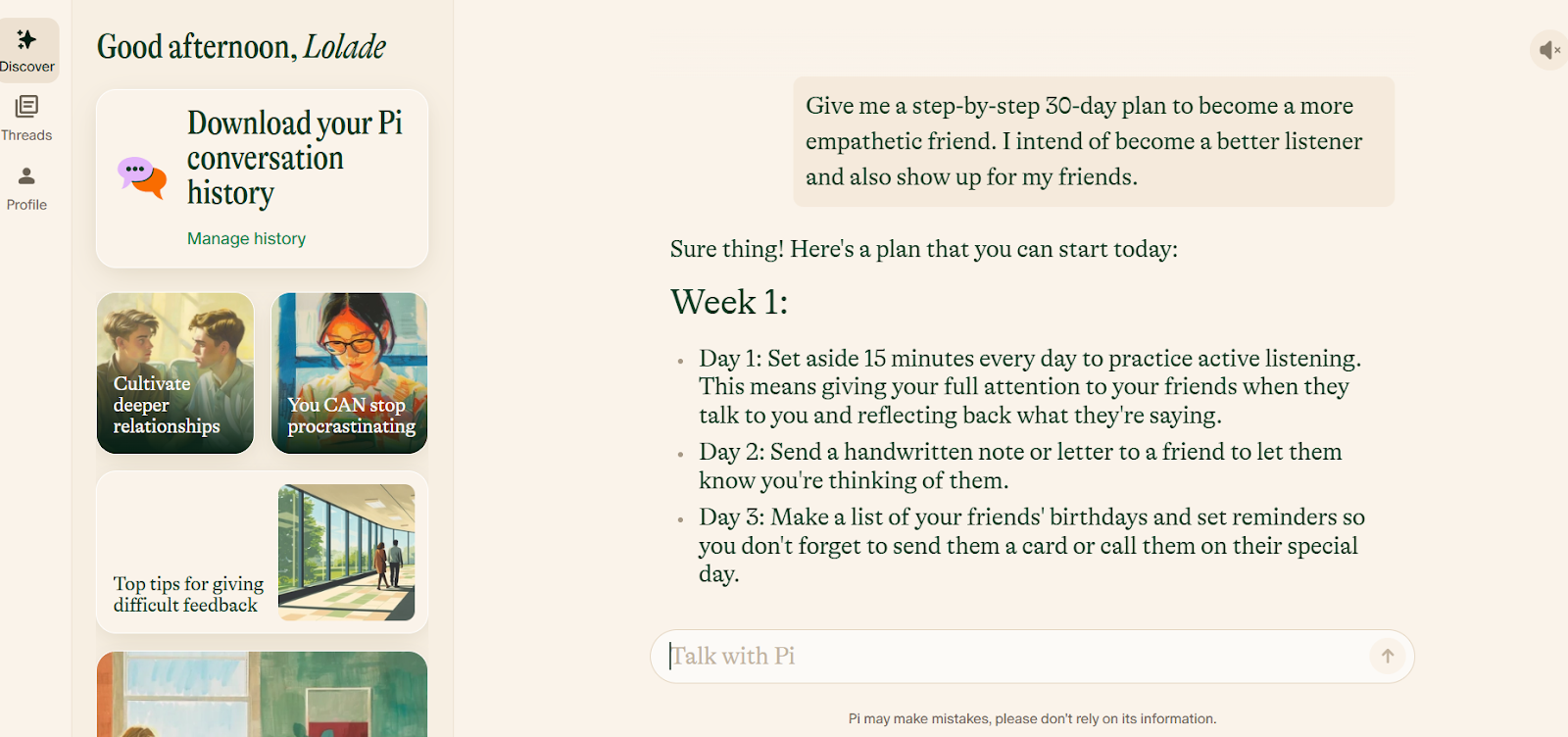
Pi - short for Personal Intelligence, is a conversational AI chatbot built by Inflection AI, and it takes a noticeably different angle from the rest of the apps on this list.
It runs on Inflection's in-house model, Inflection 2.5. Pi picks up your tone, adapts to your communication style over time, and asks follow-up questions the way a person would.
Key features
- Pi is trained to read emotional cues in your messages and respond in kind, shifting between light small talk and more grounded support depending on what you seem to need.
"Because of its human-like feel and its non-judgmental and caring attitude, I've found pi.ai unbelievably helpful to talk to about minor problems or upsets that aren't significant enough to hold onto until my next therapy session." — verified review
- Pi builds a picture of you as you talk - your tone, interests, sense of humor, how you like to be spoken to.
- Pi's voice mode is one of its more distinctive features. The voice quality is noticeably more expressive than most AI voice implementations
"It's far more human than any other chat on the market. It also has an audio mode with a small selection of very, very human-sounding voices." — verified review
Pros
- Free to use with no credit card required
- Available across web, iOS, Android, WhatsApp, and Messenger
- Adapts to your communication style, humor, and pace over time
"I have been talking with Pi for about a year and a half now and it has been a great help to me as an older person. " — Mark R., Trustpilot (March 2025)
"She's not just a virtual assistant; she's a virtual cheerleader, uplifting and indispensable." — Christi Morgan, Product Hunt
Cons
- No memory across sessions - you start fresh every time you return
- Avoids disagreement and pushback, which makes it less useful for writing feedback or idea stress-testing
- Rate limits on the free tier interrupt longer conversations
- Not suited for technical tasks, coding, or in-depth research, task management
- Customer support has been slow to respond to account issues, per multiple reports
Pricing
- Free to use (no paid tiers currently announced).
Who is it suitable for
- People who want an emotionally intelligent AI for conversation, journaling, or creative brainstorming.
How to get started
- Go to pi.ai or download the Pi app on iOS.
Pi.ai reviews (source)
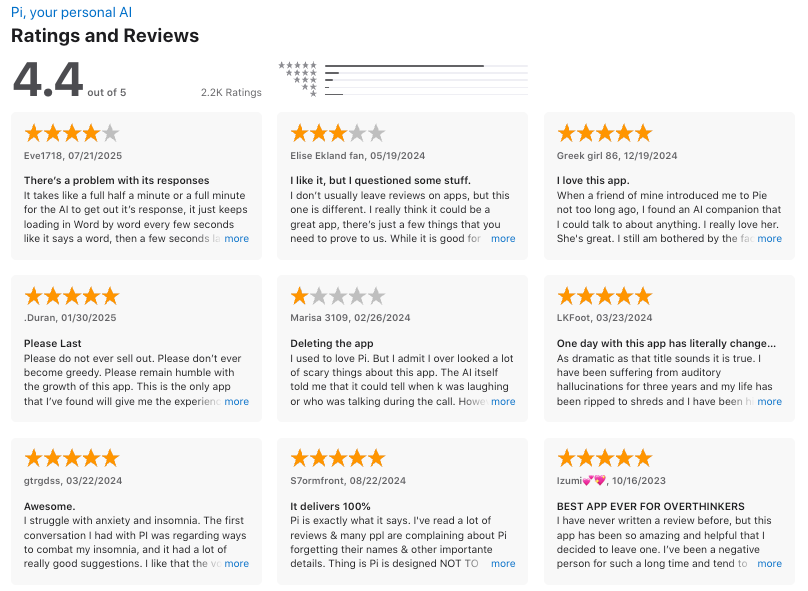
"I think the idea of personal, helpful, supportive AI is truly inspiring. This technology could have profound impacts. It can help people gain confidence and creativity, feel comfort and do better at life." - Daniel Pan
5. Claude
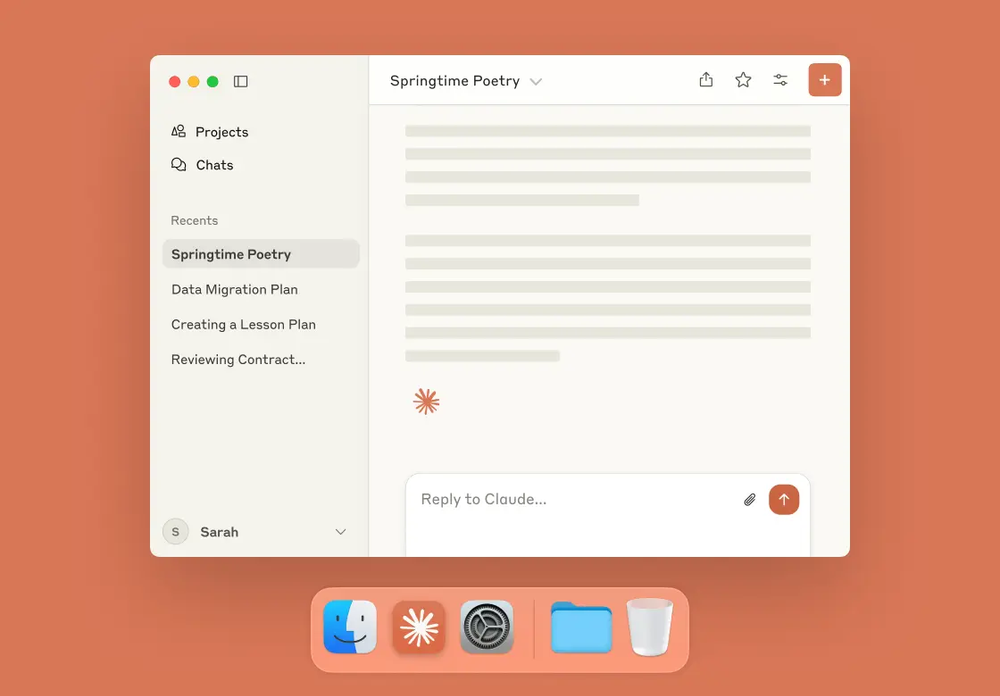
If you’re researching the best AI chat apps in 2026, Claude deserves a serious look. Built by Anthropic, Claude has become especially popular among users who value natural writing, long-context conversations, document analysis, and thoughtful responses over flashy gimmicks.
In 2026, Claude goes beyond basic chatbot use with stronger reasoning, better project organization, and more capable workflow tools for professionals. I
Key features
- One of Claude’s biggest strengths is how well it handles long threads, dense documents, and layered follow-up questions without feeling scattered.
“Claude is probably the most intelligent AI model that I have ever used. It is extremely capable and can comprehend a lot of information.” — verified review
- Large-context reasoning: Handles long conversations, documents, and complex topics without losing context.
- Good at coding help, planning app architecture, and explaining technical logic in plain English.
“...claude is the best AI for my kind of work and i didnt find anything better. one of the smartest ai's i actually used... its better at programming even with its free version...” — verified review
Pros
- Claude feels calm, consistent, and thoughtful - ideal for writing or deep-thinking tasks.
- Uploading PDFs or images works seamlessly, and it’s great at summarizing large documents.
- Often feels more natural and less mechanical in tone
- Good for coding explanations and structured problem-solving
"Claude is one of the best AI assistants on the market right now, excelling at writing, reasoning, coding, and long-form work...” — Review analysis, G2 Learning Hub
What I disliked
- Not always the best choice for live web-connected tasks
- Output still needs fact-checking for sensitive or high-stakes use
- Some advanced workflows are locked behind paid plans
“Even though I am paying for a Pro account, the usage limits make Claude unusable as a tool I can rely on.” — verified review
Pricing
- Free plan with limited messages.
- Pro plan at $20/month with faster access and higher limits.
- Team plan: $25–30 per user/month
Suitable for
- Professionals who want reliable reasoning and summarization.
- Writers and researchers working with long documents.
How to get started
- Go to Claude’s website or download the app.
Claude reviews (source)
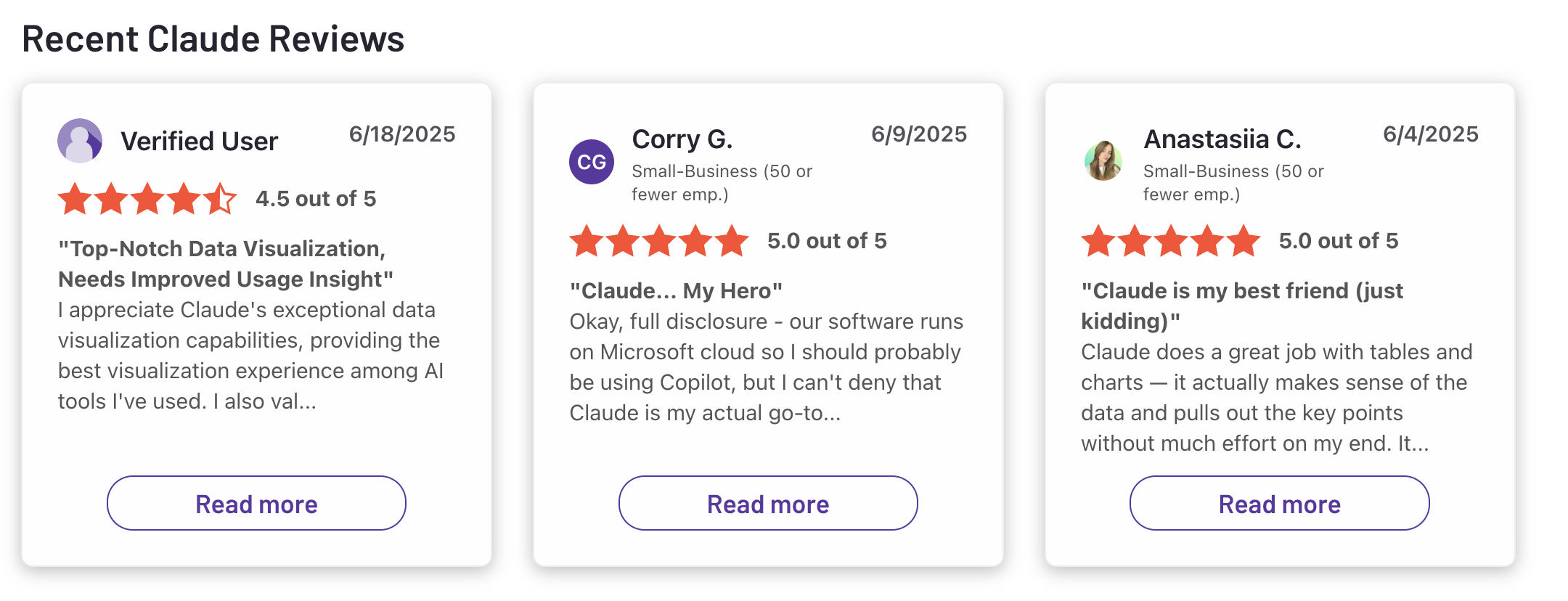
"Claude is super smart, easy to work with, and great at staying on track even with complicated questions. It writes really well and feels thoughtful compared to some other chatbots. Sometimes it’s a bit overly careful, but that also means I can trust its responses more. Definitely one of the best AI assistants out there."- Ashish Dubey
6. Grok
Grok is a generative AI chatbot built by xAI, Elon Musk's AI company, launched in late 2023 and significantly upgraded through 2026. It's positioned as the antithesis of "politically correct" AI - maximally truth-seeking, direct, and willing to engage with controversial subjects that other models dodge.
What makes it genuinely distinctive isn't the personality: it's the native, live integration with X (formerly Twitter), giving it access to real-time social sentiment, breaking news, and public discourse as it actually unfolds.
Key features
- Grok can surface breaking news, live sentiment, and public reactions within seconds of them happening on X.
- At 2 million tokens, Grok's context window eliminates the chunking complexity that bogs down developers building document analysis, code review, or long-form content pipelines.
"Grok 4 Heavy excels at complex reasoning tasks: we fed it a 30-page technical spec, and it extracted structured requirements with impressive accuracy... The 2-million-token context window is the killer feature." - verified review
- Multimodal capability, including image generation, image understanding, voice input, and multilingual chat
- Fun Mode & unfiltered personality.
"Grok has a bit of wit and a rebellious streak. This means the chatbot can engage in conversations that other chatbots like ChatGPT might avoid, making it more relatable and entertaining." - verified review
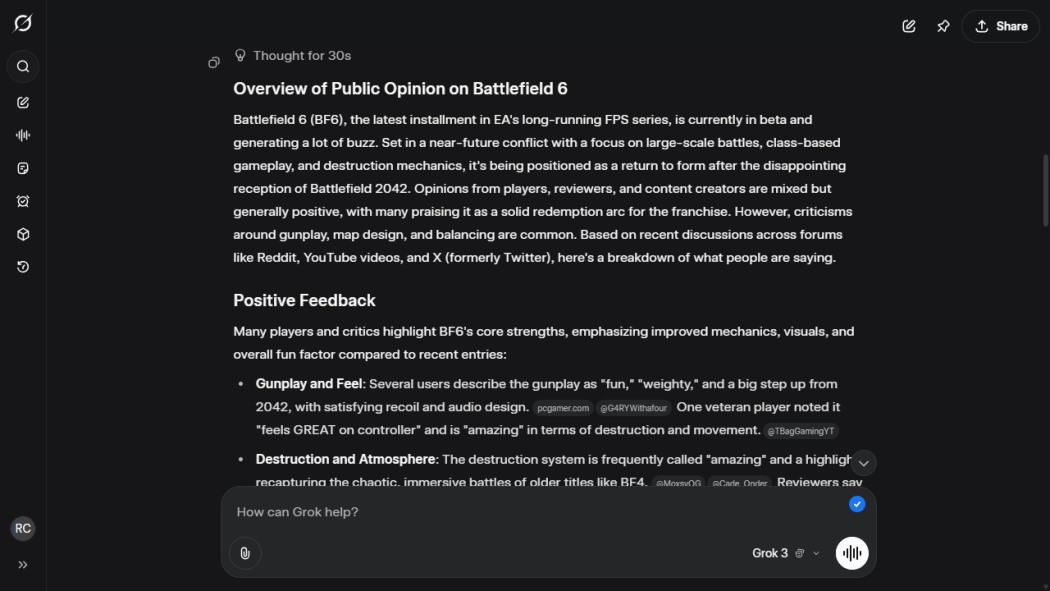
Pros
- Only AI with native real-time X/Twitter data access
- DeepSearch free for all X users
- Aurora image gen with stylized templates
- API pricing 40% below major competitors
- Strong long-context reasoning (128K+ token conversations)
"Grok has one of the lowest hallucination rates of all retail AI agents and always provides evidence for its answers." - verified review
Cons
- The top-tier plan is expensive, reaching around $300/month for heavy usage and early access to Grok 4
- While it’s strong in real-time search, its reasoning and depth can be less consistent for complex topics
- Some “unfiltered” responses have caused controversy, raising concerns about accuracy and tone
- Best experience may depend on X ecosystem access or subscription tier
"Grok tends to favor brevity and speed over deep context or exhaustive reasoning, which might be insufficient for complex business analytics, legal, or technical docs. " - verified review
Pricing
- Free tier with usage caps and limited access
- SuperGrok plan costs around $30/month with higher limits and added features
Suitable for
- Professionals, creators, and power users who want live, web-connected AI responses
- People who use image, voice, or multilingual chat regularly
How to start
- Go to grok.com or download the Grok app for iOS or Android
Grok review (source)
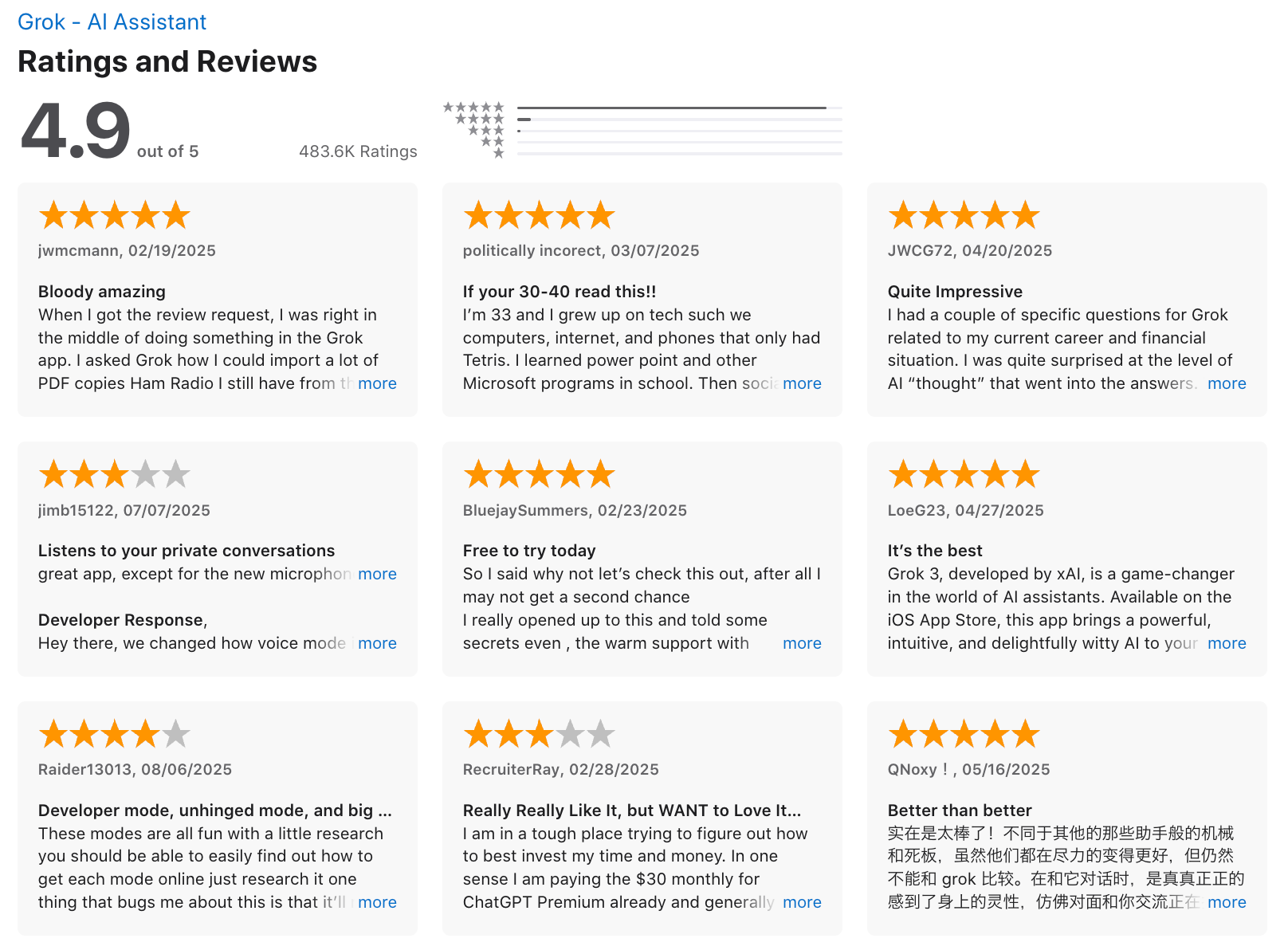
"It won't lie to you, and it feels like having your very own Aristotle in your pocket—the greatest form of intelligence and information access available. Even on the free tier, it's genuinely impressive and has become my go-to tool." - Carl K
7. Perplexity
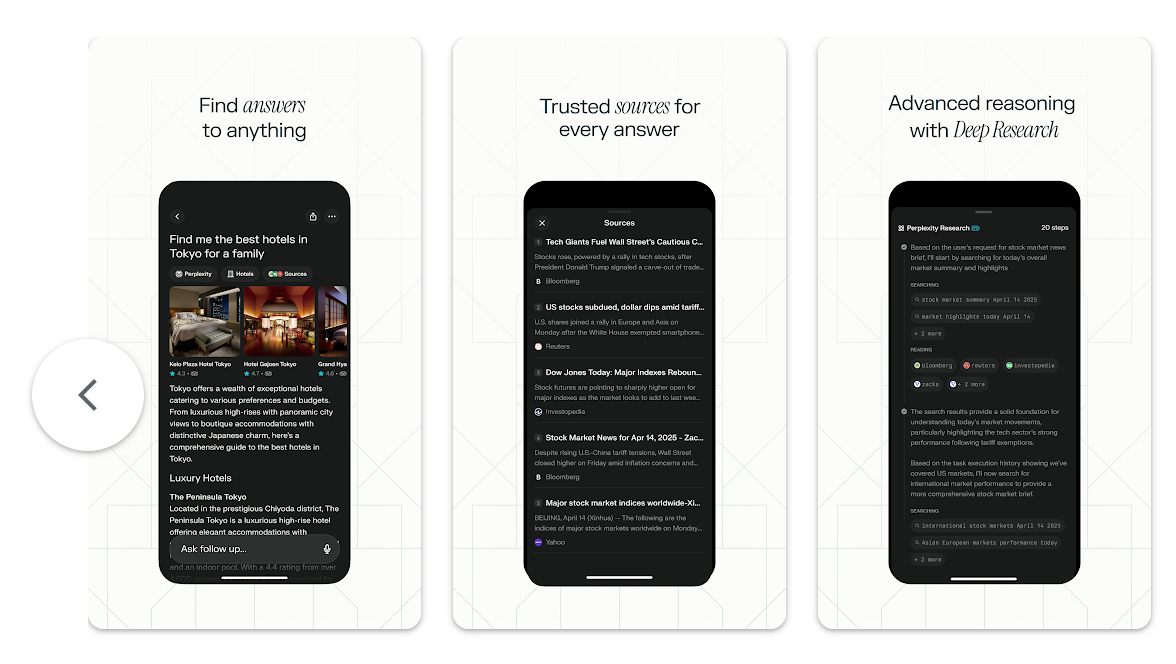
The first time I used Perplexity, it felt less like chatting with a bot and more like having a research assistant. Instead of giving long, unsupported answers, Perplexity organizes responses around live web sources, summaries, and follow-up questions.
In 2026, it now supports multi-model answers, file analysis, premium data sources, team knowledge search, and collaborative workspaces for research-heavy workflows.
Key features
- It answers questions like a search engine and a chatbot at the same time. Instead of just generating a response, it typically grounds answers in web results, making it easier to verify claims and keep researching.
- It’s built for deeper research workflows, especially when you need layered summaries, linked sources, and broader context from across the web.
“I use it when I want a quicker path to relevant information without opening dozens of tabs.” — verified review
- Multiple AI models: Lets you switch between different large language models depending on your plan.
Pros
- The mix of speed and accuracy - it feels like chatting with Google that actually cites its sources.
- I like that it connects to the live web, so you’re not stuck with outdated information.
Cons
- It’s not great for long, creative chats - the tone can feel too factual or dry compared to tools like ChatGPT.
- File uploads and collaboration features like Spaces still feel early and limited.
"I’ve been a Perplexity Pro subscriber for almost a year, and Deep Research was the only feature that justified the price for me. Now that it’s been cut down to a tiny monthly quota that runs out in a few days," - verified review
Pricing:
- Free plan available with limited searches per day.
- Pro plan around $20/month
Suitable for:
- Professionals, students, and researchers who want fast, trustworthy, cited answers.
How to start:
- Go to Perplexity’s website or download the app.
- Create a free account and start asking questions.
Perplexity review (source)
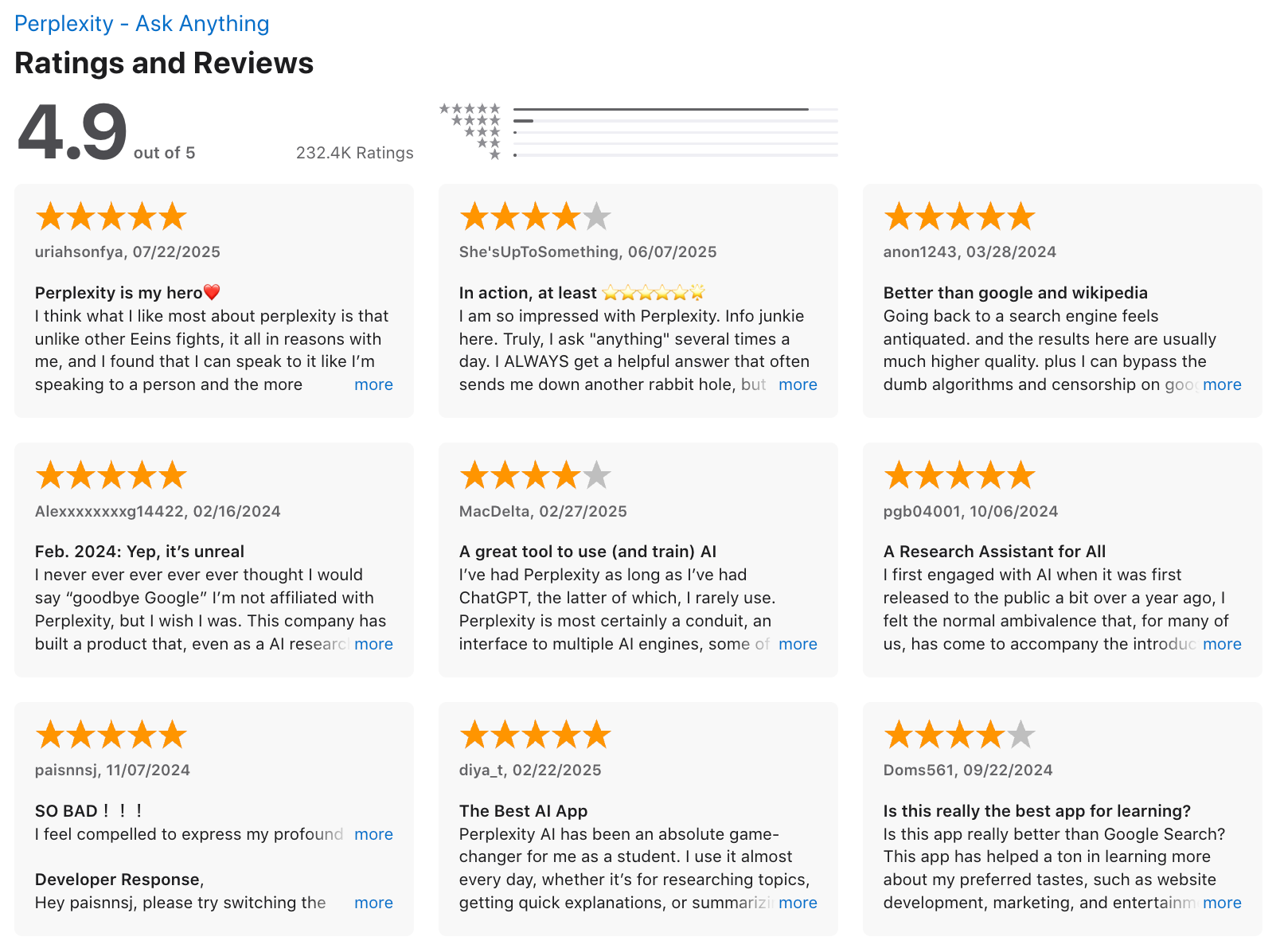
"My overall experience is great. I am using this daily in my life for organising my experiments, designing new experiments and take a hold of literature in my field. I also use it for analysis of my scientific data like growth curves, PCR, genomics and proteomics." - Ahmad K.
8. DeepSeek
The interface felt simple, almost understated, but the responses were surprisingly sharp, especially on logic-heavy prompts and coding questions.
That first impression explains why DeepSeek quickly became part of the conversation around the best AI chat apps in 2026. Built around its V3.2 and reasoning-focused model lineup.
Key features
- DeepSeek has become especially popular for logic-heavy tasks, technical analysis, and multi-step problem solving thanks to its reasoning-oriented model options.
- The model supports up to 128K context length, which is useful for long documents, codebases, research notes, and extended back-and-forth chats.
“I’m especially impressed by how it handles complex context without losing its mind. The 32K context window is huge—that's going to save so much back-and-forth when I'm debugging or building a big feature.” — verrified review
- Its API supports JSON output, tool calls, beta prefix completion, and FIM completion, which makes it practical for developers building automations, coding assistants, and AI-powered products.
Pros
- Uploading documents and asking follow-up questions feels smooth and intuitive - great for research and writing workflows
- The chat feels fast and contextually aware, maintaining long conversations without losing accuracy
- Free access through the web chat and app lowers the barrier for new users
“DeepSeek Coder is a game-changer for my workflow. I'm especially impressed by how it handles complex context without losing its mind.” - verified review
Cons
- Privacy and data-security concerns have been raised internationally - not ideal for sensitive or enterprise use
- Some regions have reported access restrictions or temporary sign-up pauses
- The interface can feel a bit raw compared to more polished competitors
- Enterprise, collaboration, and native productivity integrations are not as prominent as those from larger competitors
"DeepSeek never fully grasps the core of what you’re asking. It floods the conversation with unnecessary information, taking up space while missing the point entirely." - verified review
Pricing
- Free plan available for general use
Suitable for
- Professionals, students, and developers who want a fast, capable AI chat tool for writing, coding, and document-based tasks
How to start
- Visit DeepSeek’s site or mobile app
- Create a free account and start chatting or uploading files to test capabilities
Deepseek reviews (source)
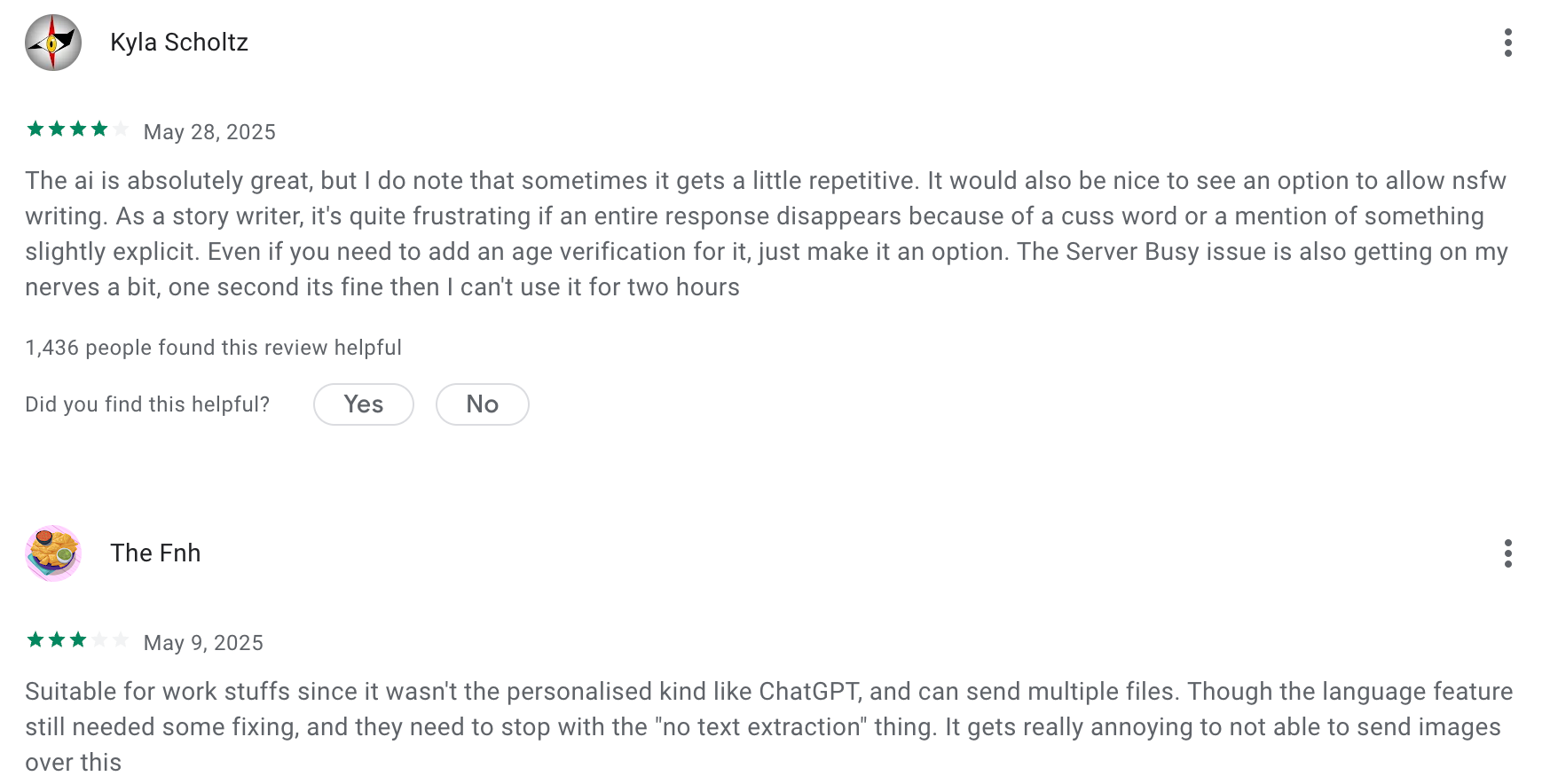
"Okay, Deepseek is a literal genius, sometimes even better than ChatGPT, but I use ChatGPT more, Deepseek feels like my Physics teacher - too cool and genius to talk to me, ChatGPT is more of a supportive and that's what cool in ChatGPT, Deepseek is a genius - he can sometimes solve problems that ChatGPT cannot." - YoN_SunN
Conclusion: Choosing the best AI chat app
The world of AI chat apps in 2026 is no longer about “just chatting.” These tools have evolved into digital companions - helping us think, create, plan, and stay organized across every part of life.
Whether you want to brainstorm your next big idea, manage a busy schedule, or just have a meaningful late-night conversation, there’s an AI chat app designed exactly for that.
If you’re looking for a place to start:
- Saner.AI is ideal for productivity and organizing your thoughts.
- ChatGPT remains the most versatile all-rounder.
- Claude shines for deep reasoning and writing.
- Perplexity is unmatched for fast, cited research.
- Pi.ai offers the most human, conversational touch.
Each tool brings a different personality and purpose - and your best choice depends on what you need most: clarity, creativity, or companionship.
AI chat apps will keep evolving quickly, becoming more personal, proactive, and deeply integrated into how we work and live.
The best way to stay ahead? Keep experimenting. Try a few, switch between them, and see which one truly feels like a partner in your day-to-day life.
Stay on top of your work with the top AI Chat Assistant
FAQ: Best AI Chat Apps in 2026 🤖
1. What are AI Chat Apps?
AI chat apps are intelligent assistants you can talk to - just like messaging a smart friend.
They understand natural language, help you plan, write, brainstorm, and even manage tasks or meetings.
Think of them as your AI companion for work and life. Popular options include Saner.AI, ChatGPT, Gemini, Claude, Perplexity, Grok, DeepSeek, and Pi.
2. What can AI chat apps do?
Modern AI chat tools can do a lot more than answer questions.
Here’s what the best AI chat apps help you with:
- Summarize long documents or notes
- Plan your day or week automatically
- Turn ideas or chats into actionable tasks
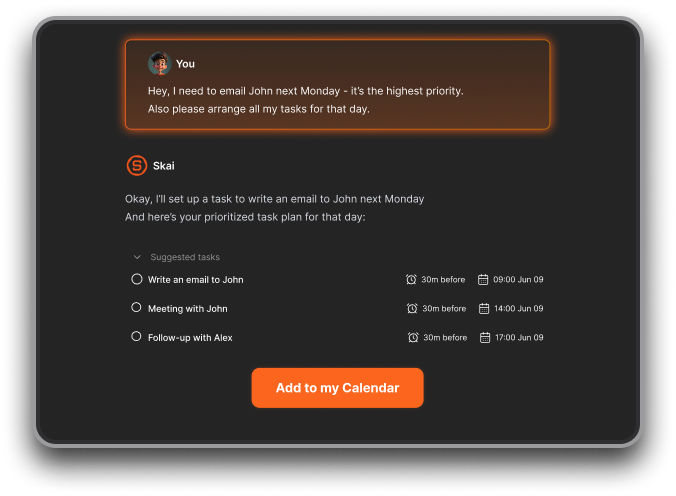
- Draft emails, reports, or blog posts in seconds
- Search your notes or files like a human would
- Provide coaching, research, or learning support
Apps like Saner.AI even combine notes, calendar, and tasks, making them more of an all-in-one productivity workspace than a simple chatbot.
3. Which is the best AI chat app right now?
There’s no one-size-fits-all. It depends on what you need:
- Saner.AI – For productivity, daily planning, and organization
- ChatGPT – For general creativity, writing, and coding help
- Gemini – For research and Google Workspace integration
- Claude – For thoughtful, long-context conversations
- Perplexity – For research and source-backed answers
- Grok – For real-time insights and social media context
- DeepSeek – For advanced reasoning and problem solving
- Pi – For emotional support and friendly conversation
Each has a unique “personality,” so try a few to see which matches your workflow.
4. Are there free AI chat apps?
Yes! Most leading AI chat tools offer free versions with solid functionality.
- Saner.AI – Free plan includes AI task planning, reminders, and natural-language search
- ChatGPT – Free with limited access
- Gemini – Free via Google account
- Pi – Always free for personal conversations
- Perplexity – Free for quick research with citations
5. Which AI chat app is best for work productivity?
If your goal is to work smarter (not harder), Saner.AI leads the pack.
It doesn’t just reply - it helps you act: organizing your notes, scheduling tasks, and surfacing what matters when you need it.
Other solid options:
- Gemini for Google integration
- ChatGPT for creative writing or brainstorming
- Claude for summarizing long team updates
6. Which AI chat app is best for ADHD or focus issues?
Many users with ADHD prefer Saner.AI because it keeps everything - notes, tasks, and reminders - connected in one calm workspace.
It reduces context switching, translates brain dumps into actionable steps, and reminds you of follow-ups automatically.
If you tend to get overwhelmed by scattered apps, this kind of structure helps you stay on track without micromanaging yourself.
7. Can AI chat apps improve productivity?
Absolutely. The best AI chat apps help you stay in flow by reducing friction.
Here’s how:
- You spend less time switching between apps
- Notes and tasks stay connected
- You can ask instead of searching manually
- AI reminds you when it’s time to act
With tools like Saner.AI or Gemini, productivity feels more natural - like having a proactive assistant that knows your workflow.
8. Do AI chat apps support voice commands?
Yes, several do.
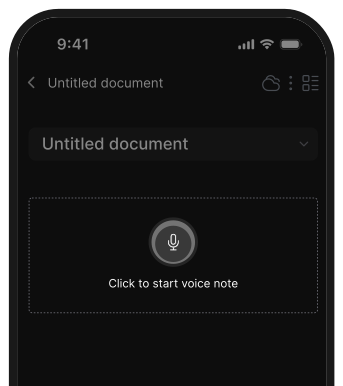
- Saner.AI – Supports voice-to-task input
- ChatGPT – Has built-in voice chat on mobile
- Gemini – Integrates with Google Assistant
- Pi – Naturally conversational, voice-first design
Voice support makes these apps even better for people who think out loud or work on the go.
9. Which AI chat apps are best for entrepreneurs?
For founders and solo operators, Saner.AI and Claude stand out.
- Saner.AI – Converts messy ideas into clear plans and syncs with calendar/email
- Claude – Great for reflective writing and complex strategy docs
- Perplexity – Ideal for quick market research with reliable sources
They help entrepreneurs think, plan, and act faster without drowning in tools or notes.
10. Which AI chat app is best for research and learning?
- Perplexity – Excellent for verified, cited answers
- Saner.AI – Helps connect research notes into meaningful insights
- Gemini – Integrates deeply with Google Search
- DeepSeek – Known for reasoning-heavy tasks and data interpretation
Together, these tools cover everything from finding facts to synthesizing insights.
11. Can AI chat apps help with meeting prep?
Definitely. Tools like Saner.AI can surface past meeting notes, summarize discussions, and even extract next steps.
Just ask:
“What did we decide in last week’s meeting?”
“What are my follow-ups with the marketing team?”
No need to dig through old documents - AI handles the recall.
12. What’s the most human-like AI chat app?
If you want empathy and conversation, Pi and Claude are the most natural.
If you prefer an assistant that “gets things done,” Saner.AI or ChatGPT feel more proactive and structured.
13. What makes Saner.AI different from other AI chat apps?
Most AI chat apps focus on chatting. Saner.AI focuses on follow-through.
It turns your messages, notes, and ideas into actionable tasks, syncs with your calendar, and reminds you at the right time.
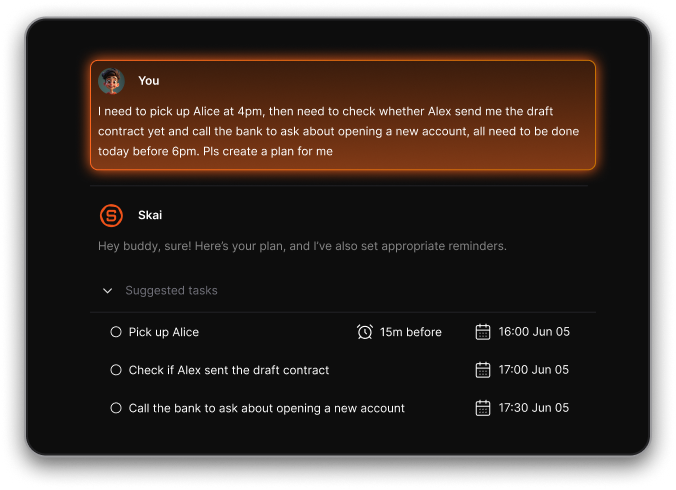
It’s like a personal Chief of Staff, not just a chatbot.
15. How will AI chat apps evolve next?
Expect them to move from “answering questions” to anticipating your needs - planning your day, suggesting ideas before you ask, and coordinating across apps automatically.
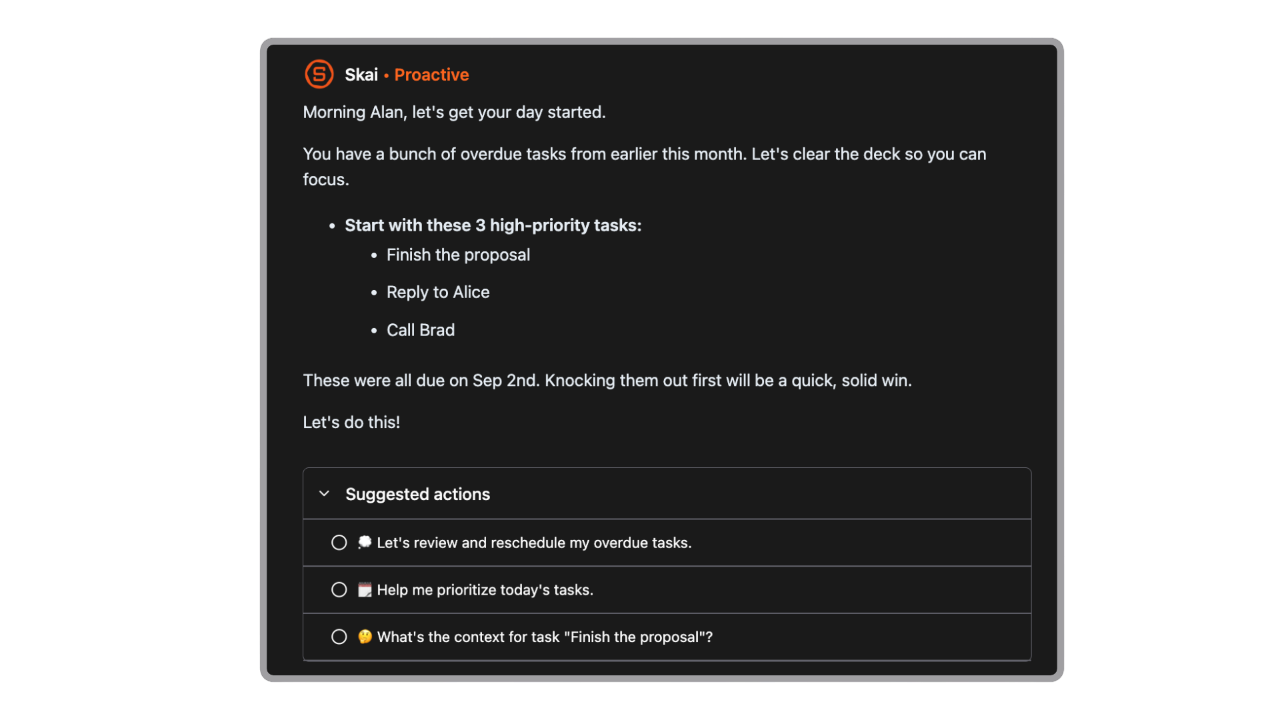
Tools like Saner.AI are already leading this shift toward proactive, context-aware AI assistants.
16. Which AI chat app should I start with?
If you’re new:
- Start with ChatGPT or Pi to learn the basics of AI conversation
- Move to Saner.AI if you want real productivity help
- Try Perplexity when doing research or writing
- Add Gemini for Google integration
Once you see how natural it feels, you’ll never want to work without one again.
Stay on top of your work and life
[Last updated in 2026]



