
Best AI Chief of Staff in 2026: 6 Picks for Busy Professionals


I started tracking where my week went. 30% was coordination. Not decisions, just coordination. Sending reminder messages, asking for status updates, and setting up meetings that could have been quick messages. I knew I needed a chief of staff to handle the operational background noise, but a six-figure salary was nowhere in my early budget.
That was six months ago. Since then, I have been using an AI setup to handle the administrative mess. It handles calendar triage, pulls together meeting context, and tracks follow-ups across teams. I still make the calls, but I stopped losing hours to the setup work.
What is an AI chief of staff?
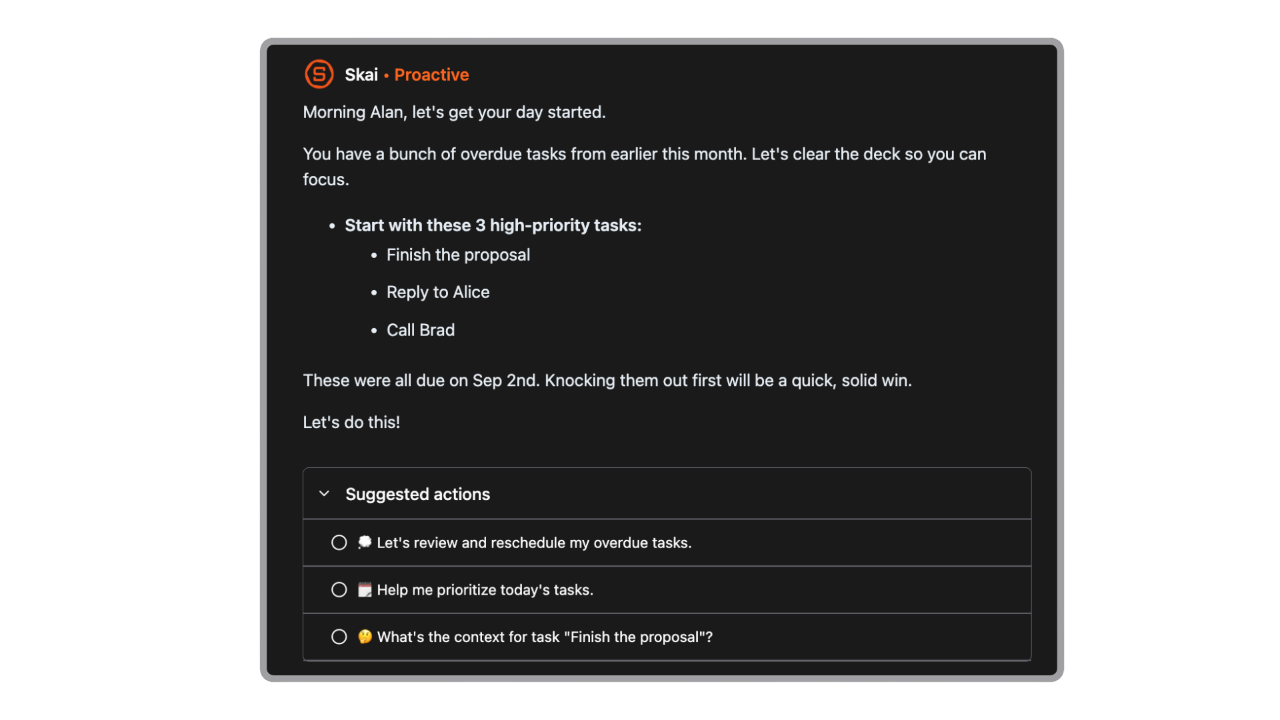
An AI chief of staff is software that tracks project goals, summarizes, updates across company tools for busy professionals.
Quick guide: What are the best AI chief of staff apps?
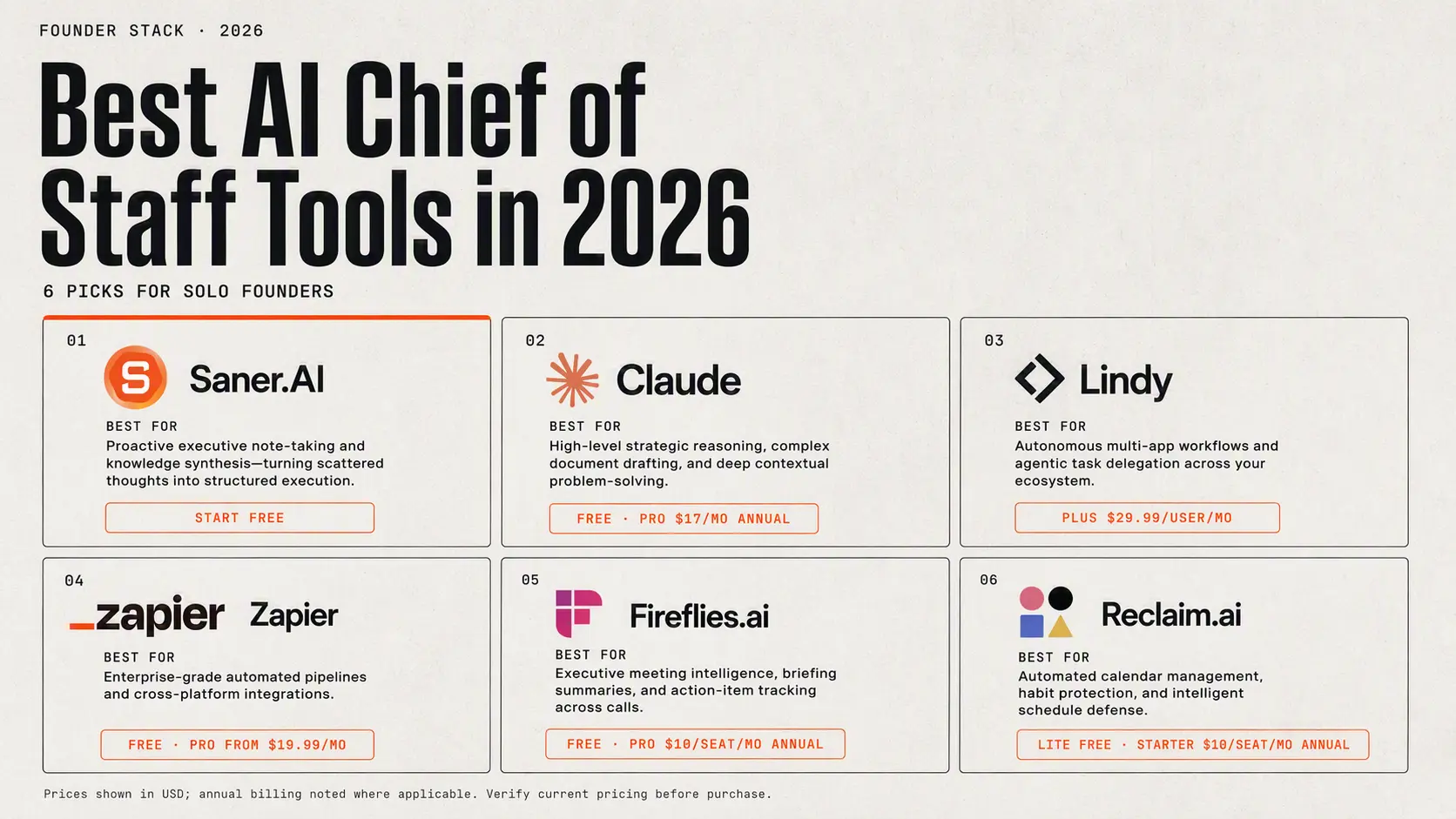
2) Claude: Best for high-level strategic reasoning, complex document drafting, and deep contextual problem-solving.
3) Lindy: Best for autonomous multi-app workflow execution and agentic task delegation across your ecosystem.
4) Zapier: Best for building enterprise-grade, multi-app automated pipelines and cross-platform integrations.
5) Fireflies.ai: Best for executive meeting intelligence, automated briefing summaries, and action-item tracking across calls.
6) Reclaim.ai: Best for automated calendar management, habit protection, and intelligent schedule defense.
How I selected these tools
I spent weeks testing AI chief of staff tools and sifting through feedback from executives who actually use them daily. To make this list, a software option had to pass five specific checks, not just a demo video.
- Use case coverage: An AI chief of staff should do more than schedule meetings. I looked for tools that handle multiple operational jobs, like tracking action items from calls, summarizing long Slack threads, and following up on open commitments across teams.
- Founder-specific fit: I prioritized options that keep leaders focused on strategy without requiring hours of manual input or rigid task management.
- Integrations: I only picked tools that connect directly into standard tech stacks, including Gmail, Google Calendar, Slack, Notion, and Asana.
- Pricing transparency: Every product here clearly states what you pay upfront, whether it is a $20 monthly seat or a flat team tier.
- Verified reviews: To avoid marketing hype, I cross-referenced user feedback on G2, Capterra, and Product Hunt.
What are the best AI chief of staff?
Best AI chief of staff in 2026 are Saner.AI, Claude, Lindy AI, Fireflise.ai, Reclaim.ai and Zapier
Comparison table - Best AI Chief of Staff in 2026
| Tool | Best feature | Price | Devices / access | Best for |
|---|---|---|---|---|
| Saner.AI | Combines AI notes, tasks, email, calendar, document search, and personal knowledge management in one workspace | Free plan; Starter from $8/month; Standard from $16/month | Web app, mobile app, Chrome extension | Individuals who want an AI assistant that remembers their work and turns notes into tasks |
| Claude | Strong reasoning, writing, research, document analysis, and project-based context | Free; Pro about $20/month; Max from $100/month; Team plans available | Web, desktop app, iOS, Android, Claude Code | Executives, founders, and knowledge workers who need a high-quality thinking and writing partner |
| Lindy AI | Autonomous inbox management, meeting scheduling, follow-ups, and custom AI workflows | 7-day trial; Plus $49.99/month; Pro $99.99/month; Max $199.99/month; Enterprise custom | Primarily web; can interact through connected email, calendar, and messaging channels | Users who want an AI executive assistant to manage email, meetings, and follow-up work |
| Fireflies.ai | Records, transcribes, summarizes, and searches meetings; extracts action items | Free; Pro about $10–$18/user/month when billed annually; Business about $19–$29/user/month; Enterprise from $39/user/month | Web, desktop app, iOS, Android, Chrome extension | Teams that have many meetings and need searchable institutional memory |
| Reclaim.ai | Automatically schedules tasks, habits, focus time, breaks, and meetings around your calendar | Free Lite; Starter about $10/user/month; Business about $15/user/month; Enterprise about $22/user/month | Web app, Google Calendar add-on, Slack and Raycast integrations; no full native mobile app currently | Professionals who need calendar automation and protected focus time |
| Zapier | Connects AI agents and workflows to thousands of business apps and automates repetitive processes | Free; Professional from about $19.99/month annually; Team from about $69/month; AI Agents priced separately depending on plan | Web app; mobile access is limited compared with the web platform | Businesses that want to automate operations across CRM, email, project management, and other apps |
1. Saner.AI
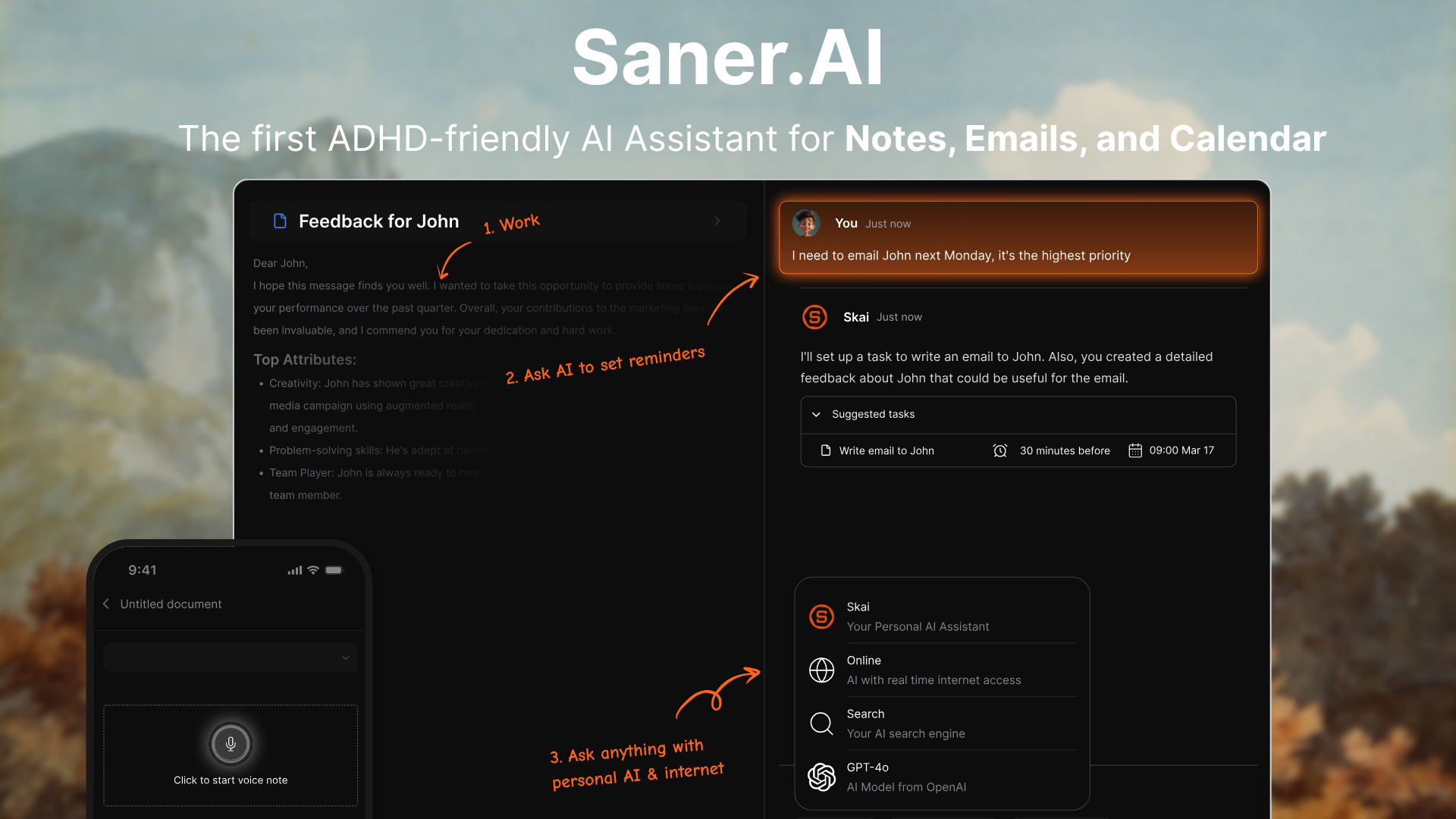
Saner.AI works as an AI chief of staff that brings your emails, Google Drive, calendar, and notes into one clean workspace. The app uses its built-in AI assistant to organize your day, pull tasks from unread messages, and break down messy projects into realistic steps.
Key feature
- Automatic daily planning and inbox triage
I tried letting Skai process my connected Gmail, Slack, and Google Calendar accounts every morning. The tool pulls action items out of long email threads, groups them by priority, and builds a realistic daily schedule without manual effort.
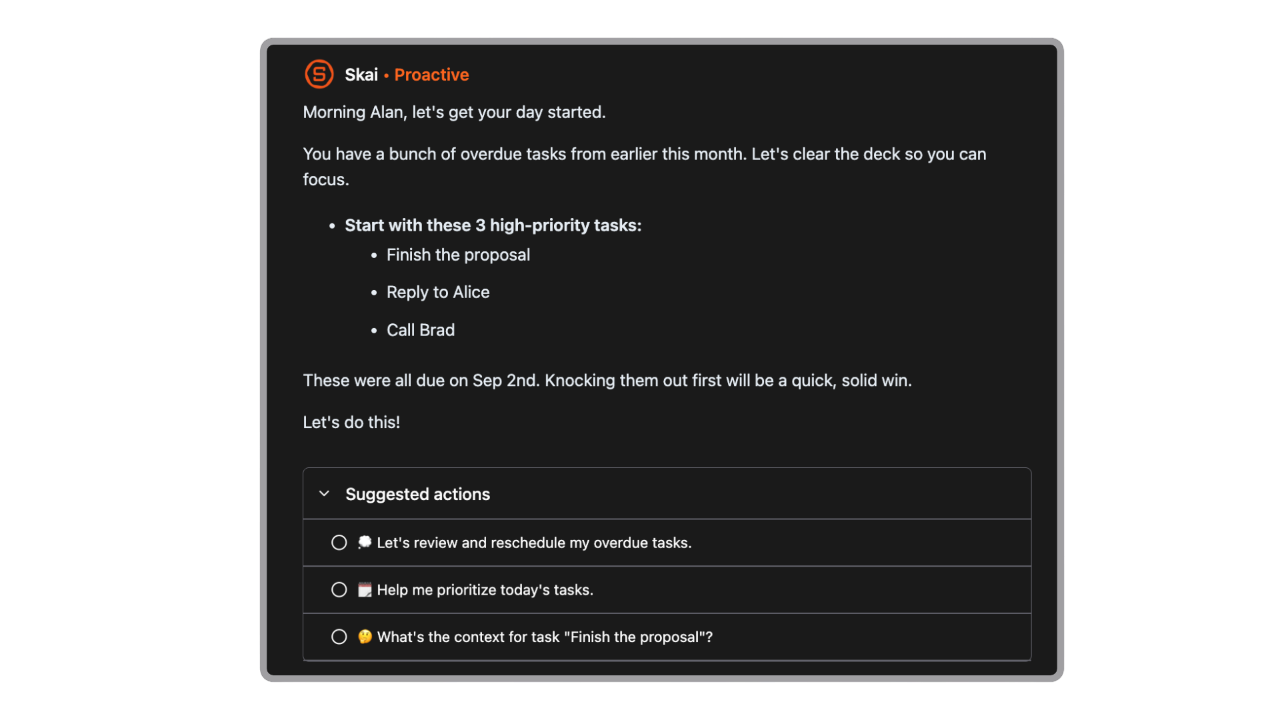
- The Skai AI chief of staff assistant
When I used Skai to outline complex projects, the assistant cited exact references from my saved PDFs and Google Docs. It acts as an operational partner that answers questions using your past work context while offering multi-model support.
- Contextual note search
The semantic search allows you to locate documents using broad natural language phrasing instead of exact keywords.
Pros
- I love that I can ask Skai to break down intimidating projects into small, digestible daily steps.
- I like the AI calendar; I can just talk to schedule everything
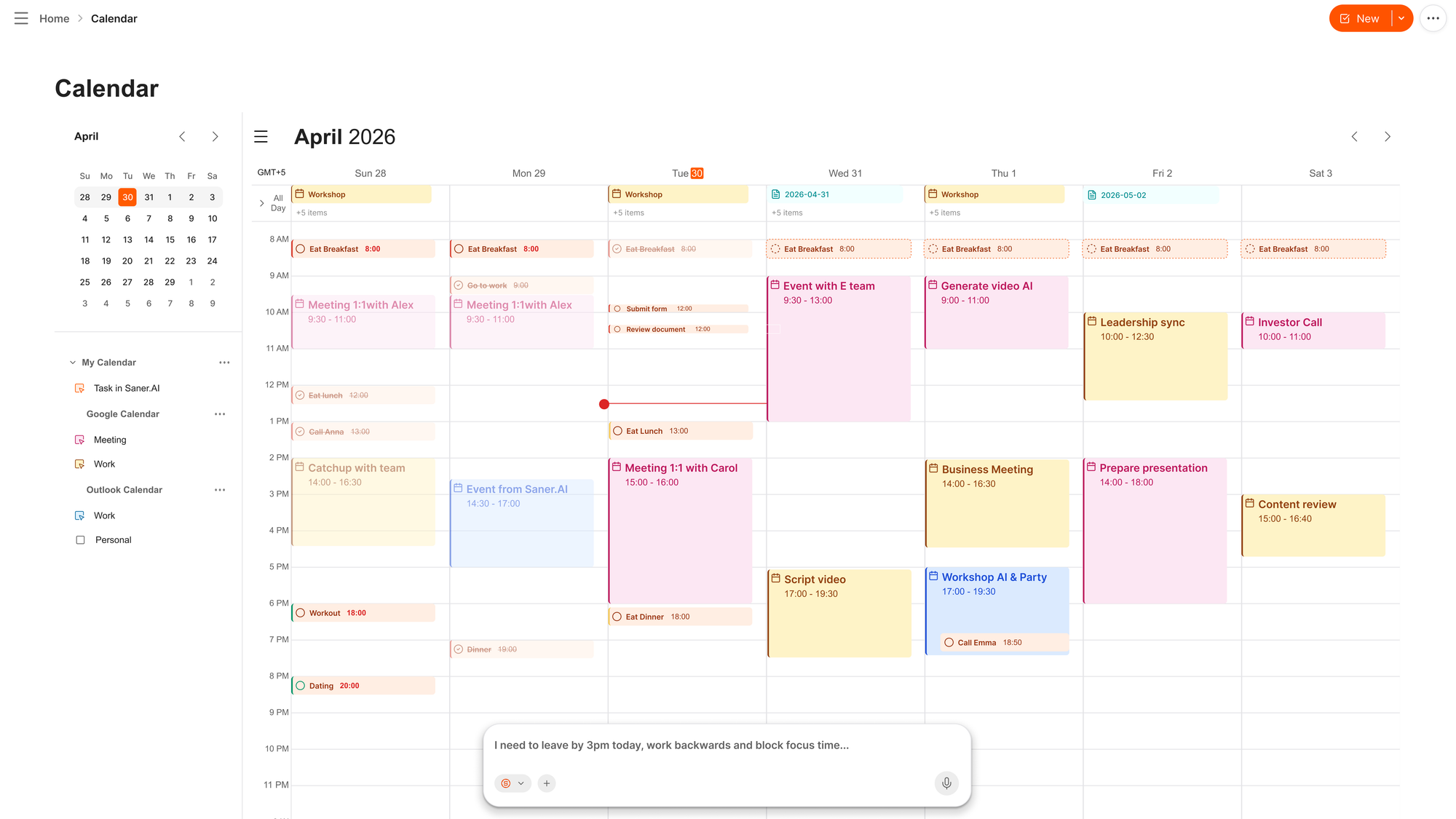
- I enjoy having multiple AI models like Claude and GPT available inside a single note window.
Cons
- I notice the mobile experience still feels a bit restricted compared to the full desktop view.
Who is it best for
- Saner.AI is best for executives, founders, knowledge workers, and professionals with ADHD who suffer from information overload, frequent context switching, and difficulty prioritizing daily task lists.
Pricing table
| Plan | Price (USD) | Key chief of staff capabilities |
| Free | $0/mo | Basic capture, light search, and standard AI daily task tracking. |
| Starter | $8/mo | Full inbox and calendar integrations, automated daily planning, and voice notes. |
| Standard | $16/mo | Multi-model access (GPT-4, Claude, Gemini), higher storage caps, and advanced file processing. |
What people say about Saner.AI
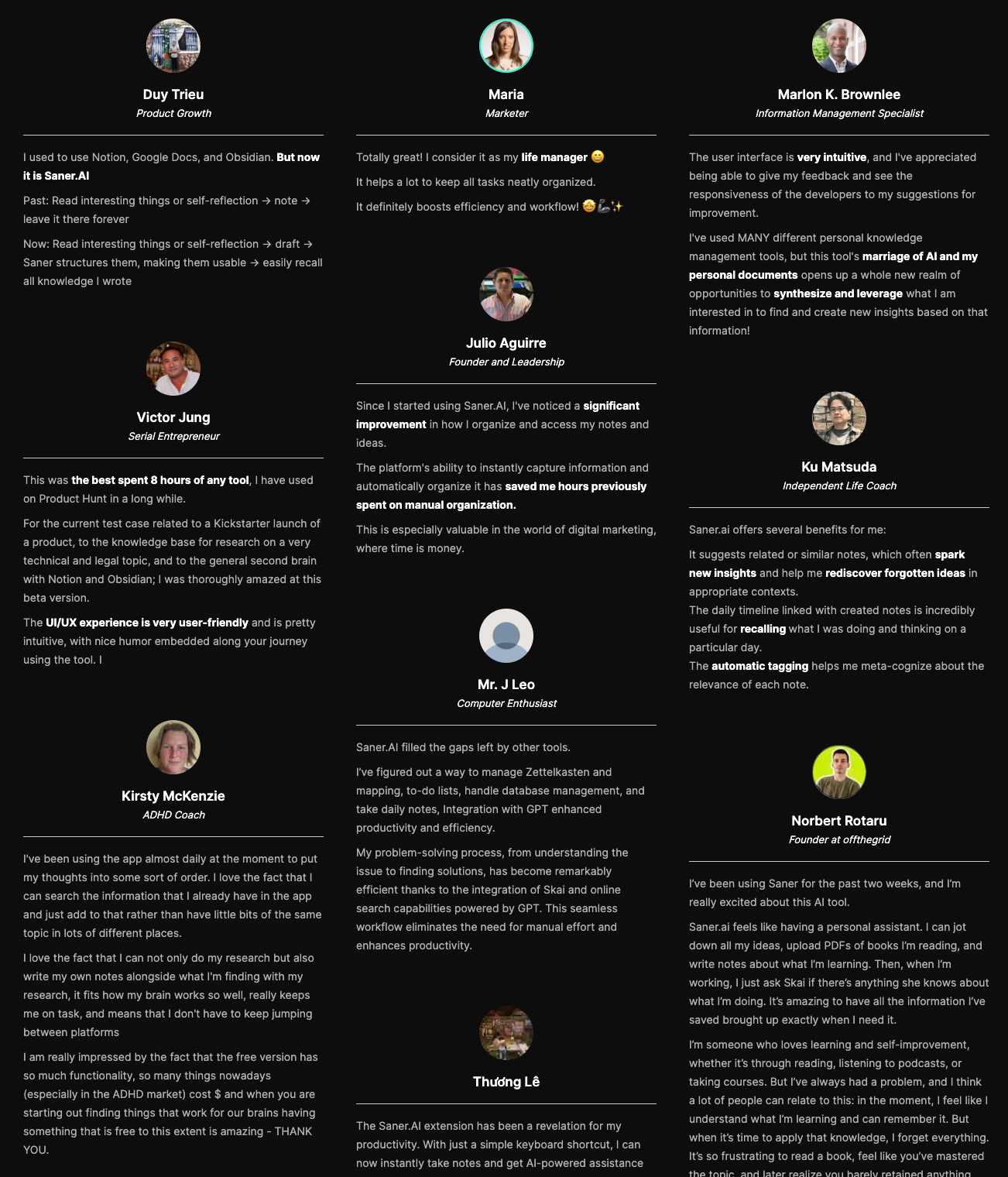
Users highlight how the assistant reduces mental clutter by keeping track of tasks and notes automatically.
"Saner AI is an AI-powered productivity assistant... Built with ADHDers in mind, it combines note-taking capabilities with multiple AI models to create a streamlined workspace that minimizes context switching and reduces cognitive load." — Verified Review
How to get started
- Step 1: Download the Saner.AI desktop app or install the Chrome extension.
- Step 2: Connect your Gmail, Google Calendar, and Drive accounts to let Skai read your schedule and tasks.
- Step 3: Open the app every morning and ask the AI to summarize your top priorities for the day.
2. Lindy AI
Build your own digital executive team. Works quietly across your tools to handle scheduling, draft emails, and push data across your stack without taking a breath.
What it does well:
- Custom agent builder: Lindy lets you describe what you want an AI employee to do in plain English, giving you fine-grained control over how it handles tasks
- Deep app integration: It links to over 200 platforms, including Gmail, Slack, HubSpot, and Notion,
- Multilingual processing: It natively supports over 60 languages, so it can manage global communications or summarize multi-language threads without dropping context.
- No-code setup: You can spin up a fully functioning workflow in an afternoon using pre-built templates or simple prompts
What it doesn't do well:
- Trigger-dependent: Lindy executes when an event fires rather than spotting upcoming problems on its own, meaning it lacks true proactive intuition.
- Requires manual configuration: You have to explicitly set up the recipes and rules yourself
- Pay-per-action costs: Heavy email volume or frequent back-office automations can burn through usage credits faster than expected.
Who it's actually for: Founders, solo operators, and EAs who want a customizable, multi-tool assistant to wipe out repetitive back-office tasks.
3. Fireflies AI
Turn every call into an active central station for your work. Fireflies records your meetings, converts the audio into text, and routes key tasks directly to your project management tools without you typing a single note.
What it does well:
- Feed and action tracking: The platform’s Feed feature acts as a personal AI chief of staff. It scans across all team meetings to extract key decisions, surface action items, and build a unified timeline of project progress.
- Deep CRM and app connections: Fireflies pushes call notes, transcripts, and follow-ups straight into systems like Salesforce, HubSpot, or Slack.
- Flexible capture options: You can invite its bot to Google Meet, Zoom, or Teams calls, use the browser extension, or upload raw audio files manually.
- Advanced search filters: Smart filters let you search across hundreds of past calls for specific speaker talk times, metrics, or custom topic mentions.
What it doesn't do well:
- Bot presence on calls: Fireflies relies on a visible participant bot joining the meeting room
- Overwhelming interface: The dashboard packs in so many features, playlists, and side menus that finding a basic transcript can feel cluttered.
- Inconsistent action item accuracy: While the raw text transcripts are sharp, the AI occasionally misses context or grabs minor details as major action items.
Who it's actually for: Busy managers and team leads who need an AI chief of staff to aggregate cross-meeting intelligence and keep project boards up to date.
4. Claude
Acts as a high-level executive operating system across terminal commands, visual assets, and day-to-day writing. It coordinates subagents, parses massive cross-functional contexts, and builds assets from backend logic all the way to frontend specs.
What it does well
- Deep context synthesis: Claude handles huge, multi-layered prompts and repository-wide contexts without getting confused, making it genuinely useful for high-level strategy and executive summaries.
- Unified dev-to-design pipeline: You can map out product workflows or write terminal scripts using Claude Code, then pass those exact assets to Claude Design to auto-generate matching specs and prototypes.
- Agentic terminal execution: Claude Code runs straight from your command line, running local scripts, handling file edits, and managing Git updates without you baby-sitting every step.
What it doesn't do well
- Not an automated task runner: It won't passively background-check your email or trigger real-time actions on its own unless you connect external developer webhooks or custom hooks.
- High barrier to entry: Setting up the terminal workflow with Claude Code requires comfort with command-line tools
- No built-in ecosystem apps: Unlike Google or Microsoft alternatives, Claude lacks native calendar or email software, so you have to manually pipe data in or use API connectors.
Who it's actually for: Technical founders, product managers, and ops leaders who want an AI chief of staff capable of building prototypes, running terminal commands, and managing high-level strategy under one hood.
5. Reclaim.ai
Reclaim.ai acts like a digital gatekeeper for your schedule, automatically claiming focus time for tasks, personal routines, and rest before anyone else can book over them.
What it does well
- Smart routine protection: The tool locks in non-negotiable personal habits, like taking a break for lunch or squeezing in an hour of deep work, and automatically reschedules them if a sudden call overrides that slot.
- Generous free option: You can get a lot done on the free tier, which makes testing it out painless if you are deciding whether to ditch another scheduling app.
- Shared team calendar logic: Instead of just fixing one person's messy week, it calculates collective focus time and syncs availability across whole departments.
What it doesn't do well
- Google Calendar bias: While it technically connects elsewhere, the platform was clearly built for Google Workspace first, leaving Microsoft Outlook users with a clunkier setup.
- Ignores your actual energy levels: It moves tasks around pure time slots and priority tags rather than tracking when your brain is actually primed for deep work.
- Not a daily task manager: If you like opening an app every morning to list out your priorities line by line, this won't replace that feeling. It manages the calendar, not your mind.
Who it's actually for: Busy professionals on Google Workspace who want an automated assistant to fight off calendar bloat and protect their focus hours.
6. Zapier
An automated workflow network built to act as a hands-off administrative operational engine. It links over 7,000 separate apps, letting custom AI agents run tasks, draft messages, and trigger actions across your entire tool suite.
What it does well
- Universal app connectivity: Because Zapier connects with practically every business app out there, its AI agents can access and control your tools without you having to write custom integrations.
- Autonomous task execution: The platform doesn't just pass text back and forth. Its native AI agents actually follow multi-step instructions, make contextual decisions, and update records across your tools on their own.
- Custom workflow design: Through a simple natural-language builder, you can set up precise guardrails, approval steps, and rules for how your assistant manages daily operations.
What it doesn't do well
- Lacks a single proactive dashboard: It functions behind the scenes as a network of connected automations rather than a clean, unified interface where you chat with a single assistant figure.
- Complex logic can get pricey: As your automated workflows grow and start taking on higher volumes of multi-step AI tasks, monthly activity costs stack up fast.
- Setup requires initial effort: It doesn't instantly manage your life out of the box. You have to actively build and test the specific routing rules you want your agent to handle.
Who it's actually for: Founders and operators who prefer an invisible, highly tailored administrative engine connecting their software over a simple conversational chatbot.
Conclusion
Building an effective AI chief of staff isn't about replacing human decision-making—it's about setting up a connected stack of tools to clear out daily administrative chaos.
- Saner.AI acts as the central command center, pulling scattered notes, emails, and tasks into one searchable space so nothing slips through the cracks.
- Claude takes on complex strategy tasks, drafting long-form reports, analyzing documents, and handling messy reasoning.
- Lindy AI steps in as an autonomous agent to coordinate workflows and manage cross-platform actions.
- Fireflies.ai records meeting transcripts, tracks decision points, and pulls out action items automatically.
- Reclaim.ai blocks out focus time and adjusts calendar priorities dynamically as deadlines shift.
- Zapier links all these platforms together in the background, keeping data flowing between apps.

Stay on top of your work and life effortlessly with best AI chief of staff
Frequently asked questions about AI chiefs of staff
1. What is an AI chief of staff?
An AI chief of staff coordinates your work instead of just taking orders. Traditional executive assistants handle scheduling or basic task entry, but an AI chief of staff connects your information streams, spots missing follow-ups, tracks decisions across projects, and keeps your work aligned with your main goals.
2. How does an AI chief of staff differ from a standard AI assistant?
Standard AI assistants process single requests, like writing an email draft or answering a prompt. An AI chief of staff operates across multiple tools, remembers past context, tracks project status, and alerts you to bottlenecks before they turn into actual delays.
3. Can an AI chief of staff replace a human chief of staff?
It cannot replace human judgment, high-stakes negotiations, or office politics. It handles the operational weight that consumes half of a human chief of staff's week: gathering updates, tracking cross-functional projects, preparing meeting briefings, and keeping calendars under control.
4. What core tools make up an AI chief of staff workflow?
Most people build a setup using a few specialized tools working together:
- Saner.AI acts as the central brain to catch brain dumps, connect notes with your calendar, and surface context automatically.
- Claude processes complex long-form documents, handles strategic analysis, and drafts clear communications.
- Lindy AI creates autonomous agents that run custom multi-step workflows across your business.
- Fireflies.ai records meetings, transcribes conversations, and extracts action items automatically.
- Reclaim.ai protects your calendar by automatically fitting habits, task blocks, and buffer time around changing schedules.
- Zapier connects all these platforms so data flows between them without manual copy-pasting.
5. Is technical or coding experience required to set one up?
No. Modern tools rely on natural language inputs and visual workflow builders. Connecting tools through Zapier or setting up smart calendars in Reclaim.ai takes basic configuration rather than code.
6. What is the cost of setting up an AI chief of staff stack?
A solid individual setup costs between $30 and $90 a month depending on your tech stack. Most of these applications offer free entry-level tiers, so you can test the workflow before paying for paid subscriptions.
7. How do I prevent an AI chief of staff from making mistakes?
Keep a human in the loop for outward-facing work. Let the AI handle internal drafting, scheduling, research, and tracking, but review key emails, client communications, and strategic choices before sending them out.
8. What is the easiest way to start using an AI chief of staff?
Start with one friction point instead of trying to automate your whole week at once. If your calendar feels out of control, start with Reclaim.ai. If you drop tasks during meetings, set up Fireflies.ai. If you struggle to keep your notes and daily tasks organized in one place, set up Saner.AI to handle your daily capture and focus. Once that piece works, add the next tool.
Stay on top of your work and life effortlessly