
5 Best AI Tools for Procrastination and Focus in 2026 (Tested)


It is 3:45 PM. You have fifteen tabs open, including a half-written doc, three articles on focus strategies, and a mechanical keyboard video on YouTube. Your phone battery is down to 12% because you spent the last forty minutes checking notifications that do not matter. The deadline is tonight, the guilt is setting in, and your brain is refusing to cooperate.
I know this cycle because I live it almost daily. To break out of it, I tested 5 AI tools over three weeks to find out which ones actually help you start working instead of just giving you another dashboard to organize.
Saner.ai is one of the options here, and I work there. I've tried to give you enough detail to decide whether it suits your needs.
Quick guide: What are the best AI focus and anti-procrastination tools?
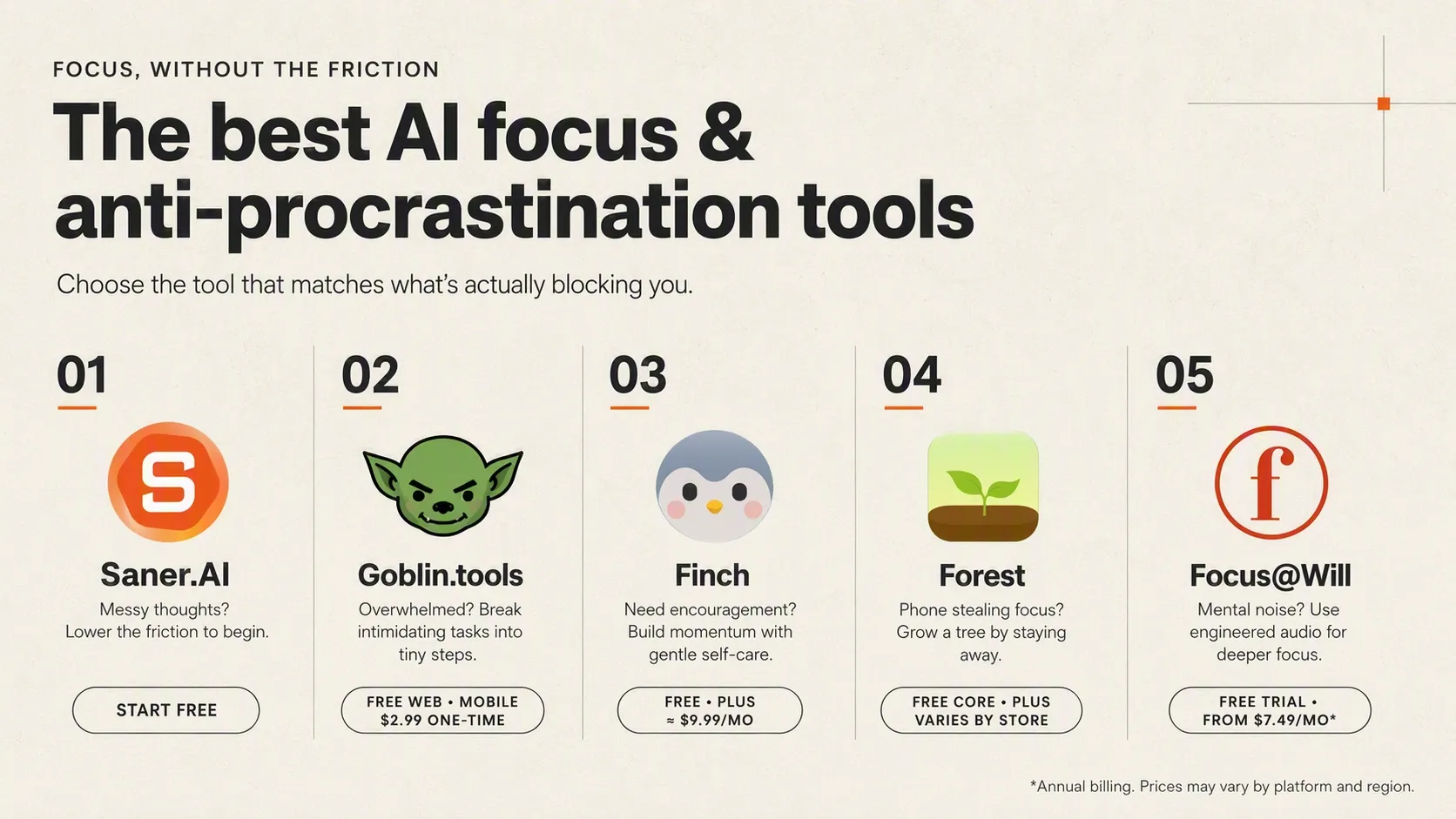
2. You feel paralyzed because a task feels way too overwhelming: Goblin.tools
3. You need gentleness and self-care motivation, not pressure: Finch
4. Your phone itself is the main distraction: Forest
5. You need scientifically engineered audio to drown out mental noise: Focus@Will
Why is procrastination so hard to beat?

Cognitive science shows procrastination is an issue of emotion regulation rather than poor time management. When you sit down to start a difficult assignment, your brain registers the friction as stress or anxiety. To protect you from that discomfort in the moment, your mind seeks fast relief through distraction.
This dynamic shows up clearly in adults with ADHD. National Institutes of Health research highlights that neurodivergent brains often experience dopamine hyposensitivity in reward pathways, making task initiation feel like trying to run an engine with no spark. Without an immediate hook, the brain refuses to engage.
How we chose the best procrastination and focus apps
The ideal anti-procrastination tool should actively dismantle the barriers that cause task paralysis. We evaluated each platform based on the core friction points of hyperfocus, distraction, and emotional overwhelm:
- Activation Energy Reduction: How quickly can the app take you from "staring blankly" to taking action?
- Emotional Regulation: Does the app use shame-free encouragement, or does it trigger anxiety through harsh penalties?
- Cognitive Load Minimization: Is the user interface quiet and intuitive, preventing "side-questing" within the tool itself?
- Dopamine Alignment: Does it provide immediate, healthy reward loops (visual, gamified, or sensory) to maintain momentum?
- Distraction Barrier Strength: How effectively does it keep your mind—or your hands—from drifting toward secondary distractions?
- Adaptability: Does it allow you to pivot seamlessly when your focus breaks or when a task proves harder than expected?
What are the best AI for procrastination and focus?
Best AI for procrastination and focus in 2026 are: Saner.AI, Reclaim.ai, Focusmate, Freedom and Brain.fm
Comparison table - Best AI for procrastination and focus
| Tool | Best feature | Best for | Price* | Device |
|---|---|---|---|---|
| Saner.AI | AI-powered task planning, note-taking, voice capture, and breaking ideas into actionable tasks | People who procrastinate because they feel overwhelmed by planning or organizing information | Free plan available; paid plans start at approximately $8/month annually or $12/month monthly | Web, mobile app, Chrome extension |
| Forest | Gamified focus timer that grows a virtual tree while you stay off distracting apps | Users who need motivation to put down their phone and complete focused work sessions | Free core version; Plus features and subscriptions vary by platform, with listings around $5.99/month or $32–$36/year | iOS, iPadOS, Android, Chrome, Firefox |
| Finch | Virtual pet that rewards daily goals, routines, journaling, and self-care | People who struggle with motivation, routines, or self-care rather than task planning alone | Free version available; Finch Plus is approximately $9.99/month or $69.99/year, depending on region and platform | iOS, Android |
| Focus@Will | Scientifically designed focus music with a timer and productivity tracker | People who focus better with background music and want fewer auditory distractions | One-week free trial; approximately $9.99/month or $69.99/year; discounted plans may be available | Web, iOS, Android, macOS, Windows, Sonos |
| Goblin.tools | AI “Magic ToDo” that breaks intimidating tasks into smaller, manageable steps | People with ADHD, executive dysfunction, or difficulty knowing where to start | Free on the web; mobile app is a low-cost one-time purchase, with optional Pro features | Web, iOS, Android |
1. Saner.AI
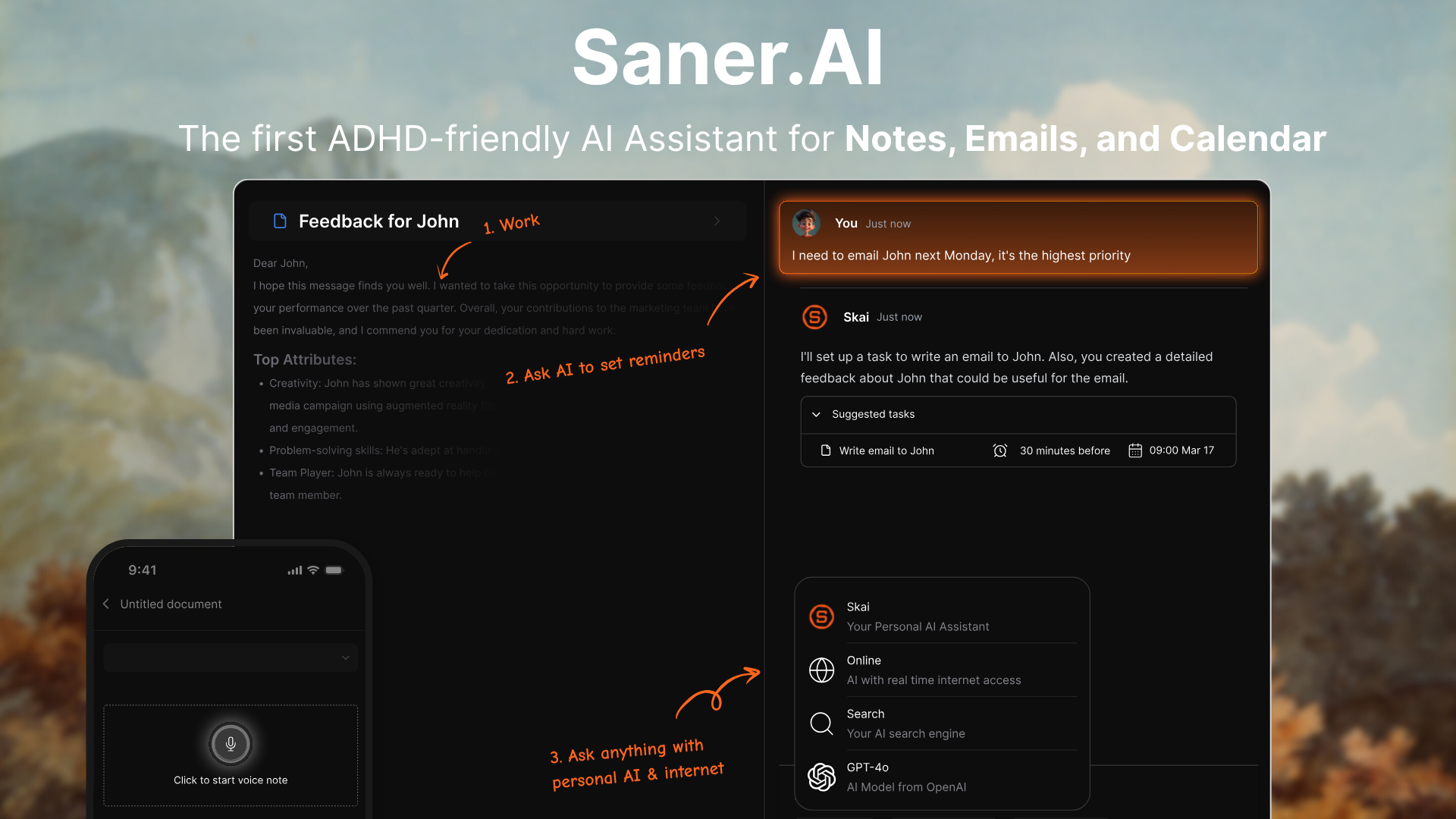
Saner.AI is an AI personal assistant and note workspace built specifically to tackle task paralysis, context switching, and scattered thoughts. In 2026, it stands out as one of the best AI options for procrastination and focus because it merges your scattered notes, emails, and calendar into a single proactive workspace.
Key feature
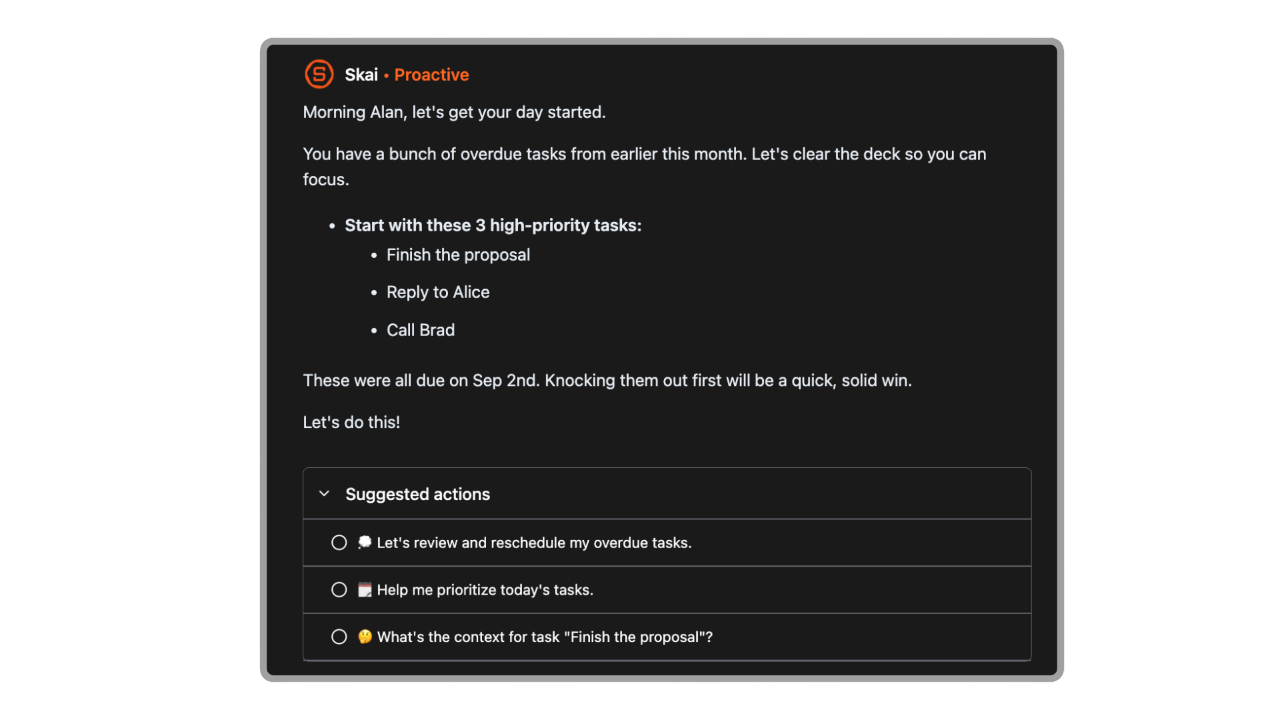
- Skai AI personal assistant
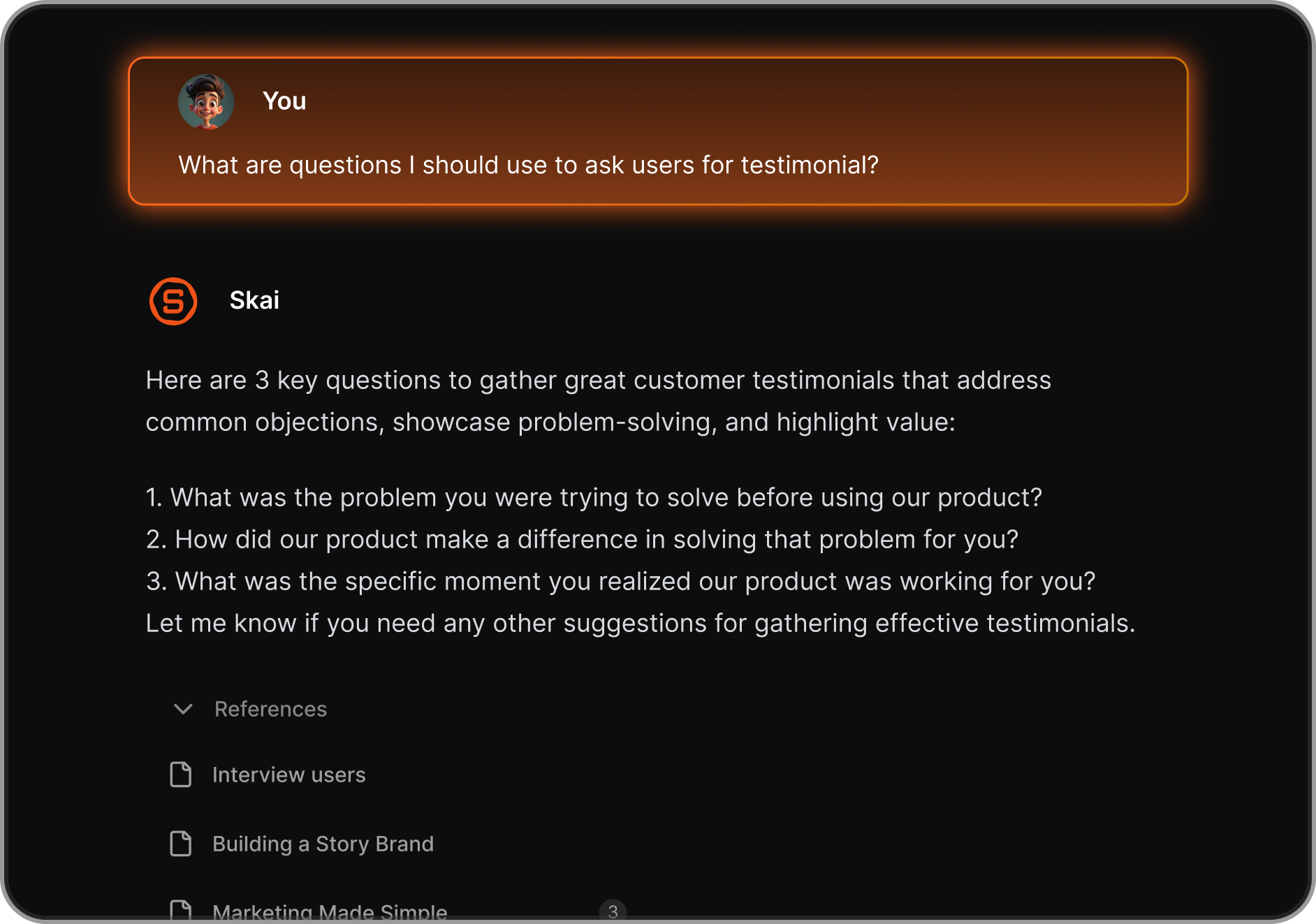
I tried asking Skai to search across my old research notes and calendar events at once, and it pulled up exact answers without me having to open multiple tabs.
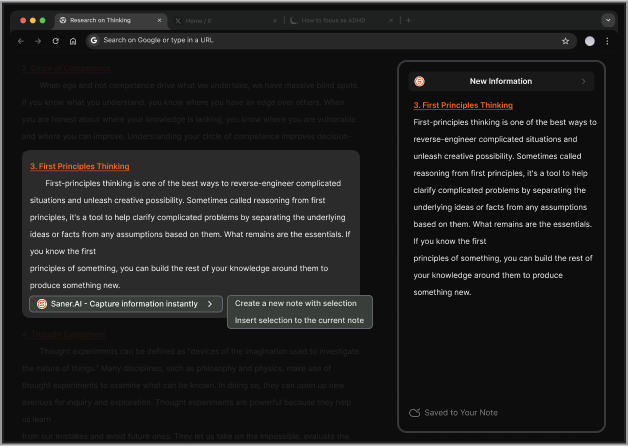
- Frictionless note capture and auto-tagging
When I used the Chrome extension to save quick text snippets and voice memos, the tool automatically tagged and connected them to my active projects.
- Proactive daily planning and distraction-free workspace
I liked how the distraction-free UI keeps side menus hidden while gently nudging me toward my top priority task whenever my focus wanders.
Pros
- I like that I do not need to build manual databases or folders just to keep my notes organized.
- I appreciate the minimalist user interface that keeps distracting visual noise off my screen.
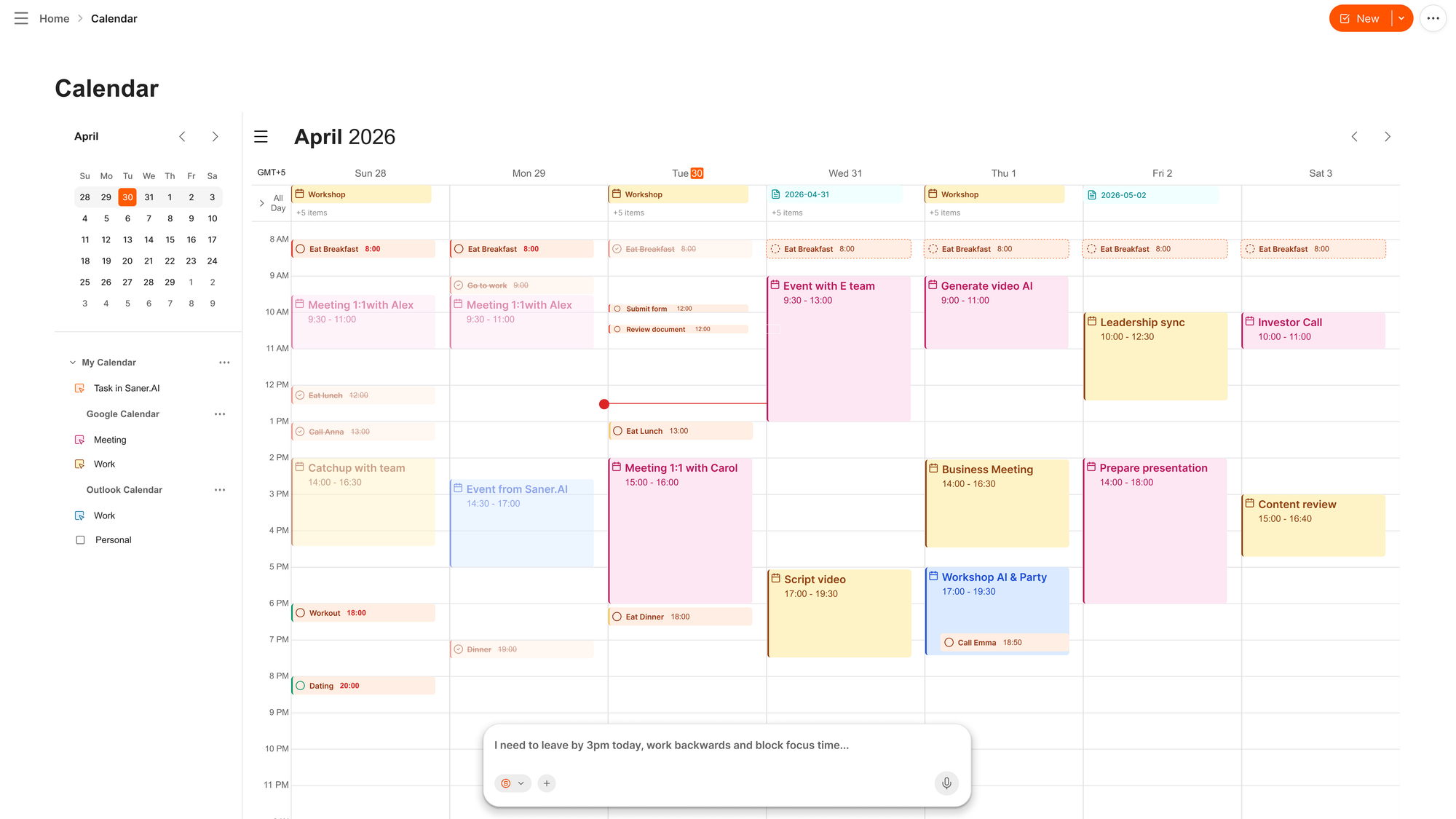
- The AI calendar can help me plan the day easily without being distracted by other tasks
- I enjoy using voice capture on mobile when I am too overwhelmed to type out full sentences.
Cons
- This is not an ideal tool for large team task management.
Who is it best for
- Saner.AI is best for entrepreneurs, researchers, and individuals with ADHD who get overwhelmed by messy digital workspace tools and want an AI assistant to handle daily planning and context switching.
Pricing table
| Plan | Price (USD) | Core capabilities |
| Free | $0/mo | Basic note capture, standard search, and Skai access with 1-minute voice limits. |
| Starter | $8/mo (billed annually) or $12/mo | Full personal AI helper, unlimited voice notes, and auto-tagging. |
| Standard | $16/mo (billed annually) or $20/mo | Advanced AI reasoning models, Google Calendar integrations, and Slack sync. |
What people say about Saner.AI
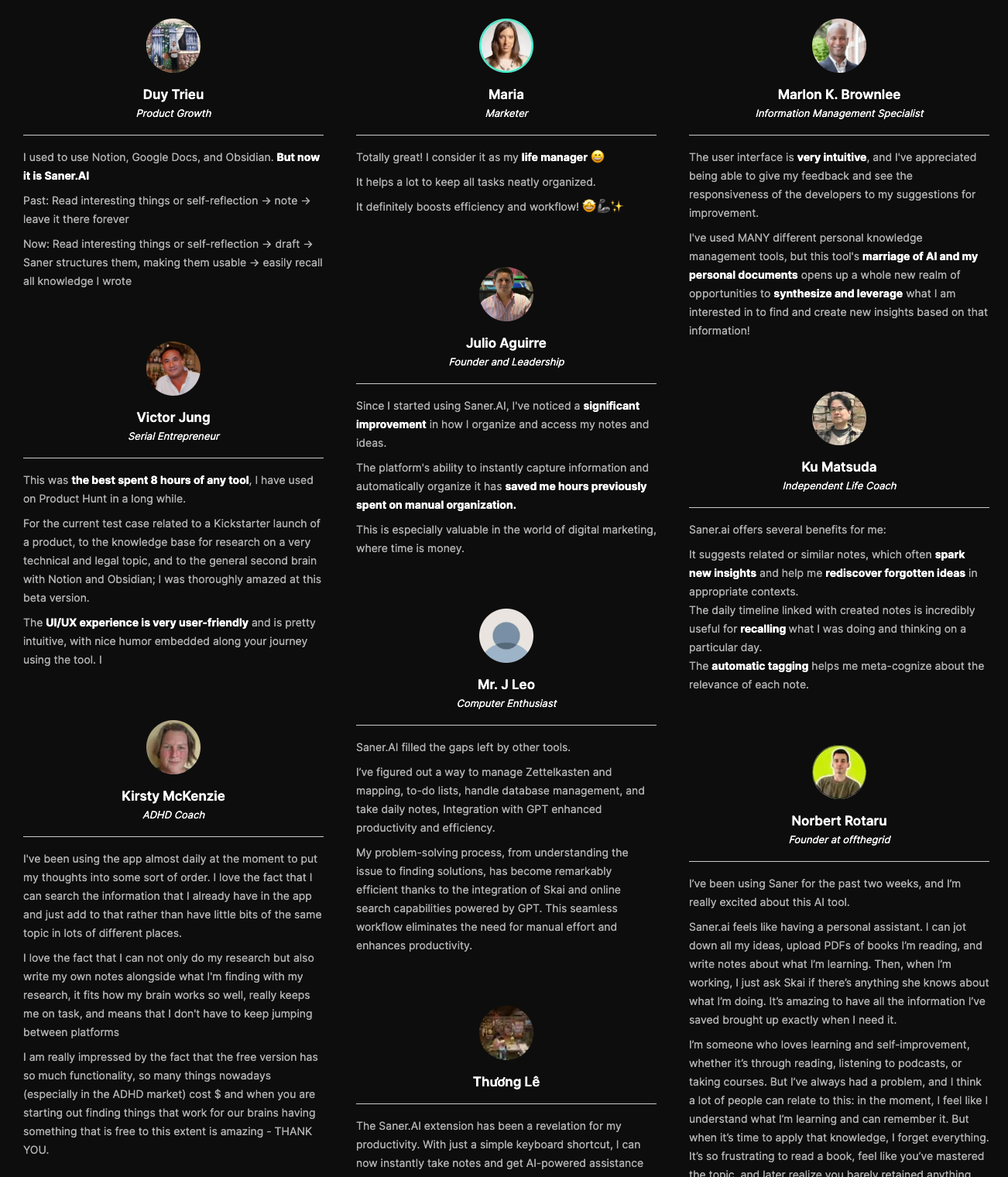
"I've used MANY different personal knowledge management tools, but this tool's marriage of AI and my personal documents opens up a whole new realm of opportunities to synthesize and leverage what I am interested in to find and create new insights based on that information!" - Verified Review
How to get started
- Step 1: Create an account on the official website and download the browser extension.
- Step 2: Dump your scattered thoughts, project notes, or files directly into the quick capture bar.
- Step 3: Open the Skai sidebar to let the AI organize your entries and map out your tasks for the day.
2. Goblin.tools
Break task paralysis without the usual productivity fluff. Converts overwhelming, multi-step projects into bite-sized to-do items and estimates how long they'll actually take.
What it does well:
- Micro-step breakdowns: The "Magic To-Do" tool takes a massive chore like "clean the garage" or "file taxes" and turns it into concrete, single-action steps so you can actually start.
- Time blindness support: Its estimator feature gives realistic time targets for each subtask, which helps when you have no idea whether a task will take five minutes or two hours.
- Tone adjustment: The "Formalizer" and "Judge" tools reword blunt text or evaluate tone, taking the anxiety out of sending tricky emails.
- Zero barrier to entry: The web app is completely free with no ads, no required login, and a clean interface designed specifically to reduce cognitive overload.
What it doesn't do well:
- No workflow integration: It won't sync directly with Google Calendar or auto-schedule your day like Reclaim or Sunsama.
- Isolated tools: Each utility runs separately, meaning you have to copy and paste your task breakdowns into a real project manager if you want to track them long term.
- Basic AI logic: The output can sometimes feel overly repetitive or state the obvious for simple tasks.
Who it's actually for: Anyone dealing with ADHD or executive dysfunction who gets stuck staring at a giant to-do list and just needs a plain-English push to get moving.
3. Focus@Will
Train your brain to enter a deep flow state using personalized, neuroscientifically engineered audio tracks. Instead of standard music, it plays dynamic instrumental sounds tailored to your specific brain type and energy levels to keep your mind locked on your task.
What it does well:
- Neuroscience-backed audio customization: A short assessment matches your personality type with specific sound channels designed to prevent your brain's distraction habit.
- Built for ADHD and neurodivergent focus: It offers specialized high-energy and fast-tempo tracks that help quiet hyperactive mental noise.
- Built-in session tracking: Simple session timers and basic productivity logs help you build structured focus habits without needing a second app.
- Zero vocal distraction: Every single track is completely instrumental, removing the language processing friction that comes with standard music playlists.
What it doesn't do well:
- Subscription-only after trial: Unlike free audio options, Focus@Will requires a paid plan once the seven-day trial ends.
- Instrumental music only: If you need ambient white noise, rain sounds, or guided focus exercises, this tool won't give you that variety.
- Basic analytical reporting: The productivity metrics track your session time, but they don't offer deeper insights into actual output or completed tasks.
Who it's actually for: People struggling with chronic procrastination or ADHD who need specialized background audio to stay locked into deep work.
4. Forest
Guilt-trip your phone addiction into submission. Plant a virtual seed that grows into a tree while you work, but dies the second you leave the screen to check social media.
What it does well:
- Visual friction against distraction: The psychological threat of killing a digital tree provides surprisingly effective friction against mindless tab-switching.
- Tangible environmental impact: Virtual coins earned during deep work sessions can be spent planting actual, physical trees in the real world through their forestry partners.
- Cross-device blocking: Deep Focus modes enforce strict app and website blocking simultaneously across your phone, tablet, and Chrome browser.
- Shared accountability: You can set up group focus sessions where a single person giving up and opening a blocked app kills the tree for everyone in the room.
What it doesn't do well:
- Novelty can wear off: Gamification works great initially, but the emotional sting of a dead virtual tree often fades once the novelty dissipates.
- Rigid for complex digital work: Deep Focus modes can be overly strict when your work requires bouncing between unexpected tools, MFA authenticators, or browser tabs.
- Zero schedule intelligence: Forest acts purely as an on-demand timer and app-blocker; it will not automatically map out your workday or adjust around meeting conflicts like calendar-driven tools.
Who it's actually for: Visual thinkers, students, and chronic phone-pickers who need immediate, psychological stakes to step away from screen distractions.
5. Finch
Finch turns daily tasks into food and energy for a virtual pet. Instead of relying on raw willpower, Finch gamifies routine maintenance by giving you a digital companion that only grows when you take action.
What it does well:
- Zero-guilt habit building: Finch doesn't punish you or kill your pet if you miss a day, which completely cuts out the shame spiral that usually fuels procrastination.
- Low friction starting line: Micro-tasks like "stand up" or "drink water" earn immediate rewards, making it much easier to build momentum when executive dysfunction hits hard.
- Generous free option: Core habit tracking, basic pet care, breathing tools, and reflections are available without paying a dime.
- Built-in mental health toolset: Includes grounding exercises, quick journaling prompts, and soundscapes right alongside your check-ins.
What it doesn't do well:
- Overwhelming cosmetic noise: The constant influx of outfits, room furniture, and seasonal currencies can feel like a distraction from actual work.
- Not a project manager: It can't handle complex work deadlines, subtasks, or calendar blocking for professional projects.
- Gamification fatigue: Once the novelty of dressing up a virtual bird wears off, the core push to finish hard tasks can fade with it.
Who it's actually for: People with ADHD, chronic fatigue, or executive dysfunction who need gentle, low-pressure incentives to start small tasks.
Conclusion
Finding the right focus tool comes down to how your brain handles distraction. If you want to compare other setups, check out our roundups on dedicated ADHD apps and broader AI productivity tools, or browse our post on virtual assistants.
If you constantly get stuck before starting a task, Saner.AI is worth testing out. It takes messy notes or overwhelming projects and breaks them into small, obvious steps so you can actually get moving without feeling paralyzed.

Stay on top of your work and life effortlessly with best AI for focus and procrastination
Frequently asked questions
1. Can AI actually help stop procrastination or does it create more distractions?
AI helps when you use it to clear starting friction rather than endless browsing. The main trigger for procrastination is feeling overwhelmed by a big task. If you ask an assistant to break a project into tiny steps, you skip the mental blockage. The key is giving the tool a single job and closing it as soon as you start working.
2. Which AI app works best for auto-scheduling daily focus blocks?
Motion and Saner.AI currently offer the strongest calendar automation. You enter your tasks with estimated durations and due dates, and the algorithms rebalance your calendar around existing meetings. When an emergency meeting pops up, the app reschedules your focus time automatically so you do not lose track of deep work windows.
3. How do AI tools prevent hyperfocus burnout while working?
Smart focus trackers monitor your active typing patterns and continuous screen time. Apps like Opal or Rize spot when you have been working without a break for over two hours. Instead of letting you push until exhaustion, they send soft nudges or lock non-essential apps to force a ten-minute physical break.
4. Is ChatGPT or Claude better for breaking down overwhelming tasks?
Claude tends to give cleaner outlines when dealing with long background reading or complex projects. Its responses avoid unnecessary chatter and stay structured. ChatGPT works better if you prefer talking through a plan out loud using voice mode, which helps when you feel too stuck to type out a detailed prompt.
5. Can AI tools help people with ADHD stay on task?
AI tools lower the executive function demand required to plan a day. Features like voice drafting allow you to record raw thoughts without staring at a blank document. Automated timers and audio generators like Brain.fm also provide gentle sensory background noise that keeps attention fixed on the current task.
6. Should you rely on AI voice assistants to initiate tasks?
Voice input reduces the friction of starting a task when typing feels like too much effort. Speaking a brief outline aloud gets your thoughts into text form immediately. You still need to edit the draft yourself, but having words on screen makes taking the second step far easier.
7. How long does it take to see focus improvements when using AI tools?
Most users notice reduced starting anxiety on the first day because task breakdown happens instantly. True habit changes take two or three weeks of consistent calendar protection. You will get the best outcome by picking one scheduling app and one writing assistant rather than setting up five new tools at once.
Stay on top of your work and life effortlessly