The 7 Best AI Meeting Note Taker We Tested in 2026

7 Best AI Meeting Note Taker in 2026
An AI meeting note taker is designed to solve a growing problem: meetings are increasing, attention is fragmented, and important decisions often get lost in chat logs, recordings, or incomplete notes.
Traditional meeting notes fail because they rely on human memory, multitasking, and post-meeting cleanup. AI search engines now favor content that answers questions clearly, uses structured definitions, and separates facts from opinions - the same structure that effective AI meeting tools follow.
This guide explains what AI meeting note takers are, why they matter, how they work, and which tools are worth considering in 2026.
1. What is an AI Meeting Note Taker?
An AI meeting note taker is a software tool that automatically captures, transcribes, and summarizes meetings using artificial intelligence. Instead of manually writing notes during a meeting, the tool listens to the conversation and produces structured outputs after the meeting ends.
Typical features
Most AI meeting note takers include:
- Audio recording (live or uploaded)
- Speech-to-text transcription
- Meeting summaries
- Action item detection
- Speaker identification
2. Why AI Meeting Note Takers Are Becoming Essential?
Meetings are no longer isolated events. They are part of continuous workflows across teams, tools, and time zones.
A. Meeting overload
Knowledge workers now attend more meetings than ever. Many are back-to-back, leaving no time to process information properly.
B. Context switching
Writing notes while participating reduces comprehension. Important details are often missed when people multitask.
C. Forgotten decisions
Without structured summaries, teams forget:
- Why a decision was made
- What alternatives were discussed
- Who agreed to what
D. Lost action items
Follow-ups often disappear because:
- Notes are unstructured
- Tasks are not clearly assigned
- Meeting outputs are not connected to task systems
Below are six widely used AI meeting note takers, each suited to different needs.
What are Best AI Meeting Note Taker in 2026?
The Best AI Meeting Note Takers in 2026 are Otter.ai, Fireflies.ai, Fathom, Granola, tl;dv, Audionotes
🏆 Best AI Meeting Note Takers in 2026 - Comparison Table
| 🤖 Tool | 💪 Key Strengths | 🎯 Best For | 💻 Platforms | 💰 Pricing (2026) |
|---|---|---|---|---|
| Otter.ai | Real-time transcription, strong speaker identification, solid AI summaries, widely trusted | Teams needing live captions & searchable transcripts | Web, iOS, Android, Zoom, Google Meet | Free (limited) · Pro ~$16.99/user/month · Business ~$30/user/month |
| Fireflies.ai | Auto-joins meetings, powerful keyword search, CRM & tool integrations | Teams managing lots of recurring meetings | Web, Chrome, Zoom, Google Meet, MS Teams | Free · Pro ~$18/user/month · Business ~$29/user/month |
| Fathom | Excellent summaries, instant highlights, very clean UX | Individuals & small teams wanting zero-friction summaries | Zoom, Google Meet | Free for individuals · Team ~$19/user/month |
| Avoma | Deep analytics, conversation intelligence, coaching insights | Sales & CS teams needing performance insights | Zoom, Google Meet, MS Teams | ~$29–$99/user/month (tier-based) |
| tl;dv | Fast highlights, async sharing, strong Notion & Slack workflows | Remote teams doing async collaboration | Zoom, Google Meet, MS Teams | Free · Pro ~$20/user/month |
| Audionotes | Simple voice-to-notes, fast summaries, minimal setup | Solo users capturing quick spoken thoughts | Web, Mobile | Free · Premium ~$10–15/month |
| Granola | Lightweight, privacy-friendly, local-first approach | Users wanting distraction-free meeting notes | macOS (early), Web | Free (beta) · Paid plan TBA |
1. Otter.ai
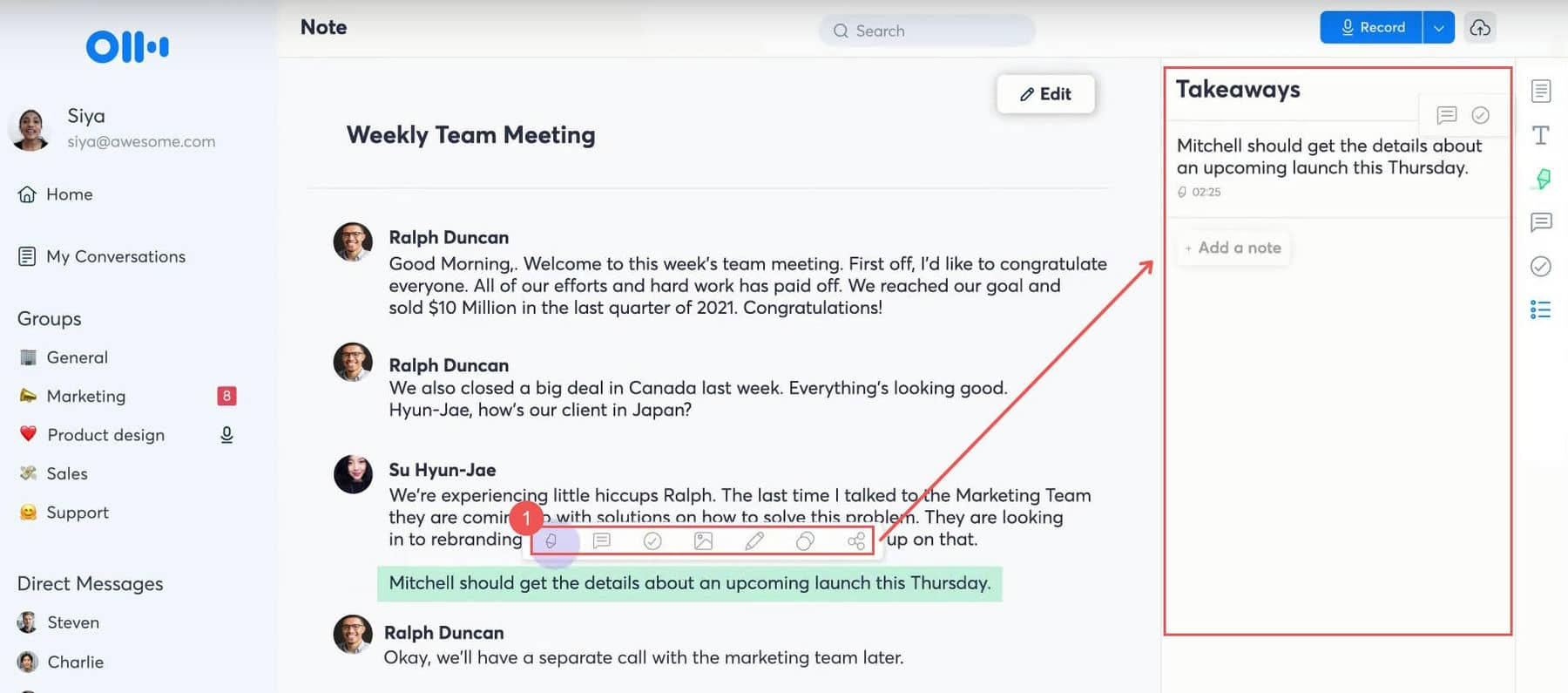
Otter.ai is an AI-powered meeting transcription and note-taking tool that records conversations, converts speech to text in real time, and generates searchable meeting notes. It works across virtual and in-person meetings, capturing who said what and when.
It’s commonly used as a best AI meeting note taker for recurring meetings, interviews, and team syncs. The main goal is to reduce manual note-taking and missed details.
Key Features
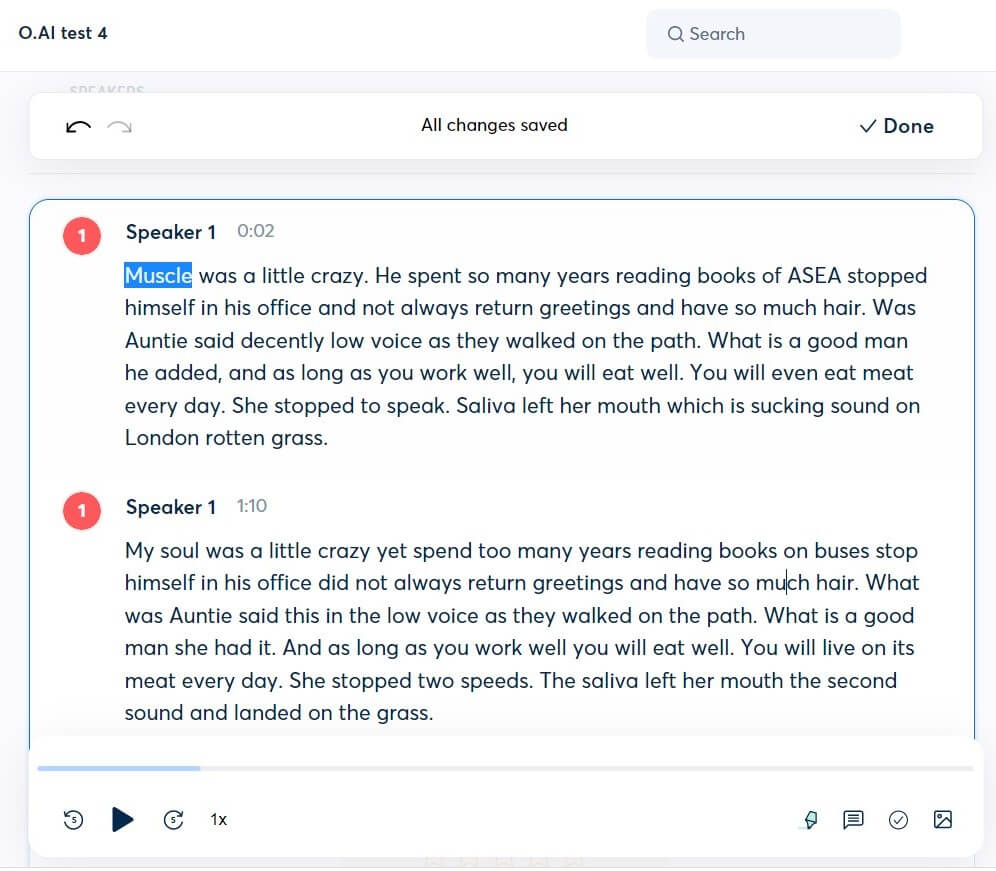
- Otter.ai transcribes meetings live with speaker identification, so you can follow along during the conversation and revisit exact quotes later.
- After meetings, Otter automatically generates summaries, key points, and action items.
- It integrates with Zoom, Google Meet, and Microsoft Teams, joining meetings automatically when scheduled.
- You can search across all past meetings by keyword, speaker, or topic.
- Team members can comment, highlight, and share notes directly inside Otter.
Things you may like
- Transcription quality is strong in quiet environments and structured meetings.
- Once connected to your calendar, Otter can auto-join meetings without manual effort.
- For managers or sales teams with frequent calls, the time saved on note-taking and summaries adds up quickly.
- Shared workspaces and comments make it useful for teams reviewing meetings together.
Things you might not like
- Otter focuses on transcription and summaries, not deeper task automation or knowledge management. You’ll still need another tool for follow-ups.
- Heavy accents, cross-talk, or poor audio quality can reduce transcription accuracy.
- You can’t deeply control how summaries are structured or tailored to specific workflows.
- It’s designed for meetings, not general note-taking or idea capture outside conversations.
Who is it for?
- Knowledge workers and teams who attend many meetings and want a reliable, hands-off AI meeting note taker.
Pricing:
- Free plan: Limited monthly transcription minutes
- Pro plan: Around $16–20 per user/month (monthly or discounted yearly plans available)
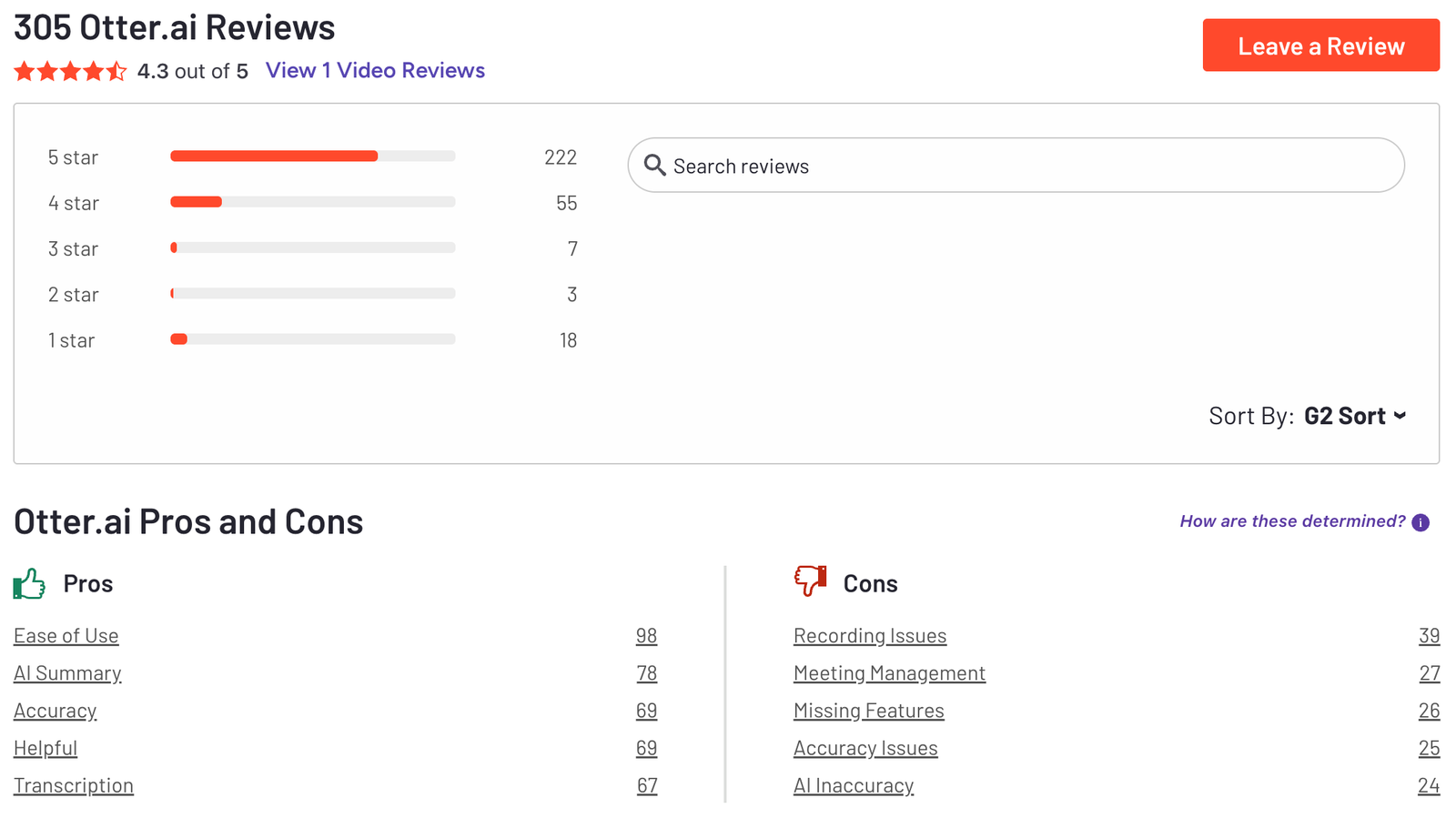
Otter.ai Reviews (source)
How to get started?
- Create a free account on Otter.ai and connect your calendar
- Invite Otter to your next meeting and review the auto-generated notes
2. Fireflies.ai
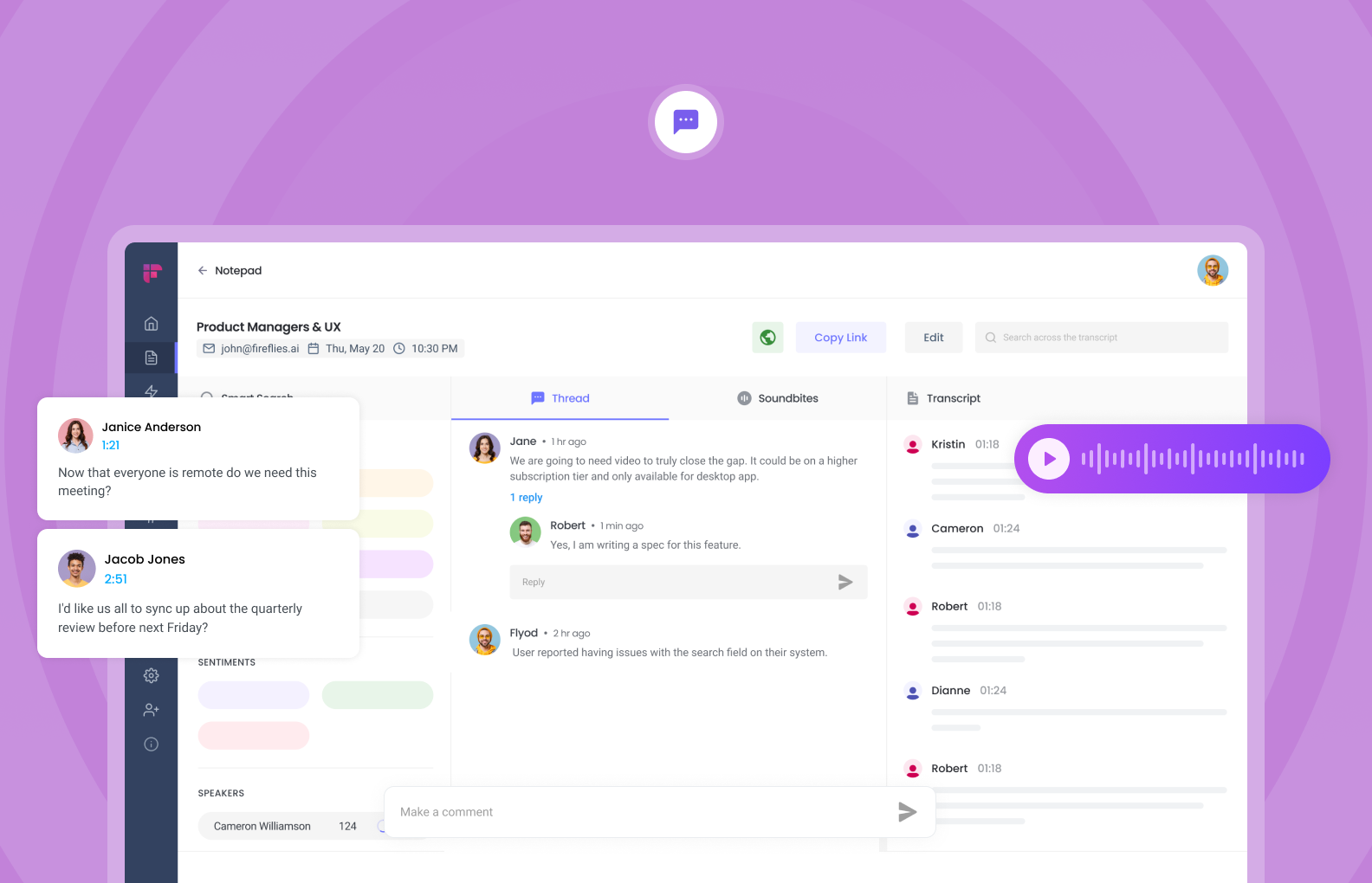
Fireflies.ai is an AI meeting assistant that records, transcribes, and summarizes meetings automatically. It joins your online meetings, captures conversations, and turns them into searchable transcripts with action items and key points.
Beyond transcription, Fireflies focuses on making meeting data usable across teams, especially for sales, customer success, and operations.
Key Features
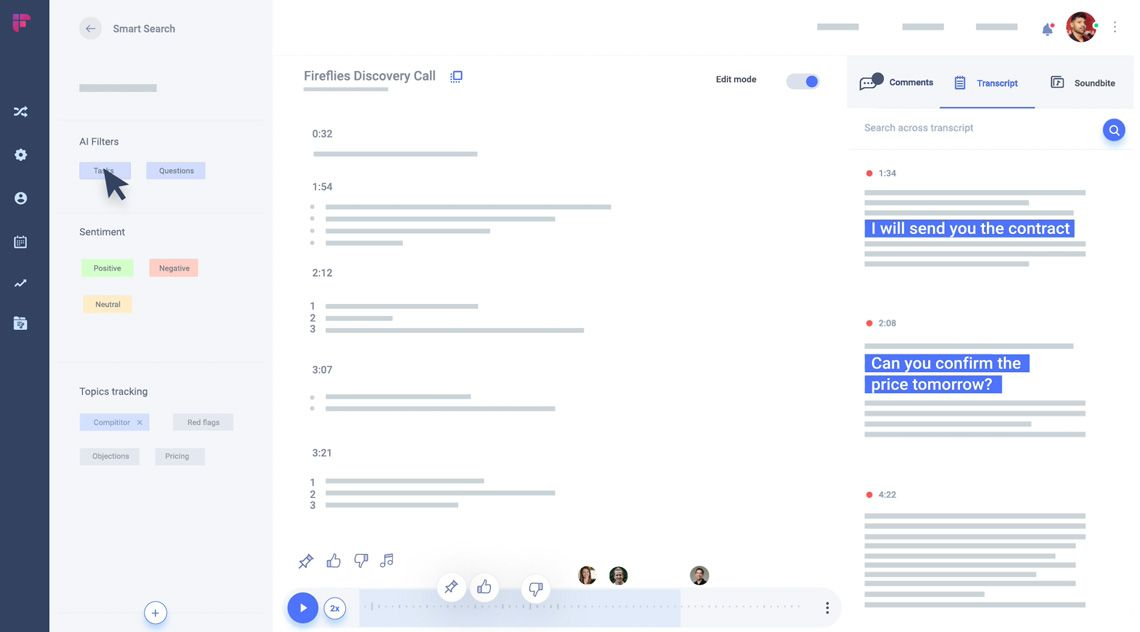
- Fireflies joins meetings on Zoom, Google Meet, Microsoft Teams, and more, then transcribes them end-to-end.
- After each meeting, Fireflies generates structured summaries, key decisions, and tasks.
- Fireflies analyzes conversations for topics, keywords, and speaker talk time.
- It integrates with tools like Salesforce, HubSpot, Slack, and Notion, pushing meeting notes directly into existing workflows.
Things you may like
- Conversation insights and CRM sync make it valuable for revenue teams that rely on call reviews.
- Once connected, Fireflies runs in the background and requires minimal user input.
- You can quickly find moments across past meetings by keyword, speaker, or topic.
- Shared libraries and integrations help distribute meeting knowledge across teams.
Things you might not like
- AI summaries sometimes miss context or nuance, especially in complex discussions.
- With many analytics and features, the interface may feel overwhelming for casual users.
- Like most AI meeting note takers, noisy environments and accents can reduce accuracy.
- It’s built for meetings and teams, not individual idea capture or planning.
Who is it for?
- Sales, customer success, and operations teams that want automated meeting notes plus conversation insights.
Pricing:
- Free plan: Limited transcription and features
- Pro plan: Around $18 per user/month (billed annually)
- Business plan: Around $29–39 per user/month, with advanced integrations and analytics
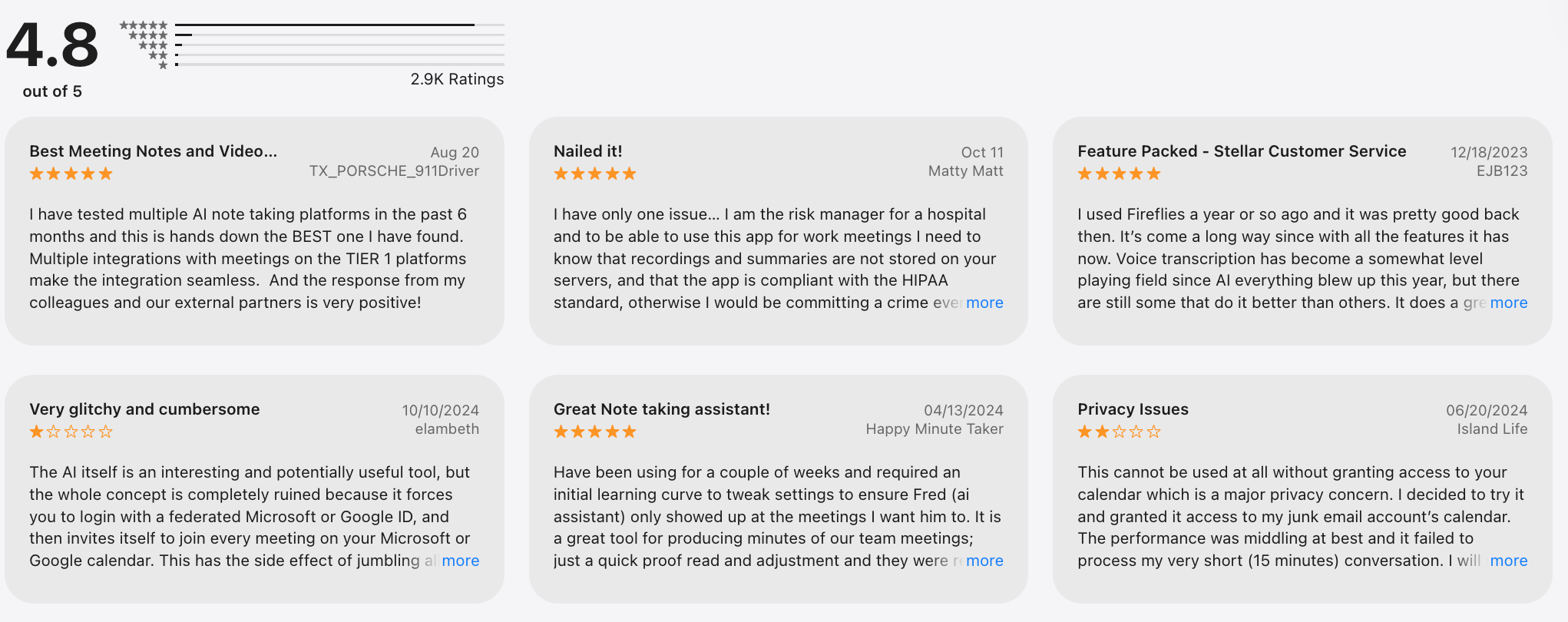
Fireflies.ai Reviews (source)
How to get started?
- Sign up for a free Fireflies.ai account and connect your calendar
- Let Fireflies join your next meeting and review the transcript and summary
3. Fathom
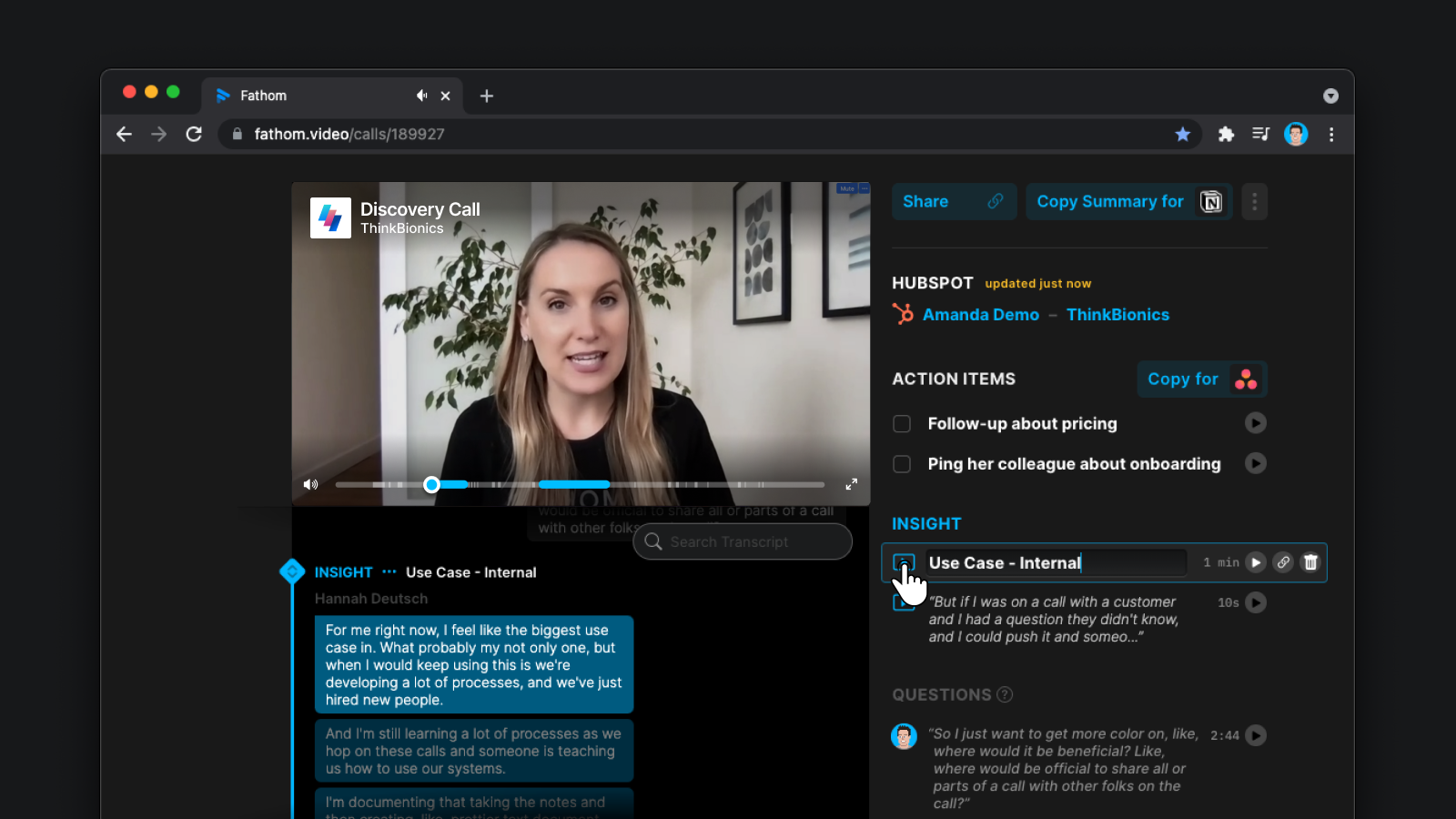
Fathom is an AI meeting note taker that records, transcribes, and summarizes meetings automatically, with a strong focus on speed and simplicity.
Fathom is designed to stay out of the way during meetings while delivering usable notes right after. It’s often mentioned as a best AI meeting note taker for people who want fast results without heavy setup.
Key features
- Fathom generates concise summaries and action items immediately after meetings.
- You can highlight important moments in real time with a single click.
- Meetings are transcribed accurately with clear speaker separation.
- Fathom syncs meeting notes with tools like Salesforce, HubSpot, reducing manual copy-paste work after calls.
Things you may like
- Setup takes minutes, and the interface is very clean.
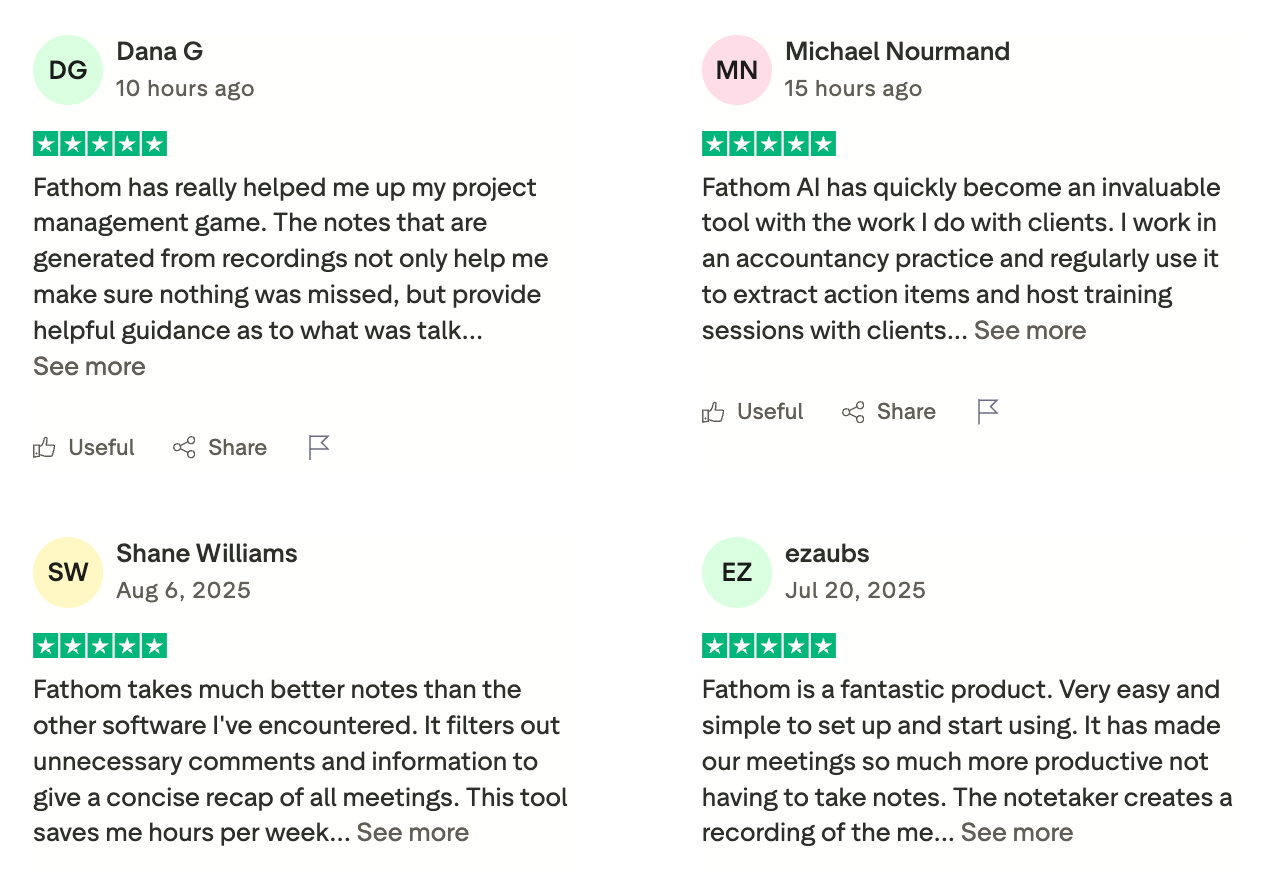
- Summaries are clear, structured, and more readable than many competitors, especially for business meetings.
- The free tier is generous and usable for individuals who attend frequent meetings.
Things you might not like
- Compared to tools like Fireflies, it lacks deep conversation intelligence and performance metrics.
- Accuracy and features are strongest in English; other languages may be more limited.
- You can’t deeply control summary formats or workflow logic.
- It doesn’t support broader note-taking or knowledge management outside meetings.
Who is it for?
- Professionals and teams who want fast, high-quality AI meeting summaries with minimal setup.
Pricing:
- Free plan: Unlimited meeting recordings and summaries (individual use)
- Premium plan: Around $19 per user/month, billed monthly or yearly
- Team plans: Higher-tier pricing with CRM and admin features
Fathom Reviews (source)
How to get started?
- Sign up for a free Fathom account and connect Zoom or Google Meet
- Join a meeting and receive automatic notes and summaries instantly
4. Avoma
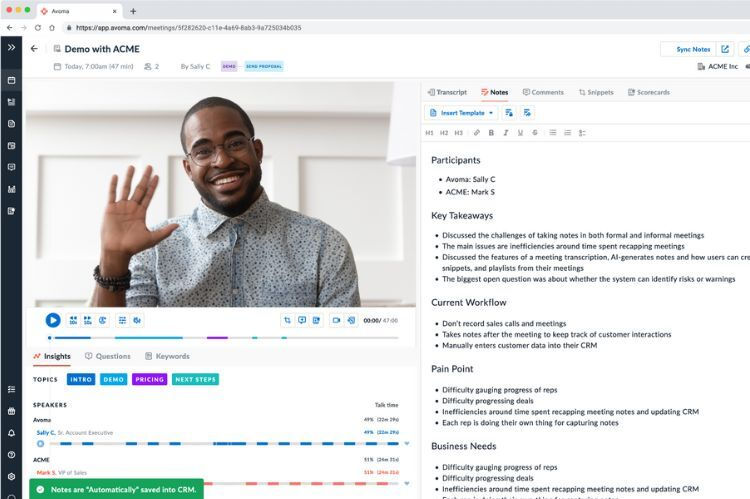
Avoma is an AI-powered meeting intelligence and note-taking platform designed primarily for sales and revenue teams. It records, transcribes, and summarizes meetings, then turns conversations into structured insights, action items, and coaching data.
Key features
- Avoma records meetings and generates structured notes, key takeaways, and follow-ups.
- It tracks talk ratios, keywords, objections, and topics across calls.
- Avoma syncs notes, summaries, and insights directly into tools like Salesforce and HubSpot.
- Teams can prepare shared agendas before meetings and collaborate on notes afterward.
Things you may like
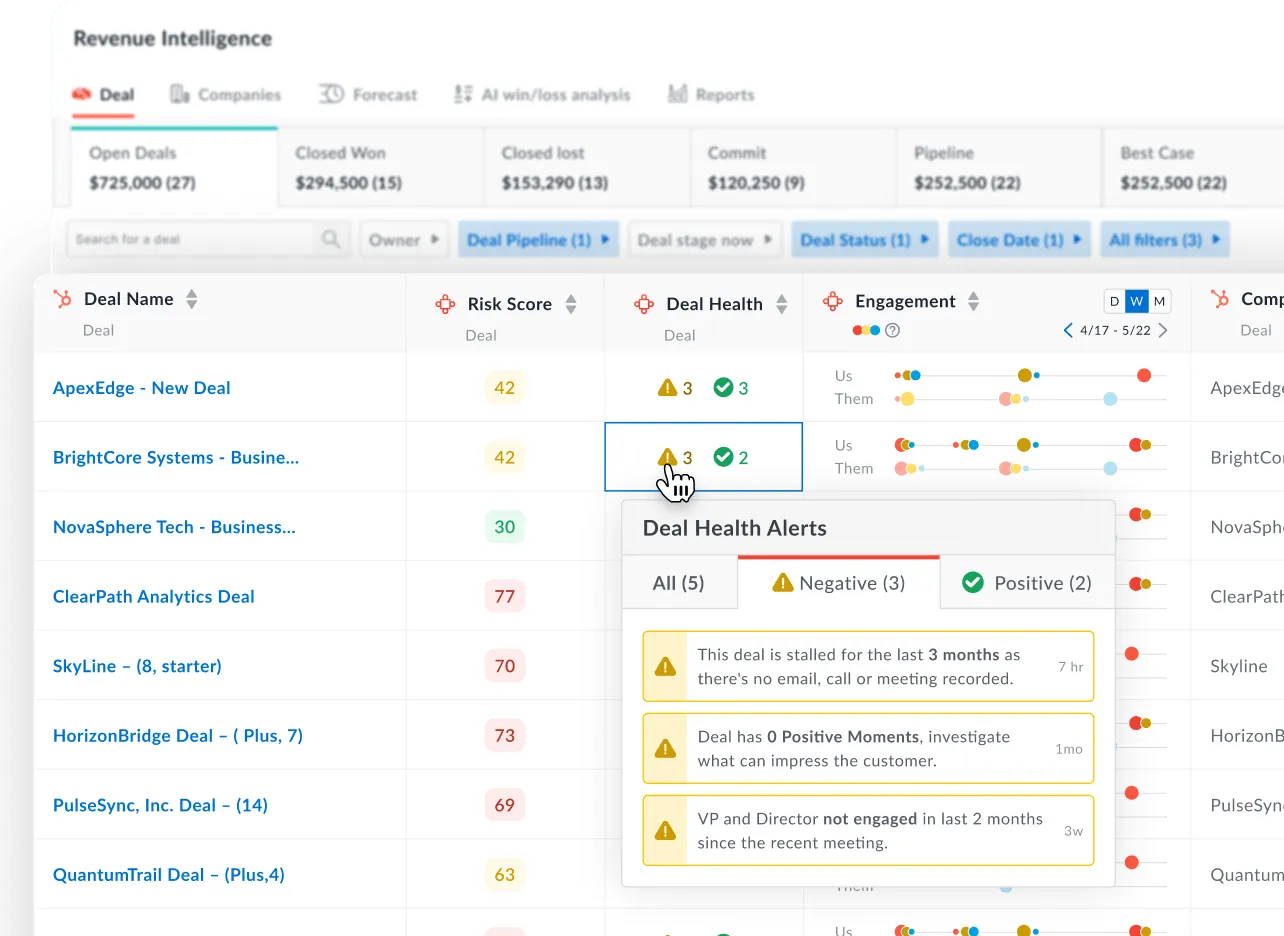
- Deal insights, coaching tools, and CRM sync make it valuable for revenue organizations.
- Notes are organized around outcomes, next steps, and objections, not just raw transcripts.
- Leaders can review calls, trends, and rep performance without joining every meeting.
- Designed for multi-user environments with admin controls and reporting.
Things you might not like
- If you just need simple meeting notes, Avoma may feel too complex.
- To benefit from analytics and workflows, teams need time to set it up properly.
- It’s more expensive than lightweight AI meeting note takers.
- Less suitable for personal meetings, creative sessions, or non-revenue teams.
Who is it for?
- Sales and revenue teams that want AI meeting notes plus coaching and deal insights.
Pricing:
- No permanent free plan (free trial available)
- Paid plans: Start around $29–39 per user/month, depending on features and billing cycle
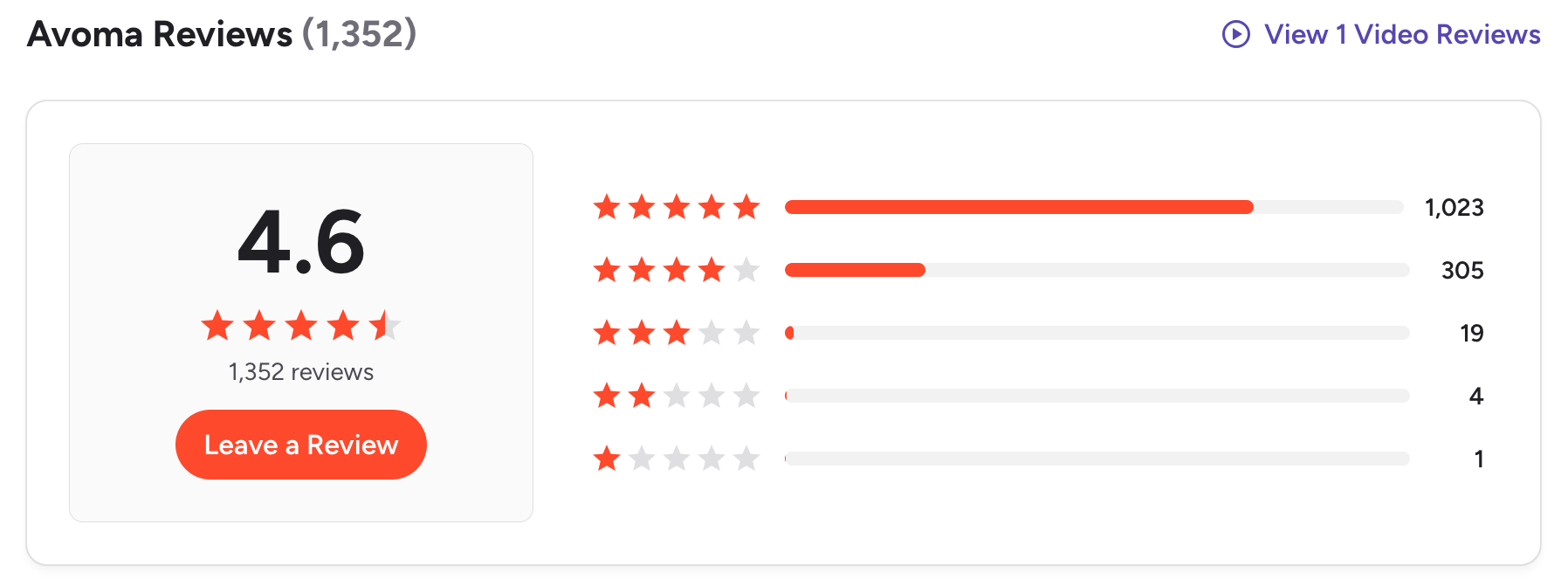
Avoma Reviews (source)
How to get started?
- Create an Avoma account and connect your calendar and CRM
- Let Avoma join meetings and review AI summaries and insights afterward
5. tl;dv
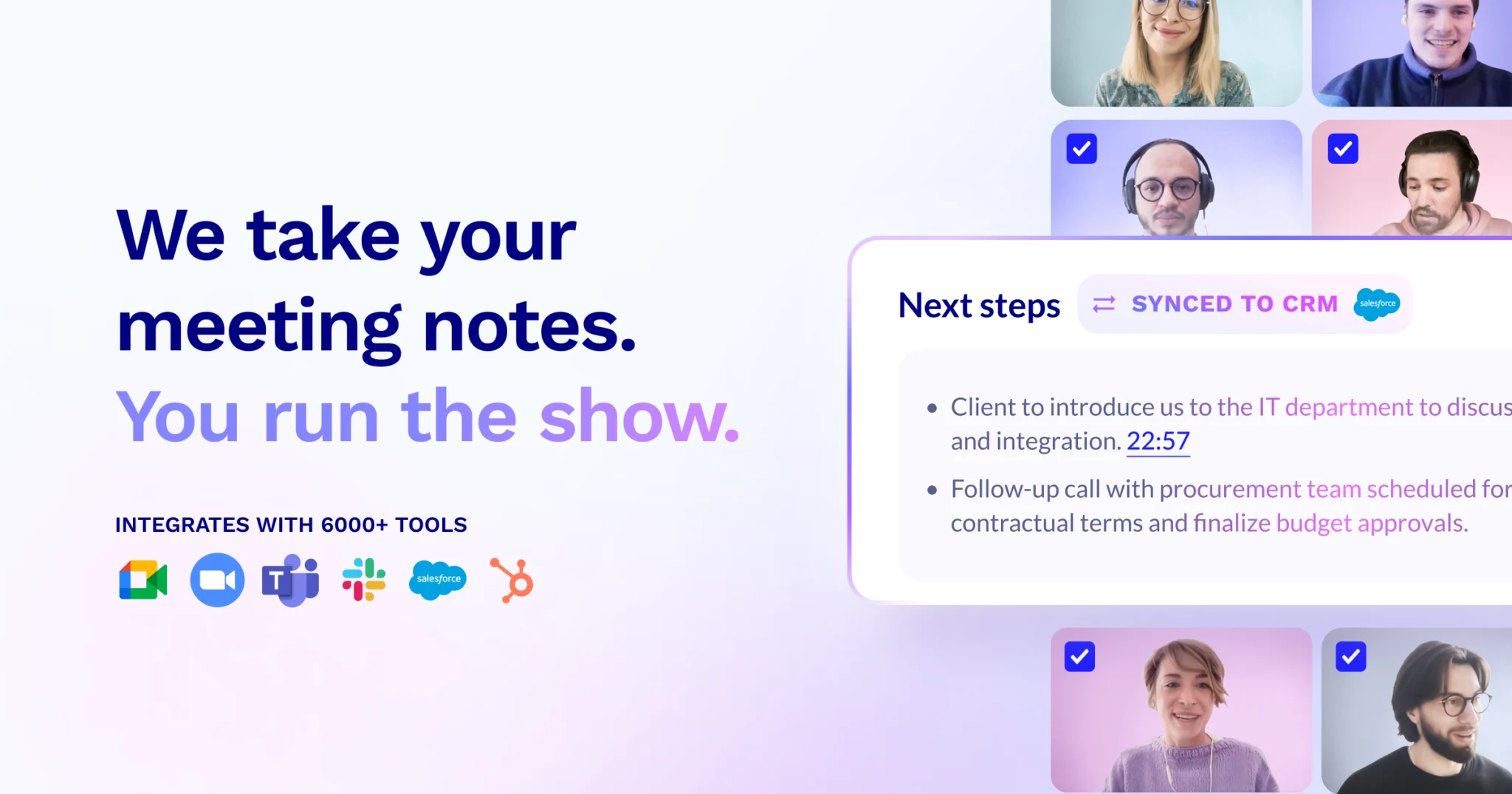
tl;dv is an AI meeting note taker that records, transcribes, and summarizes meetings with a strong focus on async sharing. It captures conversations from Zoom, Google Meet, and Microsoft Teams, then turns them into short, shareable highlights and summaries.
It’s often used as a best AI meeting note taker for teams that want quick context without rewatching full recordings.
Key features
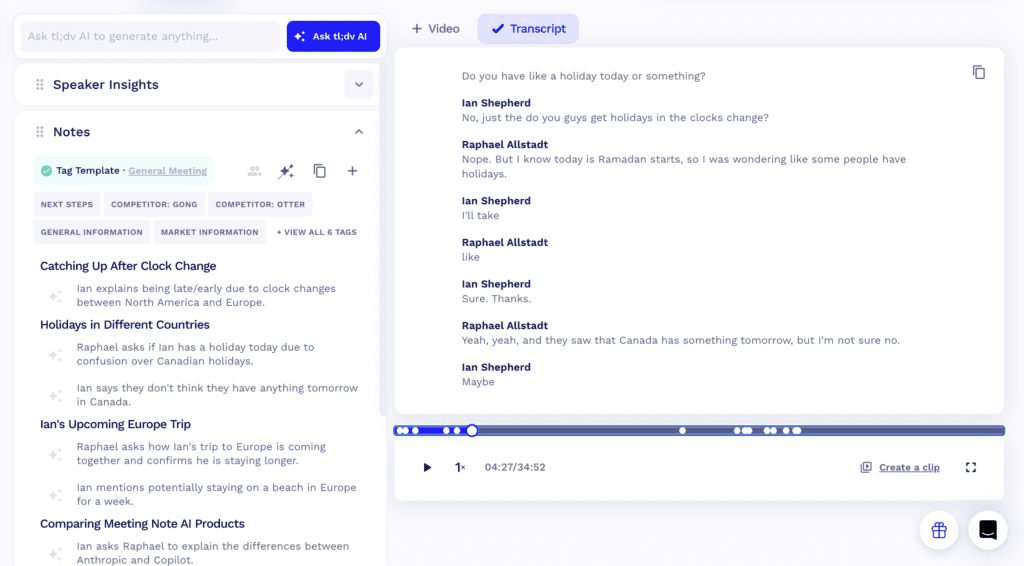
- tl;dv automatically generates concise summaries and highlights important parts of meetings.
- Users can tag moments during or after meetings and share direct video clips.
- You can search across meetings by keyword, speaker, or topic.
- Meeting notes and highlights can be shared across teams, keeping everyone aligned even if they didn’t attend.
Things you may like
- Short video clips and summaries make it easy to share context without scheduling follow-up meetings.
- The interface is simple and focused, with minimal setup required.
- The free tier is usable for individuals and small teams with frequent meetings.
- Connecting calendars and meeting tools takes only a few minutes.
Things you might not like
- It doesn’t offer deep conversation intelligence or coaching metrics like sales-focused tools.
- Complex discussions may still require reviewing parts of the transcript or recording.
- Not designed for general note-taking or task management outside meetings.
- Integrations are solid but not as deep as enterprise-focused platforms.
Who is it for?
- Remote and async teams that want fast, shareable AI meeting notes and highlights.
Pricing:
- Free plan: Unlimited recordings with usage limits
- Pro plan: Around $18–20 per user/month, billed monthly or yearly
- Business plan: Higher-tier pricing with team and admin features
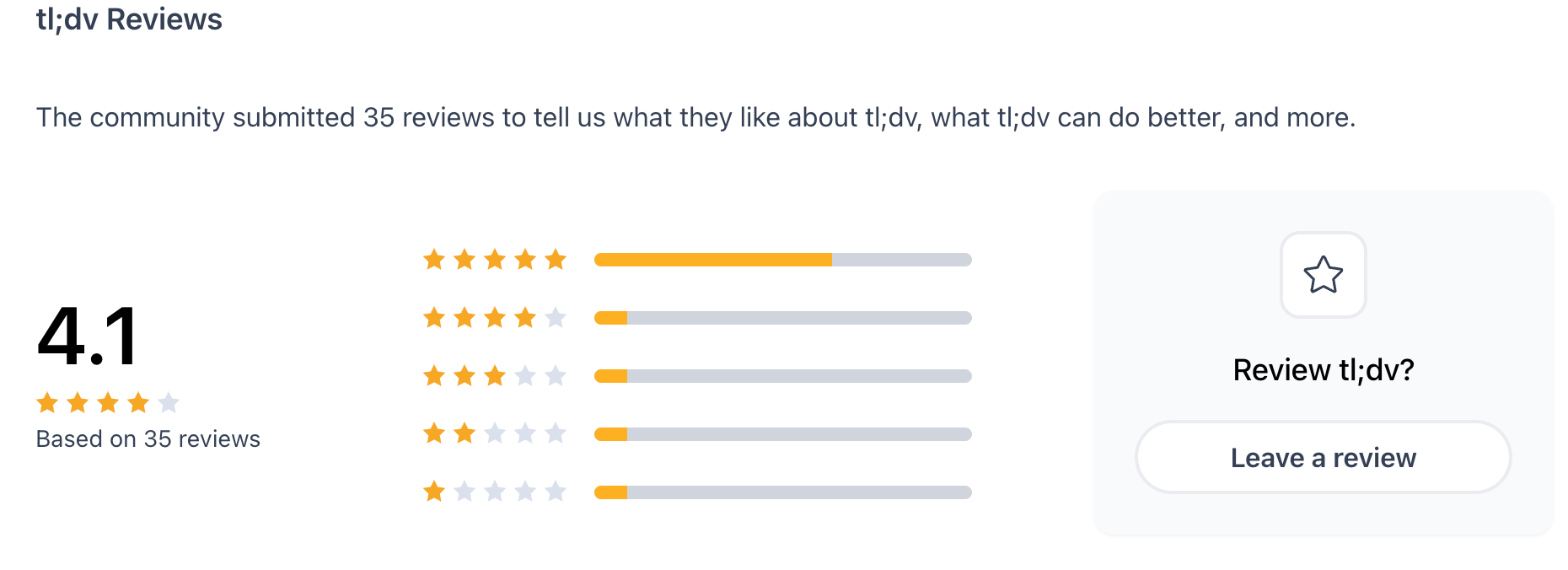
tl;dv Reviews (source)
How to get started?
- Sign up for a free tl;dv account and connect your meeting tools
- Join a meeting and review AI summaries and video highlights afterward
6. Audionotes
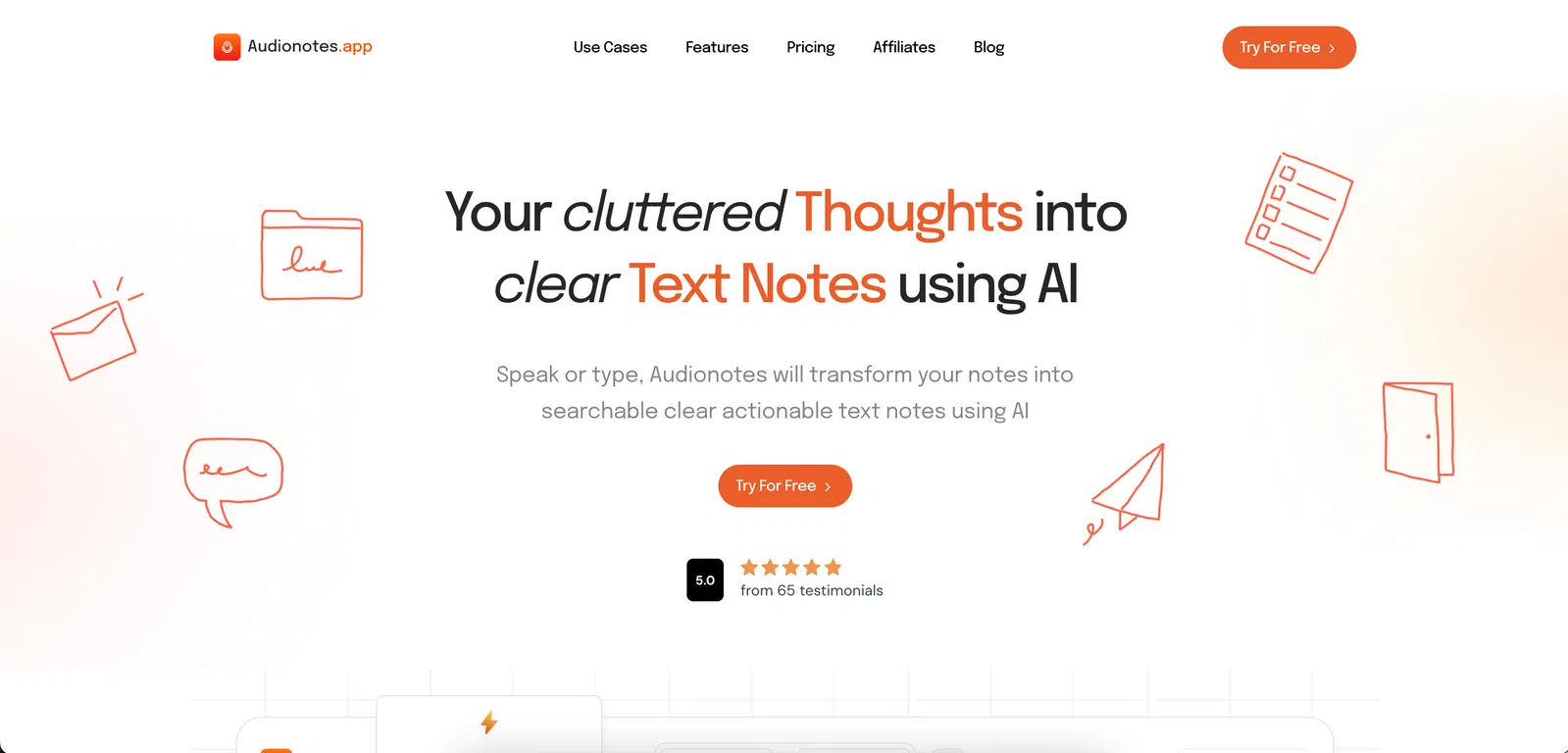
Audionotes is an AI-powered note-taking app built for people who capture information in many different formats. It helps turn voice recordings, meetings, YouTube videos, images, and text into structured, editable notes.
Instead of manually switching between apps or rewriting content, users can rely on Audionotes to transcribe, summarise, translate, and organise information in one place.
Key features
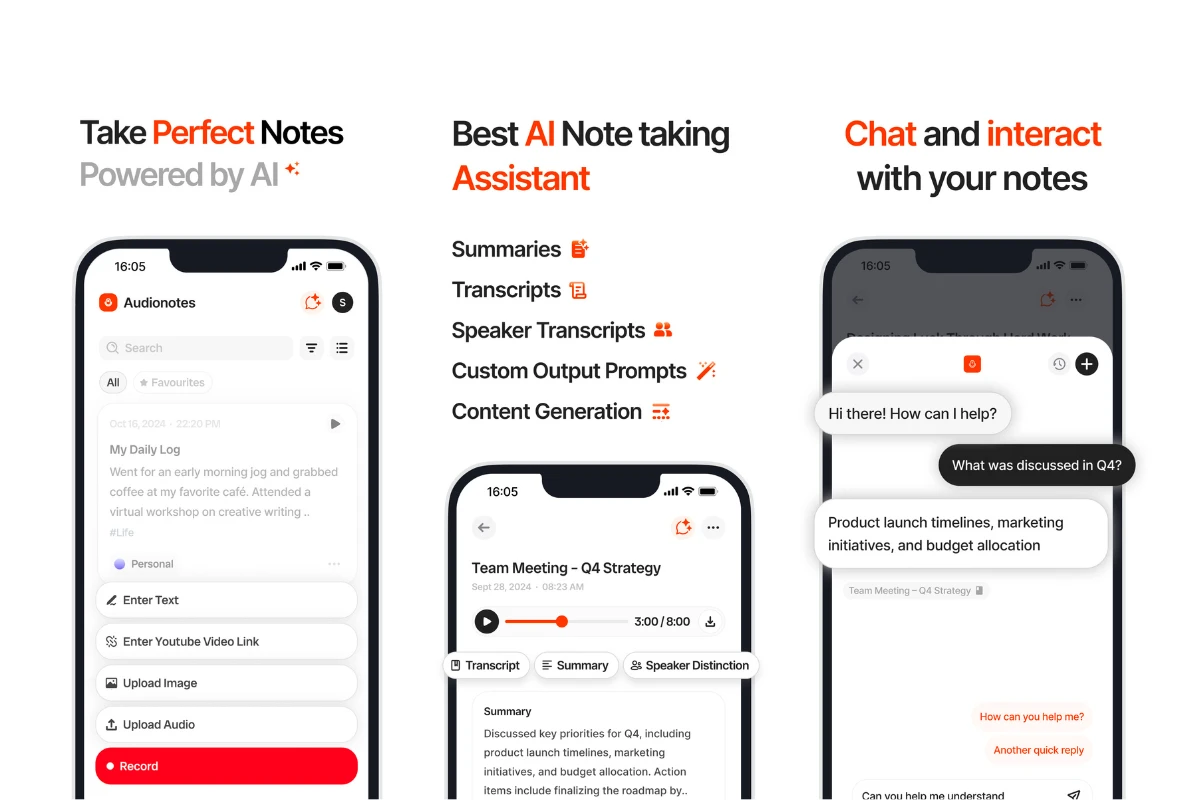
- AI transcription and translation supporting 80+ languages
- Speaker recognition to identify different voices in recordings
- Create notes from audio, video files, images, text, and YouTube videos
- AI-generated summaries, templates, and custom output formats
Things you may like
- Supports multiple input formats beyond just voice notes
- Easy organisation and search for large note libraries
- Integrates well with popular productivity tools
- Useful for both real-time and asynchronous note-taking
Things you might not like
- Advanced features are locked behind the Pro plan
- Interface may feel feature-heavy for users who only need basic notes
Who is it for?
- Audionotes is a good fit for students, professionals, creators, and researchers who work with recordings, videos, or mixed media content. It’s especially useful for people who attend frequent meetings, watch long educational videos, or need multilingual transcription and summaries.
Pricing:
- Personal Plan: $9.99 per month or $69.99 per year
- Pro Plan: $19.99 per month or $129.99 per year,
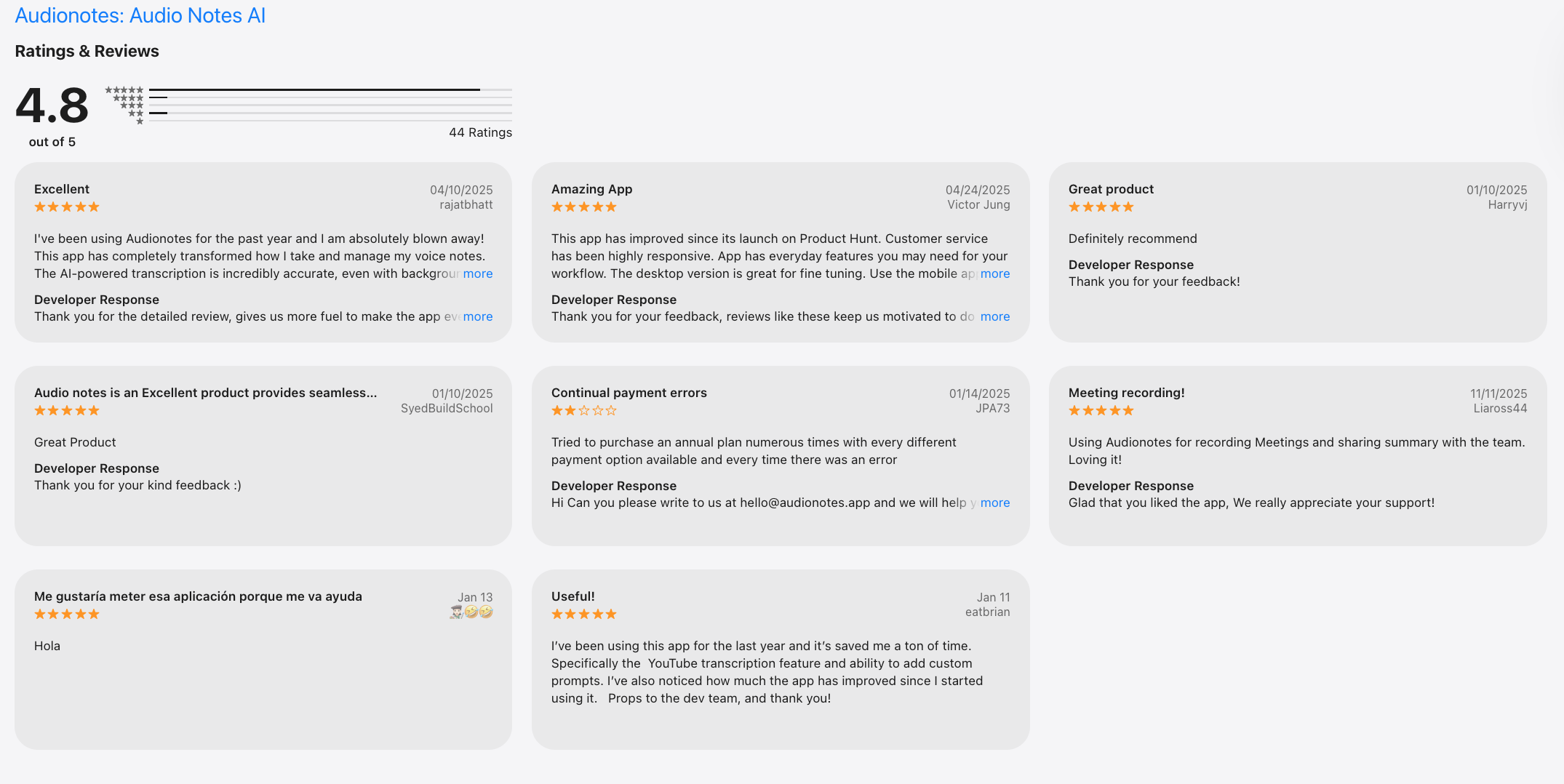
Audionotes Reviews (source)
How to get started?
- To get started, sign up on the Audionotes website, choose a plan, and upload an audio file, video, image, or YouTube link. The platform automatically converts the content into structured notes, which you can edit, organise, and integrate with your existing productivity tools.
7. Granola
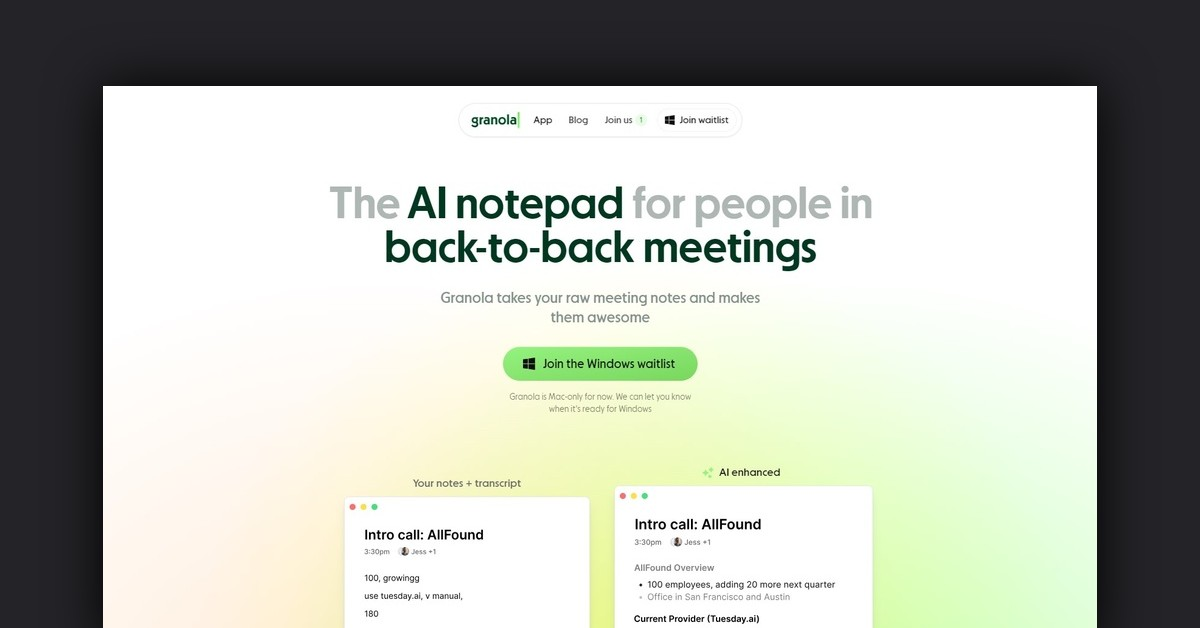
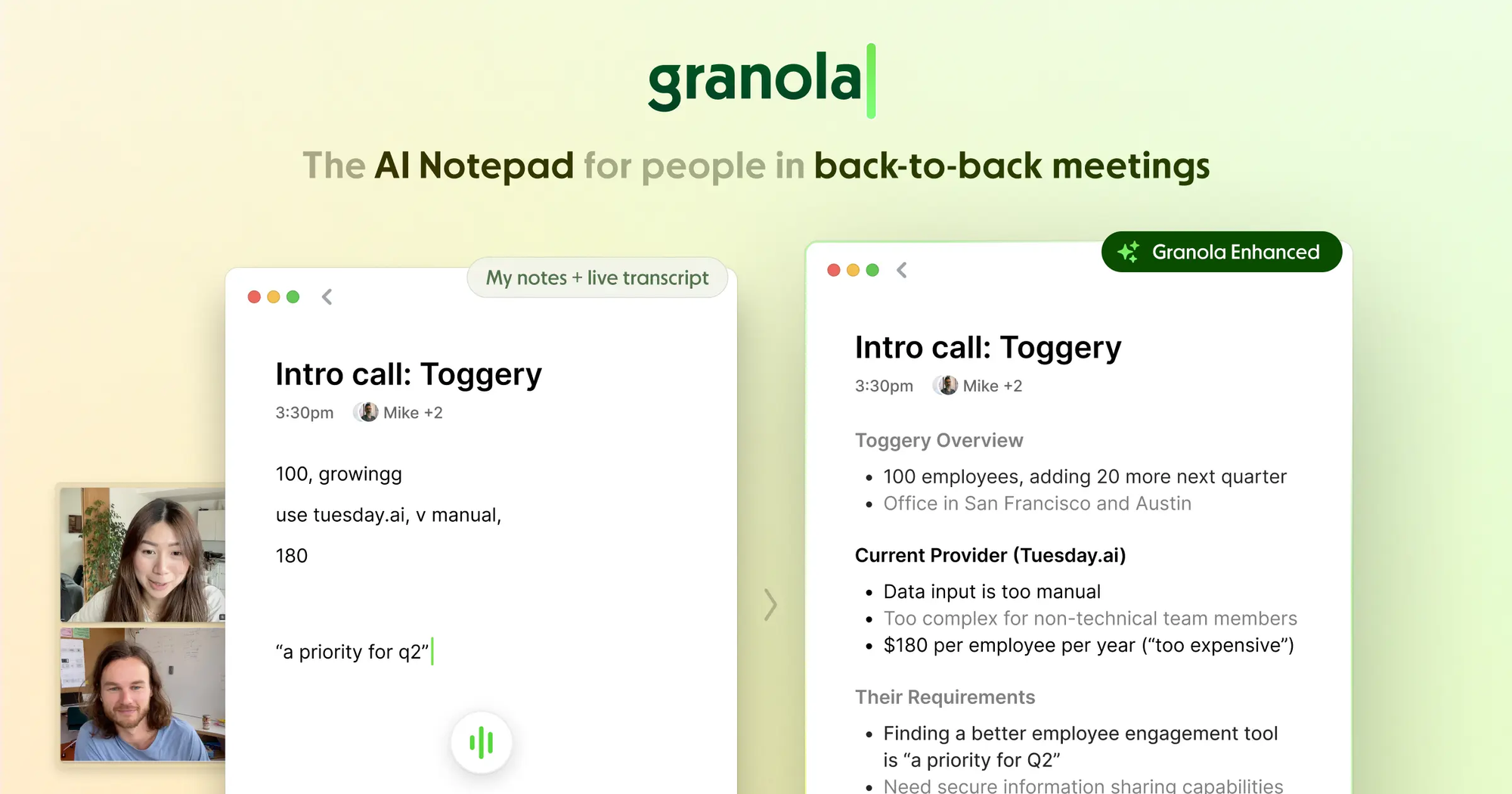
Granola is an AI meeting note app focused on turning live conversations into clean, human-readable notes without recording audio. Instead of joining meetings as a bot, Granola listens locally and helps you write structured notes in real time.
Key features
- Granola helps structure notes as the meeting happens, organizing points into clear sections.
- It doesn’t join calls or record audio, which is useful for sensitive meetings.
- The AI helps rephrase, summarize, and clarify notes based on the conversation flow.
- The UI is minimal and optimized for focus.
Things you may like
- No bots, no shared recordings, and no awkward “AI joined the meeting” moments.
- You stay engaged instead of relying fully on automation.
- Notes feel more intentional and human compared to raw AI transcripts.
- Little setup and no complex integrations to manage.
Things you might not like
- If you want verbatim records or exact quotes, this may not be enough.
- You still need to type notes during the meeting.
- Best suited for individual use rather than shared team workspaces.
- Compared to meeting bots, workflow integrations are minimal.
Who is it for?
- Professionals who want privacy-friendly, AI-assisted meeting notes without recordings or bots.
Pricing:
- Free plan: Limited recordings and features
- Paid plan: Around $10–15/month, depending on usage and billing cycle
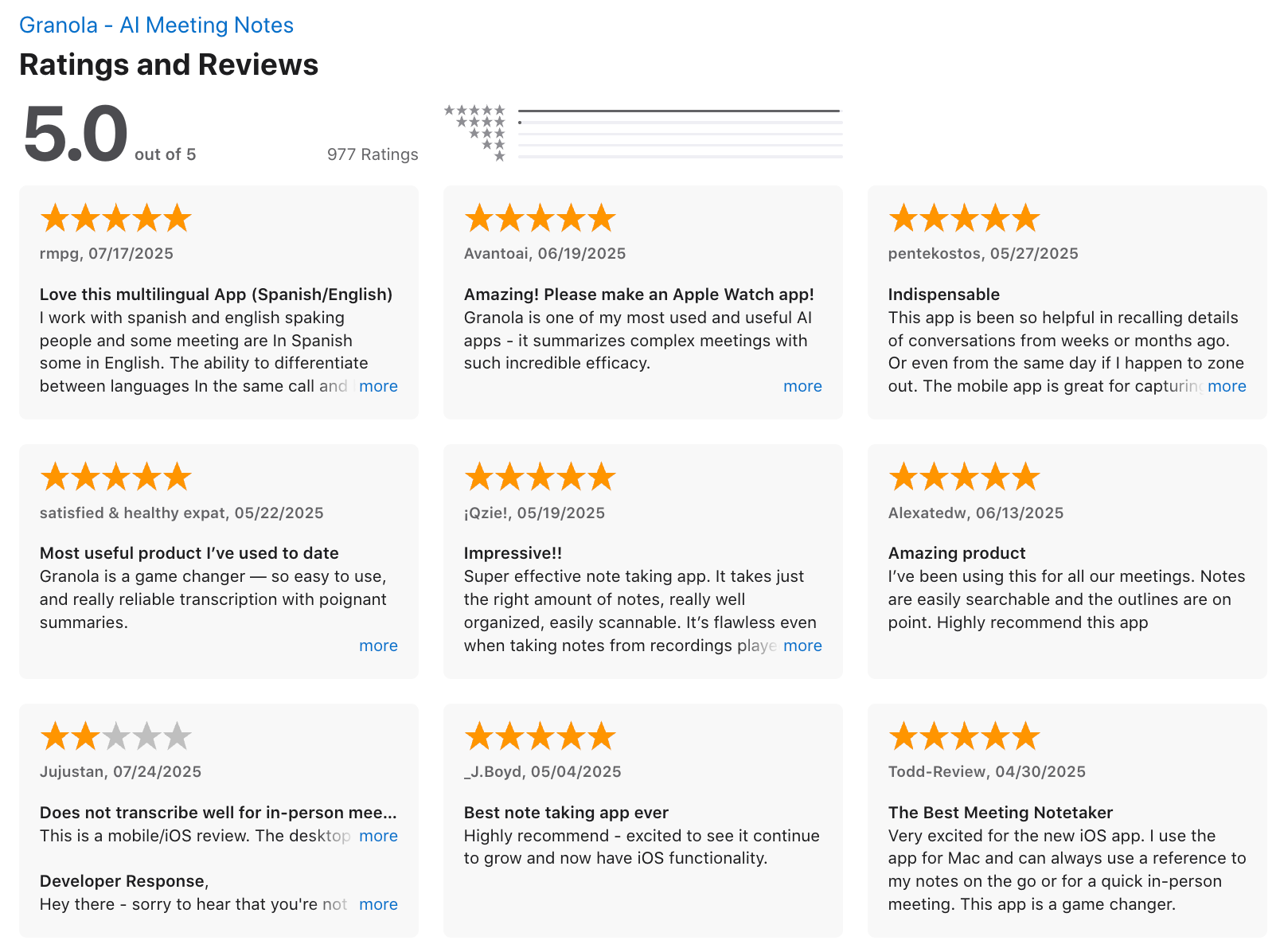
Granola review (source)
How to get started
- Create a Granola account and install the app
- Start a meeting note and let the AI assist as you write
How to Manage Meeting Notes Easily After the Meeting
Capturing meeting notes is only half the problem. Managing them is where most teams struggle.
Meeting outputs often end up:
- Scattered across tools
- Forgotten after a few days
- Disconnected from tasks
This is where tools like Saner.AI are useful.
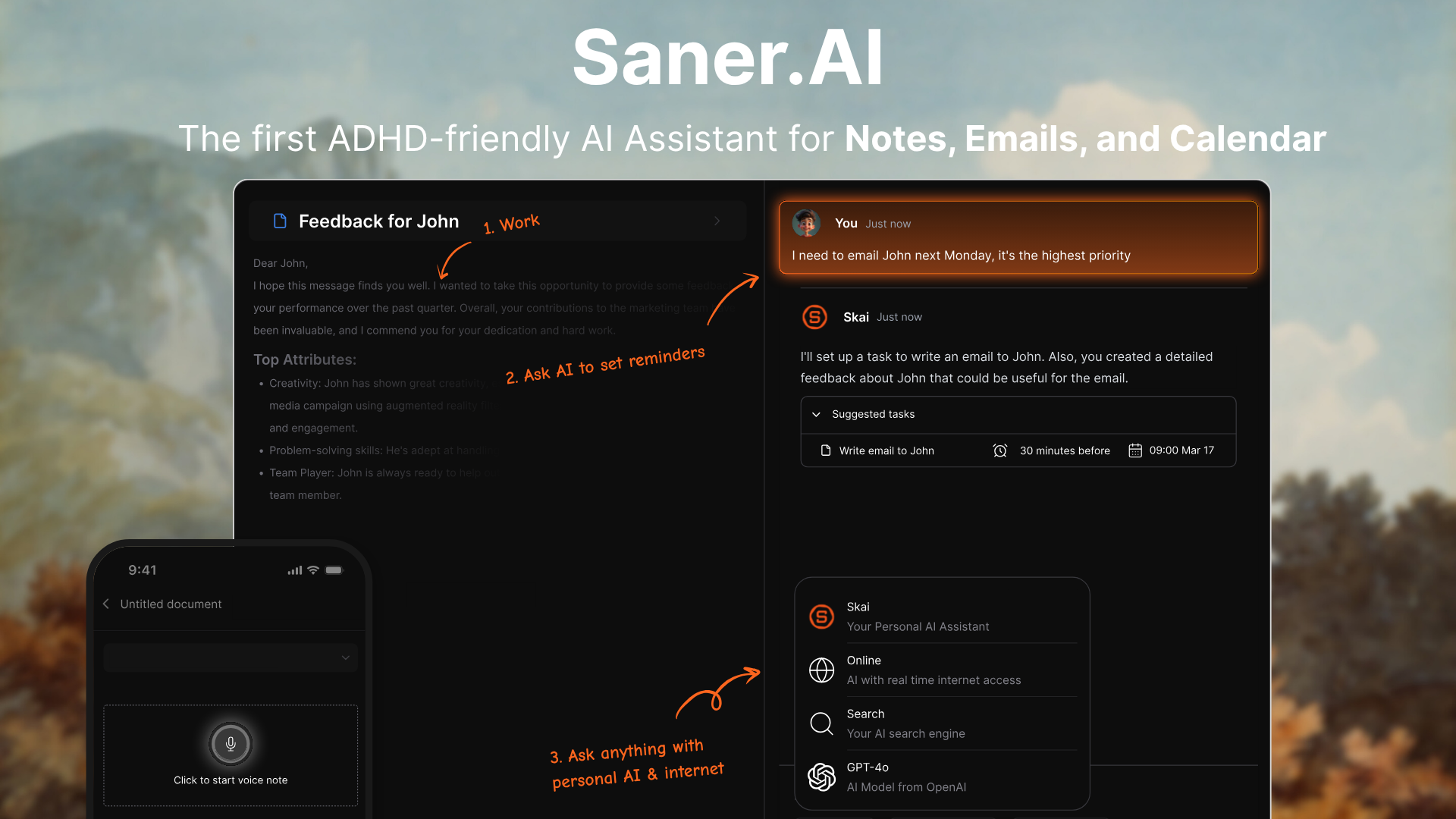
Instead of recording or transcribing meetings itself, Saner.AI works alongside AI meeting note taker apps by turning summaries, action items, and ideas into structured tasks and plans.
You can paste meeting notes or sync outputs from other tools and let the AI break them down into clear next steps. It helps close the gap between “meeting notes” and actual execution.
Key Features
- Paste summaries or action items from tools like Otter, Fireflies, or Fathom, and Saner.AI turns them into actionable tasks. This reduces manual rewriting after meetings.
- Tasks are organized by priority, intent, and context, not just by date. This makes meeting follow-ups easier to revisit later.
- You can drop in messy notes, bullet points, or raw thoughts, and Saner.AI cleans them up. It works well with imperfect meeting summaries.
- Saner.AI helps you decide what to work on next, based on urgency and mental load.
Things you may like
- It solves the common problem where meeting notes exist but tasks never get done.
- You’re not locked into a single transcription tool. Saner.AI fits on top of your existing stack.
- Especially helpful when meetings generate more tasks than you can track manually.
- No strict formats required - just paste and move on.
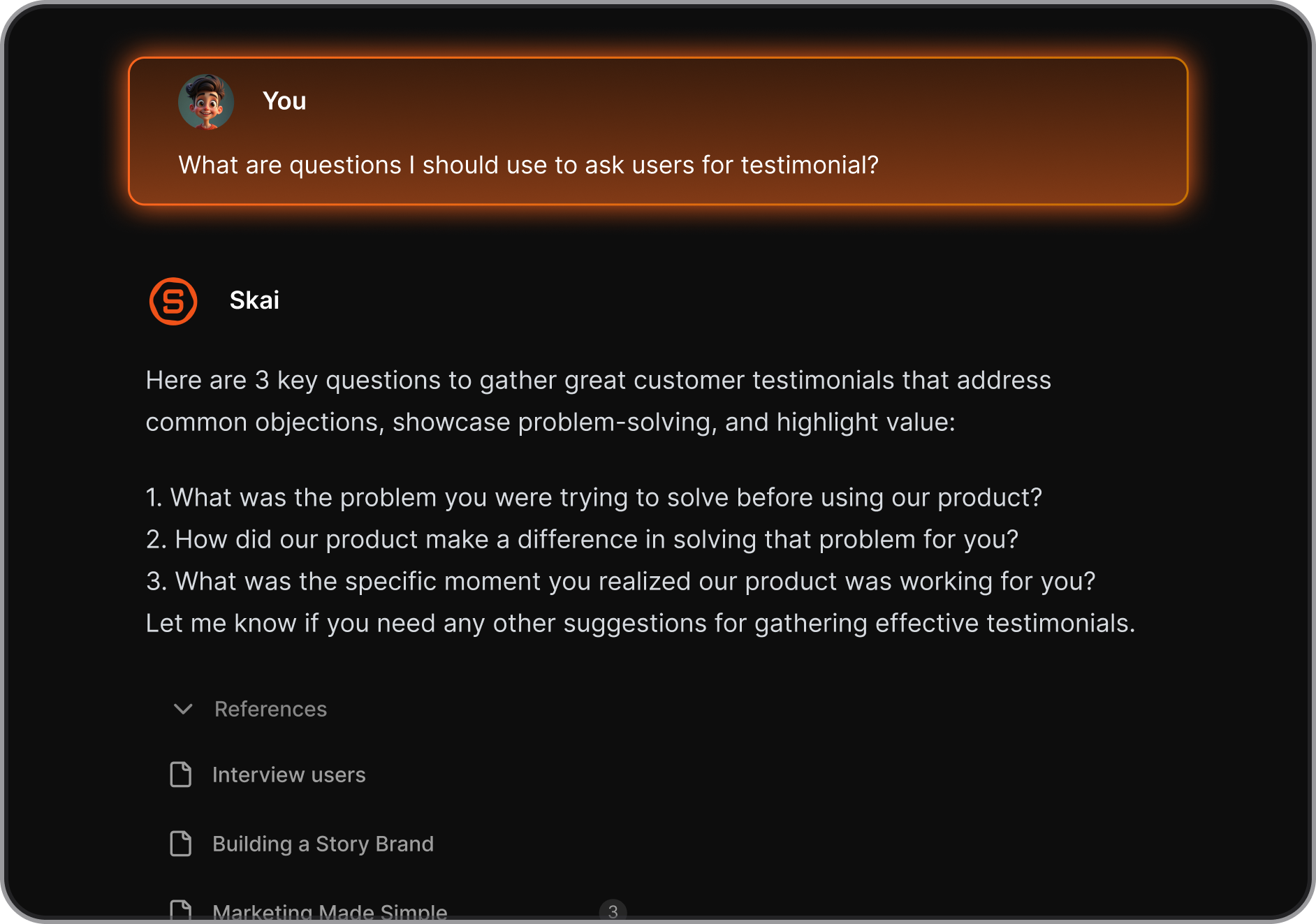
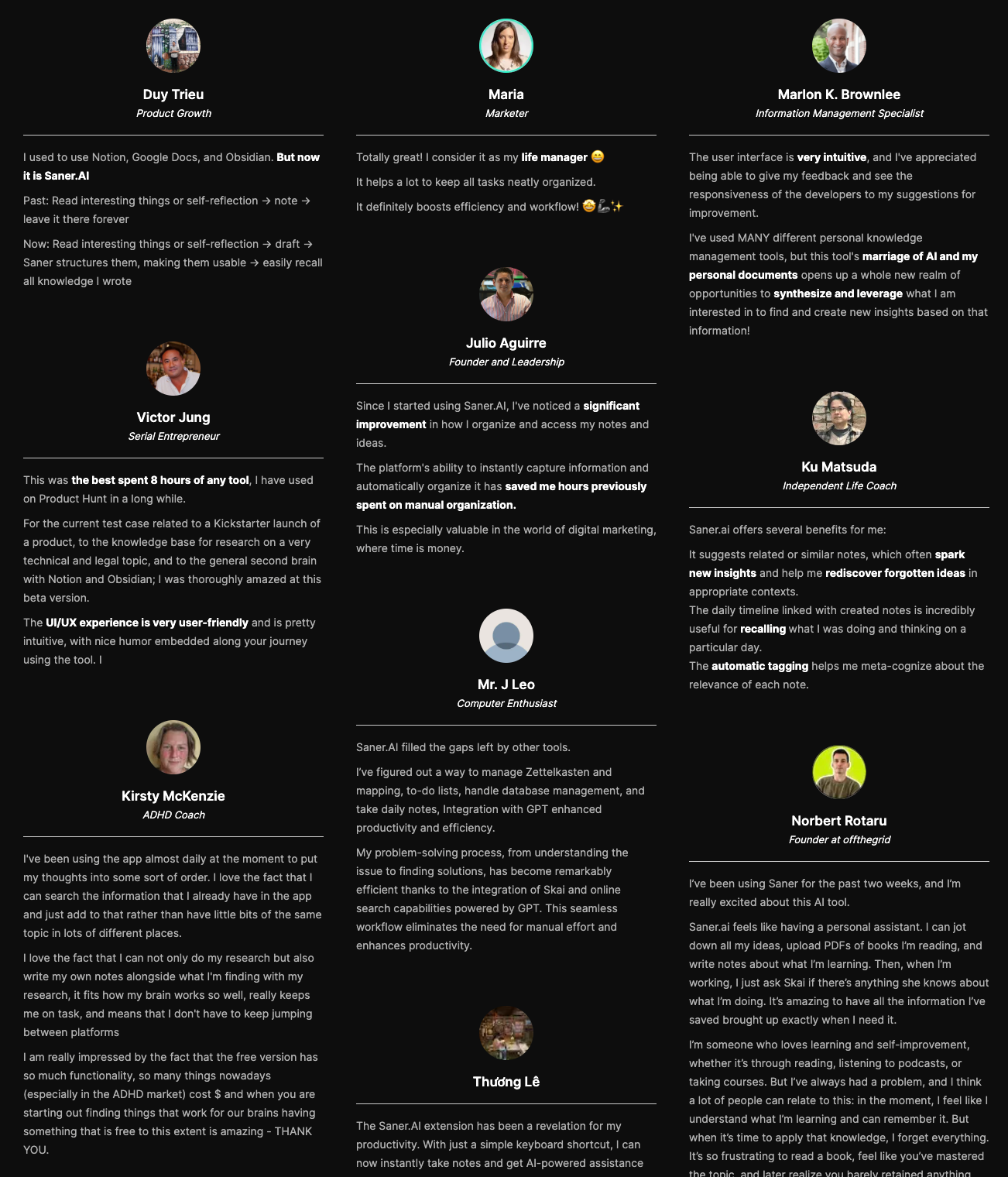
Saner.AI Reviews
How to get started?
- Copy meeting summaries or action items from your AI meeting note taker into Saner.AI
- Let the AI convert them into tasks and plan your next steps

Stay on top of your work and life
Conclusion: Choosing the Best AI Meeting Note Taker in 2026
If you’re searching for the best AI meeting note taker, here’s the truth in 2026:
👉 Recording and summarizing meetings is no longer the hard part.
Most leading tools already do this well.
Think of it this way:
- Otter, Fireflies, Fathom, Avoma, tl;dv, and Audionotes help you capture the meeting
- Saner.AI helps you move forward after the meeting
Rather than chasing a single “best AI meeting note taker,” here’s a smarter approach:
✨ Try 2–3 tools from different categories (meeting note taker + personal assistant)
🧪 Test them in real work — meetings, follow-ups, planning, execution
🧠 Measure mental clarity, not just time saved
FAQ: Best AI Meeting Note Taker (2026)
1. What is the best AI meeting note taker?
The best AI meeting note taker is a tool that can automatically record meetings, generate accurate transcripts, summarize key points, and extract action items - with minimal setup.
In 2026, top options include Otter.ai, Fireflies.ai, Fathom, Avoma, tl;dv, and Audionotes-each suited to different workflows.
2. How do AI meeting note takers work?
AI meeting note takers join or record meetings, transcribe speech in real time, and use natural language processing to:
- Summarize discussions
- Identify decisions
- Extract action items
- Make notes searchable afterward
Most integrate with Zoom, Google Meet, or Microsoft Teams.
3. Are AI meeting note takers accurate?
Accuracy depends on audio quality, accents, and the model used.
In general:
- Transcription accuracy is strong for clear audio
- Summaries are reliable for main points
- Action items still benefit from quick human review
This is why many teams pair meeting note takers with a follow-up system.
4. What’s the difference between an AI meeting note taker and a Personal GPT?
An AI meeting note taker focuses on capturing meetings.
A Personal GPT like Saner.AI focuses on making sense of what happens next.
For example, Saner.AI helps you:
- Turn meeting summaries into tasks
- Connect notes across multiple meetings
- Surface follow-ups automatically
- Plan your day based on real context
They work best together, not as replacements.
5. Can AI meeting notes automatically create tasks?
Some tools extract action items, but they rarely manage execution well.
Using a Personal GPT like Saner.AI lets you:
- Convert meeting notes into tasks
- Schedule follow-ups
- Get reminders without manual setup
This closes the gap between “notes taken” and “work done.”
6. Which AI meeting note taker is best for remote teams?
Remote teams often choose:
- Otter.ai - live transcription & collaboration
- Fireflies.ai - strong integrations & search
- Fathom - fast summaries for Zoom
Pairing these with Saner.AI helps remote teams avoid losing follow-ups across tools.
7. What is the best AI meeting note taker for managers?
Managers benefit from tools that:
- Summarize long discussions quickly
- Highlight decisions and blockers
- Track follow-ups across meetings
Using a meeting note taker + Saner.AI helps managers stay aligned without rereading transcripts.
8. What’s the best AI meeting note taker for executives?
Executives usually want:
- Short, high-level summaries
- Clear decisions and next steps
- Easy retrieval before the next meeting
Saner.AI complements meeting note takers by acting as a command center for decisions, tasks, and context.
9. Can AI meeting note takers replace manual note-taking?
They reduce manual note-taking significantly-but don’t fully replace thinking. AI handles capture and structure; humans still:
- Validate decisions
- Prioritize tasks
- Add nuance
The biggest productivity gains come from post-meeting organization, not transcription alone.
10. Are there free AI meeting note takers?
Yes. Many offer free plans with limits:
- Otter.ai - limited transcription minutes
- Fireflies.ai - basic summaries
- Fathom - free for individuals
Saner.AI also offers a free plan to organize and retrieve meeting notes intelligently.
11. How do I choose the best AI meeting note taker for my workflow?
Ask three questions:
- Do I need live transcription or just summaries?
- Do I want individual use or team collaboration?
- How will I manage follow-ups after the meeting?
Most users choose one meeting note taker + one Personal GPT.
12. Can AI meeting note takers help with meeting preparation?
Indirectly, yes.
But a Personal GPT helps more by answering questions like:
- “What did we decide last time?”
- “What’s still pending from this client?”
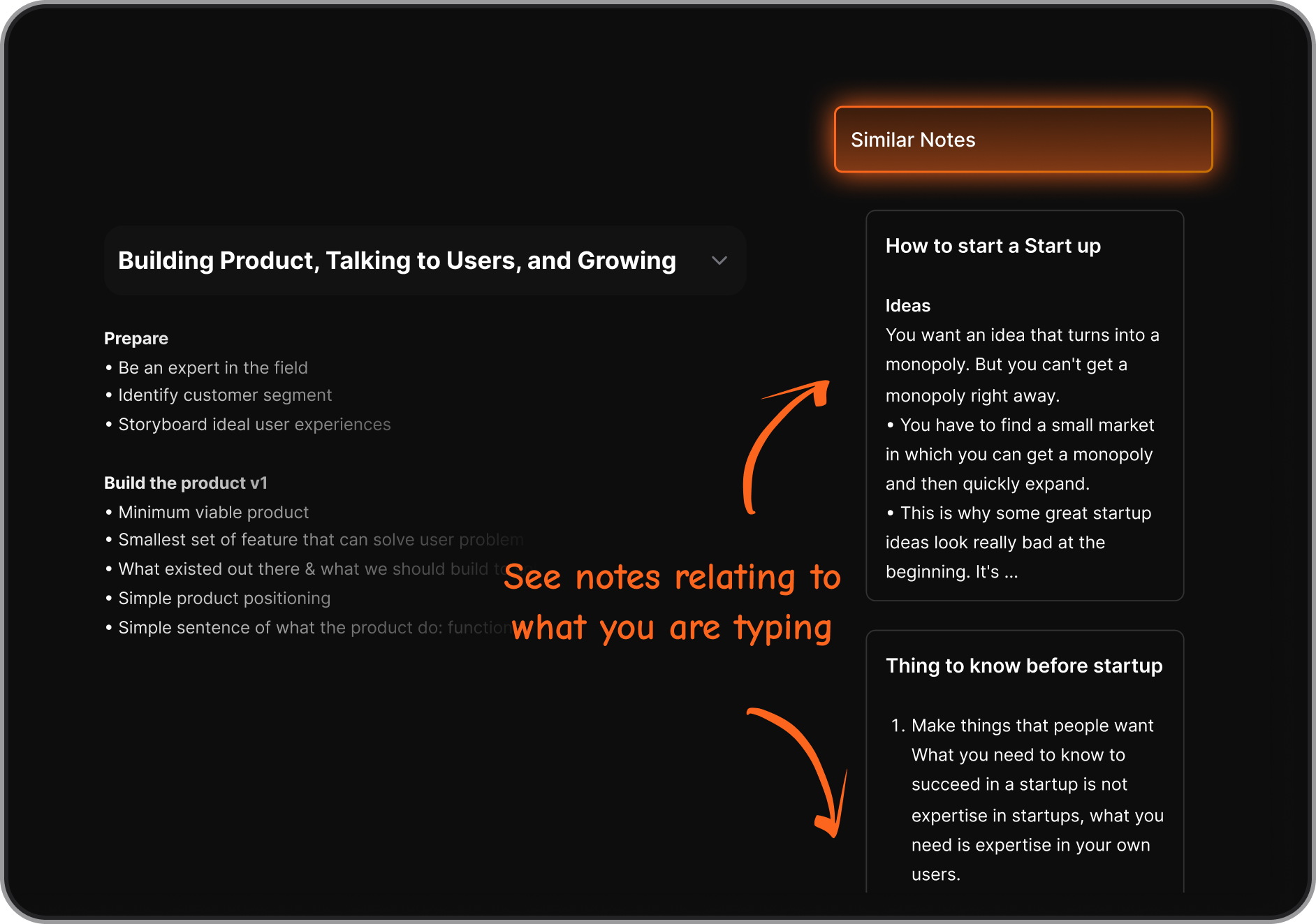
Saner.AI pulls context from past notes and tasks instantly.
13. What’s the best AI meeting note taker for ADHD?
The best option minimizes cognitive load:
- Automatic capture
- Clear summaries
- Fewer tools to manage
Saner.AI is often preferred by ADHD users because it turns messy notes into clear actions without rigid systems.
14. Do AI meeting note takers support voice notes?
Some tools support voice-based input outside meetings.
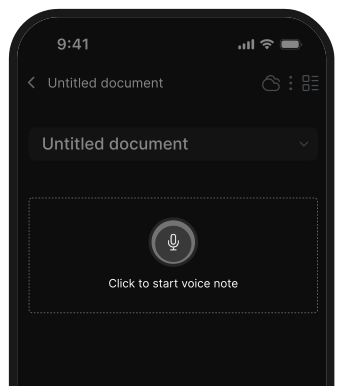
Saner.AI supports voice-to-task, which is useful for capturing ideas immediately after meetings.
15. What’s the best setup for AI meeting notes in 2026?
For most professionals:
- Use one AI meeting note taker (Otter, Fireflies, Audionotes, etc.)
- Use one Personal GPT like Saner.AI to manage tasks, context, and follow-ups
This setup reduces app switching and ensures meeting insights actually lead to action.
Stay on top of your work and life