
We tested +12 AI Planners. Here are the 6 Best Apps in 2026

In this guide, I'll cover how each AI Planner App handles automatic scheduling, how well it integrates with your existing calendar and task tools, what the learning curve is like, and where each one is likely to frustrate you.
Quick guide: What are the best AI planner apps right now?
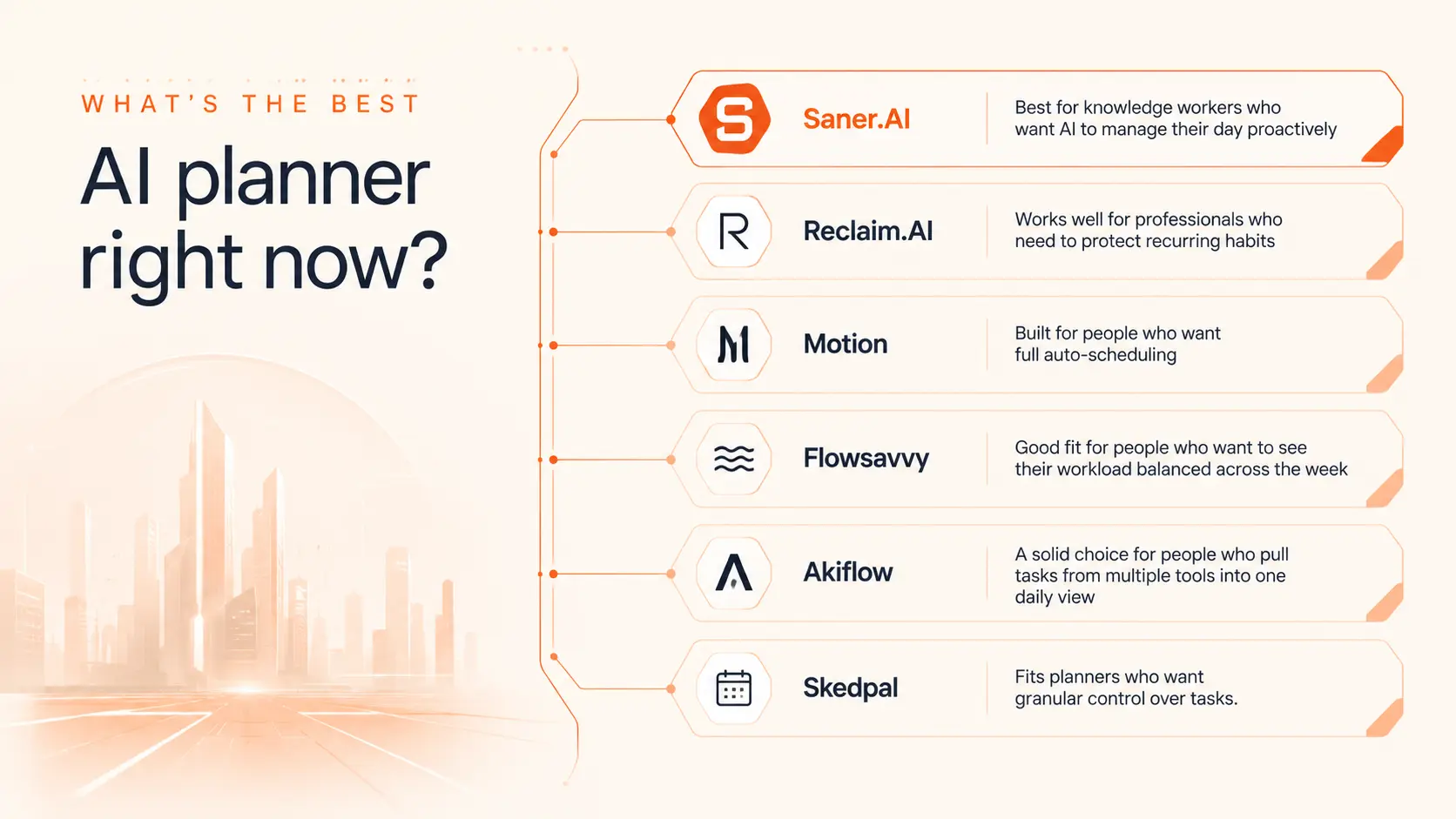
2. Reclaim.AI: Works well for professionals who need to protect recurring habits
3. Motion: Built for people who want full auto-scheduling
4. Flowsavvy: Good fit for people who want to see their workload balanced across the week
5. Akiflow: A solid choice for people who pull tasks from multiple tools into one daily view
6. Skedpal: Fits planners who want granular control over tasks
1) Why do we need an AI planner?
2) How I chose the best AI planner apps
A good AI planner should do more than fit tasks into empty slots. It needs to understand urgency, protect the work that actually matters, and recover cleanly when your day changes. I evaluated each app against the problems people run into most:
- Auto-scheduling logic: Does the AI schedule tasks intelligently based on priority and deadlines, or does it just fill gaps?
- Calendar integration: How well does it read and write to Google Calendar, Outlook, or both? Does it handle events it didn't create?
- Task input options: Can you add tasks from other tools, or are you locked into the app's own system?
- Rescheduling behavior: When meetings overrun or tasks slip, does the app adapt automatically or wait for you to fix it manually?
- Focus time protection: Does it block time for deep work, and does it hold that time when meeting invites come in?
- Mobile experience: Is the app usable on your phone, or is it desktop-only in practice?
- Pricing and free tier: What do you actually get before paying, and is the paid plan worth it for solo users?
What are the Best AI Planners Apps?
The Best AI Planner Apps in 2026 are Saner.AI, Reclaim.AI, Motion, Flowsavvy, Akiflow, and Skedpal.
1. Saner.AI
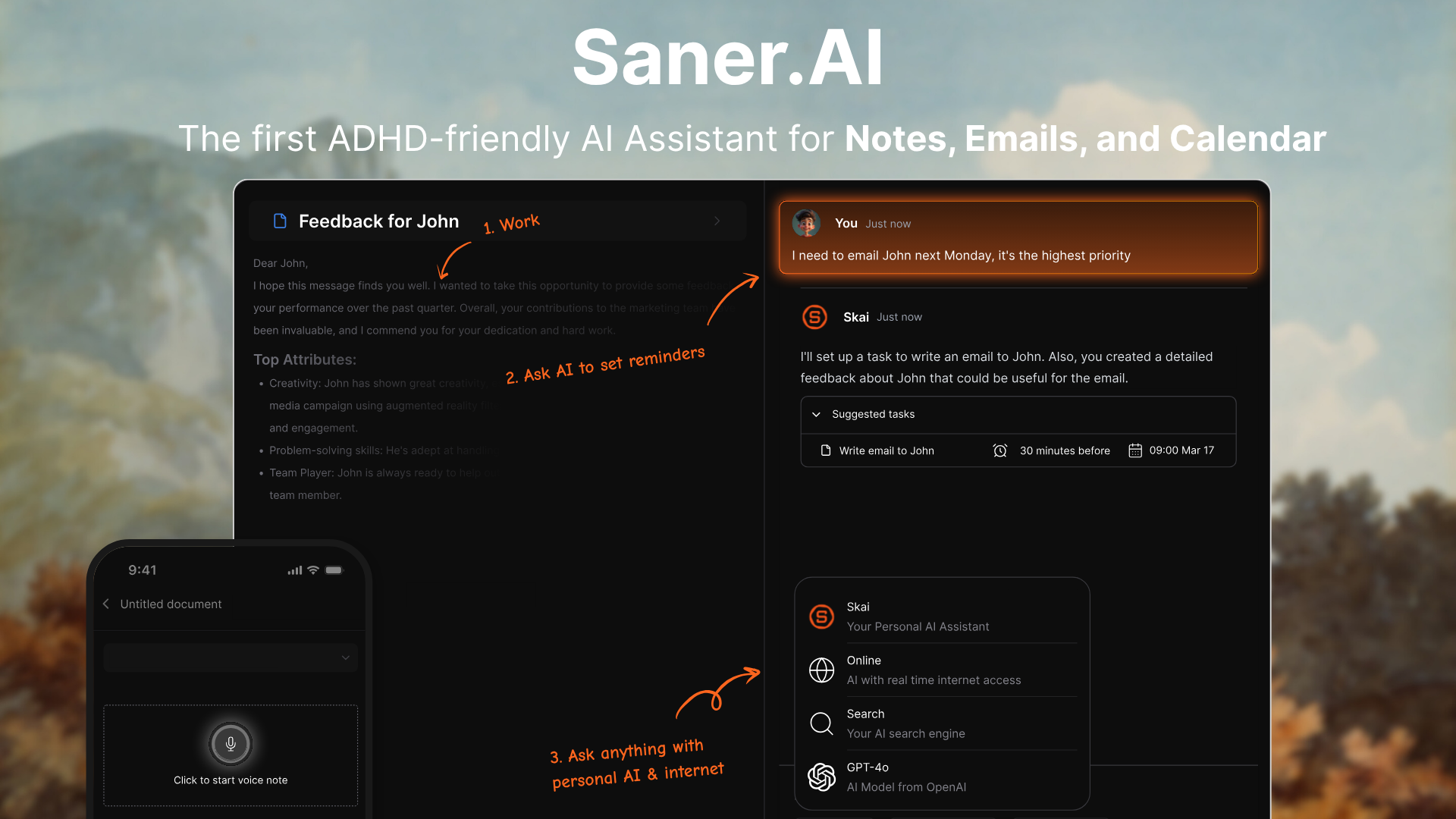
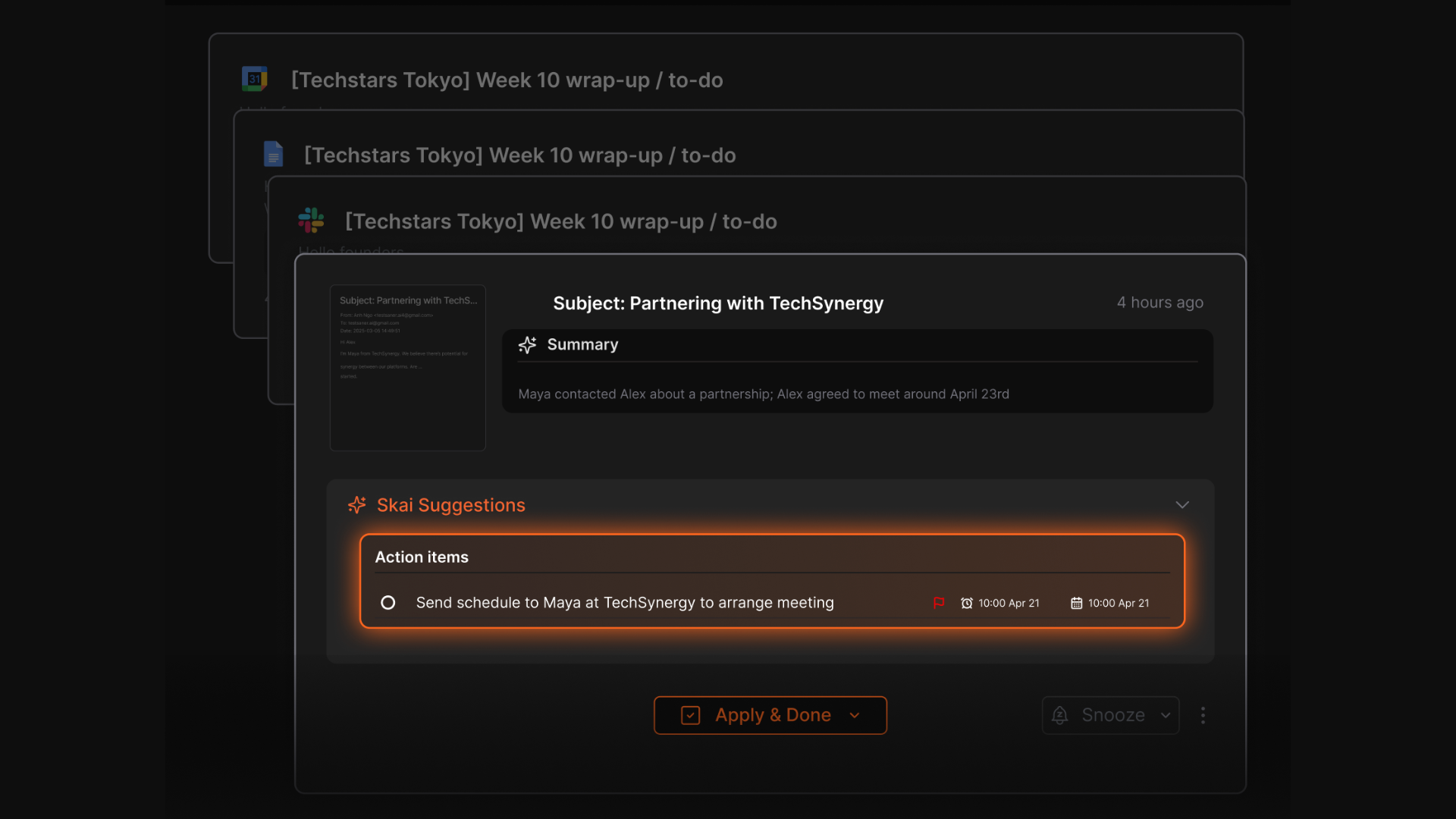
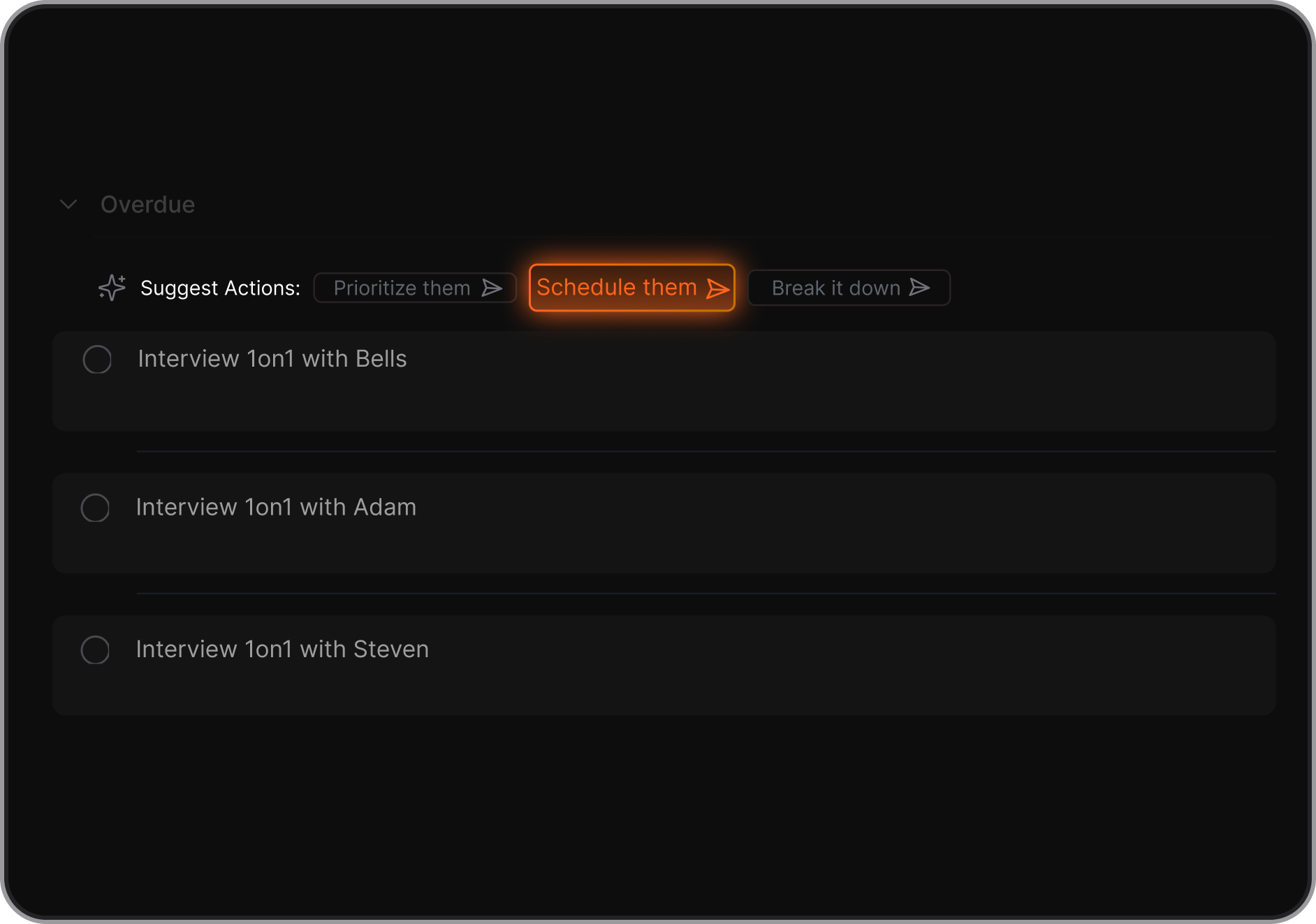
Saner.AI is an AI planner that combines your calendar, tasks, notes, and emails in one place. Instead of managing everything separately, you can simply chat with the AI to plan your day, block time for important work, and make sure tasks from emails or notes are scheduled directly into your calendar.
Key features
- AI Daily Planning: Automatically scans your emails, to-dos, and notes, and gives you an optimal day plan
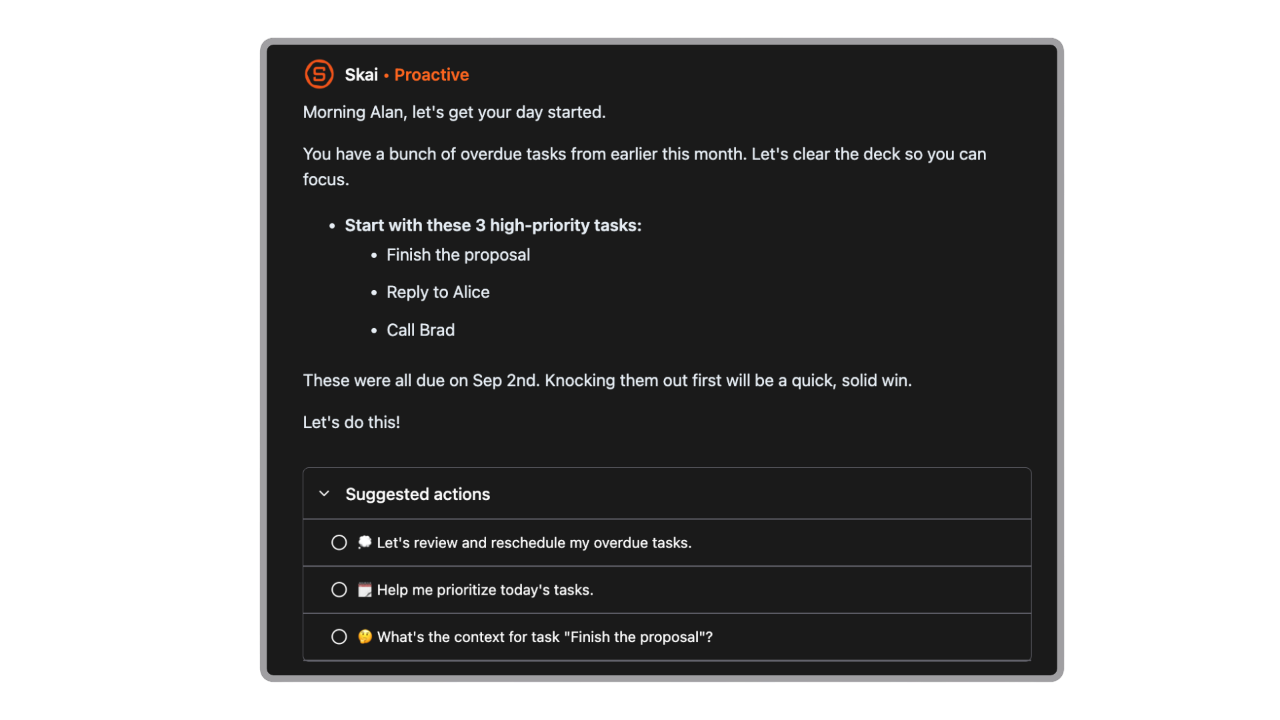
- AI Chat Assistant: Lets you ask in plain language to plan your day, block deep work, or move meetings
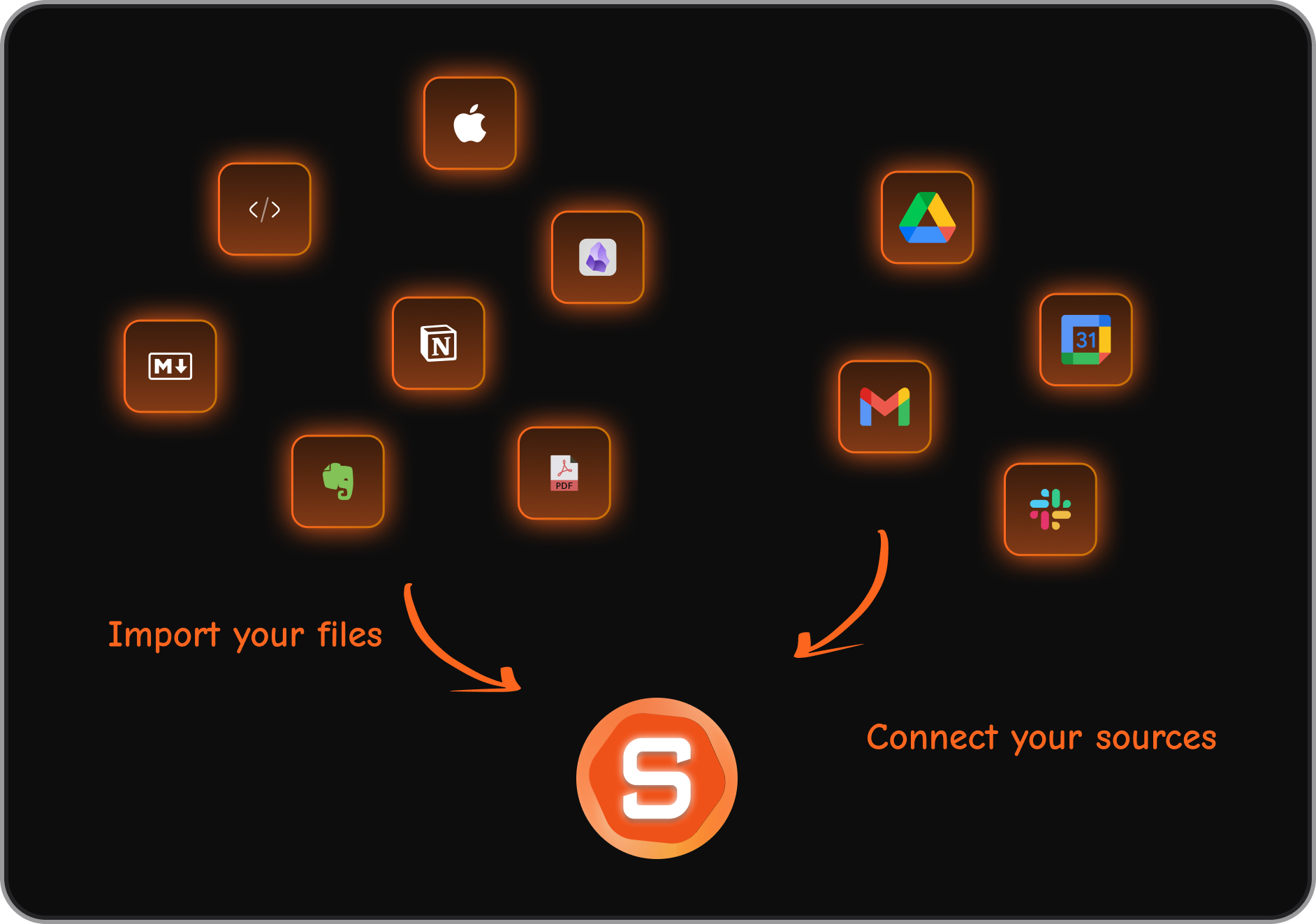
- Task + Calendar Sync: Ensures tasks from notes, Slack, or emails show up in your planner, not just your to-do list
- Integrations: Connects with Google Calendar, email, Slack, and cloud storage
Pros
- The ability to just ask the AI “plan my day” makes it feel like a real assistant rather than another static calendar.
- It’s useful that tasks and follow-ups from emails don’t get lost; they’re scheduled directly into my planner.
"The simple design of the note and to-do list app, combined with best-in-class AI Assistants, makes it super easy to stay on top of work and life. Highly recommended for anyone looking for a productivity boost!" – verified review
"Really like how it proactively tells me what to do each morning." – verified review
Cons
- The app is not supported for complex project management yet
Pricing
- Free
- Starter: Monthly at $8/month, Annually at $6/month (with early user discount)
- Standard: Monthly at $16/month, Annually at $12/month (with early user discount)
Who is it suitable for?
- Professionals who want an AI planner to actively schedule tasks, not just show meetings
- People who need tasks from notes, emails, and Slack to connect directly to their calendar
- ADHD users or anyone who feels overwhelmed managing multiple apps for planning
Saner.AI review
"The biggest benefit for me in using Saner is the Proactive AI. Staying on top of the constant flow of email and multiple calendars is challenging, and so far, Saner is the only AI-based tool that truly feels like a personal assistant." - Jerry

How to start using it?
- Head to saner.ai, connect your calendar and Gmail, and start chatting. You’ll have your day planned before you even finish your coffee.

Stay on top of your work and life with the AI Planner
2. Motion
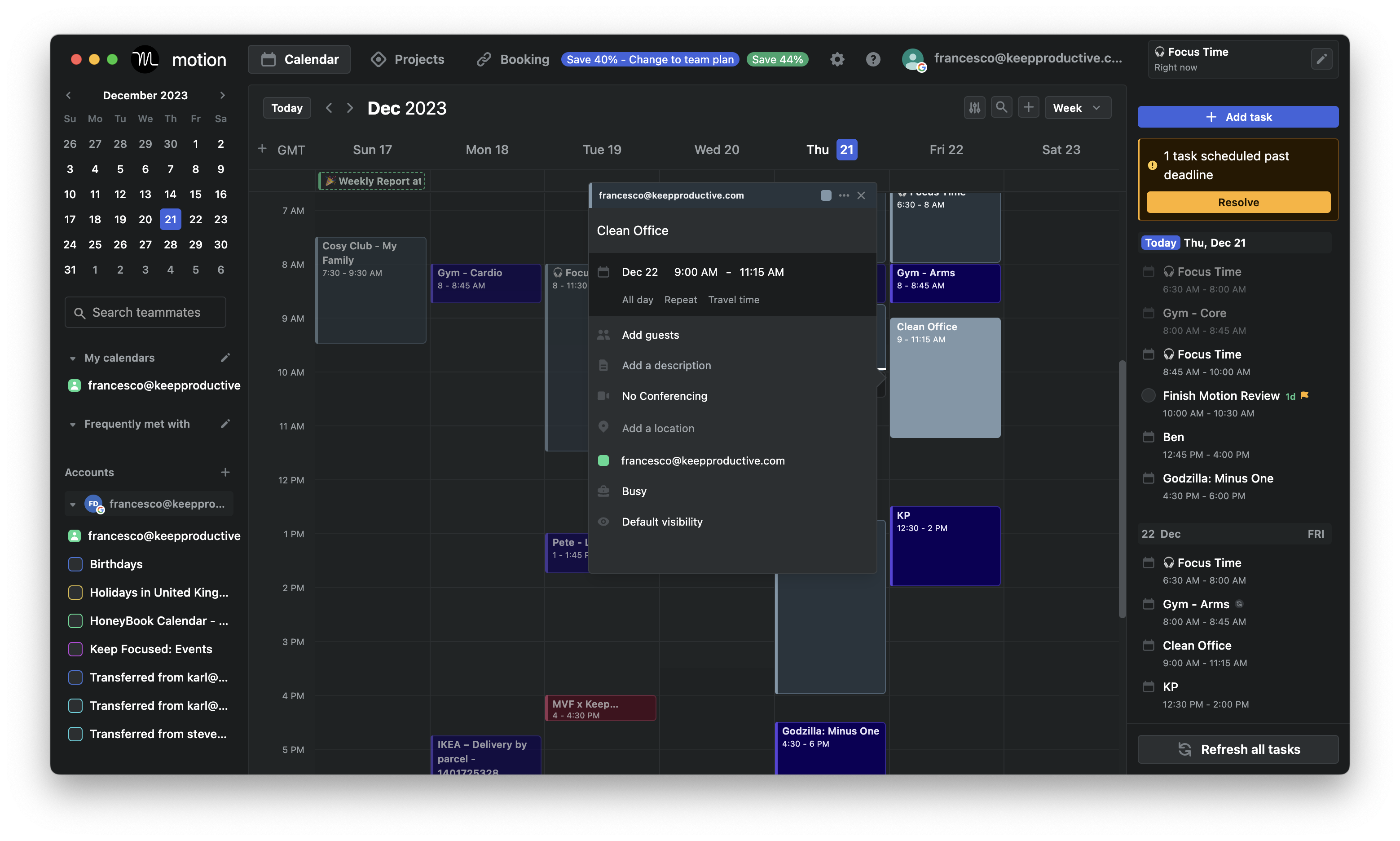
Motion is an AI planning app that automatically schedules your tasks, meetings, and priorities into a single calendar. You tell it what needs to be done and when it’s due, and the system figures out when you should work on it.
Key features
- Automatically schedules tasks into your calendar based on urgency, deadlines, and availability
- If meetings run late or tasks slip, Motion reshuffles your calendar in real time
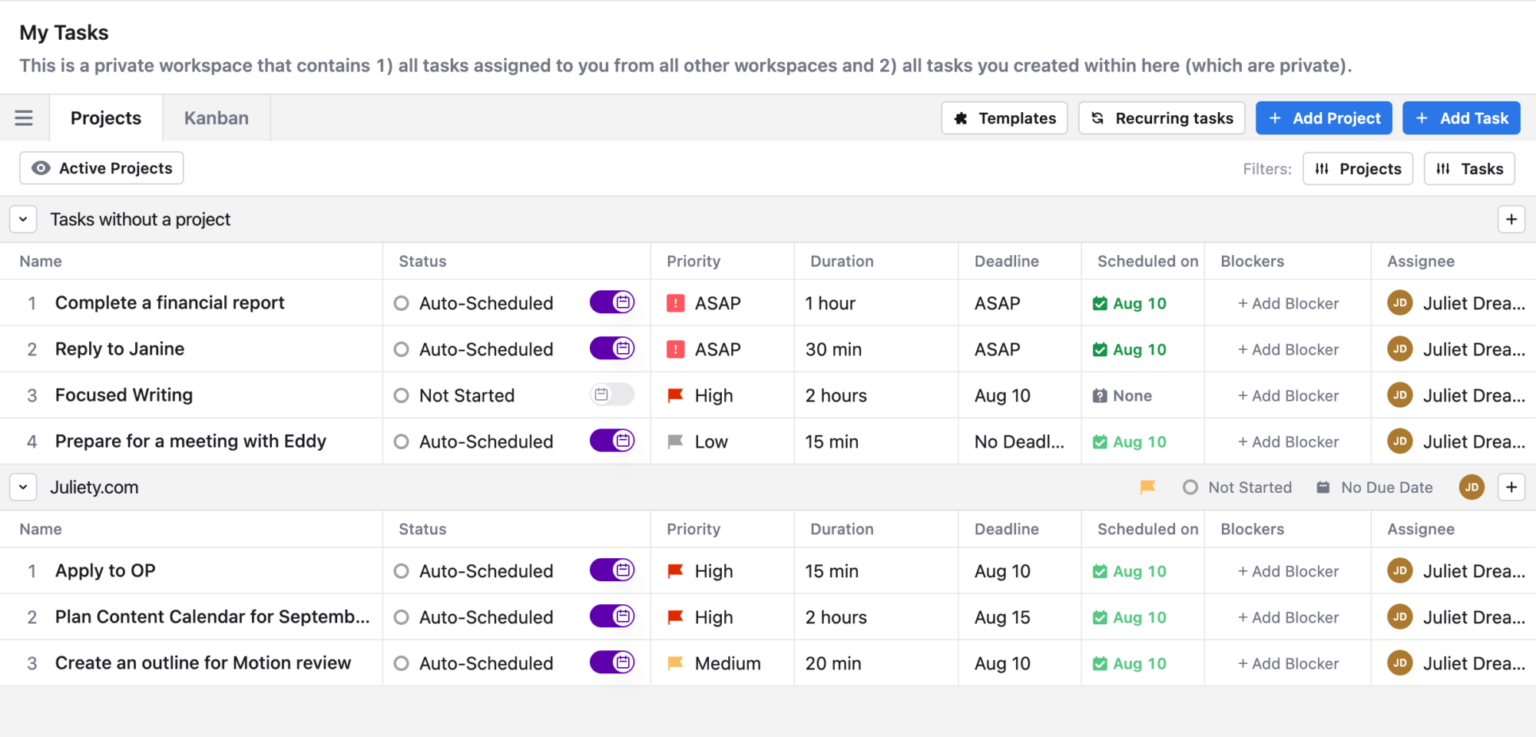
- Tasks, events, and deadlines all appear in one interface
- Automatically ranks tasks by importance so you know what matters most
Pros
- If you like seeing every hour planned, Motion does this extremely well.
- You don’t need to constantly decide what to work on next. Motion makes those calls based on the rules you set.
" I create projects with all the tasks I need to do for each week, which Motion easily prioritises for me based on when I have the respective class each week." – verified review
Cons
- The price can feel high for solo users
- The founders is moving their focus to different business
- The mobile app lacks the full functionality of the web version
- Don't have an AI assistant interface to interact with
"What I like least about Motion is that the learning curve can be a bit confusing at first, and the price ends up being high for those who are just starting or use the tool in a simpler way." - verified review
Pricing:
- Free trial (7–14 days, depending on plan)
- Paid plans start at $49/month
Suitable for:
- Small teams that need shared calendar visibility without a heavy project tool
Motion reviews (source)
"I really like the ease with which I can schedule an appointment or a meeting with another person using Motion. This feature is probably my favorite part because it makes managing my own intake of 10 to 30 requests for appointments in a week so much simpler." - Morgan D
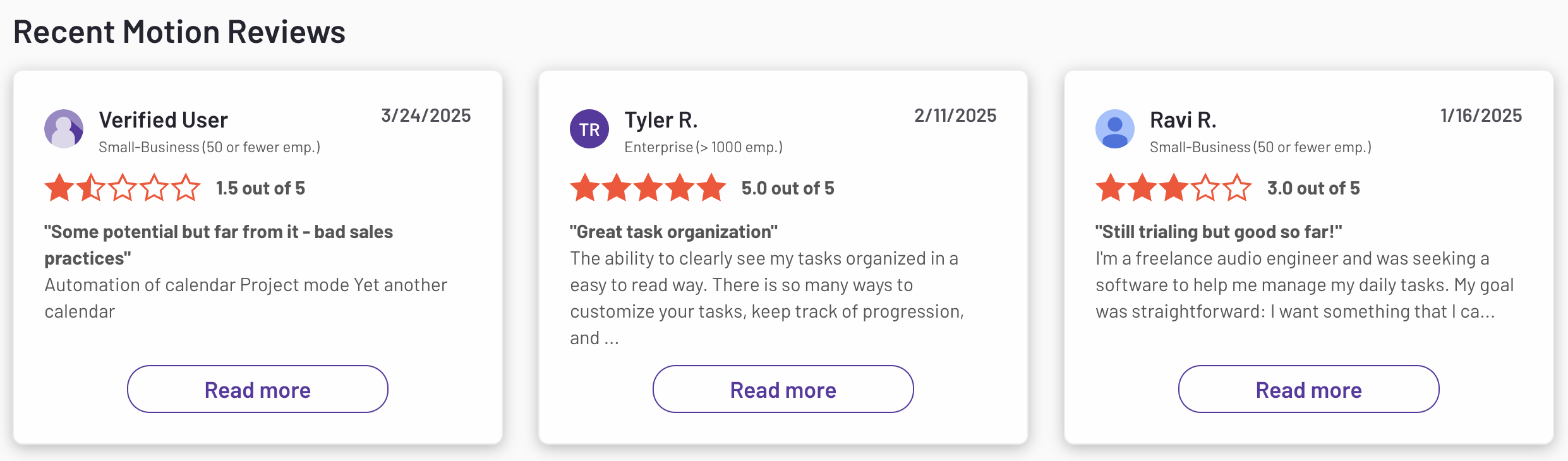
"Inability to perform bulk actions such as changing multiple tasks at once" - Shawn C
How to start:
- Sign up on Motion and connect your calendar
3. Akiflow
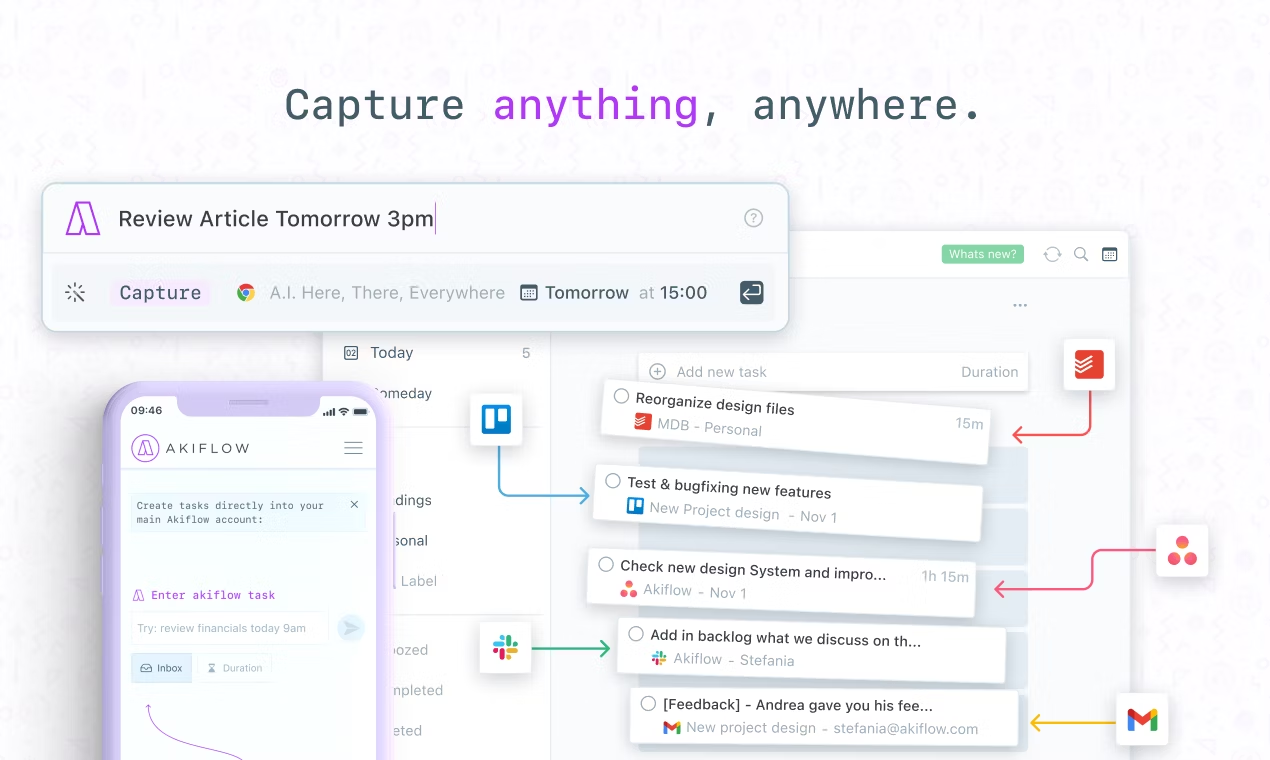
Akiflow is an AI planner that consolidates your tasks, calendar, and scheduling into one streamlined workspace. It pulls in work from tools like Gmail, Slack, Asana, and Notion, then helps you block time.
Key features
- Collects tasks from Gmail, Slack, Asana, ClickUp, Notion
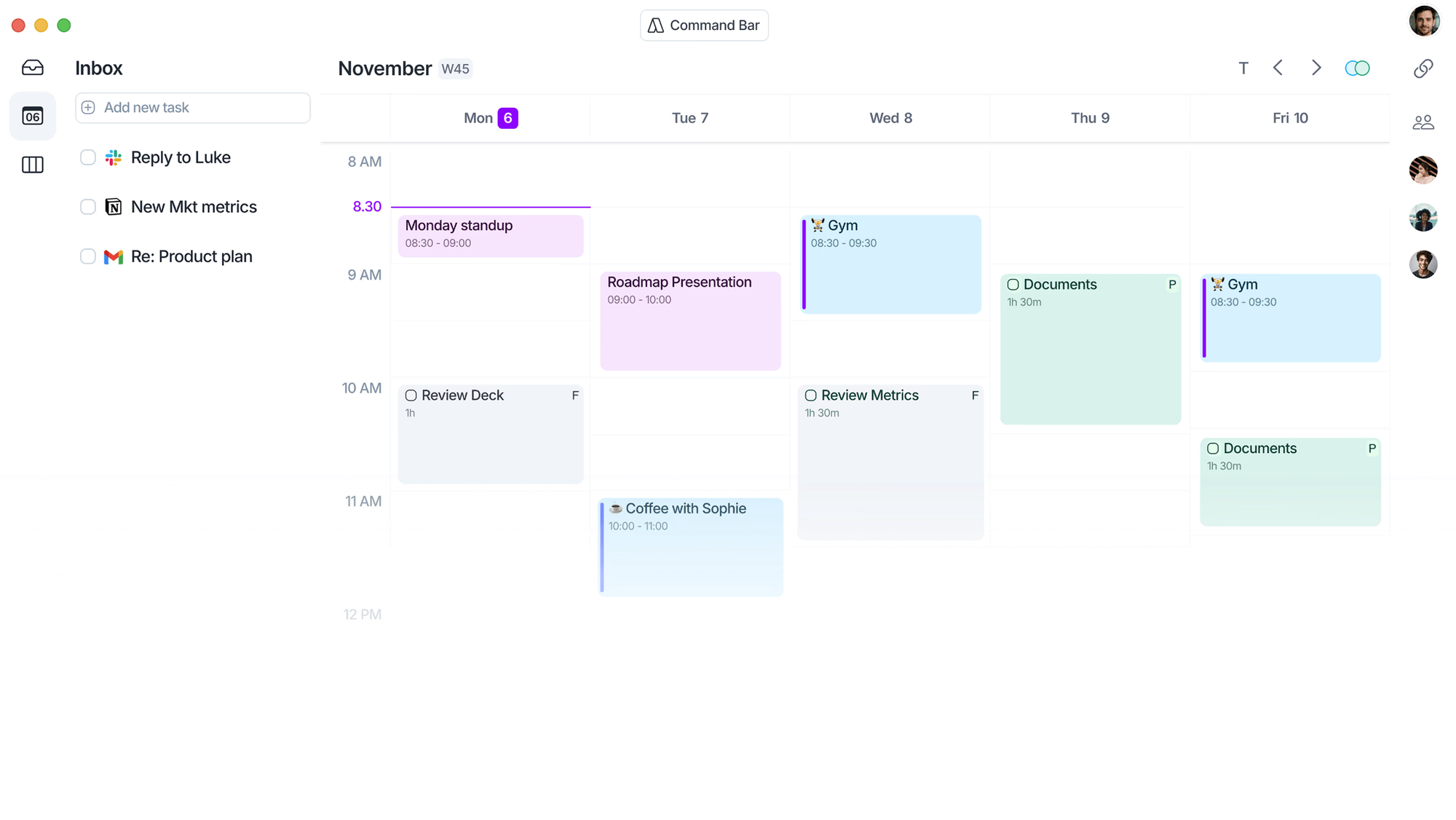
- Lets you drag tasks onto your calendar or accept AI blocks based on availability
- Built-in timer to help you stay on task during scheduled deep work blocks
- Allows you to define work windows so tasks are placed during your most effective hours
Pros
- Bringing tasks from multiple tools into one place saves a lot of context switching
- Drag-and-drop scheduling feels intuitive and quick to adjust
"Time blocking feels natural, and the keyboard shortcuts make planning my day way more productive." - verified review
Cons
- There’s a learning curve in setting up zones, workflows, and preferences
- There's no place to store your notes; it does not have AI note-taking capability
"The speed of the Android app is lacking. It does not implement the management or planning of long-term goals, including subtasks." - verified review
"I wish the chat with Aki feature was a little more accurate with task execution. Sometimes when I give it instructions it doesn't do what I ask it to." - verified review
Pricing
- $34 per month on the monthly plan
Suitable for
- People who like the flexibility of drag-and-drop scheduling
- Individuals managing both personal and work obligations who want integrated meeting scheduling
- Less suited for teams needing advanced project management or collaboration features
Akiflow Reviews (source)
"I love that Akiflow is a one-stop shop that consolidates several different calendars into one and provides pop-up reminders for tasks and meetings, which makes it super easy to manage my time." - Sarah B
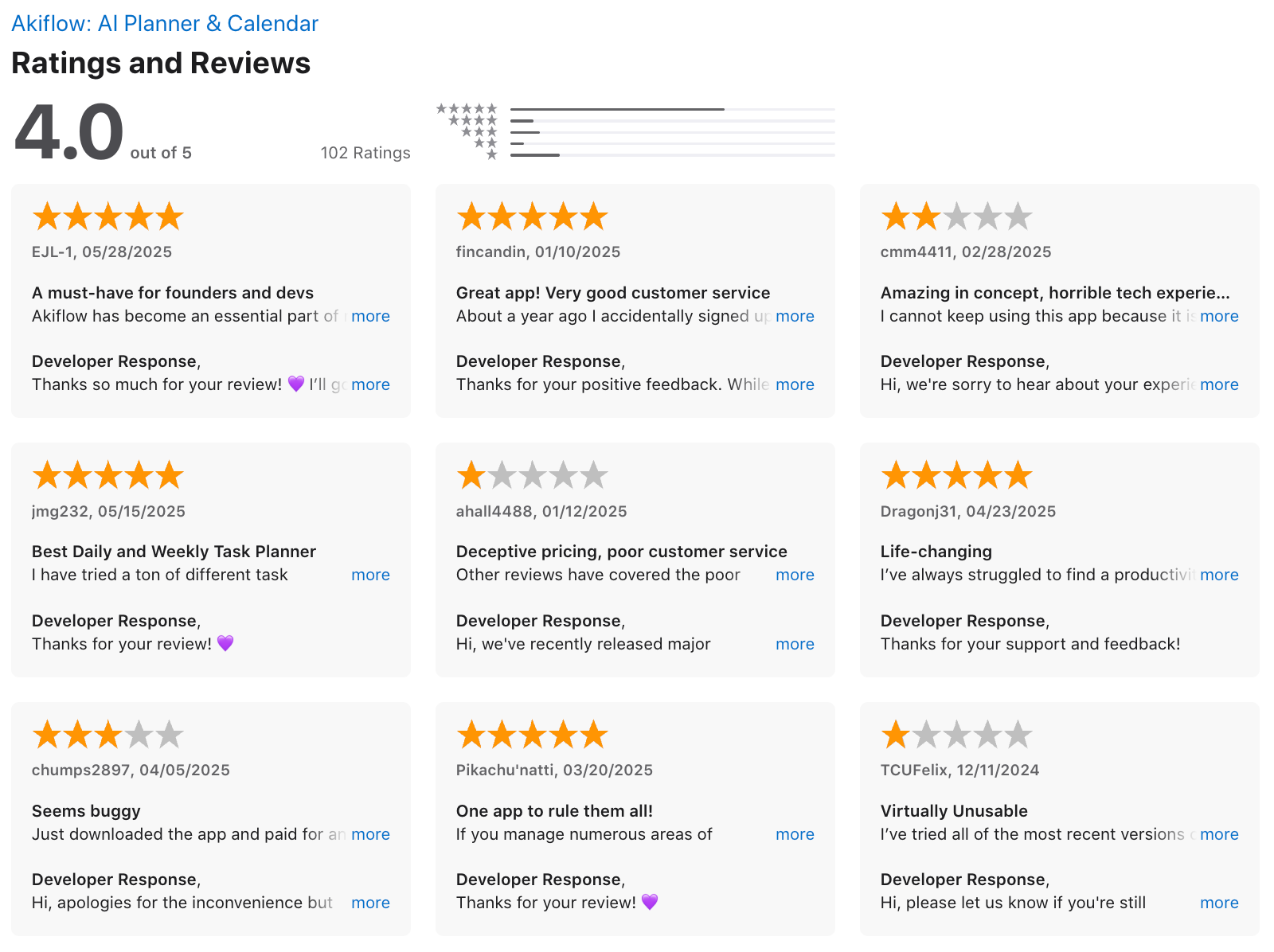
"While the core concept of pulling all my to-dos into a single, time-blocked daily view is brilliant, the execution and user experience fall short for an app at this premium price point." - Simp Foryou
How to get started
- Sign up for Akiflow and start a free trial
- Connect your calendar, email, Slack, and other task tools
4. Reclaim

Reclaim.ai is an AI planner that automatically protects time on your calendar for tasks, habits, deep work, and breaks. Instead of manually blocking hours or shuffling events when meetings change.
Key Features
- Automatically schedules tasks, habits, and focus time around your existing events
- Suggests optimal times for meetings across participants’ calendars
- Integrates with task managers like Asana, Todoist, and Jira so tasks appear on your calendar
Pros
- Smart Scheduling is good - it auto-books tasks around existing meetings without me thinking about when to do them
- Habits are flexible
"The smart booking feature is great for scheduling things like competitive research and tasks you usually never make time for." - verified review

Cons
- There’s no standalone mobile app, which feels limiting for people who plan their day on the go
- Not built for complex project management, so you won’t find dependencies or team-level timelines
- It doesn’t work as a conversational AI assistant
"If I need to do something in the next two hours that was not on my schedule, reclaim would spend those entire 2 hours reshuffling my schedule and I will keep getting notified about it from my calendar." - verified review
Pricing
- Free plan with limited features
- Starter: $10/month
- Business: $15/month
Who It’s For
- Small teams that want their priorities reflected automatically on calendars
- Users who want to build habits and routines directly into their day
Reclaim.AI Reviews (source)
"It has helped me sync family commitments as well as work, but also helped me to focus and increased my productivity." - Zehra Jagani
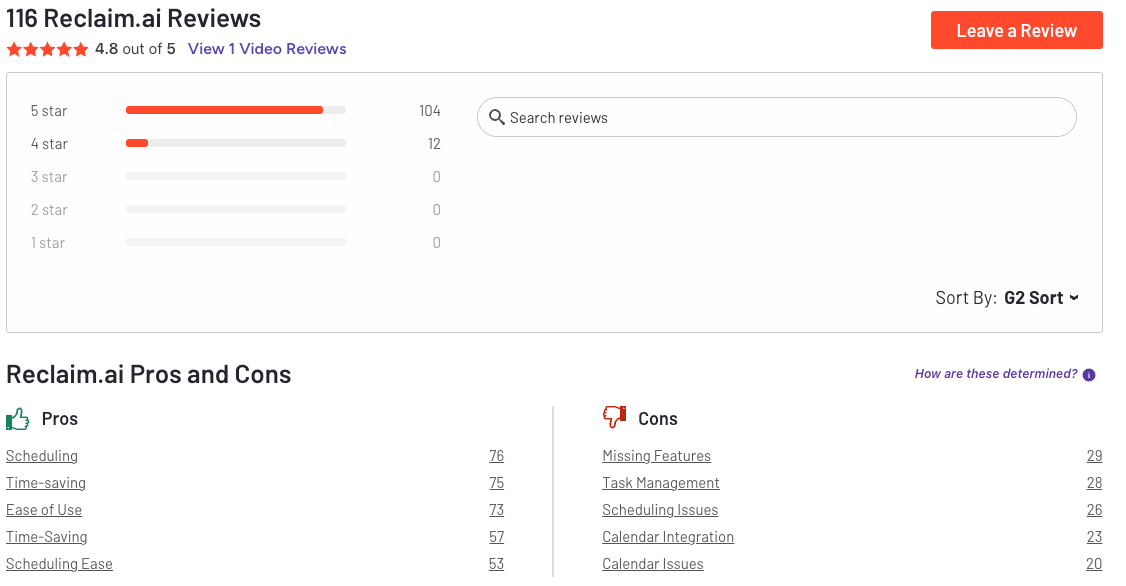
"I put the time of my meeting because I need it to happen at an exact time — and it automatically reschedules it. So now I have to go to my Google Calendar to set it up manually or move it back when it happens." - Jozef
How to Get Started
- Create a free account on Reclaim.ai
- Connect your calendar and task manager
5. SkedPal

SkedPal is an AI planner that connects your to-do list and calendar, automatically scheduling tasks into time slots based on priorities, deadlines, and availability. When things change, it recalculates your plan so you always know what to work on next.
Key features
- Places tasks into calendar slots according to deadlines and duration
- Recalculates your schedule instantly when plans shift
- Let you define preferred hours for different types of work, like deep focus or admin
Pros
- The “Update Schedule” button is good - you can instantly generate a new realistic plan without manual rescheduling
- Time Maps help protect specific hours for deep work or personal time, which makes the planner feel more personal
Cons
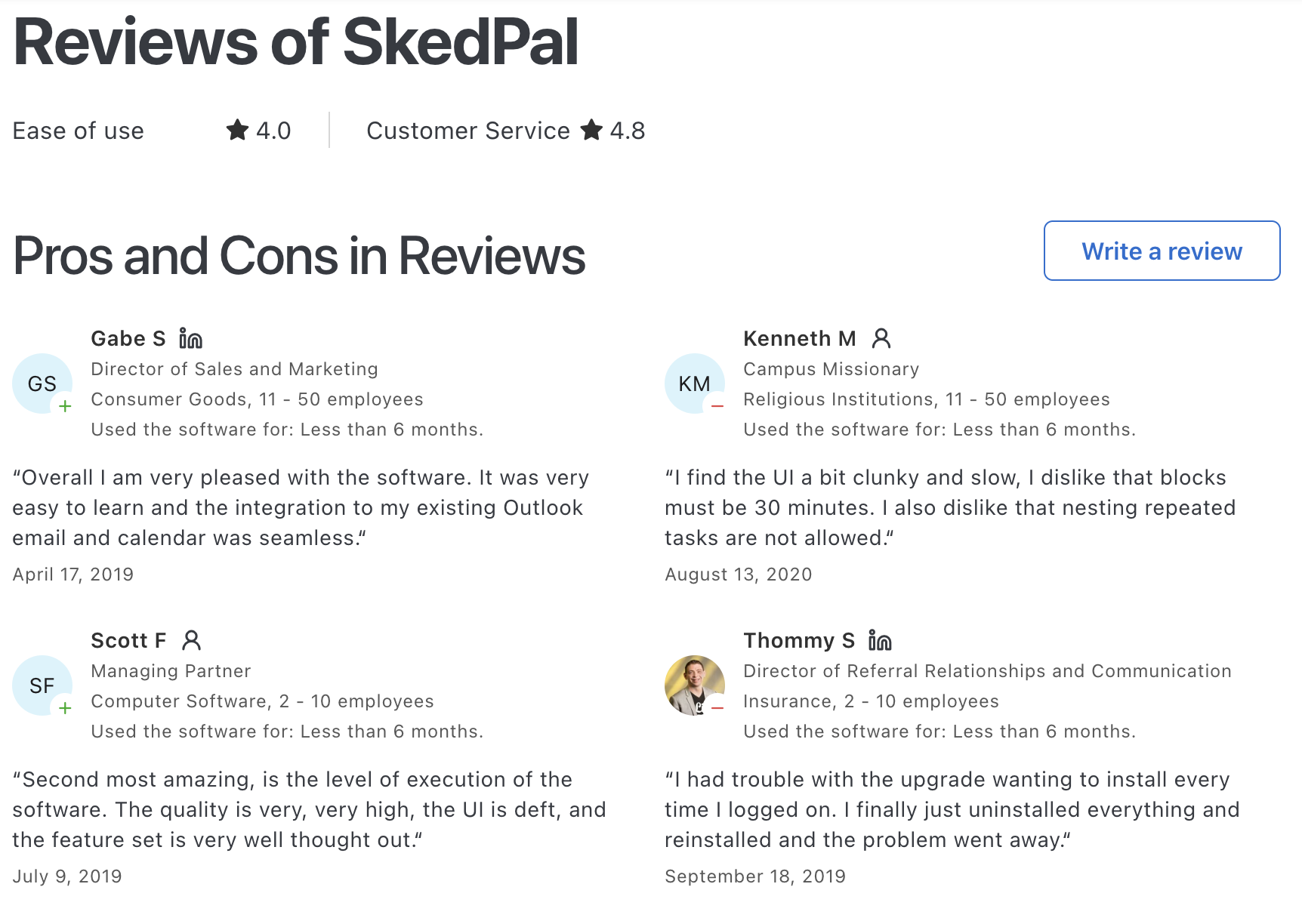
- The setup has a learning curve - you need to experiment with zones and priorities to get the best results
- The interface feels less modern and can be clunky for adding large amounts of tasks
"So many layers and variables. Also lack of integrations to my other project management tools" - verified review

- The mobile app is limited compared to the desktop version
- It’s not meant for teams or project management
- No AI Assistant to chat with to manage tasks
Pricing
- Free trial available to test before subscribing
- Paid plans start at $10/month
Suitable for
- People managing many types of commitments who need a balance between work, personal, and focus time
- Users who are willing to spend time fine-tuning zones and preferences for more accurate scheduling
SkedPal Reviews (source)
How to start
- Create an account and start with the trial
- Connect your existing calendars
6. FlowSavvy
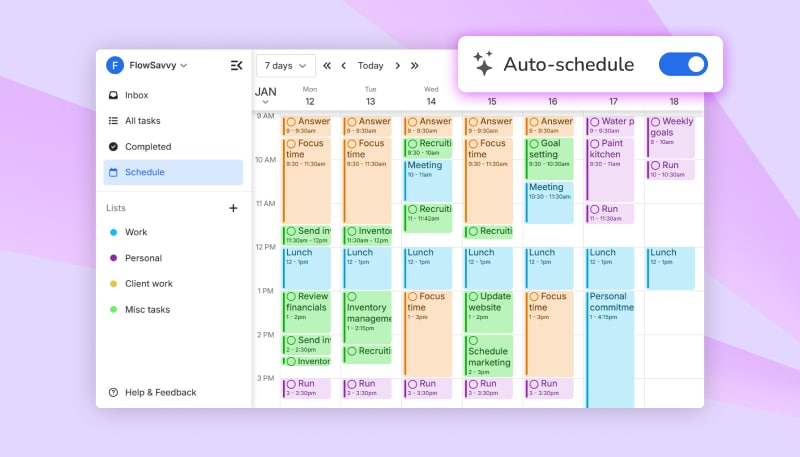
FlowSavvy is a lightweight AI planner that automatically schedules your tasks into your calendar based on deadlines and availability. You enter tasks with due dates, and the app figures out when you should work on them.
When meetings move or new tasks appear, FlowSavvy adjusts your plan automatically.
Key features
- Tasks are placed directly into your calendar based on deadlines and open time slots. If your schedule changes, FlowSavvy reschedules without manual dragging.
- Your to-dos live inside your real calendar, not a separate task universe. This helps prevent overcommitting and missed deadlines.
- Works across web and mobile, keeping schedules consistent wherever you check your calendar.
Pros
- Setup is fast and intuitive. You can start scheduling tasks within minutes.
- The AI helps without forcing strict rules or aggressive rescheduling.
"When your schedule shifts, it recalculates everything almost instantly" – verified review
Cons
- It’s not a conversational AI - you can’t “chat” with it to schedule something
- The free plan only auto-schedules up to 2 weeks ahead, which feels limiting
- Dragging split tasks can sometimes be clunky if they’re spread across days
- It’s not designed for teams
Pricing
- Free plan
- Pro plan: $7/month or $5/month billed annually
Suitable for
- Individuals who want a simple, calendar-based AI planner that automatically schedules tasks without complexity.
Flowsavvy reviews (source)
"Could not recommend it highly enough for anyone who has multiple personal/work calendars... I would use it as the single view into all my calendars even if the task auto-scheduling feature wasn't so amazing!" - Walker O'Brien
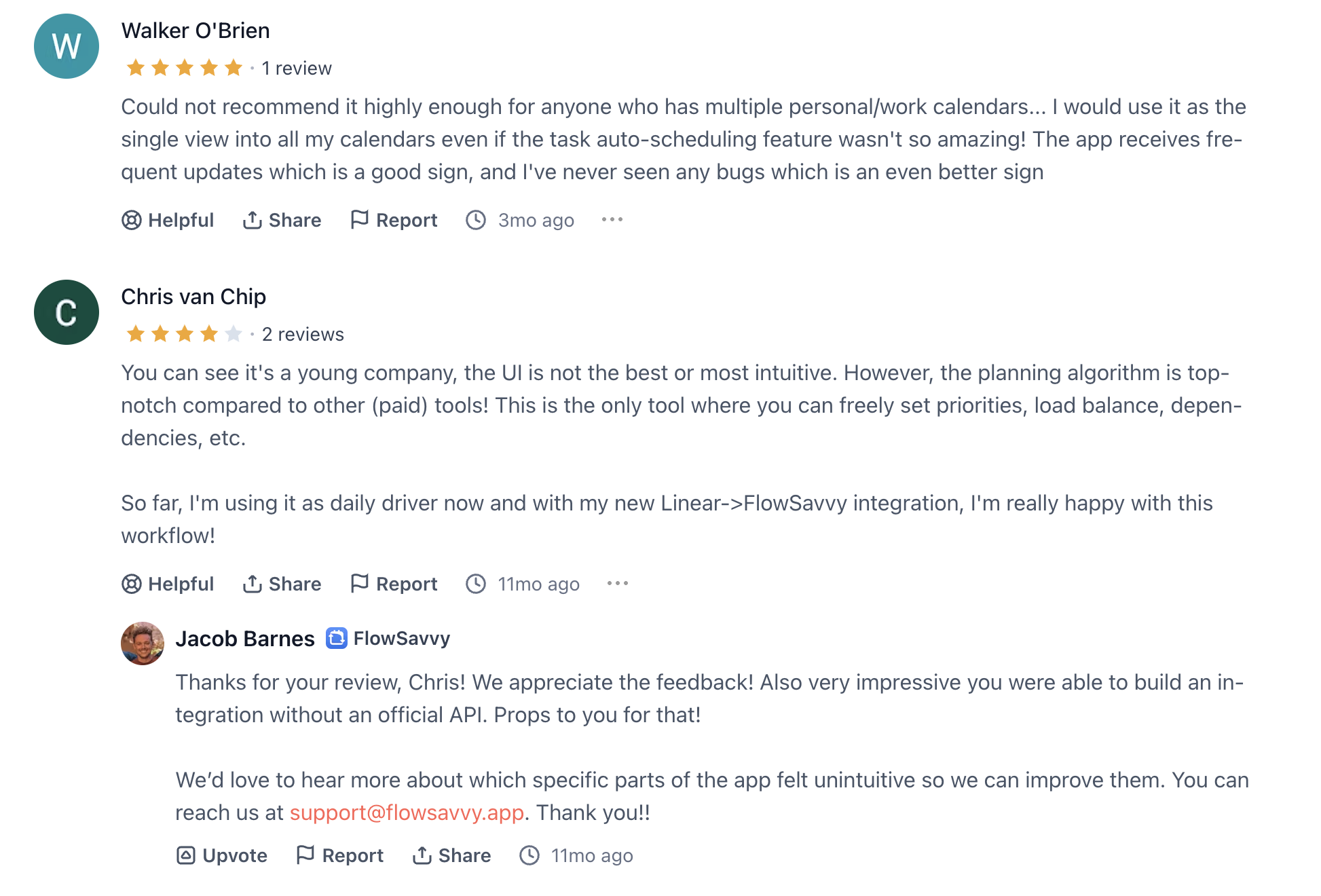
"I spent more time adjusting fake deadlines and priorities. when I lost everything transferring list I didn't have the heart to start over with a few months left on my subscription." - DJ
How to start
- Create a free FlowSavvy account
- Connect your calendar
🧠 Final Thoughts: Which AI Planner Is Right for You?
There’s no single best AI planner in 2026 - because no two people plan, think, or work the same way.
Some people need a proactive AI planner that looks at their tasks, notes, and priorities, then builds a realistic day for them. That’s where tools like Saner.AI shine - especially if your brain feels overloaded and you want planning to happen for you, not to you.
Others prefer AI planner apps that focus on calendar optimization and time blocking, like Motion, Reclaim.AI, Flowsavvy, Akiflow, or Skedpal - great for teams, meetings, and schedule-heavy roles.
What actually matters isn’t the feature list. It’s fit.
The AI Planner that organizes the day for you
FAQ: Best AI Planners in 2026
1. What is an AI Planner?
An AI planner is a digital tool that utilizes artificial intelligence to automate your daily organization. Instead of manually moving tasks around, an AI planner looks at your deadlines, availability, and priorities, then creates a realistic daily or weekly schedule for you.
Think of it as a personal assistant that:
- Auto-schedules tasks in your calendar
- Protects focus time
- Adjusts plans when new tasks appear
- Reminds you of what matters most
Popular AI planners include Saner.AI, Reclaim, Motion, Skedpal, and Clockwise - each designed for slightly different use cases.
2. How is an AI Planner different from a normal calendar or to-do list?
Traditional tools are static - you add tasks, then shuffle them around when things change.
AI planners are dynamic:
- They re-plan automatically when new events pop up
- They prioritize intelligently, not just by deadline
- They reduce context switching by grouping similar work together
- They learn from your habits over time
3. Why use an AI Planner?
The main benefits of using an AI planner include:
- Less time wasted planning manually
- Smarter prioritization (not just a long to-do list)
- Reduced decision fatigue and overwhelm
- Better work-life balance (protects breaks and personal time)
- Automatic syncing with calendars, tasks, and notes
4. Which is the best AI planner overall?
It depends on your needs:
- Saner.AI → Best for entrepreneurs, ADHD-prone professionals, and people juggling notes + tasks + emails + meetings in one place.
- Reclaim → Best for smart time-blocking and scheduling recurring routines.
- Motion → Best for auto-scheduling work projects with strict deadlines.
- Skedpal → Best for flexible, long-term goal planning.
- Clockwise → Best for team calendar coordination and focus time.
5. Are AI Planners free?
Yes, many offer free or starter plans:
- Saner.AI – Free tier with task reminders, calendar sync, and AI search across notes.
- Reclaim – Free for individuals with limited smart time-blocking.
- Skedpal – Free trial, then subscription.
- Clockwise – Free for individuals, paid plans for teams.
6. Which AI planner is best for ADHD?
Saner.AI is designed with ADHD in mind. It reduces context switching by connecting notes, tasks, and emails in one workspace. Instead of juggling multiple tools, you just ask it:
- “What should I do next?”
- “Summarize my meeting notes into tasks.”
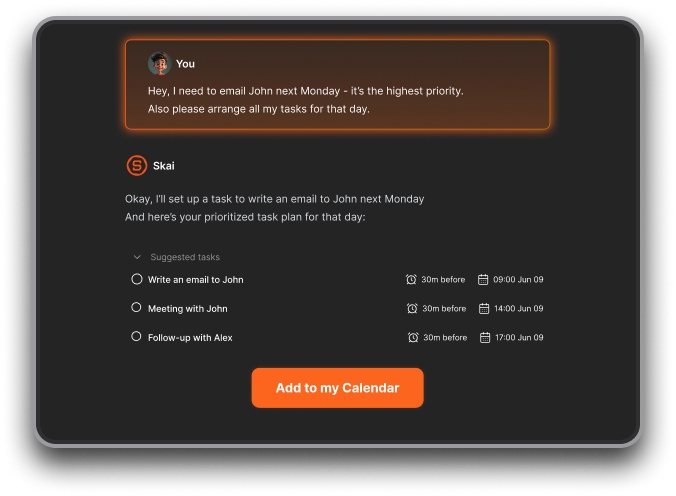
It transforms scattered thoughts into a clear plan you can actually follow.
7. Can AI Planners auto-schedule tasks?
Yes - this is their biggest strength. Here’s how the top tools compare:
- Saner.AI → Schedules based on your notes, priorities, and current workload.
- Reclaim → Protects recurring habits (exercise, lunch, deep work).
- Motion → Auto-schedules tasks by deadline and urgency.
- Skedpal → Fits long-term goals into flexible time slots.
- Clockwise → Optimizes team meetings to maximize focus time.
8. Which AI Planner is best for entrepreneurs?
Saner.AI is ideal if you run a business or wear many hats. Because it
- Turns messy brain dumps into actionable steps
- Connects your notes, calendar, and tasks
- Pulls up old investor notes or contracts instantly
- Acts like a “command center” for your work
9. Which AI Planner is best for managers?
Managers handle constant context switching. AI planners can:
- Schedule follow-ups from team meetings
- Pull up relevant docs before 1:1s
- Protect deep-work time amid meetings
- Prioritize key decisions, not just urgent requests
For managers:
- Saner.AI = holistic workspace
- Clockwise = meeting coordination across teams
- Reclaim = habit + routine scheduling
10. Which AI Planner is best for executives?
Executives need clarity, not clutter. The best AI planners help by:
- Surfacing only top-priority items
- Centralizing tasks, meetings, and notes
- Cutting down on time spent organizing
Saner.AI is strongest here, as it unifies everything into one brain-like assistant. Clockwise is also great for execs managing large teams.
11. Can AI Planners integrate with my tools?
Yes - most connect to calendars (Google, Outlook) and task apps.
- Saner.AI → Gmail, Google Drive, Calendar, Slack, Outlook
- Reclaim → Google Calendar, Todoist, Asana
- Motion → Google & Outlook Calendar, Jira
- Skedpal → Calendar + task apps
- Clockwise → Google Workspace, Slack, Zoom
12. Do AI Planners really improve productivity?
Yes, AI planners directly improve your productivity by
- Auto-scheduling work instead of dragging tasks around
- Prioritizing what matters, not just what’s urgent
- Protecting focus blocks without you micro-managing your calendar
Real users report finishing more high-value work and feeling less overwhelmed.
13. What’s the future of AI Planners?
AI planners are evolving from “smart calendars” into proactive AI assistants. Soon they’ll:
- Negotiate meeting times automatically
- Suggest the best time for deep work based on your energy patterns
- Summarize and schedule tasks directly from emails or Slack
- Act as a single command center for all your information
14. Best AI Planner for Students
Students balance classes, assignments, and personal life.
- Saner.AI → Captures messy lecture notes and turns them into clear tasks.
- Motion → Auto-schedules study blocks based on upcoming deadlines.
- Skedpal → Helps with semester-long planning and exam prep.
15. Best AI Planner for Remote Workers
Remote workers often deal with scattered schedules and time zones.
- Saner.AI → Brings tasks, notes, and meetings into one distraction-free space.
- Clockwise → Optimizes meetings across distributed teams.
- Reclaim → Protects routines like deep work, breaks, and workouts.
16. Best AI Planner for Freelancers
Freelancers juggle multiple clients, deadlines, and shifting priorities.
- Saner.AI → Keeps contracts, client notes, and tasks searchable in one place.
- Motion → Prioritizes urgent client deliverables automatically.
- Skedpal → Fits irregular freelance projects into realistic timelines.
17. Best AI Planner for Project Managers
Project managers need clarity across tasks, dependencies, and meetings.
- Motion → Excellent for auto-scheduling project deadlines.
- Clockwise → Aligns cross-functional team meetings.
- Saner.AI → Surfaces project notes, decisions, and follow-ups in one view.
18. Best AI Planner for Busy Parents
Parents balancing family and career benefit from structured automation.
- Saner.AI → Tracks both personal and work tasks seamlessly.
- Reclaim → Protects daily family routines like school runs or dinner.
Stay on top of your work and life



