AI Task Managers: We Tested The Best 10 In 2026
The best AI Task Managers in 2026 are: Saner.AI, Motion, Taskade, and Reclaim.

10 Best AI Task Manager Apps in 2026
The best AI task manager in 2026 is the one that reduces planning effort, prioritizes intelligently, and adapts to how you actually think and work - not the one with the most features.
In 2026, task overload is no longer about having too many tasks.
It’s about:
- Too many inputs (emails, Slack, notes, ideas)
- Constant context switching
- Decision fatigue around what to do next
AI task managers matter now because they don’t just store tasks. They think with you.
In this guide, you’ll learn:
- What an AI task manager really is in 2026
- How we evaluated the best tools
- A clear comparison of the top AI task managers
- Which tool fits your workflow (individual, ADHD, team, automation-heavy)
1. What is an AI Task Manager?
Instead of organizing tasks yourself, it thinks for you, reminding you of what matters, when it matters.
Unlike traditional to-do apps, AI task managers in 2026 can:
- Accept messy, unstructured input
- Suggest priorities based on context
- Plan your day proactively
- Help you recall tasks even with a vague memory
What Makes a Great AI Task Manager?
The best AI Task Managers go beyond basic to-do lists. They:
- Track tasks without constant manual input
- Understand context from meetings, notes, or emails
- Surface timely reminders before things fall through the cracks
- Work quietly in the background so you can stay focused
2. How I Evaluated Each Tool
To find the most reliable AI Task Manager, I ran each tool through a series of real-life scenarios:
- Task capture - Can it handle messy notes, ideas, voice, and incomplete input?
- AI planning & prioritization - Does the AI think with you or for you?
- Automation vs manual effort - How much setup is required to stay useful?
- Search & recall quality - Can you find tasks later with vague or partial queries?
- Scalability over time - Does it remain usable as tasks grow?
- Cognitive load - Does it simplify thinking, or add friction?
Each app had different strengths - some were better at time blocking, others nailed context-aware suggestions.
What Are The Best AI Task Managers in 2026?
The best AI Task Managers are: Saner.AI, Motion, Flowsavvy, Notion, Focuster, Akiflow, and Reclaim.
🤖 Best AI Task Managers – Comparison Table (2026)
| 🧠 Tool | 🚀 Key Strengths | 🎯 Best For | 💻 Platforms | 💰 Pricing (Clear & Public) |
|---|---|---|---|---|
| Saner.AI | Proactive AI daily planning, brain-dump → structured tasks, AI task breakdown, ADHD-friendly workflows, minimal manual setup | People who want AI to think & plan for them (founders, marketers, ADHD users) | Web (desktop & mobile-friendly) | Free plan availablePaid plans from ~$8–10/month |
| Motion | AI auto-schedules tasks into calendar, strong time-blocking, deadline optimization | Calendar-driven professionals with strict schedules | Web, iOS | $19/month (individual)No free plan |
| FlowSavvy | Automatic schedule generation, deadline-aware planning, lightweight UX | Students & professionals focused on daily schedules | Web, iOS, Android | Free planPro ~$7–10/month |
| Notion | Flexible databases, AI writing & summaries, all-in-one workspace | Teams & builders who want custom systems | Web, Windows, macOS, iOS, Android | Free planPlus $10/month |
| Focuster | Calendar-first task blocking, focus-oriented planning | Deep-work users who love time-blocking | Web | Free trialPaid ~$9–12/month |
| Akiflow | Central inbox for tasks, calendar + task sync, clean execution flow | Power users managing tasks across many tools | Web, macOS, Windows | Free trialPaid $34/month |
| Reclaim | Smart habit scheduling, workload balancing, team calendar intelligence | Teams optimizing time, meetings & habits | Web (Google Calendar-based) | Free planPaid from $10–15/month |
1. Saner.AI
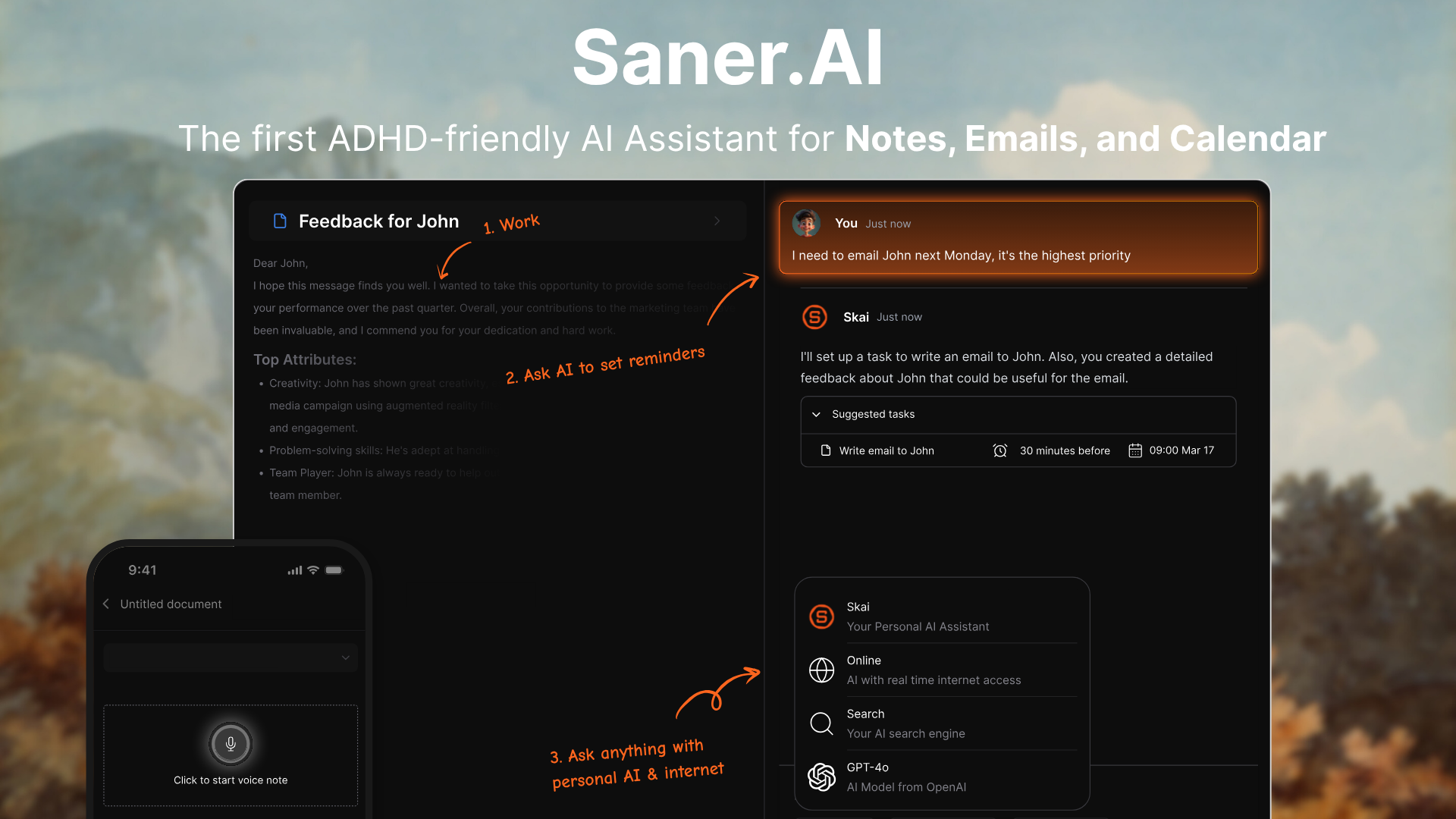
Saner.AI is an AI Task Manager designed to help you capture, organize, and plan tasks without manual structuring. You can dump thoughts, notes, or half-formed ideas in natural language, and the AI turns them into clear, actionable tasks.
Instead of managing lists, the system helps you decide what to do next. It focuses on reducing cognitive load rather than adding more planning steps. The goal is simple: fewer decisions, more execution.
Features
- You can freely write or speak everything on your mind without organizing it first. Saner.AI analyzes the input and converts it into structured tasks, priorities, and next steps automatically.
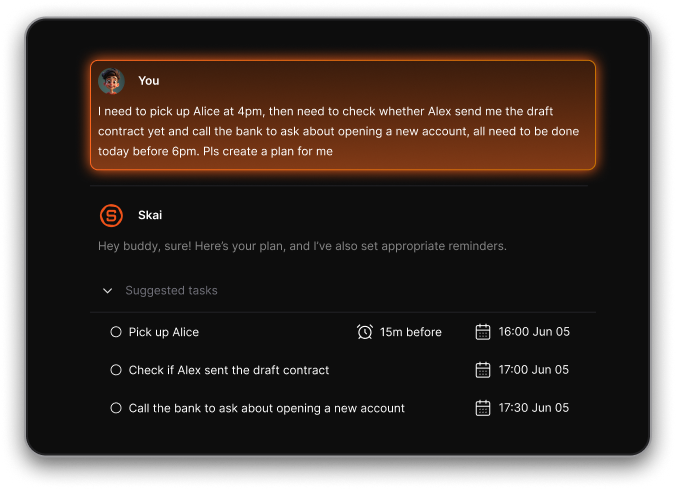
- The AI reviews your tasks, deadlines, and context to suggest a realistic daily plan. It adapts when things change instead of forcing you to manually reschedule. If a task feels vague or overwhelming, the AI can break it into smaller steps.
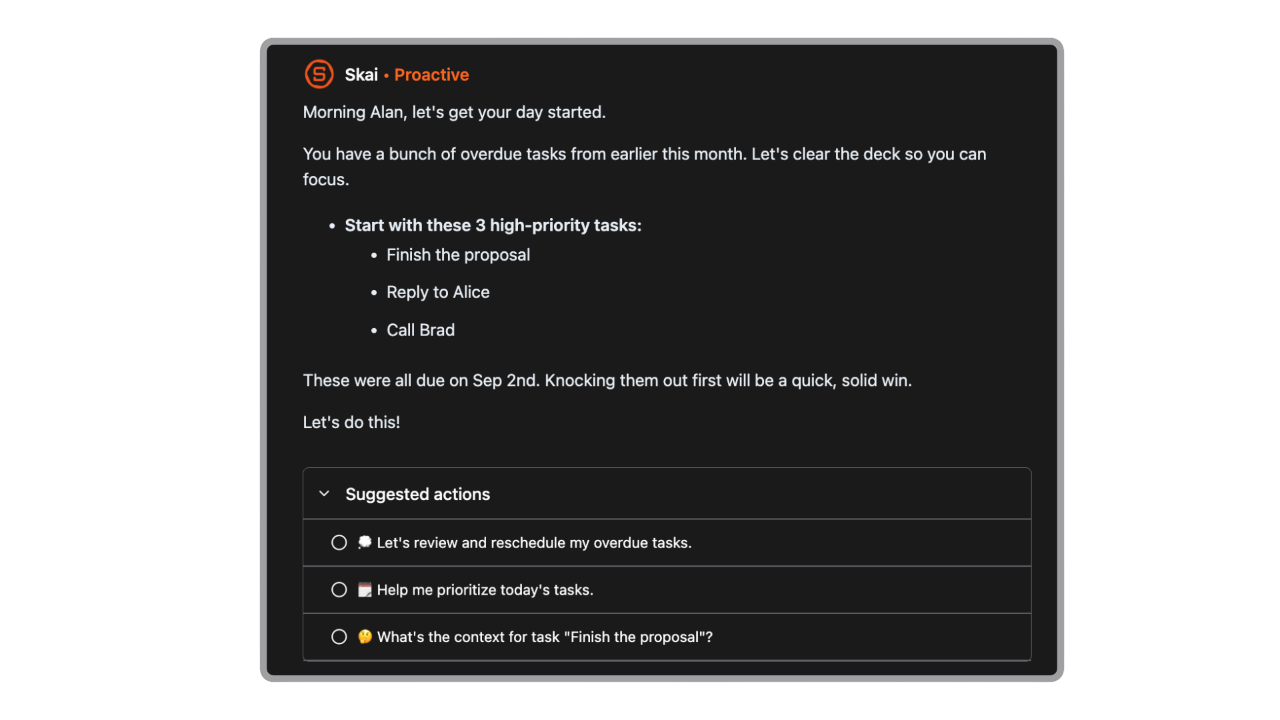
- Saner.AI doesn’t just store tasks - it checks in during the day. It nudges you when priorities shift or when something important risks being forgotten.
Pros
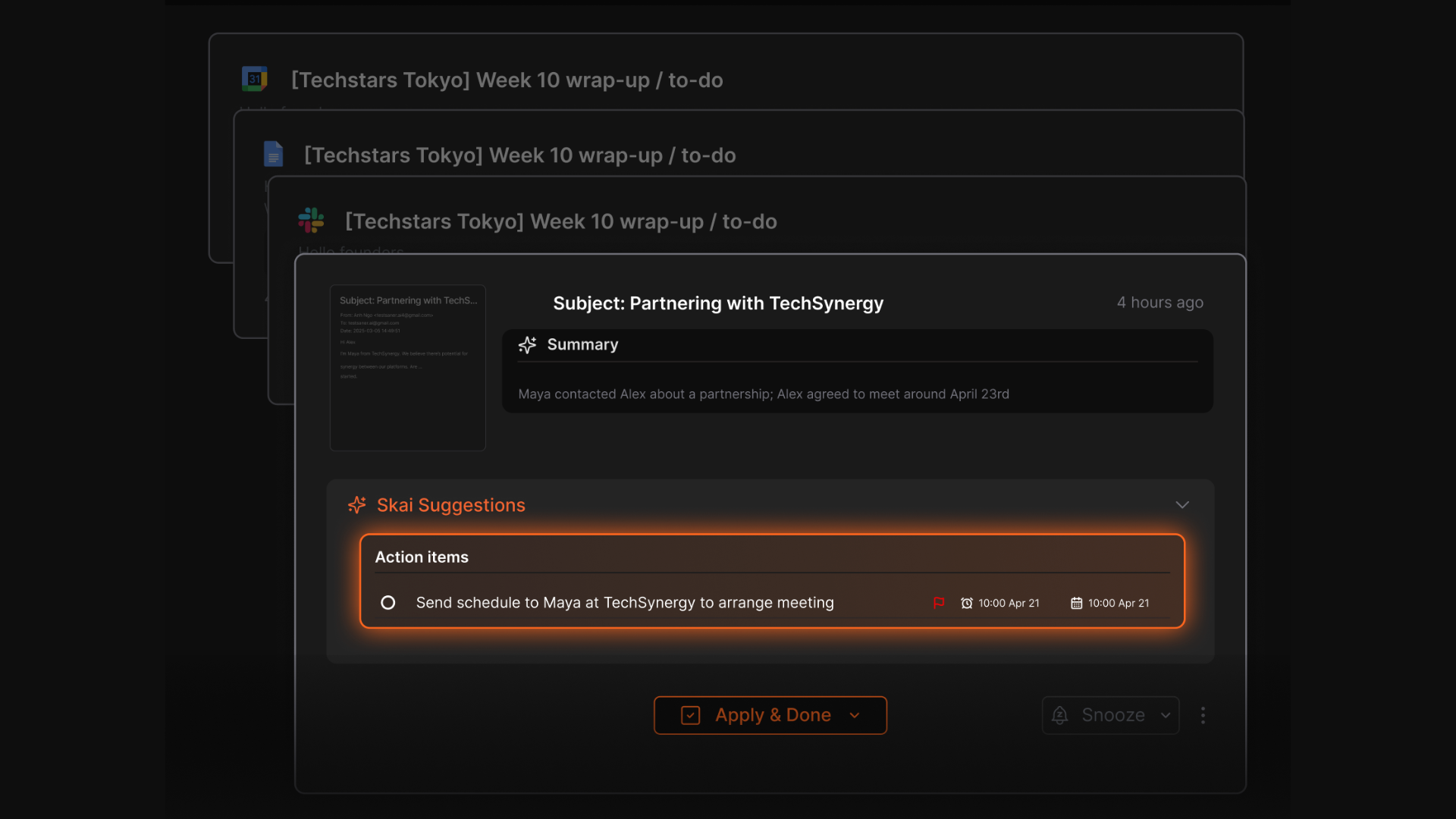
- The AI can extract tasks directly from emails
- The AI helps decide what matters now, which is especially useful when everything feels urgent.
- Brain dumping, task breakdown, and gentle check-ins support users who struggle with focus and task initiation.
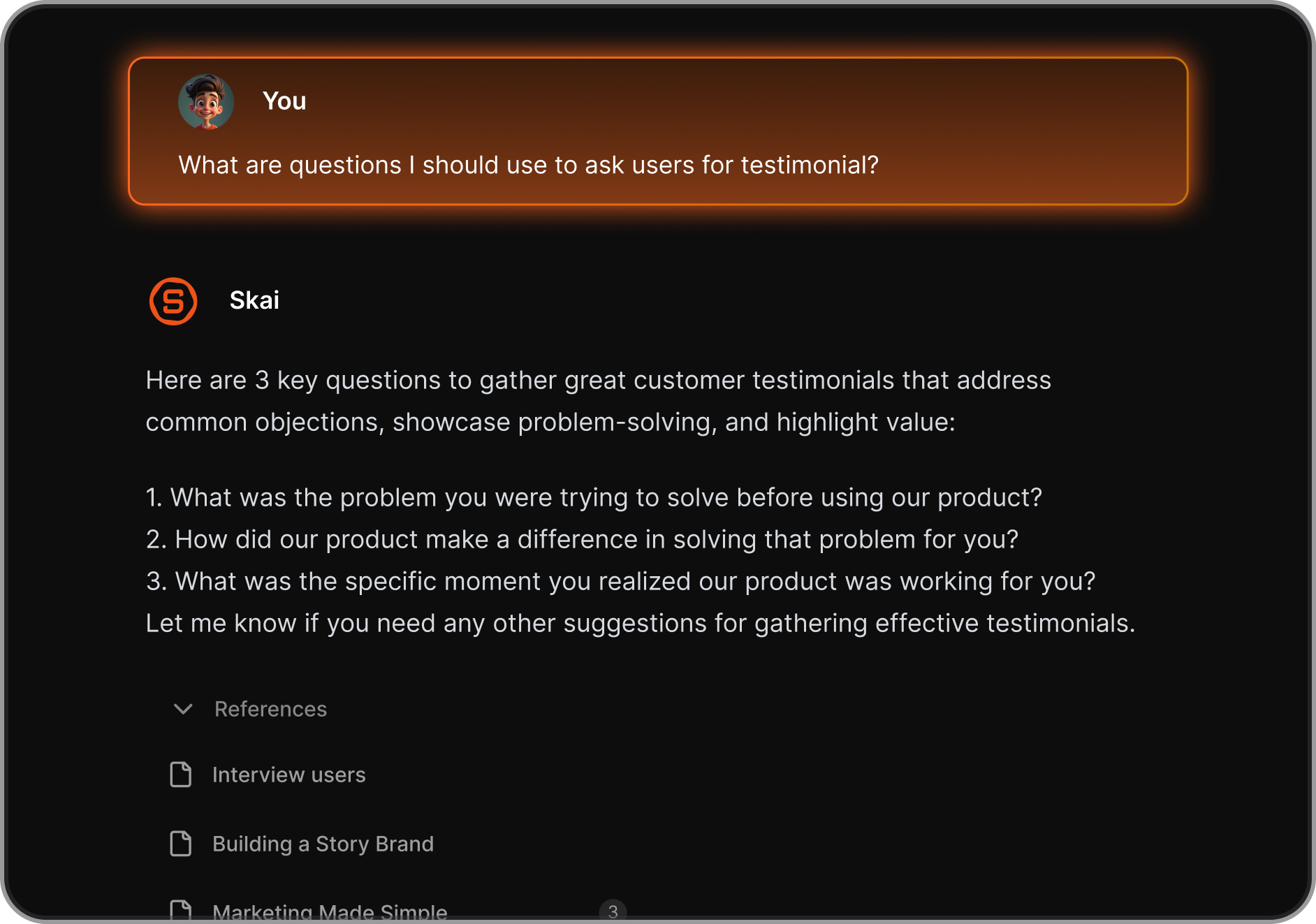
- Instead of managing software, you interact through natural language and intent.
Cons
- Saner.AI is focused on personal task management, not multi-layer project tracking or approvals.
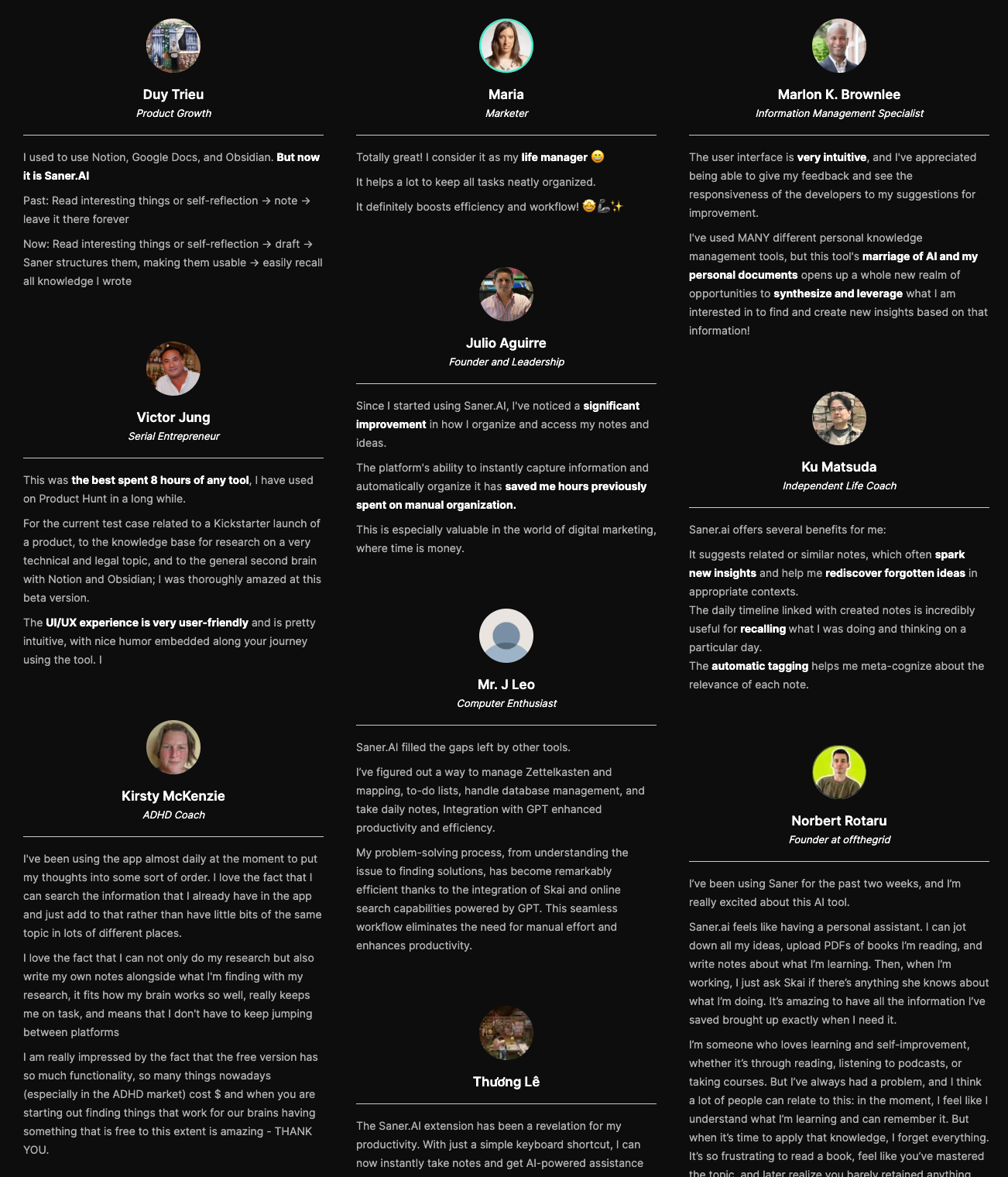
Saner.AI Reviews
Pricing
- Free
- Starter: Monthly at $8/month, Annually at $6/month (with early user discount)
- Standard: Monthly at $16/month, Annually at $12/month (with early user discount)
Who is it suitable for?
Saner.AI is particularly well-suited for:
- Intensive knowledge workers who need to manage large amounts of information efficiently from multiple sources, such as entrepreneurs, researchers, managers, and content creators
- Individuals with ADHD or those who struggle with information organization and time management
- Anyone looking to streamline their workflow without spending too much time learning a new tool.
How to start using it?
- Visit the Saner.AI website and sign up for an account
- Explore the app's features, starting with creating tasks via AI chat
2. Motion
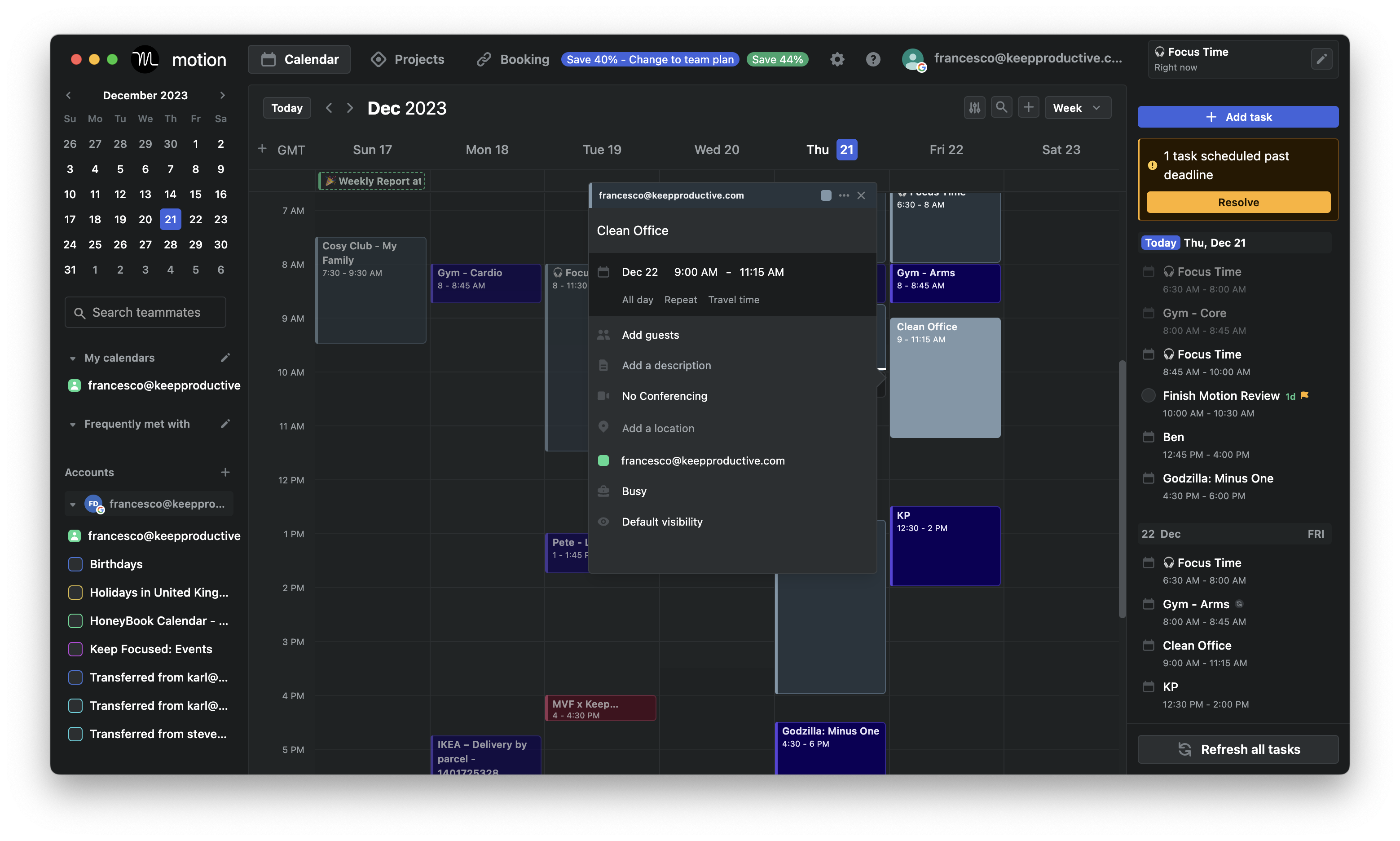
Motion is an AI Task Manager that automatically schedules your tasks into your calendar. You input tasks, deadlines, and priorities, and the system builds a daily plan around your available time. When meetings or priorities change, Motion reshuffles your schedule for you. It’s designed to replace manual planning and time blocking.
Features
- Tasks are placed directly into your calendar based on deadlines, priority, and availability. When something changes, the schedule updates automatically.
- Motion continuously recalculates what you should work on next. Urgent and important tasks are surfaced without manual reordering.
- Meetings and tasks live in one timeline.
- The system warns you early if tasks are at risk of missing deadlines, prompting adjustments before it’s too late.
Pros:
- Automatically plans and replans your day
- Great for people who struggle with prioritization
- Helps protect focus time and avoid overbooking
- Intuitive UI for quick edits and manual overrides
Cons:
- No permanent free plan - only a 7-day trial
- Can feel expensive
- Complicated design
- Requires clear task input to fully benefit from automation
- Doesn't have a chatbot interface
Pricing:
- Paid only; plans start around $49/month (individual), billed monthly or yearly.
Suitable For:
- Tech-savvy professionals and teams who are comfortable with using a complex system
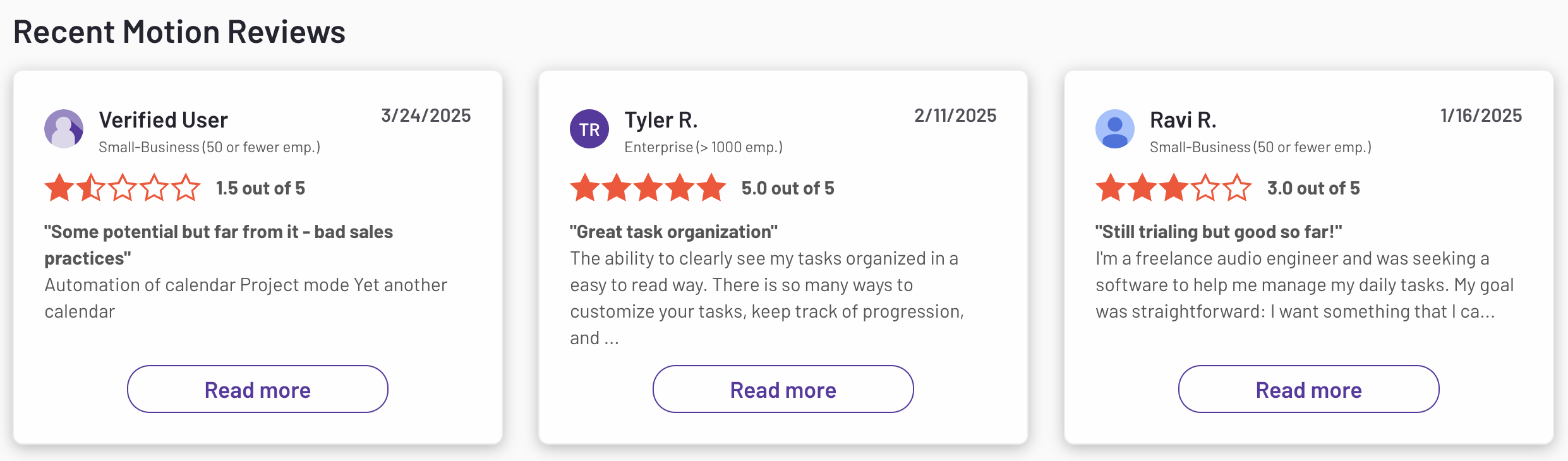
Motion reviews (source)
How to Start:
- Sign up for a free trial on the Motion website, select a suitable plan, and integrate your existing calendars and tools to begin optimizing your workflow
3. FlowSavvy
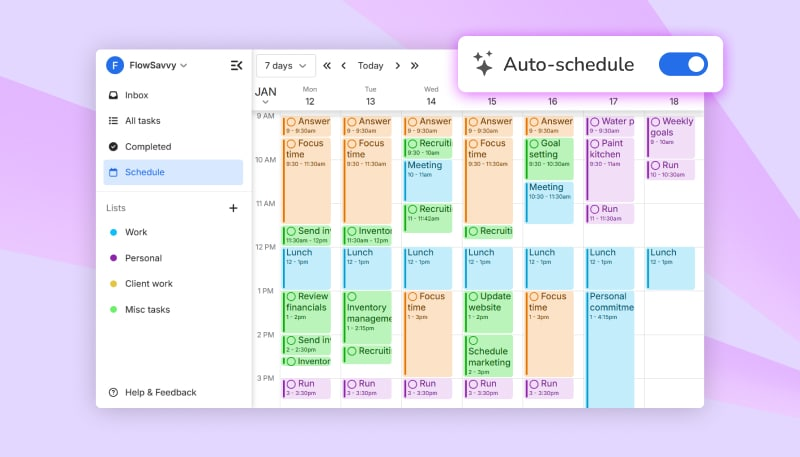
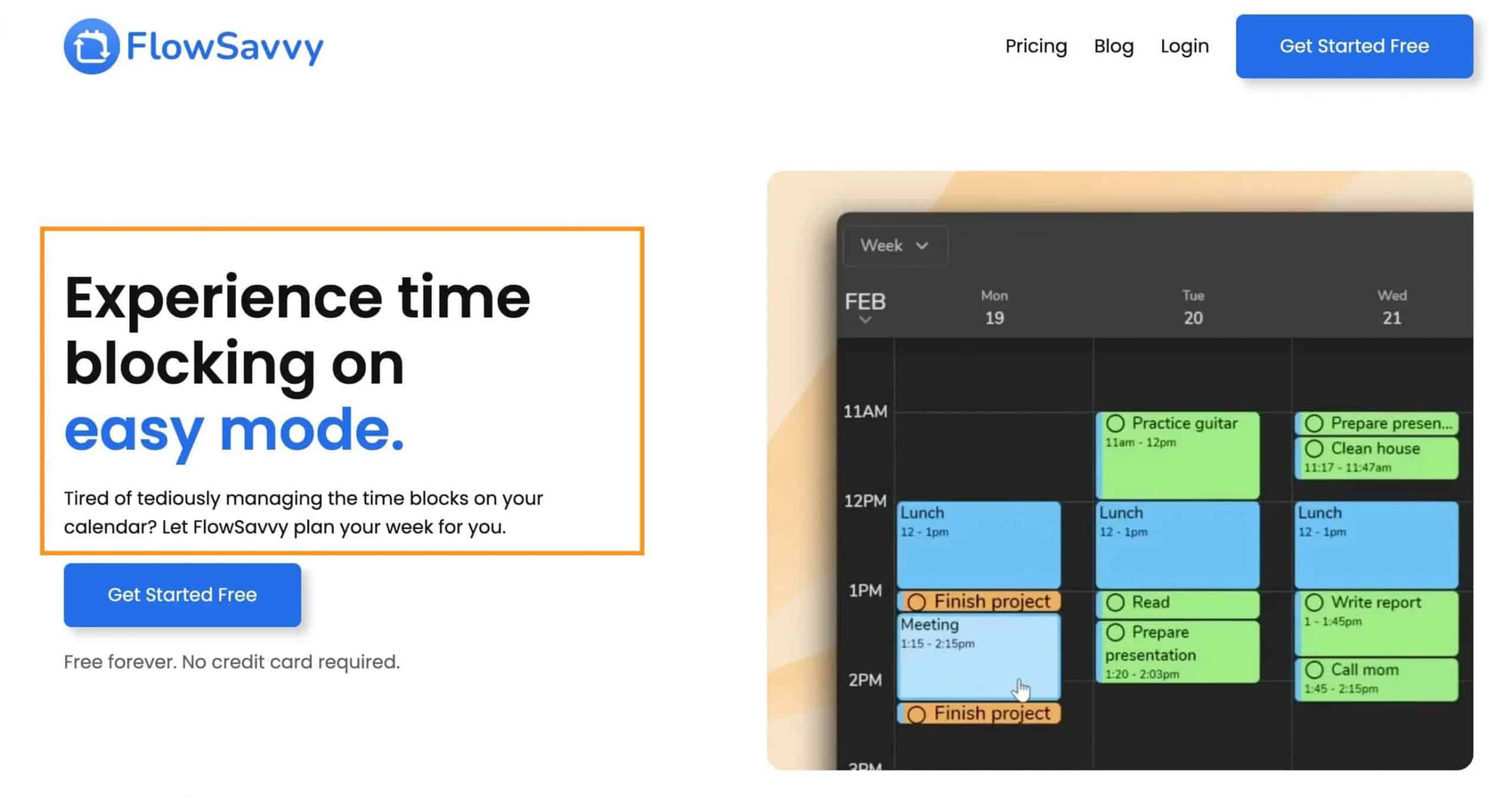
FlowSavvy is an AI Task Manager that focuses on automatic scheduling for tasks with deadlines. You add tasks, durations, and constraints, and the system schedules them into your calendar. When plans change, it reshuffles tasks to protect deadlines. The experience is centered on realistic time blocking rather than task lists.
Features
- Tasks are placed into available calendar slots based on duration and deadlines. The schedule updates when meetings or availability change.
- FlowSavvy prioritizes tasks that are at risk of missing deadlines. This helps you avoid last-minute crunches.
- Tasks and events live in one unified calendar view. You can immediately see whether your workload fits your day.
- You can define working hours, breaks, and task preferences so schedules feel more realistic.
Pros:
- Automatically plans your tasks into your calendar
- Helps reduce overwhelm with clear visual scheduling
- Great for students, freelancers, and knowledge workers
- Clean, minimal interface
Cons:
- It doesn’t handle notes, task breakdown, or broader productivity workflows.
- The AI schedules tasks but doesn’t actively coach or check in during the day.
- Multi-step projects and dependencies are relatively basic.
Pricing:
- Free Plan
- Pro Plan: Priced at $7 per month
Suitable for:
- Individuals seeking an affordable and user-friendly auto-scheduling tool to manage personal tasks and events efficiently.
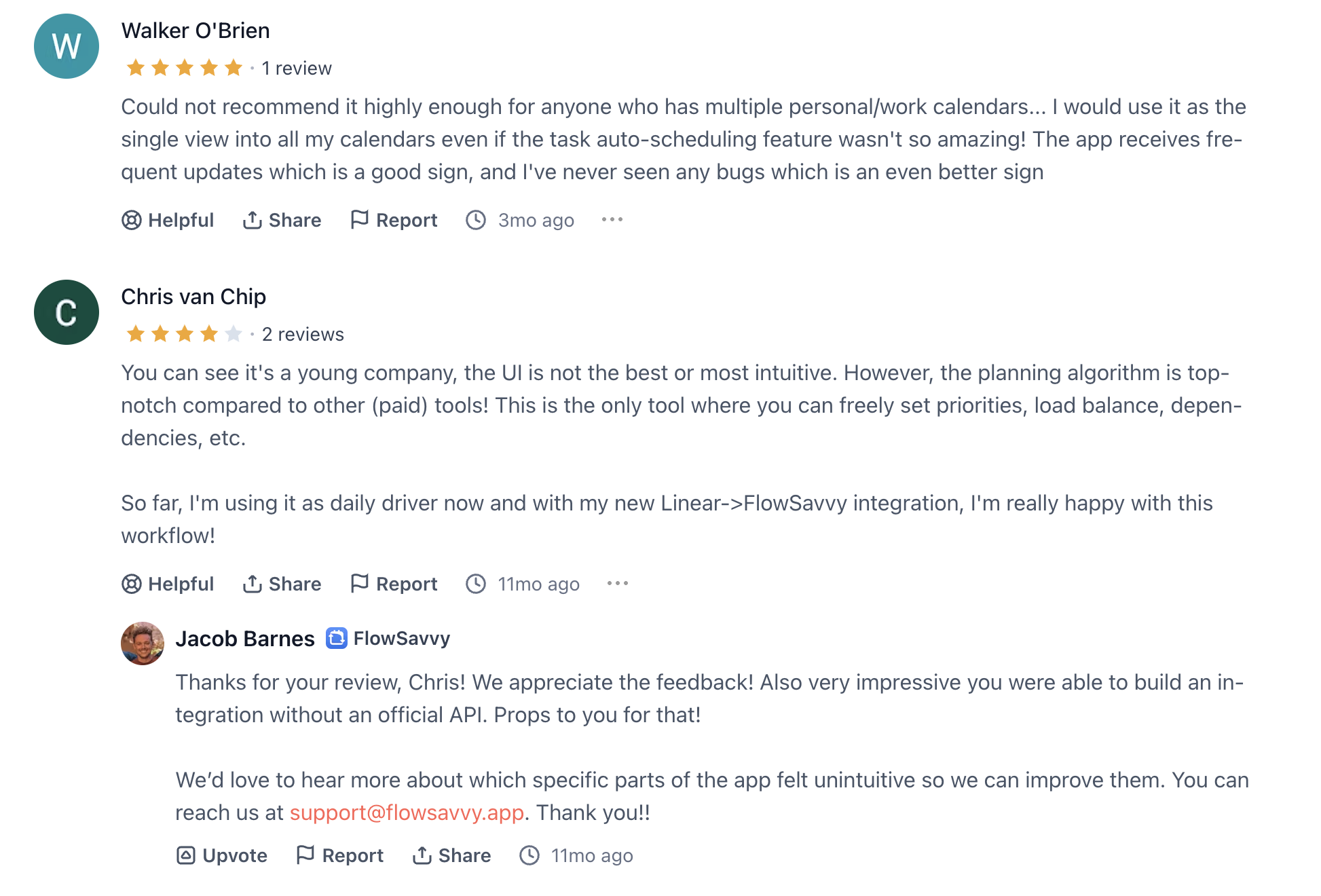
Flowsavvy reviews (source)
Getting Started:
- Sign up on FlowSavvy's website, integrate your existing calendars, and begin organizing your schedule with ease.
4. SkedPal

SkedPal is an AI Task Manager that automatically schedules your to-do list based on priorities, deadlines, and your availability. Instead of manually moving tasks around your calendar, SkedPal intelligently time-blocks your day for you
Features
- Smart auto-scheduling based on task urgency and availability
- Flexible calendar that adjusts as priorities change
- Priority zones to align work with your energy levels
Pros:
- Automatically schedules tasks with minimal manual input
- Adapts your calendar in real-time when plans change
- Helps avoid overbooking and burnout
- Great for deep work with its “focus-first” approach

Cons:
- SkedPal does not send automated reminders; instead, it relies on integration with other apps for notification features
- Complexity may be challenging for beginners.
- Could not chat with AI to update tasks, calendar
Pricing:
- Monthly plan: $14.95 per month.
- Annual plan: $9.95 per month (billed annually).
- 14-day free trial available.
Suitable for:
- Individuals seeking an AI-powered scheduling tool to enhance personal productivity.
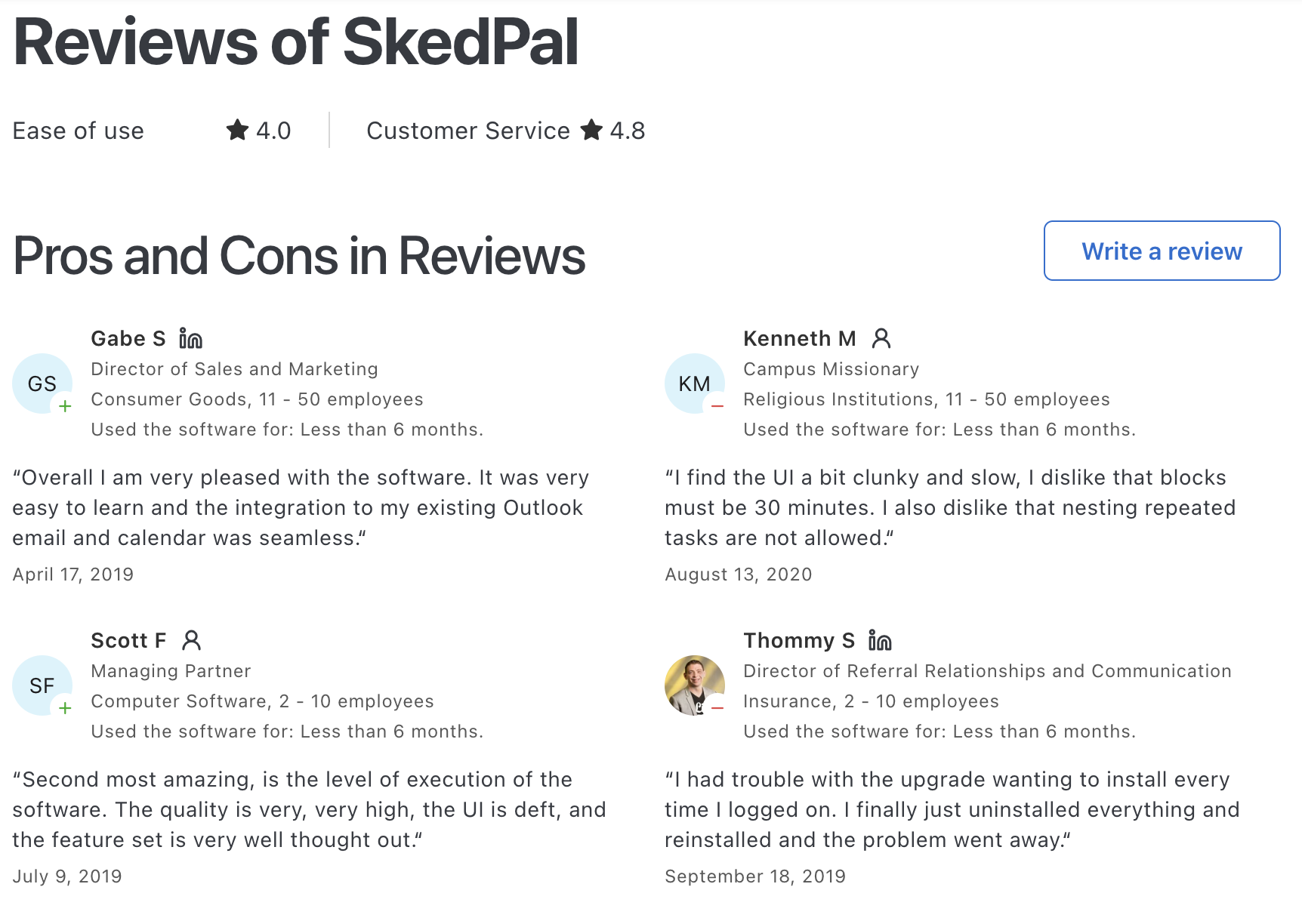
SkedPal Reviews (source)
Getting Started:
- Sign up on SkedPal's website, complete the guided tour, and begin integrating your tasks and calendar for automated scheduling
5. Focuster
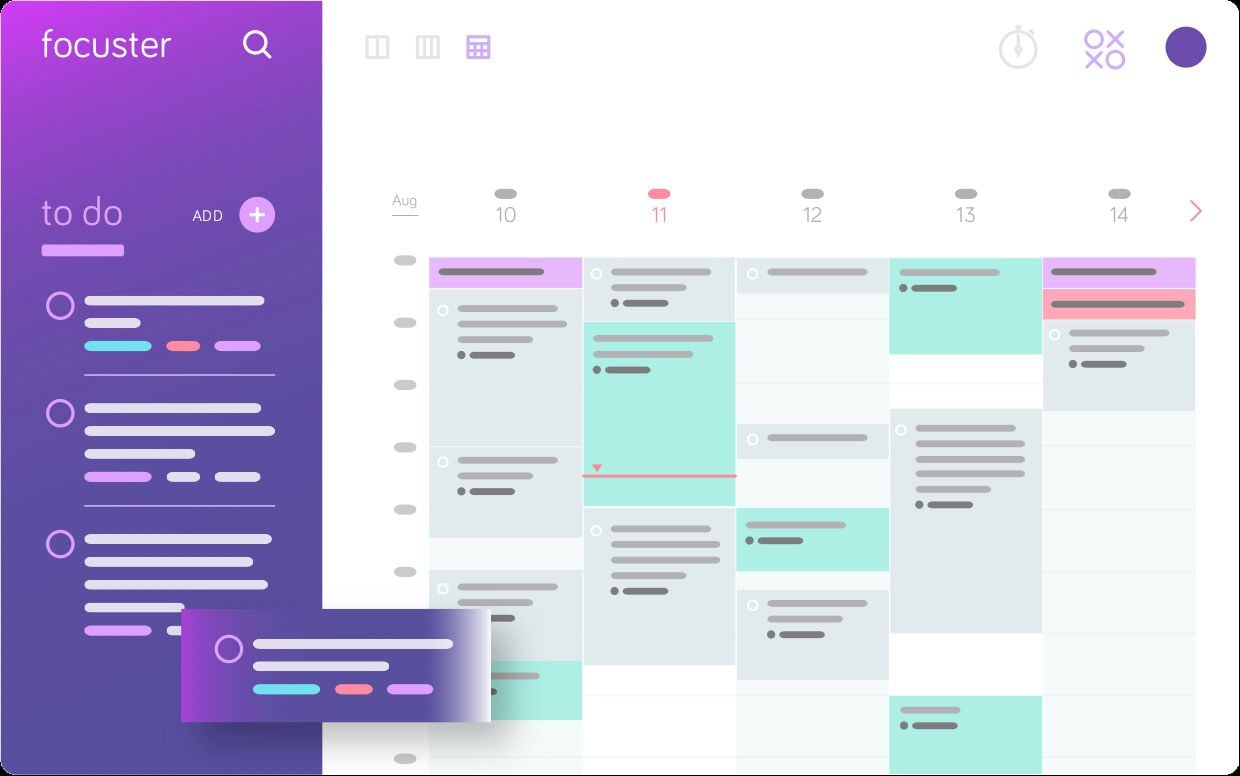
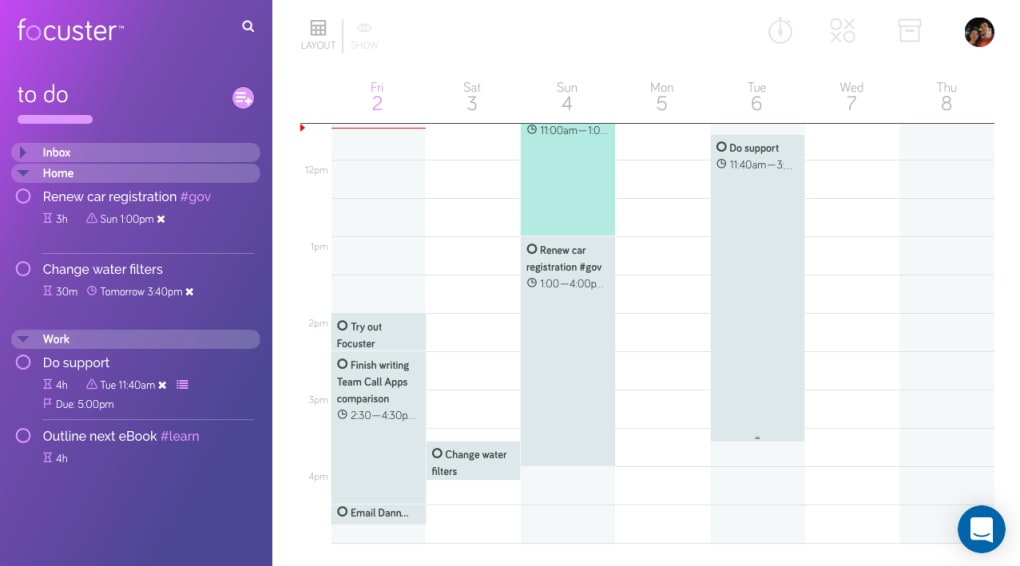
Focuster is a focus management tool designed to help users automatically schedule their to-do lists into their calendars, enhancing focus and productivity.
It offers features like priority-based auto-scheduling, daily planning, real-time calendar updates, recurring actions, and calendar sync for a streamlined workflow.
Pros:
- Automatic scheduling of tasks into your calendar
- Smart reminders to maintain focus
- Real-time calendar updates
- Integration with tools like Trello and Zapier
Cons:
- Limited free trial period
- May require time to adapt to its features
- Could not chat with AI to update tasks, calendar
Pricing:
- Basic Plan: $7.99 per month
- Pro Plan: $14.99 per month,
Suitable for:
- Individuals and professionals seeking to enhance their productivity through automated task scheduling and focus management.
Focuster Reviews (Source)

Getting Started:
- Sign up on Focuster's website and begin with a 14-day free trial to explore its features and determine how it can fit into your productivity workflow.
6. Akiflow
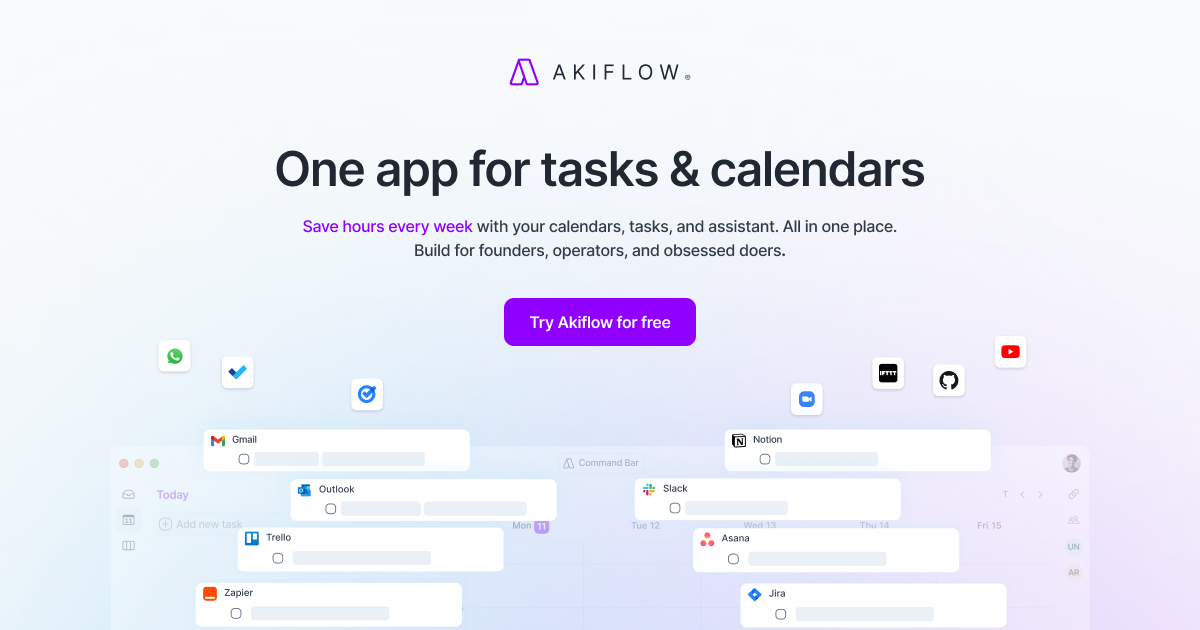
Akiflow is an AI Task Manager focused on helping you capture tasks from everywhere and plan them intentionally. It pulls tasks from tools like email, Slack, and calendars into one inbox.
Features
- Tasks from multiple tools are centralized in one place.
- You drag tasks directly into your calendar to plan your day.
- Fast keyboard commands make adding and organizing tasks efficient.
- Tasks and meetings live side by side.
Pros:
- Unified dashboard to manage tasks and calendar
- Time blocking with intuitive drag-and-drop
- Task capture from Gmail, Slack, Asana, and more
- Quick task creation via the command bar
- Focus mode to minimize distractions
- Customizable tags, labels, and projects
Cons:
- The AI assists lightly but doesn’t actively prioritize or plan your day for you.
- You still need to time-block and adjust schedules yourself.
- If you want the system to fully decide what to do next, Akiflow may feel demanding.
Pricing:
- Monthly plans: $34.
- Annual plan available at $19/month
Suitable for:
- It caters to individuals in busy work environments, such as corporate teams or freelancers who need a streamlined approach to manage their tasks effectively
Akiflow Reviews (source)
How to start:
- Sign up on the Akiflow website and start importing your tasks
7. Notion
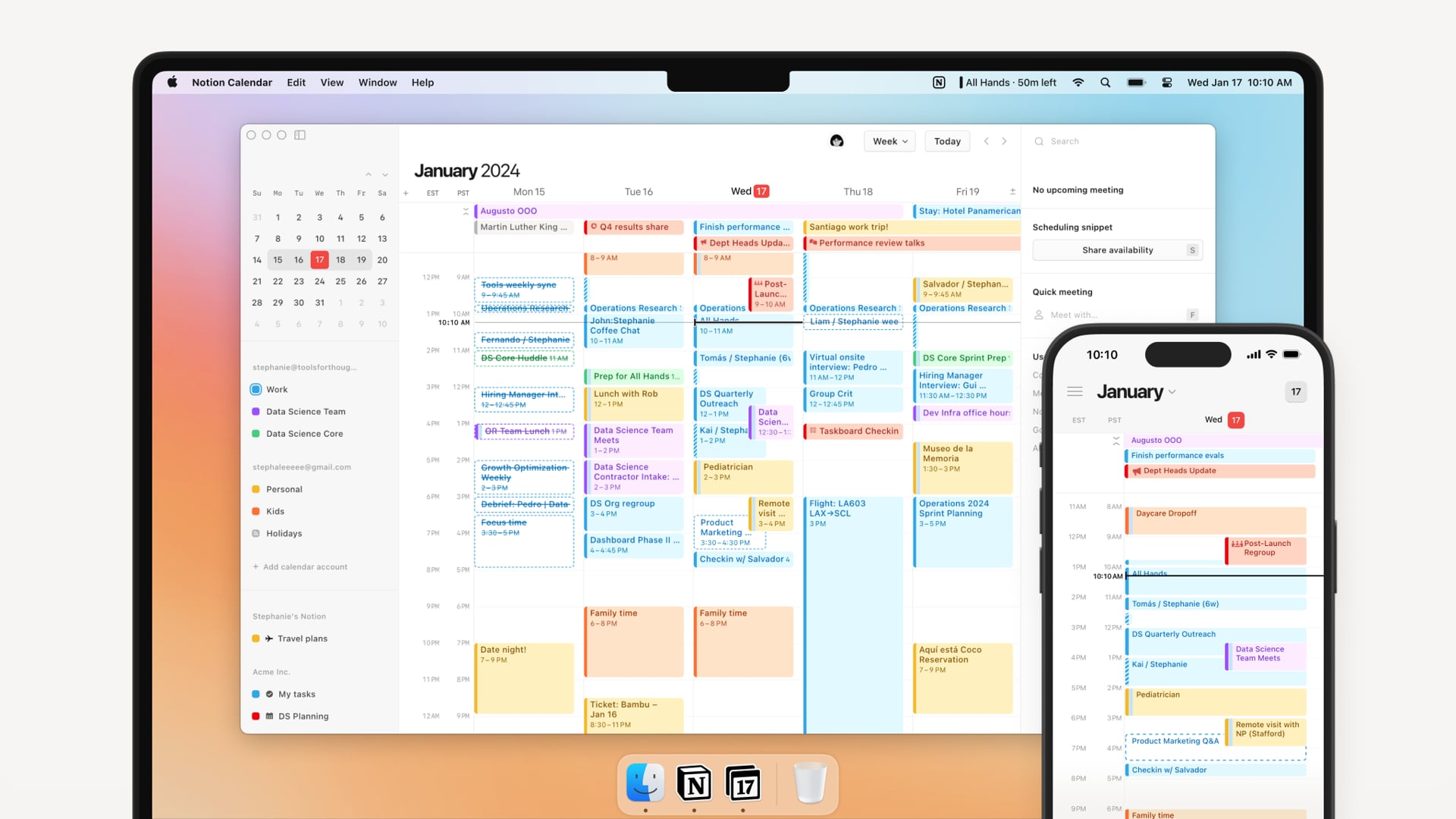
Notion isn’t just a workspace - it’s one of the most flexible AI task managers out there. With the recent AI upgrades, Notion helps you organize tasks, take smart notes, and manage projects, all in one place.
However, its steep learning curve and the need for manual setup might feel overwhelming for beginners or those with ADHD.
Features
- You can design task systems using tables, boards, timelines, or lists. This allows full control over how tasks are organized and viewed.
- AI helps summarize notes, rewrite content, and generate task descriptions. It supports thinking and documentation more than execution.
- Tasks, notes, docs, and wikis live together.
- Teams can assign tasks, comment, and work in shared spaces. Permissions and visibility are highly customizable.
Pros:
- Fully customizable to fit any workflow
- Built-in AI that helps write, plan, and manage faster
- Ideal for both personal and team productivity
- Tons of templates to get started quickly
Cons:
- Initial setup time required to tailor it as a task manager
- Can feel overwhelming without a clear setup
- AI features are only available on paid plans
- Could not chat with AI to update tasks, calendar
Pricing:
- Free plan available
- Premium plan starts at $10/month, with Notion AI available
Suitable for:
- Individuals and teams seeking a flexible, AI-enhanced productivity platform that adapts to various organizational needs.
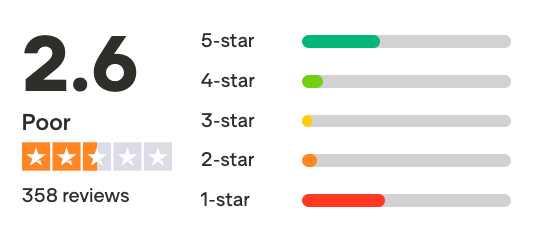
Notion reviews (source)
Getting Started:
- Visit Notion's website to sign up
- Create a workspace and choose a task or project template
- Customize the database to match how you plan and track work
8. Reclaim

Reclaim AI is an AI Task Manager focused on automatically scheduling tasks, habits, and routines around your calendar. You add tasks with priorities, durations, and deadlines, and the system finds time for them.
It continuously adjusts schedules when meetings change or time is blocked. The tool is designed to protect focus time without manual rescheduling. Most interactions happen through your calendar rather than task lists.
Features
- Tasks are placed into free calendar slots based on priority and deadlines.
- You can schedule recurring habits like workouts or deep work blocks.
- The AI defends focus blocks against meeting overload.
- Works tightly with Google Calendar and team calendars.
Pros:
- Smart scheduling that auto-blocks time for tasks and routines
- Syncs with Google Calendar
- Priority-driven task management
- Shared calendar availability for teams
- Habit tracking with auto-adjustments

Cons:
- However, some features are still in beta.
- Can be overwhelming for new users due to its complexity.
- Focuses on scheduling and may not offer advanced project management features.
- Could not chat with AI to update tasks, calendar
Pricing:
- Free Lite plan available.
- Paid plan start at $10/month
Suitable for:
- Individuals and small teams seeking better time management.
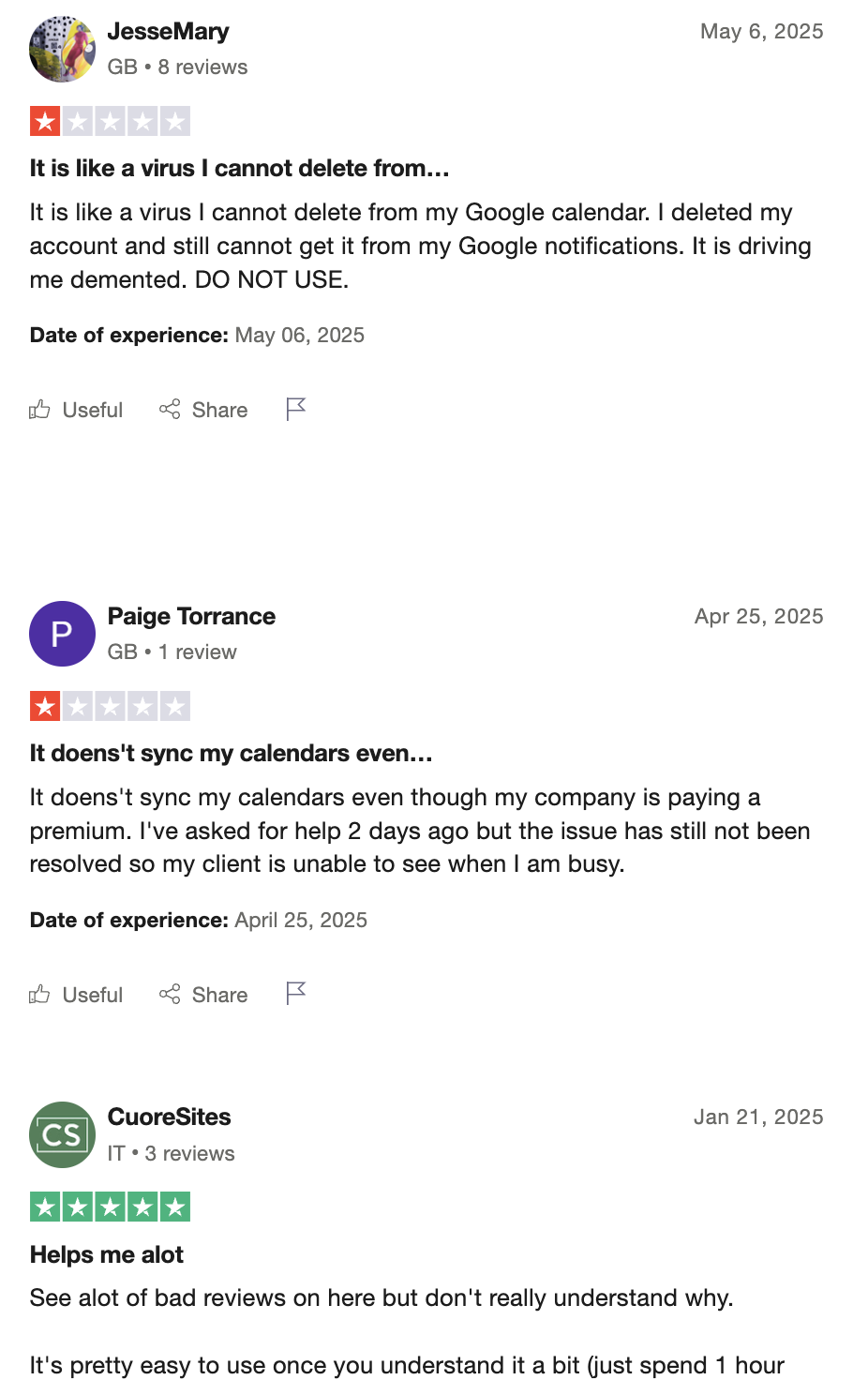
Reclaim.AI Reviews (source)
How to start:
- Create an account on the Reclaim website and select a plan that fits your needs.
9. ChatGPT
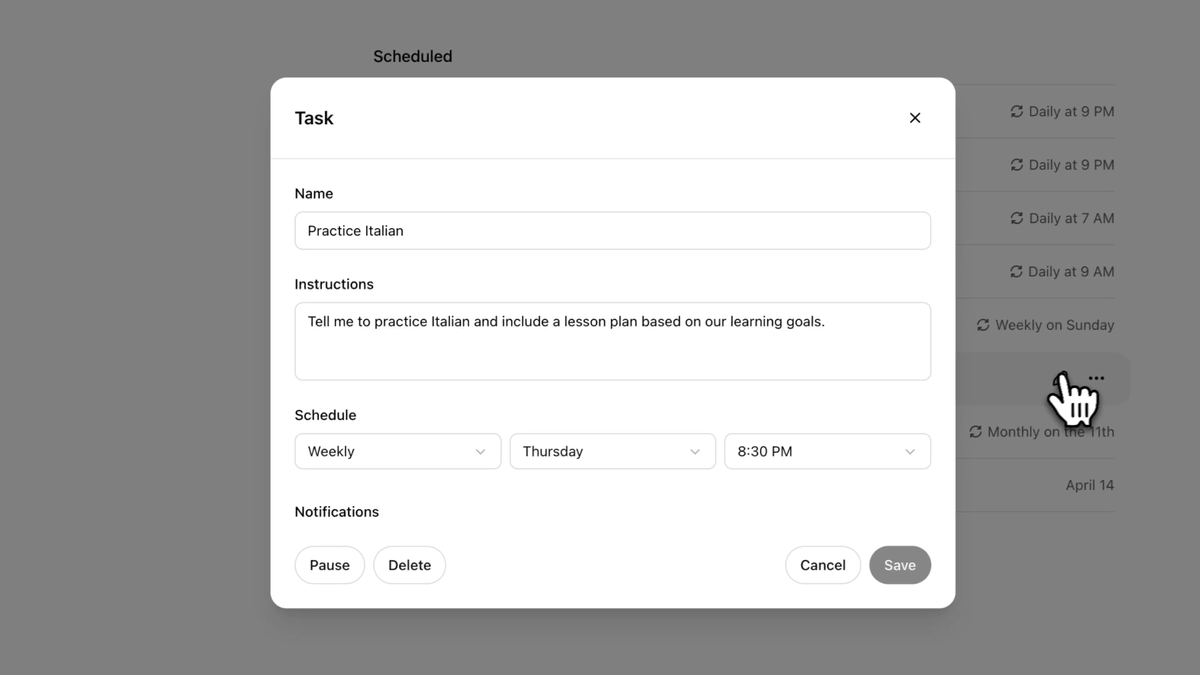
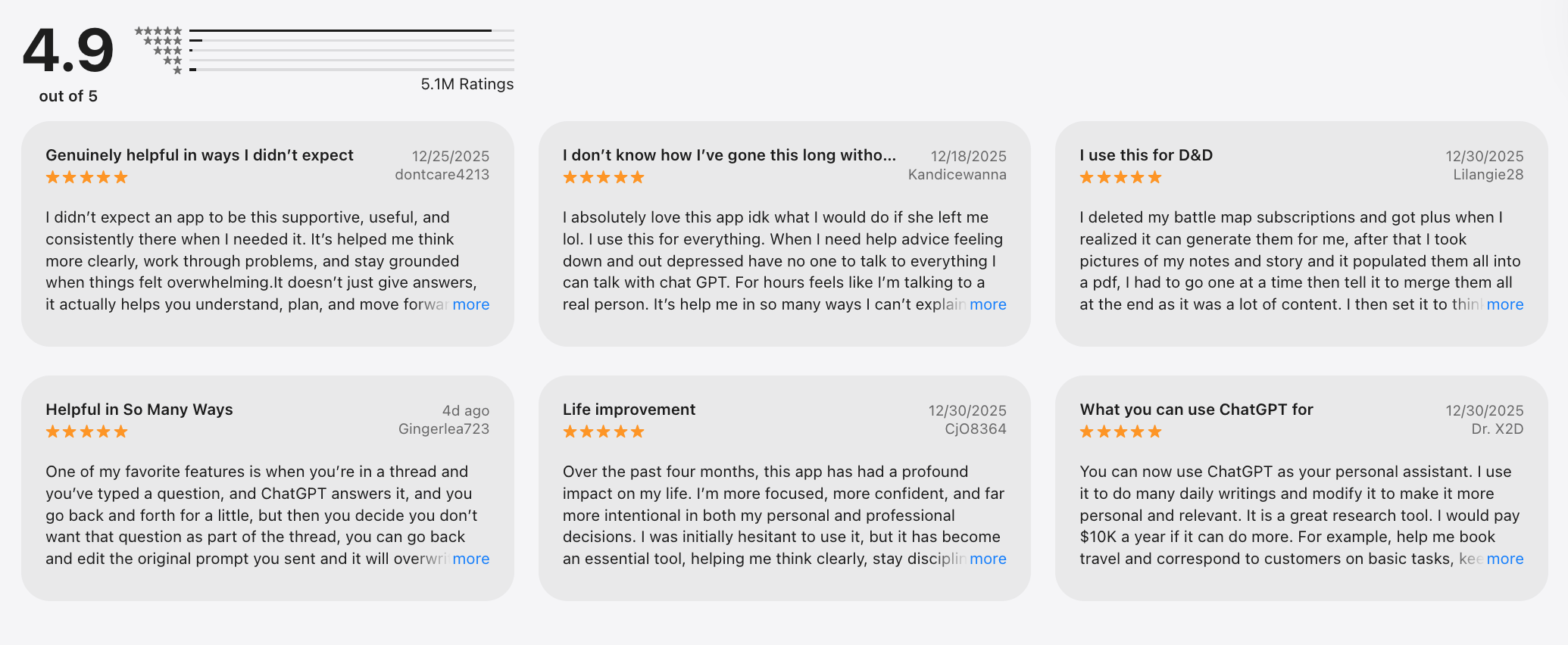
The Tasks feature enables users to create both one-time reminders and recurring tasks. For example, users can ask ChatGPT to remind them about a friend's birthday or provide a daily weather update at a specific time
This functionality is designed to streamline task management by allowing users to manage their schedules through natural language prompts, making it user-friendly and intuitive.
Key feature
- You can explain what you need to do in plain language. ChatGPT helps turn vague ideas into clear, actionable tasks.
- Large or overwhelming tasks can be split into steps. The AI can suggest what to do first and why.
- You can ask for daily plans, weekly goals, or alternative approaches. The output adapts instantly to changing context.
- Beyond tasks, it helps with writing, research, and problem-solving. This keeps planning and execution thinking in one place.
Pros:
- OpenAI says ChatGPT can suggest tasks based on previous conversations, potentially improving user engagement and efficiency
- The interface is quite simple, not overwhelming
- Users can receive notifications on their devices when tasks are completed
Cons:
- The Tasks feature is only accessible to subscribers of ChatGPT Plus, Team, and Pro plans, which may exclude many potential users from benefiting from this functionality
- Users can manage only up to 10 active tasks at any given time, which may not suffice for those with extensive scheduling needs
- It doesn't connect with users' notes or knowledge management system
Pricing:
- Free plan available.
- Subscription starts at $20/month
Suitable for:
- The Tasks feature is particularly beneficial for individuals who seek enhanced productivity through automation
ChatGPT reviews (source)
How to start:
- Create an account on the ChatGPT website and start creating task
10. Taskade

Taskade is an AI task manager that blends task lists, notes, and real-time collaboration into a single workspace. Designed for remote teams and fast-moving individuals, Taskade helps you organize your thoughts, plan your day, and get things done
Features
- You can ask the AI to generate task lists, project outlines, or action steps from a prompt. This helps speed up planning when starting from scratch.
- Tasks can be viewed as lists, boards, mind maps, or outlines. This allows users to switch perspectives without rebuilding projects.
- Teams can edit, comment, and assign tasks together. Changes sync instantly across devices.
- Tasks live alongside notes and documentation. Context is easy to reference without switching tools.
Pros:
- Great for team collaboration and planning
- Easy to use across devices and platforms
- AI helps auto-generate tasks, outlines, and summaries
- Tons of free templates to get started fast

Cons:
- Can feel overwhelming with too many features
- The free plan has limited AI usage
- Notifications are not personalized
Pricing:
- Free plan available.
- Subscription starts at $20/month
Suitable for
- This is an AI task manager that caters to freelancers, small businesses, remote teams, and larger organizations that require an efficient way to manage tasks
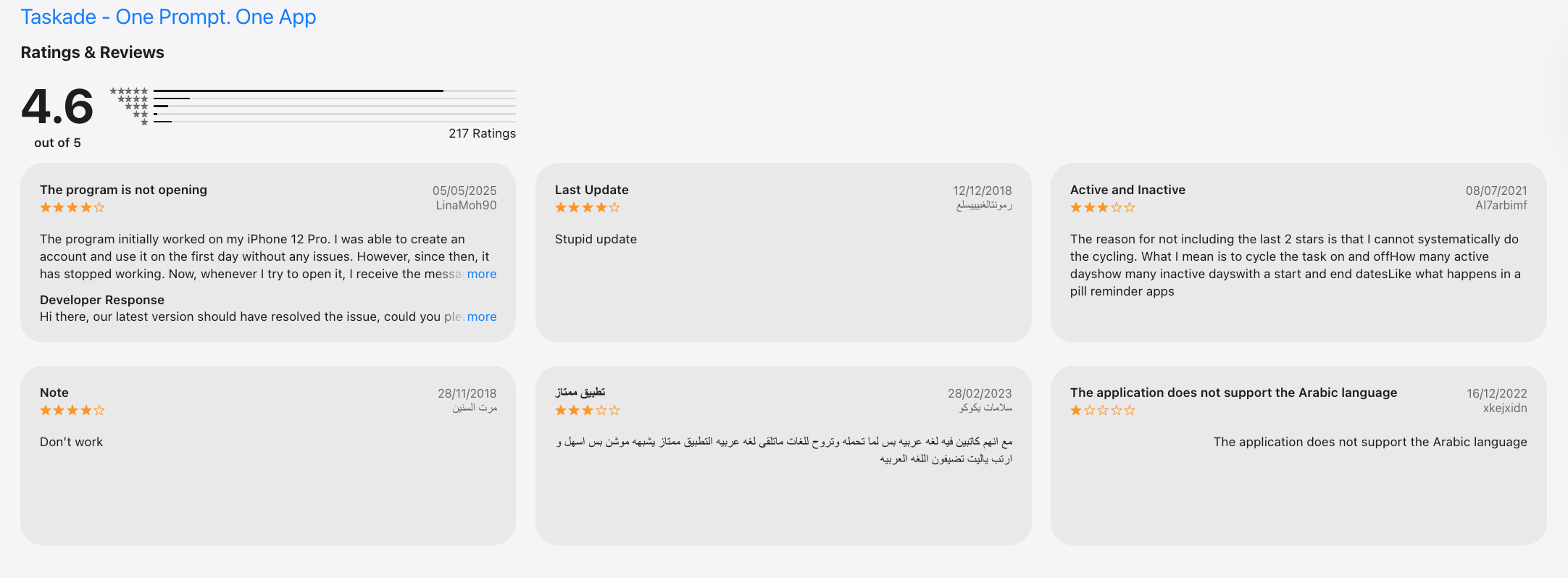
Taskade reviews (source)
How to start
- Users can sign up for a free account on the Taskade website. After creating an account, they can explore the platform's features by setting up their first project or task list.
Choosing the Right AI Task Manager 💡
Final thoughts: choosing the right AI Task Manager in 2026
There’s no single best AI task manager for everyone in 2026 - because not everyone thinks, plans, or works the same way.
Some people want a proactive AI task manager that looks at their tasks, notes, and priorities, then actively plans their day for them. That’s where Saner.AI clearly stands out — acting more like a calm, context-aware personal assistant than a traditional to-do list.
Others may prefer time-blocking - first tools like Motion, Flowsavvy, Focuster, or Reclaim, while some teams lean toward hybrid systems like Notion or workflow hubs such as Akiflow.
What actually matters isn’t how “smart” the AI sounds - but whether the tool:
- Fits your natural workflow
- Matches your energy and attention span
- Reduces mental load instead of creating more decisions
Our recommendation:
✨ Try 2 - 3 AI productivity tools from different categories (task manager, scheduler, workspace)
🧪 Test them in real work - planning your day, handling meetings, managing content, tracking follow-ups
🧠 Measure energy saved, not just time saved
If an AI task manager helps you feel more focused, less scattered, and more in control, that’s the right one for you.
👇 Ready to start?
Begin with Saner.AI if you’re looking for an AI task manager that plans with you - not just lists tasks - and helps you think more clearly every day.

Stay on top of your work and life
FAQs About AI Task Manager Apps
1. What is an AI task manager, and how does it work?
An AI task manager is a tool that helps you manage your tasks, schedule, and ideas using artificial intelligence. Instead of manually creating lists and sorting through your notes, it understands what you’re working on and assists you, suggesting tasks, surfacing reminders, and helping you focus.
Some, like Saner.AI, even connect your calendar, notes, and tasks into one smart workflow that adapts to your working style.
2. How can an AI task manager help me stay organized?
Most people struggle with scattered to-do lists, forgotten tasks, or jumping between apps. An AI task manager solves this by:
- Automatically organizing tasks by priority
- Surfacing the right thing to work on at the right time
- Linking your notes, meetings, and deadlines in one place
- Reducing the need to constantly check different tools
It acts like a second brain, especially useful when life gets chaotic.
3. Are there free AI task managers?
Yes! Here are a few worth trying:
- Saner.AI - Free version includes task suggestions, calendar sync, note search, and smart reminders.
- ChatGPT - Great for brainstorming or planning tasks with a free GPT tier.
- Gemini - Integrated with Google Workspace and useful for quick summaries or reminders.
- Motion / Reclaim - Both offer limited free scheduling automation plans.
4. How do I start using an AI task manager?
Start simple. Choose one area where you’re currently overwhelmed, like managing your daily priorities or keeping track of meetings.
Then:
- Offload all your tasks or ideas into the tool
- Let the AI help you sort and schedule them
- Gradually explore deeper features like note linking, deadline tracking, or project breakdowns
You don’t have to master everything on day one.
5. What’s the best AI task manager for ADHD?
Saner.AI was designed by and for people with ADHD. It’s built to reduce mental clutter by:
- Surfacing the most relevant task or idea at the right moment
- Reminding you of things you might forget
- Helping you stay focused without jumping between apps
It’s not just a task list, it’s a system that helps you stay calm and get things done.
6. What’s the best AI task manager for professionals?
Professionals often deal with scattered tools: meetings in one app, tasks in another, notes in a third.
Saner.AI combines them into one smart flow:
- Syncs with your calendar
- Connects notes and tasks
- Finds things instantly using natural language search
It helps you manage projects, prep for meetings, and stay on top of everything without the chaos.
7. How does an AI task manager boost productivity?
Here’s what a good AI task manager can do:
- Reduce context switching by centralizing your workflow
- Break down big projects into small, doable chunks
- Remind you about what matters - without needing to remember everything
- Surface notes or tasks exactly when you need them
You get back mental space to actually focus.
8. Do AI task managers support voice input?
Yes, some do. Here’s a quick comparison:
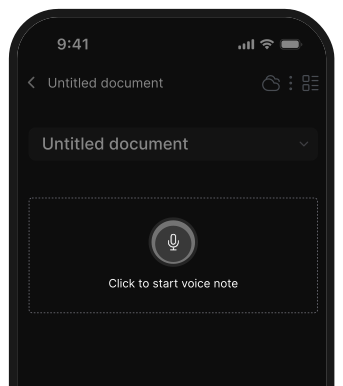
- Saner.AI - Lets you record voice notes and turns them into actionable tasks
- ChatGPT / Gemini – Handle voice input through mobile apps or extensions, but not task automation
- Motion / Reclaim – Focus on scheduling and do not support voice input
Voice features are helpful when you’re on the go or don’t want to type.
9. Can an AI task manager auto-schedule tasks?
Yes! Scheduling is a key feature for many AI task tools:
- Saner.AI recommends time slots for your tasks based on what’s important and urgent
- Motion / Reclaim specializes in time-blocking tasks directly into your calendar. But quite complicated
If your days are packed, this can save you hours each week.
10. Which AI task manager is best for entrepreneurs?
Entrepreneurs juggle 10 things at once - ideas, meetings, clients, product updates.
Saner.AI is great if you:
- Need a fast way to capture ideas before you forget them
- Don’t want to set up complex systems or templates
- Need reminders and organization to keep your projects moving
11. How can AI task managers help busy managers?
They help you lead more efficiently:
- Remind you to follow up with your team
- Prepare you for meetings by surfacing relevant notes
- Summarize conversations or documents
- Track action items across projects
Managers often spend too much time organizing. AI task managers take care of that so you can focus on people and decisions. Some good options are Saner.AI, ChatGPT
13. What’s the difference between an AI task manager and a traditional to-do list app?
Traditional apps are manual - you need to add, tag, sort, and remember everything yourself.
AI task managers flip that:
- They remind you what’s next
- They adapt to how you think
- They find things for you instead of making you dig through folders
You get the feeling of being organized, without the overhead.
14. What’s the best AI task manager for executives?
Executives don’t just need a to-do list - they need clarity across priorities, projects, and people.
Saner.AI is designed for that:
- Smartly connects tasks, meetings, notes, and follow-ups
- Surfaces key decisions and next steps, just when you need them
- Reduces your cognitive load so you can lead with focus
- Automatically create tasks based on your braindump
- Actively remind you of important tasks
If you often feel pulled in a hundred directions, this kind of system gives you structure without the friction.
The AI Task Manager that organizes your day
[Last updated in 2026]