We Tested The Best 7 AI Task Manager Apps In 2026

An AI task manager app in 2026 changes the game by treating your schedule as a fluid, living asset. Instead of just holding a list of chores, these tools use machine learning to understand how you work, automatically block out focus time, and instantly restructure your entire day when life happens.
In this article, we’ll look at how each platform handles automated time-blocking, how well they auto-structure chaotic brain dumps, and the specific workflows they are built to optimize.
Key Takeaway: What's the Best AI task manager right now?
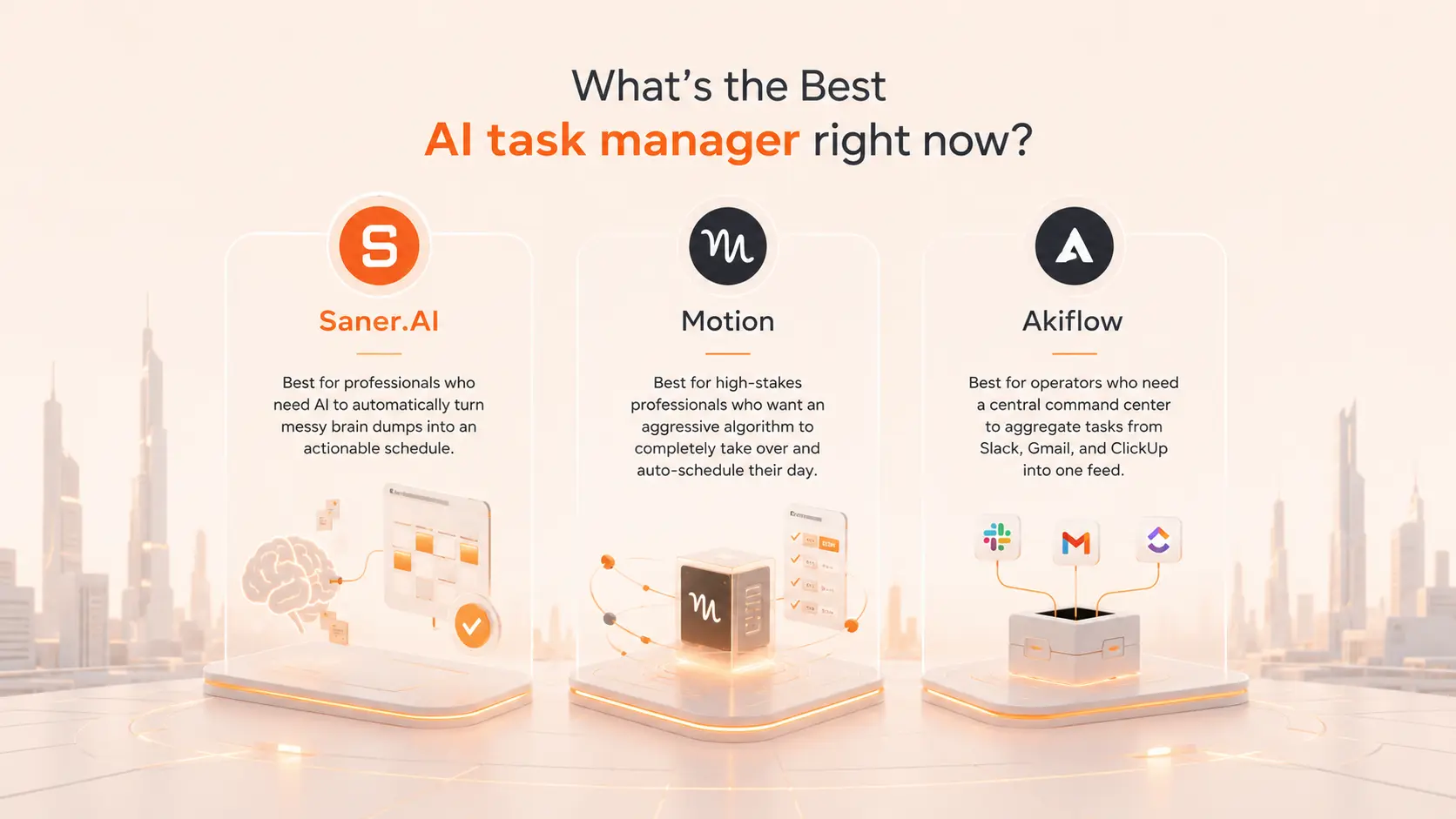
2. Motion: Best for professionals who want an aggressive algorithm to completely take over and auto-schedule their day.
3. Akiflow: Best for operators who need a central command center to aggregate tasks from Slack, Gmail, and ClickUp into one feed.
1) What is an AI Task Manager?
An AI task manager is an active copilot. It combines natural language processing (NLP), predictive scheduling algorithms, and machine learning to bridge the gap between planning and doing.
2) Why do people need AI Task Manager apps?
3) How did we choose the best AI task managers?
The best AI task manager should eliminate the administrative friction of planning. We evaluated each platform based on the challenges modern professionals face daily:
- Auto-Scheduling Intelligence: Can the platform genuinely calculate task duration and dynamically slot it into your calendar?
- Brain Dump Conversion: How effectively can it take unstructured thoughts or notes and translate them into distinct, prioritized tasks?
- Rescheduling Agility: When a deadline moves or a meeting runs over, how easily does the AI recalculate the rest of your day without creating chaos?
- Context Preservation: Does it connect your tasks to the background context (like emails, Slack messages, or meeting notes) so you don't have to hunt for information?
- Interference & Noise Reduction: Does it help you focus on the current task, or does it overwhelm you with micro-notifications?
What Are The Best AI Task Managers in 2026?
The best AI Task Managers are: Saner.AI, Motion, Flowsavvy, Notion, Akiflow, Reclaim.AI, and Taskade
Comparison Table - Best AI Task Managers (2026)
| 🧰 Tool | 🎯 Best For | ⚙️ Key Features | 💰 Pricing (2026) |
|---|---|---|---|
| Saner.AI | AI-first personal task management | AI task capture, auto-organized notes, natural language planning, ADHD-friendly workflow | Free; Paid ~$8–16/mo |
| Motion | Automated daily scheduling | AI calendar planning, task prioritization, meeting scheduling, time blocking | From $19/user/mo |
| FlowSavvy | Smart time blocking | Auto-rescheduling, calendar sync, flexible planning | Free; Pro from $9/mo |
| Notion | Custom productivity workspace | Tasks, docs, databases, AI writing, project tracking | Free; Plus from $10/mo |
| Akiflow | Calendar + task command center | Unified inbox, keyboard shortcuts, calendar planning, task consolidation | From $19/mo |
| Reclaim.ai | AI calendar optimization | Habit scheduling, smart meetings, automatic focus blocks | Free; Paid from $8/mo |
| Taskade | AI collaboration & mind mapping | AI agents, task lists, project templates, team collaboration | Free; Paid from $10/user/mo |
1. Saner.AI
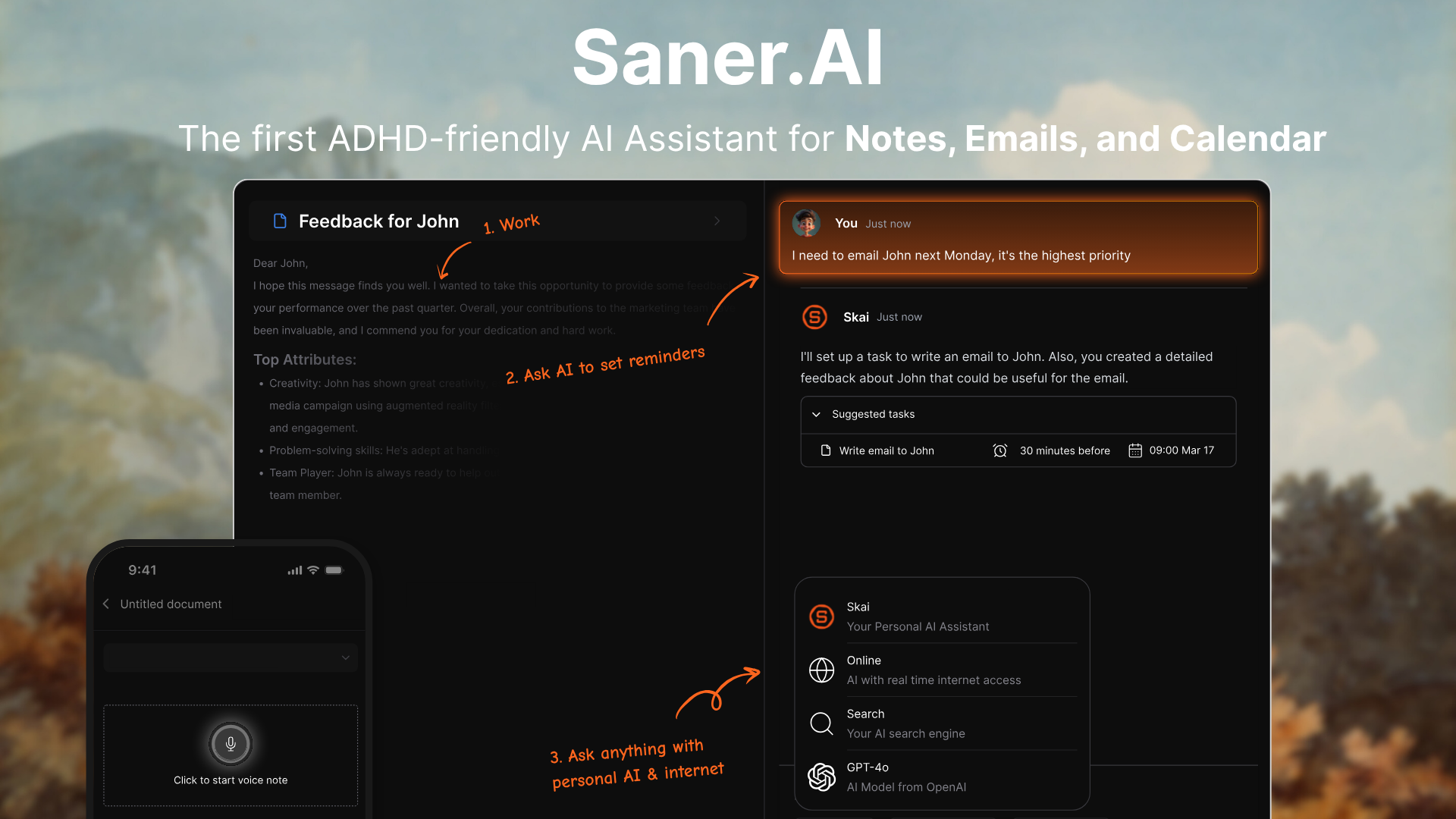
Saner.AI is an AI Task Manager designed to help you capture, organize, and plan tasks without manual structuring. You can dump thoughts, notes, or half-formed ideas in natural language, and the AI turns them into clear, actionable tasks.
Features
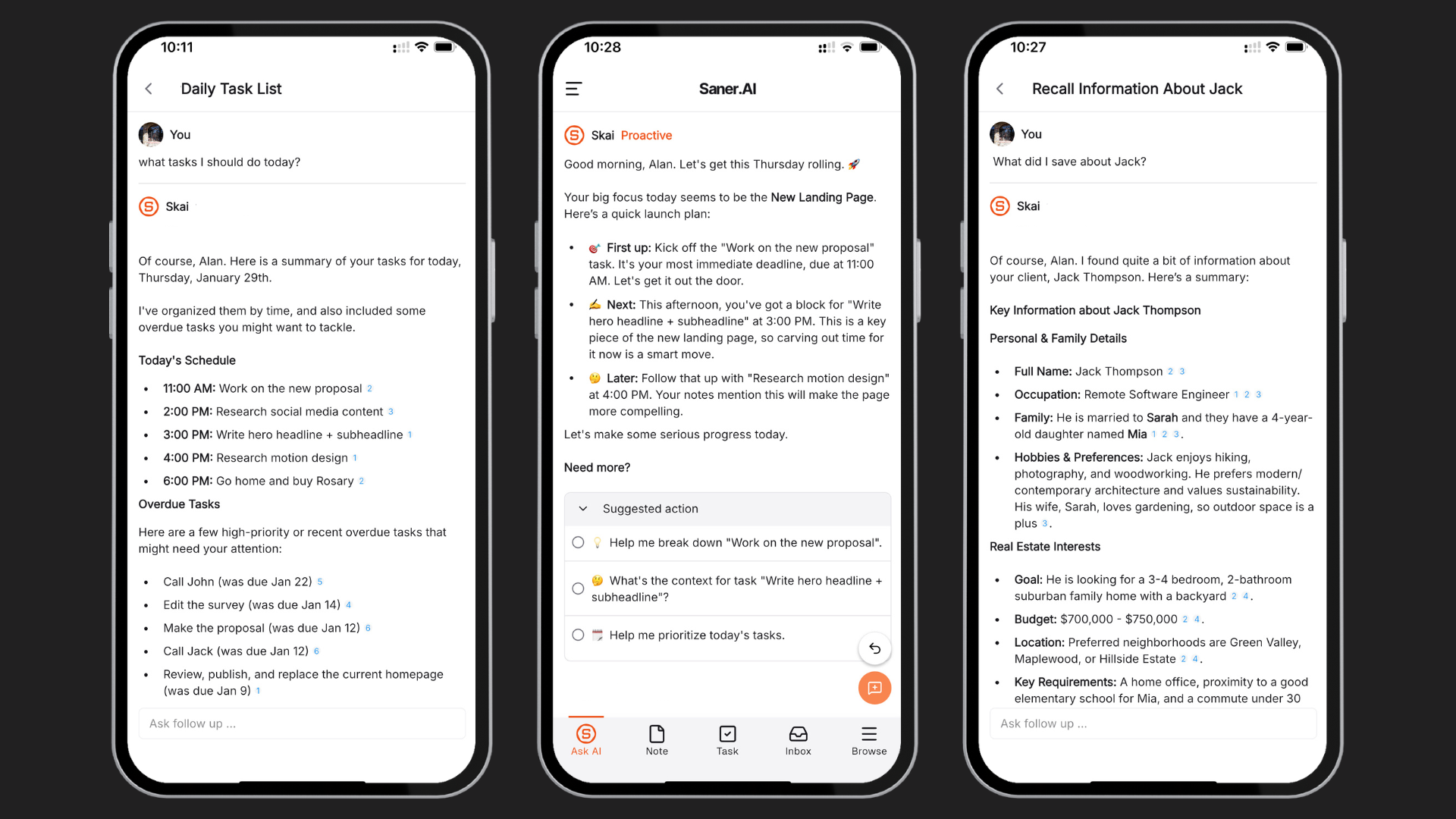
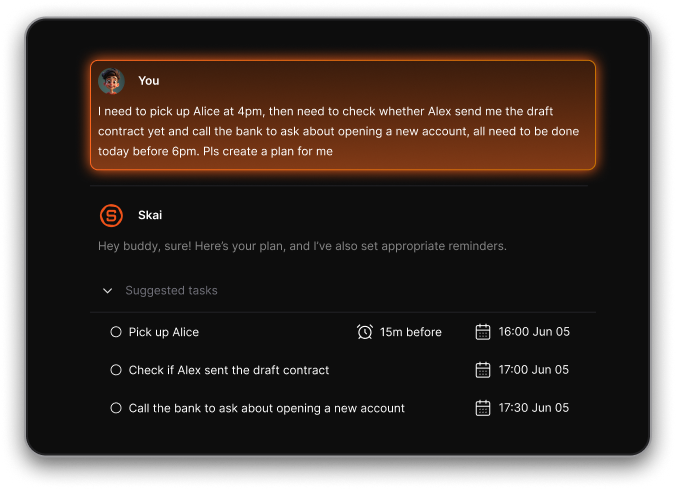
- Unstructured Brain Dump to Task Extraction: It effortlessly converts chaotic, unstructured daily thoughts and voice notes directly into clear, actionable task lists and scheduled reminders.
"The best one I've used so far to make sense of my messy thoughts. It turns them to reminders, which saves so much time." – Verified Review
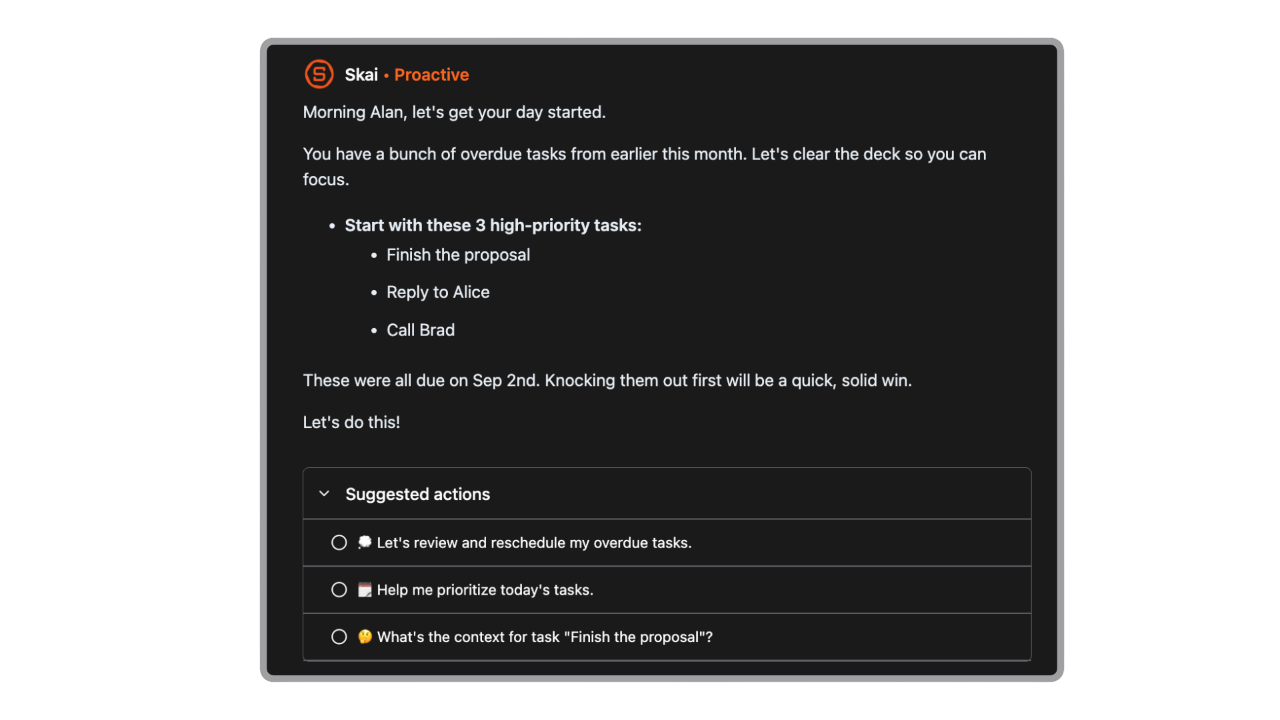
- Proactive AI Scheduling (Skai Assistant): The system actively analyzes your upcoming day across various platforms to recommend tasks and highlight items you might have otherwise missed.
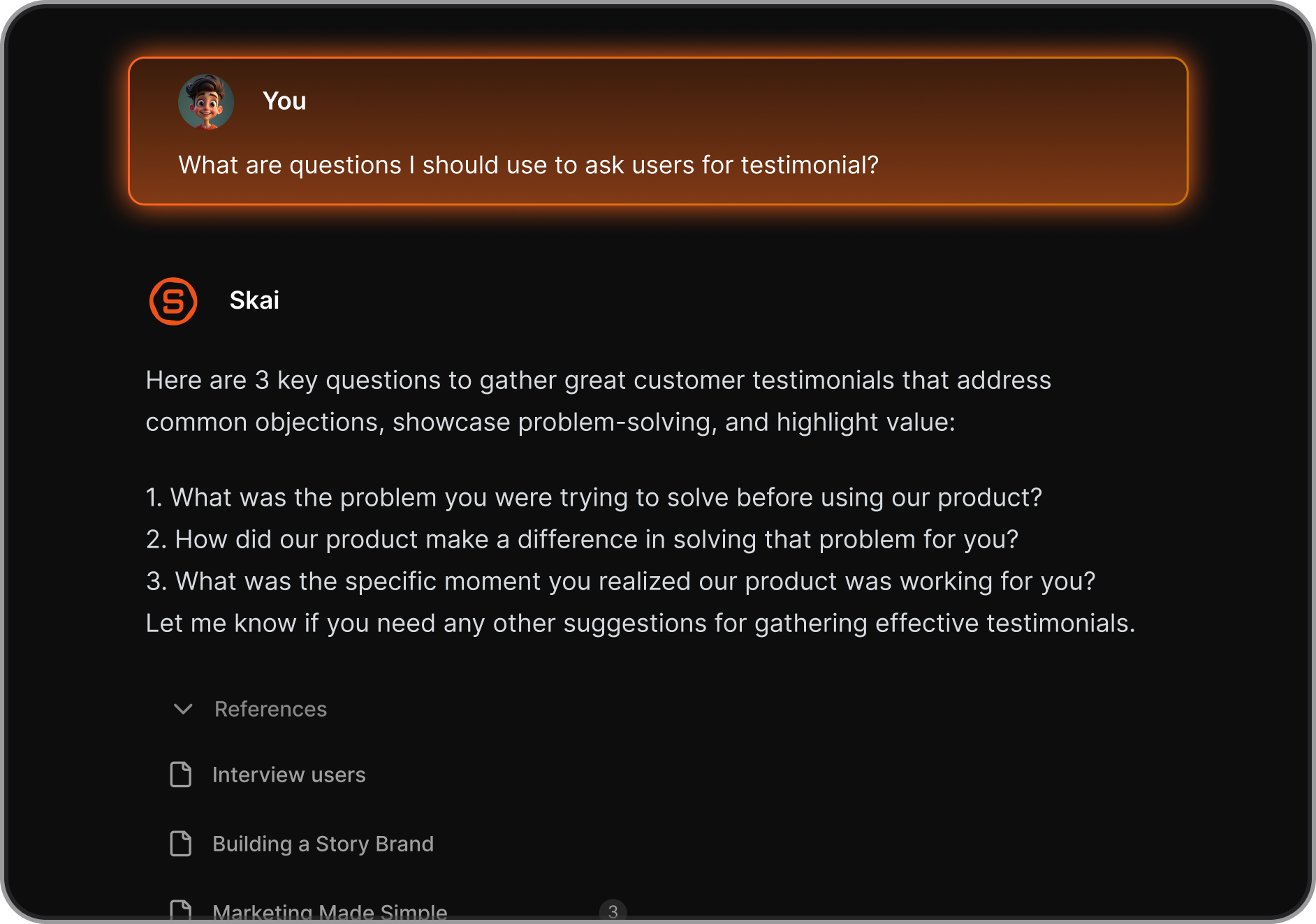
- Deep Semantic Search and Contextual Integration: It lets you query your entire synced database—including PDFs, Slack notes, and emails—to instantly retrieve context for your current projects.
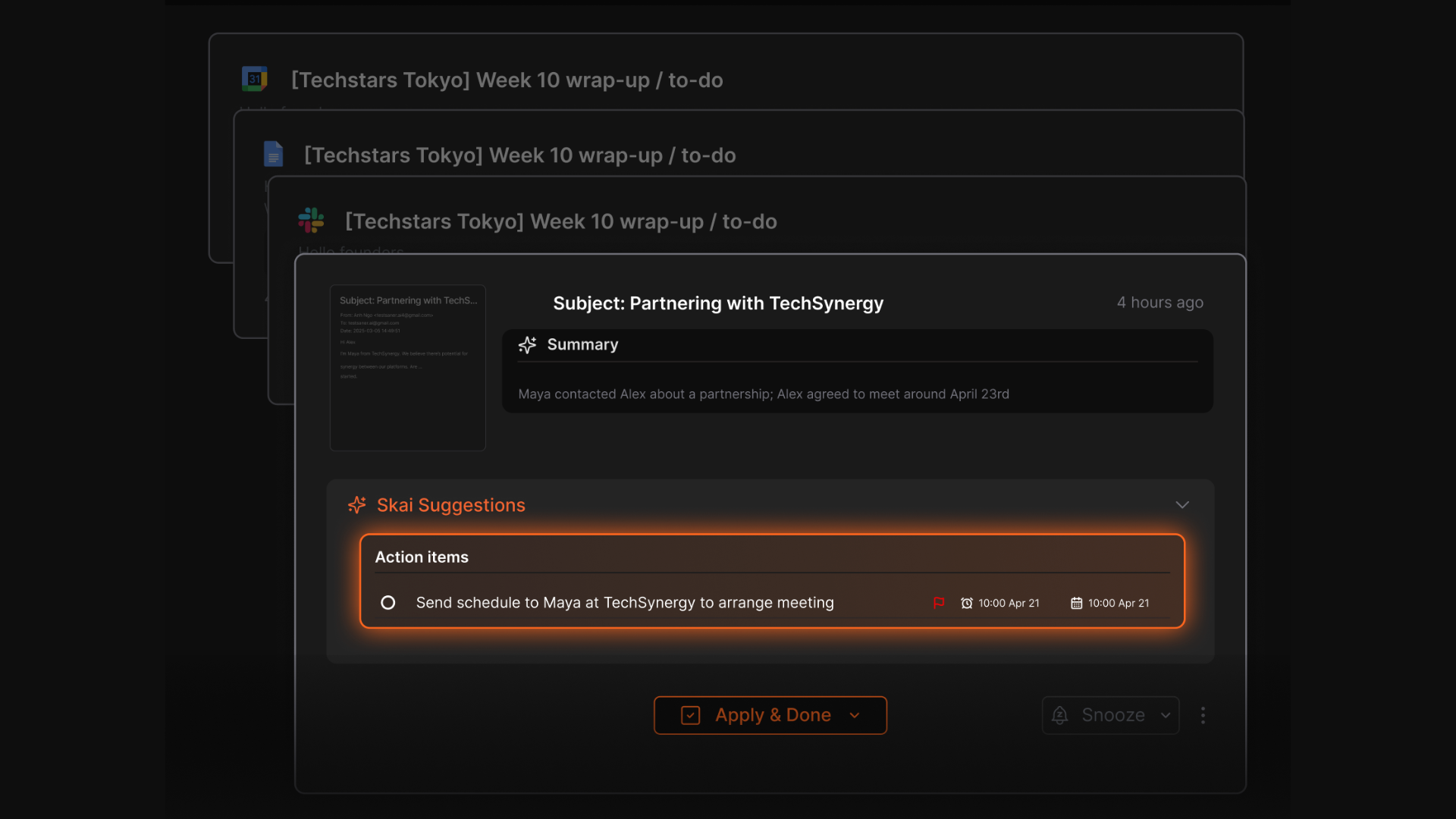
- Tasks extracted from emails: Skai will scan through your emails to pull out action items. If you have an upcoming event with no clear action, Skai will ask you if you want to log it into your plan
Pros
- I like how I can just chat with my calendar to manage my schedule
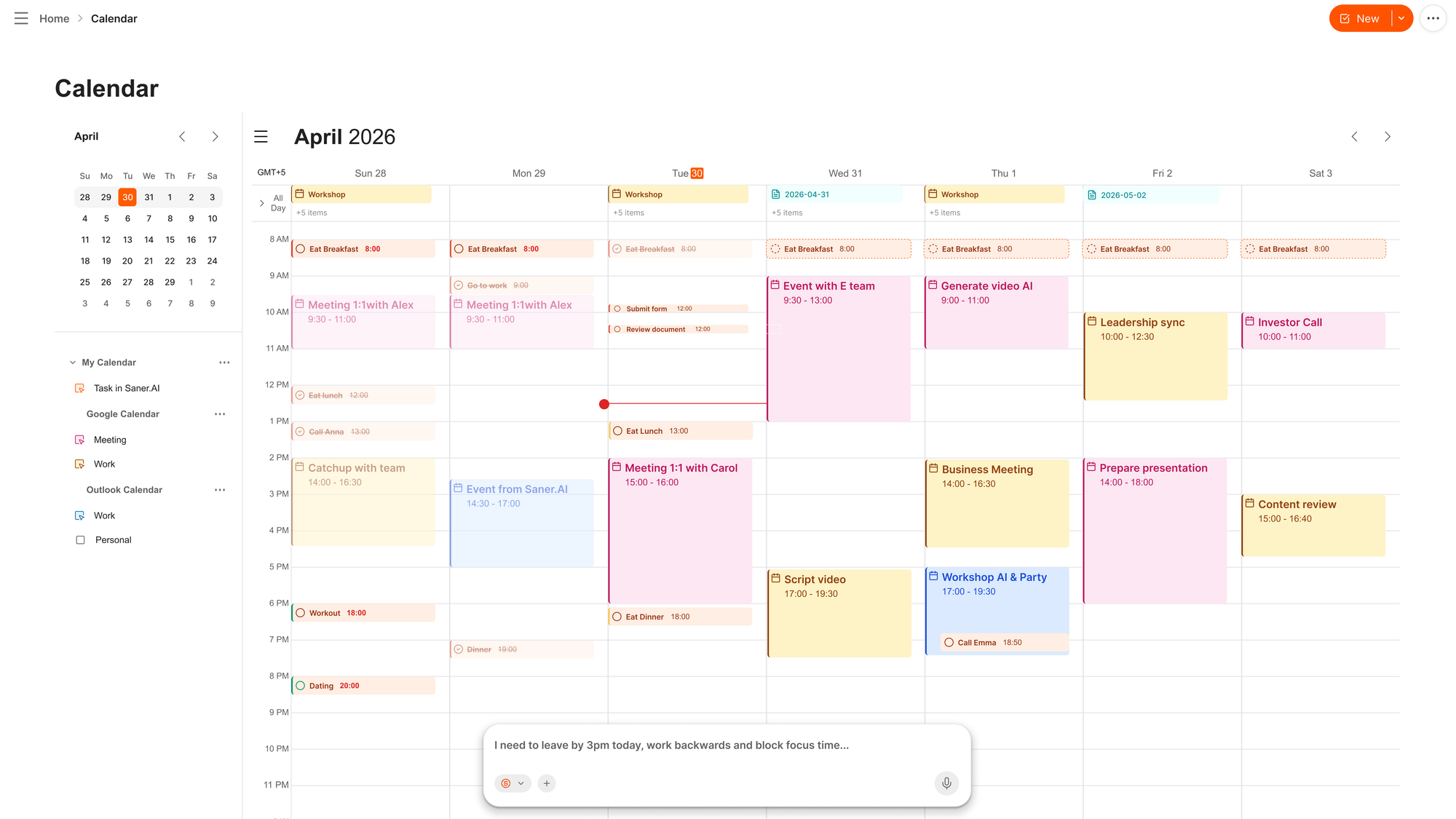
- The AI assistant greets me with a proactive morning agenda, highlighting what I should focus on next.
- I like the distraction-free "Focus Mode" which heavily reduces my cognitive overwhelm, especially during high-stress workdays.
Cons
- Saner.AI is focused on personal task management, not multi-layer project tracking or approvals.
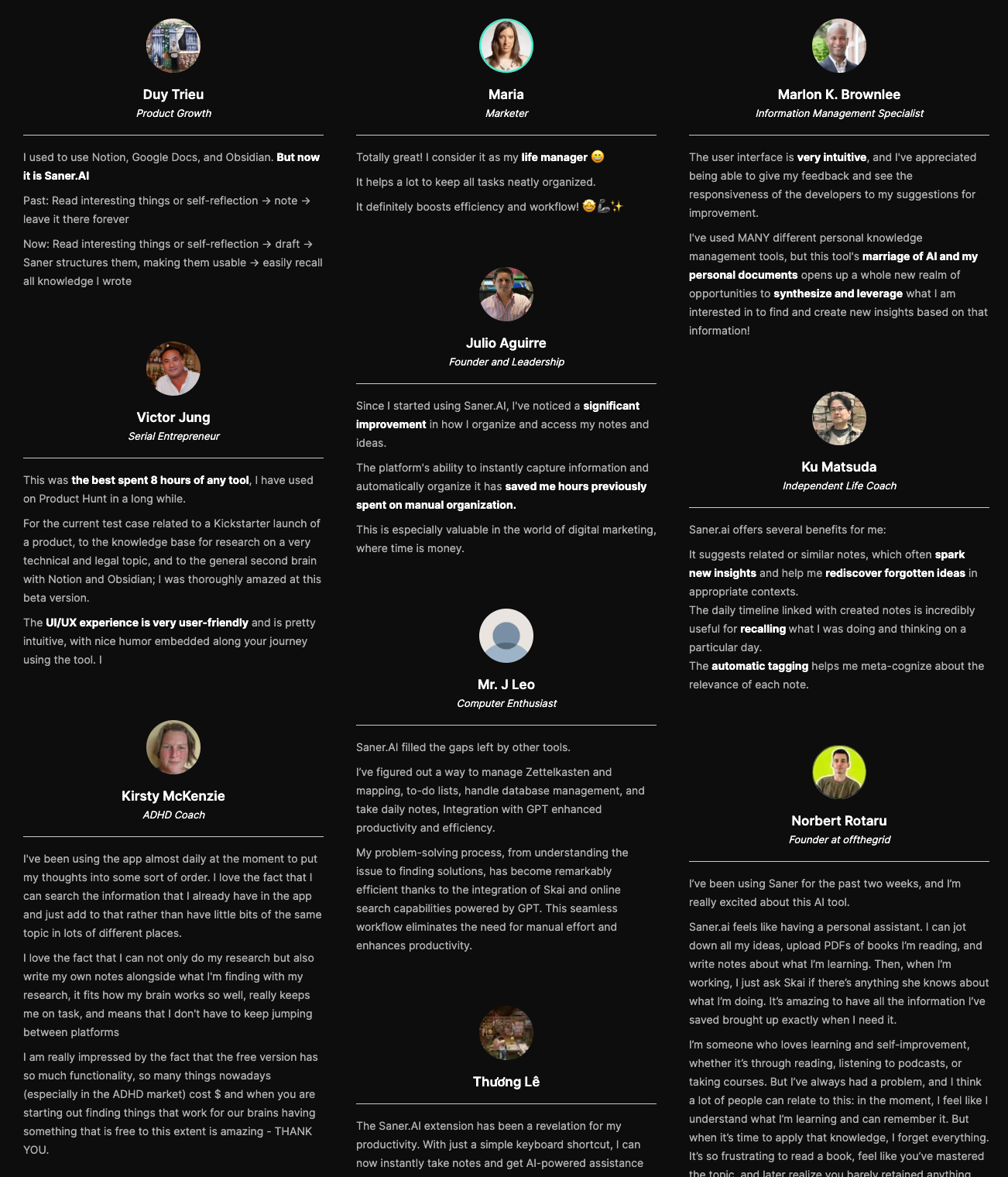
Saner.AI Reviews
Pricing
- Free
- Starter: Monthly at $8/month, Annually at $6/month
- Standard: Monthly at $16/month, Annually at $12/month
Who is it suitable for?
- People whose tasks come from scattered notes, emails, and voice memos, not a clean list
- Anyone who forgets to check their task list, not just what's on it
- People who've abandoned rigid to-do systems (GTD, strict projects/labels) before
- Solo professionals, founders, executives, freelancers, especially ones with ADHD
How to start using it?
- Visit the Saner.AI website
- Start by creating tasks via AI chat

Stay on top of your work and life
2. Motion
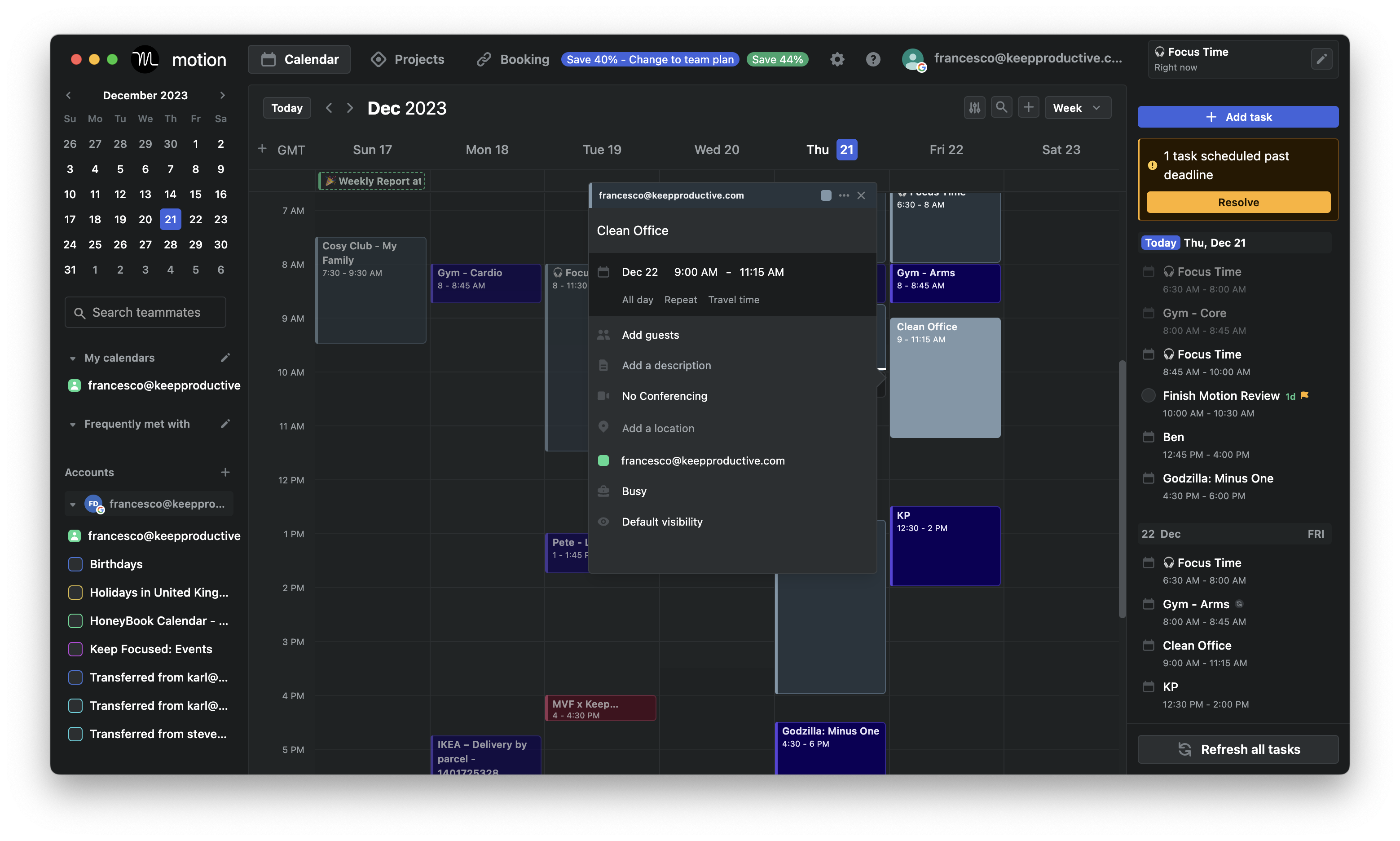
Motion is an AI Task Manager that automatically schedules your tasks into your calendar. You input tasks, deadlines, and priorities, and the system builds a daily plan around your available time. When meetings or priorities change, Motion reshuffles your schedule for you. It’s designed to replace manual planning and time blocking.
Features
- Tasks are placed directly into your calendar based on deadlines, priority, and availability. When something changes, the schedule updates automatically.
- Motion recalculates what you should work on next. Urgent and important tasks are surfaced without manual reordering.
- Meetings and tasks live in one timeline.
Pros:
- I love how the "set it and forget it" automated scheduling engine completely eliminates the mental load of organizing my day.
- I appreciate having my calendar, task manager, and meeting scheduler living in one single application rather than juggling multiple subscriptions.
- The system accommodates multiple distinct workspaces, making it easy to organize work projects away from personal tasks.
Cons:
- I feel that the software is exceptionally expensive if you are a solo user operating on a tight personal budget.
- The learning curve can be steep at first, and letting go of manual planning control requires an initial leap of faith.
- I notice that the mobile application feels significantly less polished and less functional for deep planning than the desktop app.
Pricing:
- Paid only; plans start around $49/month (individual), billed monthly or yearly.
Suitable For:
- Tech-savvy professionals and teams who are comfortable with using a complex system
Motion reviews (source)
"I like that Motion finds the open spots on my calendar and places tasks in a way that already prioritizes them. I also like that I can reorganize things pretty easily if I need to." - verified review
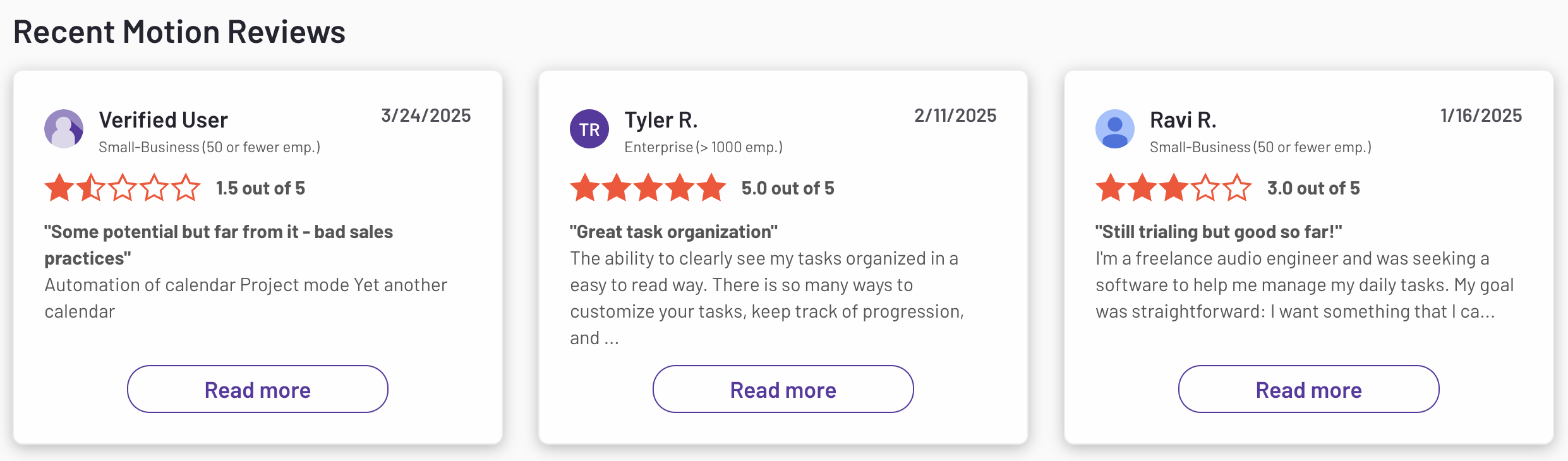
"The platform is unnecessarily complex, with features that add more confusion than value. The AI agents frequently generate irrelevant email replies or meaningless projects. Pricing is extremely high relative to the actual utility." - verified review
How to Start:
- Sign up for a free trial on the Motion website, select a suitable plan, and integrate your existing calendars and tools to begin optimizing your workflow
3. FlowSavvy
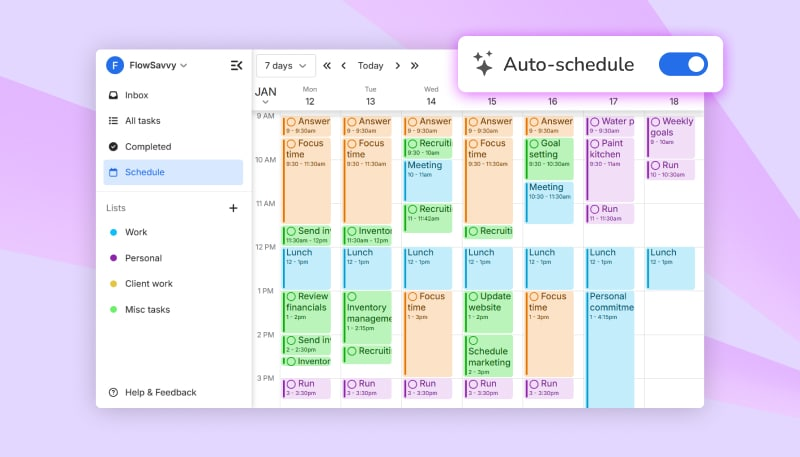
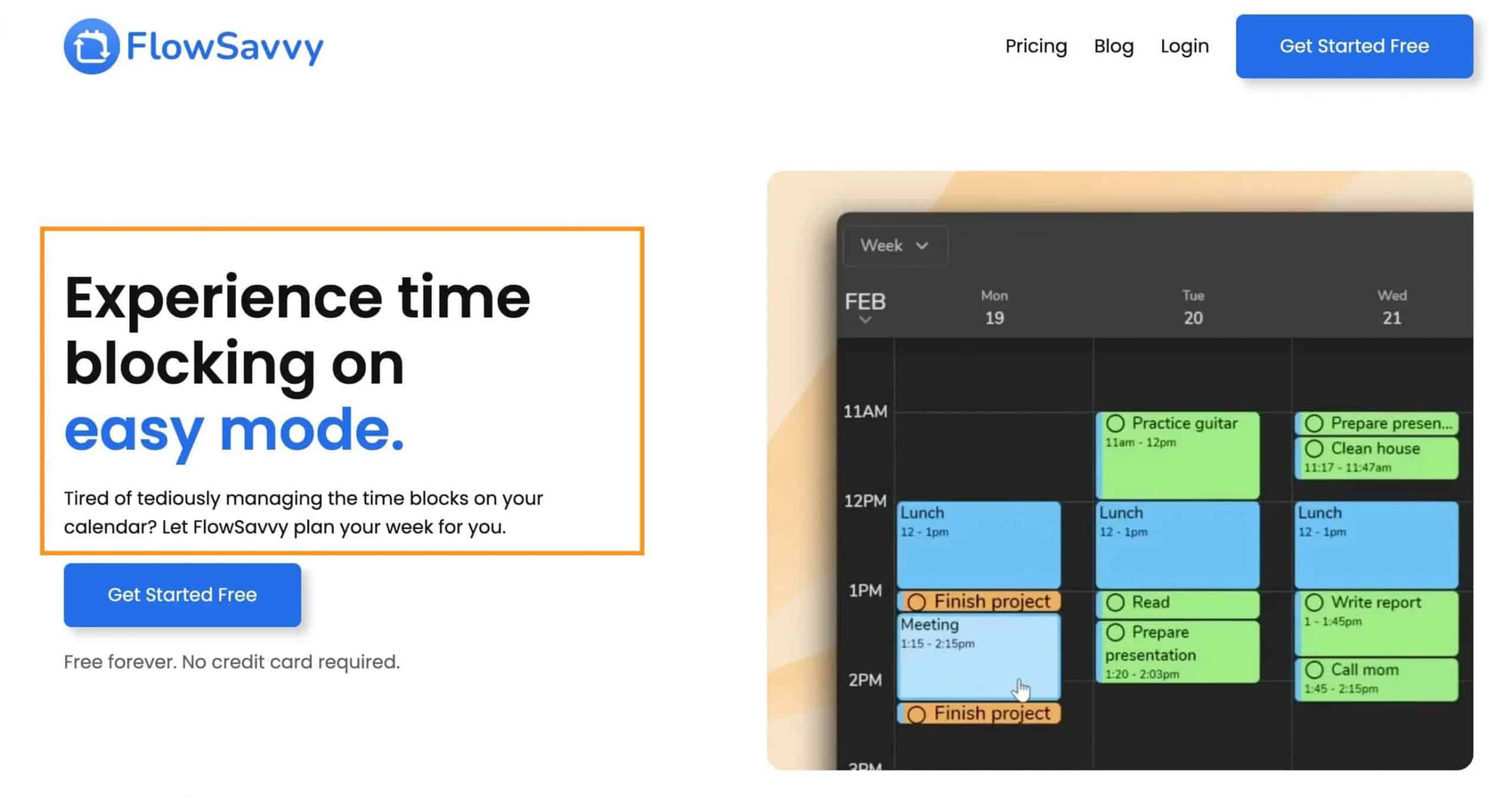
FlowSavvy is a Task Manager that focuses on automatic scheduling for tasks with deadlines. You add tasks, durations, and constraints, and the system schedules them into your calendar. When plans change, it reshuffles tasks to protect deadlines. The experience is centered on realistic time blocking rather than task lists.
Features
- The AI balances your upcoming workload over multiple days and automatically splits large tasks into smaller time blocks if they cannot fit into a single open slot.
- FlowSavvy prioritizes tasks that are at risk of missing deadlines. This helps you avoid last-minute crunches.
- Flowsavvy can dynamically rebuild your whole timeline instantly whenever plans change, or you fall behind schedule.
Pros:
- I appreciate how instantly the 1-click recalculate feature fixes my day when an unexpected meeting throws off my morning momentum.
- Tasks are automatically color-coded based on how close they are to their actual deadlines (green, orange, red).
- I like that it offers fully native mobile apps for iOS and Android, allowing me to view my auto-scheduled time blocks on the go.
Cons:
- It doesn’t handle notes, task breakdown, or broader productivity workflows.
- The AI schedules tasks but doesn’t actively coach or check in during the day.
- Multi-step projects and dependencies are relatively basic.
Pricing:
- Free Plan
- Pro Plan: Priced at $7 per month
Suitable for:
- Individuals seeking an affordable and user-friendly auto-scheduling tool to manage personal tasks and events efficiently.
Flowsavvy reviews (source)
"The drag-and-drop is silky, the visual design is genuinely beautiful, and when your schedule shifts, it recalculates everything almost instantly." - verified review
"Some of the Calendars shared are from other people in the family to help influence the Task arrangements but some Events from other family members should not impact on the Auto Task facility." - verified review
Getting Started:
- Sign up on FlowSavvy's website, integrate your existing calendars, and begin organizing your schedule with ease.
4. Akiflow
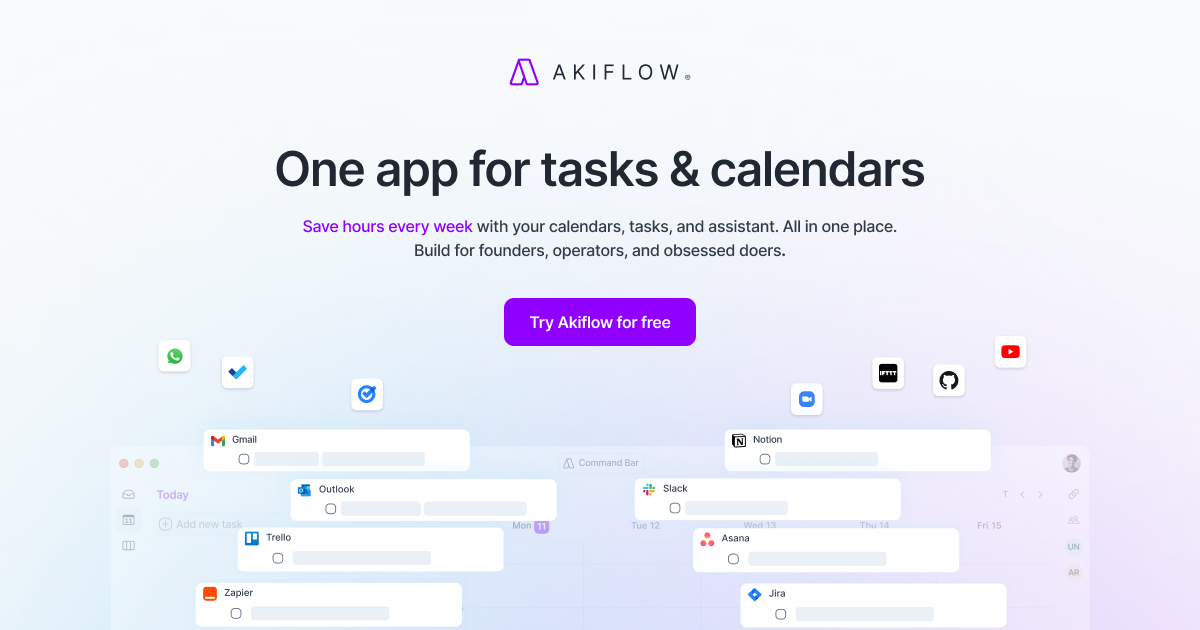
Positioned as a strong contender for the AI Task Manager, Akiflow combines rapid keyboard-driven shortcuts with its custom AI assistant, "Aki," to automate manual scheduling conflicts and prevent daily cognitive overload.
Features
- AI workflow engine that helps manage scheduling anomalies, surface notifications, and offer automated layout suggestions.
- Fast keyboard commands make adding and organizing tasks efficient.
Pros:
- Unified dashboard to manage tasks and calendar
- Time blocking with intuitive drag-and-drop
- Task capture from Gmail, Slack, Asana, and more
- Quick task creation via the command bar
Cons:
- The AI assists lightly but doesn’t actively prioritize or plan your day for you.
- You still need to time-block and adjust schedules yourself.
- If you want the system to fully decide what to do next, Akiflow may feel demanding.
Pricing:
- Monthly plans: $34.
- Annual plan available at $19/month
Suitable for:
- It caters to individuals in busy work environments, such as corporate teams or freelancers, who need a streamlined approach to manage their tasks effectively
Akiflow Reviews (source)
"AkiFlow solves almost all of my problems with an integrated calendar for all of my calendars, task lists, reminders and a visual interface that keeps me focused and coming back." - verified review
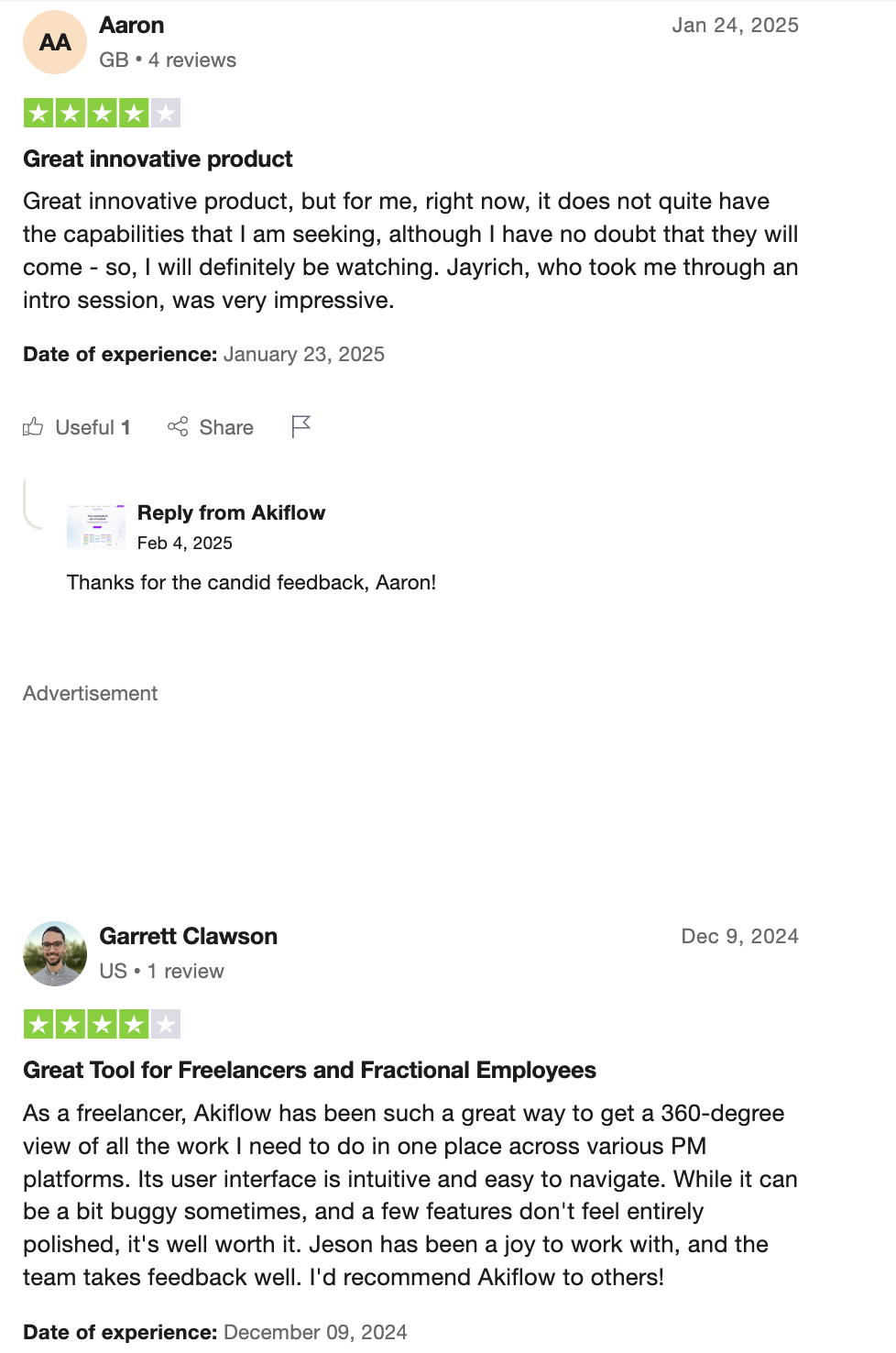
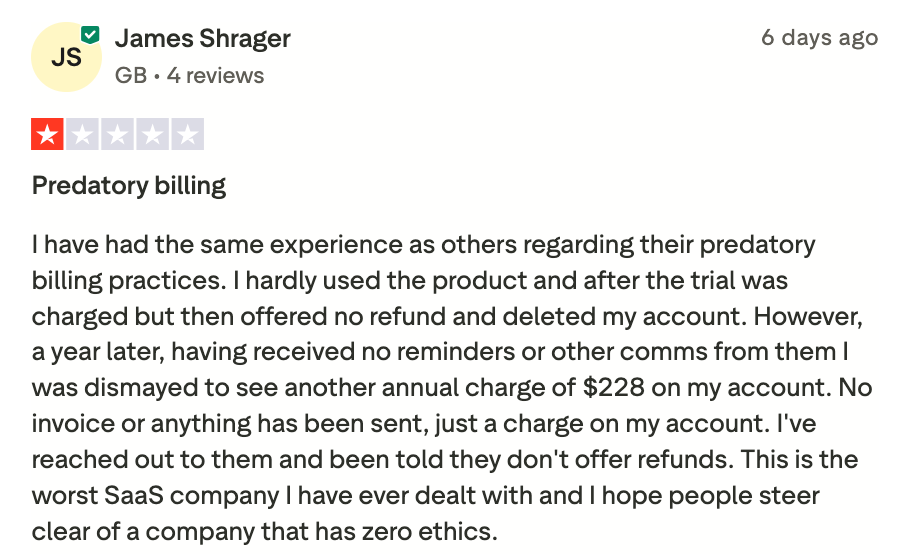
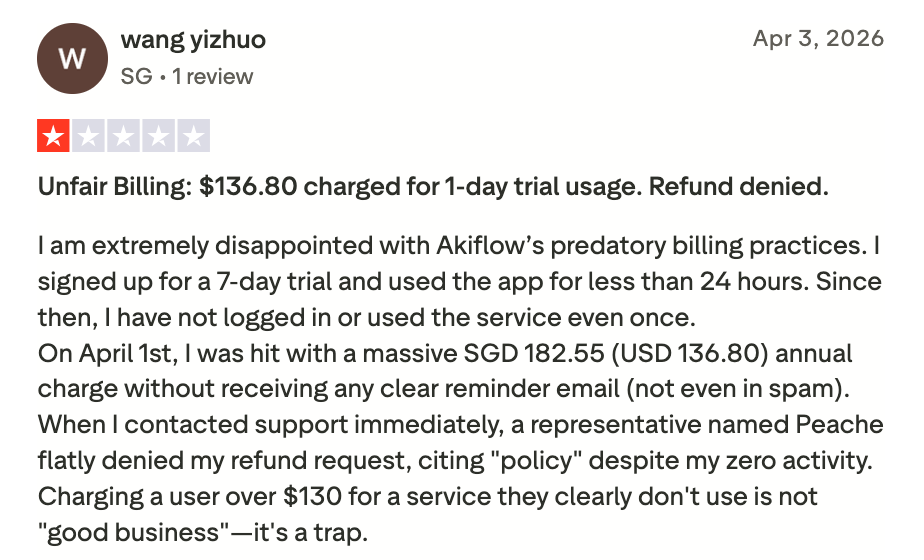
The negative reviews for Akiflow mostly come from the company's refund and charging policy
How to start:
- Sign up on the Akiflow website and start importing your tasks
5. Notion
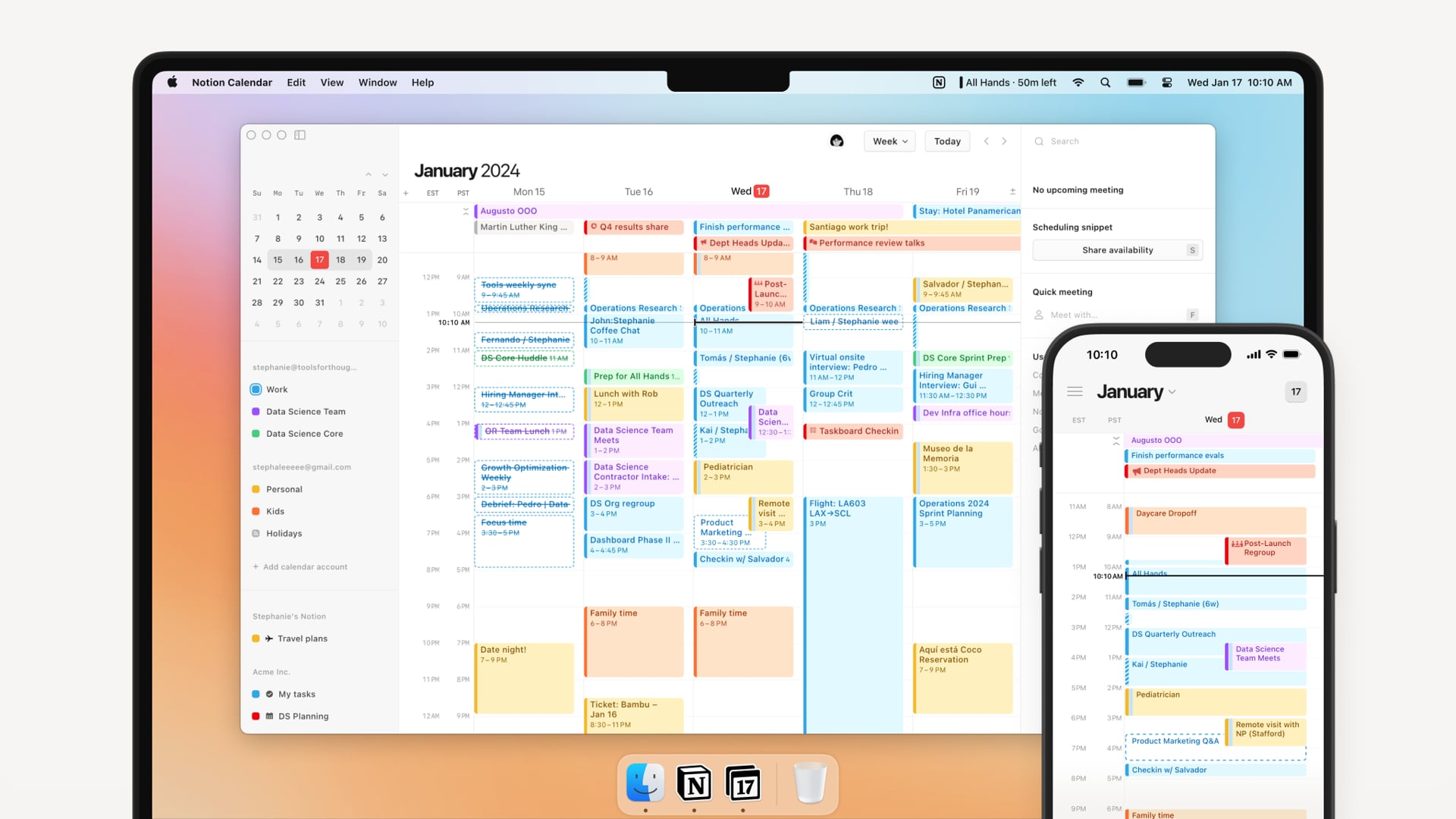
Rather than forcing you to jump between fragmented apps, Notion combines your team's knowledge management directly with your action items. It excels most at turning messy text, meeting notes, and project data into highly structured, automated task lists without requiring you to switch tabs.
Features
- You can design task systems using tables, boards, timelines, or lists. This allows full control over how tasks are organized and viewed.
- AI helps summarize notes, rewrite content, and generate task descriptions. It supports thinking and documentation more than execution.
- Teams can assign tasks, comment, and work in shared spaces. Permissions and visibility are highly customizable.
Pros:
- Fully customizable to fit any workflow
- The AI is embedded natively into my workflow, meaning I completely avoid disruptive tab-switching.
- Ideal for both personal and team productivity
- Tons of templates to get started quickly
Cons:
- I notice that the app's performance slows down significantly and gets sluggish once my databases scale past a few thousand tasks.
- I find the steep learning curve overwhelming, as I spent hours constructing the task outline before I could actually start checking off items.
- AI features are only available on paid plans
- Could not chat with AI to update tasks and calendar
Pricing:
- Free plan available
- Premium plan starts at $10/month, with Notion AI available
Suitable for:
- Individuals and teams seeking a flexible, AI-enhanced productivity platform that adapts to various organizational needs.
Notion reviews (source)
"Notion basically replaced four different tools for me. Notes, tasks, docs, and a lightweight database all in one place. The flexibility is the real win." — Verified Review
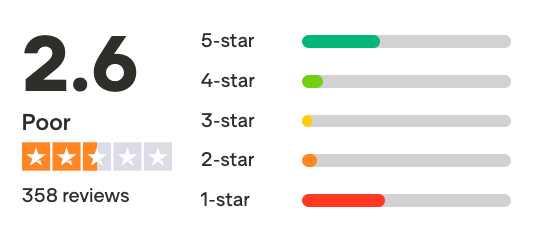
"One of the biggest issues for me was how complex the system is for relatively simple use cases. Even basic workflow setups require a lot of manual configuration, and building structured processes takes significantly more time than expected." - verified review
Getting Started:
- Visit Notion's website to sign up
- Create a workspace and choose a task or project template
- Customize the database to match how you plan and track work
6. Reclaim.AI

Reclaim.AI is an AI Task Manager focused on automatically scheduling tasks, habits, and routines around your calendar. You add tasks with priorities, durations, and deadlines, and the system finds time for them.
Features
- Tasks are placed into free calendar slots based on priority and deadlines.
- The platform allows you to establish recurring routines and dynamically defends that time, making it flexible for internal shifting but solid against external booking requests.
- The AI defends focus blocks against meeting overload.
Pros:
- I appreciate how it intuitively switches task slots from "Free" to "Busy" as deadlines approach
- It integrates seamlessly with major project tools like Slack, Todoist, Asana, and Jira

Cons:
- I sometimes struggle with the learning curve when customizing complex habit rules and priority hierarchies.
- Can be overwhelming for new users due to its complexity.
- Focuses on scheduling and may not offer advanced project management features.
- Could not chat with AI to update tasks and the calendar
Pricing:
- Free Lite plan available.
- Paid plans start at $10/month
Suitable for:
- Individuals and small teams seeking better time management.
Reclaim.AI Reviews (source)
"Reclaim completely changed how I look at my week. It acts like a real assistant that knows exactly when I need to focus and when I can take meetings." — Verified Review
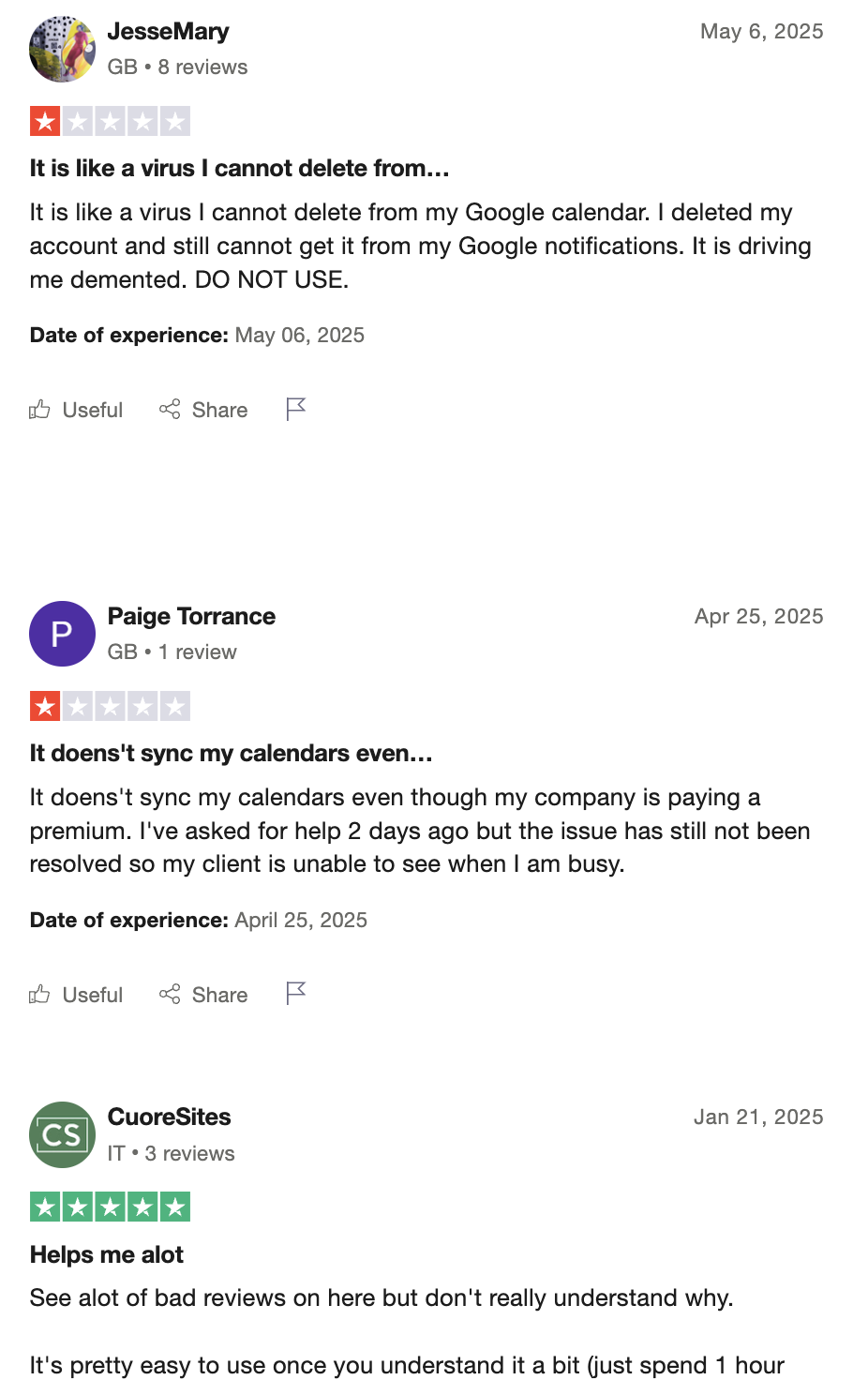
"If you have a chaotic schedule with overlapping team events, the AI can sometimes rearrange your day too frequently, which gets a bit disorienting." — Verified Review
How to start:
- Create an account on the Reclaim website and select a plan that fits your needs.
7. Taskade

Taskade stands out by using a single prompt to construct fully functional, interactive workflows, custom dashboards, and client portals.
Features
- Taskade allows you to generate live, responsive workflows and custom mini-apps simply by describing what your team needs in plain English.
- It can map out your workflows by letting you transition the same underlying dataset across seven distinct visual perspectives, including Lists, Boards, Tables, Calendars, Gantt charts, Mind Maps, and Org Charts.
- Teams can edit, comment, and assign tasks together. Changes sync instantly across devices.
Pros:
- I appreciate how flexible and lightweight the interface feels
- I can build live, fully hosted micro-apps using their natural language AI developer without touching a line of code.
- I like having real-time team collaboration, messaging, and video chat embedded right alongside my dynamic action items.

Cons:
- The massive density of features presents a steep learning curve when you first try to engineer advanced multi-agent workflows.
- The monthly AI credit caps can feel restrictive if you run heavy, constant automation tasks on the lower tiers.
"I feel like they're kind of moving away from the updates on project management and becoming a more AI creation focused tool... as well as the AI credits. So it's kind of like forcing the legacy plan users to move onto their new plans." —Verified Review
Pricing:
- Free plan available.
- Subscription starts at $20/month
Suitable for
- This is an AI task manager that caters to freelancers, small businesses, remote teams, and larger organizations that require an efficient way to manage tasks
Taskade reviews (source)
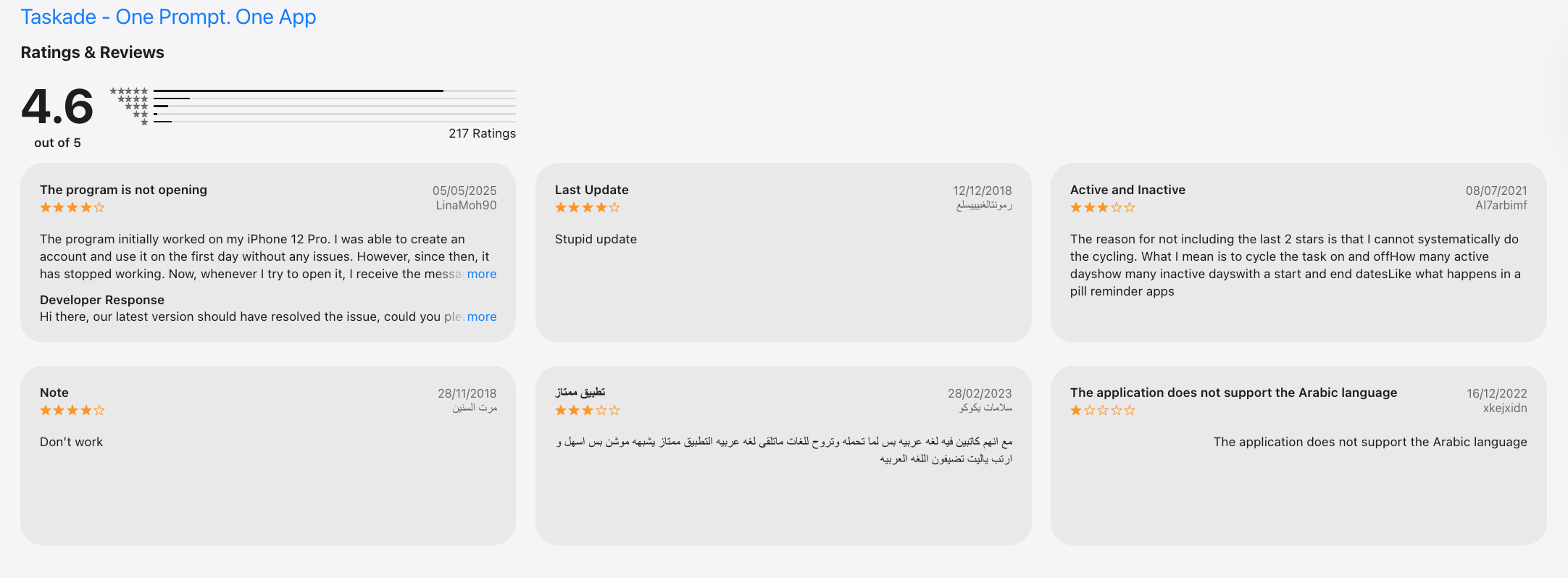
"Over the years, the product changed. Dramatically. What started as a simple project manager was bloated with AI agents, automations, and Genesis, a no-code app builder that is now the centerpiece of everything Taskade is marketing itself as." - verified review
How to start
- Users can sign up for a free account on the Taskade website. After creating an account, they can explore the platform's features by setting up their first project or task list.
Conclusion: Choosing the Right AI Task Manager 💡
Here is how to choose a suitable AI task management app for you:
- If your brain feels messy and you dump ideas everywhere, tools like Saner.AI feel calmer because they organize tasks automatically.
- If your biggest problem is scheduling, Motion and Reclaim.ai save a surprising amount of mental energy.
- Akiflow feels more like a control panel for people juggling Slack, meetings, and multiple apps all day.
- Notion still gives the most flexibility, though honestly, setting it up can take time if you want a polished system.
I’ve noticed people usually quit task managers for one reason: too much manual organizing. The newer AI-first apps are trying to remove that friction instead of adding more productivity features nobody uses.
If an AI task manager helps you feel more focused, less scattered, and more in control, that’s the right one for you.
Stay on top of your work and life with the top AI task manager
FAQs About AI Task Manager Apps
1. What is an AI task manager, and how does it work?
An AI task manager is a tool that helps you manage your tasks, schedule, and ideas using artificial intelligence. Instead of manually creating lists and sorting through your notes, it understands what you’re working on and assists you, suggesting tasks, surfacing reminders, and helping you focus.
Some, like Saner.AI, even connect your calendar, notes, and tasks into one smart workflow that adapts to your working style.
2. How can an AI task manager help me stay organized?
Most people struggle with scattered to-do lists, forgotten tasks, or jumping between apps. An AI task manager solves this by:
- Automatically organizing tasks by priority
- Surfacing the right thing to work on at the right time
- Linking your notes, meetings, and deadlines in one place
- Reducing the need to constantly check different tools
It acts like a second brain, especially useful when life gets chaotic.
3. Are there free AI task managers?
Yes! Here are a few worth trying:
- Saner.AI - Free version includes task suggestions, calendar sync, note search, and smart reminders.
4. How do I start using an AI task manager?
Start simple. Choose one area where you’re currently overwhelmed, like managing your daily priorities or keeping track of meetings.
Then:
- Offload all your tasks or ideas into the tool
- Let the AI help you sort and schedule them
- Gradually explore deeper features like note linking, deadline tracking, or project breakdowns
You don’t have to master everything on day one.
5. What’s the best AI task manager for ADHD?
Saner.AI was designed by and for people with ADHD. It’s built to reduce mental clutter by:
- Surfacing the most relevant task or idea at the right moment
- Reminding you of things you might forget
- Helping you stay focused without jumping between apps
It’s not just a task list; it’s a system that helps you stay calm and get things done.
6. What’s the best AI task manager for professionals?
Professionals often deal with scattered tools: meetings in one app, tasks in another, notes in a third.
Saner.AI combines them into one smart flow:
- Syncs with your calendar
- Connects notes and tasks
- Finds things instantly using natural language search
It helps you manage projects, prep for meetings, and stay on top of everything without the chaos.
7. How does an AI task manager boost productivity?
Here’s what a good AI task manager can do:
- Reduce context switching by centralizing your workflow
- Break down big projects into small, doable chunks
- Remind you about what matters - without needing to remember everything
- Surface notes or tasks exactly when you need them
You get back mental space to actually focus.
8. Do AI task managers support voice input?
Yes, some do. Here’s a quick comparison:
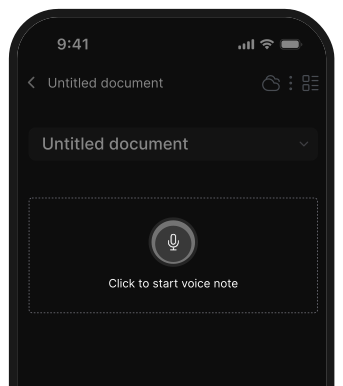
- Saner.AI - Lets you record voice notes and turns them into actionable tasks
- Motion / Reclaim – Focus on scheduling and do not support voice input
Voice features are helpful when you’re on the go or don’t want to type.
9. Can an AI task manager auto-schedule tasks?
Yes! Scheduling is a key feature for many AI task tools:
- Saner.AI recommends time slots for your tasks based on what’s important and urgent
- Motion / Reclaim specializes in time-blocking tasks directly into your calendar. But quite complicated
If your days are packed, this can save you hours each week.
10. Which AI task manager is best for entrepreneurs?
Entrepreneurs juggle 10 things at once - ideas, meetings, clients, product updates.
Saner.AI is great if you:
- Need a fast way to capture ideas before you forget them
- Don’t want to set up complex systems or templates
- Need reminders and organization to keep your projects moving
11. How can AI task managers help busy managers?
They help you lead more efficiently:
- Remind you to follow up with your team
- Prepare you for meetings by surfacing relevant notes
- Summarize conversations or documents
- Track action items across projects
Managers often spend too much time organizing. AI task managers take care of that so you can focus on people and decisions. Some good options are Saner.AI and ChatGPT
13. What’s the difference between an AI task manager and a traditional to-do list app?
Traditional apps are manual - you need to add, tag, sort, and remember everything yourself.
AI task managers flip that:
- They remind you what’s next
- They adapt to how you think
- They find things for you instead of making you dig through folders
You get the feeling of being organized, without the overhead.
14. What’s the best AI task manager for executives?
Executives don’t just need a to-do list - they need clarity across priorities, projects, and people.
Saner.AI is designed for that:
- Smartly connects tasks, meetings, notes, and follow-ups
- Surfaces key decisions and next steps, just when you need them
- Reduces your cognitive load so you can lead with focus
- Automatically creates tasks based on your brain dump
- Actively remind you of important tasks
If you often feel pulled in a hundred directions, this kind of system gives you structure without the friction.
The AI Task Manager that organizes your day