
Best AI tools for startups: We tested the Best 10 in 2026

In this article, we evaluated the market's leading AI tools to find out which ones actually move the needle for startup companies and exactly what they will cost your runway.
We’ll break down how these AI platforms manage everything from dynamic automated outreach to content synthesis, the specific growth stages they serve, and the financial trade-offs you'll make with each setup.
Quick Guide: What are the Best AI tools for startups in 2026?
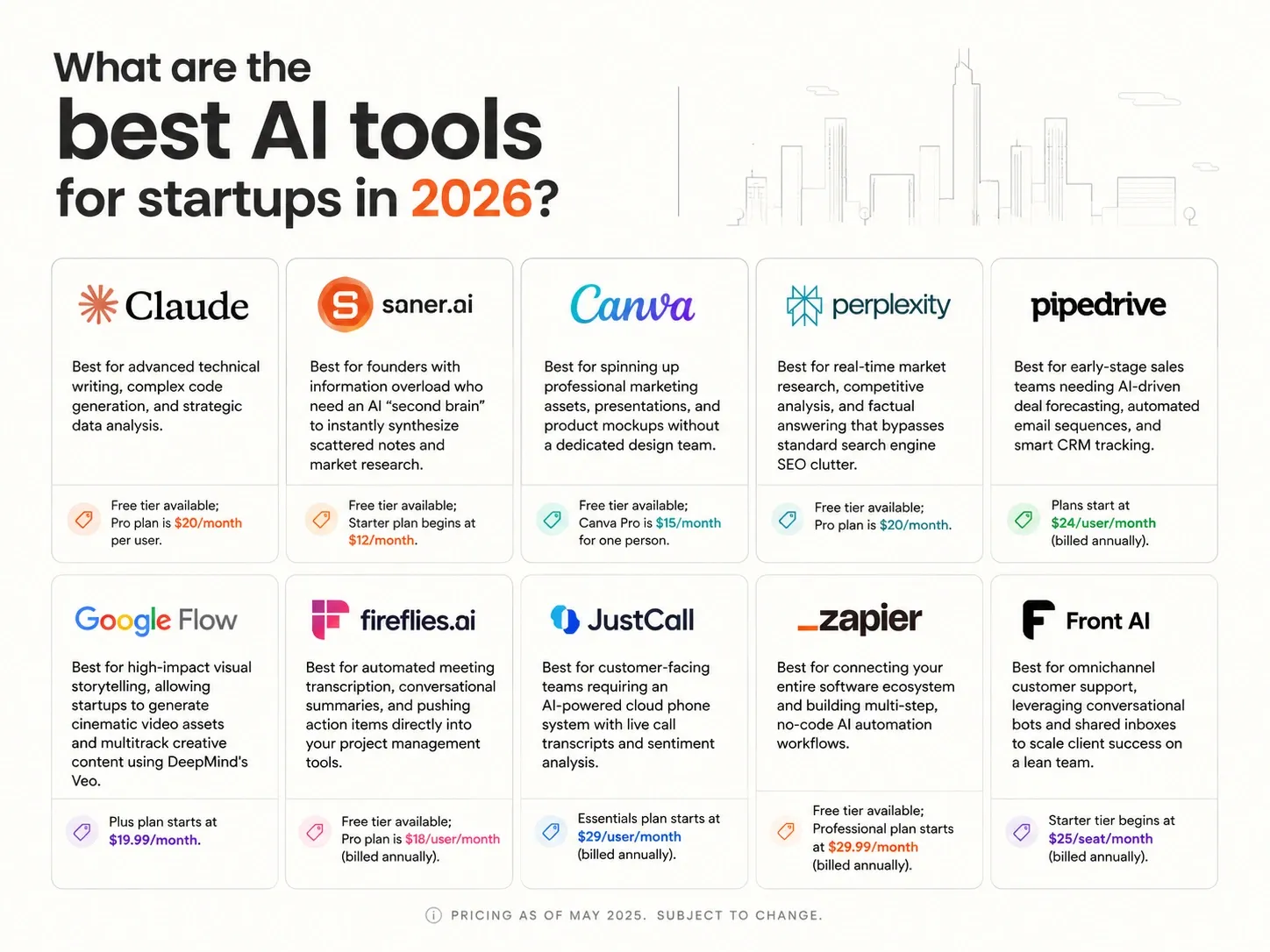
2. Saner.AI: Best for founders with information overload who need an AI personal assistant to manage tasks, notes, ideas
3. Canva: Best for spinning up professional marketing assets, presentations, and product mockups without a dedicated design team.
4. Perplexity: Best for real-time market research, competitive analysis, and factual answering
5. Pipedrive: Best for early-stage sales teams needing AI-driven deal forecasting, automated email sequences, and smart CRM tracking.
6. Google Flow: Best for high-impact visual storytelling, allowing startups to generate cinematic video assets and multitrack creative content
7. Fireflies.ai: Best for automated meeting transcription, conversational summaries
8. JustCall: Best for customer-facing teams requiring an AI-powered cloud phone system with live call transcripts and sentiment analysis.
9. Zapier: Best for connecting your entire software ecosystem and building multi-step, no-code AI automation workflows.
10. Front AI: Best for omnichannel customer support, leveraging conversational bots and shared inboxes to scale client success
1) Why use AI in a startup?
2) How we chose the best AI tools for startups
The best AI tools for an early-stage company must respect both your limited time and your burn rate. We evaluated each platform based on the core challenges startup founders face every day:
- Time-to-Value Speed: Can it be deployed and yield measurable efficiency gains within its first hour of setup?
- Cost Efficiency & Scalability: Does the pricing structure allow a bootstrapped team to start cheap and scale up smoothly as revenue grows?
- Interoperability: Does it easily plug into your existing data stacks and tools, preventing isolated data silos?
- Cognitive Load Reduction: Does the AI proactively handle the task, or does it require constant manual prompting and monitoring?
- Cross-Functional Utility: Can the tool serve multiple departments (e.g., engineering, marketing, and operations) to maximize subscription value?
What are the best AI tools for startup in 2026?
The best AI tools for startup are Claude, Saner.AI, Canva, Perplexity, Pipedrive, Google Flow, Fireflies.ai, JustCall, Zapier, and Front AI
1. Claude
Claude is a conversational and agentic AI platform developed by Anthropic that focuses on security and analytical precision. It serves as an excellent operational partner for startups by turning text prompts into multi-file software builds, interactive UI designs, and investor material.
The platform combines deep logic allowing early-stage teams to process complete codebases or financial spreadsheets without losing thread continuity.
Key feature
- 1-million-token context window
The platform combines deep logic and natural writing, allowing early-stage teams to process complete codebases or financial spreadsheets, or brainstorm without losing thread continuity.
- Claude Code agentic ecosystem
I like that it reads across dozens of files simultaneously, runs terminal tests to check its work, and writes ready-to-review GitHub pull requests without manual steering.
"I can describe a feature in natural language and Claude Code builds it, tests it, and creates a PR. The code actually works on the first try 80% of the time." - DEV Community Review
- Model Context Protocol (MCP) integrations
- Claude Design prototyping canvas
When I checked out the Design workspace, it made building visual assets a conversational task. You can feed it a text description, watch it assemble an interactive UI prototype, and fine-tune individual alignment elements using slider bars before exporting to code.
Pros
- I love that the text output feels conversational and avoids the typical robotic tone of other AI platforms.
- The large context window allows me to upload our entire startup business plan and API docs in a single prompt.
Cons
- I sometimes dislike the strict message caps on the Pro tier, which can interrupt my development flow during busy work hours.
- I feel limited by the lack of native image and video generation tools when creating ad campaigns.
- The AI gives overly cautious refusals on safe text prompts because of its strict filtering guardrails.
Who is it best for
- Claude is best for tech founders, software developers, and lean startup teams who handle technical systems, large documentation sets, or complex engineering tasks where high reasoning accuracy is non-negotiable.
Pricing list
- Free Plan
- Pro Plan: $20/month
- Max Plan: $100 to $200/month
- Team Plan: $30/user/month
Claude reviews (source)
Founders value how the AI acts as a strategic sounding board that actively improves technical and product design workflows.
"Claude did not just answer questions. It pushed back when I was wrong. It told me when my assumptions were off. It researched best practices before recommending anything." — Verified Review
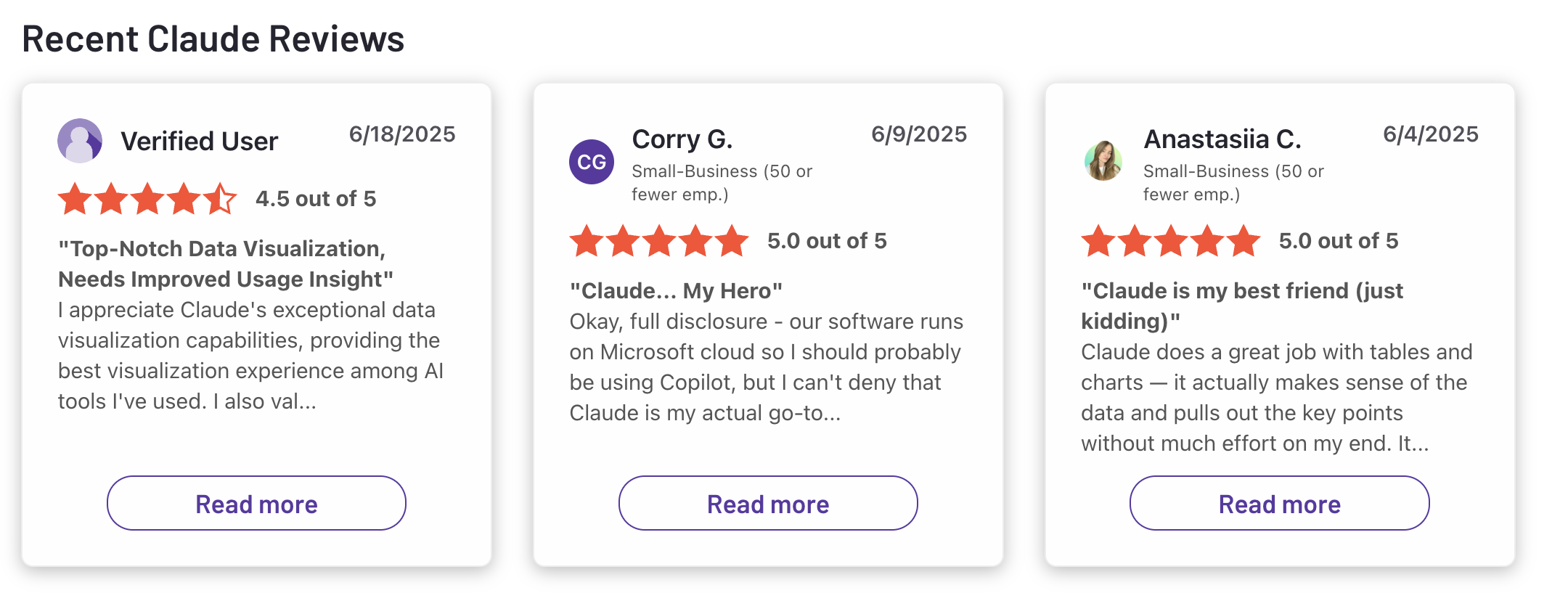
The primary friction point for early-stage builders involves the sudden usage caps that kick in during extended text and coding sessions.
"The biggest difference? It feels calm, structured, and less 'hallucination-prone' when handling complex tasks... Where it still needs work: Usage limits can slow you down." — Verified Review
How to get started
- Sign up for an account and upload your startup brand deck, style guides, or codebase snippets as core context.
2. Saner.AI
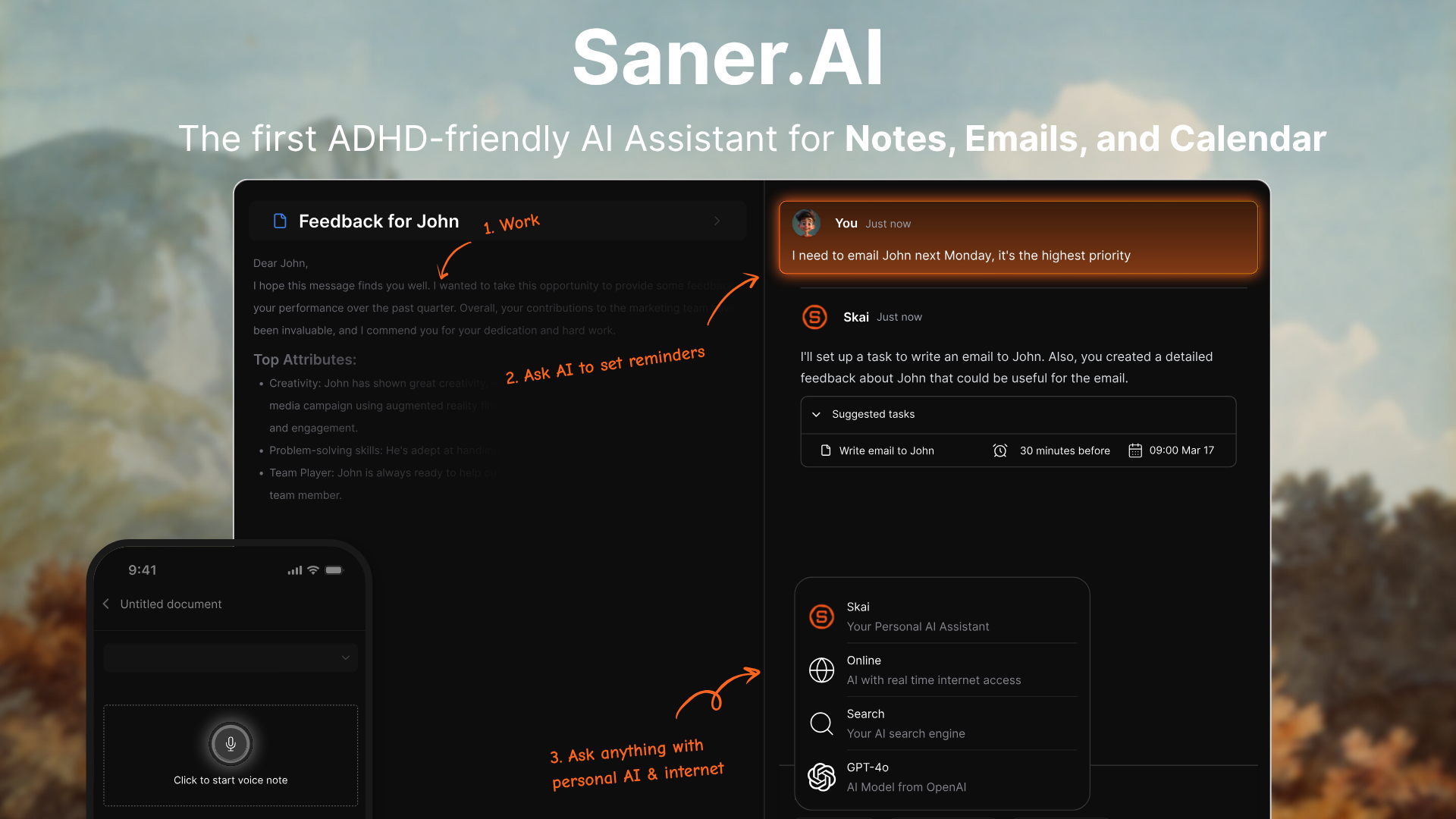
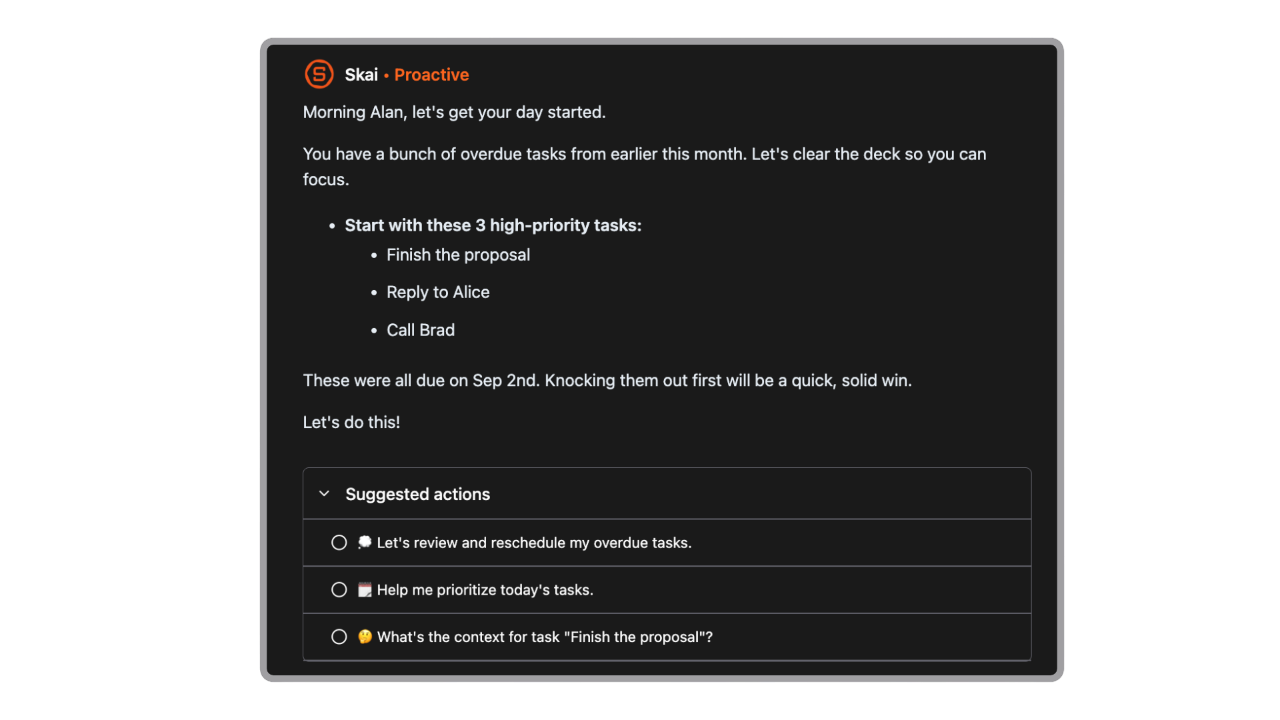
Saner.AI is an AI personal assistant designed to help founders and small teams capture, find, and connect scattered information without the friction of manual tagging. It functions as a "second brain", pulling together notes, uploaded files, emails, and tasks into a single dashboard.
Key feature
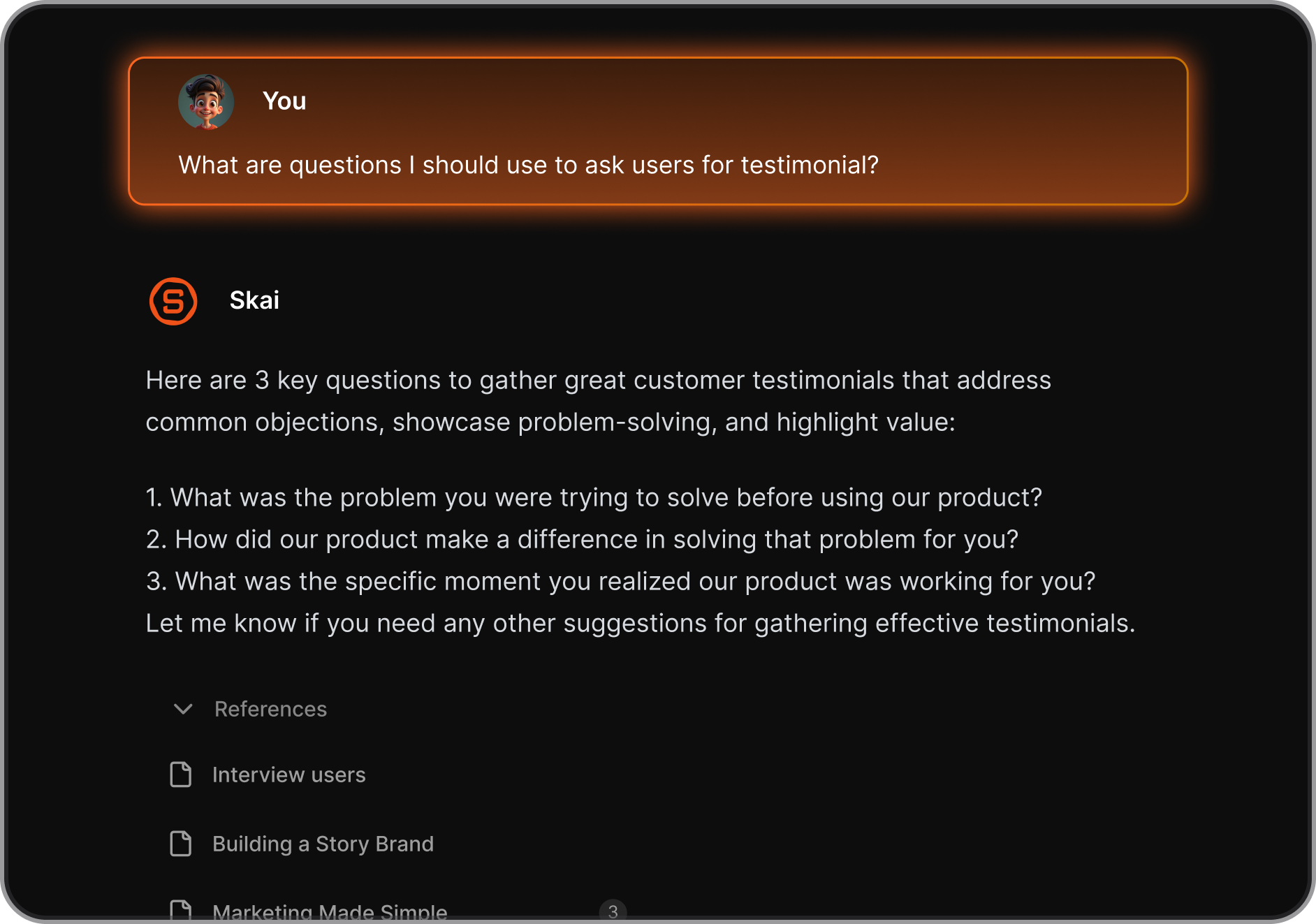
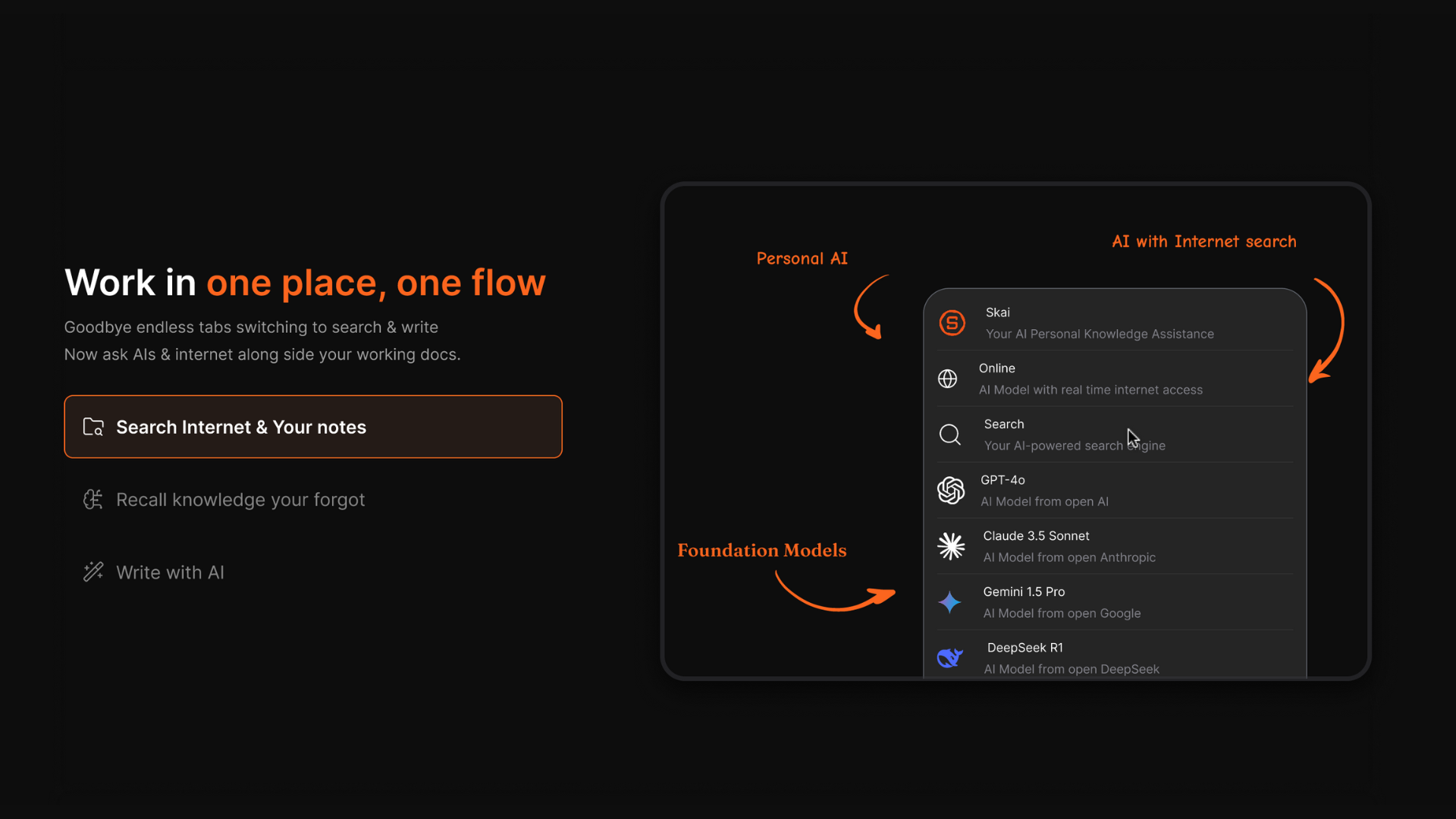
- Skai personal knowledge assistant: You can open a blank document next to your workspace and ask the AI to surface cross-references or write executive outlines based on your internal data history.
"I was impressed that saner.ai answers questions based on my own knowledge through Skai. At the same time." —Product Hunt Review by Naoki Aoyama
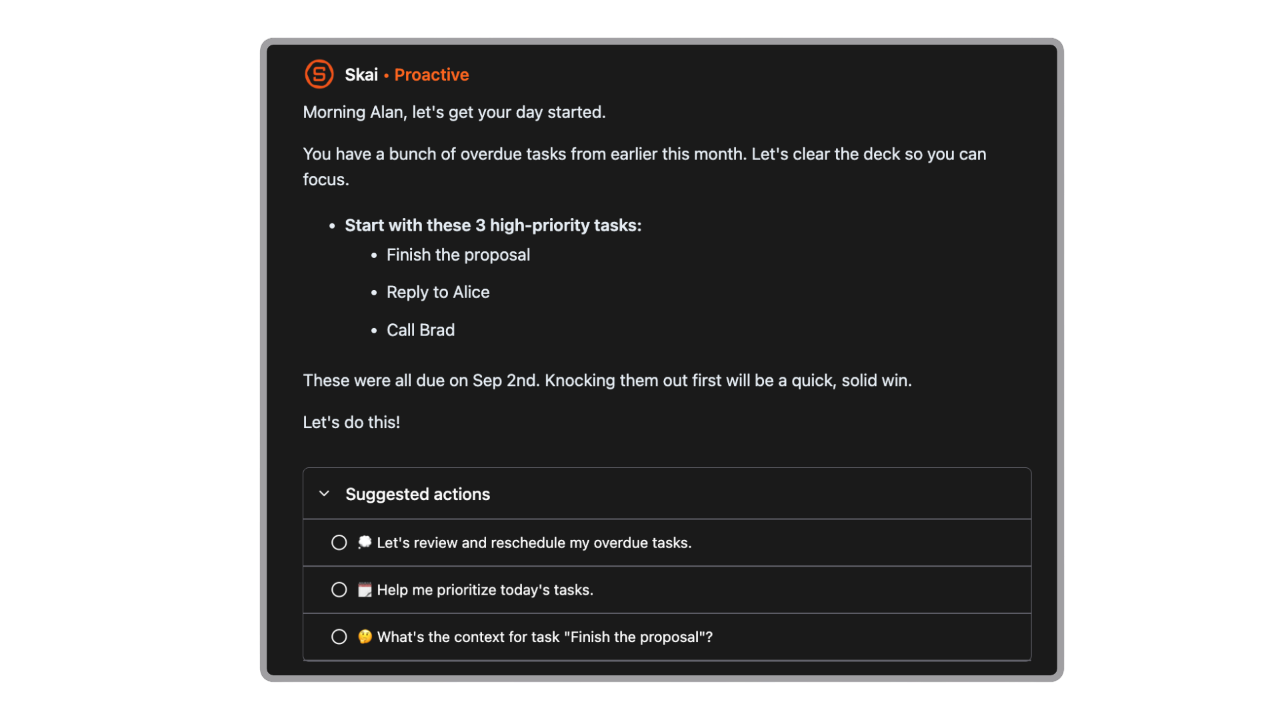
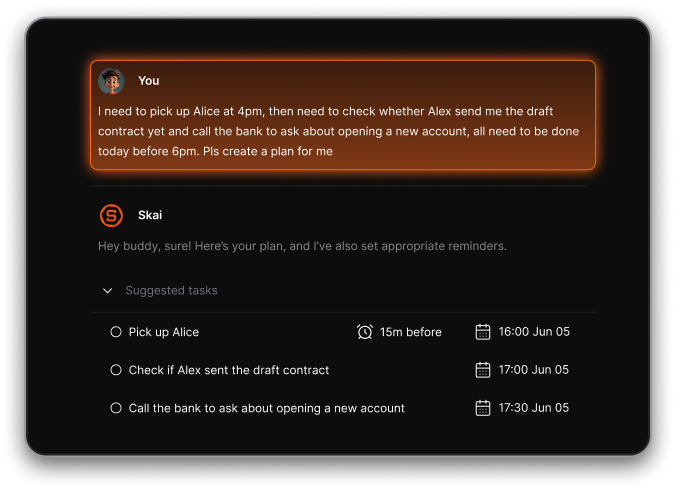
- Automatic day planning: The tool proactively goes through my notes, tasks, emails, and calendar every morning and suggest me the best schedule for the day.
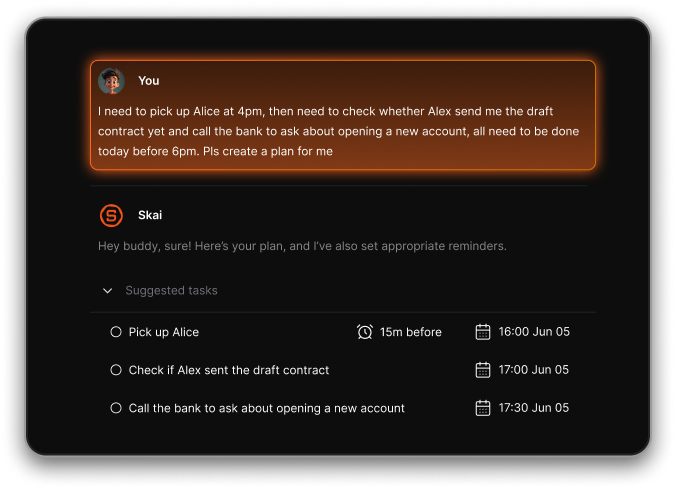
- Automated note organization: I tested the background categorization system with unstructured notes, and the app uses its assistant to tag and link related concepts automatically.
"What makes Saner AI exceptional is its Personal AI assistant called Skai, which learns from your notes and automatically organizes them using AI tagging and categorization."- Prime Productiv Review
- Multi-model semantic search: I like that you can query your accumulated files using natural phrasing to pull up exact data points, choosing between underlying models like GPT-5, Claude, or Gemini depending on the complexity of your search.
Pros
- I love that I do not have to spend Friday afternoons sorting business notes into strict hierarchies or folders.
- I find it helpful that the system can turn a messy email or brain dump into a clean task list with one click.
Cons
- Saner.AI is best suited for personal task management rather than large team project management.
Who is it best for
- Saner.AI is best for startup founders, solo creators, and small research teams who face intense information overload and want an active knowledge base that structures itself.
Pricing list
- Free Plan
- Paid plans start from $8/month
Saner.AI reviews (source)
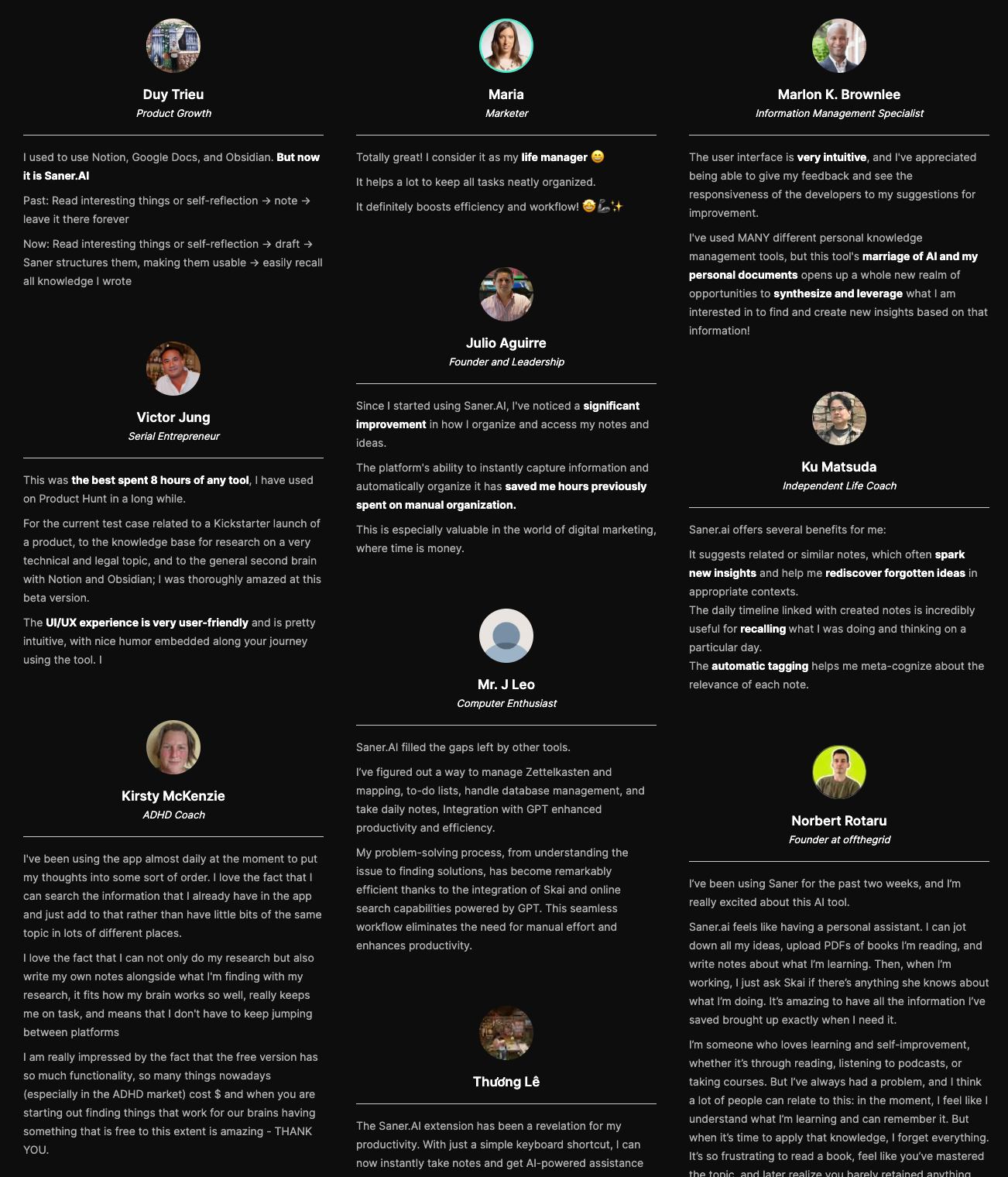
"The biggest benefit for me in using Saner is the Proactive AI. Staying on top of the constant flow of email and multiple calendars is challenging, and so far, Saner is the only AI-based tool that truly feels like a personal assistant." - Jerry
How to get started
- Create an account on the main web app portal or download on the App Store/Google Play and start logging your tasks.

Stay on top of your work and life with best AI tool for Startup
3. Pipedrive
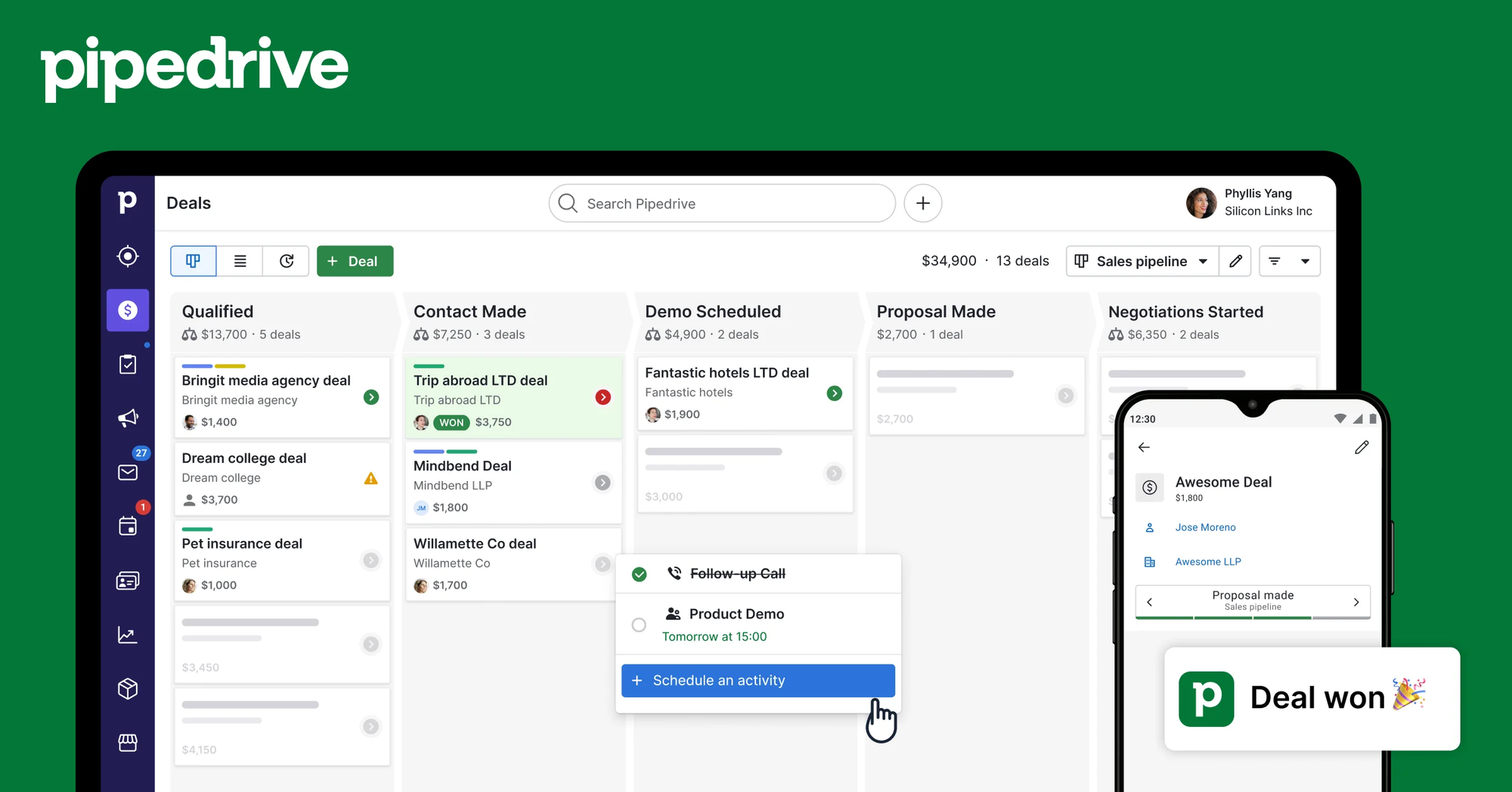
Pipedrive is a sales-focused CRM designed to keep deal tracking highly visual and organized. For startups finding their footing, it functions best as an AI sales co-pilot that manages lead qualification and automates repetitive administrative tasks.
Key feature
- AI smart sales assistant
The system features an autonomous advisor that analyzes ongoing deal behaviors to suggest personalized follow-up actions and flag accounts that are stalling.
- Pulse data enrichment and scoring
I like that this feature saves my team from digging through LinkedIn manually, letting us scan a single dashboard to find the highest-value opportunities.
- Smart canvas automations
I tried setting up a sequence where assigning an email recipient as a deal participant triggers an automated intro task, and the workflow handled the handoff without a hitch.
"The drag-and-drop pipeline view helped quickly identify which tasks were delayed and which discussions required immediate follow-up." - Verified Review
Pros
- I like how clean and intuitive the main dashboard feels, making it easy to onboard new reps without long training periods.
- The two-way email integration that logs external messages to specific client profiles automatically.
- The automated scheduling tool prevents calendar double-bookings during busy outreach weeks.
Cons
- I dislike that advanced revenue forecasting and custom reporting blocks remain locked behind the more expensive tiers.
- The sudden add-on fees required for basic features like chatbot lead capture and email marketing.
- I notice the data enrichment tool sometimes misses details for highly niche B2B tech firms, requiring manual lookups.
Who is it best for
- Pipedrive is best for small-to-medium startups with lean sales teams that want a visual, straightforward deal tracker without the structural bloat or setup delays of platforms like Salesforce.
Pricing list
- Trial plan for 14 days
- Paid plans start from -$15/month if paying annually
How to get started
- Sign up for a 14-day trial account and connect your business email and calendar.
- Define your custom sales stages on the visual board to mimic your startup's discovery and pitch workflow.
4. Perplexity
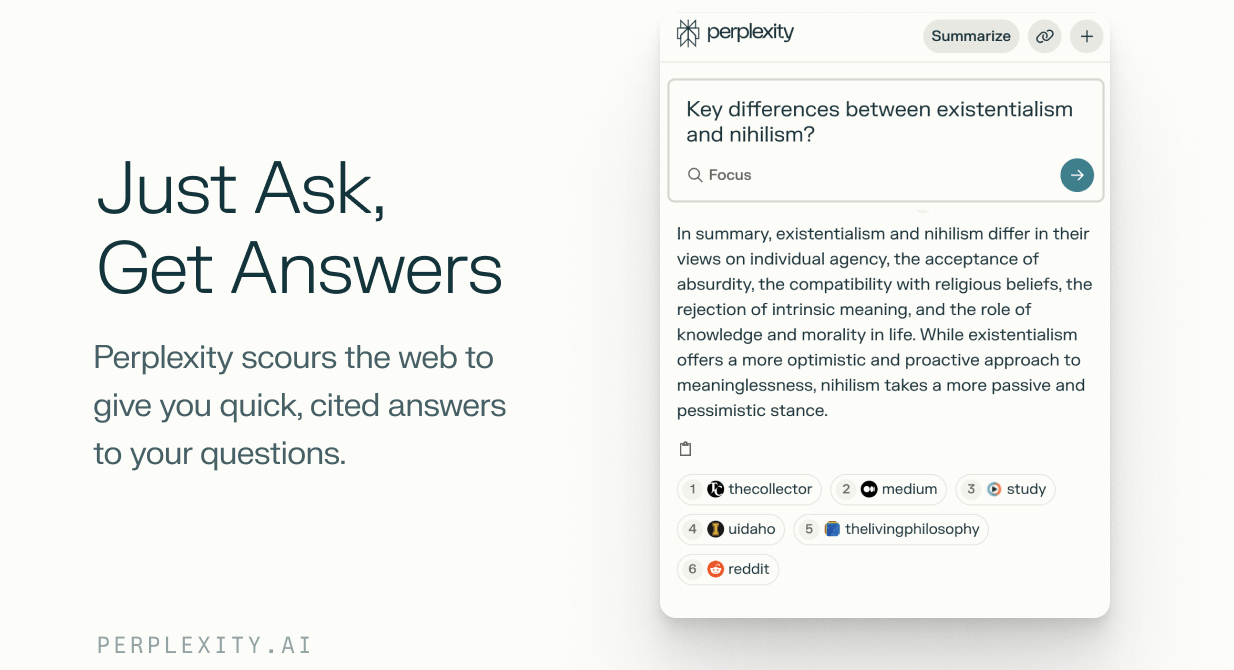
Perplexity changes how fast-moving teams gather market intelligence by replacing traditional link-based search with direct, synthesized answers. For any company building in a fast-moving landscape, it serves as a highly efficient research hub.
Why is it on the list
Perplexity stands out as a foundational piece of tech for the best AI tools for a startup tech stack due to its specialized Deep Research capability. Instead of executing single queries, Deep Research runs multi-step analyses across hundreds of sources simultaneously, compiling comprehensive reports with verifiable, inline citations.
Pros and Cons
- Pros: It lets you swap between leading underlying LLMs like Claude 4.6 and GPT-5.4 within a single interface, giving you total flexibility over your analysis.
- Cons: The system occasionally misses the subtle nuances of highly technical medical or legal regulations, meaning a domain expert still needs to double-check the primary sources. The agentic automation features are also heavily restricted on the lower-tier plans.
Pricing
- Free: Basic search with real-time web grounding and standard access.
- Pro: $20/month. Includes Deep Research, file uploads, and full model selection.
- Enterprise Pro: $40/month per seat. Adds advanced data privacy governance, team Spaces, and dedicated admin controls.
5. Fireflies.ai
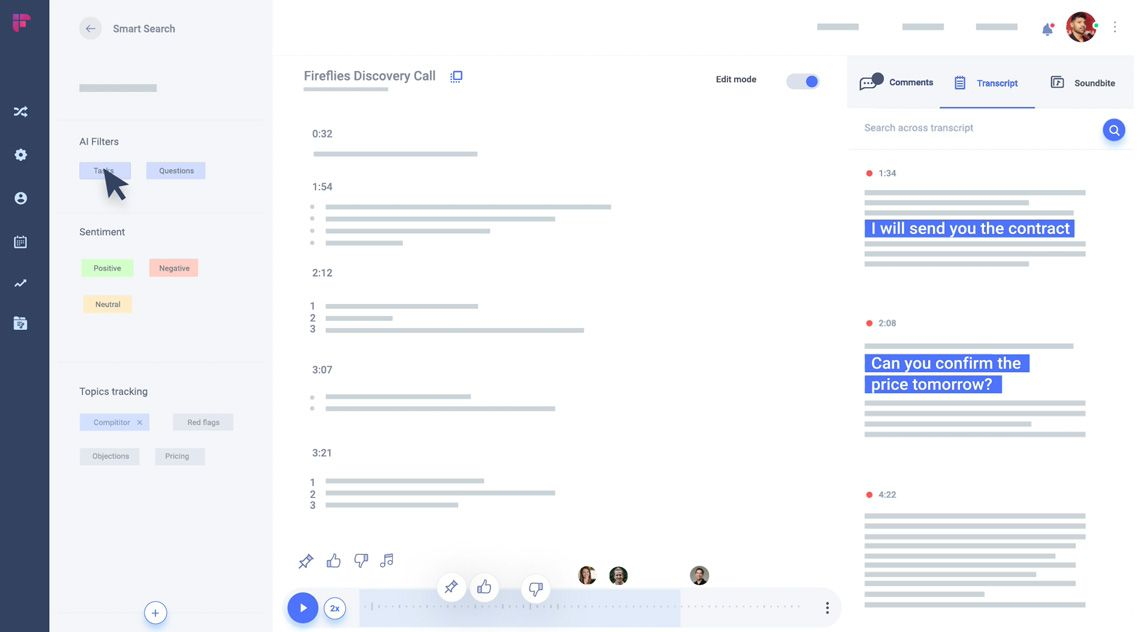
Fireflies.ai is an automated meeting note-taker that joins your video calls, records the audio, and writes down everything said. It works across major platforms like Zoom, Google Meet, and Microsoft Teams. The standout feature for growing businesses is AskFred, a conversational AI assistant built into your meeting library.
Why it's on the list
When looking for the best AI tools for startup teams, you need software that handles the boring operational work so you can focus on building a product. Fireflies.ai connects directly to your team calendar and automatically enters scheduled meetings to start transcribing.
I tested this by letting the bot join a chaotic product roadmap call. It separates out different speakers correctly and turns a messy, hour-long argument into a clean list of action items.
Pros and Cons
- Pros: The transcription accuracy is high, even when people talk over each other. It also integrates directly with CRMs like HubSpot and Salesforce, automatically pushing meeting summaries into your customer records without manual data entry.
- Cons: Fireflies uses a strict credit system for advanced features like AskFred and custom templates. If your team has multiple calls a day, you will likely run out of credits quickly and have to buy top-ups. Also, video recording is locked behind the more expensive Business tier.
Pricing
- Free: $0 (800 minutes of storage, audio-only)
- Pro: $10/user/month billed annually ($18 monthly)
- Business: $19/user/month billed annually ($29 monthly)
- Enterprise: $39/user/month billed annually
6. JustCall
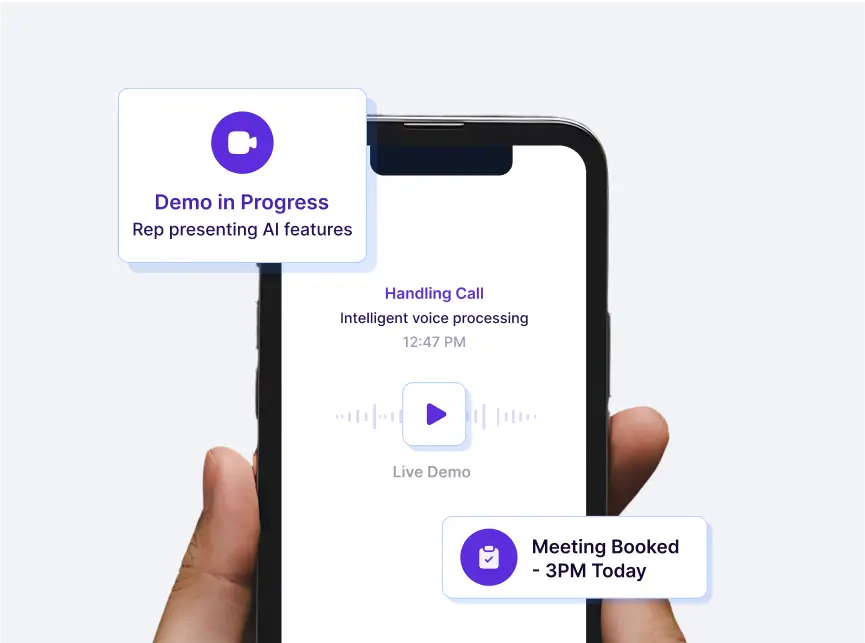
JustCall is a cloud-based phone and messaging system built to help sales and support teams handle customer interactions from a centralized dashboard. Its defining capability is its automated conversation intelligence layer. This includes unlimited AI transcription, live call scoring, and real-time agent suggestions to keep client conversations on track.
Why it's on the list
When I hooked it up to a test HubSpot CRM instance, the automated synchronization handled the tedious data entry instantly. The platform automatically transcribes calls, isolates customer sentiment, and suggests response scripts when a rep hits a difficult objection.
For lean startup teams trying to scale their outbound sales or customer support without doubling their headcount, having an automated system run quality assurance checks on every single call is a massive time-saver.
Pros and Cons
- Pros: Unlimited AI transcription now comes standard even on the entry-level tier, ensuring you never run out of minutes mid-month. The platform features native integrations with over 100 CRMs, allowing customer data to update automatically in the background.
- Cons: The platform enforces a strict two-user minimum on its standard tiers, making it less accessible for solo founders. Advanced capabilities like the multi-line power dialer, real-time agent coaching, and inbound AI voice agents are gated behind the more expensive Pro and Pro Plus tiers.
Pricing
- Team: Starts at $29/user/month (Billed annually, minimum 2 seats).
- Pro: Starts at $49/user/month (Billed annually, minimum 2 seats).
- Pro Plus: Starts at $89/user/month (Billed annually, minimum 2 seats).
- Business: Custom pricing available for teams requiring 10+ seats and enterprise-grade compliance.
7. FrontAI
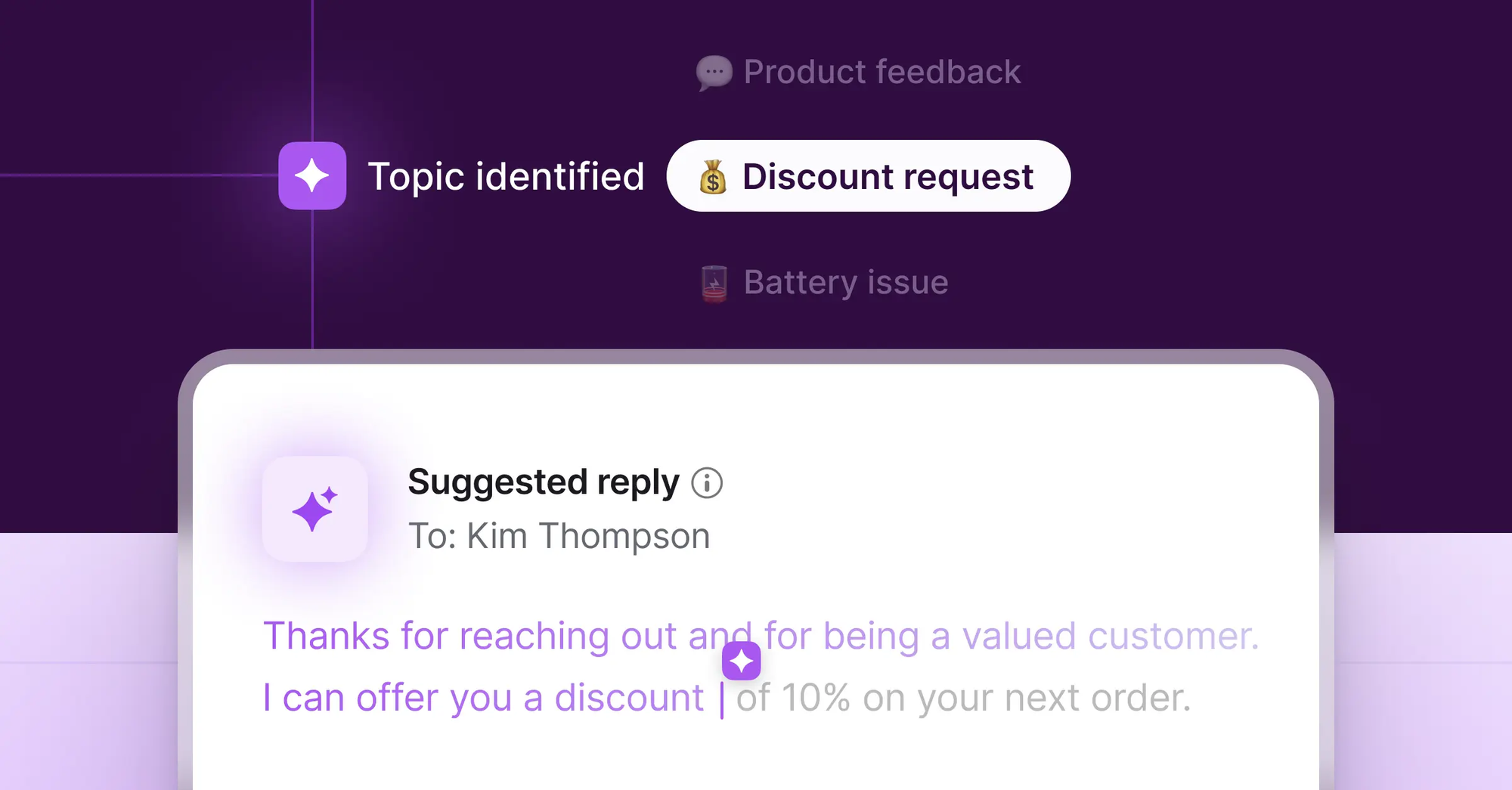
Front blends a shared company inbox with human-directed AI agents to handle customer communication. Instead of isolating your support team in a siloed ticketing system, Front brings your emails, live chats, and internal threads into one collaborative workspace.
Why is it on the list
Front is a top choice for best AI tools for startup founders who need to manage client relationships without hiring an army of support agents. Most customer service bots fail because they can see a complaint, but they can't access the back-end workflows needed to actually fix it.
I tested Front on a shared engineering-and-support inbox, and its Topics tool quickly scanned our message history to figure out our most frequent customer problems. From there, setting up automated routing took minutes.
Pros and Cons
- Pros: The Copilot feature writes highly accurate drafts based on your historical team data and internal documentation, which saves hours of typing every week. It also prevents embarrassing AI blunders by letting your team review and tweak messages before they go live.
- Cons: Setting up advanced Autopilot workflows requires a clear understanding of your internal processes, which means a bit of a learning curve during onboarding. The automated memory and draft features can also get confused if your team forgets to close out old, stale conversation threads.
Pricing
- Starter: $19/seat/month (billed annually)
- Growth: $59/seat/month (billed annually)
- Scale: $99/seat/month (billed annually)
- Front AI Add-on: Unlimited Copilot usage is available as a $20/seat/month add-on for compatible plans.
8. Zapier
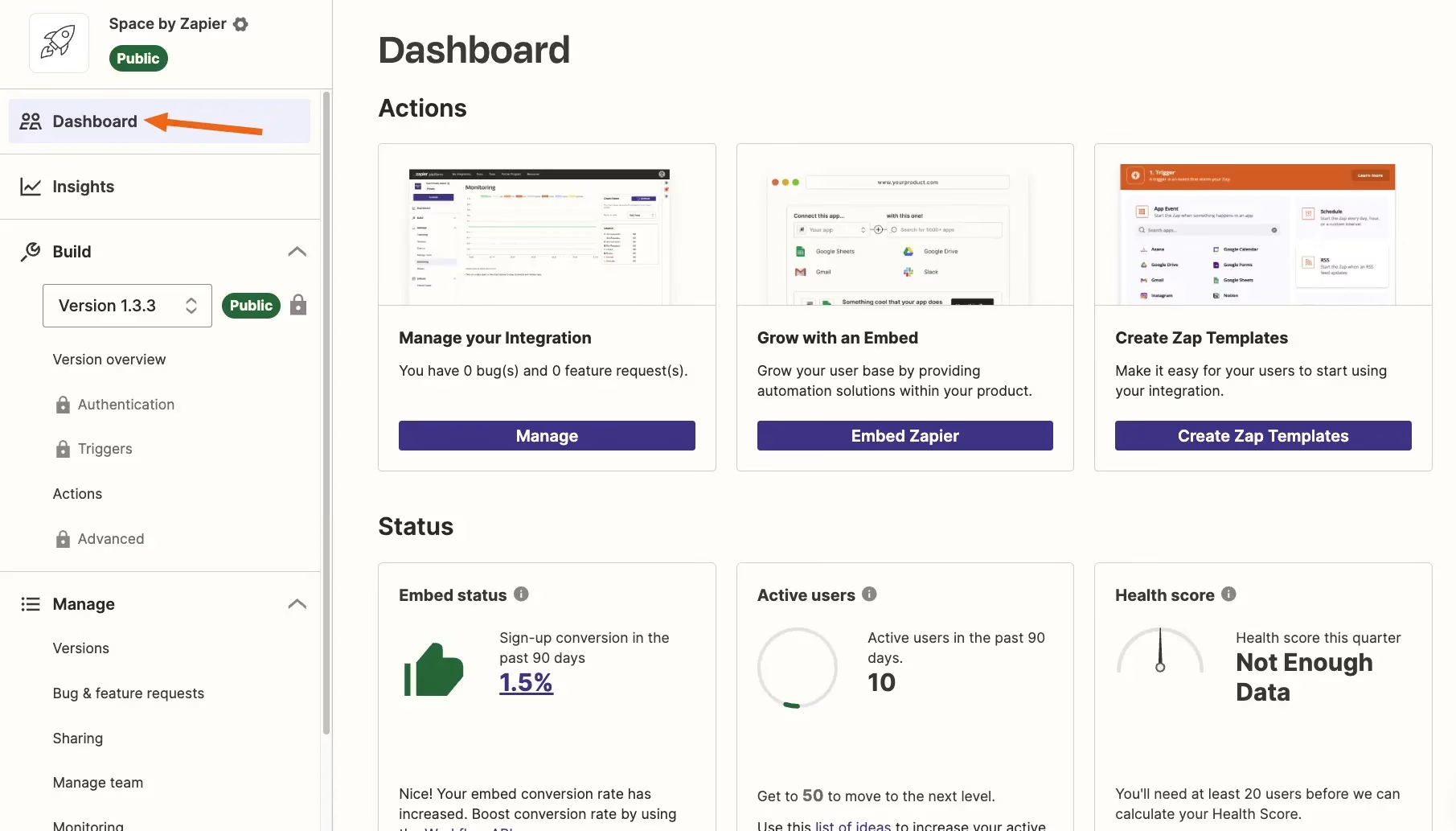
Zapier connects your scattered business applications and turns them into a centralized, self-running system. Instead of forcing you to build rigid, step-by-step logic pipelines, Zapier relies on its natural language automation interface, Zapier Copilot, alongside autonomous Zapier Agents. These features allow you to build, deploy, and manage complex cross-platform workflows simply by describing what you want to accomplish in plain English.
Why it's on the list
During my testing, I used Zapier Copilot to draft an automated lead-routing system. I simply typed, "When a new enterprise lead fills out our form, search their company on the web, score their conversion likelihood, and alert the sales channel." Copilot mapped out the triggers, connected the databases, and deployed a fully functional AI agent in under three minutes without a single line of code.
Pros and Cons
- Pros: The platform gives you instant access to over 9,000 application integrations with managed authentication, meaning you do not have to wrestle with API keys or broken security protocols. Its human-in-the-loop approval features ensure your autonomous agents will not send rogue emails to clients without a team member checking the text first.
- Cons: Running continuous AI operations gets expensive quickly, as complex multi-step agents consume task credits at a rapid pace. Additionally, if you do not set strict boundaries on your agent's behavior, you can easily trigger infinite data loops that flood your CRM with duplicate records.
Pricing
- Free: $0/month (Includes 100 tasks/month and basic Copilot access).
- Professional: Starts at $19.99/month billed annually (Unlocks multi-step actions, conditional paths, and faster polling intervals).
- Team: Starts at $103.50/month billed annually (Includes shared workspaces and 1-minute execution loops).
9. Canva
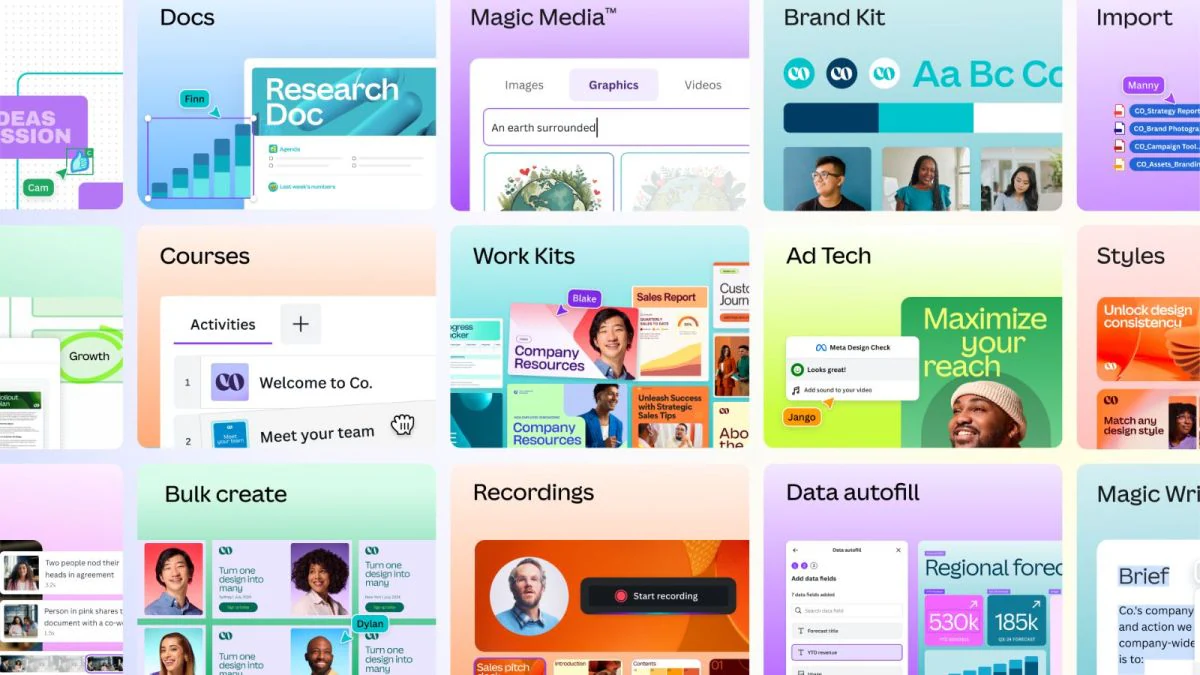
Canva is an online graphic design platform built for people who need to make pitch decks, social graphics, and marketing materials without learning complex software. Its main appeal for founders is its Magic Studio, which brings automation to the design process.
Why it's on the list
Canva belongs on any shortlist of the best AI tools for startup growth because of its Brand Kit and Magic Switch features. When you are launching a company, you do not have time to manually resize an investor pitch deck into an Instagram post or a website banner.
I tried uploading a raw text outline of a landing page into its Magic Design tool, and it generated a fully formatted, multi-page presentation using a cohesive color palette in about thirty seconds.
Pros and Cons
- Pros: The platform is highly intuitive, and the template library saves hours of brainstorming. The real-time collaboration features mean a co-founder can edit a copy deck while you tweak the background images simultaneously.
- Cons: The AI-generated layouts can sometimes feel generic, requiring you to go back and manually adjust font hierarchies or spacing so your brand does not look like every other template on the internet. The free tier is also highly restrictive, locking the best automation features behind a paywall.
Pricing
- Canva Free: Basic templates and limited AI credits.
- Canva Pro: $15/month per user (unlocks full brand kits and unlimited AI tools).
- Canva for Teams: $10/month per user (minimum 3 users, billed annually).
10. Google Flow
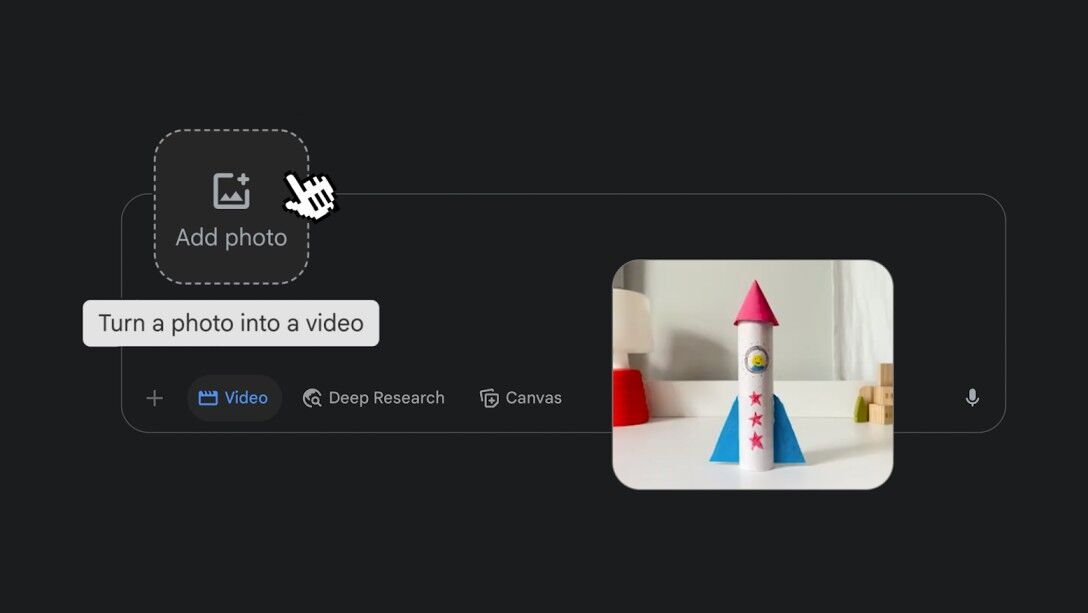
Google Flow is an AI creative studio and workflow environment built to help lean startups generate high-fidelity marketing assets without hiring an expensive agency. It acts as a centralized production hub where your founding team can spin up videos, imagery, and sound in a single workspace.
Why it's on the list
Google Flow makes our list of the best AI tools for startups because of its native Storyboard Studio feature. For a resource-constrained startup, the hardest part of video marketing is the constant context-switching between scriptwriting, image generation, and video editing. Flow solves this by letting you feed a raw script into Storyboard Studio, which automatically generates a unified cast, builds a consistent visual board, and matches the pacing to your brand's voice.
Pros and Cons
- Pros: The layer-based image editing and automated aspect ratio resizing make it easy to repurpose one master asset for YouTube, TikTok, and LinkedIn in seconds.
- Cons: The credit-based system means heavy video rendering can deplete your monthly allowance quickly, forcing early-stage startups to manage their generation queues tightly.
Pricing
- Free: Access to the standard environment with limited creative assets.
- Google AI Plus: $7.99/month (Includes 200 monthly credits and Gemini Omni Flash access).
- Google AI Pro: $19.99/month (Includes 1,000 monthly credits and custom tool creation).
Conclusion
Most startups don't need more software. They need fewer tools, less context switching, and a clearer way to get work done.
The best AI tools for startups in 2026 solve different problems.
- Claude helps with writing, strategy, and brainstorming. Perplexity speeds up research.
- Canva and Google Flow make content creation easier.
- Pipedrive, JustCall, and Front AI help sales and customer-facing teams stay organized.
- Fireflies.ai captures meeting knowledge,
- while Zapier keeps everything connected behind the scenes.
- But if you're building a startup, information tends to pile up fast. Ideas live in documents, meeting notes, Slack messages, voice memos, and browser tabs. That's where Saner.AI is most helpful for
Instead of adding another workspace to manage, Saner.AI helps founders capture thoughts instantly, organize information automatically, and find what they need later without digging through folders. For small teams moving quickly, that can make a bigger difference than adding another AI chatbot.
My suggestion is simple:
- Pick a few tools that solve your biggest bottlenecks today
- Test them during real work, whether that's customer calls, planning sessions, fundraising, content creation, or product development.
- Keep the tools that save attention and reduce context switching.
Stay on top of your work and life
Frequently asked questions about AI tools for startups
1) What are the best AI tools for startups in 2026?
The best AI tools for startups depend on what you're trying to solve. Many founders use:
- Claude for research, writing, and coding
- Saner.AI for organizing ideas, tasks, and company knowledge
- Canva for design and marketing assets
- Perplexity for market research
- Pipedrive for sales management
- Google for AI-generated videos
- Fireflies.ai for meeting notes
- JustCall for calls and customer outreach
- Zapier for automation
- Front for shared inbox management
Most early-stage startups use a combination rather than a single tool.
2) Which AI tool is best for startup founders?
Many founders start with Claude for thinking and writing, then add Saner.AI to organize notes, ideas, tasks, and meeting insights in one place.
The challenge for founders is rarely generating more ideas. It's keeping track of decisions, follow-ups, investor feedback, customer conversations, and priorities. Saner.AI helps connect those pieces without requiring folders, tags, or complex setup.
3) What is the best AI tool for startup productivity?
For overall productivity, many startup teams combine:
- Claude for strategy, writing, and analysis
- Saner.AI for knowledge management and task organization
- Zapier for automation
- Fireflies.ai for meeting capture
This combination covers thinking, execution, documentation, and repetitive work.
4) Can AI tools help startups save money?
Yes. AI tools can reduce spending on contractors, manual administration, meeting documentation, customer support, and repetitive operations.
For example:
- Canva can reduce design costs
- Fireflies.ai can eliminate manual note-taking
- Zapier can automate routine workflows
- Front AI can help teams respond faster without hiring additional support staff
Many startups recover the cost of these tools through time savings alone.
5) Which AI tool is best for startup research?
Perplexity is one of the most popular AI research tools for startups because it provides sourced answers and web-based research.
Founders often use it to:
- Analyze competitors
- Research markets
- Explore customer problems
- Verify industry trends
- Gather information before investor meetings
It is especially useful when speed matters.
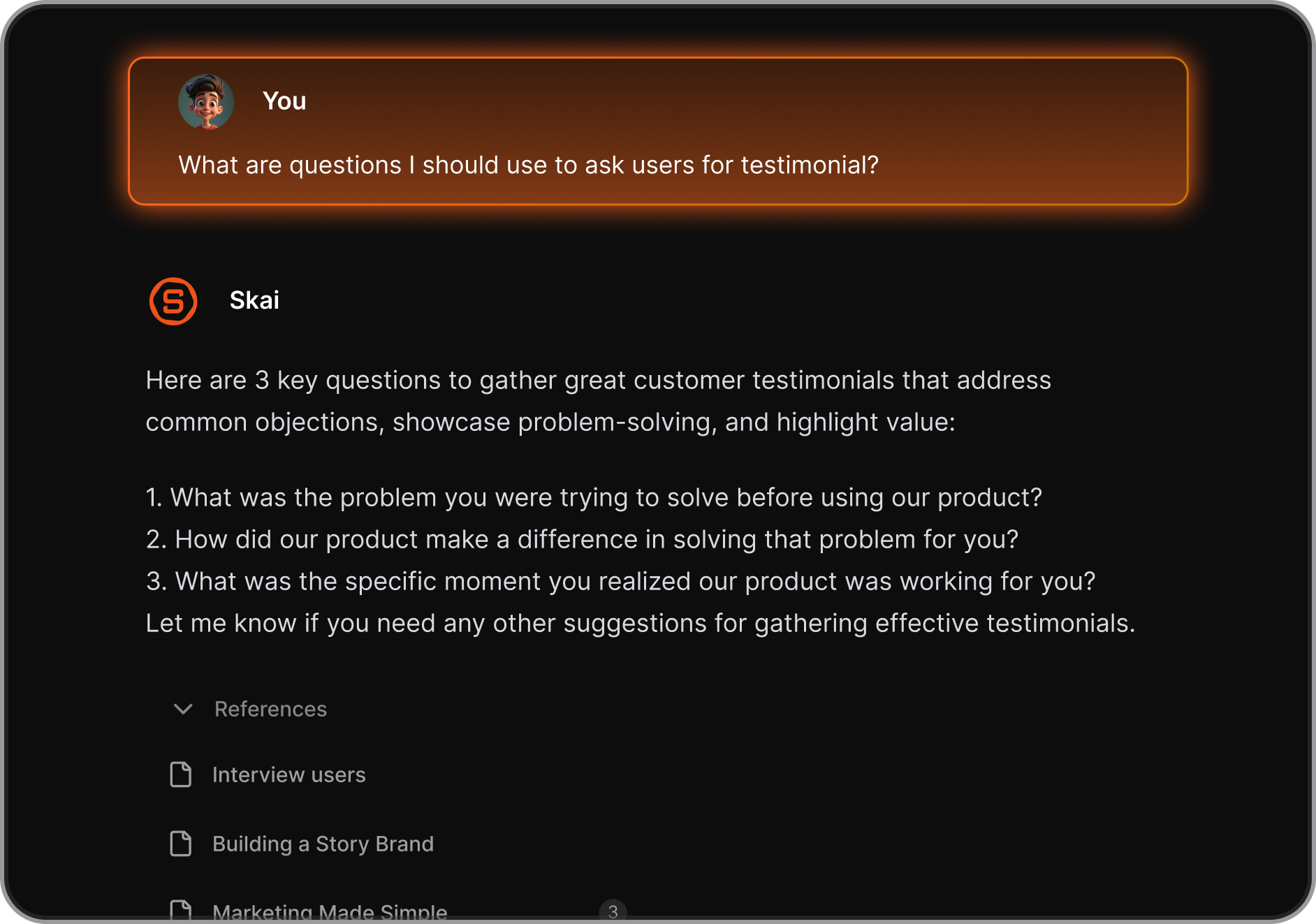
6) What is the best AI tool for organizing startup knowledge?
Saner.AI is one of the strongest options for startup knowledge management.
Instead of storing information across documents, chats, spreadsheets, and note apps, founders can capture ideas naturally and retrieve them later using plain-language search.
Questions like:
- "What did our first design partner ask for?"
- "What did investors say about pricing?"
- "What were our Q1 product goals?"
can be answered without manually searching through folders.
7) Which AI tools help startups automate workflows?
Zapier remains one of the most widely used automation platforms for startups.
It connects hundreds of business apps and automates actions such as:
- Lead routing
- CRM updates
- Customer notifications
- Internal alerts
- Data synchronization
For lean teams, automation often removes hours of repetitive work each week.
8) Which AI tool is best for startup marketing?
There isn't a single answer because marketing involves several activities.
A common stack includes:
- Canva for graphics and content creation
- Claude for copywriting and campaign planning
- Perplexity for research
- Zapier for marketing automation
Together, these tools support content, design, research, and execution.
9) Can AI tools help startups create videos?
Yes. Google Flow is designed to help teams create AI-generated video content from prompts and creative inputs.
Startups use AI video tools for:
- Product explainers
- Social media content
- Concept demonstrations
- Marketing experiments
- Internal presentations
This lowers the time and cost needed to produce video assets.
10) What is the best AI note-taking app for startups?
Many startup founders prefer Saner.AI because it combines notes, tasks, reminders, and AI search in one workspace.
Instead of collecting information in separate apps, you can save ideas, meeting notes, and action items together and retrieve them later through natural language questions.
This becomes increasingly valuable as the company grows.
11) Should startups use multiple AI tools or one all-in-one platform?
Most startups benefit from using several specialized tools.
A typical setup looks like:
- Claude for thinking and writing
- Saner.AI for knowledge and task management
- Pipedrive for sales
- Canva for design
- Zapier for automation
This approach usually delivers better results than forcing every workflow into a single platform.
12) How do startups choose the right AI tools?
Start with the biggest bottleneck.
If your team struggles with:
- Information overload, consider Saner.AI
- Research, consider Perplexity
- Sales management, consider Pipedrive
- Marketing content, consider Canva
- Automation, consider Zapier
- Meeting documentation, consider Fireflies.ai
The best AI tools for startups are the ones that remove work your team repeats every day. Focus on saving time first. You can always expand your stack later.
13) Is Saner.AI worth it for startup founders?
For founders who constantly collect ideas, meeting notes, customer feedback, and tasks, Saner.AI can become a central workspace for keeping information organized.
Its biggest advantage is that information remains searchable and connected. Instead of remembering where something was stored, founders can ask questions in natural language and quickly retrieve the context they need. This is particularly useful for small teams where knowledge often lives inside one person's head.
Stay on top of your work with the best AI tool for startup
👉 You may like this post on the best AI personal assistants and the top Free AI tools



