AI Workspaces: We Tested the Best 5 Apps in 2026
The Best AI Workspaces apps are: Saner.AI, Notion AI, Google Gemini, Motion, and Microsoft Copilot

5 Best AI Workspaces and Their Ideal Users [2026]
Managing modern workflows often feels like trying to stay afloat in a sea of disconnected tabs, scattered notes, and endless task lists. I’ve found that the biggest issue with traditional productivity apps is that they force you to spend your precious time manually filing, updating, and organizing your work, rather than actually doing it.
The missing piece in most workspaces isn’t another to-do list; it’s an intelligent layer that connects your messy thoughts directly to actionable execution.
We’ve evaluated the most powerful AI platforms available to see which ones deliver genuine focus, efficiency, and clarity without adding extra cognitive load. We’ll look at how each software handles unstructured data, where their AI models shine, and which tool aligns best with your specific work style.
Quick guide: 5 best AI software platforms
2. Notion AI: Best for teams and document-heavy workflows that need autonomous AI agents to build databases, search across apps, and manage connected docs.
3. Google Gemini: Best for heavy Google Workspace users who need an inline AI partner for deep research, multimodal reasoning, and seamless cross-app drafting.
4. Monday.com: Best for project managers and operations teams looking for AI to build predictive workflows, automate task assignments, and summarize complex project boards.
5. Microsoft Copilot: Best for enterprises embedded in the Microsoft 365 ecosystem needing deep integration across Outlook, Teams, Excel, and Word.
What is an AI Workspace?
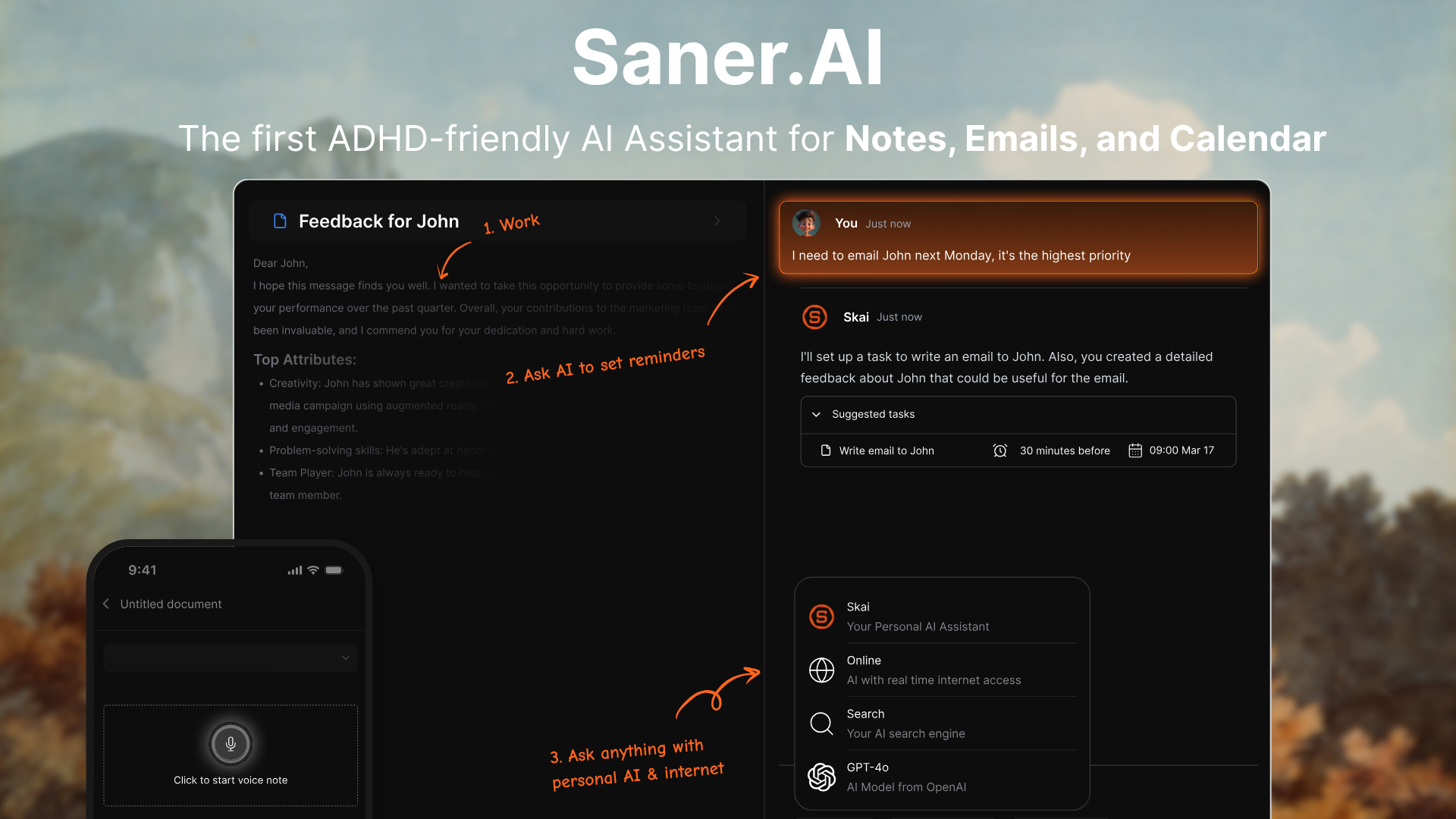
An AI workspace is a smart, centralized platform that uses artificial intelligence to combine your core work tools - like notes, tasks, emails, calendar, and documents - into one cohesive space.
Unlike traditional productivity apps, AI workspaces:
- Understand context (so they know that your meeting notes relate to your upcoming email or task)
- Surface what matters, when it matters (think: proactive reminders, not reactive chaos)
- Automate the boring stuff (drafting emails, summarizing notes, turning thoughts into to-dos)
- Personalize your experience based on your patterns and focus needs
🧠 Think of it as your second brain, but smarter - and less forgetful.
How I Tested These AI Workspaces
Selecting the right AI tool requires looking past marketing hype to find actual workflow utility. We evaluated each platform against the real-world operational challenges professionals face daily:
- Unstructured Capture & Search: How well does the AI understand natural, messy inputs and turn them into actionable tasks or accurate summaries?
- Ecosystem Integration: Does the tool play nicely with your existing app stack (calendars, email, spreadsheets, chat) to reduce manual context switching?
- Contextual Awareness: Can the AI recall past project notes, cross-reference documents, and provide relevant suggestions without constant micromanagement?
- Autonomous Execution: Does the platform simply answer chat prompts, or can it proactively manage tasks, schedule blocks, or trigger multi-step automations?
- User Interface & Friction: Is the interface clean and intuitive, or does it add extra setup steps and clutter that slow down your momentum?
- Scalability & Security: Does the software offer robust data privacy, reliable compliance standards, and the flexibility to scale from personal use to team-wide deployment?
What are the best AI Workspaces?
The Best AI Workspaces apps in 2026 are: Saner.AI, Notion AI, Google Gemini, Monday.com, and Microsoft Copilot
Which AI Workspace Is Best in 2026?
1. Saner.AI
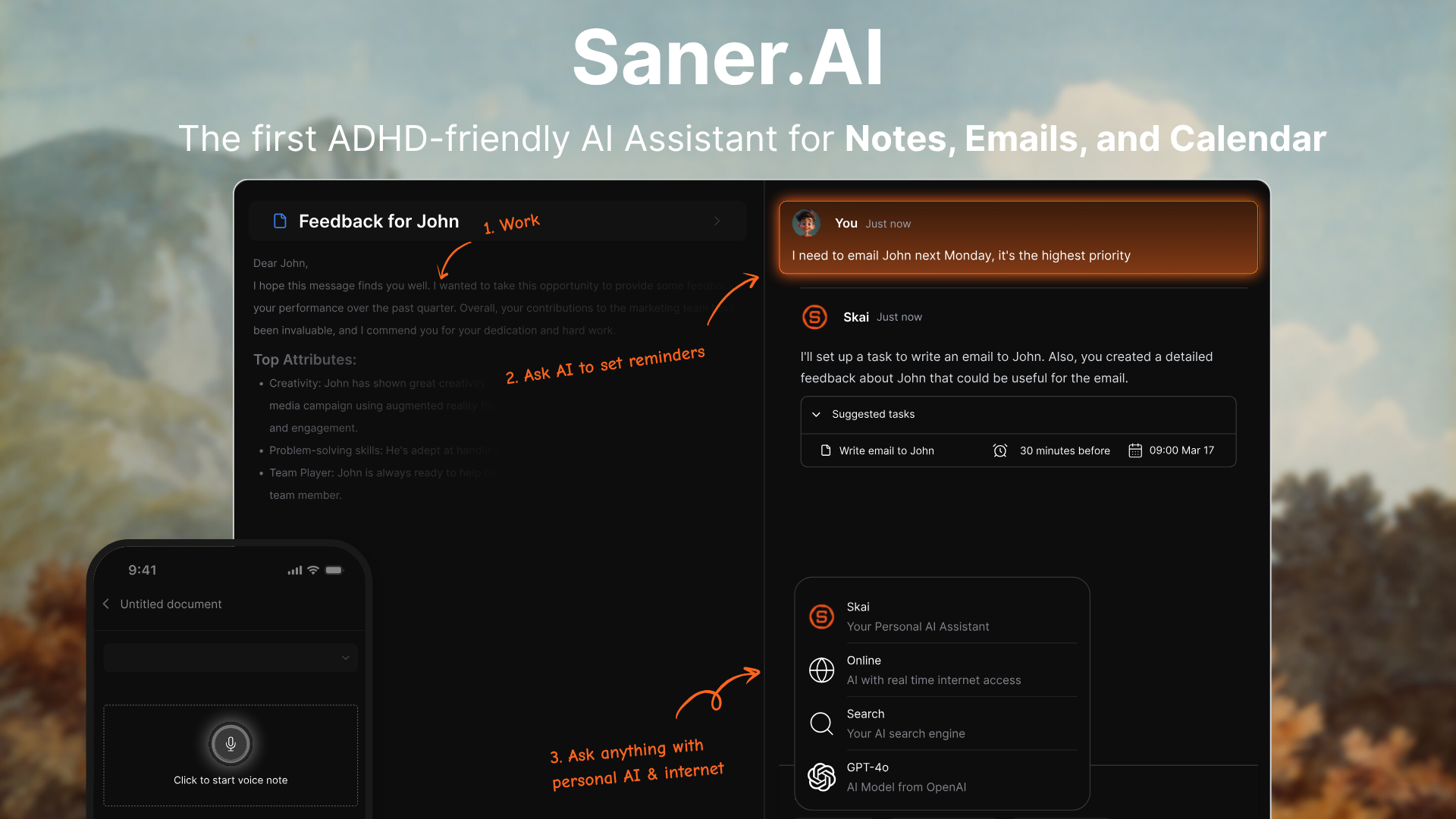
Saner.AI is an ADHD-friendly AI workspace that brings together your notes, emails, tasks, and calendar into one clean interface.
Instead of bouncing between apps, you just ask your AI assistant to find, summarize, plan, or remind. It’s built to reduce overwhelm and support focus
Key features
- Unified Workspace: Combines notes, emails, calendar events, and tasks in one place
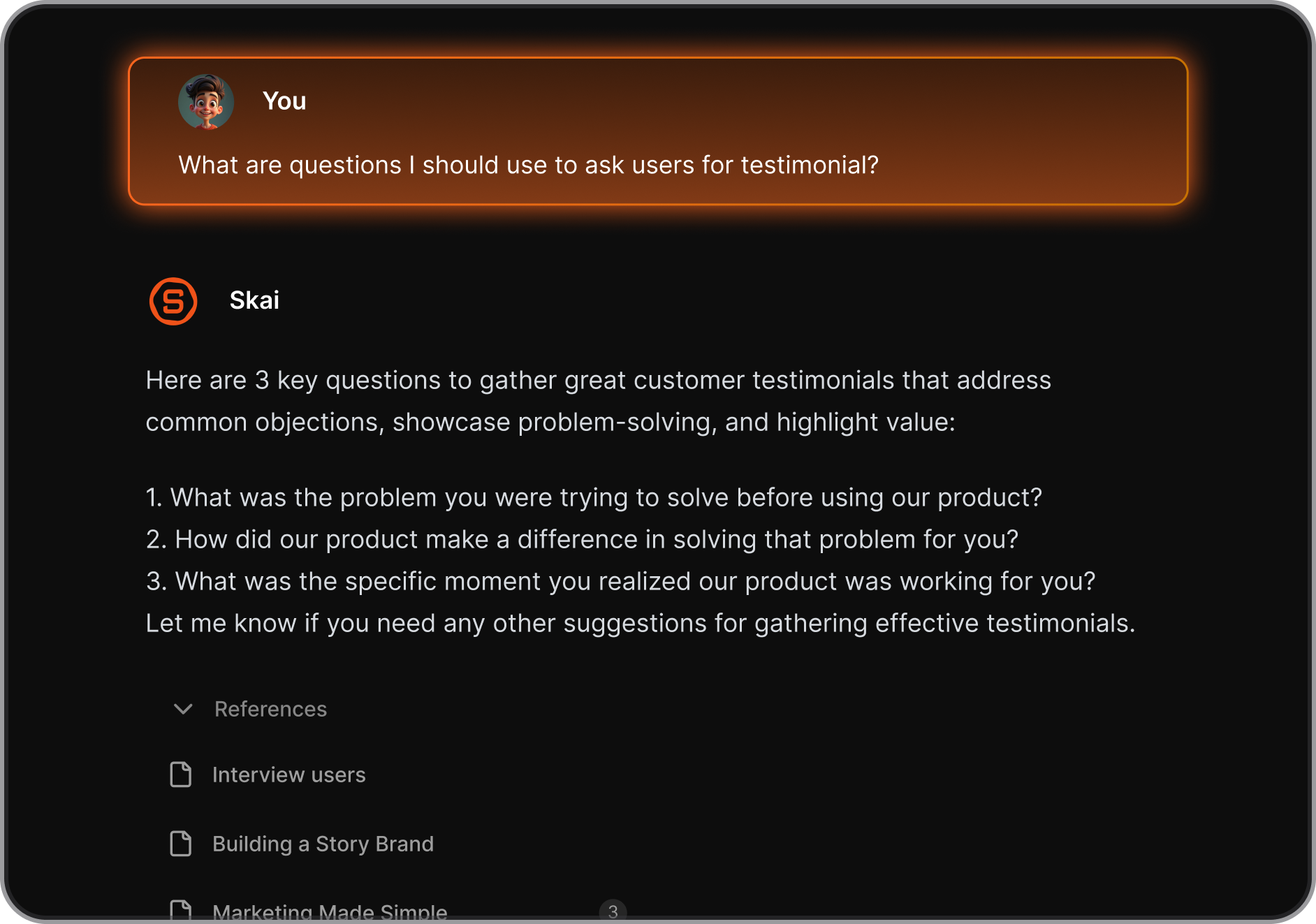
- Skai acts as a smart chat layer over your entire database: When I tested asking questions against my saved research papers, Skai pulled exact details directly from my documents without forcing me to dig through manual folders.
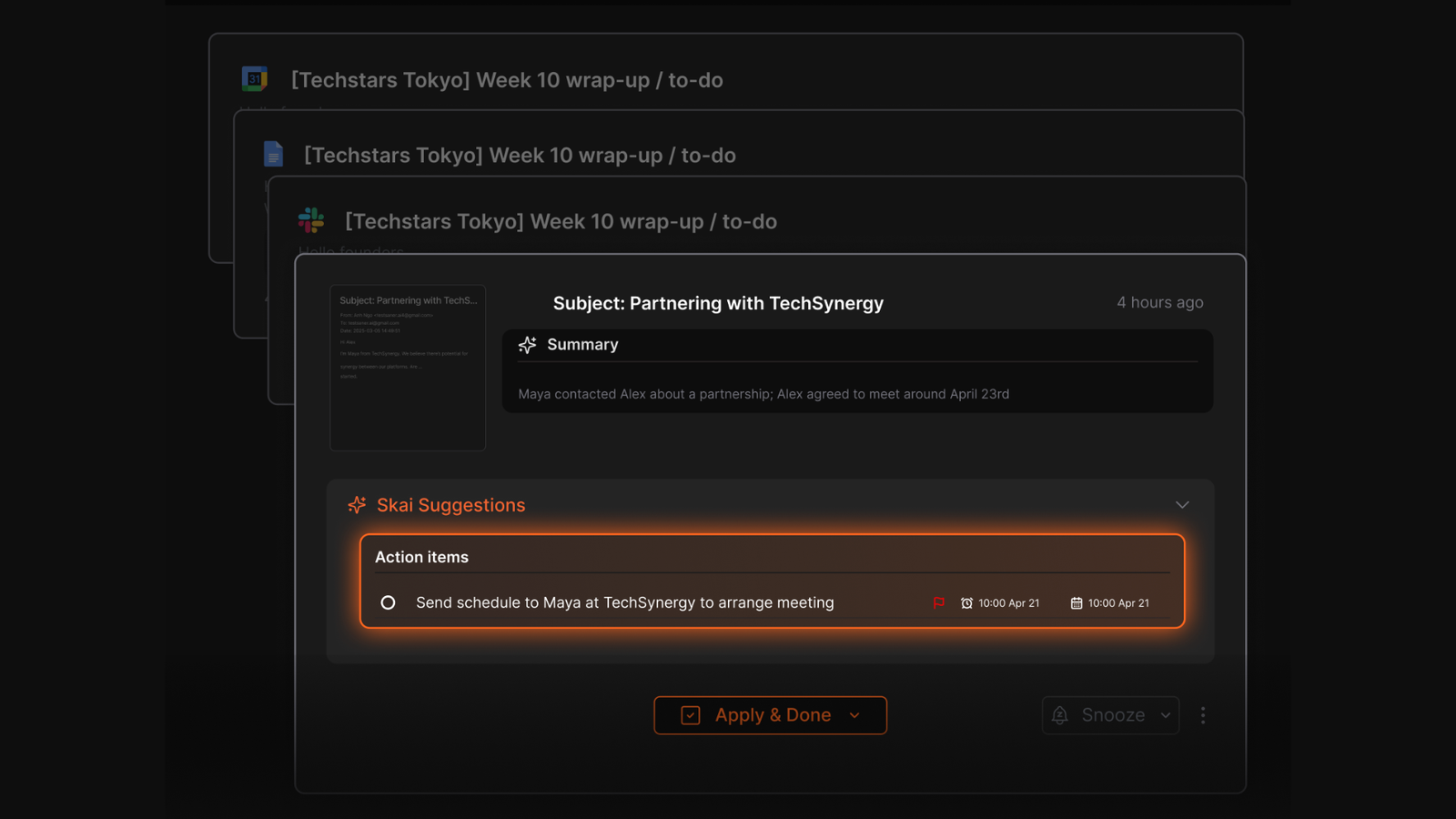
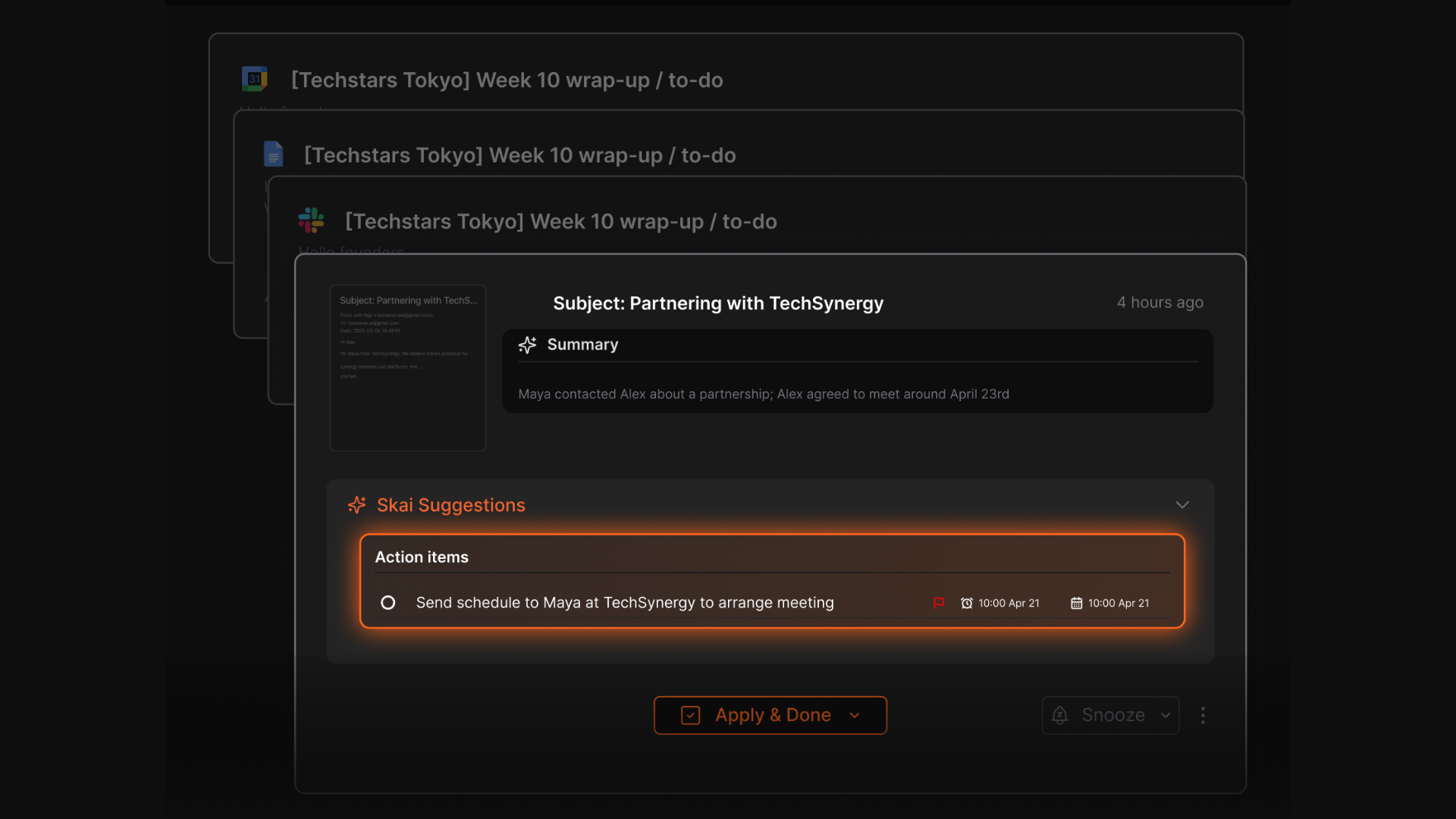
- Task Assistant: Turns thoughts or emails into to-dos, reminders, or calendar events
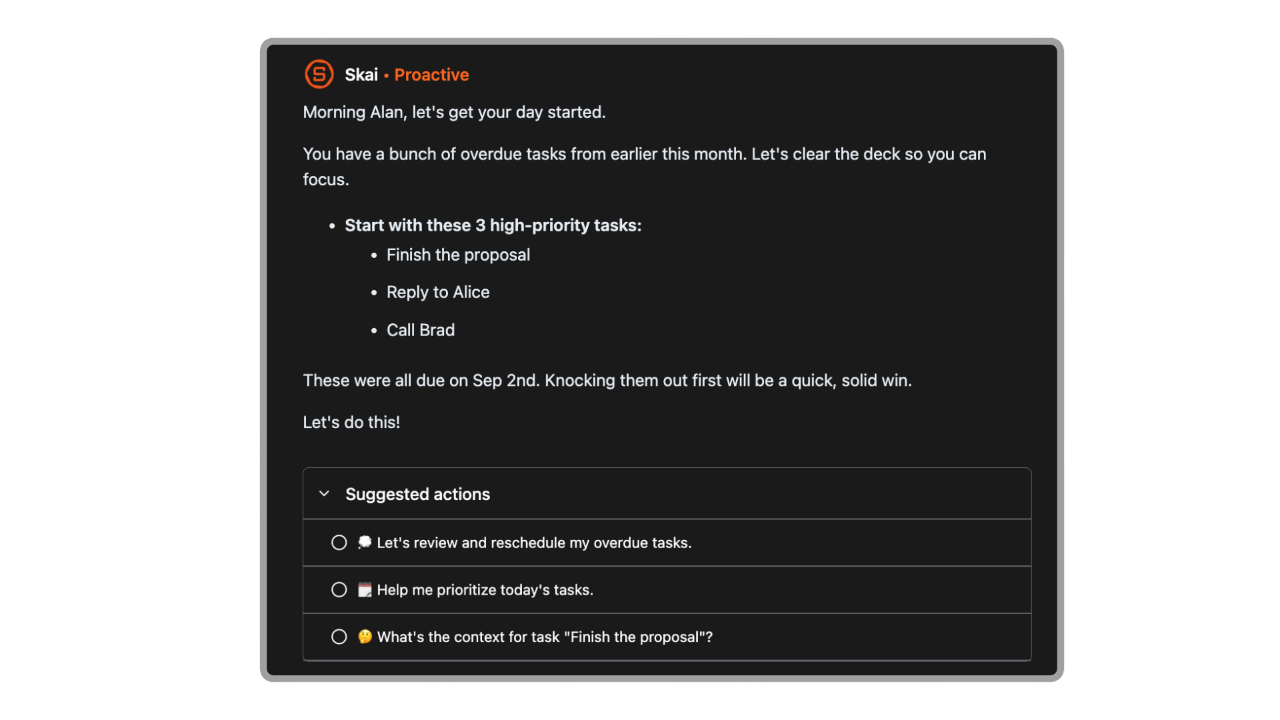
- Active Day Planning: AI automatically schedules your day every morning, and you can accept/adjust it
- Focus Mode: Clean writing and thinking space, distraction-free
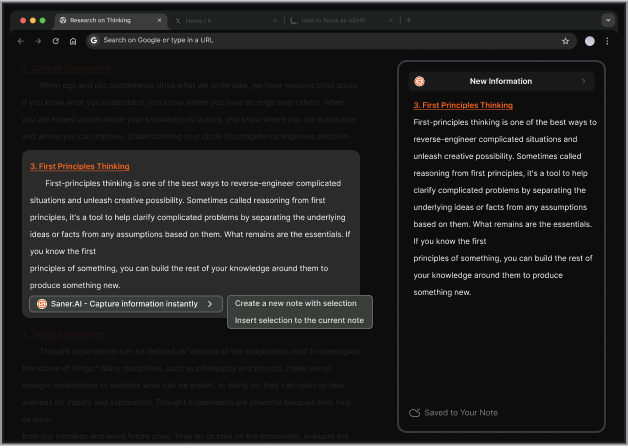
- Chrome + Mobile Apps: The Chrome extension and voice-to-text tools let you capture thoughts, browser snippets, and meeting notes on the fly. I liked being able to drop raw, unorganized text into the app and letting the AI handle auto-tagging in the background.
What I liked
- I liked how I could just rant into a note or drop voice memos, and Saner automatically turned it into to-dos or organized thoughts
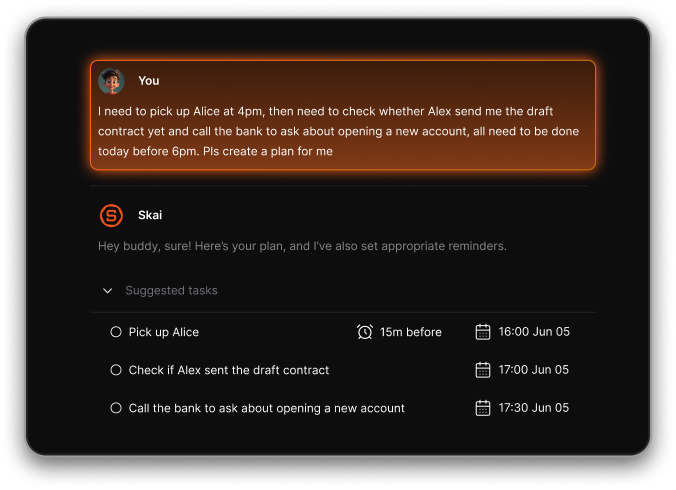
- The natural language search feels like magic - you can type vague phrases and still get what you need
- It integrates with calendar, Gmail, Slack, and Google Drive, which saves a ton of time hunting for info
Cons
- Requires internet access for full functionality.
Pricing
- Free
- Starter: Monthly at $8/month, Annually at $6/month (with early user discount)
- Standard: Monthly at $16/month, Annually at $12/month (with early user discount)
Suitable for
- Entrepreneurs, researchers, and neurodiverse professionals who want an AI workspace that helps them think clearly, remember better, and reduce mental overload.
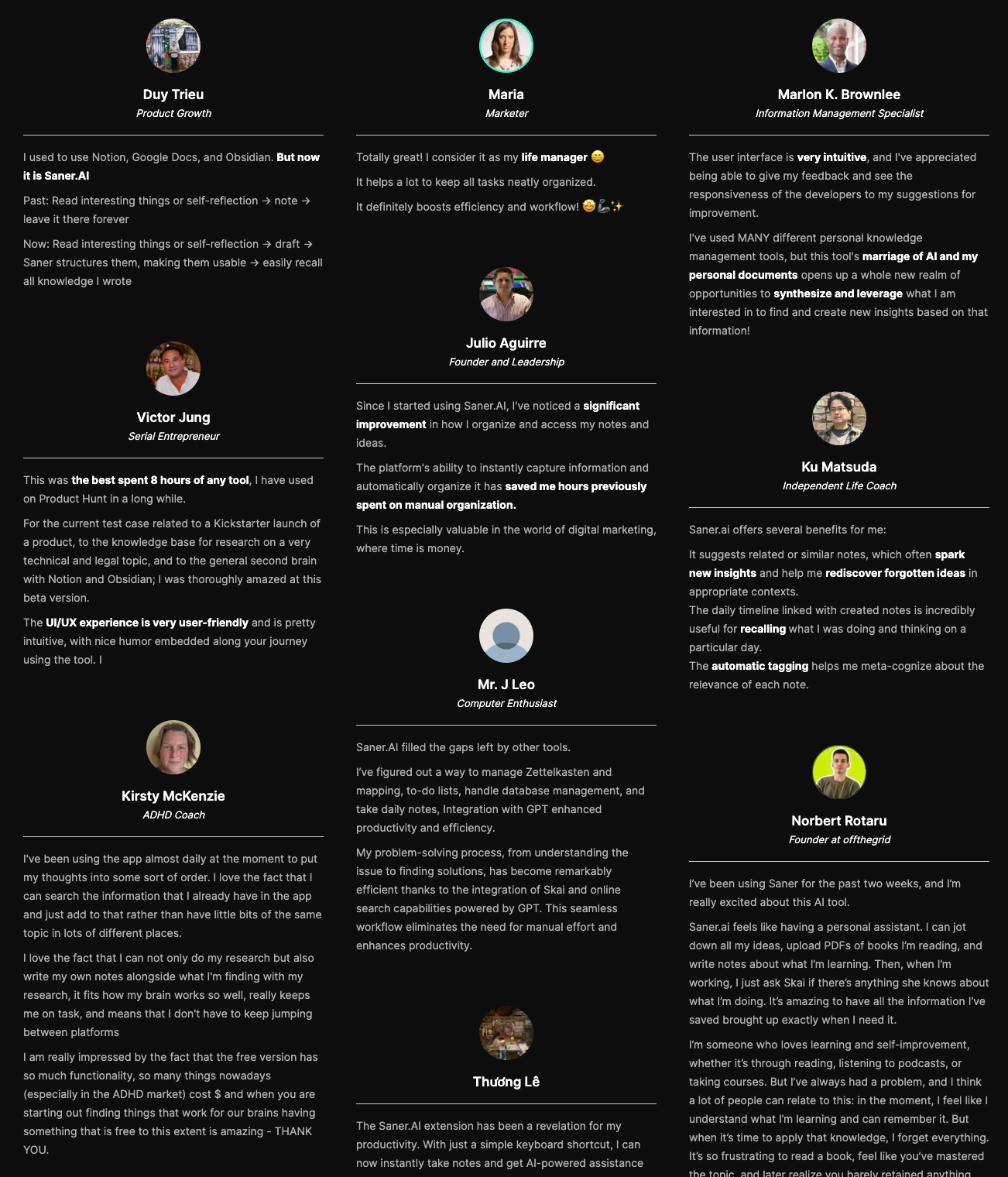
Saner.AI Reviews
How to start
- Go to saner.ai, sign up for free, and start by asking Skai to find or organize something you already have. You’ll get a feel for how the AI works and can upgrade anytime based on your needs.

The AI Workspace for you notes, tasks and emails
2. Notion
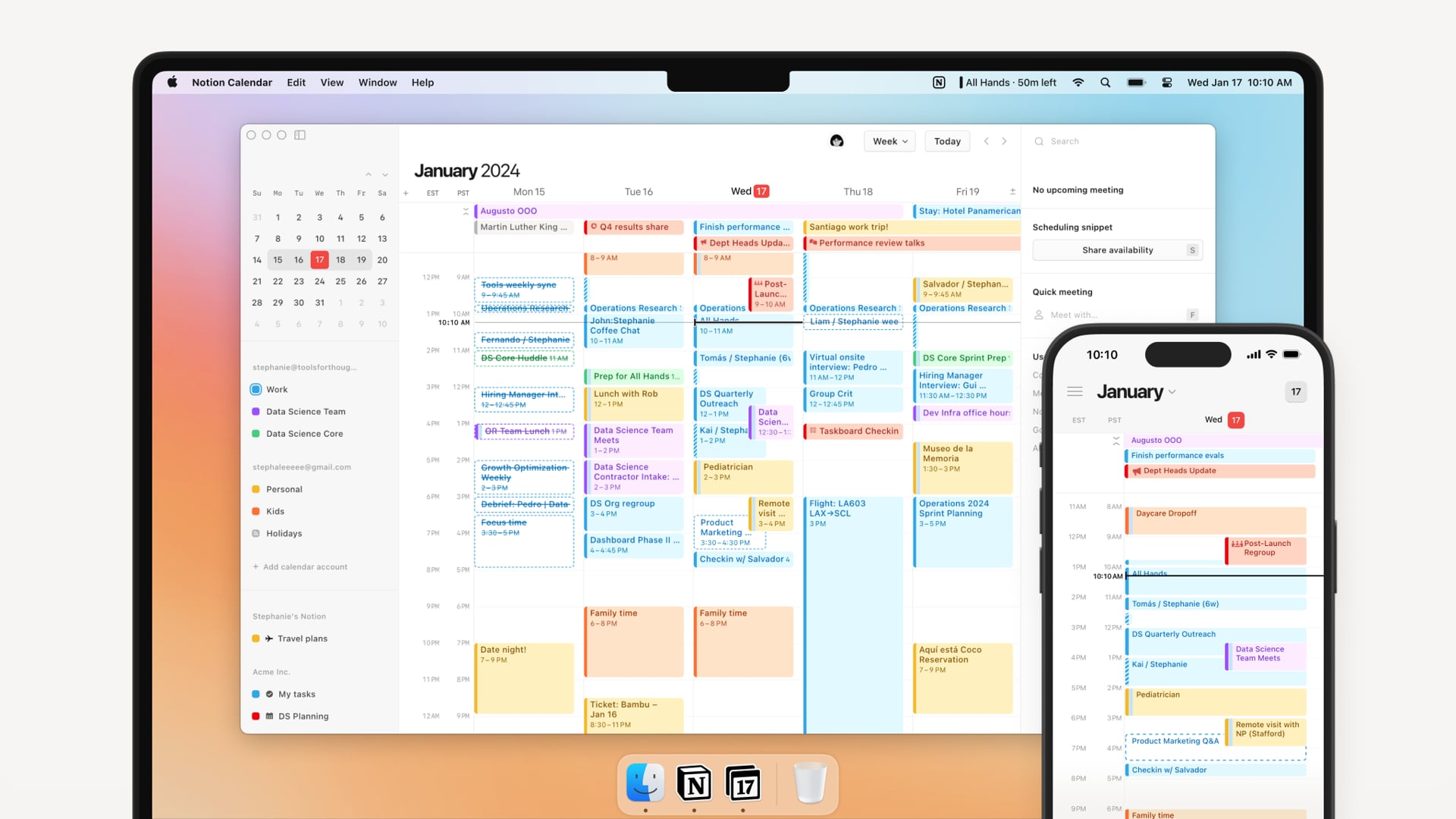
Notion is an all-in-one AI workspace that brings together docs, tasks, wikis, databases, calendars, and now email - all enhanced with a powerful AI assistant. Unlike traditional productivity tools, Notion helps you write, organize, search, and collaborate without switching apps.
Key features
- AI writing tools: generate summaries, brainstorm ideas, rewrite drafts, and auto-complete content
- AI meeting notes and transcription (available on Business+ plans)
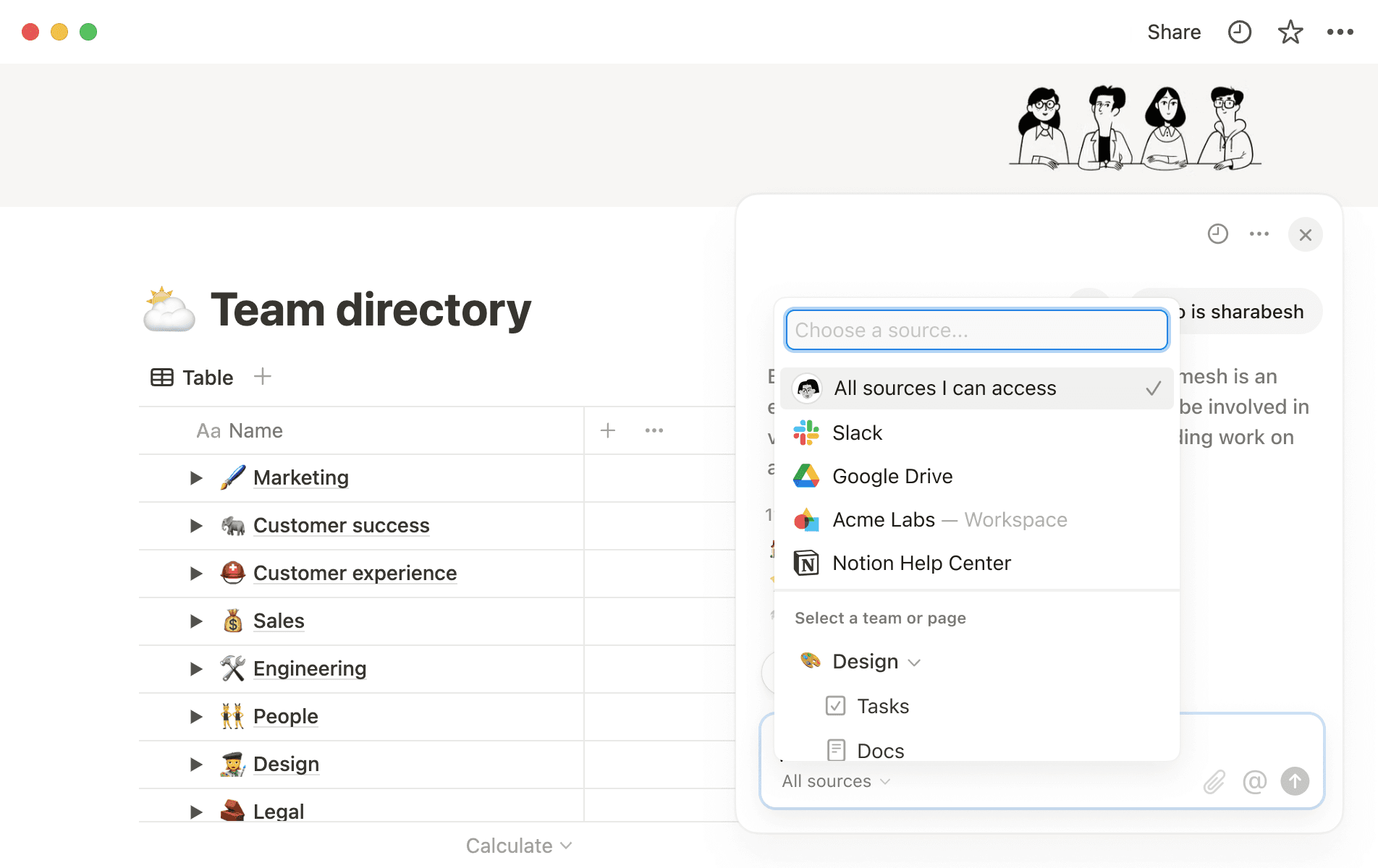
- Research Mode: pulls info from your workspace and connected sources to help draft or answer questions
- Email integration via Notion Mail (connects with Gmail to send, search, and draft emails)
What I liked
- The AI is useful
- Writing and summarizing tools are fast, and you can use them directly inside pages or templates
- New AI Meeting Notes is handy
What I disliked
- The setup can be overwhelming. You need to commit time to make it work well.
- Big pages or databases can lag a bit, especially when using lots of views or filters.
- Some AI-generated content needs tweaking to match tone or structure
- AI features are now only available on Business and Enterprise plans
Pricing
- Free plan with core features and limited AI
- Plus: $8/user/month
- Business: $15/user/month (includes full AI features)
Suitable for
Teams and individuals already using Notion who want AI to enhance writing, search, and documentation without leaving their workspace.
How to start
Go to notion.com, sign up for a free workspace, and try the built-in AI trial.
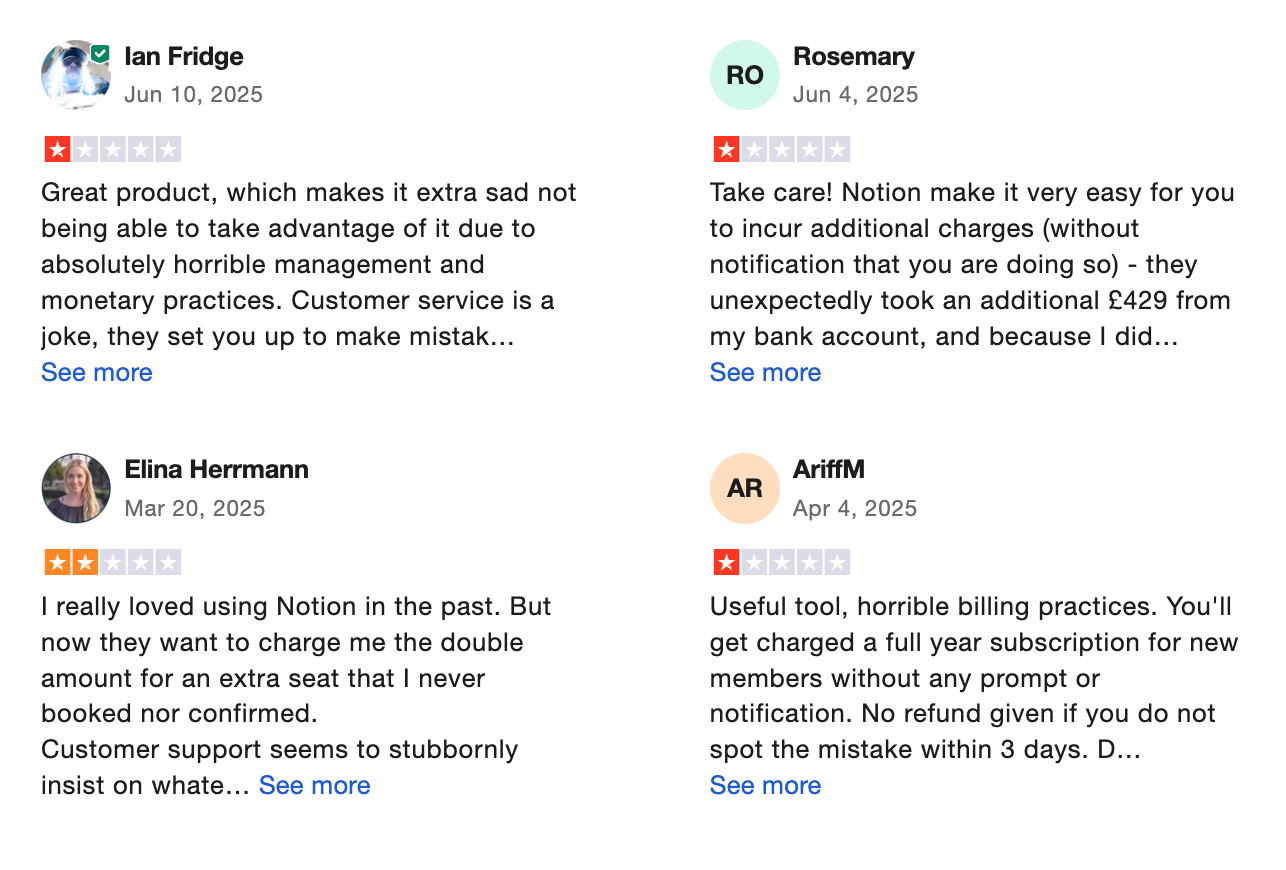
Notion reviews (source)
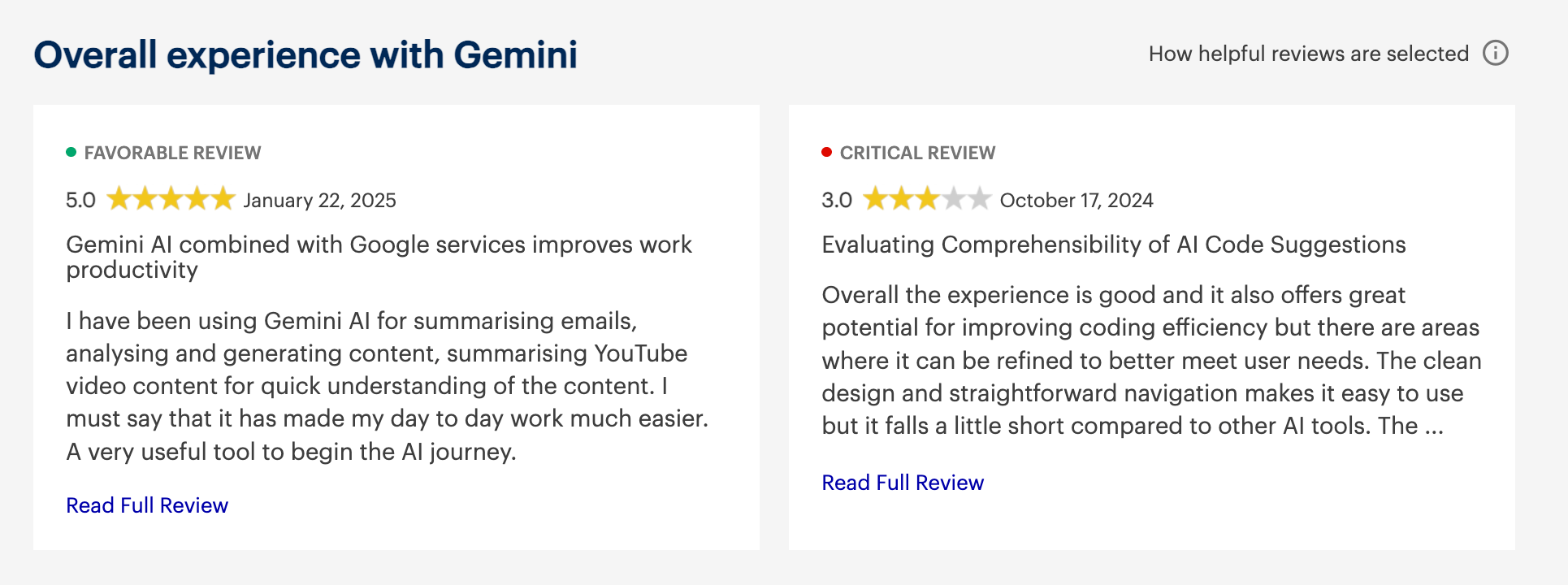
3. Gemini
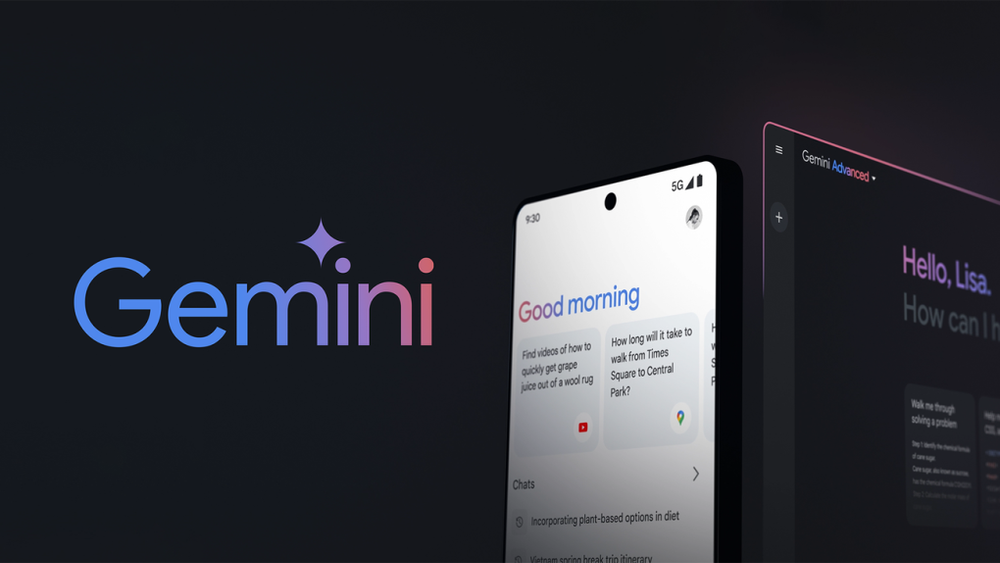
Gemini is Google’s AI assistant built directly into Gmail, Docs, Sheets, Slides, and the entire Workspace suite. It helps you write faster, summarize documents, and automate tasks
Key features
- Works inside Gmail, Docs, Sheets, Slides, Drive, and more
- Drafts emails, summarizes documents, and organizes tasks
- Understands text, images, and voice prompts (multimodal)
- Provides real-time, search-powered answers
What I liked
- I like how it blends right into Google Workspace - you don’t have to switch apps to use it
- The real-time summaries in Gmail and Docs are surprisingly useful
- It’s great that Gemini can handle not just text, but also images and voice inputs
What I disliked
- Some features still feel buggy - like formatting in Sheets or generating accurate formulas
- Customization is limited - you can’t really “train” Gemini to behave a certain way
- You cannot chat with AI to manage your tasks, calendar, and emails like with Saner.AI
Pricing
- Free version included in most Workspace plans
- Gemini Advanced: $20/month for access to Gemini 2.5 Pro and premium features
Suitable for
- Teams and professionals who live inside Google Workspace and want AI help with writing, summarizing, and organizing information. Also good for developers looking to build with Google’s Gemini models.
How to start
- If you already use Google Workspace, just open Docs, Gmail, or Sheets and look for the Gemini icon.
Google Gemini reviews (source)
4. monday.com
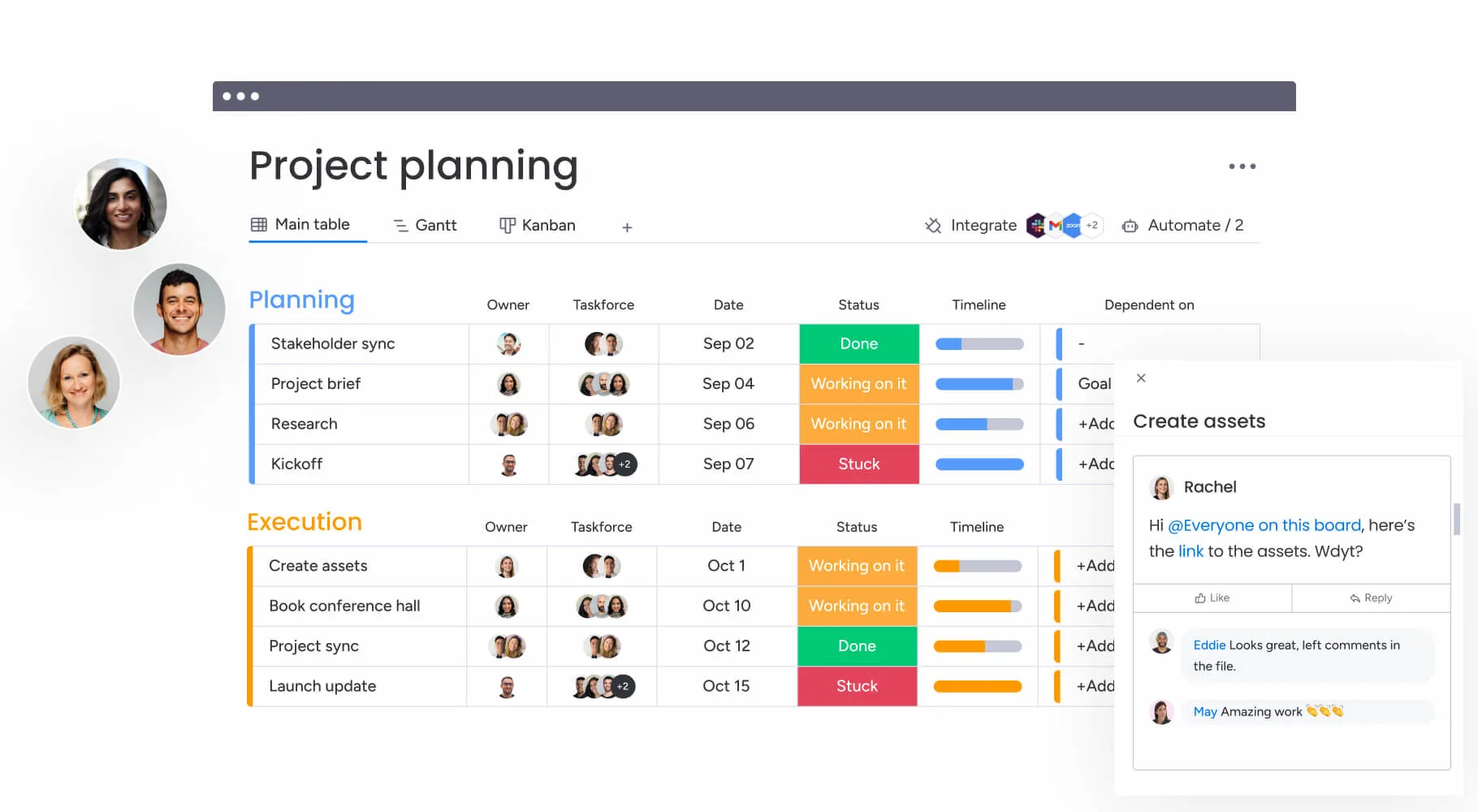
monday.com is a work operating platform designed to centralize team projects, client tracking, and internal automations. It acts as a central AI workspace, using broad language model capabilities to summarize long task threads, generate action items directly inside boards, and build low-code automations from text prompts.
Key features
- AI work assistant and formula builder: I used this feature to summarize lengthy project comments and turn disorganized email chains into structured action items on my board. The AI helper also builds custom formulas without needing manual syntax writing.
- Customizable visual boards: I could adjust custom status colors, track progress bars, and switch between board layouts like Kanban, Gantt, and calendar views within a single click.
- Multi-board sync and cross-team dashboards: When I tried linking data from distinct project boards into a central high-level dashboard, it gave my team real-time tracking across client deliverables without requiring status check-in meetings.
What I liked
- Broad automation setup that eliminates repetitive manual task updates.
- I find it helpful to generate draft content and formula strings directly inside task cells using the built-in AI helper.
- I like having over 200 pre-built templates available to launch new project workflows instantly.
What I disliked
- 3-seat minimum on paid tiers, which makes it less cost-effective for solo users or two-person teams.
- I feel limited by the monthly cap on automations and AI credits unless I upgrade to higher-priced plans.
- I sometimes struggle with setting up deep task dependencies compared to dedicated developer platforms like Jira.
Pricing
- Free: $0/mo
- Basic: $9/seat/mo
- Standard: $12/seat/mo
- Also offer plans for Pro and Enterprise
Who is it best for
- monday.com is best for cross-functional teams, agency managers, and growing operations that need a central, highly visual workspace to manage projects, track client pipelines, and automate daily tasks without relying on custom code.
How to start
- Step 1: Create your account on the official platform and pick a base template that matches your team's workflow.
- Step 2: Customize your board columns, add your project tasks, and invite your team members to collaborate.
- Step 3: Open the automation menu to set up basic triggers and turn on the AI work assistant for automated task summaries.
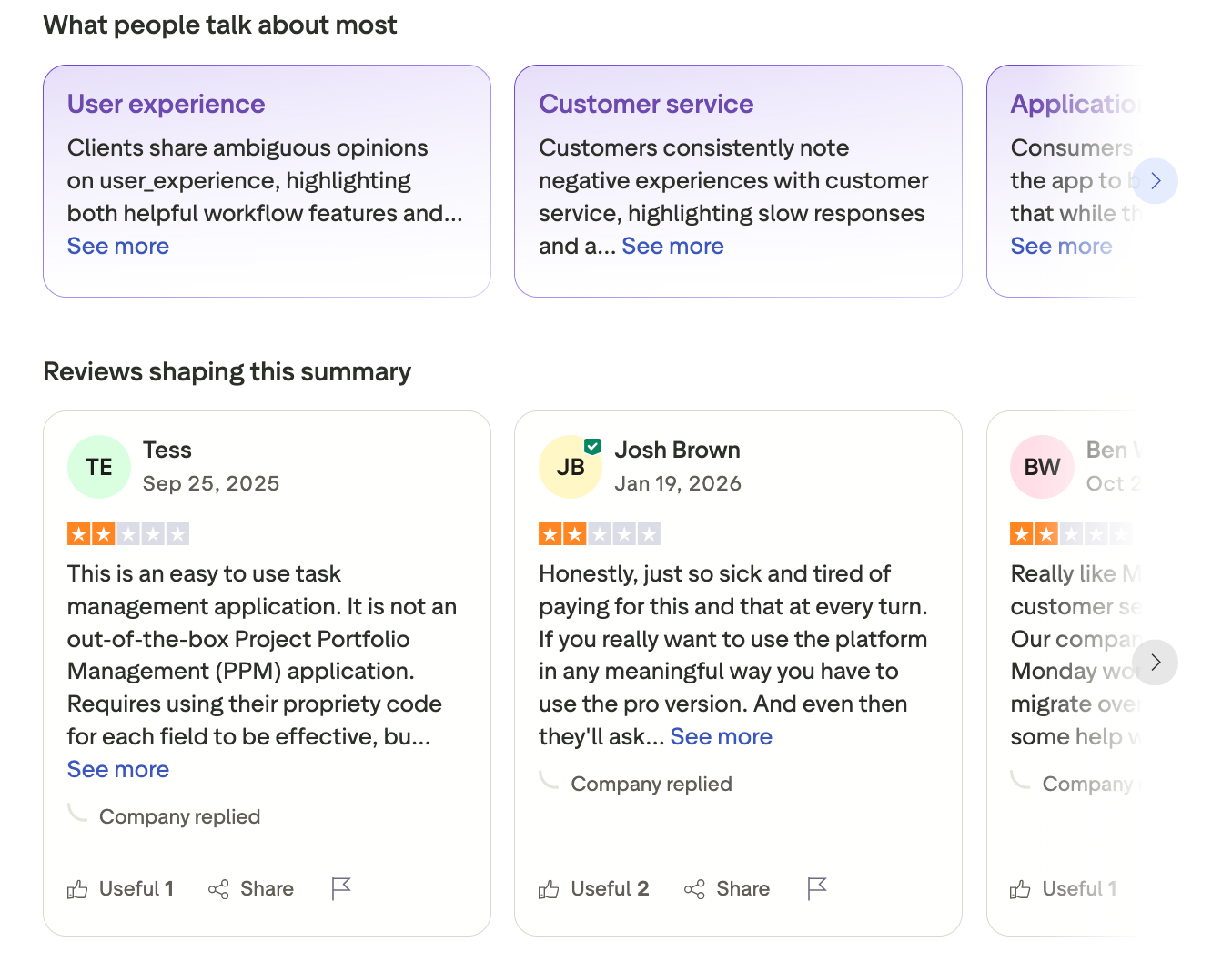
monday.com reviews (source)
5. Microsoft Copilot
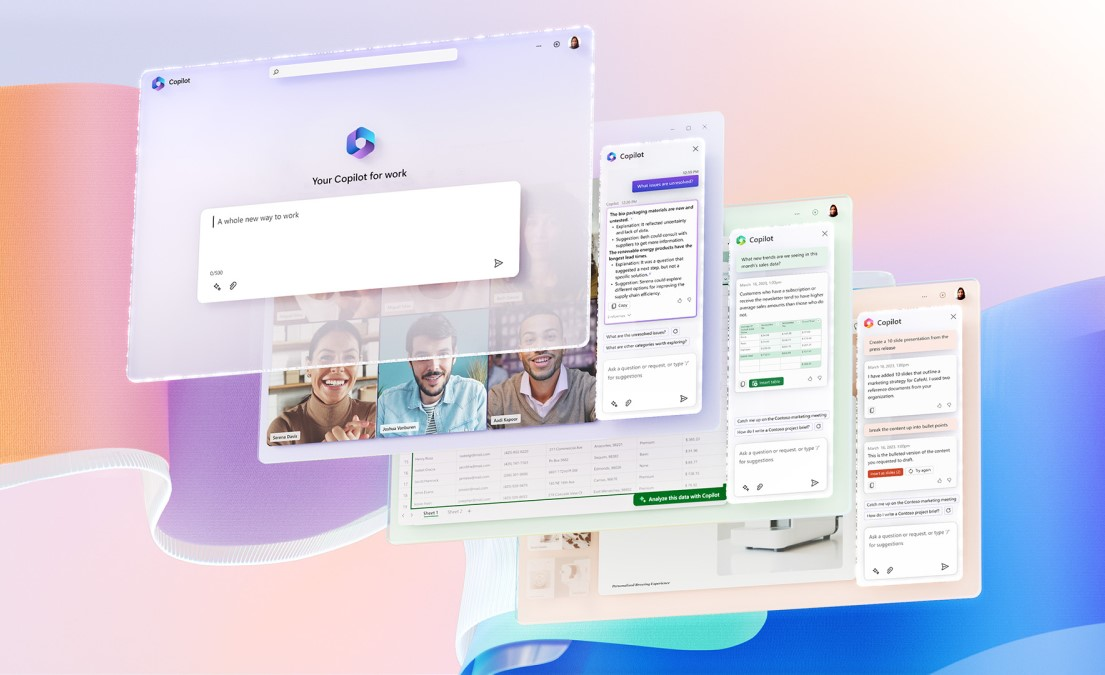
Microsoft Copilot is a powerful AI workspace built into Microsoft 365 and Windows. It acts like a personal assistant across Word, Excel, Outlook, Teams, PowerPoint, and even the Windows operating system.
Key features
- Copilot Chat: Smart AI chat interface inside apps like Word, Excel, Teams, Outlook
- Agents (like Researcher and Analyst): AI agents that run multistep research or data workflows using both your files and the internet
- GPT-4 Turbo and GPT-5 access: Newer models offer more accurate, personalized responses
- Embedded across apps: Works in Word, Excel, PowerPoint, Outlook, Teams, OneNote, and more
What I liked
- Copilot pulls context from emails, files, and meetings to give better answers
- You can ask questions across your entire workspace and get answers instantly
- Copilot is built securely with Microsoft’s compliance and data handling standards
What I disliked
- There’s no true free version for full Copilot—most features are behind a paywall
- The $30/month price tag (on top of Microsoft 365) can feel steep for individuals
- Licensing can get complicated, especially for small teams trying to figure out if they're eligible
- While it’s powerful, it’s not always intuitive - some users might find the setup and controls overwhelming
Pricing
- Microsoft 365 Copilot: $30/user/month add-on to Microsoft 365
- Copilot Pro: Around $20–30/month for individuals
- Business plans with bundled pricing available
Suitable for
- Professionals, teams, and organizations already using Microsoft 365 who want to boost productivity, automate work, and get intelligent support without switching platforms.
How to start
- If you’re a business, add Microsoft 365 Copilot to your plan from the admin center. For individuals, sign up for Copilot Pro or try Copilot Chat for free if you're on Microsoft 365
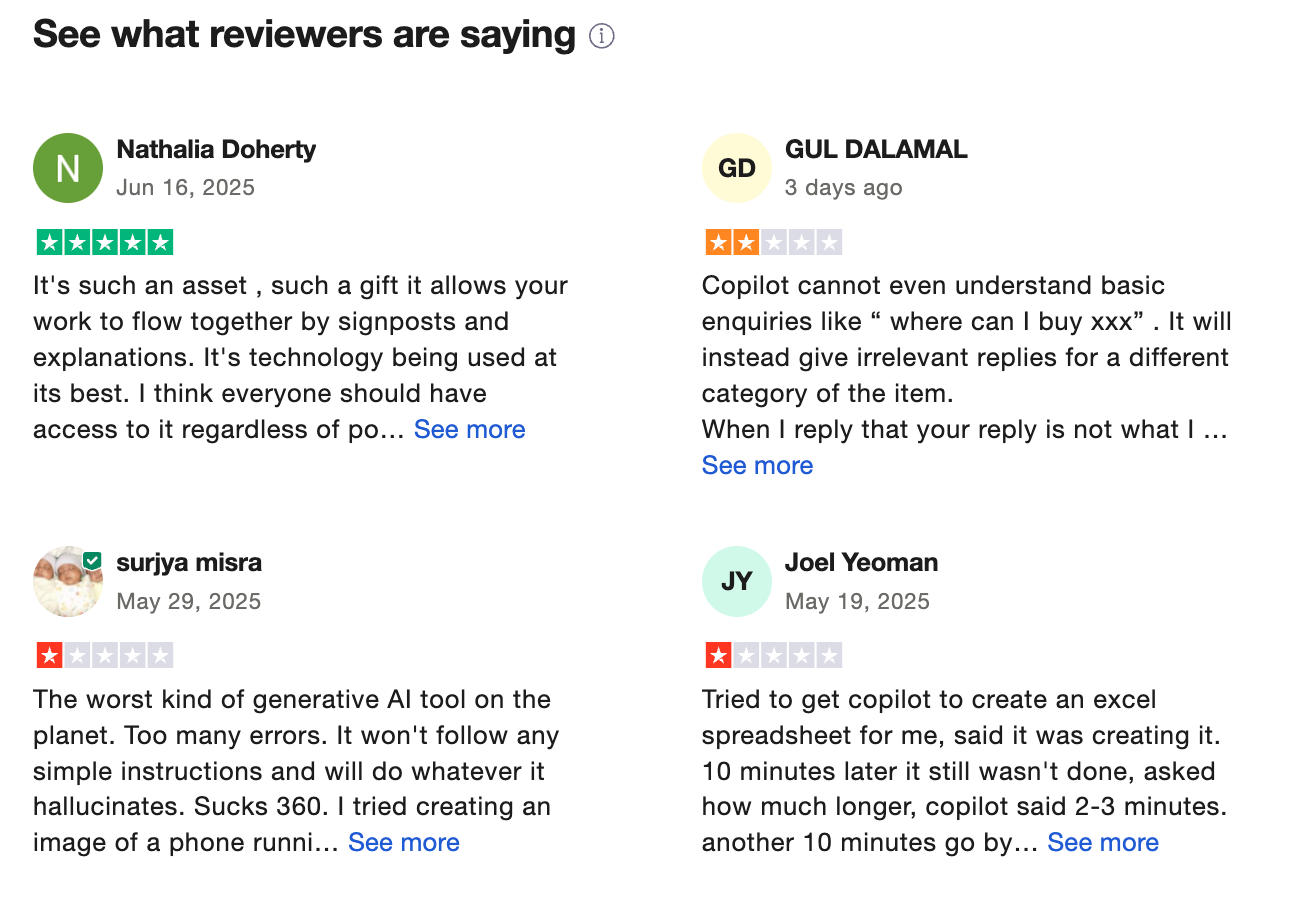
Copilot reviews (source)
Conclusion: Build a Smarter, Calmer Workspace
Work doesn’t have to feel like juggling flaming swords across ten different tabs.
If you’re constantly switching between notes, emails, calendars, and to-do lists 0 and still feel like you’re missing something - an AI workspace might be exactly what your brain’s been craving.
These tools don’t just organize your work. They understand it.
They help you:
- Stay focused instead of scattered
- Capture ideas before they disappear
- Turn messy thoughts into clear action
- Get reminders before panic sets in
And the best part?
There’s no “perfect” AI workspace - just the one that fits your workflow, your mind, and your goals.
🎯 Start small: Try one tool that feels like a good match. Use it for your next workweek. See how it changes the way you think, plan, and feel.
The future of work isn’t more tools.
It’s fewer, smarter ones that actually work with you.
Stay on top of your work effortlessly with an AI Workspace
FAQ: Best AI Workspaces (2025 Guide)
1. What is an AI workspace?
An AI workspace is a smart productivity platform that brings together your tasks, notes, calendar, emails, and documents - then uses artificial intelligence to help you stay organized, focused, and on track.
Instead of switching between 10 different tools, your AI workspace becomes the central hub for everything - powered by assistants that can search, summarize, plan, and even remind you proactively.
Popular AI workspaces include Saner.AI, Notion AI, Motion, Google Gemini, and Microsoft Copilot.
2. What can an AI workspace actually do?
A good AI workspace doesn’t just store your work - it helps you work smarter. Key capabilities include:
- Understanding messy notes and turning them into structured tasks
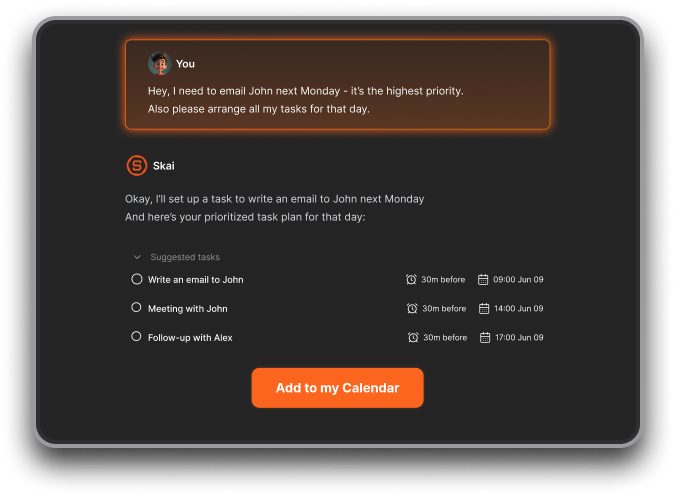
- Automatically scheduling work time based on urgency and focus windows
- Summarizing meetings, emails, or documents in seconds
- Helping you plan your day based on what’s actually important
- Surfacing old notes, follow-ups, or files when you need them
It’s like having a second brain - or a Chief of Staff in your pocket.
3. What is the best AI workspace in 2025?
Here’s a breakdown of top contenders and what they’re great for:
- Saner.AI – All-in-one workspace built for fast-moving minds. Turns notes, tasks, and emails into a calm daily plan. Great for ADHD brains and entrepreneurs.
- Notion AI – Flexible doc-based workspace with AI for summarization, writing help, and linked knowledge.
- Google Gemini – Integrated with Gmail, Docs, Sheets. Great if you already live in Google Workspace.
- Motion – Uses AI to auto-schedule your to-dos and focus blocks on your calendar.
- Microsoft Copilot – Embedded inside Word, Excel, Outlook. Useful for corporate workflows and large orgs.
There’s no “one best” for everyone - each serves a different style of work.
4. How is an AI workspace different from a regular productivity tool?
Traditional tools store your work. AI workspaces think with you.
- Regular tools = You do the organizing.
- AI workspaces = They organize for you.
Instead of manually tagging notes or blocking calendar slots, AI workspaces like Saner.AI or Motion analyze your content and goals, then help you act on it - instantly.
5. What’s the best AI workspace for focus and ADHD?
Saner.AI is a standout here.
It reduces context switching, helps organize your thoughts into next steps, and nudges you at the right time. You don’t need complicated folders or systems - just write or rant, and it’ll structure it for you.
6. Can AI workspaces help with daily planning?
Yes, and it’s one of their strongest use cases.
Tools like Saner.AI analyze your tasks, deadlines, and habits to:
- Suggest what to do today based on impact
- Auto-block time for deep work or meetings
- Adjust dynamically when priorities shift
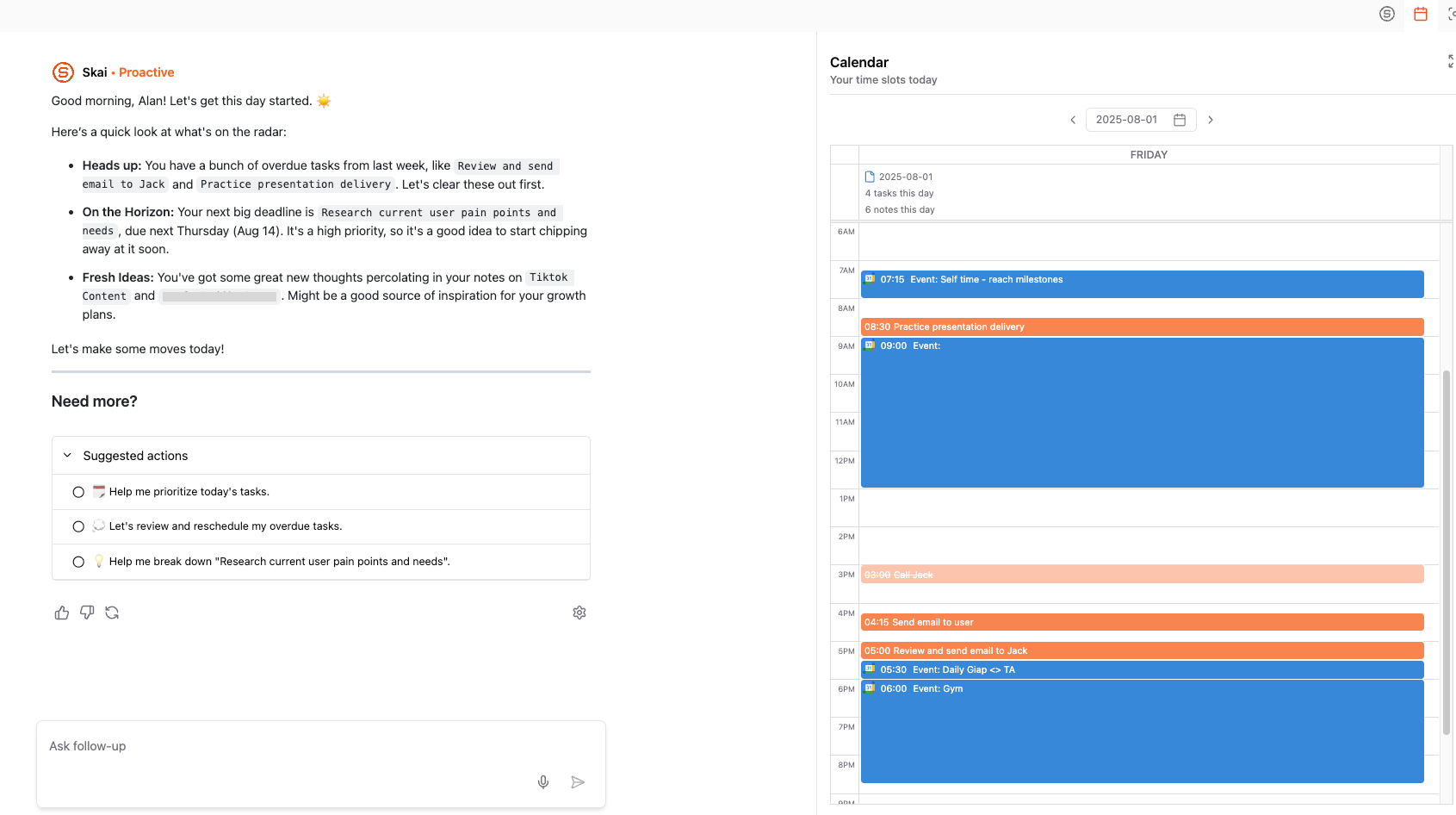
It’s like having a smart planner that adapts to your life.
7. Which AI workspace is best for meetings and follow-ups?
Saner.AI is designed to pull context fast.
You can ask:
- “What did we decide last Monday with the design team?”
- “What’s still pending from the client call?”
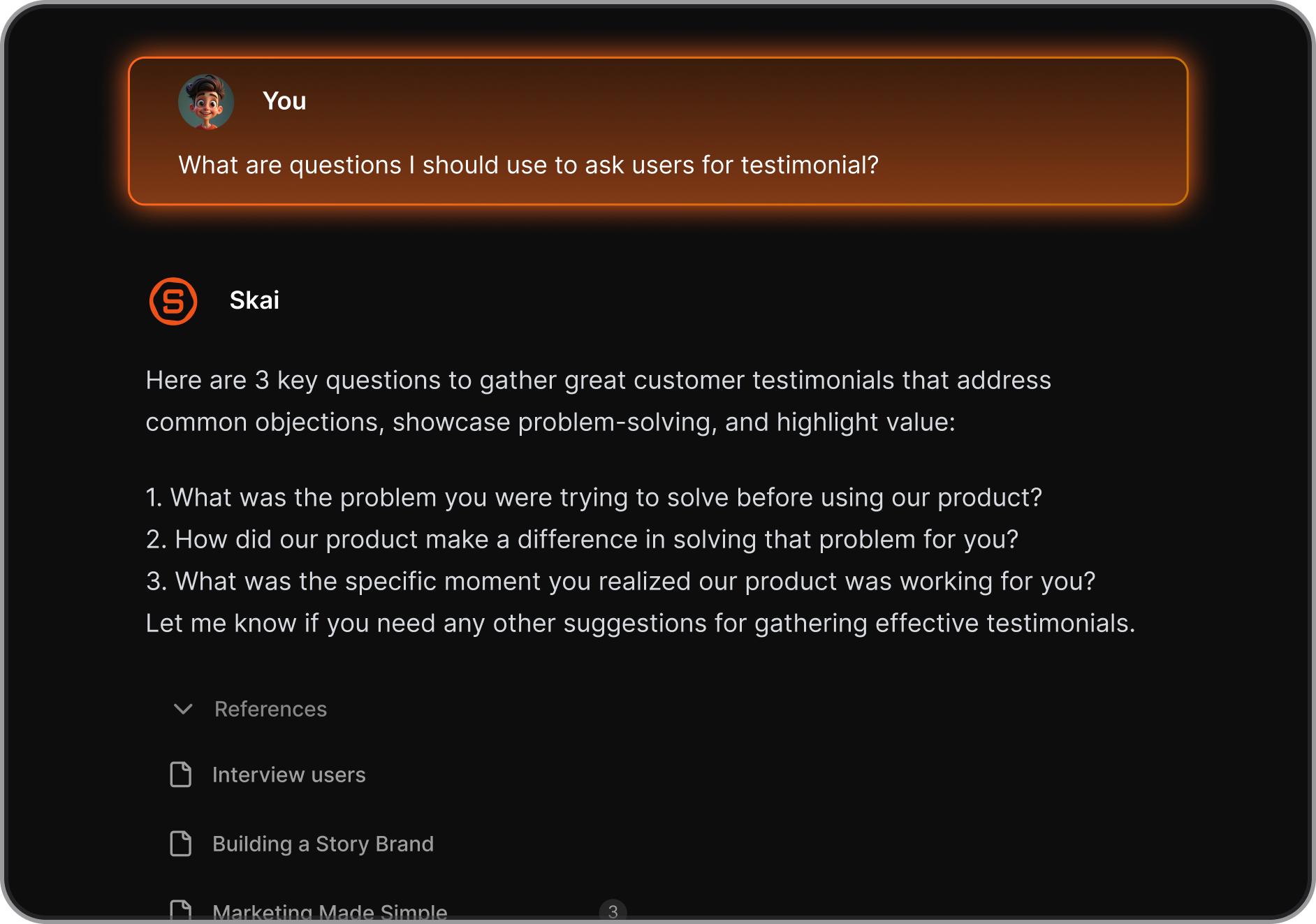
It brings together notes, to-dos, reminders, and even calendar context - without you digging.
8. What’s the best AI workspace for entrepreneurs and solo founders?
Saner.AI is perfect for founders juggling chaos. It helps you:
- Turn half-baked ideas into concrete tasks
- Surface key notes and investor decks instantly
- Organize your day without setting up complex systems
Just type naturally, and the AI gets to work.
9. Can AI workspaces help managers and team leads?
Yes. Especially if you manage multiple people or projects.
With tools like Saner.AI, managers can:
- Keep track of follow-ups after 1:1s or team meetings
- Automatically prioritize incoming tasks and updates
- Plan the week based on who needs what, and when
You stop being a task chaser and start being a focused leader.
10. Are there free AI workspace tools?
Yes - many platforms offer free or starter plans:
- Saner.AI – Free plan includes task reminders, natural language search, and calendar sync
- Google Gemini – Free with personal Gmail or Workspace accounts
11. Do AI workspaces support voice commands?
Some do. Here's a quick look:
- Saner.AI – Yes. Voice-to-task supported
- Gemini / ChatGPT – Voice via mobile or third-party integrations
Voice input is especially helpful for ADHD users or busy multitaskers.
12. Which AI workspace is best for executives or senior leaders?
Saner.AI and Microsoft Copilot are strong choices:
- Saner.AI gives you a unified space to track key decisions, surface priorities, and act fast.
- Copilot is deeply embedded into Microsoft tools - ideal if you already rely on Outlook, Word, Excel.
If you want to reduce mental clutter and spend more time on strategy, go for Saner.
13. Can AI workspaces work across tools I already use?
Yes. Most AI workspaces integrate with common apps:
- Saner.AI – Works with Gmail, Google Calendar, Slack, Notion, and more
- Copilot – Deep integration with Microsoft 365 apps
- Gemini – Native to Google ecosystem
- Notion AI – Best if your docs and wikis are already in Notion
- Motion – Syncs with Google/Outlook calendars
14. How do I choose the best AI workspace for me?
Ask yourself:
- Do I need help with notes and ideas → Try Saner.AI or Notion AI
- Do I need help scheduling my day → Try Saner.AI
- Am I deep in Google or Microsoft tools → Try Gemini or Copilot
- Do I need a tool that thinks like me and helps manage everything? → Try Saner.AI
Pick the one that fits how your brain works - not the other way around.