Best Apps for Parents in 2026 (Tested & Compared)
Best Apps for Parents in 2026 are Google Calendar, Saner.AI, Life360, Cozi, Bark, Green Light, and OurfamilyWizard


We Tested the 7 Best Apps for Parents in 2026
Parenting feels different than even five years ago. The calendar chaos is real. The mental checklist never stops. The emotional burnout creeps in quietly. If you’re a stay-at-home parent, you’re definitely not less busy than an entrepreneur.
The difference? Entrepreneurs hire assistants. Parents usually don’t.
And this is where parenting apps of 2026 come in.
We finally have technology, especially AI tools, that doesn’t just track tasks, but proactively remind us. Smart reminders. Automatic organization. Recurring task handling. Systems that reduce the cognitive load instead of adding to it.
In this guide, I’ll walk through:
- What parenting apps actually are
- Why parents need apps for themselves
- How AI is changing family management
- The best apps for busy moms, busy dads, and single parents
- And which tools are actually worth using.
1. What Is an App for Parents?
An app for parents is a digital tool designed to help manage family life, parenting responsibilities, and personal organization.
This can include:
- Family organizer apps
- Co-parenting apps
- Shared calendar tools
- Parenting apps for safety
- AI productivity tools for parents
- Meal planning and routine tracking apps
2. Why Do Parents Need an App for Themselves?
As a parent, you might struggle with the invisible checklist that never stops running in the background of your mind. School deadlines, dentist appointments, permission slips, snack days, birthday parties, grocery restocks, tuition payments, WhatsApp messages from class groups - all layered on top of work and daily life.
That constant mental tracking quietly drains energy. You can be less patient, react faster, and feel scattered. And that’s not the kind of parent we want to be.
This is why parents need an app for themselves, not just apps for their kids.
The right parenting app acts like a second brain. It holds the reminders, organizes recurring responsibilities, and reduces the fear of “forgetting something important.” Instead of juggling everything mentally, you can offload it into a system you trust.
3. How AI Is Changing Parenting Support
A. AI in Family Management
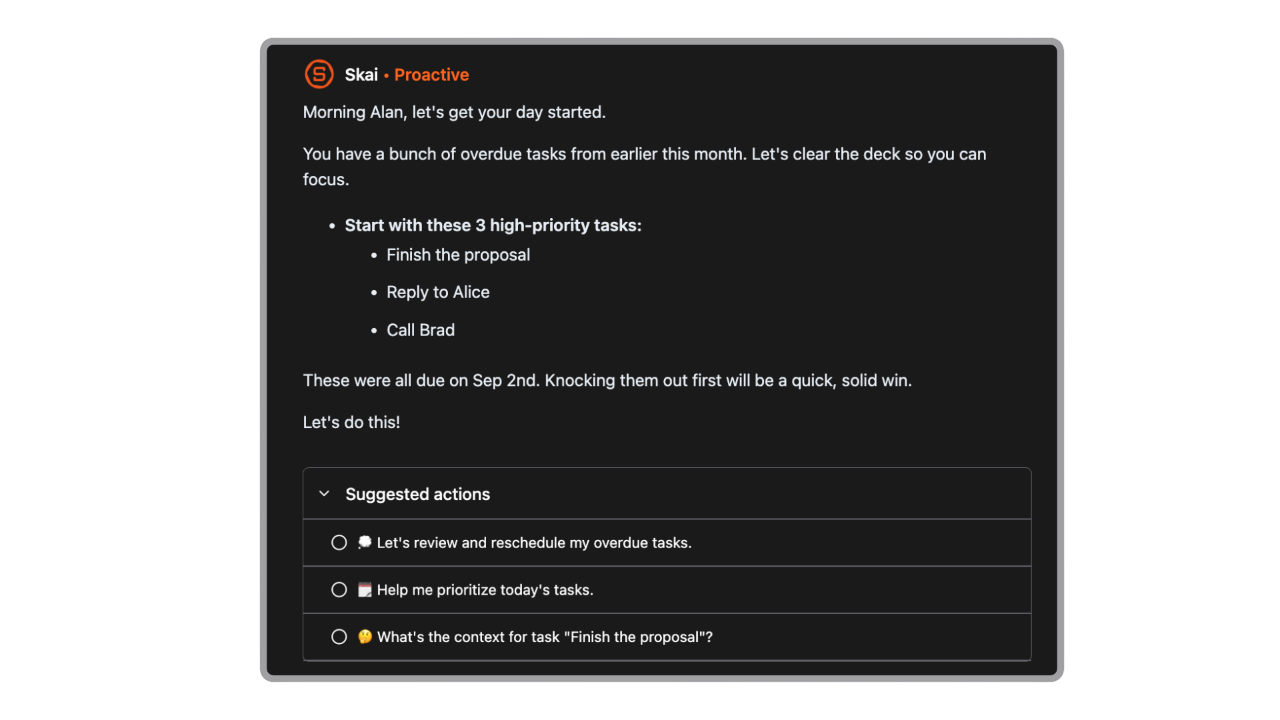
Instead of manually sorting tasks, AI now:
- Automatically create a daily plan based on your notes, tasks, and to-do lists.
- Categorizes tasks automatically
- Suggests deadlines
- Groups related items
- Prioritizes based on urgency
- Chat interface - you can literally talk to your notes
- Voice notes to tasks
- Scan through your emails to remind you what you're about to miss
B. Smart Reminders
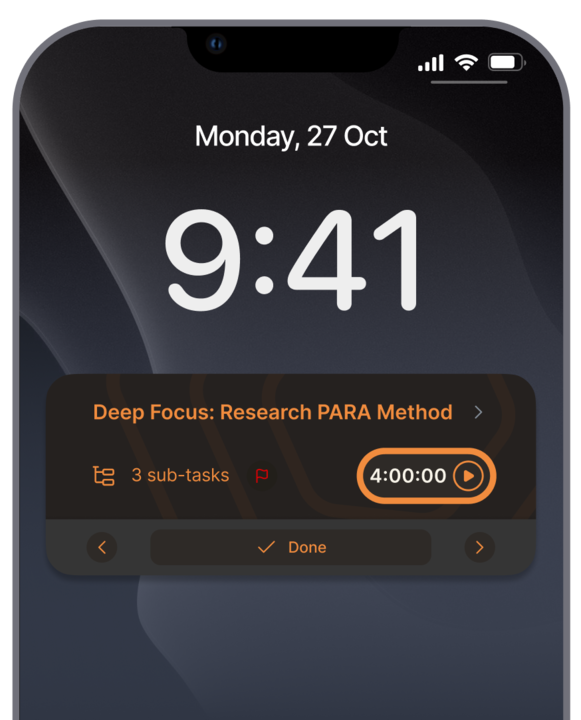
AI-based reminders:
- Adapt to patterns
- Resurface forgotten tasks
- Connect related items (e.g., “School project” + “Buy poster board”)
- Customized message for reminders.
C. Automation of Recurring Tasks
- Weekly meal prep
- Trash days
- Tuition payments
- Sports practice reminders
4. How I Evaluated These Apps
I tested each tool based on:
- Ease of Use: Parents don’t have time to learn a system. They should be able to add a task, share a calendar, or set a reminder within seconds.
- Family Coordination: I looked at whether the app allows shared calendars, collaborative lists, visibility across devices, and real-time updates.
- AI Features: The app should automatically organize what I type, suggest reminders, and handle recurring responsibilities intelligently.
- Affordability: I considered whether there’s a solid free plan, whether premium pricing is reasonable, and whether the value justifies the cost.
- Privacy & Security: If location tracking or child data is involved, encryption and clear privacy policies are essential.
- Cross-Platform Support: I checked whether each app works across iOS, Android, desktop, and web. If one parent uses Android and the other uses iPhone, the app needs to function seamlessly for both.
Now, let's dive in!
What are Best Apps for Parents in 2026?
Best Apps for Parents in 2026 are Google Calendar, Saner.AI, Life360, Cozi, Bark, Green Light, and OurfamilyWizard
👨👩👧👦 Best Apps for Parents in 2026 – Comparison Guide
| App | 🎯 Best For | 🔑 Core Features | 📱 Platforms | 🆓 Free Plan | 💳 Paid Plan (2026) |
|---|---|---|---|---|---|
| Google Calendar | Family scheduling | Shared calendars, reminders, event color coding, email integration | Web, iOS, Android | Free | Free |
| Saner.AI | Overwhelmed parents who need mental clarity | AI task breakdown, daily planning, note + task capture in one place | Web, iOS, Android | Free trial | From ~$8–15/month |
| Life360 | Real-time location & safety tracking | GPS tracking, driving reports, crash detection, emergency alerts | iOS, Android | Yes (limited) | From ~$15/month (family plans) |
| Cozi | Family organization hub | Shared calendar, shopping lists, meal planning, chore tracking | Web, iOS, Android | Yes | Gold ~$39.99/year |
| Bark | Digital safety & content monitoring | Text/social media monitoring, screen time controls, alerts for risks | iOS, Android | No full free plan | From ~$14/month |
| Greenlight | Teaching kids money management | Debit card for kids, parental spending controls, savings goals | iOS, Android | No | From ~$5–10/month (family plans) |
| OurFamilyWizard | Co-parenting & custody communication | Court-admissible messaging, expense tracking, shared custody calendar | Web, iOS, Android | No | From ~$144/year per parent |
1. Google Calendar
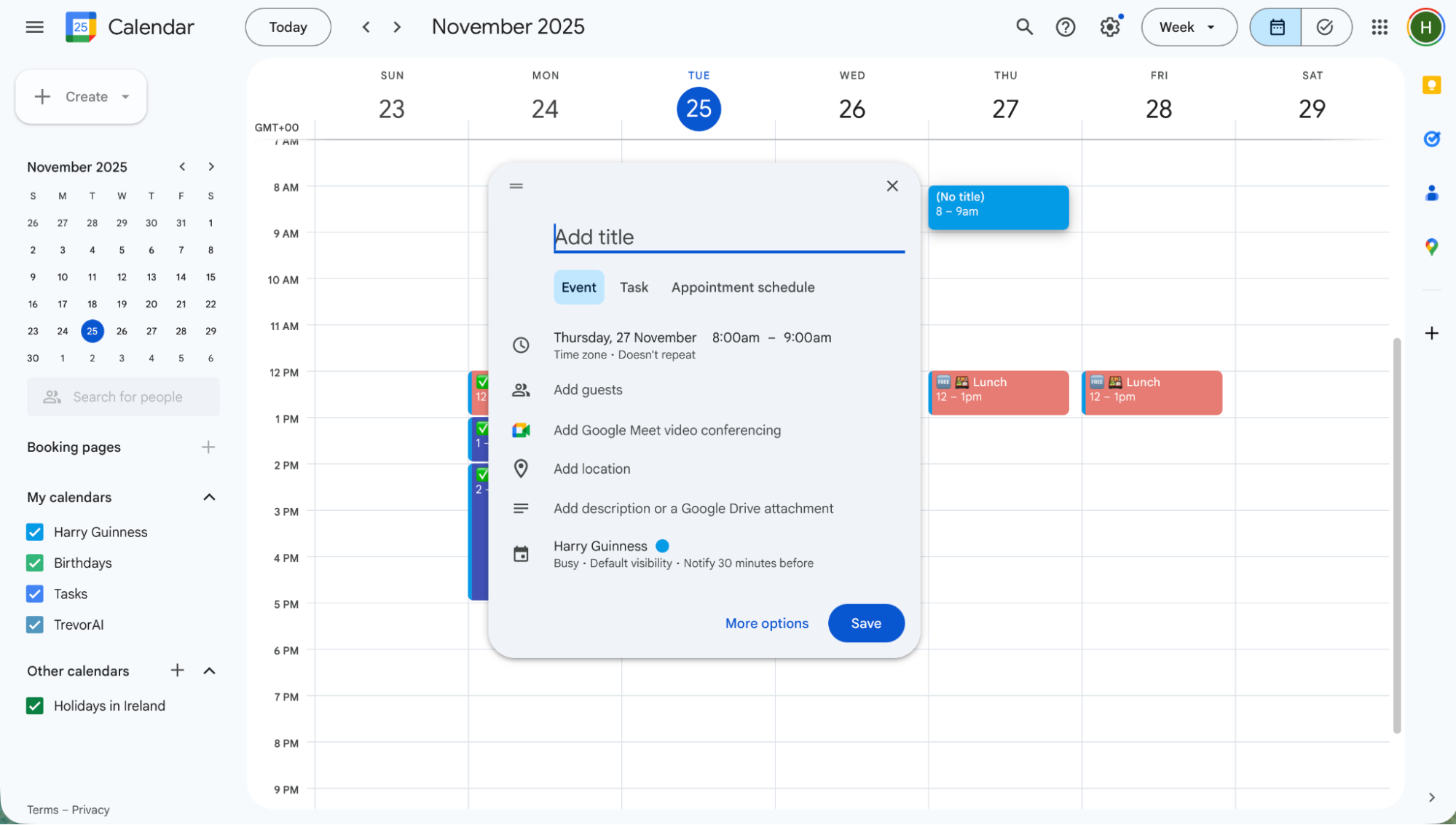
I’ve used Google Calendar for years to keep family schedules, school events, appointments, and reminders all in one place. It’s a digital calendar that syncs across all my devices (Android, iPhone, web), setting up dentist visits, practice schedules, or family dinners.
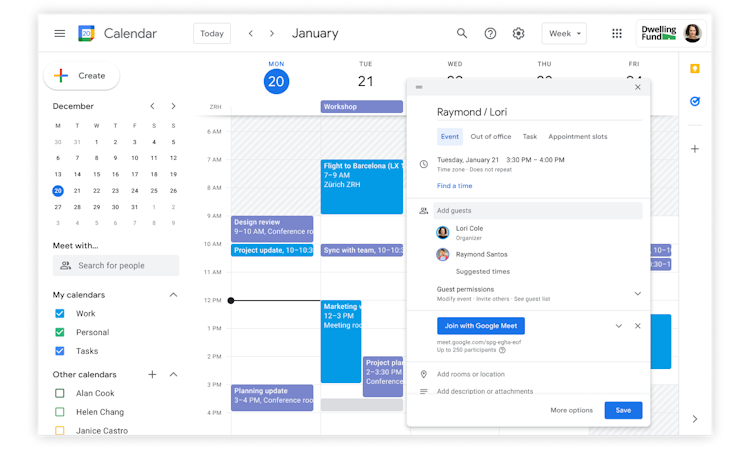
You can also create shared calendars within a Google Family group so everyone in the household sees changes instantly, which is a huge time-saver during chaotic weeks. Events added via Gmail (like flights or reservations) can automatically land in the calendar for you too.
Key features
- Create and share unlimited calendars - I have separate ones for “Kids Activities,” “Work,” and “Family.” You can invite others and set different visibility levels for events.
- Changes show up instantly on phones, tablets, and computers so everyone stays on the same timeline.
- Smart reminders & notifications - multiple alerts help me remember pickups, due dates, and appointments without having to open the app constantly.
- Add events from email or attach virtual meeting links, helpful when coordinating virtual school conferences.
What I liked
- Completely free for personal use, I’ve never paid a dime and still get everything I need for family scheduling.
- Works on both Android and iOS, so everyone in my family can access it regardless of device.
- Setting up a shared “Family” calendar took 2 minutes and keeps parents and kids aligned.
- I can link to-dos with calendar events for a fuller view of our day.
What I didn't like
- There’s no built-in grocery list or chore manager. For that, I end up using a companion app.
- Advanced scheduling tools (like appointment booking pages) require a Google Workspace subscription.
- Interface can feel busy, especially when managing multiple calendars at once.
Who it’s best for
- Parents who want a free, reliable shared calendar that works across devices.
- Families already using Gmail and other Google services.
Pricing
- Free
- Google Workspace (optional), starts around $6.72–$7/user/month when billed yearly for business-level features (advanced sharing, appointment pages, more storage).
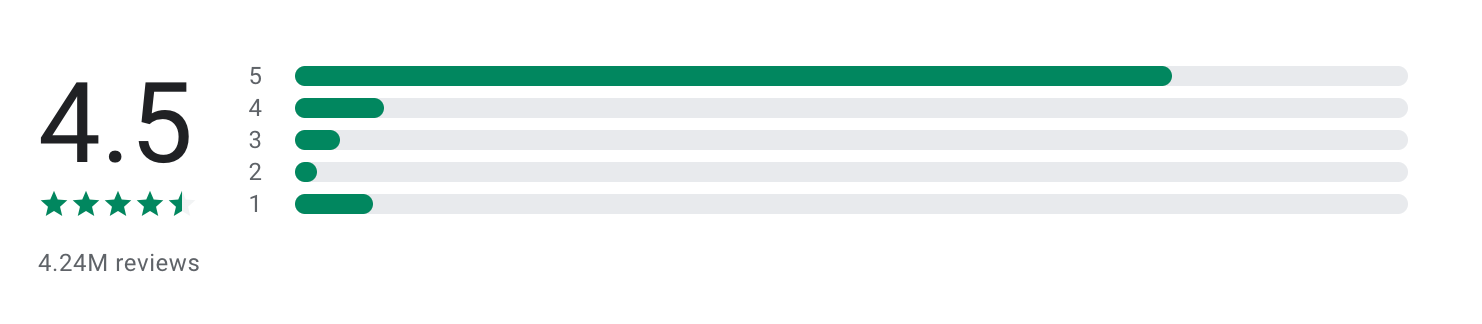
Google Calendar reviews (source)
"I like the full screen widget. It helps me because of the color changing features. I put everything I need to do in blue or yellow and when it is complete I change it to green so I can easily see my progress. it gameifys it a bit making it something I continue to do. I set daily intentions, grocery lists, and everything I dont want to forget in there." - Adison M
"It's 2026, and we can't have a reminder that works on or phones??? the event reminder used to ring for 10 min then auto snooze until you shut it off the event reminders now only do one very quite ding, and there's not setting to make it keep reminding or ringing." - David Paras
How to get started
- Sign in with your Google Account at calendar.google.com or install the Google Calendar app on iOS/Android.
- Create a Family Group in Google settings to add shared calendars.
- Add events, set reminders, and invite family members to collaborate.
2. Saner.AI
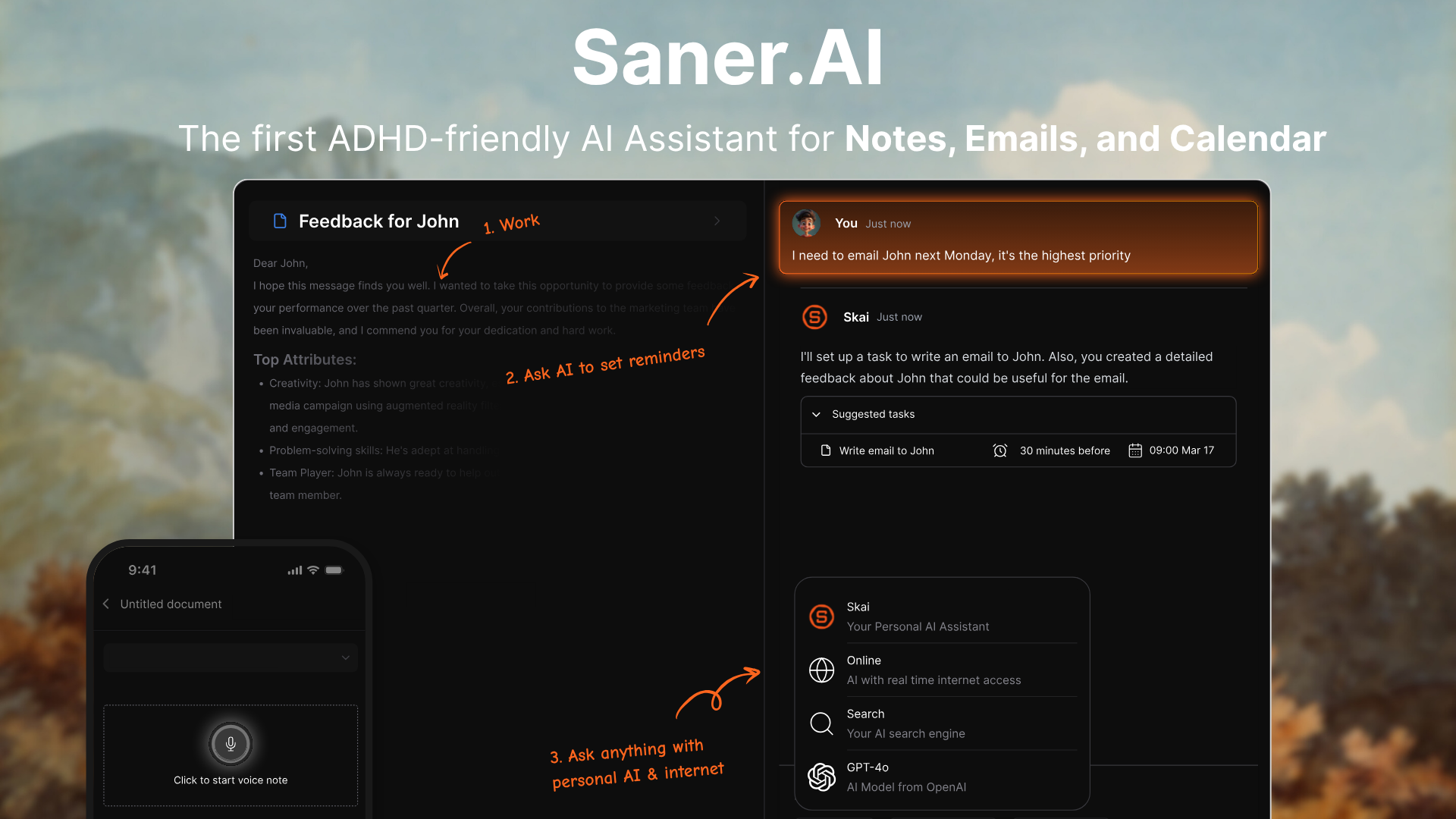
I’ve tested Saner.AI as more than just a to-do list, it feels like an assistant for busy people. Instead of manually organizing folders, tags, and lists, I just dump things down the way they’re in my head. Saner automatically structures them into tasks, reminders, and calendar events.
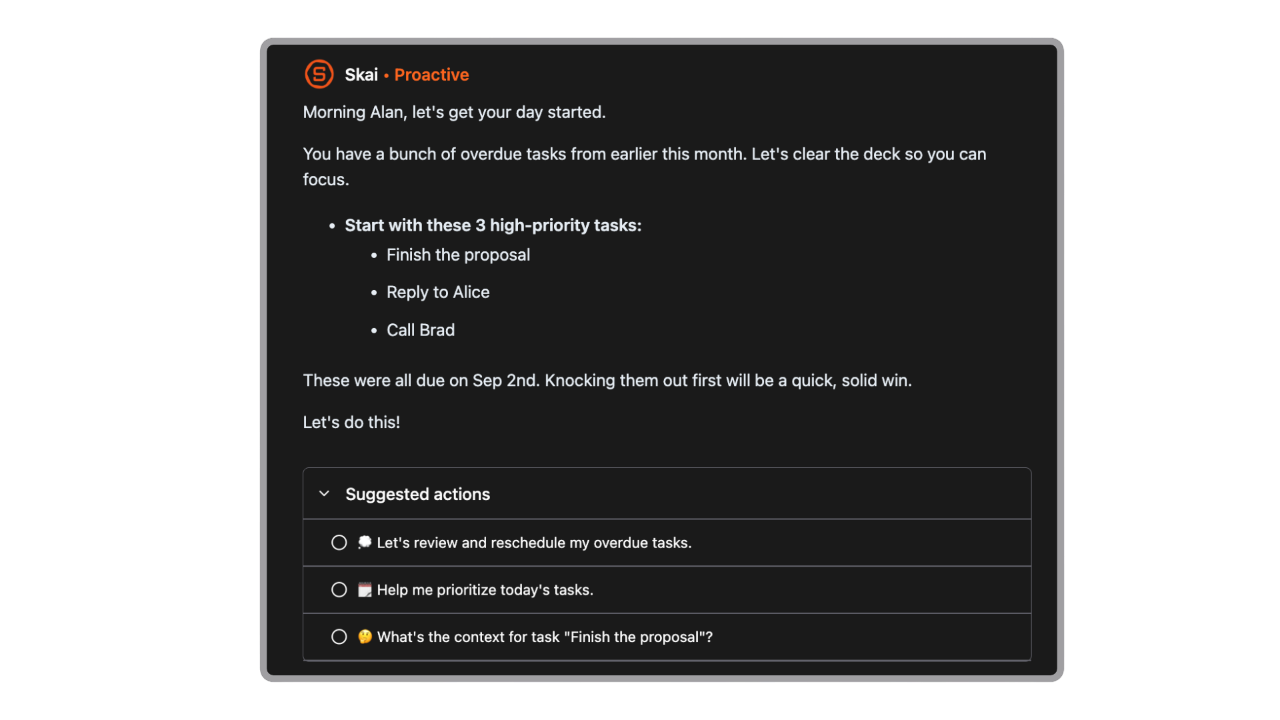
The app understands context, surfaces what matters today, and even nudges me proactively when something needs attention. As a parent juggling school emails, appointments, and personal goals, that shift from “managing tasks” to “being guided” made a big difference.
Key features
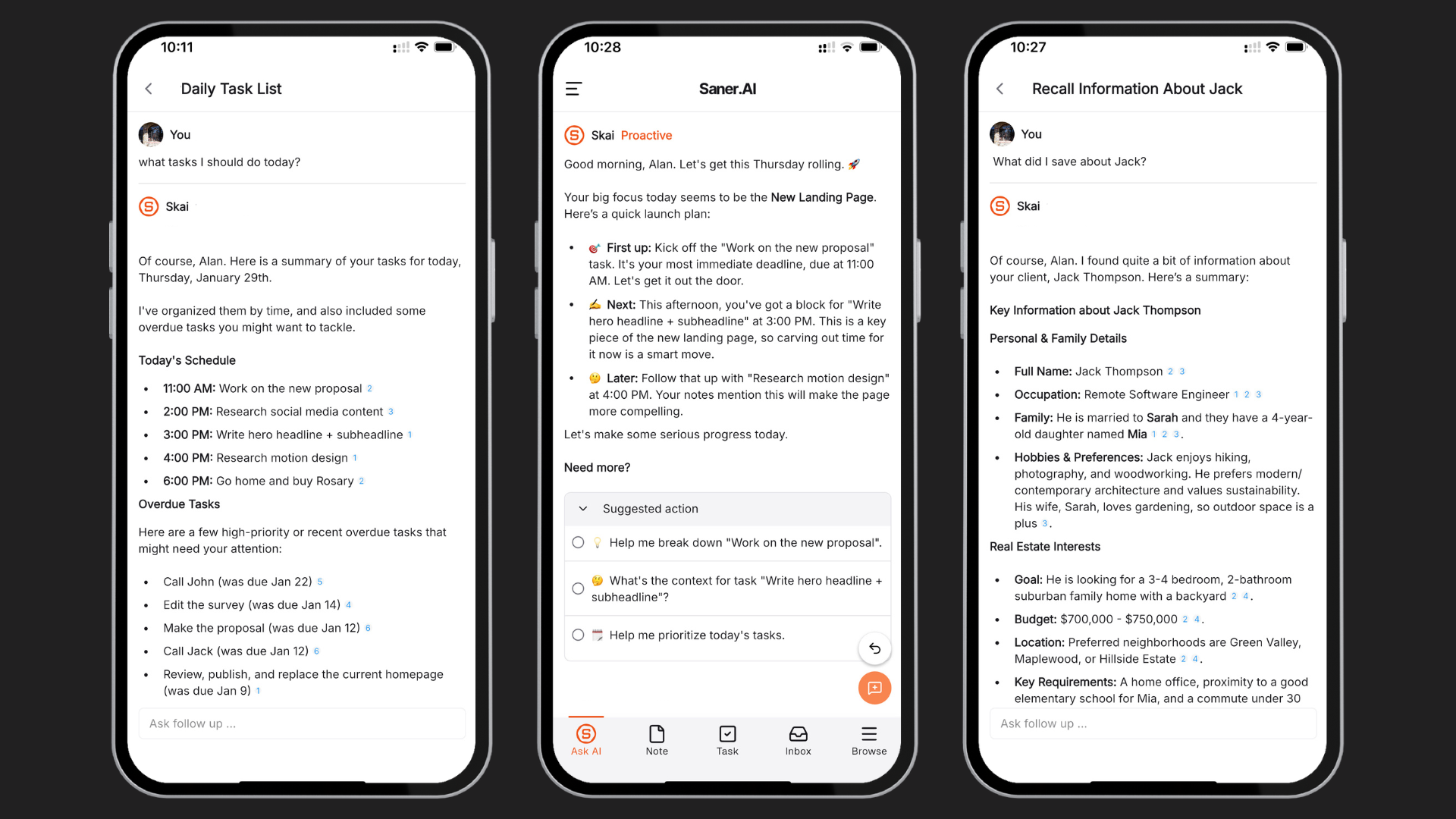
- Proactive AI messages - Instead of waiting for me to check my list, Saner sends smart nudges based on deadlines and context. It feels like an assistant reminding me about school forms, upcoming events, or unfinished tasks before they become urgent.
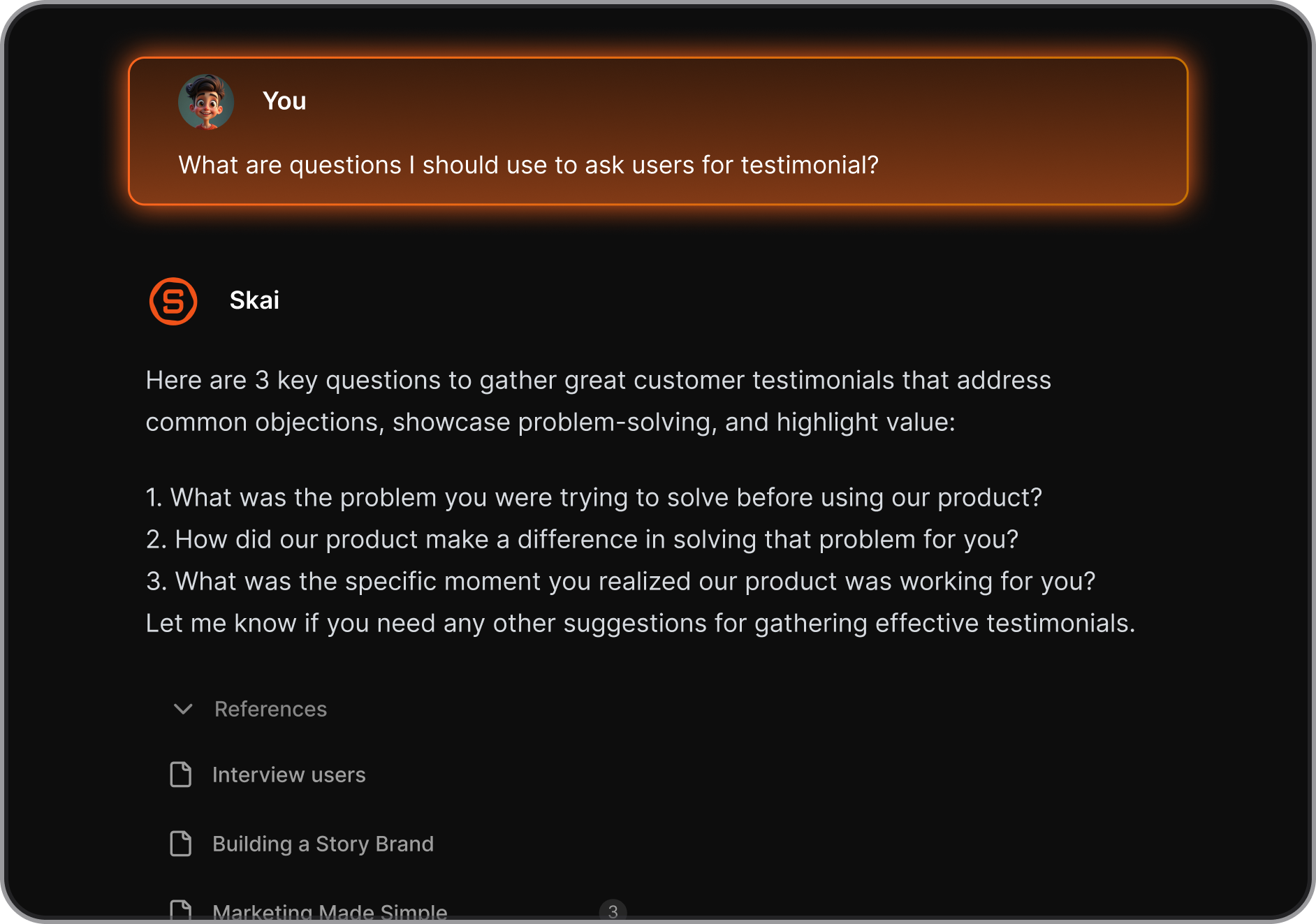
- Skai assistant (chat with your notes) - I can literally ask questions like “What do I need to prepare for this week?” and Skai scans my notes and tasks to answer.
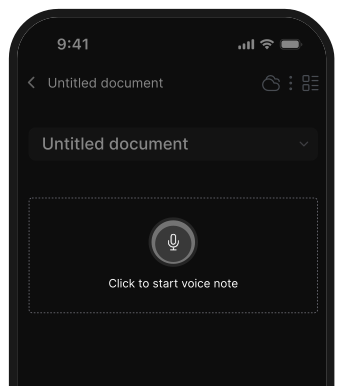
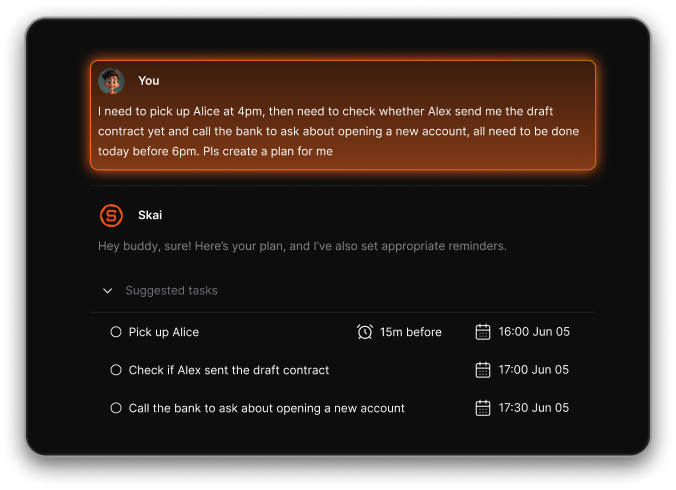
- Voice input capture – I can quickly speak my thoughts while driving or multitasking, and Saner turns them into structured tasks or notes. For busy parents, this is faster than typing.
- Flexible reprioritization - Plans change constantly with kids. Saner makes it easy to drag, adjust, and let AI suggest what should move up or down.
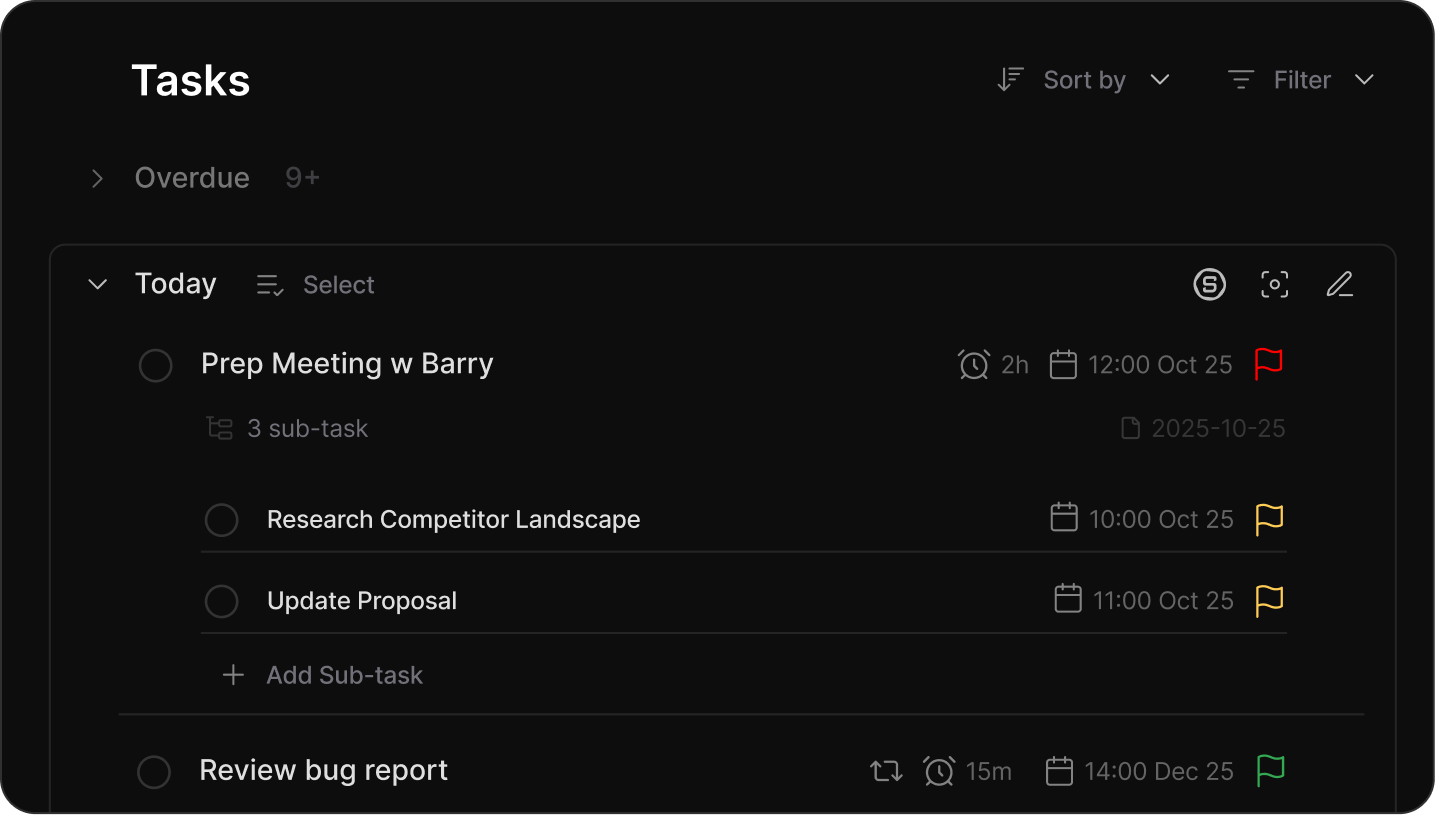
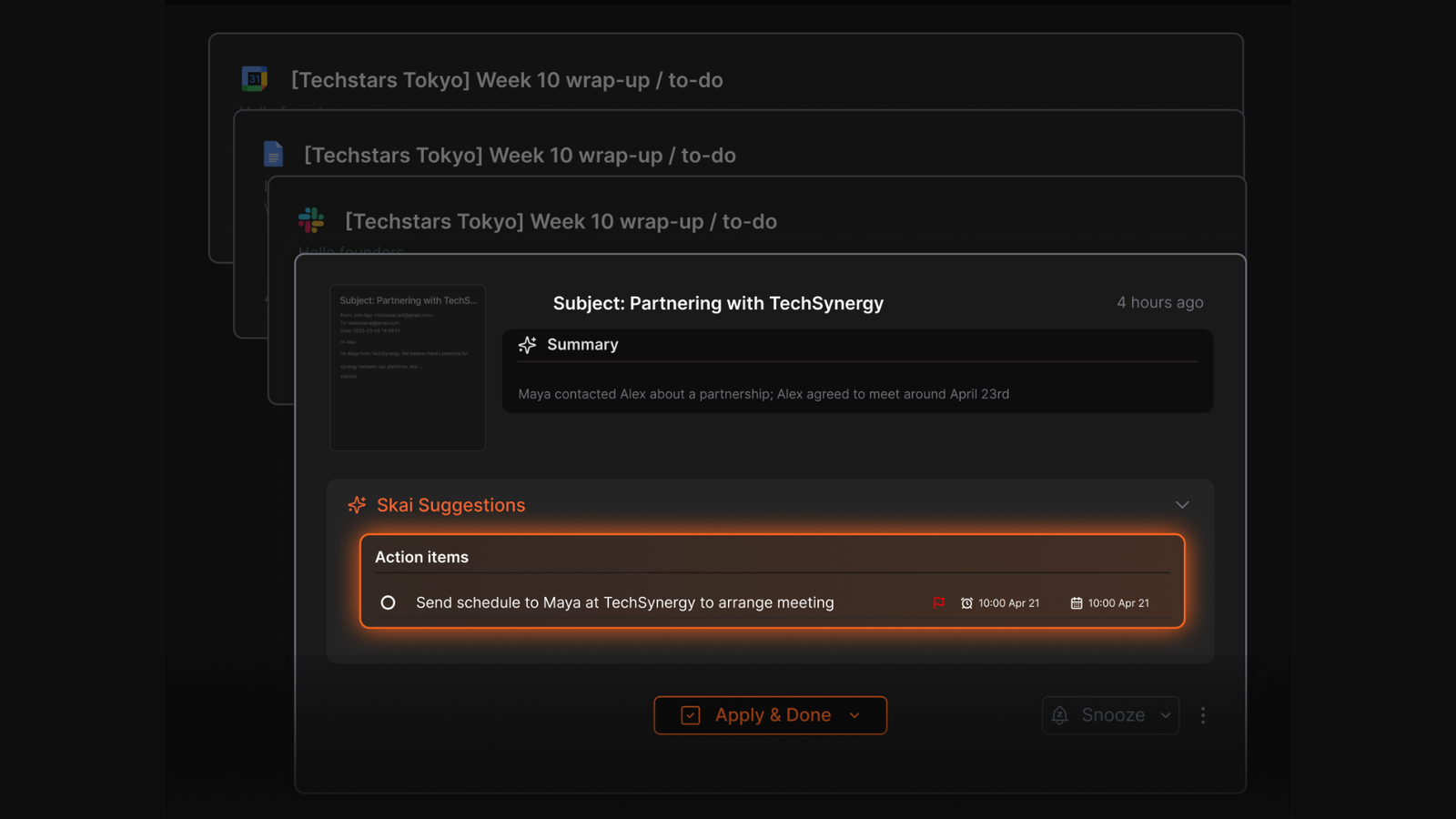
- Email scanning & smart extraction - It can scan emails (like school announcements) and surface important tasks or deadlines. That means fewer missed forms or forgotten parent meetings.
What I liked
- Proactive but not bossy - instead of telling me what I must do, Saner asked gently, “I noticed this in your email, would you like me to add it?” That subtle difference matters. It feels supportive, not controlling.
- Reduces mental clutter — I don’t need complex tagging or manual sorting.
- Fast capture (typing or voice) works well for chaotic days.
- Combines notes and tasks in one place, so I’m not switching between multiple apps.
Cons
- Still growing - fewer third-party integrations compared to big legacy apps.
- AI suggestions sometimes need small edits for accuracy.
- Works best if you consistently capture everything inside it.
Who it’s best for
- Parents are overwhelmed by scattered school emails, reminders, and daily logistics.
- People who don’t want to manually organize folders and tags.
- Busy individuals who prefer conversational AI over rigid productivity systems.
Pricing
- Free plan
- Paid plan - Around $12–$15/month (varies by billing cycle)
Saner.AI reviews
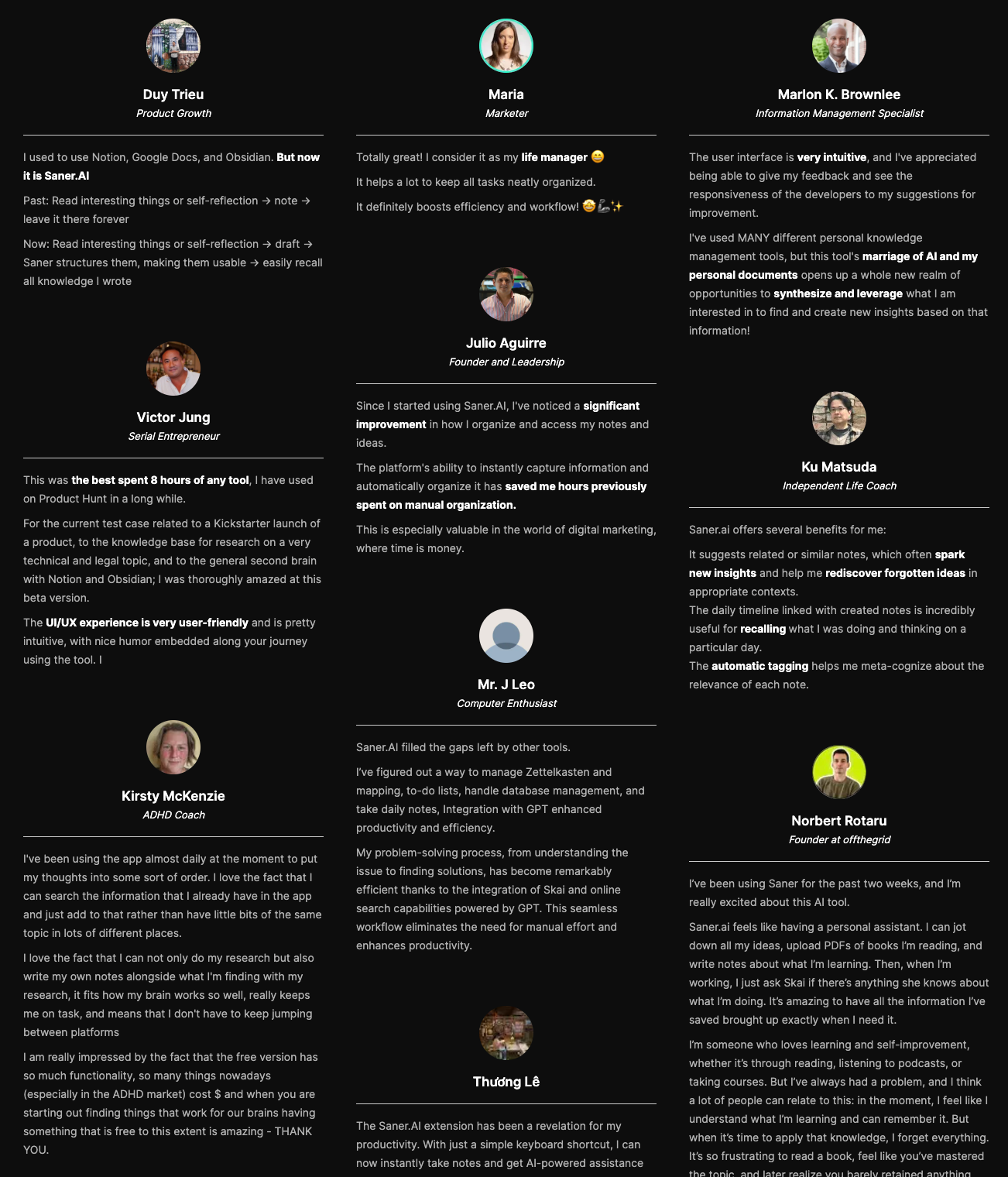
"The biggest benefit for me in using Saner is the Proactive AI. Staying on top of the constant flow of email and multiple calendars is challenging, and so far, Saner is the only AI-based tool that truly feels like a personal assistant." - Jerry
How to get started
- Go to Saner.AI and create an account.
- Start by dumping everything on your mind into one list.
- Use Skai to organize, summarize, and reprioritize.
- Connect your email if you want automatic task detection from school or work messages.

Stay on top of your work and parent's life
3. Life360
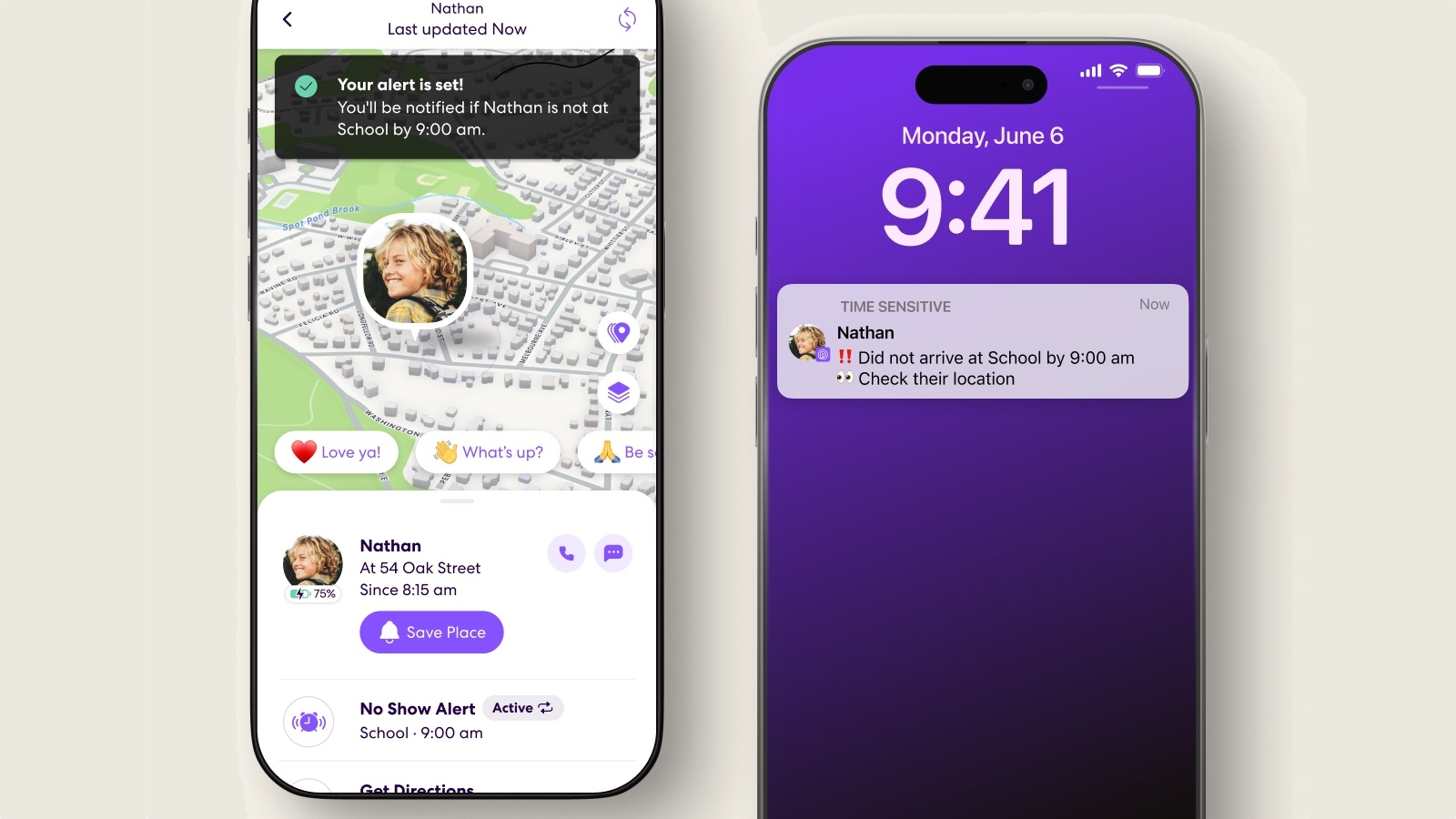
I tested Life360 as part of my search for the best apps for parents who want more visibility and safety without constant texting. It’s a family location-sharing app that lets you see where your kids (or other family members) are in real time on a private map.
Instead of messaging “Did you get there?” ten times, I can glance at the app and know they arrived at school, practice, or a friend’s house. It also sends automatic place alerts, which saves a lot of mental energy.
Key features
- I can see family members’ live location on a private map. Location updates are continuous, not delayed check-ins.
- I set places like “School” or “Home,” and the app automatically notifies me when someone arrives or leaves.
- Paid plans include crash detection that can alert emergency services and notify family members. It adds an extra layer of safety for teen drivers.
- I can see driving behavior like speed, phone usage, and hard braking (on higher plans).
What I liked
- Reduces constant check-in texts between family members.
- Arrival and departure notifications are automatic and reliable.
- Helpful safety features for families with teen drivers.
- Works smoothly across both iPhone and Android.
What I don't like
- Continuous GPS tracking can drain battery faster.
- Some advanced safety features require paid plans.
- Teens may feel it’s invasive if expectations aren’t discussed clearly.
Who it’s best for
- Parents with school-age kids who travel independently.
- Families with teen drivers.
- Households that want safety visibility without constant messaging.
Pricing
- Free plan
- Silver - Around $7.99/month (or discounted yearly).
- Gold - Around $14.99/month.
- Platinum - Around $24.99/month, includes advanced features like identity theft protection and enhanced safety services.
Life360 reviews (source)
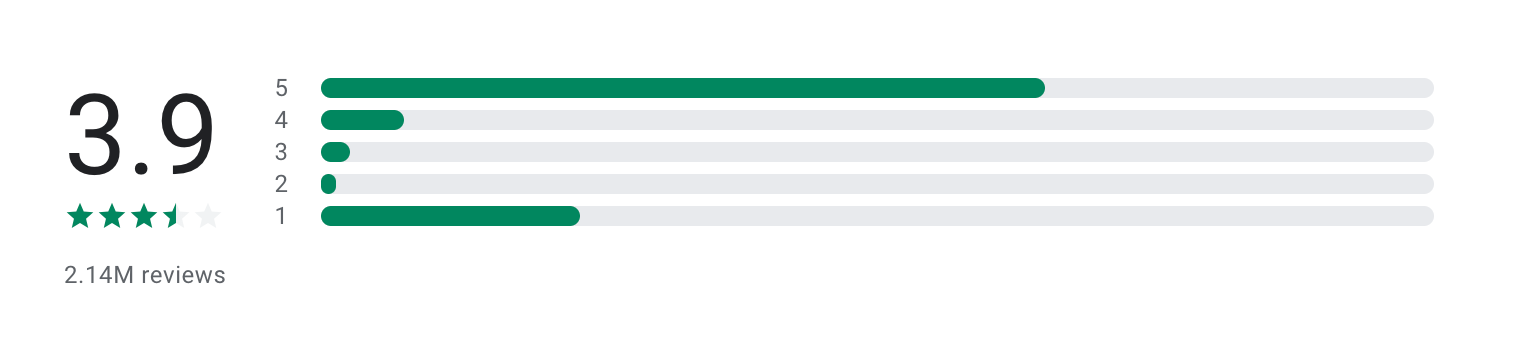
"I love that you can use the app without feeling like I'm the only one who is getting tracked by my family and that I can also see them and where they are/have been. I also love the safe driving features and like how the app gives you live updates on where the people in your circle are and when they're moving." - Kelly Priest
"I'm loosing my mind. I live in Europe and our speed is in kmph but the app isn't displaying it! I've tried everything and even contacted the customer support and they couldn't help." - Moloch
How to get started
- Download Life360 from the App Store or Google Play.
- Create an account and set up a private “Circle” for your family.
- Invite family members via SMS or link.
4. OurFamilyWizard
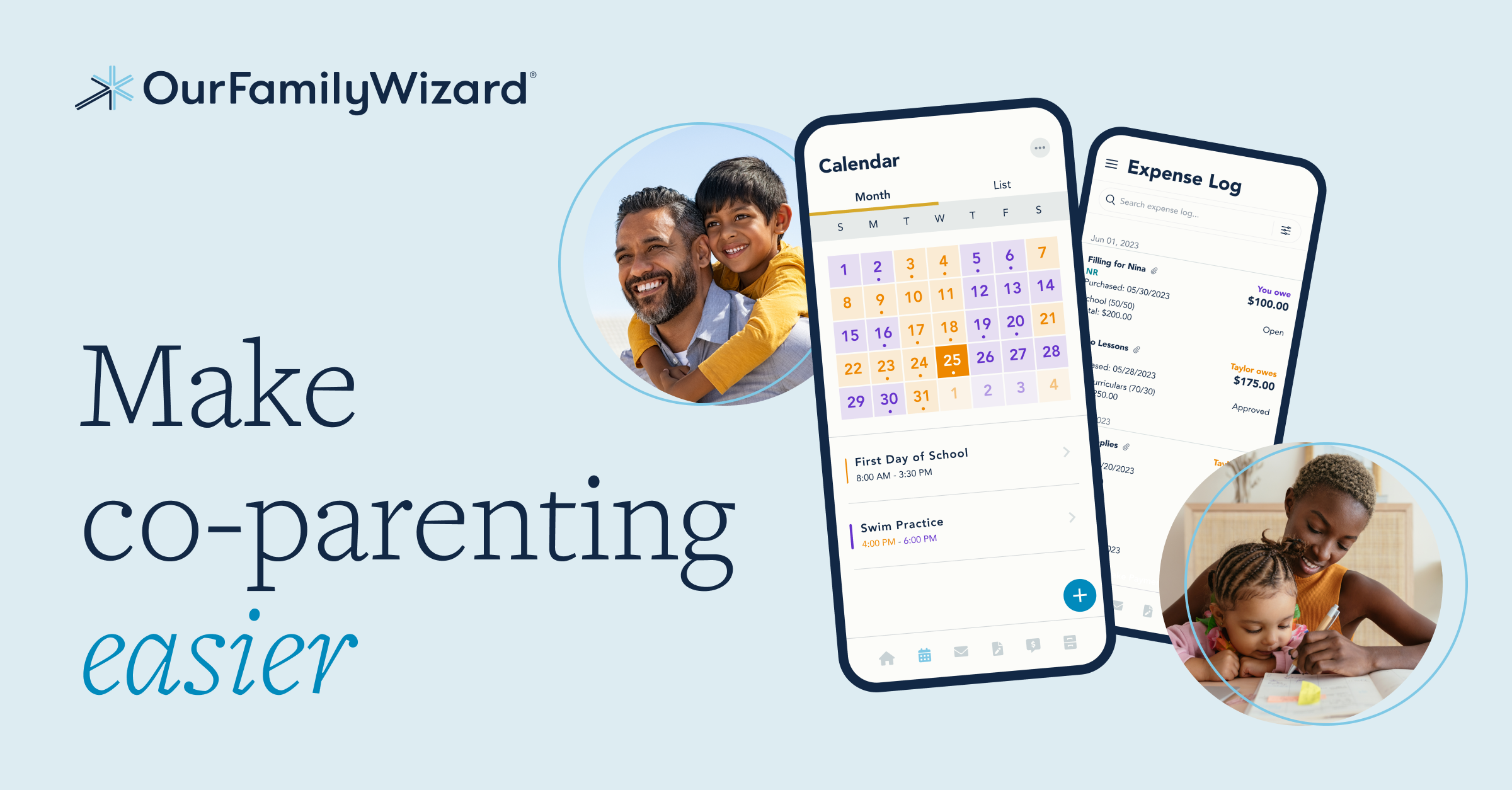
I tested OurFamilyWizard while researching the best apps for parents, especially for co-parenting situations. It’s a communication and scheduling platform designed primarily for divorced or separated parents who need structured, documented coordination.
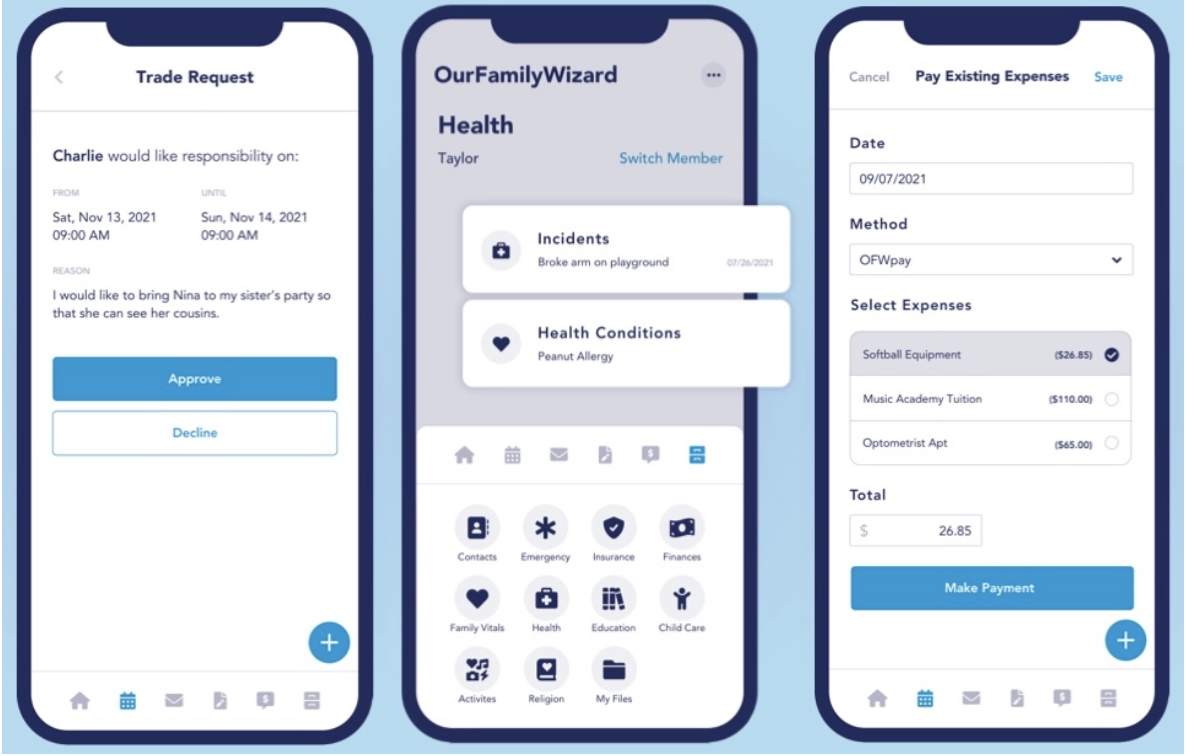
It centralizes messages, expenses, custody schedules, and even tone monitoring in one place. Everything is logged and time-stamped, which reduces misunderstandings and keeps communication focused on the children.
Key features
- I can create parenting schedules, holidays, and exchanges with color-coded clarity. Changes are tracked automatically, which helps prevent disputes over “who said what.”
- Messages are stored and cannot be edited or deleted, creating accountability.
- I can upload receipts, categorize shared expenses (school, medical, extracurricular), and request reimbursements directly in the app.
- The system flags emotionally charged language before sending a message. It encourages calmer, more constructive communication.
Pros
- Creates clear documentation, which can reduce conflict.
- Centralizes calendar, communication, and expenses in one system.
- Tone monitoring encourages more respectful messaging.
- Widely recognized in family court environments.
Cons
- Not necessary for parents who already communicate smoothly.
- Both parents typically need paid accounts.
- Interface feels more functional than modern or sleek.
Who it’s best for
- Divorced or separated parents managing custody schedules.
- High-conflict co-parenting situations needing documented communication.
- Families required by court to use structured parenting tools.
Pricing
- Essentials Plan - Around $144 per parent per year (~$12/month equivalent).
- Plus Plan - Around $209 per parent per year, includes ToneMeter and additional features.
- Children typically do not require paid accounts.
OurFamilyWizard reviews (source)
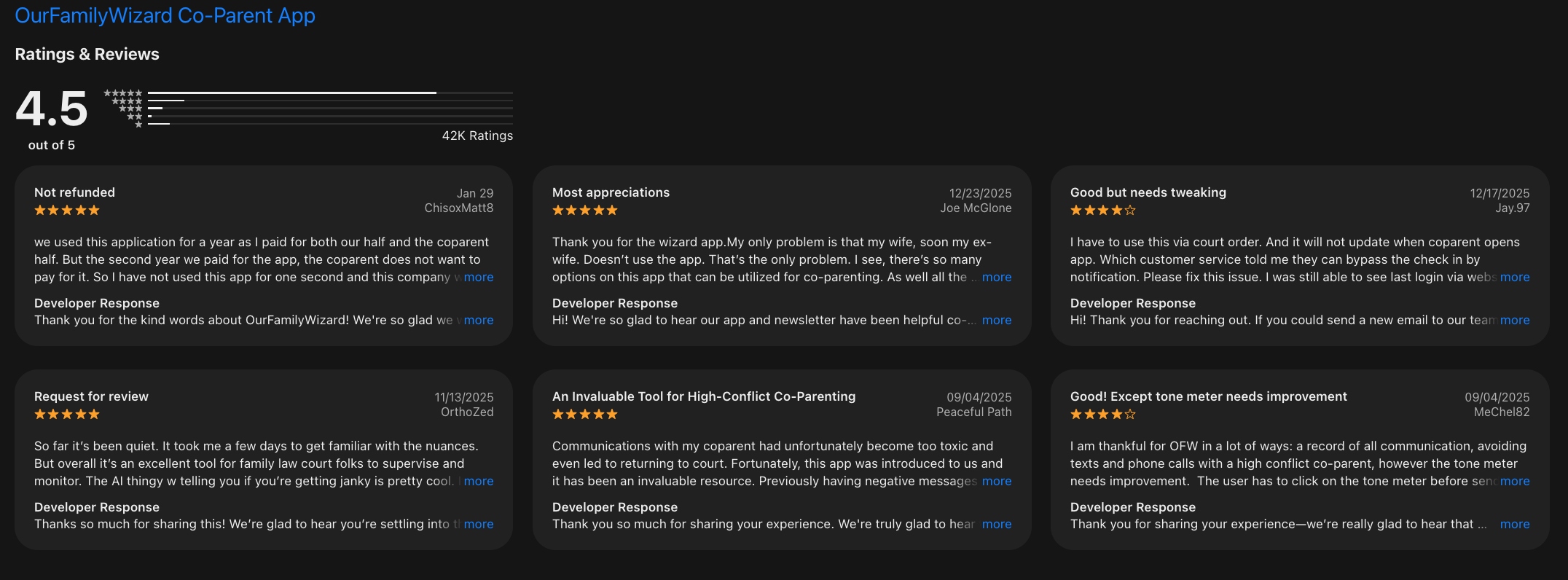
"I’m a professional who refers people to this app. It helps moderate communication style and offers lots of helpful tips. It’s an important app at a difficult time." - Marcie Shaoul
"App keeps giving me, and my son notices that I'm being recorded every minute. These notices disrupt video and audio feed between my son and me, and cause him to give up." - Brian
How to get started
- Go to OurFamilyWizard.com and create an account.
- Choose a subscription plan.
- Invite your co-parent to join your shared family account.
- Set up custody schedules, communication rules, and expense categories.
5. Cozi
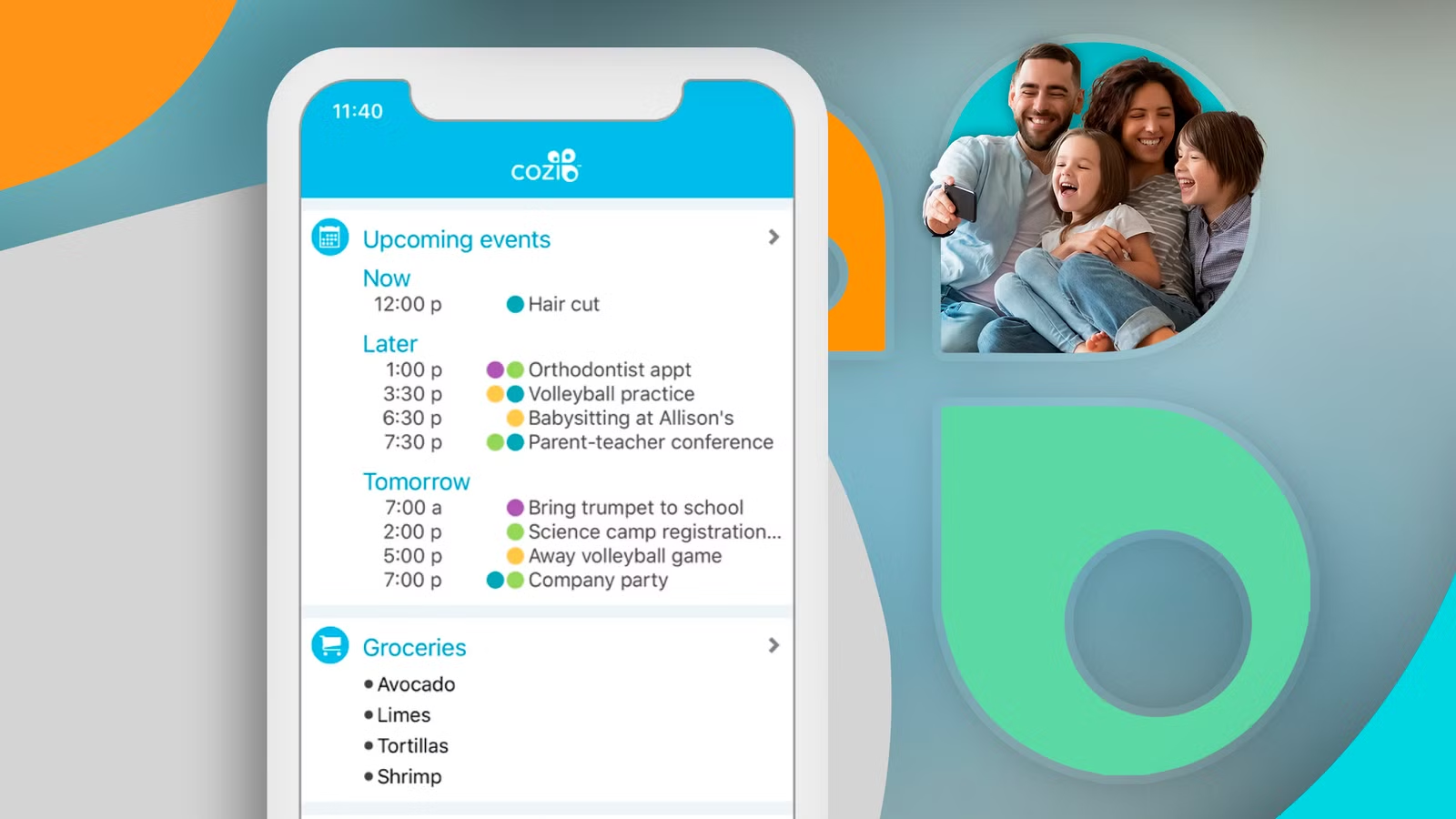
I tested Cozi while researching the best apps for parents who need a simple way to manage everyday family logistics. It’s a shared family organizer that combines a calendar, grocery lists, meal planning, and to-do lists in one app.
What I noticed quickly is that Cozi focuses on practical coordination. Everyone in the household can see the same calendar, add appointments, update grocery lists, and check tasks. Instead of juggling multiple apps, I could keep daily home management in one place.
Key features
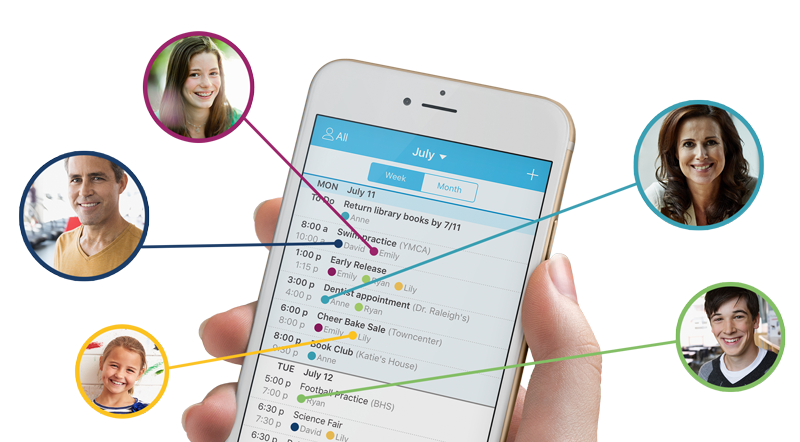
- I can color-code each family member and see everyone’s schedule in one view. Appointments, school events, and activities sync across devices instantly.
- Anyone can add items in real time. If I’m at the store and my partner adds something, it updates immediately.
- I can plan weekly meals and link ingredients directly to the shopping list.
- Each person can have their own list, plus shared household tasks. It keeps responsibilities visible without constant reminders.
Pros
- Easy for the whole family to use, even non-tech-savvy members.
- Combines calendar, lists, and meal planning in one system.
- Real-time syncing prevents duplicate grocery trips.
- Clean layout focused on family logistics rather than productivity jargon.
Cons
- Design feels a bit dated compared to newer apps.
- Free version includes ads.
- No advanced AI automation or smart prioritization features.
Who it’s best for
- Busy families managing school schedules and activities.
- Parents who want shared grocery and meal planning tools.
- Households looking for a straightforward family organizer without complexity.
Pricing
- Free plan
- Cozi Gold - Around $29.99 per year (~$2.50/month equivalent).
Cozi reviews (source)

"My husband and I use this app to sync schedules and keep track of to do lists. We even have a list of food in the fridge so we can make sure we eat it before it goes bad 🤣 I love the recipe feature. being able to upload a url and have it break down a recipe is amazing." - Trinity Fugate
"There is no way to set a default notification setting for newly created events like pretty much every other calendar app has. So unless they remember to set the notification for every event they create, they end up missing them anyway. It's hard enough to get them to remember to add the events. But then they also have to remember to set a reminder." Dean B
How to get started
- Download Cozi from the App Store or Google Play.
- Create a family account (one login shared across members).
- Invite family members via email.
- Start by adding upcoming school events and building your weekly meal plan.
6. Greenlight
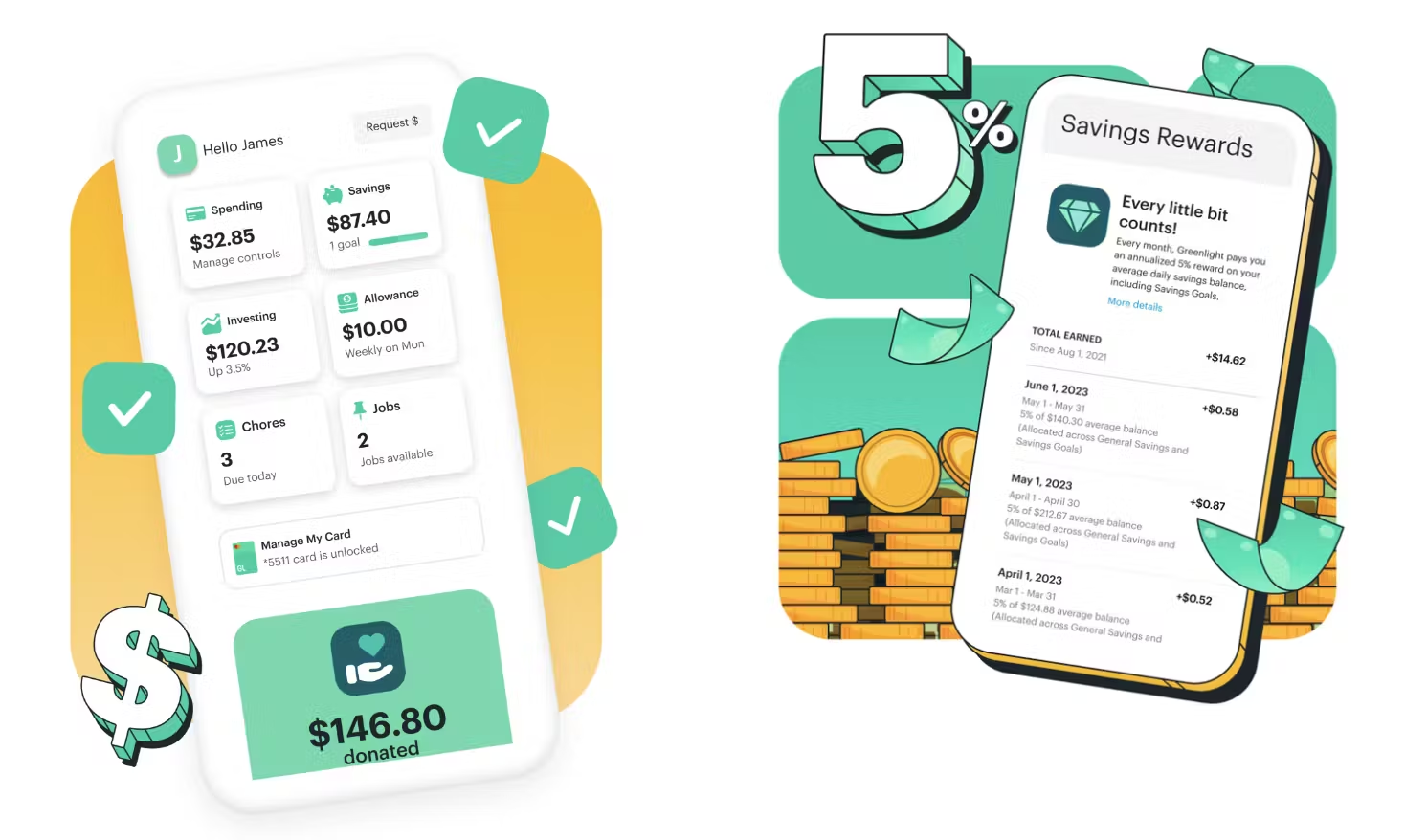
I tested Greenlight while looking for the best apps for parents who want to teach kids how to manage money in a real-world way. It’s a debit card and money management app designed specifically for families.
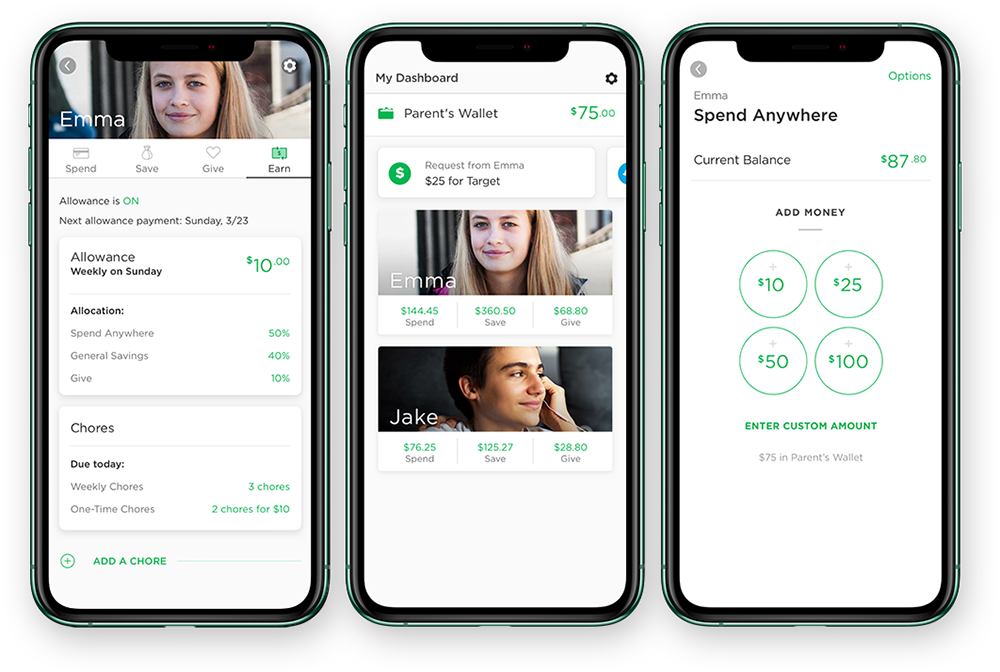
It gives kids an actual debit card (with parental controls), while I manage everything from my phone. I can set spending limits, assign chores, automate allowance, and even introduce investing for older kids.
Key features
- Each child gets a debit card, but I control where and how it can be used. I can block certain stores, set spending categories, and get real-time transaction alerts.
- I can set recurring allowance or tie payments to completed chores. Everything is tracked digitally, no cash needed.
- Kids can divide money into Spend, Save, and Give buckets. Older kids can access investing tools with parent approval.
- I get instant alerts whenever the card is used, which helps me stay aware without micromanaging.
What I liked
- Feels modern and intuitive compared to older allowance apps.
- Strong parental controls without being overly restrictive.
- Encourages financial literacy early (budgeting + saving + investing).
- One subscription covers the whole family.
What I didn't like
- No permanent free plan (only trial period).
- Best suited for U.S. families (availability varies internationally).
- Monthly subscription cost is higher than basic chore apps.
Who it’s best for
- Parents who want to replace cash allowance with a digital system.
- Families teaching budgeting and saving to kids aged 6+.
- Teens ready to learn basic investing with supervision.
Pricing
Greenlight offers tiered family plans (covers multiple kids):
- Core - Around $5.99/month
- Max - Around $9.98/month
- Infinity - Around $14.98/month
Greenlight reviews (source)
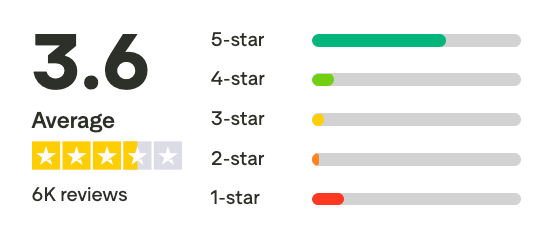
"After reviewing many options Greenlight stood out for it's focus on family features, ease of setup, and ongoing management. I've been using Greenlight for half a year, and extremely impressed with the structure and routine it provides my family.'" - Boys
"Very expensive and continued to charge a monthly fee for 10 months after cancellation. Customer service is some of the worst I’ve ever encountered. Why waste your time and money with a place like this when you can create a free checking/ savings account for kids for free at your local credit unions." - Sarah Lisenko
How to get started
- Go to Greenlight.com and choose a plan.
- Set up your parent account and add your child profiles.
- Customize spending controls and allowance rules.
- Activate the debit cards once they arrive.
7. Bark
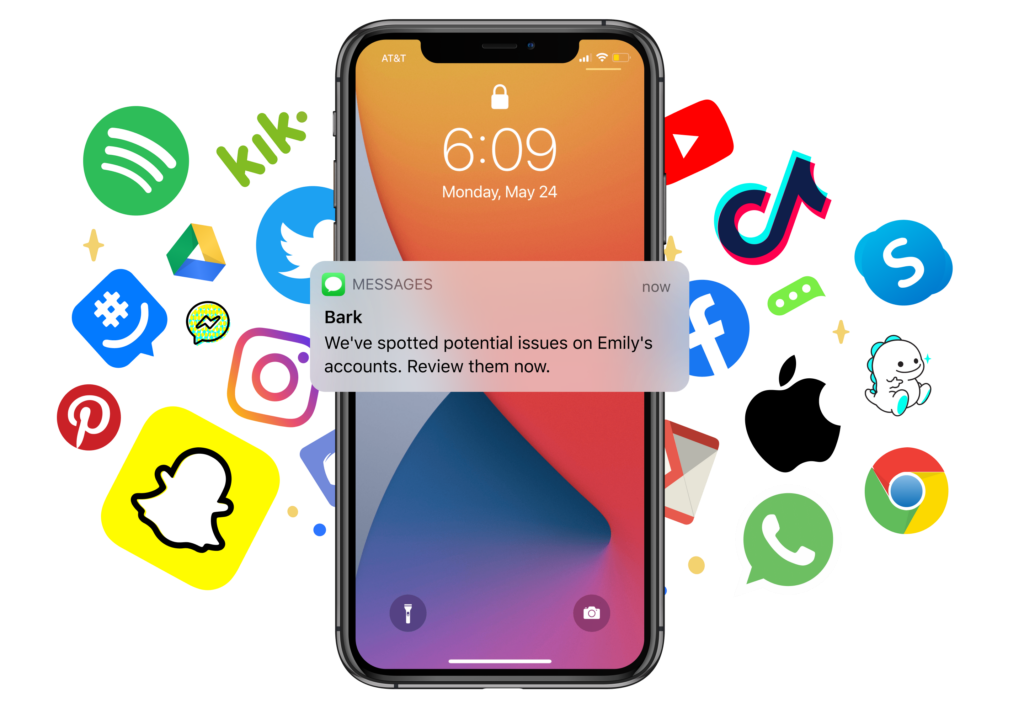
I tested Bark while researching the best apps for parents focused on online safety. It’s a parental control and monitoring app that helps detect potential risks in kids’ digital activity, including social media, messaging apps, YouTube, and email.
What I found different about Bark compared to strict “spy-style” monitoring apps is that it doesn’t show me everything. Instead, it scans content using AI and only alerts me when it detects potential issues like cyberbullying, self-harm, explicit content, or online predators.
Key features
- Bark scans texts, emails, and 30+ social platforms (like Instagram, TikTok, Snapchat, YouTube, and Discord) for safety concerns. I only get alerts when something risky appears.
- I can set daily limits, block apps, and schedule device downtime (like bedtime hours).
- It blocks inappropriate websites and categories automatically. I can customize filters depending on my child’s age.
- On mobile devices, Bark can provide location tracking and geofencing alerts.
Pros
- AI filters alerts so I’m not overwhelmed with every message.
- Covers a wide range of popular social media platforms.
- Combines monitoring + screen time + filtering in one system.
- Encourages conversation rather than silent surveillance.
Cons
- Full monitoring features require subscription plans.
- Setup can take time depending on devices used.
- Older teens may resist monitoring if expectations aren’t clearly discussed.
Who it’s best for
- Parents of tweens and teens active on social media.
- Families concerned about cyberbullying or online predators.
- Households wanting structured screen-time boundaries.
Pricing
- Bark Jr - Around $5–6/month
- Bark Premium - Around $14/month (or discounted yearly)
- Bark Phone & device bundles - Separate pricing depending on hardware plans.
Bark reviews (source)
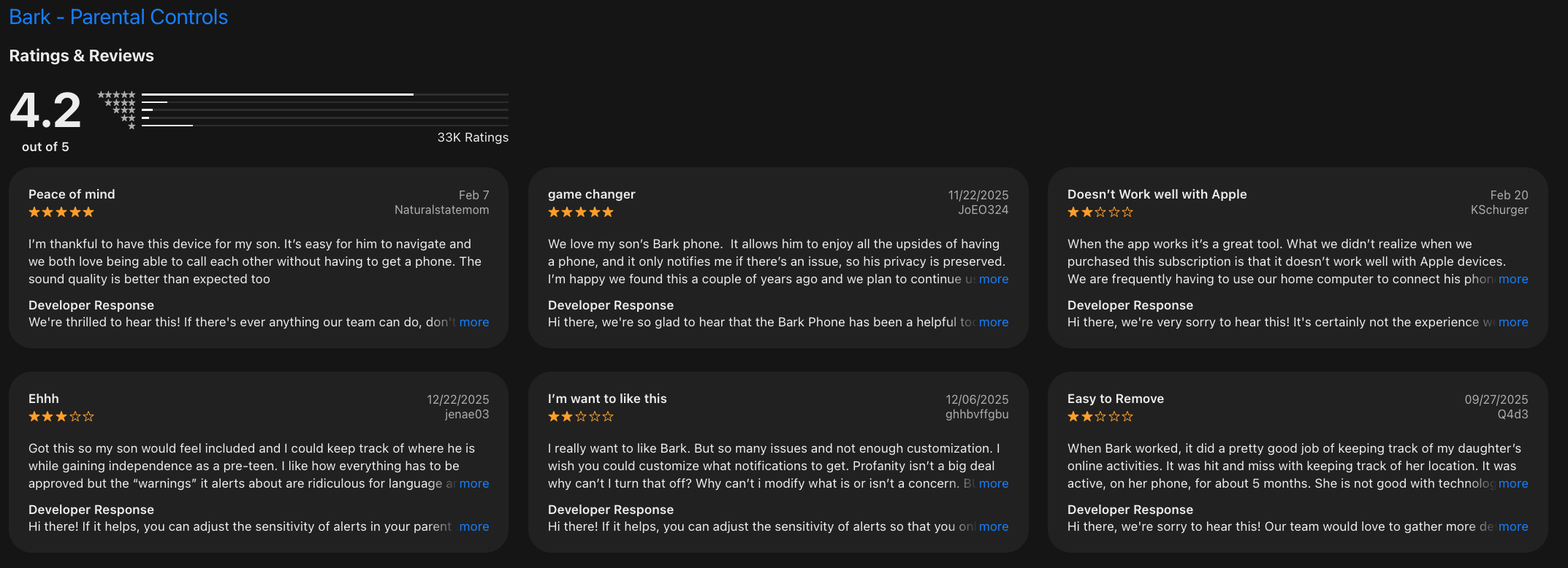
"What really put Bark over the top for us was when we purchased our 13 year old sons both phones for Christmas. Being able to decide who can contact them, get alerted to concerning texts and knowing they cannot access online apps or sites gives us such peace of mind." - Elizabeth Gregg
"The setup process was more complicated than expected, and adding my child’s Mac did not work despite troubleshooting. The protection on iPhone and iPad felt limited, especially compared to what is implied in the marketing." - T.Cooks
How to get started
- Go to Bark.us and choose a plan.
- Connect your child’s device(s) following setup instructions.
- Customize screen time rules and content filters.
Final Thoughts: The Best Apps for Parents in 2026
There’s no single “best parenting app” in 2026, because no two families run the same way.
- Some parents just need a shared calendar that keeps everyone aligned (like Google Calendar).
- Some want visibility and safety tracking for peace of mind (like Life360).
- Others prioritize co-parenting coordination (OurFamilyWizard), digital safety (Bark), allowance and financial learning (Greenlight), or an all-in-one family organizer (Cozi).
But here’s the real pain point most parents don’t talk about:
It’s not just about managing the kids. It’s about managing everything such as school reminders, medical notes, shopping lists, work deadlines, birthday parties, meal ideas, emotional check-ins, all while running on limited sleep.
And this is where many traditional parenting apps fall short. They store information, but they don’t think with you.
If you constantly feel like:
- You’re forgetting small but important things
- Your brain is juggling 50 open tabs
- You’re the “default parent” carrying invisible mental load
- Your calendar is full, but your head still feels messy
Saner.AI stands out in 2026. Instead of being another place to manually organize tasks, it works like a calm AI assistant. You can quickly dump thoughts, reminders, school details, or random to-dos, and let AI structure, connect, and resurface what matters at the right time.
What We Recommend
✨ Combine 2–3 tools from different categories (calendar, safety, organization).
🧪 Test them during real family chaos - school weeks, travel, appointments.
🧠 Measure success by mental clarity, not just completed checkboxes.
If a tool helps you feel less reactive, less scattered, and more present with your kids, that’s the right one for your family. And if your biggest struggle isn’t tracking location or scheduling events but remembering, organizing, and mentally carrying it all. Start with Saner.AI.
Stay on top of your work and life
FAQs: Best Apps for Parents in 2026
1. What are the best apps for parents in 2026?
The best apps for parents in 2026 typically fall into five categories: scheduling, safety, communication, money management, and digital monitoring.
Popular choices include:
- Google Calendar – Shared family scheduling
- Saner.AI – AI-powered planning and mental organization
- Life360 – Real-time family location tracking
- Cozi – Family calendar and lists
- Bark – Online safety monitoring
- Greenlight – Kids’ debit card and financial education
- OurFamilyWizard – Communication for separated parents
2. What type of app do busy parents need most in 2026?
Most parents need a combination of:
- A shared calendar
- A task manager
- A safety monitoring app
- A budgeting tool
Many families are now looking for tools that reduce mental load, not add more dashboards.
3. How can AI help parents stay organized?
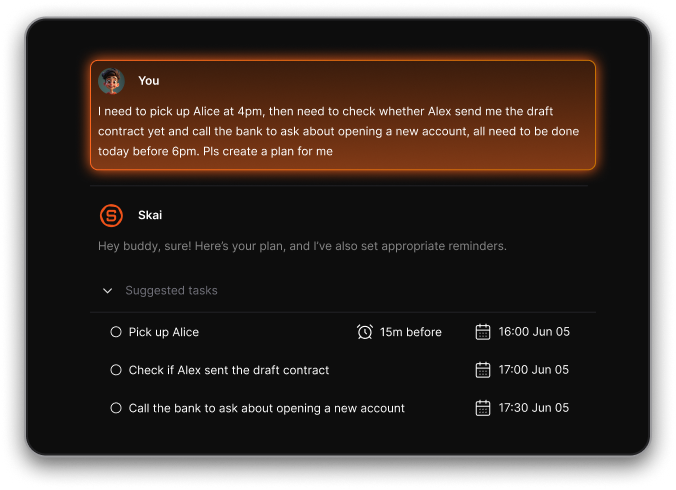
AI-powered apps can:
- Turn random thoughts into tasks
- Suggest daily priorities
- Sync with your calendar
- Remind you at the right time
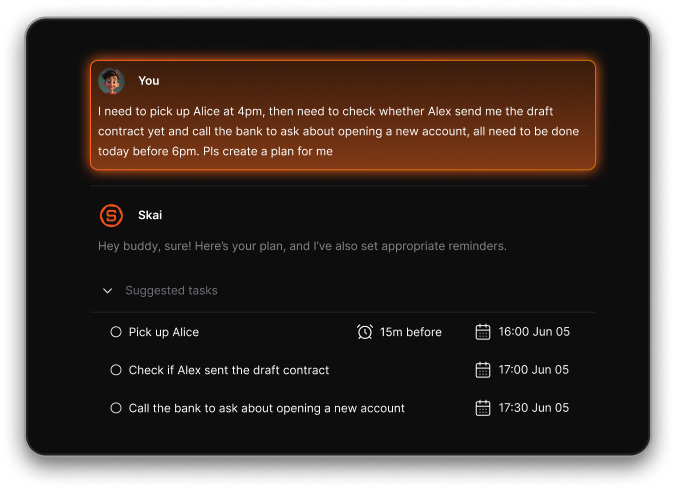
Tools like Saner.AI function as a personal planning assistant, especially helpful if your brain feels constantly “on.”
4. Is Google Calendar still useful for families?
Yes. Google Calendar remains one of the most reliable free scheduling tools.
It allows:
- Shared family calendars
- Color-coded events
- Automatic reminders
- School and activity syncing
However, it doesn’t manage tasks deeply, which is why some parents pair it with AI planning tools.
5. What is the best app for tracking my child’s location?
Life360 is widely used for:
- Real-time GPS tracking
- Driving reports
- Arrival notifications
- Emergency alerts
It’s helpful for teens or commuting family members.
6. Which app is best for co-parenting communication?
OurFamilyWizard is built specifically for:
- Court-admissible messaging
- Shared custody calendars
- Expense tracking
- Structured communication
It reduces conflict by keeping conversations organized and documented.
7. What is the best budgeting app for families with kids?
Greenlight helps parents:
- Set spending limits
- Assign chores
- Teach financial literacy
- Monitor transactions
It’s ideal for introducing money management early.
8. How can parents monitor kids’ online activity safely?
Bark monitors:
- Text messages
- Social media
- Emails
- YouTube
It flags concerning content without requiring parents to read every message — offering a balance between privacy and safety.
9. What’s the best digital family organizer?
Cozi is a classic option for:
- Shared grocery lists
- Meal planning
- Family schedules
- Task lists
It works well for households that prefer a structured, traditional system.
10. Can one app replace all parenting tools?
In most cases, no single app replaces everything.
However, some AI-first tools reduce the need for multiple productivity apps. For example, Saner.AI combines:
- Notes
- Task management
- Calendar syncing
- Smart reminders
This helps parents reduce context switching — one of the biggest productivity drains.
11. What is a Personal AI assistant for parents?
A Personal AI assistant is a tool that understands natural language and turns it into actions.
For example, instead of opening three apps, you can type:
- “Remind me to email the teacher Friday.”
- “What’s left to prepare for Emma’s birthday?”
- “Summarize my notes from the school meeting.”
Apps like Saner.AI apply this model to everyday planning.
12. Which app is best for parents with ADHD?
Parents with ADHD often struggle with:
- Forgetting small tasks
- Overwhelm from too many tools
- Mental clutter
AI planners that auto-organize messy notes into structured tasks can be especially helpful. Simpler systems with fewer dashboards typically work better than highly complex setups.
13. Are there free parenting apps in 2026?
Yes. Many apps offer free tiers:
- Google Calendar – Free
- Cozi – Free basic version
- Bark – Trial options
- Saner.AI – Free plan with AI reminders and search
Free versions are often enough for light usage.
14. How do I choose the best apps for parents in 2026?
Start by identifying your biggest friction point:
- Missed appointments → Calendar tool
- Teen safety → Monitoring app
- Budget chaos → Financial app
- Mental overload → AI planner
Choose based on pain, not popularity.
15. What’s the smartest setup for modern parents?
Many families combine:
- Google Calendar (shared scheduling)
- Life360 (safety)
- Greenlight (money)
- An AI planning app like Saner.AI (mental clarity)
Stay on top of your work and life