
Calendars for ADHD: We Tested the Best 6 Apps (Free & Paid)
The Best Calendars for ADHD are: Saner.AI, Reclaim, Sunsama, Tiimo and Notion Calendar


The Best 6 ADHD Calendar Apps in 2026
Managing my schedule with an ADHD brain used to feel like trying to catch water with a sieve. I would set a digital reminder, feel a surge of pride for being "organized," and then - minutes later - completely forget the reminder existed because it didn't account for my time blindness.
The "hole" in most traditional calendars is that they assume you just need a prompt, when what we actually need is a visual, cognitive, and sensory map that bridges the gap between knowing what to do and actually starting it.
In this article, we’ll explore how these apps handle "waiting mode," how they integrate with your existing messy notes, and which specific ADHD traits (like hyperfocus or task paralysis) each one is best suited to solve.
Quick guide: What are the best ADHD calendar apps in 2026?
2. Reclaim: Best for professionals who need AI to automatically protect "Focus Time" and reschedule tasks around meetings.
3. Sunsama: Best for those who struggle with "over-planning" and need a calming, ritualized daily checkout.
4. Tiimo: Best for visual learners and children/adults who need icon-based timelines and countdown timers.
5. Notion Calendar: Best for "system builders" who already use Notion and want their project databases and dates in one view.
6. Motion: Best for high-stakes environments where you want an algorithm to build your entire schedule for you.
1. What is an ADHD calendar app?
An ADHD calendar app is a specialized planning tool designed to solve these specific neurological "glitches." Unlike a standard grid of boxes, these apps act as an external prosthetic for your executive functions. They don’t just show you a schedule; they help you visualize the passage of time, break down intimidating projects into dopamine-friendly micro-steps, and provide sensory cues that nudge you into action without the typical "productivity shame."
2. How I Chose These Calendars?
The best tool for your brain should solve the specific friction points of neurodivergence. We evaluated each platform based on the challenges the ADHD community faces daily:
- Time Blindness Support: Does it offer visual countdowns or "time remaining" indicators?
- Executive Function Assistance: Can it break large tasks into smaller, manageable steps automatically?
- Distraction Minimization: Is the interface clean, or is it cluttered with notifications that trigger "side-questing"?
- Frictionless Capture: How quickly can you get a thought out of your head and onto the schedule before it disappears?
- Flexibility: How easily can it "shuffle" your day when you hit a wall of task paralysis?
- Integration: Does it play nice with the tools you already use (Google, Outlook, Slack) to prevent "out of sight, out of mind" syndrome?
What are the best Calendar Apps for ADHD to manage work & life?
The best Calendars for ADHD are: Saner.AI, Reclaim, Sunsama, Tiimo, and Notion Calendar
📋 Comparison Table: Best Calendars for ADHD (2026)
| 🛠 Tool | 💡 ADHD‑Friendly Perks | 💰 Price | 📱 Platforms | 🎯 Best For |
|---|---|---|---|---|
| Saner.AI | Combines notes, tasks, and calendar; smart reminders; easy to use. | Free / $8+ | Web, iOS, Android | ADHDers who hate context switching. |
| Sunsama | Daily time-blocking + task planning; calming design; intentional prompts. | $20/month | Web, iOS, Android | Professionals who need structured days. |
| Structured | Visual daily layout; color-coded blocks; great for time awareness. | Free / $2.99 | iOS, macOS, Android | Visual thinkers and time-blind users. |
| Tiimo | Visual routines with emojis and icons; built for neurodivergent brains. | $2.99/month | iOS, Android | ADHDers, teens, and families. |
| Notion Calendar | Custom views; integrates with Notion workspace; minimalist design. | Free | Web, iOS, Android | DIY systems and Notion fans. |
| Reclaim.ai | Auto-schedules tasks, routines, and focus time; reduces decision fatigue. | Free / from $8/month | Web, Google Workspace | ADHDers with busy calendars and too many tasks. |
1) Saner.AI
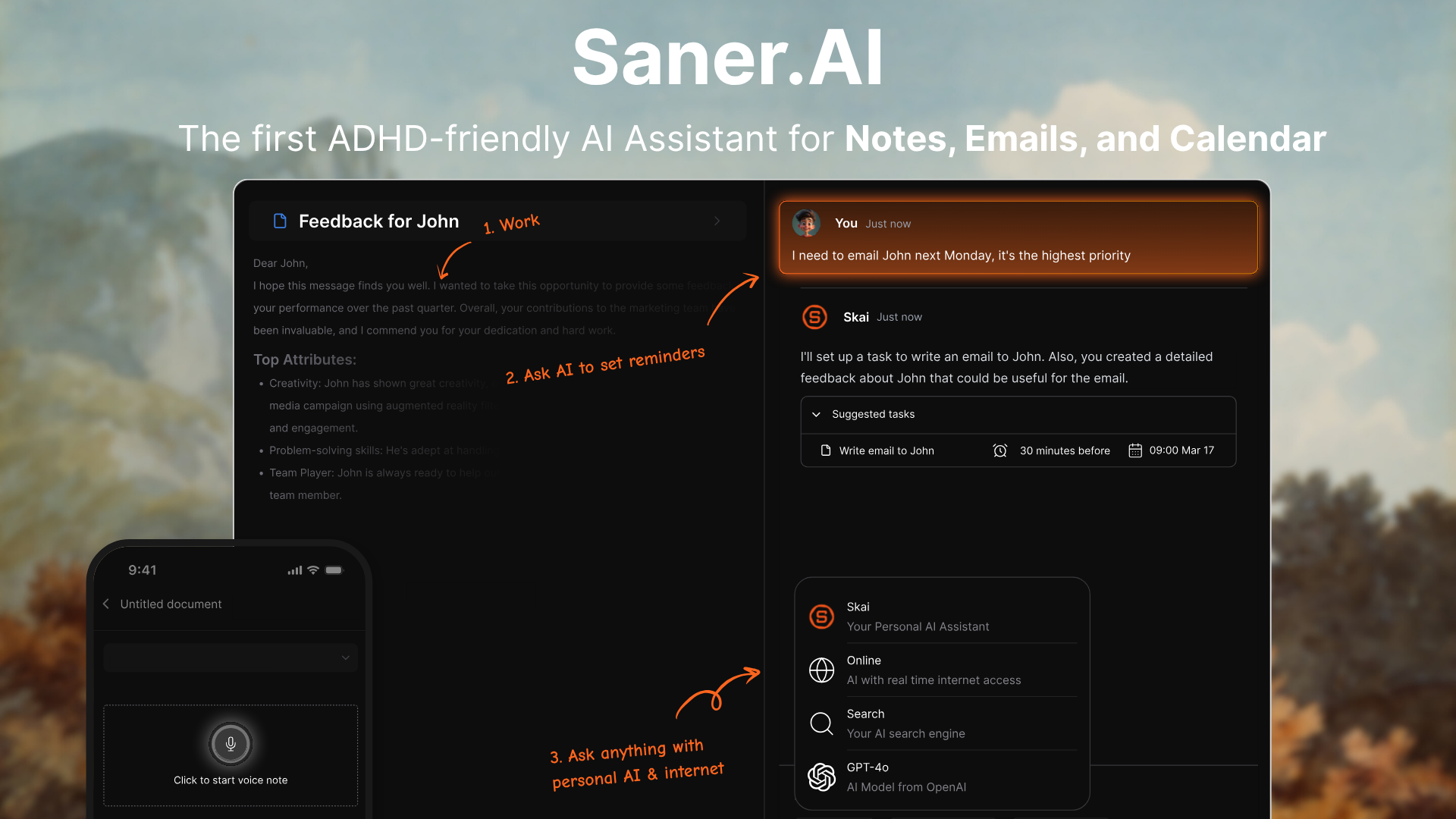
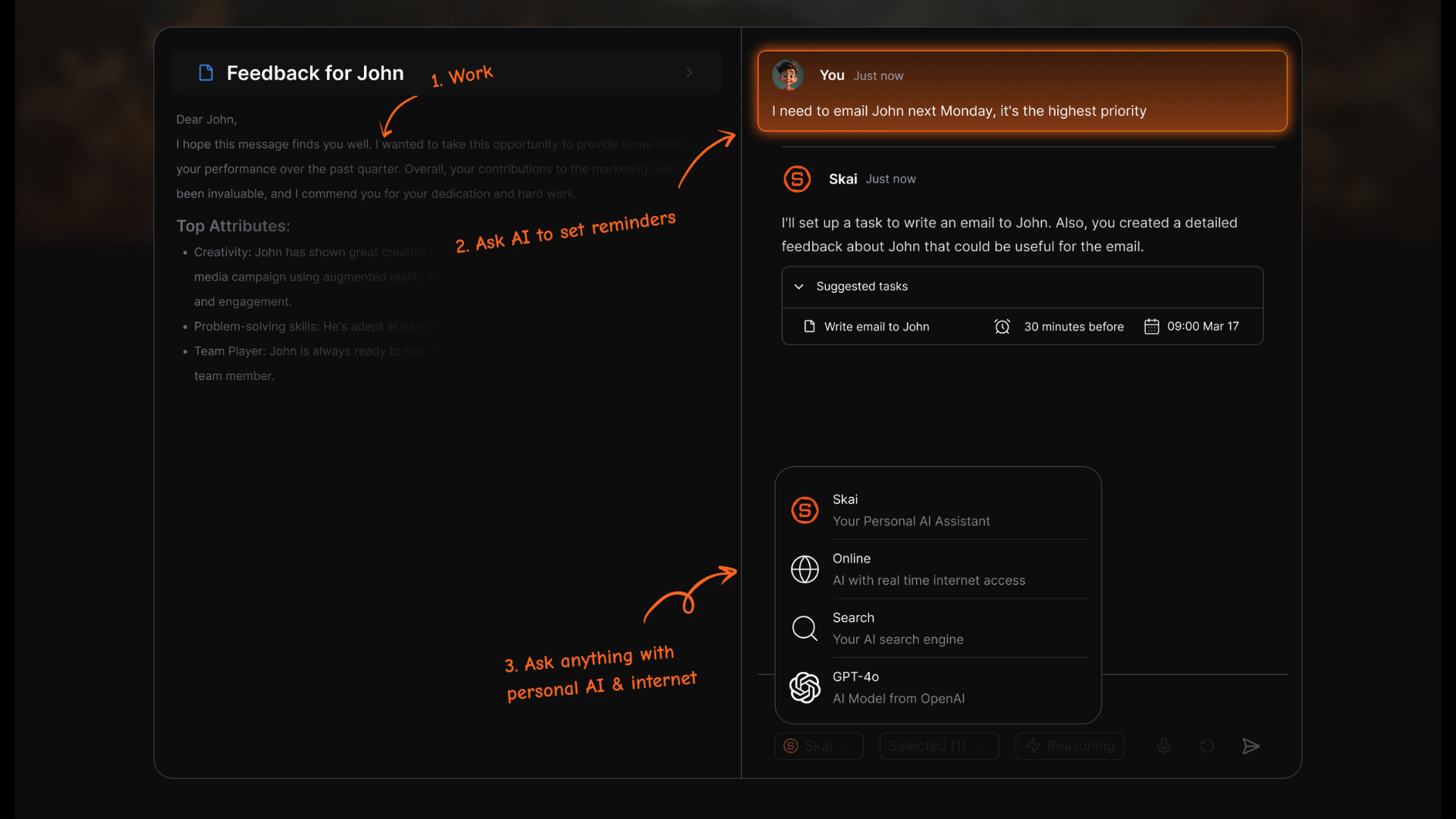
Saner.AI is an AI-first productivity assistant designed to act as a second brain for knowledge workers and professionals with ADHD. Unlike traditional calendars that require manual entry, Saner.AI uses a chat-based interface to turn unstructured thoughts, emails, and notes into scheduled tasks and calendar events.
Key features
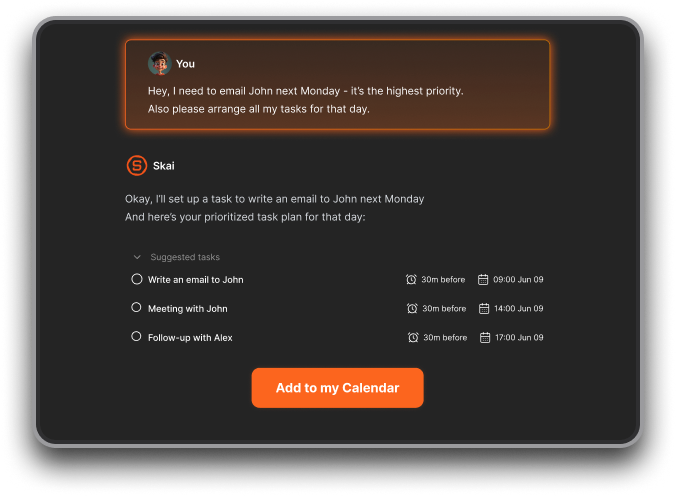
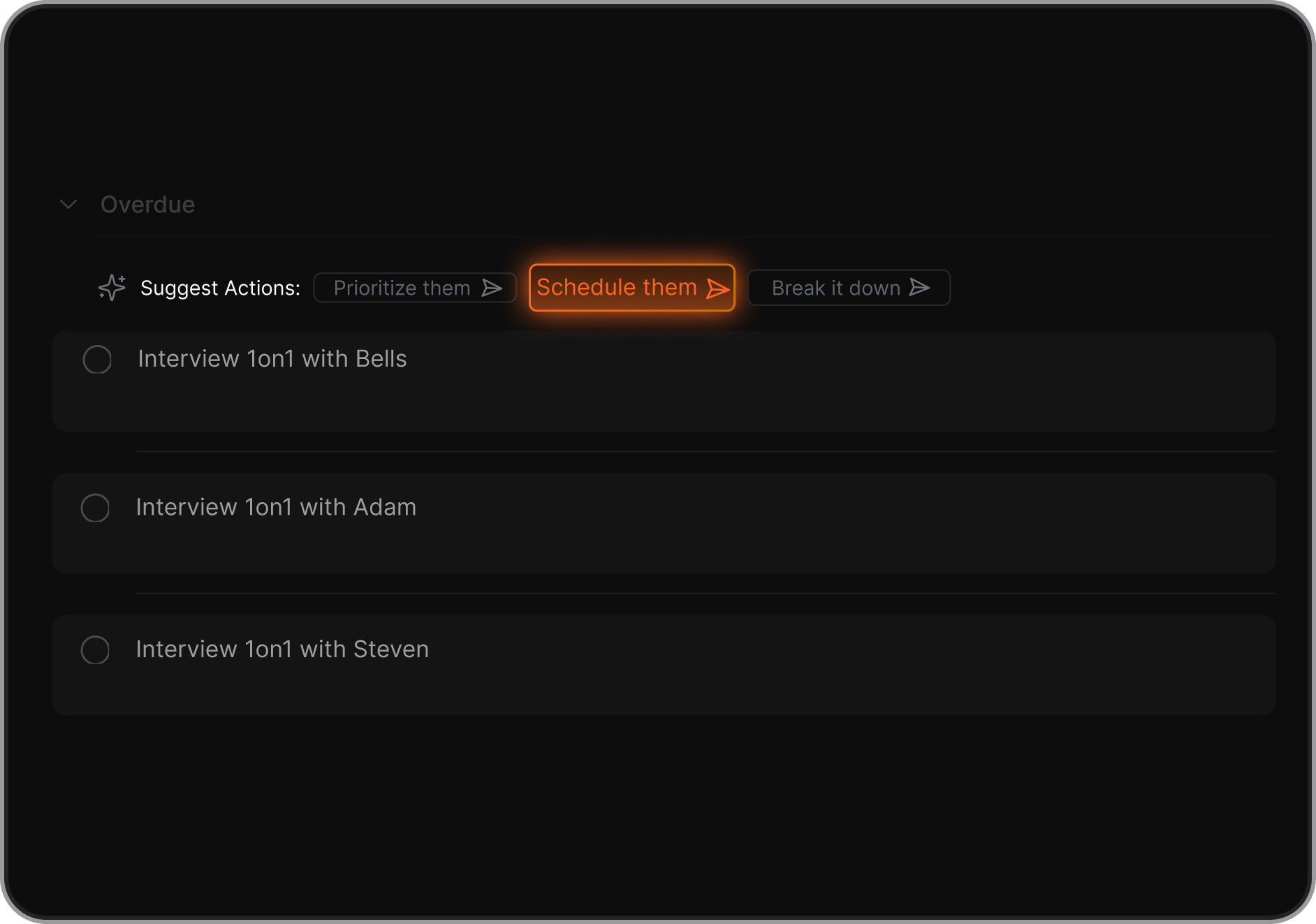
- Brain-Dump to Calendar. This feature allows you to offload "mental RAM" by typing or speaking messy thoughts, which the AI then automatically parses into actionable calendar events or reminders.
"The best one I've used so far to make sense of my messy thoughts. It turns them to reminders, which saves so much time." — Verified Review
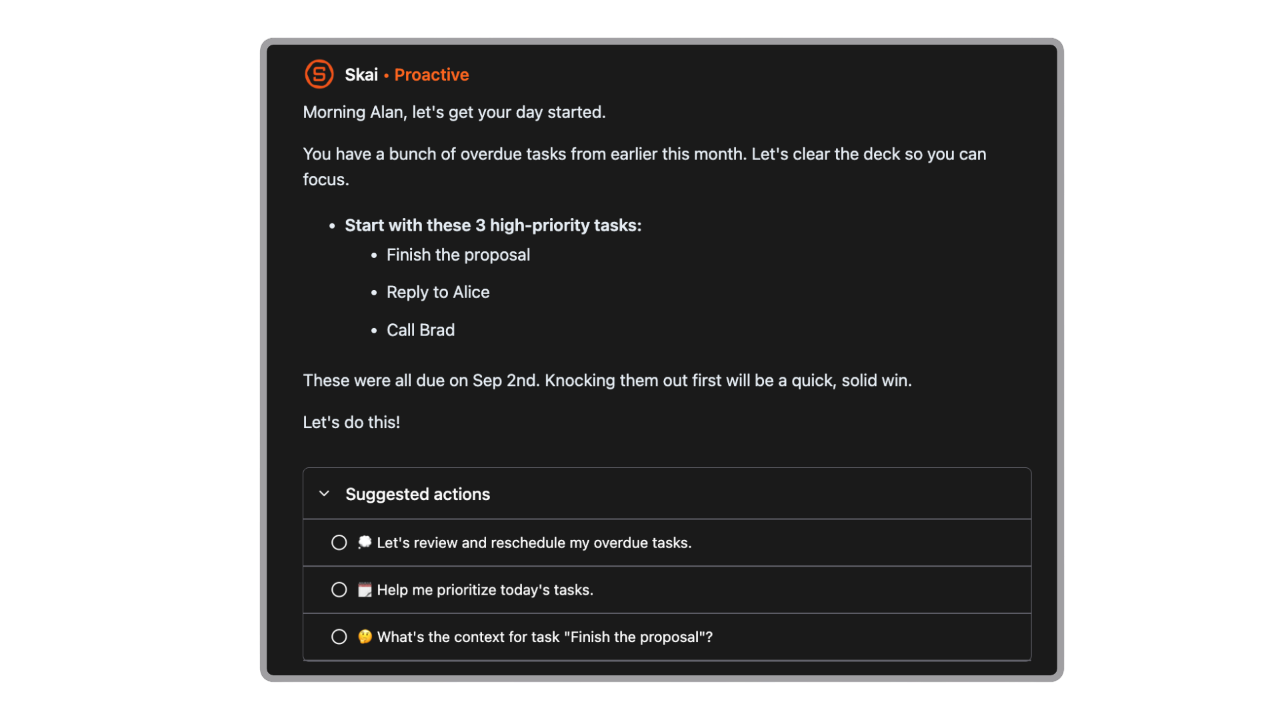
- Every morning, the AI scans your connected apps and notes to suggest a realistic schedule, helping to mitigate the "time blindness" often associated with ADHD.
"Really like how it proactively tells me what to do each morning. Appreciate the help of the team, they are really responsive." — Verified Review
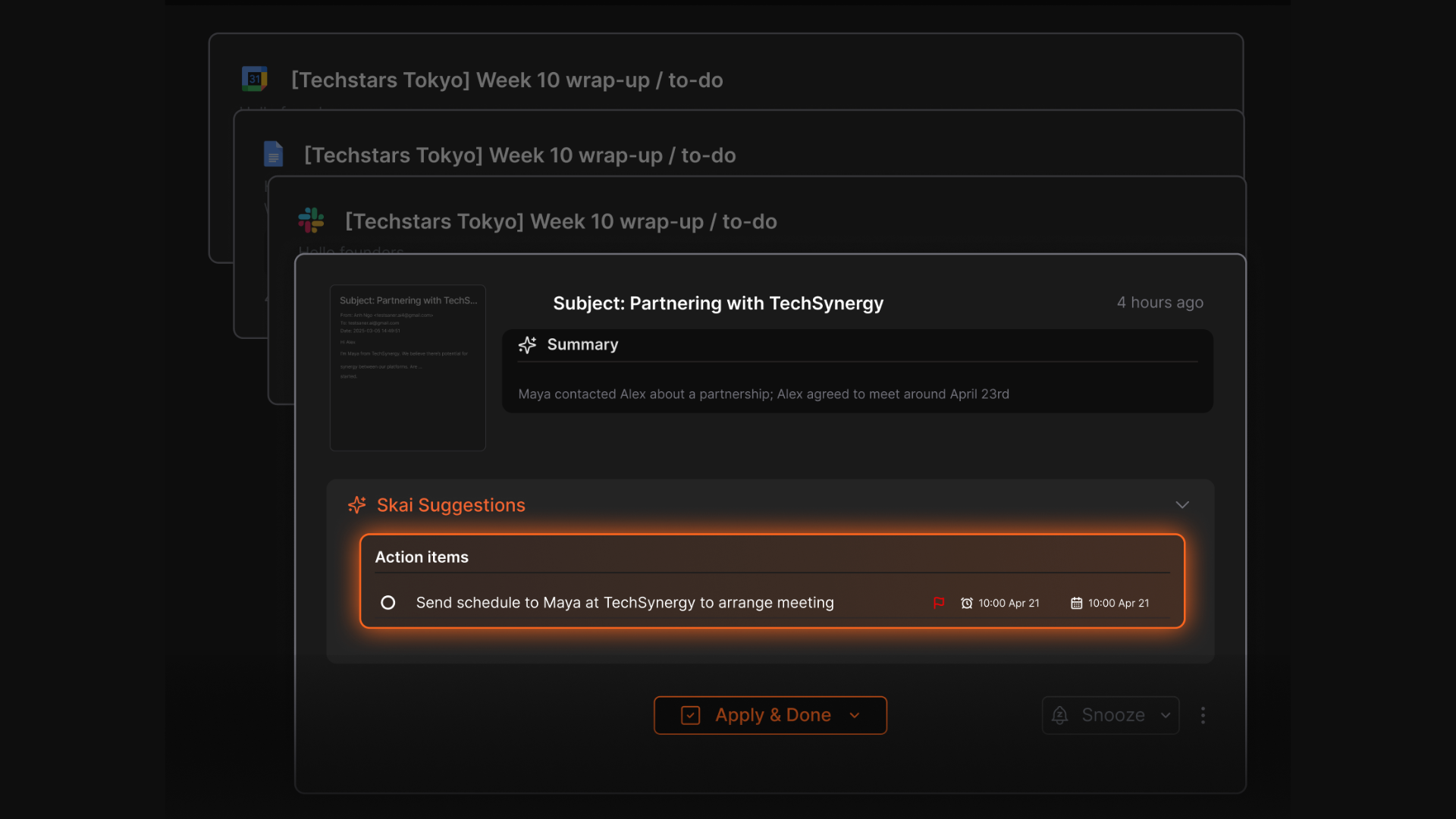
- Smart reminders and auto task extraction from emails, notes, and calendar entries
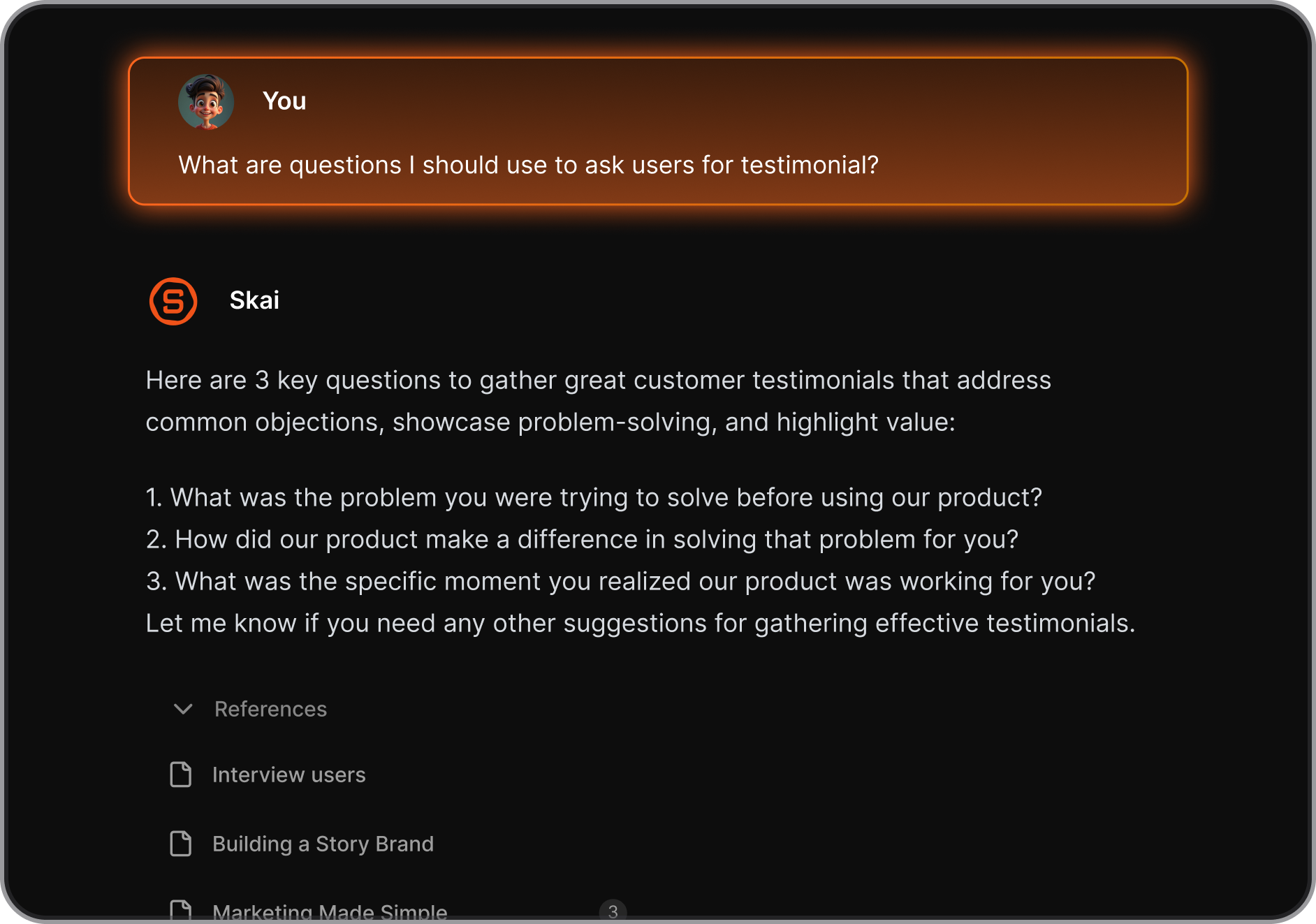
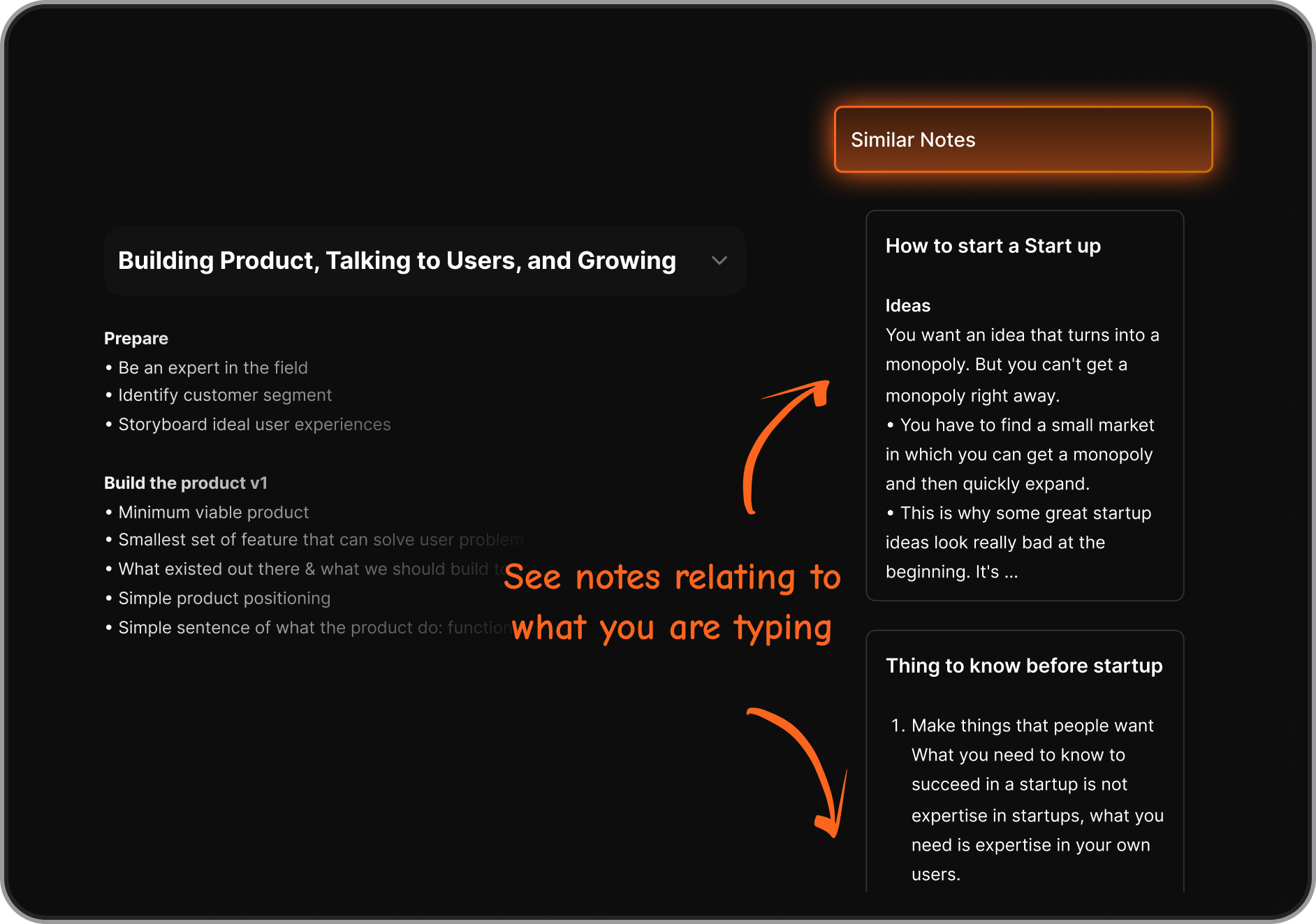
- Semantic Search (Skai). Instead of hunting through folders, you can ask the AI questions about your own data, and it retrieves the answer instantly.
Pros
- I like that I don't have to maintain a complex tagging or folder system; the AI handles the "where does this go?" logic.
- The minimal, distraction-free UI that doesn't trigger visual overwhelm.
- I feel it's helpful that I can access top-tier LLMs like Claude 4 or GPT-5 directly within my notes for brainstorming.
- I like the voice-to-task feature for capturing ideas while I'm on the move before I forget them.
Cons
- Requires internet access for full functionality.
Pricing
- Free
- Starter: Monthly at $8/month, Annually at $6/month (with early user discount)
- Standard: Monthly at $16/month, Annually at $12/month (with early user discount)
Suitable for
- Saner.AI is ideal for entrepreneurs, freelancers, and high-achieving professionals with ADHD who struggle with "context switching" between multiple apps.
- If you find yourself paralyzed by a long to-do list or lose important information across different platforms, this tool’s ability to synthesize chaos into a daily plan makes it a perfect fit.
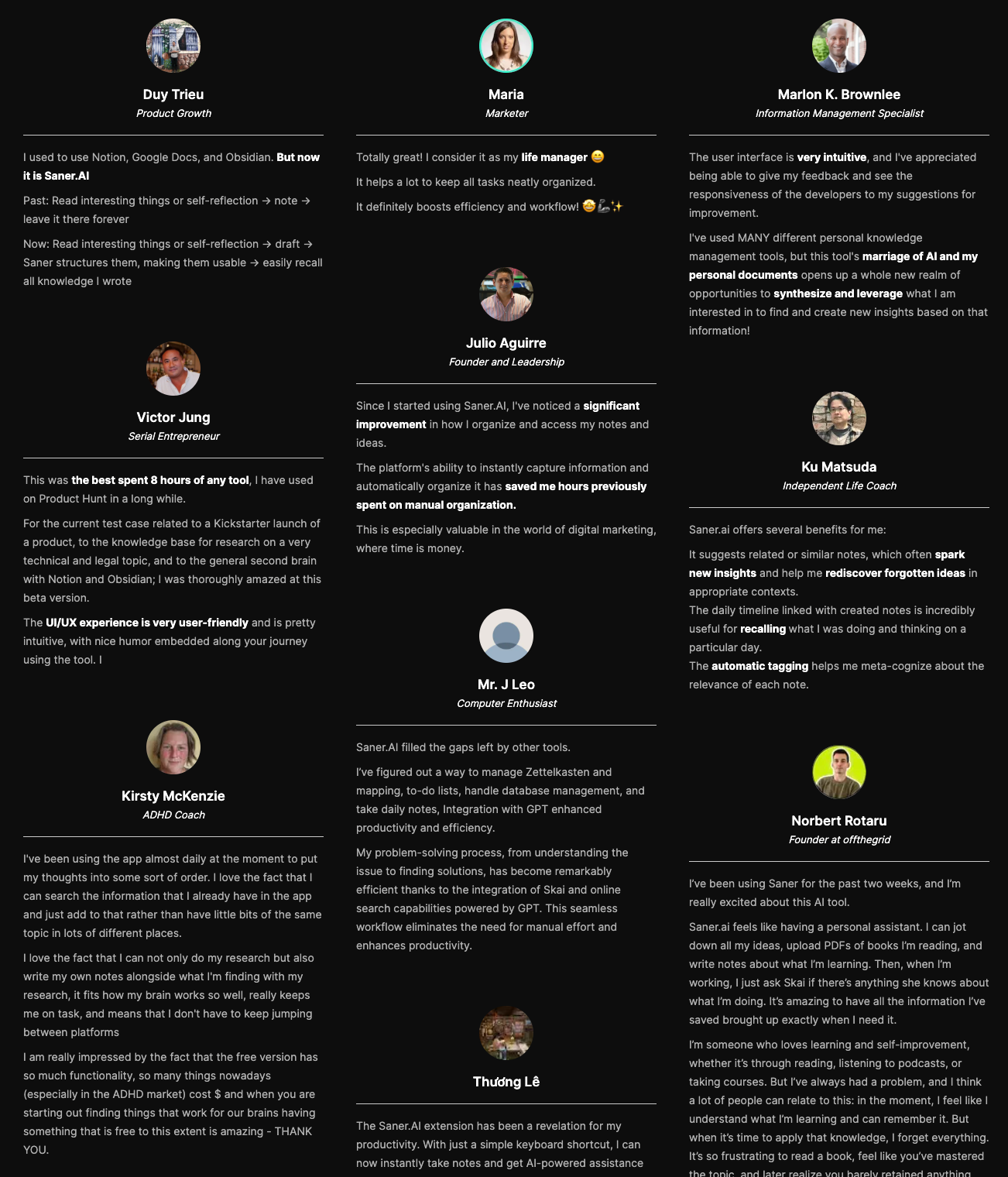
Saner.AI Reviews
How to start
- Sign up at Saner.ai and connect your calendar, email, and notes
- Let it auto-extract tasks and reminders from existing content
- Use the unified day view to plan your time

Stay on top of life with the top ADHD Calendar
2) Reclaim.AI

For ADHD users, Reclaim acts as a digital buffer against time blindness by automatically finding the best slots for tasks, habits, and focus work. Instead of a static grid, Reclaim creates a living schedule that reshuffles itself in real-time when meetings run over or priorities shift, ensuring your most important work doesn't just disappear from your radar.
Key Features
- Adaptive Task Scheduling. This feature eliminates the "choice paralysis" of deciding what to do next by automatically slotting your to-dos into your calendar based on priority and deadlines.
"Its ability to automatically prioritize and reschedule tasks... makes time management much more intentional and easier, without requiring constant manual adjustments." — Verified Review
- Smart Habits. Reclaim defends your routines (like lunch, exercise, or "deep work" blocks) by keeping them flexible, moving them around meetings while ensuring they still happen
- Focus Time Protection. It proactively audits your week to "auto-lock" blocks of deep work, preventing colleagues from booking over the time you need to actually finish projects.
Pros
- I appreciate how it removes the "executive tax" of manual rescheduling; if a meeting runs late, my whole day adjusts automatically.
- I love the "Buffer Time" feature which forces me to have breaks between tasks to prevent burnout.

Cons
- There’s a bit of a learning curve when setting up time priorities and figuring out which rules work best
- It’s not a full project management tool - there are no timelines or complex dependencies
- Sometimes the AI moves things around in ways that may not match your mental model, so you’ll want to keep an eye on how it reschedules tasks
- If you’re hoping for a chat-style assistant you can talk to, like “Move my deep work to Friday,” Reclaim doesn’t have that kind of conversational interface
Pricing
- Free plan with limited features
- Starter: $10/user/month
- Business: $15/user/month
Who It’s For
- People who tend to overbook or forget to block space for important but non-urgent things
- Professionals with too many meetings and not enough breathing room
How to Get Started
- Go to reclaim.ai and create a free account
- Connect your calendar and set your working hours
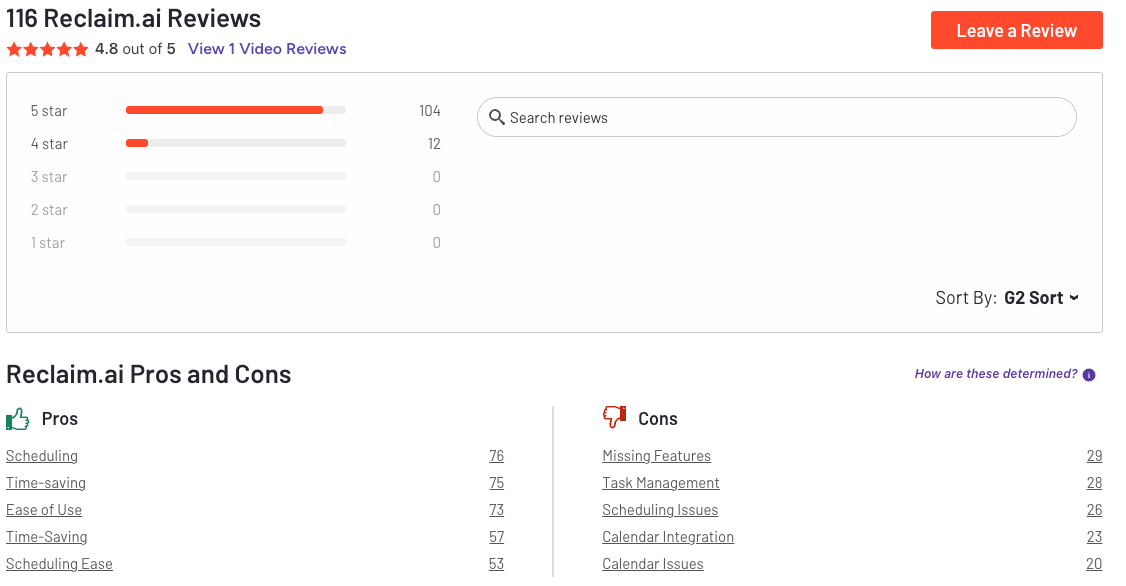
Reclaim.AI Reviews (source)
3) Sunsama

Rather than just a list of tasks, Sunsama is a guided ritual that pulls your emails, Slack messages, and project management tools (like Notion or Jira) into a single, unified view.
For those with ADHD who struggle with "task paralysis", Sunsama can help by forcing a realistic look at how much time you actually have, ensuring you don't overcommit to a 20-hour to-do list for an 8-hour workday.
Key features
- Guided Daily Planning Ritual. This feature replaces the need for internal initiation - the hardest part of ADHD, by walking you through a step-by-step process to build your day.
- Timeboxing and Realistic Estimations. Sunsama forces you to estimate the time for each task and drag it onto your calendar, directly tackling "time blindness" by showing you where your hours actually go.
Pros
- I appreciate how it stops me from "task hoarding" by alerting me when my planned day exceeds my set working hours.
- It automatically syncs my progress back to tools like Jira, so my team stays updated without me having to remember to tell them.
- I like the "Zen-like" interface; it’s one of the few apps that doesn't feel like it's shouting at me with notifications.
Cons
- There’s no free forever plan - you’ll need to pay to keep using it
- The price is higher than most calendar apps, so it only makes sense if you actually use its planning features
- It’s built for personal planning - not great for complex project timelines or teams with dependencies
Pricing
- 14-day free trial available
- $20/month or $16/month if billed annually
- No free forever plan
Suitable for:
- Neurodivergent professionals and knowledge workers who struggle with over-commitment and "shame spirals."
- Users who need help managing time visually through timeboxing
How to start:
- Sign up for the free trial at sunsama.com
- Connect your existing calendar and task manager
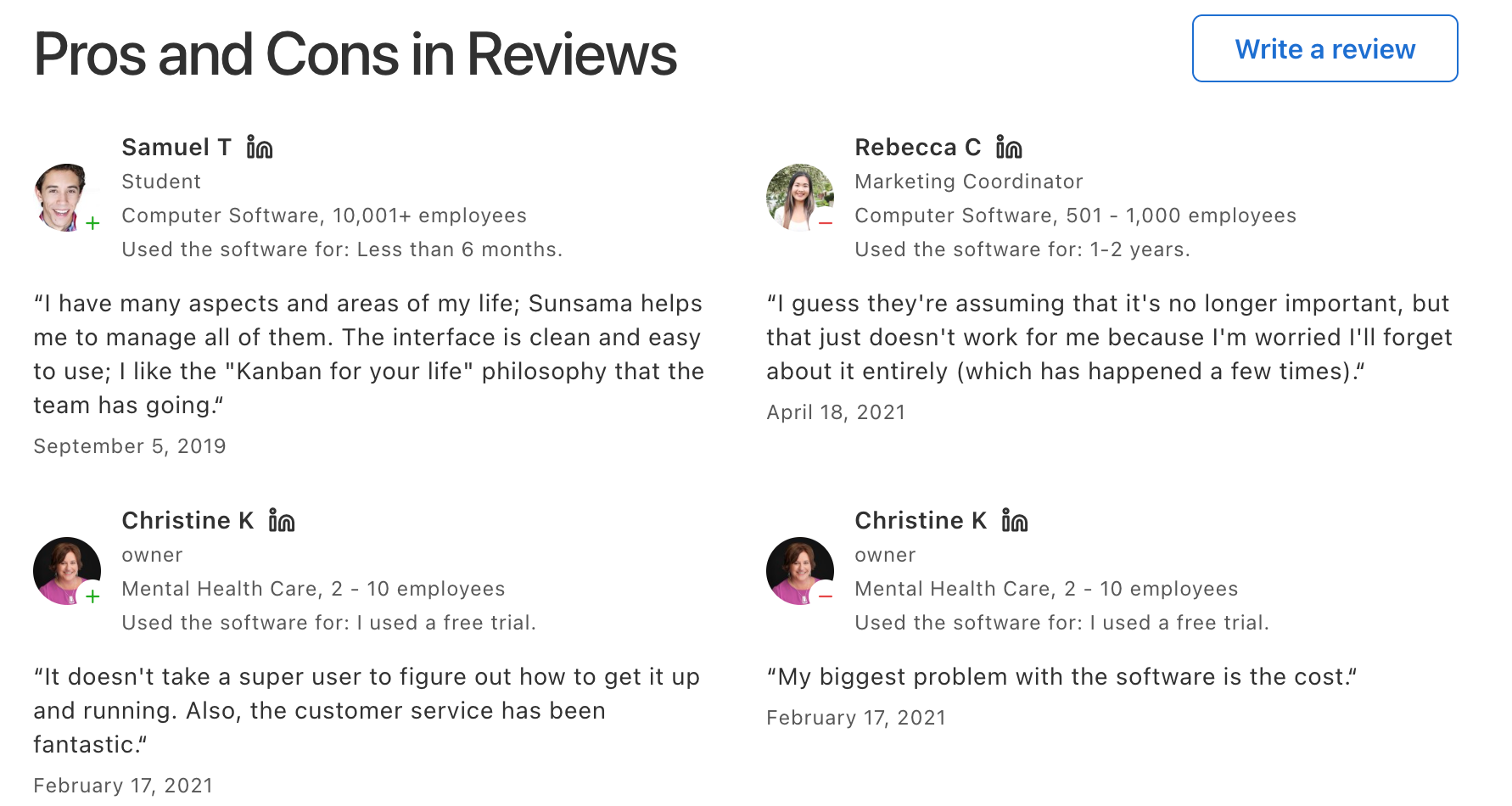
Sunsama reviews (source)
4) Notion
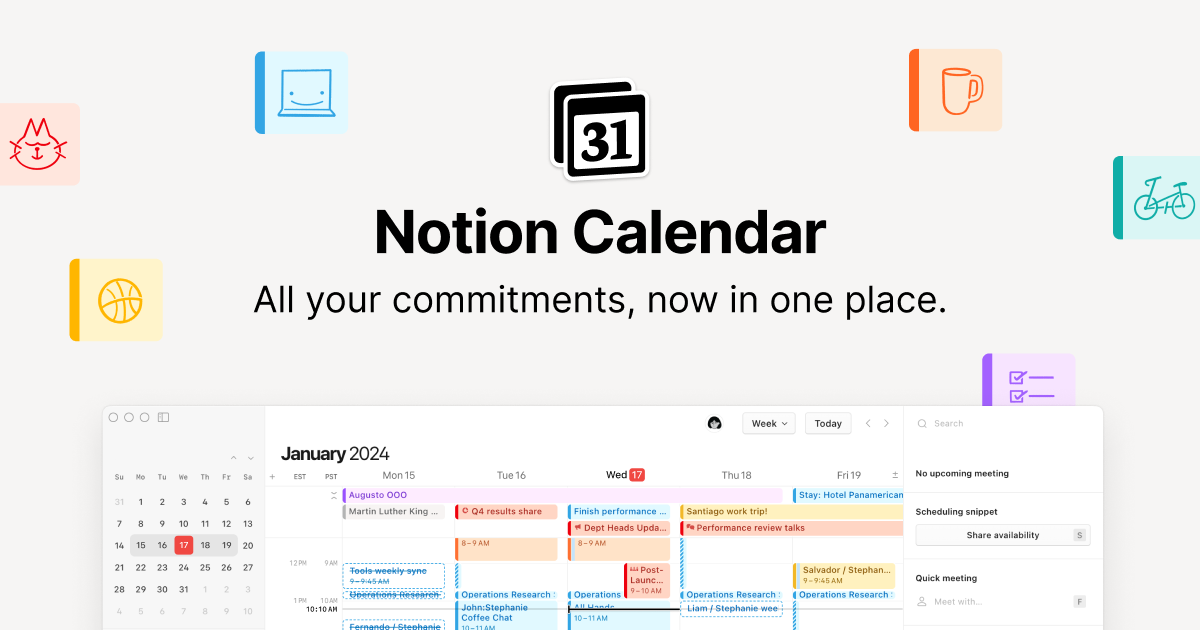
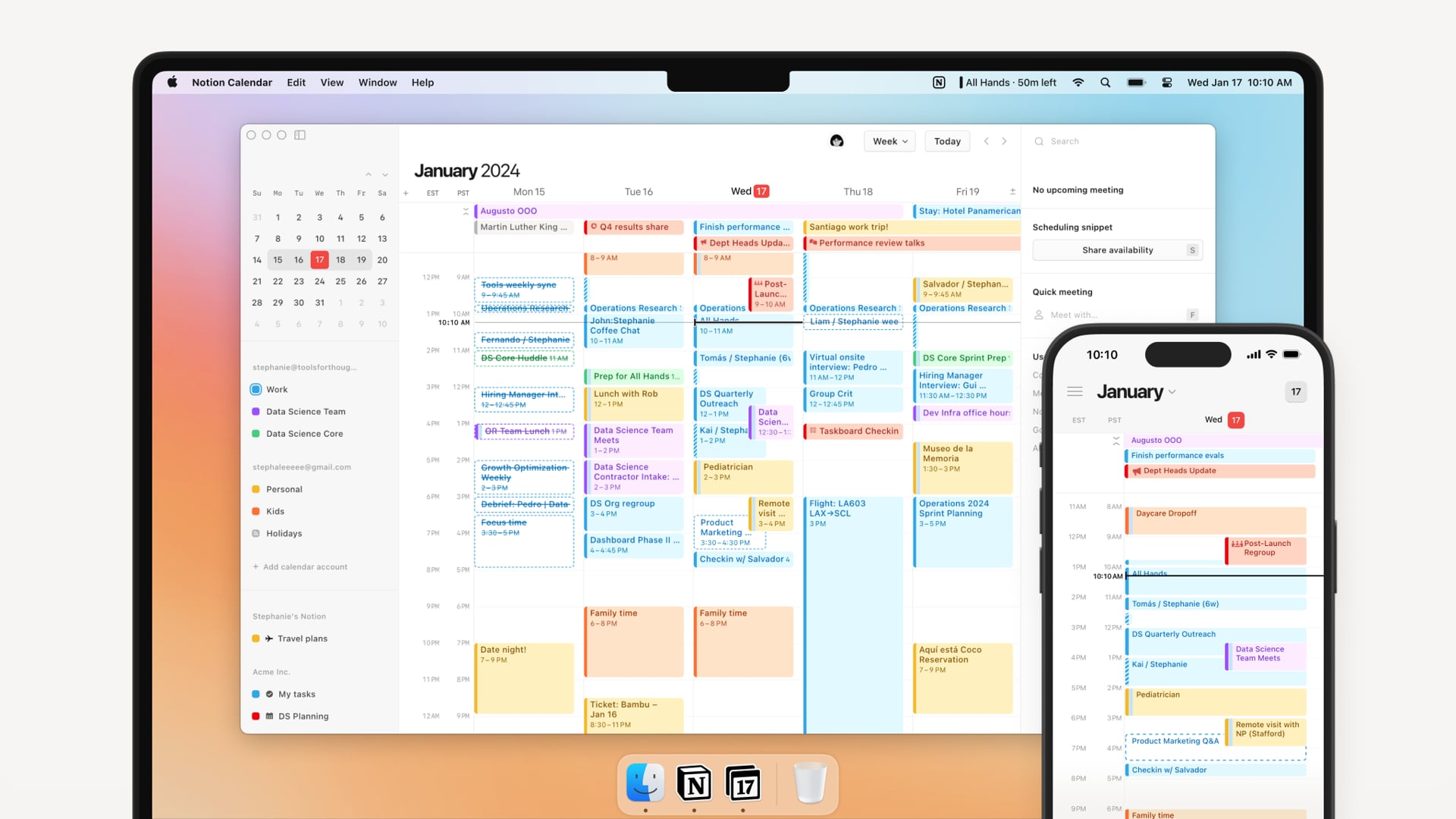
Notion Calendar (formerly Cron) is a specialized scheduling layer that sits on top of your Notion workspace, specifically engineered to combat the "object permanence" issues often faced by those with ADHD.
By consolidating tasks and appointments, it reduces the mental load of switching between apps-a common trigger for distraction, and provides a clear, spatial representation of time that helps users visualize their day before they lose track of it.
Key features
- Notion Calendar allows you to overlay any Notion database with a date property directly onto your schedule.
- Auto-blocking across Google and Apple calendars to prevent double-booking
- "Menu Bar" Quick Access. For those who forget to check their calendar, the persistent menu bar widget shows upcoming meetings and time remaining in the current slot without needing to open a browser tab.
- Drag-and-drop rescheduling with visual time blocks.
Pros
- Having tasks, deadlines, and meetings in one place is handy
- Auto-blocking across calendars saves me from overlapping meetings
- The calendar view feels less cluttered than traditional apps, which helps reduce overwhelm
Cons
- The mobile app still feels a bit slow compared to more focused calendar apps
- I appreciate the depth, but the initial setup can feel like a "rabbit hole" where I spend more time organizing the calendar than actually doing the work.
- There’s no built-in task breakdown or recurring task nudging - some ADHD users might need extra help following through
- Some integrations and advanced features are limited unless you’re on a paid Notion plan
Pricing
- Free plan available with core calendar features and basic integrations
- Plus plan at $10/user/month, billed annually
- Business plan at $15/user/month billed annually
Suitable for
- People are already using Notion for notes, tasks, or project management
- Professionals balancing multiple calendars (work, personal, freelance) want fewer conflicts
How to start
- Create a free Notion account and install the Notion Calendar app
- Connect your Google or Apple calendars to bring in existing events
Notion reviews (source)

5) Structured
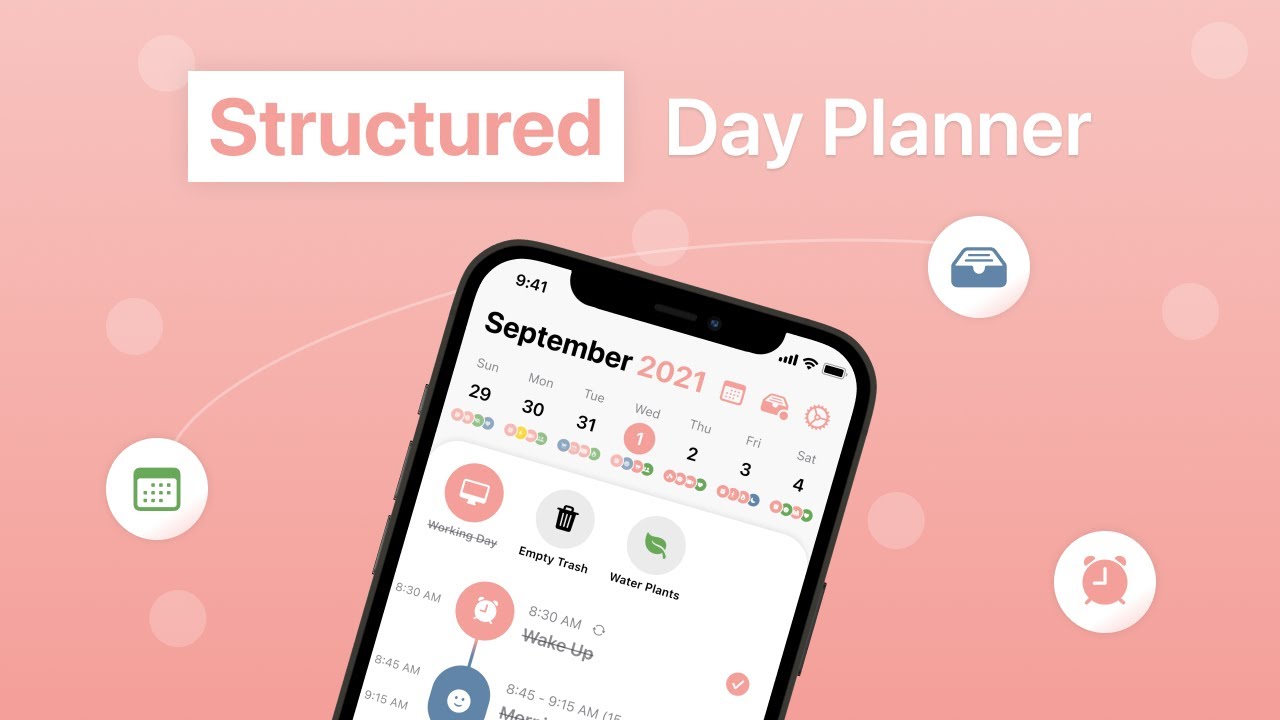
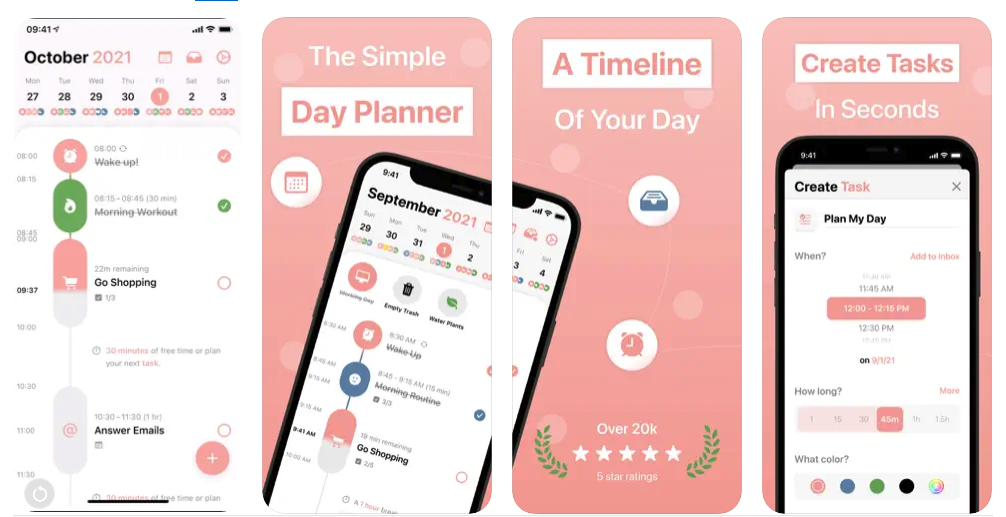
Structured is a visual daily planner designed to reduce the "mental load" of organizing complex schedules. By merging calendar events and tasks into one chronological timeline, it helps ADHD users visualize their day as a finite stream of time rather than an infinite list of chores.
Key features
- Visual Timeline & Time Blocking. The app's core strength is its high-contrast, linear timeline that turns abstract tasks into concrete blocks of time.
- New for 2026, the AI planner in Structured now can turn a brain dump of ideas into a logical, structured schedule with a single tap.
- Subtasks, notes, icons, and color coding to break big tasks into smaller, visually distinct pieces.
- Energy-Based Planning. This feature allows users to tag tasks based on the mental energy required, helping to prevent burnout by balancing "high-drain" tasks with "recharge" periods.
Pros
- The visual layout helps you instantly see how your day is structured
- The inbox is great for brain dumps
- Color coding and icons make it easier to prioritize without overthinking
Cons
- Some useful features, like recurring tasks and advanced reminders, require the Pro plan
- The web version doesn’t offer full feature parity with the mobile app
- Not ideal for complex project timelines or multi-person collaboration
"I can't tell if this app works, because you have to pay for tasks to display more times than when you add them... Features i consider absolutely basic are locked behind the subscription." —Verified Review
Pricing
- Free plan includes basic timeline view, color coding, subtasks, inbox, and syncing
- Pro plan is available for around $2.99/month or $19.99/year, with a one-time lifetime option
Suitable for
- People with ADHD who need a clear, visual way to plan their day
- Students, freelancers, or remote workers who juggle different responsibilities
- Anyone who struggles with long to-do lists and needs a simple, structured layout
How to start
- Download Structured on iOS, Android, or Mac
- Start by entering a few calendar events and key tasks
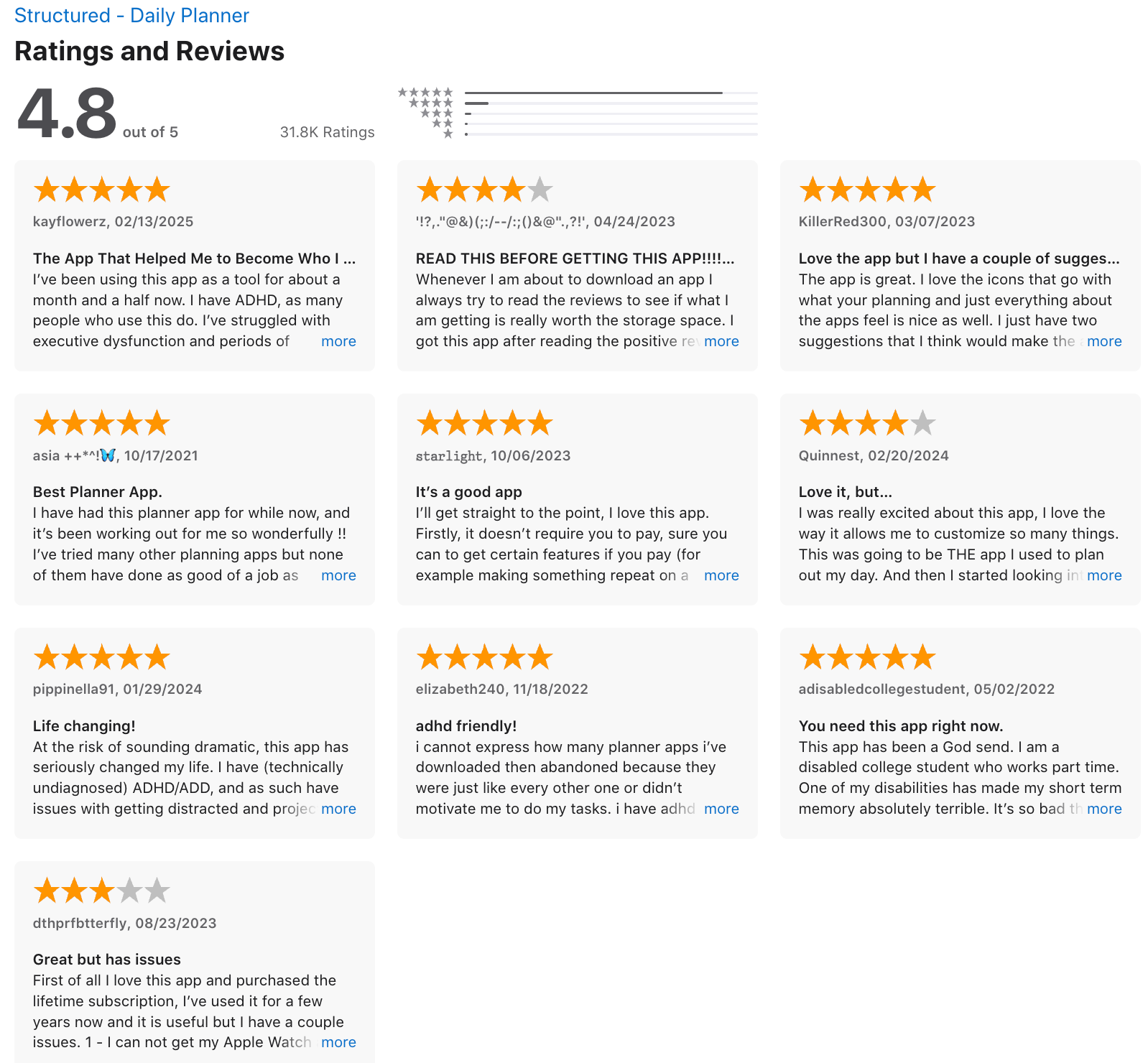
Structured review (source)
6) Tiimo
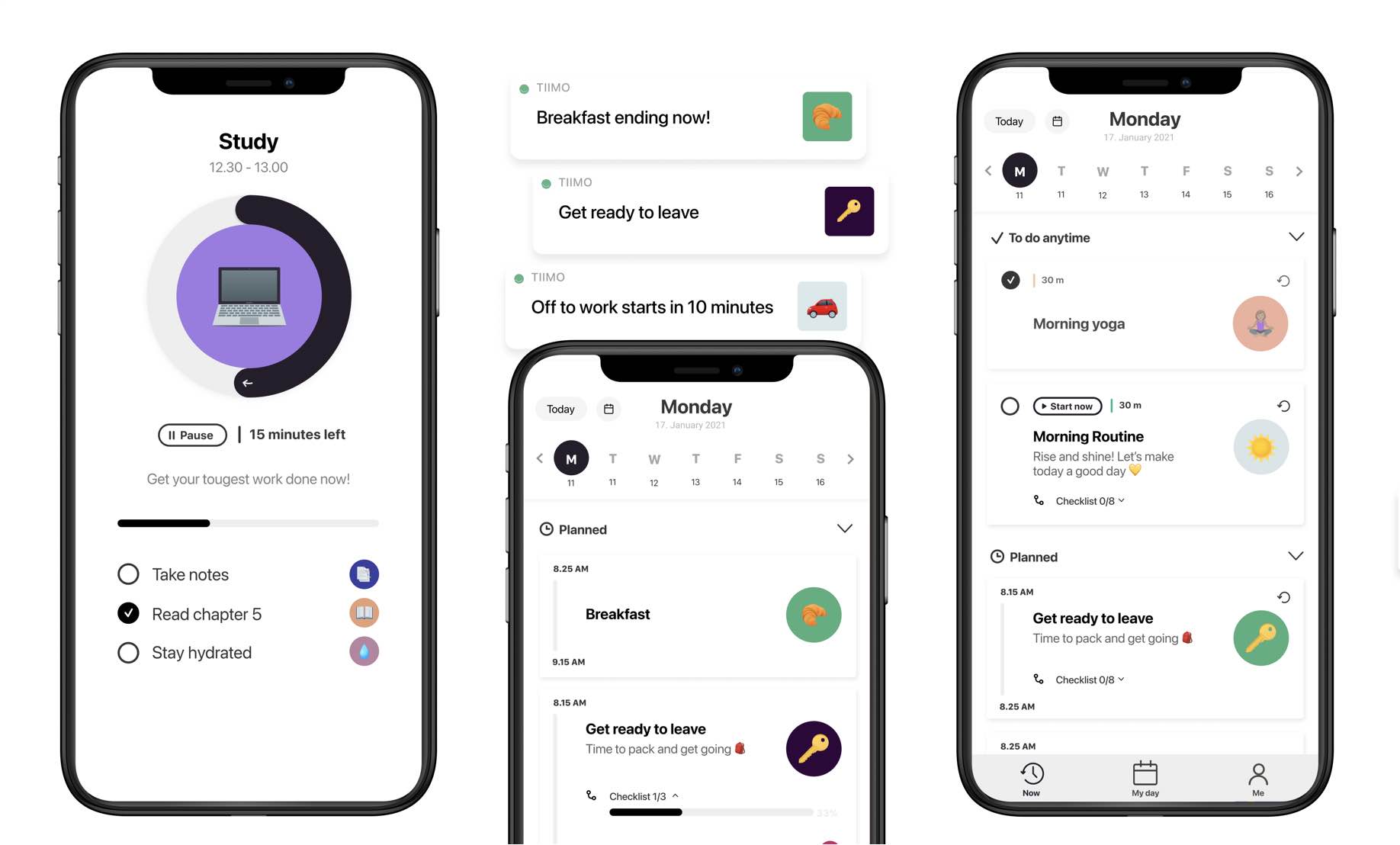
Tiimo is an AI visual planning tool specifically designed for neurodivergent brains to combat executive dysfunction and time blindness. Unlike traditional calendars that rely on dense text, Tiimo transforms your schedule into a color-coded, icon-based timeline that visualizes the "flow" of your day.
Key features
- Instead of a cluttered list, Tiimo organizes your day into intuitive "Morning," "Afternoon," and "Evening" blocks, making the schedule scannable at a glance.
"Turning the chaos of your calendar into a timeline with soothing colors, Tiimo does the unthinkable: It makes tackling your to-dos a calming (and even fun) activity." – Verified Review
- This feature uses AI to take a broad, intimidating goal (like "Clean Kitchen") and automatically break it into tiny, manageable sub-steps to lower the barrier to starting.
- Customization options, including icons, emojis, color themes, and layout views
- Widgets and Live Activities to keep tasks visible without opening the app
Pros
- I appreciate the "Now" and "Next" focus which prevents me from feeling overwhelmed by tasks that are hours away.
- Focus timers and countdowns really help when you’re stuck or avoiding a task
- You can customize everything from icons to colors
Cons
- Many useful features (like AI planning, sync, and widgets) are locked behind the paid plan
- I sometimes find the initial setup to be a bit time-consuming, especially if I get caught up in over-customizing colors and icons.
- Occasional bugs or sync delays are reported by some users, depending on the device
Pricing
- Pro plan starts around $10/month or less with an annual subscription
- 7-day free trial available
Suitable for
- Tiimo is best for visual thinkers and people with severe time blindness who struggle to perceive how long 30 minutes actually "looks" like.
- It is particularly effective for students, neurodivergent professionals, and parents of kids with ASD/ADHD who need a shared, predictable routine.
- If you find yourself "paralyzed" by a long to-do list, Tiimo's ability to show you only what matters right now is a game-changer.
How to start
- Download Tiimo on iOS, Android, or use the web version
- Set up a few routines or recurring tasks with icons and colors that feel intuitive
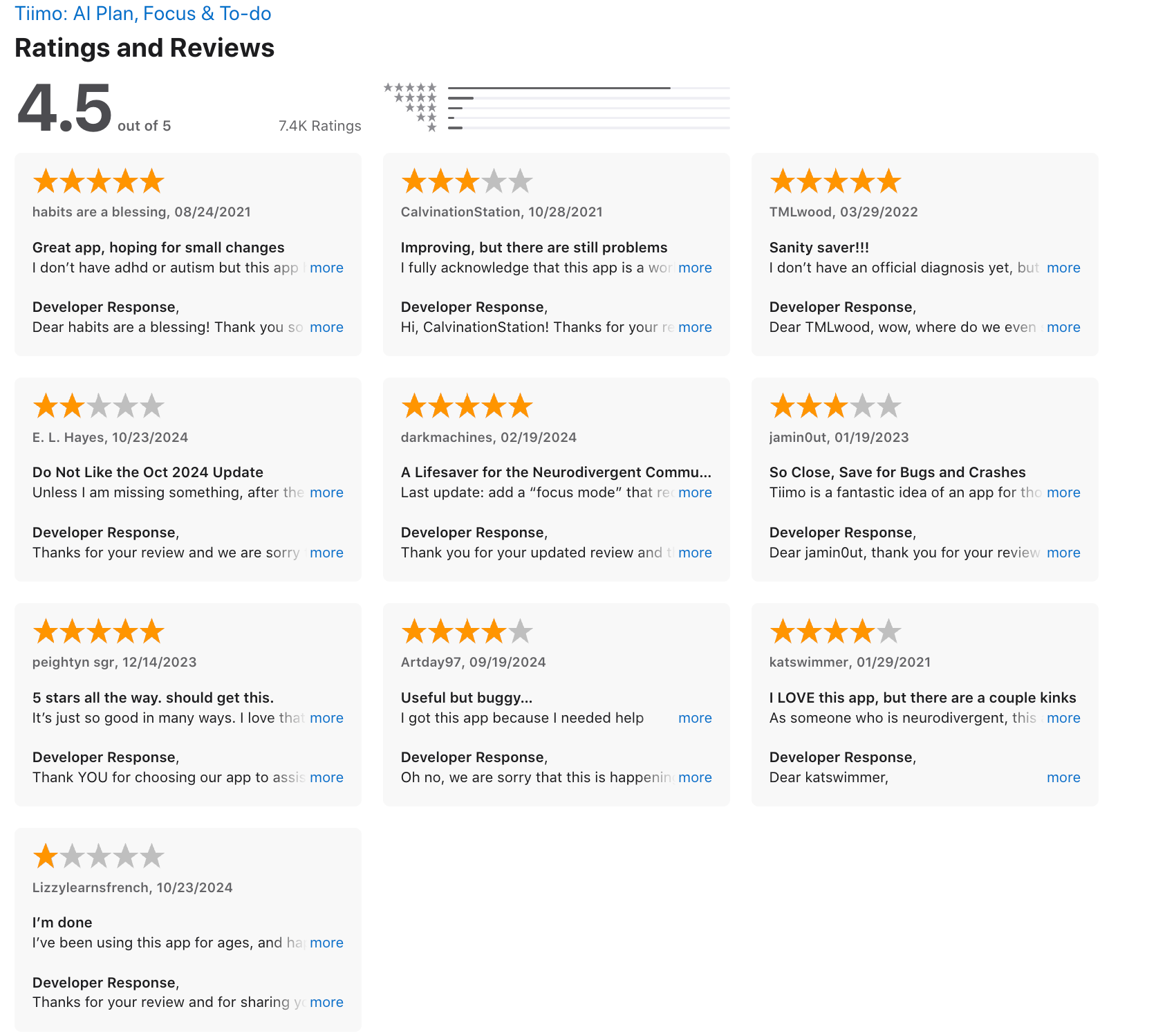
Tiimo Reviews (source)
✅ Final Thoughts: The Right Calendar Can Do More Than Just Track Time
For ADHD brains, a calendar isn’t just about dates and appointments - it’s about reducing chaos, creating structure, and making life a little less overwhelming.
The perfect calendar doesn't have to be fancy. It just needs to fit the way your brain works. Some people thrive with color-coded blocks. Others need AI to gently plan their day for them.
🧪 Try, tweak, and trust the process.
You don’t have to build the perfect system overnight. You just need a starting point, and then gradually manage your ADHD,
🧠 Want a calendar that thinks with you?
If you’re ADHD-prone and tired of juggling sticky notes, inboxes, and tabs, give Saner.AI a try. It helps you plan by talking, think clearly, and stay focused - without the overwhelm.
Because ADHD brains aren’t disorganized. They just need tools that actually understand them.
Stay on top of your work and life
FAQ: Best Calendars for ADHD
1. What makes a calendar ADHD-friendly?
An ADHD-friendly calendar goes beyond just tracking dates. It should:
- Send clear reminders (not just once, but at the right time)
- Be visual and easy to scan at a glance
- Integrate with tasks and notes to reduce app switching
- Allow flexibility when plans change
- Support automation so you don’t rely on memory
Tools like Saner.AI, Reclaim, Sunsama, Tiimo, and Notion Calendar stand out because they combine structure with adaptability - exactly what ADHD brains need.
2. What is the best digital calendar for ADHD?
The best digital calendars for ADHD are ones that handle reminders, tasks, and focus time automatically. Here are strong picks:
- Saner.AI – Combines notes, tasks, and calendar in one place. Great for reducing overwhelm and context switching.
- Reclaim – Uses smart time blocking to protect focus hours and balance habits with meetings.
- Sunsama – Daily planner that guides you to plan your day without overcommitting.
- Tiimo – Highly visual, simple, and designed with neurodivergent users in mind.
- Notion Calendar – Works well if you want flexibility and already organize your life in Notion.
3. Can Saner.AI work as an ADHD calendar?
Yes. Saner.AI isn’t just a calendar- it’s an AI assistant that understands your messy notes and turns them into tasks with deadlines. You can:
- Brain dump tasks and let Saner slot them into your calendar
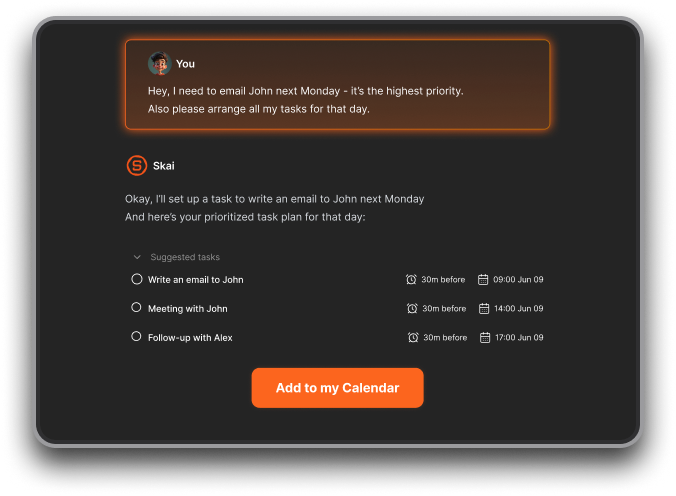
- Sync with Google Calendar for reminders and scheduling
- Use natural language like “remind me tomorrow at 9”
It’s especially helpful for ADHDers who hate rigid systems but still want structure.
4. Do ADHD calendars need to be digital?
Not always. Some ADHDers prefer physical planners or wall calendars for visual reminders. But digital calendars like Saner.AI, Tiimo, and Reclaim are more effective for:
- Automatic reminders
- Syncing across devices
- Adjusting schedules when life changes
5. Can ADHD calendars help with time blindness?
Yes. Features that help include:
- Visual countdowns (Tiimo)
- Dynamic time blocking (Reclaim)
- Daily planning check-ins (Sunsama)
- AI-driven nudges and reminders (Saner.AI)
The right calendar makes time visible and actionable instead of abstract.
6. Which ADHD calendar works best for work?
- Saner.AI – Great for professionals juggling tasks, notes, and meetings in one place.
- Reclaim – Perfect if your day is meeting-heavy and you need to protect focus time.
- Notion Calendar – Best for project managers or entrepreneurs already using Notion.
7. Which ADHD calendar works best for personal life?
- Tiimo – Simple routines, visual cues, and helpful reminders for home life.
- Sunsama – Helps you avoid burnout by limiting how much you plan daily.
- Saner.AI – Keeps track of personal and work notes together, so nothing slips through.
8. What’s the single best calendar for ADHD?
There’s no one-size-fits-all answer. If you want:
- AI-powered organization → Go with Saner.AI
- Smart time blocking → Try Reclaim
- Daily planning guidance → Choose Sunsama
- Visual support for routines → Use Tiimo
- Flexibility with notes → Stick with Notion Calendar
The best calendar for ADHD is the one that reduces overwhelm while fitting your lifestyle.
9. What free ADHD calendar apps are available?
Not everyone wants to pay for premium ADHD planners. Free options include:
- Saner.AI (free plan with reminders, AI task capture, calendar sync)
- Notion Calendar (free with basic features)
- Google Calendar (simple but works)
10. How do I stick to using a calendar with ADHD?
Redditors often share that they set up a calendar but stop using it after a week. To make it stick:
- Keep it low-effort (don’t over-customize)
- Set up recurring reminders so you don’t have to reset things
- Use a tool that pulls you in daily, like Sunsama’s daily planning ritual
- Place physical reminders (wall calendar or sticky notes) near your desk to reinforce the habit
11. What features make a calendar ADHD-friendly?
From Reddit discussions, these stand out:
- Color coding to separate work vs personal
- Recurring alarms so you don’t miss events
- Visual layouts that show free time vs busy time (Tiimo, Reclaim)
- Smart reminders that pop up at prep time, not just at the event
- Integration with tasks/notes (Saner.AI, Notion Calendar)
12. Should I use a physical or digital calendar for ADHD?
It depends on what works for your brain:
- Physical calendars (wall calendars, whiteboards, planners) are always visible and can reduce forgetfulness.
- Digital calendars give you reminders, sync across devices, and adapt when things change.
Many ADHDers use both - a physical wall calendar for big events and a digital tool like Saner.AI for daily reminders.
13. How can calendars help with time blindness?
Time blindness is a huge ADHD struggle. Calendars help by:
- Using visual countdowns (Tiimo shows “30 minutes left”)
- Blocking time dynamically (Reclaim moves tasks around so you don’t lose track)
- Morning check-ins (Sunsama asks you to plan realistically each day)
- AI reminders (Saner.AI surfaces what matters when you’re most likely to forget)
14. How do I avoid over-planning and overwhelm?
ADHD brains often overcommit. Calendars can reduce that by:
- Reclaim – auto-reschedules tasks if you get busy
- Saner.AI – breaks down notes into smaller tasks so you don’t overload yourself
Tip: Never plan at 100% capacity. Always leave buffer space for surprises.
15. Can I combine calendar + reminders + to-do lists in one app?
Yes, and this is one of the most common ADHD requests on Reddit. Options include:
- Saner.AI – integrates tasks, notes, and calendar seamlessly
- Notion Calendar – works if you already manage projects in Notion
16. How do I manage both work and personal life with ADHD calendars?
Most ADHDers need separate “zones” for different parts of life. Tips:
- Use color coding (work = blue, personal = green, health = red)
- Use shared calendars for family or team events
- Use Saner.AI or Notion Calendar to pull everything into one hub if you don’t want multiple tools
17. What’s realistic to expect from ADHD calendars long-term?
A calendar won’t “cure” forgetfulness, but the best calendars for ADHD reduce friction and support consistency. Expect:
- You’ll still forget sometimes - but reminders will catch most things
- You’ll need to experiment until you find a system that feels natural
- The tools that last long-term are the ones that feel effortless
18. Is there a calendar app that does everything for ADHD?
This is one of the most common Reddit questions. People with ADHD want a tool that handles tasks, reminders, notes, and schedules in one place.
- Saner.AI comes closest, because it combines notes, tasks, reminders, and a calendar.
- Reclaim and Notion help with time blocking
No single tool is perfect, but Saner.AI and Notion are the most “all-in-one” options.
Stay on top of your work and life with the Top Calendar for ADHD



