We tested the 9 Best ChatGPT Apps in 2026

Discover the Best ChatGPT Apps: ChatGPT, Saner.AI, Gemini, and Claude
TL;DR:
Best for meetings: Fireflies.ai or Otter.ai
Best for research: Perplexity
Best inside Microsoft Office: Copilot
Best voice dictation: Wisprflow
Best for ADHD: Saner.AI
Most widely used: ChatGPT
The best ChatGPT apps of 2026 are no longer just chat interfaces, they are specialized AI assistants designed for specific workflows like writing, studying, daily planning, coding, and mobile productivity. The top apps stand out because they integrate GPT-4 or GPT-5 models directly into real tasks, helping users think, decide, and execute faster - not just generate text.
In 2026, users don’t want “better prompts”; they want answers, actions, and structure.
This guide helps you quickly discover the best ChatGPT apps of 2026, understand what each one is best for, compare them by use case and platform, and choose the app that actually fits your daily workflow, whether for work, study, creativity, or productivity.
1. What Is a ChatGPT App in 2026?
[imge]
The ChatGPT app is a casual phrase referring to apps that use GPT or similar LLM models to provide more value to users. You can ask it for help with things like planning, brainstorming ideas, or just having a friendly chat.
A ChatGPT app in 2026 is any application that uses OpenAI’s GPT models (GPT-4, GPT-4.5, GPT-5, or multimodal variants) to provide conversational, task-oriented assistance.
Today, ChatGPT apps fall into three main groups:
A. Official ChatGPT App
The official app from OpenAI offers general-purpose chat, browsing, image generation, voice mode, and file analysis. It’s flexible but not workflow-specific.
B. Third-Party GPT-Powered Apps
These apps embed GPT models into focused tools, like writing editors, planners, or study aids, with stronger UX and clearer outcomes.
C. Specialized AI Assistants
Built for one job only: planning your day, summarizing research, writing content, or coding. Less “chat,” more doing.
In 2026, the best ChatGPT apps are specialized, faster, and context-aware, designed around how people actually work - not how AI demos look.

These ChatGPT apps are really handy. They can help you get work done, learn new information, or just make friends when you want to chat. They are also used by businesses to help write content and manage social media posts.
2. What makes a good ChatGPT application?
When you are looking for a GPT chat application that stands out from the rest, there are some features that you can consider to choose a good application that is suitable for you as below:
- Easy to use: The app should be simple, making it easy for people to start chatting immediately, which avoids wasting your time as much as possible.
- Fast response speed: A good chat app will respond quickly within a few seconds, so consider testing the app by asking and answering a few questions before choosing.
- Personalization: It's great when an app feels like it was created as a personal assistant for you.
- Privacy and security: Feeling safe when using an app is extremely important. A good chat app will protect your information and ensure that what you share stays private, giving you peace of mind.
These features make the GPT chat app not only a chat tool but also an enjoyable companion in your daily digital life.
3. How We Evaluated the Best ChatGPT Apps
To rank the best ChatGPT apps of 2026, we focused on real-world usefulness, not feature lists.
Evaluation criteria:
- Core use case clarity (what problem it actually solves)
- Model quality (GPT-4, GPT-5, multimodal support)
- UX & speed (how fast it feels in daily use)
- Platform support (iOS, Android, Web, Desktop)
- Practical value beyond demos
- Pricing transparency (no hidden paywalls)
Apps that felt vague, bloated, or purely experimental were excluded. Let's dive in!
What are The Best ChatGPT Apps?
The Best ChatGPT Apps are ChatGPT, Saner.AI, Gemini and Claude
1. ChatGPT
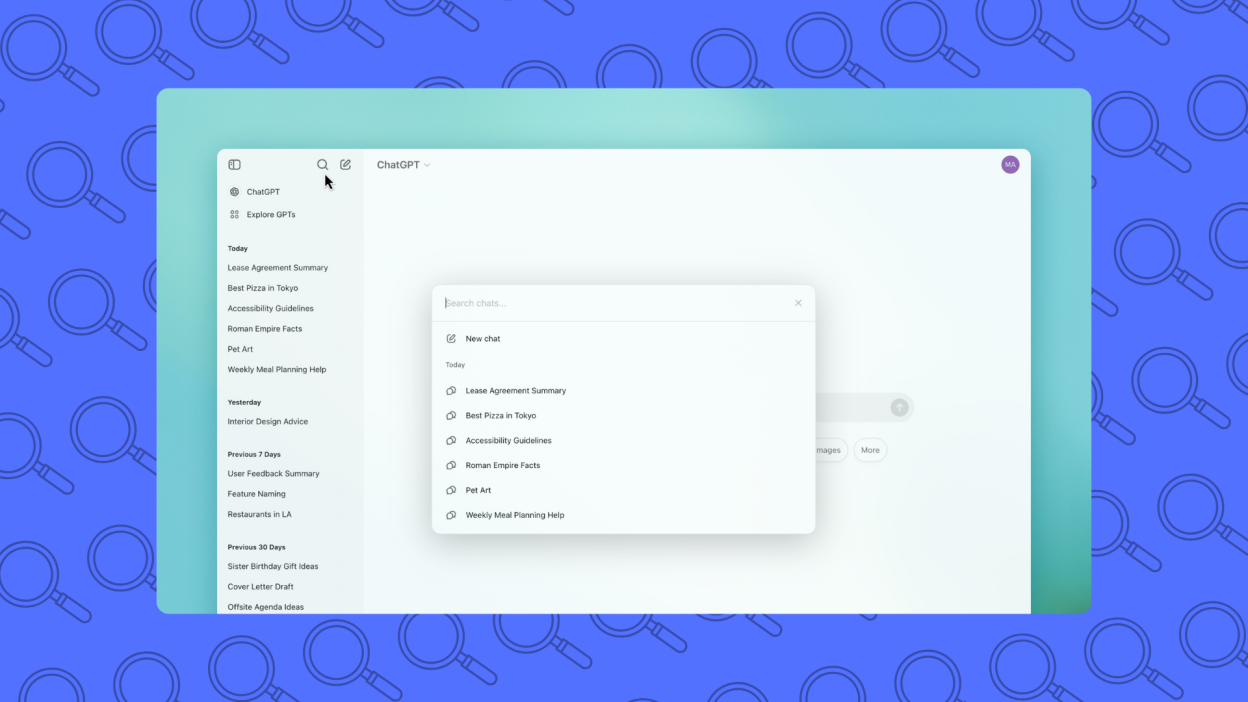
ChatGPT is a conversational AI that helps you think, write, research, code, and plan through natural language. You can ask questions, brainstorm ideas, summarize documents, draft content, or solve problems in one chat.
It works like an on-demand thinking partner rather than a traditional app with menus. You type what you need, refine through follow-ups, and reuse conversations as context. Among the Best ChatGPT Apps of 2026, it remains the baseline tool most others are compared to.
Key features
- You can ask complex questions, follow up, and change direction without resetting context. This makes it useful for research, strategy thinking, and problem-solving, not just quick answers.
- ChatGPT supports writing, coding, data explanation, learning, planning, and ideation in one place. You don’t need separate tools for each task.
- It can remember details within a conversation and build on them logically.
- Supports file uploads, web browsing (on paid plans), and integrations that extend beyond simple chat.
What I liked
- If you can write a message, you can use ChatGPT effectively. No setup or configuration is required to get value.
- It replaces many lightweight tools for writing, research, and thinking. One interface covers dozens of use cases.
- You get instant responses, making it ideal for drafting, refining, and exploring ideas in real time.
- Especially useful for explanations, summaries, and structured thinking.
What I disliked
- ChatGPT reacts to prompts; it doesn’t manage tasks or workflows unless you actively ask. It won’t “run in the background” for you.
- Vague inputs lead to generic results. Users still need basic prompting skills to get consistent quality.
- Compared to agent-based tools, it doesn’t automatically execute multi-step processes across apps.
- Responses still need human judgment, especially for critical or technical decisions.
Pricing
- Free plan available
- Plus plan: around $20/month, billed monthly
Suitable for
- Individuals or teams who want a flexible AI assistant for thinking, writing, learning, and everyday problem-solving.
How to start
- Go to OpenAI and create a free account
- Start with a real task (email, outline, question) and refine through follow-up prompts
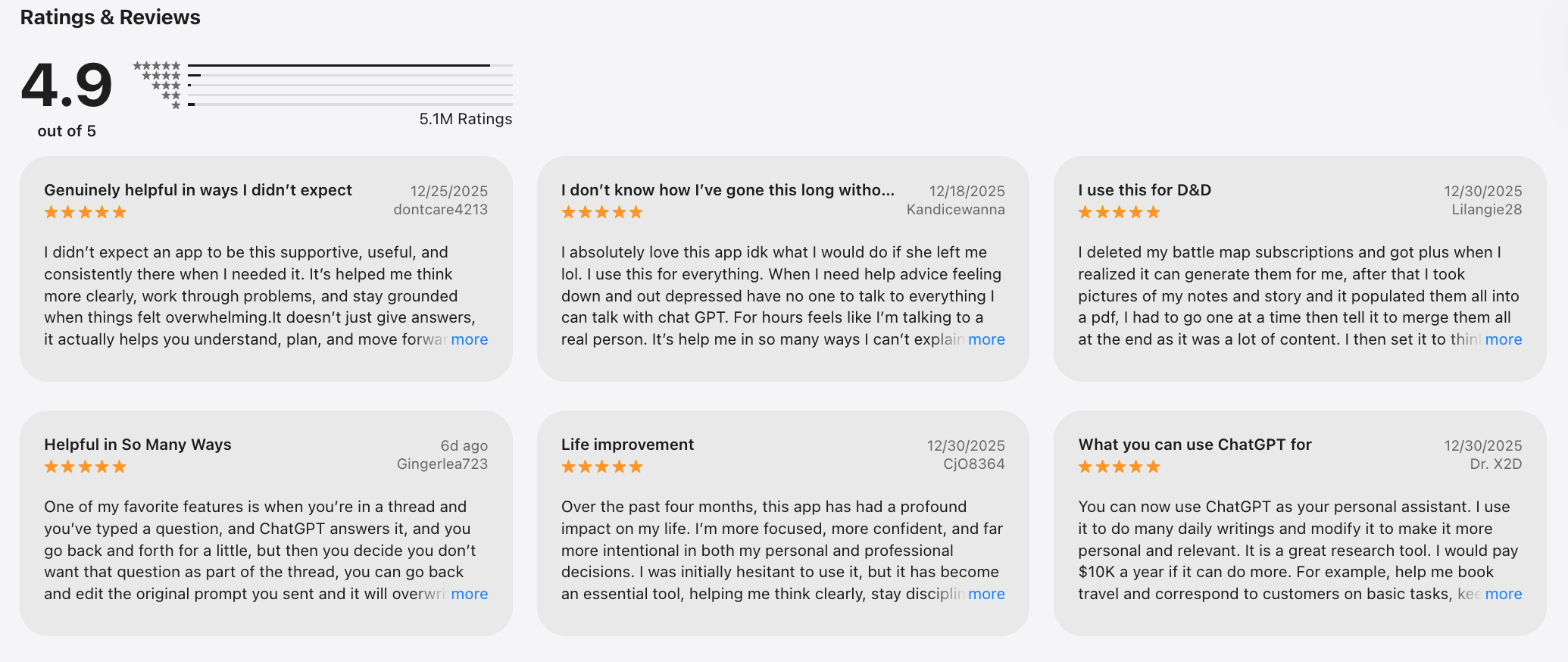
ChatGPT reviews (source)
2. Saner.AI - Personal AI Assistant
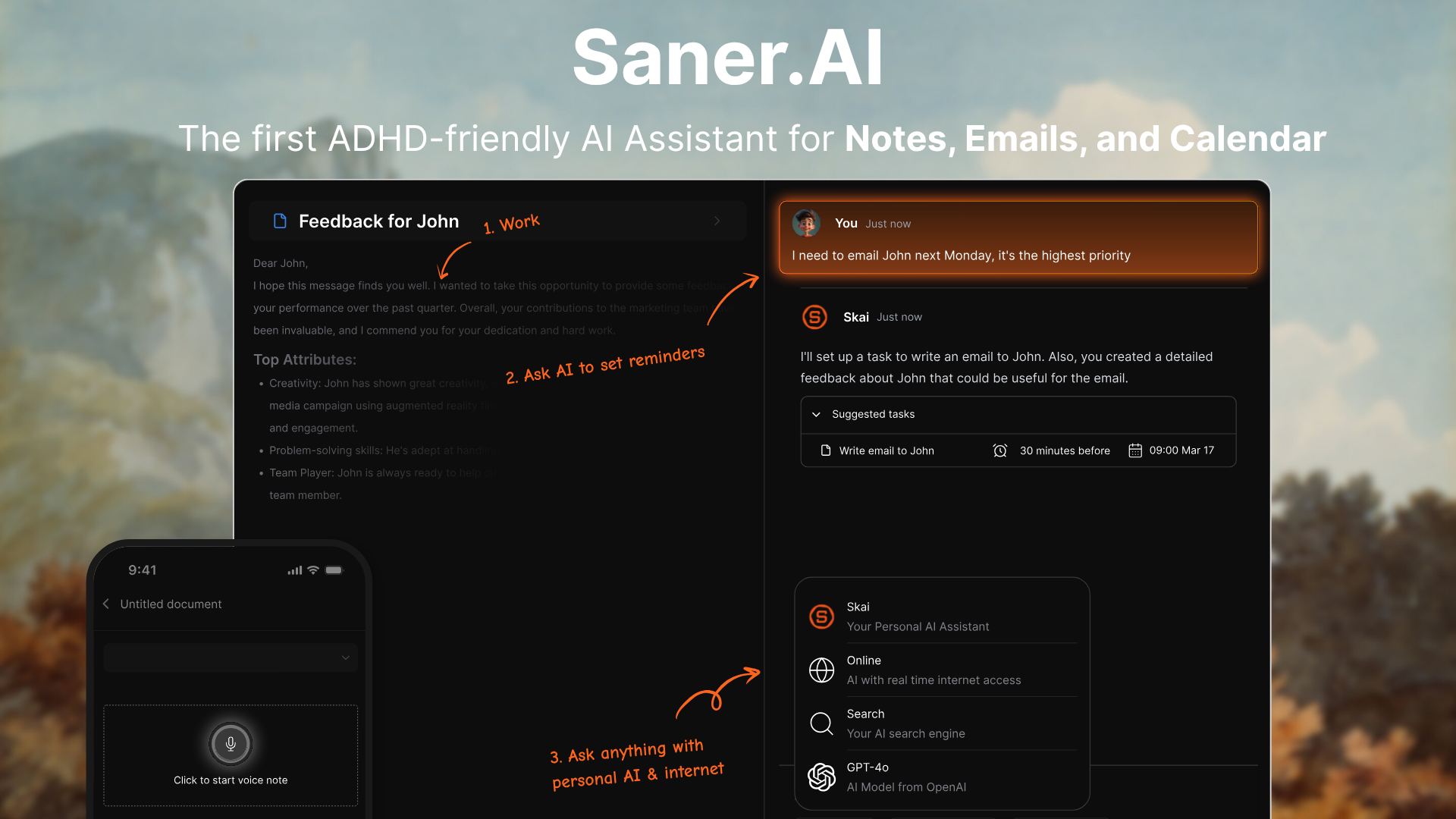
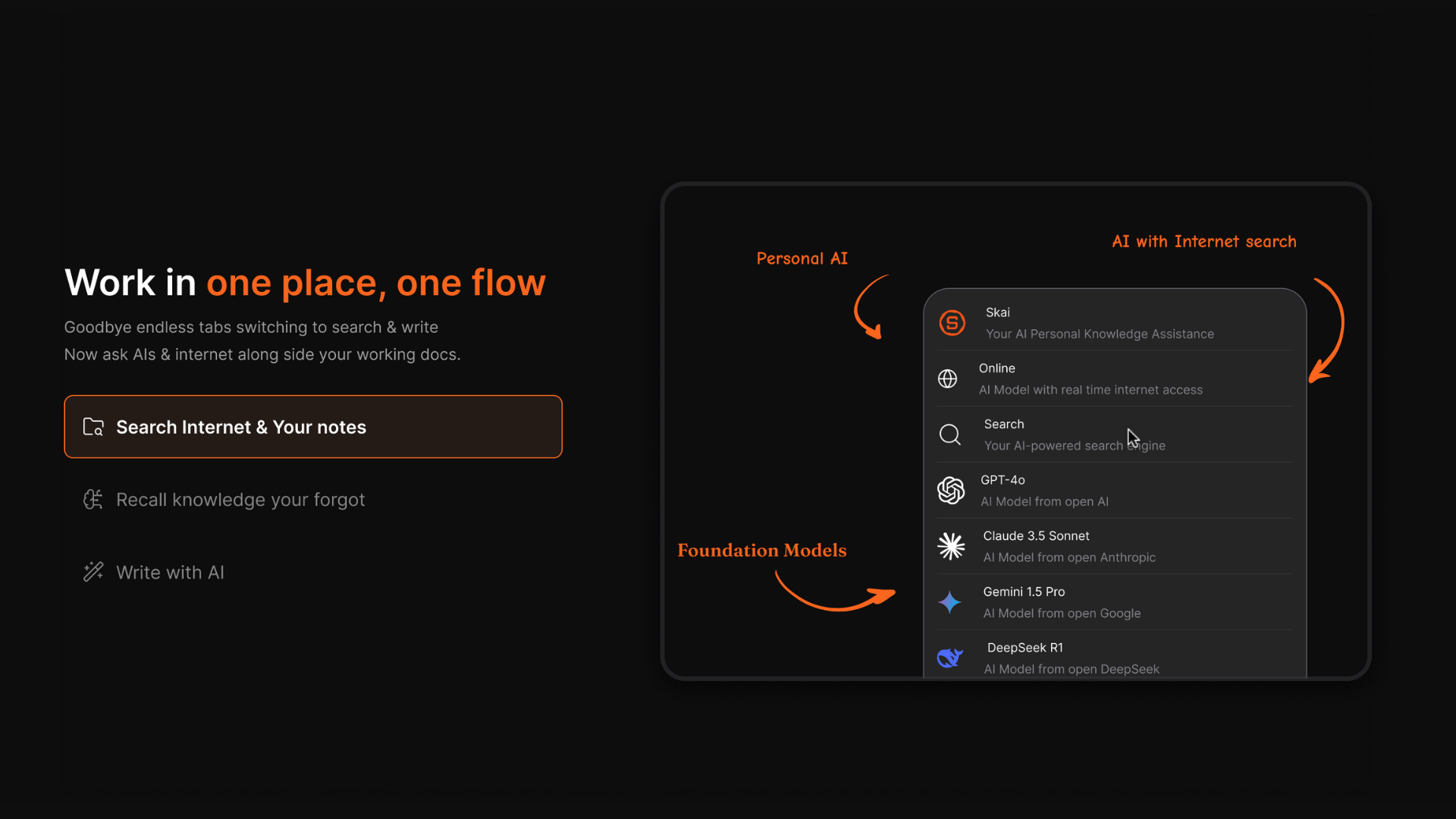
Saner.AI is an AI-first personal productivity tool designed to capture thoughts, tasks, and notes instantly, then organize them for you. Instead of forcing you into rigid folders or manual planning, it lets you write things down naturally and relies on AI to structure, prioritize, and resurface what matters.
It acts more like an external brain than a traditional to-do app. Among the Best ChatGPT Apps of 2026, Saner.AI stands out for daily planning and mental load reduction. It’s especially strong for people who think fast and non-linearly.
Key features
- You can dump tasks, ideas, reminders, or notes in plain language without choosing categories. The AI interprets and organizes them automatically.
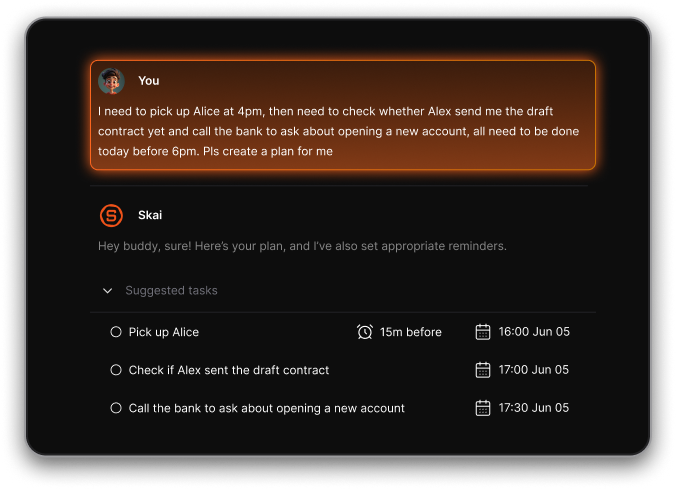
- Saner groups, prioritizes, and connect items for you over time. This removes the need for constant manual planning.
- You can ask questions like “What should I focus on today?” or “Summarize my open loops.” The system responds based on your own data.
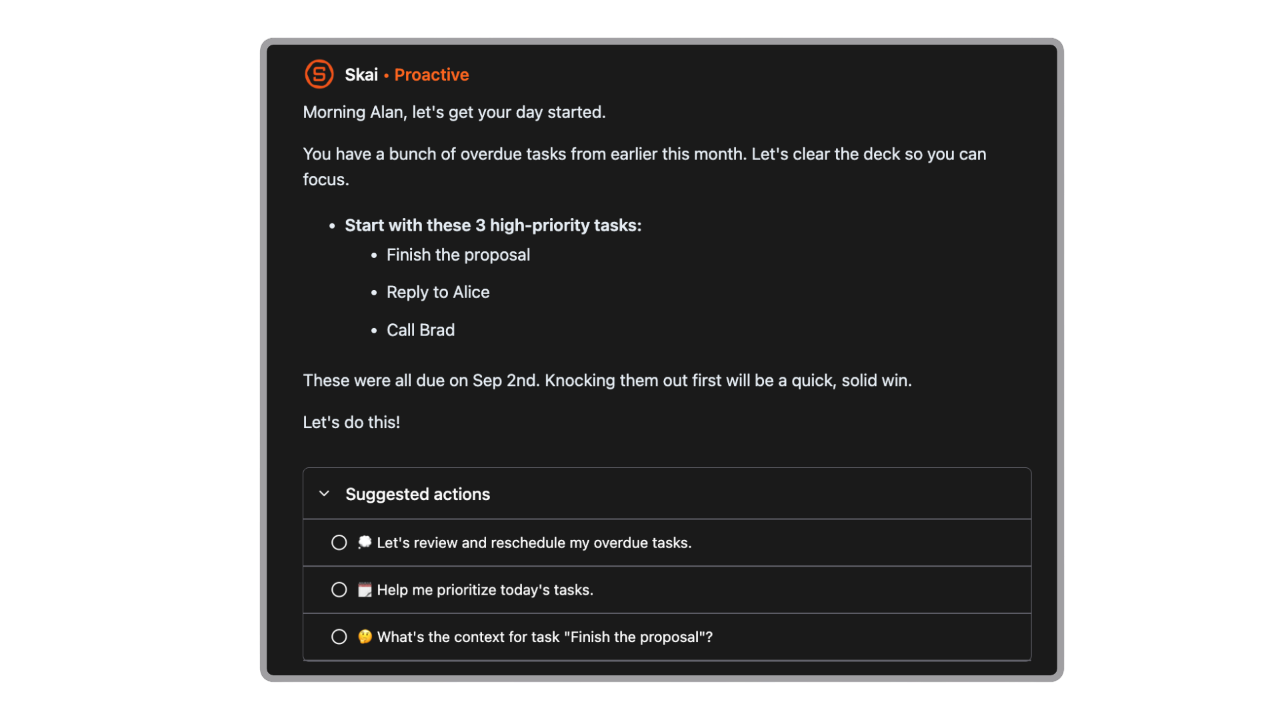
- Designed to reduce overwhelm by limiting decision-making and context switching. It emphasizes clarity over complex systems.
What I liked
- You don’t need to maintain folders, tags, or complex rules. This makes it easier to stay consistent long term.
- Unlike chat-only tools, Saner helps surface priorities and patterns without you asking every time.
- Works well if your inputs are chaotic, emotional, or incomplete. The AI cleans things up later.
- No hard separation between thinking and doing, which matches how people actually work.
Cons
- Not ideal for large teams or project timelines - no Gantt charts or complex task dependencies.
Pricing
- Free
- Starter: Monthly at $8/month, Annually at $6/month (with early user discount)
- Standard: Monthly at $16/month, Annually at $12/month (with early user discount)
Who is it suitable for?
- Solo professionals, ADHDers, productivity nerds, and knowledge workers who want an AI to manage tasks, email, and calendars in one place - without the overhead of complex dashboards or manual setup.
Saner.AI review

How to start using it?
- Go to saner.ai, sign up for free, connect your calendar and email, and start chatting with your AI assistant.

Stay on top of your work and life
3. Gemini Google
Gemini is Google’s AI assistant built for research, writing, reasoning, and everyday problem-solving. It’s tightly integrated with Google’s ecosystem, so it works well alongside Search, Docs, Gmail, and other Google tools. You can use it to ask questions, summarize information, generate content, and explore ideas conversationally.
It feels more like an AI-enhanced search and productivity companion than a standalone chatbot. In lists of the Best ChatGPT Apps of 2026, Gemini is often chosen for users already living inside Google Workspace.
Key features
- Gemini is good at explaining topics, summarizing sources, and answering fact-based questions. It benefits from Google’s search and knowledge graph strengths.
- Works directly with Docs, Gmail, and other Google apps on supported plans. This reduces copy-paste friction for writing and reviewing work.
- You can interact using text, images, and files, depending on the plan. Useful for explaining visuals or working with documents.
- Responses are quick and well-suited for short research tasks and clarifications.
What I liked
- Particularly strong at breaking down complex topics in a clear, structured way.
- If you already rely on Google tools, Gemini fits naturally into your workflow.
- Easy to use with minimal setup or learning curve.
- Often feels more conservative and careful with informational answers.
What I disliked
- Long-form writing and ideation can feel more constrained compared to ChatGPT.
- Fewer options for personal workflows, memory, or task-style interactions.
- It responds well but doesn’t manage tasks or priorities on its own.
- Some integrations and capabilities require upgrades.
Pricing
- Free: Basic Gemini access with limited capabilities
- Gemini Pro: ~$20/month, included in Google One AI Premium plan
Suitable for
- Users who want an AI assistant tightly integrated with Google Search and Google Workspace for research and everyday productivity.
How to get started
- Sign in with your Google account at Google
- Start by using Gemini inside Search or Docs for research and writing tasks
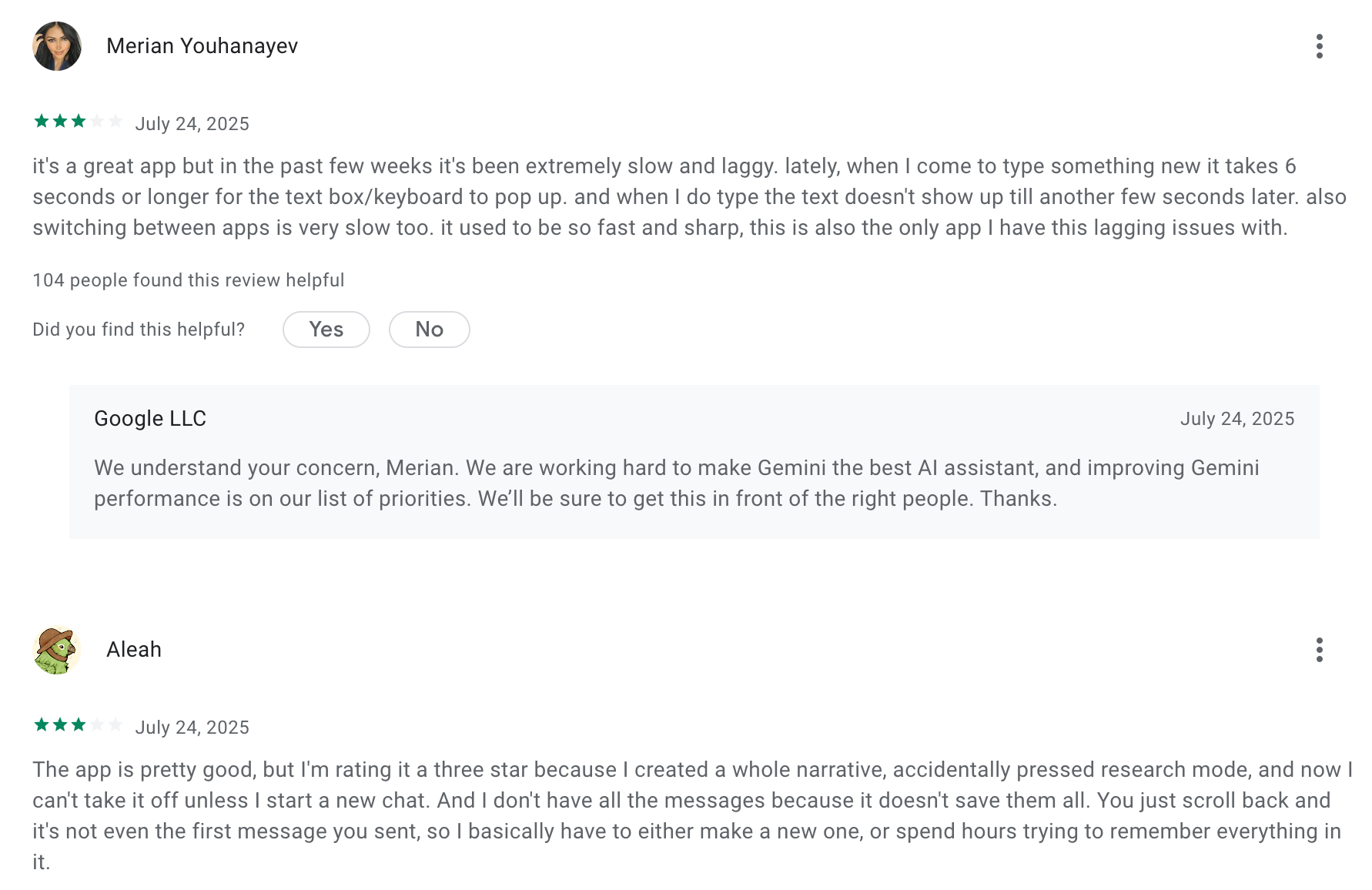
Google Gemini Review (source)
4. Microsoft Copilot
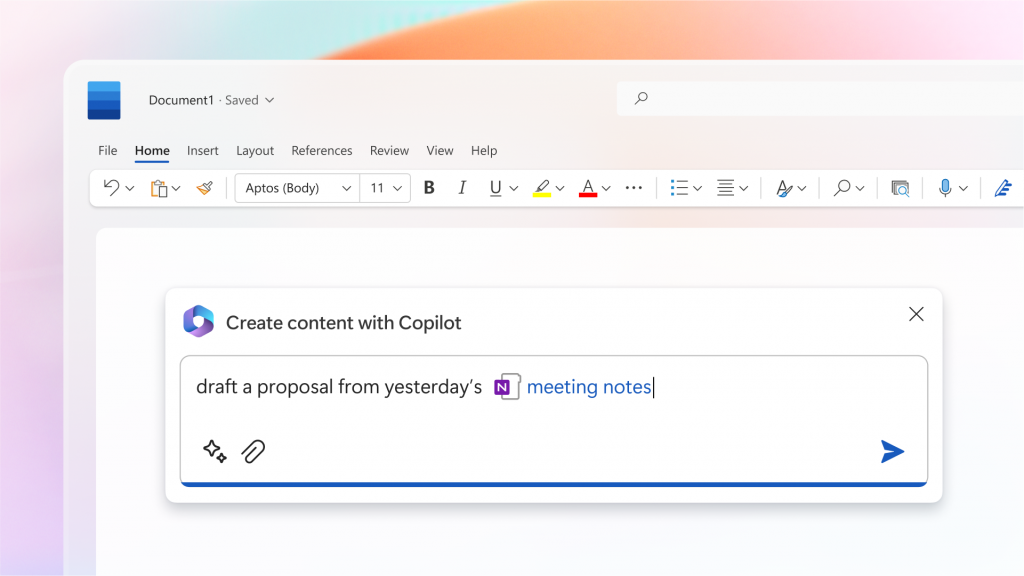
Microsoft Copilot is an AI assistant embedded across Microsoft products like Word, Excel, PowerPoint, Outlook, and Teams. It helps users write documents, analyze data, summarize emails and meetings, and generate presentations directly inside the tools they already use.
Instead of chatting in a separate app, Copilot works in-context within your workflow. This makes it more of an “AI coworker” than a standalone chatbot. In the Best ChatGPT Apps of 2026 landscape, Copilot is strongest for enterprise and office-heavy environments.
Key features
- Copilot works directly inside Word, Excel, PowerPoint, Outlook, and Teams. You can generate content, summaries, and insights without leaving the app.
- It understands your documents, emails, calendars, and meetings (based on permissions). This allows more relevant and actionable outputs.
- Especially strong in Excel for analyzing data, creating formulas, and explaining trends in plain language.
- Built on Microsoft’s compliance and security stack, making it suitable for corporate use.
What I liked
- Built directly into Microsoft apps
- Copilot Chat is free with many business account
- Copilot Labs lets you test experimental features early, like Appearance or enhanced document reasoning
- AI appears exactly where work happens, reducing friction.
- Clear data boundaries and admin controls appeal to organizations.
What I disliked
- Limited value if you don’t use Microsoft 365 daily.
- Pricing can add up quickly for teams.
- Feels more task-oriented than open-ended thinking.
- Messy files or poor documentation reduce effectiveness.
Pricing
- Copilot for Microsoft 365: ~$30/month, billed monthly (requires Microsoft 365 subscription)
- Limited Copilot features are available free in some consumer Microsoft apps
Suitable for
- Professionals and teams who work daily in the Microsoft ecosystem and want AI that helps draft, analyze, automate, and summarize
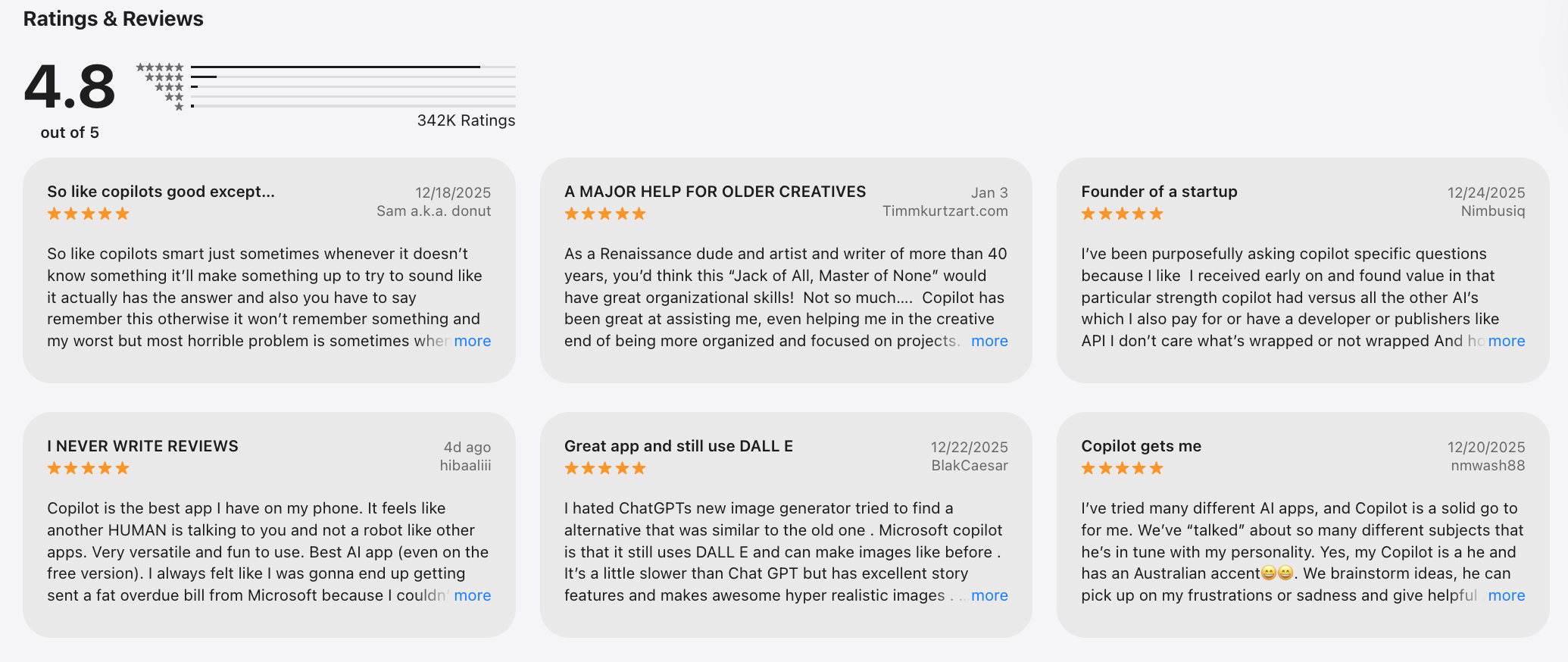
Microsoft Copilot reviews (source)
How to start
- Download the Microsoft Copilot app or open it inside your Microsoft 365 apps. Sign in with your Microsoft account and start chatting.
5. Otter.ai
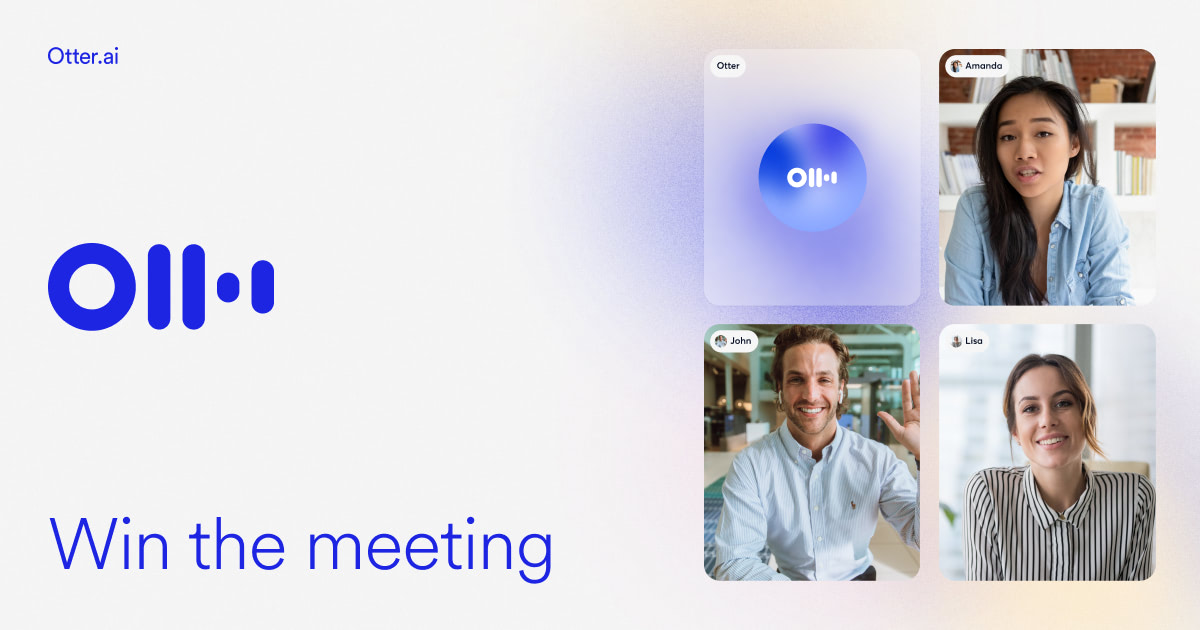
Otter.ai is an AI meeting assistant that records, transcribes, and summarizes conversations in real time. It’s commonly used for Zoom, Google Meet, and in-person meetings to capture notes automatically. Instead of manually writing minutes, you get searchable transcripts and AI-generated summaries.
It focuses on documentation and recall rather than open-ended chat. In the Best ChatGPT Apps of 2026, Otter.ai stands out for meeting-heavy workflows.
Key features
- Otter joins meetings and transcribes conversations live with speaker identification. You can review and edit transcripts immediately after.
- Automatically generates key points, action items, and highlights. This saves time on post-meeting write-ups.
- Works with Zoom, Google Meet, Microsoft Teams, and calendars. Meetings can be auto-recorded without manual setup.
- All transcripts are stored and searchable, making past conversations easy to reference.
What I liked
- It feels like having an AI coworker in every meeting
- You don’t have to remember to record or take notes
- Summaries are fast, clear, and easy to share with anyone who missed the call
What I disliked
- Not designed for writing, planning, or general AI conversations.
- Heavy accents, noise, or overlapping speech reduce quality.
- You can edit results, but customization is limited.
- Can get expensive for large organizations.
Pricing
- Free: ~300 transcription minutes/month
- Pro: ~$16.99/month (or ~$8–9/month billed yearly)
- Business: ~$30/user/month, billed monthly
Suitable for
- Professionals and teams that rely on meetings to drive decisions, especially in sales, media, education, or operations
How to start
- Create an account at Otter.ai
- Connect your calendar or meeting tools and let Otter auto-join meetings
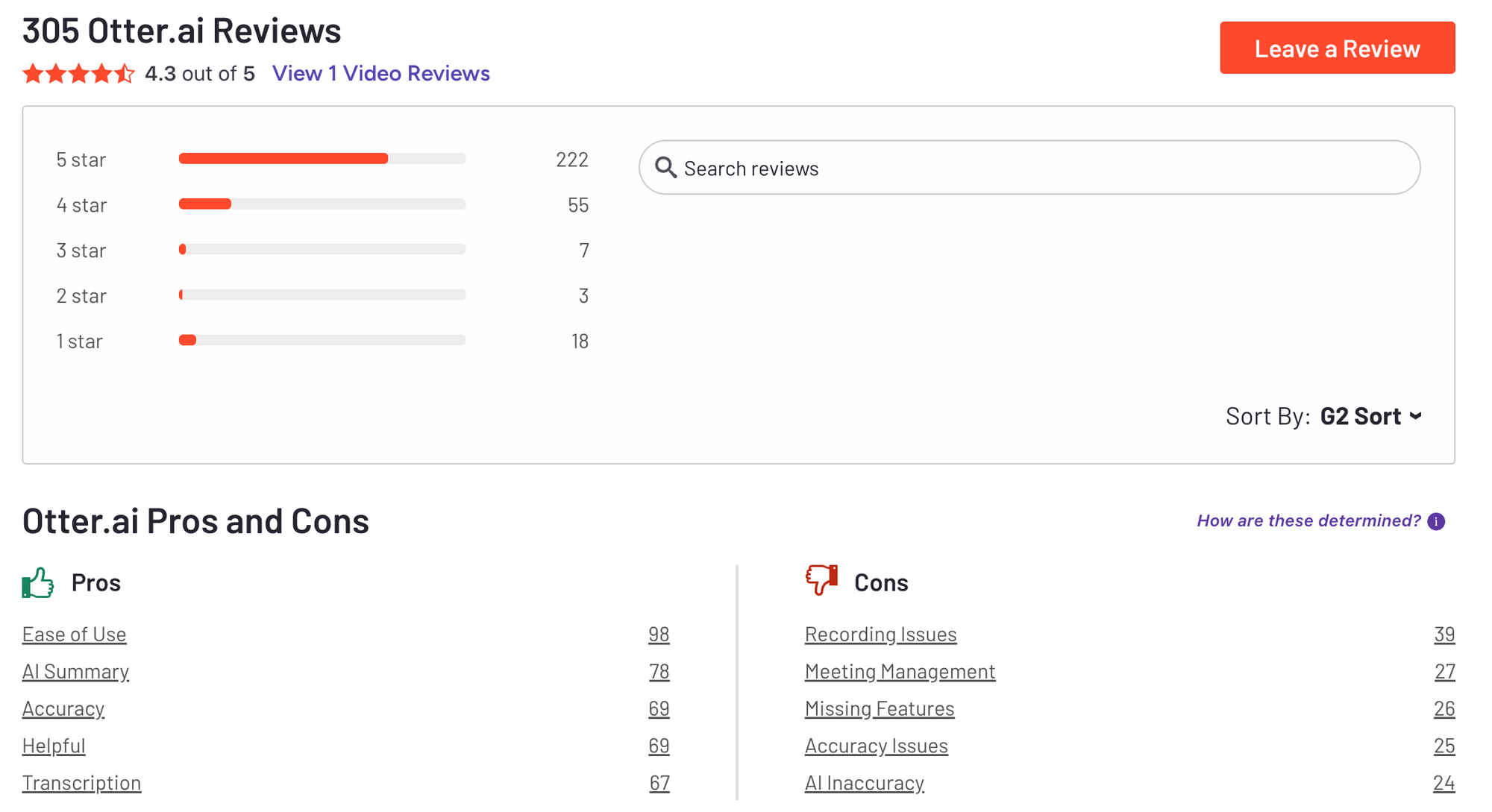
Otter.ai review (source)
6. Fireflies
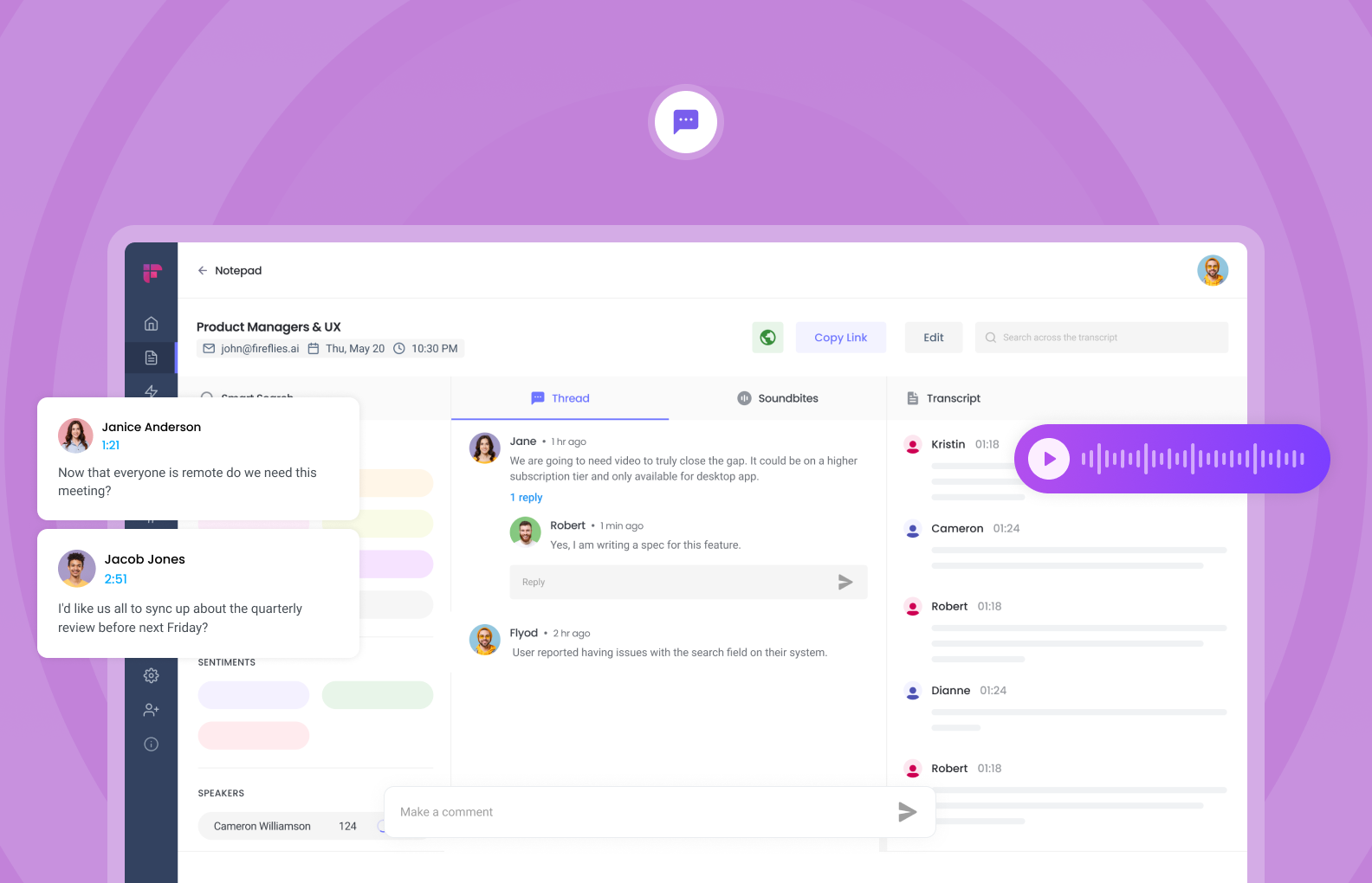
Fireflies.ai is an AI meeting assistant that records, transcribes, and summarizes meetings automatically. It works across popular video conferencing tools and captures conversations without manual note-taking. After meetings, it generates summaries, action items, and searchable transcripts.
The focus is on turning meetings into structured, usable knowledge rather than just raw text. In the Best ChatGPT Apps of 2026, Fireflies.ai is often chosen as an Otter alternative with stronger workflow integrations.
Key features
- Fireflies can auto-join meetings and record conversations with speaker recognition. Transcripts are available shortly after the meeting ends.
- Meetings are broken into key points, decisions, and follow-ups. This helps teams move faster without rewatching recordings.
- You can search across all past meetings by keyword, topic, or speaker.
- Integrates with tools like Zoom, Google Meet, Microsoft Teams, Slack, and CRMs. Notes can flow directly into existing workflows.
What I liked
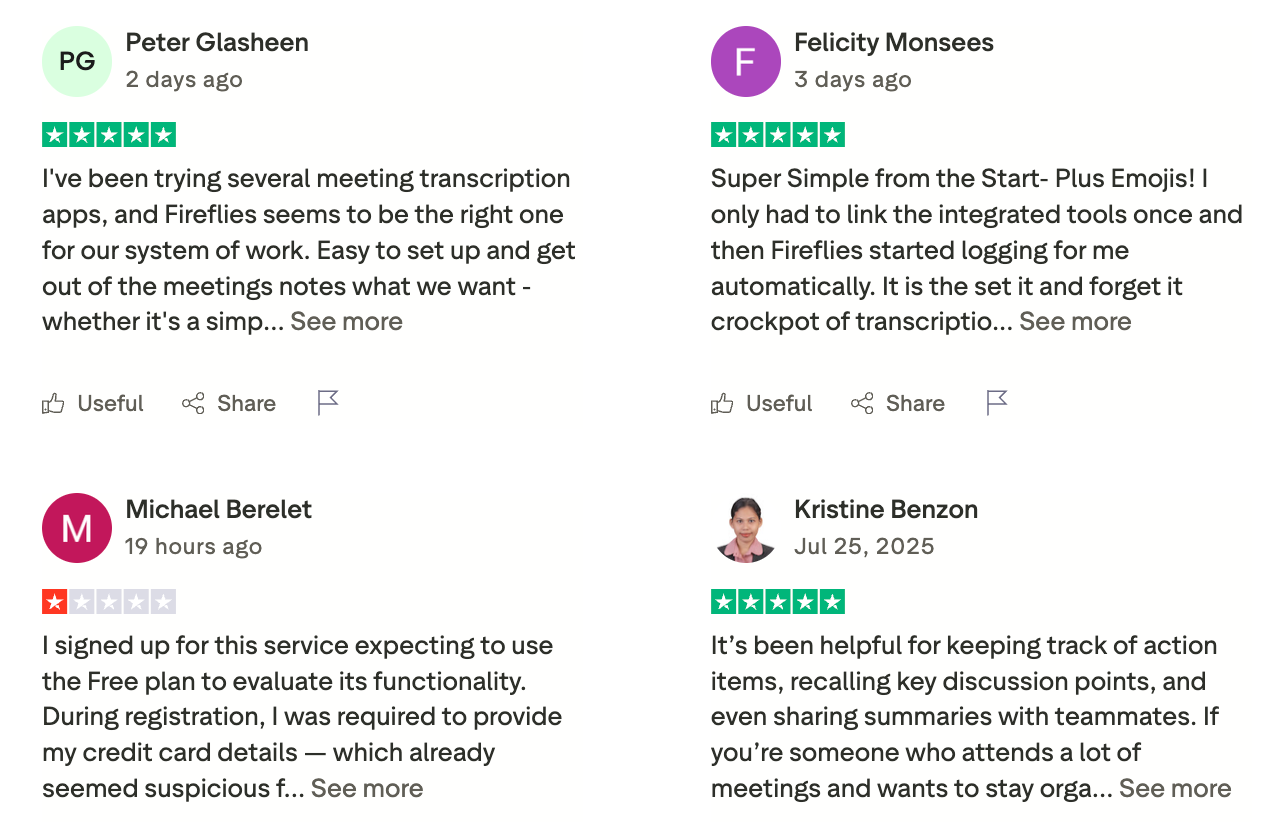
- Once set up, it runs quietly in the background with minimal effort.
- You get both high-level takeaways and full transcripts.
- Useful for sharing meeting context with people who couldn’t attend.
- Integrations make it more than just a transcription tool.
What I disliked
- Not useful for general writing, planning, or research tasks.
- Background noise or overlapping speech can reduce precision.
- Some meetings still require manual review.
- The most useful automation requires a paid plan.
Pricing
- Free: Limited transcription and basic summaries
- Pro: ~$18/month per user, billed monthly
- Business: ~$29/user/month, billed monthly
- Enterprise: Custom pricing
Suitable for:
- Teams, consultants, and professionals who sit in a lot of meetings and want an automatic way to capture, summarize, and revisit discussions without manual work
How to start:
- Go to fireflies.ai, sign up for the free plan, and invite the Fred bot to your next calendar meeting.
- Try the real-time AI voice assistant to see how it handles live Q&A, and upgrade when you need deeper analytics or more minutes.
Fireflies.ai review (source)
7. Perplexity

Perplexity is an AI-powered answer engine designed for research and information discovery. Instead of chatting freely, it focuses on giving direct answers backed by cited sources. You ask a question, and it returns a concise explanation with links you can verify.
It’s closer to an AI research assistant than a creative chatbot. In the Best ChatGPT Apps of 2026, Perplexity is often used as a faster, clearer alternative to traditional search.
Key Features
- Searches the live web automatically, unlike many chatbots that rely mainly on training data. Useful for up-to-date topics.
- Supports modes for academic research, writing, and deep dives. Helps structure exploration instead of open-ended chatting.
- Feels familiar to anyone used to Google, but with synthesized answers instead of links only.
Every response includes references, so you can trace where information comes from. This makes it reliable for research and fact-checking.
What I liked
- No complex prompting needed to get useful results.
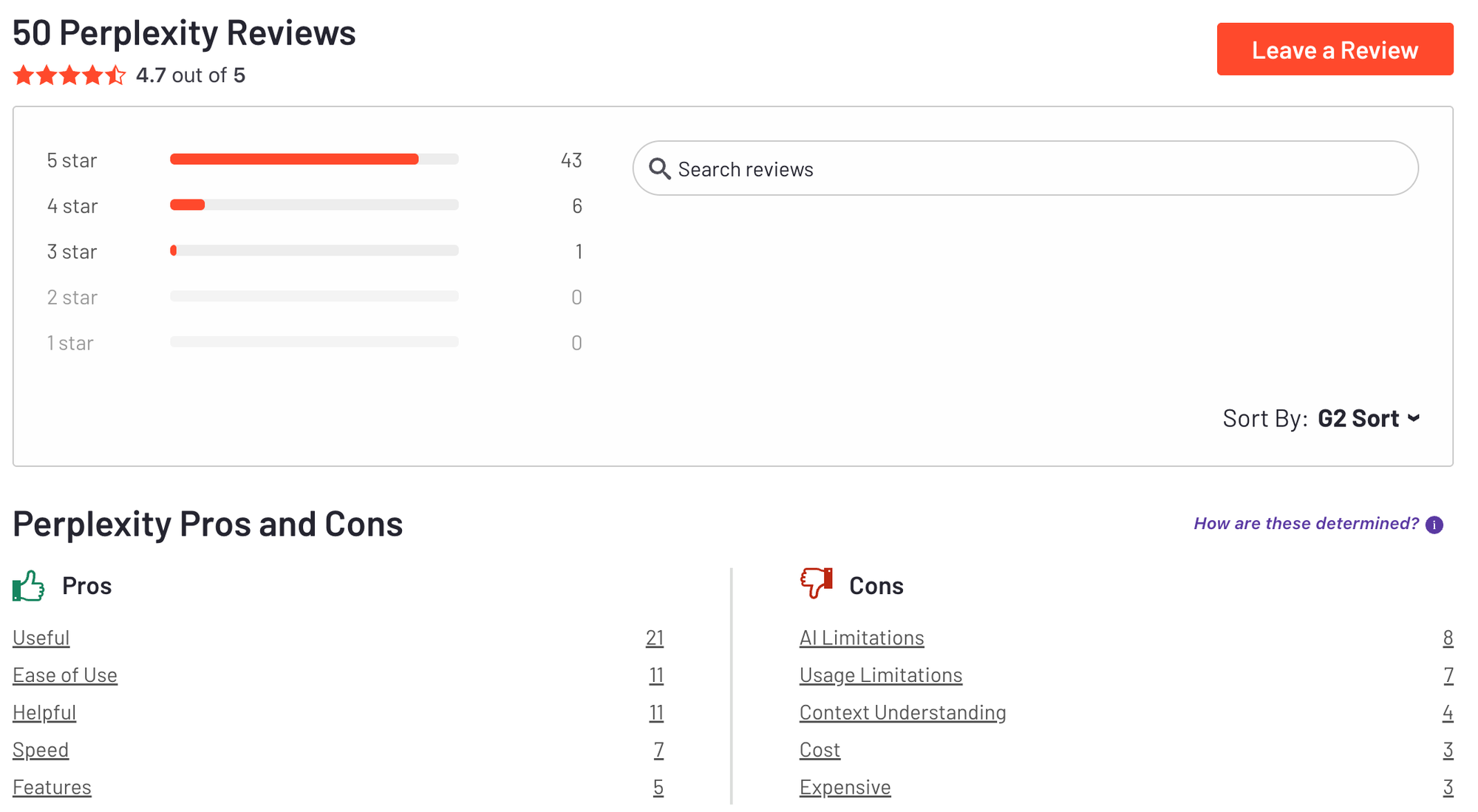
- Citations reduce hallucination risk and improve confidence.
- You can upload documents, and it’ll pull out summaries, quotes, or answer questions about the content
What I disliked
- It's not built for freeform conversation
- It doesn’t always handle creative tasks as well as ChatGPT
- The AI Assistant still has occasional hiccups
- Perplexity has faced some legal scrutiny around content sourcing from news publishers
Pricing
- Free: Basic search and AI answers
- Perplexity Pro: ~$20/month, billed monthly (or discounted yearly)
Suitable for
- Professionals, researchers, journalists, students, and anyone who wants a fast, trustworthy AI search tool that saves time and backs up its answers with real data.
How to start
- Go to Perplexity AI and create an account
- Start with a real research question and follow the cited sources for deeper dives
Perplexity review (source)
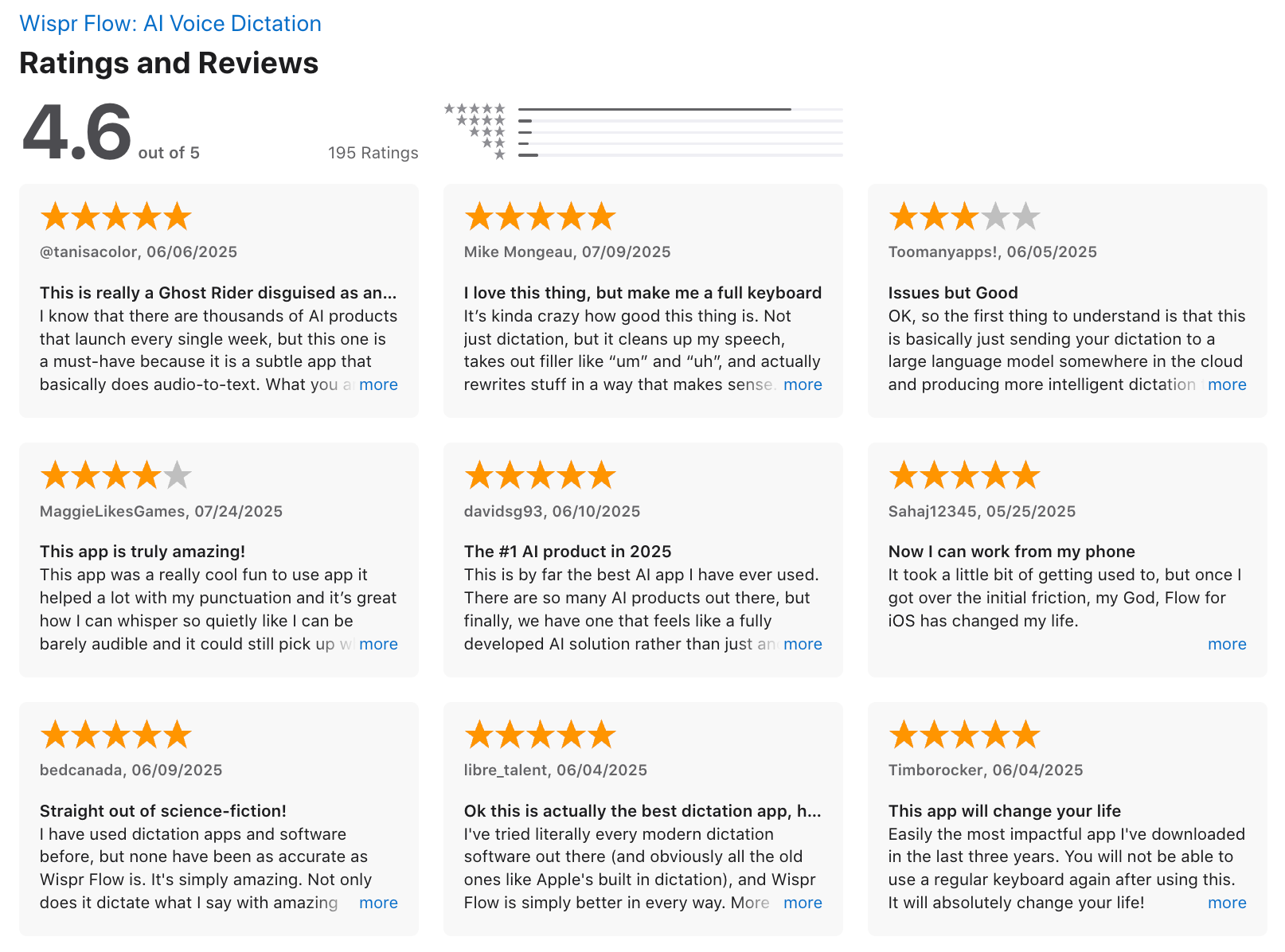
8. WisprFlow
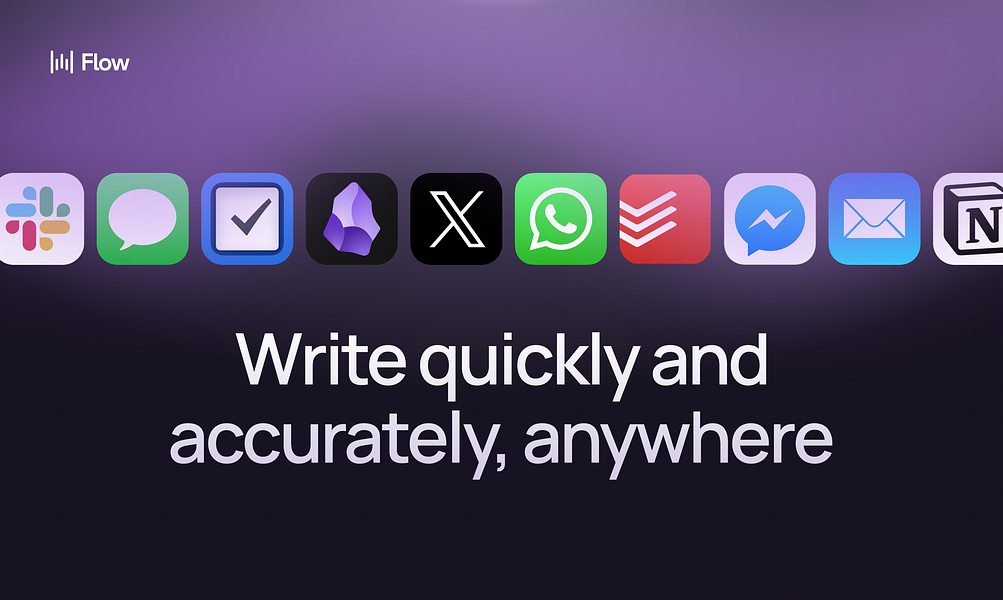
Wispr Flow is a voice-first AI productivity tool that lets you turn spoken thoughts into structured text instantly. Instead of typing, you talk - and the app converts your voice into clear notes, tasks, or drafts in real time.
It’s designed for fast capture when typing feels slow or mentally heavy. The focus is on reducing friction between thinking and documenting. In the Best ChatGPT Apps of 2026, Wispr Flow is often grouped with tools built for speed and cognitive relief.
Key features
- Voice Dictation Anywhere: Works in ChatGPT, Slack, Notion, Gmail, or anywhere you’d type
- Context-Aware Transcription: Auto-formats your tone, punctuation, and structure based on the app you’re using
- Multilingual Support: Supports over 100 languages, with a whisper mode for quiet dictation
What I liked
- You can speak naturally and see your words appear instantly. This is useful for brain dumps, quick notes, or drafting on the go.
- Wispr Flow doesn’t just transcribe, it cleans up filler words and structures sentences.
- Designed for moments when typing isn’t practical, like walking, commuting, or multitasking.
- Minimal UI keeps attention on thinking, not formatting or organizing.
What I disliked
- The desktop app uses quite a bit of memory and CPU, even when idle
- Voice dictation isn’t ideal in public settings where speaking aloud feels awkward
- It requires system-level permissions like access to active apps and clipboard, which some users may find invasive
- You’ll need to actively manage privacy settings - default behavior might feel too aggressive for some
- No deep task management, planning, or project views.
- Background noise or accents can affect results.
Pricing
- Free plan: 2,000 spoken words per week, basic voice typing and multilingual support
- Pro plan: $12/month for unlimited voice input, Command Mode, and advanced features
- Team plan: $10/user/month (minimum 3 users), includes admin controls and SOC 2 compliance
Suitable for
- People who prefer speaking over typing, or who want to speed up idea capture and text editing
How to start
- Create an account at Wispr Flow
- Start with short voice notes and review how the AI structures your text
WisprFlow Review (source)
9. Manus
Manus is an autonomous AI agent designed to execute multi-step tasks on your behalf, not just answer questions. Instead of chatting back and forth, you give Manus a goal, and it plans, researches, decides, and completes the work end-to-end.
It can browse the web, analyze information, create outputs, and iterate without constant supervision. The focus is execution, not conversation. In discussions around the Best ChatGPT Apps of 2026, Manus represents the shift from chatbots to true AI agents.
Key features
- You give a high-level objective and Manus breaks it into steps, runs them, and delivers results. This reduces micromanagement.
- Manus can decide what to do next based on intermediate results. It behaves more like a junior analyst than a Q&A bot.
- It actively browses the web, gathers sources, and synthesizes information into usable outputs.
- Designed to handle work that takes minutes or hours, not just instant replies.
What I liked
- You don’t need to guide every step. This saves time on complex tasks.
- Excellent for reports, comparisons, market scans, and analysis.
- You assign work instead of collaborating line by line.
- Goes beyond traditional chatbot limitations.
What I disliked
- Users who want tight oversight may feel uncomfortable.
- Overkill for simple writing or brainstorming tasks.
- Autonomy doesn’t remove the need for human judgment.
- Not designed for task lists or personal productivity systems.
Pricing
- Paid access: Subscription-based start from 19$/month (pricing varies by plan and usage tier)
- No fully featured free plan at scale
Suitable for
- Researchers, entrepreneurs, and solo professionals who need an AI agent to handle real work
How to start
- Request access or create an account at Manus
- Start with a clearly defined task and review the output before deploying results
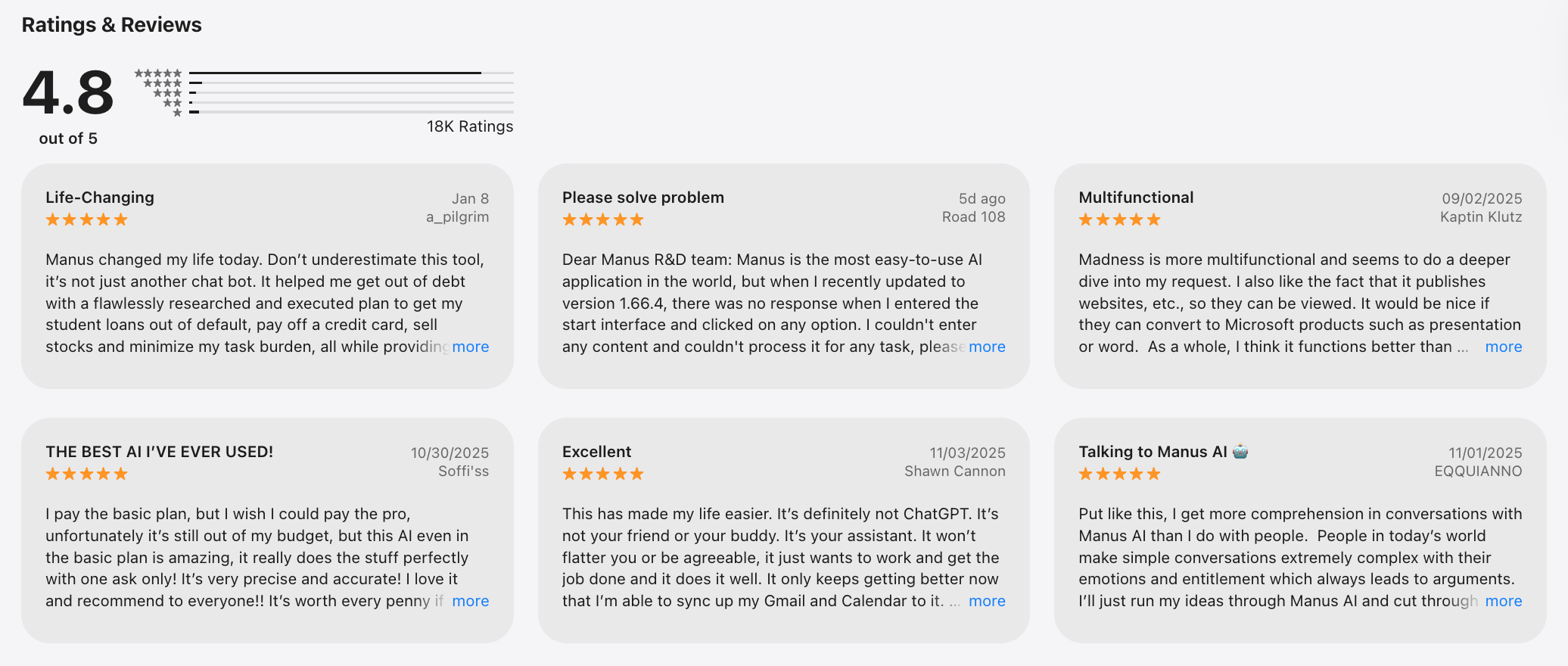
Manus reviews (source)
Conclusion
GPT applications are changing the way we interact with technology. These applications provide a unique combination of conversational AI capabilities that can support everything from everyday tasks to complex business needs.
However, it's important to choose wisely and do your research to find the GPT chat app that best suits your needs, ensuring you benefit from reliable and efficient AI interactions.
Stay on top of your work and life
FAQ: Best ChatGPT App
1. What is a ChatGPT App?
A ChatGPT app is a tool that lets you interact with AI using natural language. You can ask questions, summarize notes, plan your day, write emails, or generate ideas - just by chatting.
These apps go beyond casual conversation. Many integrate with your calendar, email, and tasks to act like a real personal assistant.
Some of the best ChatGPT apps today include:
- Saner.AI – Turns conversations into tasks, reminders, and schedules
- ChatGPT (OpenAI) – General-purpose chatbot with plugins and GPT-4 access
- Gemini (Google) – AI integrated into Gmail, Docs, and Google Calendar
- Microsoft Copilot – Built into Word, Excel, and Teams for workplace productivity
- Perplexity – Great for research and AI-powered answers with citations
- Fireflies.ai – Meeting transcription and summarization
- Otter.ai – Voice transcription with smart summaries
- Wisprflow – Lightweight voice-first assistant for workflows
- Manus.im – AI agent for doing tasks
2. What makes a ChatGPT app the best?
The best ChatGPT apps are:
- ✅ Fast and easy to use
- 🧠 Context-aware (they understand your notes, past tasks, and goals)
- 🗓️ Able to connect with tools you already use (like email, calendar, and docs)
- 🧩 Flexible - supporting both chat and proactive assistance
For example, Saner.AI doesn't just answer questions. It helps you:
- Break down chaotic thoughts into clear tasks
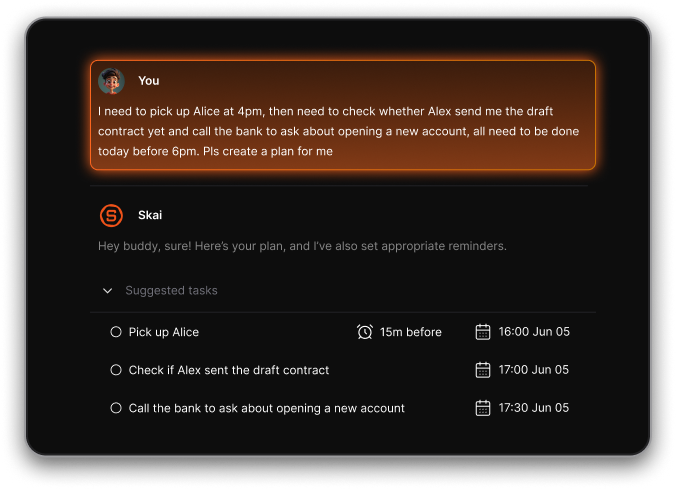
- Schedule work sessions based on your priorities
- Remember what matters - without setting a hundred reminders
3. What can I use a ChatGPT app for?
You can use a ChatGPT app to:
- Plan your day (“What should I focus on this morning?”)
- Search through messy notes (“Find notes about investor pitch Q2”)
- Draft emails (“Reply to the client about the Monday deadline”)
- Summarize long documents or meetings
- Set reminders and stay on track
- Auto-schedule your tasks around meetings
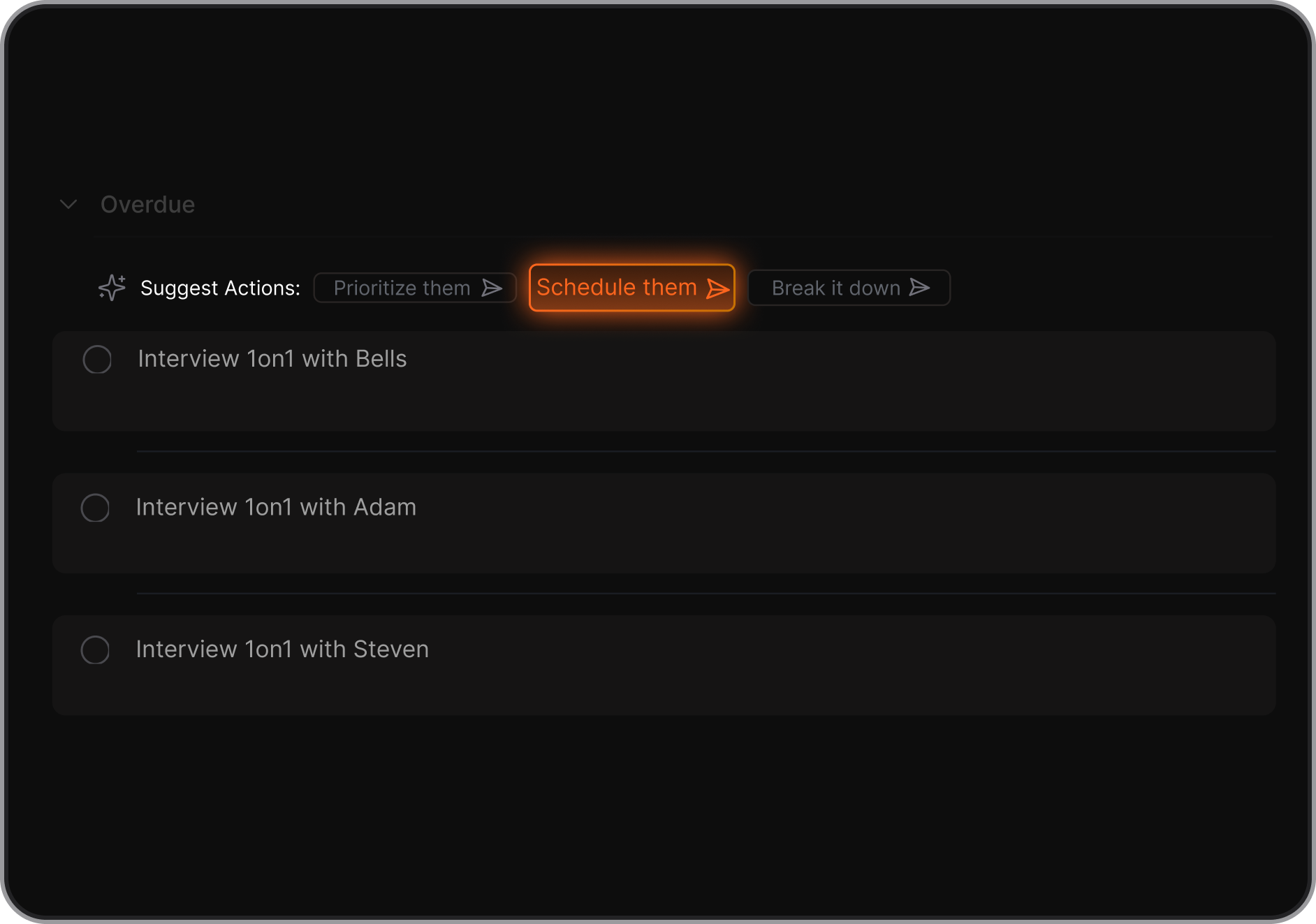
Some apps specialize in certain areas:
- Saner.AI – All-in-one thinking, task, and planning assistant
- Perplexity – Research, Q&A, citation-based summaries
- Fireflies.ai – Meeting notes and action items
- Gemini – Writing help across Google apps
4. Is there a free ChatGPT app?
Yes. Most of the top ChatGPT apps offer a free tier:
- Saner.AI – Free forever plan includes note search, task reminders, and daily planning
- ChatGPT – Free with GPT-3.5 (GPT-4 via paid plan)
- Gemini – Free with Google Workspace
- Otter.ai – Free transcription with limits
- Perplexity – Free AI search engine with citations
5. What’s the best ChatGPT app for ADHD?
For ADHD, simplicity and structure are key. Saner.AI stands out:
- Converts brain dumps into tasks and reminders
- Surfaces the right task at the right time
- Doesn’t require tags, folders, or complex setup
- Supports voice input and check-ins to reduce overwhelm
It’s like having an executive function coach in your pocket.
6. Which ChatGPT app is best for work?
If you’re juggling projects, deadlines, and back-to-back meetings, consider:
- Saner.AI – Designed for productivity, not just chatting. Connects your notes, calendar, and reminders
- Copilot – Seamlessly integrates into Microsoft tools
- Fireflies.ai – Turns meetings into searchable summaries
- ChatGPT – Great for quick writing, brainstorming, and code
7. What ChatGPT app helps you stick to your plan?
Three apps stand out for proactive planning:
- Saner.AI – Automatically suggests tasks for the day and checks in with you
- Motion – Auto-schedules your tasks on a dynamic calendar
- Reclaim – Time-blocks your habits and meetings
Only Saner understands your thoughts (notes, chats, todos) and turns them into a realistic plan.
8. What’s the best ChatGPT app for entrepreneurs?
Entrepreneurs need fast answers and fewer distractions. Try:
- Saner.AI – Turns your thoughts into tasks, links notes to calendar, keeps your focus
- Perplexity – Research and quick idea generation
- ChatGPT – Draft pitches, respond to clients, build workflows
No setup. Just start chatting and get clarity fast.
9. How does a ChatGPT app improve productivity?
A good ChatGPT app reduces context switching and decision fatigue.
For example:
- You type “remind me to send pitch deck” → Saner adds it to your task list + schedules it
- Ask “what’s my priority today?” → It answers based on your current workload
- Say “find notes from last board meeting” → It pulls up context, fast
Less thinking. More doing.
10. Can ChatGPT apps help with meeting prep?
Definitely. Tools like Saner.AI, Fireflies.ai, and Otter.ai can:
- Summarize previous meetings
- Pull up related action items
- Generate talking points for your next call
- Record and transcribe live meetings
With Saner, you can literally ask, “What did we decide last week?” and get a full rundown.
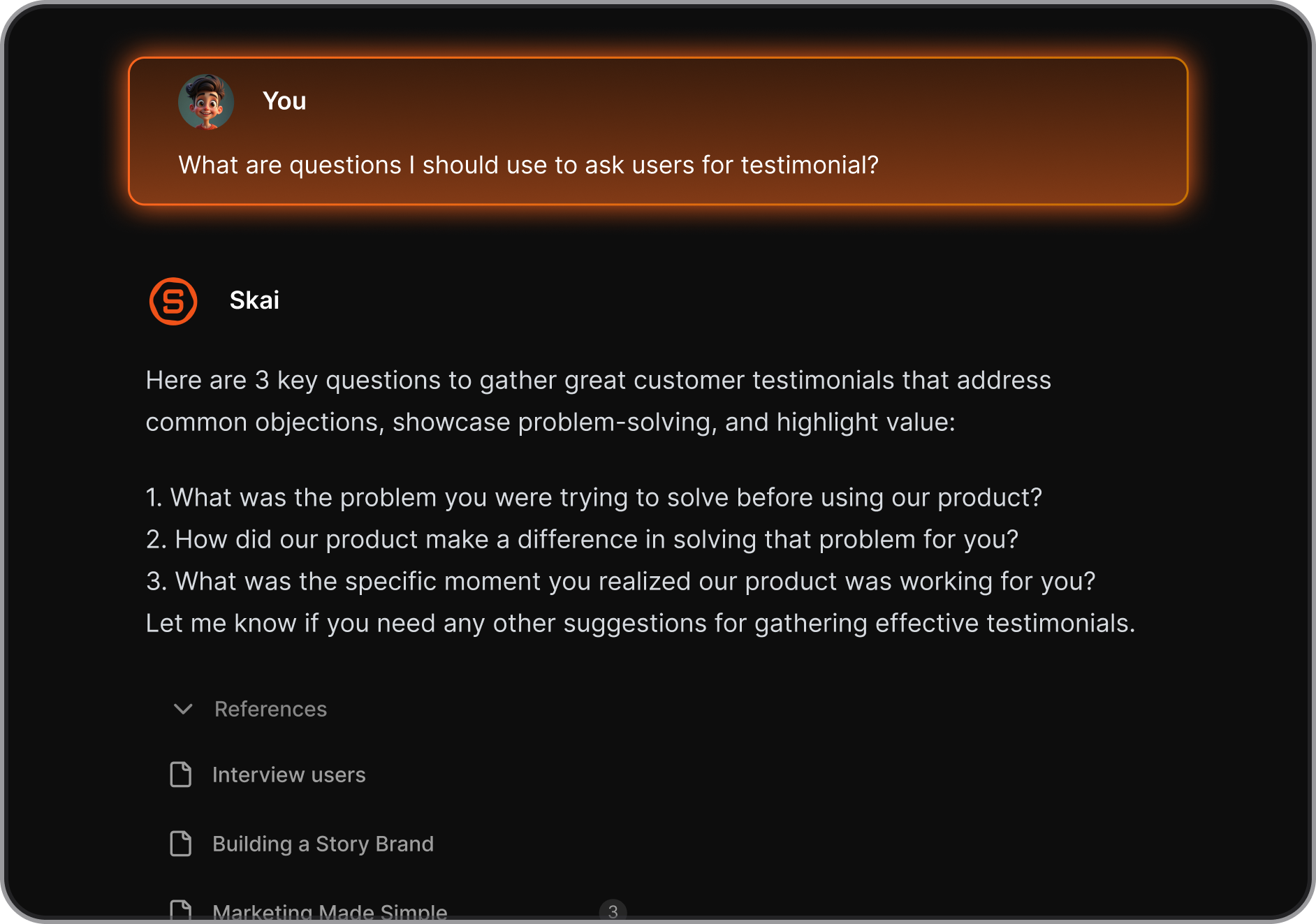
11. Which ChatGPT app is best for executives?
Executives need high-level clarity and low friction.
- Saner.AI – Combines calendar, tasks, and notes into one smart workspace
- Copilot – Works inside Microsoft tools for seamless reporting
- Gemini – Helpful for emails and document editing across Google apps
Saner acts like a chief of staff who never forgets anything.
12. How is a ChatGPT app different from regular productivity tools?
Traditional tools = You manage them.
ChatGPT apps = They manage you.
Instead of digging through folders and tabs:
- You ask one question
- The AI retrieves the right note, task, or email
- It reminds you to take action, not just store information
Apps like Saner.AI make your workflow feel like talking to a smart assistant, not toggling between apps.
Stay on top of your work and life