
We tested 20 Daily Planner Apps. Here are the best 5

We've tested all 20+ apps across real workweeks, with actual deadlines, actual context switching, and actual moments of "wait, where did I put that task?"
This post is most useful if you're a knowledge worker, freelancer, entrepreneur, or someone managing ADHD who needs a planner that does more than hold a to-do list.
Quick Answer: What are the Best Daily Planner Apps right now?
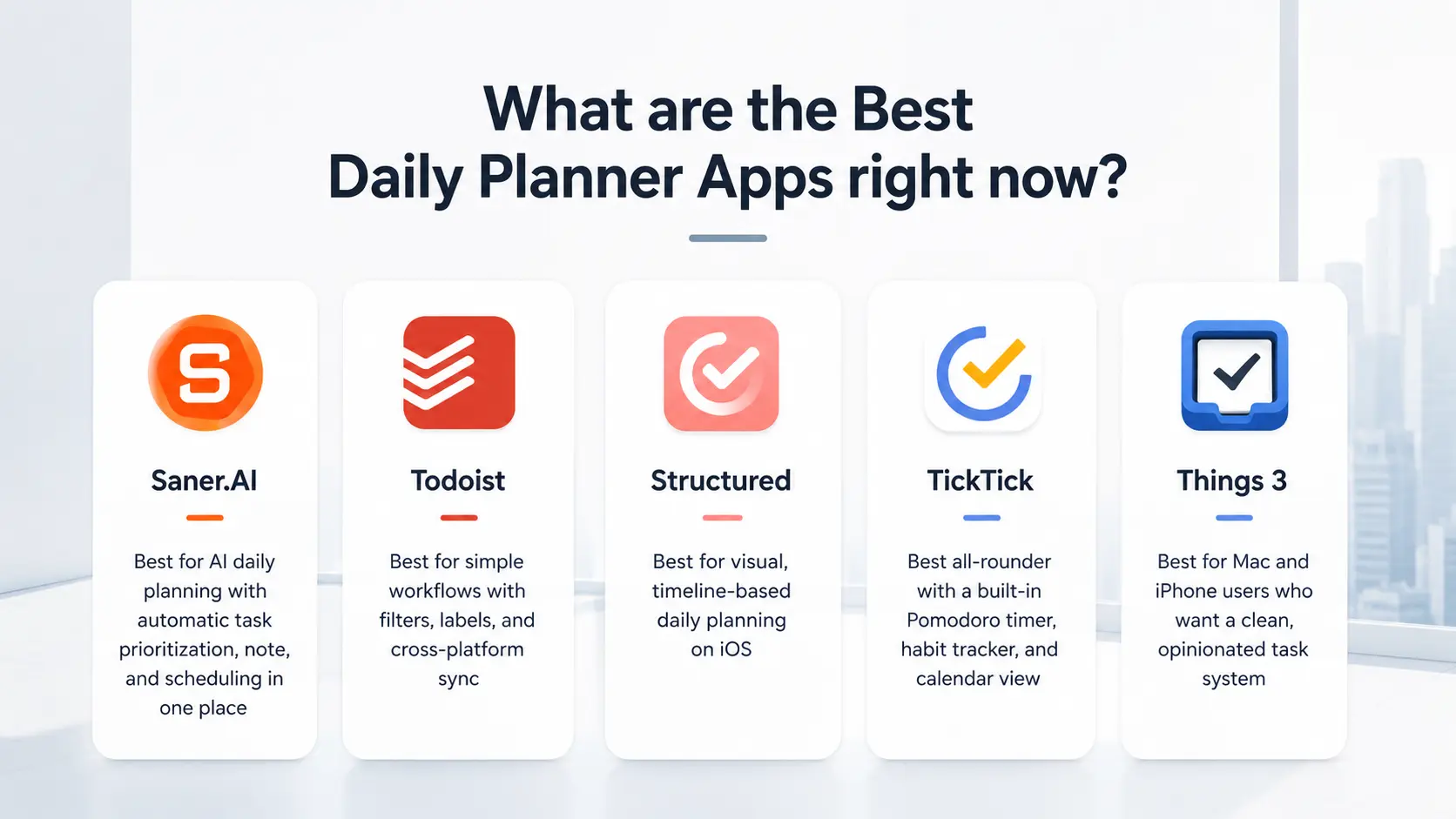
- Todoist — Best for simple workflows with filters, labels, and cross-platform sync
- Structured — Best for visual, timeline-based daily planning on iOS
- TickTick — Best all-rounder with a built-in Pomodoro timer, habit tracker, and calendar view
- Things 3 — Best for Mac and iPhone users who want a clean, opinionated task system
1. What is a Daily Planner App?
A daily planner app is a digital tool that helps you organize your time, tasks, and priorities daily
2. Why Does Planning Matter?
3. How We Chose These Planners
We tested 20 daily planner apps over weeks across different user types, evaluating each on real planning sessions, not demos. Apps were scored across six criteria:
- Task capture speed — How quickly and frictionlessly can you add a task? If you have to think before capturing, you won't capture consistently.
- Calendar and scheduling integration — Does the app connect your task list to your actual time? Or do your tasks float independently of your day?
- AI and automation depth — Does the app help you decide what to work on, or does it just hold a list and wait?
- Daily and weekly review experience — Can you start each day with a clear, prioritized plan in under two minutes?
- Cross-platform reliability — iOS, Android, Mac, Windows, and web versions were all tested for sync speed and feature parity.
- Pricing transparency and value — We compared free plan limits, paid tier features, and whether the upgrade is actually worth it for a typical user.
What are the best Daily Planner Apps?
The best Daily Planner Apps in 2026 are: Saner.AI, Structured, Things, Todoist, and TickTick
1. Saner.AI
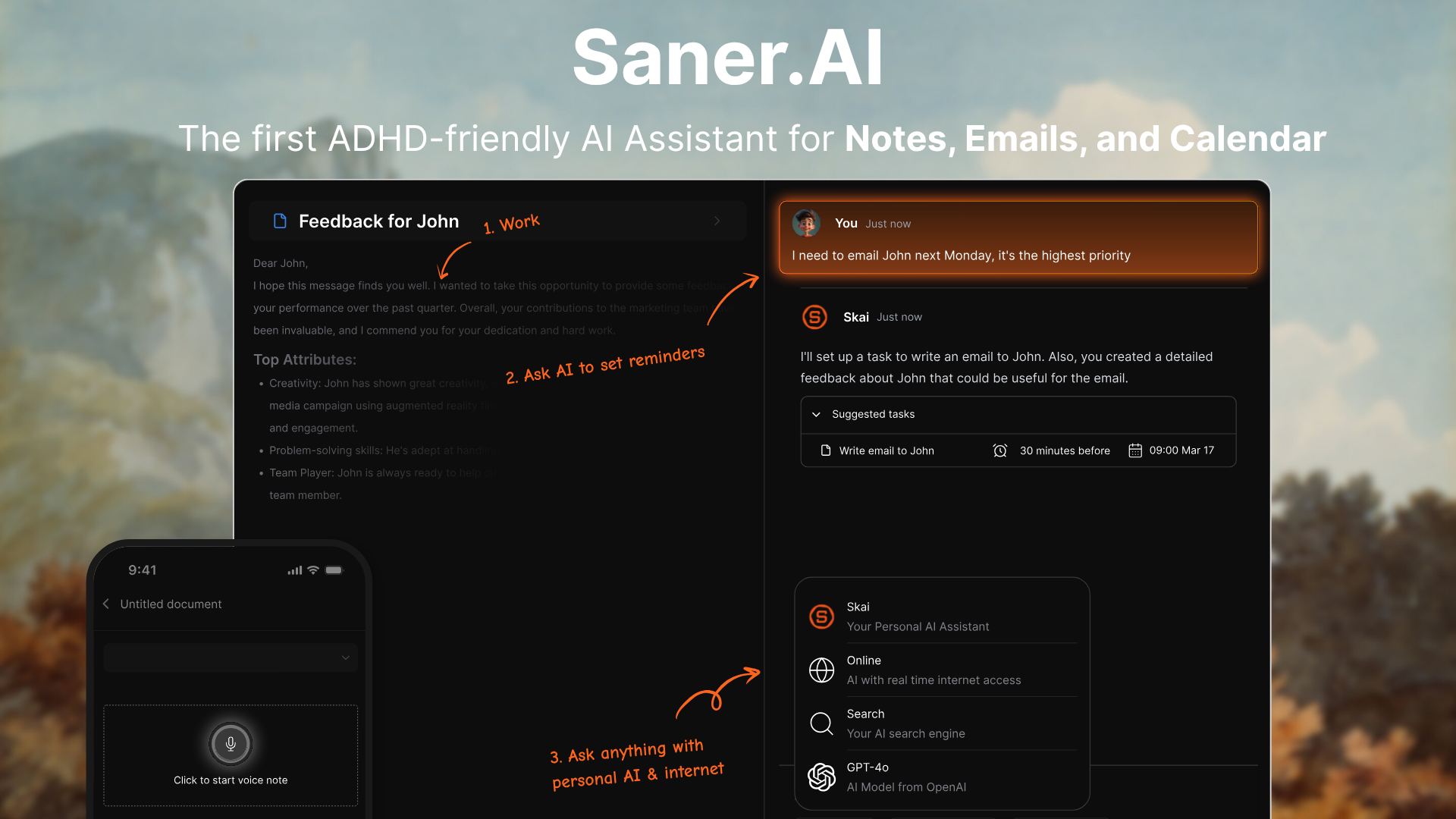
Saner.AI is a daily planner app built for people who get overwhelmed by juggling notes, tasks, and meetings. It pulls everything - your notes, calendar, tasks, emails - into one place, and uses AI to help you actually do the things you plan.
Key features
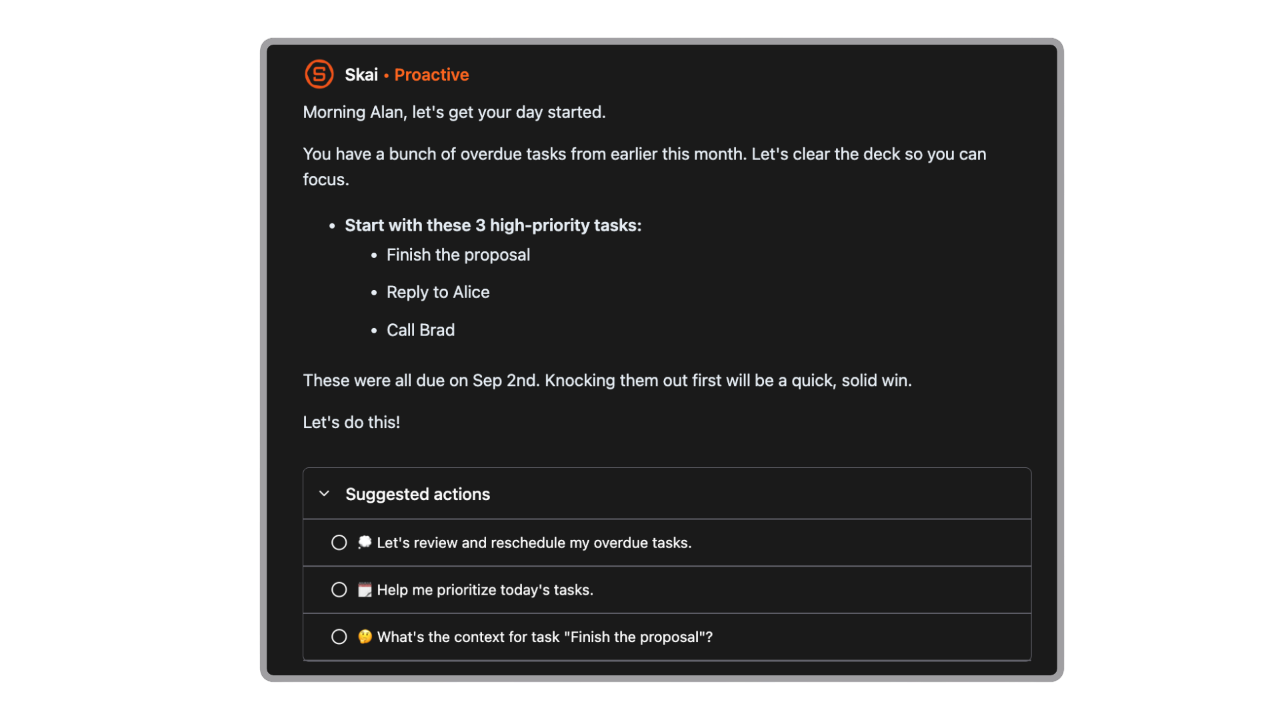
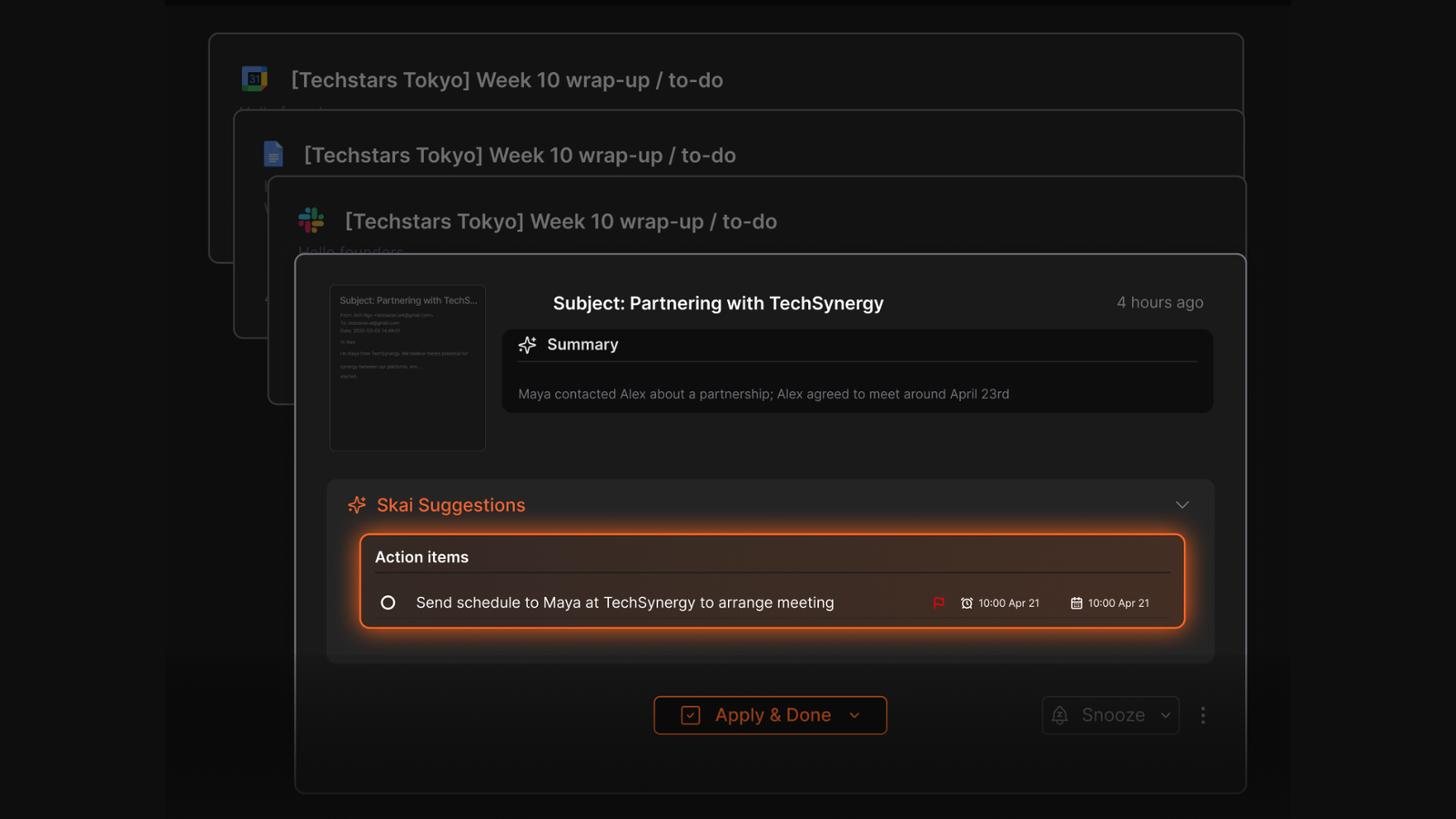
- AI Daily Planner: Automatically scans your inbox, notes, and calendar and gives you an optimal plan for the day
- Unified Inbox: Pulls in tasks from notes, docs, emails, and calendar
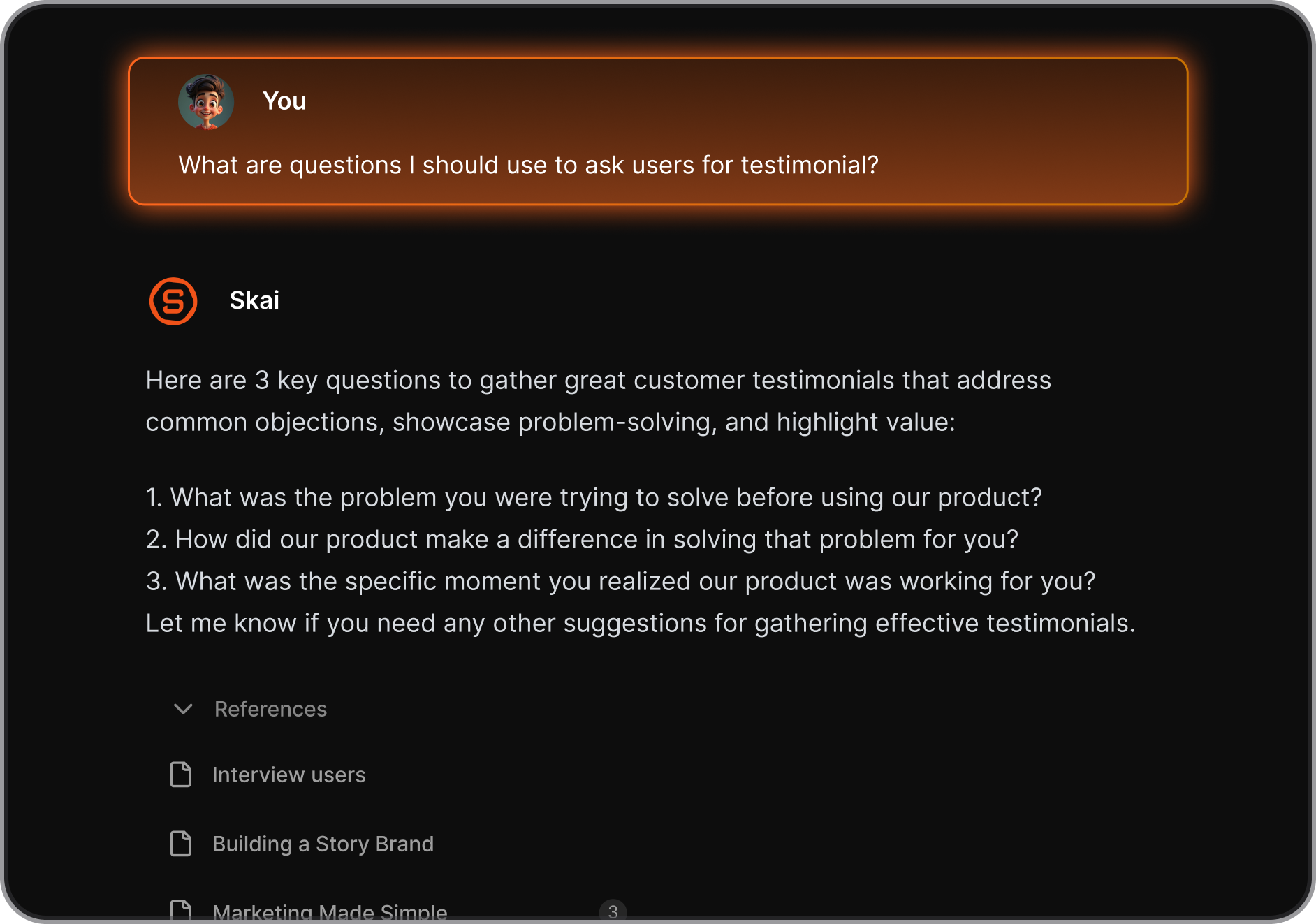
- Natural-language search: Ask things like “my meeting with Sarah” or “ideas for Q3 launch”
- Cross-platform: Works on web and mobile, and connects with Gmail, Google Drive, Slack, and more
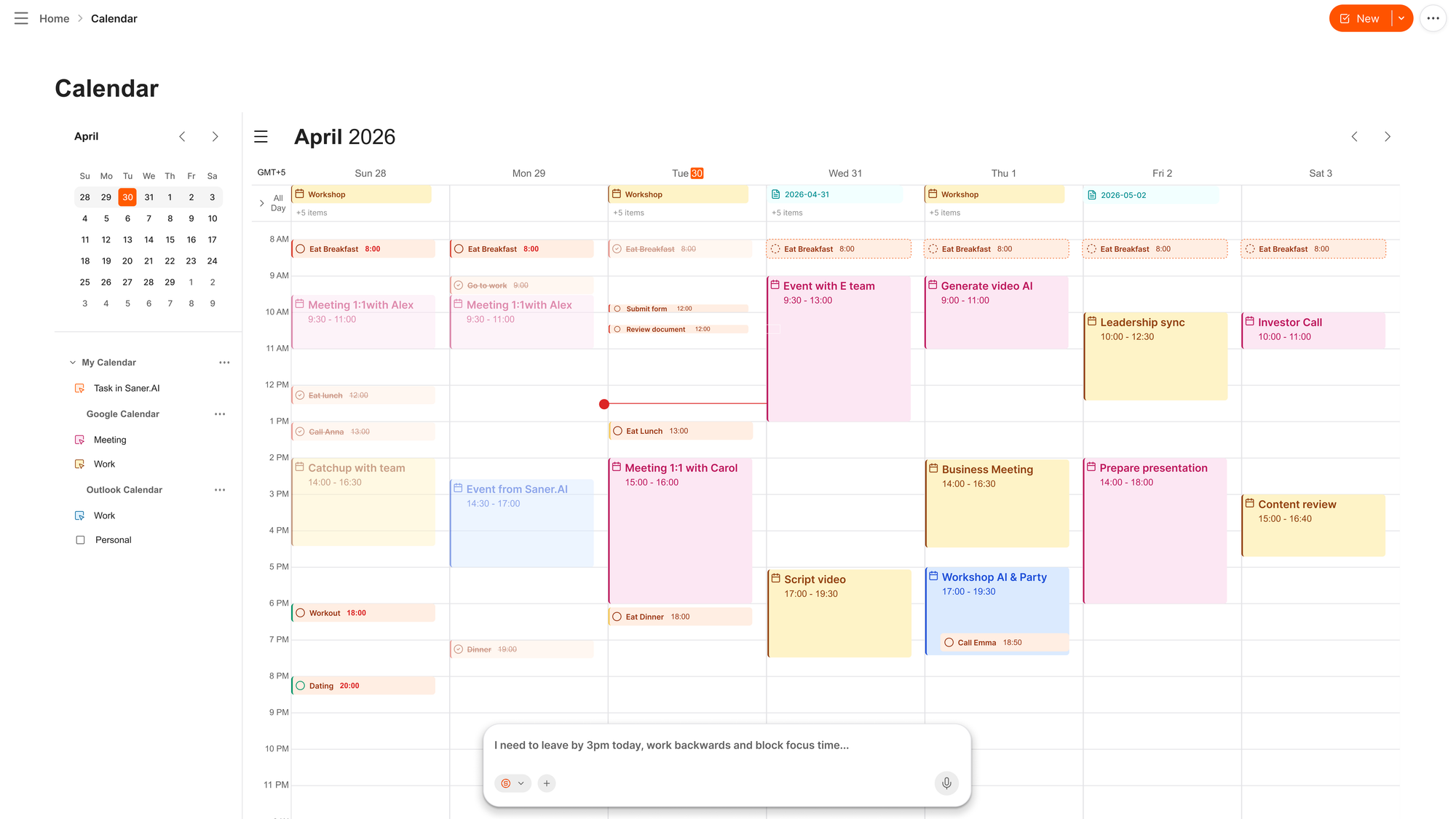
- AI built into calendar view
What I liked
- I love that it just gets my day - no manual planning needed. I just need to log in and it lays everything out for me.
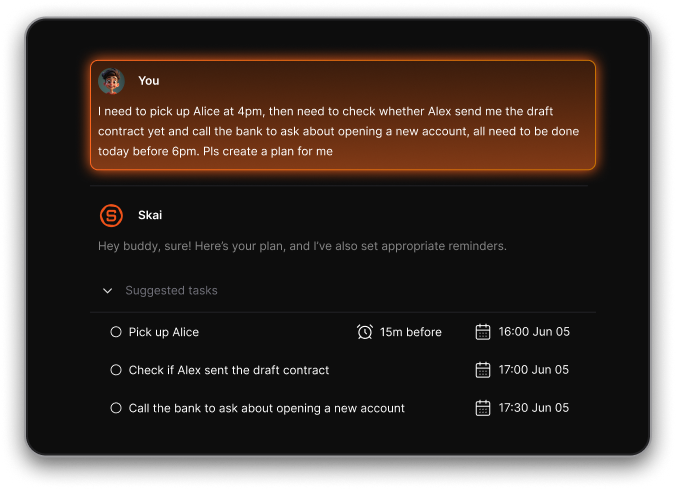
- Being able to talk to it casually (“I need to send a follow-up”) and have it turn that into a task is game-changing
- The AI doesn’t just schedule - it understands the context of what's related to the tasks
Cons
- Not ideal for large teams or project timelines
Pricing
- Free
- Starter: Monthly at $8/month,
- Standard: Monthly at $16/month
Who is it suitable for?
- Best for: Knowledge workers, ADHD users, entrepreneurs, researchers, and content creators who want AI to plan the day for them
- Also strong for: Anyone who has tried multiple productivity apps and kept abandoning them
Saner.AI review
The biggest benefit for me in using Saner is the Proactive AI. Staying on top of the constant flow of email and multiple calendars is challenging, and so far, Saner is the only AI-based tool that truly feels like a personal assistant. - Jerry

How to start using it?
- Visit the Saner.AI website and sign up for an account
- Explore the app's features, starting with AI chat

The AI Daily Planner App that works with you
2. Structured
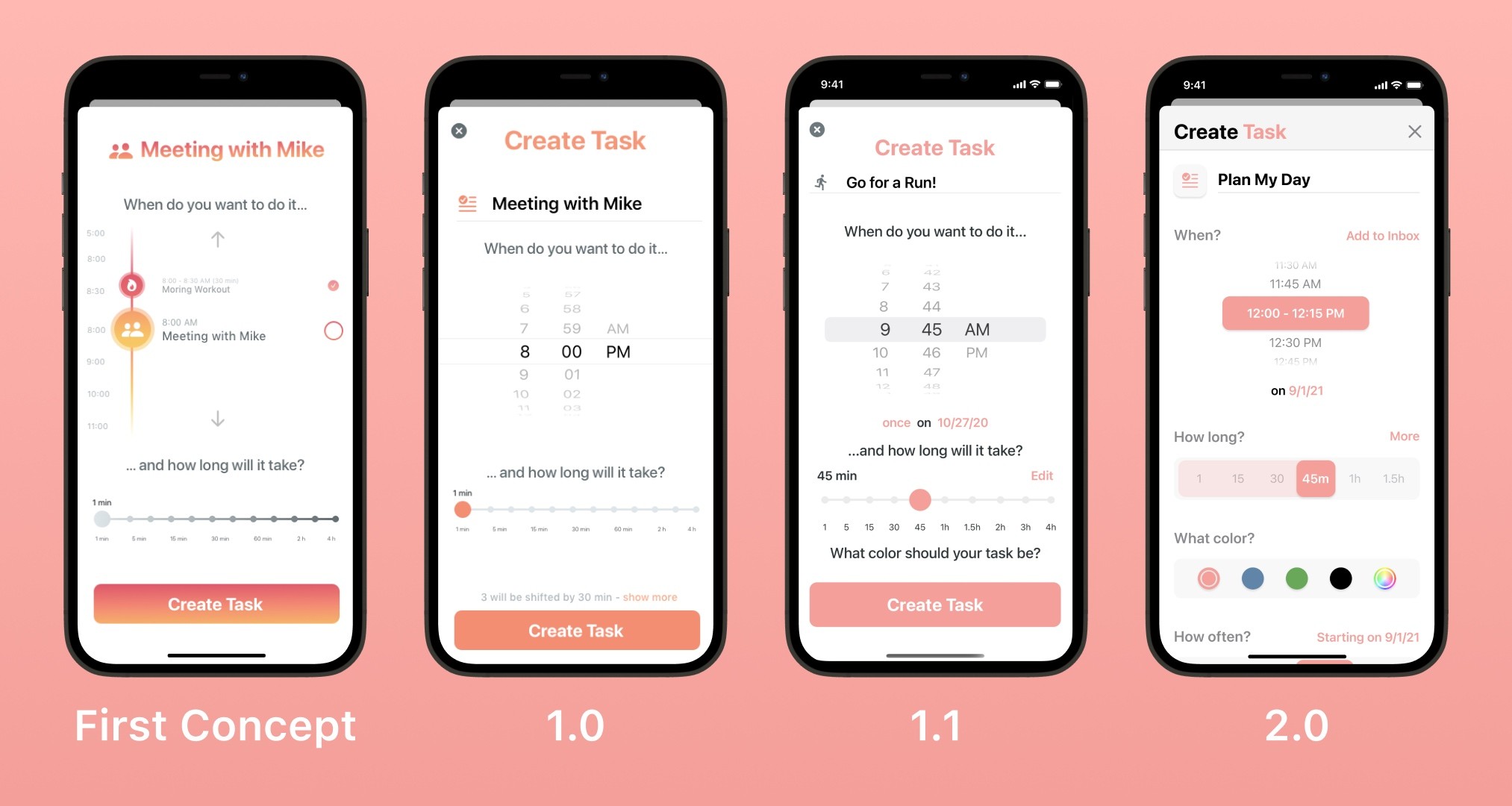
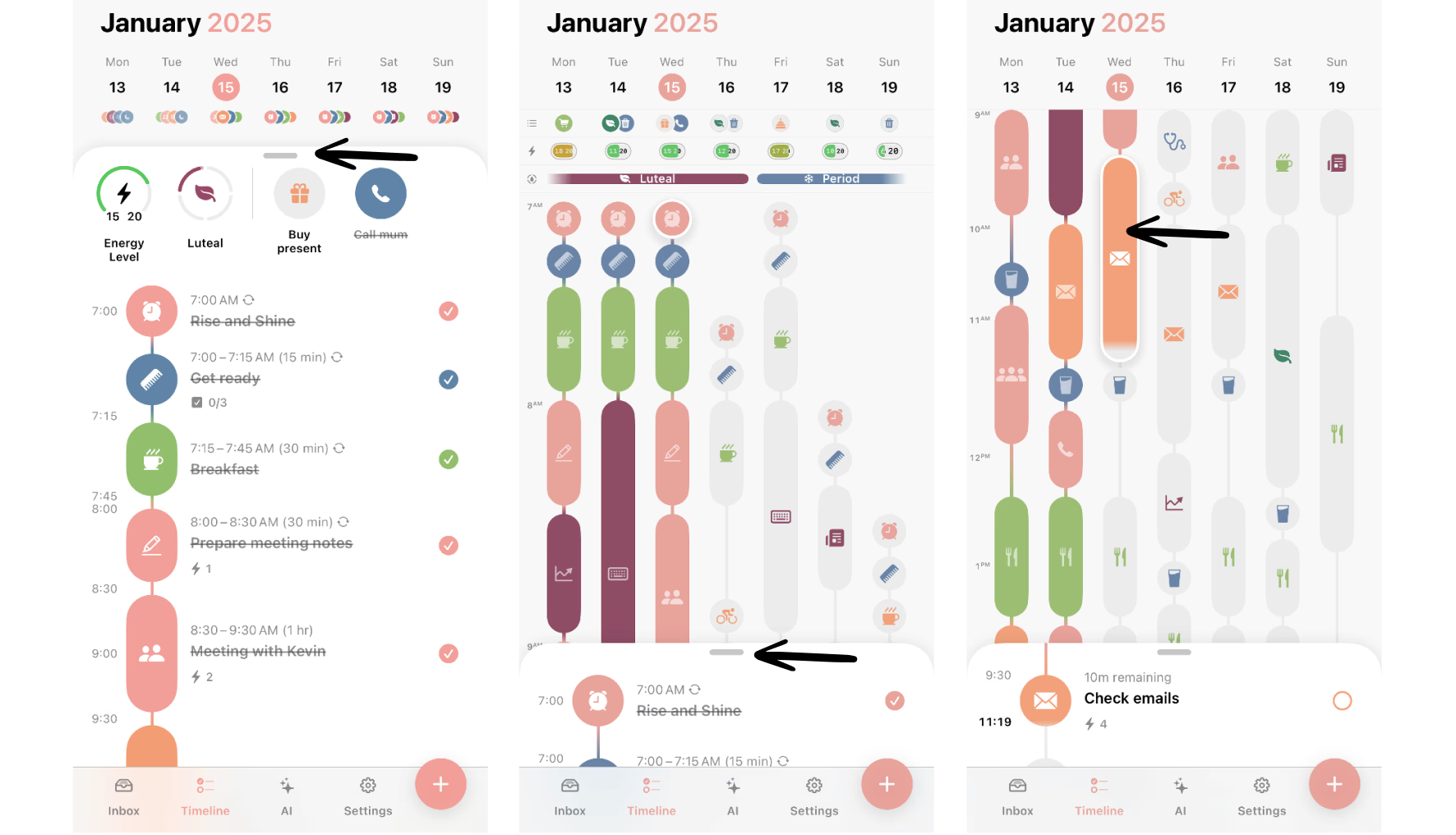
Structured is a visual daily planner app that helps you stay on top of your tasks, routines, and calendar - all in one clean timeline. It’s great if you like seeing your day mapped out and want something that feels more flexible than a traditional to-do list.
Key features
- Visual timeline: Your entire day- tasks, events, habits
- Drag-and-drop rescheduling: Quickly move blocks around as your plans change
- Replan feature: Swipe to push tasks to a better time
- Subtasks and notes: Break things down and add context
- Time zone support: Plan across different regions
What I liked
- I like how easy it is to visualize my day.
- The design is polished and calming.
What I disliked
- It’s not built for managing big projects.
- No AI assistant to help you schedule tasks
- Bulk rescheduling still takes a bit of manual effort.
Pricing
- $6.99/month, $29.99/year, or $99.99 for a lifetime license
Suitable for
- Individuals who want a beautiful, structured daily planner
- Students, creatives, neurodivergent folks
- People who prefer planning in a timeline vs. a list
How to start
- Just download Structured, start planning your day
Structured review (source)
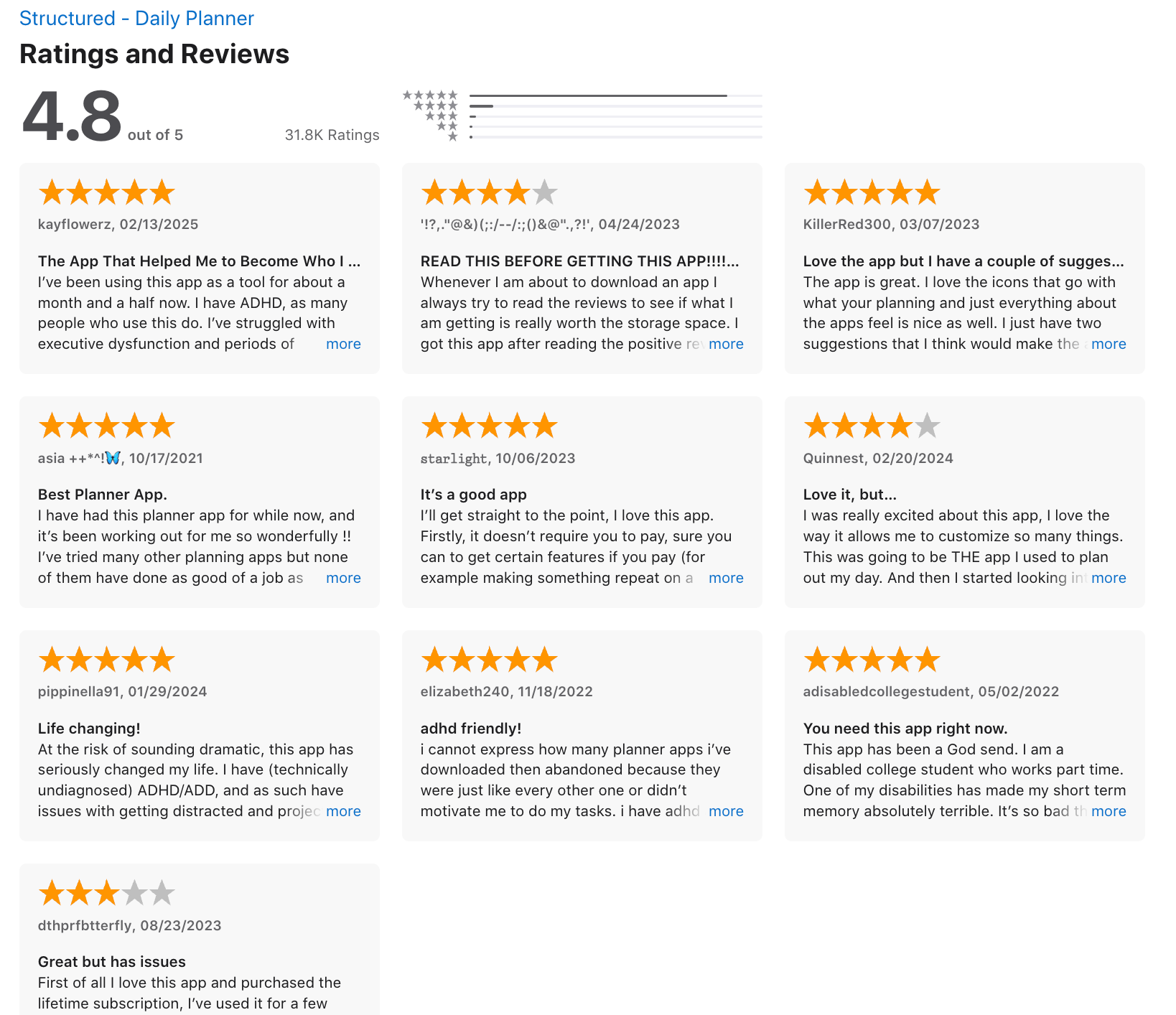
Inbox tasks can't easily be reordered and the widgets are a little funky on android, like only showing one or two upcoming tasks or the check sub-tasks widget randomly changing into the upcoming tasks widget. - Ferris Campbell.
"The overall experience on iOS is good but on Android there are some features that are lacking out of which one is that unlike iOS, as we type the title of the task, in android the icons dont automatically change, which I think should be fixed." - Harship Grover.
3. Todoist
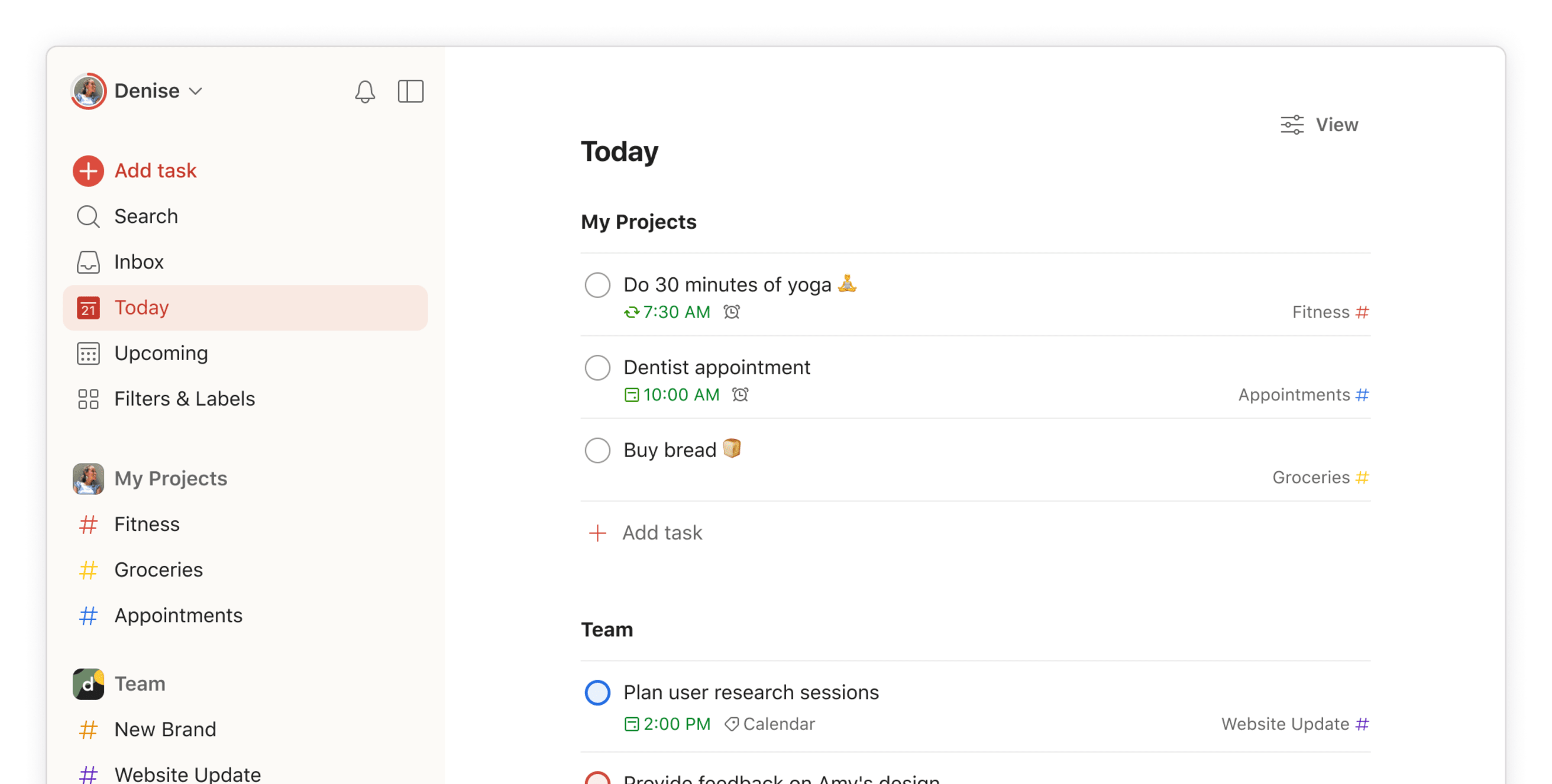
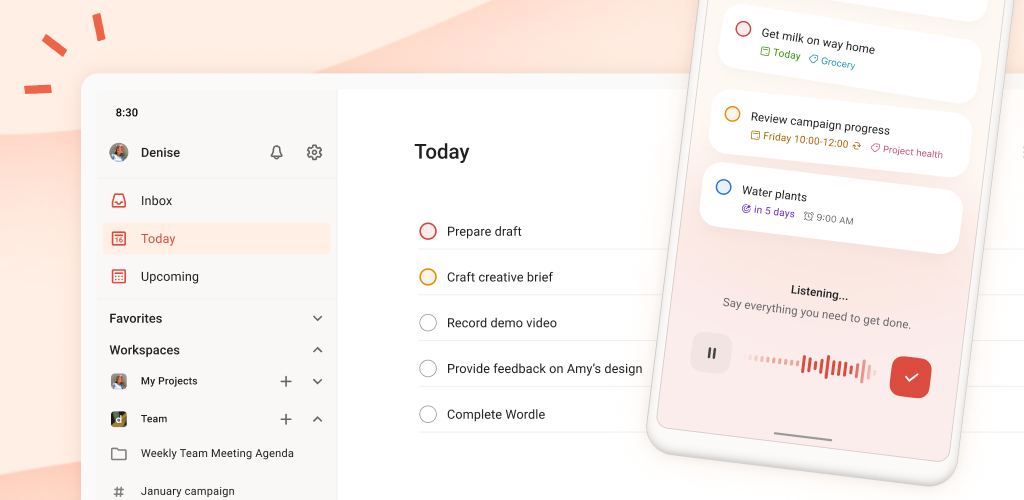
Todoist is a Daily Planner app that helps you stay on top of everything. It’s super clean, easy to use, and works across all your devices. If you're someone who lives in lists, thinks in projects, and wants your tasks to sync everywhere without drama, Todoist fits naturally.
Key features
- Smart task input: Type things like “Submit report Monday 10am” and it figures it out
- Calendar view (Pro): Lets you time block tasks right on your schedule
- 60+ Integrations: Google Calendar, Outlook, Slack, Zapier, GitHub, Notion, and more.
- Google Calendar and Outlook sync: Keeps everything aligned
What I liked
- I like the natural language input
- Cross-platform sync is rock solid - my task list looks and behaves identically on my phone, laptop
- The free plan is usable - you get more functionality than most competitors charge for
What I disliked
- It’s not built for complex project tracking.
- Reminders are locked behind the paid plan, which is a significant limitation for free users - the free tier is essentially a static list with no nudges
- The app has no built-in note-taking like Saner.AI - if you want to write thoughts alongside your tasks, you're copying and pasting between Todoist and something else forever
"I think the note-taking part should be included in the application." reviews
Pricing
- Free plan available (up to 5 active projects)
- Pro plan: $5/month (billed annually)
- Business plan: $6/user/month (billed annually)
Suitable for
- People who want a fast, clean Daily Planner app to manage tasks, block time,
How to start
- Just sign up at todoist.com, set up your first project, and you’re good to go.
Todoist Reviews (source)
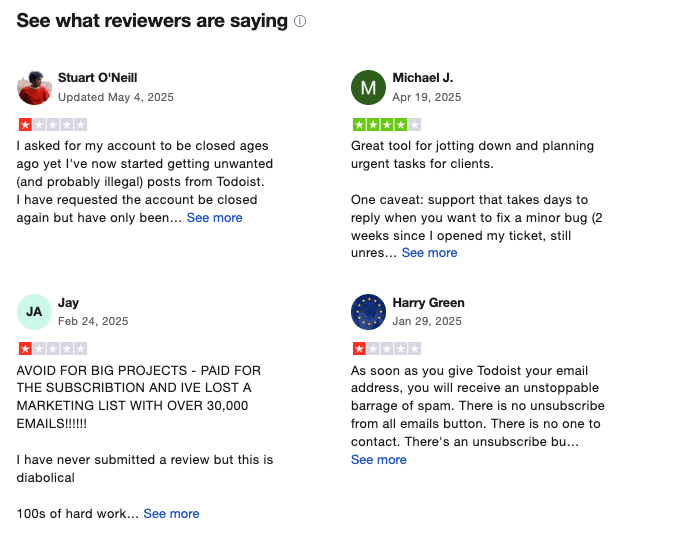
"Covers the bases for a reasonable price. Reliable, cross-platofrm, with reasonable team pricing." - Tom H
"It seems impossible to cancel a subscription after you sign up for a free trial. There is no way to cancel a subscription on the website, you have to send an email to an address that does not respond to emails." - Fisayo
4. TickTick

TickTick might be the best-value daily planner. It combines tasks, calendar scheduling, habit tracking, and even a Pomodoro timer. It’s great for people who want structure in their day without overcomplicating things.
Key features
- Natural language input: Type “Submit report tomorrow at 3pm” and it sets the task and reminder for you
- Calendar view: See your tasks and schedule side by side with daily, weekly, and monthly options
- Focus tools: Built-in Pomodoro timer with white noise and session stats
- Habit tracker: Set daily or weekly routines and track progress visually
- Multiple reminders: Up to 5 reminders per task on Premium
What I liked
- I like how everything - from tasks to habits to focus tools - is bundled into one app.
- The calendar view is handy.
- Cross-device sync is consistently fast and reliable, including Google Calendar integration that keeps tasks and events visible together
What I disliked

- Some of the design feels a bit cluttered, especially when you’re juggling a lot of lists or tags.
- The desktop version is noticeably buggier than the mobile version — users on Windows in particular report more crashes and UI inconsistencies
- No real-time collaboration or advanced project features
- No AI assistant to interact with
Pricing
- Free plan available with core features
- Premium — $3.99/month (or $27.99/year) — unlimited tasks, calendar integration, time-blocking, Pomodoro timer, Eisenhower Matrix, habit analytics
Suitable for
- Anyone looking for a powerful Daily Planner app to manage tasks, habits, and focus without breaking the bank.
- Solo professionals, students, or anyone who juggles personal and work priorities.
How to start
- Download the app or go to TickTick’s site, create a free account, and explore. You can try Premium for a few bucks to unlock the advanced features.
TickTick review (source)
"After a couple of days of using this app, I can definitely say a lot of stress has been taken off my shoulders." - Nya
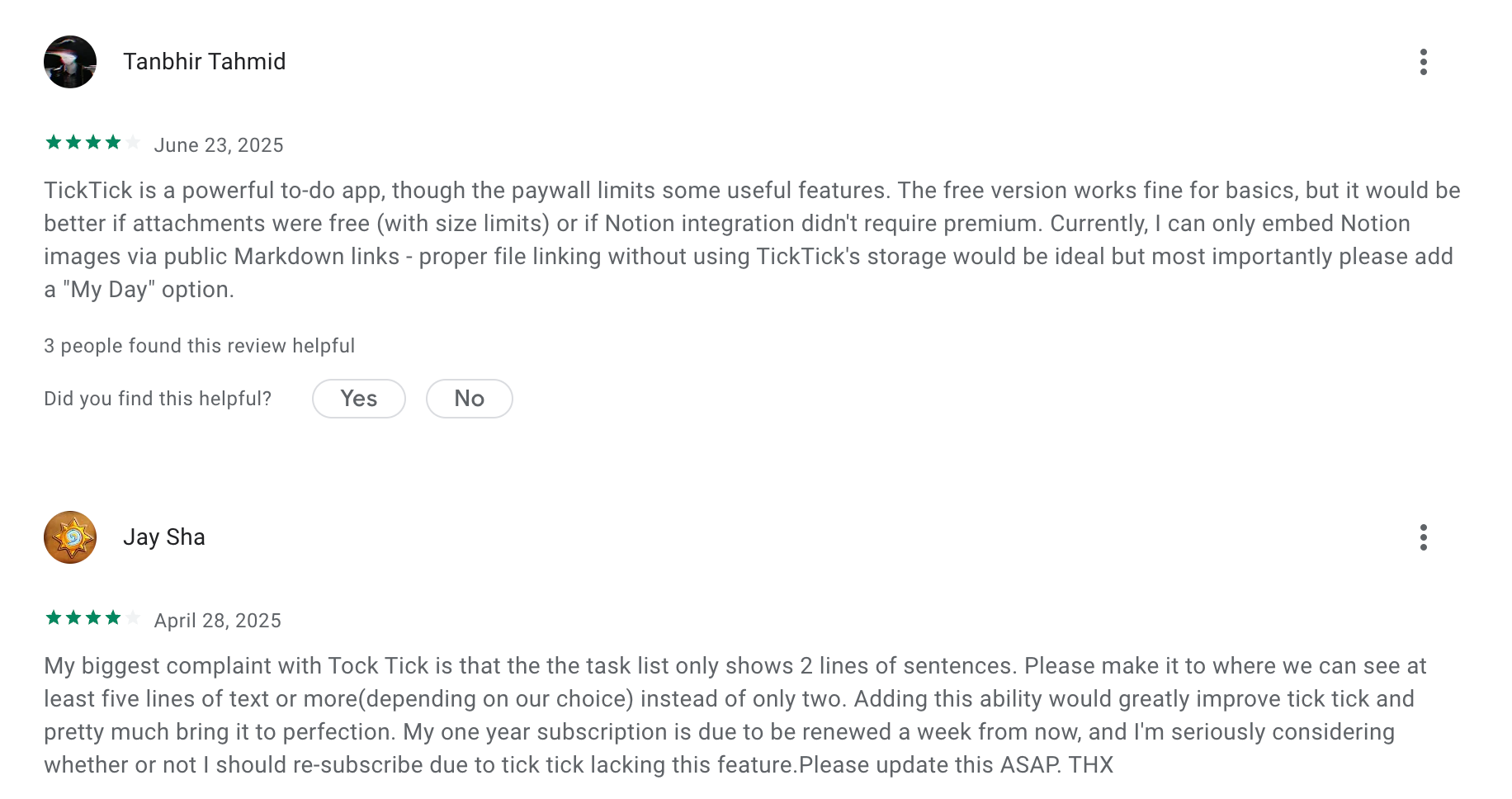
"But after some time, I completely stopped receiving reminder notifications. Because of this, I missed important work." - Yuvraj Singh
5. Things 3

Things 3 is a beautifully designed Daily Planner app made for Apple users. It helps you stay organized without feeling overwhelmed. It’s great for people who want a reliable planner that just works, especially if you’re deep in the Apple ecosystem.
Key features
- Clean, distraction-free task management with tags, notes, and checklists
- Projects and Areas to group tasks by goal or life category
- Calendar integration so you can see tasks and events together
- Quick entry tools on Mac, iPhone, and iPad
What I liked
- The design is beautiful and calming to use
- It’s a one-time purchase. No subscriptions, no surprise fees.
- Works great across all my Apple devices. Sync is seamless.
What I disliked
- No collaboration features at all — this is a solo tool only. If you need to share task lists or assign work, Things 3 isn't an option
- Things 3 is Apple-only — no Android, no Windows, no web browser access. If you ever need to check your tasks on a non-Apple device, you genuinely cannot
- Missing AI features you’d find in newer Daily Planner apps, like intelligent scheduling.
Pricing
- $9.99 for iPhone
- $19.99 for iPad
- $49.99 for Mac
Suitable for
- Individuals who want a personal Daily Planner app with a focus on simplicity
- Apple users who prefer a calm, focused experience
- People who don’t need team collaboration or AI planning
How to start
- Just download Things 3 on your Apple device, create your first to-dos, and start planning your day. It’s simple, fast, and honestly kind of fun.
Things 3 review (source)
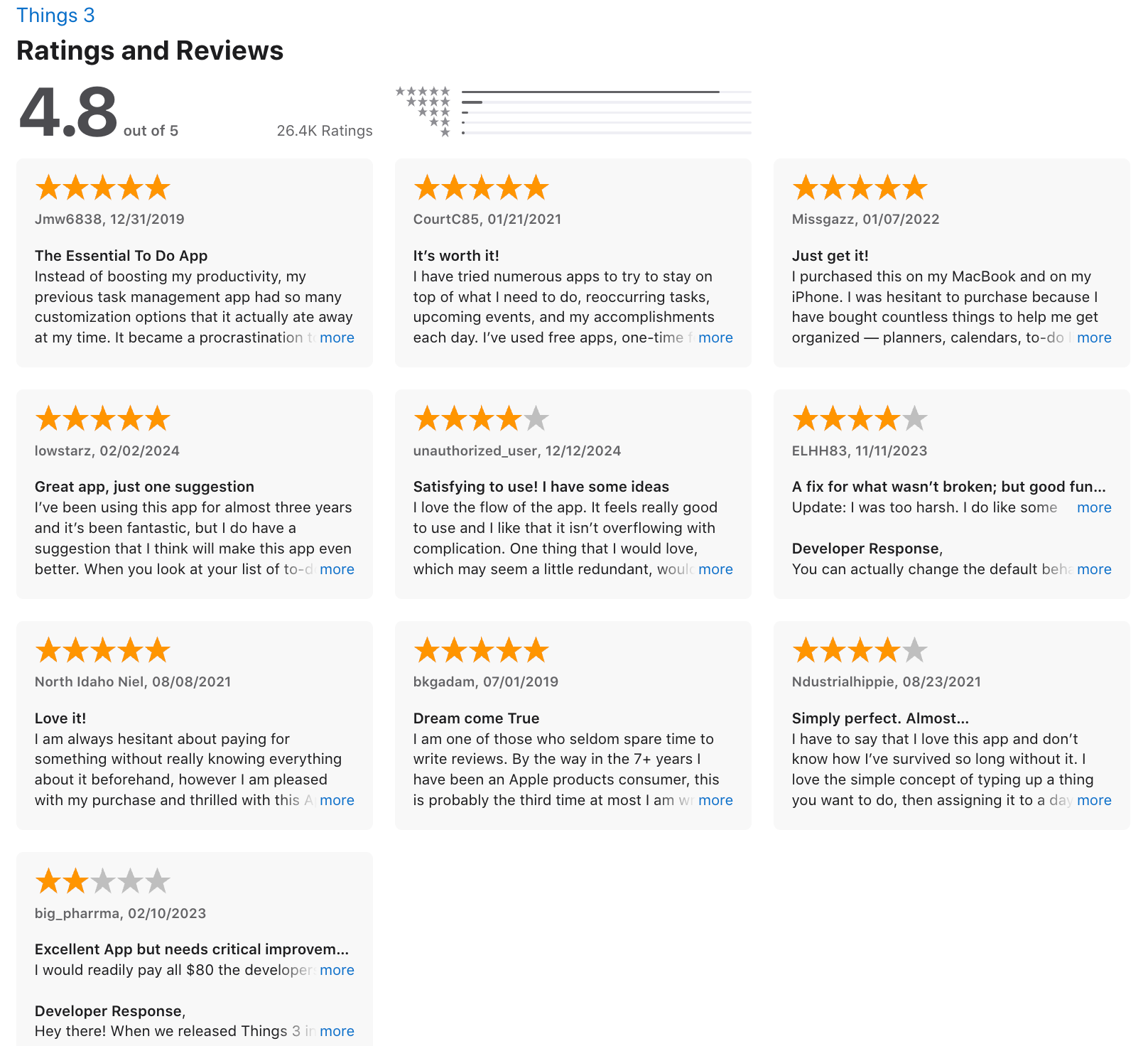
"The design is just chef's kiss – clean, minimal, nothing screaming for attention. It's weirdly calming to use :) I enjoy opening it in the morning to plan my day." - Marina Sokolov
"Creating repeating tasks is not easy. Biggest disappointment is that after all these years we cannot check off task’s & there checklists that repeat ahead of time." - Richard
Conclusion: How to Choose a Suitable Daily Planner App
The right tool should reduce stress, not add to it. It should feel like a natural extension of your brain - not a rigid system you constantly have to fight.
Here’s a simple process to guide your choice:
🧠 1. Know Your Planning Style: Do you prefer structure or flexibility? Visual timelines or simple lists? AI assistance or manual control?
🎯 2. Identify Your Goals: Are you trying to manage ADHD? Build habits? Plan deep work sessions? Juggle school, work, and life? Your needs shape your tool.
💻 3. Consider Platform + Features: Do you need mobile access? Calendar sync? Offline mode? Habit tracking? Make a checklist of must-haves.
🧪 4. Test 1–2 Apps for a Week: Don’t overthink it. Most apps offer a free version or trial. Try them out. See how they fit into your real day.
🔁 5. Reflect & Adjust: If it feels like a chore, try something simpler. If you want more control, explore apps with deeper customization.
The best daily planner app isn’t the one with the most features - it’s the one that actually helps you stay focused, feel calm, and make real progress.
✨ Start small. Stay consistent. And remember: your planner should work for you - not the other way around.
Get a daily planner app and get your life together
Daily Planner App: FAQ
1. What is a daily planner app?
A daily planner app helps you organize your day by managing tasks, events, and priorities in one place. Think of it as your digital daybook - only smarter.
Modern planner apps often include:
- To-do lists
- Calendar integration
- Reminders and alerts
- Goal tracking
- AI suggestions or automation
Whether you’re managing meetings or planning focus time, a good daily planner app helps reduce stress and mental clutter.
2. How does a daily planner app work?
Most daily planner apps sync with your calendar and let you schedule tasks alongside events. You can usually:
- Add tasks with deadlines
- Set reminders or recurring habits
- Block time for deep work
- Prioritize based on urgency
Some apps (like Saner.AI) go further, using AI to auto-schedule tasks based on your real availability.
3. What is the best free daily planner app?
Here are some popular free options to get started:
- Saner.AI – Free plan includes AI task reminders, calendar sync, and natural language planning
- Todoist – Great for task management with limited free features
- TickTick – Combines tasks and habit tracking with a calendar view
Each one fits a different planning style, so try a few to see what sticks.
4. Can AI help with daily planning?
Yes, and it’s a game-changer.
AI daily planner apps like Saner.AI can:
- Suggest your top priorities based on previous tasks
- Fill your calendar automatically
- Remind you at the right moment—not just at 9AM
- Turn natural language into structured tasks
Example: In Saner.AI, you can say “Remind me to check on the project next Wednesday,” and it handles the rest.
5. What’s the best daily planner app for ADHD?
People with ADHD often struggle with structure, context switching, and remembering what matters. A supportive daily planner app should:
- Be distraction-free
- Help organize unstructured thoughts
- Use smart reminders
- Show only what matters now
Saner.AI was designed by ADHDers, for ADHDers. It turns scattered notes into calm, clear plans, without the overwhelm.
6. What’s the best daily planner app for work?
For professionals, planning isn’t just about tasks -> it’s about follow-through.
Look for apps that:
- Combine calendar, tasks, and notes
- Surface what’s relevant before meetings
- Help with prep and wrap-up actions
- Reduce the need to open five different tools
Saner.AI is built for this exact workflow, especially if your workdays feel fragmented.
7. What daily planner apps auto-schedule tasks?
Auto-scheduling helps when you’re juggling a lot. Some great options:
- Saner.AI – Uses context from your notes, chats, and priorities to suggest ideal times
- Motion – Focuses on time-blocking and real-time rescheduling
- Reclaim – Smart scheduling based on calendar availability
If you want something less rigid and more human-like, Saner’s context-aware system is a standout.
8. Do daily planner apps support natural language input?
Some like Saner.AI do - and it’s a huge time saver.
Instead of clicking through menus, you can just type or say:
- “Plan time for deep work tomorrow morning”
- “Follow up with Sarah next Tuesday”
- “Summarize my tasks for today”
9. Can a daily planner app help with meetings?
Yes - especially if it syncs with your notes and calendar.
Helpful features include:
- Prepping you with past meeting notes
- Reminding you of follow-ups
- Automatically capturing and organizing takeaways
With Saner.AI, just ask, “What did we discuss in last week’s sync?”—it pulls the answer from your notes, fast.
10. What’s the best daily planner app for busy managers?
Managers frequently encounter interruptions, follow-ups, and shifting priorities. A smart daily planner app should:
- Nudge you on key follow-ups
- Show your most relevant tasks for the day
- Help delegate or triage with clarity
Saner.AI supports all of this, without needing complex setup or training.
Stay on top of your life with a top daily planner