4 Best Digital Planners for ADHD [2026]
The 4 Best Digital Planners for ADHD to Boost Productivity in 2026
A digital planner for ADHD is a planning tool designed to support how ADHD brains actually work - not how traditional productivity systems expect people to behave.
Instead of relying on perfect consistency, long attention spans, or manual organization, an ADHD digital planner reduces cognitive load. It helps with task initiation, time blindness, overwhelm, and forgetting - the core challenges many people with ADHD face daily.
If you’ve ever opened a planner, felt instantly overwhelmed, and then abandoned it within a week, you’re not broken. Most planners fail because they require too much effort, too many decisions, and too much self-management upfront.
In this guide, you’ll learn what makes a planner ADHD-friendly, why common tools fall short, how to choose the right one for your brain, and which digital planners actually help ADHD adults plan their days with less friction.
1. What's Digital Planner?
A digital planner is a software-based planning system that helps you organize tasks, schedules, notes, and goals across devices. Unlike paper planners, digital planners can adapt. They can reschedule tasks, send reminders, sync calendars, and store everything in one searchable place.
What makes a digital planner for ADHD different?
A digital planner for ADHD goes beyond organization. It actively reduces thinking effort.
It helps you:
- Decide what to do next
- Break tasks into manageable steps
- Adjust plans when energy or focus changes
- Capture thoughts quickly before they disappear
The goal isn’t productivity perfection. It’s lowering the mental barrier to starting and continuing.
2. Why Traditional Planners Don’t Work for ADHD Brain
Traditional planners assume executive function is consistent. ADHD brains aren’t.
1. They require constant manual upkeep
Most planners depend on daily reviews, weekly planning sessions, and consistent updating. When executive function dips, the system collapses.
Missing one day often leads to abandoning the planner entirely.
2. They overload working memory
Choosing priorities, estimating time, deciding task order — all of this happens before any work starts.
For ADHD brains, that upfront thinking can be more exhausting than the task itself.
3. They don’t adapt to fluctuating energy
ADHD focus is variable. Some days you can do deep work for hours. Other days, even small tasks feel impossible.
Rigid planners don’t flex with energy, mood, or attention.
4. They punish inconsistency
Many planners silently communicate:
“If you didn’t keep up, you failed.”
ADHD-friendly systems expect inconsistency and are built to recover easily.
3. Key Features an ADHD-Friendly Digital Planner Must Have
1. Frictionless task capture (for racing thoughts)
ADHD brains generate ideas constantly - and forget them just as fast.
A good ADHD digital planner lets you:
- Dump thoughts instantly
- Add tasks without categorizing immediately
- Capture ideas mid-conversation or mid-scroll
If capturing tasks feels slow, you won’t do it.
2. Task breakdown support (for task paralysis)
Large, vague tasks are ADHD kryptonite.
An ADHD-friendly planner helps break tasks into:
- Clear next actions
- Small, non-intimidating steps
- Logical sequences
You shouldn’t need motivation to start. The planner should show you how.
3. Flexible daily planning (for time blindness)
Rigid schedules fail when time perception is unreliable.
Better planners:
- Suggest realistic daily loads
- Allow easy rescheduling
- Focus on “now / next / later” instead of hourly perfection
4. Reduced decision-making (for executive fatigue)
Every choice costs energy.
ADHD-friendly planners minimize:
- Too many views
- Excessive customization
- Complex tagging systems
Fewer decisions = more follow-through.
5. Gentle reminders (not overwhelming notifications)
Too many alerts get ignored. Too few and things vanish.
Good planners use:
- Context-aware reminders
- Check-ins instead of alarms
- Nudges that feel supportive, not scolding
6. Easy recovery after “falling off.”
This is critical.
An ADHD digital planner should:
- Still work after days or weeks of inactivity
- Auto-surface unfinished tasks
- Avoid guilt-based design
You should be able to restart without rebuilding everything.
4. What Are The Benefits Of An ADHD Planner?
ADHD planners can be really helpful! Unlike regular planners, these are designed with features that cater specifically to the needs of individuals with ADHD.
Here’s how they can help:
- Reminders: They help you keep track of important dates and tasks so nothing slips through the cracks.
- Time Management: By laying out your tasks and deadlines, it’s easier to see what needs immediate attention and what can wait. Plus, you can divide your day into chunks of time dedicated to specific activities.
- Goal Setting: Writing down your goals and breaking them into manageable steps makes them less daunting. Setting smaller deadlines for these steps can keep you on track.
- Boost Motivation: Seeing your goals and tasks laid out can clear up confusion and help kickstart your action. Some planners even have spaces for motivational quotes to give you a little boost.
- Reduce Stress: Keeping all your commitments in one place helps avoid the panic of forgetting something important.
While these planners offer more structure, which can be great for managing ADHD, they might not be perfect for everyone. It’s all about making it a habit to use your planner regularly to see if it works for you.
What are best Digital Planners for ADHD?
4 Best Digital Planners for ADHD Adults are Saner.AI, Sunsama, Motion, Todoist
🧠 4 Best Digital Planners for ADHD Adults (Comparison Table)
| 🥇 Tool | 🚀 Key Strengths | 🎯 Best For | 💻 Platform | 💰 Pricing |
|---|---|---|---|---|
| Saner.AI | • AI-first planning built for ADHD brains • Brain-dump → auto-organized tasks • Proactive daily plans + smart check-ins • Helps you start when you’re stuck | ADHD adults who struggle with overwhelm, task initiation, and mental clutter | Web, Mobile | Free plan available Paid: from ~$8–10/month |
| Sunsama | • Calm, guided daily planning flow • Strong integration with Google Calendar, Asana, Trello • Encourages realistic daily limits | ADHD professionals who want structure and intentional planning | Web, Desktop | $20/month (no free plan) |
| Motion | • AI auto-schedules tasks into calendar • Great for deadline-driven work • Reduces decision fatigue | ADHD users who like strict schedules and time-blocking | Web, Desktop, Mobile | Individual: $19/month |
| Todoist | • Simple, fast task capture • Natural language input • Lightweight and flexible | ADHD users who want a minimal, familiar to-do list | Web, Mobile, Desktop | Free plan available Pro: $5/month |
1. Saner.AI
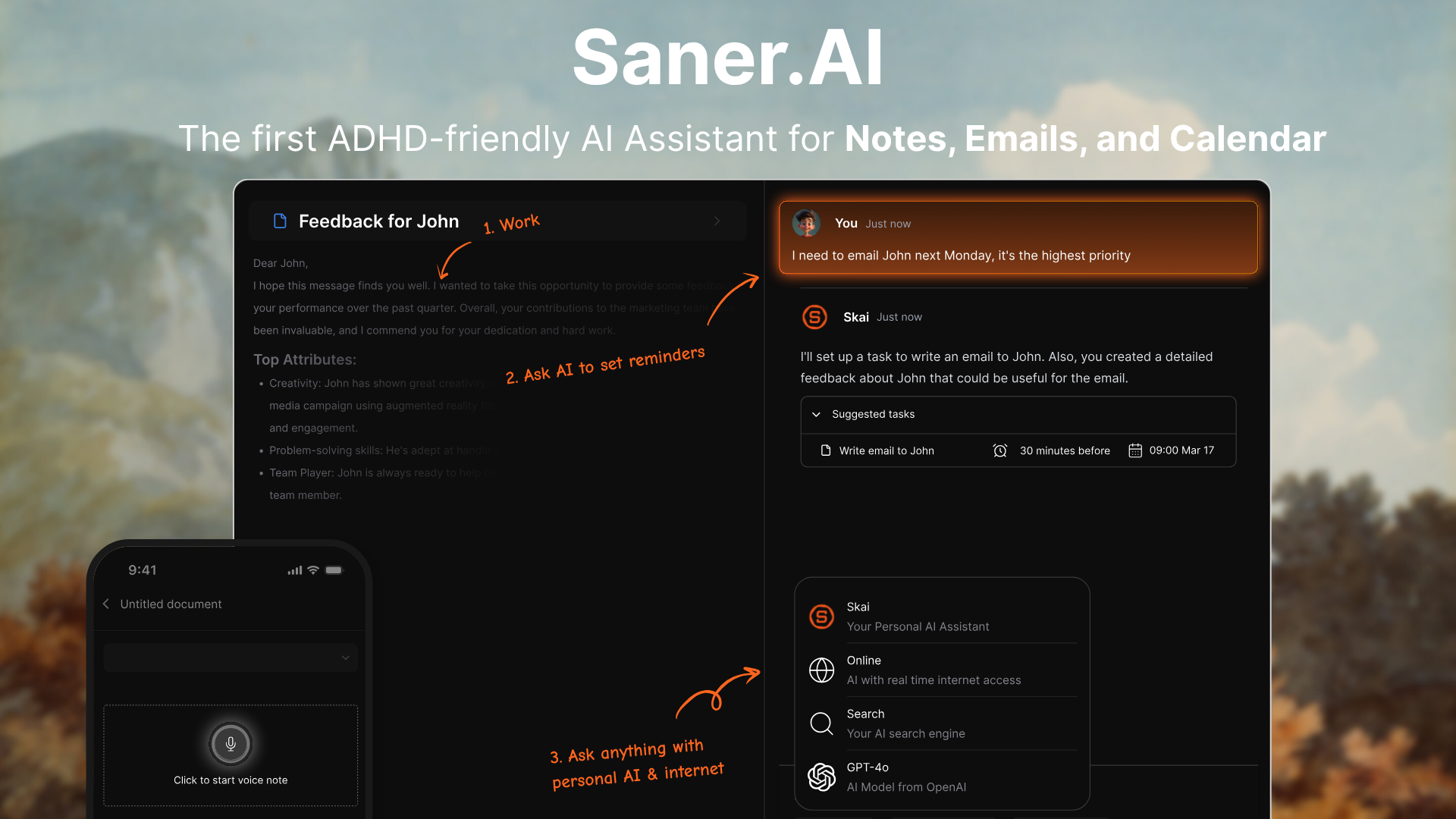
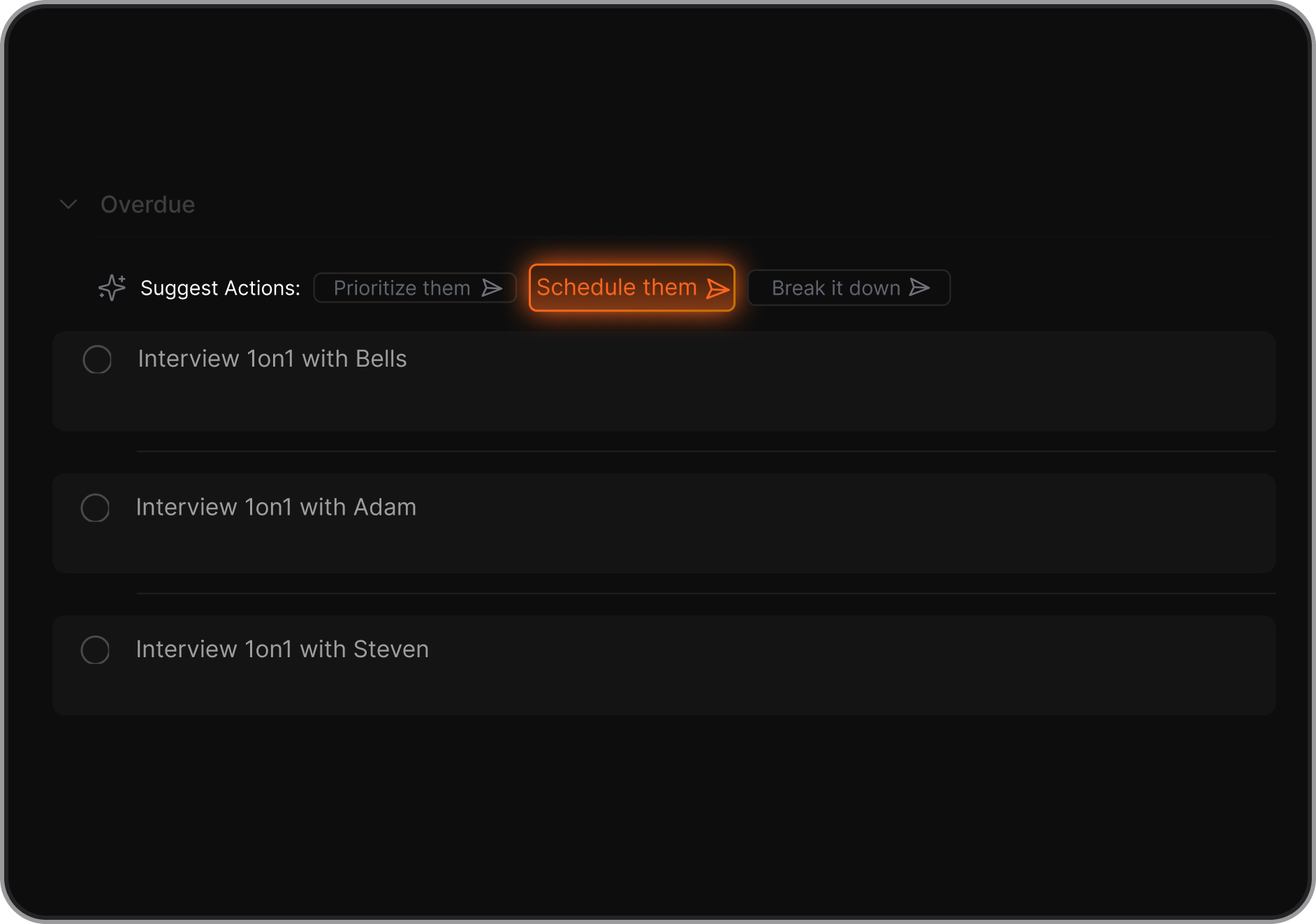
Saner.AI is an AI-first digital planner designed specifically for ADHD-style planning and executive dysfunction. Instead of asking you to organize tasks upfront, it lets you dump thoughts, notes, and to-dos in natural language.
The AI then turns that mess into structured tasks, priorities, and a daily plan. It actively helps with task initiation, planning, and follow-through. The focus is on reducing cognitive load, not adding more systems to maintain.
Key Features
- You can write things exactly as they come to mind. Saner.AI automatically extracts tasks, deadlines, and priorities without forcing manual organization.
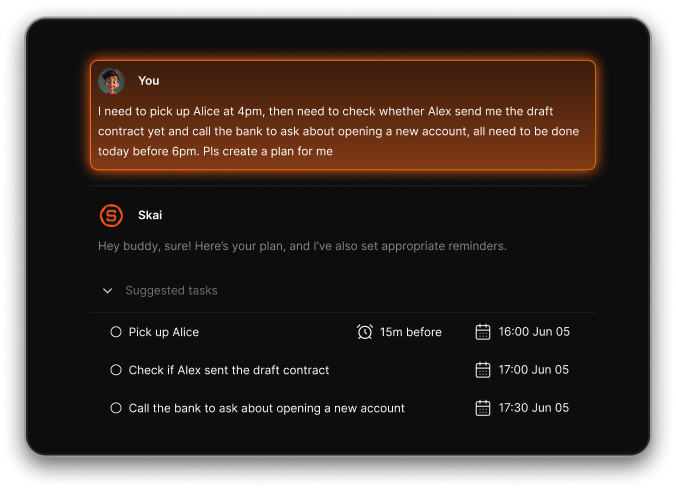
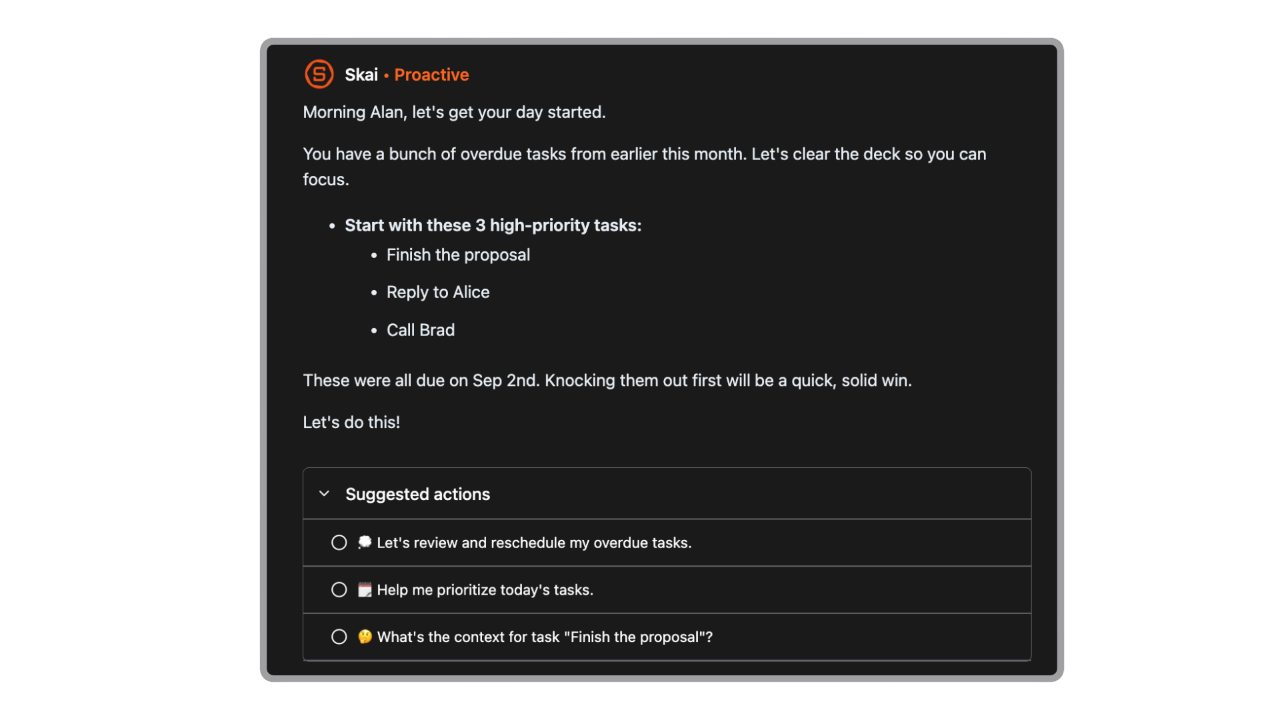
- Each day, the AI looks at your tasks, notes, and context to suggest a realistic plan. This helps with time blindness and avoids overpacking your day.
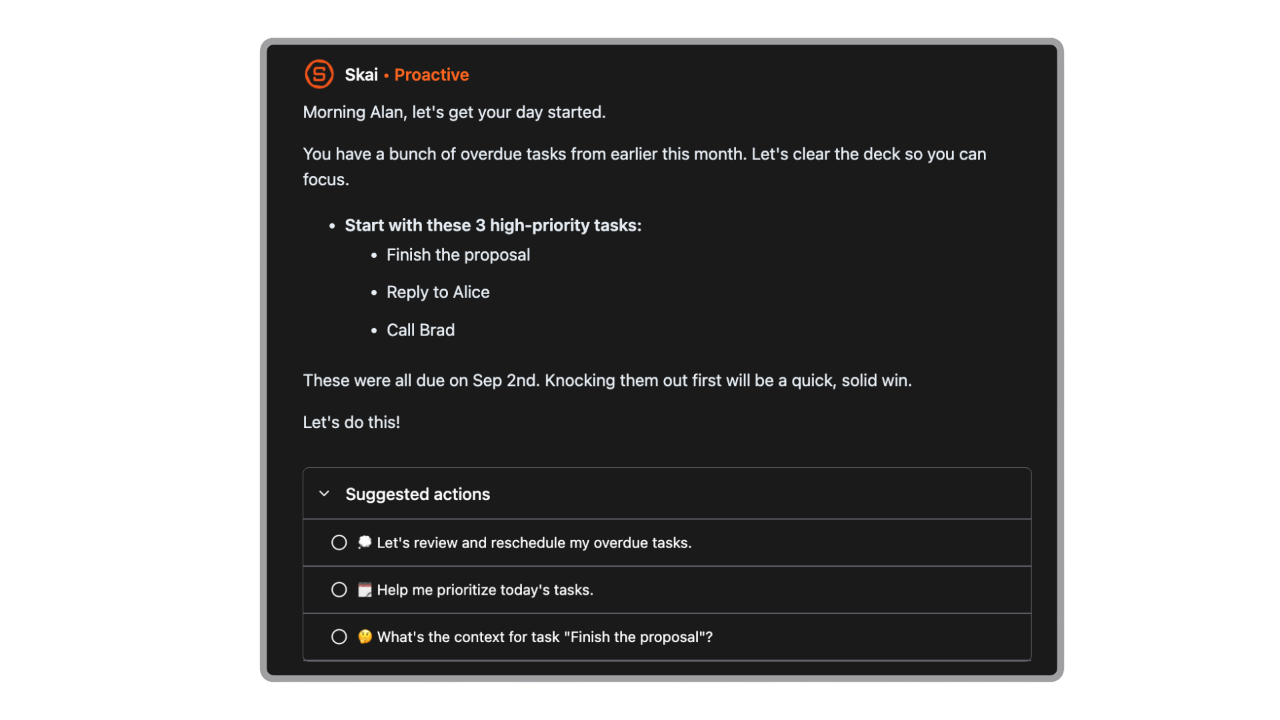
- If a task feels overwhelming, the AI can break it into smaller steps and suggest how to start. This directly supports task initiation issues common with ADHD.
- The system can prompt you during the day and help re-adjust plans when things slip, instead of making you feel “behind.”
Pros
- You don’t need to pre-design a system. Writing things down as they appear is enough for the AI to work.
- Features are focused on starting, prioritizing, and finishing - not just tracking tasks.
- The AI doesn’t just store tasks; it helps you reason through what matters today.
Cons
- It’s optimized for personal planning, not large team workflows.
Best for
- Adults with ADHD who want a digital planner that reduces thinking and decision fatigue instead of adding more structure to manage.
Pricing
- Free plan available
- Paid plan: around $8/month, billed monthly
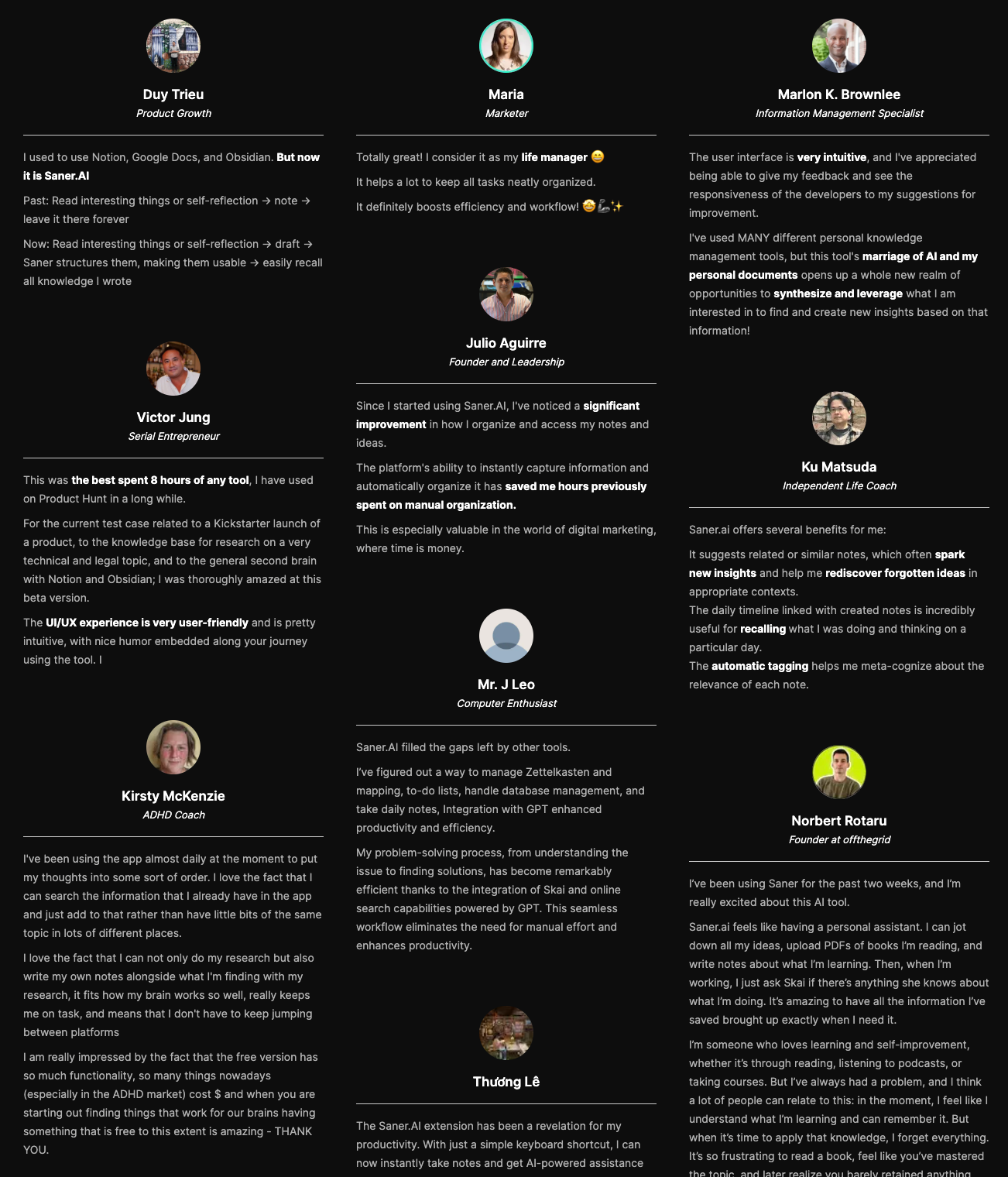
Saner.AI reviews
How to get started
- Create a free account on Saner.AI
- Start by dumping everything on your mind and let the AI generate your first daily plan

Stay on top of your work and life
2. Sunsama
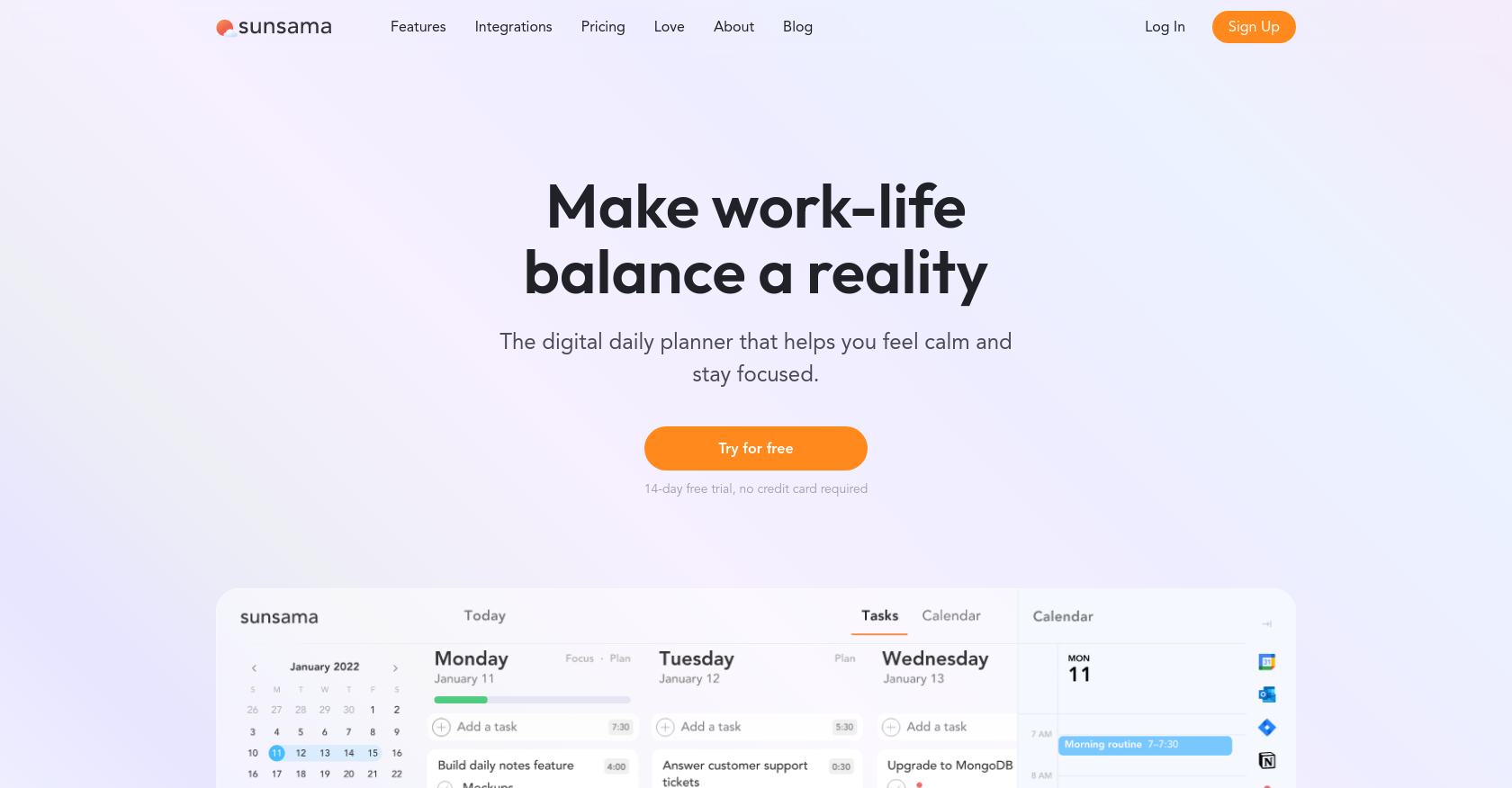
Sunsama is a guided daily planner that helps you plan realistic workdays by pulling tasks from tools you already use. Instead of auto-planning for you, it walks you through choosing what to work on today and estimating time for each task.
The app emphasizes intentional planning, focus, and work–life boundaries. It’s structured, calm, and very routine-driven. Think of it as a daily planning ritual rather than a smart task catcher.
Key features
- Each morning, Sunsama prompts you to select tasks and estimate how long they’ll take.
- It pulls tasks from tools like Trello, Asana, ClickUp, GitHub, and calendars.
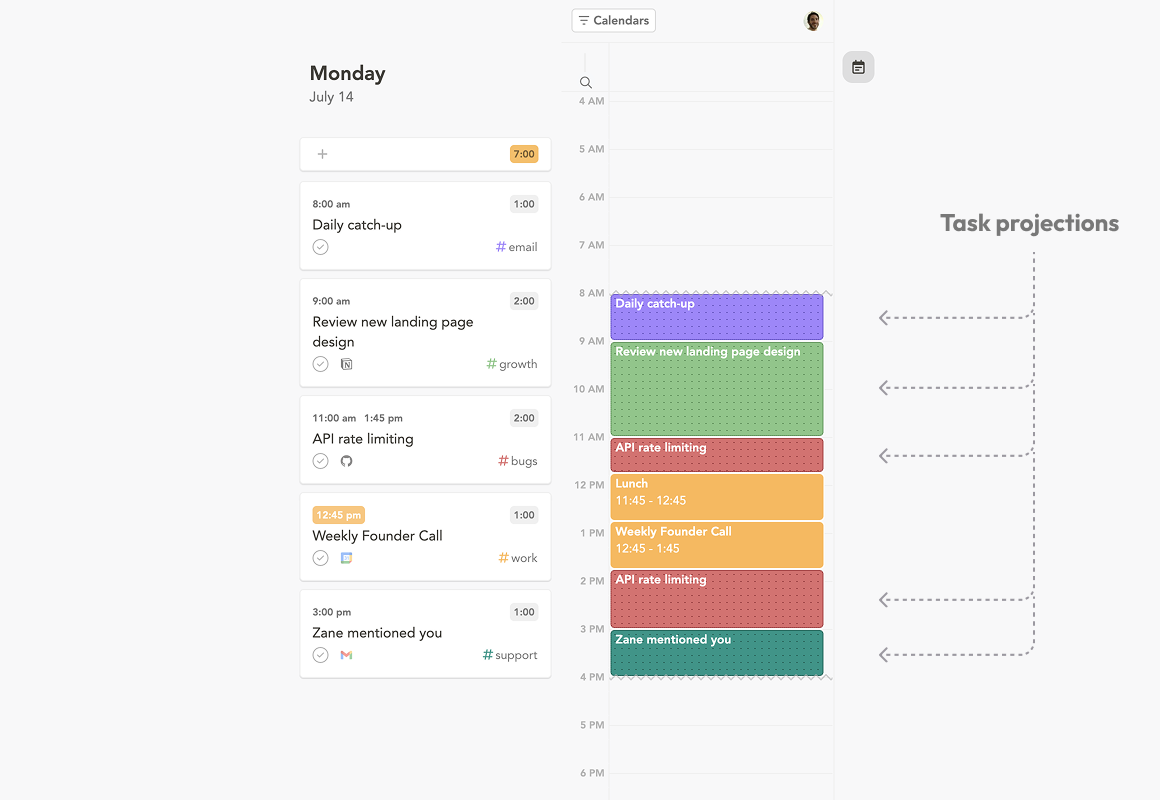
- Tasks are scheduled directly onto your calendar so you can see a realistic day layout.
- Sunsama encourages a daily review and shutdown to reduce burnout and improve boundaries between work and personal time.
Pros
- The guided flow creates a consistent planning habit, which works well for people who like rituals.
- Seeing tasks mapped to time blocks makes workload limits very clear.
- The design reduces visual clutter and distraction during planning sessions.
Cons
- You must decide, estimate, and plan everything manually, which can be hard with executive dysfunction.
- Sunsama assumes tasks already exist in other tools and doesn’t handle messy thought capture well.
- Pricing is higher than most digital planners, especially for individual users.
Best for
- Knowledge workers who already use task tools and want a structured, calendar-driven daily planning routine.
Pricing
- Paid only
- ~$20/month, or ~$16/month billed yearly
How to get started
- Sign up for a free trial on Sunsama
- Connect your task manager and calendar, then complete the guided daily planning flow
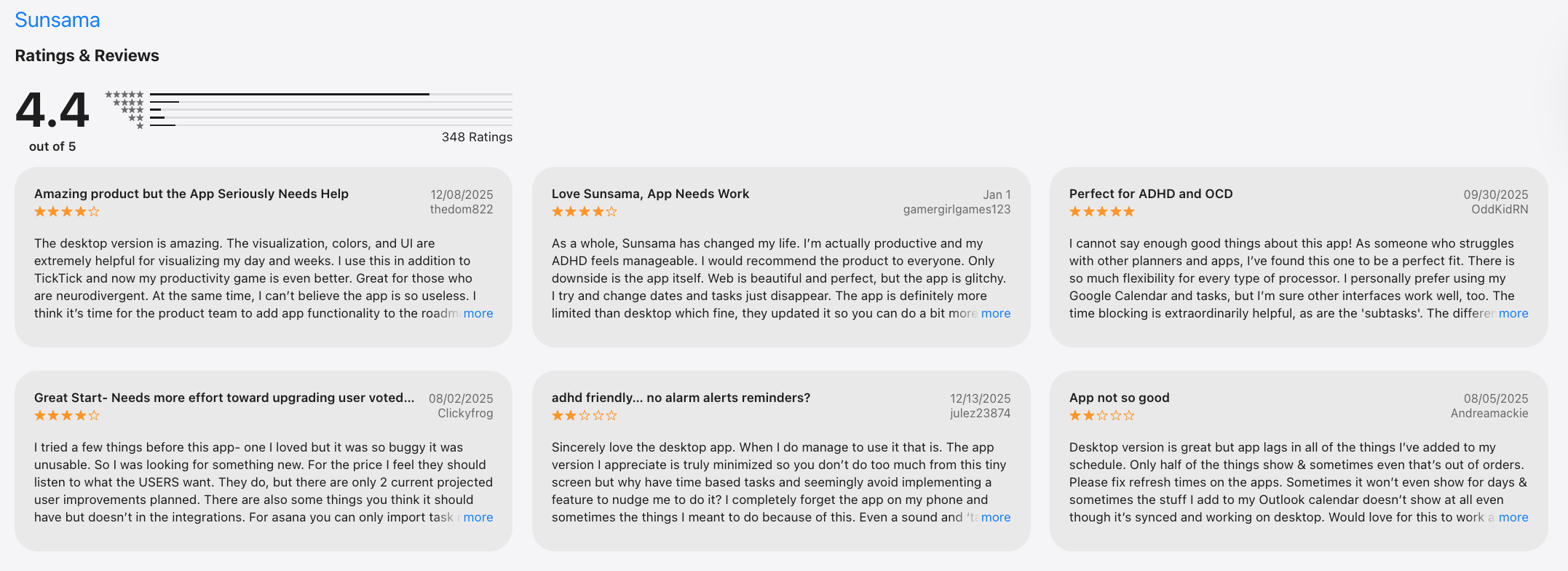
Sunsama reviews (source)
3. Motion
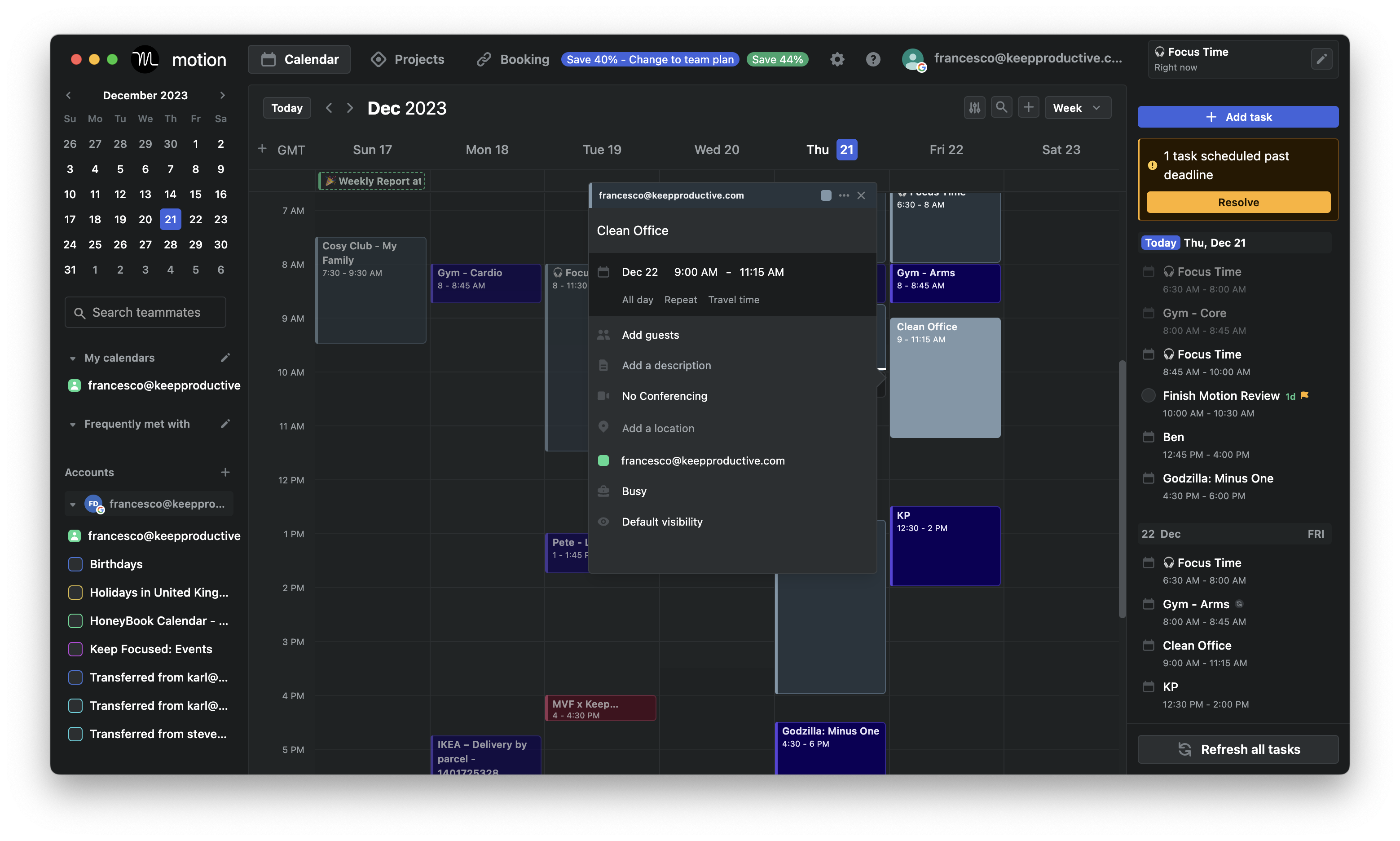
Motion is an AI-powered planner that automatically schedules your tasks onto your calendar. You tell it what you need to do and when deadlines are, and the system rearranges your day in real time.
It’s designed to remove daily planning decisions by letting AI control task order and timing. When meetings move or tasks slip, Motion recalculates everything. The core promise is “never decide what to work on next.”
Key features
- Tasks are placed directly into your calendar based on deadlines, priority, and available time. When something changes, Motion re-optimizes the schedule automatically.
- You set due dates and effort estimates, and the AI ensures urgent work is protected. This helps prevent last-minute rushes.
- Motion treats your calendar as the source of truth. Tasks, meetings, and focus blocks live in one timeline.
- For teams, Motion can coordinate schedules, priorities, and shared deadlines across members.
Pros
- You don’t need to manually choose what to work on next—Motion decides for you.
- Seeing tasks blocked into real time makes workload limits very obvious.
- If meetings shift or tasks are delayed, the system updates your plan instantly.
Cons
- The AI assumes you’ll follow the schedule closely, which may clash with fluctuating energy or focus.
- If your time estimates are off, the schedule can become unrealistic.
- Motion works best with clearly defined tasks, not brain dumps or half-formed ideas.
Best for
- People who want AI to fully control their daily schedule and reduce decision fatigue.
Pricing
- Paid only, starting at $49/month
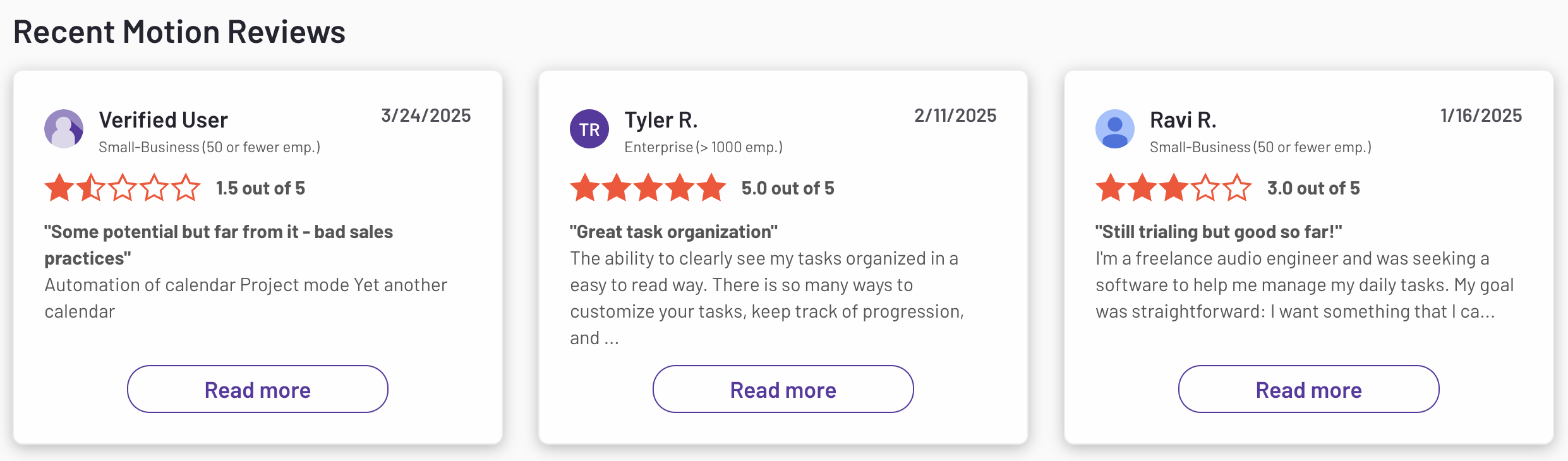
Motion reviews (source)
How to get started
- Create an account on Motion and start the free trial
- Connect your calendar, add tasks with deadlines, and let the AI schedule your day
4. Todoist
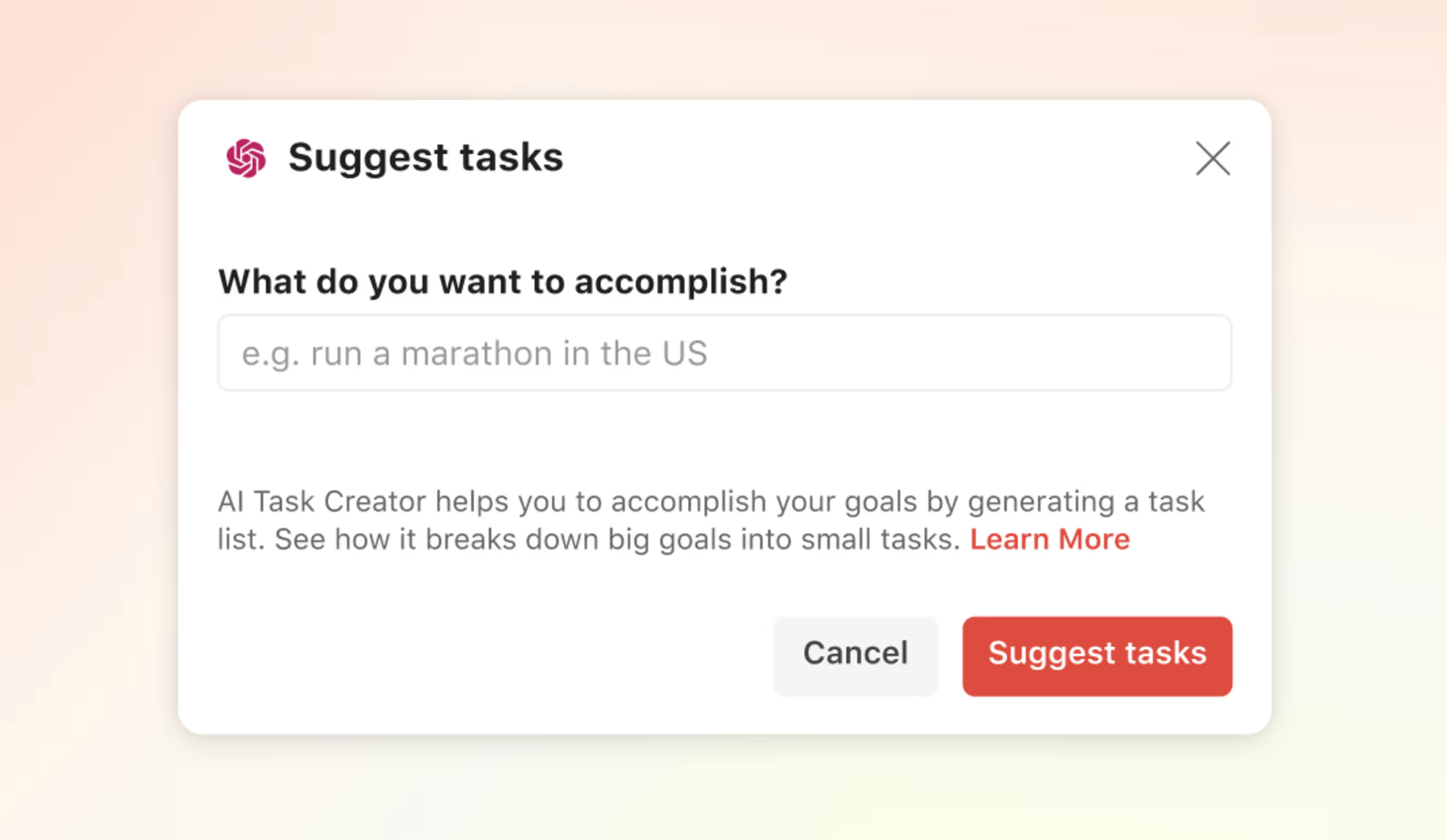
Todoist is a task manager that helps you capture, organize, and track to-dos across work and personal life. You add tasks using quick entry or natural language, then organize them with projects, labels, and priorities.
It’s flexible and system-driven rather than guided. For ADHD users, it works best as a reliable task inbox rather than a full daily planner. The tool depends heavily on how you set it up.
Key features
- You can type things like “Send report tomorrow at 3pm” and Todoist will auto-assign dates and reminders. This makes capture quick but still requires later organization.
- Tasks can be sorted in multiple ways using labels and priority levels. This offers flexibility but can become complex over time.
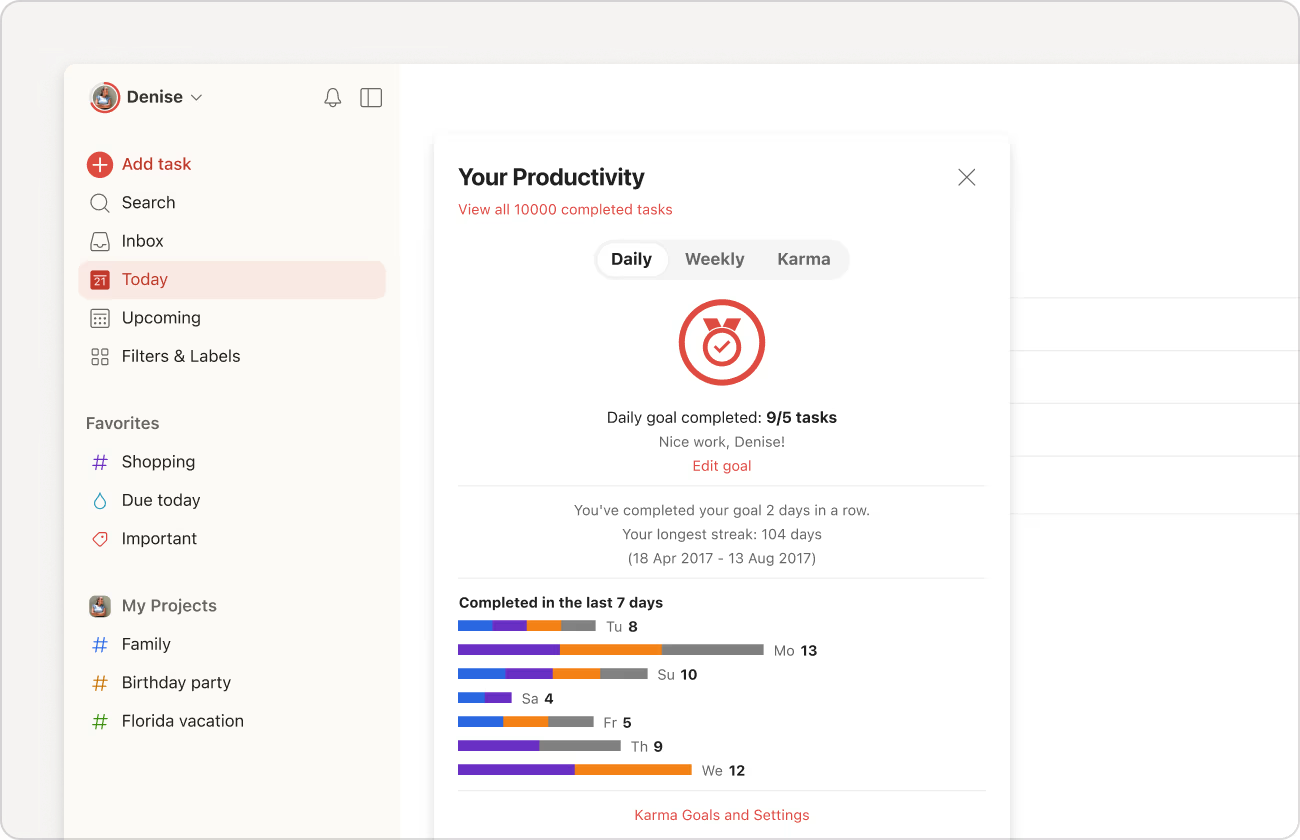
- Strong support for habits, routines, and repeating responsibilities. Useful for daily or weekly structure.
- Works across web, mobile, desktop and integrates with calendars, email tools, and automation apps.
Pros
- Task entry and syncing are smooth, which lowers friction for capturing tasks.
- You can design your own workflow instead of being forced into one structure.
- Ideal for reminders, routines, and ongoing tasks you don’t want to forget.
Cons
- Todoist doesn’t help decide what to work on today—you must prioritize and plan yourself.
- Labels and priorities can become overwhelming for ADHD users.
- It tracks tasks well but doesn’t help break them down or guide starting.
Best for
- People who want a fast, flexible task manager and are comfortable managing their own planning system.
Pricing
- Free plan available
- Pro: around $5/month, billed yearly
- Business: around $8/month, billed yearly
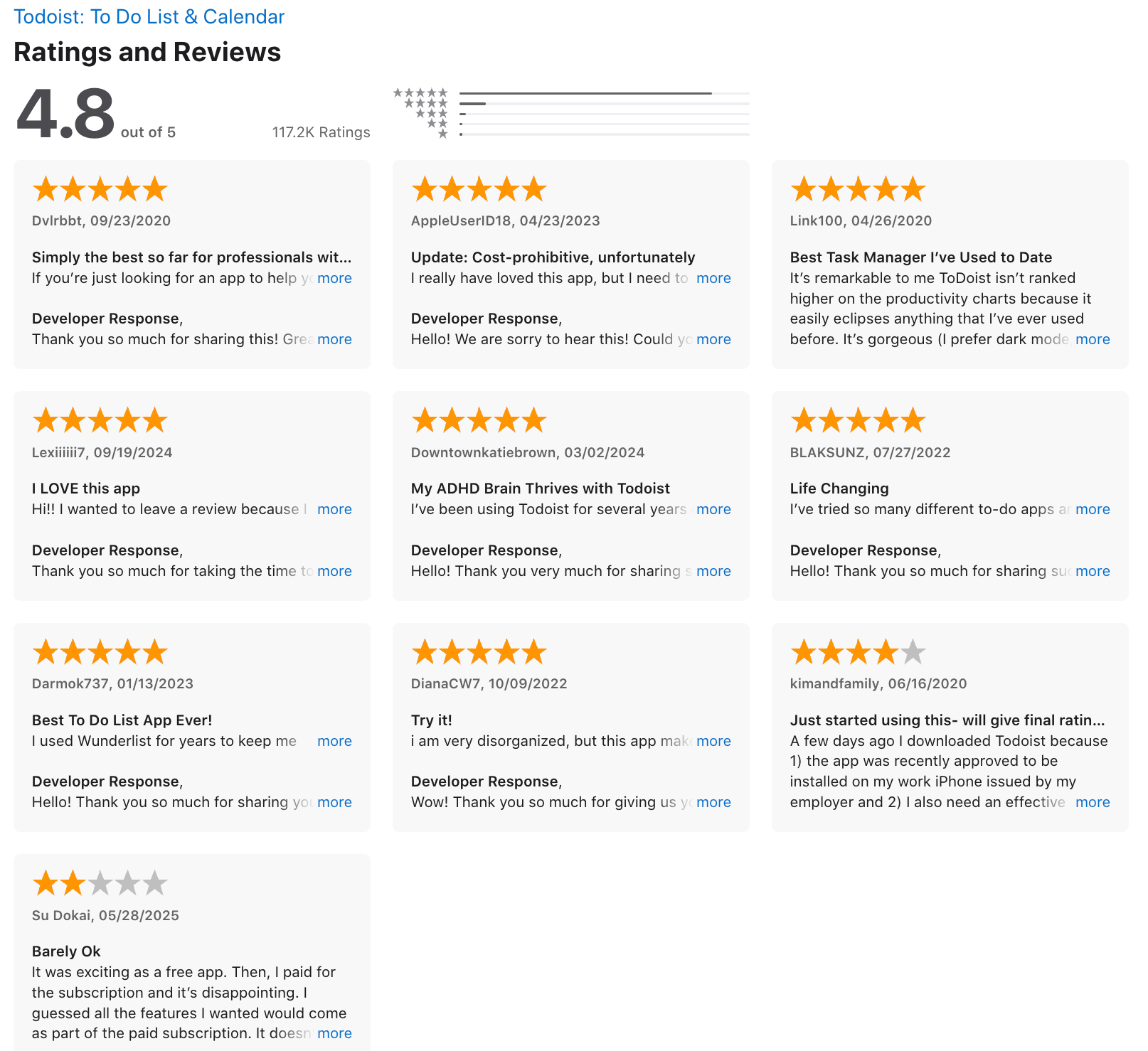
Todoist reviews (source)
How to get started
- Create a free Todoist account on web or mobile
- Start with one inbox list and add tasks before organizing further
Final thoughts: choosing the right digital planner for ADHD
There’s no single “best digital planner for ADHD” - because ADHD brains don’t all work the same way.
- Some adults with ADHD need a calm, proactive planner that helps them think, prioritize, and plan without friction (that’s where Saner.AI shines).
- Others prefer structured daily planning that connects tasks with calendars, like Sunsama or Motion.
- And some want a simple, reliable task manager they already know and trust, such as Todoist.
- What truly matters isn’t how many features a planner has - it’s how much mental load it removes.
If you’re exploring the best digital planners for ADHD adults, here’s a practical way to choose:
✨ Try 2–3 tools from different styles (AI-first, time-blocking, classic task manager)
🧪 Use them in real life - planning your day, breaking down tasks, handling overwhelm
🧠 Measure energy saved, not just productivity or time tracked
The right ADHD digital planner should help you feel:
- less scattered
- more focused
- more in control of your day
If a tool makes planning feel lighter instead of heavier—that’s your winner.
👇 Where to start?
If you want an ADHD-friendly digital planner that lets you brain-dump freely, think out loud, and get gentle AI guidance without rigid structure, start with Saner.AI. It’s designed to work with an ADHD brain - not against it.
Stay on top of your work and life
FAQ: Digital Planners for ADHD
1. What are digital planners for ADHD?
Digital planners for ADHD are tools designed to help adults with ADHD plan tasks, manage time, and reduce mental overload. Unlike traditional planners, they focus on flexibility, reminders, and reducing friction rather than rigid schedules.
2. Why do traditional planners often fail for ADHD adults?
Most traditional planners rely on:
- Manual setup
- Consistent habits
- Long-term planning
ADHD brains often struggle with these. Digital planners for ADHD work better when they adapt to how your brain works, instead of forcing structure upfront.
3. What features matter most in digital planners for ADHD?
The most helpful features include:
- Fast task capture (no setup friction)
- Gentle reminders instead of strict deadlines
- Task breakdown for overwhelming projects
- Calendar awareness
- Minimal interfaces to avoid distraction
The fewer decisions you need to make, the better.
4. Are digital planners better than paper planners for ADHD?
For many ADHD adults, yes. Digital planners:
- Don’t rely on memory
- Can resurface forgotten tasks
- Adjust when plans change
- Reduce the need to “re-plan” every day
Paper planners work best only when routines are already stable.
5. What is the best digital planner for ADHD adults?
There’s no one-size-fits-all, but many ADHD users prefer:
- Saner.AI - for brain-dump-first planning and proactive reminders
- Sunsama - for structured daily planning
- Motion - for auto-scheduling tasks
- Todoist - for simple task lists
Saner.AI stands out for people who struggle with task initiation and overwhelm.
6. How does Saner.AI work as a digital planner for ADHD?
Saner.AI focuses on reducing cognitive load:
- You write things naturally (messy is fine)
- Tasks are created from notes or thoughts
- The system helps surface what matters today
- No complex tags, folders, or setup required
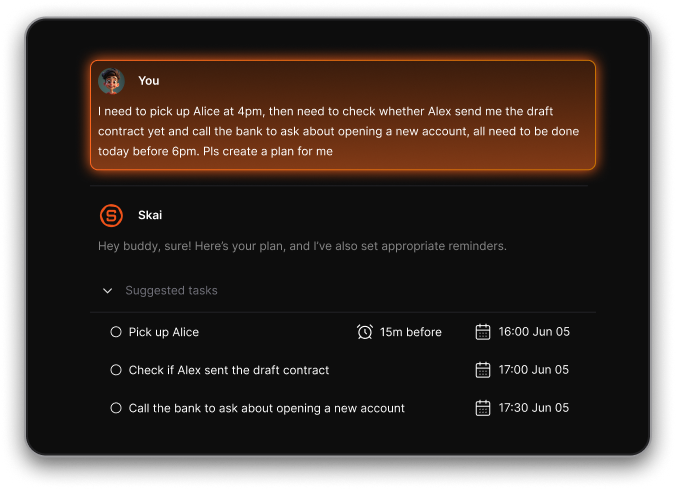
It’s designed for ADHD users who avoid “planning apps” altogether.
7. Can digital planners help with ADHD task initiation?
Yes - when they remove friction. Digital planners for ADHD help by:
- Breaking tasks into smaller steps
- Showing only the next actionable item
- Prompting you at the right moment
This lowers the mental barrier to starting.
8. Do digital planners help with ADHD task switching?
They can. A good digital planner:
- Keeps context attached to tasks
- Reminds you what you were doing before interruptions
- Reduces the need to mentally “reload” information
This is especially useful during busy workdays.
9. Are AI-powered digital planners better for ADHD?
Often, yes. AI-powered planners like Saner.AI can:
- Reduce manual organization
- Adapt when plans change
- Suggest priorities instead of forcing them
This is helpful for ADHD brains that struggle with constant decision-making.
10. Can digital planners replace calendars for ADHD?
Not fully - but they work best with calendars.
Many digital planners for ADHD integrate with calendars to:
- Block realistic focus time
- Avoid overbooking
- Adjust when tasks spill over
Saner.AI and Motion both take this hybrid approach.
11. Are there free digital planners for ADHD?
Yes. Some tools offer free plans:
- Saner.AI – free tier with task capture and reminders
- Todoist – free task management
- Sunsama & Motion – typically paid after trials
Free plans are best for testing whether the system fits your brain.
12. How do ADHD adults start using a digital planner without burnout?
Start small:
- Use it only to capture tasks you forget
- Don’t plan weeks ahead
- Let the planner remind you—don’t manage it
Consistency comes from less effort, not more discipline.
13. What’s the difference between digital planners and task apps for ADHD?
Task apps focus on lists. Digital planners for ADHD focus on:
- When to do things
- What matters now
- Reducing overwhelm, not tracking productivity
The distinction matters if lists alone make you freeze.
14. Can digital planners help with ADHD overwhelm?
Yes - when they:
- Hide low-priority tasks
- Surface only what’s relevant today
- Turn vague goals into clear next steps
Overwhelm often comes from seeing too much at once.
15. How do I know if a digital planner is ADHD-friendly?
A digital planner for ADHD should:
- Feel easy on day one
- Work even when you’re inconsistent
- Reduce thinking, not add more
- Still function after “bad brain days”
If it requires discipline to maintain, it’s probably not ADHD-friendly. That's what Saner.AI is desgined around, no friction, no thinking for you but think with you to make your daily plan works.
Stay on top of your work and life
[Last updated in 2026]