Genspark Alternatives: We Tested The Best 5 In 2026


There's no shortage of Genspark alternatives. We spent time with several of them, testing how well each one handles the kind of work Genspark leaves on the table: drafting, organizing, reasoning through complex tasks, and, in some cases, taking action without being told every step.
We'll look at what each tool does well, where it falls short, and which type of user it actually fits.
Quick guide: 5 best Genspark alternatives
- ChatGPT — Best for general-purpose AI assistance with broad plugin and tool support
- Claude — Best for long-form reasoning, writing, and working with large documents
- Manus — Best for users who want an autonomous AI agent that completes multi-step tasks independently
- OpenClaw — Best for deep research workflows that require sourced, structured outputs
1. What Is Genspark AI?
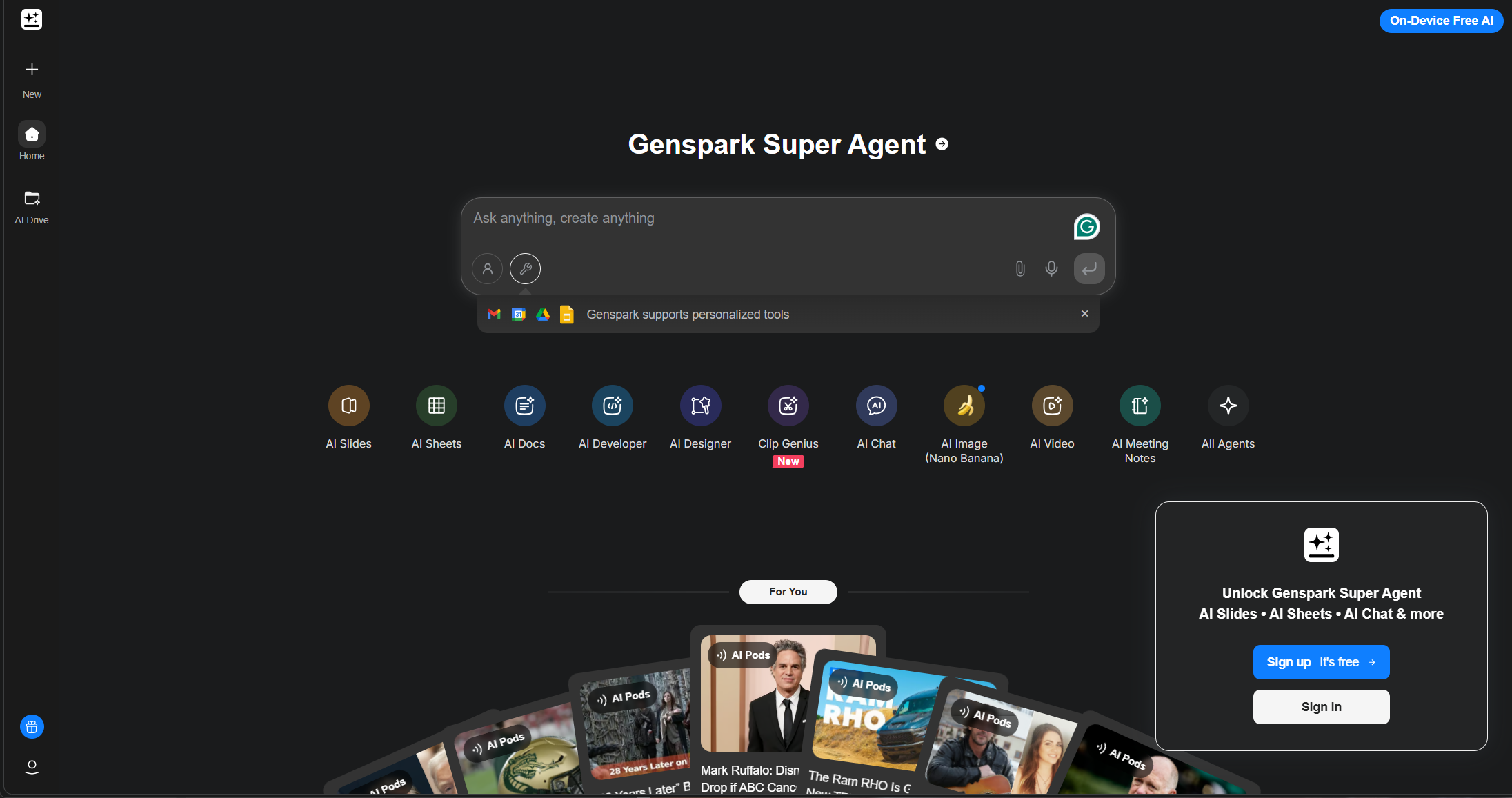
Genspark is an AI productivity tool combining powerful search and automation features into a single workspace. It’s best known for:
- Sparkpages: AI-generated pages that synthesize knowledge into a browsable, structured format.
- Super Agent: An all-in-one assistant that can chat, search, summarize, and even make real-world phone calls.
- Multi-Agent System: Specialized AI agents collaborate behind the scenes to verify facts, search smarter, and break down tasks efficiently.
2. How We Tested These Genspark Alternatives
To fairly compare these tools, we evaluated each one across several key categories:
- AI Intelligence: Can it synthesize information, generate useful content, or understand context well?
- Ease of Use: Is the interface intuitive for everyday use?
- Unique Use Cases: Does the tool do something Genspark can’t—or better?
- Privacy & Control: Can users manage their data, use offline modes, or customize workflows?
- Pricing: Is it accessible, and does it offer free tiers or fair value?
Now, let’s dive in.
What Are The Best Genspark Alternatives in 2026?
The best Genspark Alternatives are: Manus, Saner.AI, ChatGPT Agent, Claude, and OpenClaw
Comparison Table: Genspark Alternatives (2026)
| 🧰 Tool | 🎯 Best For | ⚙️ Key Features | 💰 Pricing (2026) |
|---|---|---|---|
| Saner.AI | AI knowledge organization | AI note capture, task management, memory recall, distraction-free workspace | Free; Paid ~$8–16/mo |
| ChatGPT | General AI assistant | Writing, coding, research, image generation, voice mode, GPTs | Free; Plus $20/mo; Pro $200/mo |
| Claude | Long-form writing & reasoning | Large context window, document analysis, natural writing tone, coding help | Free; Pro $20/mo; Team from $30/user/mo |
| Manus | Autonomous AI workflows | AI agent execution, multi-step task handling, browser-based automation | Limited free access; Paid plans from ~$39/mo |
| OpenClaw | Open-source AI assistant experience | Customizable AI workflows, local-first setup, Claude-style interface | Free (self-hosted/open source) |
1. Manus
Manus is an AI agent that can plan tasks, break them into steps, browse information, and produce outputs with less back-and-forth prompting.
Compared to tools like Genspark, Manus feels closer to a task-executing assistant that tries to complete multi-step requests end-to-end.
Key features
- Autonomous Task Execution: You give it a goal, and it attempts to break it into smaller actions and complete them in sequence.
- Multi-Agent Collaboration: Breaks down tasks and coordinates between dozens (or hundreds) of sub-agents
- Broad Research Mode: Runs 100+ agents in parallel to explore, scrape, and summarize large-scale queries
- Visual Generation in Context: Creates visuals like logos or menus as part of broader creative projects, not just standalone art
What I liked
- It feels autonomous - you give it a goal, and it builds the path
- It doesn’t just “chat” back - it acts, executes, and shows progress
What I disliked
- Privacy and data transparency are unclear
- There are still hallucinations and accuracy issues if you're not careful with prompts
- Some workflows enter execution loops or generate duplicate outputs - needs more guardrails
- Does not support task management or notes management
Pricing
- 20$/month
Suitable for
- Researchers, startup teams, and tech-savvy professionals who want a fully autonomous AI agent to handle multi-step tasks with minimal input.
How to start
- Go to manus.im and start chatting with the AI
2. Claude
Claude is an AI assistant built by Anthropic that focuses on long-form reasoning, writing, coding help, and document analysis. In 2026, it has evolved well past a chatbot; it now runs as a full agentic workspace through Claude Code, Claude Cowork, and the desktop app, meaning it can write, plan, organize files, and execute multi-step tasks without you babysitting each step.
Key features
- Deep reasoning: Handles multi-step logic and analysis with fewer hallucinations
- Agentic workflows: Performs multi-file refactors, real-world coding, and creative automation
- Safety-first design: Uses ASL‑3 safety protocols, with prompt classifiers and risk monitoring
- Claude Sonnet 4.6 and Opus 4.6 support a 1M-token context window
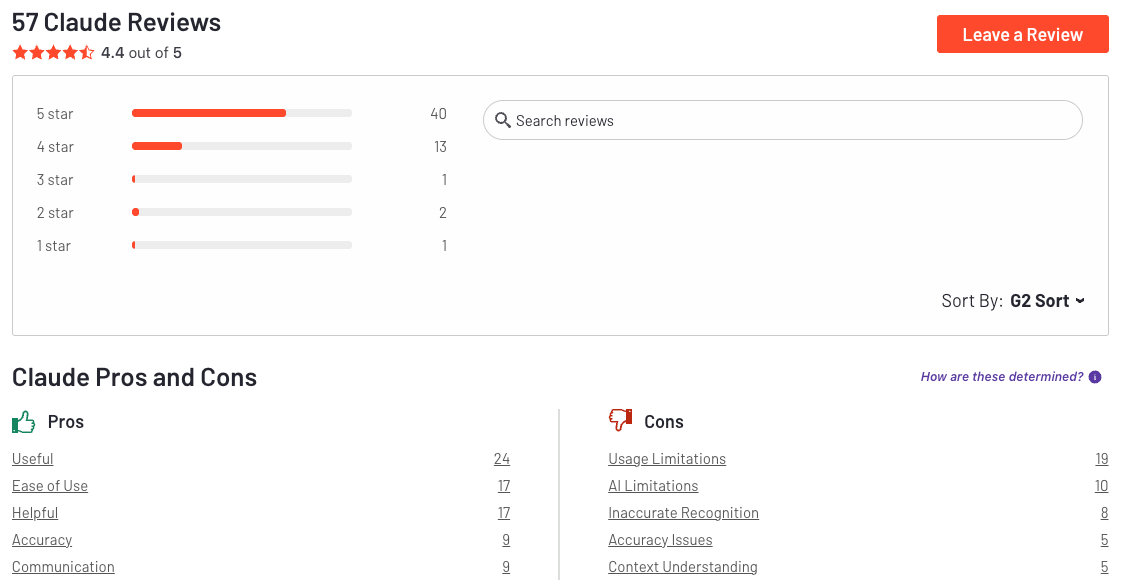
"Claude offers very advanced capabilities compared to other AI coding agents we evaluated. The reasoning quality is excellent and the agent stays focused on complex, multi-step tasks over long sessions." - verified review
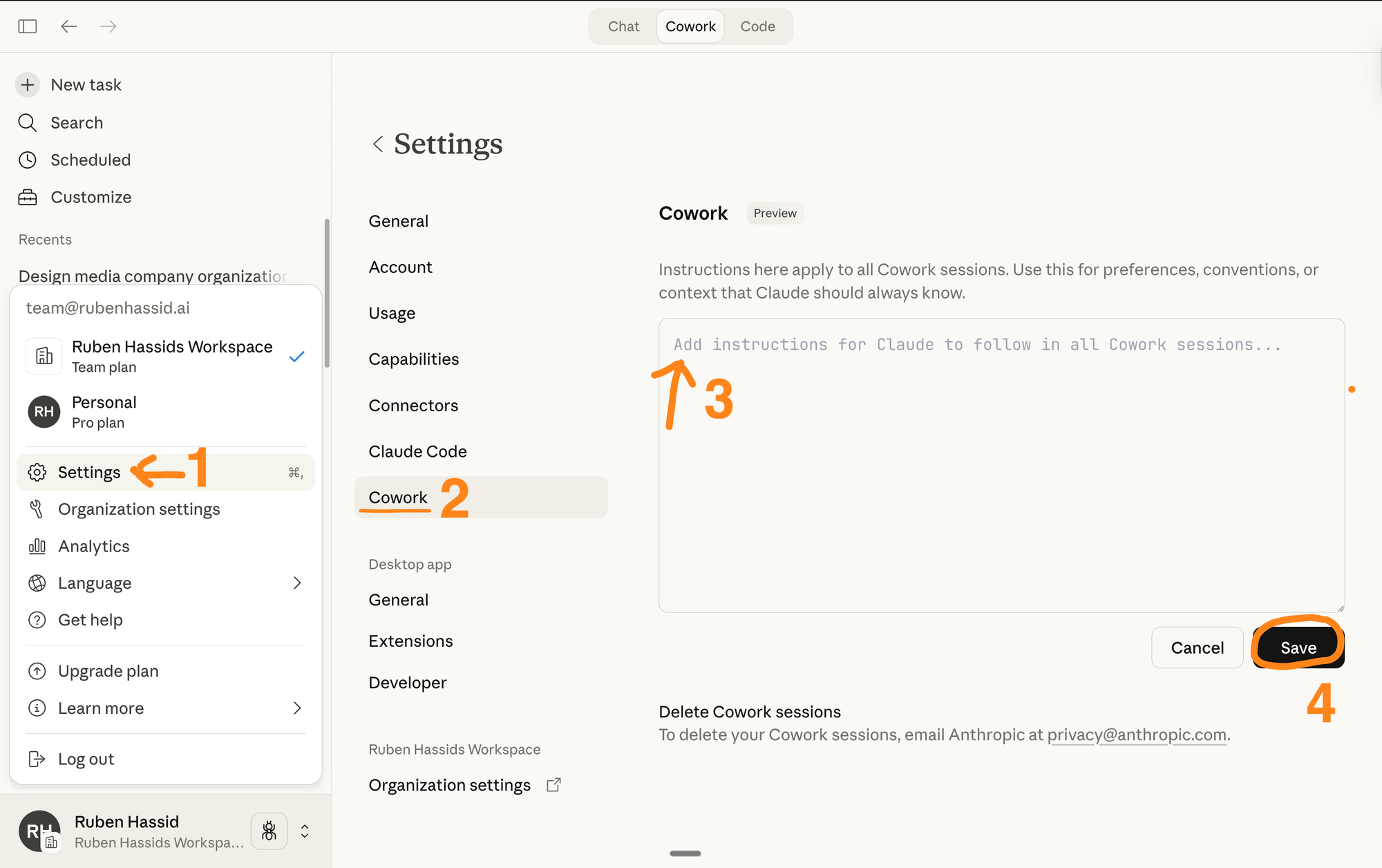
- Cowork is the feature that opened Claude up to people who don't code. You can assign recurring tasks, organize files, build presentations, and run workflows from the desktop app
Pros
- You can trust it with autonomy; it performs tasks that take hours without losing context
- I like that memory works across sessions now, even on the free plan - it saves a lot of setup time on recurring projects
- I feel it's helpful that Claude flags when it's uncertain rather than confidently giving a wrong answer; that transparency matters for research and analysis work
Cons
- Slightly slower response times when doing extremely long, multi-agent tasks
- If a conversation runs long or Claude hits an error mid-task, it burns through your message allotment with nothing to show
- I wish native image and video generation were built in; right now, you need a separate tool for anything visual
- I find the desktop app's occasional freezes frustrating during longer agentic sessions
Pricing
- $15 per million input tokens
- $75 per million output tokens
Claude Pro subscription (via Claude.ai) gives access to Opus starting at $20/month.
Suitable for
- Content writers and marketers who need outputs that have a consistently cleaner tone than most alternatives.
- Developers get real value from Claude Code and the agentic coding setup, especially with the expanded rate limits and CI auto-fix feature.
- Researchers and analysts doing heavy document work will appreciate the 1M context window and the way Claude maintains logical coherence across long sessions.
How to start
- Go to claude.ai or use the Claude API via Anthropic, Amazon Bedrock, or Google Vertex AI.
Claude Review (source)
3. ChatGPT Agent
ChatGPT Agent is a powerful AI assistant that goes beyond answering questions - it completes digital tasks for you. It can browse websites, write code, book appointments, create presentations, and even send emails. With a built-in “virtual computer,” it acts like a digital helper that can take real actions across apps and websites.
Key features
- Agents can draft emails, pull data, generate presentations, and keep working even after the person who started the task has left the session.
- In 2026, ChatGPT handles text, image generation via GPT Image 1.5, cinematic video clips via Sora, and real-time voice conversations
- API calls to external apps like Gmail, GitHub, and Google Calendar
- Agent Mode pulls together web interaction, deep research, and ChatGPT's reasoning into a single workflo
Pros
- It can handle full workflows - like researching a trip, booking tickets, and generating a summary slide deck
- You can ask it to do things like “buy a product,” “book an appointment,” or “send this email” and it really tries
- I appreciate how much the memory feature has improved; it picks up context across sessions in a way that actually feels natural
Cons
- I notice the content restrictions can get frustrating when doing research on niche or sensitive topics; the blocks feel inconsistent
- I feel the newer GPT-5.x models trade some depth for speed; you get faster responses, but the outputs sometimes need more prompting to go deep
- It sometimes takes a long time or gets stuck on basic tasks like ordering food
- It struggles with secure logins or CAPTCHA-heavy websites
Pricing
- Included in ChatGPT Plus ($20/month), Pro, and Team plans.
Suitable for:
- Power users, professionals, and teams who want to offload web tasks, research, file generation, or automation to an intelligent assistant.
How to start:
- Sign in with a ChatGPT Plus, Pro, or Team account.
- Activate “Agent Mode” in the settings (web or Mac app).
4. OpenClaw
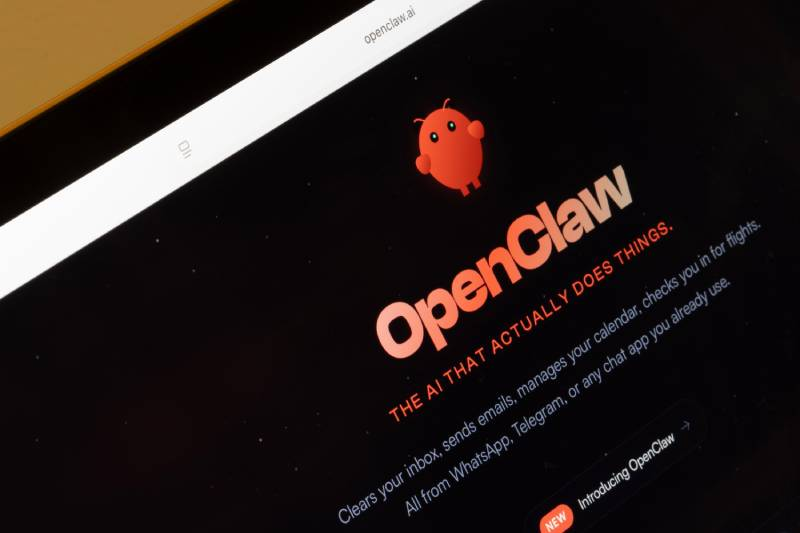
OpenClaw is unlike anything I've reviewed for this list. Rather than offering another chatbot, OpenClaw delivers a true personal AI agent that runs locally, remembers context across conversations, and can actually do things on your machine.
Think of it less as a search tool (which is Genspark's strength) and more as a programmable digital worker you run from your own computer, completely free, with your own API keys.
Key features
- Local-first AI execution:. It supports CoreML for Apple Silicon optimization, and context windows up to 128k tokens for maintaining long conversation history without any cloud reliance.
"We particularly appreciate the local execution model and extensive integration ecosystem which provide capabilities impossible to get with cloud-only solutions." — verified review
- 50+ messaging platform: integrations out of the box. Tested integrations include WhatsApp (QR pairing via Baileys), Telegram (Bot API), Discord (servers and DMs), and Slack (workspace apps)
- 100 preconfigured AgentSkills: that let the AI run shell commands, manage file systems, and perform web automation
- Task Brain: a unified SQLite-backed task ledger that consolidates agent control protocol tasks, subagents, cron jobs, and background processes into a single management layer.
- Agent-to-Agent Protocol (A2A): Allows multiple agents to work together across tasks and systems
Pros
- I like that it's completely free to download; you only pay for whatever LLM API calls you make, and you can route cheap tasks to free-tier models
- I appreciate the privacy angle deeply. Knowing my files and messages never leave my machine unless I choose to send them is something cloud tools simply can't offer
- Messaging integration is useful.
Cons
- It’s still early access and only available to select organizations via Google Cloud sales reps
- Not suitable for personal productivity use - it’s clearly designed for enterprise workflows
Suitable for
- Enterprises looking to deploy powerful internal AI agents at scale
- Teams that need to search across fragmented knowledge bases
- Organizations with strict data security and compliance requirements
- Companies exploring multi-agent systems for internal automation
How to start
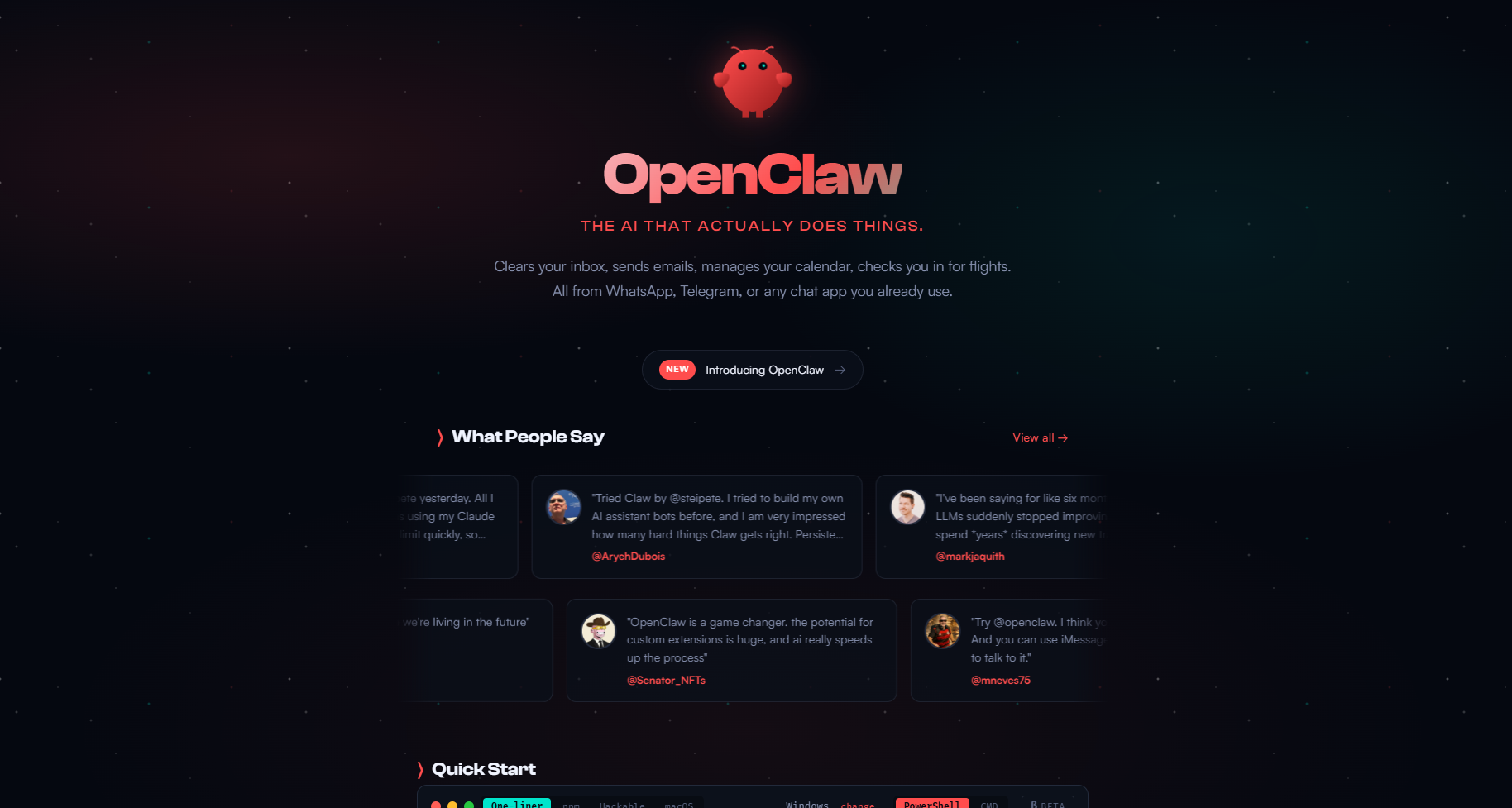
- Step 1 — Install OpenClaw via one command
- Step 2 — Connect your messaging app and LLM
- Step 3 — Install skills and start delegating
5. Saner.AI - No-setup AI assistant
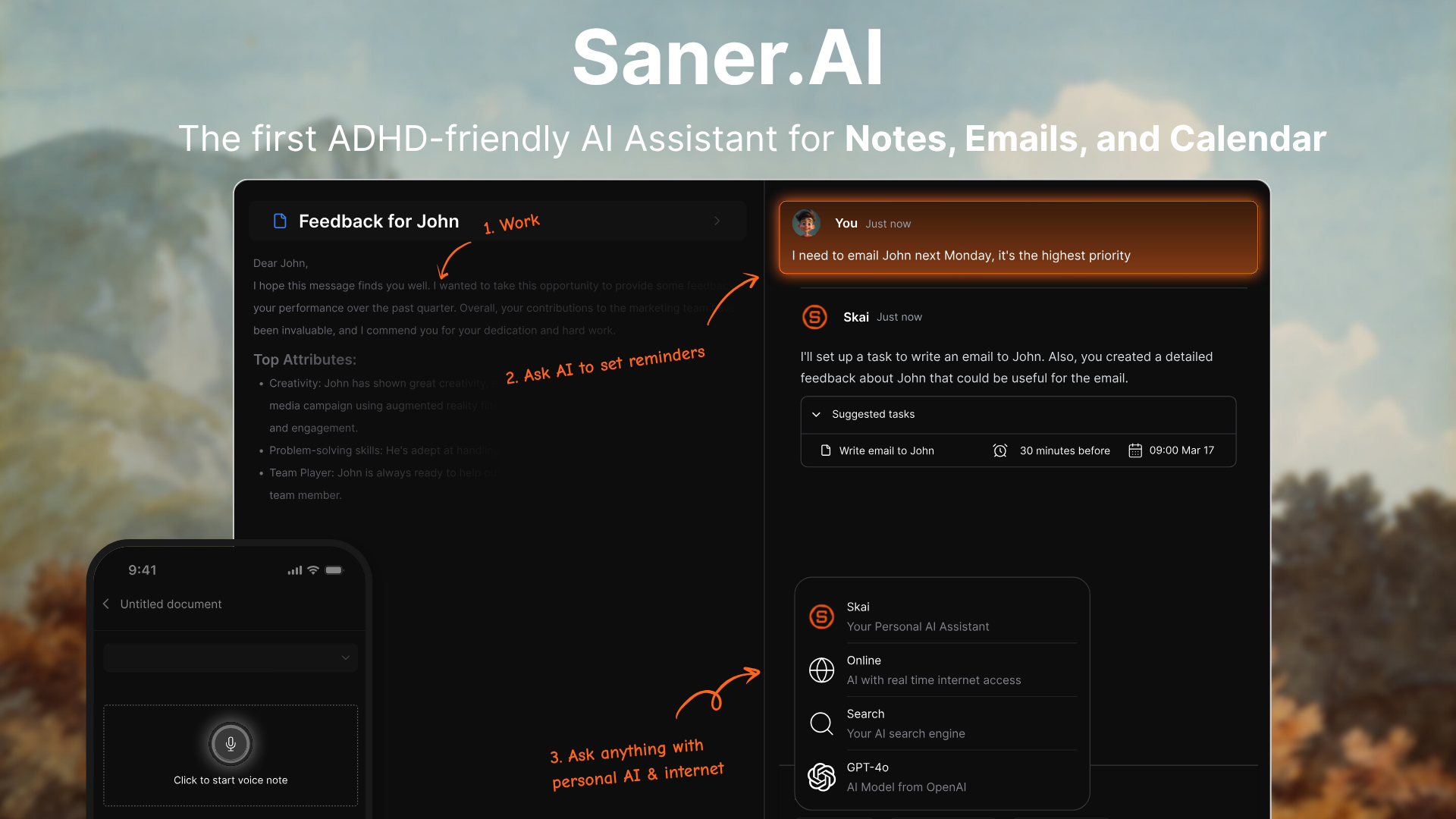
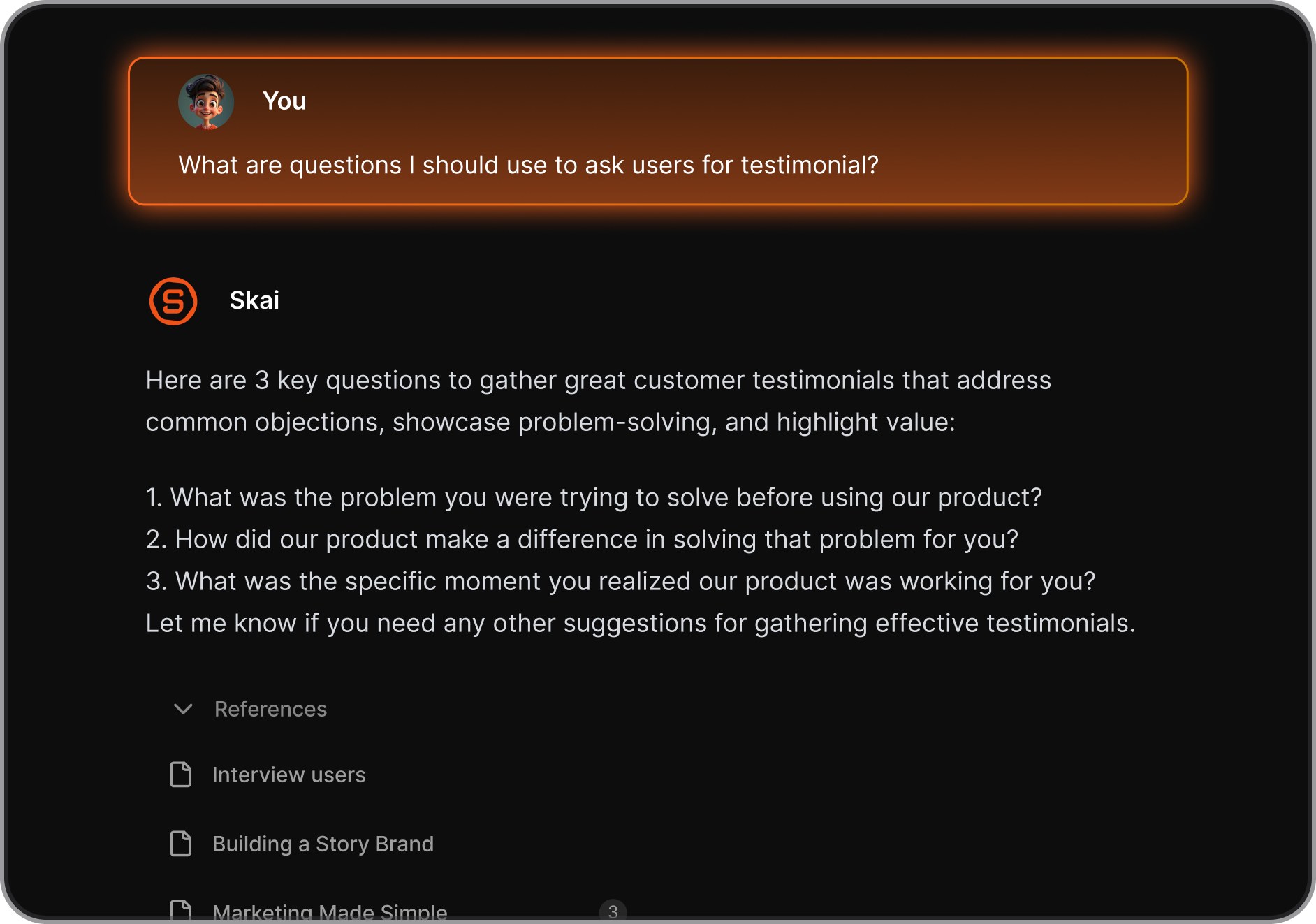
Saner.AI is an ADHD-friendly AI assistant that helps you manage notes, tasks, emails, and your calendar - all in one clean, distraction-free workspace. Unlike other AI tools that require heavy setup or manual workflows, Saner works right out of the box. Just start typing, and it begins organizing your digital mess into clarity.
It’s perfect for anyone who feels overwhelmed by scattered information
Key features
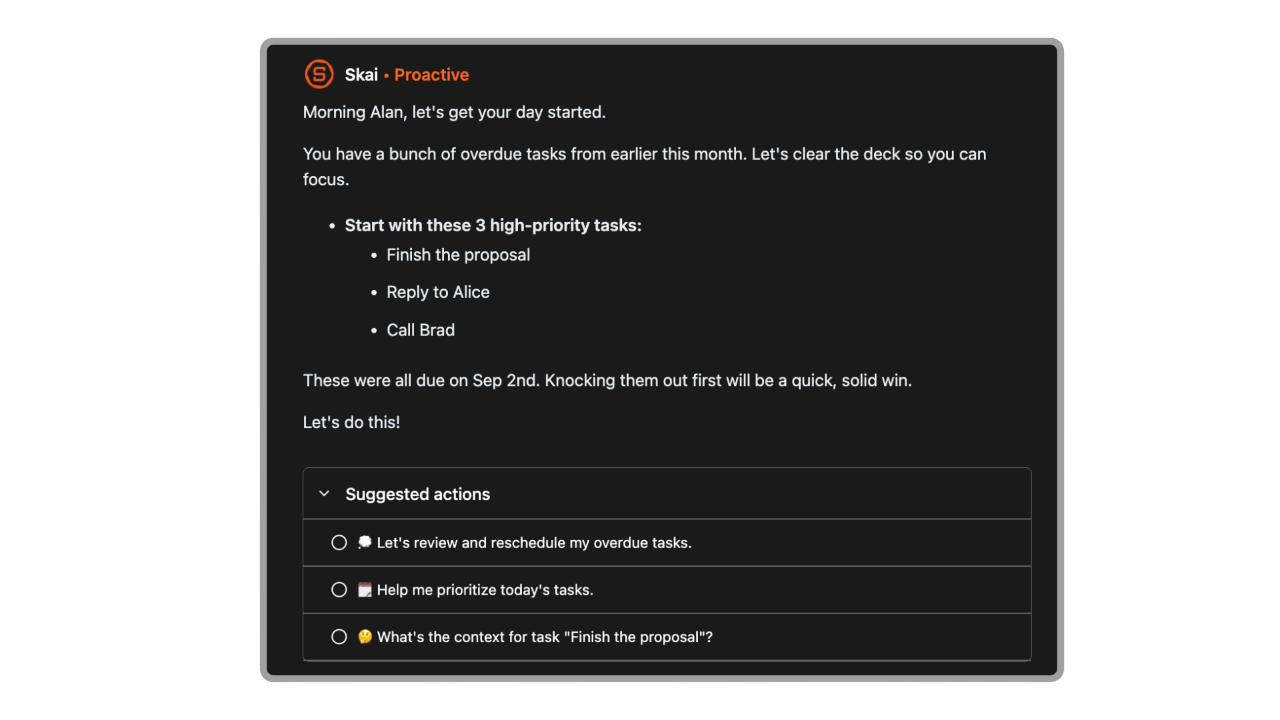
- AI Planning Assistant: Wakes you up with a day plan, suggests tasks from your emails and notes, and checks in throughout the day
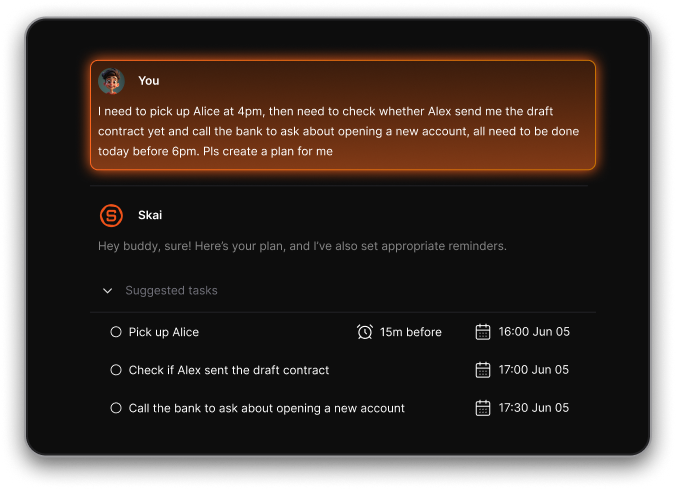
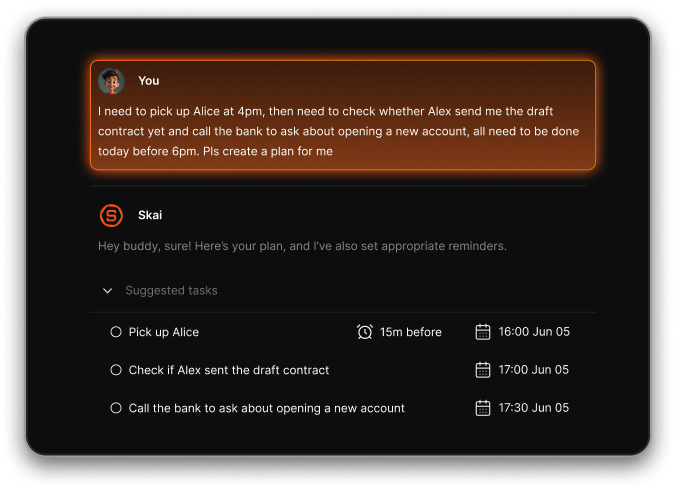
- AI Task Assistant: Turns messy thoughts into structured tasks, auto-assigns deadlines, and checks in on progress
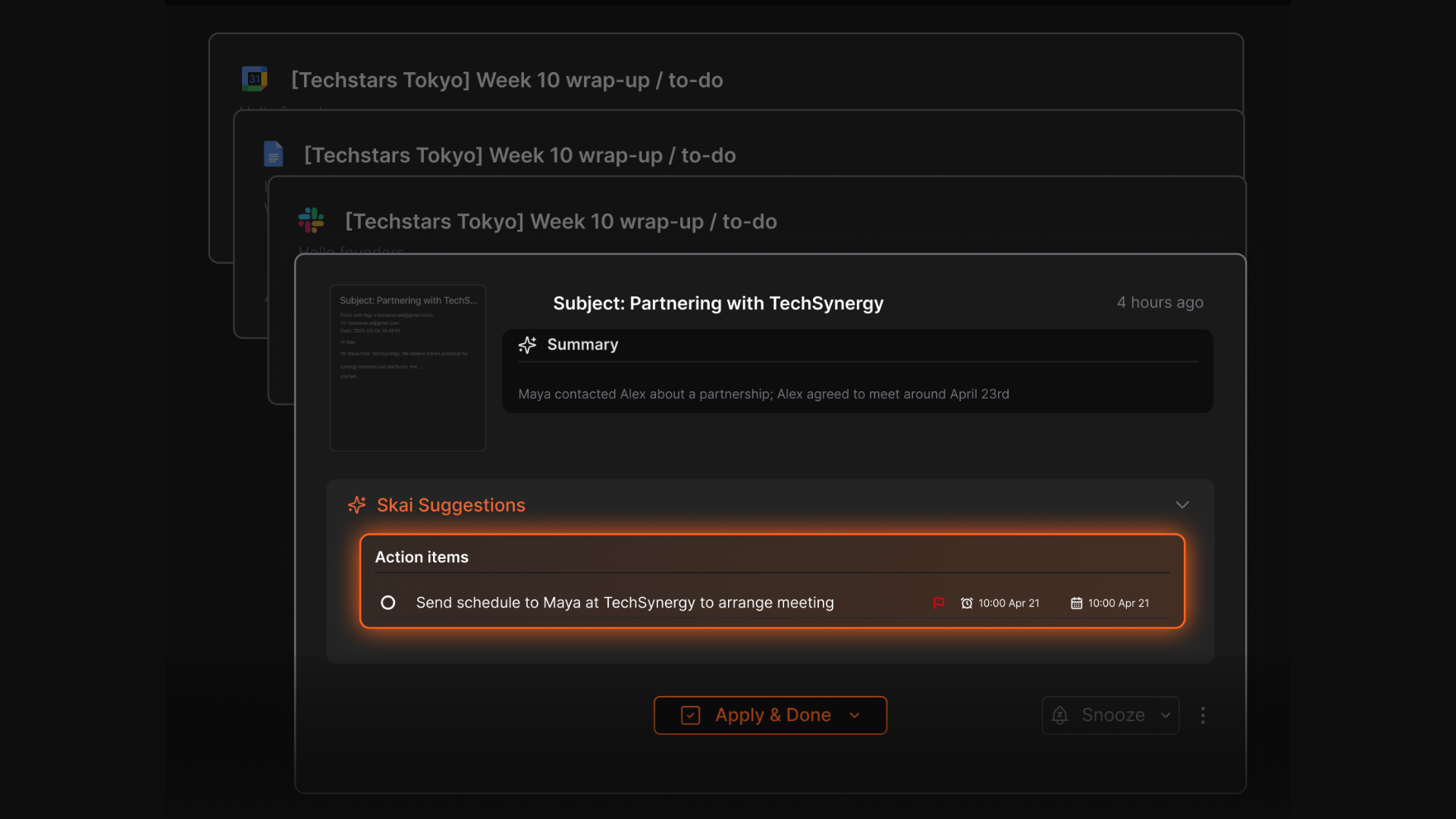
- Auto-Capture from Email: Turn emails into tasks, reminders, or summaries with a click
- AI-Powered Organization: Automatically tags and organizes your notes, emails, and files
- Multi-modal Input: Add content via voice, Mobile App, Chrome extension, drag-and-drop, or import from Evernote, Apple Notes, PDF, Google Docs
- ADHD-Optimized Design: Minimal, calming interface with no extra fluff or distractions
Pros
- No setup required - it starts organizing your mess as soon as you write or paste something in
- You can just rant, and it turns your thoughts into organized tasks with reminders
- Works across formats - whether it’s a messy draft, a random email, or a PDF from a client
Cons
- Not ideal for large teams or project timelines - no Gantt charts or complex task dependencies.
Pricing
- Free
- Starter: Monthly at $8/month, Annually at $6/month
- Standard: Monthly at $16/month, Annually at $12/month
Who is it suitable for?
- Professionals, founders, and ADHD-prone individuals who want an AI assistant that just works - without spending hours organizing, labeling, or building custom workflows. If you’ve ever felt overwhelmed by your digital brain, this is for you.
Saner.AI review
"I'm impressed by how saner.ai adapts to my ADHD style of working. It helps me stay on track, avoid distractions, and access relevant information quickly. It's like having a personal AI assistant that knows me well." - verified review

How to start using it?
- Just go to saner.ai, create an account, and start dumping your thoughts, notes, and emails in. The AI will organize everything and even plan your day for you - no setup required.
Final Thoughts: Choosing the Right Genspark Alternative
Whether you're looking for a more focused daily assistant, stronger privacy controls, or advanced reasoning power, there’s a Genspark alternative out there that might suit your workflow better.
- Need a calm, ADHD-friendly space to manage tasks and notes? Saner.AI is your go-to.
- Want a flexible, all-in-one agent with deep research and file handling? ChatGPT Agent delivers.
- Handling complex reasoning, coding, or long documents? Claude 4 Opus is hard to beat.
- Looking to delegate entire workflows? Manus AI offers powerful autonomous execution.
- Managing large-scale operations or enterprise data? Google Agentspace brings control and scalability.
Ultimately, the best Genspark alternative depends on what you’re trying to accomplish. Each of these tools brings something unique to the table - so think about your priorities: simplicity, autonomy, privacy, or depth.

AI Agent that Works Instantly without any setup
Genspark Alternative: FAQ Guide
1. What is a Genspark alternative?
A Genspark alternative is any tool or platform that offers similar or improved capabilities for task automation, multi-agent workflows, or intelligent personal assistance - without the complexity or limitations of Genspark.
Whether you're seeking something simpler, more ADHD-friendly, or tailored for research, there are solid alternatives available in 2026:
- Saner.AI – For note-task-email integration and executive-style planning
- ChatGPT Agents – For flexible AI task flows using GPT-4
- Claude Opus – Ideal for nuanced writing, synthesis, and doc analysis
- Manus – Proactive agent that completes full tasks on your behalf
- OpenClaw – AI agent management
2. Why look for a Genspark alternative?
Genspark is impressive - but not for everyone. You might want an alternative if:
- You prefer a simpler, calmer workspace over multi-agent complexity
- You want tighter integration with your calendar, notes, or documents
- You’re focused on ADHD-friendly workflows, not just automation
- You need more transparency or control over what the agent is doing
Tools like Saner.AI and Claude prioritize usability, context-awareness, and personalization.
3. What’s the best Genspark alternative for daily task automation?
If you want an AI that helps you plan, prioritize, and follow through:
- Saner.AI – Transforms your messy thoughts into clear to-dos, sets reminders, and schedules tasks in your calendar without context switching.
- ChatGPT Agent – Great for building your own task flows with GPT-4 and OpenAI tools.
- Manus – If you want full end-to-end automation, like drafting an email and sending it.
4. Which Genspark alternative is best for ADHD brains?
Saner.AI was built by ADHDers for ADHDers. It:
- Turns brain dumps into structured tasks
- Surfaces what matters at the right time
- Works without needing you to manually organize anything
It’s ideal for professionals overwhelmed by tabs, apps, and switching contexts
5. What’s the best Genspark alternative for research and writing?
If your work involves documents, synthesis, or deep thinking:
- Claude – Reads long PDFs, summarizes dense material, and writes like a human with context.
- Saner.AI – Lets you search across notes, docs, emails, and find insights you forgot you had.
Perfect for researchers, founders, and anyone dealing with complex information.
6. Are there simpler alternatives to Genspark's multi-agent system?
Yes. Genspark’s Super Agent is powerful, but often too much for solo professionals.
Try:
- Saner.AI – A single AI assistant that handles notes, emails, and schedules - no training or setup needed.
- Manus – Designed more for teams who want agent orchestration at scale, but with clearer UI and enterprise control.
7. What’s the most proactive Genspark alternative?
If you liked Genspark’s proactive Super Agent, check out:
- Manus – Automatically handles your work across tools like Notion, Slack, and Google Calendar.
- Saner.AI – Suggests tasks, deadlines, and priorities based on your inputs—then helps you actually follow through.
8. Can Genspark alternatives handle meeting notes and prep?
Absolutely. Some even do it better:
- Saner.AI – Pulls up notes and tasks from past meetings when you ask. No manual tagging or sorting required.
- Claude – Summarizes meeting transcripts with natural language accuracy.
Just ask: “What did I promise in last Friday’s product call?” and get the answer.
9. What’s the best free Genspark alternative?
If you’re not ready to pay:
- Saner.AI – Free plan includes AI planning, natural language search, and calendar/task integration
- ChatGPT – Still free for most general use
- Google AgentSpace – Often bundled with Workspace for business users
10. Which Genspark alternative is best for founders and busy executives?
Founders need a thinking partner, not another dashboard.
Top picks:
- Saner.AI – Combines all your thoughts, follow-ups, and tasks in one brain-like assistant. Great for fundraising, team management, and long-term vision.
- Claude – For deep dives into reports, business writing, or strategic analysis.
11. Final thoughts: Which Genspark alternative should I choose?
It depends on your style:
- 🧠 Want calm, ADHD-friendly productivity? → Saner.AI
- 💬 Want GPT-powered flows? → ChatGPT Agent
- 📝 Need brilliant writing & doc reasoning? → Claude
- 🤖 Want proactive, self-acting AI? → Manus
- 🏢 Need enterprise-grade agent orchestration? → Google AgentSpace
Genspark may have started the agent revolution, but you have more options now - each tailored to a different way of working.
Get your AI personal assistant without complicated setup