We tested the 6 Best Google Keep Alternatives in 2026
The Best Google Keep Alternatives are Saner.AI, Simplenote, TickTick, Zoho Notebook, Bear, and Nimbus Note.


People usually outgrow Google Keep when their notes turn into projects, tasks, or knowledge management systems. What starts as quick reminders slowly becomes meeting notes, planning documents, research, and daily task management. Google Keep isn’t designed to handle that complexity.
Different users also need different note-taking styles:
- Some want an AI-assisted organization
- Some want structured databases
- Some want simple, offline-first notes
- Others want notes tightly connected to tasks
1. What Is Google Keep?
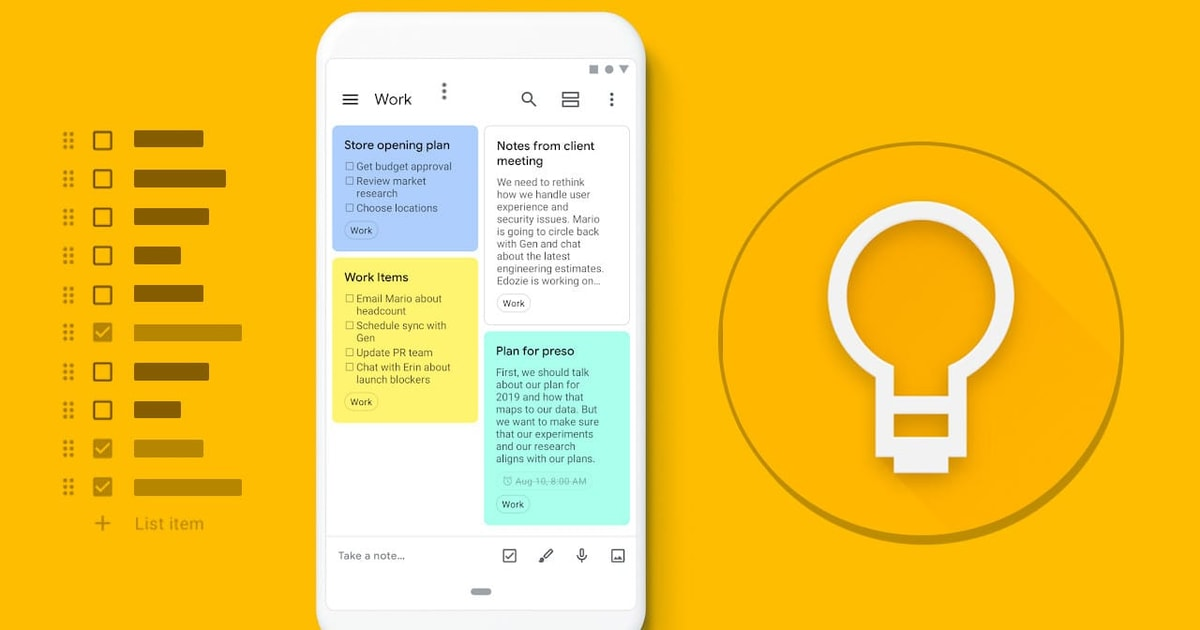
Google Keep is a free note-taking app developed by Google, designed for capturing quick thoughts, reminders, and simple to-do lists. It works like digital sticky notes that sync automatically across devices through a Google account. The app prioritizes speed and simplicity over structure. Users can create text notes, checklists, voice notes, and image-based notes, then organize them using colors, labels, and pins.
2. Why People Look for Google Keep Alternatives
Google Keep works well when notes are short, temporary, and unstructured. It’s fast, lightweight, and synced across devices.
But as usage grows, its limitations become obvious.
Main limitations of Google Keep
- No real folder or hierarchy system
- Weak search once notes scale beyond dozens
- Tasks and notes aren’t deeply connected
- Not suitable for long-term knowledge storage
- Limited collaboration and workflow support
Who should consider switching
- Individuals managing projects or long-term goals
- People mixing tasks + notes daily
- Users who want AI assistance or a smarter organization
- Teams needing shared context, not just sticky notes
3. How to Choose the Right Google Keep Alternative
Choosing a Google Keep replacement isn’t about finding “the most powerful app.” It’s about finding the right structure for your brain and workflow. Here are what you might need to ask yourself:
- Organization depth: Do you need folders, tags, backlinks, or databases? Simple lists work for reminders, but projects need structure.
- Task vs note balance: Some apps treat tasks as first-class citizens.
Others are better for writing, thinking, and storing knowledge. - Cross-device support: Web, mobile, and desktop consistency matters if you switch devices often.
- AI features: AI can help with summarizing, prioritizing, and organizing - but only if it reduces friction, not adds complexity.
- Individual vs team usage: Solo note-taking and collaborative knowledge bases require very different tools.
In this article, you’ll learn:
- Why do people switch from Google Keep
- How to choose the right Google Keep replacement
- A clear breakdown of the 6 best Google Keep alternatives
- A quick comparison table
Now, let's dive in!
What are the Best Google Keep Alternatives?
The Best Google Keep Alternatives are Saner.AI, Simplenote, TickTick, Zoho Notebook, Bear, and Nimbus Note.
Google Keep Alternatives Comparison Table (2026)
| Tool | Key Strengths | Best For | Platforms | Pricing |
|---|---|---|---|---|
| Saner.AI | AI-first capture, auto-structured notes & tasks, blends to-do + notes seamlessly, minimal manual organization | Individuals who want frictionless capture and AI-managed organization | Web, Windows, macOS | Free plan available; Paid plans starting from ~$10/month |
| Simplenote | Extremely fast, distraction-free writing, instant sync, clean Markdown support | Users who want pure, simple text notes | Web, Windows, macOS, iOS, Android | Free, Sustainer plan around $19.99/month or $199.99/year, |
| TickTick | Strong task management, recurring tasks, calendar & habit tracking | Users who prioritize tasks over notes | Web, Windows, macOS, iOS, Android | Free; Premium at ~$35.99/year |
| Zoho Notebook | Rich note cards (text, audio, sketches), good organization, Zoho ecosystem | Users who like visual, multimedia notes | Web, Windows, macOS, iOS, Android | Free; Pro at ~$19.99/year |
| Bear | Beautiful UI, powerful Markdown, tag-based organization | Writers & creatives on Apple-only devices | macOS, iOS, iPadOS | Free; Pro at ~$29.99/year |
| Nimbus Note | Team collaboration, databases, document sharing, workspace structure | Teams needing docs + collaboration | Web, Windows, macOS, iOS, Android | Free; Paid plans from ~$4–6/user/month |
1. Saner.AI
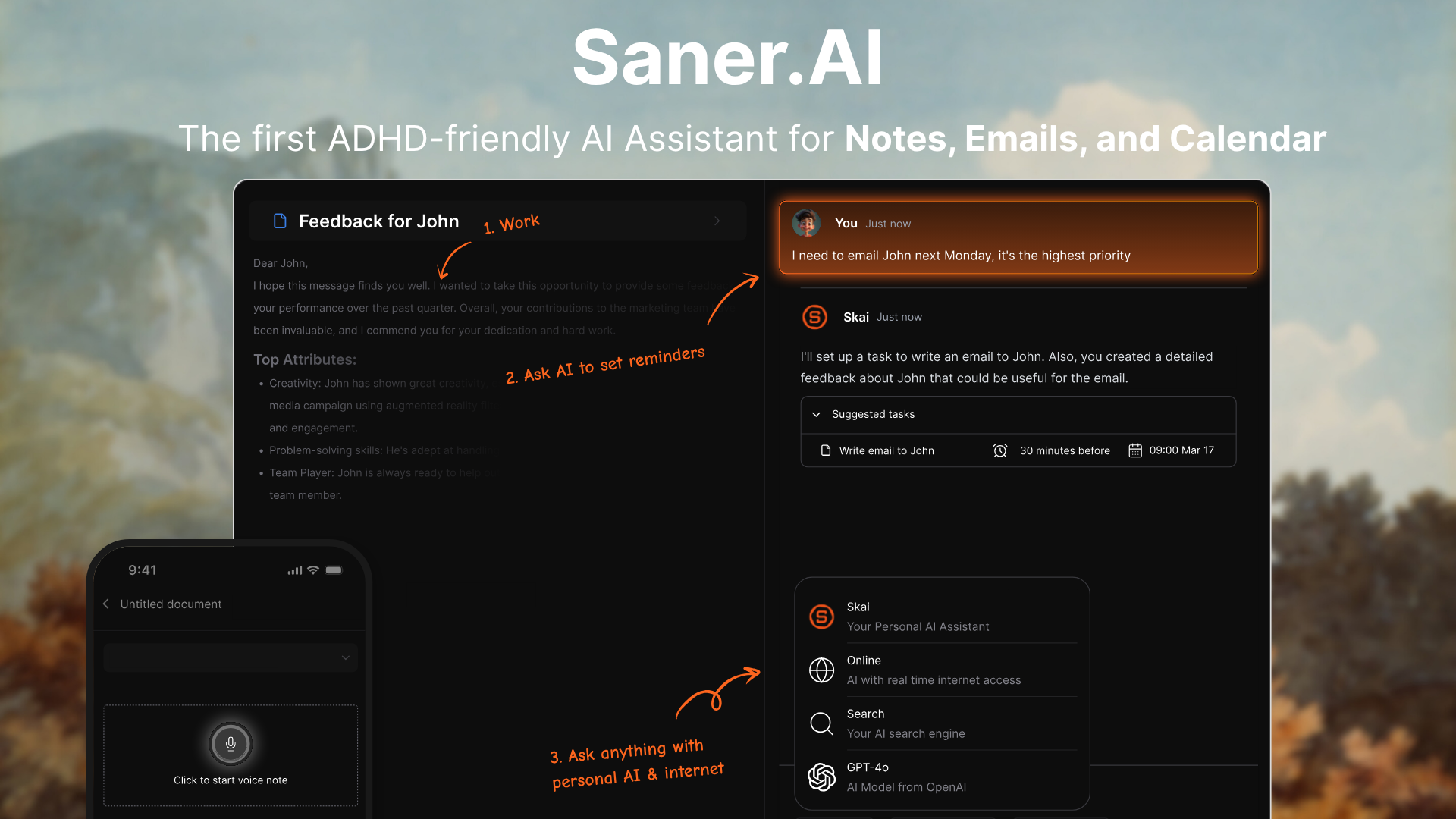
Saner.AI is an AI-first task and note management tool designed to replace simple note apps like Google Keep when your notes start turning into work. Instead of just storing notes, Saner.AI actively organizes them, connects ideas, and turns messy thoughts into structured tasks.
You write things down freely - ideas, reminders, meeting notes, and the AI handles categorization, prioritization, and follow-ups. It’s built for people who think fast, dump ideas everywhere, and don’t want to manually manage lists.
Key features
- Daily planning view: Saner.AI helps surface what matters today, so your notes don’t just sit there unused.

- AI-powered note capture that lets you write naturally, without deciding folders or labels upfront. The system organizes notes automatically in the background.
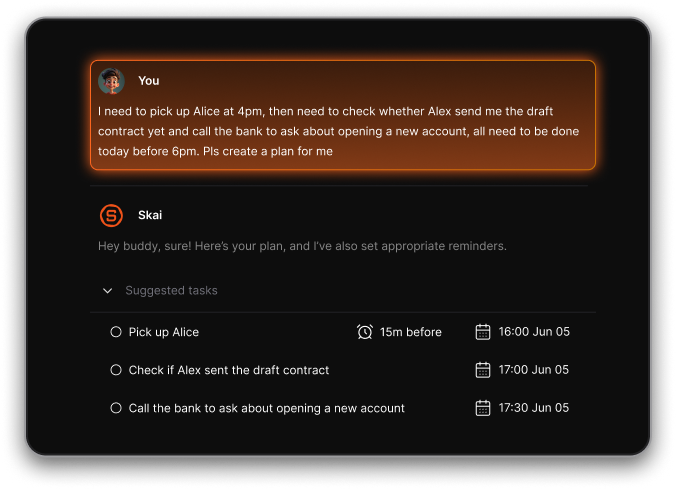
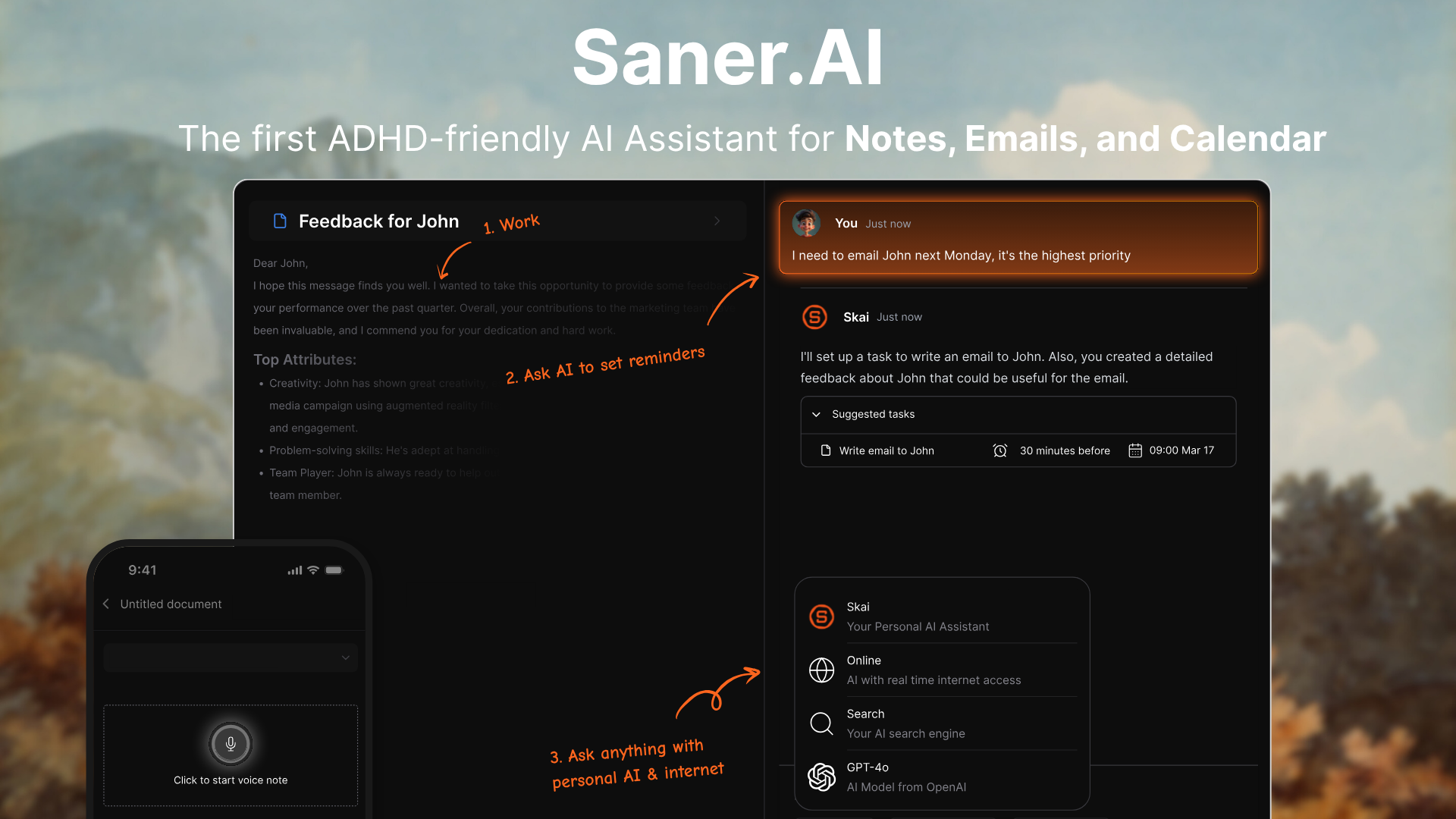
- Smart task extraction that turns notes into actionable to-dos, something Google Keep doesn’t handle well at scale.
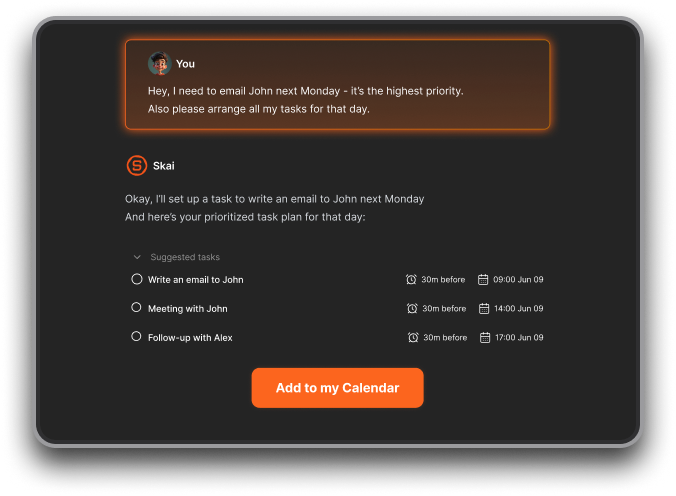
- Context-aware prioritization that surfaces what matters now instead of showing a flat list of notes.
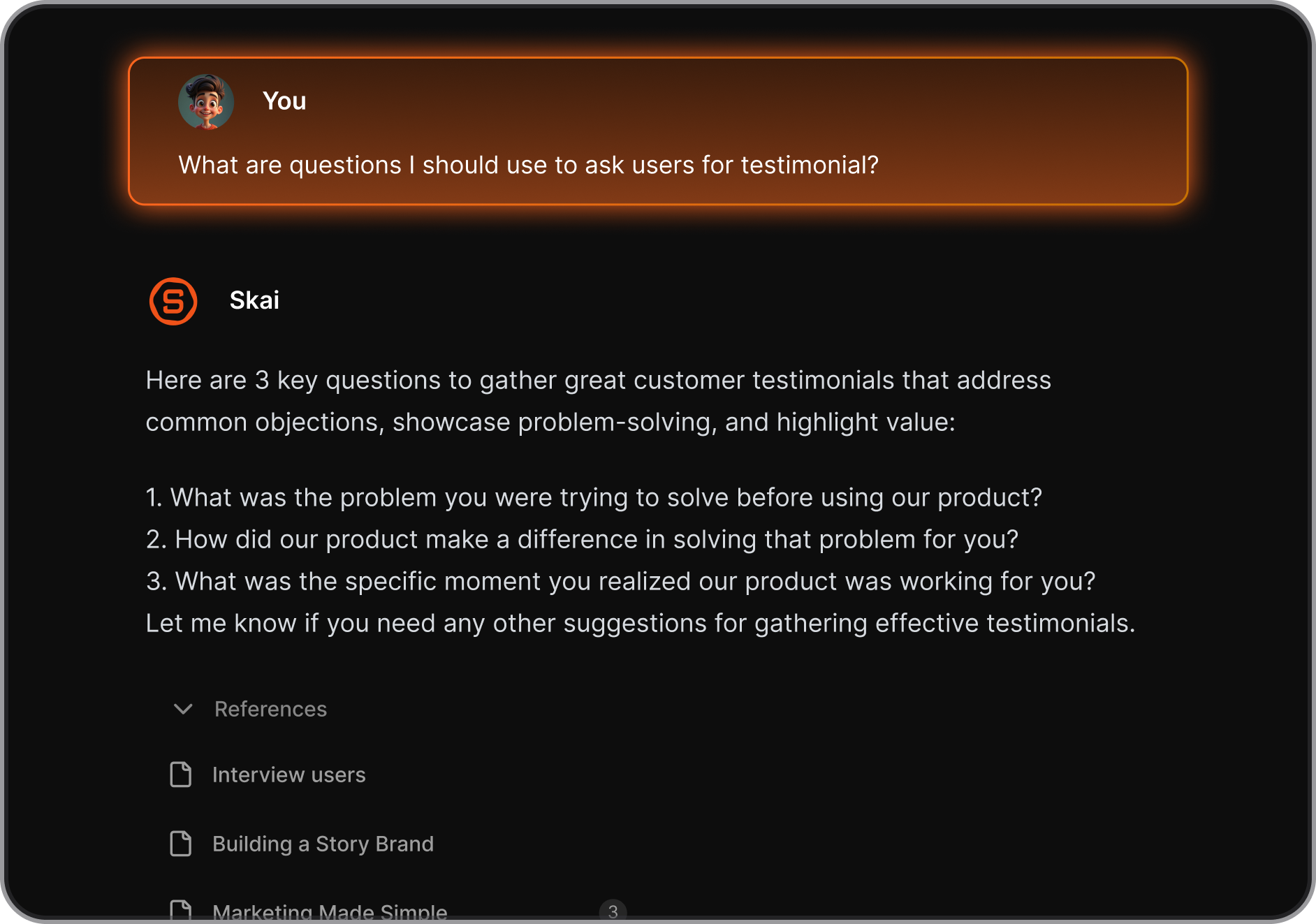
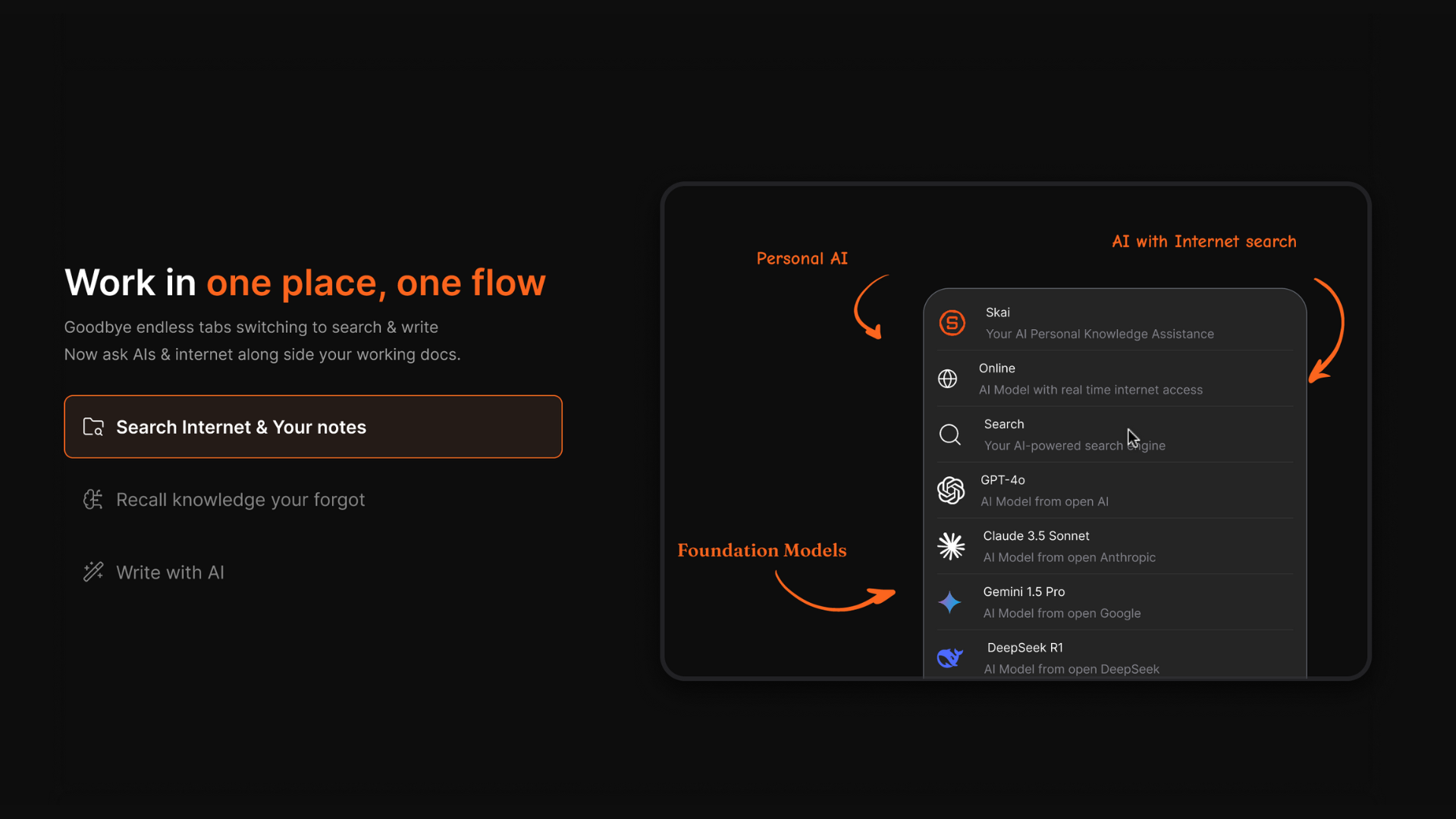
- Unified notes + tasks view, so ideas don’t get lost after being written down.
What I liked
- Extremely low friction: you just write, the AI organizes everything for you.
- Much better for ongoing work and projects than Google Keep’s static notes.
- AI actually manages your tasks instead of acting as passive storage.
What I disliked
- No offline-first experience like Google Keep.
- Less suitable if you only need quick, disposable sticky notes.
- Requires some trust in AI automation rather than full manual control.
Pricing
- Free plan available with core features.
- Paid plans start at around $8/month when billed monthly
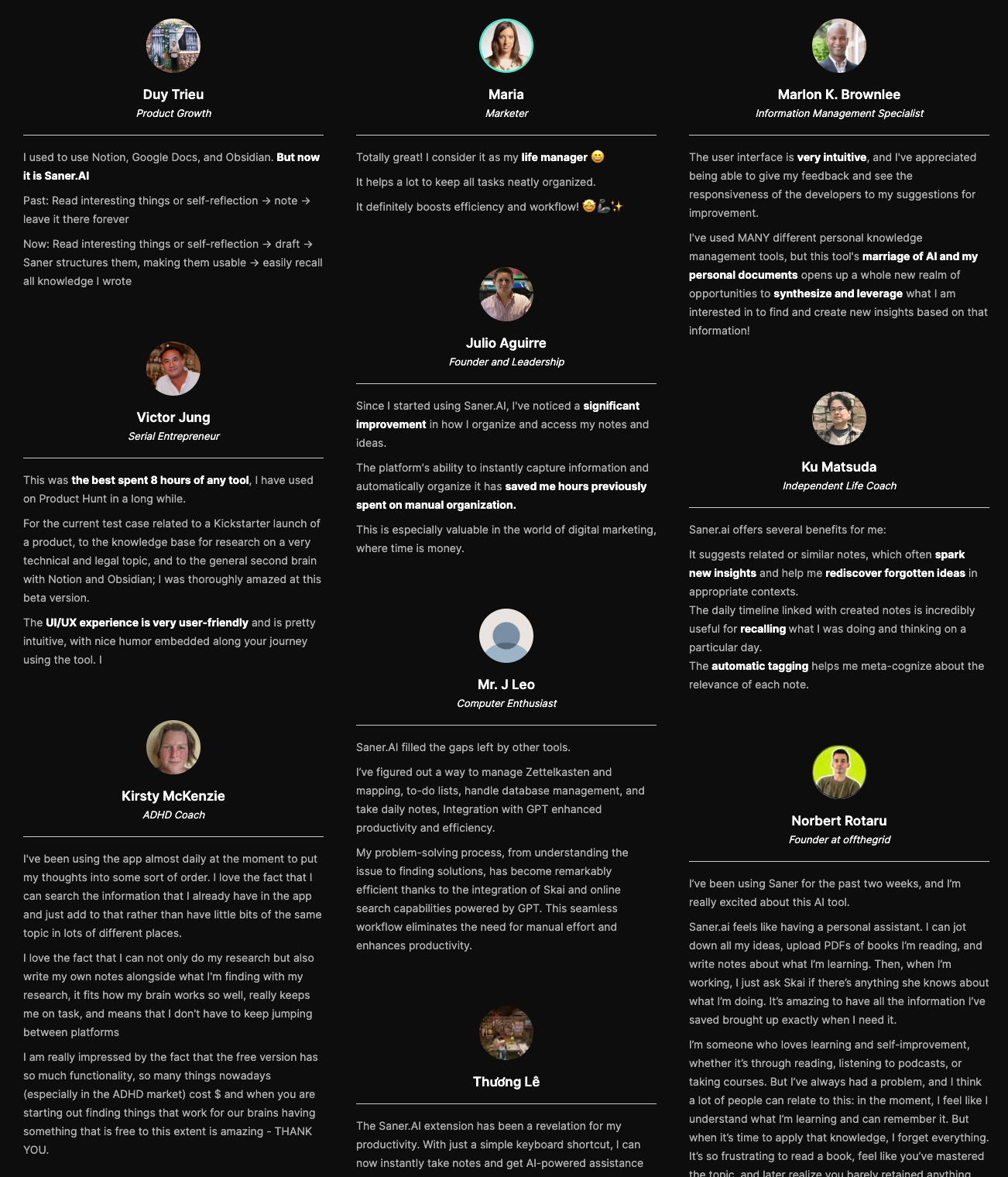
Saner.AI review
Suitable for
- Knowledge workers who use Google Keep but feel overwhelmed by scattered notes.
- People who mix ideas, tasks, and reminders in one place.
- Users who want an AI-managed workflow instead of manual lists.
How to start
- Visit the Saner.AI website.
- Create a free account and start adding notes or tasks in plain language.

Stay on top of your work with the Top Google Keep Alternative
2. Simplenote

Simplenote is a lightweight, distraction-free note-taking app focused on speed and simplicity. It’s designed for quick text notes that sync instantly across devices. There are no complex features, formatting tools, or task systems - just plain notes. If Google Keep feels cluttered or unreliable, Simplenote is the opposite: minimal and predictable.
Key features
- Notes sync automatically across web, desktop, and mobile apps. Changes appear almost instantly, which makes it reliable for quick capture and reference.
- Notes are organized using tags instead of folders. Combined with a good search, this makes it easy to retrieve notes even when you have hundreds.
- Every note keeps a history of changes, so you can roll back to previous versions. This is useful for writers and developers who frequently edit the same notes.
- Simplenote supports Markdown for basic formatting like headings, lists, and links. There’s no rich editor, which keeps writing fast and distraction-free.
What I liked
- Extremely fast and simple
- Works on all major platforms (web, iOS, Android, Windows, macOS, Linux)
- Reliable cross-platform sync
- Markdown + version history is useful
What I disliked
- No images, attachments, or rich formatting
- Interface feels too basic for complex note systems
- No built-in tasks, reminders, or AI task management like Saner.AI.
Pricing
- Free with core features included
- Simplenote Premium: ~$10/year (adds extended version history and priority support)
Suitable for
- Writers, developers, and text-heavy note-takers
- People who want a simple Google Keep alternative without visual clutter
- Users who care more about speed and reliability than features
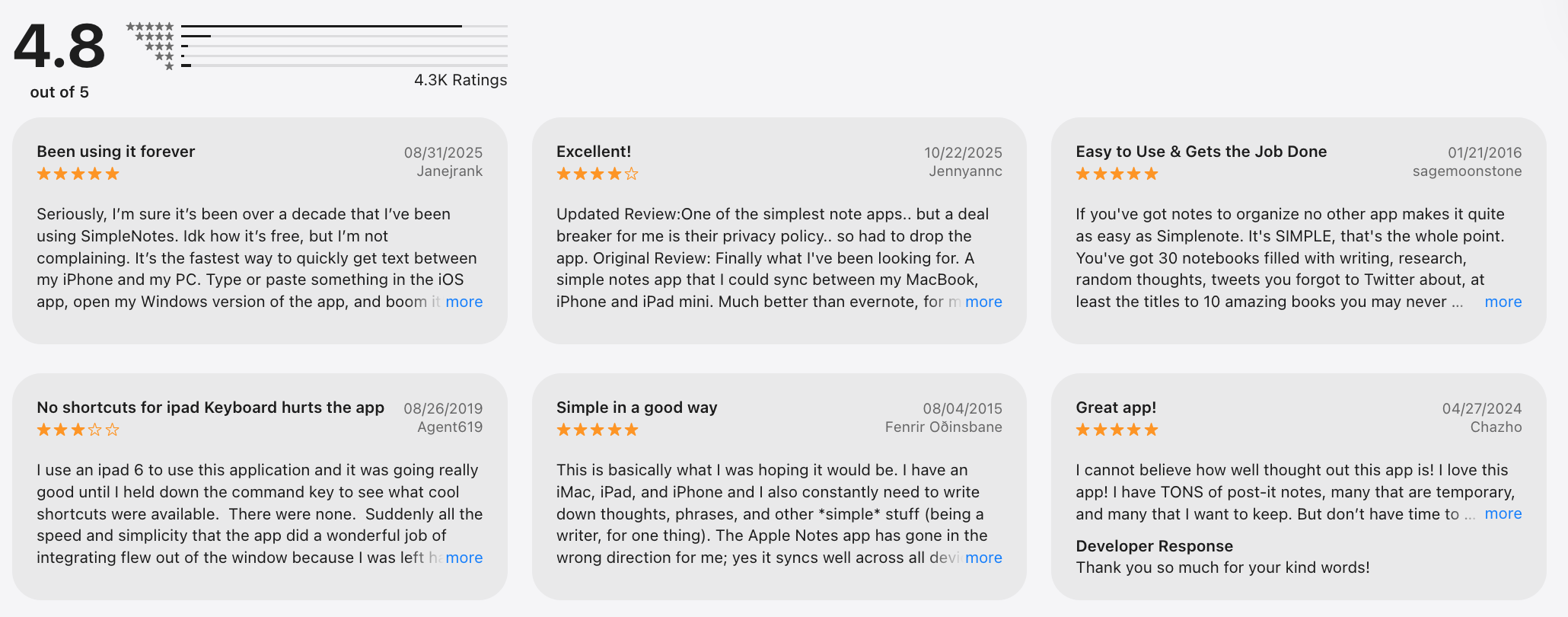
Simplenote review (source)
How to start
- Go to simplenote.com
- Create a free account and start writing immediately
3. TickTick

TickTick is a task management app with built-in notes, reminders, and planning tools. TickTick is designed to help you turn notes into actionable tasks.
You can write notes, set due dates, add recurring reminders, and organize everything into lists and projects. It works well if your notes often become to-dos rather than staying as passive information.
Key features
- TickTick supports time-based, location-based, and recurring reminders.
- You can write notes and instantly convert them into tasks with deadlines. This removes the friction of switching between a note app and a task manager.
- TickTick lets you see tasks and note-based tasks on a calendar.
- Built-in Pomodoro, timer and habit tracking help you act on your notes, not just store them.
What I liked
- Strong task and reminder system.
- Notes can easily become actionable tasks.
- Works across web, mobile, and desktop.
What I disliked
- Notes are secondary to tasks, not the core focus.
- Interface can feel busy compared to Google Keep.
- An advanced AI assistant for task management, like Saner.AI, is lacking.
Pricing
- Free plan available
- Premium: ~$3/month or ~$36/year
Suitable for
- People who use notes mainly to manage tasks.
- Users are replacing Google Keep with a task-first workflow.
- Professionals who rely on reminders and scheduling.
How to start
- Go to ticktick.com
- Create a free account and start with notes or tasks
TickTick review (source)

4. Zoho Notebook
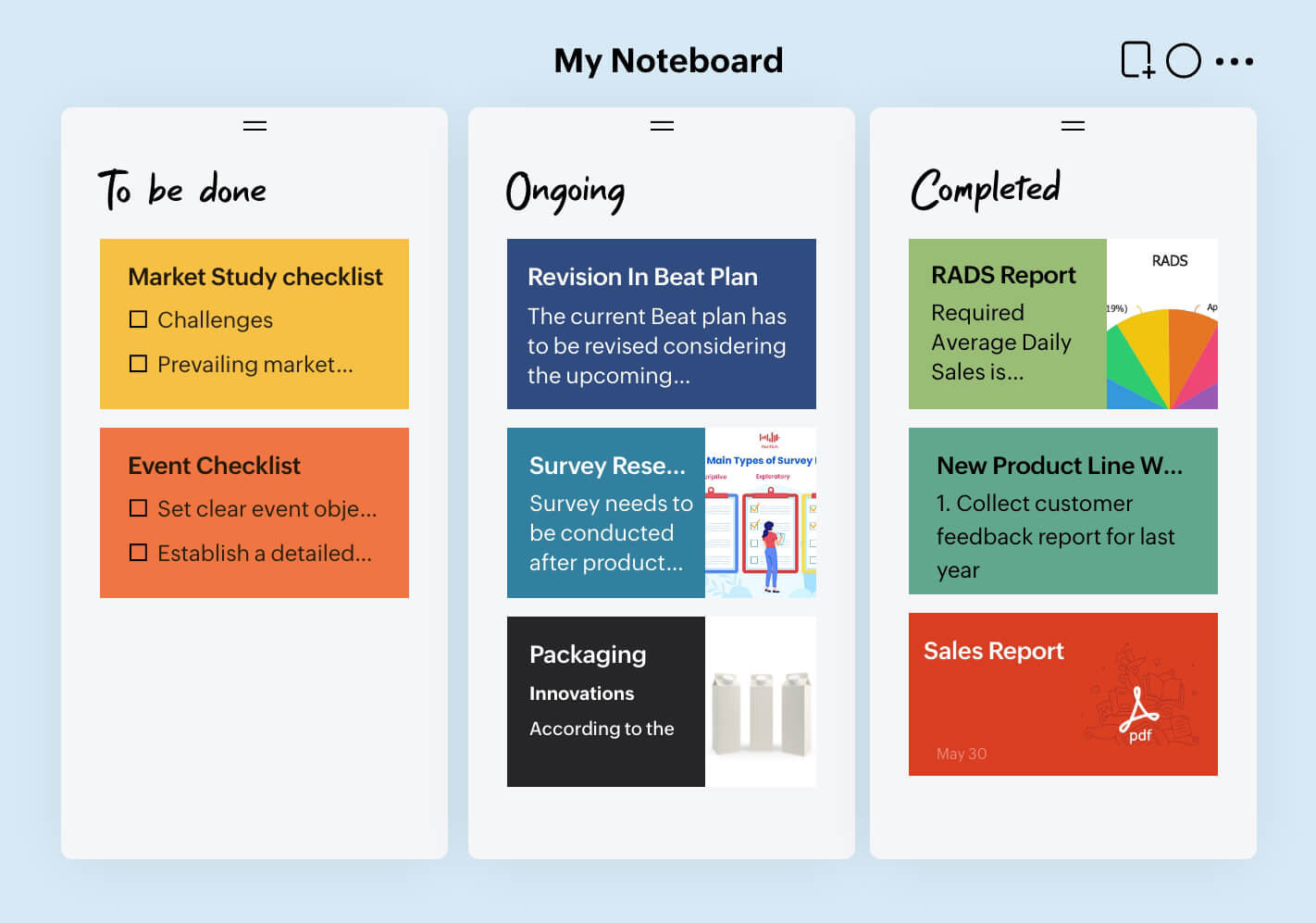
Zoho Notebook is a visual note-taking app that organizes notes into cards instead of plain lists. Each note type (text, checklist, image, audio, file) has its own card style, which makes information easier to scan.
Compared to Google Keep, it feels more structured and polished while still staying simple. Zoho Notebook is designed for people who like visual clarity without turning notes into complex documents.
Key features
- Notes are separated into different card types, making content easier to organize. This works well when notes include media, checklists, or attachments.
- You can group notes into notebooks and keep related content together.
- Zoho Notebook supports images, audio notes, files, and sketches natively. Google Keep supports media, but Zoho’s presentation is cleaner and more structured.
- Notes sync across web, mobile, and desktop, and you can still access them offline.
What I liked
- Clean, visual, and easy to navigate
- Strong support for media-rich notes
- The free plan is generous for most users
What I disliked
- Search is slower compared to text-first apps.
- No built-in task management or reminders like Saner.AI.
- Less ideal for long-form or Markdown-heavy writing.
Pricing
- Free: $0/month (most core features included)
- Notebook Pro: ~$20/year (adds extra storage and advanced features)
Suitable for
- Users who like visual notes and card-style layouts
- People storing mixed content (text, images, audio)
- Users who want better organization without complexity
How to start
- Go to zoho.com
- Create a free Zoho account and start organizing your notes
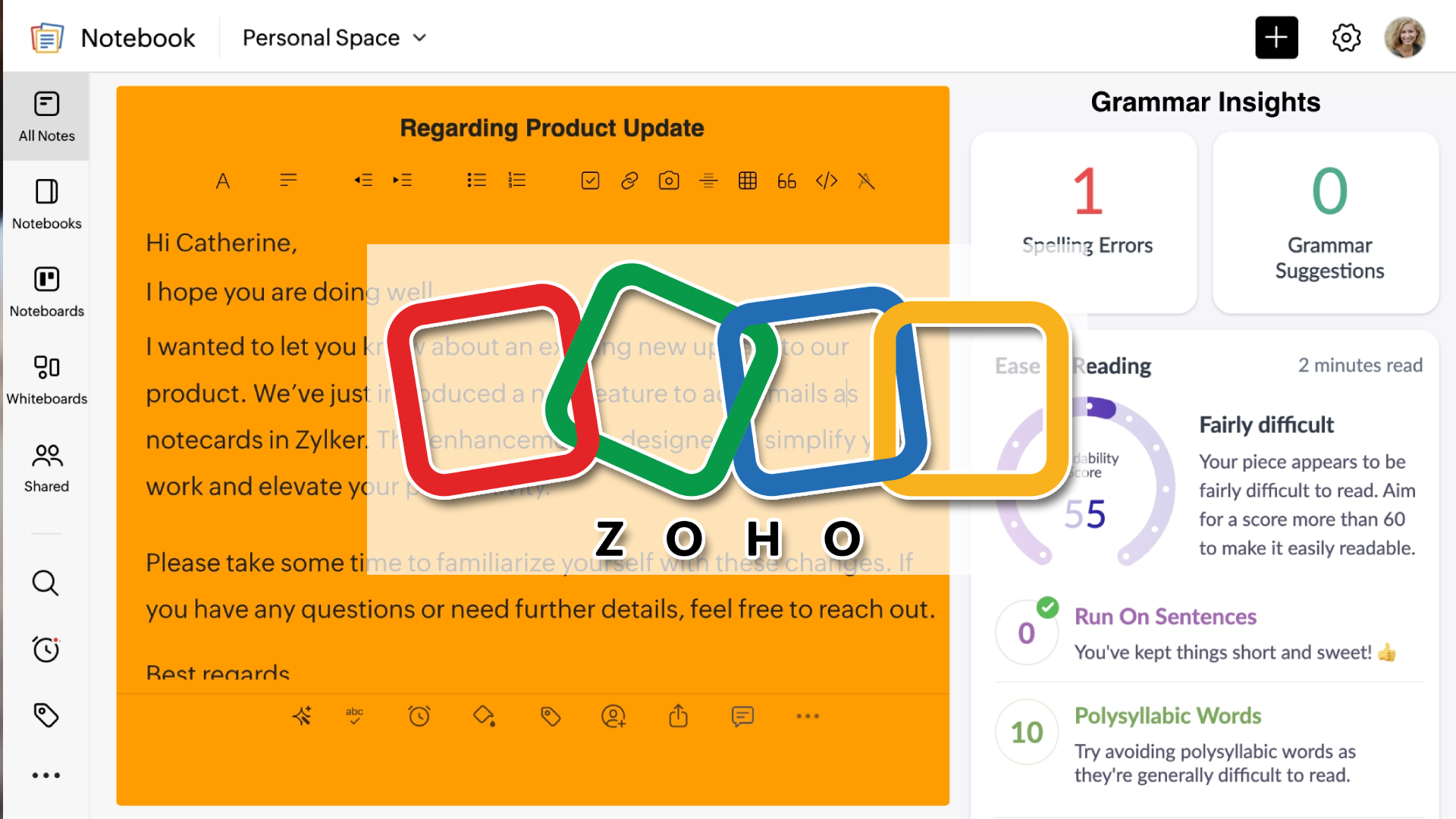
Zoho Notebook review (source)

5. Bear
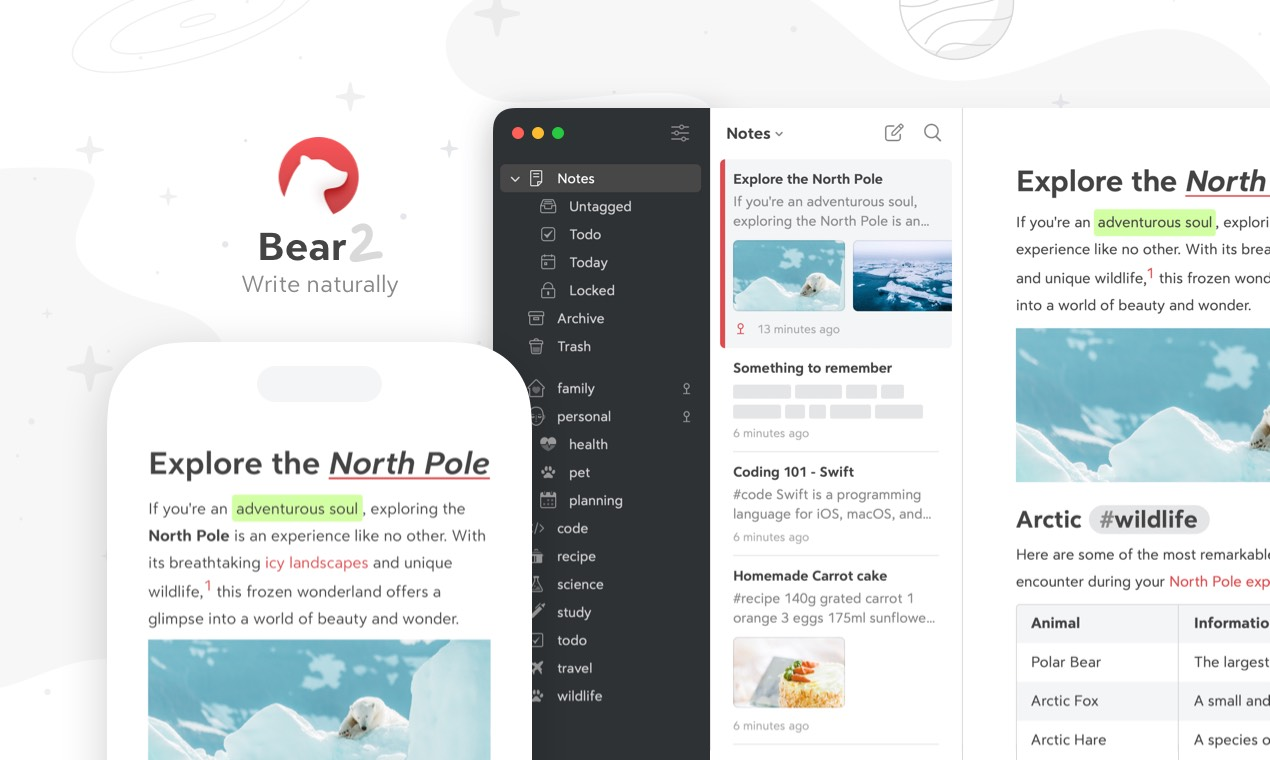
Bear is a markdown-based note-taking app designed for individuals who want a clean, focused space to write, organize, and retrieve notes. It’s built primarily for writing-first workflows, not task management or collaboration.
Bear works best when your notes are text-heavy: ideas, drafts, journals, research, and structured thinking. Instead of folders, it uses tags and nested tags to organize notes in a flexible way.
The app runs locally on your devices and syncs via iCloud, making it fast, private, and reliable - but also very much an Apple-only ecosystem.
Key features
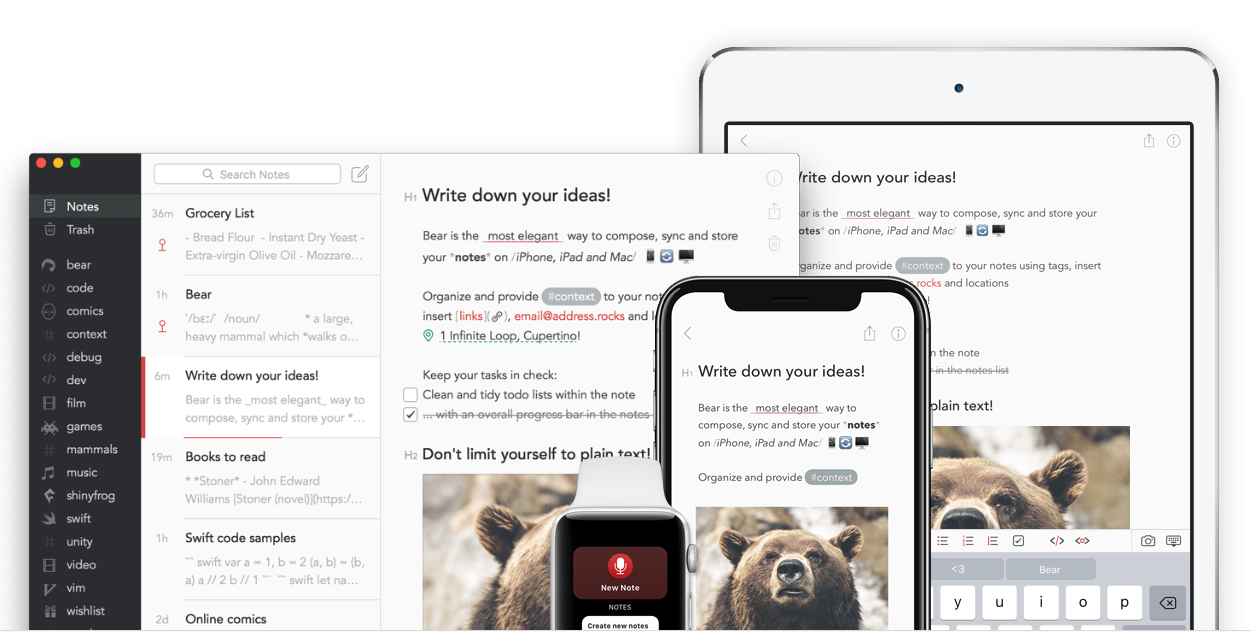
- Bear supports full Markdown with live preview, shortcuts, and syntax highlighting. Headings, lists, code blocks, tables, and inline formatting feel natural and fast, especially for long-form writing.
- Instead of folders, Bear lets you organize notes using tags like #work/meeting or #ideas/blog.
- Bear is known for its design. You can choose from multiple themes (light/dark) and fonts.
- Notes are stored locally and sync automatically across Mac, iPhone, and iPad via iCloud.
What I liked
- Clean, distraction-free writing experience
- Excellent Markdown support for structured notes
- Fast performance, even with large note libraries
What I disliked
- Apple-only (no Windows, Android, or web app).
- No built-in task management or AI Assistant like Saner.AI.
- Limited collaboration and sharing features.
Pricing
- Free plan: Basic note-taking with limited export options.
- Bear Pro: ~$2.99/month or ~$29.99/year.
Suitable for
- Writers, bloggers, and content creators.
- Students or researchers who work mainly with text.
- Apple users who want a beautiful, lightweight Google Keep alternative focused on notes (not tasks).
How to start
- Download Bear from the Mac App Store or iOS App Store.
- Create notes using Markdown and organize them with tags.
Bear review (source)

6. Nimbus Note
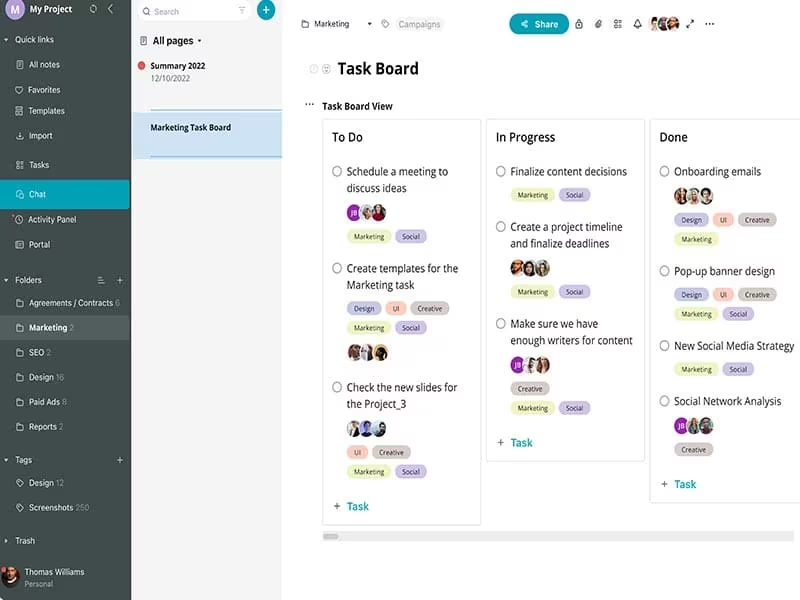
Nimbus Note is an all-in-one note-taking and workspace tool designed for organizing information, tasks, and documents in one place.
Unlike Google Keep, Nimbus Note supports long-form notes, structured documents, databases, and folders, making it suitable for managing complex information. You can use it for meeting notes, project documentation, research, or internal wikis.
Nimbus Note works across web, desktop, and mobile, which makes it more flexible than many writing-focused note apps.
Key features
- Nimbus Note supports text, images, checklists, tables, code blocks, embeds, and files in a single note. This makes it suitable for documentation, research, and detailed planning - not just quick notes.
- Notes are organized using folders and subfolders. This structure works well for large note libraries.
- You can turn checklist items into tasks, assign due dates, and track progress.
- Nimbus offers a strong web clipper that lets you save articles, screenshots, videos, and webpages directly into your notes.
What I liked
- Supports complex, long-form notes and documentation.
- Works on web, desktop, and mobile.
- Built-in tasks and web clipping add real productivity value
What I disliked
- Interface can feel heavy compared to Saner.AI.
- Learning curve is higher for new users.
- Performance may slow down with very large workspace.
- No AI Assistant
Pricing
- Free plan: Limited storage and features.
- Pro plan: ~$4–5/month (billed yearly).
- Business plan: ~$6–8/month (billed yearly), with team features and advanced permissions.
Suitable for
- Professionals managing lots of information or documentation.
- Users who want a more powerful Google Keep alternative.
- Individuals or small teams building a personal or shared knowledge base
How to start
- Visit Nimbus Note and create a free account.
- Set up folders to mirror how you think and work.
- Use the web clipper to start building your knowledge base.
Nimbus Note review (source)
Conclusion: Which Google Keep Alternatives would be suitable for you in 2026?
Here’s the truth: there’s no single “best Google Keep alternative” for everyone in 2026 - because people don’t think, plan, or work the same way.
- If you’re looking for a next-generation Google Keep alternative - one that doesn’t just store notes but actively helps you think, plan, and prioritize - Saner.AI clearly stands out.
- Some users want a simple, fast note-taking app that stays out of the way - that’s where Simplenote shines.
- Others need a notes + tasks hybrid to manage deadlines and reminders, which makes TickTick a solid Google Keep replacement.
- If visual organization matters, Zoho Notebook offers a more colorful, notebook-style experience.
- Writers who value clean design and Markdown often gravitate toward Bear.
And for teams or research-heavy workflows, Nimbus Note brings structure beyond basic notes.
Saner.AI goes beyond traditional note-taking apps by combining AI-powered task management, contextual understanding, and frictionless capture. You don’t organize notes - the system does it for you. You don’t juggle ideas - they’re connected automatically. For anyone overwhelmed by scattered notes, to-dos, and mental clutter, this is where Google Keep replacements evolve into something smarter.
Our recommendation:
✨ Try 2–3 Google Keep alternatives with different strengths (simple notes, task-focused, AI-powered)
🧪 Use them in real life: daily planning, content ideas, quick thoughts, long-term goals
🧠 Measure mental clarity, not just features or price
If a tool helps you feel more focused, less scattered, and in control of your day, that’s your best Google Keep alternative.
Stay on top of your work and life
Best Google Keep alternatives: FAQ
1. The best alternative depends on what you felt Google Keep was missing.
The best Google Keep alternative depends on how you actually use notes.
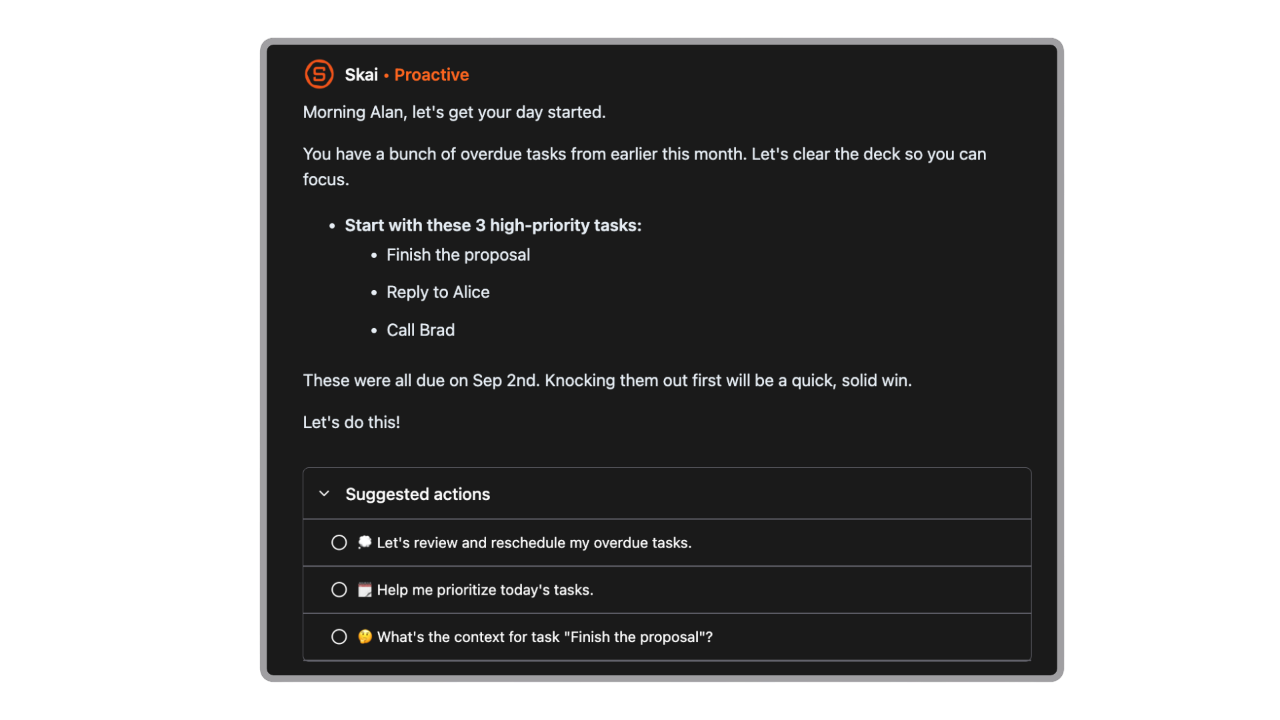
If you mainly capture quick ideas, many lightweight apps work well. But if your notes often turn into things you need to remember or act on, tools like Saner.AI are often considered because they connect notes with follow-ups instead of leaving them as static text.
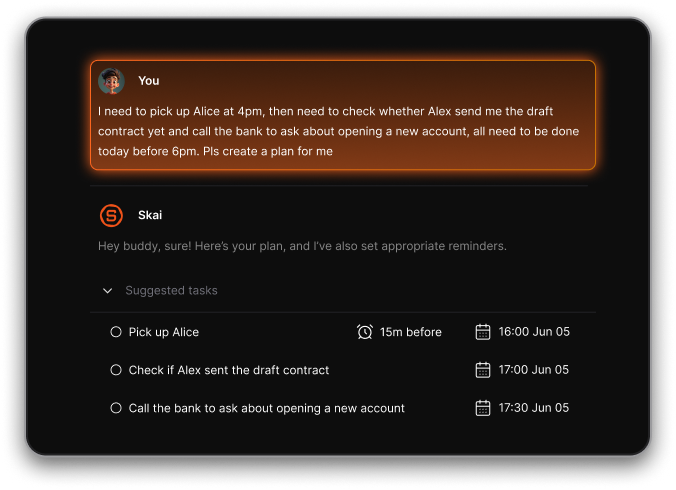
2. Is there a better Google Keep replacement for productivity?
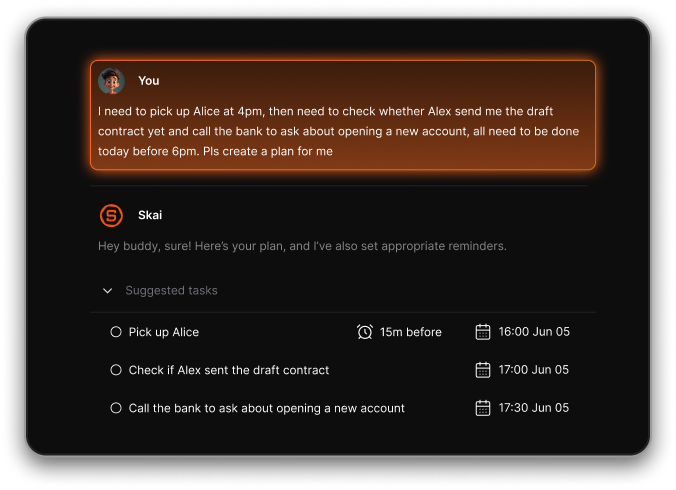
Yes. If productivity means actually following through, many Google Keep alternatives go further by:
- Turning notes into tasks
- Adding reminders and due dates
- Connecting notes with daily planning
An app like Saner.AI is often better suited for people who use Google Keep as a lightweight to-do list.
3. Which Google Keep alternative is best for turning notes into tasks?
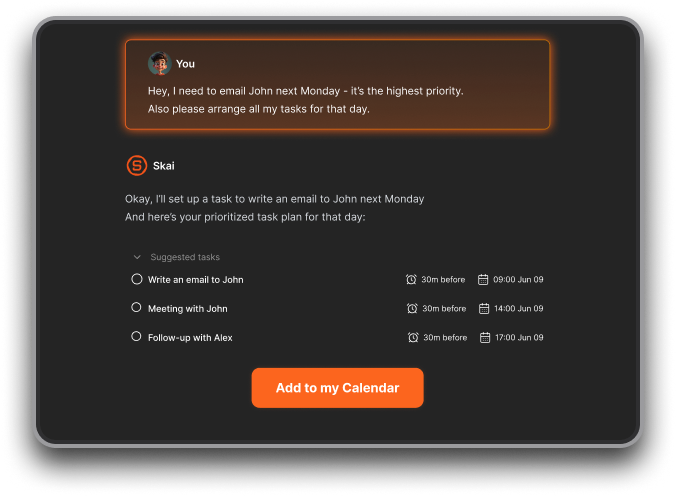
Most note apps stop at storage. A smaller group focuses on execution.
Saner.AI is often mentioned here because it treats notes as potential actions, not just information, making it easier to move from “write it down” to “get it done.”
4. Are Google Keep alternatives free?
Many are. Most tools listed in “6 best Google Keep alternatives” including Saner.AI offer:
- A free plan for basic notes
- Optional paid plans for sync, advanced organization, or AI features
Free plans are usually enough for personal use, while paid plans suit heavier workflows.
5. What are the limitations of Google Keep that alternatives solve?
Common reasons people switch away from Google Keep:
- No real folder or hierarchy
- Weak long-form writing support
- Limited task management
- Notes become cluttered over time
Google Keep alternatives typically focus on structure, retrieval, or follow-through.
6. Which Google Keep alternative is best for writing notes?
For writing-focused users, alternatives often prioritize:
- Clean, distraction-free editors
- Markdown or formatting support
- Long-form note organization
Apps like Saner.AI, Bear are popular among writers who find Google Keep too basic.
7. Which Google Keep alternative works best for daily planning?
Daily planning requires more than sticky notes.
Some alternatives, including Saner.AI, focus on surfacing what’s relevant today, rather than showing all notes at once - something Google Keep doesn’t handle well.
8. Which Google Keep alternative is best for remembering follow-ups?
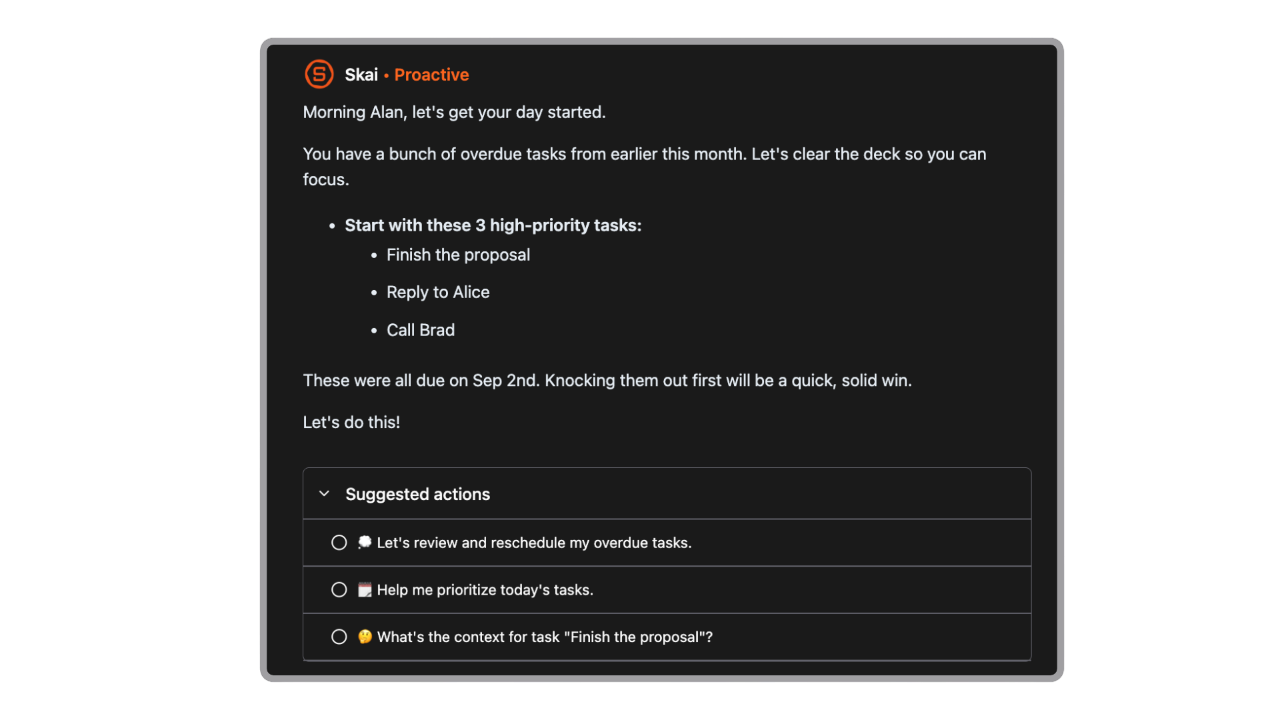
Google Keep doesn’t natively handle follow-ups well.
Saner.AI is often mentioned in this context because it connects notes with reminders, making it easier to remember things like “check back next week” or “reply later.”
9. Which Google Keep alternative works best across devices?
Most modern alternatives support:
- Web
- iOS and Android
- Sync across devices
If cross-device access matters, check whether the app works offline and syncs reliably, and apps like Saner.AI fill in the gap perfectly.
10. Can Saner.AI replace both Google Keep and a to-do app?
For some users, yes.
Instead of keeping notes in Google Keep and tasks elsewhere, Saner.AI combines both, which is why it’s sometimes chosen as a single replacement rather than just a note app.
11. Which Google Keep alternative is best for minimalists?
Minimalists usually want:
- Zero setup
- Fast capture
- No dashboards or complexity
Apps like Saner.AI are often recommended as the closest “clean” replacement.
12. Are there Google Keep alternatives with AI features?
Yes. Newer tools use AI to:
- Understand messy notes
- Help you find things faster
- Suggest next actions
AI-powered Google Keep alternatives focus less on storage and more on reducing mental load.
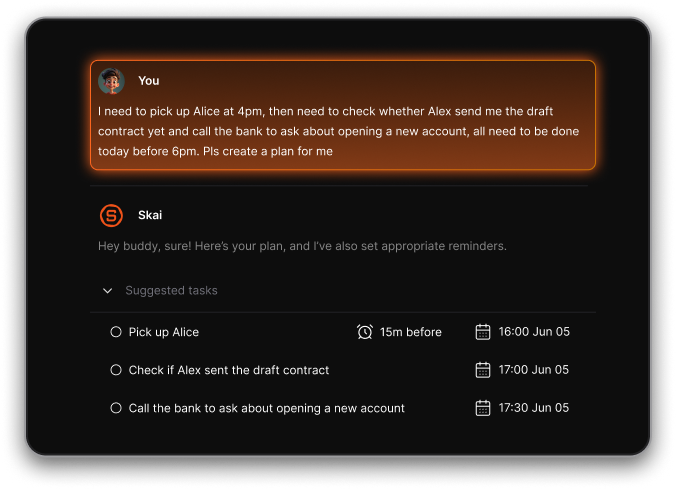
13. What’s the best Google Keep alternative for work?
For work use, people often need:
- Task follow-ups
- Meeting notes
- Searchable context
Google Keep alternatives like Saner.AI designed for professionals usually combine notes, tasks, and reminders so nothing slips through.
14. Can I migrate from Google Keep to another app easily?
Most Google Keep alternatives support:
- Manual copy/paste
- Import from text or Google Takeout
While migration isn’t always one-click, many users take it as a chance to clean up old notes.
15. How does Saner.AI compare to other Google Keep alternatives?
In most “6 best Google Keep alternatives” comparisons:
- Google Keep = fast capture
- Writing apps = better long-form notes
- Task apps = stronger execution
Saner.AI usually sits in the middle - designed for people who want notes that don’t get forgotten.
Stay on top of your work and life