Jarvis Apps: We Tested the 7 Best in 2026 (Free)
The Best Jarvis Apps are Saner.AI, OpenClaw, Coment, Manus, ChatGPT, Claude, and Gemini

We've tested and reviewed the Best Jarvis Apps in 2026
TL;DR: Key Takeaways
- Jarvis app is an AI assistant app designed to help with tasks like scheduling, note-taking, reminders, and productivity workflows.
- The best Jarvis apps currently are Saner.AI, OpenClaw, and Comet
- It's ideal for busy professionals, entrepreneurs, and anyone overwhelmed by context-switching.
The dream of every tech enthusiast? To have their own Jarvis.
A few years ago, I thought that dream was pure fiction. Something for the distant future. A personal AI assistant like Tony Stark’s companion? That felt like sci-fi we’d never live to see.
But then, ChatGPT debuted - and everything changed.
The assumption that “it’s impossible” broke apart, and happily so.
With the rapid acceleration of AI, we’re moving closer to a world where each of us could have our own Jarvis - an assistant that helps us manage our lives, work, homes, and even holds meaningful conversations.
Sure, we don’t have flying suits (yet!), but we’re closer than ever to realizing this dream. AI apps are evolving fast, turning science fiction into reality.
Having explored this field for quite some time - and even building one myself - I’ve seen how far we’ve come.
So let’s dive into the AI assistants inspired by the concept of Jarvis emerging today and explore how they’re shaping the personal assistant of the future
1. What Is Jarvis?

Jarvis (“Just A Rather Very Intelligent System”) acted as Tony Stark’s second brain, offering:
- Contextual Awareness: Understanding what Tony saved, needed, and giving it to him, often before he asked.
- Conversational Intelligence: Engaging in fluid, human-like dialogue.
- Task Automation: From running simulations to organizing schedules.
- Smart Home Integration: Seamlessly controlling all aspects of Stark’s tech-laden mansion.
Modern AI assistants draw heavily from this vision, aiming to create tools that are intuitive and efficient for users
2. How We Tested and Ranked the Best Jarvis Apps
To keep this objective, we evaluated each app on:
- Proactivity – Does it suggest actions?
- Context Memory – Can it remember ongoing projects?
- Automation Ability – Can it execute multi-step workflows?
- Integrations – Works across tools?
- Voice Capability – Real-time voice support?
- Real-World Usefulness – Does it improve daily workflows?
- Privacy & Data Control
Apps were ranked based on practical value.
Now, let's dive in!
What Are The Best Jarvis Apps?
The Best Jarvis Apps are Saner.AI, OpenClaw, Coment, Manus, ChatGPT, Claude, and Gemini
Best Jarvis Apps in 2026 – Feature Comparison
| 🤖 App | 🎯 Best For | 💡 Core Strength | ⚙️ Automation Level | 🔗 Integrations | 💰 Pricing | 🖥️ Platform |
|---|---|---|---|---|---|---|
| Saner.AI | Knowledge workers, founders | AI proactive planning and memory | Medium | Notes, tasks, workspace tools | Freemium | Web |
| OpenClaw | Automation enthusiasts | Autonomous multi-step AI agents | High | LLM APIs, local workflows | Free (API costs) | Web / Local |
| Coment | Meetings & communication | AI summaries + action extraction | Medium | Calendar, meeting tools | Freemium | Web |
| Manus | Developers & automation builders | Custom AI agent creation | High | Cloud apps, APIs | Paid subscription | Web |
| ChatGPT | General AI assistant users | Advanced reasoning + multimodal AI | Medium | Plugins, APIs, third-party tools | Freemium / Plus | Web, iOS, Android |
| Claude | Writing & deep analysis | Long-context reasoning | Low–Medium | API integrations | Freemium / Pro | Web |
| Gemini | Google ecosystem users | Native Google Workspace integration | Medium | Gmail, Docs, Sheets, Search | Freemium / Advanced | Web, iOS, Android |
1. OpenClaw
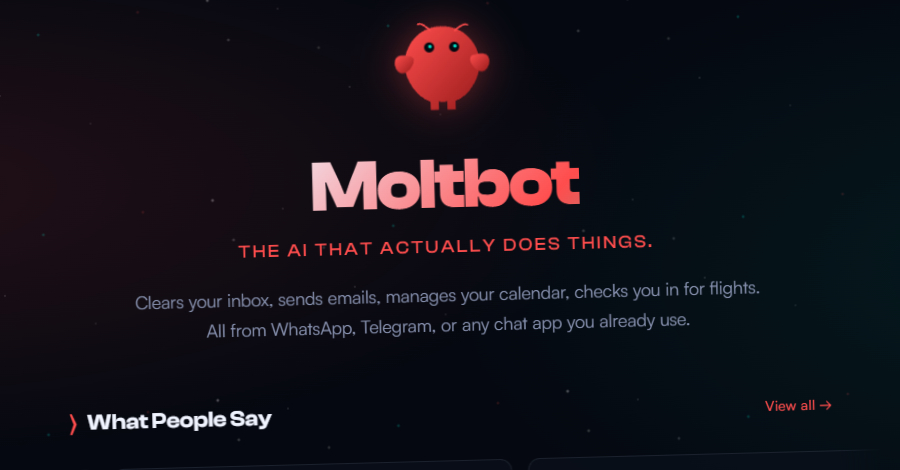
OpenClaw is an open-source autonomous AI assistant designed to act like a “Jarvis-style” agent. Instead of just replying to prompts, it can execute tasks for you through chat apps like WhatsApp, Telegram, Discord, or Slack.
Features
- Autonomous task execution (email handling, calendar updates, file actions, workflow automation)
- Works directly inside messaging apps you already use
- Model-agnostic (plug in OpenAI, Anthropic, Google, or local models)
- Open-source and self-hosted for privacy and customization
Pros:
- Very flexible and powerful
- Full data control if self-hosted
Cons:
- Setup is technical (server config, API keys, environment setup)
- Security risks if misconfigured or if unsafe community “skills” are installed
- API costs can scale quickly depending on model usage
- Not plug-and-play for non-technical users
Pricing:
- Free and open-source software
- You pay for:
- LLM API usage (varies by provider and usage)
- Optional cloud hosting (if not running locally)
Suitable For:
- Developers and technical users who want full control
- Privacy-focused users who prefer self-hosting
How to Start:
- Go to OpenClaw’s official website or GitHub
- Install locally or deploy to a VPS/cloud server
- Connect your preferred LLM API
2. Saner.AI
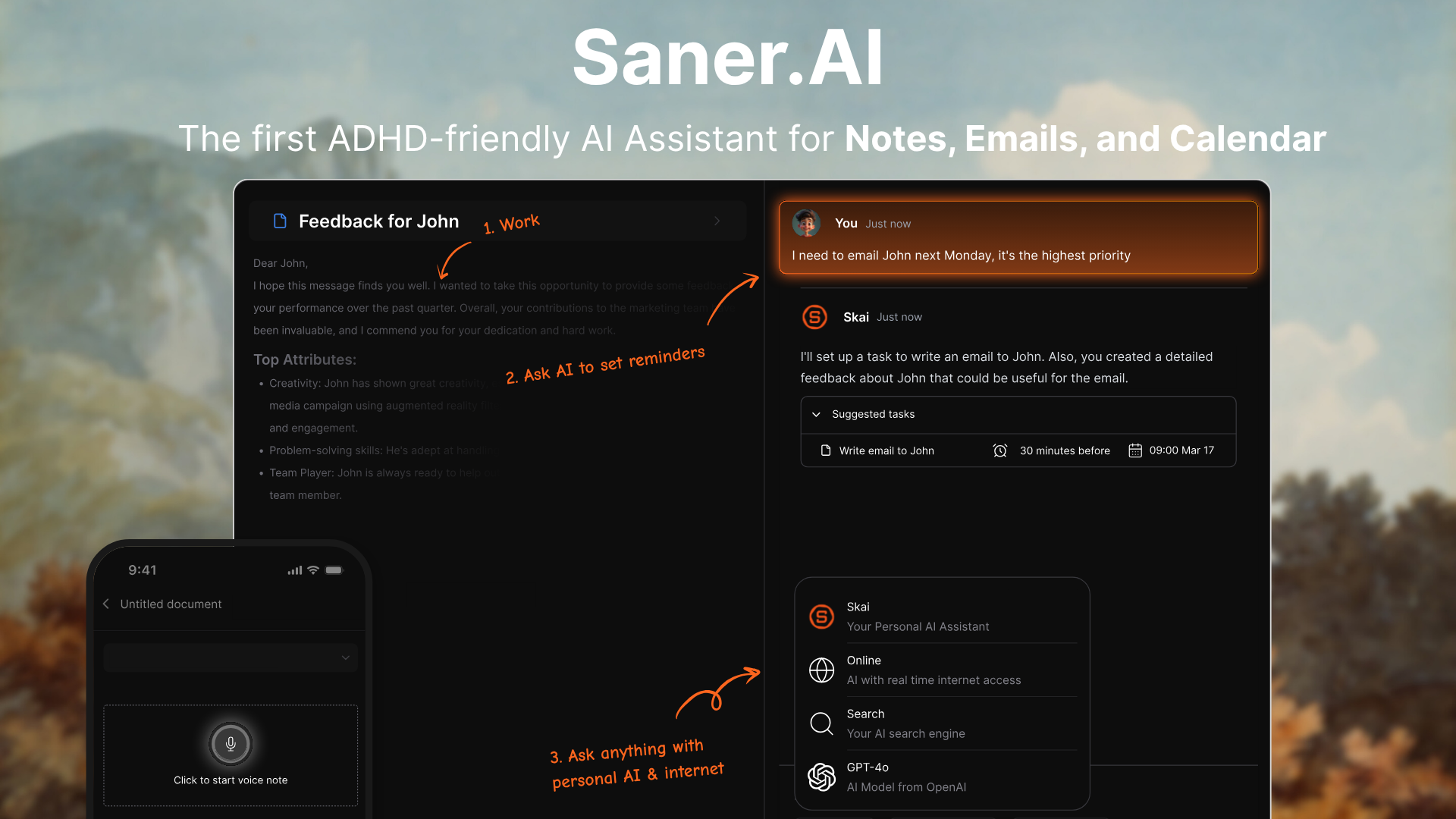
Saner.AI is an AI workspace that acts like a personal “Jarvis” for your digital life. It brings together notes, tasks, email, and calendar into one unified space where you can chat and plan across everything.
Key features:
- AI that can turn messy thoughts into structured tasks with reminders
- Natural-language search across your own knowledge base

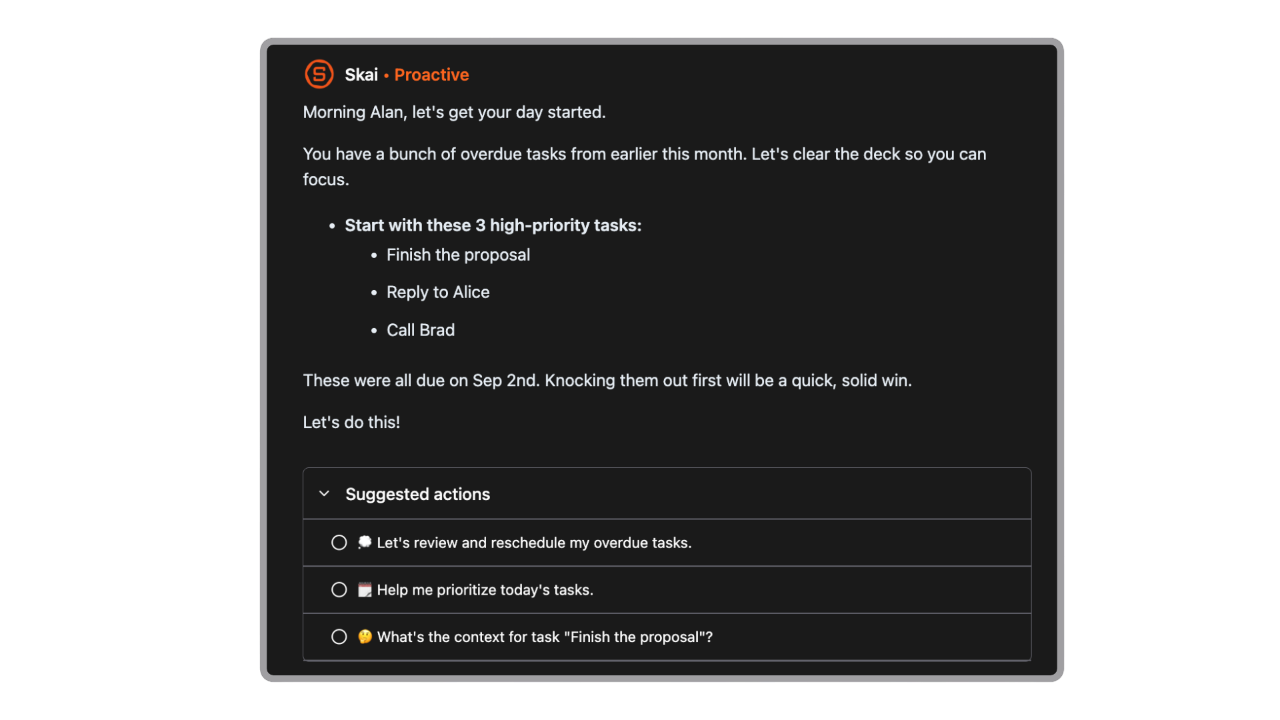
- Daily planning: Every morning, the AI scans your inbox, notes, and emails and gives you an optimal plan.
- Google Drive, Gmail, Slack, Calendar integration
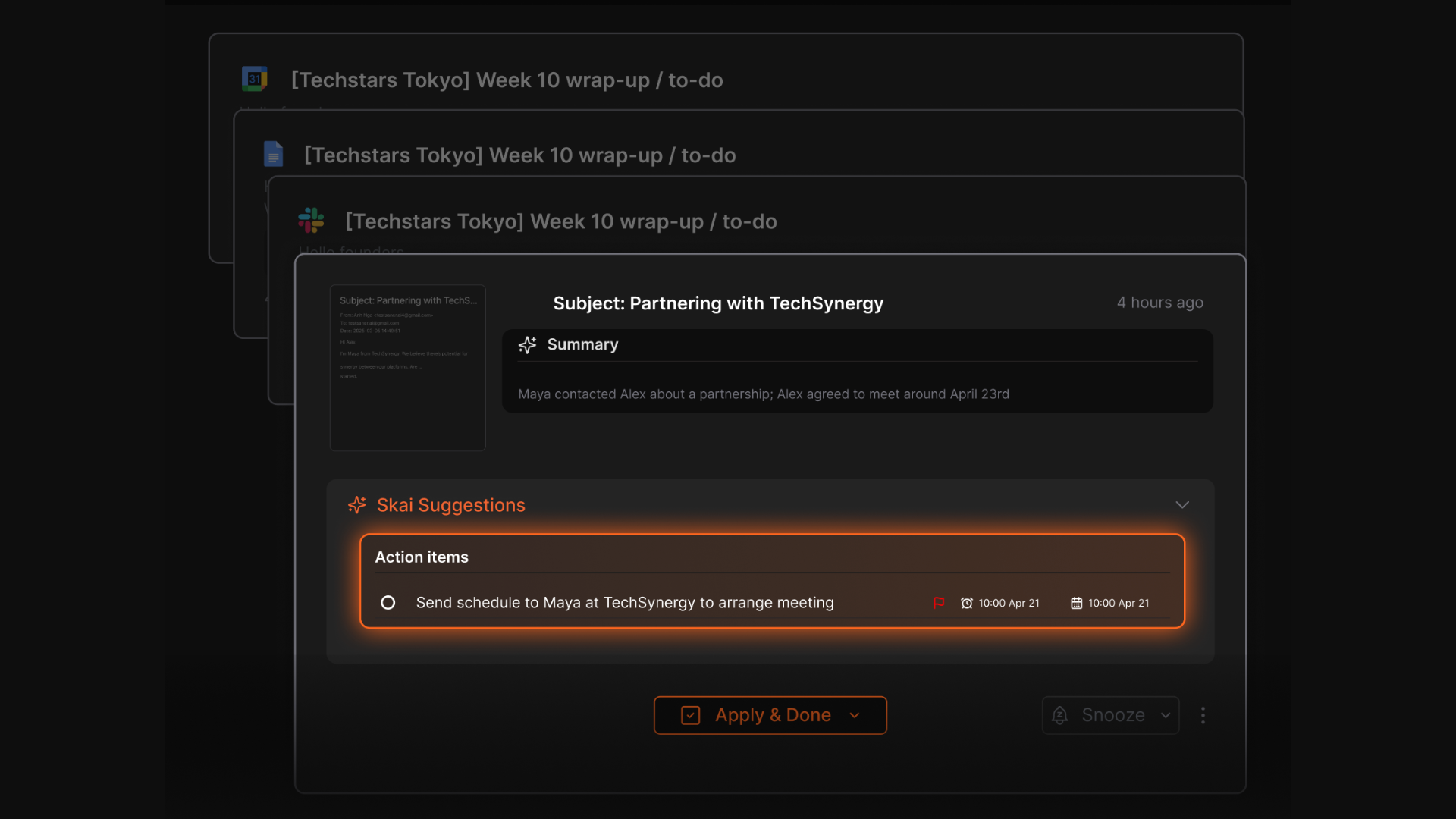
- Suggest action items from your emails and set reminders automatically
- Suggests related notes as you type (really helpful for writing or research)
- Smart tagging and folders for notes, emails, voice memos, and screenshots
- OCR and voice capture with support for multiple languages
What I liked:
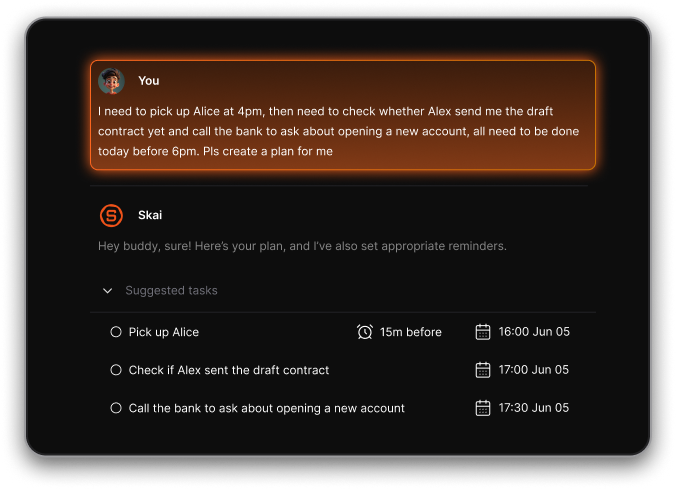
- I love how I can just dump a thought like “Ugh I haven’t sent the proposal and my inbox is a mess,” and Saner will turn that into actual to-dos with reminders.
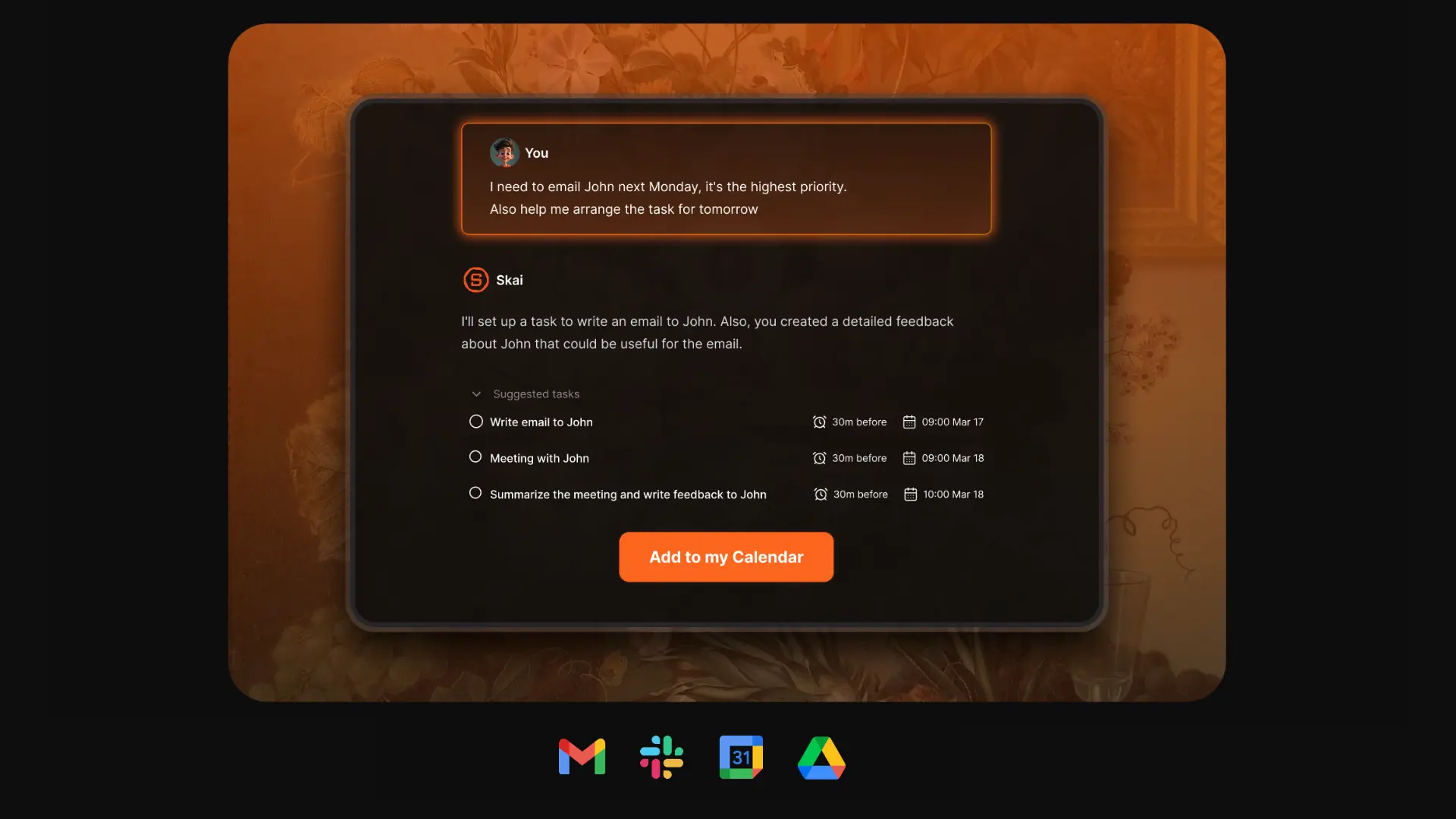
- Reduces context switching by keeping notes, tasks, and AI search in one place.
- The semantic search is strong. You don’t need perfect keywords to find ideas.
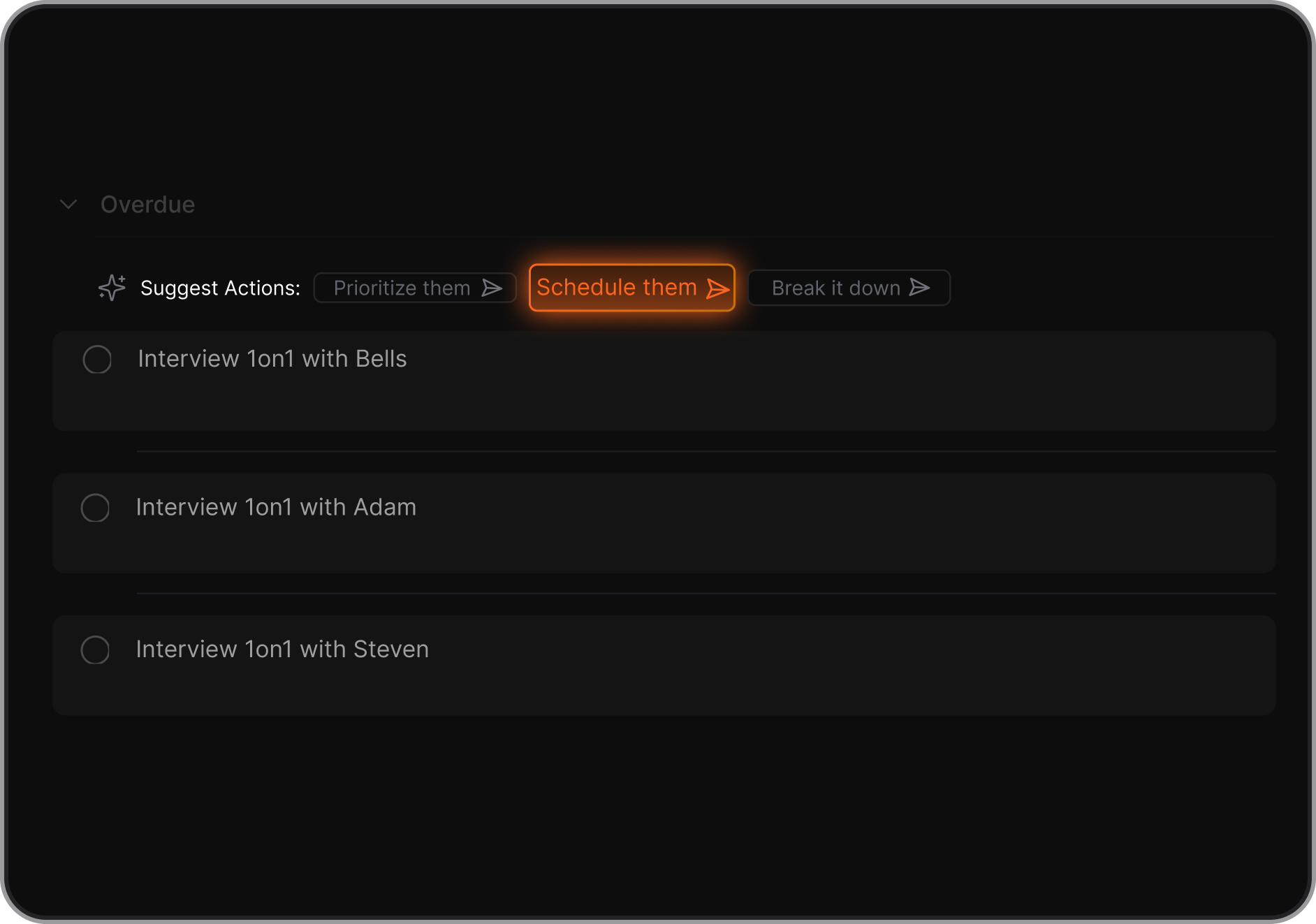
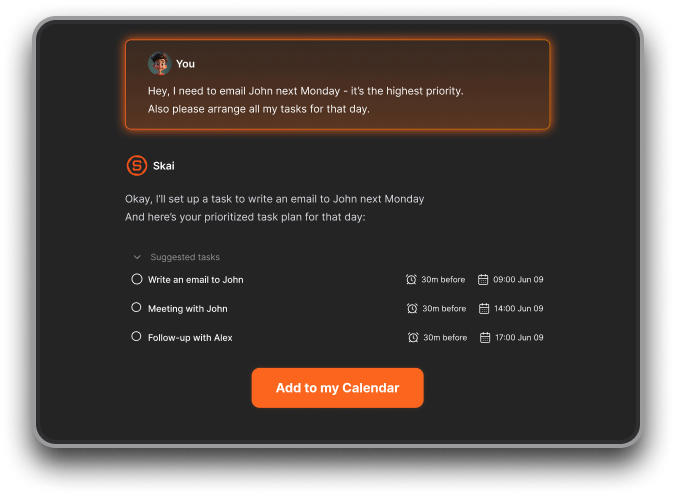
- The Skai assistant can break down big tasks and prioritize them for you - super helpful when you don’t know where to start.
Cons
- Not ideal for large teams or project timelines - no Gantt charts or complex task dependencies.
Pricing
- Free
- Starter: Monthly at $8/month, Annually at $6/month (with early user discount)
- Standard: Monthly at $16/month, Annually at $12/month (with early user discount)
Who is it suitable for?
- Entrepreneurs and knowledge workers managing lots of notes and ideas
- People overwhelmed by scattered productivity tools
- ADHD users who need less friction and fewer tabs
- Anyone wanting a conversational AI workspace instead of separate apps
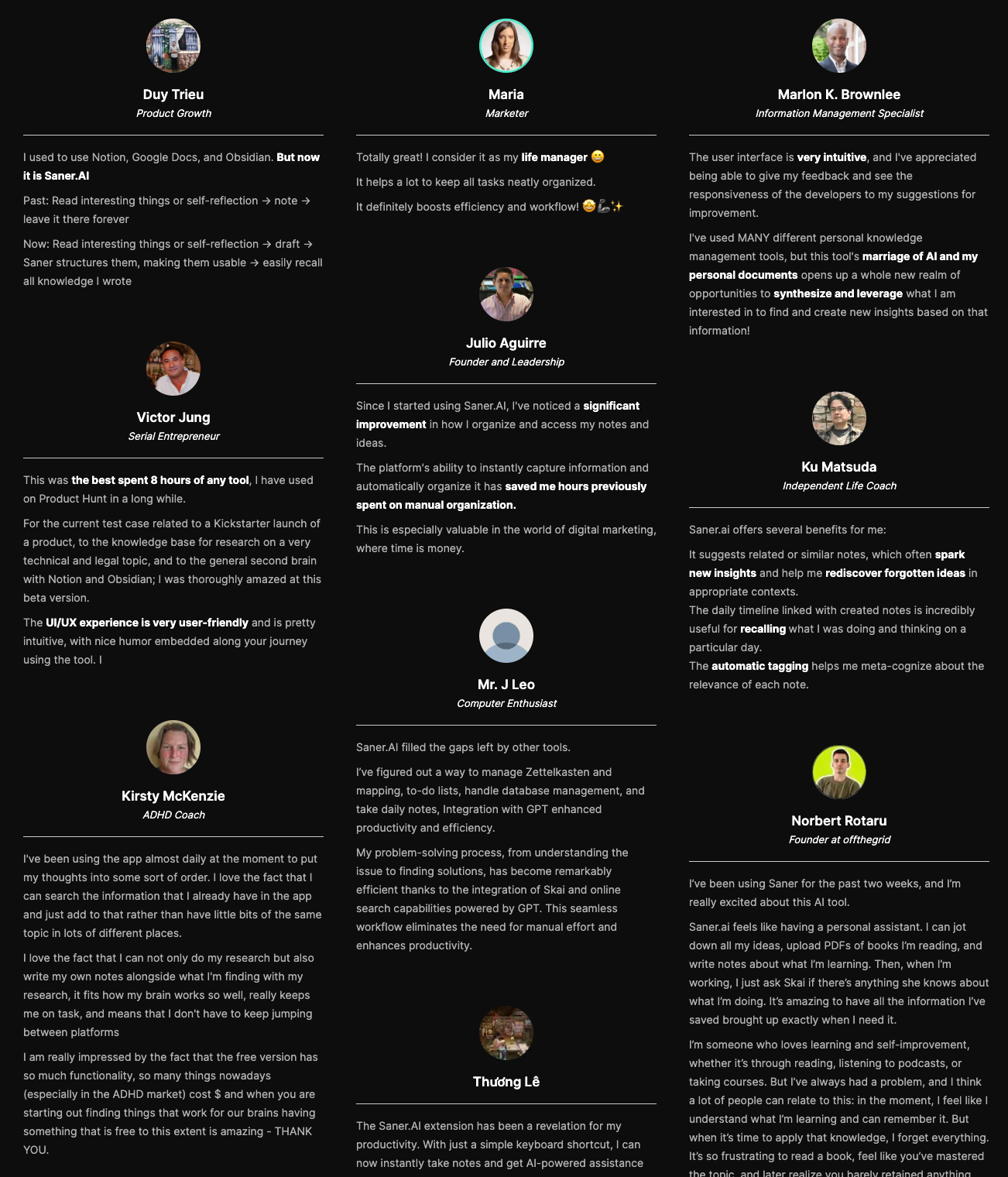
Saner.AI Reviews
How to start using it?
- Go to Saner.AI
- Create a free account
- Import your notes and start chatting with the AI

Stay on top of work and life with your Jarvis App
3. Comet Browser
Comet Browser is an AI-powered web browser built by Perplexity AI that integrates a conversational assistant directly into your browsing experience. Instead of just loading web pages, it helps you search, summarize, and take action across tabs
Key features
- Built-in AI assistant inside the browser sidebar
- Cross-tab summarization (analyze multiple open pages at once)
- Conversational search with cited answers
- Voice interaction mode
- Chromium-based, so it supports extensions and familiar browser features
What I liked:
- You can ask it to compare articles, summarize long threads, or explain complex pages instantly.
- Cross-tab summaries are genuinely useful for research and competitive analysis.
- It reduces context switching. You don’t have to copy/paste content into ChatGPT constantly.
What I disliked:
- It’s not fully autonomous. It helps you act, but it doesn’t independently execute long multi-step workflows like some AI agents.
- Heavy AI queries can slow things down depending on connection speed.
- As with any AI browser, users need to stay aware of privacy and prompt-injection risks.
Pricing:
- Free to use (availability may vary depending on rollout phase)
Suitable for:
- Researchers and knowledge workers who open 20+ tabs daily
- Founders and operators doing competitive research
- Students summarizing long academic materials
How to start:
- Go to the Comet Browser website
- Download and install
- Sign in and start asking questions directly inside your browser tabs
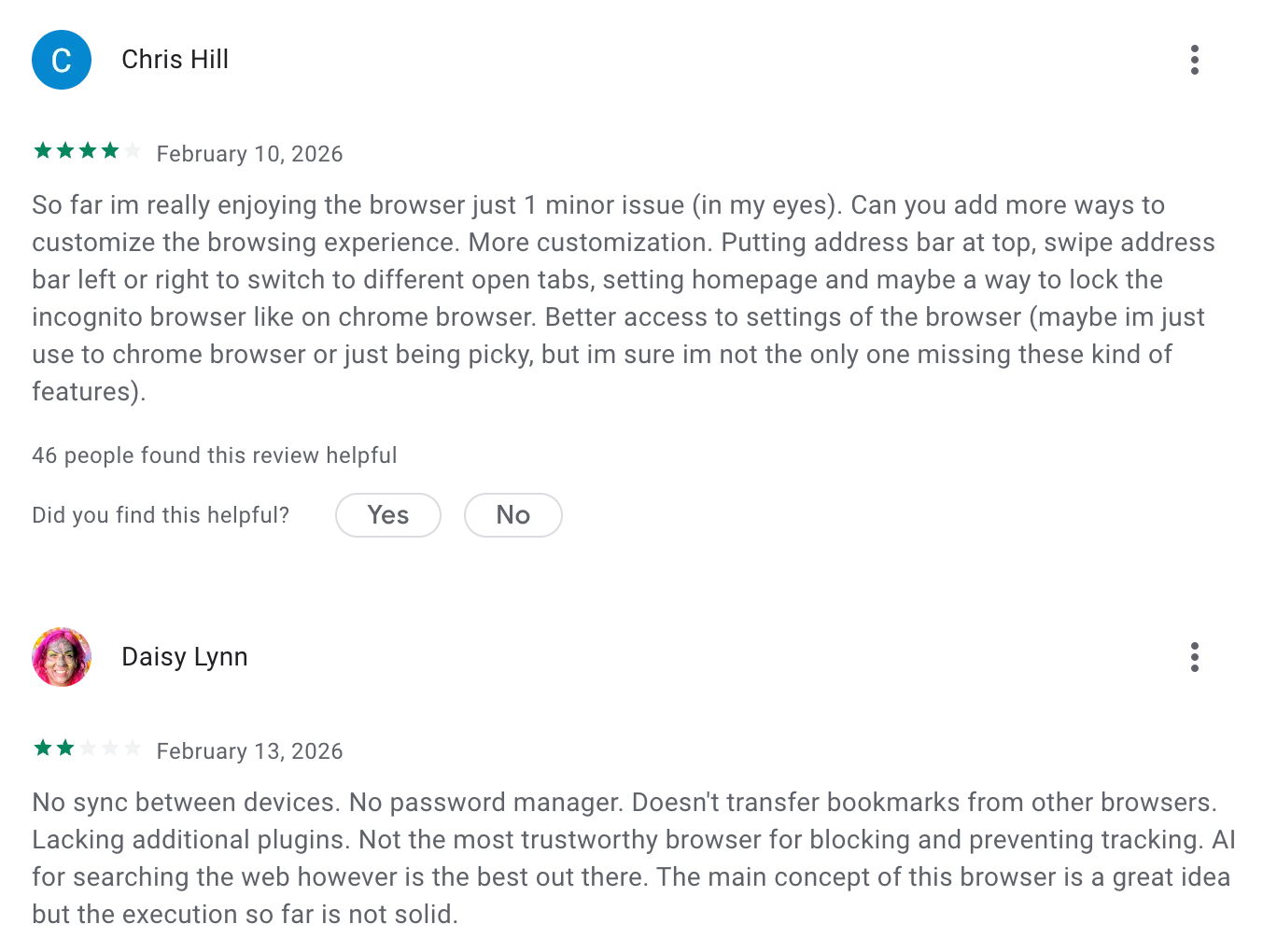
Comet reviews (source)
4. ChatGPT

A famous name in the AI chatbot field. It’s not just a chatbot - it can see, talk, browse the internet, manage projects, and even automate web tasks.
Key features
- Projects: Lets me group chats, files, and instructions into one workspace
- Deep Research: Browses the internet and compiles summaries with sources
- Voice & Canvas: I can talk to it or upload sketches—it just gets it
- File + Cloud access: Reads PDFs, spreadsheets, and connects to Google Drive
- Persistent Memory: Remembers preferences, facts, and context across chats
What I liked
- I love how versatile it is - it works with voice, files, images, and links.
- Deep Research saves me hours. I just ask a question, and it digs through the web for me.
- Projects are really handy
- ChatGPT agent - just released - is capable of doing things itself
What I disliked
- It’s not built for complex team workflows - no Gantt charts or timelines.
- The automations can get tripped up on clunky websites.
- Memory is opt-in and not available everywhere yet.
- It doesn't support tasks, calendar, or notes yet.
Pricing
- Free plan includes voice, images, and GPT-4o
- Plus starts at $20/month
- Pro and Team plans offer more tools like Deep Research and Operator
Suitable for:
- Anyone looking for powerful Jarvis apps - founders, freelancers, researchers, or anyone who wants an all-in-one assistant that can actually do things.
How to start:
- Just sign up at ChatGPT, try voice or file uploads, and explore what it can automate for you.
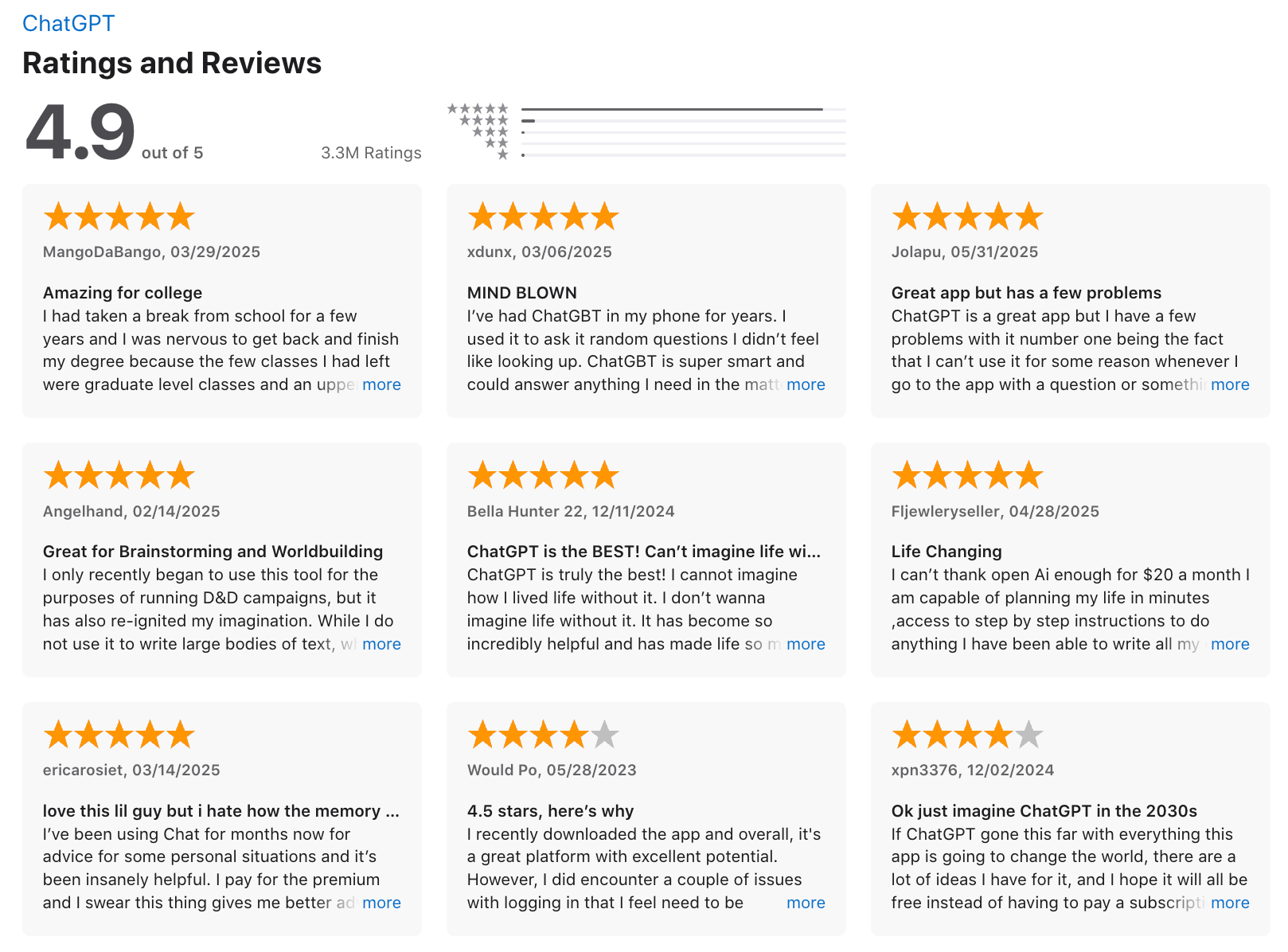
ChatGPT Review (source)
5. Manus
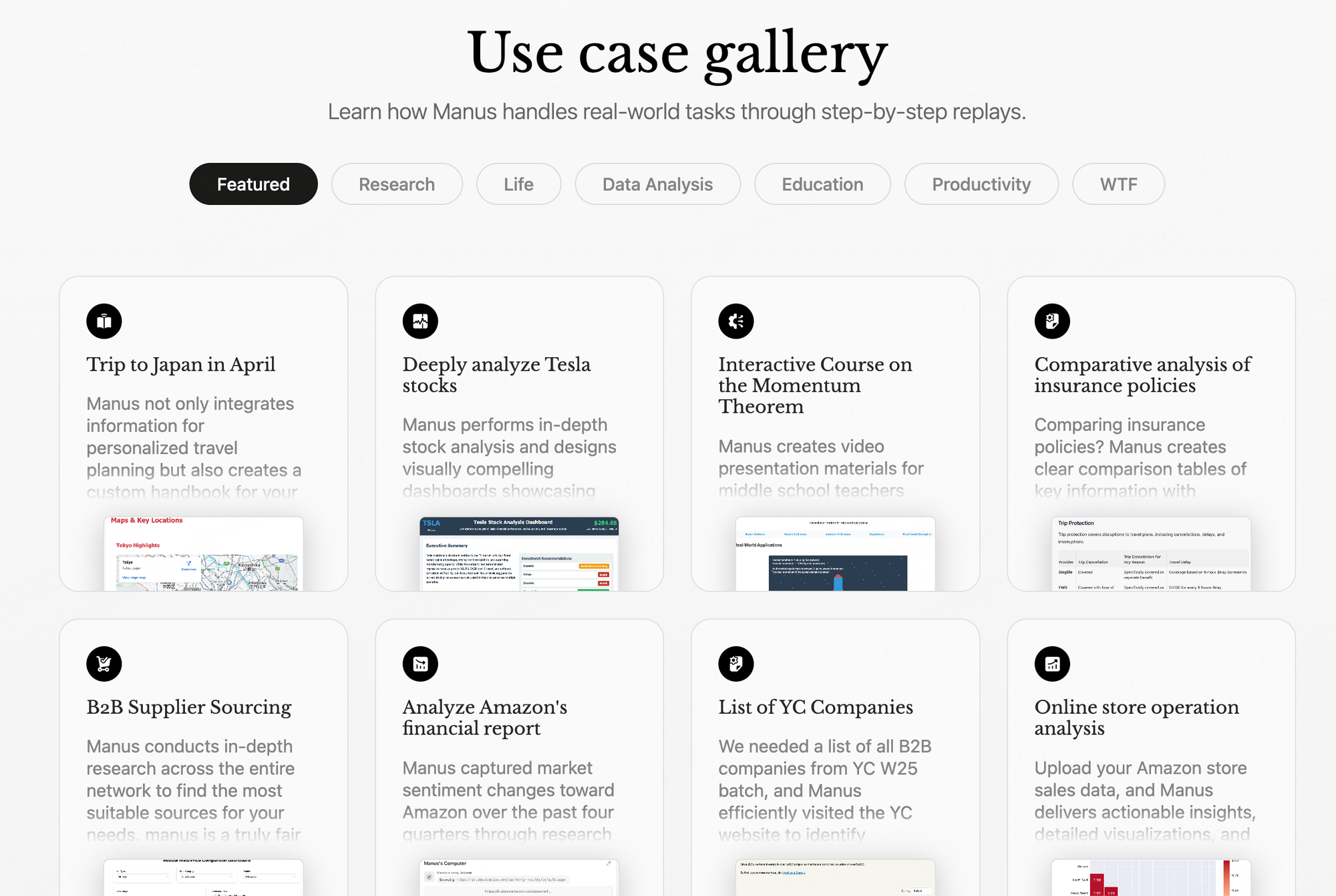
Manus.im is an autonomous AI agent that doesn’t just chat - it actually does things. Like, end-to-end execution of tasks: building websites, analyzing data, filling forms, even running code. You just tell it what you want, and it figures out the rest.
Key features
- Autonomous Task Execution: Plans and completes complex tasks without constant back-and-forth
- Code + Browser Control: Writes and runs code, fills out web forms, and navigates sites
- Process Transparency: Shows what it’s doing step-by-step so you can follow or step in
- Free Daily Credits: Run simple tasks daily without paying
What I liked
- Honestly, it feels like using an early version of a Jarvis app - just give it a goal and let it go.
- It handled full projects for me, like converting a resume into a full website.
- I didn’t need to babysit it. The fact that it can write and debug code, browse the web, and fill out forms on its own is wild.
- You get free credits each day, so it’s easy to try without spending upfront.
What I didn’t like
- It’s not the fastest. Some tasks took 30 - 60 minutes to finish.
- It can crash or stall, especially with longer tasks or tricky websites.
- There's no proper project dashboard or memory of previous tasks, so things feel a bit fragmented.
- It’s not cheap. After free credits, tasks cost around $2 or more, depending on what you're doing.
- It doesn't support document, task, and calendar management
Pricing
- Free daily tasks with bonus credits
- Paid starts at 20$/month
Suitable for
- Builders, developers, and power users who want a real autonomous assistant.
How to start
- Download the app or sign up on their site, try a task with free credits, and see how far it can go on its own.
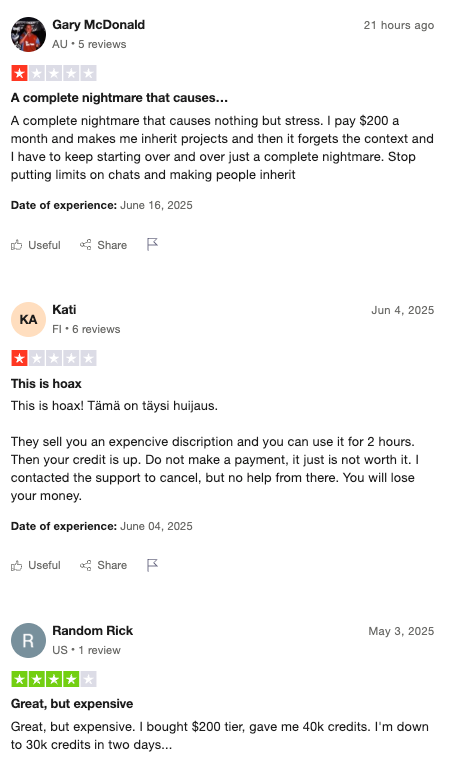
Manus reviews (source)
6. Gemini

Gemini is Google’s AI assistant designed to work across your devices and Google apps. It can chat, research, summarize, write, analyze files, and increasingly act across tools like Gmail and Calendar — which is why some people see it as moving toward a “Jarvis-style” assistant.
Key features
- Multimodal AI (text, voice, images, files)
- Deep integration with Gmail, Google Docs, Sheets, Slides, and Calendar
- Long context window for analyzing large documents and code
- Developer access via Google AI Studio and Vertex AI APIs
What I liked:
- It’s tightly integrated with the Google ecosystem. If you live in Gmail and Docs, it feels natural.
- Strong reasoning on long documents and structured data.
- Voice mode (Gemini Live) makes it feel closer to a real assistant than just a chatbot.
- Easy to start using if you already have a Google account.
What I disliked:
- Advanced features are locked behind paid plans.
- Still not fully autonomous. It assists well, but doesn’t yet run complex multi-step workflows independently like a true AI agent platform.
- Deep integrations may raise privacy concerns for some users.
- Performance can vary depending on the model tier (Free vs Advanced).
Pricing:
- Free tier with core chat features
- Gemini Advanced available through Google One AI Premium (around $20/month, varies by region)
Suitable for:
- Professionals already using Google Workspace
- Students and researchers working with long documents
- Developers building AI-powered tools with Google’s API stack
How to start:
- Go to the Gemini web app or download the Gemini mobile app
- Sign in with your Google account
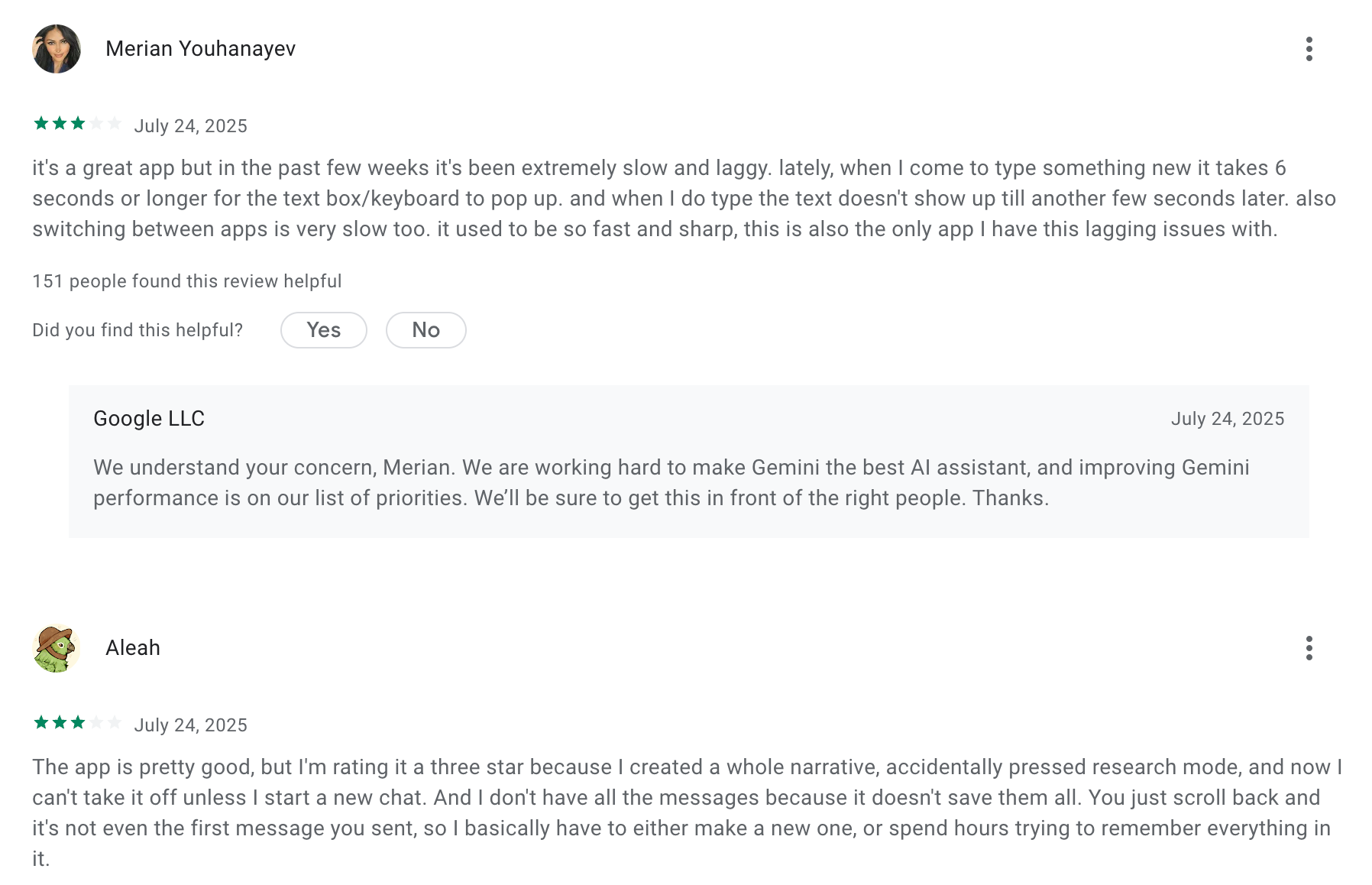
Google Gemini review (source)
7. Claude
Claude is an AI assistant built by Anthropic that can reason, write, analyze, code, and handle complex instructions. While it isn’t a fully autonomous “Jarvis” out of the box, it can act like one when combined with integrations, long-context memory, and its newer agent-style capabilities.
Key features
- Advanced reasoning and writing capabilities for emails, reports, research, and analysis
- Very large context window (can process extremely long documents and conversations)
- Integrations with business tools like Slack and other workplace software
- Claude Code for agentic coding and development workflows
What I liked:
- The reasoning quality is strong. It handles complex, multi-step thinking better than most assistants.
- The long context window makes it useful for real “Jarvis-style” tasks like reviewing contracts, analyzing long reports, or managing knowledge.
- The writing tone is natural and clear, especially for professional communication.
What I disliked:
- By default, it’s reactive. It waits for instructions instead of proactively acting like a true autonomous assistant.
- Advanced agent-style setups require API usage or technical configuration.
- Pricing can scale quickly for heavy usage through the API.
Pricing:
- Free tier available with usage limits
- Claude Pro plan costs around $20/month
- API pricing based on token usage (varies by model and volume)
Suitable for:
- Professionals who need deep reasoning, long-document analysis, and high-quality writing
- Developers building AI agents or internal automation tools
- Teams that want to embed AI into workflows via API
How to start:
- Go to claude.ai
- Create a free account
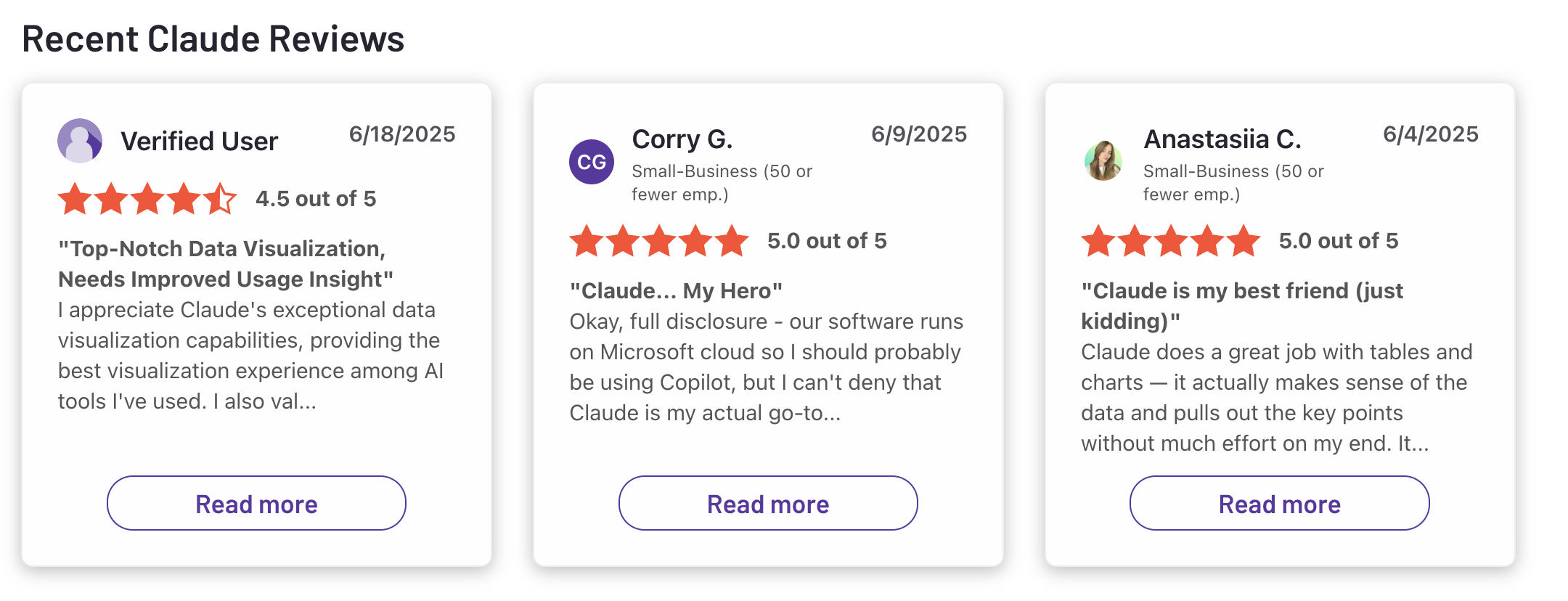
Claude reviews (source)
Conclusion: Choosing the best Jarvis app in 2026
There isn’t one single winner - because there isn’t one single definition of “Jarvis.”
The Best Jarvis apps today each solve a different piece of the real-life AI assistant puzzle. Some are better at structured productivity. Others focus on autonomous automation. A few excel at reasoning and multimodal intelligence. None are fully equivalent to Iron Man’s Jarvis yet — but several are surprisingly close in specific areas.
If you want:
- Structured thinking & proactive planning → Saner.AI
- Autonomous task execution → OpenClaw or Manus
- A well-rounded AI assistant with strong reasoning → ChatGPT
- Deep writing & long-context analysis → Claude
- Native Google workflow integration → Gemini
- Browser tracking → Coment
The smartest approach in 2026 isn’t chasing the “most advanced” AI. It’s choosing the assistant that fits your workflow.
Jarvis isn’t one app anymore. It’s becoming an ecosystem - voice, reasoning, memory, automation, and integration working together. The best move is to test 1–2 options aligned with how you actually work and let usefulness
The real Jarvis experience is no longer science fiction. It’s modular, evolving, and already here.
Stay on top of your work and life
FAQ for Jarvis App
1. What are “Jarvis Apps”?
“Jarvis Apps” refers to AI assistants that go beyond basic chatbots. Instead of just answering questions, they can:
- Manage tasks and reminders
- Summarize meetings and documents
- Search your notes intelligently
- Automate workflows
- Connect with calendars and tools
The best Jarvis apps feel like a personal AI operator - not just a text generator.
Examples include:
- Saner.AI – AI workspace for notes, tasks, and ADHD-friendly planning
- ChatGPT – General-purpose conversational AI
- Claude – Strong for long-form reasoning and analysis
- Gemini – Deeply integrated with Google Workspace
- Manus – AI agent focused on autonomous task execution
- OpenClaw – Self-hosted AI agent (formerly Clawdbot / Moltbot ecosystem-style tools)
- Coment – AI assistant built around collaborative workflows
2. What can the best Jarvis apps actually do?
Top-tier Jarvis apps typically offer:
- Natural language task creation – “Remind me to send the deck Friday.”
- Smart search – Finds notes based on meaning, not keywords.
- Meeting summarization – Turns transcripts into action items.
- Calendar intelligence – Suggests or auto-schedules time.
- Workflow automation – Executes tasks across apps.
- Proactive nudges – Reminds you what matters at the right time.
For example:
- Saner.AI connects notes, tasks, and calendar into one distraction-free workspace.
- Manus and OpenClaw lean toward agent-style automation.
- ChatGPT, Claude, and Gemini excel at reasoning, drafting, and summarizing.
3. What is the best Jarvis app for productivity?
It depends on what “productivity” means for you:
- All-in-one execution workspace: Saner.AI
- Writing and thinking partner: ChatGPT or Claude
- Google-native workflows: Gemini
- Automation-heavy agent workflows: Manus or OpenClaw
If you want fewer apps and less context switching, choose a Jarvis app that combines notes, tasks, and reminders — not just chat.
4. What’s the best Jarvis app for ADHD or focus?
For ADHD users, the key is reducing overwhelm and decision fatigue.
- Saner.AI is designed by ADHD builders and focuses on minimizing context switching.
- It turns messy brain dumps into structured tasks.
- It surfaces priorities instead of requiring complex tagging systems.
Chat-based tools like ChatGPT or Claude are helpful for brainstorming, but they don’t inherently manage ongoing tasks unless paired with other systems.
5. Are there free Jarvis apps?
Yes. Many offer free tiers:
- ChatGPT – Free access (limited model capability).
- Gemini – Free with Google account access.
- Claude – Free tier with usage limits.
- Saner.AI – Free plan with AI reminders and note search.
Agent-style tools like Manus or OpenClaw may require setup or API costs.
6. Which Jarvis apps can actually take action (not just chat)?
If you want AI that executes:
- Manus – Built around autonomous task agents.
- OpenClaw – Self-hosted AI agent that can run system-level commands.
- Saner.AI – Converts thoughts into actionable tasks with reminders.
ChatGPT, Claude, and Gemini primarily generate responses, though integrations can extend their functionality.
7. What’s the difference between Jarvis apps and regular productivity tools?
Traditional tools:
- You organize everything manually.
- You switch between notes, calendar, tasks.
Jarvis apps:
- Understand natural language.
- Connect context automatically.
- Surface what matters without manual tagging.
- Act more like assistants than filing cabinets.
For example, instead of organizing folders, you can ask:
“What did we decide in last week’s product meeting?”
A strong Jarvis app will retrieve context, summarize it, and highlight next steps.
8. What’s the best Jarvis app for entrepreneurs and founders?
Founders typically need:
- Fast idea capture
- Meeting summaries
- Follow-up reminders
- Cross-project visibility
Saner.AI works well for solo operators juggling multiple streams.
ChatGPT or Claude are excellent for strategy drafts and investor memos.
Manus may help automate operational workflows.
The best setup often combines a reasoning model (ChatGPT/Claude) with an execution system (like Saner or Manus).
9. Can Jarvis apps replace project management tools?
Not entirely - but they can reduce friction.
- Jarvis apps help with idea capture, task conversion, and summarization.
- Traditional PM tools are still better for structured team tracking.
Some tools like Coment aim to blend collaboration and AI assistance, narrowing this gap.
10. Which Jarvis app integrates best with Google Workspace?
If you rely heavily on Gmail, Docs, and Calendar:
- Gemini has the deepest native integration.
- Saner.AI connects calendar and task workflows.
- ChatGPT and Claude rely more on integrations or manual uploads.
For Google-first teams, Gemini may feel most seamless.
11. What is the most autonomous Jarvis-style AI?
If your goal is “AI that works independently”:
- Manus focuses on autonomous agents.
- OpenClaw (self-hosted AI agent style) allows deeper system-level control.
These tools require more technical setup and careful permissions.
12. How do I choose the best Jarvis app for my needs?
Ask yourself:
- Do I want thinking help or execution help?
- Do I need automation across apps?
- Do I struggle with focus or organization?
- Do I prefer self-hosted control or simple SaaS?
If you want:
- Smart reasoning: ChatGPT or Claude
- Google-native AI: Gemini
- Automation agents: Manus or OpenClaw
- Calm, assistive execution workspace: Saner.AI
Get your Jarvis now