Best Joplin Alternatives: We Tested and Compared 7 Apps (2026 Guide)
The Best Joplin Alternatives are Saner.AI, Obsidian, Notesnook, Anytype, Bear, Evernote, and Standard Notes



The best 7 Joplin alternatives are Saner.AI, Obsidian, Anytype, Bear, Notesnook, Standard Notes, and Evernote.
If you’re searching for the best Joplin alternatives, you’re not alone. Joplin is a popular open-source, Markdown-based note-taking app, but many users eventually outgrow it or struggle with its limitations.
In this guide, you’ll learn which note-taking apps like Joplin are worth switching to in 2026, how they compare on privacy, usability, AI features, and pricing - and exactly which alternative fits your workflow best, whether you value open-source control, productivity, or AI-assisted knowledge management.
1. What Is Joplin?
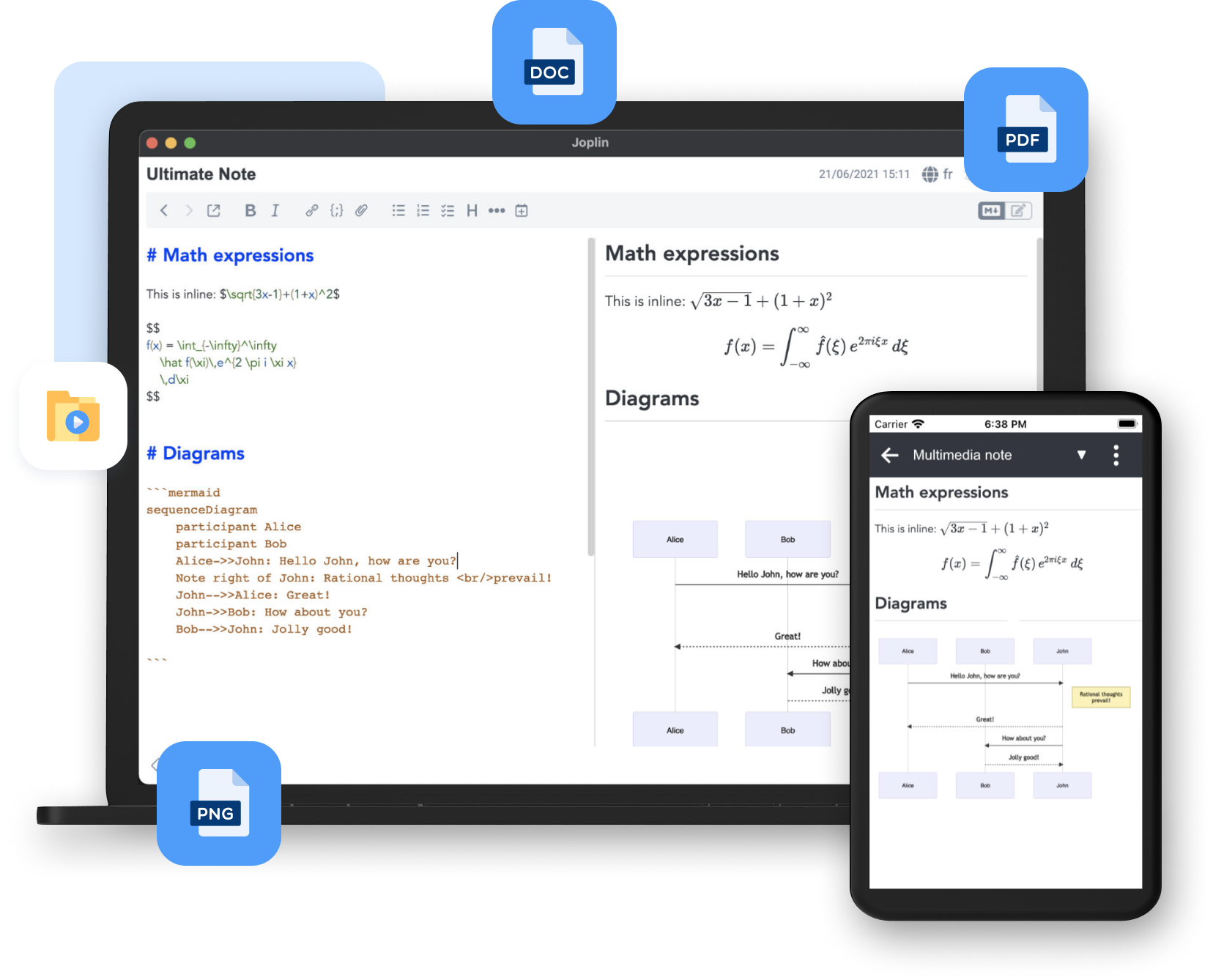
Joplin is an open-source note-taking app built around Markdown, offline-first usage, and user-controlled sync. It’s widely used by developers, privacy-focused users, and anyone who wants full ownership of their notes without vendor lock-in.
2. Why People Look for Joplin Alternatives
While Joplin is powerful and flexible, many users eventually hit friction in day-to-day use, especially as their notes grow or their workflows become more complex. The most common problems are:
- Joplin assumes comfort with Markdown, manual organization, and technical concepts like sync targets. For non-technical users, getting productive often takes more time than expected.
- Syncing across devices usually requires configuring services like WebDAV, Dropbox, or self-hosted servers. This adds setup overhead and increases the risk of conflicts or broken syncs.
- Designed primarily for individual use. Sharing notes, collaborating in real time, or working with teams is either difficult or not supported natively.
- The interface prioritizes functionality over usability. On mobile in particular, navigation, editing, and note management can feel slow and unintuitive compared to modern apps.
- Joplin lacks built-in AI for semantic search, summaries, task extraction, or insight generation - features that are becoming standard in newer note-taking and productivity tools.
As note-taking apps evolve into knowledge management tools and AI-powered personal knowledge bases, many users want solutions that feel more intuitive, faster to use, and smarter without sacrificing reliability or control.
Now, let's dive in!
What are the Best Joplin Alternatives?
The Best Joplin Alternatives are Saner.AI, Obsidian, Notesnook, Anytype, Bear, Evernote, and Standard Notes.
🧠 Best Joplin Alternatives – Comparison Table (2026)
| 🛠 Tool | 🎯 Best For | ⭐ Key Features | 💰 Pricing (Clear & Simple) | 💻 Platforms |
|---|---|---|---|---|
| Saner.AI | AI-first thinkers who want frictionless task + note capture | AI auto-organizes notes & tasks, natural language input, unified to-do + notes, minimal manual structure | Free plan availablePro: ~$8–10/month | Web, macOS, Windows |
| Anytype | Privacy-focused users who want local-first knowledge bases | Offline-first, graph-based notes, custom object types, end-to-end encryption | Free (local use)Paid sync: ~$8/month | macOS, Windows, Linux, iOS, Android |
| Bear | Writers who want a beautiful, simple markdown experience | Clean markdown editor, tag-based organization, fast search, export options | Free (limited)Pro: ~$2.99/month | macOS, iOS |
| Notesnook | Users who want open-source + strong encryption | End-to-end encrypted notes, markdown support, cross-platform sync, offline mode | Free planPro: ~$4–5/month | Web, macOS, Windows, Linux, iOS, Android |
| Standard Notes | Security-first users with long-term note storage needs | Strong encryption, plain-text longevity, extensions (markdown, editors), version history | Free (basic)Paid: ~$12/month | Web, macOS, Windows, Linux, iOS, Android |
| Evernote | Power users managing large volumes of notes & files | Web clipping, advanced search (OCR), tasks & calendar, file attachments | Free (very limited)Paid: ~$14.99/month | Web, macOS, Windows, iOS, Android |
1. Saner.AI
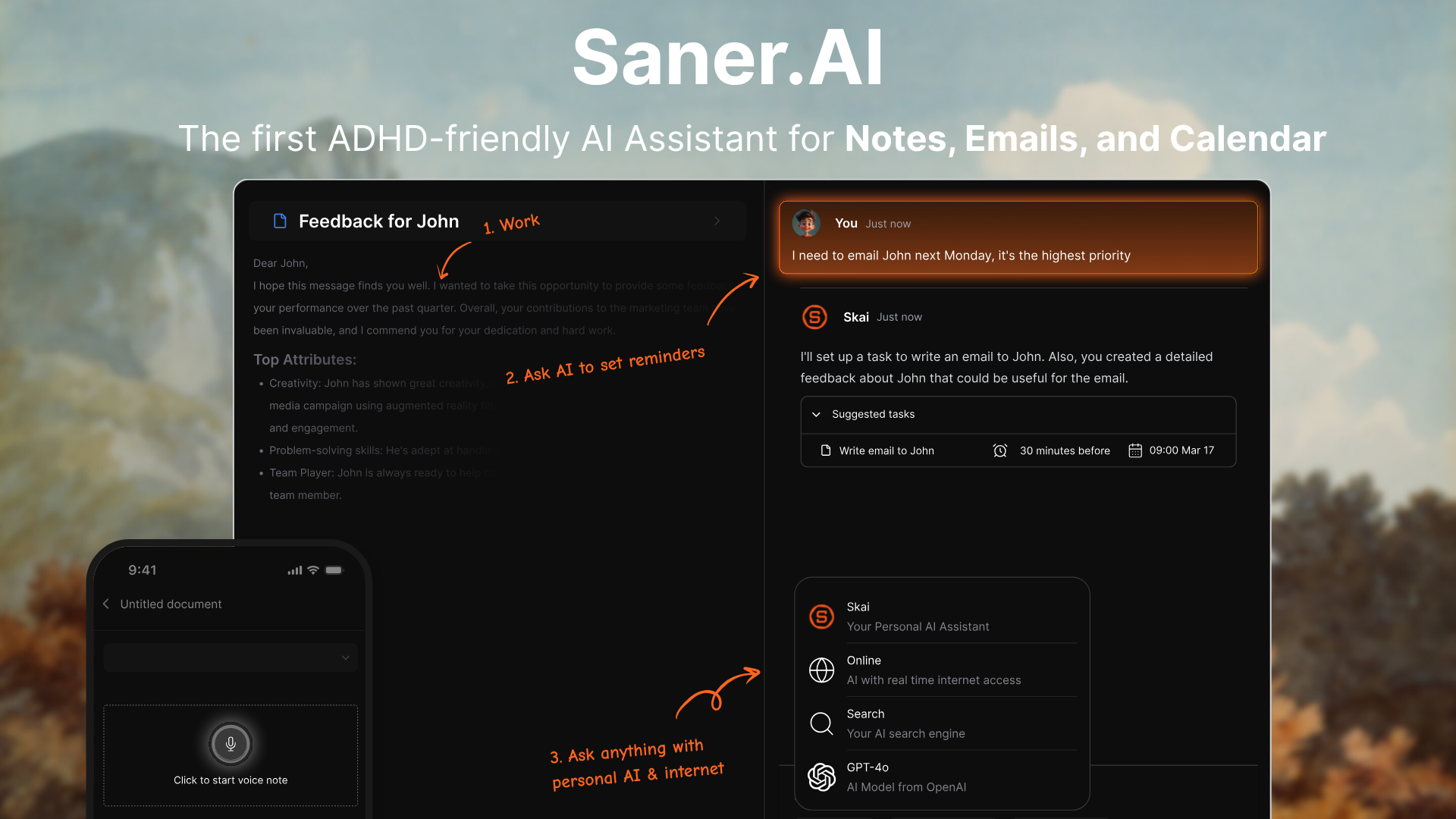
Saner.AI is an AI-first note and task system designed around frictionless capture and automatic organization. Compared to Joplin’s manual notebook and tag structure, Saner.AI lets you just write things down and rely on AI to structure, connect, and surface them later.
It blends notes, tasks, and ideas into one system instead of separating them. This makes it ideal for people who feel overwhelmed by maintaining folders and metadata. It’s especially strong for users who want thinking support, not just storage.
It works especially well for fast-moving projects, content teams, and knowledge-heavy workflows. This makes it a modern alternative to traditional project management software.
Key features
- AI capture and organization: You can dump raw thoughts, tasks, or notes without deciding where they belong. The AI categorizes and connects information automatically, reducing friction.
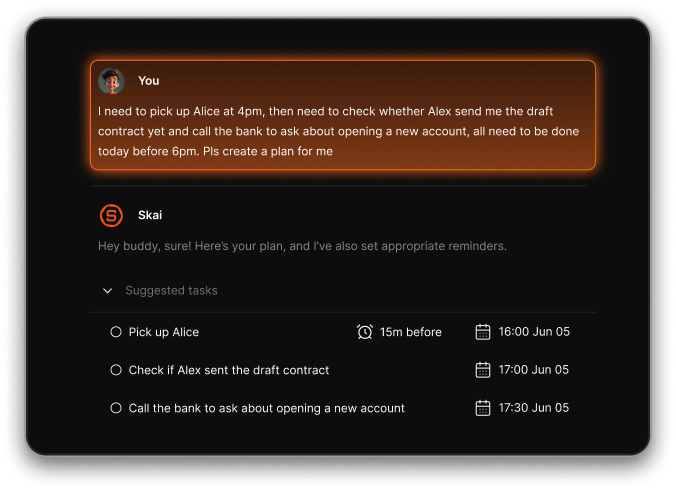
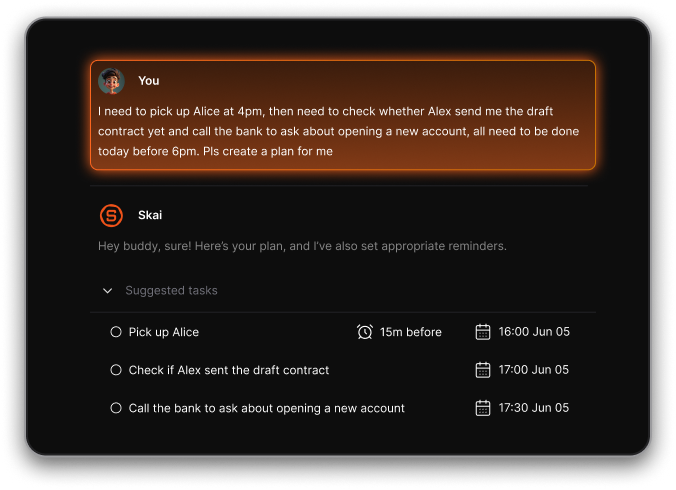
- Saner.AI automatically creates a daily plan using priority, urgency, and context, so users don’t have to decide what to work on each morning and can stay focused on high-impact work.
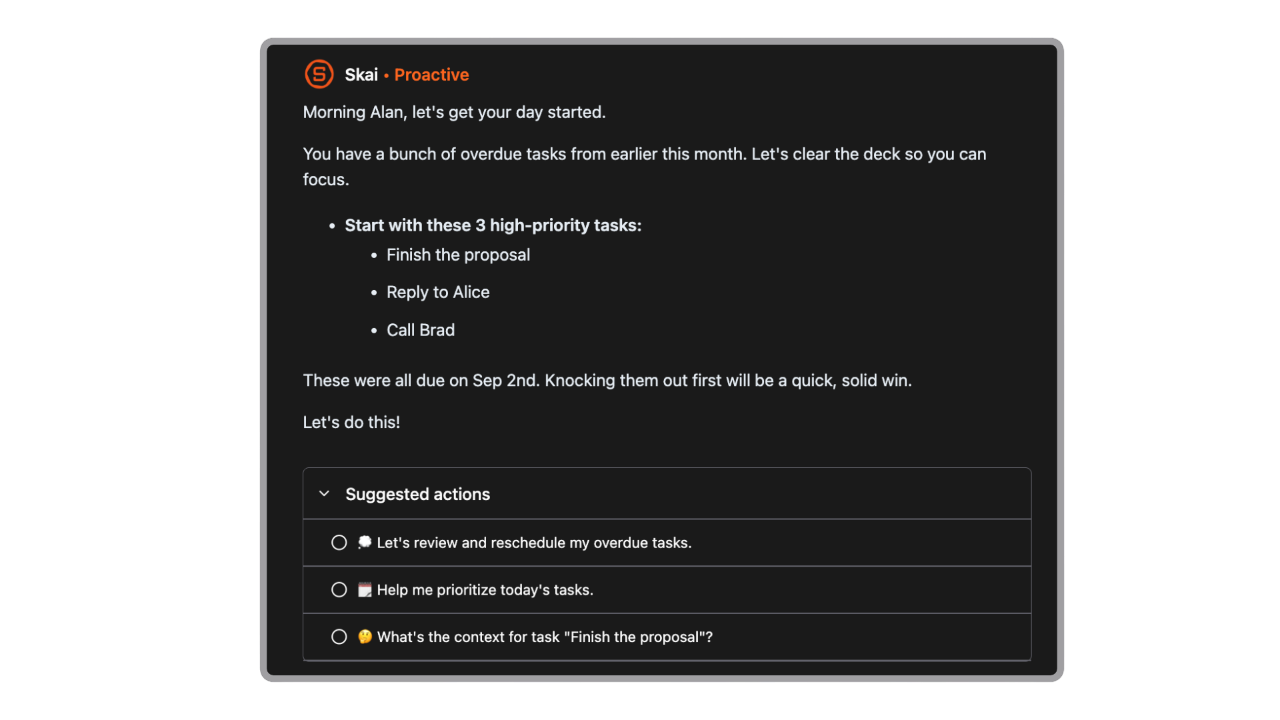
- Instead of searching folders, you ask for what you need in natural language. This is useful when your knowledge base grows, and manual recall becomes difficult.
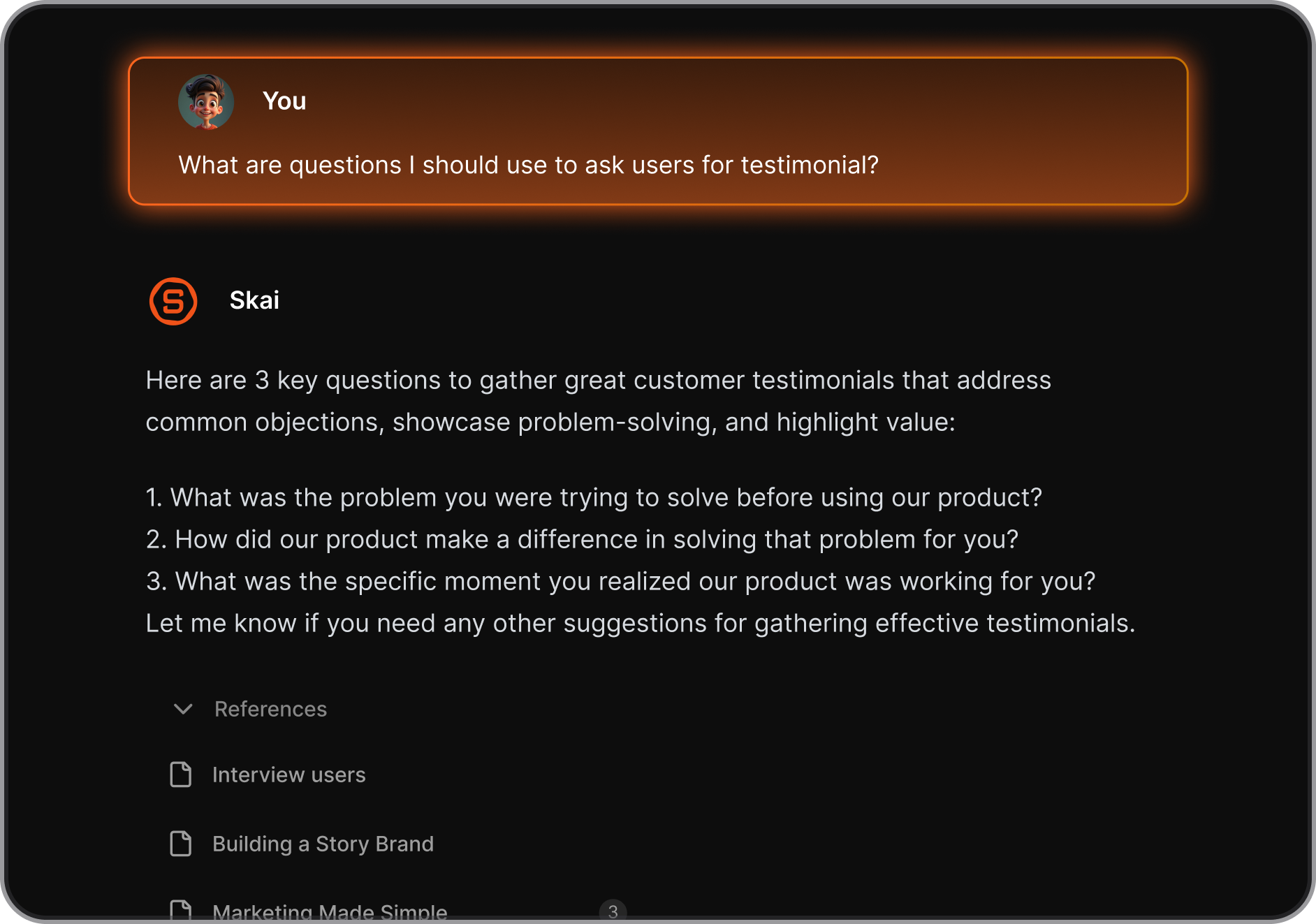
- The UI is optimized for speed and clarity, not configuration. This makes daily use lighter compared to Joplin’s more technical setup.
- Users can customize mobile notifications for tasks, habits, deadlines, and meetings so they stay organized and informed without opening the app.

Pros
- Extremely low friction for capturing ideas and tasks, even when your thoughts are messy.
- AI removes the need to maintain complex folder or tag systems.
- Great for long-term thinking, planning, and personal knowledge management.
- Strong fit for modern AI-first workflows that go beyond plain markdown.
Cons
- Not designed for large teams.
Pricing
- Free plan available.
- Paid plans typically cost around $8-$12/month.
Saner.AI review

Best for
- AI-first workflows, solo knowledge workers, creators, and people overwhelmed by manual organization.
How to get started
- Create an account on Saner.AI.
- Start writing notes or tasks without worrying about structure.

Stay on top of your work with the Best Joplin Alternative
2. Obsidian
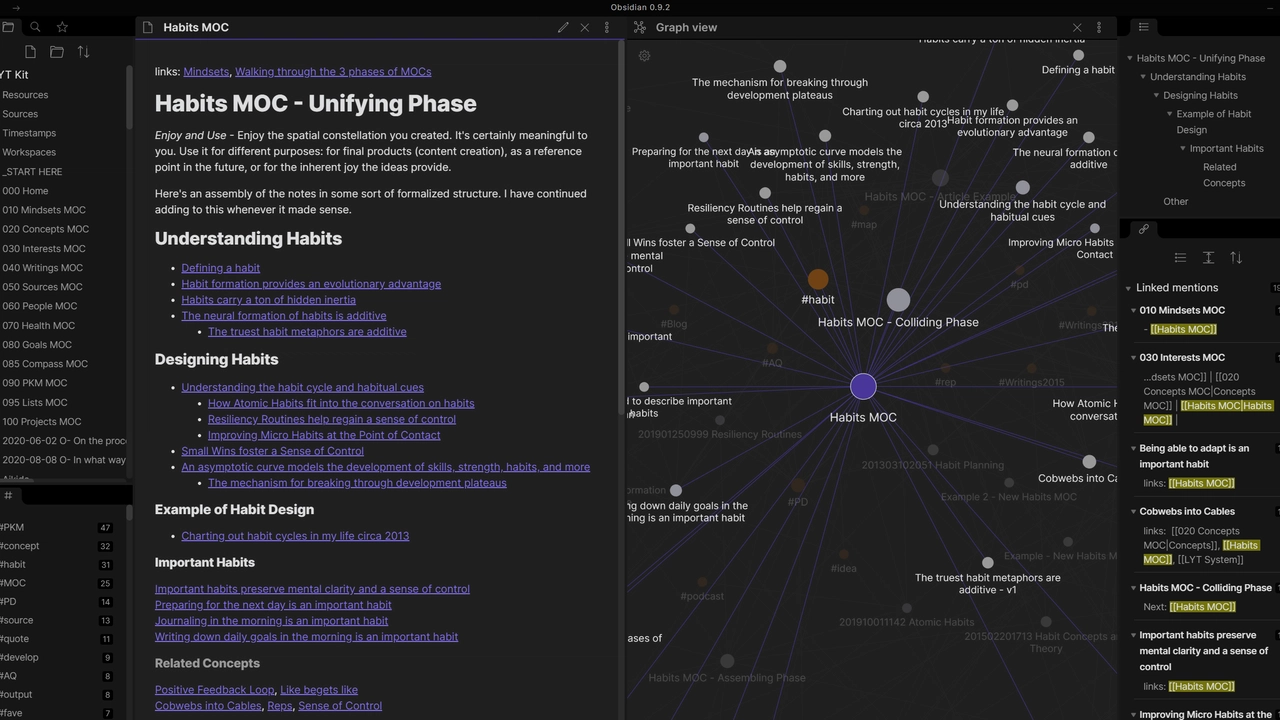
Obsidian is a local-first markdown note app focused on networked thinking. Compared to Joplin, it emphasizes bidirectional links and graph visualization. Obsidian suits users who enjoy building systems over time. It stays close to raw markdown, appealing to technical users.
Key features
- Notes connect organically through links.
- Your data stays on your device, improving privacy and speed.
- Visualize how ideas connect across your knowledge base.
- Extend functionality with community-built plugins.
Pros
- Suitable for deep thinking and research.
- Full control over your files and data.
- Customizable through plugins.
- Offer an offline experience.
Cons
- Steep learning curve for non-technical users.
- Requires manual organization and linking.
- Collaboration is limited without paid add-ons.
- No built-in AI assistance like Saner.AI.
Pricing
- Free for personal use.
- Sync and commercial use around $8–$10/month.
Best for
- Researchers, writers, and enthusiasts of knowledge graphs.
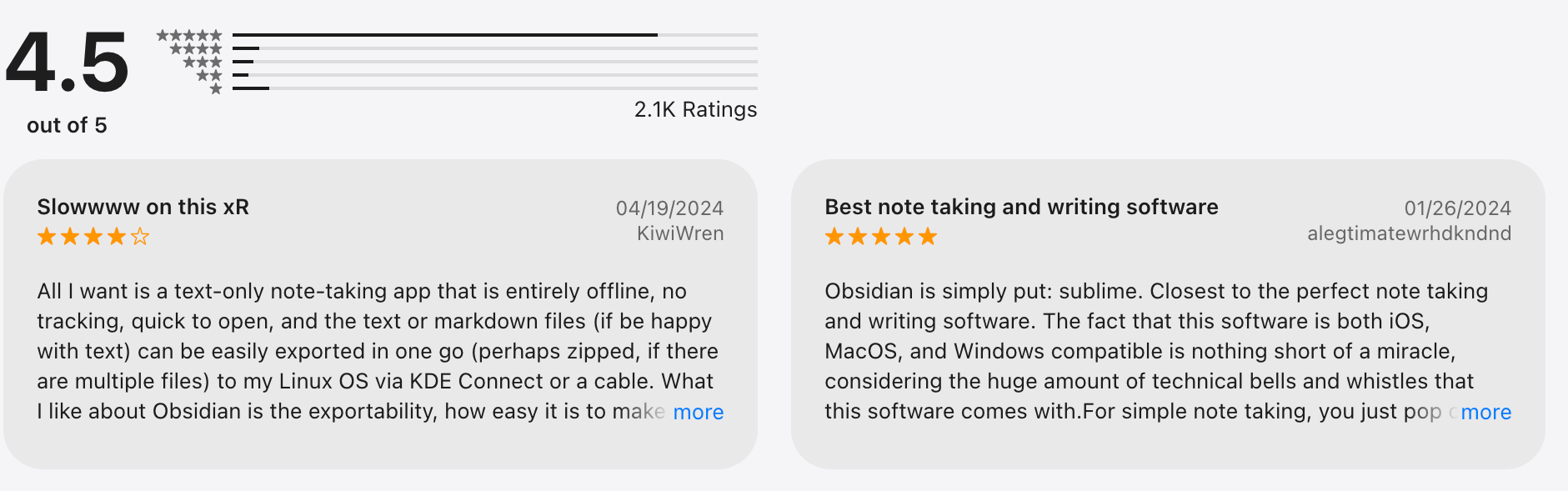
Obsidian review (sources)
How to get started
- Download Obsidian.
- Create a vault and start linking notes.
3. Notesnook
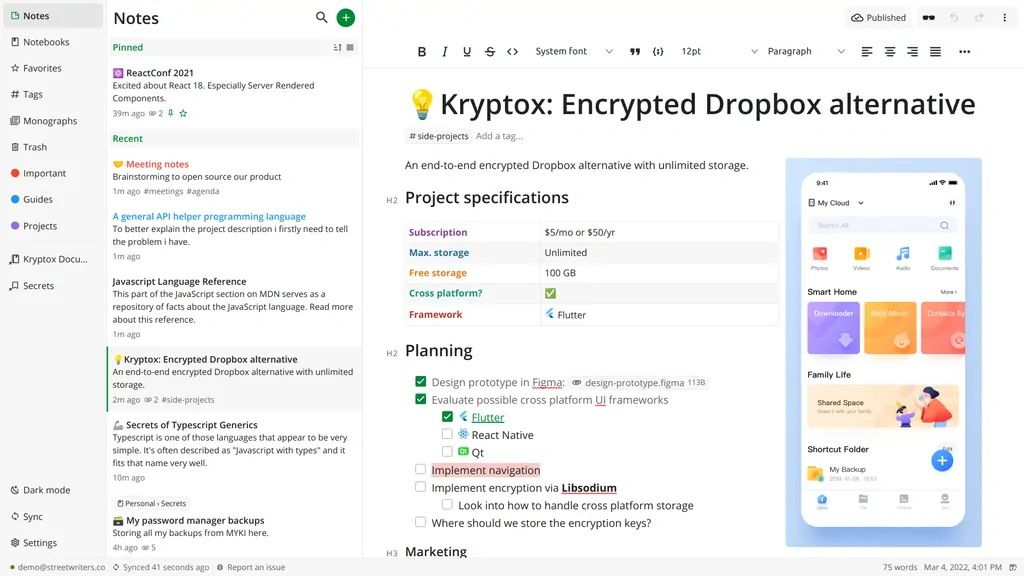
Notesnook is a privacy-first note-taking app with end-to-end encryption and a clean, modern interface. While Joplin is more flexible with plugins and raw markdown control, Notesnook focuses on simplicity and safety out of the box. It’s designed for people who want secure notes without having to manage complex setups.
Key features
- All notes are encrypted before they leave your device. This matters for users storing sensitive personal or work information.
- Notes sync across devices without manual configuration.
- You can write in markdown while still enjoying a clean, readable interface.
- Notes remain accessible even without an internet connection.
Pros
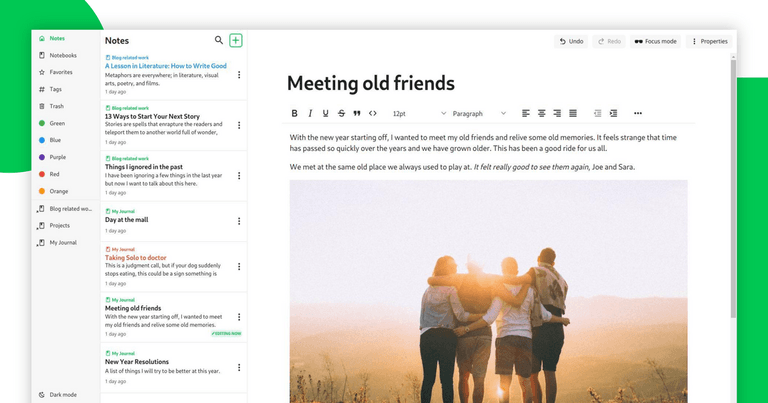
- Cleaner, more modern UI compared to Joplin.
- Easy setup with no complex sync or plugin management.
- Works well across devices with minimal friction.
- Strong privacy and security with zero-knowledge encryption.
Cons
- Smaller plugin and extension ecosystem
- Limited advanced customization for power users.
- No AI-assisted organization or retrieval for task management.
- Collaboration features are still basic compared to team tools.
Pricing
- Free plan available.
- Paid plans typically cost around $4–$8/month.
Best for
- Privacy-focused users who want a simple, secure, and modern alternative.
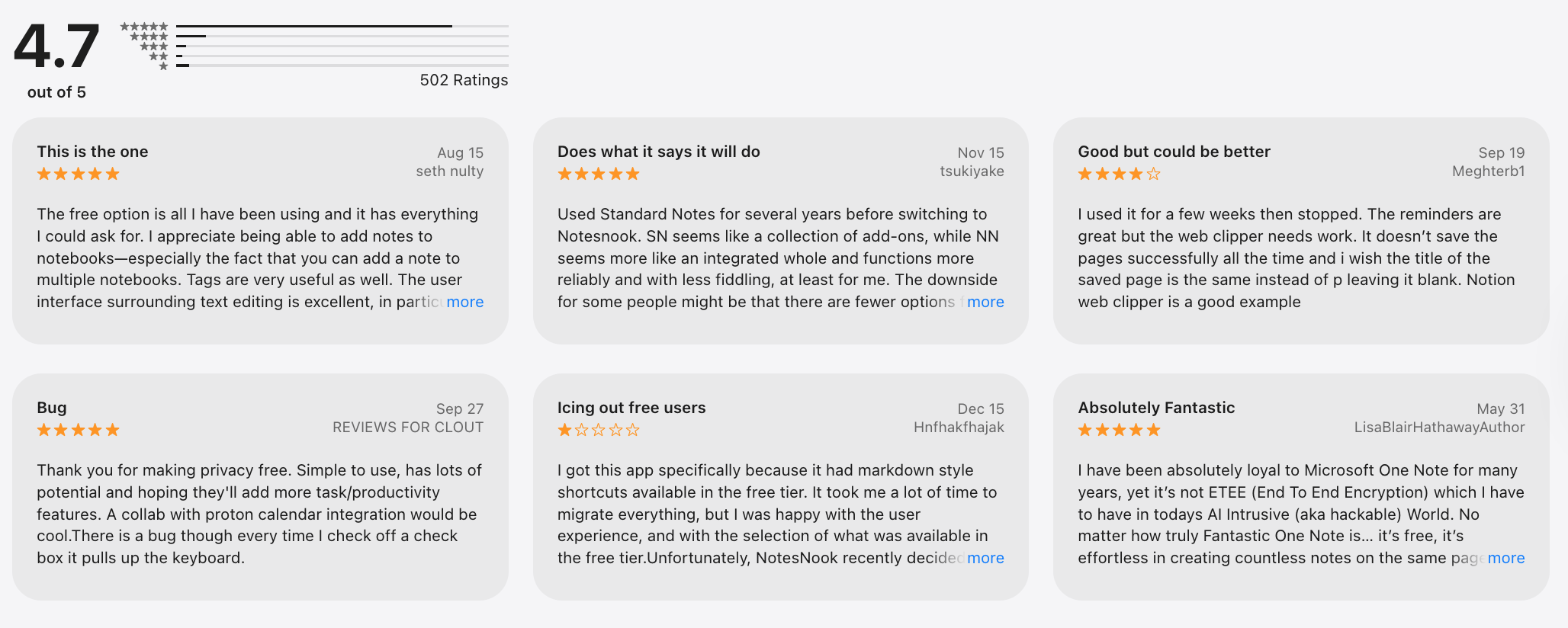
Notesnook review (source)
How to get started
- Create a Notesnook account
- Install the app and start writing encrypted notes immediately
4. Anytype
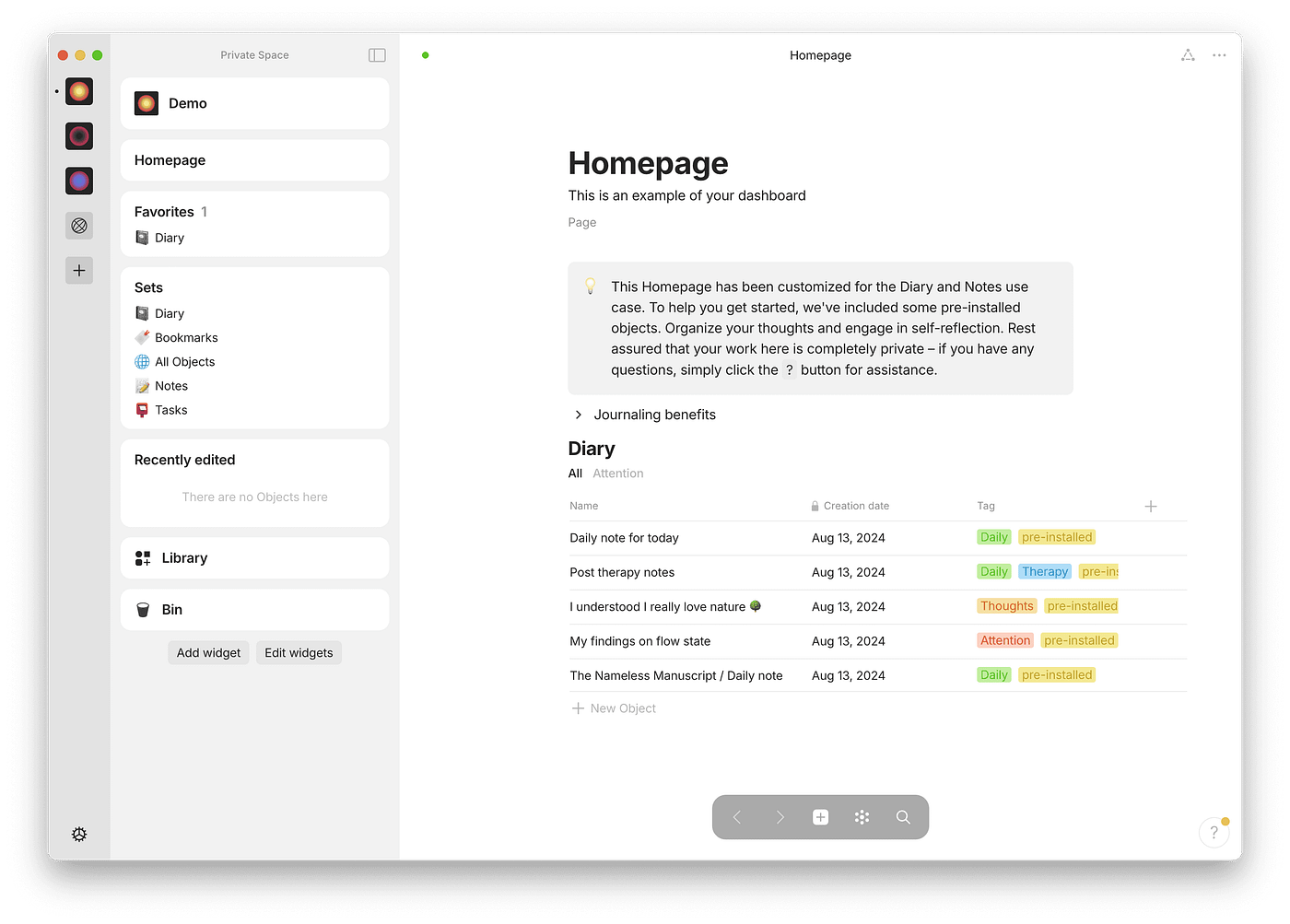
Anytype is a local-first, privacy-focused workspace designed to organize notes, objects, and relationships. Anytype uses a graph-based model where everything is an “object” you can link together. It feels more visual and conceptual.
Key features
- Notes, tasks, bookmarks, and people are all treated as objects. It’s great for building a connected knowledge base over time.
- Your data stays on your device and syncs securely, following Joplin’s philosophy but with a more modern UX.
- You can visually explore how ideas connect. This helps with sense-making and long-term knowledge work rather than simple note storage.
Pros
- Strong privacy and local-first architecture.
- Visual, relationship-driven way to organize knowledge.
- Clean and modern interface compared to Joplin.
- Good fit for long-term personal knowledge management.
Cons
- Steep learning curve due to its abstract object model.
- Still evolving, with some features feeling unfinished.
- Less flexible for quick, messy capture than Joplin.
- No AI-powered capture, organization, or retrieval like Saner.AI.
Pricing
- Free for personal use.
- Paid plans typically cost around $8–$12/month.
Best for
- Researchers, system thinkers, and users who prefer graph-based knowledge organization.
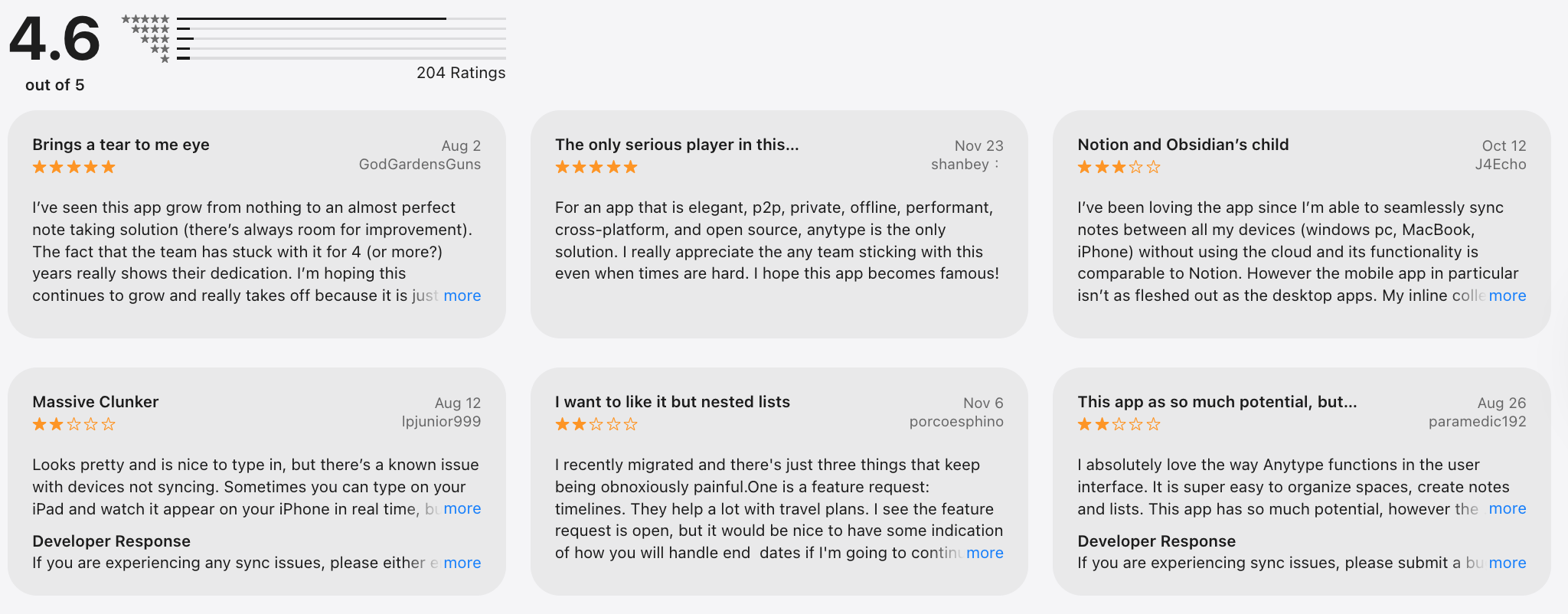
Anytype review (source)
How to get started
- Download Anytype and create a local space.
- Start by creating core objects (notes, topics, tasks) and linking them.
5. Bear
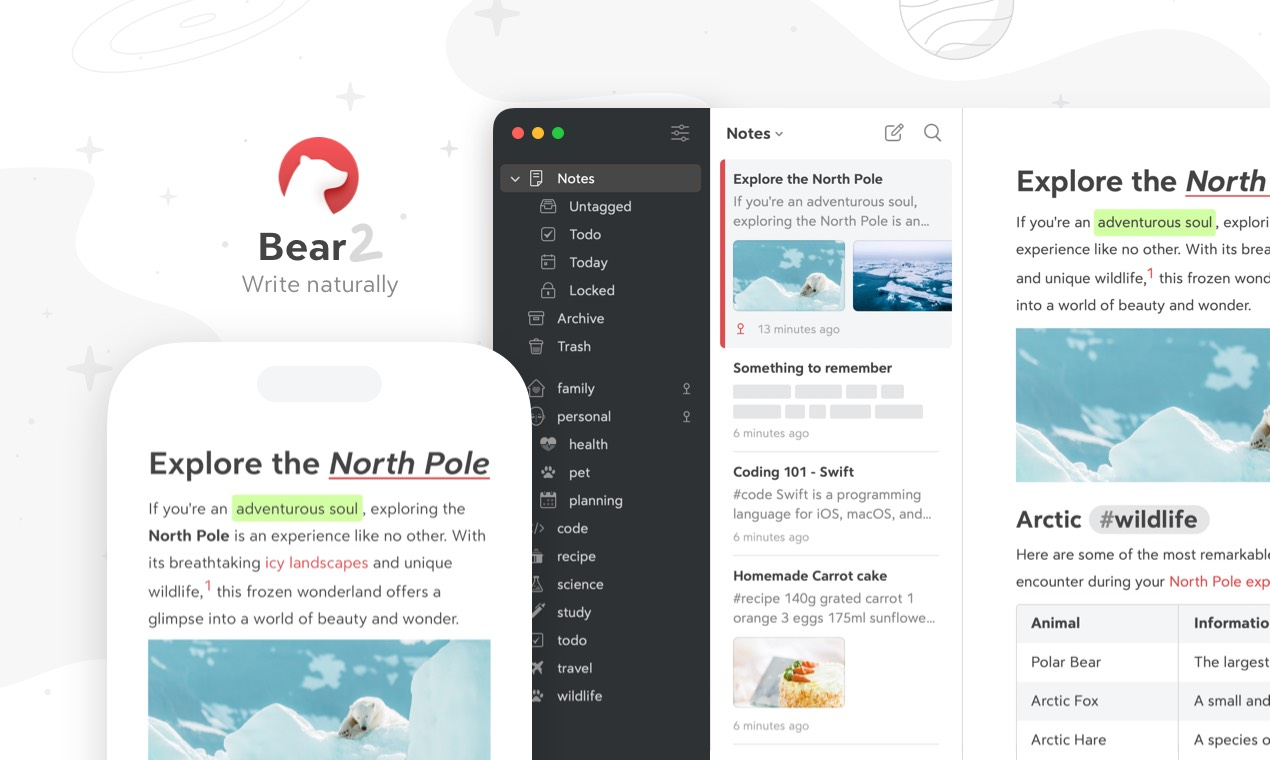
Bear is a minimalist markdown note-taking app known for its beautiful design and fast writing experience. Compared to Joplin, Bear trades extensibility and cross-platform support for simplicity and polish. It avoids complex notebooks and instead relies on a flexible tag-based system.
Key features
- Bear supports markdown with live preview and elegant typography, keeping writing distraction-free for structured notes.
- Notes are organized using hashtags instead of folders. This allows flexible categorization without rigid hierarchies.
- Notes can be exported to multiple formats like PDF, HTML, and DOCX.
Pros
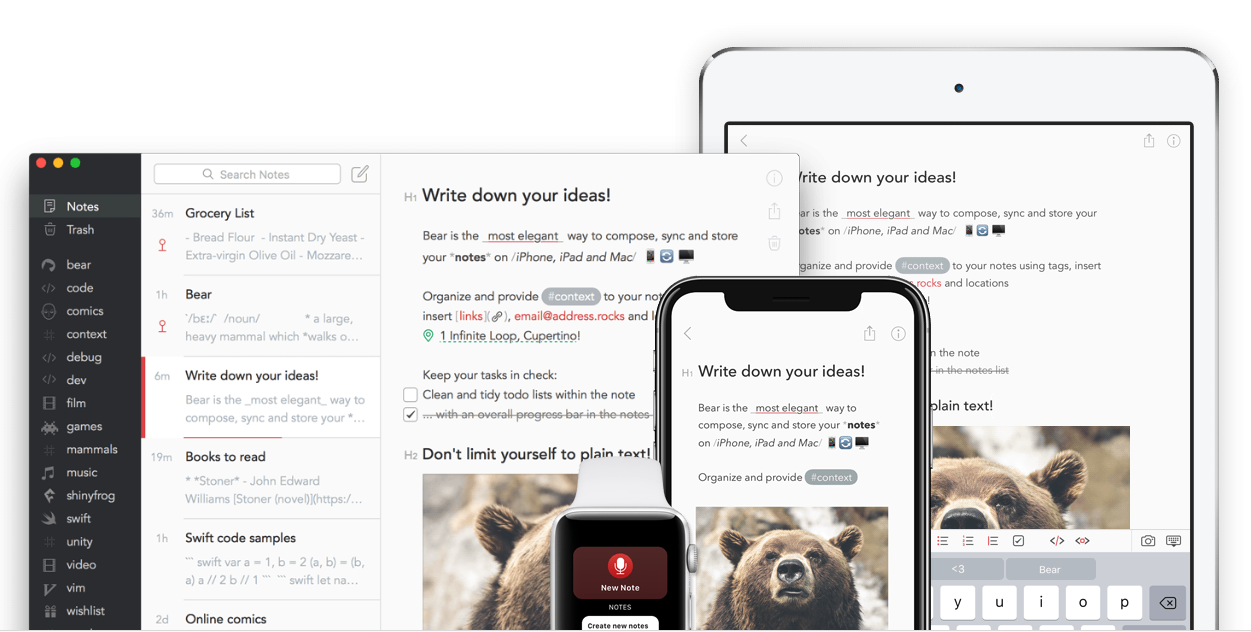
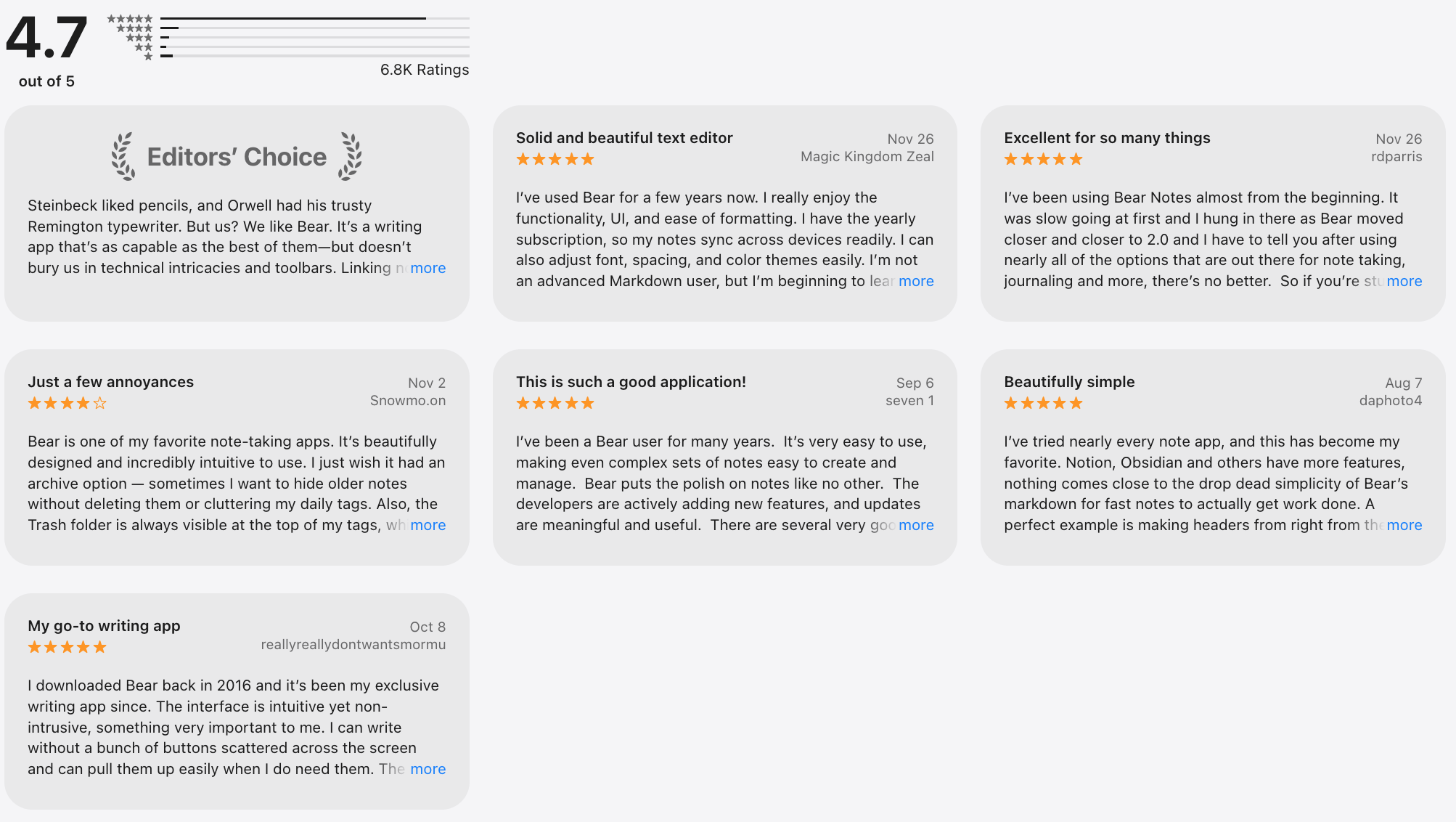
- Writing and reading experience with a polished UI.
- Low learning curve compared to Joplin.
- Offline support.
- Ideal for daily notes, drafts, and personal writing.
Cons
- Apple-only; no Windows, Android, or web app.
- Limited collaboration and team features.
- Not suitable for complex knowledge systems or workflows.
- No AI-powered capture or organization like Saner.AI.
Pricing
- Free basic version.
- Bear Pro costs around $3–$4/month.
Best for
- Writers, creators, and Apple-only users who want a simple, elegant note-taking app.
Bear review (soucre)
How to get started
- Download Bear from the Apple App Store
- Start writing notes and organize them using tags
6. Evernote
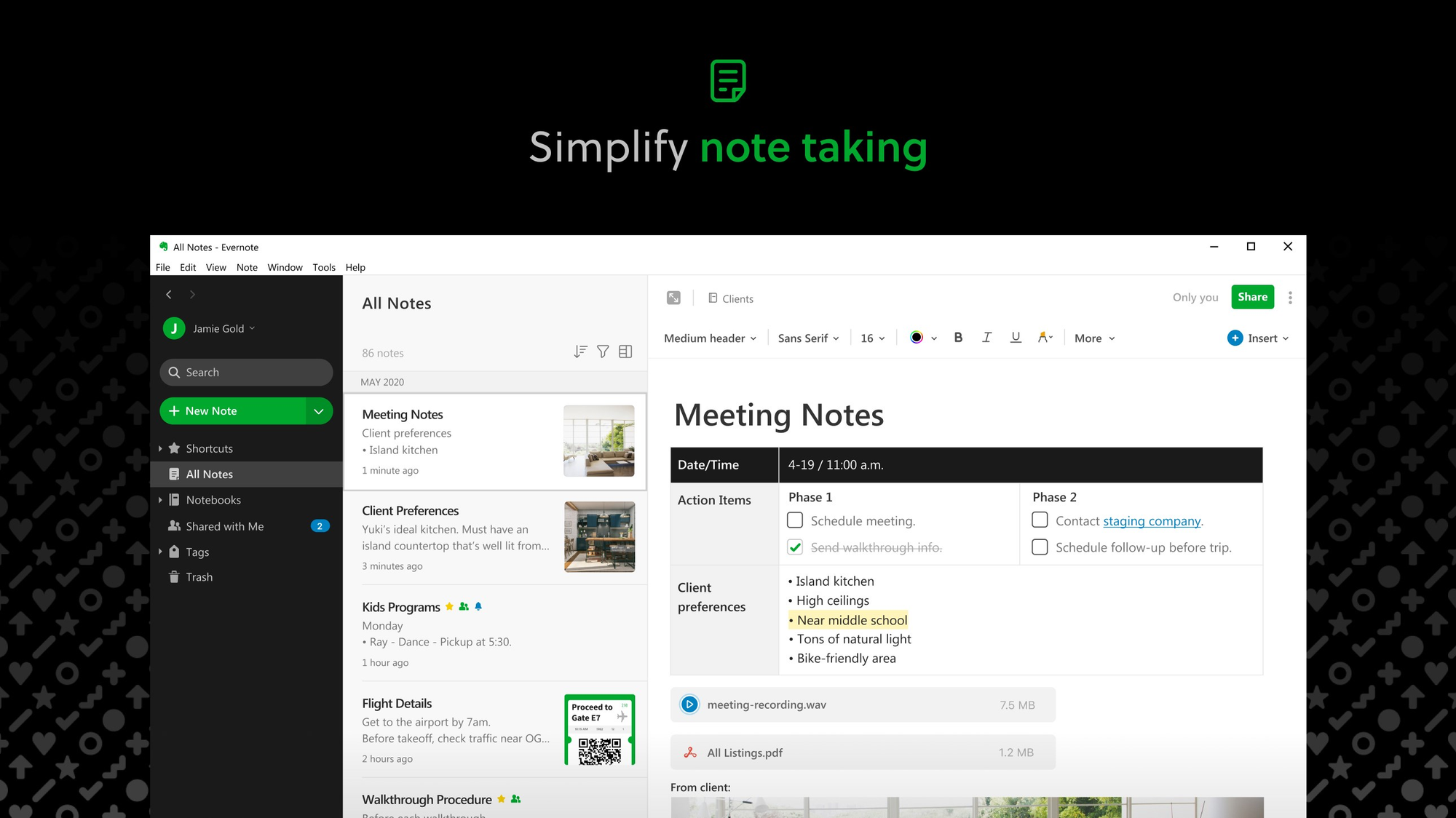
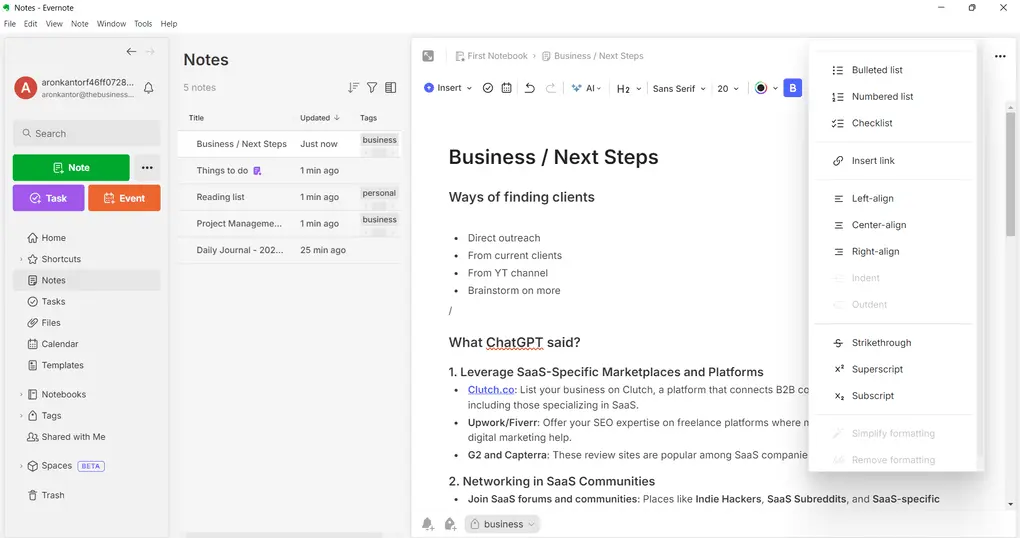
Evernote is a note-taking app focused on capturing, storing, and searching information across devices. Compared to Joplin’s markdown-first, offline-friendly approach, Evernote is more cloud-centric and polished out of the box. It prioritizes fast capture, powerful search, and document storage rather than deep customization.
Key features
- Evernote can search text inside images, PDFs, and scans.
- Save articles, webpages, and research with one click.
- Notes sync automatically across desktop, mobile, and web.
- Tasks can live inside notes with due dates and reminders.
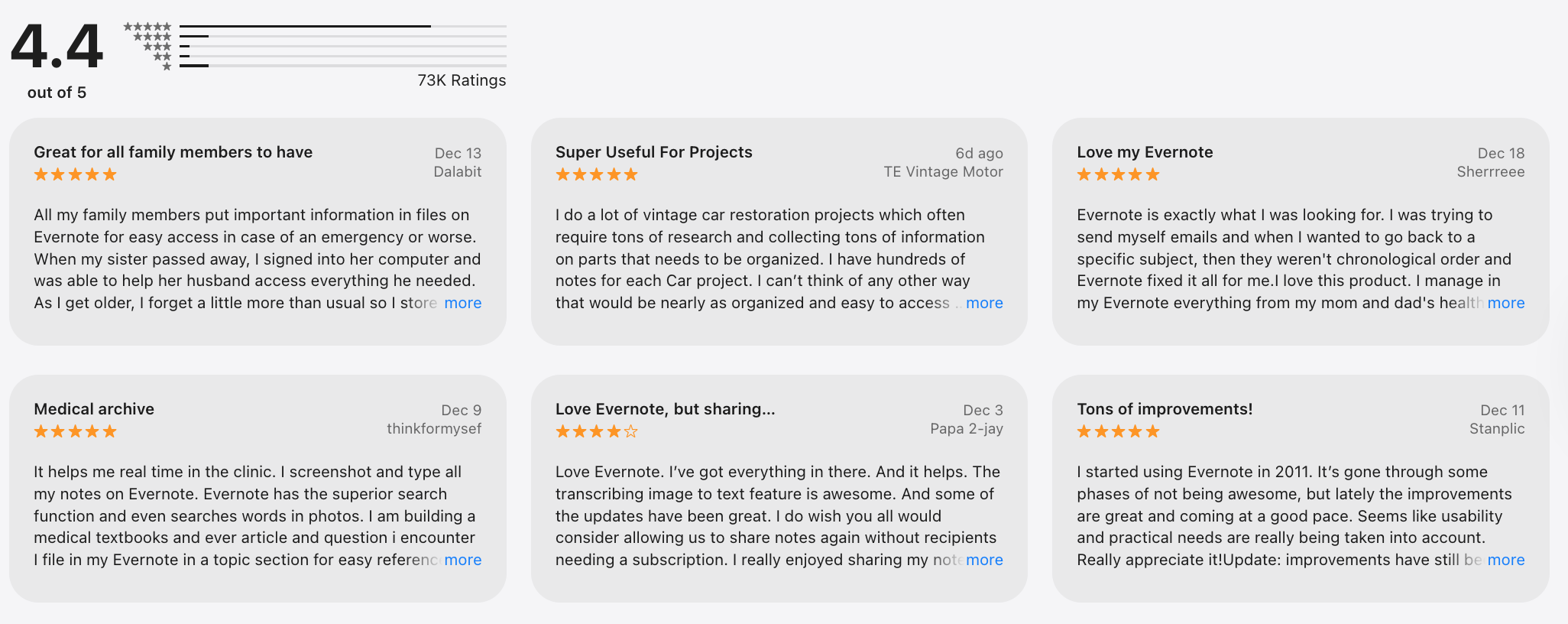
Pros
- Good search and document handling.
- Easy to get started with minimal setup.
- Strong ecosystem and long-term stability.
Cons
- Pricing has increased significantly compared to earlier versions.
- Less control over data than local-first tools.
- Markdown support is limited and less flexible.
- No AI-assistant task management like Saner.AI.
Pricing
- Paid plans typically start around $10–$15/month with a limited free tier.
Best for
- General users, heavy web clippers, and people managing large volumes of documents.
Evernote review (source)
How to get started
- Create an Evernote account
- Install the app and web clipper to start capturing notes quickly
7. Standard Note
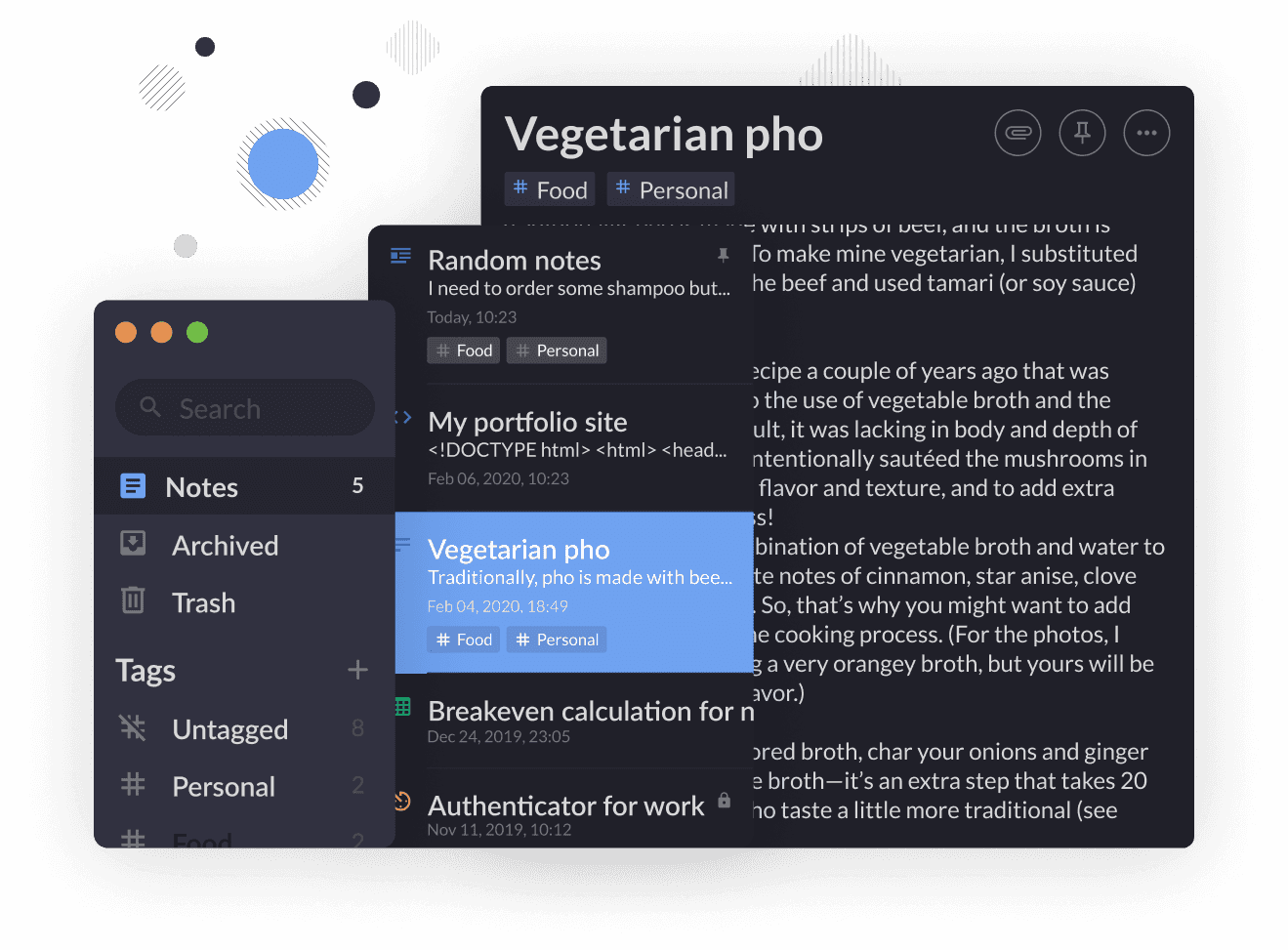
Standard Notes is a privacy-focused note-taking app built around end-to-end encryption and long-term data durability. Standard Notes prioritizes security and minimalism. It’s designed for users who want their notes to remain private and readable forever.
Key features
- Before syncing, all notes are encrypted locally.
- Notes are stored in a format that remains readable long-term. This ensures your data isn’t locked into a proprietary structure.
- Notes sync securely across desktop, mobile, and web apps, providing convenience without sacrificing privacy.
- Markdown, spreadsheets, and advanced editors are available via paid plans.
Pros
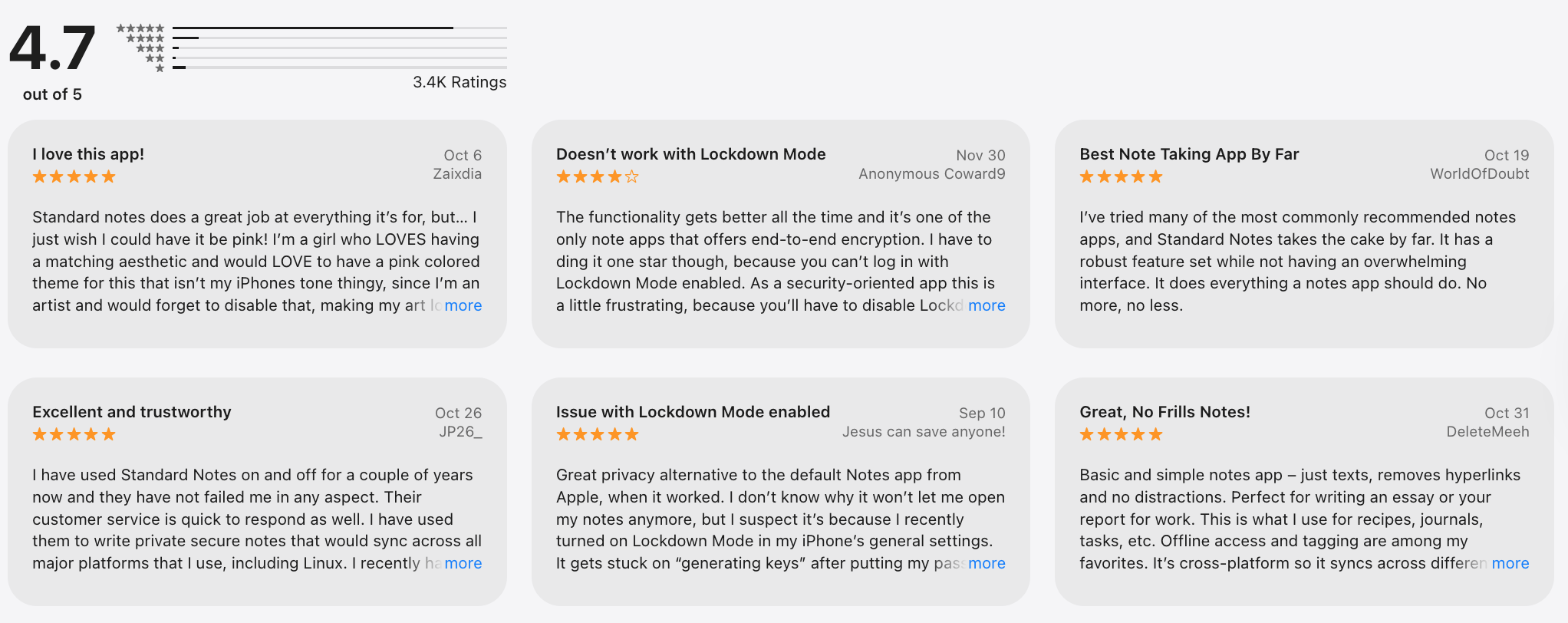
- Privacy and security guarantees.
- Simple, distraction-free writing experience.
- Open-source core with transparent architecture.
- Reliable long-term note storage.
Cons
- Many advanced features require a paid subscription.
- Organization options are limited compared to Joplin.
- Not ideal for task management or workflows.
- There is no AI-powered organization or retrieval system comparable to Saner.AI.
Pricing
- Free basic plan.
- Paid plans typically cost around $10–$15/month.
Best for
- Privacy-focused users, journalists, and anyone storing sensitive notes.
Standard Note review (source)
How to get started
- Create a Standard Notes account
- Start writing encrypted notes across devices.
Final thoughts: choosing the best Joplin alternative in 2026
Among the 7 best Joplin alternatives, Saner.AI clearly stands out as the most future-ready option. Unlike traditional note-taking apps like Joplin that rely on folders, tags, and manual structure, Saner.AI is built around AI-first thinking.
You simply capture notes, ideas, and tasks as they come - the AI handles organization, prioritization, and context automatically. This makes it especially powerful for knowledge workers, creators, and anyone overwhelmed by growing note systems.
Other Joplin alternatives, such as Bear, Notesnook, Standard Notes, Anytype, and Evernote, each serve specific needs - from privacy-focused users to writers who prefer distraction-free markdown. However, most of them still follow a traditional note-taking model that requires constant upkeep.
If your goal is to move beyond static notes and build a system that actually thinks with you, Saner.AI is the strongest Joplin alternative to consider in 2026. It’s not just a replacement for Joplin. It’s a shift toward how modern note-taking apps should work in an AI-driven world.
Stay on top of your work and life
Joplin Alternatives FAQ
1. Which Joplin alternative is best for AI-powered workflows?
If you want AI assistance built into your workflow, Saner.AI stands out.
It focuses on:
- Turning messy notes into actionable tasks
- Finding information using natural language
- Reminding you of what matters at the right time
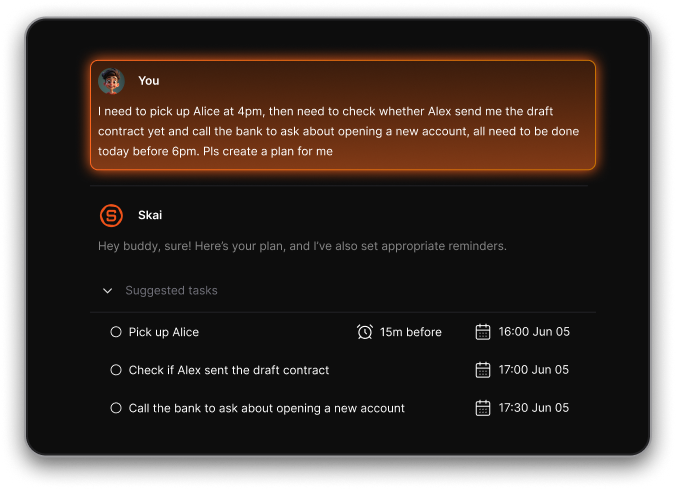
This makes it especially useful for people who don’t want to manage folders, tags, or plugins.
2. What’s the best Joplin alternative for markdown lovers?
For users who enjoy writing in markdown and controlling their note structure:
- Obsidian is ideal if you want deep linking, graphs, and local storage
- Bear is better if you want a simple, elegant writing experience
Both offer cleaner markdown workflows than Joplin, but with different complexity levels.
3. Is there a simpler alternative to Joplin?
Yes. Many users want less setup, fewer plugins, and faster capture.
- Saner.AI is designed for “just write it down” workflows
- Bear is great for writing without distraction
- Evernote works well for people who want everything in one place
These tools remove much of the technical overhead Joplin requires.
4. Which Joplin alternative is best for cross-device sync?
One common reason people switch from Joplin is sync reliability and ease of use.
Among the best 7 Joplin alternatives:
- Saner.AI syncs notes, tasks, and reminders automatically across devices.
- Evernote offers the most seamless sync across web, desktop, and mobile.
- Notesnook provides encrypted sync with minimal setup.
5. Which Joplin alternative is best for task management?
Joplin is note-centric, not action-centric. If you want notes that lead to execution:
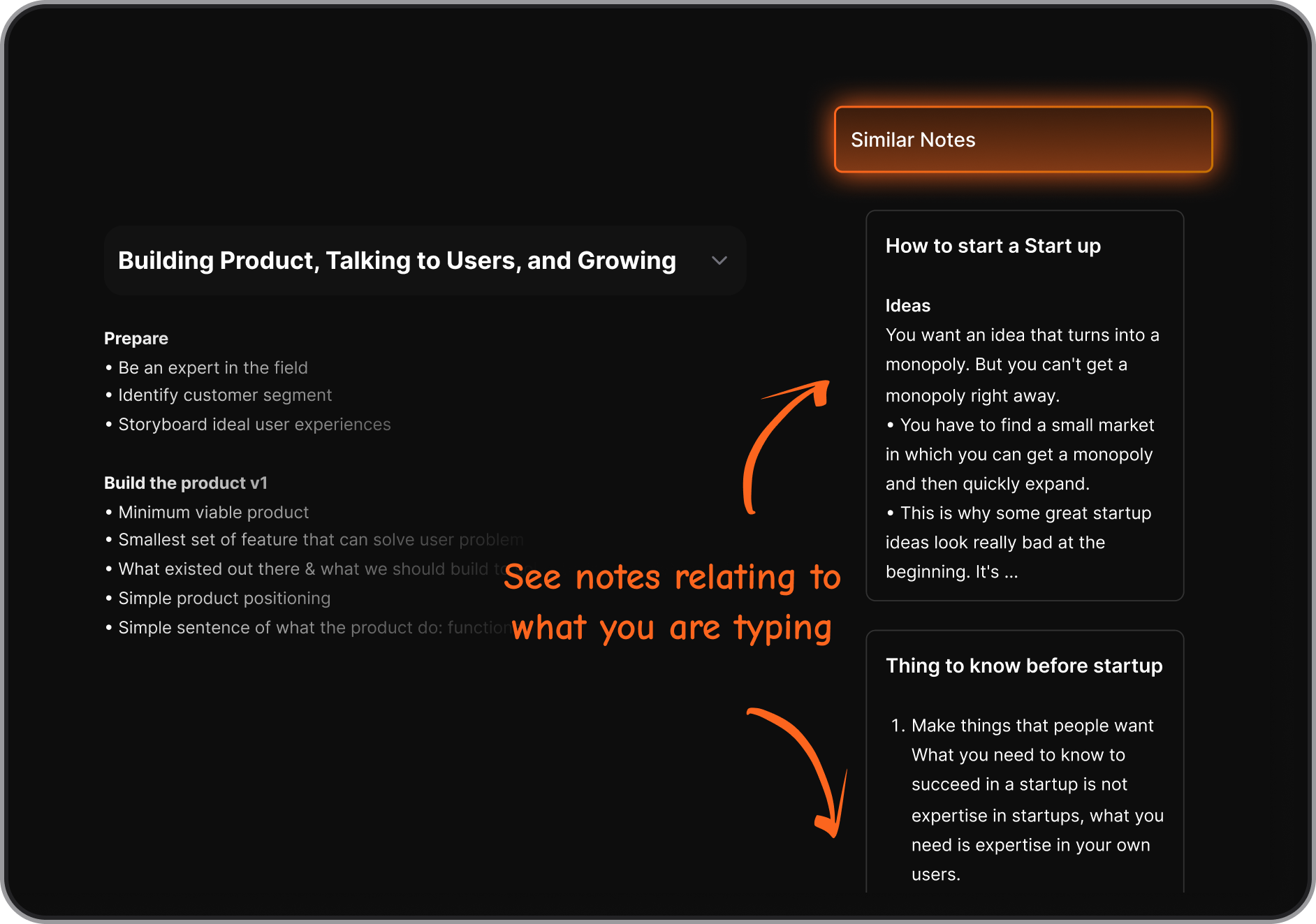
- Saner.AI automatically connects notes, tasks, and reminders.
- Evernote supports tasks, but mostly manually.
- Obsidian requires plugins and setup.
For people who struggle to turn notes into action, AI-assisted tools are often more effective.
6. What’s the best Joplin alternative for ADHD or messy thinkers?
Users with ADHD or fast-moving thoughts often prefer tools that reduce friction and context switching.
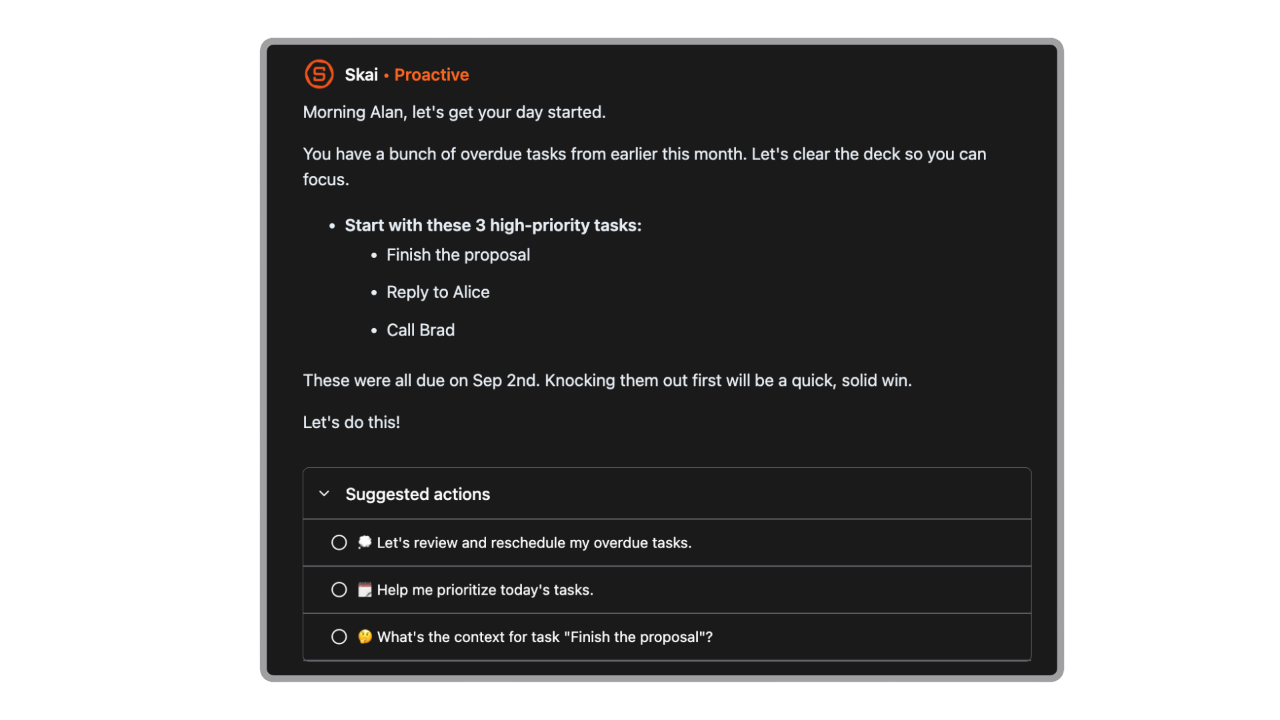
Saner.AI is frequently recommended because it:
- Accepts unstructured brain dumps.
- Organizes information automatically.
- Surfaces reminders without rigid systems.
7. Can I replace Joplin without losing my notes?
Yes. Most Joplin alternatives like Saner.AI support:
- Markdown imports.
- File-based migration.
- Copy-paste workflows.
8. Which Joplin alternative is best for long-term knowledge management?
For building a long-term personal knowledge system:
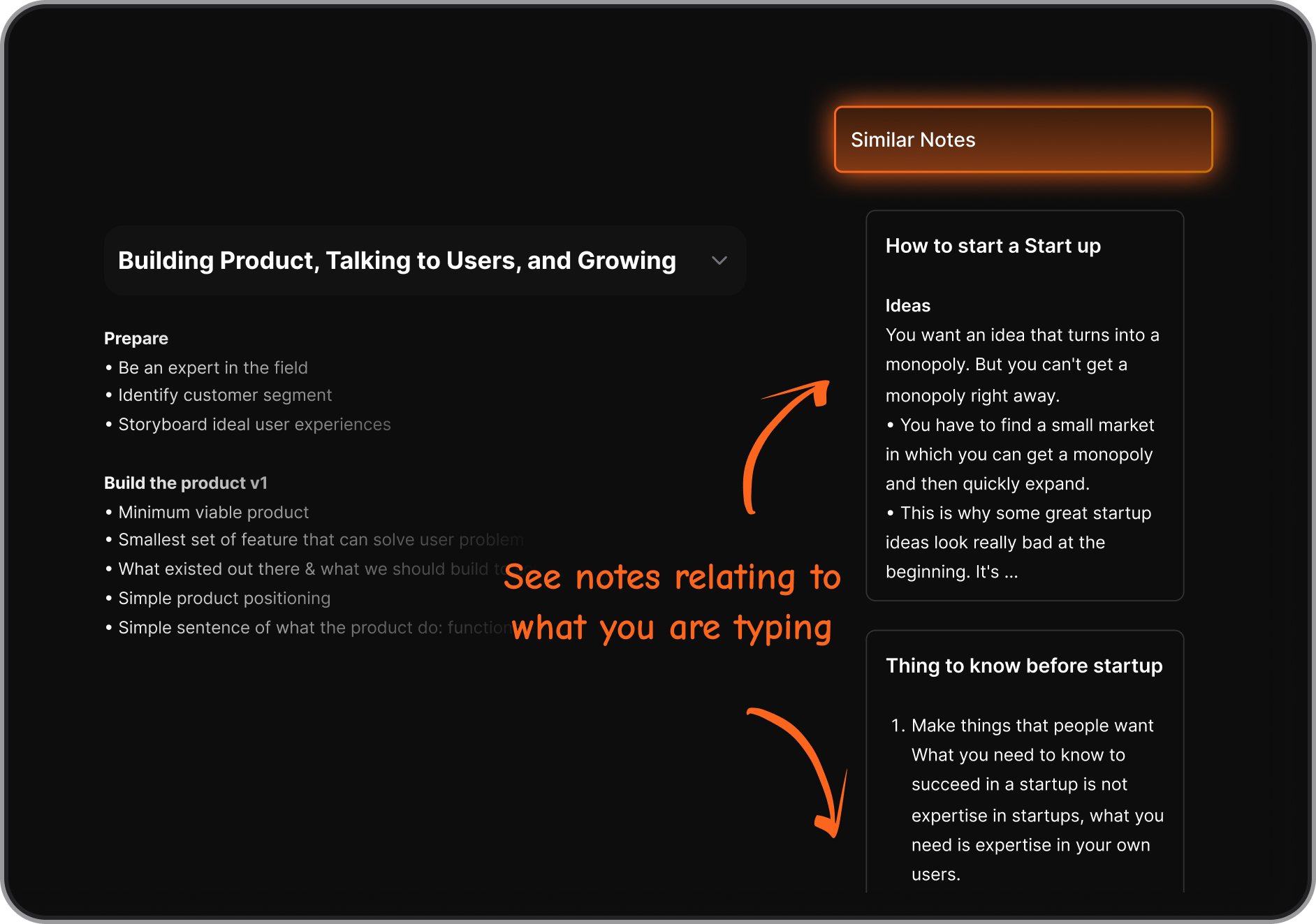
- Saner.AI - Best for recall and action, not just storage.
- Obsidian - Best for structured knowledge graphs.
- Anytype - Best for object-based thinking.
The right choice depends on whether you value structure or retrieval speed.
9. What is the best Joplin alternative for people who don’t want plugins?
Joplin relies heavily on plugins for advanced workflows, which can feel overwhelming.
If you prefer tools that work well out of the box:
- Saner.AI removes the need for tags, folders, or plugins entirely
- Bear focuses on writing with zero configuration
- Standard Notes offers a predictable, minimal feature set
For many users, reducing setup friction is the main reason they search for the best 7 Joplin alternatives.
10. Which Joplin alternative is best for people with too many notes?
When note volume grows, search and recall become more important than structure.
For large, messy note collections:
- Saner.AI uses AI to surface relevant notes and tasks
- Obsidian relies on links and graphs for navigation
- Evernote offers strong keyword search and filters
11. Which Joplin alternative is best for minimalists?
Some users want fewer features, fewer decisions, and less visual noise.
Minimalist-friendly Joplin alternatives include:
- Saner.AI - capture first, organize automatically
- Bear - simple tags, no complex hierarchy
- Standard Notes - predictable, minimal interface
12. Which Joplin alternative is easiest to learn?
Joplin can feel intimidating due to its settings and plugin system.
If ease of use is your top concern:
- Saner.AI avoids manuals by letting you write naturally
- Bear is widely considered the most intuitive
- Evernote is familiar to many users and is easy to onboard
These options are often chosen by people who want productivity without a learning curve.
13. Which Joplin alternative is best for long-term note retrieval?
Many users struggle not with writing notes, but with finding them later.
For recall and retrieval:
- Saner.AI lets you search using natural language.
- Obsidian relies on backlinks and graph navigation.
- Evernote uses keyword-based global search.
If you often forget where you stored things, AI-assisted retrieval can outperform manual systems.
14. Are Joplin alternatives better for non-technical users?
Yes. Especially if you don’t want to manage plugins, sync settings, or manual organization.
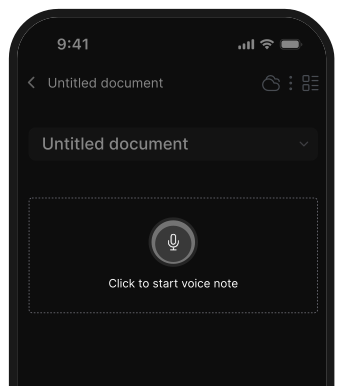
Among the best 7 Joplin alternatives, Saner.AI is particularly well-suited for non-technical users because it removes most of the setup work entirely. You can also take voice notes naturally, and the system automatically organizes information, extracts tasks, and reminds you of what matters.
Instead of learning a tool, you focus on your work, making it a practical choice for people who find Joplin too technical or time-consuming to maintain.
15. Which Joplin alternative works best for turning notes into action?
Many people outgrow Joplin when their notes stop being just references and start needing follow-through.
Among the best 7 Joplin alternatives, Saner.AI fits this shift well. You can capture ideas, meeting notes, or quick thoughts in plain language, and the system automatically turns them into tasks, reminders, or priorities - without extra tagging or manual setup.
Stay on top of your work and life