8 Best Lifestack Alternatives in 2026 (Free & Paid)

You buy Lifestack because the idea of scheduling your hardest tasks around your real-time biometric energy levels sounds brilliant. You link your Oura Ring, sync your Google Calendar, and wait for your day to magically organize itself around your focus peaks.
Two weeks later, you find yourself fighting the app. It tells you that you are at peak energy when you can barely keep your eyes open, or it tries to block off deep work hours right in the middle of a team meeting you cannot skip. Instead of getting more done, you spend half your morning adjusting settings, fixing calendar sync glitches, and re-entering events that disappeared
If you love the idea of intelligent time management but want a tool that actually works without constant babysitting, here are 8 better fits.
What are the best Lifestack alternatives?
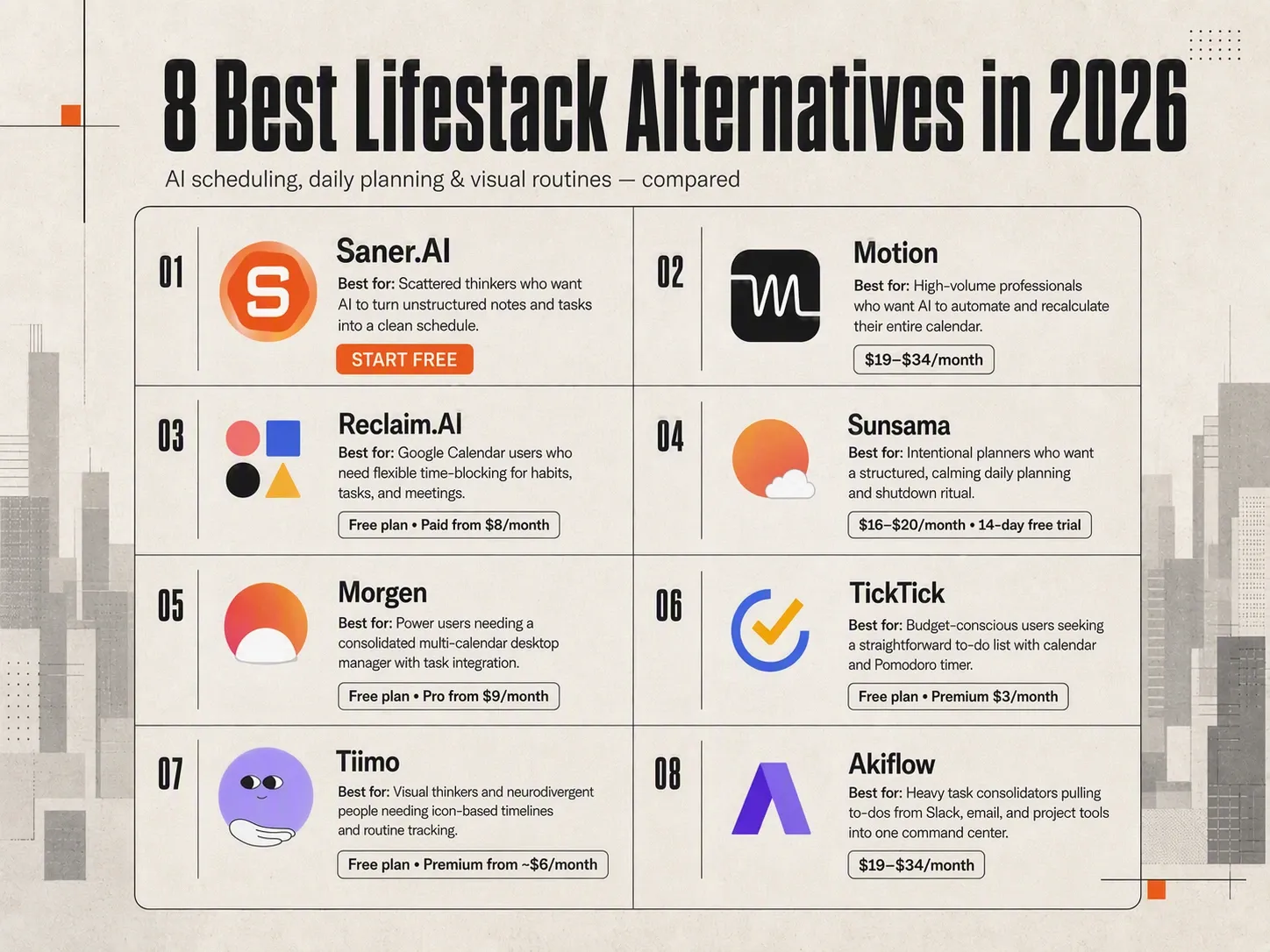
2. Motion — Best for aggressive AI auto-scheduling
3. Reclaim.ai — Best for Google Calendar users protecting focus blocks + habits
4. Sunsama — Best for intentional daily planning ritual (mindful, not algorithmic)
5. Morgen — Best for desktop-first users who need a full cross-platform calendar hub
6. Akiflow — Best for power users aggregating tasks from multiple tools (Notion, Asana, etc.)
7. Tiimo — Best for ADHD + neurodivergent users that prefer visual schedules
8. TickTick — Best free alternative for simple task + calendar management on any device
1) Why look for a Lifestack alternative?
Lifestack works well if you want your Apple Health or Oura data to drive your calendar. Connecting sleep scores to your daily schedule helps protect your energy, but the app isn't the right fit for every workflow.
1. Mobile-first design leaves desktop users behind
You can check your timeline on a phone, but managing a busy workday on a small screen gets tiring fast. Lifestack lacks a full desktop app, forcing you to manage everything on a mobile device. If you spend your workday at a computer, picking up your phone to check tasks breaks focus.
2. Suggestions without execution
Lifestack builds a schedule, but it won't act on it. It suggests time blocks based on your energy levels, but it doesn't draft emails or reschedule tasks when a meeting runs over. You still have to handle the manual work of shifting items around yourself.
3. No free plan to test the waters
Testing how health tracking syncs with calendar management costs $7 a month right away. Lifestack offers no free tier, so you have to pay upfront just to see if energy-based scheduling fits your personal routine.
2) How we chose the best Lifestack alternatives
Replacing a specialized tool like Lifestack requires looking beyond basic digital calendars. We evaluated each tool against the real-world friction points of personal energy and task management:
- Frictionless Capture: How quickly can you dump tasks and ideas into the app without spending minutes tagging and configuring them?
- Adaptability & Rescheduling: When your daily focus crashes or an emergency pops up, how easily does the app auto-shuffle or allow you to push tasks back without inducing guilt?
- Cross-Platform & Centralization: Can the app consolidate tasks from your communication tools (Slack, email, project managers) into one clear view?
- Cognitive Load & Interface: Is the visual layout designed to reduce overwhelm, or does it add noise with excessive charts and data points?
- Time-Blocking Depth: Does it seamlessly turn to-dos into dedicated blocks on your main calendar without conflicting with existing meetings?
What are the best Lifestack alternatives in 2026?
Best Lifestack alternatives in 2026 are: Saner.AI, Motion, Reclaim.AI, Sunsama, Morgen, TickTick, Tiimo, Akiflow.
Best Lifestack Alternatives - Comparison table
| Tool | Best feature | Price | Device / platform |
|---|---|---|---|
| Saner.AI | AI “second brain” that turns notes, emails, and ideas into tasks and plans | Free plan; paid plans from $8/month | Web, Chrome extension, iOS/Android mobile app |
| Motion | Automatic AI scheduling that places tasks directly onto your calendar | From $49/month or $29/month billed annually | Web, Windows, macOS, iOS, Android |
| Reclaim.AI | Automatically protects time for habits, tasks, focus time, and personal commitments | Free plan; paid plans from approximately $10–$12/user/month | Web, iOS, Android, Chrome |
| Sunsama | Guided daily planning that combines tasks, calendar events, and routines | $22/month or $17/month billed annually | Web, Windows, macOS, Linux, iOS, Android |
| Morgen | Unified calendar and task management with human-approved AI planning | $30/month or $15/month billed annually | Web, Windows, macOS, Linux, iOS, Android |
| TickTick | Affordable all-in-one task manager with habits, calendar, reminders, and Pomodoro | Free plan; Premium from $3.99/month or around $35.99/year | Web, Windows, macOS, Linux, iOS, Android |
| Tiimo | Visual, ADHD-friendly daily planning with timelines, routines, and visual timers | Free plan; Pro from approximately $7.99/month or $79.99/year | iOS, Android, web planner |
| Akiflow | Unified inbox for tasks and calendar events with fast drag-and-drop time blocking | From approximately $34/month or $19/month billed annually | Web, macOS, Windows, iOS |
1. Motion
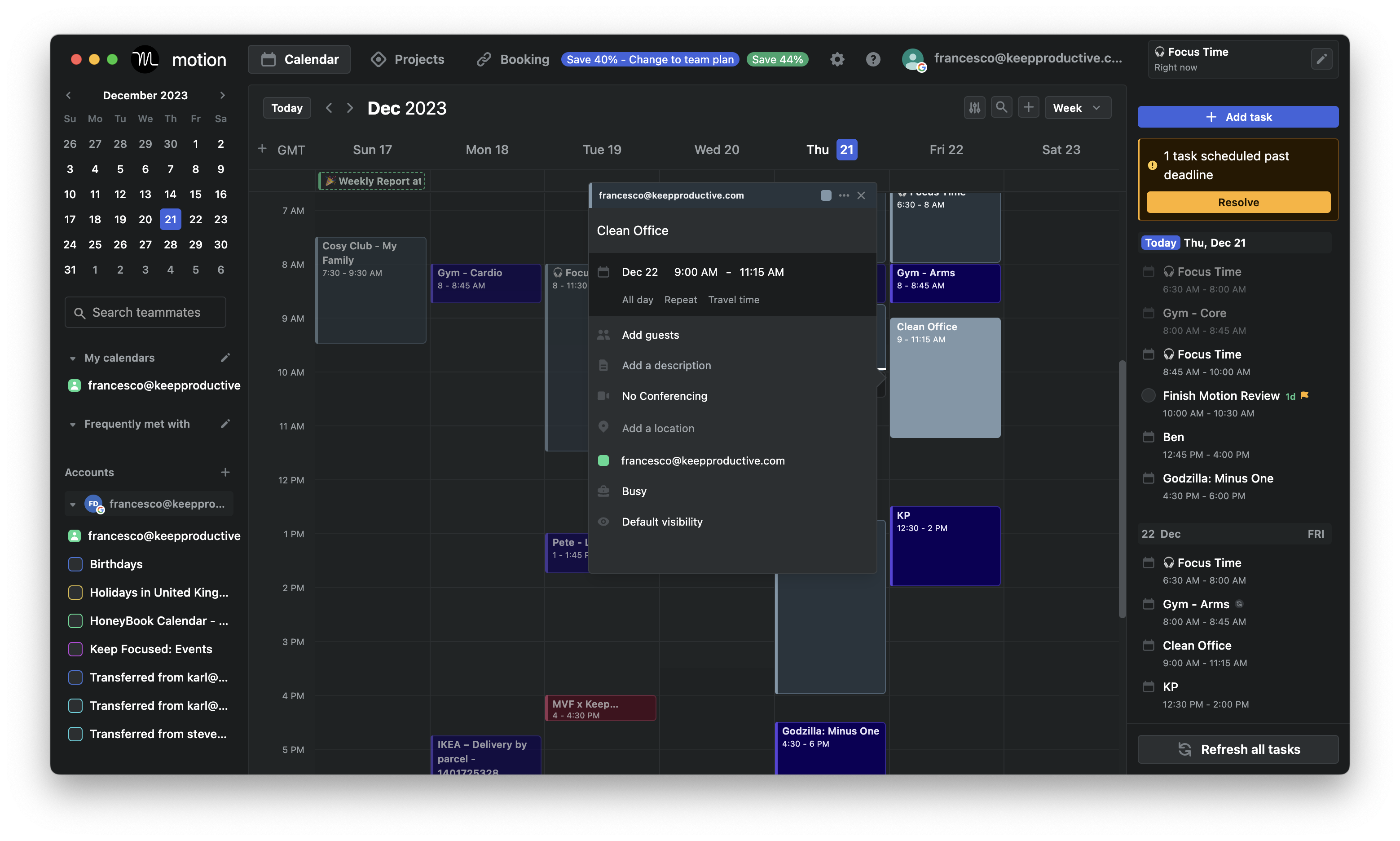
Motion takes your entire task list, calculates deadlines and priority levels, and slots everything straight onto your calendar. When a last-minute call pops up, it automatically shifts your remaining work into open gaps later in the week.
What it does well:
- Automatic task placement: Dump your to-do items into Motion with due dates, and it builds a daily schedule without making you drag boxes around manually.
- Integrated project management: Motion handles team project boards, task dependencies, and shared workloads alongside your personal calendar.
- Dual calendar support: It works with both Google Calendar and Microsoft Outlook, making it easy to sync work and personal accounts in one spot.
- Relentless deadline tracking: The schedule adapts strictly to target dates so critical work finishes on time.
What it doesn't do well:
- Expensive price tag: Subscriptions start around $19 a month, and the 7-day trial requires your credit card details upfront.
- Ignores physical energy levels: Motion does not connect to wearables like Apple Health or Oura. If you hit a 3 PM energy slump, it will still schedule heavy analytical work in that slot. Overwhelming day views.
- The auto-scheduler tends to pack your calendar wall-to-wall, which gets exhausting fast if you prefer open space.
Who it's actually for: Professionals and teams looking for a heavy-duty Lifestack alternative that arranges work around hard deadlines rather than personal energy patterns.
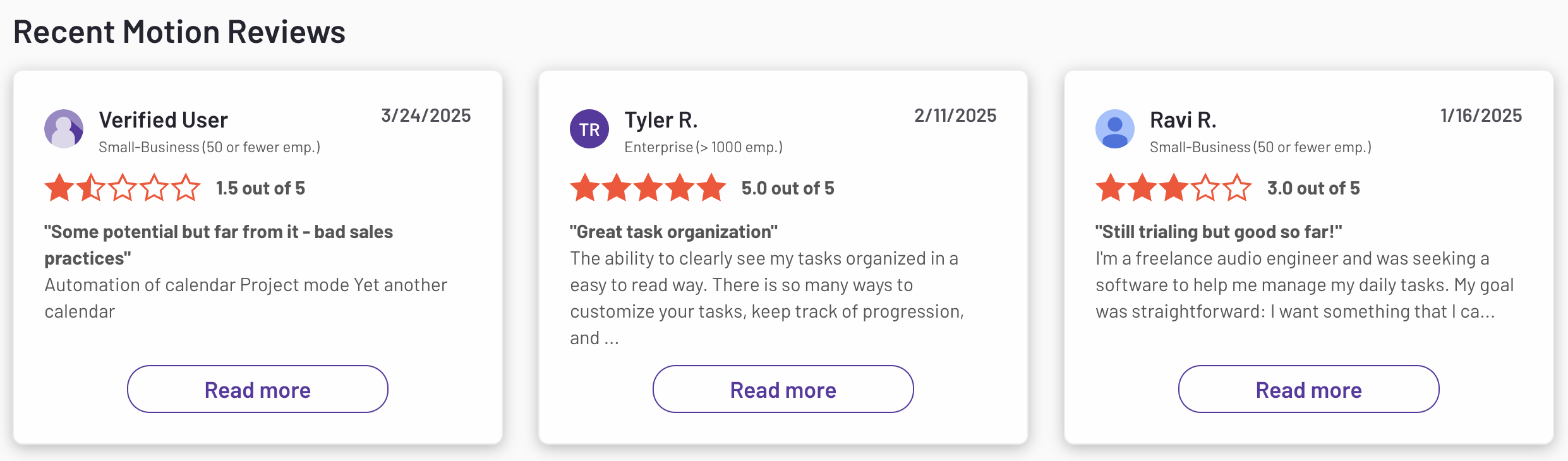
Motion reviews (source)
2. Saner.AI
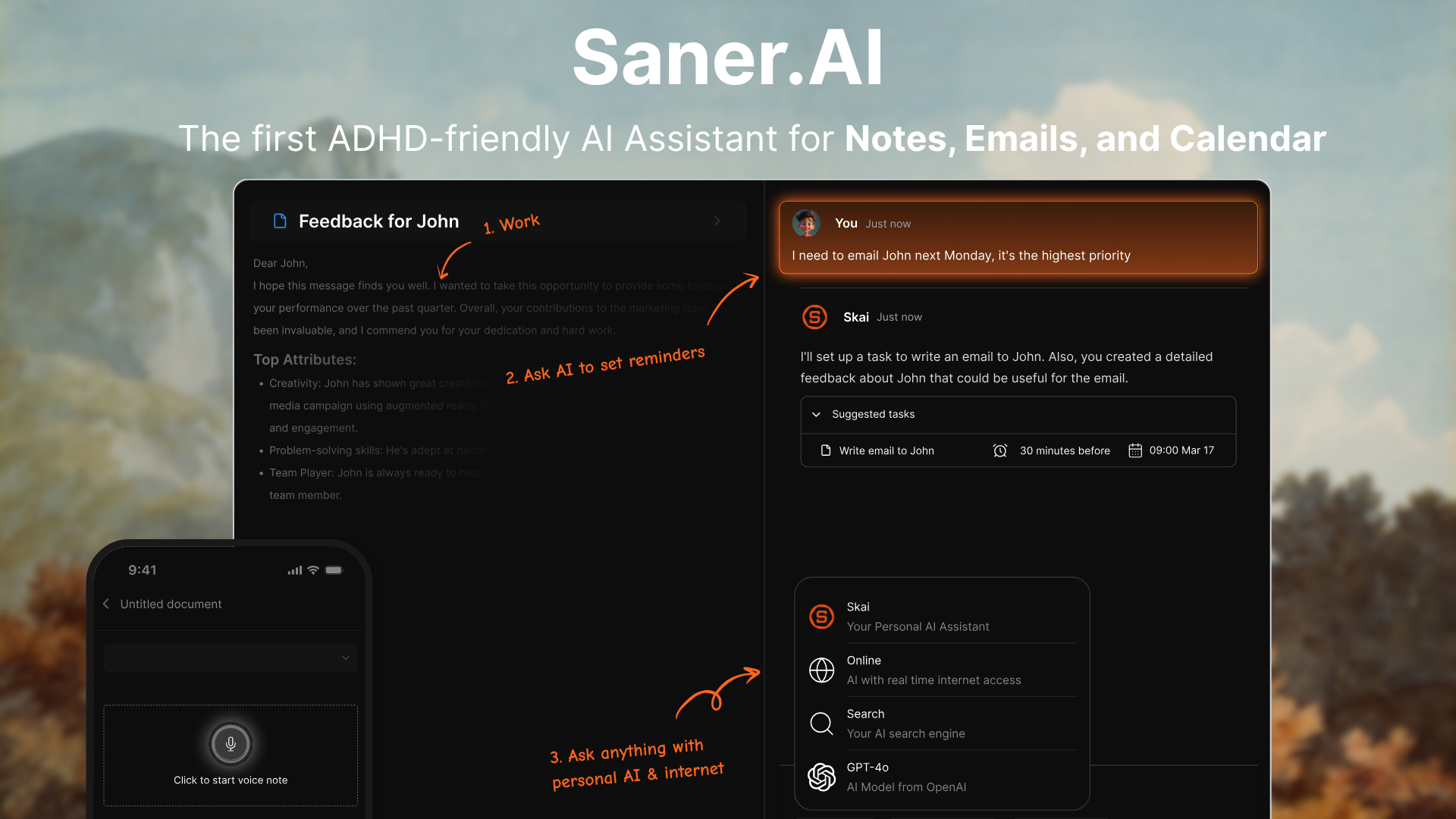
If you are hunting for Lifestack alternatives, Saner.AI offers a calmer way to merge your notes, tasks, and calendar without manual tagging. While Lifestack centers around energy tracking and daily habits, Saner.AI targets scatterbrained days by acting as a personal sidekick that turns messy thoughts into structured tasks.
Key Feature
- Proactive daily planning
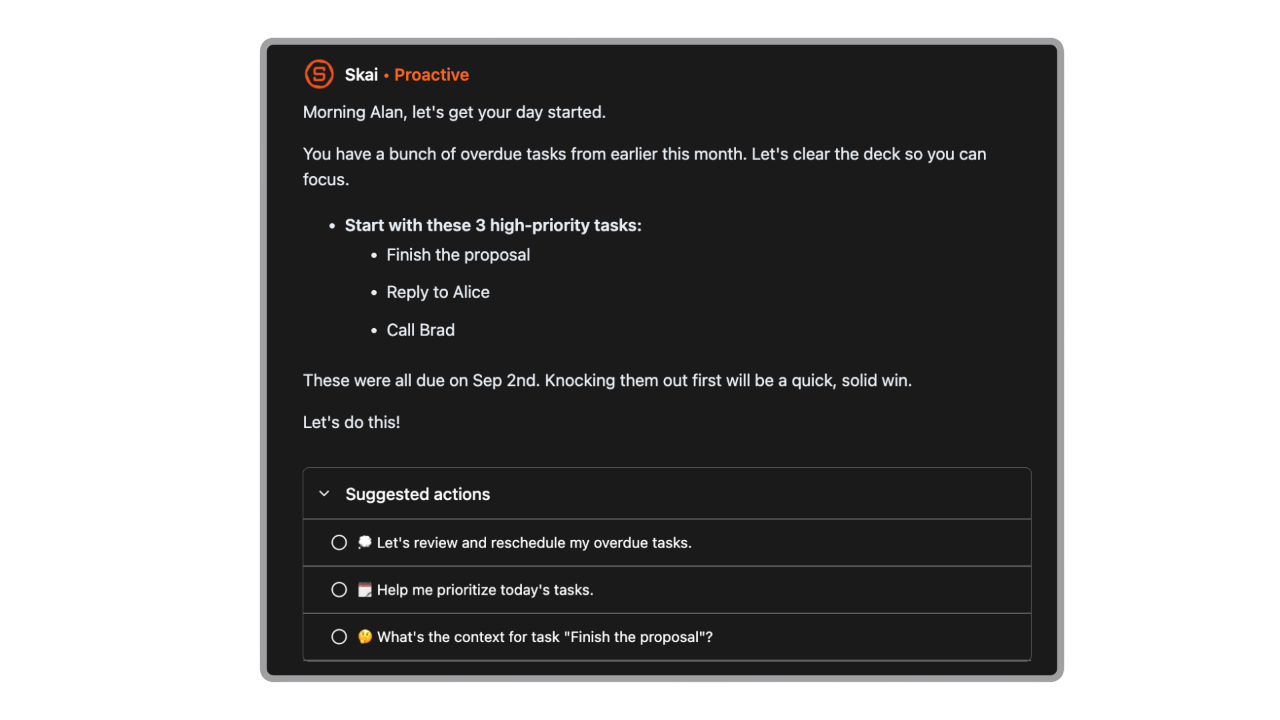
The AI assistant - Skai will scan your notes, tasks, and emails every day, then pull up a full plan for you to begin your day with. No nagging, no passive-aggressive motivation, just a quick, simple plan to help you minus the first step in planning your day.
- Conversational task extraction
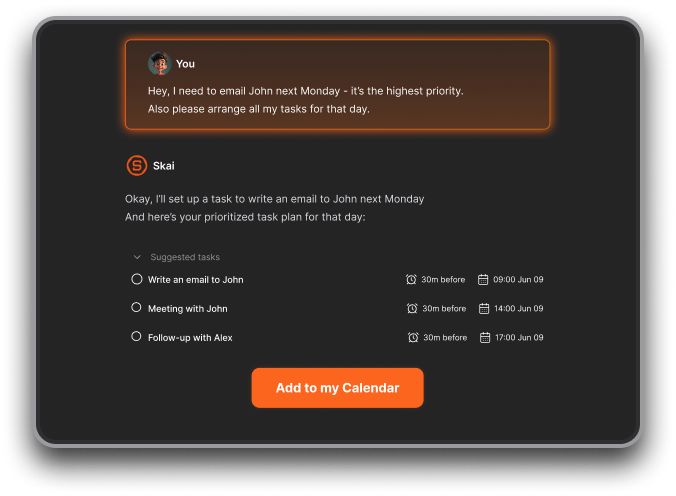
I tried dumping unstructured brain dumps directly into the chat window, and the assistant extracted actionable tasks with suggested due dates.
- Personal knowledge base querying
I used the upload feature to store several meeting notes and PDFs to see if the app could reference past work without manual folder setups.
Pros
- I like how quickly the app converts messy text dumps into scheduled calendar items.
- The AI calendar is really helpful in managing my schedule
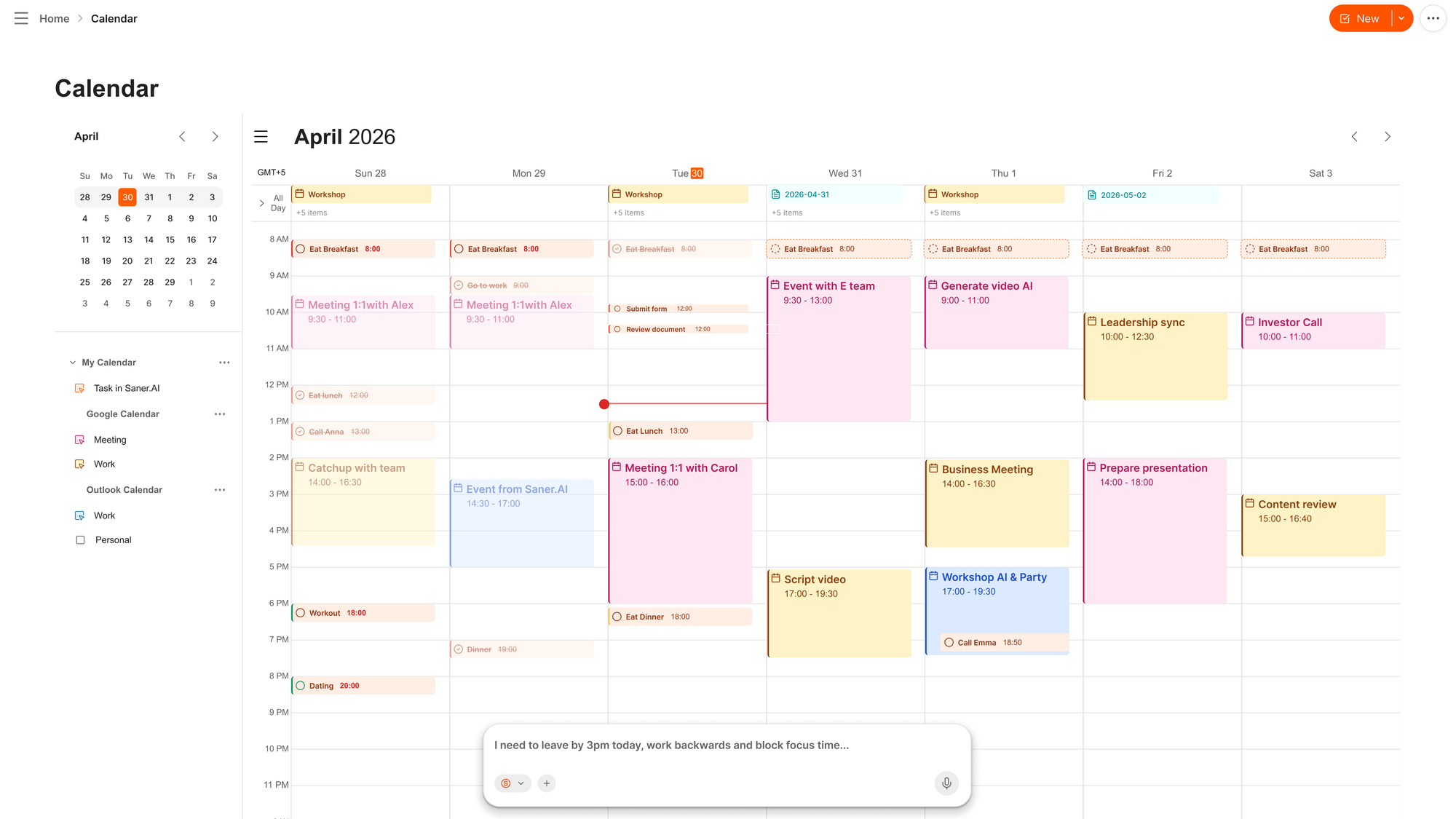
- It is very helpful when the assistant gives realistic suggestions for reprioritizing my day.
- I enjoy having a simple task view alongside my main schedule rather than switching tabs constantly.
Cons
- I feel frustrated when importing large batches of notes takes longer than expected.
Who is it best for
- Saner.AI is best for knowledge workers, freelancers, and people with ADHD who find structured habit trackers like Lifestack too rigid for daily work.
Pricing
| Plan | Price (USD) | Core capabilities |
| Free Tier | $0/mo | Natural language note search, AI reminders, and basic calendar sync. |
| Starter | $8/mo | Expanded task conversion, higher file limits, and proactive check-ins. |
| Standard | $16/mo | Full knowledge base chat, priority AI processing, and advanced task scheduling. |
What people say about Saner.AI
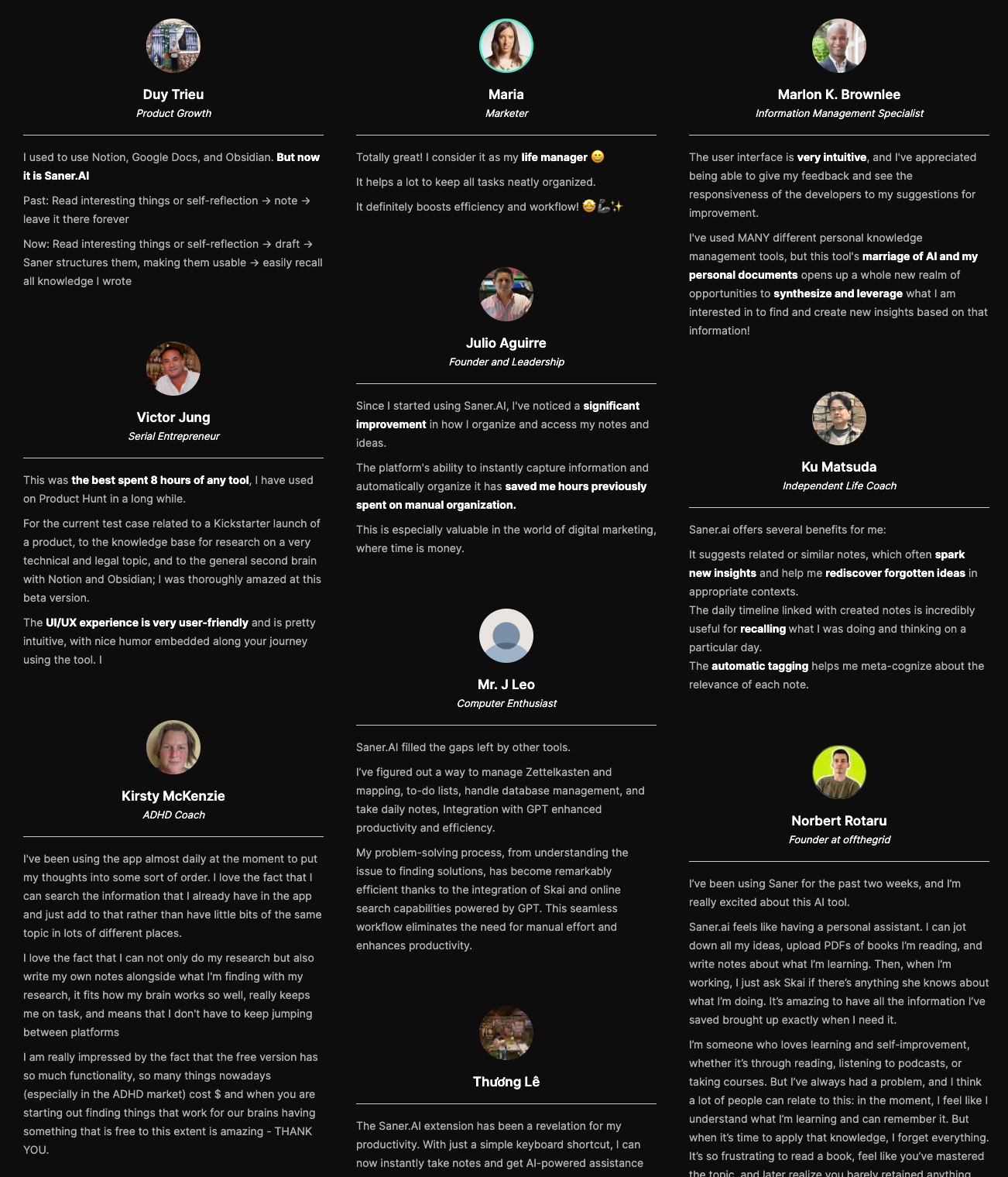
Users highlight the tool as a helpful daily manager that keeps tasks organized without manual sorting.
"Totally great! I consider it as my life manager, and it helps a lot to keep all tasks neatly organized. It definitely boosts efficiency and workflow!" — Verified Review
How to get started
- Step 1: Download the app on your phone or log in through your web browser.
- Step 2: Sync your primary calendar and type or speak a brief brain dump into the chat window.
- Step 3: Confirm the suggested to-dos so they land directly on your daily schedule.

Stay on top of your work and life effortlessly
3. Reclaim.ai
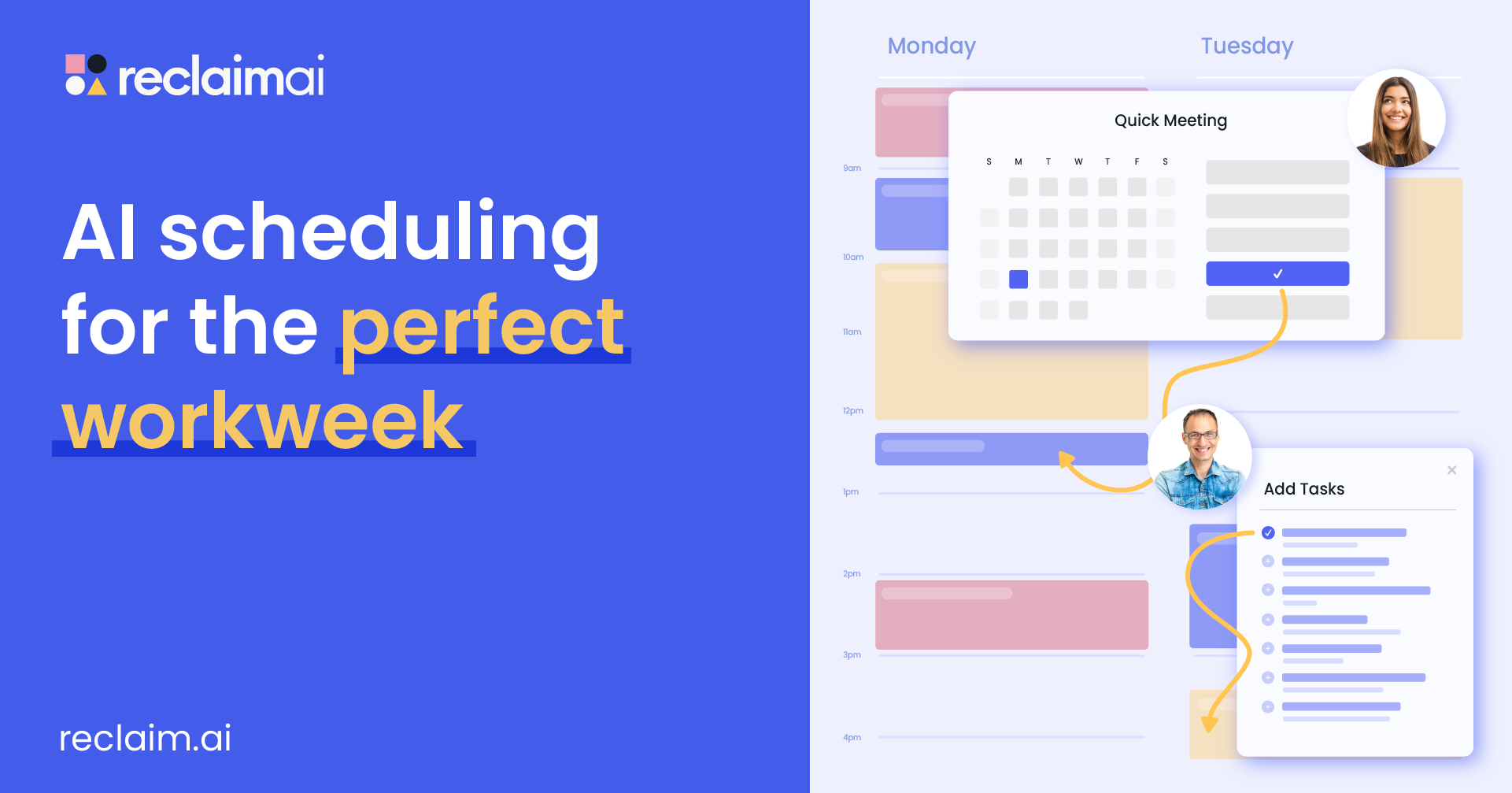
Reclaim handles the tedious side of calendar management. It takes your tasks and recurring habits, places them into your schedule, and shifts them around when meetings pop up.
What it does well
- Protects focus time and habits: You tell it what you need to do, like exercising or writing for an hour, and it finds open space on your calendar.
- Syncs work and personal calendars. It mirrors events between separate accounts, blocking out personal commitments on your work schedule while hiding private details from co-workers.
- Handles team meeting coordination. Reclaim coordinates multi-person availability for recurring syncs and one-on-ones, saving you from back-and-forth emails.
What it doesn't do well
- No biological energy tracking: Lifestack uses wearable data to align work with your physical energy peak while Reclaim only looks at calendar availability
- Can trigger notification spikes: When a sudden meeting shifts your afternoon, the system reshuffles multiple tasks at once, which can flood your phone with calendar updates.
- Limited free tier: The free plan limits you to three habits and a single smart meeting, forcing a paid upgrade for heavy workflows.
Who it's actually for: People who spend their workday dodging meeting invites and need an automatic calendar defender rather than a body-clock tracker.
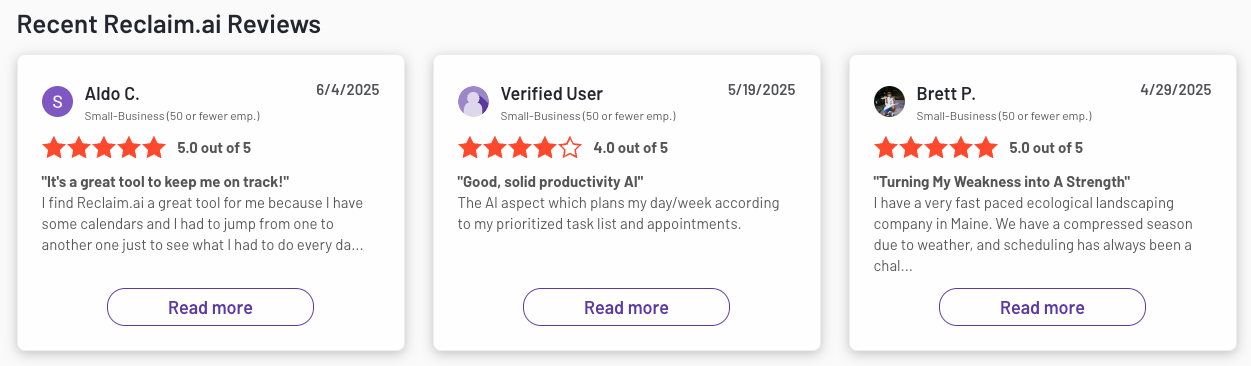
Reclaim reviews (source)
4. TickTick
TickTick is a complete daily planner that combines your to-do lists, calendar views, focus timers, and habit tracking in one place.
What it does well:
- Built-in habit tracking and focus tools: You do not need extra apps for habit streaks or Pomodoro focus sessions because TickTick handles both directly alongside your daily tasks.
- True cross-platform availability: It syncs fast across iOS, Android, Mac, Windows, Web, and smartwatches, so your schedule is visible anywhere you are.
- Affordable pricing structure: The free version covers basic daily planning, while the paid tier costs around $36 per year
- Multiple task views: You can switch between list layouts, calendar grids, Kanban boards, and priority matrices depending on how you like to work.
What it doesn't do well:
- No biometric or energy tracking: TickTick will not adjust your daily workload based on sleep quality, heart rate, or energy levels like Lifestack does.
- Manual schedule management: It will not automatically auto-reschedule your entire day when a meeting runs long; you have to drag and drop tasks yourself.
- Interface can feel crowded: Stacking tasks, calendars, timers, and habits into a single sidebar means the layout takes some time to organize cleanly.
Who it's actually for: People looking for reliable Lifestack alternatives that replace multiple productivity apps with a single manual planner.
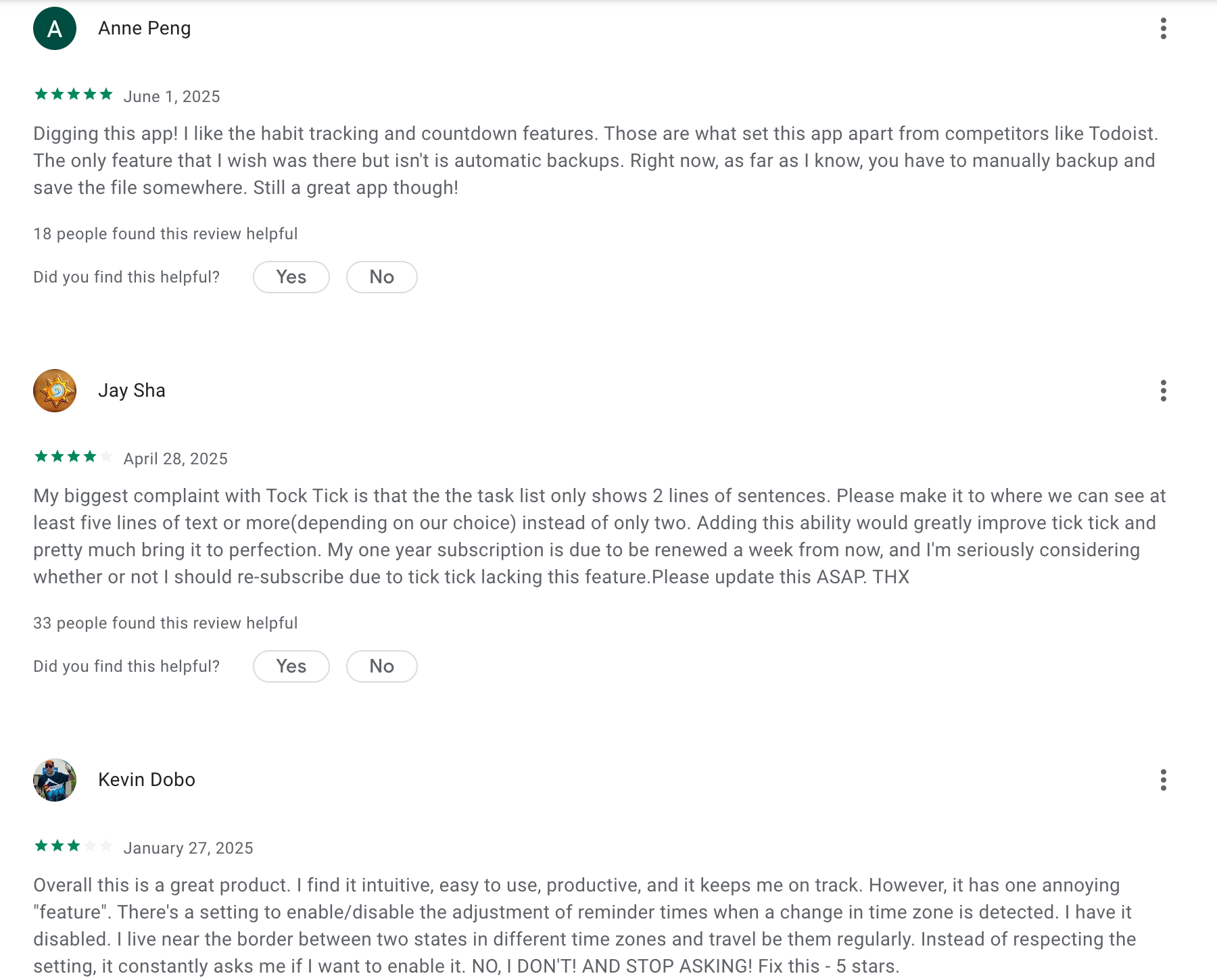
TickTick Reviews (Source)
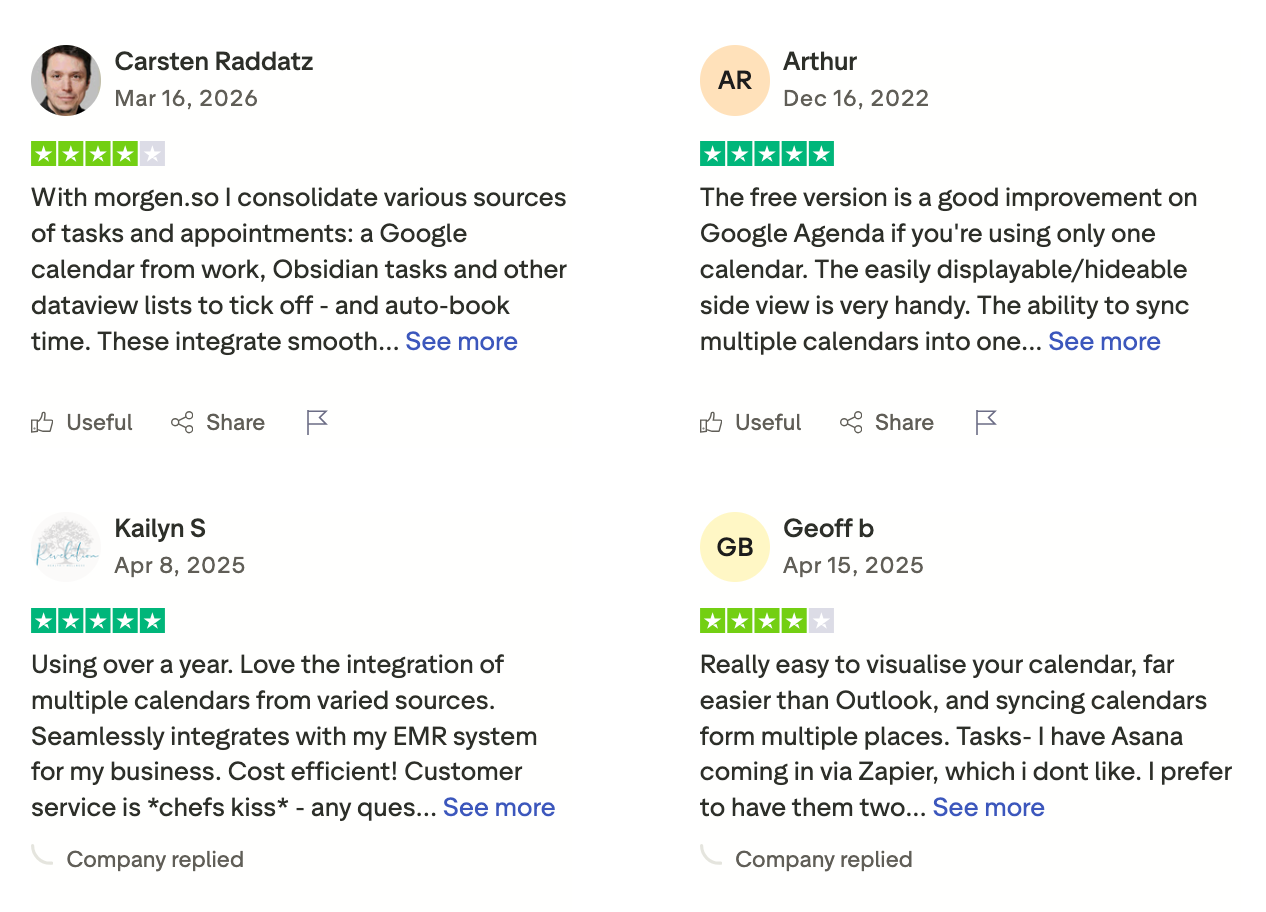
5. Morgen
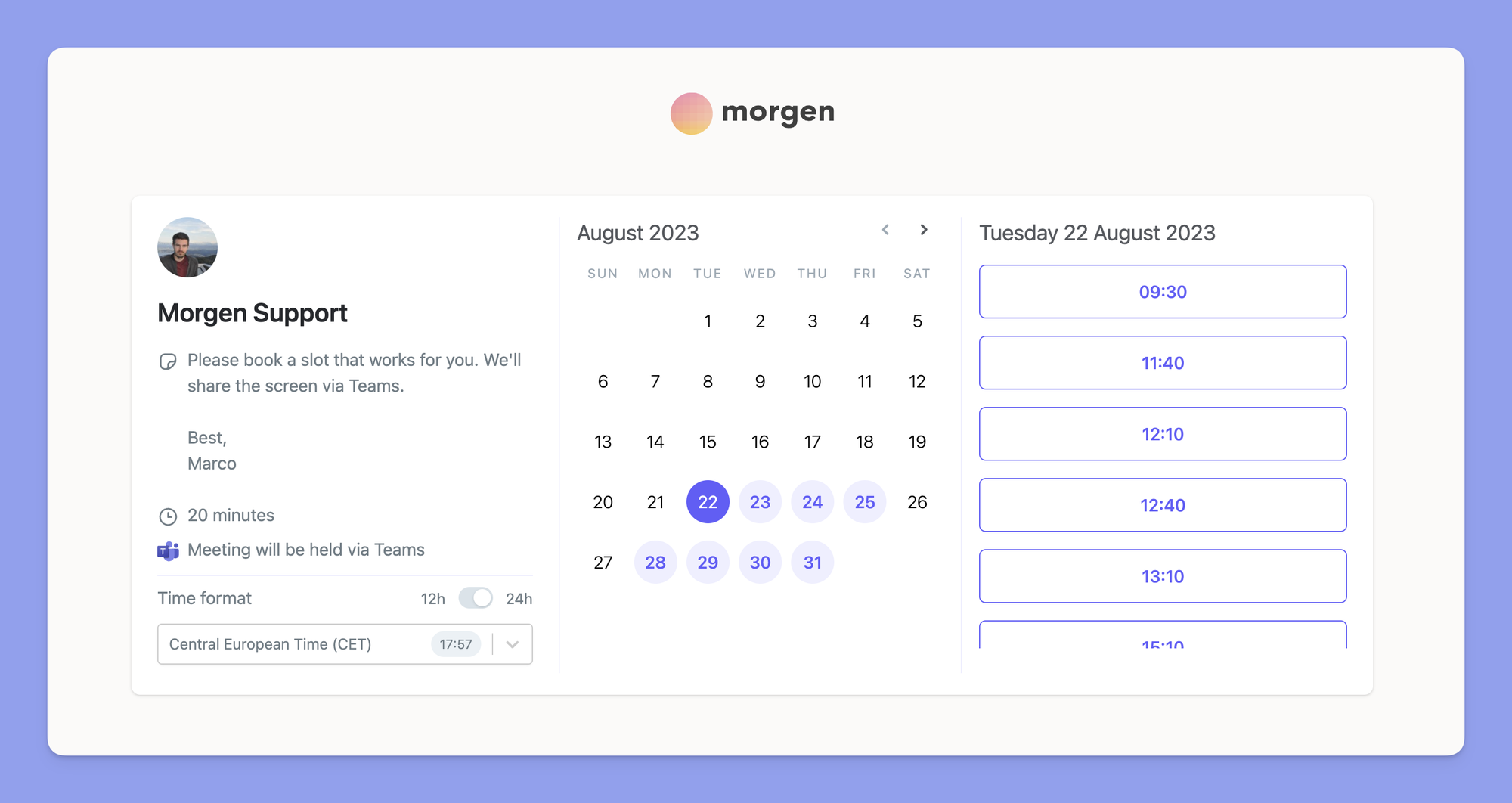
Unify all your calendars and task lists into one clean interface. Morgen pulls events from Google, Outlook, and iCloud, then lets you drag tasks directly onto your schedule to block off focused work time.
What it does well:
- Cross-platform calendar aggregation: Morgen runs on Windows, Mac, Linux, iOS, and Android. It lets you view and manage Google, Outlook, iCloud, and Fastmail calendars side by side without switching apps.
- Deep task integrations: It syncs directly with external tools like Todoist, Notion, ClickUp, and Linear.
- Built-in scheduling links: Morgen includes customizable booking links so clients or colleagues can book meetings based on your real-time availability.
- Control over AI assistant: Its AI proposes a draft schedule for your tasks based on your available time windows, but it requires your approval before placing anything permanently on your calendar.
What it doesn't do well:
- No energy or health tracking: If you are researching Lifestack alternatives to align your schedule with your circadian rhythms, Morgen takes a standard calendar approach. It does not sync with smartwatches or track physical energy levels.
- Basic native task management: The built-in task system only supports simple names and deadlines. If you do not already use a dedicated task manager like Notion or Todoist, managing larger projects inside the app feels bare-bones.
- No permanent free tier for power features: After the 14-day trial ends, you need a paid subscription to keep multi-calendar sync and third-party task integrations active.
Who it's actually for: Busy professionals who manage multiple calendar accounts across different operating systems and want to time-block tasks from external apps like Todoist or Notion.
Morgen reviews (source)
6. Tiimo
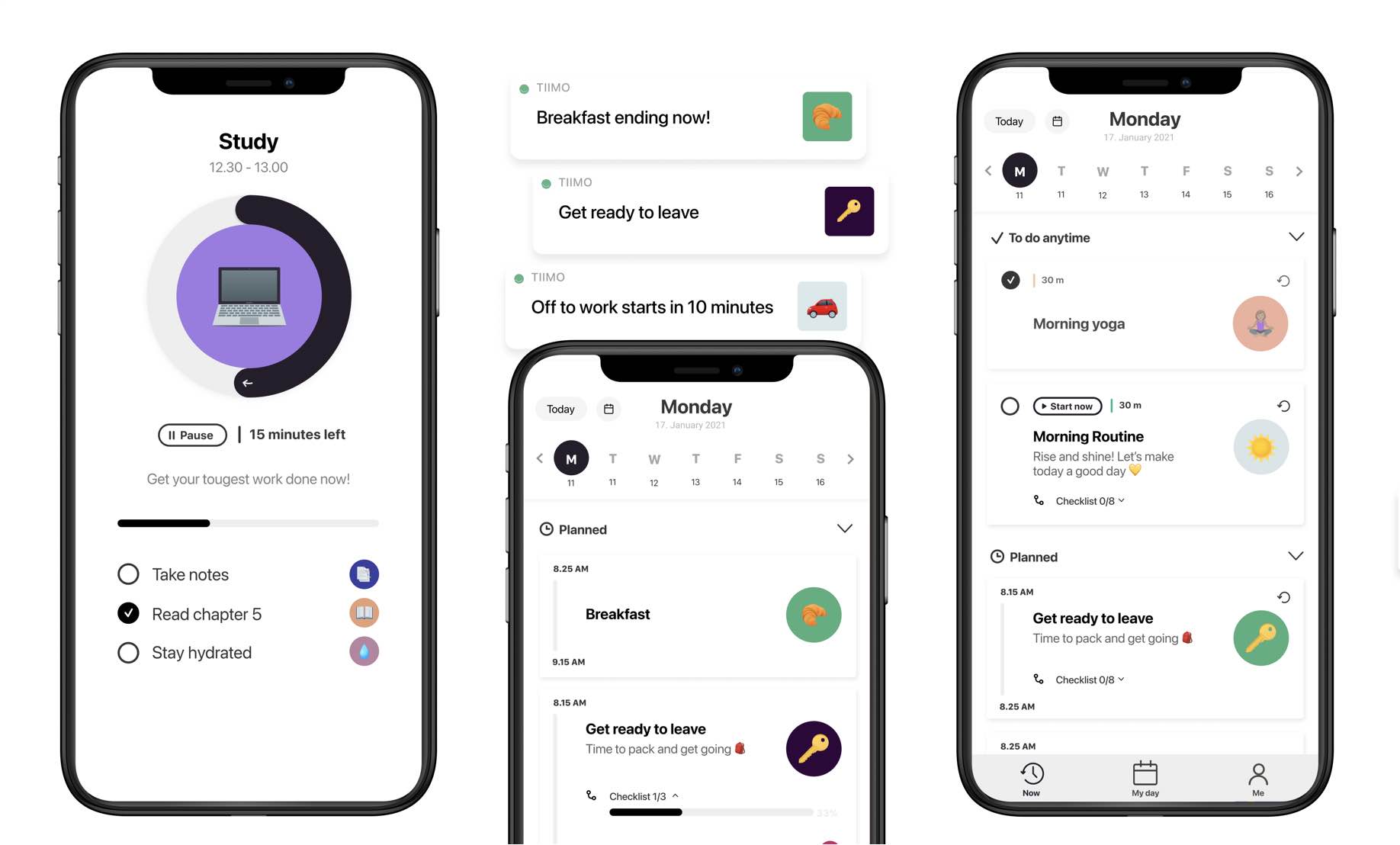
Turn your daily schedule into a visual timeline built around executive function support. Tiimo uses visual blocks, custom icons, and countdown timers to lower the mental effort needed to start tasks and stay on track.
What it does well:
- Visual routine management: Tiimo converts standard calendar entries into color-coded daily timelines. The visual cues and progress bars make time concrete, which helps prevent time blindness and lowers task-switching friction.
- Built-in breakdown tools: The app includes an AI assistant that takes vague, intimidating projects and breaks them into smaller action items with realistic time estimates.
- Gentle habit building: Setting up morning routines or work blocks is straightforward.
- Strong design as a Lifestack alternative: Anyone searching for Lifestack alternatives who prefers a calm, visual schedule over numeric health scores will find Tiimo much easier to use every day.
What it doesn't do well:
- No biometric or energy sync: Tiimo does not track your sleep, wearable data, or circadian energy levels, so you have to decide for yourself when your energy is highest.
- No hands-free calendar repair: It will not automatically move missed tasks or resolve meeting overlaps for you on Google Calendar.
- Mobile-first interface: While a web app exists, the layout relies heavily on mobile and smartwatch patterns, which feels restrictive when you work primarily on a large desktop monitor.
Who it's actually for: Neurodivergent adults and students who need a visual, low-stress routine builder to tackle executive dysfunction.
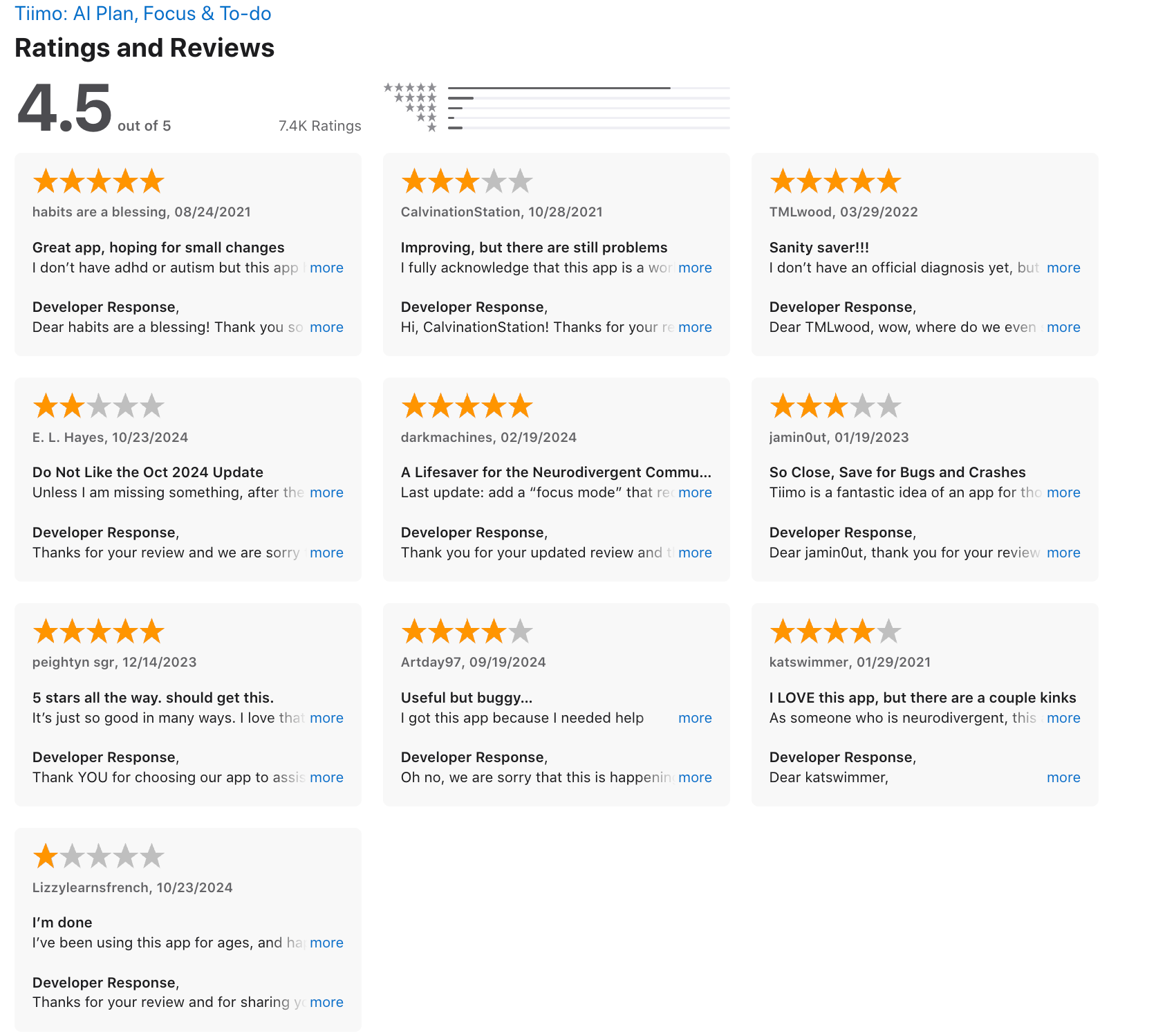
Tiimo Reviews (source)
7. Akiflow
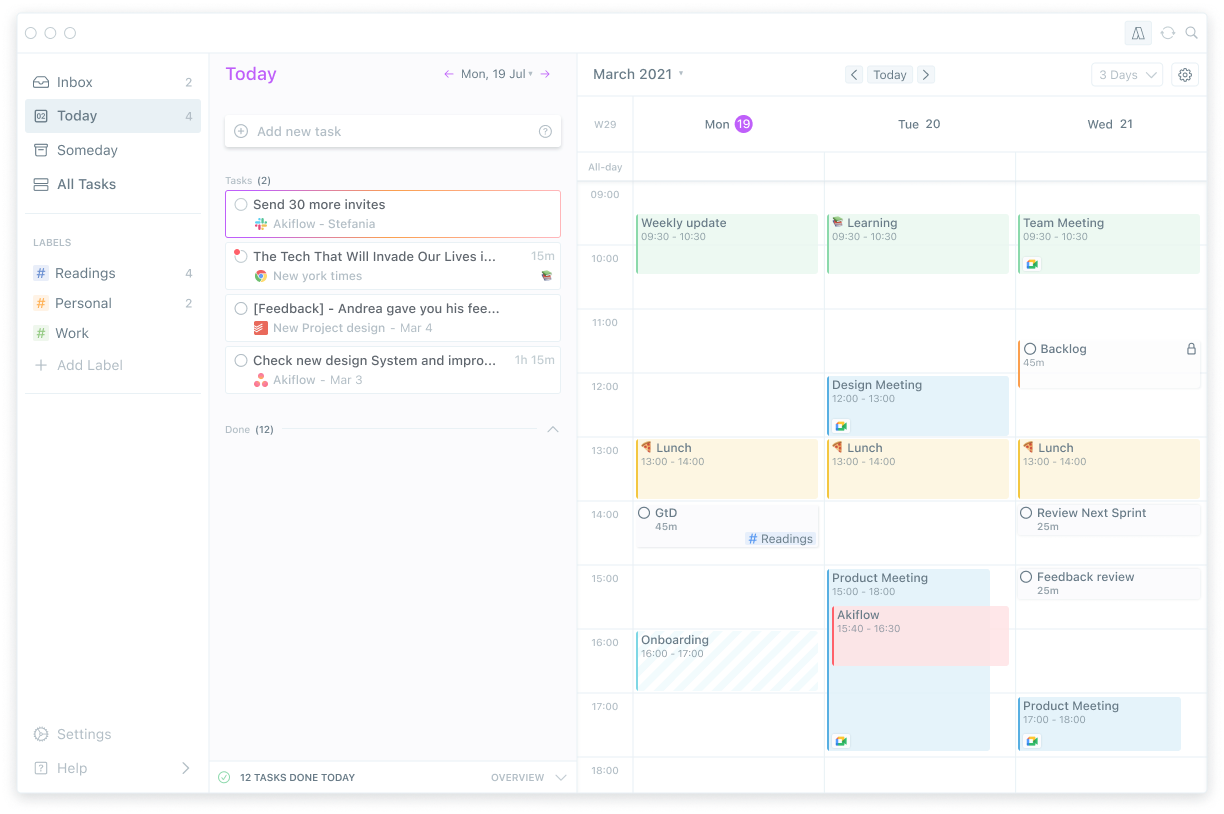
Centralize every task from your work apps into a single calendar view. Akiflow pulls your to-dos out of Slack, Gmail, Notion, and Asana, letting you drag them directly into open time slots on your schedule.
What it does well:
- Deep app integrations: It connects to dozens of external tools and turns messages or tickets into scheduled tasks with a click.
- Keyboard shortcuts and rapid planning: You can process your entire task inbox in minutes using natural language shortcuts and a fast command bar.
- When you schedule a block of work, Akiflow locks it to your Google or Outlook calendar so teammates see you as busy and leave your focused hours alone.
What it doesn't do well:
- Zero energy or circadian tracking: Akiflow treats 8:00 AM and 4:00 PM as identical blocks of time, leaving you to guess when you will actually have the mental capacity for heavy work.
- High monthly cost with a weak mobile app: At around $19 per month billed annually, it costs more than many competitors, and the phone app still feels like an afterthought compared to the desktop version.
Who it's actually for: Busy professionals who manage tasks across half a dozen apps and want a fast desktop dashboard to manually time-block their workday.
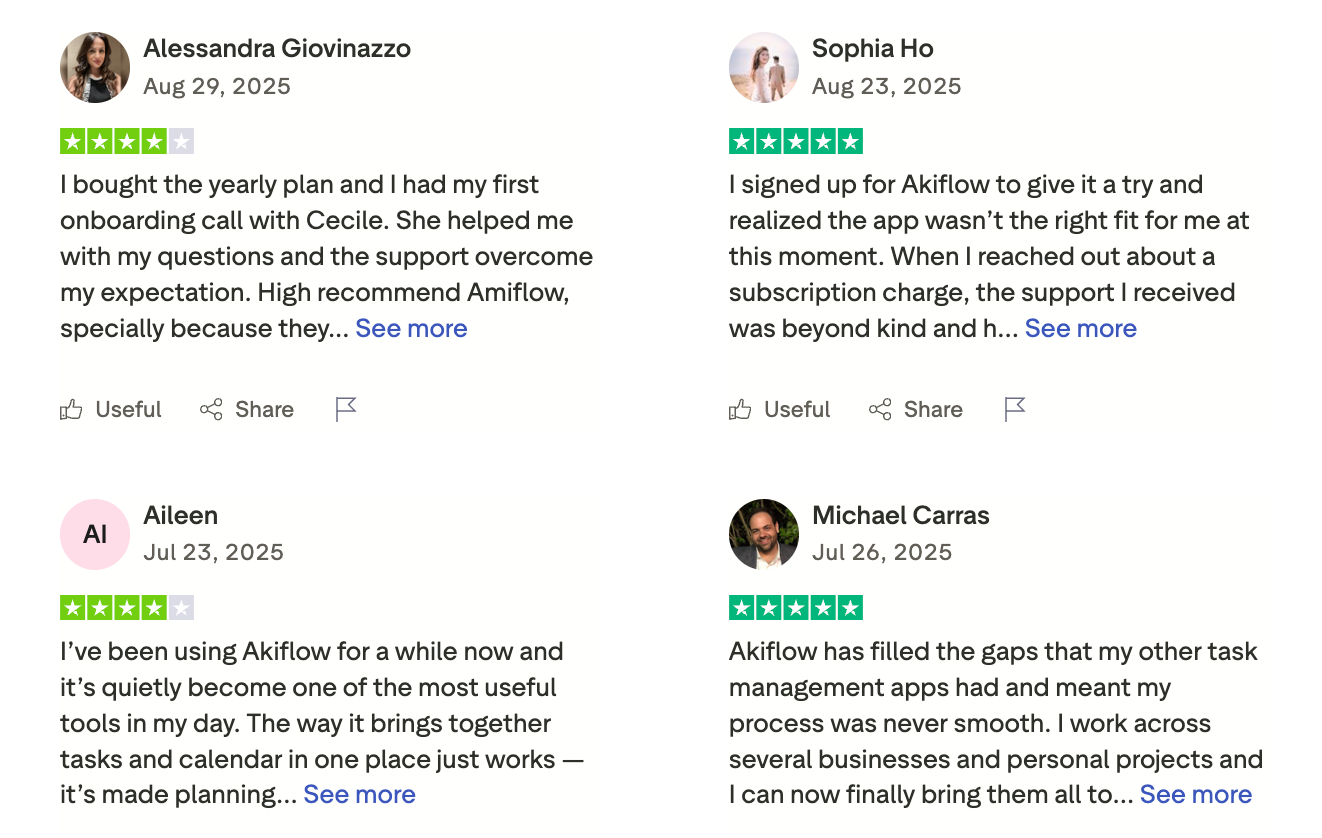
Akiflow Reviews (source)
8. Sunsama
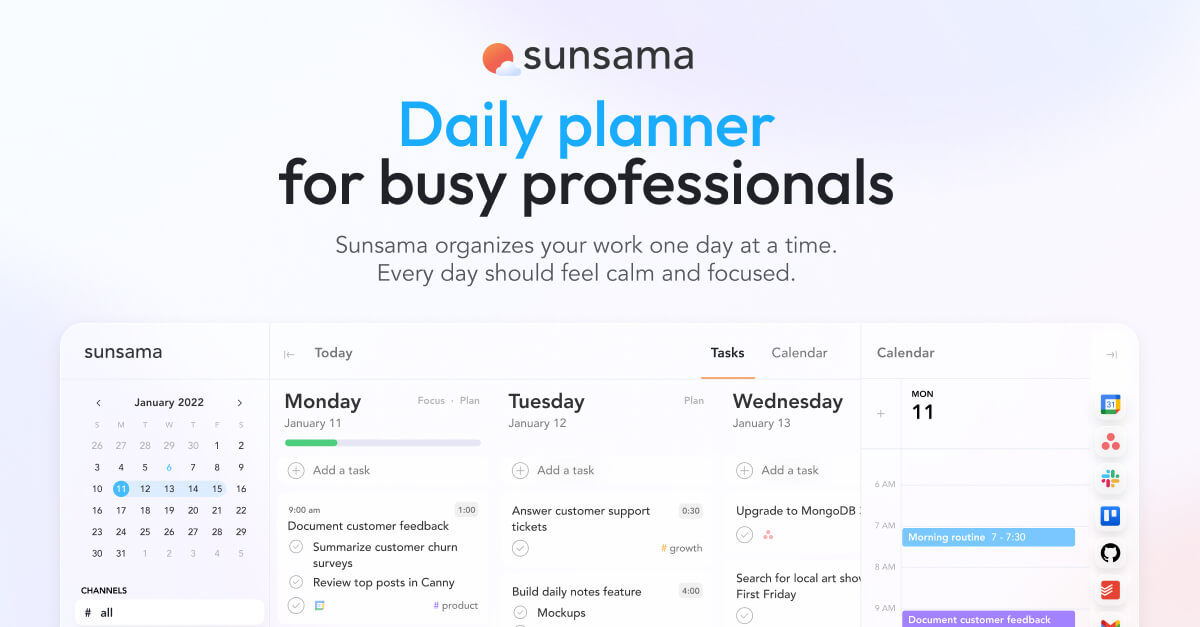
A deliberate daily planner that treats your time like a budget. Sunsama gets you to drag tasks from your email, Slack, and project boards directly into your calendar, pick a realistic set of goals for the day, and shut down when you hit your limit.
What works:
- Guided daily planning: Sunsama leads you through a mandatory morning ritual where you review unfinished tasks, set realistic time estimates, and schedule your work before diving into your inbox.
- Deep app integrations: It pulls tasks from Gmail, Outlook, Notion, Slack, and Asana into one list so you stop switching between tabs.
- Built-in workload warnings: If you schedule ten hours of work into an eight-hour day, the app flags it immediately and pushes you to defer tasks to tomorrow.
What falls short:
- Higher cost without a free tier: Sunsama costs around $20 per month on an annual plan, which makes it one of the pricier options in this space, especially with only a 14-day trial.
- Zero biometric or health tracking: If you are switching away from Lifestack, keep in mind Sunsama tracks your calendar availability, not your sleep scores or physical energy levels.
- High-touch manual workflow: There is no automated AI shuffling here, so you have to organize and time-block your day yourself.
Who it's actually for: People looking for a Lifestack alternative who want a grounded, manual daily planning habit to manage workload capacity instead of health metrics.
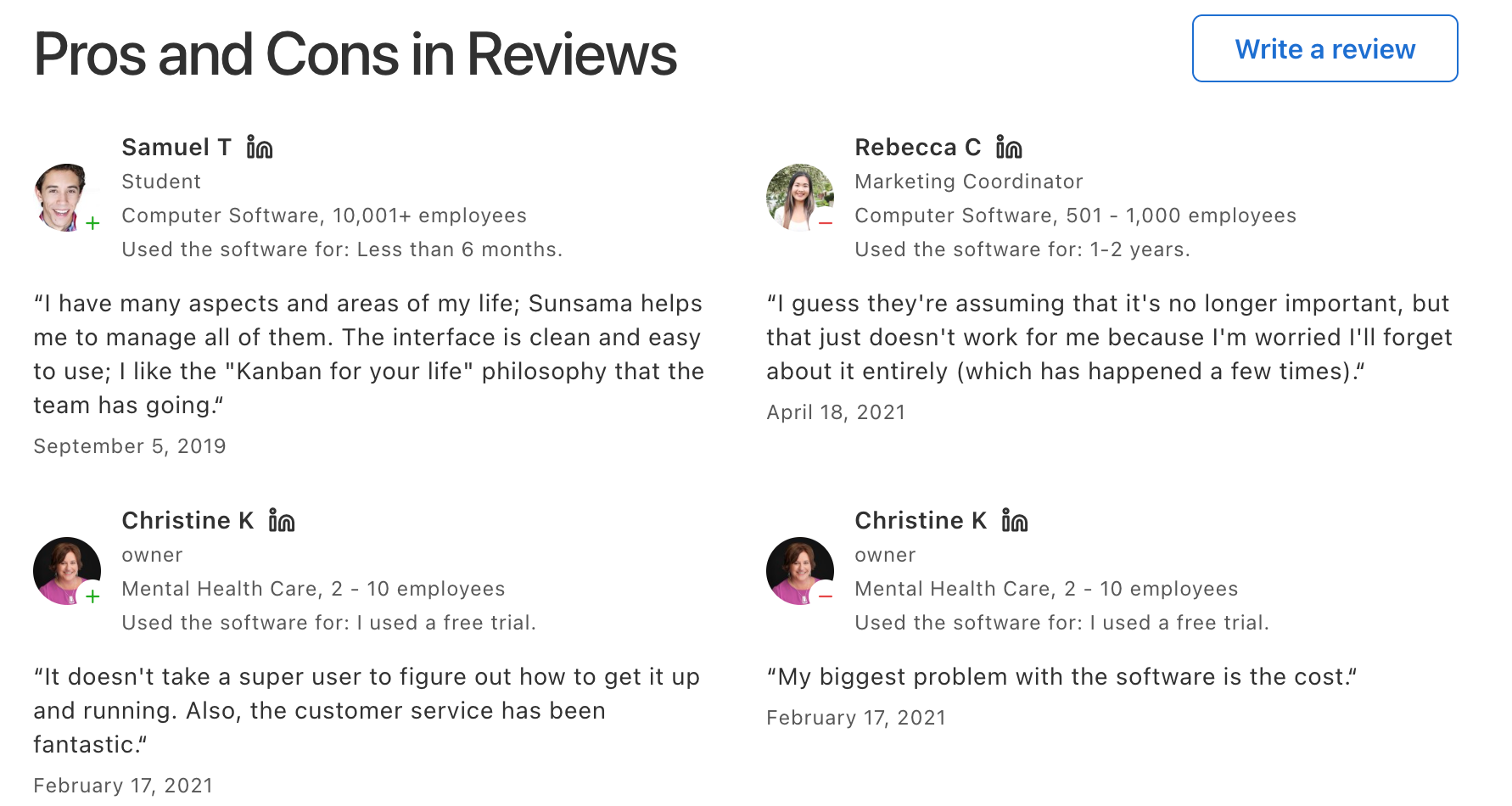
Sunsama reviews (source)
Conclusion: Choosing the right alternative
Finding a replacement for Lifestack depends on where your current setup falls short.
- If you need strict calendar blocking, tools like Motion or Reclaim work well enough.
- But if you want something that connects your notes, tasks, and daily schedule without forcing you to maintain a rigid system, Saner.AI is the clearest choice. It handles context switching better than the others and keeps your day organized without getting in the way.
You can try it free today to see if it fits your workflow.
Stay on top of your life with the best Lifestack alternative
FAQ section
1. Is there a free Lifestack alternative?
Yes. Reclaim and Saner.AI both offer free tiers. Reclaim provides calendar protection and habit tracking for Google Calendar users. Saner.AI gives you an energy-aware scheduler that estimates your focus windows based on your chronotype without locking core features behind a paywall. If you want simple task scheduling, Morgen also has a free plan for single accounts.
2. What does Lifestack do that other apps don't?
Lifestack connects directly to fitness wearables like Oura Ring, Apple Watch, Garmin, and Fitbit to pull biometric data. It converts your sleep scores and heart rate variability into a daily energy curve. Then, it places high-focus tasks during your biological energy peaks and pushes routine chores to your recovery dips.
3. Is Lifestack worth it without a wearable?
Probably not. Without a connected wearable, Lifestack turns into a standard mobile planner with manual task entry. You lose the automatic energy scoring that justifies its monthly subscription fee. Apps like Temporal or Sunsama work much better if you want energy-aware or structured planning without wearing a fitness tracker to bed.
4. What's the best Lifestack alternative for ADHD?
Saner.AI works best for people with ADHD. Instead of forcing rigid daily calendars or requiring precise time blocks, it uses a unified space for notes, emails, and tasks. You can dump random thoughts into the app, and the built-in AI breaks them down into small, actionable steps without causing cognitive overload.
5. How does Saner.AI compare to Lifestack?
Lifestack focuses on biometric energy tracking and calendar blocking driven by wearable devices. Saner.AI targets note organization and task creation. Lifestack helps you schedule work around physical fatigue, while Saner.AI helps you capture ideas and organize messy thoughts into clear task lists.
6. Can I use these tools on desktop?
Yes, though availability varies by app. Reclaim, Motion, Sunsama, and Saner.AI have full web applications that run on desktop browsers, with several offering native macOS and Windows apps. Lifestack is primarily a mobile app with a limited Chrome extension, which makes alternatives much better suited for heavy desktop workflows.
7. What is the best Lifestack alternative for automatic scheduling?
Motion is the strongest option for pure automatic scheduling. It takes your task list, due dates, and working hours, then automatically builds your calendar schedule. When a meeting runs over or priorities shift, Motion reshuffles your daily tasks instantly without requiring you to move time blocks around manually.
8. Do Lifestack alternatives require a wearable tracker?
No. Most alternatives do not need any hardware. Tools like Motion and Reclaim schedule work based on deadlines and calendar availability. Alternatives that account for personal energy, such as Temporal, estimate focus patterns using your chronotype and work habits rather than biometric sensor readings.
9. How do energy-based planning apps work?
Energy-based planning apps align your work schedule with your mental sharpness throughout the day. Some apps calculate this curve using sleep and heart rate data from wearables. Others ask about your sleep preferences and track when you complete tasks. The software then places demanding deep work during focus peaks and lighter admin work during energy slumps.
10. Which Lifestack alternative is best for Google Calendar users?
Saner.AI is the top choice for Google Calendar integration. It syncs with your calendar to defend time for recurring routines and habits. It also adds smart buffer space between meetings and reshuffles tasks automatically as new meetings appear on your schedule, keeping your day organized.
Stay on top of your work and life effortlessly