Perplexity Alternatives: We Tested The 6 Best Apps (Free & Paid)

We tested the 6 Best Perplexity Alternatives in 2026
I kept running into the same problem with Perplexity: it’s fast for getting quick answers, but it does not always fit the way everyone researches, writes, or validates information. Sometimes I wanted deeper reasoning, sometimes a better writing partner, and sometimes a tool built for academic sources instead of broad web summaries.
That gap is why so many people start looking for the best Perplexity alternatives in 2026.
In this guide, I’ll break down what each alternative does better than Perplexity, where each one falls short, and which type of user it fits best. I’ll also look at trade-offs like research depth, accuracy, usability, and how well each app supports real workflows instead of just answering one-off questions.
Quick guide: What are the best Perplexity alternatives in 2026?
- ChatGPT: Best for users who want an all-purpose AI assistant for writing, brainstorming, and research
- Claude: Best for long-form thinking, nuanced writing, and working through complex ideas clearly
- Gemini: Best for users already working across Google tools like Docs, Gmail, and Search
- Consensus: Best for users who want research answers grounded in academic studies and scientific papers
- Saner.AI: Best for people who want AI search combined with note-taking and idea organization
- Grok: Best for people who want fast, web-connected answers with a more real-time, social-web feel
How we chose the best Perplexity alternatives
The best Perplexity alternative is not always the one that looks most similar on the surface. It is the one that solves the specific gap Perplexity leaves for a certain type of user. I evaluated each app based on the common problems people run into when Perplexity is not enough.
- One major factor was answer quality. I looked at whether the tool simply summarizes information quickly or actually helps you think through a topic in a useful way.
- Source reliability - especially how easy it is to verify claims and understand where the information comes from.
- Another key area was research depth. Some tools are better for quick discovery, while others work better for follow-up questions, longer analysis, or comparing ideas across multiple sources.
- Usability also mattered. Even a powerful AI tool becomes frustrating if the interface slows you down or makes your workflow harder.
- Finally, I looked at workflow fit. I considered whether the app only answers prompts or also supports writing, note-taking, document analysis, academic research, or ongoing project work.
What Are The Best Perplexity Alternatives in 2026?
The Best Perplexity Alternatives are: ChatGPT, Claude, Gemini, Grok, Consensus, and Saner.AI
🧠 Best Perplexity Alternatives in 2026 — Full Comparison
| 🧰 Tool | 🎯 Best For | ⚙️ Key Features | 💰 Pricing (2026) |
|---|---|---|---|
| Saner.AI | AI-powered organization + search | AI search across notes, task capture, auto-organize knowledge, daily planning | Free; Paid ~$8–16/mo |
| ChatGPT | General AI assistant | Conversational AI, writing, coding, browsing, custom GPTs | Free; Plus $20/mo |
| Claude | Long-form reasoning & writing | Large context window, document analysis, safe outputs, strong writing quality | Free; Pro ~$20/mo |
| Gemini | Google ecosystem integration | Search + AI, Gmail/Docs integration, multimodal (text, image, video) | Free; Advanced ~$19.99/mo |
| Grok | Real-time insights (X/Twitter) | Live data access, social trends, conversational AI with humor tone | Included in X Premium+ (~$16/mo) |
| Consensus | Academic research search | AI-powered research summaries, scientific paper insights, citations-based answers | Free; Premium ~$11.99/mo |
1. Saner.AI
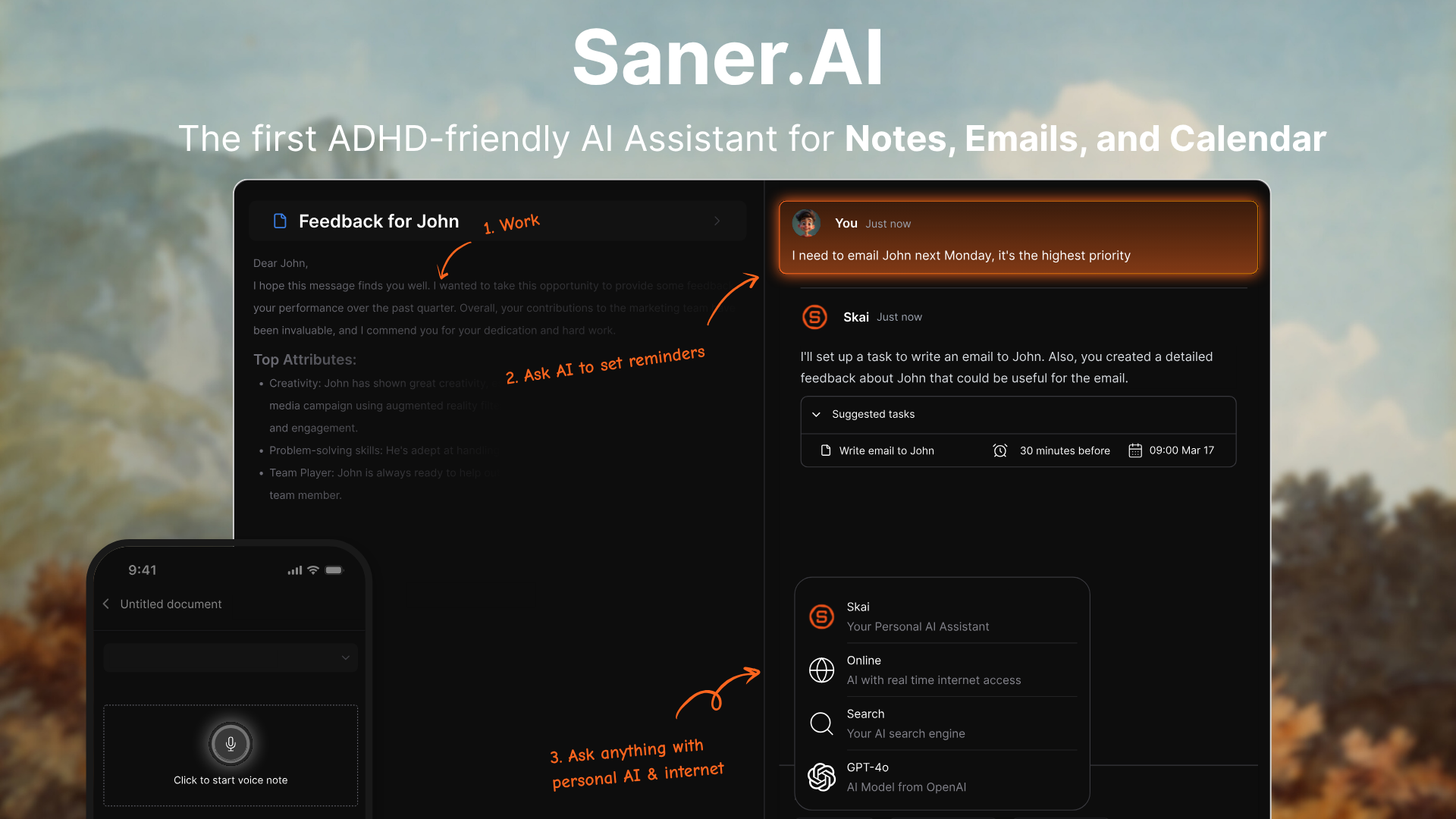
Saner.AI is an AI productivity assistant built for people who want a calmer alternative to search-heavy, tab-heavy workflows. Instead of acting like a generic AI search engine, it combines note capture, semantic search, AI chat over your own information, and task support in one workspace.
Its positioning is especially strong for ADHD users and knowledge workers who struggle with context switching, forgotten ideas, and messy note systems.
Key features
- Rather than making users sort everything themselves, Saner tries to centralize notes and tasks, then structure them with AI so they are easier to retrieve and reuse later.
- Saner’s “personal knowledge assistant” angle is what makes it feel different from a standard chatbot. The product is designed to help users recall notes, synthesize information, and ask questions against their own material instead of only the public web.
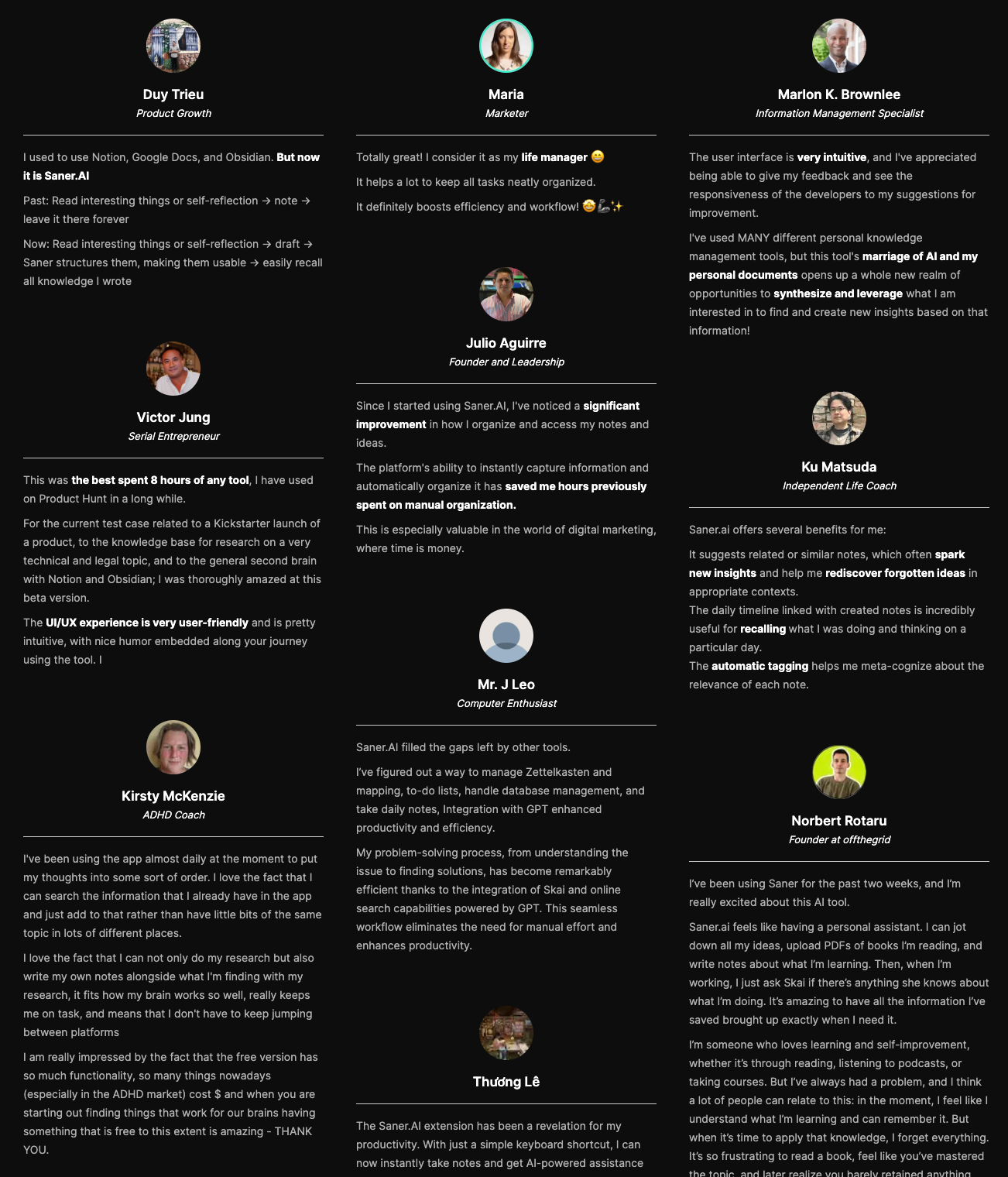
“Since I started using Saner.AI, I've noticed a significant improvement in how I organize and access my notes and ideas. The platform's ability to instantly capture information and automatically organize it has saved me hours previously spent on manual organization.” — verified review
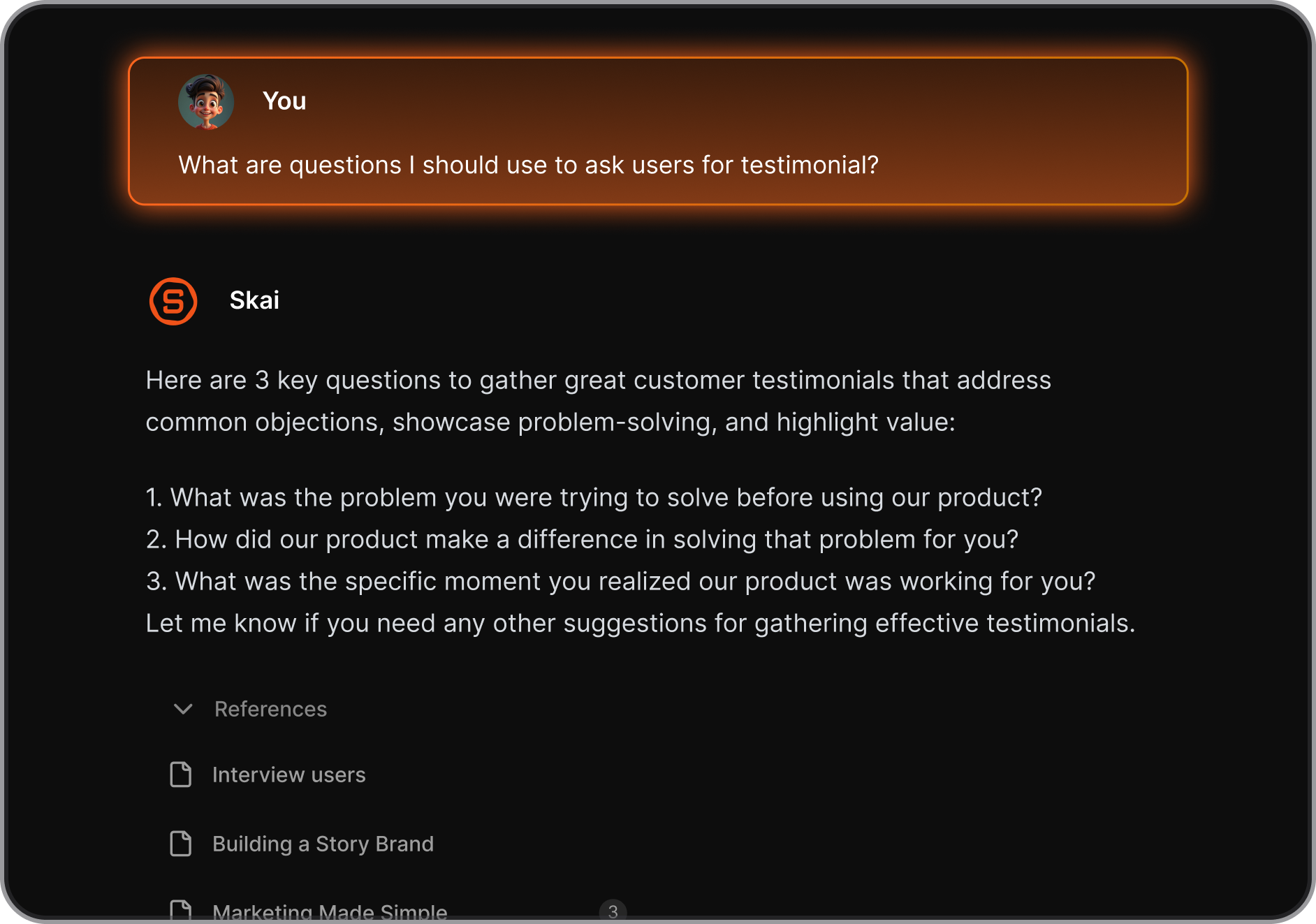
- Perplexity is strong for web research, while Saner aims to help users search and reason across their own notes and knowledge base with semantic understanding.
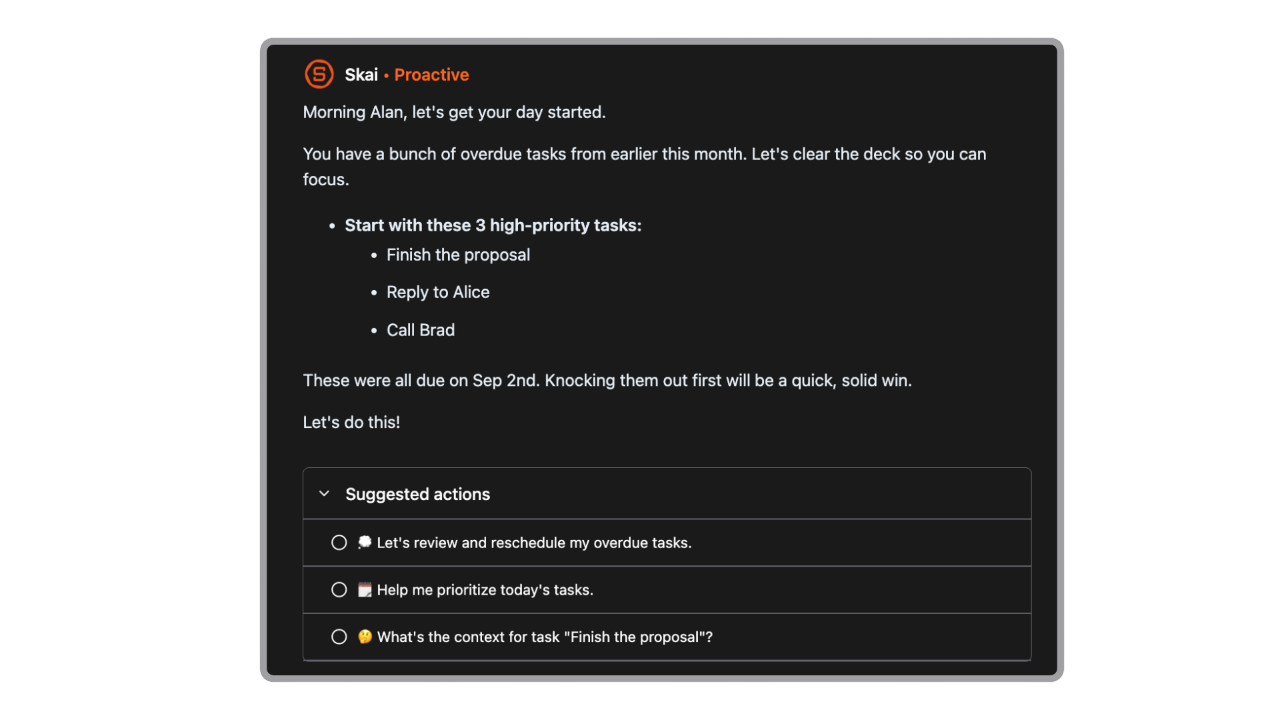
- A recurring theme in user feedback is that Saner.AI helps move information from passive storage into something more usable like remind them in an auto daily plan.
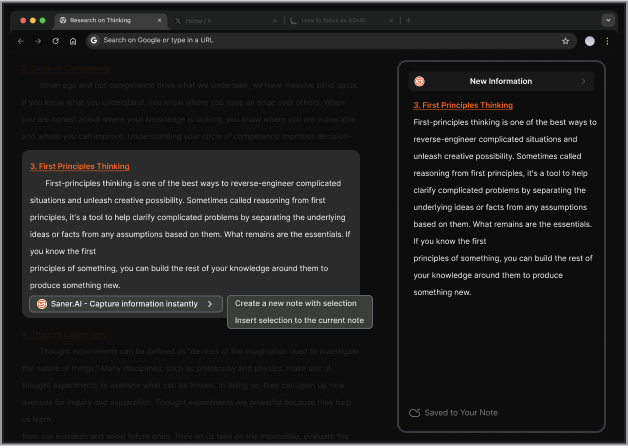
- Saner.AI’s Chrome extension helps users capture ideas, notes, and useful information without leaving the page they’re on.
“I especially like the Chrome Extension. It's super handy, I can pull up a new note immediately alongside web articles, chatGPT...” - verified review
What I liked
- The combination of search, notes, and external AI models is powerful. You can ask questions like “What do I already know about AI research?” and get results that combine your notes with new insights from connected models.
- The integration with external AI tools means you’re not limited to one model - you can test or compare outputs from different AIs inside the same workspace.
- Designed specifically around ADHD-friendly workflows and lower-friction productivity.
- “I'm impressed by how saner.ai adapts to my ADHD style of working. It helps me stay on track, avoid distractions, and access relevant information quickly. It's like having a personal AI assistant that knows me well.” — verified review
Cons
- Requires internet access for full functionality
Saner.AI Reviews
"The biggest benefit for me in using Saner is the Proactive AI. Staying on top of the constant flow of email and multiple calendars is challenging, and so far, Saner is the only AI-based tool that truly feels like a personal assistant" - Jerry
Pricing
- Free
- Starter: Monthly at $8/month, Annually at $6/month (with early user discount)
- Standard: Monthly at $16/month, Annually at $12/month (with early user discount)
Suitable for
- Researchers, entrepreneurs, and professionals who want an AI workspace that combines web search, notes, and external AI reasoning in one place.
How to start
- Sign up at saner.ai, import your notes or drive files, and connect your preferred external AI models to start exploring.

Work more efficient with your Perplexity Alternatives
2. Google Gemini
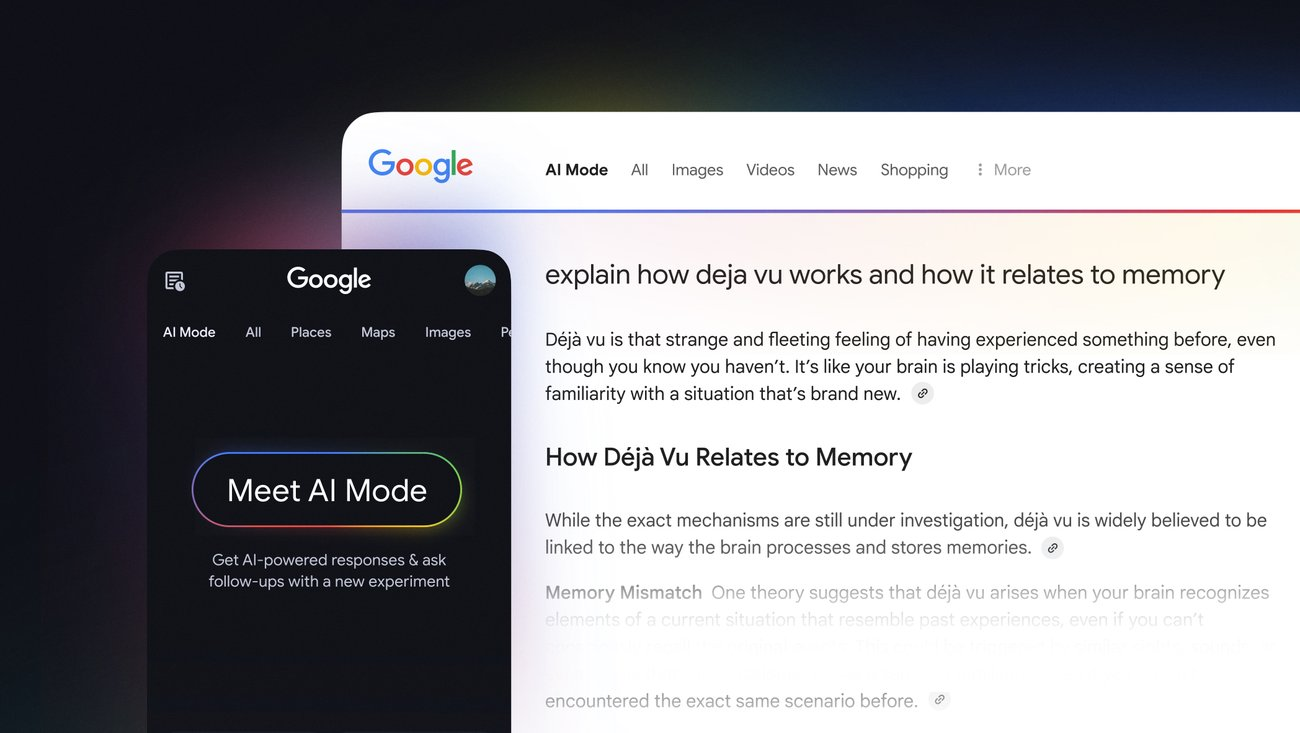
I’d include Gemini on this list because it feels like one of the clearest examples of how an AI tool can grow up in public. What started as Bard never fully clicked for a lot of people, but Gemini is much easier to take seriously now.
If Perplexity is the tool I’d reach for when I want fast research with citations, Gemini is the one I’d look at when the work needs to happen inside the Google ecosystem.
Key features
- Gemini’s biggest strength is how tightly it works with Google’s own ecosystem. For many users, the value is not just “getting an answer,” but being able to summarize an email thread, pull context from Drive, or move work into Docs without bouncing between tools.
“It works like a ‘personal intelligence’ layer that can connect your data by pulling context directly from Gmail, Drive, and Calendar to summarize email threads or help you find specific documents.” — verified review
- Compared with Perplexity, Gemini feels less citation-first and more workflow-first.
“What I like best about Gemini is how quickly it understands what I’m asking and gives clear, useful responses. It feels easy to use for everyday questions, learning new things, and even getting ideas when I’m stuck.” - verified review
- Multimodal input: Accepts image, voice, and text so you can ask questions naturally, like “what’s this dish?” or “summarize this PDF”
“Being able to drop a 79-page PDF say, a product specification or service manual and instantly get an interactive interface to query it is genuinely useful.” — verified review
- Gemini now can open in a side panel for multitasking, and connect with apps like Gmail, Calendar, Maps, Flights, and YouTube. In other words, it is moving closer to an in-browser assistant rather than just a chatbot in a separate tab.
Pros
- Strong Google Workspace integration across Gmail, Docs, Drive, and Calendar.
- Useful for everyday questions, research, drafting, and summarization.
- Multimodal capabilities support text, images, audio, video, and code.
- “The Google integration is really handy. It pulls in relevant info from Search and can work with my Google Docs and other workspace tools pretty seamlessly.” — verified review
Cons:
- It’s heavily tied to Google’s ecosystem - you’ll need a Google account and may miss out if you prefer other browsers or search engines
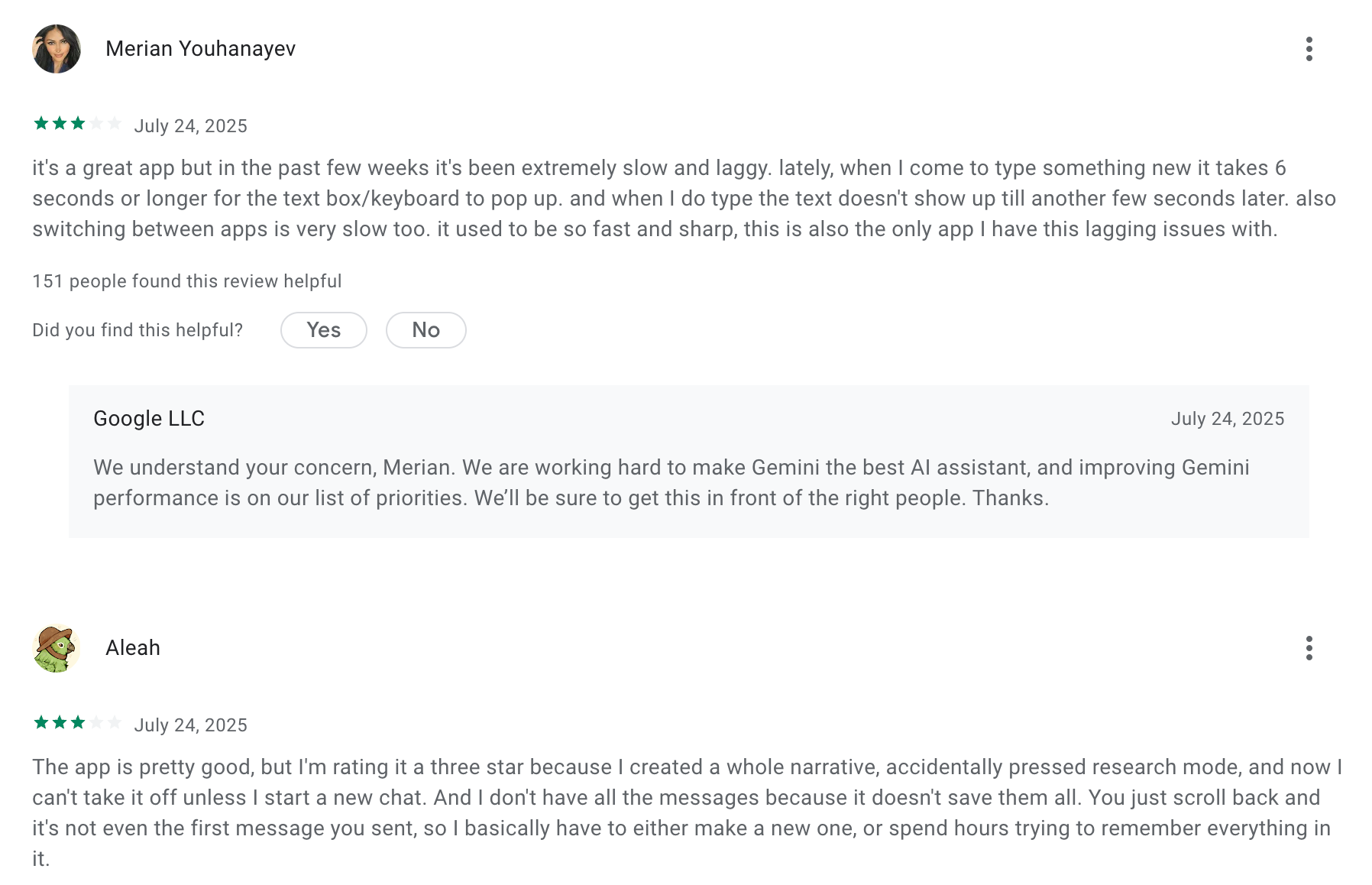
- Output can be inconsistent from one prompt to the next.
- “It can be inconsistent - sometimes it nails exactly what I need, other times it misses the mark completely.” — verified review
- “This app crashes so much, the chat loading fails so much...” — verified review
Pricing:
- Free tier - includes core chat and multimodal features
- Advanced / Pro plan - around $19.99 per month
Suitable for:
- Professionals, researchers, and students who want an AI-enhanced online search with conversational reasoning built into Google’s ecosystem
How to start:
- Go to gemini.google, sign in with your Google account, and start for free
Google Gemini review (source)
"Gemini is well worth the cost, taking the burden off our team for smaller tasks. If someone said "unlimited notes" for the cost of Gemini, or "unlimited high level review" for our organization, even if it were lower quality, I would take it any day of the week"- Capterra
3. ChatGPT

I’d still list ChatGPT as a Perplexity alternative because it’s the tool that made “AI assistant” feel useful for everyday work long before most people had a polished workflow for it. Even if you tried an older version years ago and found it hit-or-miss, ChatGPT in 2026 is a much broader product.
If Perplexity is the tool I’d open when I want source-backed web answers fast, ChatGPT is the one I’d consider when I need to think, draft, refine, and create in the same place.
Key features
- ChatGPT remains one of the easiest AI tools to use for drafting, rewriting, brainstorming, and learning. It is less citation-first, but much more flexible once your task moves beyond “find me an answer.”
“It’s very easy to use, and I’m always impressed by how quickly and efficiently it provides answers.” — verified review
- It includes web search directly in the product. Users can click the web search icon to get timely answers with links to relevant web sources.
- ChatGPT app highlights image generation, and current paid plans also include stronger creation and reasoning features for users who want one tool for writing, visuals, and deeper problem-solving.
Pros
- The new web search feels seamless - you can ask for current topics, and it finds and summarizes reliable sources within seconds.
- Security and enterprise options give confidence for business use.
- Includes voice, mobile access, synced history, and web search.
- Better fit than Perplexity when the task is not just “answer this,” but also “help me build something from it.”
Cons
- Sometimes the summaries lose nuance, especially for technical or academic queries.
- While it’s great for general research, it still isn’t a dedicated search engine - heavy researchers might prefer tools like Consensus for deeper citations.
Pricing:
- Free plan available with basic model and limited web access.
- ChatGPT Plus plan at $20/month
Suitable for:
- Professionals, students, and creators who want an all-in-one chat and search experience to explore real-time topics, summarize research, or verify information.
How to start
- Go to chat.openai.com or download the ChatGPT app, sign up for a free account, and start chatting
ChatGPT Reviews (source)
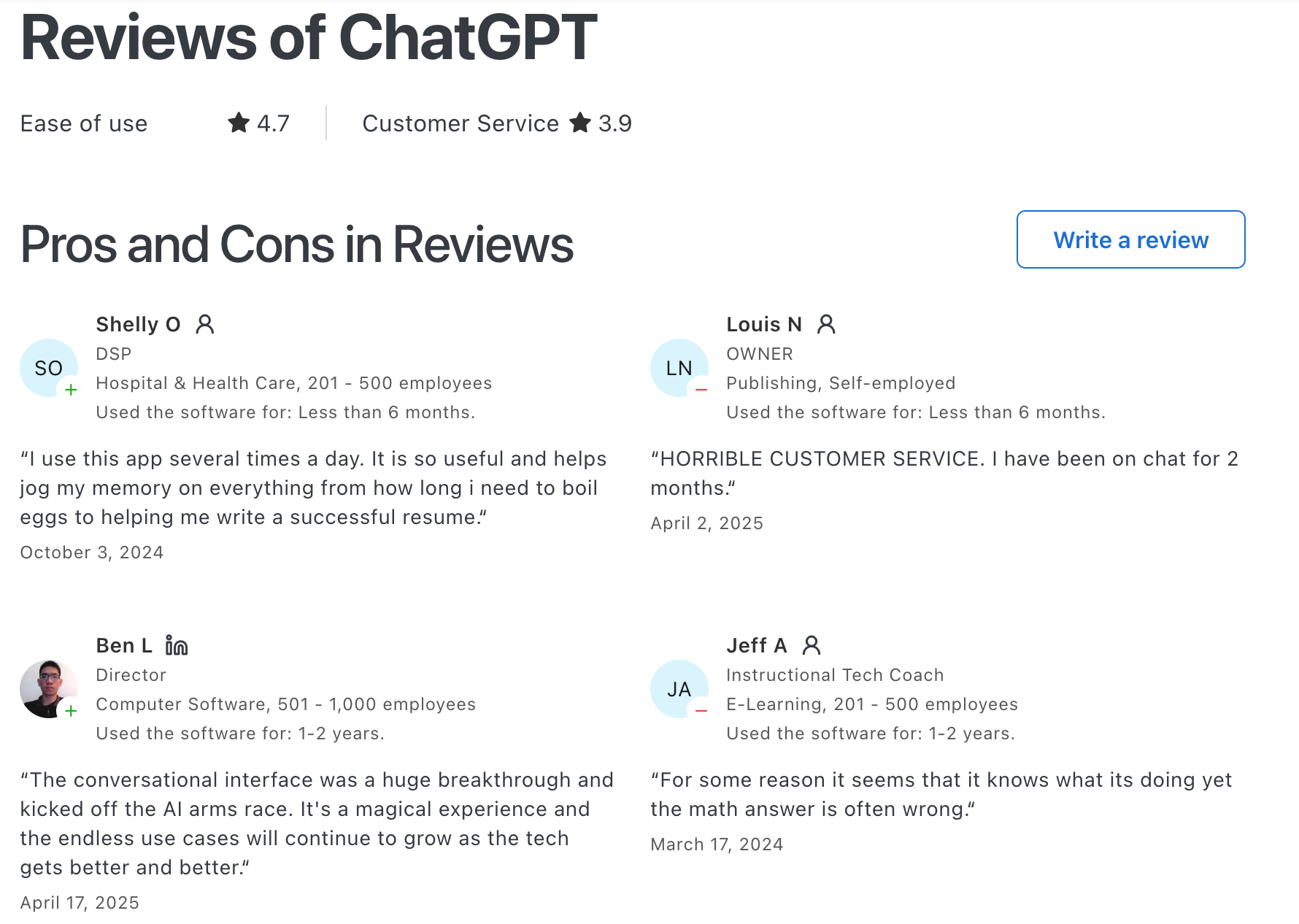
"Easy to set up and personalise, easy to use even for beginners, great at early stage idea planning and has fast response time. Paid use has a lot more value with photo generation and how much you can utilise it for."- Chelsea G.
4. Claude
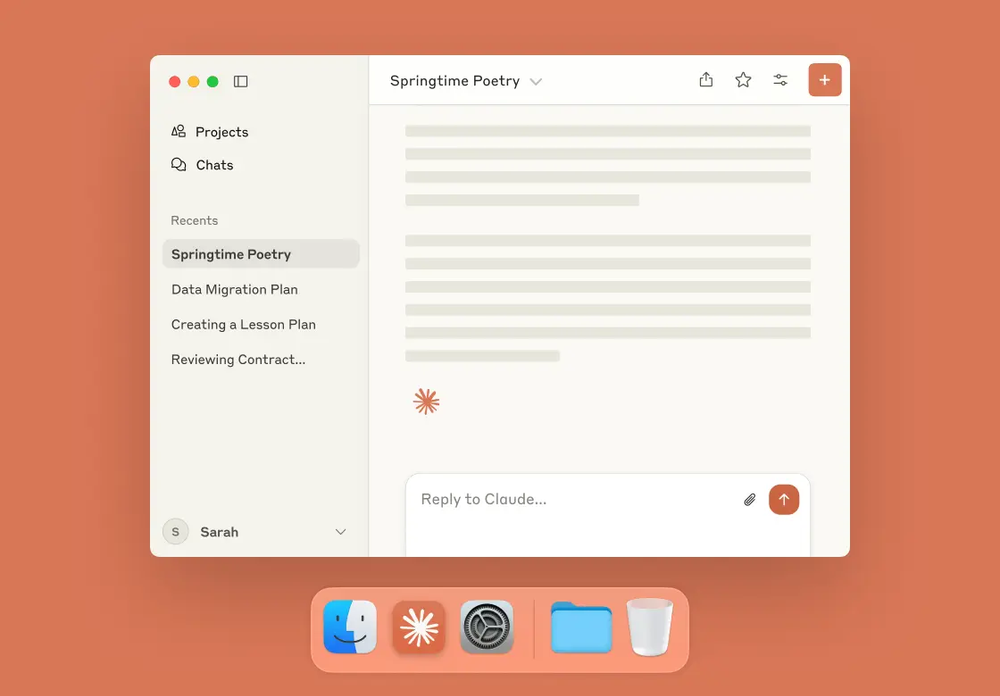
I’d list Claude because it feels like one of the few AI tools that people often move to after the “wow, AI can answer questions” phase is over. Claude is the one I’d think about when the work is more layered: creatively writing, reasoning, analyzing, coding, or talking through something complex without the output feeling rushed.
Key feature
“The platform handles long-form content well, maintains context across conversations, and produces clear, well-structured outputs.” — verified review
- Claude supports reviewing code, debugging, planning multi-step work, and handling larger codebases with more context than many users expect from a chatbot.
“I love that Claude provides optimized models like Sonnet and Opus, which make coding tasks fast and require low effort to fix.” — verified review
- Users can upload photos, PDFs, and screenshots for analysis, including text extraction, chart interpretation, UI evaluation, and diagram explanation.
Pros
- Claude’s web search feels genuinely helpful when you need current facts or news. It’s smart enough to pull real data, summarize it, and present clear sources without overwhelming you with raw links.
- The writing style is natural and concise, great for professionals who want quick, trustworthy summaries.
- “I like how Claude handles long and complex information, understanding long prompts seriously and addressing my concerns with structured and thoughtful responses instead of generic answers. It also explains code and projects very well.” — verified review
Cons
- The model doesn’t always trigger a live search, even when you might expect one, so you sometimes need to ask explicitly.
- It’s less of a browsing tool than Perplexity
- Heavy users mention usage limits and pricing as friction points, especially for coding and large-context tasks.
Pricing
- Free plan with limited messages.
- Pro plan at $20/month with faster access and higher limits.
- Team plan: $25–30 per user/month
Suitable for
- Professionals, researchers, and teams who need up-to-date information with clear sources and want an AI assistant that values accuracy and reasoning over speed
How to start
- Go to claude.ai, create a free account, enable web search in the settings, and start prompting it with requests that need current information
Claude reviews (source)
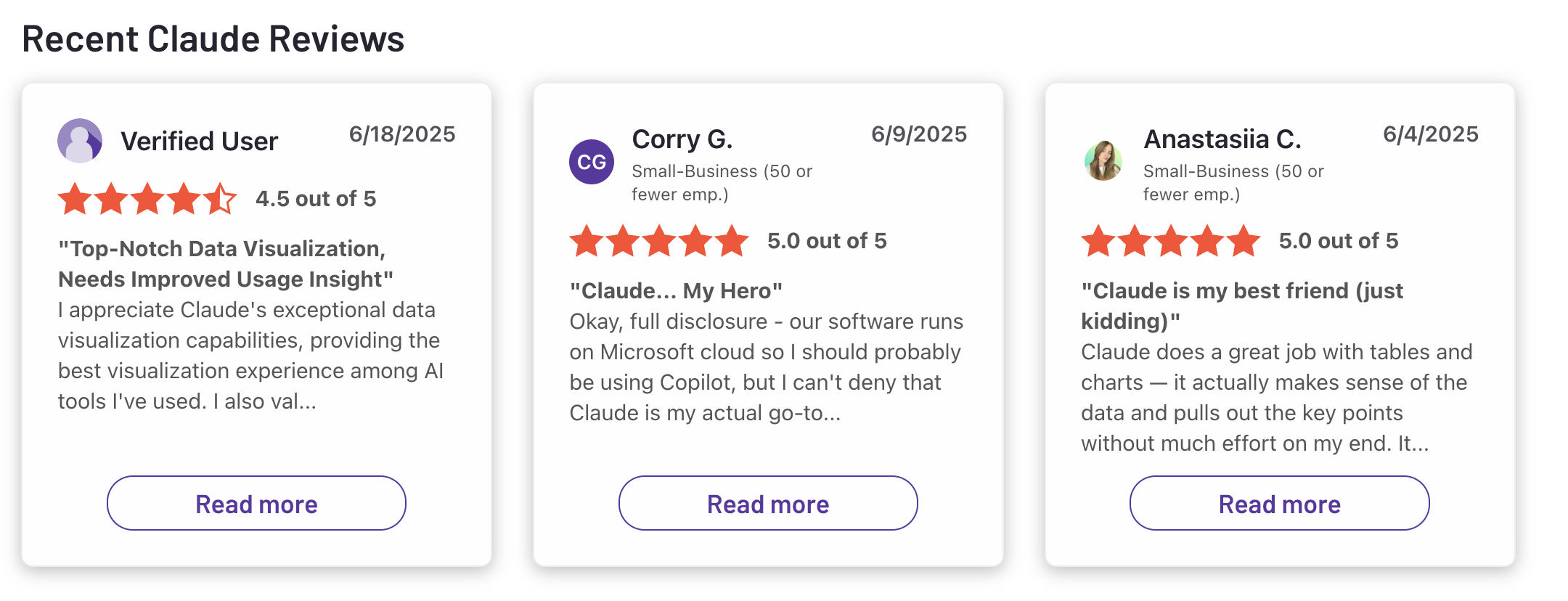
"Claude is super smart, easy to work with, and great at staying on track even with complicated questions. It writes really well and feels thoughtful compared to some other chatbots. Sometimes it’s a bit overly careful, but that also means I can trust its responses more. Definitely one of the best AI assistants out there."- Ashish Dubey
5. Grok
I’d include Grok on this list because it feels like one of the few Perplexity alternatives that was built with “what’s happening right now?” as part of its personality, not just an extra feature. That makes it interesting in a different way from older AI assistants I’ve tried, because Grok leans harder into live context, fast responses, and an X-connected experience.
Key features
- Grok’s clearest differentiator is its connection to X. That makes it especially appealing for trend monitoring, fast-moving topics, and social-first workflows where freshness matters more than polished depth.
“Grok’s integration with X lets it deliver up-to-the-minute information on trends and news that other AI models can miss because they rely on older training data.” — verified review
- xAI positions Grok as a “maximally truth-seeking” model, and part of its identity is that it feels less overly sanitized than many mainstream AI tools.
“It’s good at engaging with real time conversations on X and responding quickly without smoothing everything over or overexplaining…” - verified review
- Multimodal Input: Supports text and image-based interactions.
Pros
- DeepSearch actually tries to synthesize perspectives, not just summarize links.
- Strong fit for real-time topics, trend tracking, and X-centered research workflows.
- Now has business-facing features like Google Drive search, permissions-aware access, and citation-backed company answers.
- “Grok has made my workflow much more efficient by helping me generate ideas, summarize content, and get answers to my questions instantly.” — verified review
Cons
- The playful tone can feel too casual if you’re using it in a professional or academic setting.
- Depth and accuracy can still be uneven, especially for more complex or sensitive work.
- Heavy reliance on X can also be a weakness, since social content may include noise, rumors, or ecosystem bias.
- “Its interface feels very small… if you accidentally click anything, it doesn’t ask for confirmation…” — verified review
Pricing
- Free tier with usage caps and limited access
- SuperGrok plan costs around $30/month with higher limits and added features
Suitable for
- Professionals, researchers, and everyday users who need real-time search results and prefer a conversational AI experience.
How to start
- Visit grok.com or download the Grok app, create a free account
Grok review (source)
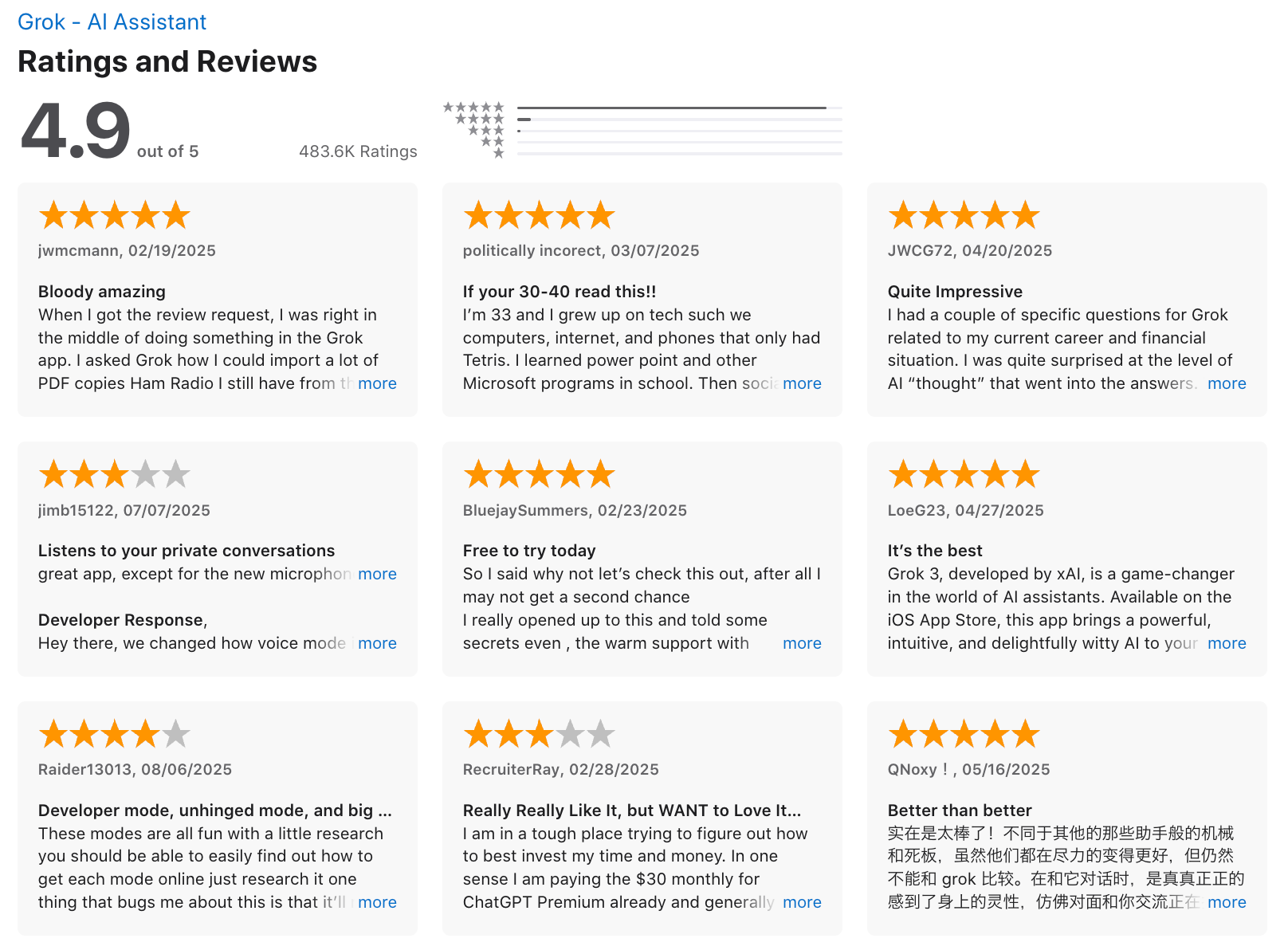
"It won't lie to you, and it feels like having your very own Aristotle in your pocket—the greatest form of intelligence and information access available. Even on the free tier, it's genuinely impressive and has become my go-to tool." - Carl K
6. Consensus
I’d include Consensus on a Perplexity alternatives list for one simple reason: sometimes you do not want the whole internet - you want the research. That is what makes Consensus feel distinct.
Unlike the broader AI search tools I’ve tried over the years, Consensus is built specifically around peer-reviewed literature and scholarly publications, so it feels less like a general-purpose assistant and more like a research-focused engine. For anyone comparing it with Perplexity, the key difference is pretty clear: Perplexity is broader, while Consensus is narrower but much more evidence-first.
Key features
- Consensus’s biggest strength is also its clearest limitation: it deliberately narrows the search space to scholarly research.
- Consensus explicitly frames itself as a tool for speeding up literature reviews, especially the slowest parts: searching, screening, extracting, and organizing findings.
- Every response is grounded in relevant academic papers, and its own search guidance repeatedly emphasizes that it is a search engine for research, not a general chatbot.
- Paper Insights: Displays the title, summary, and citation for every referenced study
Pros
- It saves hours of manual searching. You just ask a question like “Does caffeine improve focus?” and instantly get summarized findings with cited studies.
- The Consensus Meter helps visualize whether a topic has strong agreement in research, which is incredibly useful for writing or decision-making.
Cons
- It’s not conversational - you can’t chat with it like an AI assistant.
- Some very recent papers may not be indexed right away.
Pricing:
- Free plan with limited deep searches and unlimited basic searches
- Premium plan at $11.99/month or $8.99/month billed annually
- Power user plan is around $45/month for heavy researchers
Suitable for:
- Researchers, students, content creators, and professionals who want scientifically verified insights instead of general AI-generated answers.
How to start:
- Visit consensus.app, create a free account, and start searching immediately.
Conclusion
Perplexity AI reshaped how we search - turning static queries into dynamic, conversational answers with credible sources. But the AI search landscape in 2026 is far richer than a single tool.
Each alternative on this list brings its own superpower:
- Saner.AI turns insights into action with notes, tasks, and integrated AI models.
- ChatGPT gives you limitless creativity and deep reasoning.
- Claude excels at structured, thoughtful research.
- Gemini bridges AI with Google’s powerful ecosystem.
- Grok delivers lightning-fast real-time insights.
- Consensus grounds your findings in peer-reviewed science.
No single AI search tool wins across all dimensions - accuracy, personalization, creativity, and workflow integration each matter differently depending on how you work.
If you rely on AI for research, writing, or decision-making, the best move isn’t to find a perfect replacement- it’s to build your own toolkit. Combine fast engines like Perplexity or Grok with deeper reasoning tools like Claude or ChatGPT, and layer a workspace tool like Saner.AI on top.
AI search is no longer just about finding answers - it’s about building an ecosystem that helps you think, create, and act smarter.
Try a few of these alternatives side by side, and you’ll quickly see which one feels like your real-world research partner.
Stay on top of your work with the top Perplexity Alternatives
FAQ: Best Perplexity Alternatives (2026 Guide)
1. What are the best Perplexity alternatives in 2026?
If you love Perplexity’s AI search but want something that fits different workflows, here are the top alternatives to try:
- Saner.AI - Turns your notes, emails, and internet research into connected insights and tasks.
- ChatGPT – Great for open-ended exploration and brainstorming.
- Claude – Known for its long-context reasoning and human-like writing tone.
- Gemini – Integrated with Google Workspace for seamless document and web insights.
- Grok – Real-time search with a witty personality, built for quick summaries.
- Consensus – Academic-focused AI that pulls data from peer-reviewed research.
Each tool approaches “AI search” differently - from research validation (Consensus) to contextual productivity (Saner.AI).
2. What is Perplexity AI used for?
Perplexity AI combines real-time web results with natural-language answers, helping you research, summarize, and cite information faster. It’s especially popular among students, journalists, and analysts who want trusted sources behind every answer.
3. Why look for Perplexity alternatives?
While Perplexity is excellent for quick web-based answers, some users want:
- Deeper personalization (Saner.AI remembers your context and notes)
- Private or offline access (ChatGPT and Claude allow this)
- Better workspace integration (Gemini syncs with Gmail, Docs, and Sheets)
- Academic credibility (Consensus verifies sources)
- Creative exploration (Grok and ChatGPT generate new ideas fast)
Different needs call for different AI companions.
4. Which Perplexity alternative is best for productivity and note-taking?
Saner.AI stands out here.
It doesn’t just search the web - it searches your brain dumps. You can ask:
“Find the note where I mentioned the investor feedback last week”
“Summarize all ideas tagged ‘marketing launch’”
It connects your notes, tasks, and calendar automatically, turning fragmented ideas into structured action. Ideal for busy professionals, entrepreneurs, and ADHD-prone thinkers.
5. Which alternative offers the most accurate, cited research?
Consensus is built for this.
It searches academic papers and summarizes verified studies - perfect for students, researchers, and journalists who want evidence-based answers, not speculation.
6. Which Perplexity alternative is best for everyday chatting and creative work?
ChatGPT and Claude dominate here.
- ChatGPT offers flexible conversation, code generation, and writing support.
- Claude feels more natural and context-aware, handling long documents with ease.
Both are great if your goal is creativity or deep thinking, not just search.
7. What’s the best free Perplexity alternative?
Most of these tools offer free access:
- ChatGPT – Free tier with conversational search.
- Gemini (Google AI) – Free via Gmail or Google Workspace.
- Saner.AI – Free plan with AI search, calendar sync, and task chat.
- Consensus – Free access for basic academic searches.
Start free, then upgrade if you need advanced context memory or API access.
8. Which Perplexity alternative is best for researchers and students?
Consensus for academic credibility.
Saner.AI for managing mixed notes, citations, and meeting takeaways.
ChatGPT or Claude for drafting essays and simplifying complex topics.
Together, they cover both accuracy and workflow.
9. Which tool is best if I want to connect my own notes or files?
That’s Saner.AI’s sweet spot.
It understands your uploaded notes, emails, and PDFs - then lets you chat with them naturally.
It’s like having a private Perplexity that knows your personal context.
10. Which AI search tool gives real-time information?
Perplexity, Gemini, and Grok offer real-time web access.
ChatGPT and Claude rely on their internal models (though ChatGPT Plus users get web browsing).
Saner.AI focuses more on your own data than the open web - but it also allows you to search real-time information in the app
11. Which Perplexity alternative is best for entrepreneurs or founders?
Saner.AI helps founders think clearly without getting overwhelmed:
- Turns chaotic notes into action items
- Prepares daily summaries and reminders
- Brings up investor or client context automatically
- Works across notes, emails, and meetings
It’s a great choice if your “research” often lives inside your own head or inbox.
12. Can any of these AI tools work as meeting or decision assistants?
Yes.
- Saner.AI can recall decisions, surface follow-ups, and schedule tasks.
- Claude can summarize long transcripts.
- Consensus can validate claims with research.
Together, they help you go from meeting overload to clear action.
13. Which Perplexity alternative works best on mobile?
- ChatGPT and Gemini have polished native apps.
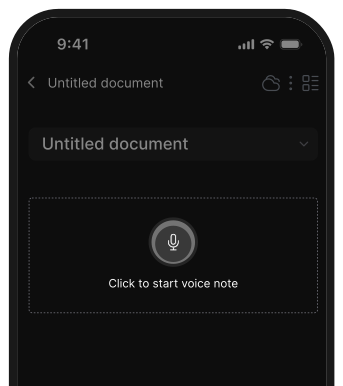
- Saner.AI works well in mobile browsers and supports quick voice input.
- Grok integrates directly into X (Twitter).
Pick based on where you do most of your thinking - desktop, mobile, or social.
15. What’s the future of AI search beyond Perplexity?
AI search is moving from “finding information” to understanding you.
Tools like Saner.AI blur the line between research and execution - your AI won’t just tell you what to do, it’ll help you do it. Expect future tools to:
- Combine private and public data sources
- Learn your preferences over time
- Generate insights automatically, not only on request
The best Perplexity alternatives are already heading there.
16. Which Perplexity alternative is most ADHD-friendly?
Saner.AI again.
It’s built by ADHDers, for ADHDers - reducing context switching and turning thoughts into organized tasks. You don’t have to remember where something was written; you just ask, and it finds it.
17. Final takeaway: What’s the best Perplexity alternative overall?
It depends on your use case:
| Goal | Best Tool |
|---|---|
| Research with sources | Consensus |
| Personal knowledge & task assistant | Saner.AI |
| Deep conversation or writing | ChatGPT / Claude |
| Real-time search | Gemini / Grok |
| Academic or verified info | Consensus |
No single tool replaces Perplexity entirely - but the right mix of Saner.AI + Consensus + ChatGPT covers nearly everything from trusted research to personal productivity.
Stay on top of your work and life