
Best Poke Alternatives in 2026: 5 AI Personal Assistants Worth Your Time


I've spent the last few months testing nearly every AI assistant that promises to run your inbox, your calendar, and your to-do list so you don't have to. This isn't a listicle assembled from press releases. It's what happened when I connected my real Gmail, my real calendar, and my real chaos to five different tools and watched what they did with it.
This is for you if you tried Poke, liked the idea of a text-based assistant that actually does things, and are now wondering what else is out there
Quick answer: What are the best Poke Alternatives?
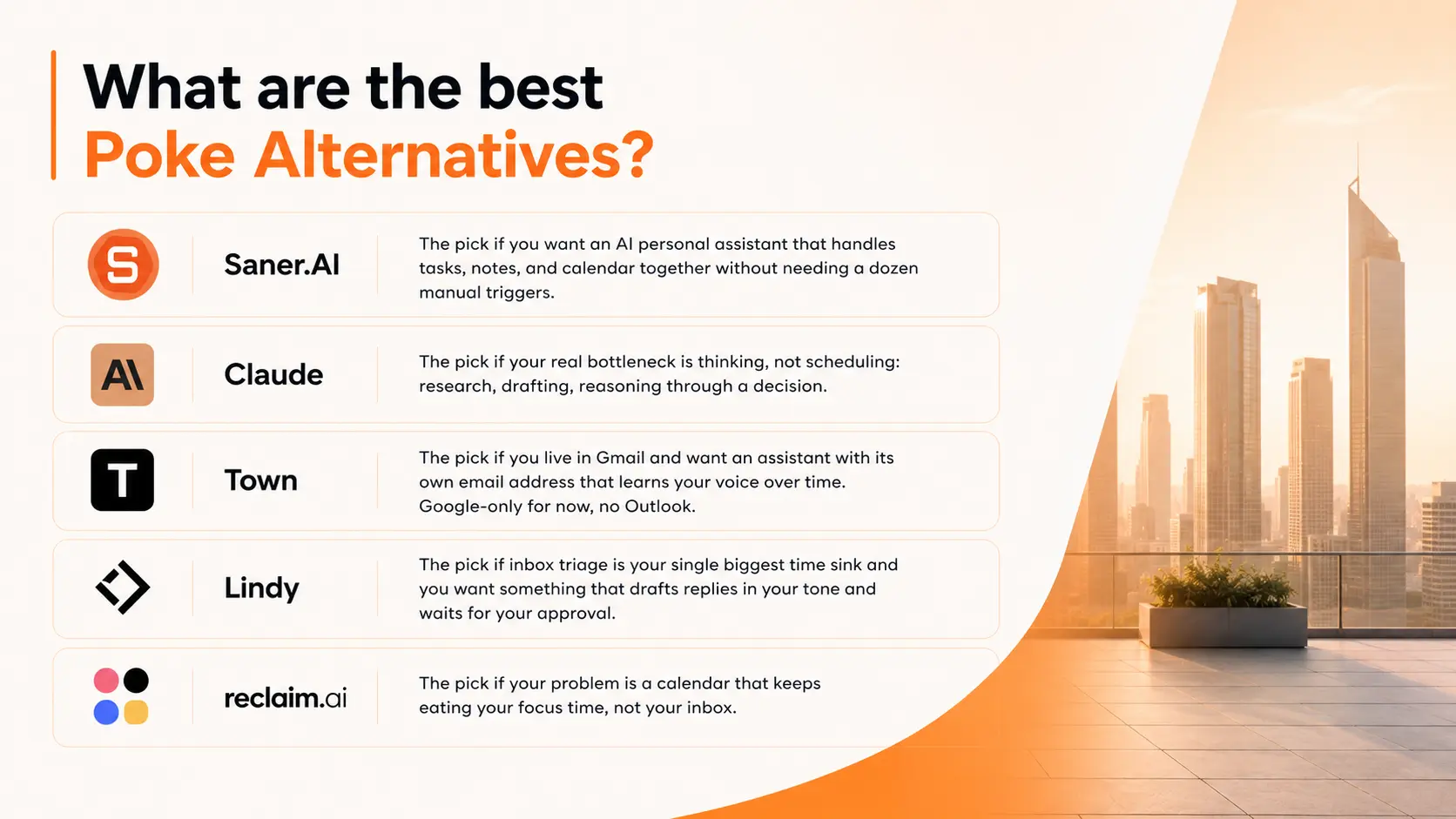
- Saner.AI is the pick if you want an AI personal assistant that handles tasks, notes, and calendar in one place without needing a dozen manual triggers.
- Claude (Anthropic) is the pick if your real bottleneck is thinking, not scheduling: research, drafting, reasoning through a decision.
- Town is the pick if you live in Gmail and want an assistant with its own email address that learns your voice over time. Google-only for now, no Outlook.
- Lindy is the pick if inbox triage is your single biggest time sink and you want something that drafts replies in your tone and waits for your approval.
- Reclaim.ai is the pick if your actual problem is a calendar that keeps eating your focus time, not your inbox.
What is Poke, and why are people looking elsewhere
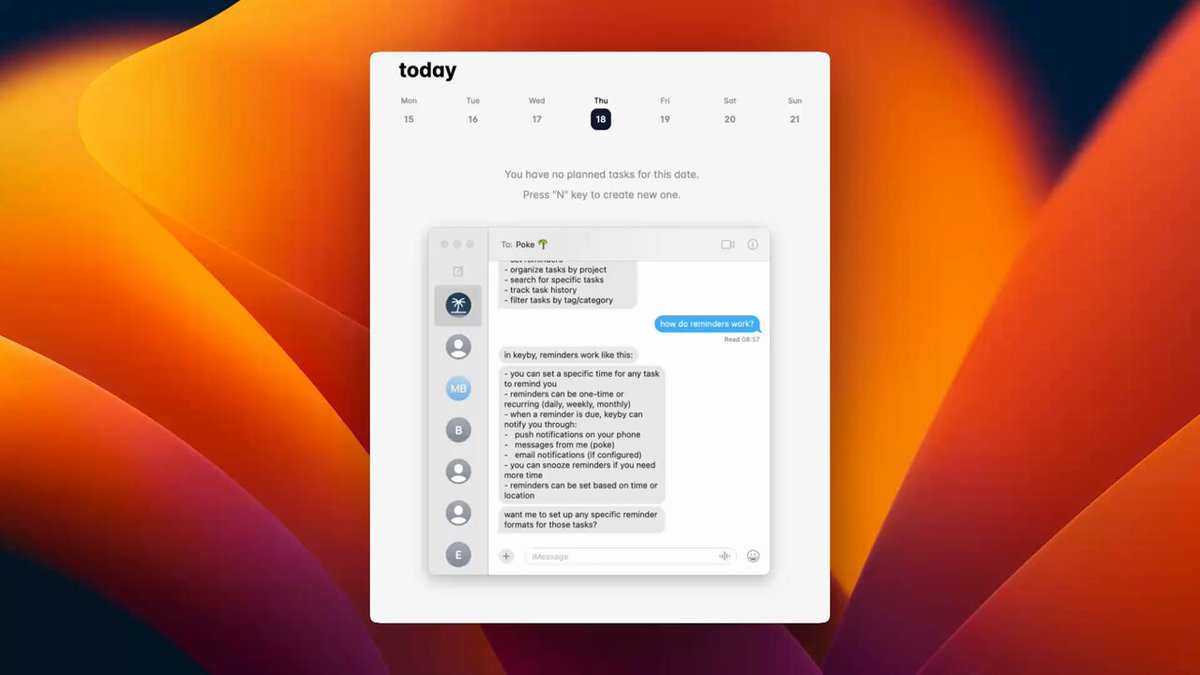
Poke is the AI assistant that was publicly launched in March 2026. You text it like a person, over iMessage, SMS, or Telegram, and it connects to your email and calendar to draft replies, reschedule meetings, and send you the kind of proactive nudge a good assistant would send without being asked.
So why are people still searching for something else?
- The first is the onboarding itself. Poke doesn't have a fixed price. An AI persona negotiates your monthly rate before letting you in: some got in for $3 a month, others were quoted north of $290 before talking it down.
- The second is access. To do anything useful, Poke needs deep, standing access to your inbox, calendar, and files
- The third is platform reach. Poke leans hard into iMessage as the primary experience. If your team runs on Outlook instead of Gmail, or you want a proper Android-first experience, you'll hit friction
- And the fourth, which shows up in early reviews more than anywhere else, is that it's still young. People flag slow integrations, occasional bugs, and rough edges
How I evaluated these alternatives
I tested each tool over several weeks using the same three workloads: a messy inbox, a calendar with recurring conflicts, and a running task list that changes daily. Pricing is checked against each vendor's current page at the time of writing and will drift, so treat exact numbers as directional.
- Setup friction — how long from signup to the assistant actually doing something useful, without a manual configuration marathon
- Proactivity — does it surface things unprompted, or only respond when you ask
- Integration depth — Gmail, Outlook, calendar, and task tools, not just one of them
- Accuracy on real tasks — did drafted replies, scheduled events, and task updates actually need correcting afterward
- Data control — where your data lives, and whether you have a say in it
- Price versus what you get at that price, not just the sticker number
What are the best Poke Alternatives?
The best Poke Alternatives are Saner.AI, Claude, Town, Lindy, and Reclaim
Comparison table
| Tool | Best for | Proactive? | Key integrations | Starting price |
|---|---|---|---|---|
| Saner.AI | Tasks, notes, and calendar in one AI assistant | Yes | Gmail, Google Calendar, Notion, Slack | ~$12/month |
| Claude | Deep reasoning, research, and drafting | No (chat-based) | Google Workspace via connectors, file uploads | Free; Pro ~$20/month |
| Town | Email-native assistant with a dedicated address | Yes | Gmail, Google Calendar, Slack, WhatsApp, Telegram | Free tier; paid credit plans |
| Lindy | Inbox triage and drafting in your voice | Yes | Gmail, Outlook, iMessage alerts | Free tier; paid plans from ~$29.99/month |
| Reclaim.ai | Calendar defense and time blocking | Yes | Google Calendar, Outlook, Slack, task tools | Free; paid plans from ~$8/month |
1) Saner.AI — best if you want tasks, notes, and calendar handled by one assistant
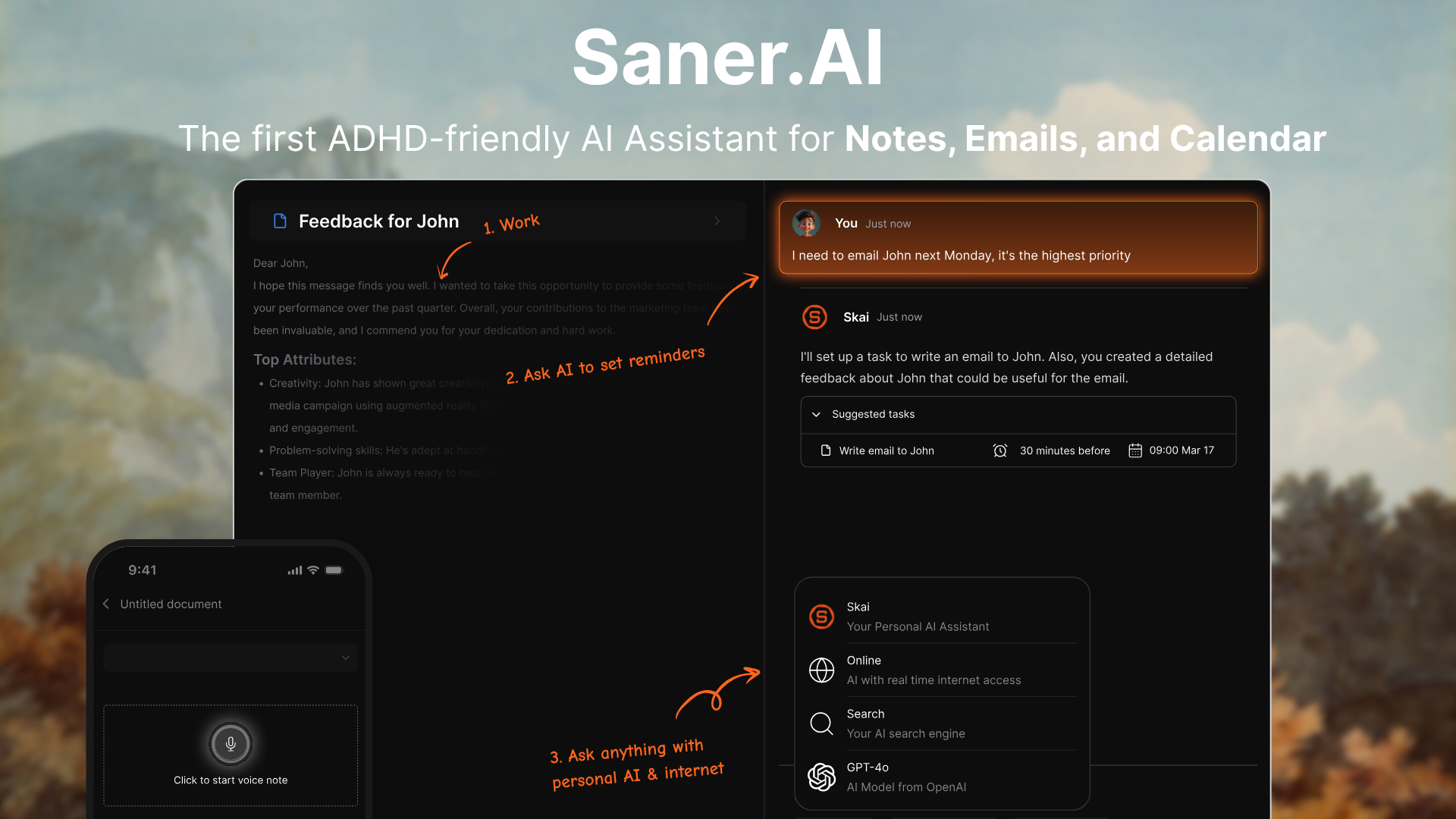
Saner.AI is an AI personal assistant that pulls your tasks, notes, email, and calendar into one place and uses AI to plan your day, surface what's overdue, and answer questions against your own notes
Key features:
- Daily planning: every morning it reviews your tasks, calendar, and recent notes and puts together a plan for the day, instead of you reconstructing it from four tabs
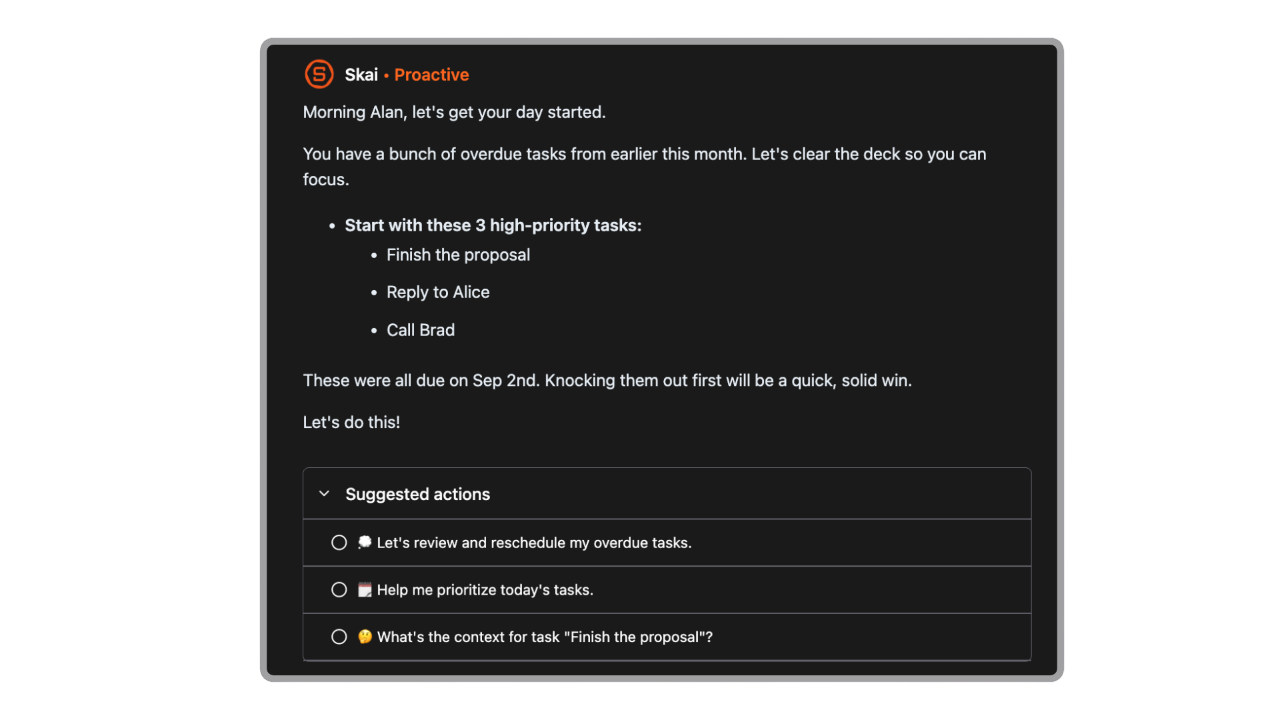
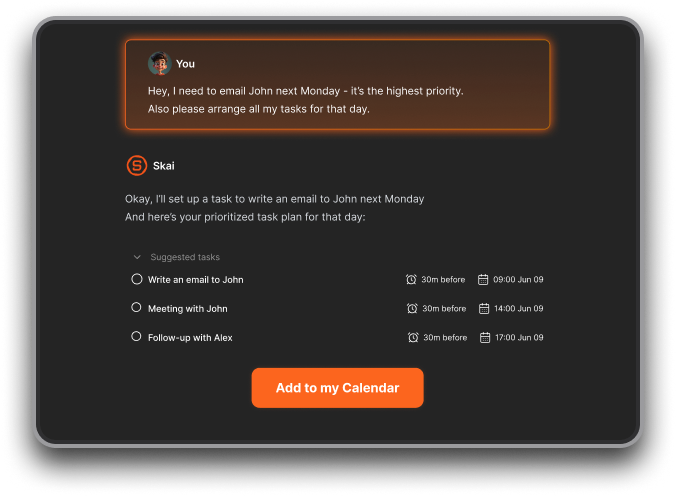
- Just braindump to sort your tasks
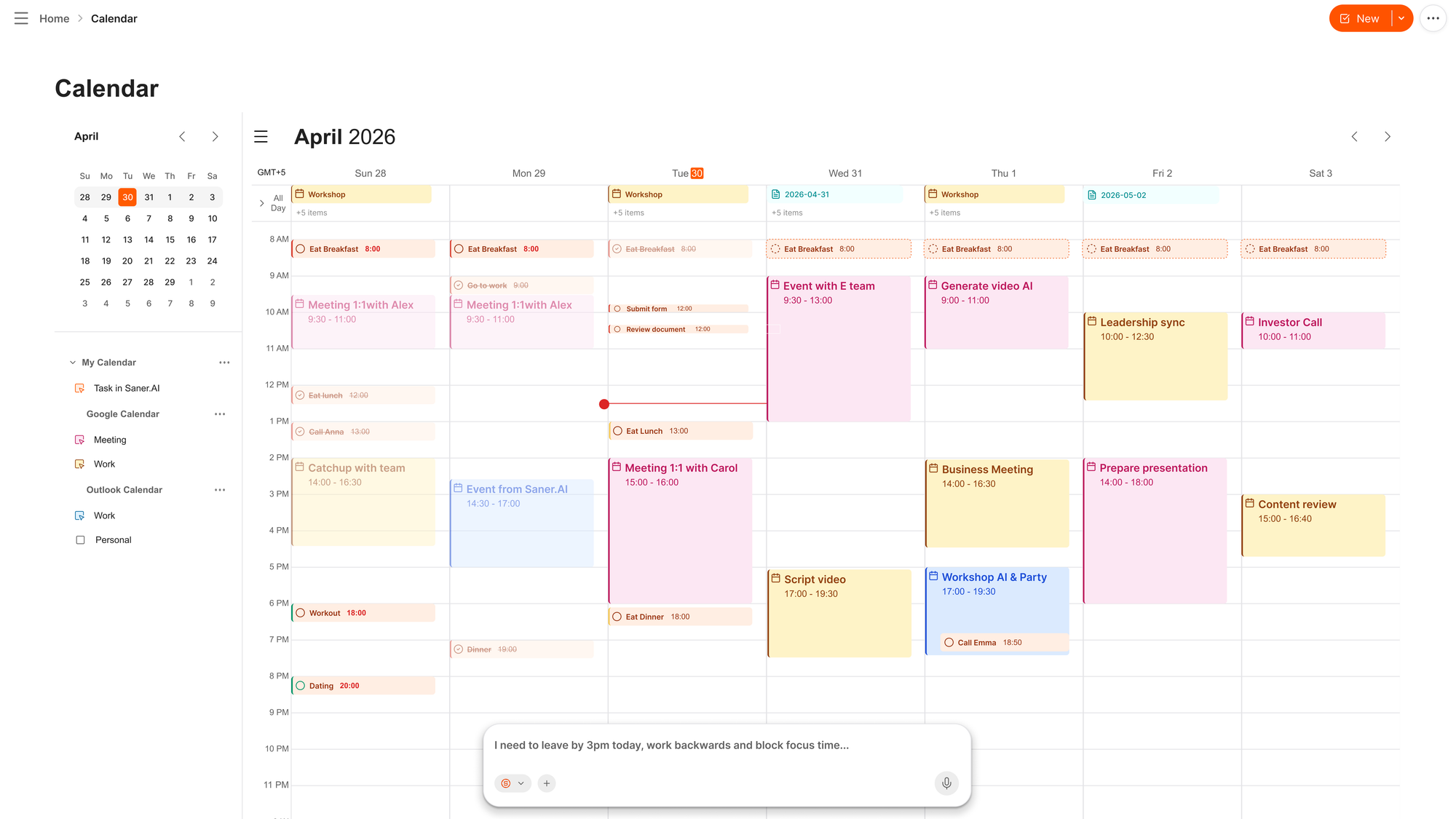
- Just chat with AI to manage your calendar
- Ask-your-notes search: you can ask it a question, and it answers from your own saved notes and documents
Pros,
- It actually cuts down on app-switching, since tasks, notes, and calendar sit in one place instead of three
- The daily plan saves the ten minutes I used to spend rebuilding my to-do list every morning
- It handles messy, unstructured input well.
Cons,
- It's a newer product, so the integration list is shorter than an established players
- If you need heavy team collaboration features, this is built more for individual use than shared workspaces
Pricing:
- Free plan available to try core features
- Paid plans start at roughly $8 to $12 a month depending on billing term, with full pricing on the Saner.AI pricing page
What users say:
- Reviewers on Product Hunt consistently point to notes, tasks, and calendar in one interface as the reason they stopped juggling three separate apps (reviews)
- Several early users flagged it specifically for ADHD-style workflows
Best for: knowledge workers and ADHD or overwhelmed professionals who want one assistant handling tasks, notes, and calendar together
How to get started: sign up, connect your Google Calendar and email, and give it a day of notes and tasks. The first session mostly involves importing what you already have. The one thing worth knowing going in is that the AI gets noticeably more useful once it has a week of your actual notes to work from, not just day one.

Stay on top of your work and life
2) Claude — best if the bottleneck is thinking, not scheduling

Claude, made by Anthropic, isn't trying to be a proactive assistant that texts you in the morning. It's a reasoning and writing tool you open when you need to think something through: a messy research question, a first draft, a decision with too many variables.
Key features:
- Long-context understanding — holds entire documents or long threads in mind at once, a strength reviewers mention repeatedly
- Structured writing — produces drafts that need less editing afterward, the most repeated line across its reviews
- Claude Cowork and Claude Code — agentic modes that work directly with files and code on your computer, for people who need more than chat
Pros:
- Follows complex, multi-step instructions all the way through instead of drifting halfway
- It hallucinates less than competitors on technical or factual material
- Free tier is usable for light, daily use, not just a demo
Cons:
- Won't act on your behalf. No sending emails, no rescheduling meetings, no proactive nudges
- Cowork's integrations lean heavily on Google Workspace, so Outlook-based teams may find the ecosystem thinner
- Advanced usage limits apply below the Max tier, and daily heavy users report hitting them
Pricing:
- Free tier for casual use
- Pro at $20/month
- Max at $100 or $200/month
- Team at $25–$30/seat/month, full details at claude.com/pricing
What users say:
- The most common praise on G2 and Capterra is that responses need minimal editing afterward, which reviewers tie directly to time saved on research and drafting (reviews)
- A recurring complaint is that advanced features are gated by subscription tier, which surprises people coming from a fully free competitor
Best for: researchers, writers, and operators whose real time sink is thinking through something complicated, not managing a calendar.
Getting started: start free with a real task, not a toy question. Drop in an actual document or decision you're stuck on. If you hit the usage limit within a week of daily use, that's your signal to move to Pro.
3) Town — best if you want an assistant with its own email address

Town gives you a "Townie," an assistant with its own @town.com address that you forward email to or message directly. It learns your voice and your routines over time instead of starting from zero every conversation.
Key features:
- Dedicated assistant address: forward anything to your Townie's own email and it triages, drafts, or files it
- Scheduled routines: pre-built and custom routines for things like morning briefings, contact research, and newsletter digests that run without you asking each time
- Cross-surface memory: works through web, iOS, and a Mac app, with the same context following you across all three
Pros:
- Fast setup for a Gmail-based workflow, with pre-built routines that work well out of the box
- Genuinely learns implicit preferences.
- Approval-required defaults mean it won't send anything on your behalf without you signing off first
Cons:
- Google-only. No Outlook or Microsoft 365 support, which rules it out immediately for Microsoft-based teams
- The Mac app has rough edges. One early user flagged it as "kinda buggy for document editing" (reviews)
- Routines are largely pre-defined, so anything off the standard menu currently can't be custom-built
Pricing:
- Free tier available
- Paid plans start at $15/month
What users say:
- Early Product Hunt reviewers who'd previously used Poke described Town as solving the "one overwhelming iMessage thread" problem by giving tasks, threads, and people their own dedicated views (reviews)
- The most repeated compliment is how personalized the assistant gets once it's had a few weeks to learn your patterns
Best for: Gmail-based professionals who want one assistant with its own inbox, and don't need Outlook support.
Getting started: connecting email and calendar is mandatory at signup, so decide upfront whether you want one account covering work and personal life, or two kept separate.
4) Lindy — best for inbox triage that drafts in your voice
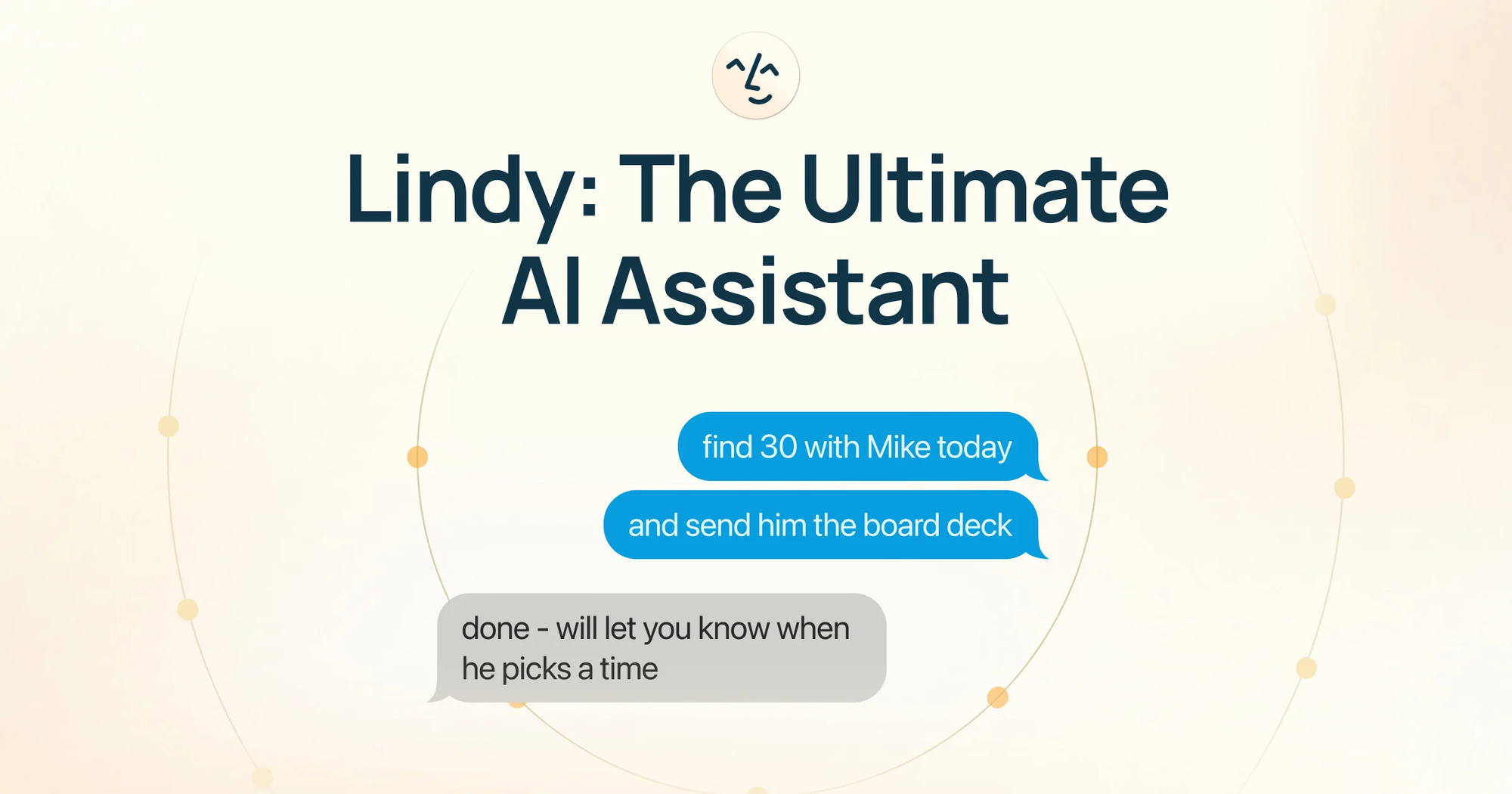
Lindy positions itself as an AI executive assistant rather than a general chatbot. You describe what you want in plain English, like triaging a client email and drafting a reply in your sales playbook's tone, and it builds that as a running agent instead of a one-off answer.
Key features:
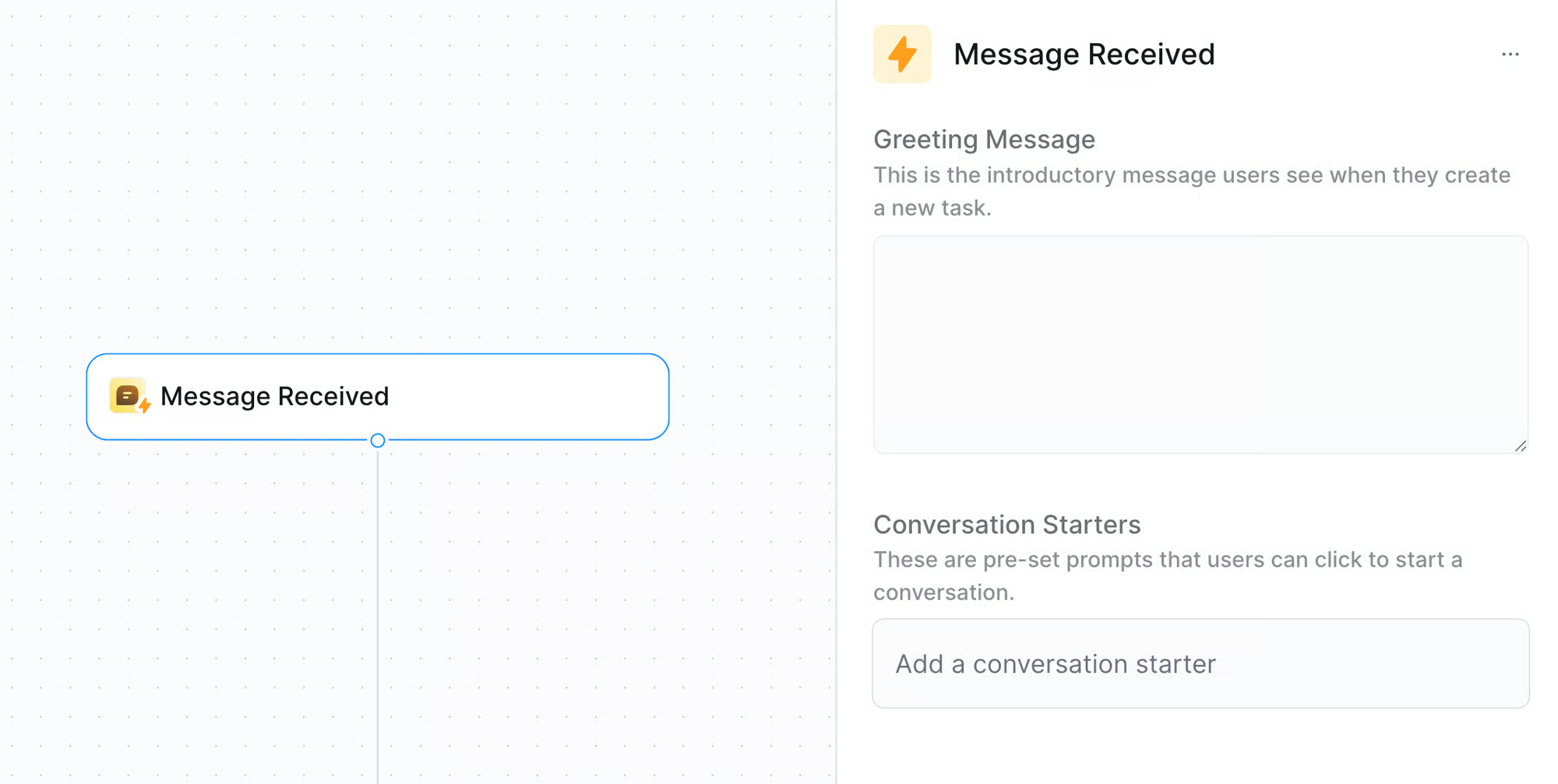
- Natural language agent setup — no drag-and-drop flowcharts; you describe the task, and Lindy builds it
- Voice-matched drafting — replies are written in a tone modeled on your own past messages, held for your approval
- Gaia voice agent and computer-use mode — lets an agent operate a virtual desktop for tasks beyond email and calendar
Pros:
- Automation quality holds up on nuanced tasks
- Templates cover common assistant workflows well enough
Cons:
- Credit-based pricing is the single most common complaint. "Expensive" shows up across dozens of reviews despite the high overall rating (reviews)
- Costs can spike unpredictably. One reviewer described burning roughly 4,000 credits setting up four tasks against a monthly estimate of 600–800
- Support becomes a real gap once you're past onboarding. Multiple users say the fastest way to get a response was posting a public review
Pricing:
- 7-day free trial, no permanent free tier
- Plus at roughly $49.99/month
- Pro at roughly $59.99/month
- Enterprise custom
What users say:
- Holds a 4.9 out of 5 rating from 170+ reviews on G2, with ease of use as the most repeated theme (reviews)
- The picture looks different on Trustpilot, where billing surprises and slow support pull the rating down considerably
Best for: solo operators and small teams who want inbox and scheduling automation and are comfortable monitoring a credit meter closely.
Getting started: use the free trial to build exactly one real workflow, not a test one, and watch credit consumption on it for a week before choosing a paid tier.
5) Reclaim.ai — best if your calendar is the actual problem
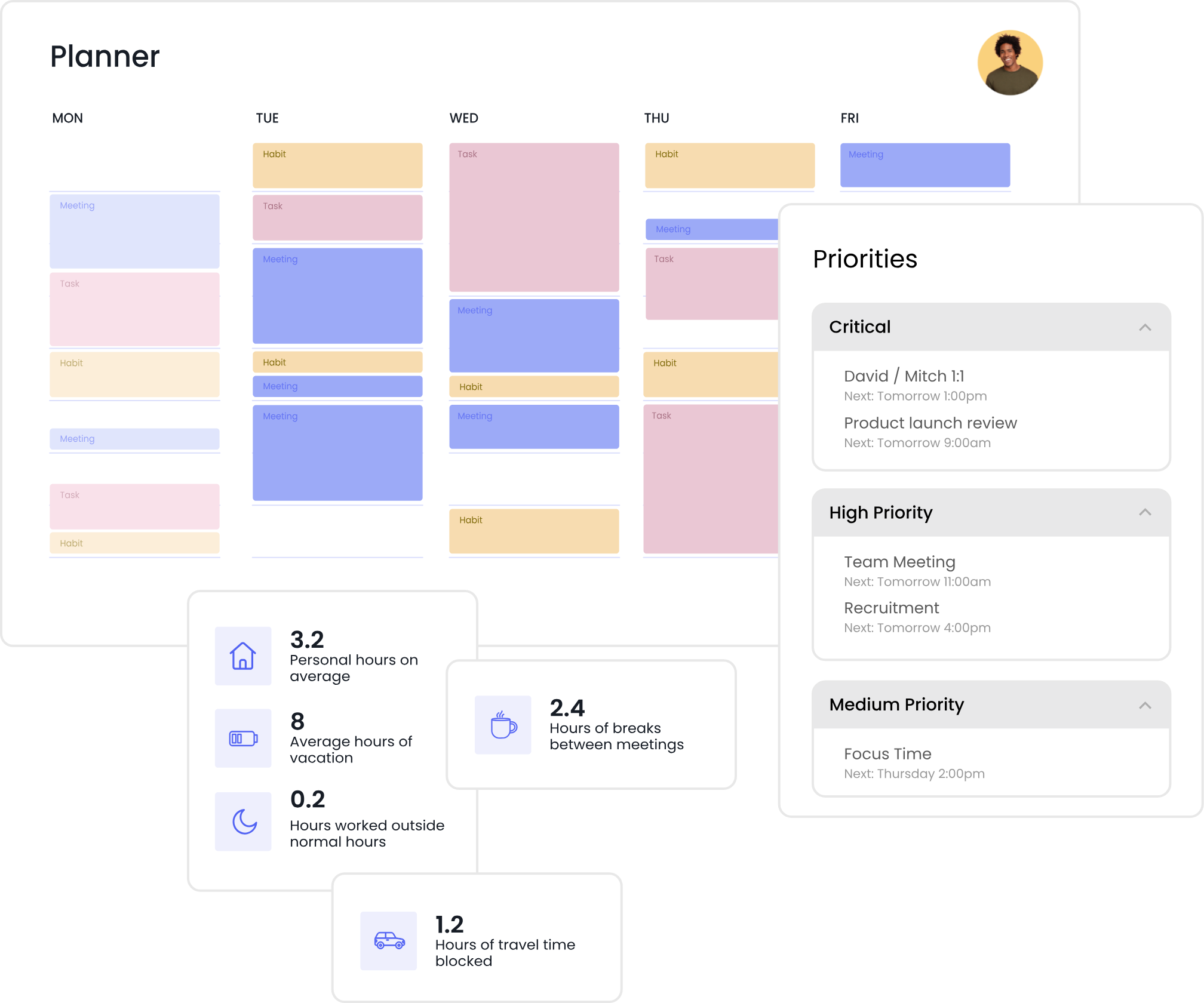
Reclaim.ai is an AI calendar. It's built around one job: looking at your tasks, habits, and meetings, then automatically finding and defending time for all of it, and rearranging things the moment a meeting moves.
Key features:
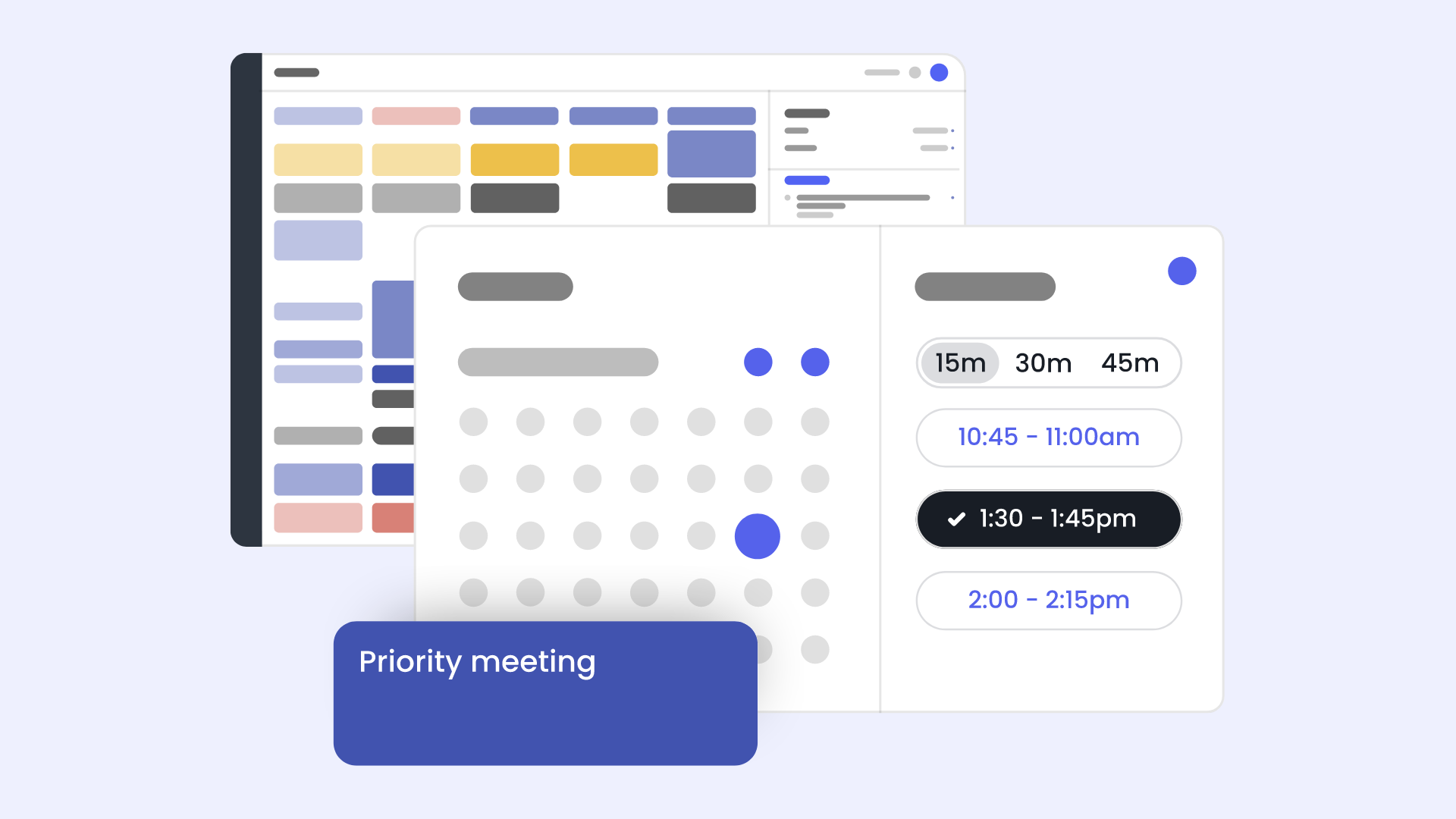
- Automatic task scheduling — add a task with a priority and time estimate, and it finds a slot and books it without manual dragging
- Smart rescheduling — when a meeting bumps a planned task, it automatically moves that task rather than letting it disappear
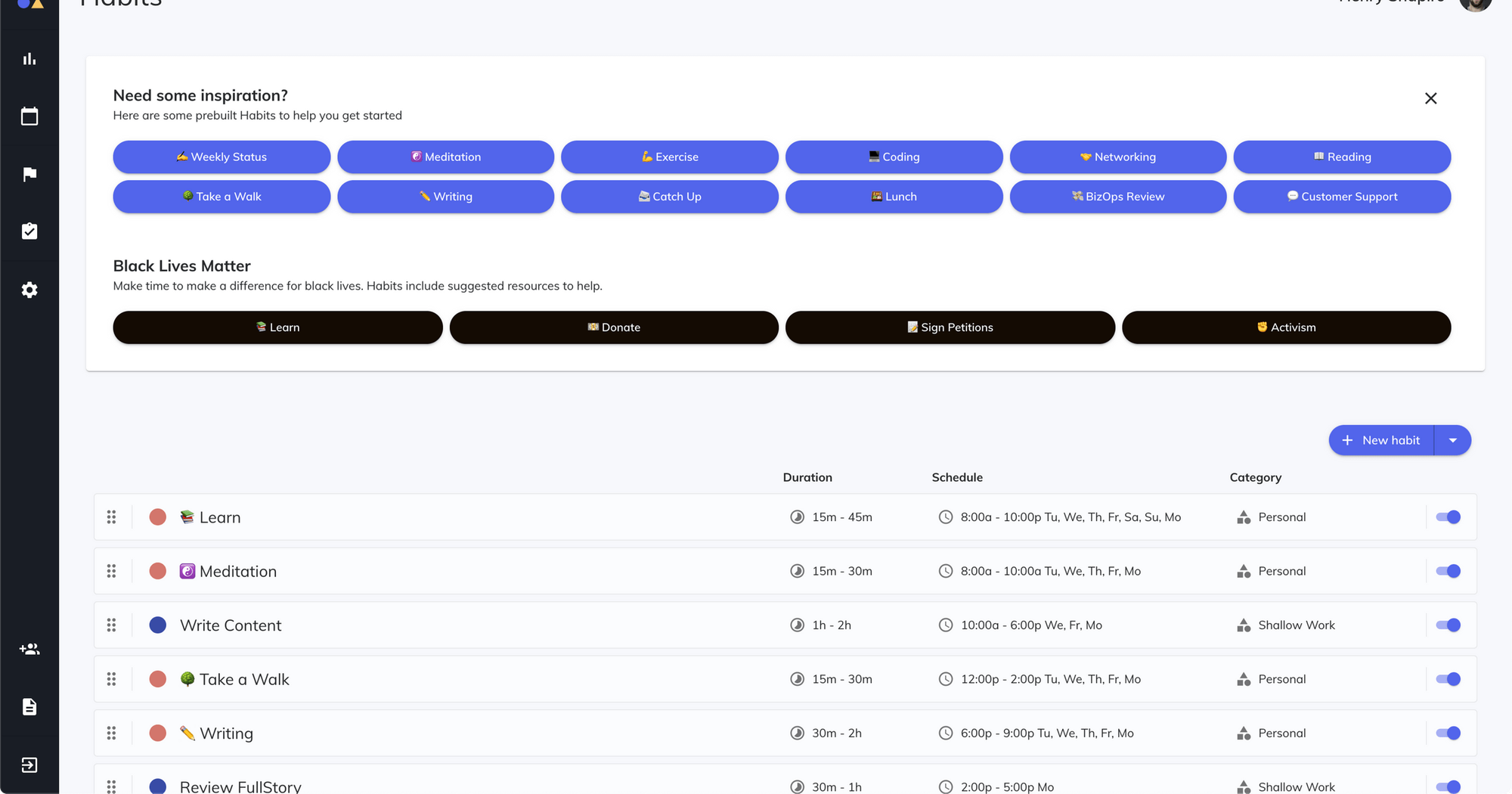
- Habit and focus-time defense — recurring personal habits and deep-work blocks get protected the same way a meeting would be
Pros:
- Automatic rescheduling when plans shift is the most-praised feature
- Integrates with task tools like Asana, Jira, ClickUp, and Todoist
Cons:
- Still no native mobile app as of 2026, a real miss for anyone who plans their day from their phone
- Outlook support launched later than Google Calendar support and reviewers say it doesn't yet match the same depth (reviews)
- Reclaim lingering in Google Calendar with notifications even after disconnecting the account
Pricing:
- Free Lite plan with limited calendars and habits
- Starter at roughly $8–$10/month
- Business at roughly $12–$15/month
- Enterprise custom
What users say:
- Holds a 4.8 out of 5 rating on G2 from 120+ verified reviews, with automated scheduling as the standout category (reviews)
- The most common frustration is that the free tier has shrunk over time, from 3 calendars and 16 habits down to 1 calendar and 3 habits
Best for: calendar-driven professionals on Google Calendar losing focus time to constant meeting shuffling, more than people who need inbox help.
Getting started: connect your primary calendar first, add three or four real recurring tasks with honest time estimates, and let it run a full week before manually overriding anything..
Conclusion
The real decision here isn't Poke versus five competitors; it's what kind of help you actually need.
- If your bottleneck is a scattered task list and notes app, Saner.AI closes that gap without asking you to learn a new interface.
- If it's clear thinking on something complicated, nothing here beats Claude.
- If you want an assistant with its own inbox, Town's the closest thing to what Poke does
Pick based on the actual bottleneck in your week, not the tool with the flashiest demo, and give whichever one you choose a real week of your actual mess before deciding if it earns a place in your routine.
Stay on top of your work and life
FAQ
What is the best AI personal assistant for ADHD?
Saner.AI is built specifically around ADHD-style overwhelm, pulling tasks, notes, and calendar into one place instead of forcing you to check five apps. Reclaim.ai also helps indirectly by protecting focus blocks automatically
What's the difference between Poke and Town?
Both are proactive assistants that connect to your email and calendar and act without constant prompting. Poke lives inside iMessage and SMS threads, while Town gives you a dedicated email address and a separate app with distinct views for tasks, people, and threads, which makes it easier to track once things get busy.
Does Claude work with Outlook?
Not directly for inbox management. Claude's Cowork integrations currently lean on Google Workspace, so Outlook-based teams get a thinner connected experience than Gmail users do.
What should I look for in an AI personal assistant?
Look at four things: how it handles your actual calendar and email platform, whether it's proactive or waits for prompts, whether pricing is predictable or usage-based, and how much standing access to your data it needs to work.
Can an AI personal assistant replace a human executive assistant?
Not fully, not yet. These tools handle drafting, scheduling, and triage well, but judgment calls, relationship management, and anything requiring real accountability still need a person. Most of the tools on this list are built to remove the busywork around a human assistant's job, not the job itself.
Is there a free AI personal assistant?
Yes. Claude, Saner.AI, and Reclaim.ai all have usable free tiers. Town and Lindy offer free trials rather than permanent free plans, so budget for a paid tier if you plan to keep using either past the trial window.
How much does an AI assistant cost?
Anywhere from free to around $60 a month for an individual, depending on the tool. Calendar-only tools like Reclaim.ai run cheapest, around $8 to $15 a month, while full inbox-automation platforms like Lindy run closer to $50 to $60 a month once you're past the trial.
How do I get started with an AI personal assistant?
Connect your calendar and email first, since that's what most of these tools need to do anything useful. Then give it a real week of your actual mess, not a clean test case, before judging whether it earns a permanent spot in your routine.
Does Town support Outlook or Microsoft 365?
No. As of 2026, Town only supports Gmail and Google Calendar, with no Microsoft 365 integration. If your company runs on Outlook, this rules Town out regardless of how well the rest of it works.
What's the best AI assistant for solo founders or small teams?
Lindy if inbox and scheduling automation is the priority and you're comfortable watching a credit meter. Claude if the bigger need is research, drafting, and thinking through decisions rather than task execution.
Can I use more than one of these at the same time?
Yes, and a lot of people do. It's common to pair a work-specific tool like Saner.ai with a reasoning tool like Claude, since they solve completely different problems and don't overlap much in what they actually do.
Stay on top of your life with the best Poke alternatives