Project Management Apps: We Tested The Best 7 Apps (2026 Guide)
The best 7 Project Management Apps are Saner.AI, Asana, ClickUp, Trello, Notion, Monday.com, and Jira.


The best project management apps help teams plan work, track tasks, and collaborate efficiently - without chaos. If you’re managing deadlines, people, and priorities, choosing the right project management software can dramatically improve delivery speed and clarity.
In this guide, you’ll learn which project management tools are best, what each one is designed for, and how to choose the right app based on your team size, workflow complexity, and budget.
1. What Is a Project Management App?
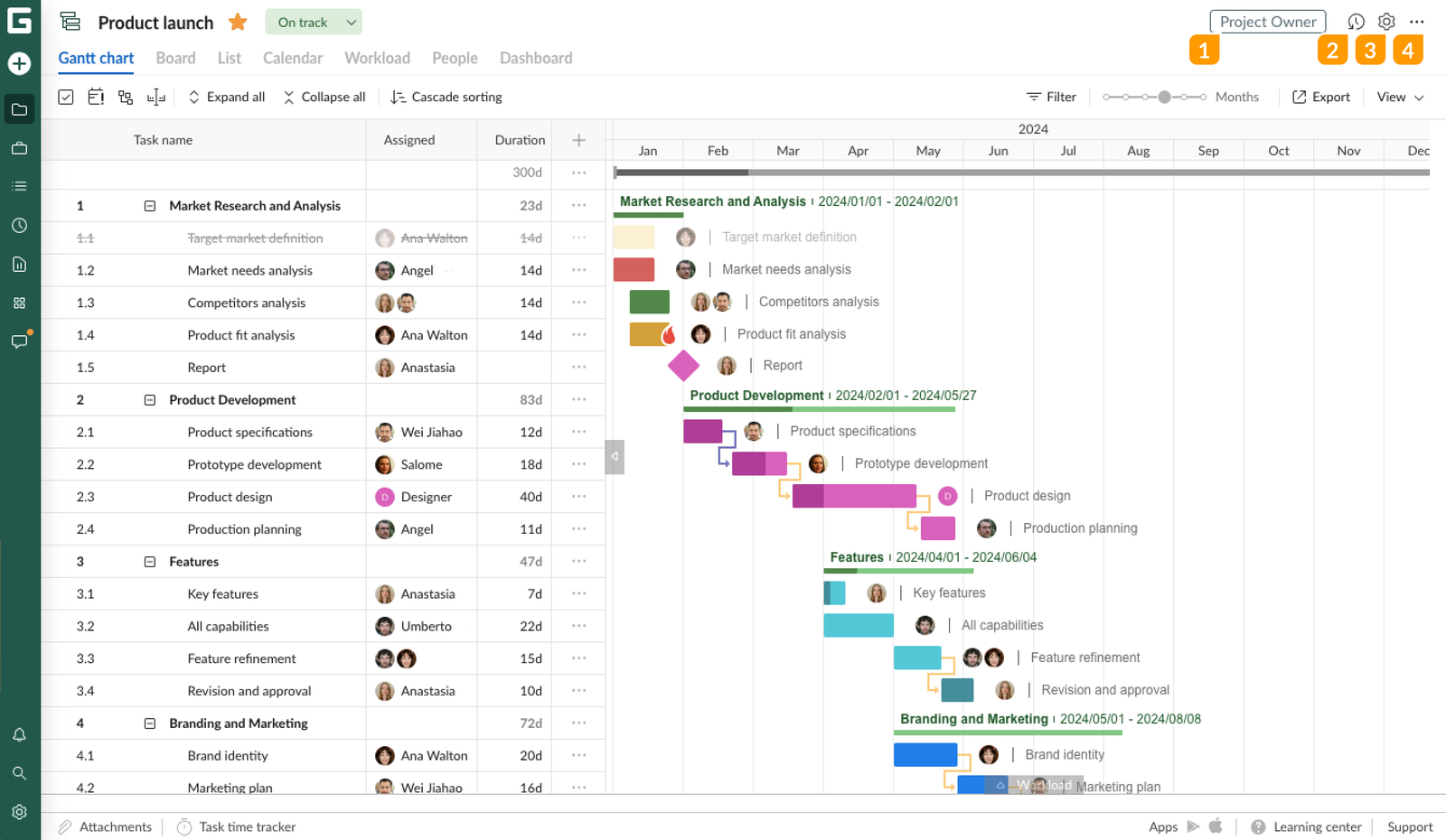
A project management app is software that helps individuals and teams organize work, coordinate tasks, and deliver projects on time. It can offer:
- Task tracking: Create tasks, assign owners, set priorities, and monitor progress in one place. Most task management apps also support recurring tasks and status updates.
- Team collaboration: Centralize discussions, comments, and file sharing so context isn’t lost across tools. Collaboration features reduce back-and-forth and speed up decision-making.
- Timelines & deadlines: Visual tools like calendars, timelines, or Gantt charts help teams understand dependencies and due dates.
- Productivity: By organizing work clearly, teams spend less time coordinating and more time executing. Many apps also automate reminders and routine updates.
These tools are used by teams, startups, freelancers, managers, and agencies -anyone juggling multiple tasks or projects.
2. How I Tested These Project Management Apps
To make this list genuinely useful, I didn’t rely on feature lists or marketing pages alone. I tested each project management app hands-on, focusing on how they perform in real work scenarios
Types of tasks and projects I used
- Personal task tracking and daily to-do management.
- Small team projects with shared deadlines and responsibilities.
- Content and marketing-style workflows (planning → execution → review).
- Multi-step projects that required prioritization and ongoing updates.
This mix helped me evaluate both simple task management apps and more complex project planning software.
Devices and platforms tested
- Web apps (main focus, since most teams work there).
- Desktop apps, when available.
- Mobile apps to check quick task capture, notifications, and usability on the go.
Cross-platform consistency mattered a lot - especially for teams that don’t work from one device.
Now, let's dive in!
What are the Best Project Management Apps?
The best 7 Project Management Apps are Saner.AI, Asana, ClickUp, Trello, Notion, Monday.com, and Jira.
Comparison table of the Best 7 Project Management Apps:
| 🛠 App | 🎯 Best For | ⭐ Key Features | 💰 Pricing Plan | 💻 Platform |
|---|---|---|---|---|
| Saner.AI | Individuals & teams who want AI-first task management with minimal friction | AI-powered task capture, auto-organization, smart prioritization, note-to-task conversion | Free plan available; Paid plans from $8/month (yearly plan) | Web |
| Asana | Teams managing structured projects and cross-functional work | Task dependencies, timelines, workload view, automation rules | Free; Paid plans from $10.99/month | Web, iOS, Android |
| ClickUp | Teams wanting an all-in-one workspace | Tasks, docs, goals, dashboards, extensive customization | Free; Paid plans from $7/month | Web, iOS, Android, Desktop |
| Trello | Simple visual task tracking with Kanban boards | Boards & cards, drag-and-drop workflow, Power-Ups | Free; Paid plans from $5/month | Web, iOS, Android |
| Notion | Teams combining docs, tasks, and databases | Custom databases, docs + tasks, templates, collaboration | Free; Paid plans from $8/month | Web, iOS, Android, Desktop |
| Monday.com | Teams needing visual planning and reporting | Custom workflows, dashboards, automation, integrations | Paid plans from $9/month | Web, iOS, Android |
| Jira | Software & engineering teams using Agile/Scrum | Sprint planning, issue tracking, roadmaps, DevOps integrations | Free; Paid plans from $7.75/month | Web, iOS, Android |
1. Saner.AI
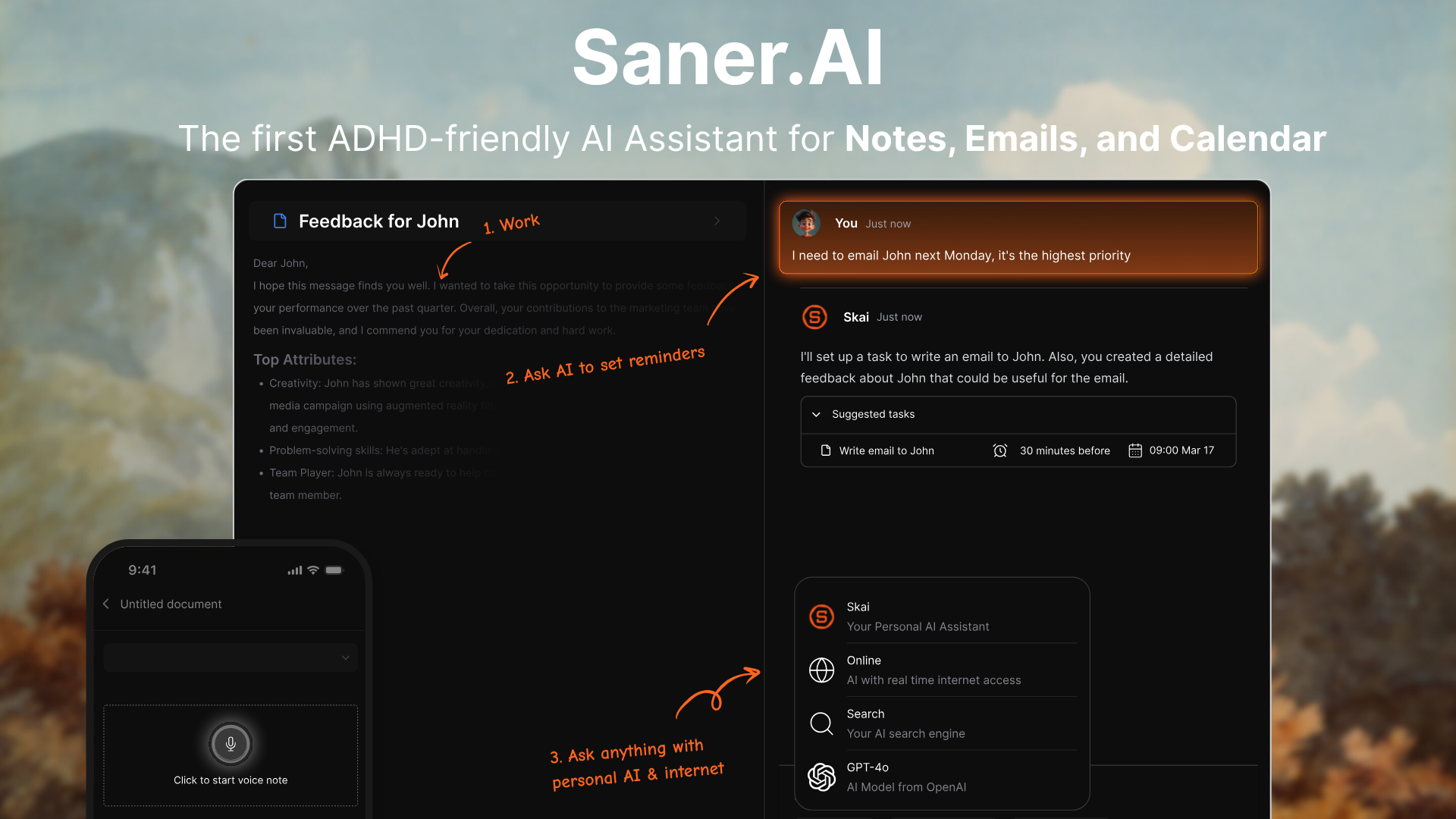
Saner.AI is an AI project management and task management tool designed for individuals and small teams who struggle with information overload. Instead of manually organizing tasks, you simply write things down and let AI handle prioritization and structure.
It works especially well for fast-moving projects, content teams, and knowledge-heavy workflows. This makes it a modern alternative to traditional project management software.
Key features
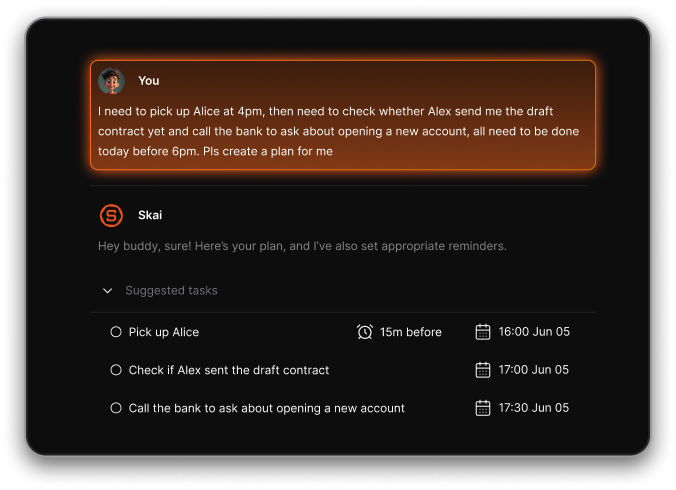
- AI-powered task capture: You can dump ideas, notes, and tasks in natural language, and Saner.AI automatically turns them into structured, actionable tasks.
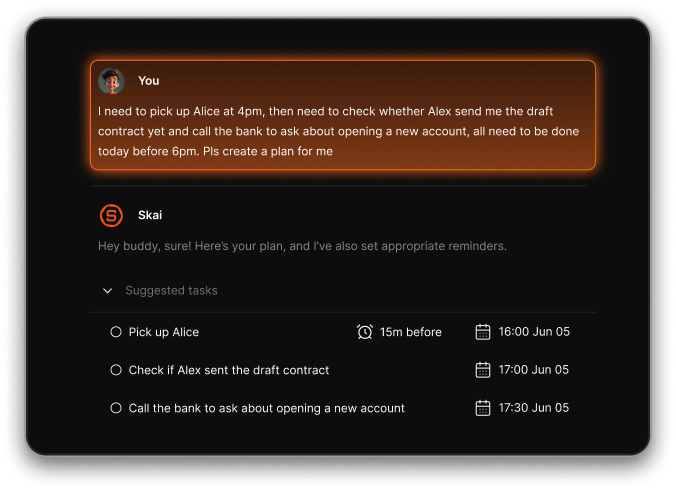
- Tasks are intelligently grouped and ranked by importance without manual tagging.
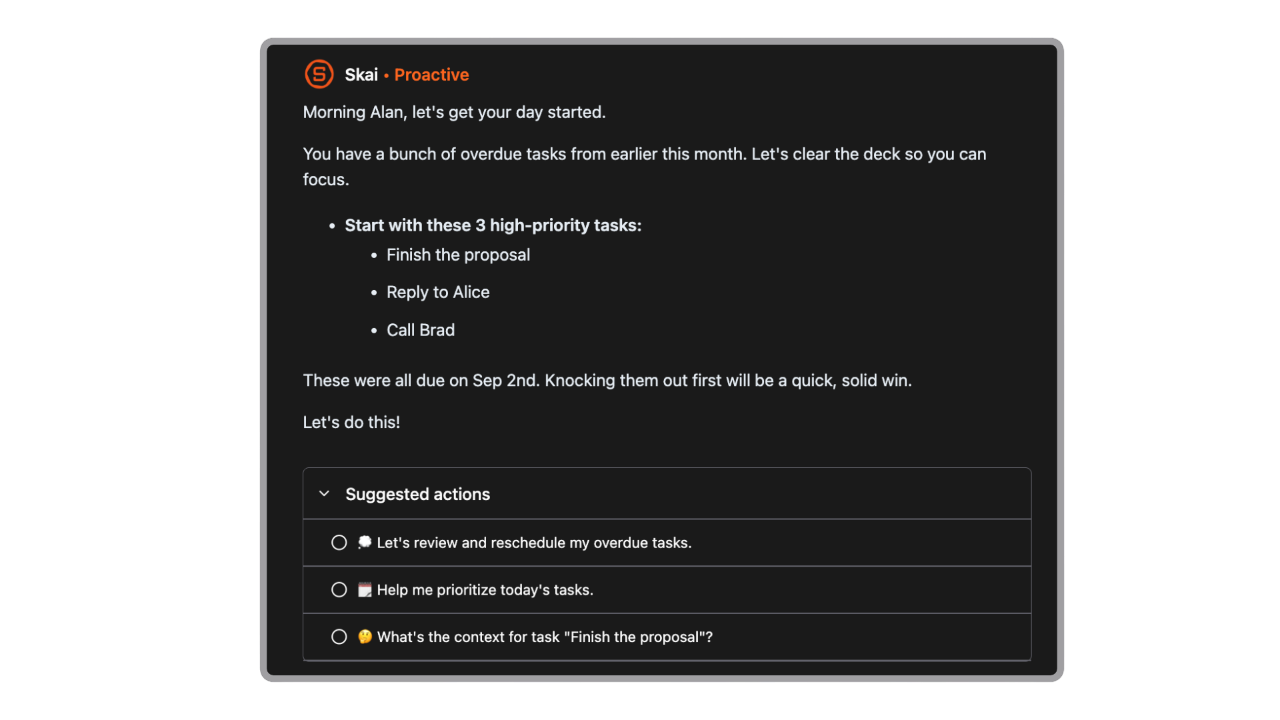
- Saner.AI automatically generates a daily task list based on priority, urgency, and available context. This removes the need to manually decide what to work on each morning and helps users stay focused on high-impact work.
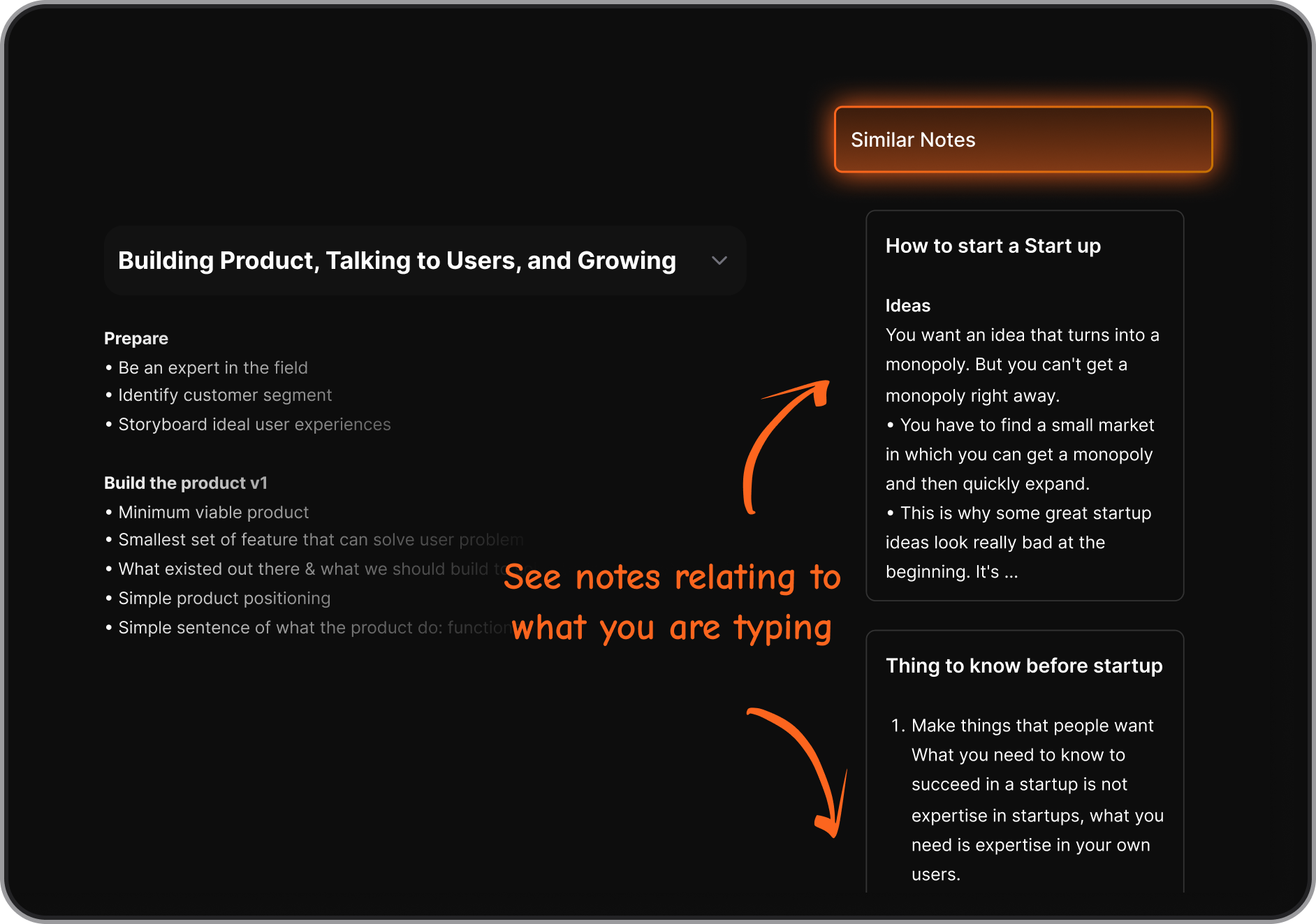
- Related tasks and notes are connected automatically, making it easier to manage complex projects over time.
- The UI is designed for speed and clarity, reducing cognitive load during daily planning.
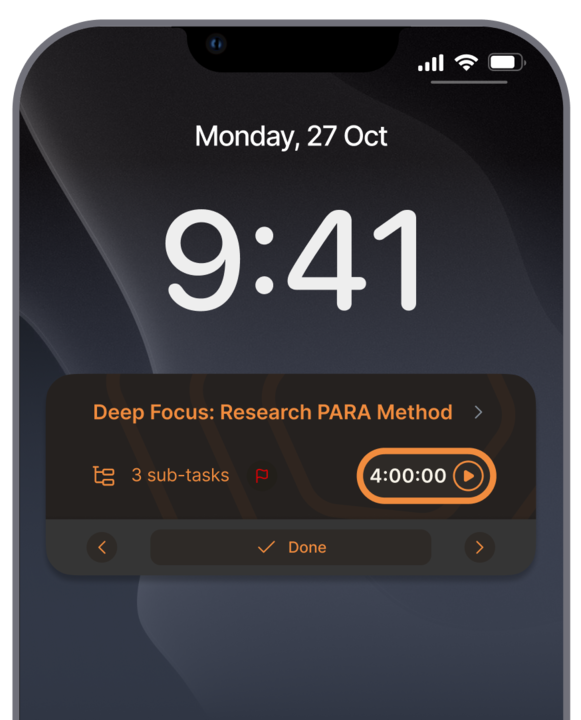
- Users can customize notifications on their phones to receive reminders about tasks, habits, deadlines, and meetings. This allows them to stay organized and informed without having to open the app.
Pros
- Extremely fast at capturing and organizing tasks.
- Strong AI assistance without heavy setup.
- Ideal for knowledge workers and content-focused teams.
Cons
- Not built for large enterprise teams.
Pricing
- Free plan available,
- Paid plans start around $8–$16/month.
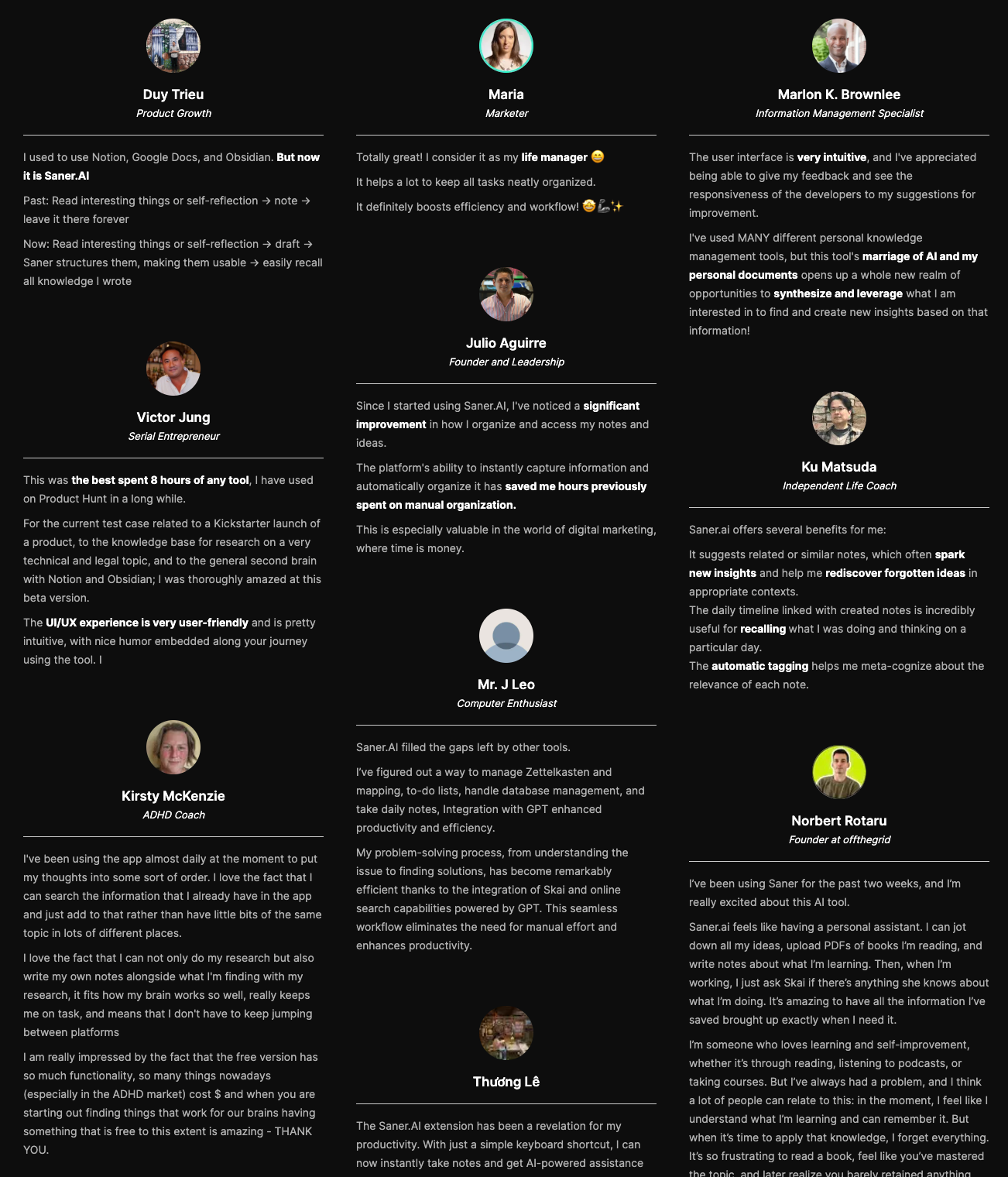
Saner.AI review
Best for
- Individuals, creators, and small teams who want AI to manage complexity instead of manually setting up tasks.
How to get started
- Sign up on the Saner.AI website.
- Start writing tasks immediately with no setup required.

Stay on top of your work with the Best Project Management app
2. Asana
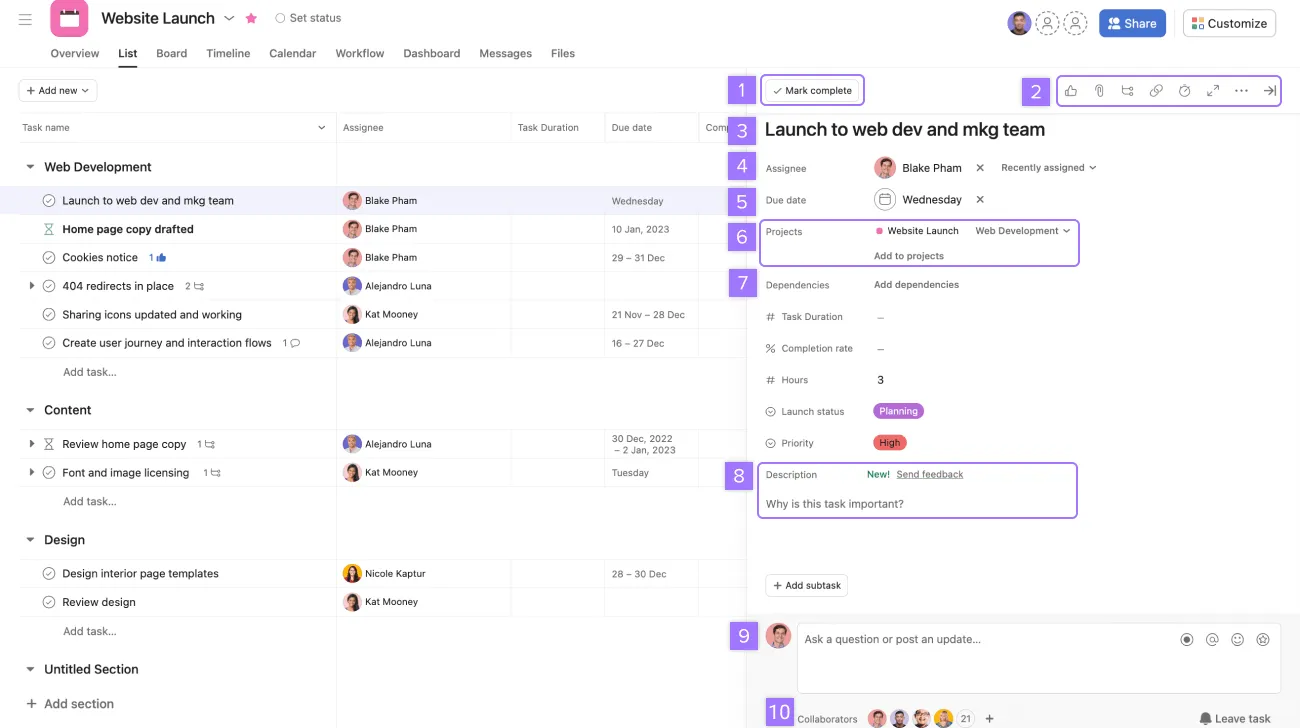
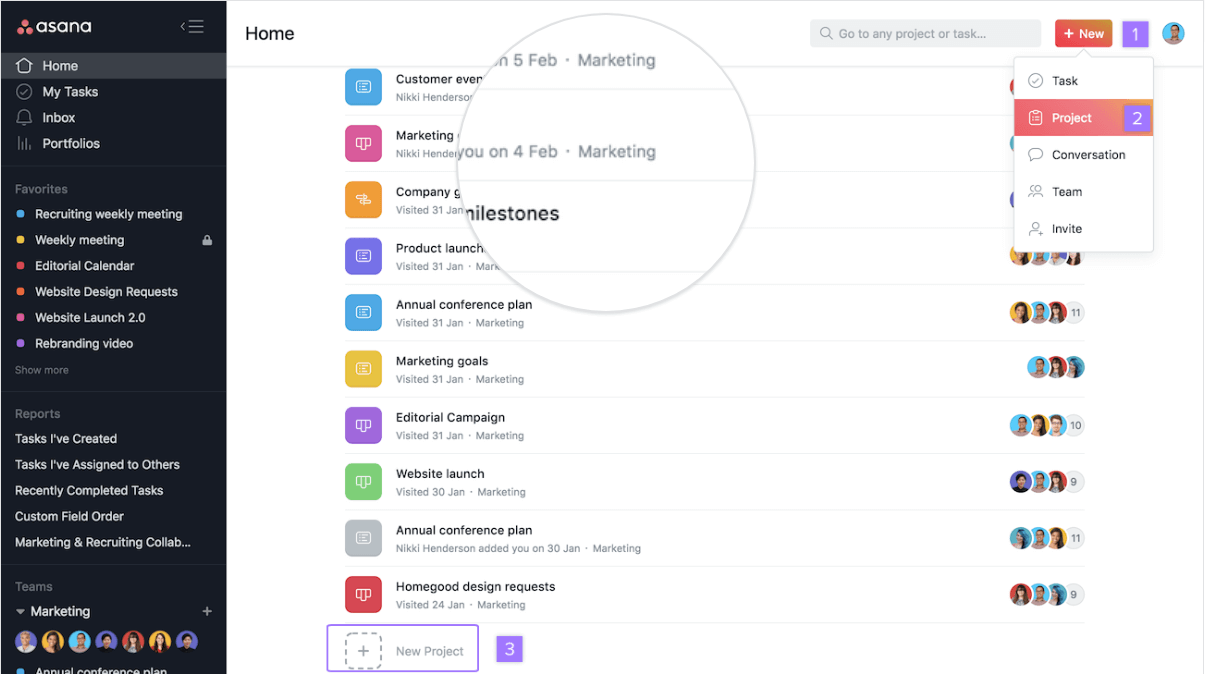
Asana is a project management app built for teams that need clear structure and accountability. It supports task tracking, timelines, and cross-team collaboration at scale. Asana is especially popular with marketing, product, and operations teams managing recurring workflows.
Key features
- Tasks can be assigned, prioritized, and tracked across multiple projects.
- Visual timelines allow teams to plan dependencies and deadlines.
- Repetitive actions can be automated to reduce manual updates.
- Comments, mentions, and shared updates keep communication centralized.
Pros
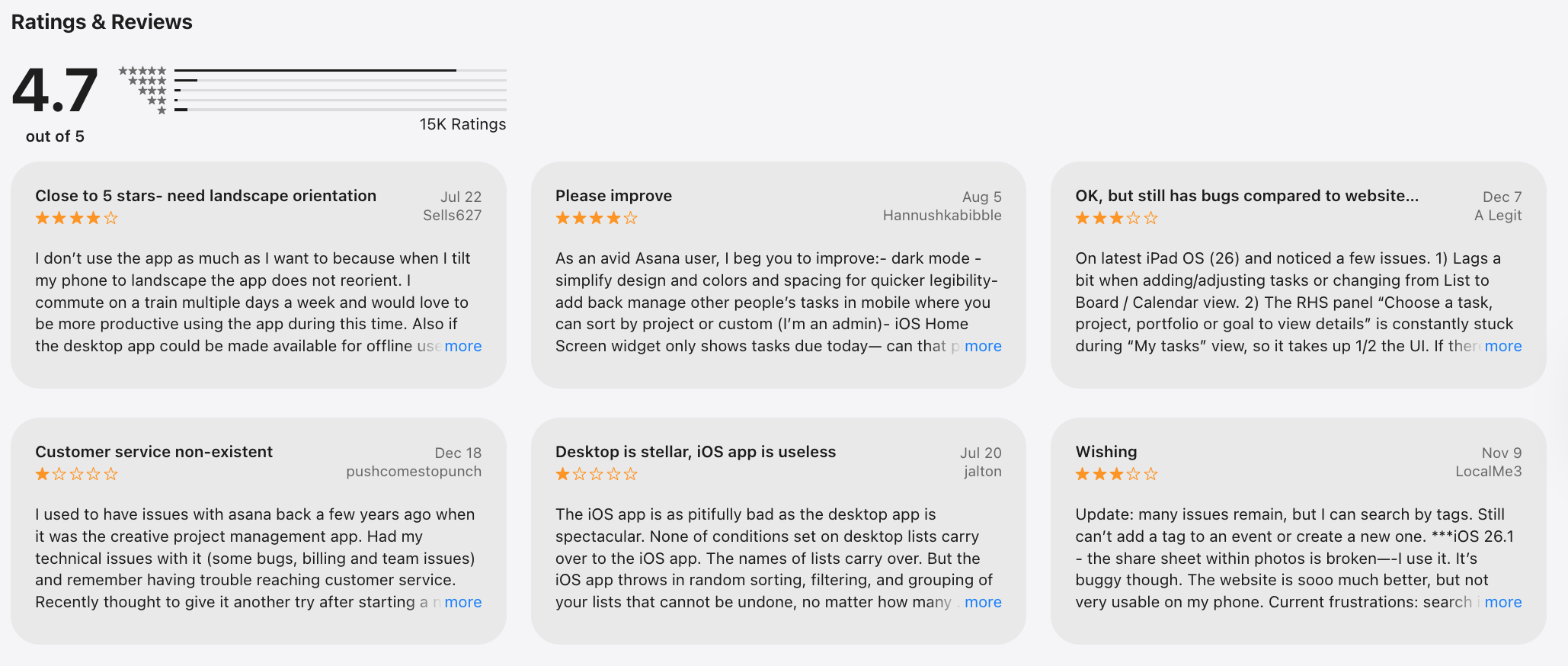
- Good for structured team workflows.
- Scales well across departments.
- Reliable reporting and visibility.
Cons
- Can feel rigid for flexible work styles.
- The interface may feel complex for solo users.
- No AI assistant to talk to manage tasks
Pricing
- Free plan for small teams.
- Paid plans start around $10/month.
Best for
- Mid-sized to large teams that need structured project planning and accountability.
Asana review (sources)
How to get started
- Sign up for Asana.
- Create a workspace, invite teammates.
- Choose a project template to begin.
3. ClickUp
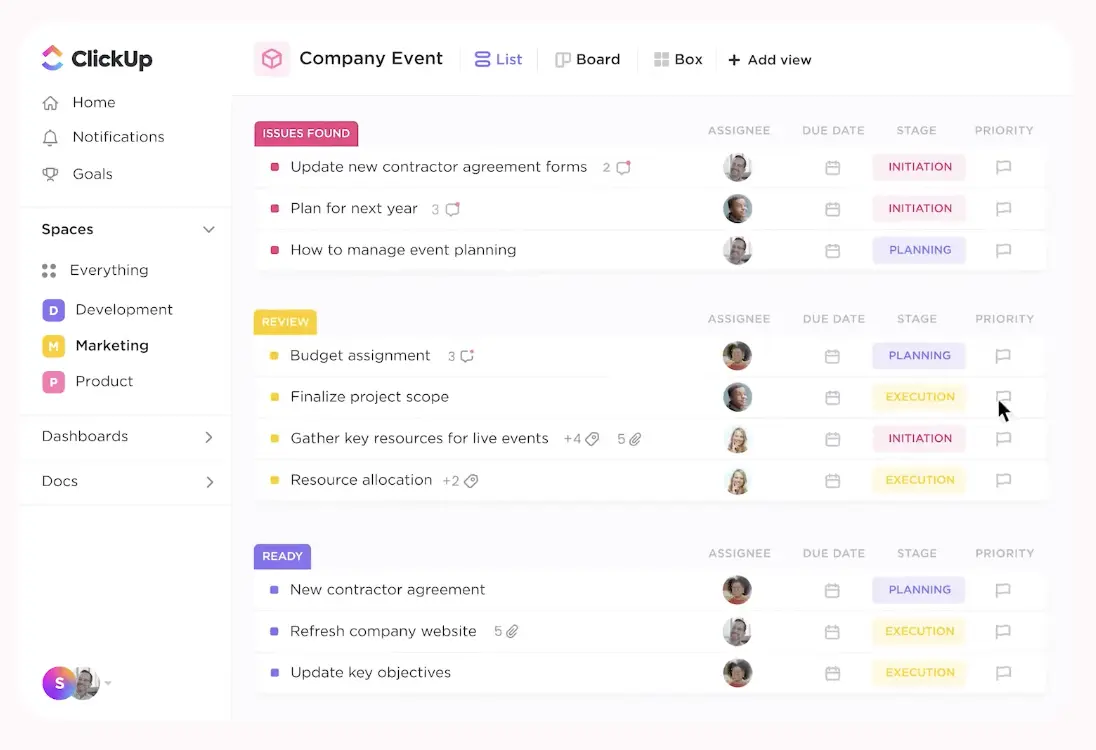
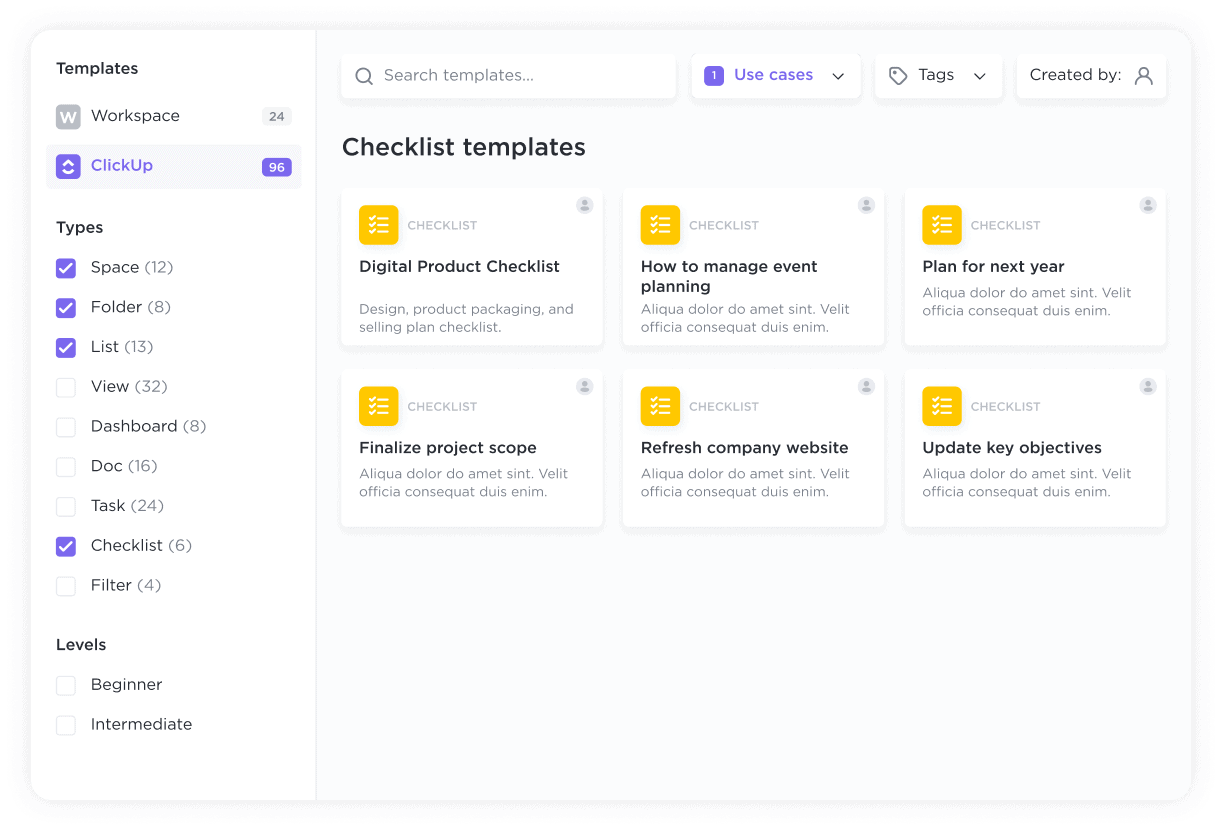
ClickUp is an all-in-one task management tool that combines tasks, docs, goals, and reporting in a single platform. It’s designed for teams that want maximum customization and control over their workflows. However, ClickUp requires setup. This makes it powerful yet demanding compared to simpler project management apps.
Key features
- Custom fields, statuses, and views allow teams to adapt to any workflow.
- List, board, timeline, and Gantt views support different planning styles.
- Built-in documentation reduces dependency on external tools.
Pros
- Flexible and feature-rich.
- Competitive pricing for its scope.
Cons
- Steep learning curve.
- The Interface can feel overwhelming.
- Performance issues are reported in large workspaces.
Pricing
- Free plan available.
- Paid plans start around $7/month.
Best for
- Teams that want a customizable project management app and don’t mind the setup time.
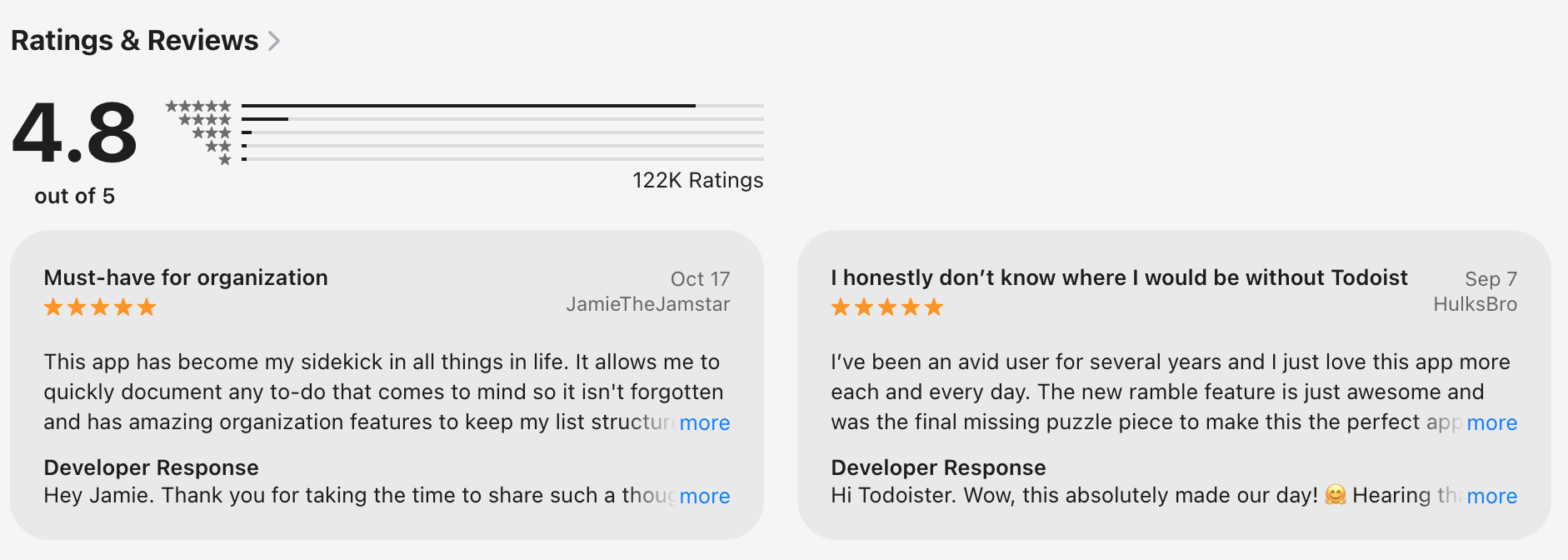
ClickUp review (source)
How to get started
- Choose a use-case template and customize views gradually instead of all at once.
4. Trello
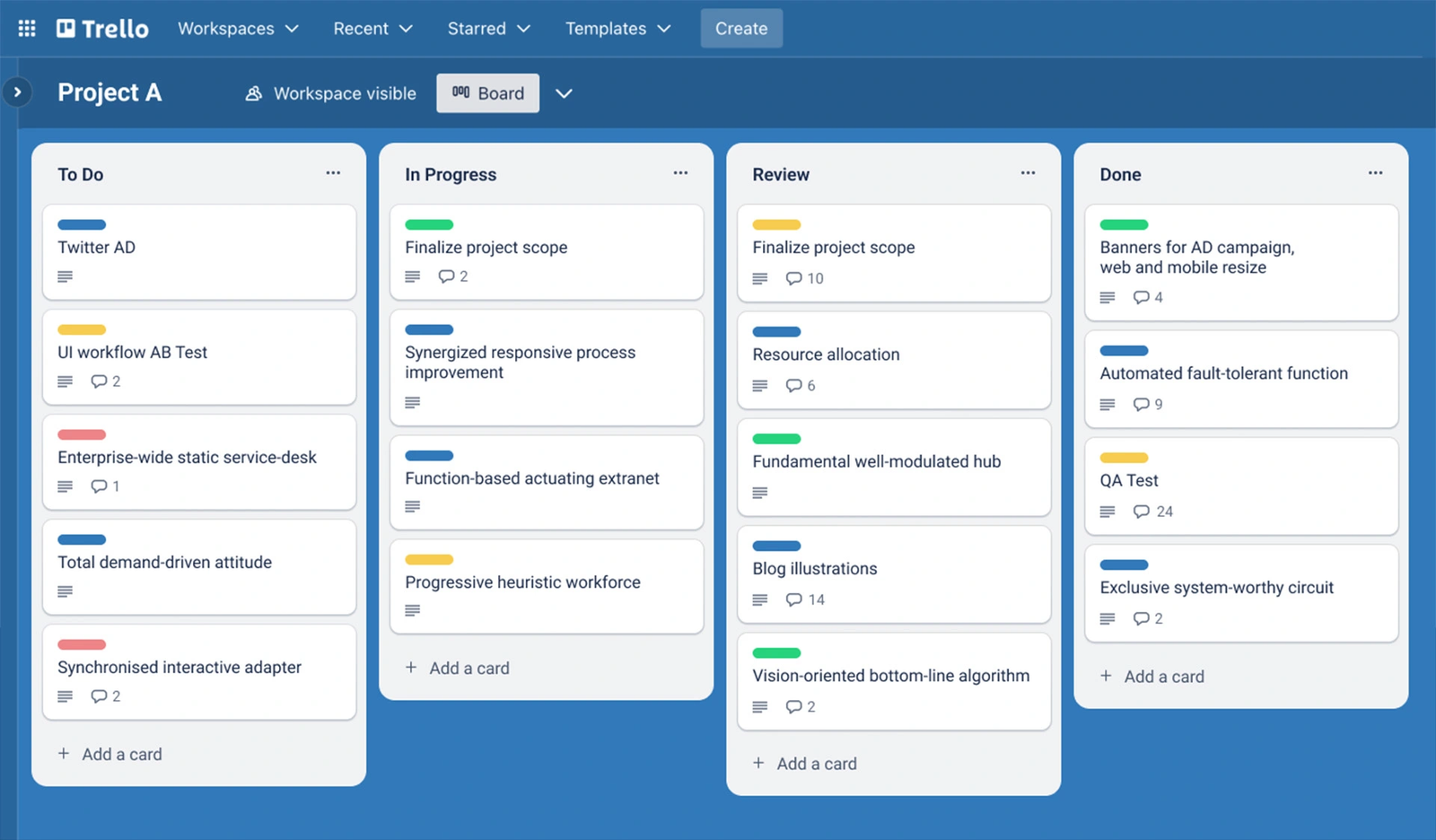
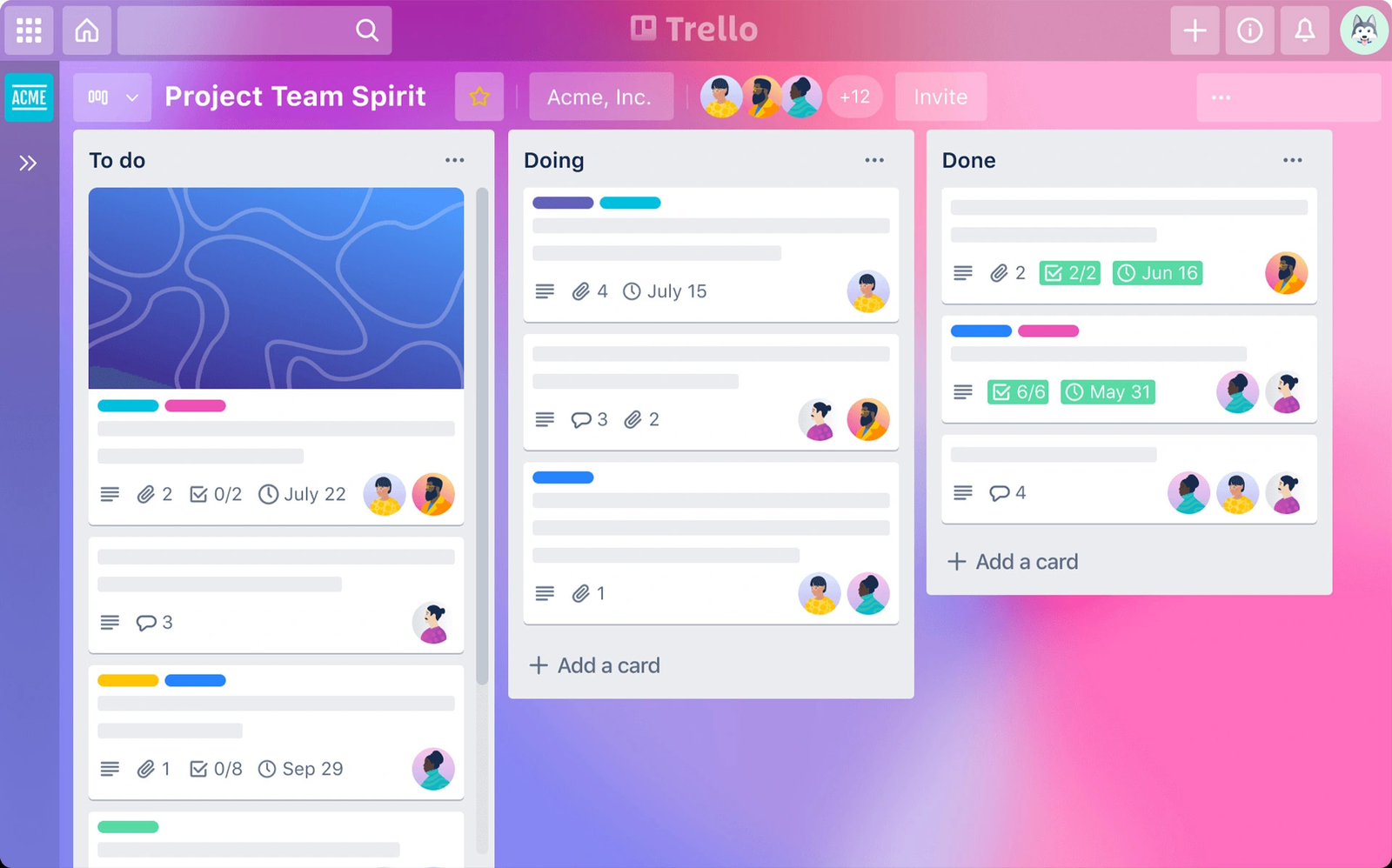
Trello is a visual task management tool based on Kanban boards. It’s simple, intuitive, and easy to adopt for individuals and small teams. Trello works best for straightforward projects and lightweight collaboration. Compared to more complex project management software, it focuses on clarity over depth.
Key features
- Tasks move visually across stages, making progress easy to see.
- Optional add-ons extend functionality like calendars and automation.
- Comments, labels, and due dates keep tasks organized.
Pros
- Low barrier to use
- Great for visual thinkers
Cons
- Limited for complex project planning
- Weak reporting and dependencies
- Can become messy at scale
Pricing
- Free plan available.
- Paid plans start around $5/month.
Best for
- Small teams and individuals managing simple projects or workflows.
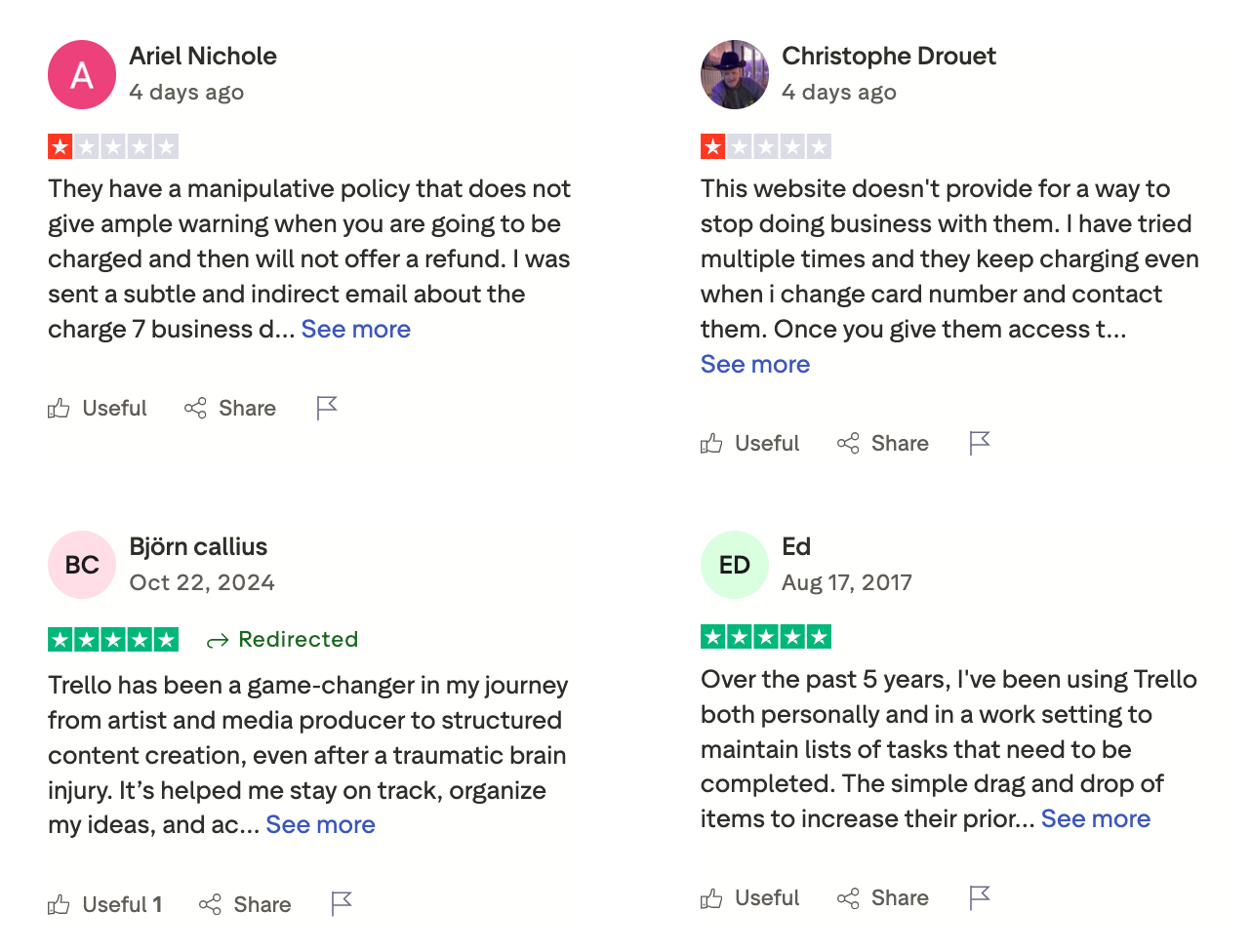
Trello review (source)
How to get started
- Create a board, add lists for workflow stages, and start adding cards.
5. Monday.com
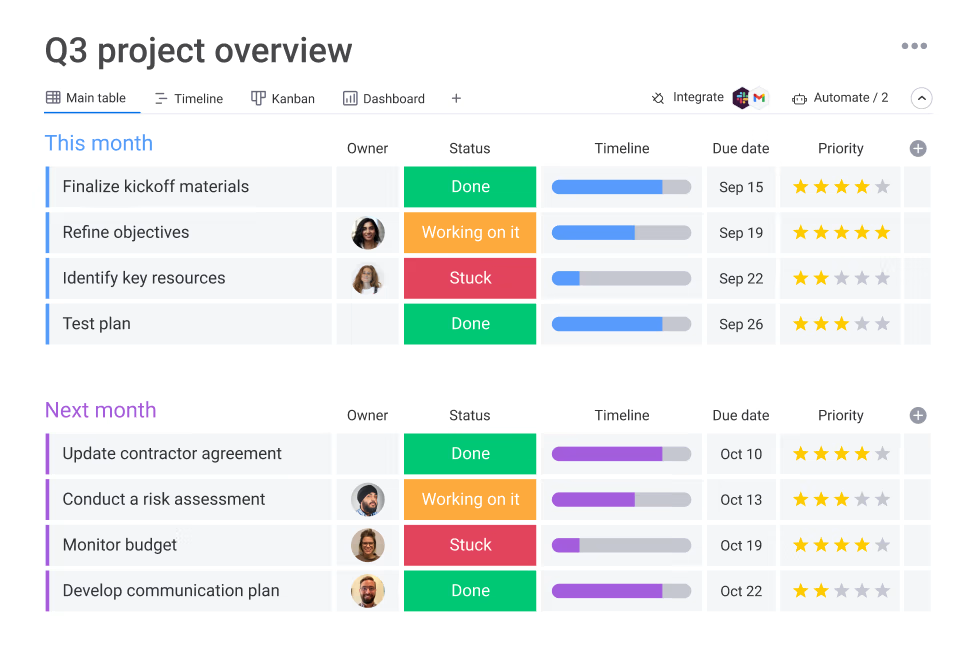
Monday.com is a visual work management platform built for cross-functional teams. It blends project tracking, automation, and dashboards into one interface. The tool is flexible but structured, making it suitable for both project and operational work.
Key features
- Boards can be tailored to different team needs without code.
- Simple automations reduce manual status updates.
- Real-time reporting helps teams track progress and performance.
- Updates and file sharing stay within the platform.
Pros
- Clean and modern interface.
- Strong visual reporting.
- Good balance between flexibility and structure.
Cons
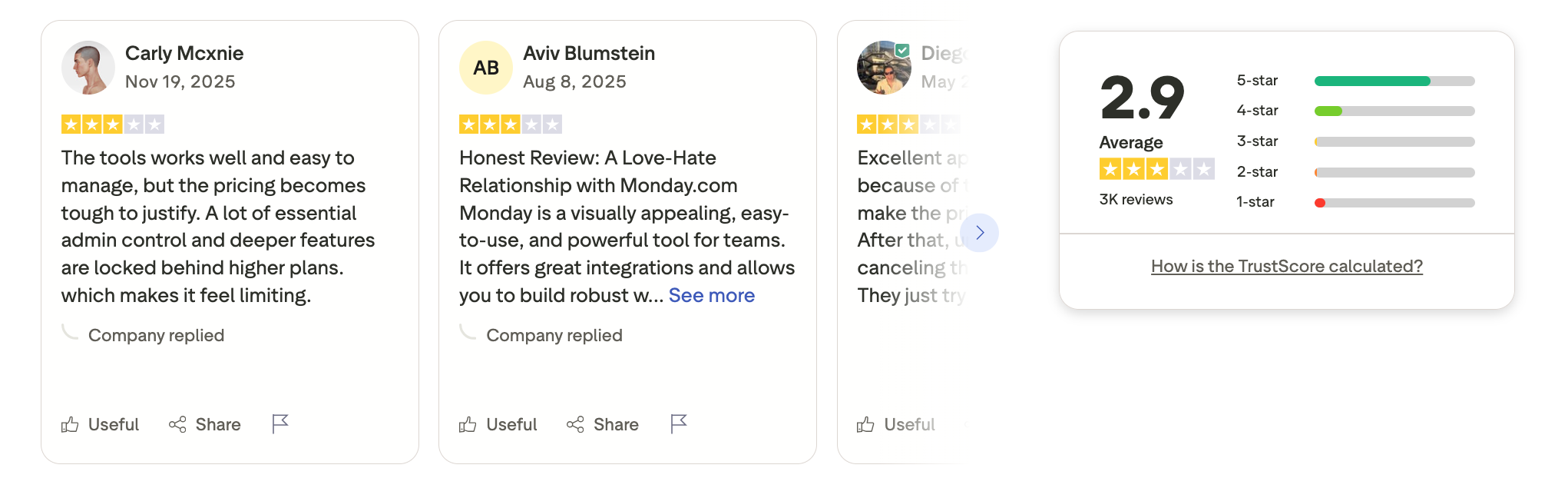
- Pricing increases quickly with team size.
- Limited depth for complex dependencies.
- Requires a paid plan for core features.
Pricing
- Paid plans start around $8/month; no fully functional free tier.
Best for
- Teams that want visual project management software without a heavy technical setup.
Monday.com review (soucre)
How to get started
- Select a workflow template and customize columns to match your process.
6. Notion
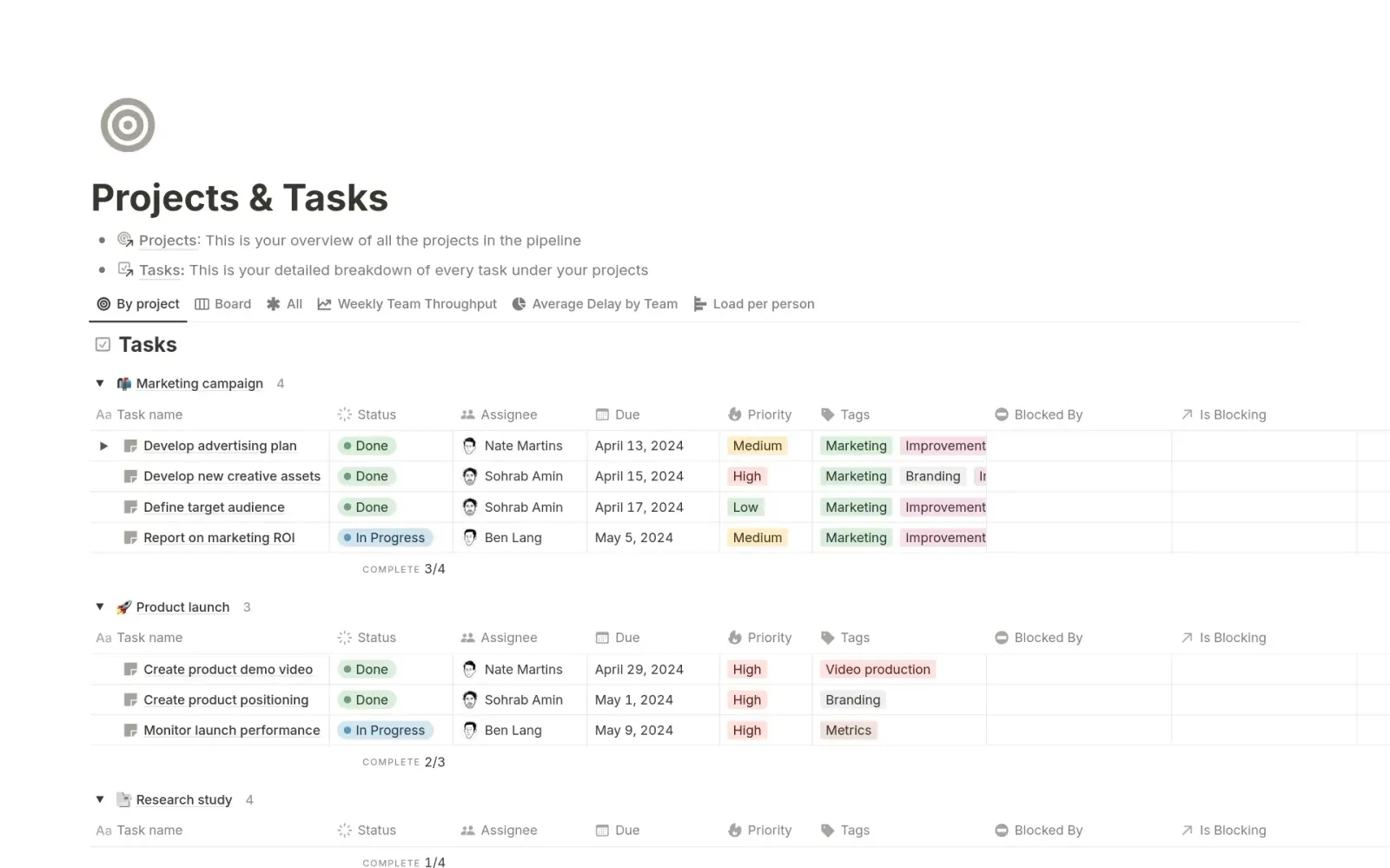
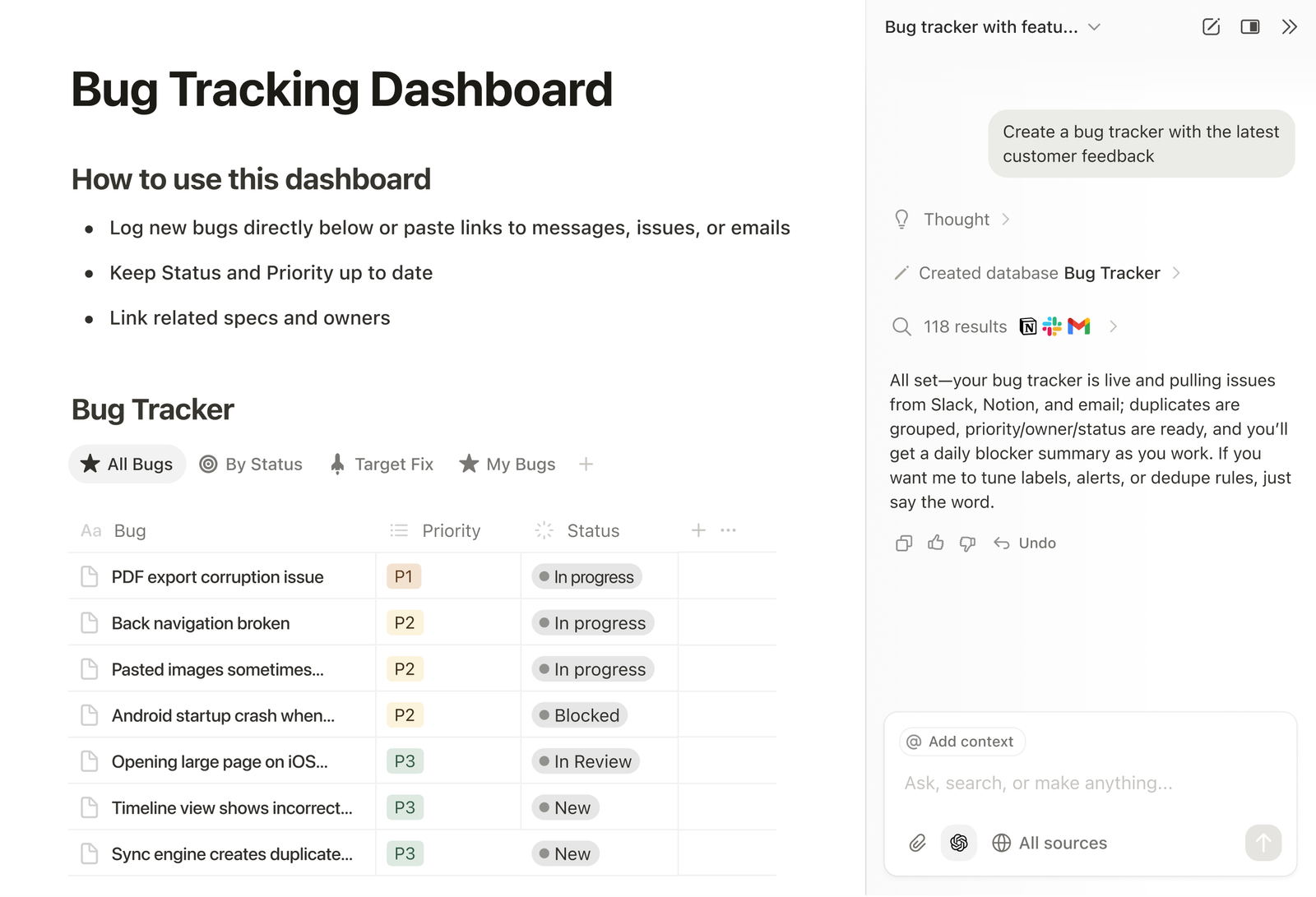
Notion is a flexible workspace that combines notes, databases, and task tracking. It’s often used as a lightweight project management tool for teams that value customization. While not a traditional project management app, it works well for content and knowledge-driven projects.
Key features
- Tasks can be filtered, linked, and customized extensively.
- Projects, notes, and plans live in one shared space.
- Teams can design workflows that fit their exact needs.
- Linked databases improve transparency across projects.
Pros
- Strong for documentation-heavy projects
- Large template ecosystem
Cons
- Requires manual setup
- Limited native automation
- Not ideal for strict deadline-driven projects
Pricing
- Free plan available.
- Paid plans start around $8/month.
Best for
- Content teams, startups, and individuals who want customizable workflows in one tool.
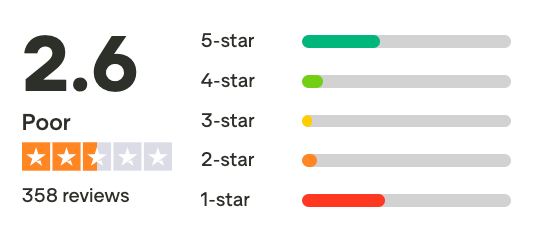
Notion review (source)
How to get started
- Go to Notion
- Create a project management template and adjust it to your workflow.
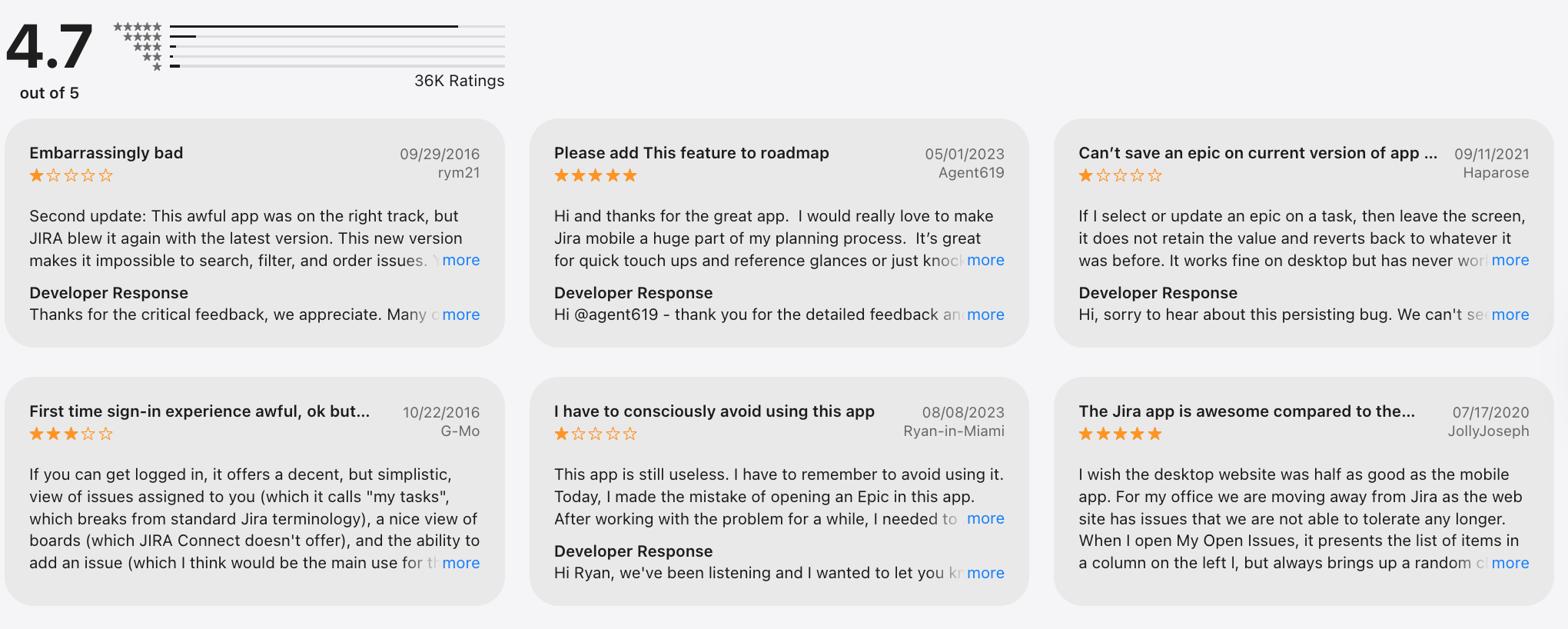
7. Jira
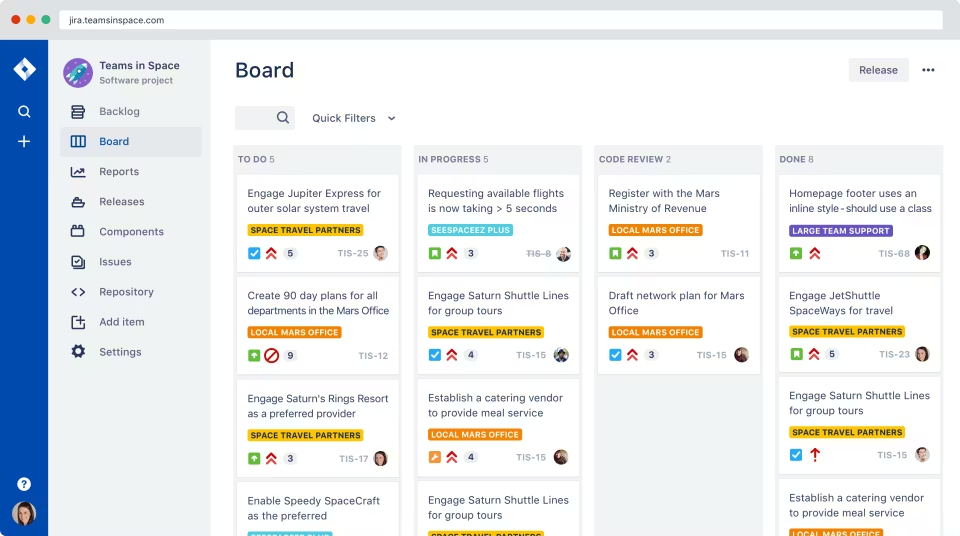
Jira is a project management app originally built for software development teams using Agile and Scrum. It’s designed to track tasks, bugs, and feature requests with a high level of precision. Jira works best for technical teams that need structured workflows, detailed reporting, and sprint-based planning.
Key features
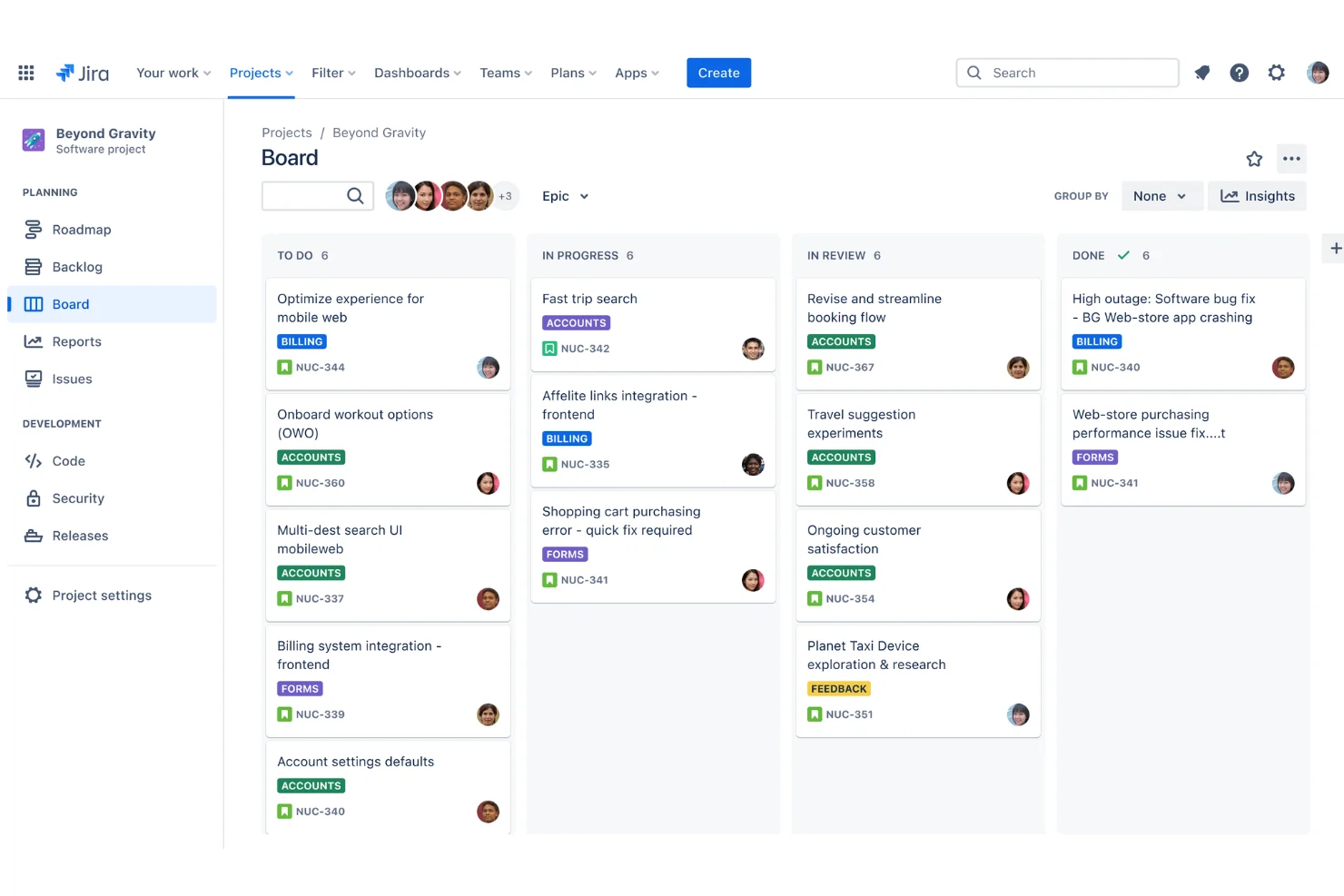
- Jira supports Scrum and Kanban boards, sprint planning, and backlog management.
- Tasks, bugs, and tickets can be tracked with granular statuses and workflows.
- Teams can design workflows that match their exact development process.
- Built-in reports like burndown charts and velocity tracking help teams evaluate performance over time.
Pros
- Industry standard for Agile development
- Extremely powerful and customizable
- Deep integration with developer tools
Cons
- Steep learning curve for non-technical users
- Overkill for simple project management
- Interface can feel complex and cluttered
Pricing
- Free plan for small teams.
- Paid plans start around $8/user/month.
Best for
- Software development teams and technical organizations using Agile or Scrum methodologies.
Jira review (source)
How to get started
- Create a Jira project.
- Choose Scrum or Kanban, and configure workflows based on your development process.
Conclusion: Choosing the Best Project Management App
Among the best project management apps, tools like Asana, ClickUp, Trello, Notion, Monday.com, and Jira each excel in specific use cases - from structured team collaboration and agile workflows to visual task management and enterprise-scale project planning.
However, Saner.AI stands out as a new generation of task management apps built for modern knowledge work.
Instead of forcing users to organize tasks upfront, Saner.AI flips the model with an AI-first approach: you simply write or voice things down, and the system intelligently organizes, prioritizes, and connects tasks for you.
This makes it especially effective for founders, marketers, creators, and fast-moving teams who value speed, flexibility, and mental clarity over rigid structures.
Ultimately, the best choice comes down to your workflow style. But if your goal is to spend less time managing tasks and more time making progress, Saner.AI is one of the most forward-thinking project management apps available today.
Stay on top of your work and life
Project Management Apps FAQ
1. How do I choose the best project management app for my team?
Start with how your team actually works, not feature lists.
Ask:
- Do you manage tasks, notes, and context together, or separately?
- Are projects simple and visual or complex and technical?
- Is your team non-technical, cross-functional, or engineering-heavy?
For example:
- AI-assisted task clarity → Saner.AI
- Large teams → Asana or Monday.com
- Engineering workflows → Jira
2. What makes Saner.AI different from traditional project management tools?
Saner.AI focuses less on rigid workflows and more on thinking → action.
Instead of building boards or schemas first, you:
- Write things down naturally
- Let AI turn notes into tasks
- Get reminders based on context, not manual rules
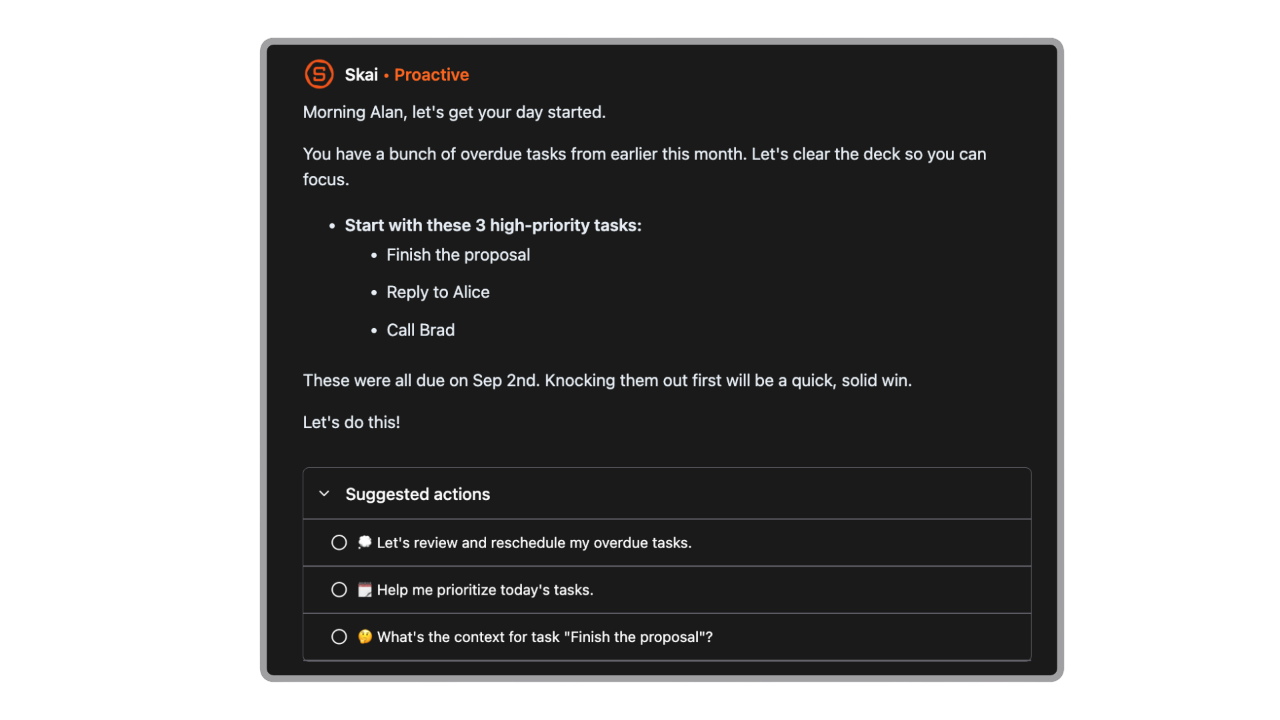
This makes it useful for individuals and teams who struggle with fragmented tools or constant context switching.
3. Is Notion a good project management app?
Yes - for flexible teams.
Notion works best when you want:
- Docs, wikis, and tasks in one workspace
- Custom databases and templates
- High flexibility (with some setup cost)
However, it requires manual structure, which can slow teams that want instant execution.
4. Which project management tool is best for large teams?
For larger or cross-functional teams, these tools are commonly preferred:
- Asana - Clear task ownership and timelines
- Monday.com - Custom workflows and dashboards
- Jira - Advanced issue tracking for engineering teams
They offer stronger permissions, reporting, and process control, but may feel heavy for smaller teams.
5. What’s the easiest project management app to start with?
If speed matters:
- Saner.AI - Write first, AI automatically organizes it for you
- Trello - Visual boards, minimal setup
These tools reduce onboarding friction and work well for small teams or solo professionals.
6. Are AI project management tools actually useful?
Yes, when AI reduces thinking overhead instead of adding features.
Good AI-assisted project tools help with:
- Turning messy ideas into tasks
- Surfacing what matters now
- Reducing manual tagging and sorting
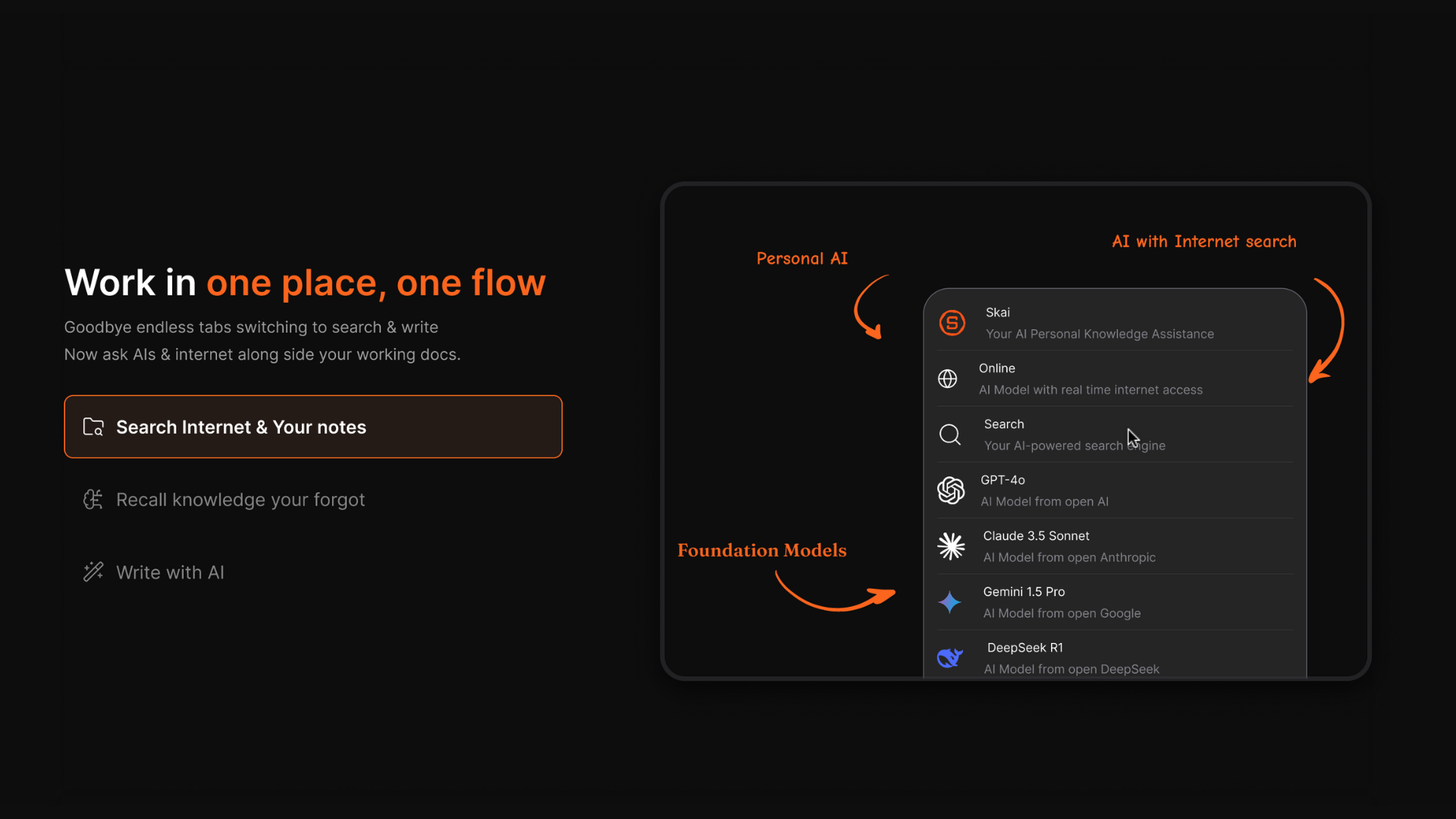
Saner.AI is an example of AI used for clarity, not automation overload.
7. Which project management app is best for ADHD or overwhelmed teams?
Tools that reduce friction tend to work better:
- Fewer mandatory fields
- Less upfront setup
- Clear next actions
Saner.AI is often preferred by users who want structure without micromanagement, while Trello works well for visual thinkers.
8. What’s the best project management tool for software teams?
For software development:
- Jira - Industry standard for agile, sprints, and bug tracking
- ClickUp - More flexible, all-in-one alternative
Jira excels at precision but requires training. ClickUp offers breadth but can feel cluttered.
9. Can I use one project management app for notes and tasks?
Yes, but approaches differ:
- Notion - Unified workspace, manual structure
- Saner.AI - Notes first, tasks extracted automatically
- ClickUp - Tasks first, docs added on top
If notes drive your work, AI-based extraction can save time.
10. Are free project management tools good enough?
For many teams, yes.
Free plans usually work for:
- Personal projects
- Small teams
- Simple task tracking
Limitations often include:
- Fewer automations
- Limited collaboration
- Restricted AI features
It’s usually better to outgrow a free tool than over-commit early.
11. Which project management app is best for remote teams?
Remote teams benefit from:
- Clear task ownership.
- Context-rich updates.
- Less synchronous coordination.
Saner.AI, Asana, and Monday.com are commonly used because they reduce the need for constant meetings.
12. Do I need a project management app if I already use spreadsheets?
Spreadsheets work - until:
- Tasks change frequently.
- Ownership becomes unclear.
- Context lives in chats and docs.
Project management apps centralize status, responsibility, and next steps, which spreadsheets struggle to maintain.
13. What’s the biggest mistake when choosing a project management tool?
Choosing based on features instead of behavior.
The best project management apps succeed because they:
- Match how teams think.
- Reduce friction.
- Make progress visible.
If a tool requires constant maintenance, it usually won’t last.
14. Which of the best 7 project management apps should I try first?
If you’re unsure where to start, Saner.AI is often the easiest first choice.
Unlike traditional project management apps that require setup upfront (boards, fields, workflows), Saner.AI lets you start by simply writing things down. The system then uses AI to turn notes into tasks, connect related work, and surface what matters next.
This makes it especially useful if:
- You feel overwhelmed by complex tools
- Your projects start as messy ideas, not structured plans
- You want one place for tasks, notes, and context
- You value clarity and follow-through over dashboards
You can always layer on more structured tools later. Starting with Saner.AI helps you build momentum first - without locking you into a heavy system.
Stay on top of your work and life