Craft Review: Beautiful Docs, But Is It Enough?

Craft App Review 2026
Craft has one of the most talked-about design aesthetics in the note-taking world. Open it for the first time, and the thing just looks good - clean typography, polished UI, cards that nest neatly into one another. If you spend a lot of time in Google Docs or Notion and you're tired of staring at dense, cluttered interfaces, Craft feels like a breath of air.
But design is not the whole story.
Craft positions itself as a document and note-taking app for individuals and teams - and it does that genuinely well. The tension, though, is this: as more people lean on their productivity tools to do more (manage tasks, surface knowledge automatically, connect ideas across contexts), Craft starts showing its limits. It's a great writing tool. Whether it's a great thinking tool for knowledge workers depends on what you actually need it to do.
This review covers everything - features, pricing, real user feedback, and where Craft falls short for users who need more than beautiful documents.
Key Takeaways
- Craft is one of the most visually polished note-taking and document apps available, with a native app experience that runs noticeably faster than web-based tools.
- The free plan is capped at 1,500 content blocks, which is fine for light users but feels restrictive quickly for anyone doing serious knowledge work.
- No Android app (a mobile web app exists, but it's not the same thing) is a real problem, and one that frustrates a meaningful chunk of potential users.
- Task management is surface-level - you can create tasks and reminders, but Craft isn't built for tracking work the way dedicated tools are.
- For knowledge workers who need an AI-assisted organization, automatic tagging, or the ability to surface insights from a growing note library, Craft doesn't go that deep.
Craft at a Glance
| Category | Score |
|---|---|
| Design & UI | 9.5/10 |
| Document Creation | 9/10 |
| Note-Taking | 8/10 |
| Task Management | 5/10 |
| AI Features | 6.5/10 |
| Collaboration | 7/10 |
| Mobile Experience | 6/10 |
| Pricing & Value | 7/10 |
| Overall | 7.5/10 |
What Is Craft?
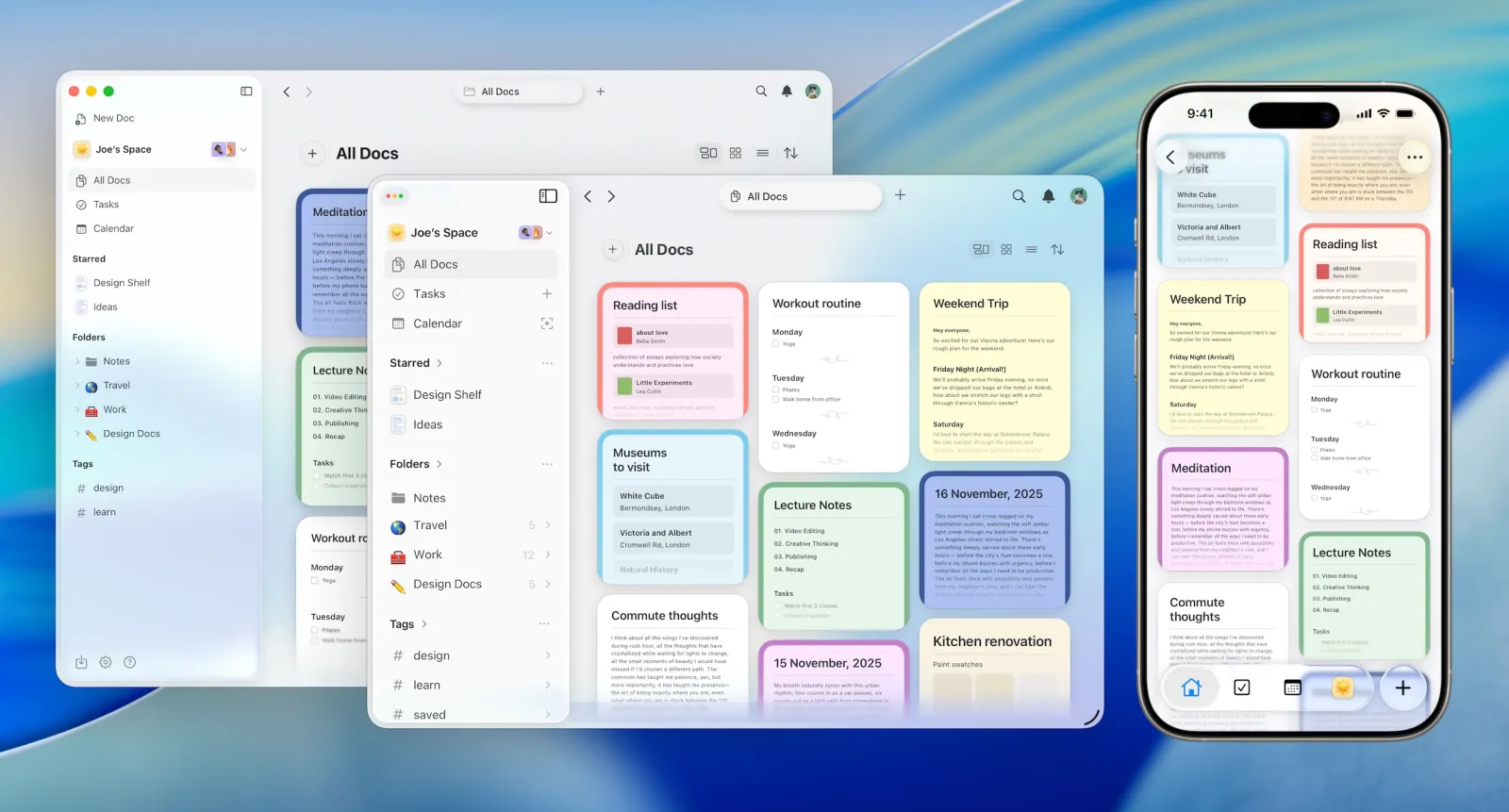
Craft (craft.do) is a document editor and note-taking app built primarily for Apple users, with apps on Mac, iPhone, iPad, Windows, and web. It launched in 2020 and quickly built a following among writers, educators, and creative professionals who wanted something more polished than Notion but more powerful than Apple Notes.
The core use cases are:
- Writing and formatting documents (proposals, meeting notes, project briefs)
- Organizing personal notes and daily journals
- Collaborating on docs with small teams
- Building internal wikis and knowledge bases
Craft uses a block-based editor, similar to Notion, where you can arrange text, images, tables, and nested sub-pages into structured documents. What sets it apart is the visual output - Craft documents genuinely look finished in a way that Notion pages rarely do without significant effort.
Now, let's dive in!
Craft Features Breakdown
Block-Based Document Editor
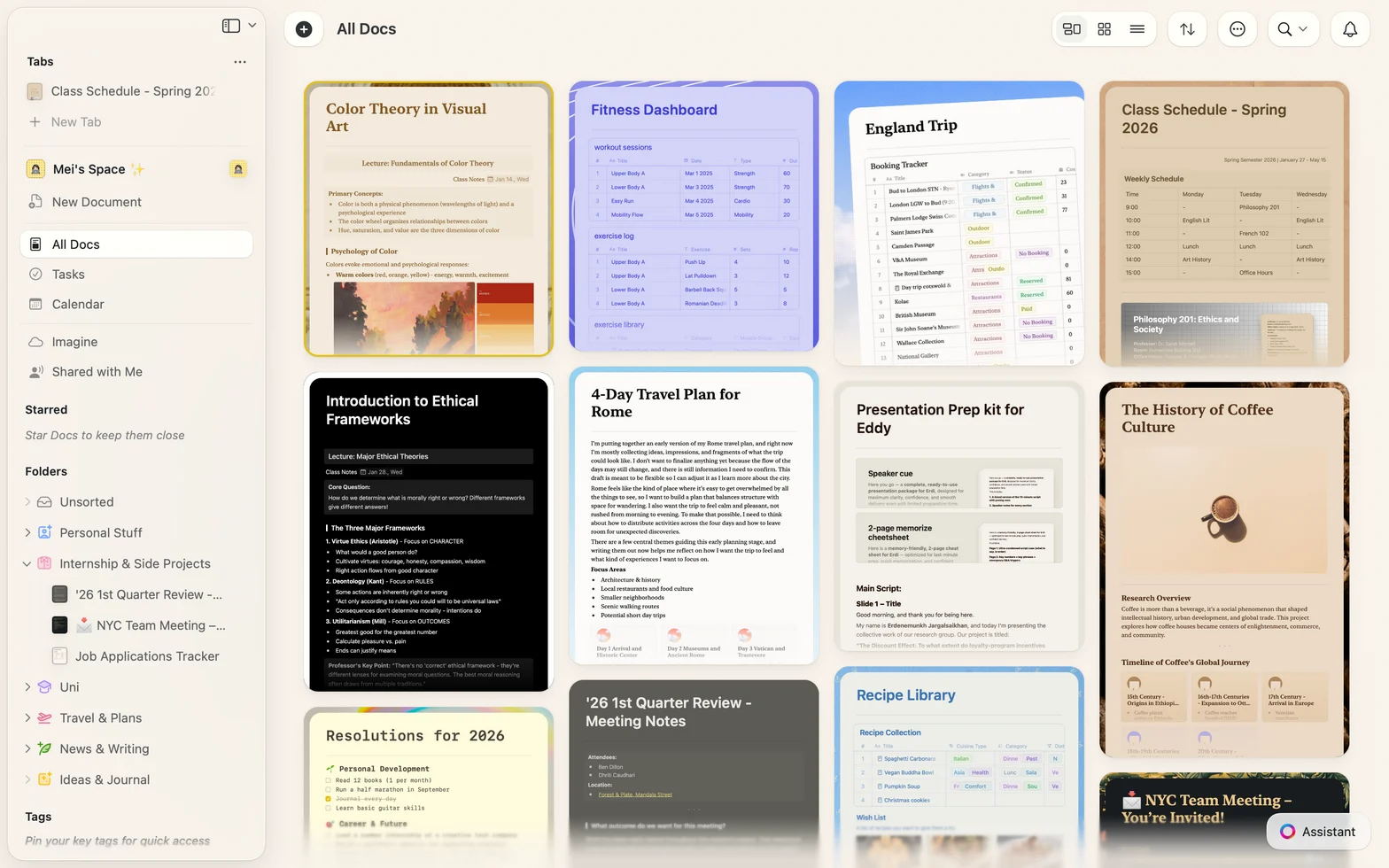
Craft's editor is where it earns its reputation. Every piece of content is a block - you can drag, rearrange, nest, and format blocks without friction. Headings, bullet lists, tables, images, code blocks, and sub-pages all slot in cleanly. The drag-and-drop functionality works the way you'd expect it to, which sounds basic but isn't always the case.
Craft also supports markdown shortcuts, so users who write in markdown can work without switching mental modes.
Users note that the editor is genuinely a pleasure to use. One reviewer describes Craft as having the
"richness of Notion and the interoperability of Obsidian, but with a final layout that's far more pleasant to look at than Word or Pages." reviews
On the critical side, some users find the feature set overwhelming over time. "Some users find the abundance of features overwhelming, leading to a cluttered user experience." reviews
AI Writing Assistant
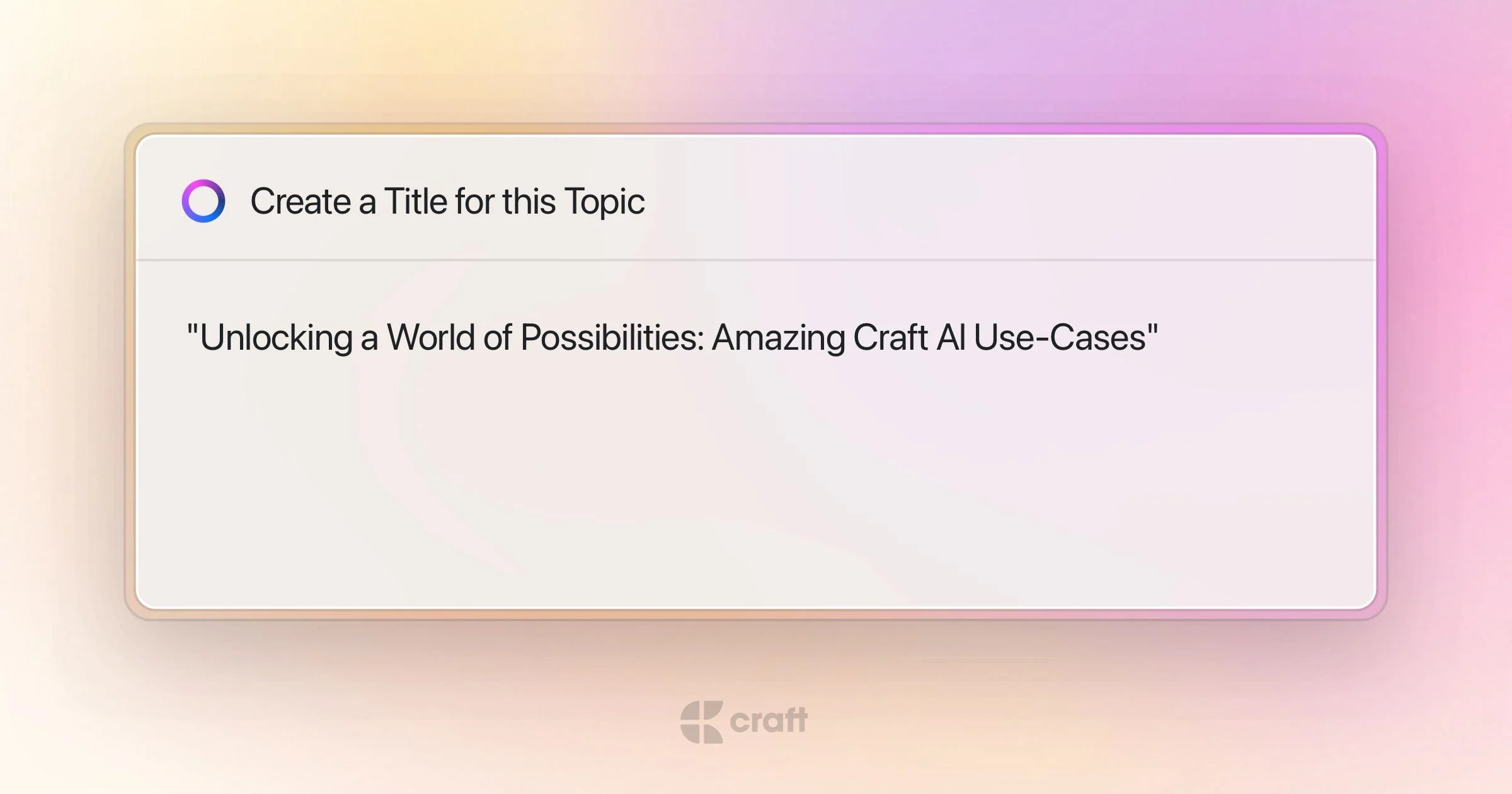
Craft includes a built-in AI assistant that can help write, summarize, edit, and brainstorm within documents. It runs on a combination of GPT-4 and Apple's on-device AI for certain tasks - which is a meaningful privacy benefit, since some processing never leaves your device.
The AI document creator is easy to try without subscribing. It generates well-formatted documents from prompts and auto-populates media where relevant. For creating first drafts, briefs, or templates, it works well.
That said, the AI is document-focused. It won't help you find connections between notes, automatically surface relevant knowledge, or organize your growing library. It's a writing assistant, not a knowledge assistant.
Users generally appreciate the AI document generator as a time-saver for document creation.
"I was able to summarize lander content within seconds with the help of AI." reviews
Collaboration
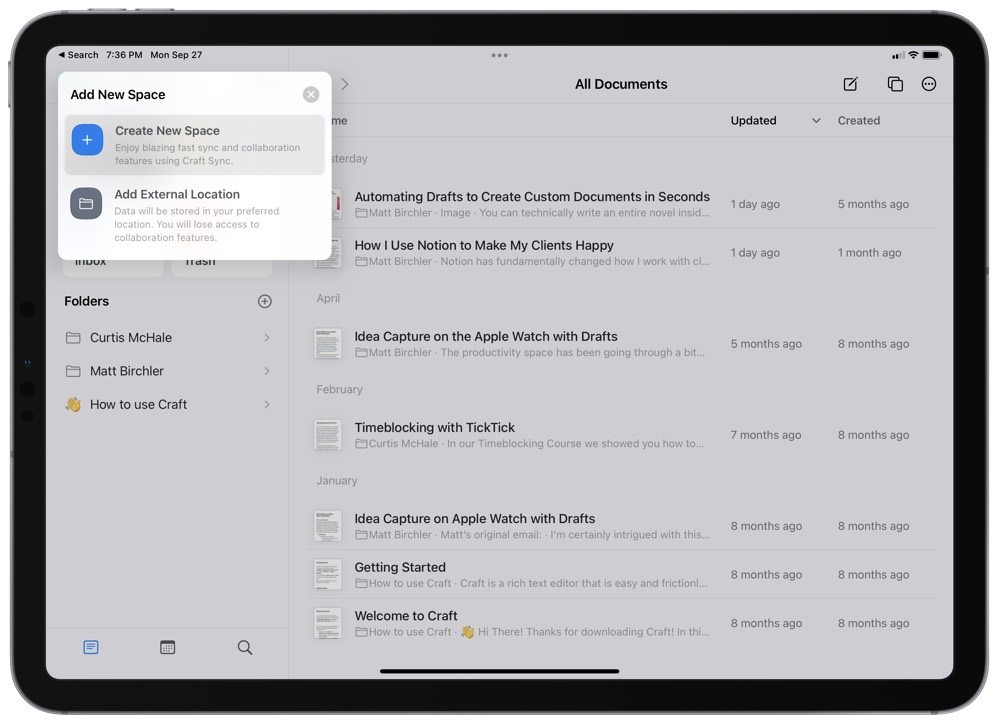
Craft supports real-time collaboration - multiple users can edit, comment, and react to documents simultaneously. Sharing is flexible: you can publish docs to the web, generate password-protected links, set expiry dates, or customize URLs. Collaborators don't need Craft accounts to view a shared document.
The collaboration features are solid for document-level work. Where they fall short is permissions granularity - access controls aren't as detailed as enterprise tools like Notion or ClickUp, and there's no priority support unless you're on the Team plan.
Reviewers note the collaboration works smoothly for small teams.
"It provides an inclusive workspace that helps teams come together, collaborate on various tasks, and efficiently manage their work." reviews
But a notable limitation stands out in published reviews:
"Collaboration tools lack advanced permission controls for managing user roles and access." reviews
Templates
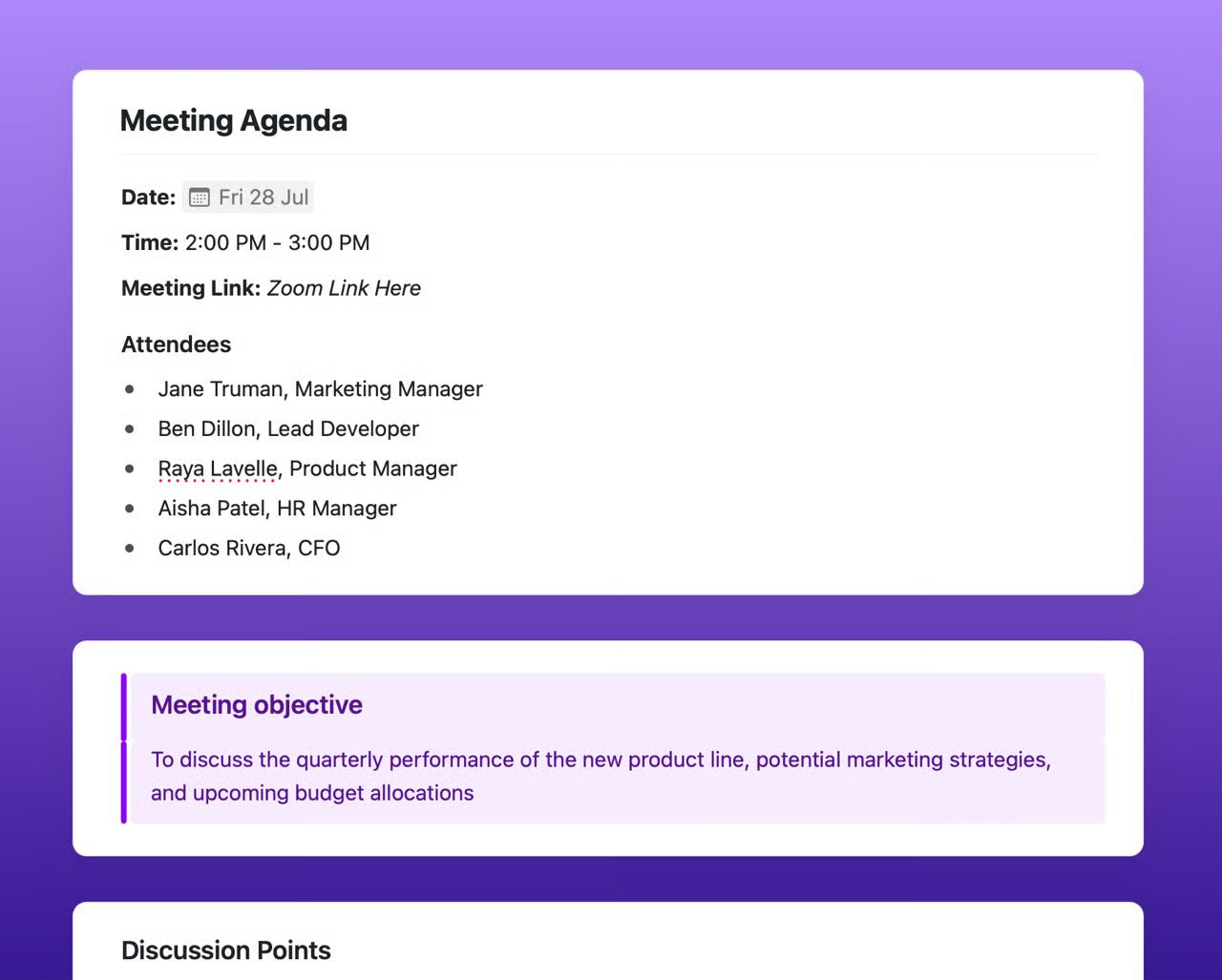
Craft includes a wide library of templates spanning work, personal use, education, and documentation. Templates exist for meeting notes, project proposals, self-improvement journals, travel plans, and more. They're thoughtfully designed and, unlike Notion templates that often require significant customization to be useful, many Craft templates are usable close to out of the box.
Calendar and Daily Notes
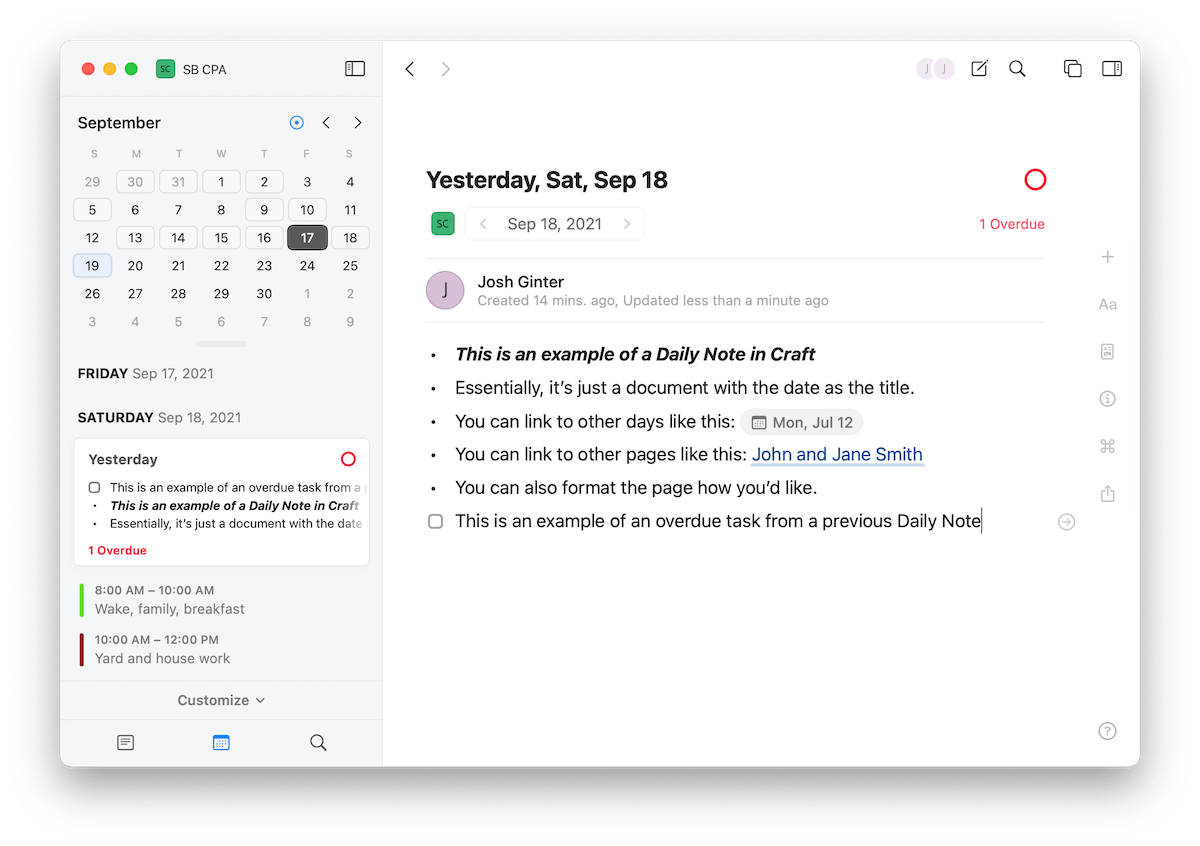
Craft's calendar integration lets you attach notes to specific dates, creating a daily notes workflow similar to apps like Logseq or Saner.AI. For people who like journaling alongside their work, this is a well-implemented feature - you can browse your past notes chronologically and build a personal log without setting anything up.
Export Options
You can export Craft documents as PDF, Word, markdown, image, or TextBundle. The export quality is notably good - documents that look polished inside Craft generally export cleanly. This matters for anyone sharing docs with clients or collaborators who aren't on Craft.
Craft Pricing
| Plan | Price | Users | Key Features |
|---|---|---|---|
| Starter (Free) | $0 | 1 | Up to 1,500 content blocks, 2 additional docs/week, 1GB storage |
| Plus | $8/month (billed annually) | 1 | Unlimited docs, unlimited storage, AI assistant, version history |
| Family | $15/month (billed annually) | Up to 5 | All Plus features for each member, shared spaces |
| Team | $50/month (billed annually) | Up to 25 | All Plus features, 180-day version history, 2,500 AI requests/member/month |
| Business | $250/month (billed annually) | Unlimited | All Team features, priority support, no member cap |
Free version: Yes, with significant limitations on content blocks. Free trial: Available for the Plus plan. Payment methods: Credit card, App Store / Mac App Store subscription.
Craft Pros and Cons
| 👍 Pros | 👎 Cons |
|---|---|
| Outstanding design — the best-looking docs of any note app | No native Android app (mobile web only, in beta) |
| Fast native performance on Mac and iOS | Free plan limited to 1,500 content blocks |
| True offline mode | Task management is basic — not a project tool |
| Export quality is excellent (PDF, Word, Markdown) | AI is doc-focused; won't surface or connect your notes intelligently |
| Block-based editor is genuinely flexible | Higher-tier plans are expensive for small teams |
| One subscription covers all compatible devices | No advanced database functionality |
| Strong privacy practices (data not sold or used for ads) | Limited integrations compared to competitors |
| SOC 2 and GDPR compliant | No priority support on plans under Team |
What People Say About Craft
Craft's design and writing experience generate consistent praise. The criticism tends to cluster around three things: the Android gap, the limited task management, and the free plan's restrictions.
Positive:
Users describe Craft as one of their most-used apps, particularly for writing and organizing long-form documents.
"Despite some minor quirks, it's the app I rely on as a teacher and in my daily life for organizing, completing tasks, remembering things, sharing, creating, and writing." review
Critical:
The Android situation is one of the most consistent complaints in user feedback. Craft sits in a world where cross-platform access is expected, and the absence of a full Android app is a genuine limitation. As one industry review puts it:
"As of 2025, the absence of an Android version limits its accessibility for Android users, potentially pushing them toward other platforms." reviews
Task management is another friction point. Published reviews note that
"Craft lacks advanced database functionalities and comprehensive task management features that competitors like Notion provide." reviews
For people who need a tool that connects their notes to their work, this is a meaningful gap.
Some users also run into the collaboration permission walls. One Tech Republic review notes:
"No priority support for any plan under the Team plan. Higher-tier plans can get quite expensive." reviews
And a niche but real complaint: users who want to control how their data syncs found the lack of iCloud-only sync frustrating. One user wrote:
"The only significant downside I see is the lack of option to choose the sync — I'd like to have a choice of syncing my docs using iCloud sync, not company-managed servers." reviews
Who Is Craft Best For?
Craft works best for people who care about how their docs look and want a clean, fast writing environment.
- Writers and content creators who produce long-form documents and want professional output without dealing with a complicated setup.
- Apple-ecosystem users on Mac or iOS who want a native experience — Craft's performance advantage is real on Apple hardware.
- Students and educators — the free education plan is genuinely generous, and the template library covers academic use cases well.
- Small teams collaborating on documents — not project management, but shared wikis and docs work well at the Team plan level.
- People who do a lot of journaling or daily notes alongside their document work.
Who Is Craft Not Ideal For?
- Android users — the full-featured experience simply isn't there yet.
- Knowledge workers managing large note libraries — Craft won't automatically tag, connect, or surface your notes. Organization stays manual.
- Teams that need robust task management — Craft has basic tasks and reminders, but it's not a project management tool.
- Anyone on a tight budget — the free plan caps out fast, and the Team plan at $50/month is steep for small teams.
- Users who rely on integrations — Craft's third-party integration list is still short compared to Notion or ClickUp.
Craft vs. Competitors
— And Why Some Users Look Elsewhere
Saner.AI: A Stronger Alternative for Knowledge Workers
If what drew you to Craft is the idea of a single organized space for your notes and work — but you're frustrated by the manual organization, the limited AI, or the basic task management — Saner.AI addresses exactly those gaps.
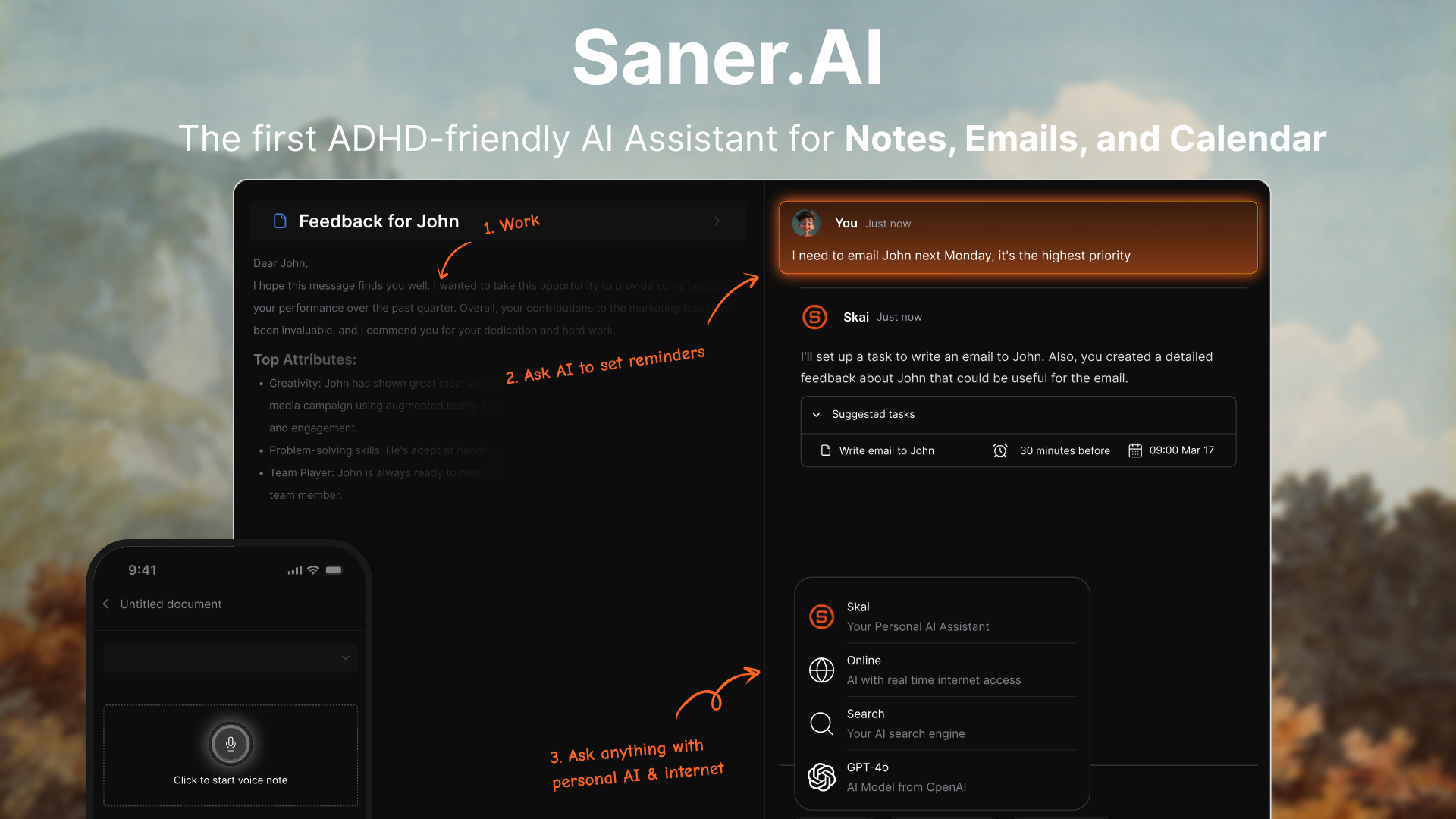
Saner.AI is an AI personal assistant built for knowledge workers and people with ADHD. Where Craft focuses on making documents look great, Saner.AI focuses on making information work for you.
Here's where saner.ai does things Craft doesn't:
- AI that actually organizes your notes for you. Skai, Saner.AI's personal AI assistant, automatically tags, categorizes, and connects notes as you create them. You don't have to maintain a filing system - it builds one for you.
- Semantic search across your entire knowledge base. In Craft, you search by keyword. In Saner.AI, you can ask questions in plain language and get answers pulled from across everything you've saved — even if you don't remember the exact words you used.
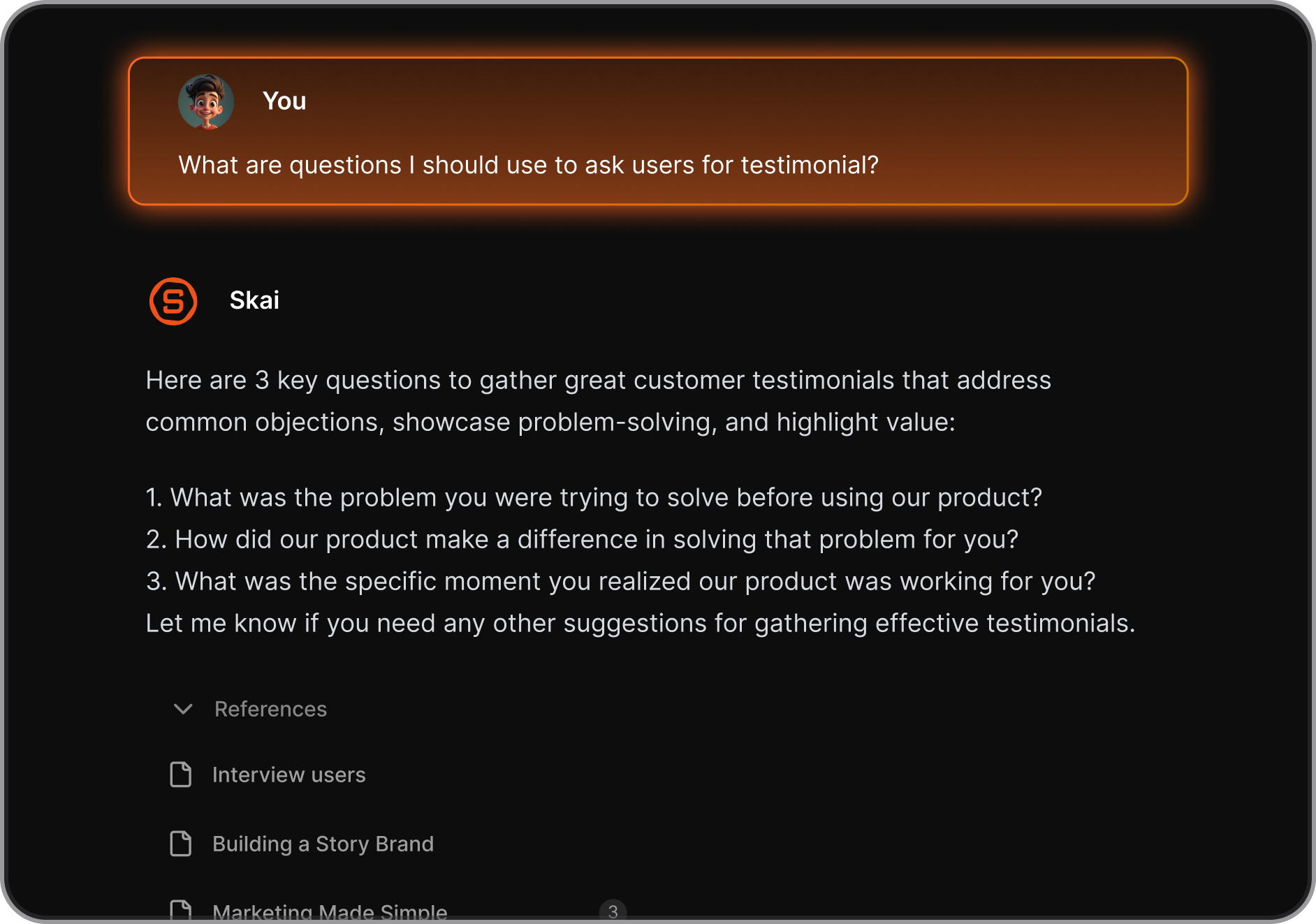
- Pull tasks from your messy thoughts. Saner.AI can pull action items out of a document, your rant, schedule events, and set reminders.
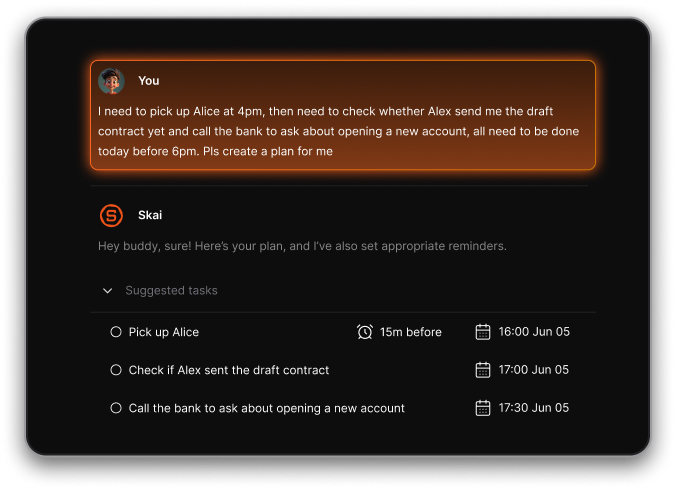
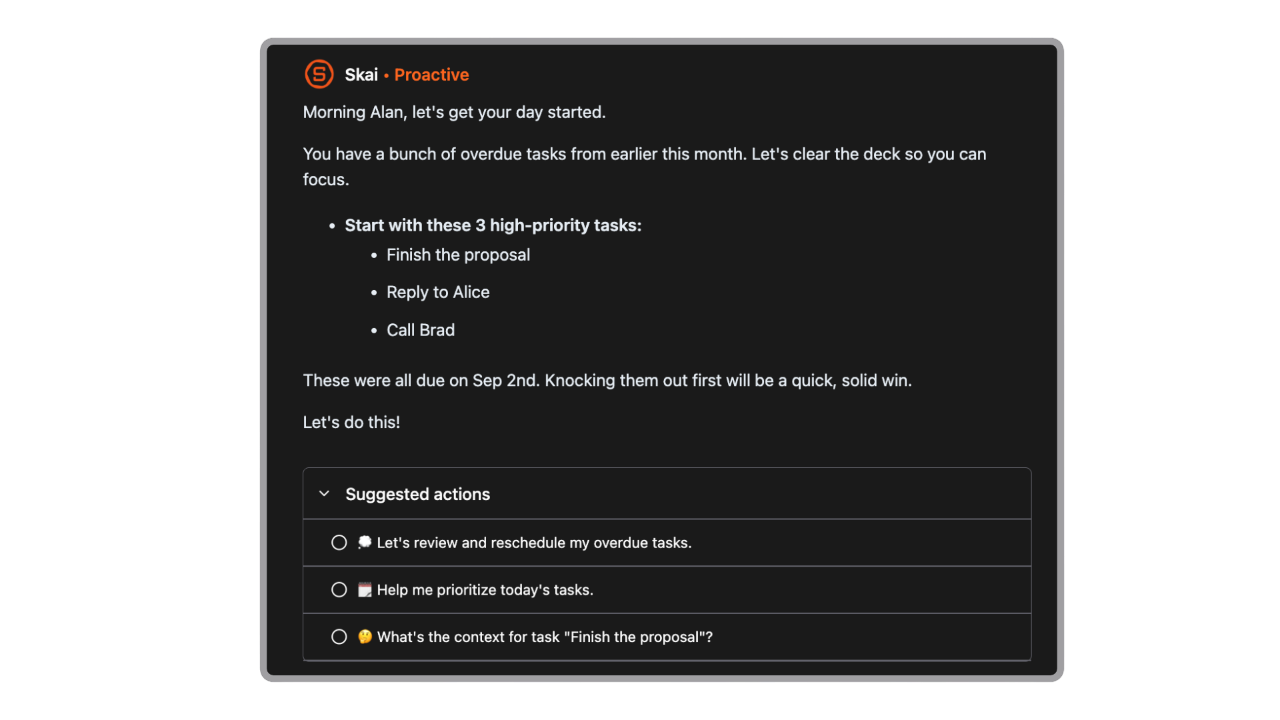
- Proactive daily planning. Every morning, Saner.AI scans your inbox, notes, tasks, and calendar to suggest an optimal daily plan. Craft has a calendar view, but it's passive — it shows you dates, it doesn't tell you what to prioritize.
- Works on Android. Saner.AI has full mobile support across iOS and Android. Craft is still building out its Android experience.
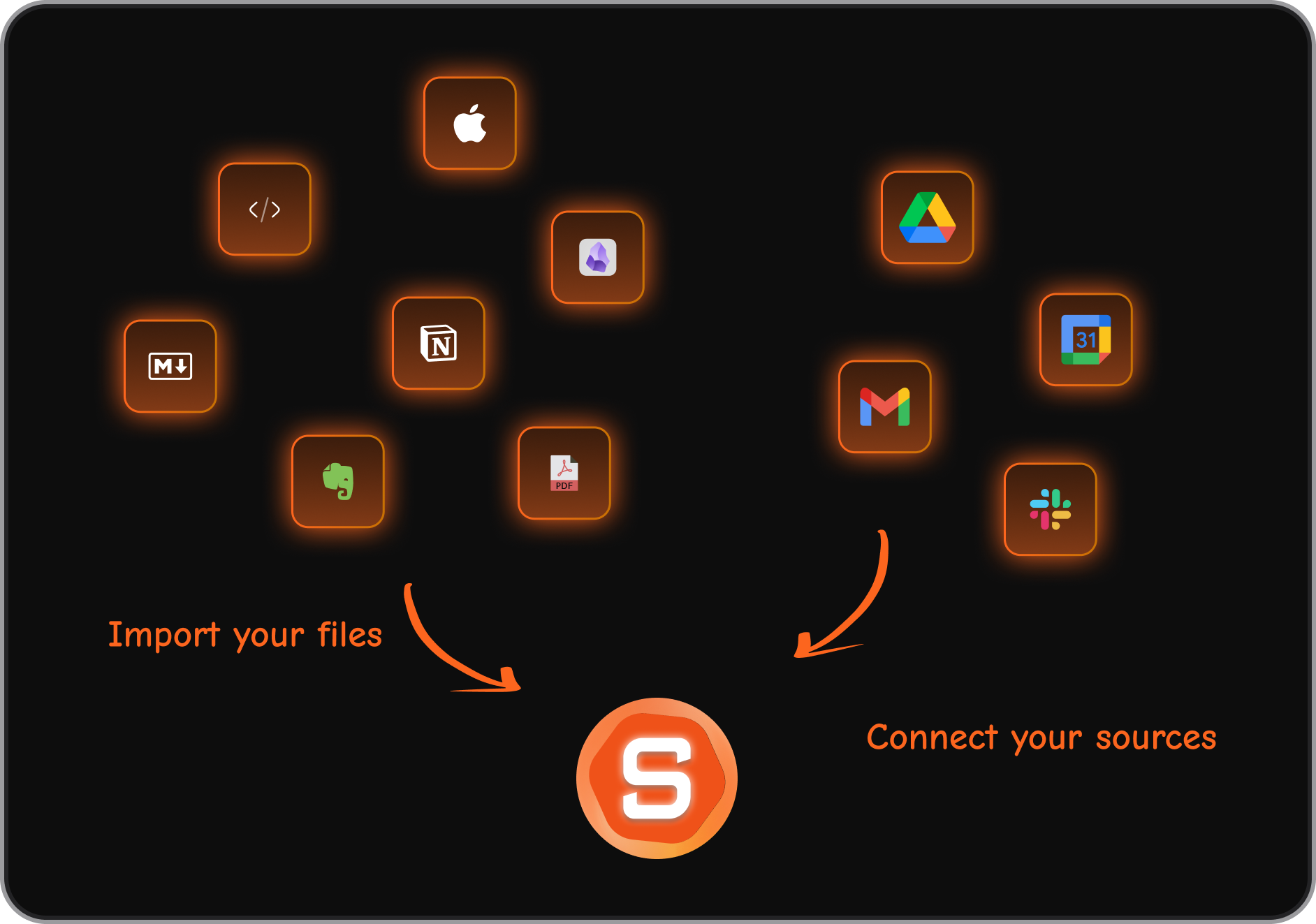
- Integrates with your existing tools. Saner.AI connects to Google Drive, Gmail, Slack, and Google Calendar. Craft's integration list is still short.
- Paid plans start at $8/month — same entry price as Craft Plus, but with AI-powered task management and knowledge organization built in.
- No aggressive AI scheduling. Unlike motion-style AI tools that auto-block your calendar, Saner.AI lets you stay in control of your schedule — it suggests, it doesn't override.
The two tools serve different users. If you're primarily a writer or document creator on Apple hardware, Craft is hard to beat for the experience alone. But if your bigger problem is information overload - too many scattered notes, forgotten tasks, knowledge you can't find when you need it - Saner.AI is built for that.
Craft vs. Notion
Notion has deeper database functionality, stronger Android support, more integrations, and a more established template ecosystem. Craft wins on speed, design quality, and offline functionality. For teams that need to manage projects alongside their docs, Notion is the more practical choice. For writers who prioritize aesthetics and performance, Craft is the better daily driver.
Craft vs. Obsidian
Obsidian is the go-to for users who want local storage and a powerful bidirectional linking system. It requires more setup and has a steeper learning curve, but gives you complete control over your data. Craft is more beginner-friendly and collaborative; Obsidian is more customizable and privacy-forward.
Craft vs. Evernote
Evernote has broader cross-platform support (including Android) and a longer history of integrations, but its design is dated and performance has frustrated long-time users. Craft is newer, faster, and more pleasant to use, but more limited in scope.
Competitor Comparison Table
| Feature | Craft | Notion | Obsidian | Saner.AI |
|---|---|---|---|---|
| Free plan | ✅ (limited) | ✅ | ✅ | ✅ |
| Android app | ❌ | ✅ | ✅ | ✅ |
| AI writing assistant | ✅ | ✅ | ❌ (plugins) | ✅ |
| Auto-organization (AI tagging) | ❌ | ❌ | ❌ | ✅ |
| Task + knowledge management | Partial | ✅ | ❌ | ✅ |
| Semantic search | ❌ | Limited | ❌ | ✅ |
| Offline access | ✅ | ❌ | ✅ | ❌ |
| Starting price (paid) | $8/mo | $10/mo | $4/mo | $8/mo |
| Design quality | ⭐⭐⭐⭐⭐ | ⭐⭐⭐ | ⭐⭐ | ⭐⭐⭐⭐ |
| Integrations | Limited | Extensive | Via plugins | Google Drive, Slack, Gmail, Calendar |
Final Verdict
Craft earns its reputation. For document creation and daily note-taking on Apple devices, it's one of the best-designed apps in the category. It's fast, it's offline-capable, and it produces genuinely professional-looking output with minimal effort.
The gaps are real, though. No Android. No intelligent note organization. Basic task management. A free plan that caps out before many users hit their stride. And a Team plan that's expensive relative to what you get compared to alternatives.
For writers, educators, and Apple ecosystem professionals who primarily create documents, Craft is worth the Plus subscription.
For knowledge workers who need their notes, tasks, emails, and knowledge connected in an intelligent way, Craft is a great-looking tool that will leave you doing most of the heavy lifting yourself.
Try Craft if design quality and writing experience are your top priorities. Try Saner.AI if you want an AI assistant that actually learns your information, connects the dots, and reduces the cognitive load of staying organized.

Stay on top of your work and life
FAQ
Is Craft free? Yes. Craft has a free Starter plan that gives you up to 1,500 content blocks and adds 2 new docs per week after that. It includes basic features but doesn't include the full AI assistant or unlimited storage. A free education plan is also available with a school email.
Does Craft work on Android? Not fully. Craft has a mobile web app for Android (currently in beta), but there's no native Android app. This is one of the most frequently cited limitations in user reviews.
How does Craft's AI compare to Notion AI? Both assist with writing, summarizing, and editing documents. Craft's AI has a privacy advantage because some features run on-device. Neither Craft nor Notion AI automatically organizes your notes or connects ideas across your knowledge base the way a tool like Saner.AI does.
Is Craft good for team use? For teams collaborating on documents, yes. The Team plan ($50/month for up to 25 members) covers shared spaces and collaboration. For teams that also need project tracking, task assignment, or deeper integrations, Craft isn't the right fit on its own.
What is Craft best used for? Craft is strongest for writing and formatting documents, creating internal wikis, daily journaling, and academic writing. It's particularly popular among writers, students, teachers, and professionals who work primarily in the Apple ecosystem.
Who should consider an alternative to Craft? Android users, anyone who needs real task management connected to their knowledge base, teams on a tight budget, and knowledge workers drowning in information who need AI to organize things automatically rather than manually.
Stay on top of your work and life