
Honest Fabric.so Review (2026): Is This AI Workspace Worth Your Notes?

I gave Fabric.so two weeks of real use before writing this review. I dumped meeting notes into it, clipped a dozen articles with the browser extension, and asked its AI assistant the kind of vague question I'd normally type into Google. Some of it impressed me. Some of it made me want to email support, except Fabric doesn't really have an email support line.
Fabric pitches itself as an "AI workspace that thinks with you." One place for notes, files, PDFs, recordings, and saved articles, with an AI that supposedly understands how they connect. The pitch is good. The real tension is whether an app built by a small team can keep that AI reliable while it also tries to be your file storage, your meeting notetaker, and your browser clipper all at once.
After reading through dozens of user reviews from the past year, the honest answer is: sometimes.
Key Takeaways
- Fabric is good at capture. The browser extension and quick-save hotkeys are the most consistently praised parts of the product
- The AI assistant is inconsistent. Recent App Store and Google Play reviews from 2025 describe wrong answers, ignored formatting requests, and features that stopped working after months of steady use.
- Support runs through Discord, not email or phone. For a $12.50 to $32.50/month tool, that's a real gap for people who want a professional support channel.
- Fabric stores and organizes what you give it. It doesn't proactively pull tasks out of your inbox or build you a daily plan, which matters if you want an assistant rather than a filing cabinet.
- If you like the second brain concept but want steadier AI and a built-in task workflow, this post breaks down how Saner.AI and six other tools stack up against Fabric directly.
Fabric At a Glance
Scores below are our editorial synthesis, based on Product Hunt (4.7 from 32 reviews), the App Store (4.7 from 199 ratings), Google Play, and independent review sites. Fabric doesn't have an active G2 or Capterra listing, so no single aggregator score exists yet.
| Category | Score |
|---|---|
| Ease of use | 4.2 / 5 |
| Capture & clipping | 4.5 / 5 |
| AI assistant quality | 3.3 / 5 |
| Organization system | 3.5 / 5 |
| Mobile experience | 3.0 / 5 |
| Customer support | 3.2 / 5 |
| Value for money | 3.8 / 5 |
| Overall score | 3.6 / 5 |
What Is Fabric?
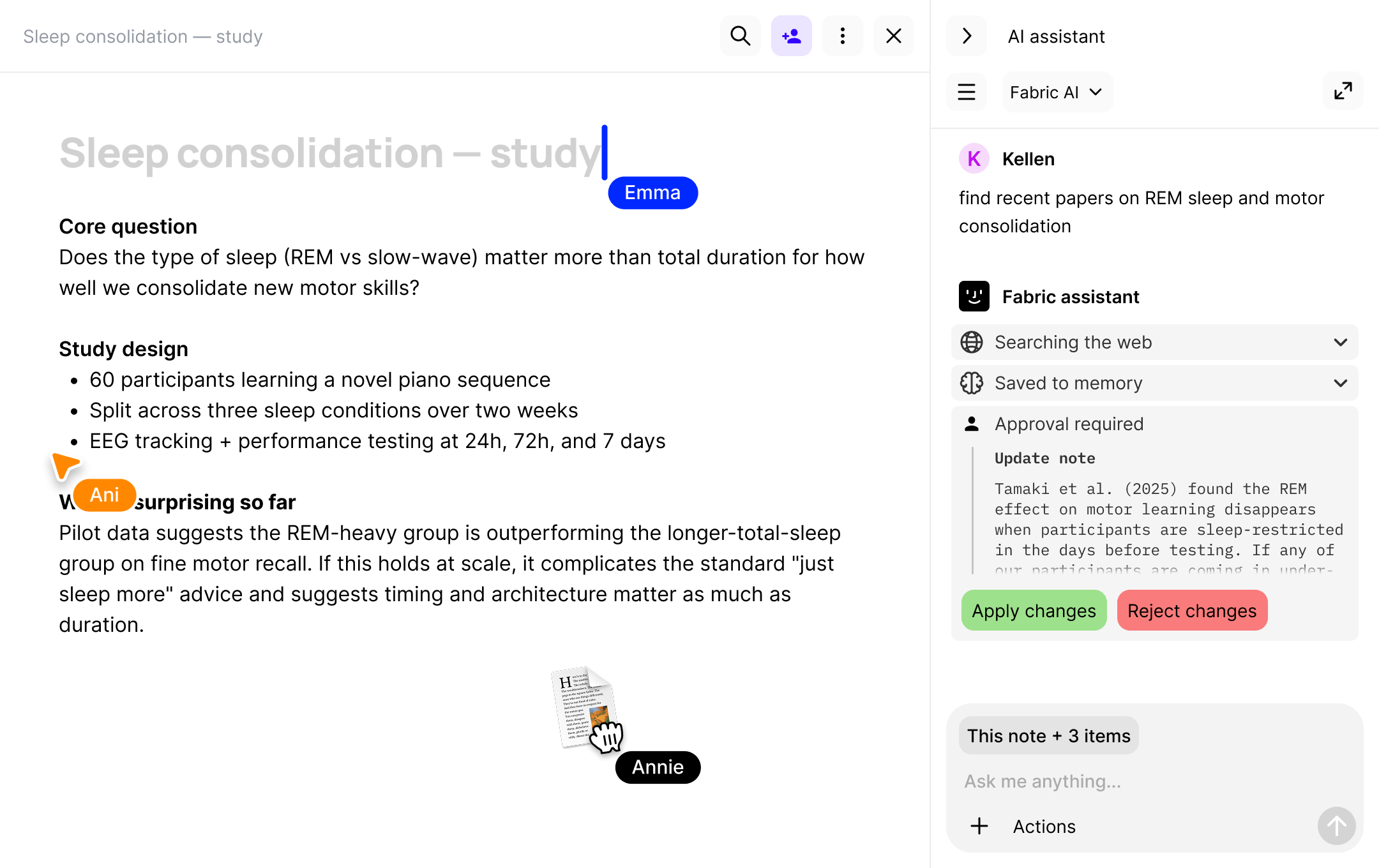
Fabric.so is an AI workspace built around one idea: stop organizing, start saving. Instead of folders and tags, you drop notes, PDFs, screenshots, voice memos, and meeting recordings into "Spaces," and the AI is supposed to tag, connect, and resurface them for you later.
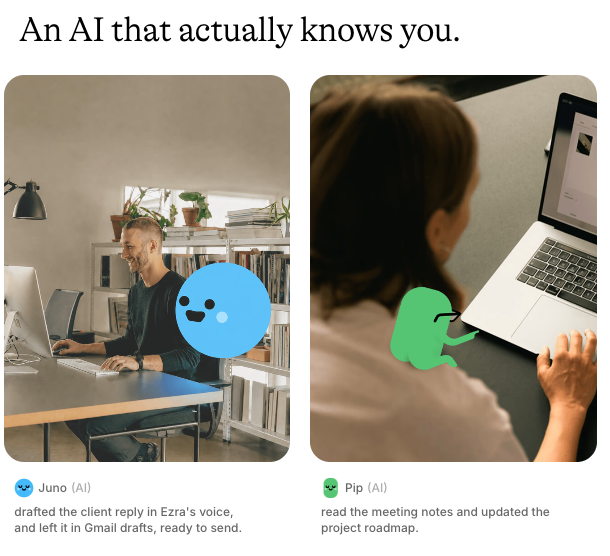
Launched in 2023, Fabric has grown a loyal early following of researchers, freelancers, and self-described "digital hoarders" who were tired of losing ideas across five different apps. Core features include a markdown notes editor with real-time collaboration, an AI chat assistant that reads across your saved content, semantic search, a Chrome browser extension for clipping, bot-free meeting transcription, and weekly AI recap emails. Fabric has also started adding agentic features that let the AI act inside connected apps, like drafting emails or updating a CRM, though this is newer and less proven than the rest of the product.
The concept borrows heavily from the "second brain" and Zettelkasten schools of thought that got popular through Tiago Forte's work. If that idea is new to you, this post covers where it comes from and why most people's systems for it break down within a few weeks.
Fabric Features Breakdown
AI Assistant & Semantic Search
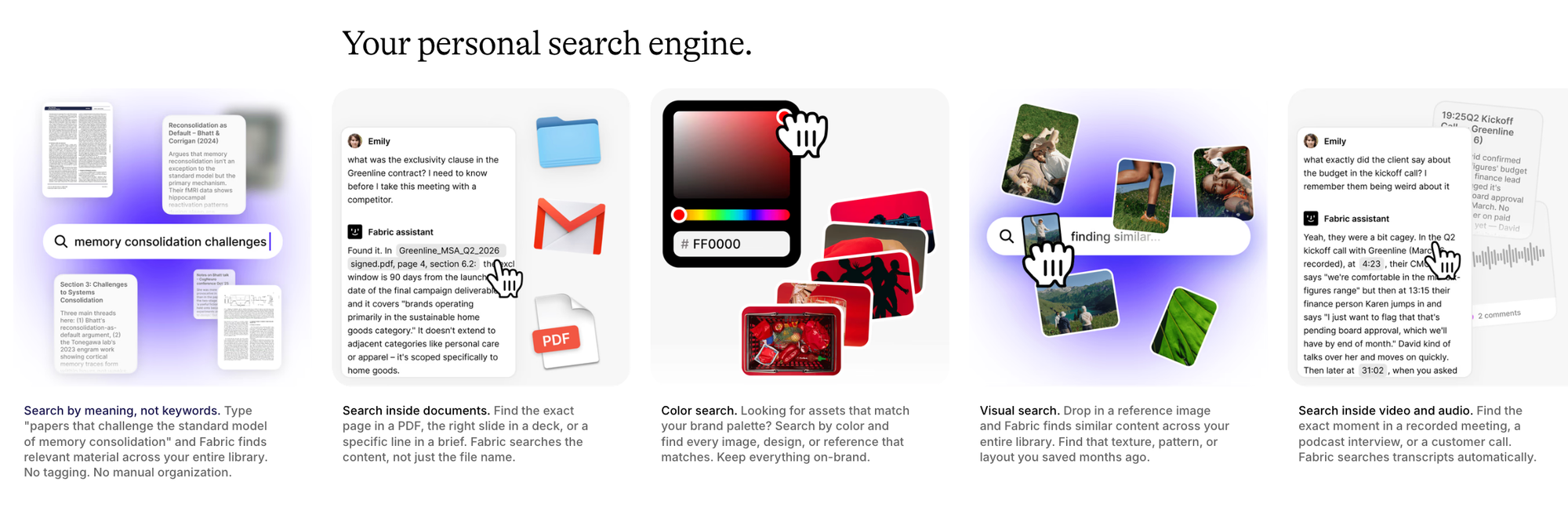
Fabric's AI assistant is meant to be the main selling point. Ask it a question, and it searches across everything you've saved- files, notes, meeting transcripts- and pulls an answer with citations back to the source. When it works, it genuinely saves time. When it doesn't, users notice fast.
"the built in AI model has just consistently lead me astray" – reviews
That review is from a paying subscriber who described scrapping months of AI-organized work because the guidance it gave was wrong. It's not the only account like it. For a tool whose entire premise rests on trustworthy AI retrieval, this is the crack that matters most.
Sync & Cross-Device Reliability
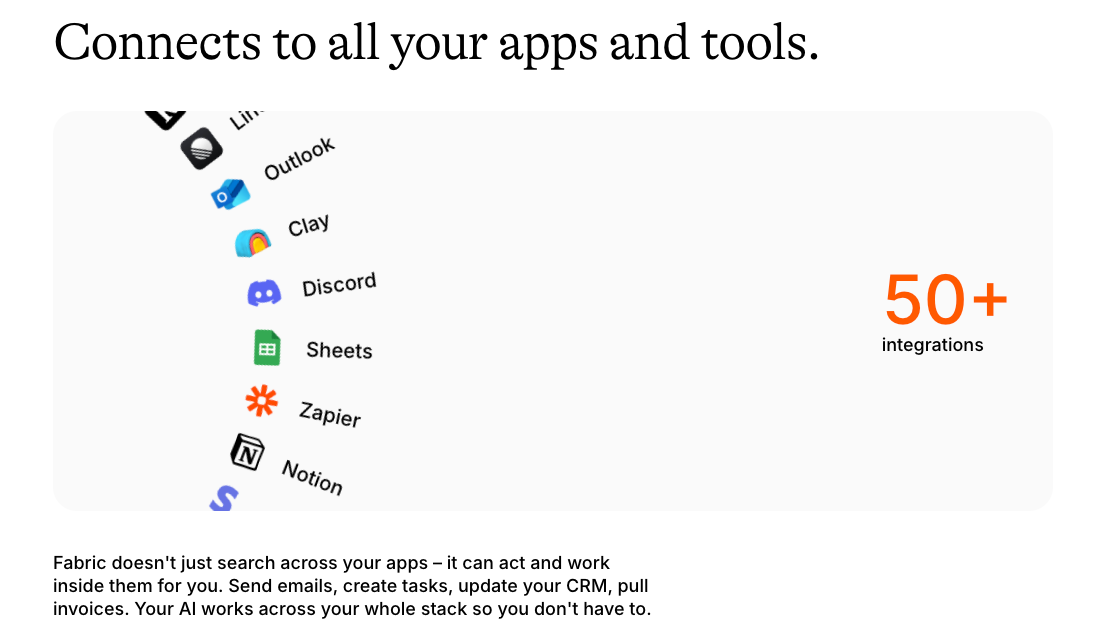
Fabric works across web, iOS, Android, and desktop, with the idea that your notes follow you everywhere. In practice, sync and stability are where a meaningful share of complaints cluster, especially from people who've used the app for several months rather than a few days.
"very buggy and rarely works when i need it" – reviews
That's a pattern worth taking seriously: early reviews from 2023 skew glowing, but 2025 reviews from long-term paying users read noticeably rougher.
Browser Extension & Web Clipping
This is where Fabric earns its praise. The Chrome extension lets you save articles, screenshots, tweets, and PDFs in a click, and it works quietly in the background without breaking your reading flow.
"The browser extension is a game-changer, as it works smoothly" – reviews
I'll admit this matched my own experience. Clipping felt genuinely faster than my old habit of forty open tabs.
Quick Capture & Voice Notes
Fabric supports typed notes, voice memos, and a keyboard shortcut for instant capture, which matters a lot if your best ideas show up at inconvenient times.
"the quick action hotkey, Command + Option + N, invaluable" – reviews
It's a small feature, but for people who lose ideas between the thought and the app switch, it's the kind of thing that decides whether a tool sticks.
Organization: "Spaces" Instead of Folders
Fabric's whole pitch rests on not making you organize anything. Spaces and AI tagging are supposed to replace the folder-and-tag busywork of tools like Notion. Some users love the lighter mental load. Others find the lack of structure gets confusing once their library grows.
If you're curious how more structured methods like PARA or Zettelkasten compare to this "no organizing" approach, saner.ai/blogs/note-taking-methods walks through both and where each one tends to fall apart in practice.
Pricing Table
| Plan | Monthly Price | Free Trial | Free Version | Payment Methods |
|---|---|---|---|---|
| Free | $0 | No time-limited trial; free plan is ongoing | Yes | N/A |
| Basic | ~$5–6/mo (billed yearly at $60; monthly rate varies at checkout) | No dedicated trial | Yes, via Free plan | Major credit cards |
| Pro | ~$12.50–15/mo (billed yearly at $150) | No dedicated trial | Yes, via Free plan | Major credit cards |
| Max | ~$32.50–36/mo (billed yearly at $390) | No dedicated trial | Yes, via Free plan | Major credit cards |
Fabric's own pricing page defaults to yearly billing and doesn't clearly post the monthly-only rate, and it states plainly that refunds aren't offered due to data processing costs. Worth double-checking the live monthly figure at checkout before you publish this table, since third-party trackers list slightly different numbers.
Fabric Pros and Cons
| Pros | Cons |
|---|---|
| Browser extension makes clipping genuinely fast | AI assistant gives inconsistent or wrong answers per multiple 2025 reviews |
| No manual folder system required to get started | Sync and stability issues reported by long-term users |
| Quick capture hotkeys and voice notes work well | Support runs through Discord only, no email or phone line |
| Free plan is usable, not just a teaser | Storage and upload limits get tight fast on paid tiers below Pro |
| No refund policy, stated directly on the pricing page |
What People Say
Reviewers who've stuck with Fabric for a while tend to describe a tool that nailed the emotional pitch (finally, a place my scattered notes make sense) but is still working out the execution.
"The AI is amazing" – reviews
Not everyone agrees. Some of the sharpest criticism has nothing to do with features and everything to do with trust.
"just a waste of your storage and it's so laggy" – reviews
"unable to trust a system that holds my personal information without disclosing the identities" – reviews
That last point comes up more than once in reviews: Fabric is a small, VC-backed startup, and some users want more transparency about who's behind it before handing over years of personal notes.
Who Is Fabric Best For?
- Solo researchers and writers who save a high volume of articles, PDFs, and screenshots and want one searchable home for it
- People who've bounced off Notion or Obsidian because building a folder system felt like a second job
- Anyone who lives in their browser and wants a one-click way to save what they're reading
Who Fabric Isn't Ideal For
- Teams that need real collaboration, permissions, and shared workspaces
- Anyone with sensitive or confidential notes who wants clear answers on data handling and company ownership
- People who want an assistant that proactively manages tasks and their day, not just a place that stores and retrieves notes
- Users who need dependable customer support outside a Discord server
Alternatives Comparison
Fabric isn't the only tool chasing the "second brain" idea. Here's how it stacks up against three of the more common alternatives people consider.
Fabric vs Saner.AI: Saner.AI covers similar ground (notes, AI search, a workspace that avoids manual filing) but adds task extraction from your email and notes, and a daily plan built by its AI assistant, Skai. It's also the cheaper entry point at $8/month on the yearly plan versus Fabric's $12.50 Pro tier.
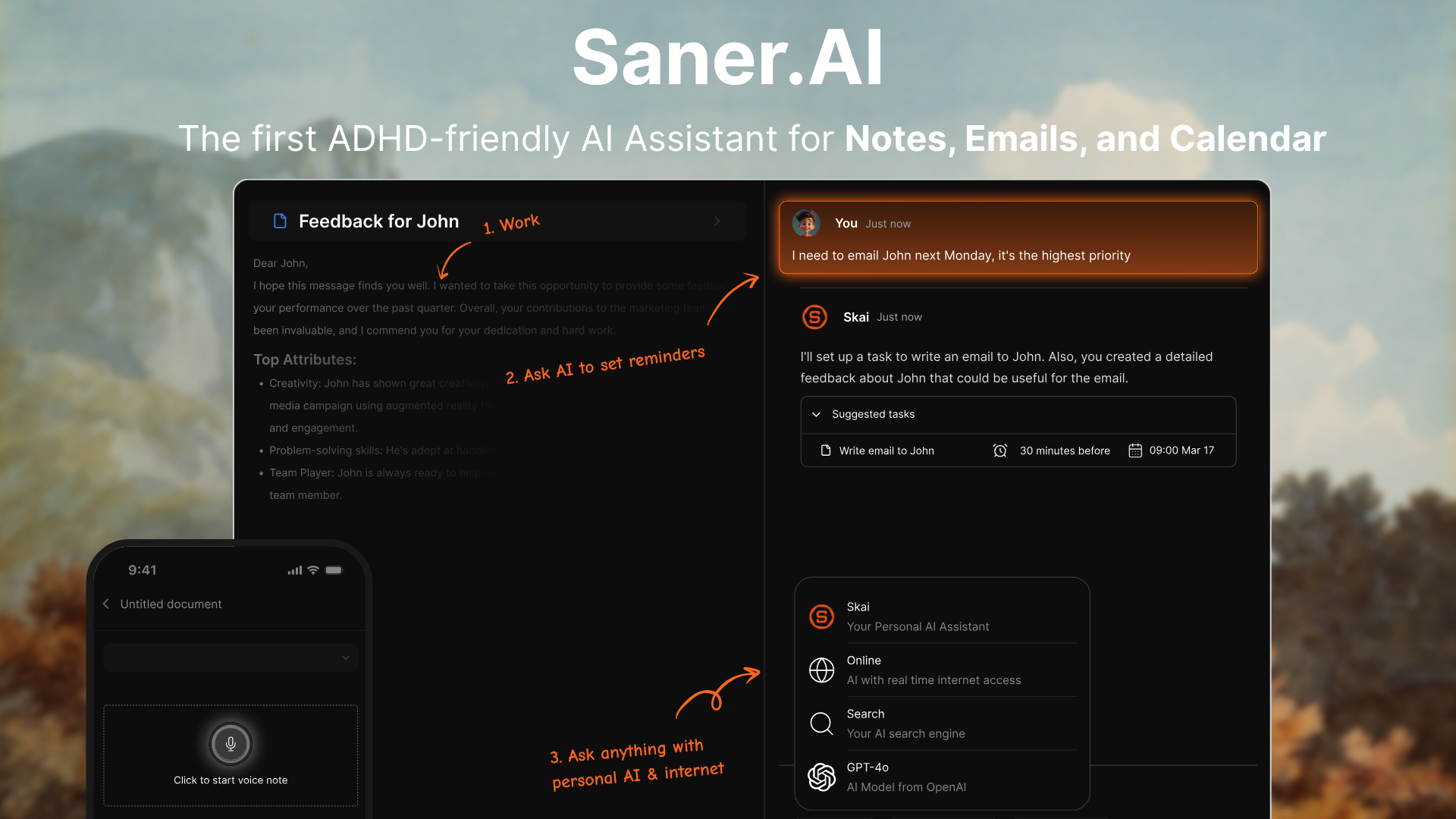
Fabric vs Saner.AI: Where Saner.AI Pulls Ahead
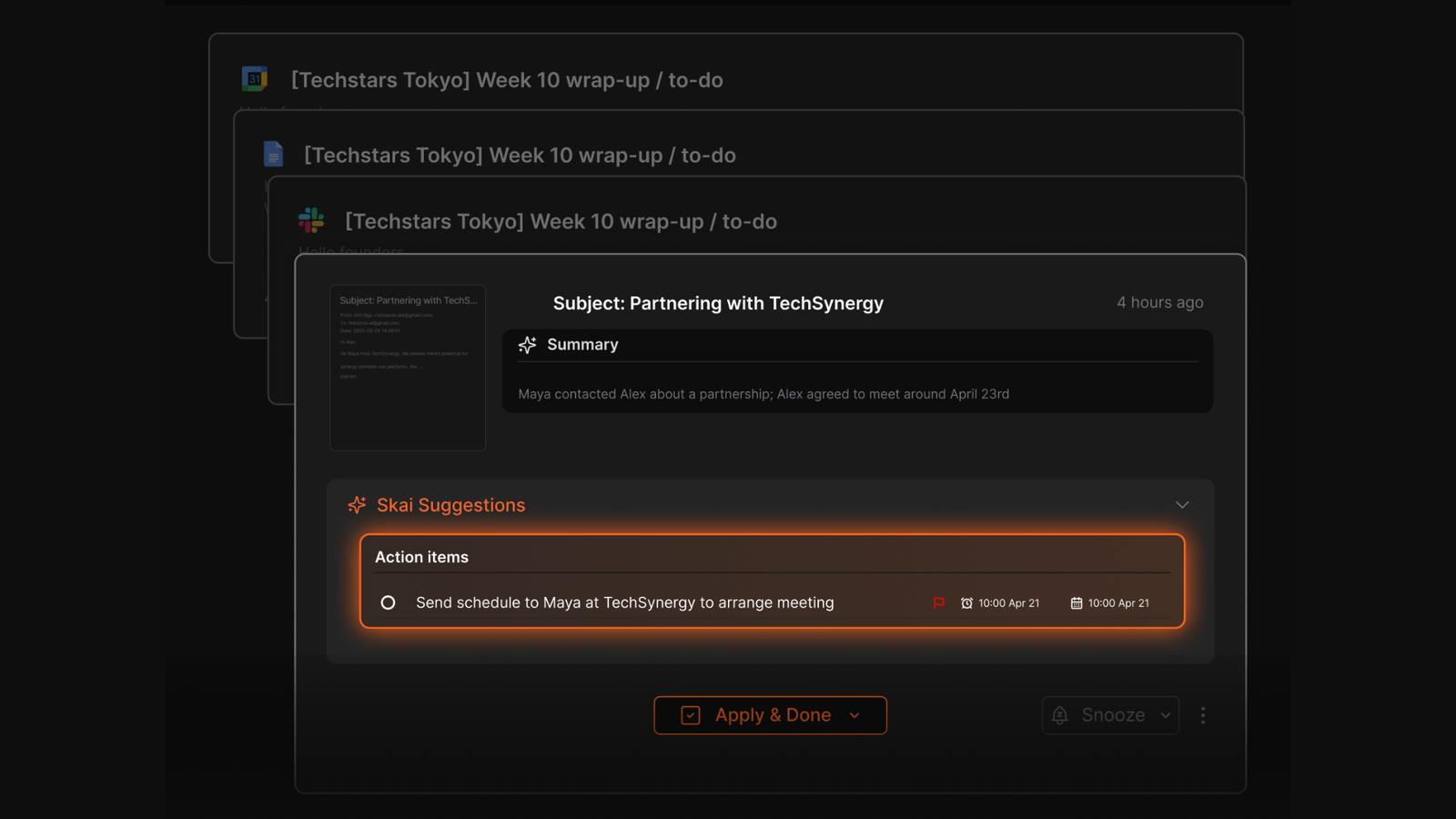
- Task extraction. Saner.AI reads your notes and email and turns action items into actual to-dos automatically. Fabric stores information but leaves the "now what do I do with this" step to you.
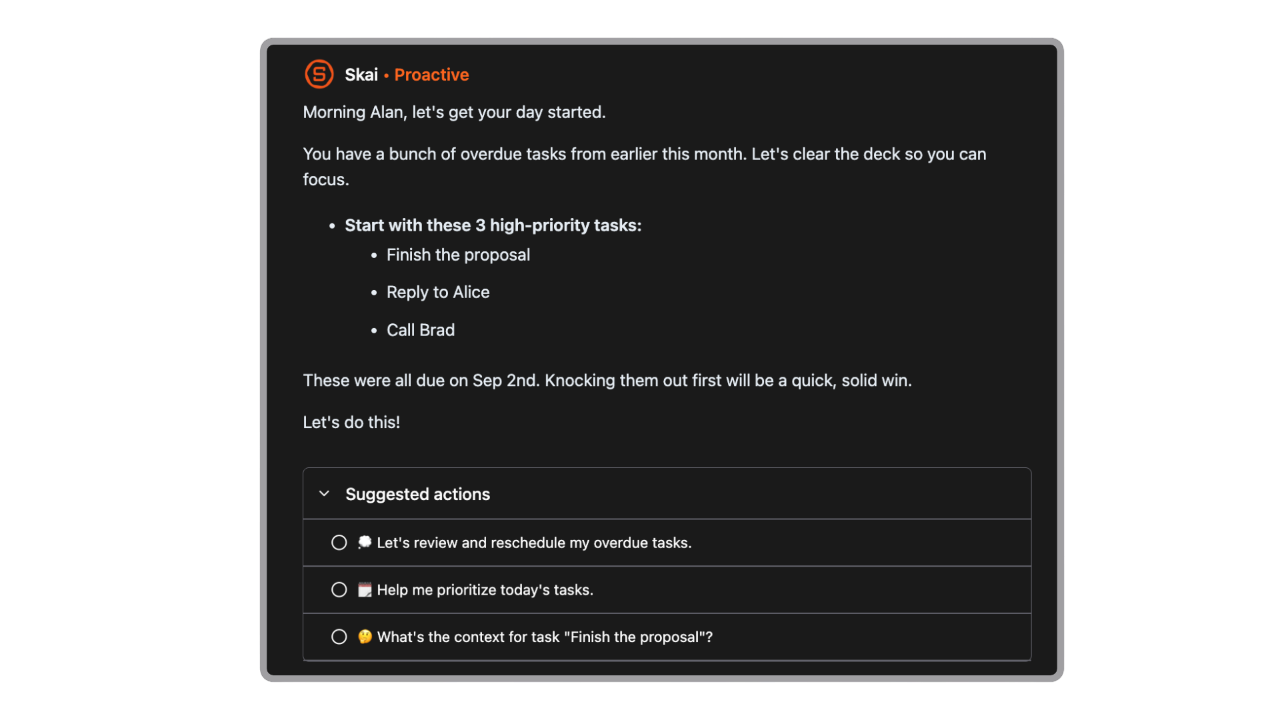
- Daily planning. Saner's assistant, Skai, builds a day plan from your tasks, notes, and calendar each morning. Fabric has no equivalent planning layer.
- Lower entry price. Saner's Starter tier runs $8/month on annual billing, undercutting Fabric's $12.50 Pro tier while covering notes, tasks, and email in one place instead of one of those three.
- Built for attention challenges. Saner.AI is explicitly designed around reducing cognitive load for ADHD and easily overwhelmed users. Fabric's design is general-purpose and doesn't address that use case directly.
- Email integration. Saner connects to Gmail and Outlook to surface action items straight from your inbox. Fabric doesn't have an equivalent inbox layer.
If you want the full rundown of how these tools and five others compare feature by feature, this post has the longer breakdown.
Who Should Consider Saner.AI Instead
- Anyone who wants their notes to turn into a task list automatically, not just sit there searchable
- People managing ADHD or attention challenges who need a system that does more of the organizing for them
- Knowledge workers who want notes, tasks, and email pulled into one place instead of juggling separate apps
| Fabric | Saner.AI | Notion | Obsidian | |
|---|---|---|---|---|
| Starting paid price | $12.50/mo | $8/mo | $10/mo | Free (local) |
| AI assistant | Yes, chat + search | Yes, Skai assistant | Notion AI (add-on) | Plugin-dependent |
| Task extraction from notes/email | No | Yes | No | No |
| Meeting transcription | Yes | No | Third-party only | No |
| Team collaboration | Limited | Not built for teams | Strong | Weak |
| Best for | Solo capture & research | Notes + tasks + email in one place | Teams & structured docs | Local-first power users |
- Fabric vs Notion: Notion offers real team collaboration and databases that Fabric doesn't attempt to match, but it asks you to build and maintain that structure yourself, which is exactly what Fabric users say they were trying to escape.
- Fabric vs Obsidian: Obsidian is local-first and free for personal use, with a large plugin ecosystem, but its AI features depend on third-party plugins rather than a built-in assistant, so the "AI that understands your notes" experience is far more DIY.
Final Verdict
Fabric does one thing very well: getting information out of your head and browser into a searchable place, with minimal setup. The clipping experience and quick capture are genuinely good, and the free plan isn't a bait-and-switch.
Where it struggles is consistency. The AI that's supposed to be the whole point gives unreliable answers often enough that multiple paying users mention it by name in their reviews, and the support model (Discord, no refunds) feels thin for a tool asking $150 to $390 a year.
If you mainly need a smarter bookmarking and note-clipping tool, Fabric is worth trying on the free plan first. If you want your notes to actively turn into tasks and a daily plan without extra apps, it's worth comparing against AI assistants before you commit to a paid tier.

Stay on top of your work and life effortlessly
FAQ
Is Fabric.so free to use?
Yes. The Free plan includes 250MB of storage, AI assistant access, and up to 1,000 items, with no time limit on how long you can stay on it.
Is Fabric.so safe for storing personal or confidential notes?
Fabric states it encrypts data in transit and at rest. That said, some reviewers have raised concerns about limited public transparency around the company's founders and data practices, so it's worth reading their privacy policy directly if you plan to store sensitive material.
Does Fabric have an Android app?
Yes, Fabric is available on Google Play, though some reviews mention performance issues on Android specifically.
Can Fabric replace Notion or Obsidian?
It depends on what you use them for. Fabric replaces the capture and search side of things well but doesn't offer Notion's databases and team features or Obsidian's local-first plugin ecosystem.
What's the real difference between Fabric and Saner.AI?
Fabric focuses on capturing and retrieving information. Saner.AI covers that plus turning your notes and emails into tasks and a daily plan, which makes it closer to a full personal assistant than a notes app.
Does Fabric offer refunds if I'm not happy with a paid plan?
No. Fabric states directly on its pricing page that it doesn't offer refunds, citing the cost of storing and processing user data.
Stay on top of your work and life effortlessly