
FlowSavvy Reviews (2026): Honest Thoughts After 1,000+ User Reviews

FlowSavvy calls itself "The AI Calendar that Plans Your Day." The pitch is simple enough that you get it in one sentence: dump your to-do list in, set durations and deadlines, and the app slots everything into your calendar around your existing meetings. Plans change? Hit recalculate. Everything shuffles.
It has over 100,000 signups, a 4.8 on the App Store across 410 ratings, a 4.6 on Google Play across 776, and a 4.7 on Product Hunt. Those are good numbers.
FlowSavvy is very good at one narrow job. It takes tasks you have already written down and finds time for them. But most people I talk to do not have a "where does this task go" problem. They have a "there are 40 unread emails, 12 half-finished notes, and three things someone told me in a meeting" problem. FlowSavvy does not touch any of that. It waits for you to do the extraction work first.
Key Takeaways
- The scheduling engine is strong. Task splitting, workload balancing, dependencies, and priority levels put it ahead of some tools
- It is not an AI assistant in the 2026 sense. There is no natural language input, no chat, no email reading. The "AI" is a scheduling algorithm. A public API and MCP server shipped in July 2026, which means you bring your own AI.
- The interface splits opinion hard. Some reviewers call it silky. Others call it clunky and dated. Both groups are reviewing the same app in the same year.
- The free tier is generous, but it was tightened in early 2026, and long-time free users noticed.
- You still do the thinking. Every task needs a duration, a due date, and a priority typed in by hand before FlowSavvy can do anything with it.
FlowSavvy At a Glance
| Category | Score | Notes |
|---|---|---|
| Auto-scheduling power | 9.0 / 10 | Splitting, load balancing, dependencies, 8-week horizon |
| Ease of setup | 8.5 / 10 | Onboarding is short, no manual required |
| Interface and design | 6.5 / 10 | Polarizing. Redesigned in 2025 and still called dated by some |
| Task management depth | 6.0 / 10 | Lists and an inbox. No subtasks, no projects, no notes |
| Capture and input | 5.0 / 10 | Manual fields only. No natural language, no email, no voice |
| Integrations | 6.0 / 10 | Google, Outlook.com, iCloud, Todoist, plus a new public API |
| Mobile experience | 8.5 / 10 | Real iOS and Android apps with widgets, not a wrapper |
| Value for money | 9.0 / 10 | $10 to $14 a month for this engine is cheap |
| Support | 9.5 / 10 | The single most praised thing in every review pool |
| Overall | 7.6 / 10 | Excellent scheduler. Narrow product. |
What Is FlowSavvy?
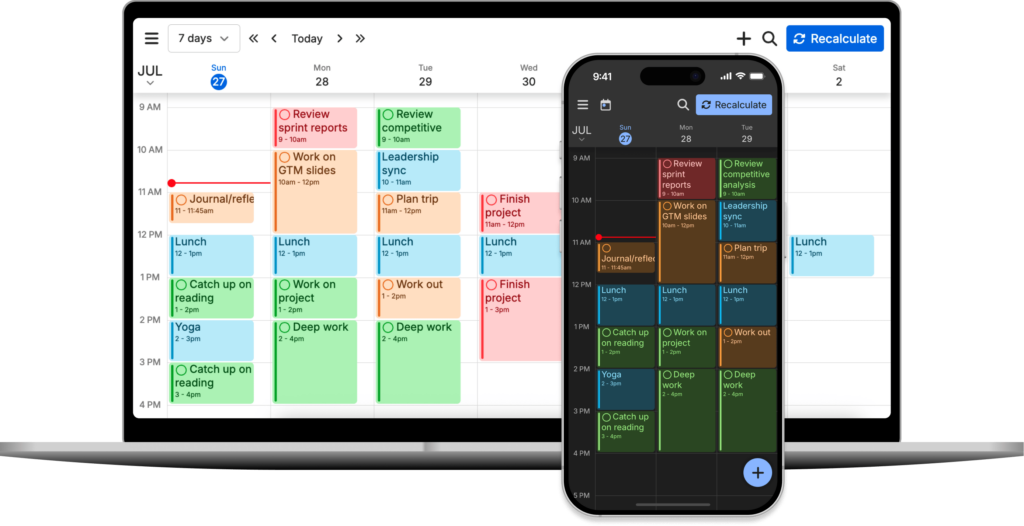
FlowSavvy is an automatic time blocking app built by Schezzy LLC, a small US company run by two brothers, Jacob and Lucas Barnes.
You give it three things per task: how long it takes, when it is due, and how important it is. FlowSavvy then reads your connected calendars, finds the gaps, and places time blocks. If a meeting lands on top of a block, the block moves. If you finish something early, the rest slides up. If you fall behind, one button rebuilds the week.
Core features:
- Automatic time blocking up to 8 weeks ahead
- Automatic rescheduling when anything changes
- Task splitting across days when a task will not fit in one sitting
- Workload balancing, either front-loaded or spread out
- Custom scheduling hours, so work tasks stay in work hours
- Recurring auto-scheduled tasks for habits
- Priority levels and task dependencies
- Two-way sync with Google, Outlook.com, and iCloud, plus Todoist
- Web, iOS, and Android apps with home screen widgets
- A public API and MCP server, added July 2026
What it leaves out: team features, project management, notes, email, and anything resembling a conversational assistant. The founders are open about this. Their own FAQ says FlowSavvy is for busy individuals who want auto-scheduling without team bloat.
FlowSavvy Features Breakdown
1. Auto-scheduling
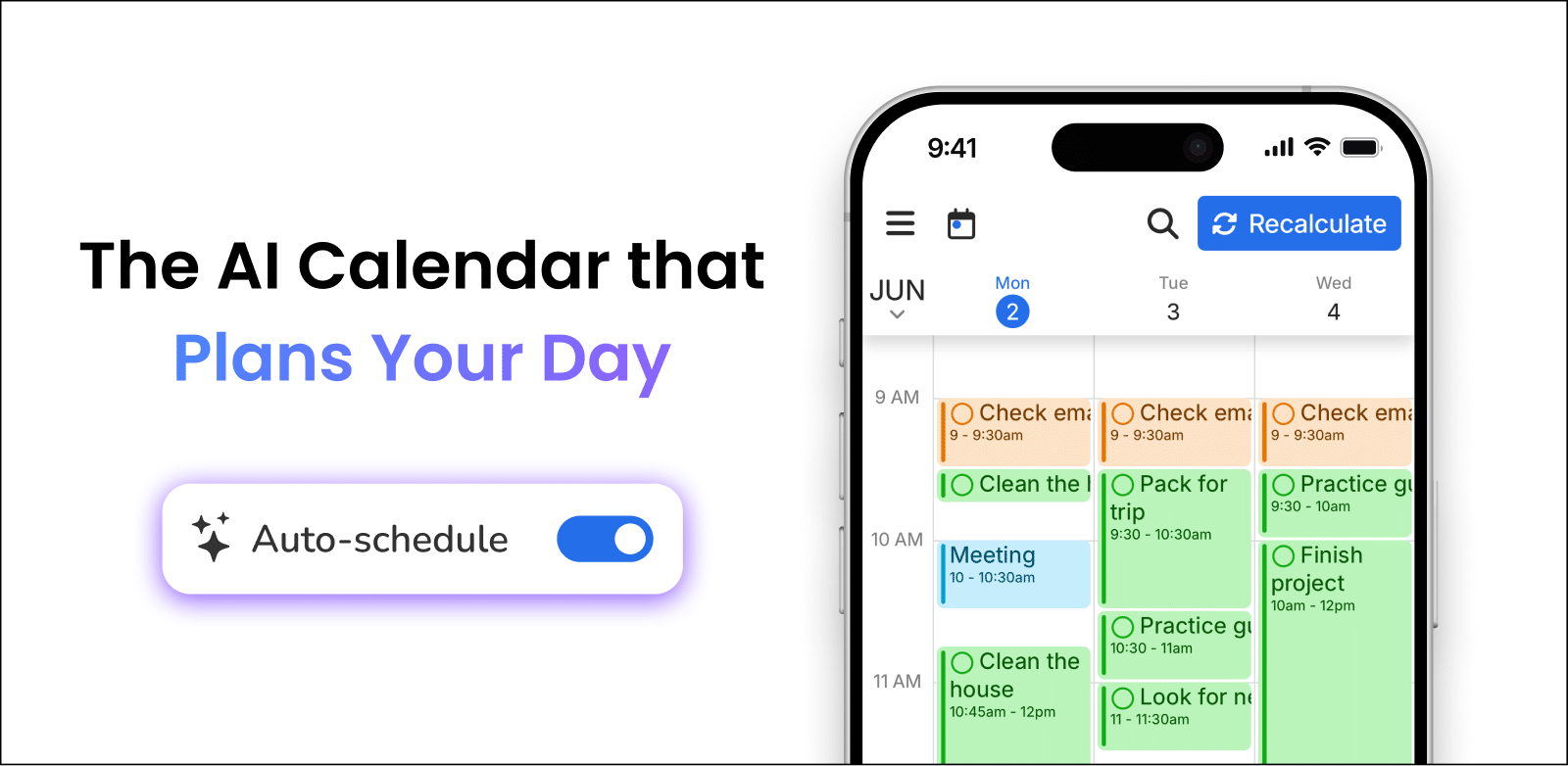
This is the reason the app exists, and it is the reason people stay. The engine considers priority, deadline, duration, and your available hours, then commits to a plan rather than offering suggestions. Users who came from manual planners describe the drop in mental overhead as the main payoff, not the time saved.
"I dump everything in, set priorities, and it handles the rest." – reviews
The caveat is upstream. The engine only works on structured input, and one App Store reviewer asked directly for natural language entry so the app could fill in the fields itself.
"it would be awesome if down the road a natural language option was implemented" – reviews
2. Automatic rescheduling and one-click recalculate
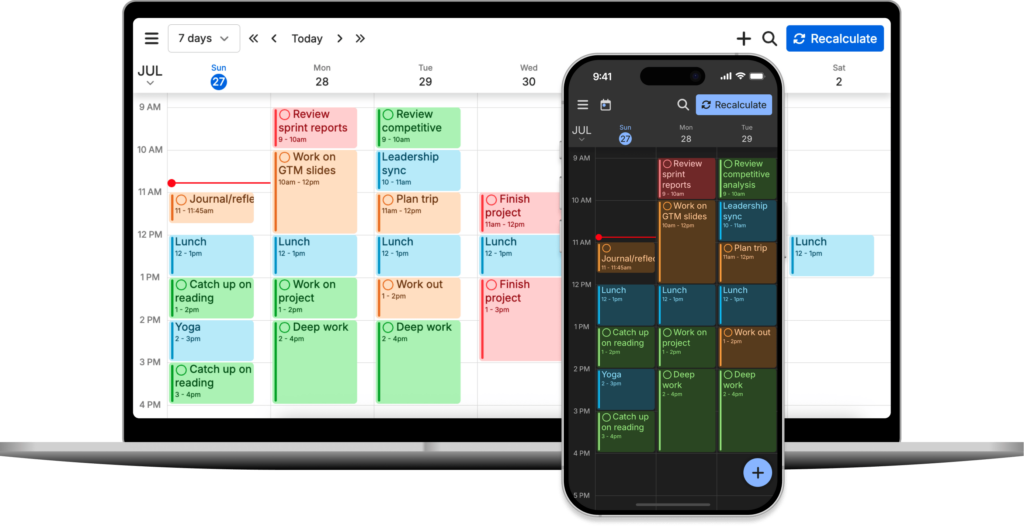
When your day falls apart, you press recalculate and missed tasks fold back into the remaining week. Reviewers with unpredictable schedules, including people managing chronic illness and ADHD, single this out more than any other feature.
It is also where the sharpest complaints live. Aggressive rescheduling can move work somewhere you did not expect and will not think to look.
"it reschedules stuff out of view, and it doesn't give me sensible controls" – reviews
3. Priorities, dependencies, and workload balancing
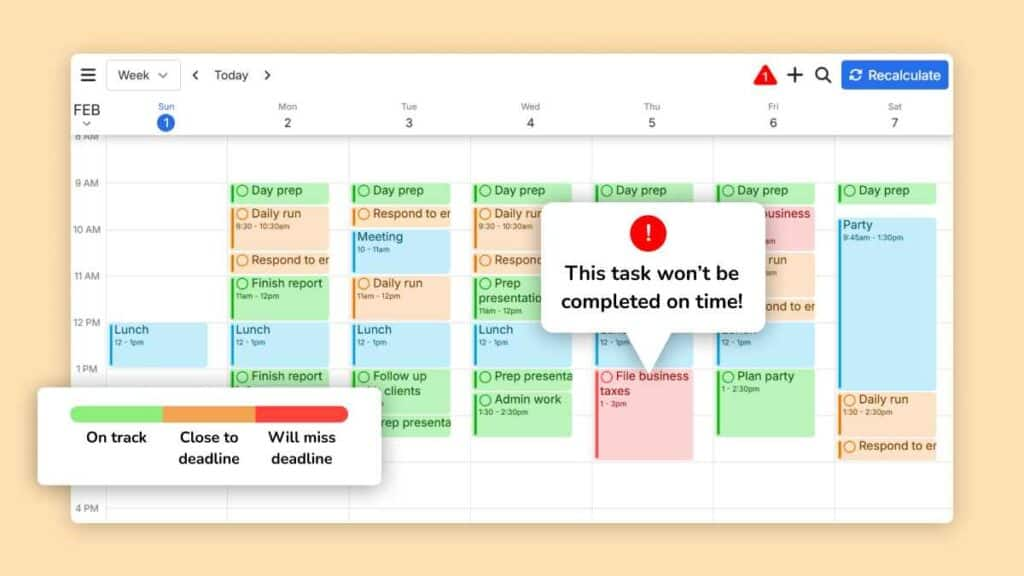
Dependencies are rare at this price. You can chain tasks so one cannot be scheduled before another finishes, and you can tell the app whether to front-load your week or spread it evenly. This is the feature set that makes power users forgive the rough edges elsewhere.
Both priorities and dependencies are Pro-only. On the free plan, tasks are ordered by due date and nothing else.
4. Scheduling hours profiles
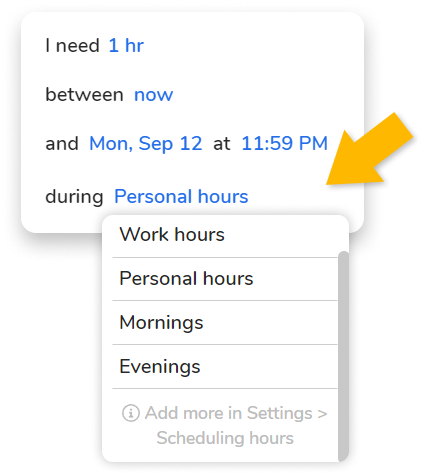
You define windows: work hours, personal hours, mornings, evenings. Tasks are tagged to a window and never escape it. It prevents the classic problem of client work landing at 9pm on a Saturday. Free users get one profile. Pro users get unlimited.
"For me time blocking is the best thing for both keeping focus and staying organised" – reviews
5. Recurring auto-scheduled tasks
Habits get flexible time rather than a fixed slot, so a workout finds a gap instead of colliding with a meeting. Useful. Also the most common source of feature requests, because completing a recurring task early does not reset the cycle.
"it currently lacks a 'Repeat on completion' feature" – reviews
Free accounts get three recurring auto-scheduled tasks. That limit arrived when the plans were restructured, and users who had been on the older, looser free tier were vocal about the change.
6. Calendar sync
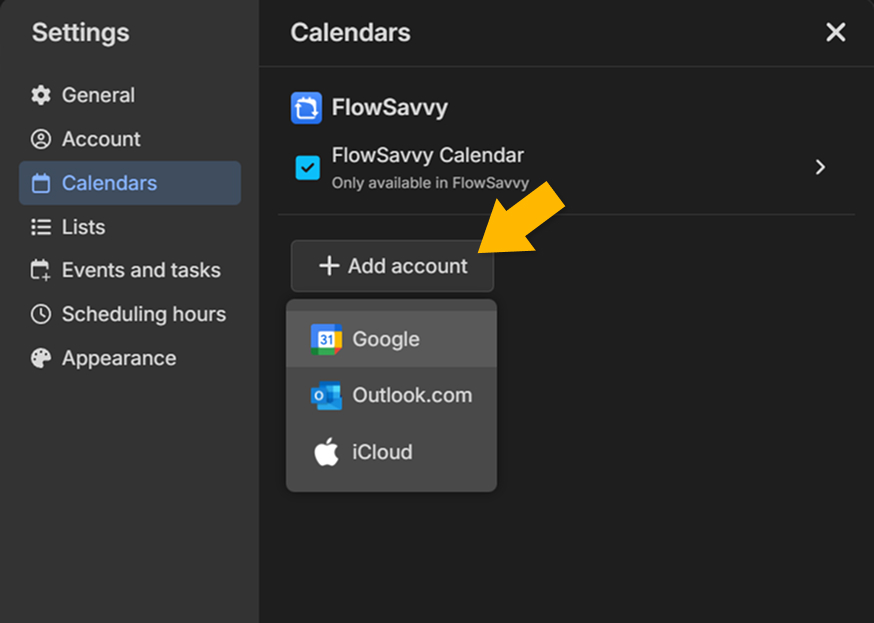
Two-way sync with Google, Outlook.com, and iCloud, plus Todoist. Unlimited calendars, even on free. Syncing FlowSavvy tasks back out to your other calendars is Pro-only.
The gap is corporate email. Outlook.com is not the same as an Exchange or Microsoft 365 work account, and at least one reviewer had to publish their work calendar to Google first as a workaround.
"I couldn't directly link to my work calander" – reviews
Shared calendars from family or colleagues also pull into the scheduling logic by default, which surprises people.
"some Events from other family members should not impact on the Auto Task facility" – reviews
7. Mobile apps, widgets, and notifications
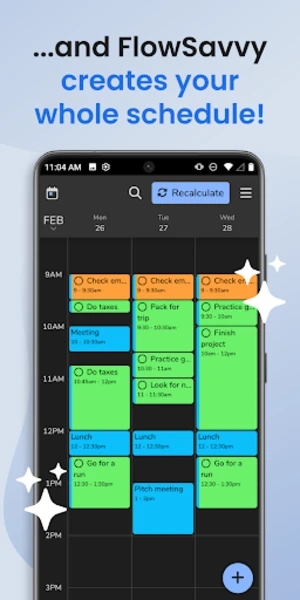
The mobile apps are real apps, not web wrappers, and the widgets cache a week of schedule offline. That alone puts FlowSavvy ahead of most AI calendar tools, several of which still have no mobile presence at all.
Notifications are thinner than they look. You get a ping when a block starts. You cannot set a lead time, and you cannot act on the notification.
If notification control is your make-or-break, compare it against dedicated reminder apps before committing.
9. Public API and MCP server
Shipped July 2026. It lets external tools and AI assistants read and write your FlowSavvy tasks and schedule.
This is the most interesting thing FlowSavvy has done in two years. It is also an admission: the intelligence lives outside the product now. You connect your own AI to it.
FlowSavvy Pricing
| Basic (Free) | Pro | |
|---|---|---|
| Monthly price | $0 forever | $14/month billed monthly |
| Annual price | $0 | $10/month, billed yearly (save 28%) |
| Free trial | Not needed | 7-day free trial of Pro |
| Free version | Yes, permanent, no card required | — |
| Scheduling horizon | 2 weeks | 8 weeks |
| Scheduling hours profiles | 1 | Unlimited |
| Recurring auto-scheduled tasks | 3 | Unlimited |
| Task lists | 5 | Unlimited |
| Priorities and dependencies | No | Yes |
| Sync tasks out to other calendars | No | Yes |
| Task history | 30 days | Unlimited |
| Payment methods | — | Stripe on web, Apple In-App Purchase on iOS, Google Play Billing on Android |
| Refunds | — | 30 days via Stripe or Google Play. Apple handles its own |
| Student discount | — | 50% off first year, annual plan, institutional email required |
Two notes. The App Store still lists legacy Pro tiers at $6.99 and $59.99 alongside the current $13.99 and $119.99, so grandfathered users are paying half what new users pay. And if you subscribe through Apple, you cannot get a refund from FlowSavvy directly. That is Apple's rule, but it is your money.
FlowSavvy Pros and Cons
| Pros | Cons |
|---|---|
| Scheduling engine is deeper than tools at 3x the price | No natural language input. Every field is manual |
| Dependencies and workload balancing, rare at this tier | No email integration at all |
| Genuinely usable free plan | No notes, no documents, no knowledge layer |
| Real iOS and Android apps with offline widgets | UI called clunky and dated by multiple reviewers |
| Support response times measured in minutes | Rescheduling can move tasks somewhere you will not find them |
| Clean work-life separation via scheduling hours | No keyboard shortcuts for power users |
| Public API and MCP server for automation | Outlook.com only, not Exchange or Microsoft 365 |
| No ads, no data selling, no AI training on your data | No repeat-on-completion for recurring tasks |
| Free tier tightened in 2026, tags removed entirely | |
| Notifications fire at start time only, with no lead time | |
| Requires an internet connection to function |
What People Say
The pattern across App Store, Google Play, and Product Hunt is consistent. People who commit to FlowSavvy for more than a month tend to love it, and the thing they mention first is not scheduling. It is the reduction in decision-making.
"I'm less stressed out as a result" – reviews
Longevity shows up too. Multiple reviewers have updated year-old reviews upward, which is unusual in productivity software where the honeymoon typically ends in week three.
"A really useful app, helping me to plan my routines and middle-sized projects" – reviews
Stability is a quiet strength.
Now the other side. The Google Play histogram shows 30 one-and-two-star ratings out of roughly 700, and the complaints cluster tightly around control. People do not dislike the automation. They dislike not being able to override it cleanly.
"it Locks in place and if switched to auto thrown to the end of all tasks" – reviews
Design is the other repeat theme, and it survived the 2025 redesign.
"the UI is not the best or most intuitive" – reviews
Even the most enthusiastic reviewers name the same missing pieces.
"The one thing I'd love to see next: keyboard shortcuts" – reviews
And the color scheme comes up more than you would expect for a scheduling tool.
"may I have more pastel version of colors" – reviews
Who Is FlowSavvy Best For?
- Freelancers and solo professionals with a lot of self-directed work and no team tooling requirement.
- People who already keep a clean to-do list. If your tasks are written down with real estimates, FlowSavvy is close to perfect.
- Anyone priced out of Motion. You get most of the scheduling depth for a third of the cost.
- Habit builders who want workouts and routines to find time instead of being ignored.
- Tinkerers. The MCP server opens up automation nobody else at this price offers.
Who Is FlowSavvy Not Ideal For?
- People who work out of their inbox. FlowSavvy cannot see email. Every commitment buried in a thread stays invisible until you retype it.
- Scattered thinkers. If your ideas arrive as fragments, you have to convert each one into a duration, a deadline, and a priority before the app helps. That conversion is the hard part, and it happens before FlowSavvy ever sees the task. This is the exact failure mode we cover in our guide to planning your day with ADHD.
- Anyone who needs notes and tasks in one place. There is no notes layer, so context lives somewhere else permanently.
- Teams. By design. Not a criticism, just a fact.
- Enterprise Outlook users. Outlook.com is supported. Your Microsoft 365 work calendar is not.
- Keyboard-first power users. No shortcuts, still.
FlowSavvy Alternatives
FlowSavvy vs Saner.AI
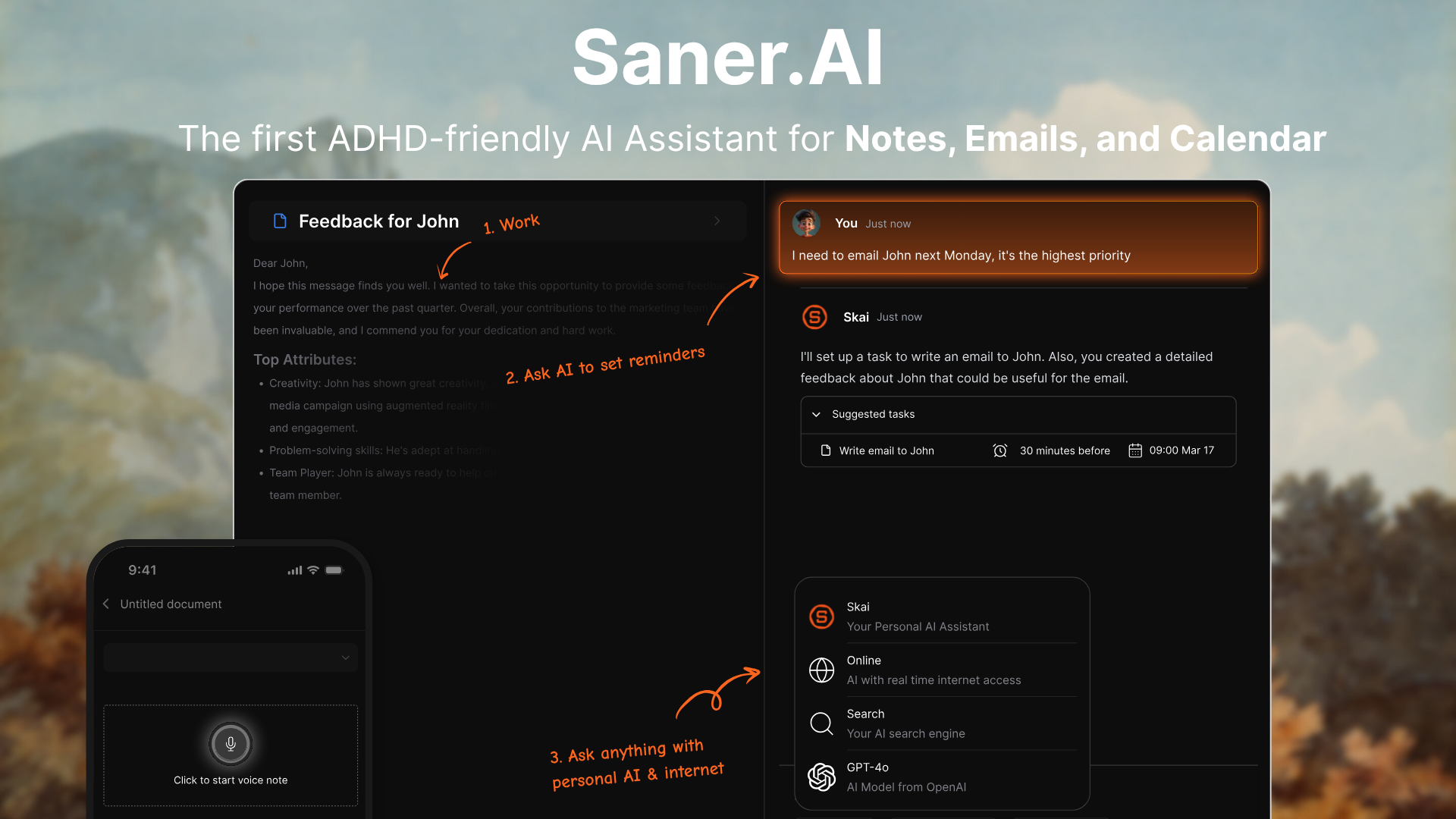
FlowSavvy answers "when will I do this." Saner.AI answers that PLUS "what did I commit to, and where did it come from."
Where Saner.AI is stronger:
- It captures, FlowSavvy does not. Saner.AI pulls tasks out of your emails, notes, documents, and voice memos automatically. FlowSavvy has no capture layer. You type everything in by hand.
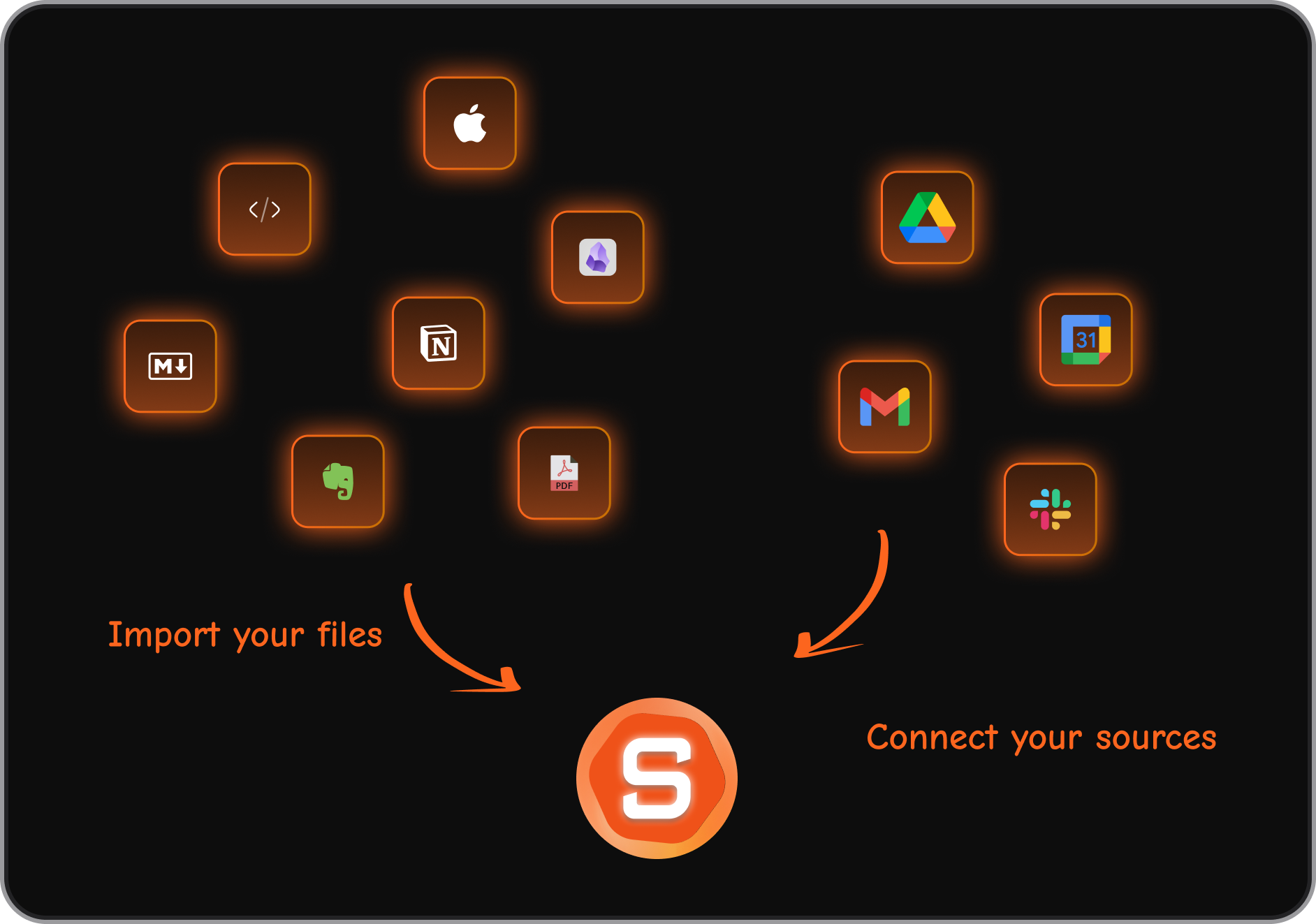
- Plain language instead of form fields. You can dump "finish the outline, reply to Sarah, prep Thursday's slides" into Saner.AI and it structures that into tasks. In FlowSavvy, that same dump means opening three task forms and filling in nine fields. A FlowSavvy reviewer asked for exactly this feature and it still is not there.
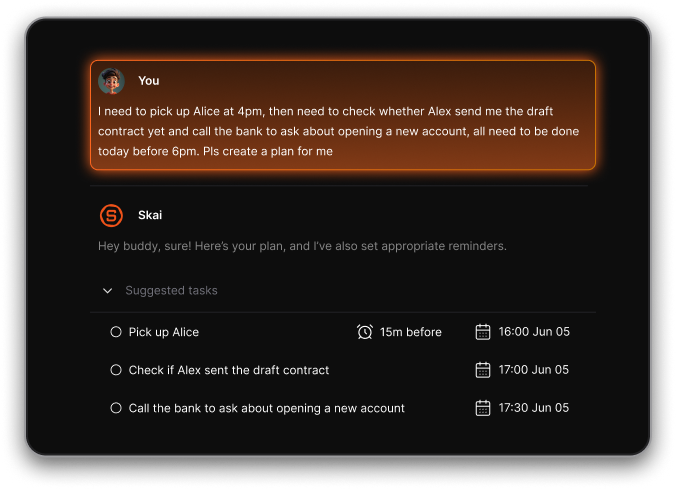
- Email is in scope. Saner.AI reads Gmail and Outlook, extracts action items, and drafts replies. FlowSavvy touches calendars only, and only three providers.
- Tasks keep their context. A task pulled from an email in Saner.AI carries the email with it. In FlowSavvy a task is a title, a duration, and a date. When you sit down to do it, you go hunting.
- The AI calendar in Saner.AI is conversational. You can ask Saner.AI to move things, find things, or explain your week. FlowSavvy has buttons and drag-and-drop. Nothing to ask.
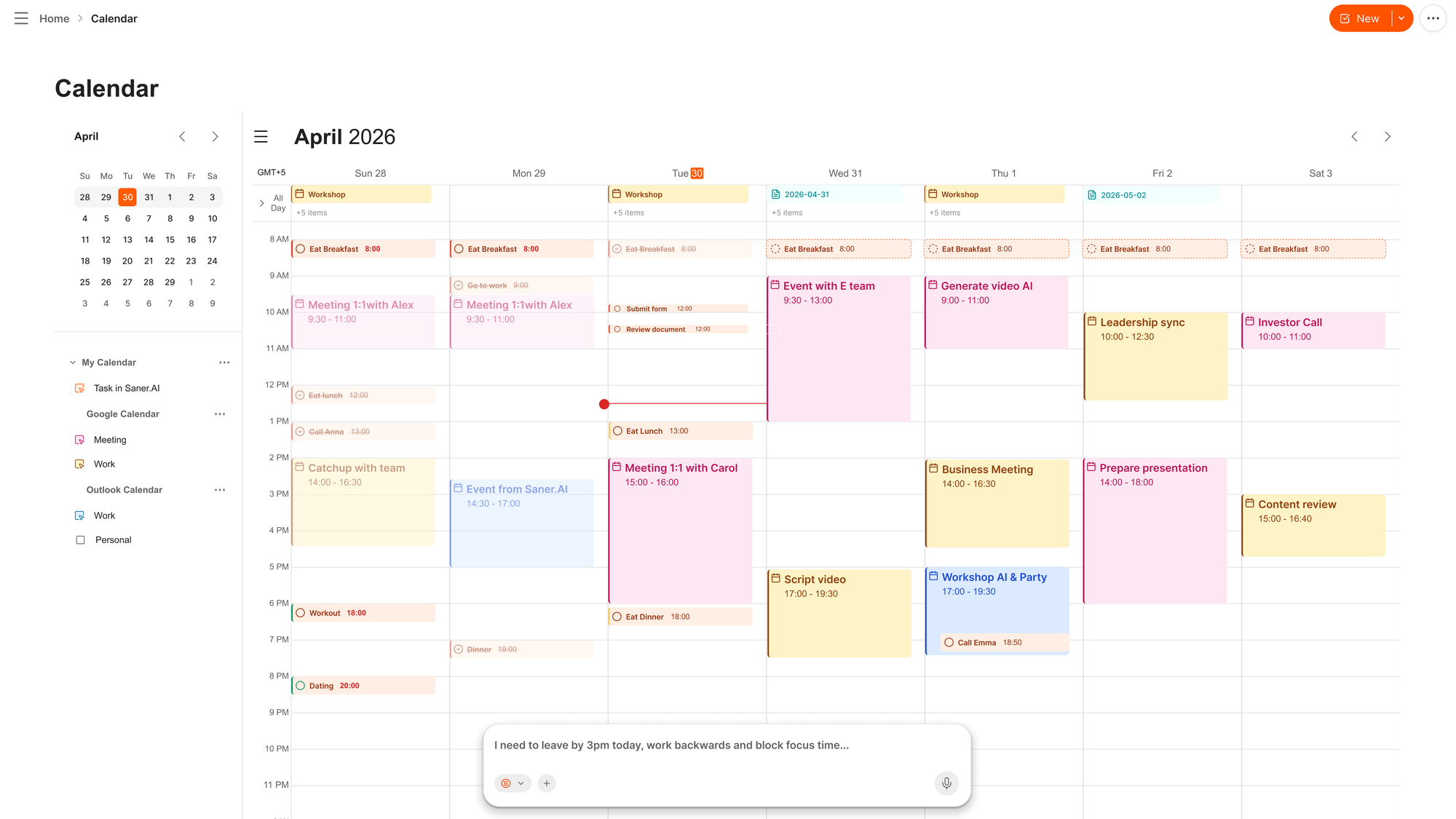
- It is proactive. Saner.AI checks in and suggests a plan. FlowSavvy waits for you to open it.
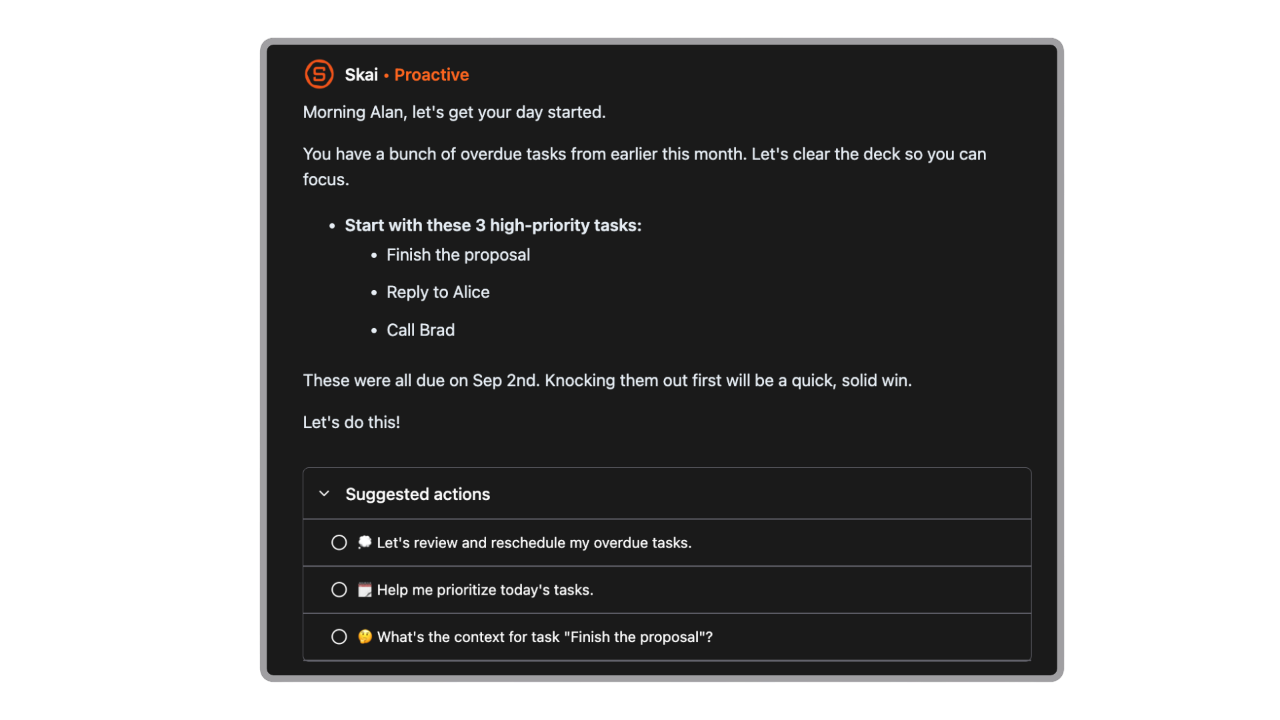
- Notes and tasks live together. Saner.AI is a second brain and a planner in one workspace. FlowSavvy is a calendar with a to-do list attached.
- Built around ADHD, not retrofitted. The capture-first design exists because the initiation and extraction steps are where neurodivergent users actually stall. We wrote about that pattern in our roundup of ADHD task management apps.
- Cheaper entry to the useful tier. Saner.AI paid plans start at $8/month with a free tier. FlowSavvy Pro is $10 to $14.
Where FlowSavvy has an edge: the scheduling algorithm itself. Dependencies, task splitting, and an 8-week horizon. FlowSavvy also syncs iCloud, which Saner.AI does not support yet
Who Saner.AI suits: knowledge workers, ADHDers, founders, students, and anyone whose commitments arrive through email and notes rather than a tidy list. If you are already doing the work of extracting tasks by hand, FlowSavvy will schedule them. If that extraction step is where your system breaks down, a scheduler cannot fix it.
See how the category compares in our breakdown of planning AI apps.
FlowSavvy vs Motion
Motion runs $49/month for Pro AI, with no free plan and a 7-day trial. It has grown into an "AI super app" with docs, sheets, AI chat, and a notetaker, and the complaints have followed: bloat, learning curve, and price creep. FlowSavvy does less and costs $10 to $14. If auto-scheduling is the only thing you wanted from Motion, FlowSavvy is the cheaper, calmer version of it. Motion wins on team projects and meeting booking pages.
FlowSavvy vs Reclaim.ai
Reclaim has a real free plan and native integrations with Todoist, Asana, ClickUp, Jira, and Google Tasks, which FlowSavvy mostly lacks. Reclaim is Google Calendar first and is strongest at defending habits and focus blocks. FlowSavvy has better raw scheduling logic, iCloud support, and better mobile apps. Reclaim is picking up former Clockwise users since that product shut down, and we covered where those users landed in our Clockwise alternatives guide.
FlowSavvy vs Sunsama
Opposite philosophies. Sunsama at $20/month is a deliberate daily ritual where you drag tasks in yourself and the app slows you down on purpose. FlowSavvy decides for you. Pick Sunsama if the automation feels like losing control. Pick FlowSavvy if the daily planning ritual is the thing you keep skipping.
FlowSavvy vs Akiflow
Akiflow is around $34/month and is built for keyboard-first users who want a command bar and aggressive inbox-style task consolidation from Slack, Gmail, Notion, and elsewhere. It pulls tasks from more places than FlowSavvy. FlowSavvy schedules them better and costs less. The absence of keyboard shortcuts in FlowSavvy is the clearest dividing line here.
Comparison Table
| FlowSavvy | Saner.AI | Motion | Reclaim.ai | Sunsama | Akiflow | |
|---|---|---|---|---|---|---|
| Entry price | Free | Free | No free plan | Free | No free plan | No free plan |
| Paid from | $10/mo annual | $8/mo | $19/mo | $8/mo | $20/mo annual | $17/mo annual |
| Auto-scheduling | Excellent | Yes | Excellent | Good | Manual | Good |
| Natural language capture | No | Yes | Limited | No | No | Partial |
| Reads your email | No | Yes | No | No | No | Pulls tasks only |
| Notes / second brain | No | Yes | Docs add-on | No | No | No |
| Conversational AI | No | Yes | Yes | No | No | No |
| Task dependencies | Yes | No | Yes | No | No | No |
| Calendars supported | Google, Outlook.com, iCloud | Google, Outlook | Google, Outlook | Google, Outlook | Google, Outlook, iCloud | Google, Outlook, iCloud |
| Mobile apps | iOS + Android | iOS + Android | iOS + Android | Limited | iOS + Android | iOS + Android |
| Team features | No | No | Yes | Yes | Yes | Limited |
| Best for | Solo auto-scheduling | Capture and planning together | Teams and projects | Focus time defense | Intentional daily planning | Keyboard power users |
Final Verdict
FlowSavvy is one of the best-built small products in this category, and I would recommend it to a specific person: someone who already maintains a real to-do list with honest time estimates and just wants it placed into a calendar intelligently.
What it does not do is think for you. There is no capture layer, no email, no notes, no conversation. The "AI" in the tagline is a scheduling algorithm, and FlowSavvy's own July 2026 update quietly confirms this by shipping an MCP server so you can plug in someone else's AI. The interface complaints have persisted through a full redesign, rescheduling can still hide your work, and the free tier got tighter this year.
The real question is where your system actually breaks. If it breaks at "when do I do this," buy FlowSavvy today. If it breaks earlier, at "what did I agree to, and where is it," a scheduler will not save you. That is the gap Saner.AI was built for: it reads your email and notes, pulls out the commitments, and plans around them, so the list you are scheduling is a list you did not have to build.
Try Saner.AI free and see which half of the problem you actually have.

Stay on top of your work and life effortlessly
FAQ
Is FlowSavvy free? Yes. The Basic plan is free forever with no credit card, and it includes unlimited tasks, unlimited auto-rescheduling, unlimited calendar syncs, and two weeks of scheduling. The limits are three recurring auto-scheduled tasks, five lists, one scheduling hours profile, and no priorities or dependencies. Pro adds those and costs $14/month, or $10/month billed yearly, with a 7-day trial.
Does FlowSavvy actually use AI? Depends what you mean. The scheduling engine is a rules-based algorithm, not a language model. You cannot type a sentence and have it create tasks, and it does not read or summarize anything. What did change in July 2026 is the public API and MCP server, which lets external AI assistants create and edit tasks in FlowSavvy. So the AI is real, but it is yours, not theirs.
Does FlowSavvy work with Outlook and iCloud? Google Calendar, Outlook.com, and iCloud all sync two ways. Outlook.com is the consumer service. If your work calendar is Microsoft 365 or Exchange, it is not directly supported, and users have worked around it by publishing to Google Calendar first.
Does FlowSavvy have a desktop app? No native Mac or Windows app. There is a full-featured web app plus real iOS and Android apps with home screen widgets. There are also no keyboard shortcuts yet, which is the most requested feature from power users.
What is the best FlowSavvy alternative if my tasks live in email and notes? Saner.AI. FlowSavvy needs you to have already written the task down. Saner.AI extracts commitments from Gmail, Outlook, notes, documents, and voice memos, then plans your day around them and checks in. It starts free, with paid plans from $8/month.
👉 Our full comparison of the category is in AI to-do list apps and our guide to organizing your life with AI.
Plan your work and life effortlessly