We tested 14 Free AI Assistants. Here are the best 7 for Productivity


Artificial Intelligence is here, and AI Assistants like Jarvis will no longer just be a concept from sci-fi movies.
In this post, I’ll walk you through what I’ve learned: the good, the bad, and who is suitable for each of these Free AI Assistant tools.
Now, let's dive in!
Quick answer: What are the best free AI assistants in 2026?
- Best free AI assistant overall: ChatGPT. From the week of August 10, 2026, free accounts get unlimited text chats on GPT-5.6 Luna. It is the only major assistant with no cap on text messages. Uploads, images, and voice still have their own limits, and US free users see ads.
- Best free for long documents and careful reasoning: Claude. The free plan runs Sonnet 5 with a 200K-token context window, memory across conversations, file creation with code execution, web search, and connectors. Usage resets on a rolling five-hour window.
- Best free inside the Google ecosystem: Gemini. Free accounts run Gemini 3.6 Flash with metered access to Gemini 3.1 Pro, image generation, voice, Canvas, Gems, and 15 GB of storage shared across Gmail, Drive, and Photos.
- Best free for turning your notes, email, and calendar into a daily plan: Saner.AI. AI messages a month, notes, storage, plus the task system and integrations. The only free tier here that reads your actual week and hands back a plan instead of an answer.
- Best free open-source assistant: OpenClaw. MIT-licensed, runs on your own machine, reaches you through WhatsApp, Telegram, Discord, Slack, Signal, or iMessage. The software costs nothing. The model behind it does.
- Best free assistant that lives in your text messages: Poke. The free tier connects your email and calendar, requires no credit card, and stays free.
- Best free for thinking out loud: Pi. Free at launch in 2023, still free in 2026, with no paid tier at all. Development slowed sharply after Microsoft hired most of Inflection's team in March 2024.
1. What Are Free AI Assistants?
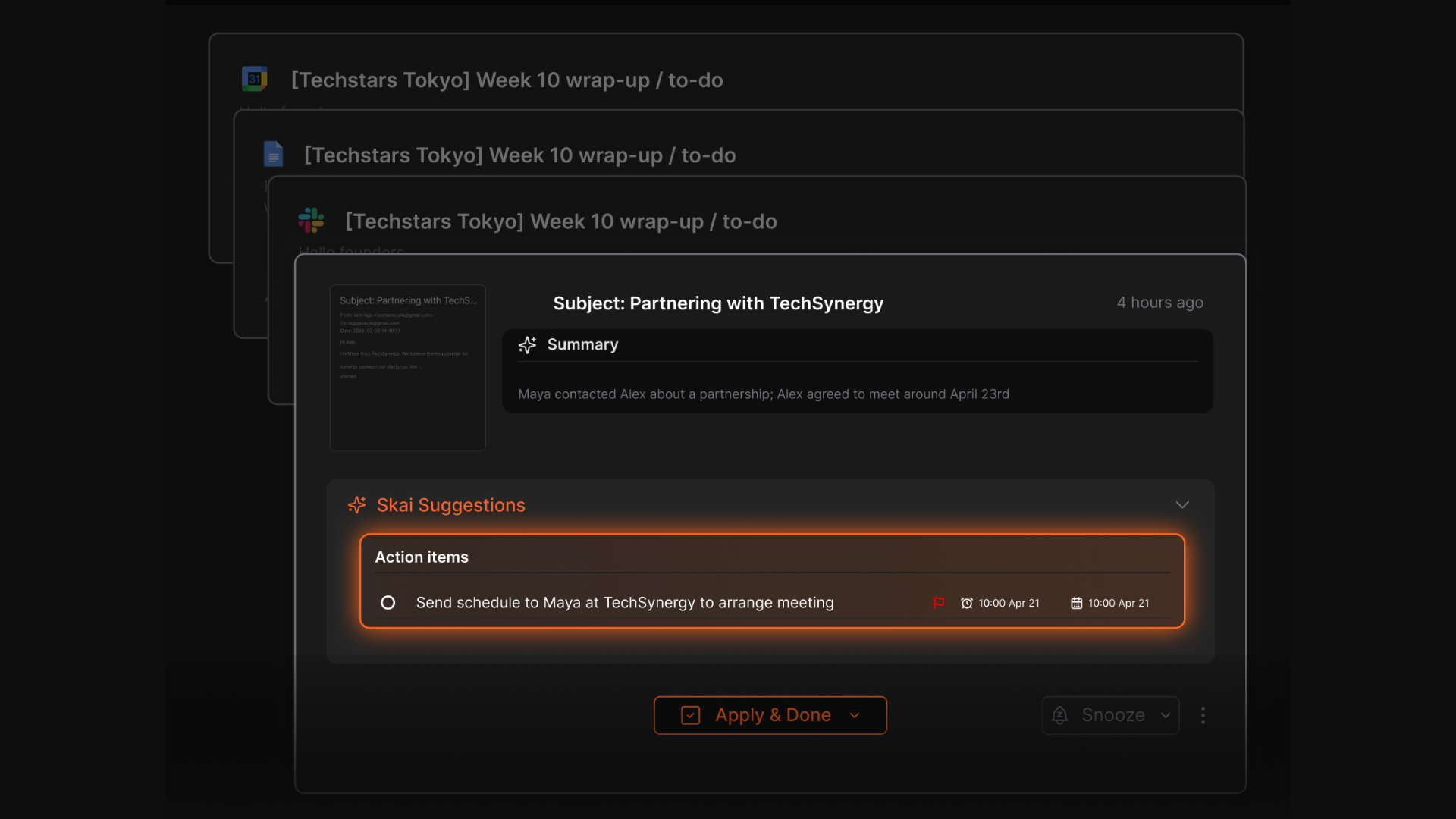
An AI assistant is software you talk to in plain language that answers questions, drafts things, and increasingly takes action on your behalf. That covers everything from a chat box in a browser tab to a self-hosted agent that reads your inbox at 6am and texts you before your first meeting.
How we chose these tools
Seven assistants, free accounts only, created fresh so the limits reflect what a new user actually hits rather than a long-standing account's accumulated goodwill. Tested across the same set of real tasks: drafting, research with sources, summarising a 40-page PDF, planning a working week from a real calendar and inbox, and remembering a decision made three days earlier. No API keys, no trials, no paid upgrades at any point.
- Cost at zero. What you get before any wall appears, including whether a credit card is required to start.
- Context access. Whether the free plan can see your email, calendar, notes, or files, or whether you paste everything in by hand.
- Memory. Whether it remembers a decision or preference from a previous session, on the free plan specifically, since several tools gate this behind payment.
- Action. Whether it can do a thing (send, schedule, file, reschedule) or only describe how you would do it.
- Where the wall is. How many messages, uploads, or minutes of real work before the free tier stops being useful, and what happens when you hit it.
- Exit cost. What the first paid tier costs, because a free plan that funnels you into a $20 subscription is priced at $20 with a delay.
What are the Best Free AI Assistants?
The best Free AI Assistants are: Claude, Saner.AI, Chatgpt, Pi, Gemini, Openclaw, Poke
1. Claude
Claude is the AI assistant people switch to when the work gets long. Anthropic has spent 2026 quietly pushing real capability down into the free plan, and the result is the most feature-complete $0 tier here even though the usage window is tighter than ChatGPT's.
What makes it different: the free plan can create files and run code. No other free assistant in this list ships you a finished spreadsheet.
Key Features
- Sonnet 5 with a 200K-token context window. Enough to drop in a long contract, a full transcript, or a codebase and discuss it without the thread losing the plot.
- File creation with code execution, on free. Ask for an analysis and get back an actual .xlsx or .docx, not a description of one.
- Connectors and remote MCP. You can wire in Slack and Google Workspace without paying
Pros:
- Easy to start. You can use it for free without committing to a subscription.
- Strong writing and reasoning quality for a free assistant.
- Good for summarizing long documents and thinking through ideas.
Cons:
- The five-hour rolling window is the whole story of using Claude for free. I hit it during any real session.
- No image generation at all. If your work needs visuals, you need a second tool.
- Opus, Fable, Claude Code, and Research are all paid. Free gets you Sonnet 5 and Haiku, which is generous, but the ceiling is visible.
- Hard to manage to-do lists or notes on Claude
Pricing:
- Free — $0 — Sonnet 5 and Haiku 4.5, 200K context, memory, web search, file creation, connectors, extended thinking.
- Pro — $17/month annual, $20/month monthly — more usage, Claude Code, Cowork, Design, Research, more models.
- Max — from $100/month — 5x or 20x Pro usage. Full pricing
Suitable For:
- Students, individuals, and casual users who want a free AI assistant
- Writing, summarizing, brainstorming, and learning tasks
How to Start:
- Go to Claude.ai
- Create a free account
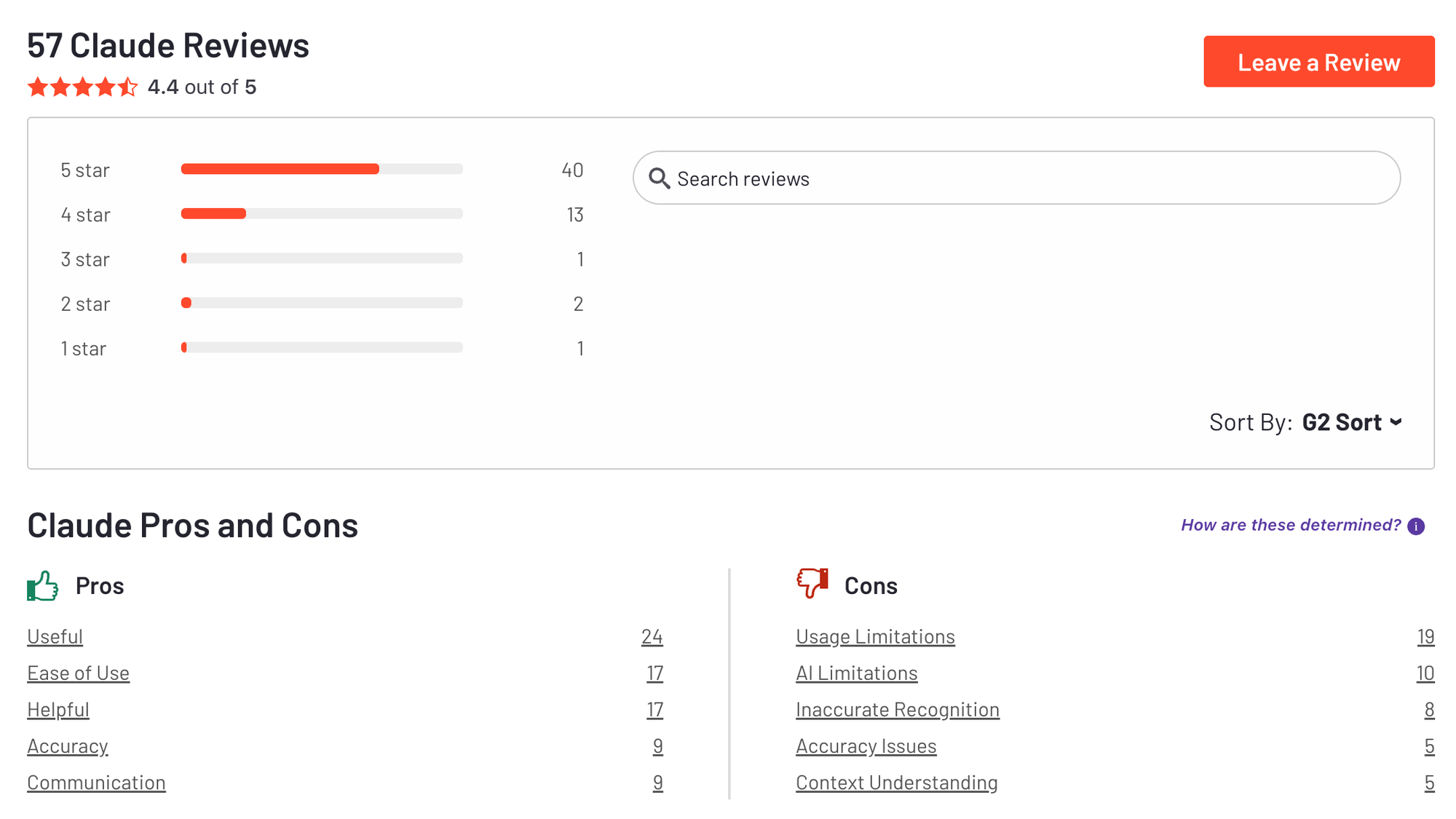
Claude review (source)
2. Saner.AI
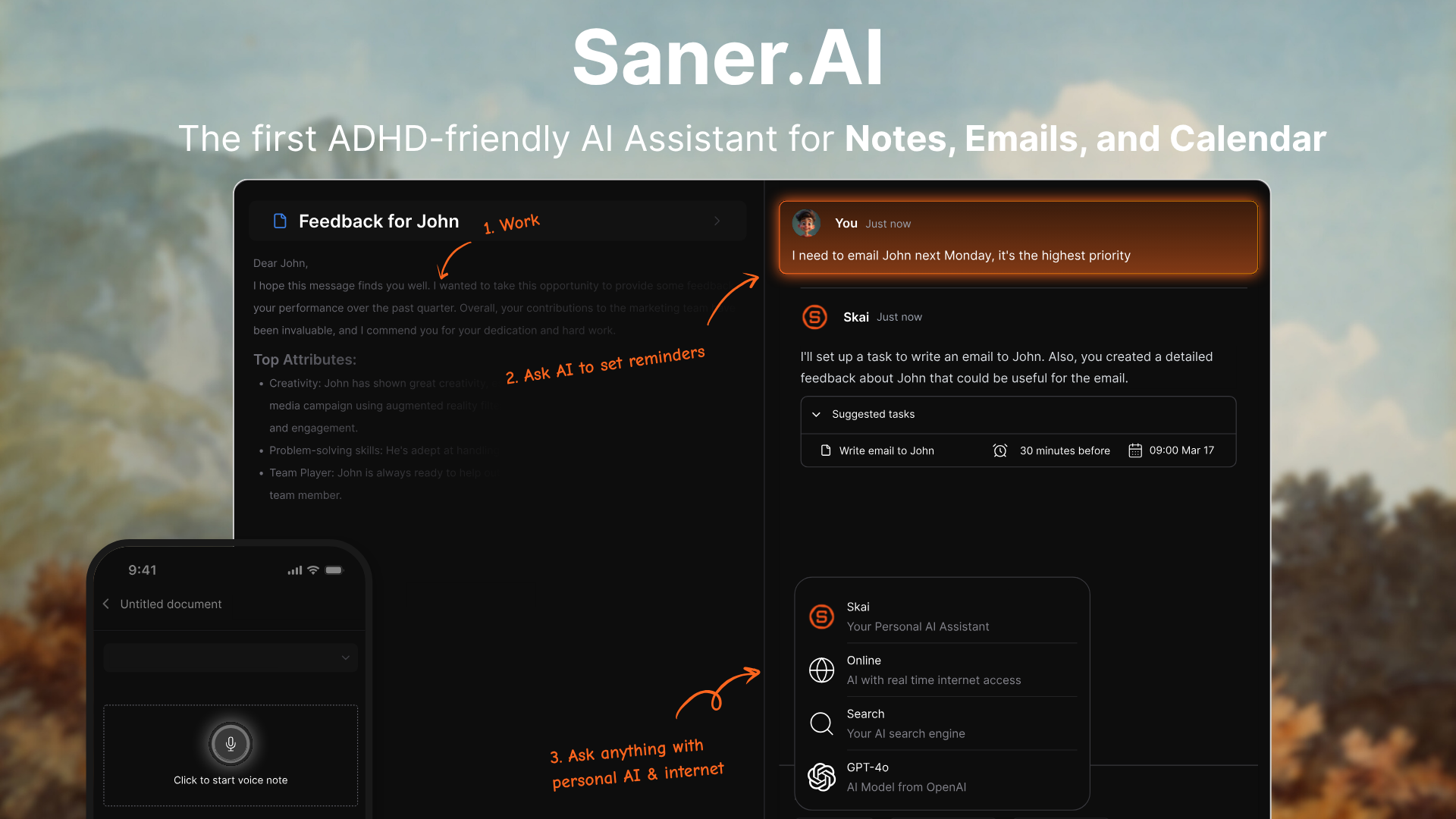
Saner.AI is the first AI personal assistant designed to bring peace of mind to knowledge workers, entrepreneurs, and ADHD professionals. Whether you’re drowning in notes, emails, or scattered to-do lists, Saner.AI helps you turn chaos into clarity, with zero setup stress.
Features
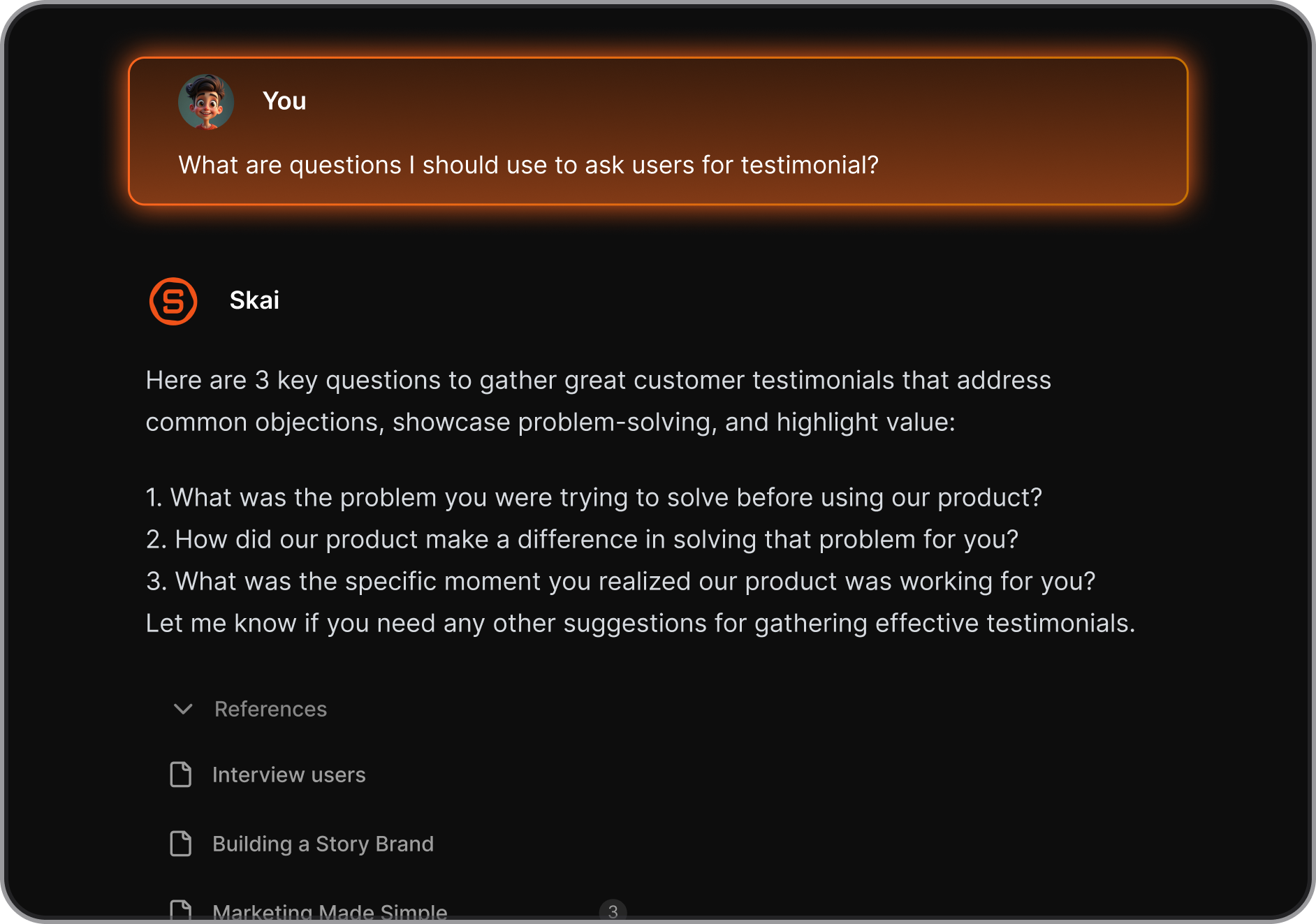
- AI Knowledge Assistant: The AI helps you recall and synthesize your notes. Just ask and get clear, direct answers from your notes
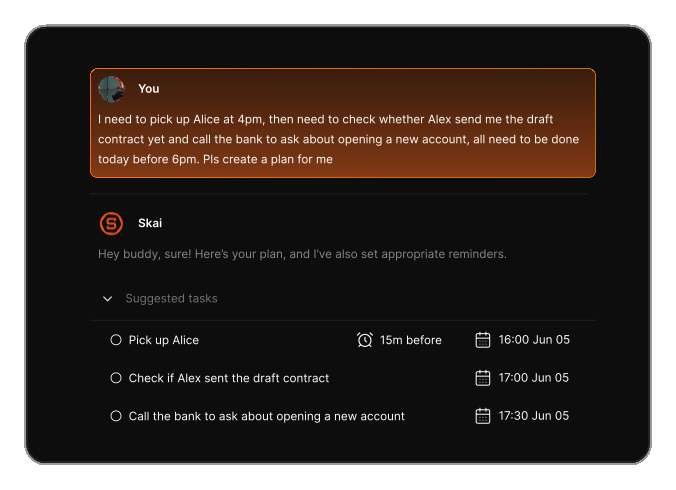
- AI Task Assistant: Converts your thoughts and brain dumps into actionable tasks, breaks them down, and sets smart reminders for follow-through.
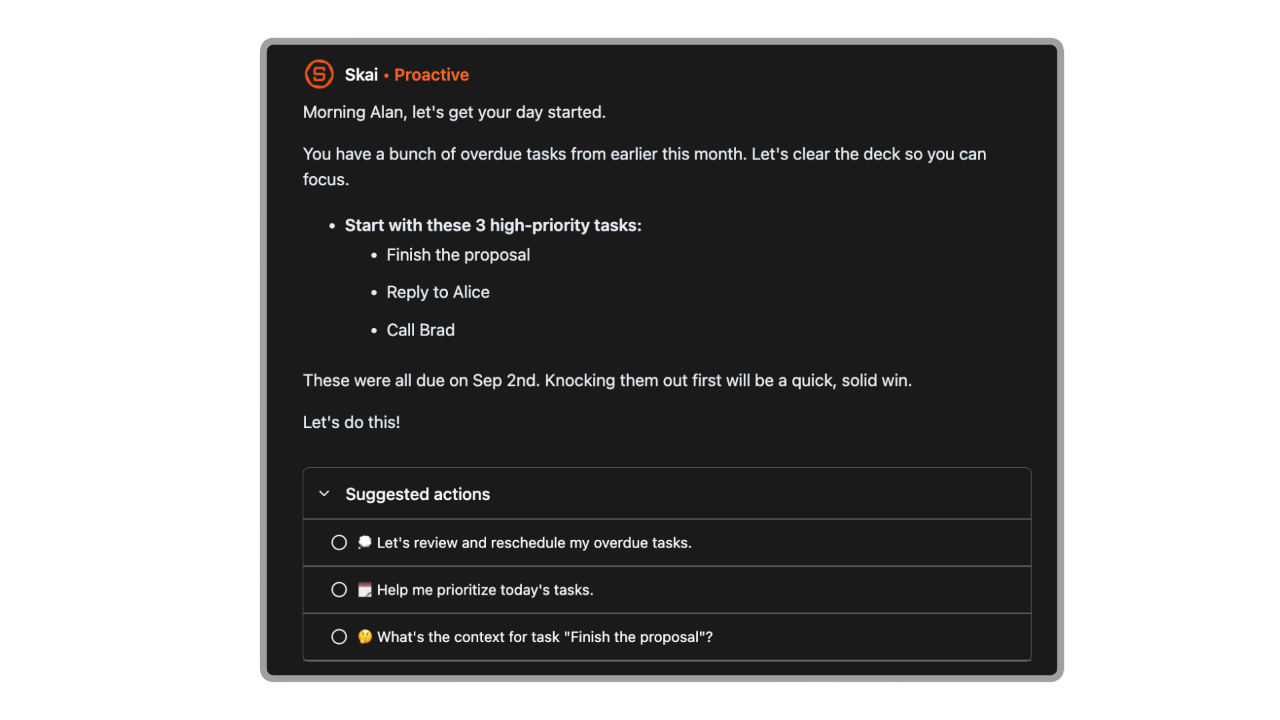
- AI Proactive Assistant: It goes through your information and plans the day automatically
- Seamless Integrations: Connect with tools like Google Drive, Slack, Notion, and more for a unified workspace
- All-in-One Workspace: Keeps your tasks, notes, and emails connected - so you can search, plan, and act without switching tabs.
Pros
- ✅ User-friendly interface designed to minimize distractions.
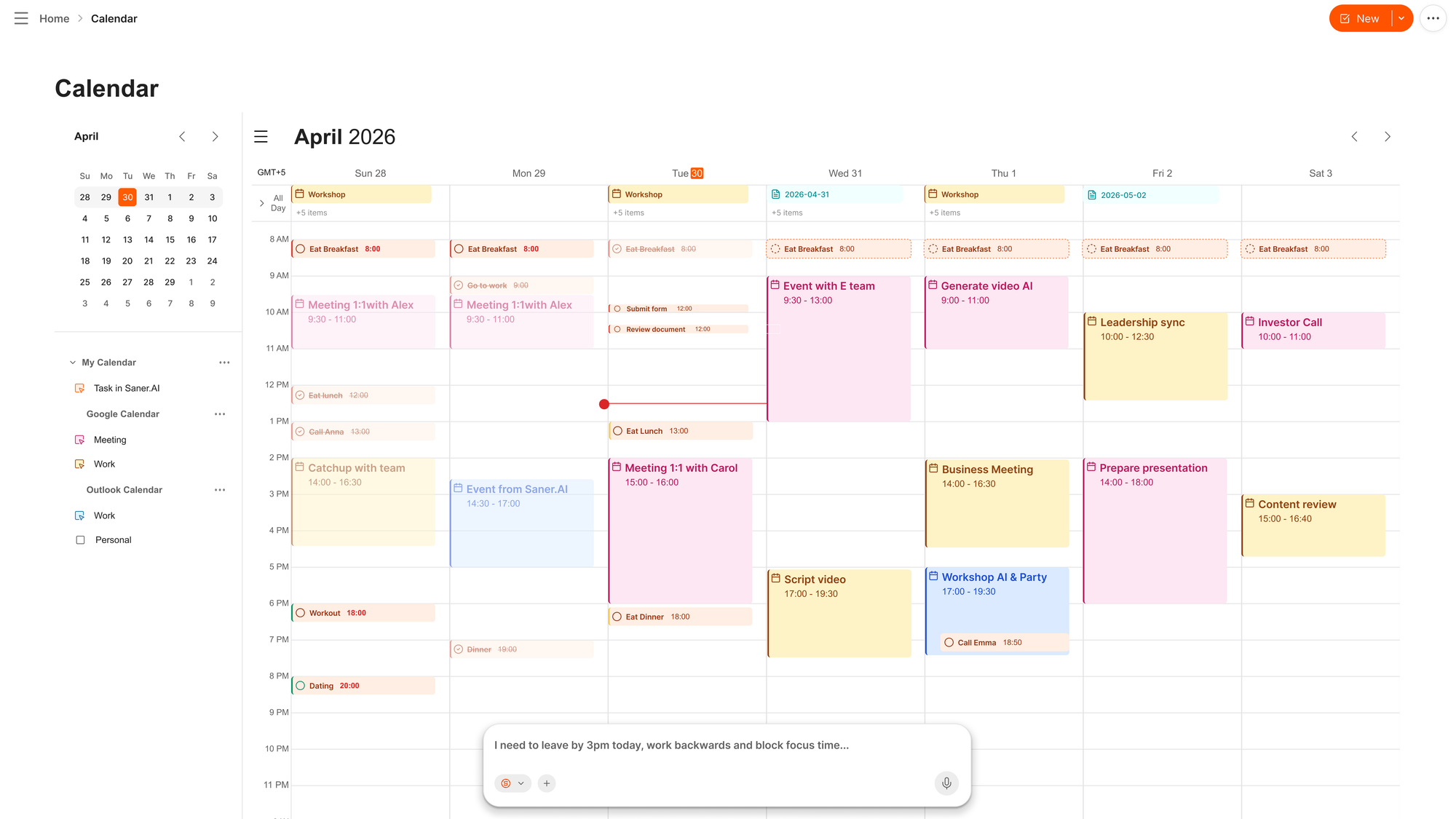
- ✅ AI calendar to manage your schedule via chat
- ✅ Free plan available with no credit card required.
Cons
- ❌ Requires internet access for full functionality.
Saner.AI Reviews
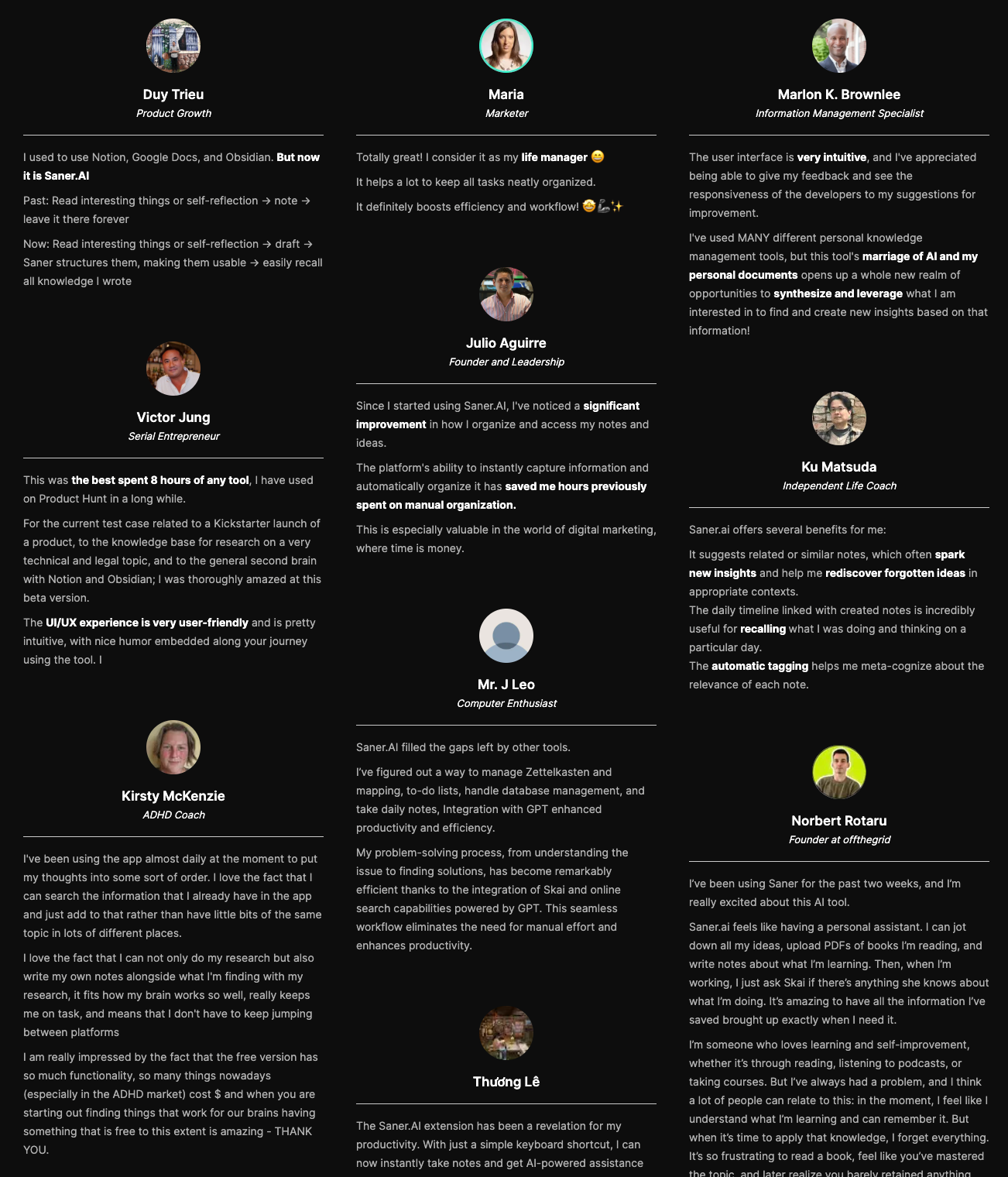
Best for
- Perfect for content creators, marketers, and founders who capture ideas constantly and hate cleanup.
How to get started
- Create a free account on Saner.AI
- Start dumping notes and tasks without organizing - let the AI handle the rest

Stay on top of your work with the Best Free AI Assistant
3. ChatGPT

Out of all the AI tools I’ve tested, ChatGPT stands out as the most capable Free AI Assistant - and that’s not just hype.
Key Features
- Multimodal AI: The latest model lets me interact with text, images, and voice even on the free plan.
- Voice Chat: The voice is natural, like talking to a real person. Full access requires a paid plan, though.
- Deep Research Agent: This one’s wild - it can research multi-step questions and deliver detailed summaries. I get a few free queries per month.
Pros:
- I love that the Free version feels useful. It remembers context well
- And Deep Research is a game-changer. I can ask it to “compare productivity tools” and it’ll do a legit research pass across the web and summarize the results.
Cons:
- Also, meeting transcription and cloud integrations (like with Google Drive or Dropbox) are only available on Team or Enterprise plans.
- ChatGPT is not built specifically for managing your calendar or to-do list. If you want a chatbot that schedules things for you directly, you can check out Saner.ai
Pricing:
- Free — $0 — GPT-5.6 Luna, unlimited text, Think button, web search, basic uploads, GPT Store. Ads in the US.
- Go — $8/month — same unlimited text with higher limits elsewhere.
- Plus — $20/month — GPT-5.6 Sol, reasoning slider, Deep Research, Agent Mode, no ads. Full pricing
Suitable For:
- Students: For research, writing help, and learning new concepts.
- Writers and content creators: For brainstorming, drafting, and editing.
- Professionals: For automating tasks, summarizing information, and generating ideas.
How to Start:
- Go to the ChatGPT website (chat.openai.com) and start using it
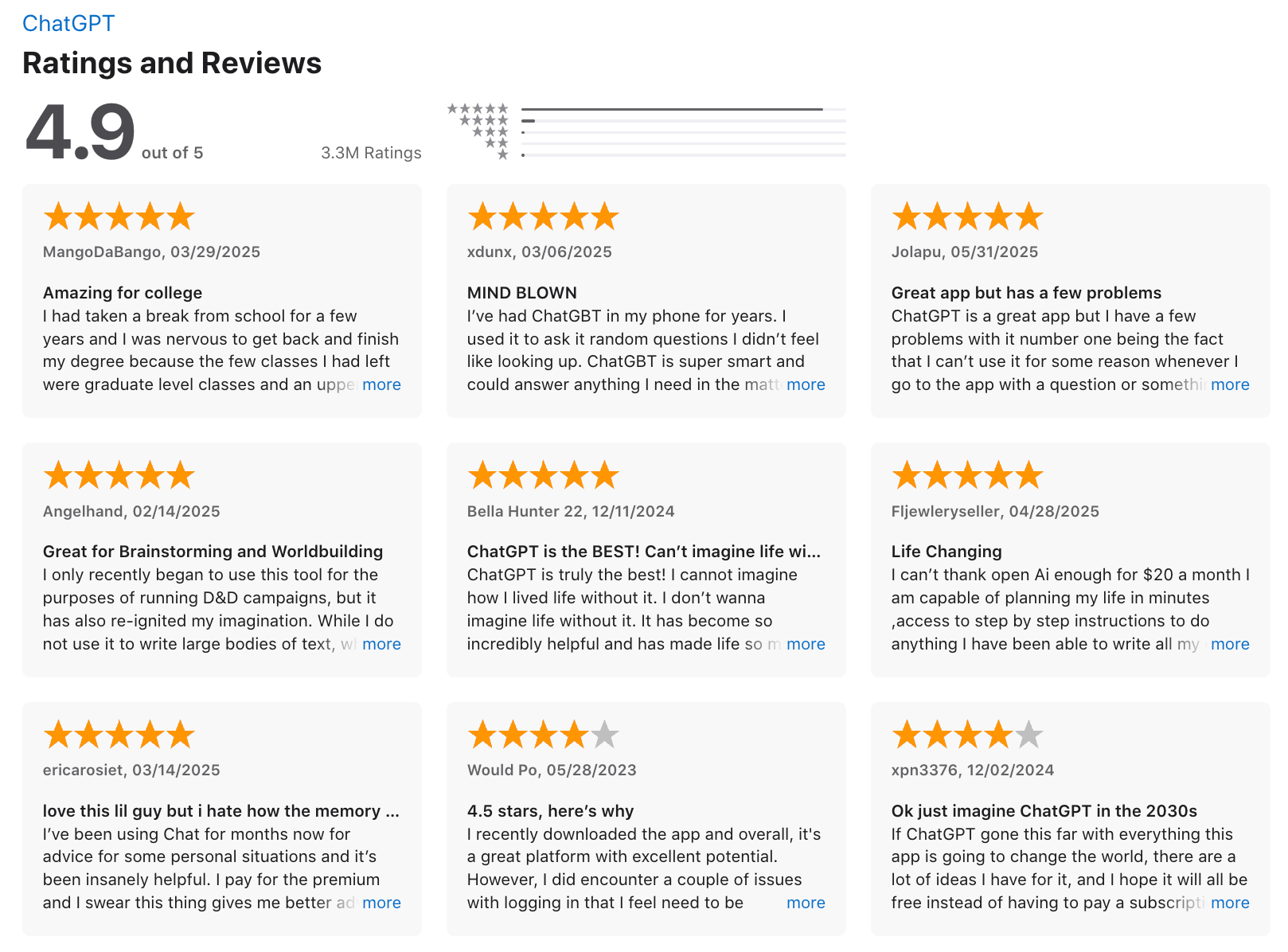
ChatGPT Review (source)
4. Google Gemini
Google is playing a different game. Gemini's free tier exists to keep you inside Gmail, Docs, and Drive, which means Google has less reason than anyone to make it painful. The result is a capable AI assistant with vague limits and unusually cheap paid tiers.
Key features
- Gemini 3.6 Flash as the free default, released July 21, 2026, with metered access to the stronger Gemini 3.1 Pro.
- Workspace integration that needs no configuration. Summarising a Gmail thread or pulling from a Drive doc happens where you already are.
- Canvas, Gems, image generation, voice, and 15 GB of storage shared across Gmail, Drive, and Photos, all on the free account.
Pros:
- The free version is useful for daily work like drafting emails, brainstorming, and quick research
- Tight Google integration reduces context switching between apps
- Feels more natural and flexible than traditional search
Cons:
- Free tier has usage limits and caps on advanced models
- Heavier research or long-form generation often pushes you toward paid plans
- If you're looking for the most proactive AI assistant (like one that automatically organizes your life), you’ll need to upgrade.
Pricing:
- Free
Suitable For:
- Anyone looking for a solid free AI assistant for everyday tasks
- Students and professionals already using Google Workspace
- Mobile users who want voice and screen-aware AI help
How to Start:
- Open Gemini on the web or install the Gemini app
- Sign in with your Google account.
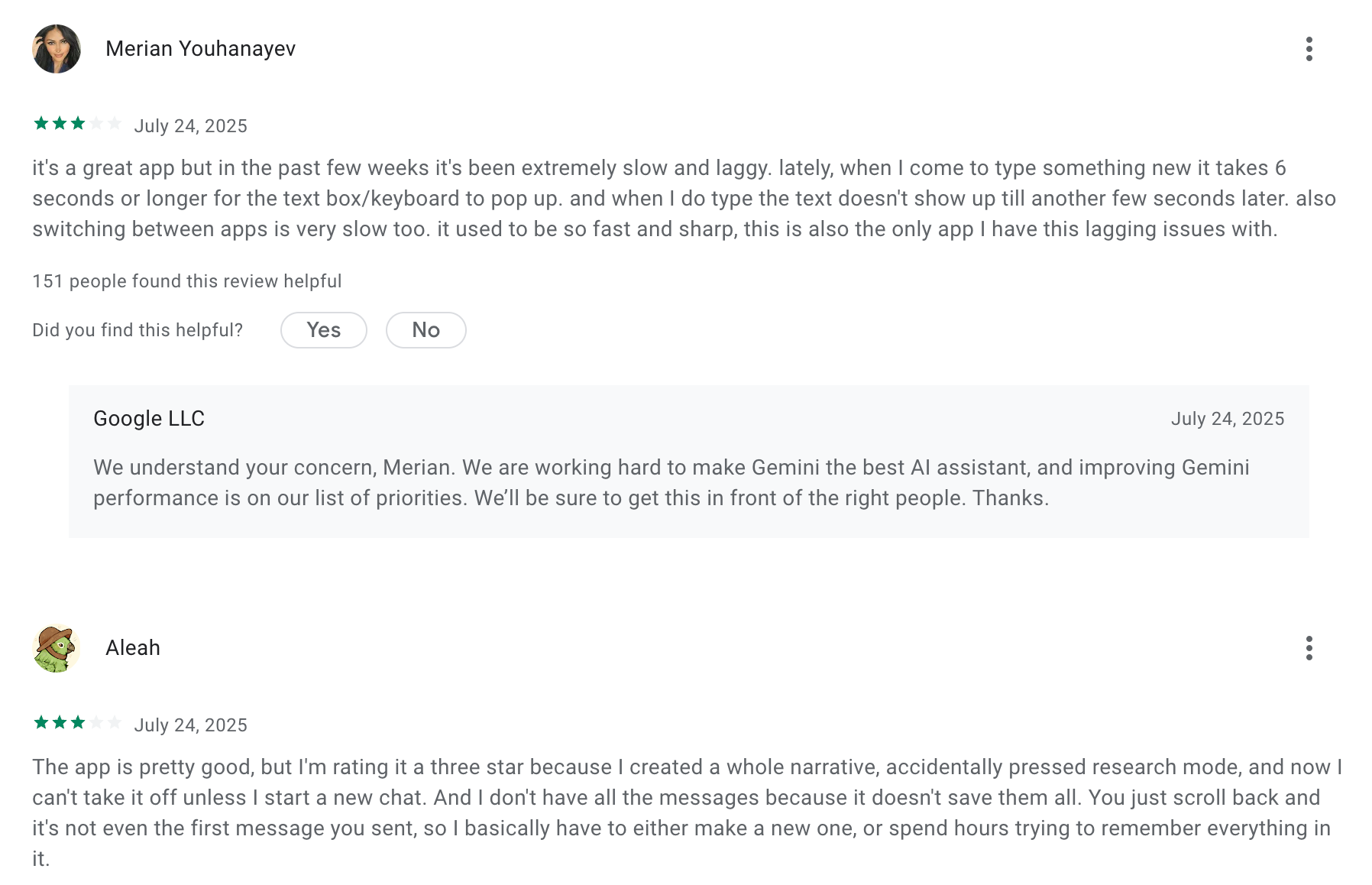
Google Gemini review (source)
5. Pi
Pi is the outlier. Launched free in 2023, still free in 2026, with no paid tier at any point and no price card to check. That is not a strategy. Microsoft acqui-hired most of Inflection's team in March 2024, monetisation moved to a separate enterprise product, and Pi was left running. Think of it as a Free AI Assistant with emotional intelligence.
Key Features
- A voice interface that does not sound like a product. It is the best conversational voice in this list, and it is not a paid feature.
- Memory across sessions. It picks up where you left off without you re-establishing anything.
- Available almost everywhere. Web, iOS, Android, plus WhatsApp, Messenger, and Instagram DM.
Pros:
- Nothing is gated. No tier, no credits, no upgrade prompt.
- It asks better follow-up questions
- It does not format everything into bullet lists, which sounds trivial until you have read four assistants in a row that do.
Cons:
- It cannot do work. No integrations, no file handling, no actions. It talks.
- The empathetic style is slow if you want a fact.
- Also, Pi isn't built for more structured productivity stuff. It won’t manage your calendar or organize files. It’s more of a thinking partner than a task manager.
- The product is effectively in maintenance mode. I would not build a habit on it without accepting it might not be here in two years.
Pricing:
- Free
Suitable For:
- Individuals seeking emotional support or a friendly conversation.
- Students needing assistance with learning or motivation.
- Professionals looking for advice on work-related tasks or productivity tips.
How to Start:
- Visit the Pi.ai website or download the app from your preferred app store.
- Create an account or log in if you already have one.
- Start using it
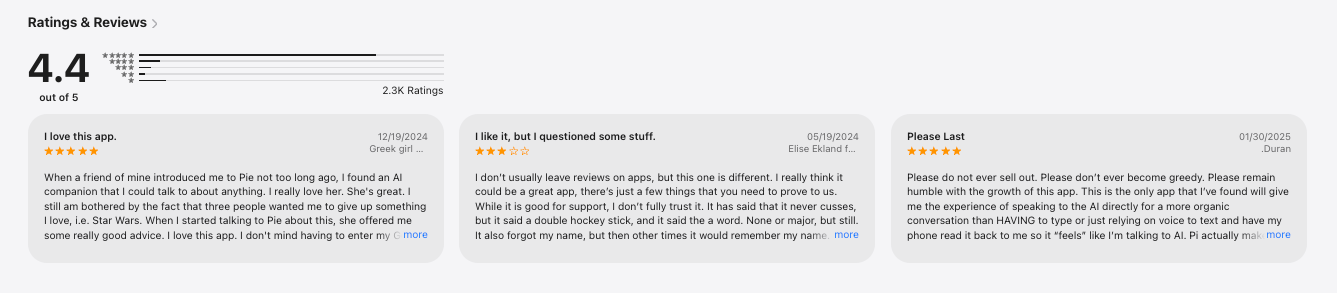
Pi.ai reviews (source)
6. OpenClaw
OpenClaw is MIT-licensed software that runs on your own machine, connects to your accounts, and reaches you through the chat apps you already use. It went from a weekend project to the most-starred repository on GitHub in under five months, its creator joined OpenAI in February 2026, and it now sits under a non-profit foundation.
Key features
- Twenty-nine chat channels. WhatsApp, Telegram, Discord, Slack, Signal, iMessage. You message it like a colleague and it works in group chats too.
- Real system access. It reads and writes files, runs shell commands, controls a browser, fills forms. Sandboxed or unrestricted, your call.
- Skills you can write, or it can write. A community skill library plus the ability to build its own tooling when it hits something it cannot do. Docs
Pros
- It actually does things. Not "here is how you would do that." It books, files, sends, and reports back.
- Persistent memory across every channel, so a decision in Telegram is known in Discord.
- No subscription, ever. The software is free and stays free.
Cons
- The security posture is genuinely bad if you deploy it carelessly. A SecurityScorecard report found more than 135,000 internet-exposed instances with 63% classified as vulnerable, and CVE-2026-25253 allowed remote code execution from a malicious webpage. Andrej Karpathy called the codebase "400K lines of vibe coded monster" in this review.
- Free software, paid models. Reddit operators report $5 to $50 a month in API spend, plus roughly fifteen hours of setup in the first week.
- You are the sysadmin. Configuration issues, unstable sessions, and a memory system that will happily store something wrong and act on it later.
Pricing
- Software — $0 — MIT-licensed, all features, no tiers.
- Model costs — roughly $5 to $50/month depending on provider and usage. Local models via Ollama bring this to near zero on your own hardware.
- Hardware — $0 if you use an existing machine, around $80 to $120 for a Raspberry Pi setup.
What users say
- The enthusiasm is unlike anything else in this list. One user's entire review on the project's shoutouts page is "It's running my company."
- The warnings are just as strong, and they come from security researchers rather than disappointed customers.
Best for
- Technical users who want an assistant nobody can price-change or discontinue.
- Anyone with privacy requirements that rule out sending their inbox to a vendor.
How to get started
- Run the one-liner from openclaw.ai or install the macOS or Windows app, then
openclaw onboard. Before you connect anything real, check that the gateway is not bound to 0.0.0.0 and reachable from the internet, because that default is exactly how those 135,000 exposed instances happened. Budget an evening, not ten minutes.
Poke
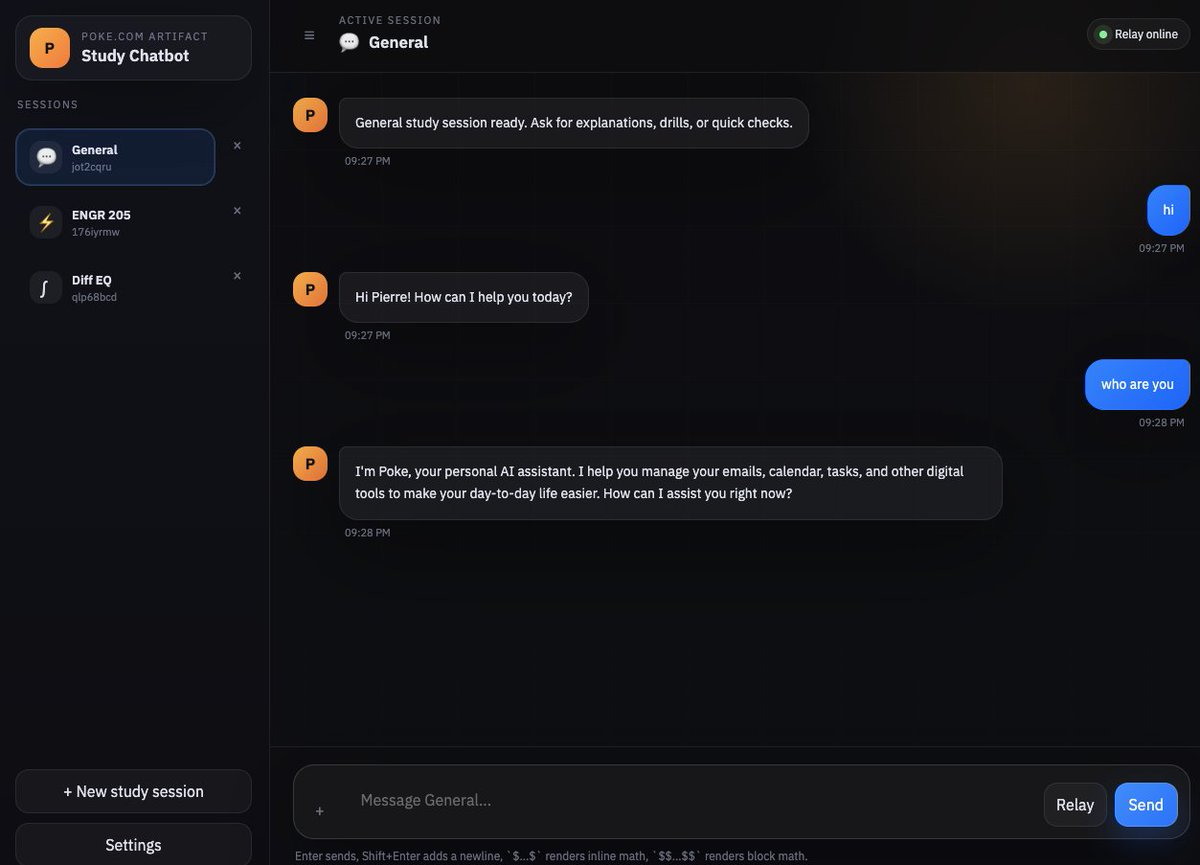
Poke removed the friction nobody else did. There is no app and no dashboard. You give it your phone number and from then on it lives in iMessage, SMS, WhatsApp, or Telegram, connected to your email and calendar.
Key features
- Proactive nudges. A meeting with no agenda, a reply that landed, a flight to check into.
- Automations described in plain language. "Tell me if anything from my landlord arrives," and it assembles the rule.
- Model routing per task rather than a single fixed provider, which the founders argued is a structural edge over assistants shipped by the labs themselves.
Pros
- Zero interface to learn. I already check my texts a hundred times a day, so this cost me nothing to adopt.
- The morning digest is genuinely useful when I am away from a desk.
- The free tier connects email and calendar with no card, which most "free" assistants do not.
Cons
- Nothing lives anywhere. Every note, decision, and task goes into a text thread and stays there, unstructured and unsearchable. For something reading my whole inbox, that amnesia is strange.
- Its email judgment is not sharp enough for me to leave unsupervised, and it got time calculations wrong more than once.
- Onboarding puts people off. The AI persona gatekeeps entry, and reviewers describe an "aggressive onboarding 'bouncer'" in their reviews.
Pricing
- Free — $0 — connect all apps, email, and calendar. No credit card. Free forever.
- Pro — $19/month — frontier models, background automations, higher rate limits.
- Ultra — $199/month — frontier models on every action, pay-as-you-go beyond credits. Pricing page
What users say
- Early reviewers call it the closest thing yet to an assistant that is proactive rather than merely responsive.
- The recurring complaints are slow third-party integrations, no Google Workspace support, and pricing that felt inconsistent during the negotiated-rate era.
Best for
- People who run their life from their messages and are away from a screen most of the day.
- Anyone who wants nudges rather than a place to think.
How to get started
- Go to poke.com, enter your phone number, and connect Gmail or Outlook plus a calendar. Expect the onboarding conversation to feel like a negotiation, because it is one. Spend the first week correcting its nudges rather than ignoring them, since the noise level drops sharply once you train it.
Conclusion
Chat assistants answer. Context assistants act on what they already know about you. Once that distinction is clear, picking stops being about which model scores highest on a benchmark and starts being about which half of your problem is actually broken.
- If you lose time waiting for a good answer, ChatGPT's new unlimited free tier or Claude's 200K context solves that outright, at no cost.
- If you lose time re-explaining your week to a tool that forgot it overnight, no amount of model quality fixes that, and Saner.ai, Poke, or a self-hosted OpenClaw are the only things here built for it.
Most people are honestly a little of both, which is why pairing one free chat assistant with one free context assistant beats a single $20 subscription for a lot of readers.
Start with ChatGPT for the thinking. Add whichever context assistant matches how much control you want to hand over. Then watch which one you open first without being asked. That is the one worth paying for.
Stay on top of your work and life
FAQ for Free AI Assistant
What is the best free AI assistant for everyday use?
ChatGPT, for most people. Since the week of August 10, 2026, free accounts get unlimited text chats on GPT-5.6 Luna with no credit card required, which removes the message-rationing anxiety every other free tier still has.
What's the difference between ChatGPT and Claude on the free tier?
ChatGPT's free plan has no cap on text messages but limits uploads, images, and voice. Claude's free plan caps everything on a rolling five-hour window but includes a longer 200K-token context, memory across chats, and the ability to create actual files with code execution. Pick ChatGPT for volume, Claude for depth.
Is Claude free good enough for coding?
For reading and reasoning about code, yes. Claude's free tier runs Sonnet 5 with a 200K-token context window, enough to hold a real codebase in one conversation. What it does not include is Claude Code, the terminal agent for multi-file editing sessions, which stays behind Pro.
Does ChatGPT's free plan really have no message limit?
Text chats, yes, as of the rollout announced August 6, 2026. File uploads, image generation, and voice minutes still have separate caps that OpenAI has not published exact numbers for.
Is there a free AI assistant with no limits at all?
Pi comes closest. It has no paid tier, no message cap tied to a subscription, and no feature wall. What it does not do is take action: no file work, no calendar access, no integrations. It talks. It does not do.
Can a free AI assistant actually manage my calendar and email?
Only the context assistants in this list can, and only partially on free. Saner.ai's free tier gives 30 AI messages a month against your connected Gmail and calendar. Poke's free tier connects email and calendar with no usage cap on the connection itself, though the models behind it are weaker than the paid tiers.
What should I look for in a free AI assistant?
Four things: whether it can see your actual context (email, calendar, files) or only what you paste in, where the usage wall sits and what happens when you hit it, whether memory persists across sessions on the free plan specifically, and what the first paid tier costs, since that number is the real price of the free plan with a delay.
Is OpenClaw safe to run?
Not by default. A SecurityScorecard report found more than 135,000 internet-exposed OpenClaw instances, with 63% classified as vulnerable, and a critical remote-code-execution flaw (CVE-2026-25253) was patched in early 2026. It is safe if you sandbox it, keep it off the public internet, and update promptly. It is not safe to run with default settings and forget about.
Is Pi still being developed in 2026?
Slowly. Most of Inflection AI's founding team moved to Microsoft in March 2024, and monetisation shifted to a separate enterprise product. Pi itself still works, remains fully free, and gets occasional updates, but it is not receiving the frequent model upgrades that ChatGPT, Claude, and Gemini get.
Do I need to pay for an AI assistant in 2026?
Most people don't, and most people don't. Roughly 3% of US households currently pay for any AI service, and free tiers from every major lab expanded sharply this year specifically because of that gap. Pay when a specific limit costs you more in time than the subscription costs in money, not before.
What's the best free AI assistant for ADHD or task management?
Saner.ai is built specifically around this: automatic task extraction from notes and email, a morning plan assembled from your actual calendar, and reminders that surface without you building a system first. The free tier's 30-message cap is tight, but it is enough to test whether the daily-plan habit sticks before paying $8 a month for unlimited use.
How do I get started with a free AI assistant?
Pick one chat assistant and one context assistant, not seven. Sign up for ChatGPT or Claude with just an email, no card needed for either. If you want something that reads your actual inbox and calendar, connect Saner.ai to one account first, not everything at once, and give it three or four real days before judging whether it earns a subscription.
How is a Free AI Assistant different from traditional productivity tools?
Traditional tools = You organize everything yourself
Free AI Assistants = They organize everything for you
With Saner.AI, you can:
- Write messy notes - it tags and files them for you
- Ask one question - instead of opening five tabs
- Get reminded at the right time - without constant check-ins
Finally, a system that works with your brain, not against it.
Get this Free AI Assistant to level up your life