How to do Task Breakdown Easily and Quickly [2026 Guide]

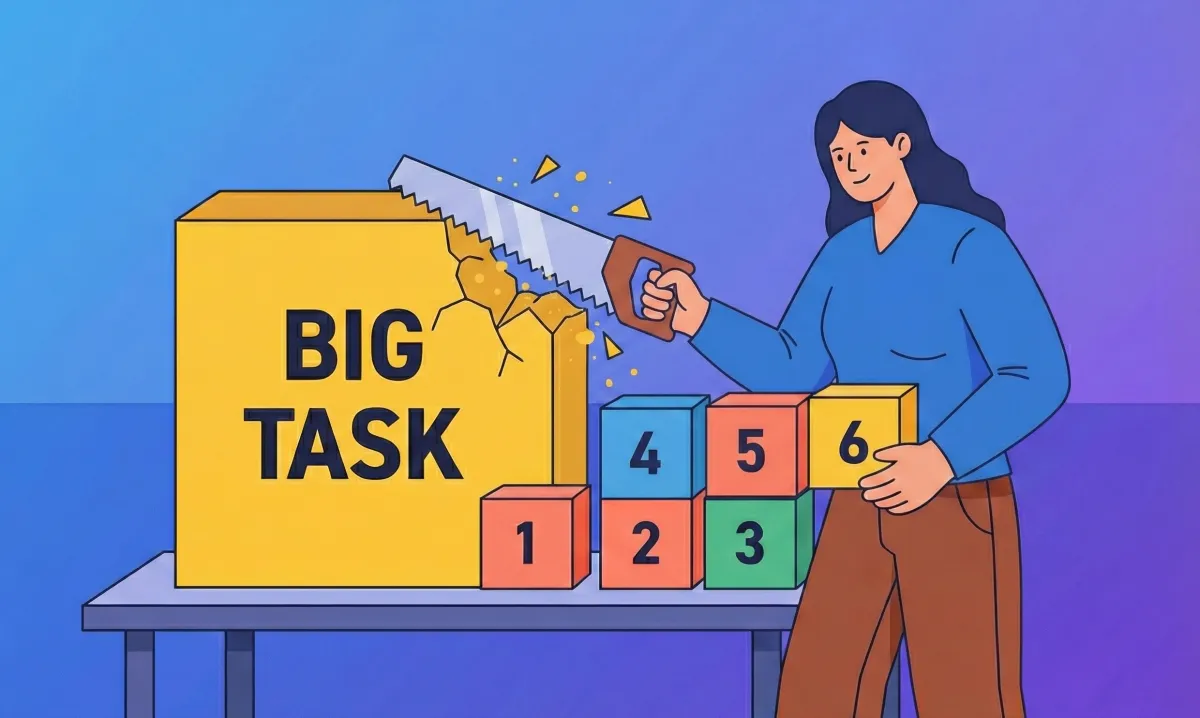
Task breakdown is the process of turning a vague, overwhelming task into small, clear, doable actions that your brain can actually start and finish.
If you’ve ever stared at your to-do list, thinking, “I know I need to do this, but I don’t know where to start” you’re not lazy. You’re overwhelmed. That freeze -often followed by procrastination or avoidance - is extremely common at work.
This struggle is especially familiar to people with ADHD, but it’s not exclusive to them. Anyone dealing with heavy workloads, unclear expectations, or mental fatigue can experience the same task paralysis.
In this article, you’ll learn:
- What task breakdown really means (in simple terms)
- Why breaking down tasks helps - but also why it feels hard
- How to start when you feel completely stuck
- Practical, real-life strategies (with and without AI)
- Clear benefits, especially for ADHD brains
1. What is Task Breakdown?
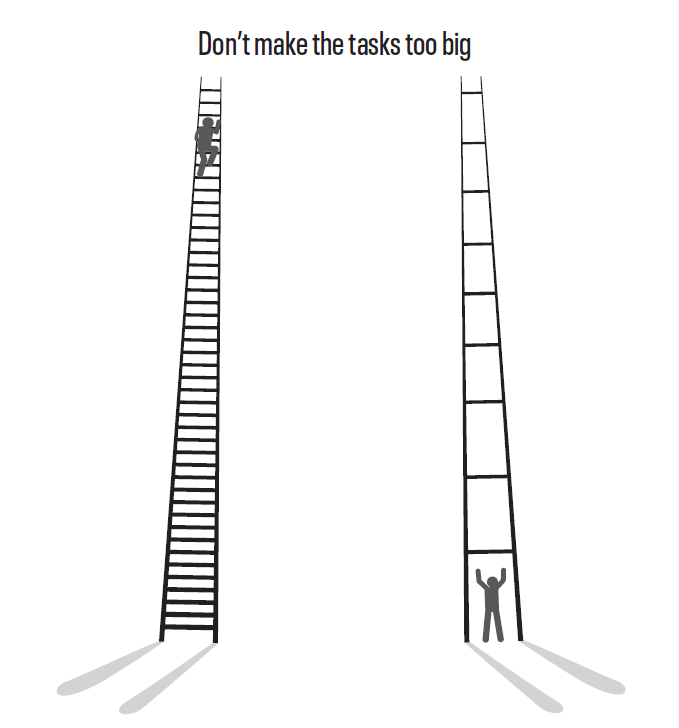
Task breakdown means breaking a task into smaller steps until each step feels clear, specific, and easy enough to start without resistance.
Most of the time, a task is overwhelming not because it’s hard, but because it’s undefined.
For example, when your brain sees: “Prepare Q3 report”
It doesn’t know:
- Where to begin
- What “done” looks like
- How much effort does it require
Task breakdown removes that ambiguity. Here is how it works:
Before the task breakdown
- Prepare Q3 report
After the task breakdown
- Open last quarter’s report
- Copy the template
- List required metrics
- Pull sales data from the dashboard
- Draft first section
-> Same task but completely different mental load. Task breakdown reduces the thinking required to start.
2. Why does Task Breakdown matter?
A. It reduces cognitive load
Your brain has limited working memory. When a task is vague, your brain tries to do all these at once:
- Hold the goal
- Figure out the steps
- Anticipate problems
- Manage emotions
Task breakdown offloads that thinking onto paper, an app, or an external system.
Less thinking → more doing.
B. Progress feels visible (and motivating)
A single big task feels endless. Five small completed steps feel like progress.
Each completed step gives your brain a small dopamine signal:
“I’m moving forward.”
This matters for everyone - but especially for ADHD brains, which rely more heavily on immediate feedback and reward.
C. It helps the brain produce Dopamine, Progress, and “Starting Momentum.”
Many people, especially those who are struggling with ADHD, are tied to:
- Low motivation for delayed rewards
- Limited working memory
- Difficulty with task initiation
Task breakdown:
- Reduces memory demand
- Creates clear starting points
- Turns abstract goals into immediate actions
Small wins → perceived progress → dopamine → increased task engagement
This isn’t about discipline. It’s about designing tasks that your brain can access.
3. Why does the Task Breakdown feel hard?
If task breakdown is so helpful, why don’t we naturally do it?
Because the same brain functions needed to break down tasks are often the ones under the most strain. For example:
- Executive functions (planning, prioritizing, sequencing) become unreliable when you are stressed, tired, or neurodivergent. You need a task breakdown when your brain is least able to do it.
- For people with task ambiguity: Vague tasks like “work on strategy” or “fix onboarding” lack a clear first step. The brain reacts to this ambiguity with hesitation instead of action.
- Perfectionists and overthinkers: People resist breaking tasks down because they want the “right” way, fear the wrong first step, or don’t want to see the full size of the task. Avoiding breakdown keeps the task feeling larger and scarier.
- Emotional resistants: Tasks tied to fear, boredom, uncertainty, or identity pressure lead the brain to avoid clarity.
This is not a motivation problem but a brain-load problem.
Now, let's dive into the tactics!
The 4-Step Task Breakdown Framework
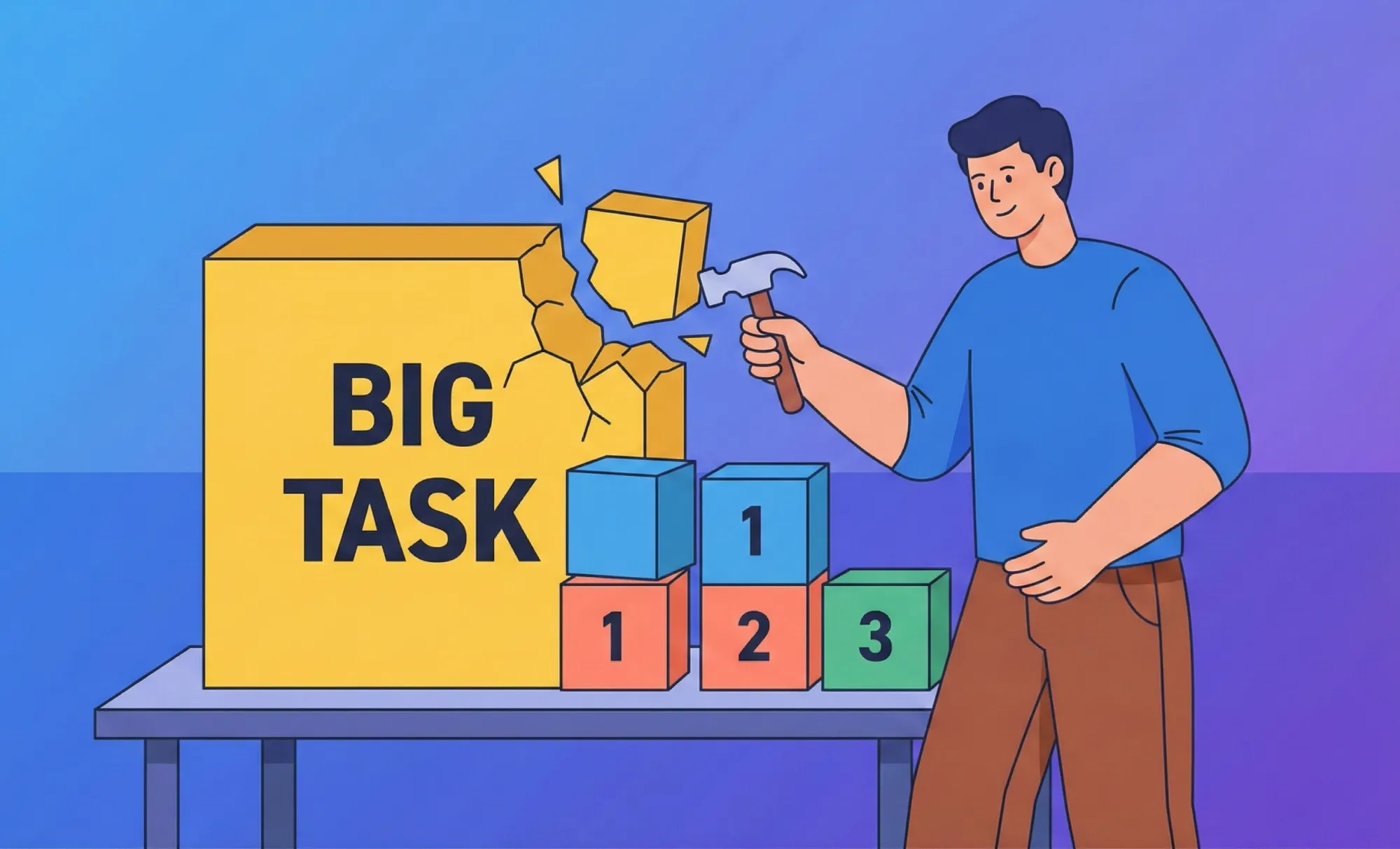
We made this framework from a practical synthesis of research from cognitive load theory, executive function, implementation intentions, and ADHD-focused productivity studies. This is designed to reduce task initiation friction rather than increase discipline.
Step 1: Define the finish line
Ask:
- What does “done” actually mean?
- What would I hand in, send, or submit?
Example
- “Finish presentation” → “Slides ready to send to manager”
- Clarity reduces anxiety before action even begins.
Step 2: Identify the first visible action
You don’t need the best step, just the first one you can see and act on
Examples:
- Open the document
- Create a new file
- Find the brief
If you can see yourself doing it, it counts.
Step 3: Break until steps feel “too small to fail”
Keep breaking steps down until:
- They take <10 minutes
- They require no decision-making
- They feel slightly bored
For example, instead of: Research competitors
Try:
- Google competitor A
- Open their homepage
- Screenshot pricing page
If it feels silly, you’re doing it right.
Step 4: Stop breaking when action becomes obvious
You don’t need infinite steps. Stop when you can say: “I know exactly what to do next.”
Practical Tactics to do the Task Breakdown in the Real World
Task breakdown fails in real life, not because people are lazy, but because their brains hit friction. The goal of every strategy below is simple: reduce cognitive load so action feels possible.
A. Using AI Tools to break down tasks

The purpose of using AI for task breakdown is neither speed nor motivation.
It’s to reduce cognitive friction - the mental cost of holding, sorting, and sequencing tasks in your head.
Different AI tools help in different ways. These are the most prominent tools we recommend:
1. Saner.AI
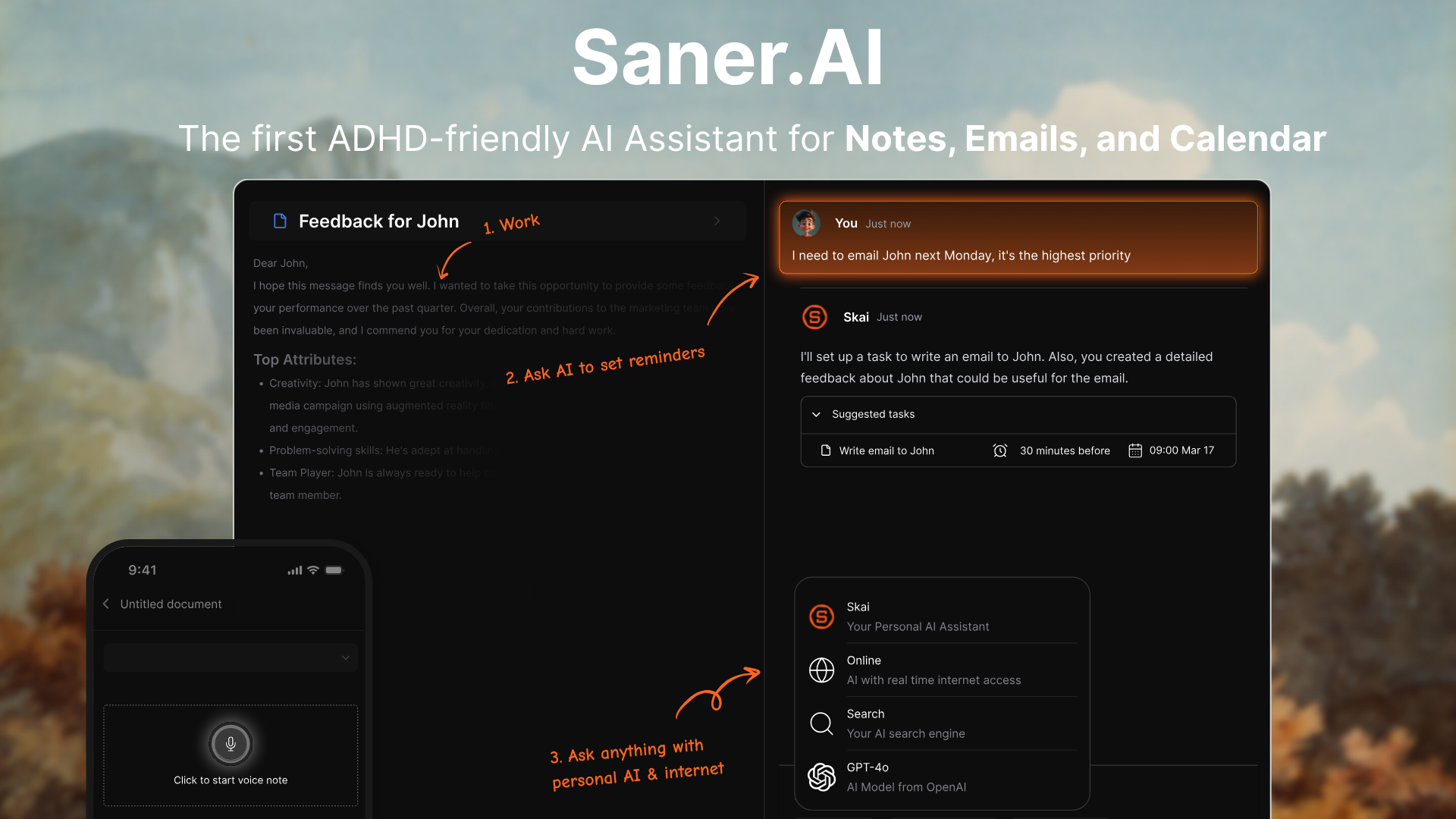
Saner.AI is most useful when you have too many unstructured thoughts at once, acting as a personal assistant.
Here's how it supports task breakdown in practice:
- You dump thoughts exactly as they appear (no formatting, no decisions)
- Skai detects intent (task vs idea vs reminder)
- Related items are grouped automatically
- Large, vague goals are converted into smaller, actionable steps
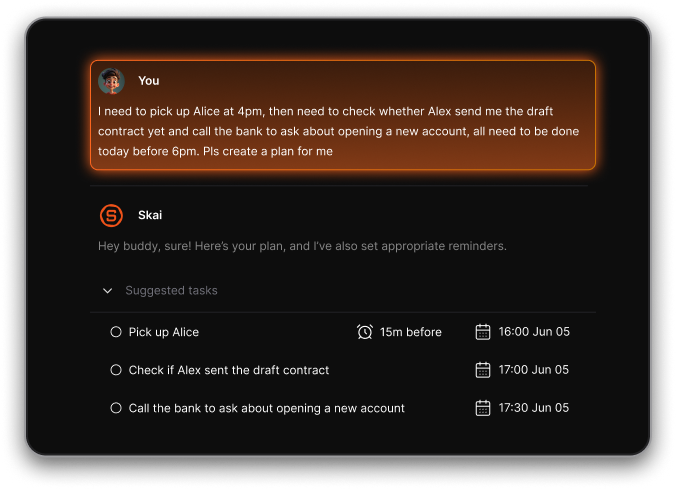
Example workflow:
- You write:
“Launch new content series, research competitors, figure out format, talk to design, set timeline.” - Saner.AI turns this into:
- Research competitors
- Decide content format
- Draft initial outline
- Sync with design
- Set publishing timeline
Why this works for task breakdown:
- You don’t pre-organize (which is where most people get stuck)
- Structure emerges after dumping, not before
- Tasks become actionable without overthinking sequencing
Saner.AI is especially effective when:
- Tasks feel overwhelming but not complicated
- You struggle to “see” the steps clearly
- You abandon tools that require upfront structure
It doesn’t tell you what to do. It helps you see what’s already there.

Break down your big tasks immediately
2. ChatGPT

ChatGPT is useful when the task feels overwhelming because it’s poorly defined, not because it’s too big.
It helps with task breakdown by:
- Turning vague goals into clearer problem statements
- Translating emotional overwhelm into logical steps
- Helping you name what the task actually is
Effective prompts for task breakdown:
- “Help me break this vague goal into concrete steps.”
- “What am I actually trying to achieve here?”
- “Rewrite this task in simpler language.”
Where ChatGPT works well:
- Early-stage clarity
- Reframing tasks that feel emotionally heavy
- Understanding what needs to be done
Limitations:
- Output still needs to be manually transferred into a task system
- No built-in execution or prioritization
- Easy to over-plan instead of acting
ChatGPT helps you understand the task. It doesn’t help you hold or manage the task long-term.
3. Goblin.tools
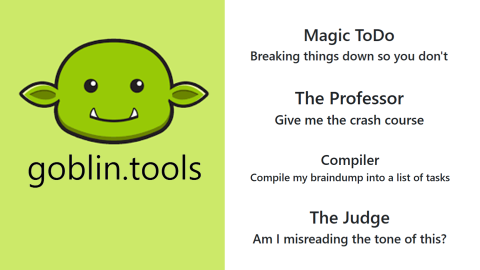
Goblin.tools is designed specifically for people who struggle with executive function, overwhelm, or starting tasks. Its strength isn’t planning or strategy - it’s making tasks feel emotionally doable.
This is how Goblin.tools helps with task breakdown:
- Takes a single task and explodes it into very small steps
- Adjusts breakdown depth (from simple to extremely granular)
- Removes ambiguity around “what exactly do I do next?”
Limitations:
- No long-term task management
- No context linking between tasks and notes
- Best used moment-by-moment, not as a system
Goblin.tools is excellent for unsticking yourself, but not for managing ongoing work.
4. Grok
Grok works differently. It’s less about capturing chaos and more about thinking through complexity.
Grok is useful when:
- The task itself is unclear
- There are many constraints or trade-offs
- You don’t know how something should be done
How Grok helps with task breakdown:
- Explains unfamiliar problems in plain language
- Breaks abstract goals into logical phases
- Helps you reason through “what matters vs what doesn’t.”
Effective prompts to use Grok:
- “Break this project into logical phases.”
- “What are the main components of this task?”
- “What can be safely ignored at the start?”
Limitations for task breakdown:
- You still need to translate the output into tasks
- It doesn’t manage or track execution
- It assumes you’ll do the organizing yourself
Quick comparison: which AI tool to use for task breakdown (real-world)
- Saner.AI
Best when your head feels crowded, and tasks are tangled together. It excels at turning messy thought dumps into structured, actionable steps you can actually execute. - Grok
Best for complex or unfamiliar tasks where you need reasoning first. It helps you understand what the task is before you break it down. - ChatGPT
Best for clarifying vague goals and reframing overwhelm. Useful for defining tasks, but you still need another system to manage them. - Goblin.tools
Best when starting feels hard, and tasks feel emotionally heavy. Ideal for creating very small, non-threatening steps - but not for organizing ongoing work.
Tools that externalize thinking, create structure, and have a UI to manage tasks (like Saner.AI) tend to outperform tools that only explain or decompose tasks in isolation.
Right Way vs Wrong Way: Using AI for Task Breakdown Comparison Table
| Situation | ❌ Wrong Way (What Most People Do) | ✅ Right Way (What Actually Works) |
|---|---|---|
| Starting a task | Ask AI to plan the entire project in one go, then feel overwhelmed by the output. | Ask AI for the smallest possible first step to create momentum. |
| Handling overwhelm | Use AI to generate longer, more detailed task lists that add pressure. | Use AI to reduce cognitive load by simplifying and shrinking tasks. |
| Role of AI | Treat AI like a manager that tells you what to do. | Treat AI as a thinking partner that helps you see structure more clearly. |
| Task clarity | Accept AI output blindly, even when it feels unrealistic or heavy. | Adjust AI suggestions based on your energy, context, and constraints. |
| Planning vs doing | Keep refining the breakdown instead of taking action. | Stop breaking down once a task feels emotionally easy to start. |
| Using chat-based AI | Leave task breakdowns inside chat history and redo the same thinking later. | Move AI-generated steps into a persistent task or note system. |
| Motivation | Expect AI to fix procrastination or create motivation. | Use AI to lower resistance so action creates motivation. |
| Level of detail | Over-engineer tasks with too many micro-steps. | Break tasks down only until starting feels safe. |
| Tool choice | Use one AI tool for everything, regardless of the problem. | Match the tool to the problem (clarity, structure, or execution). |
B. Non-AI Strategies
You don’t need tools for everything. Some of the most effective task breakdown methods are brutally simple.
1. The 2-minute rule
If a step takes less than 2 minutes:
- Do it immediately
- Don’t track it
- Don’t overthink it
This prevents your task list from filling up with “micro-resistance.”
Momentum beats perfect planning every time.
2. Chunking by type, not time
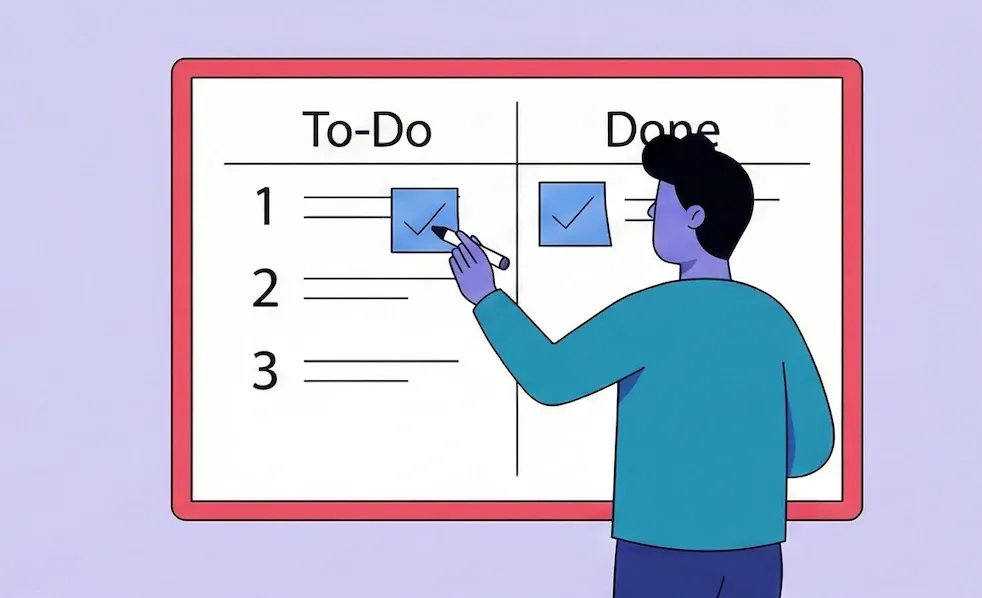
Instead of scheduling tasks randomly, group them by mental mode:
- Thinking tasks (planning, decisions)
- Writing tasks (emails, content, reports)
- Admin tasks (forms, follow-ups, logistics)
Why this works:
- Context switching is exhausting
- Your brain stays in the same gear longer
- Tasks feel easier even if they’re not shorter
This is especially effective when energy is limited.
3. Walk backward from the deadline
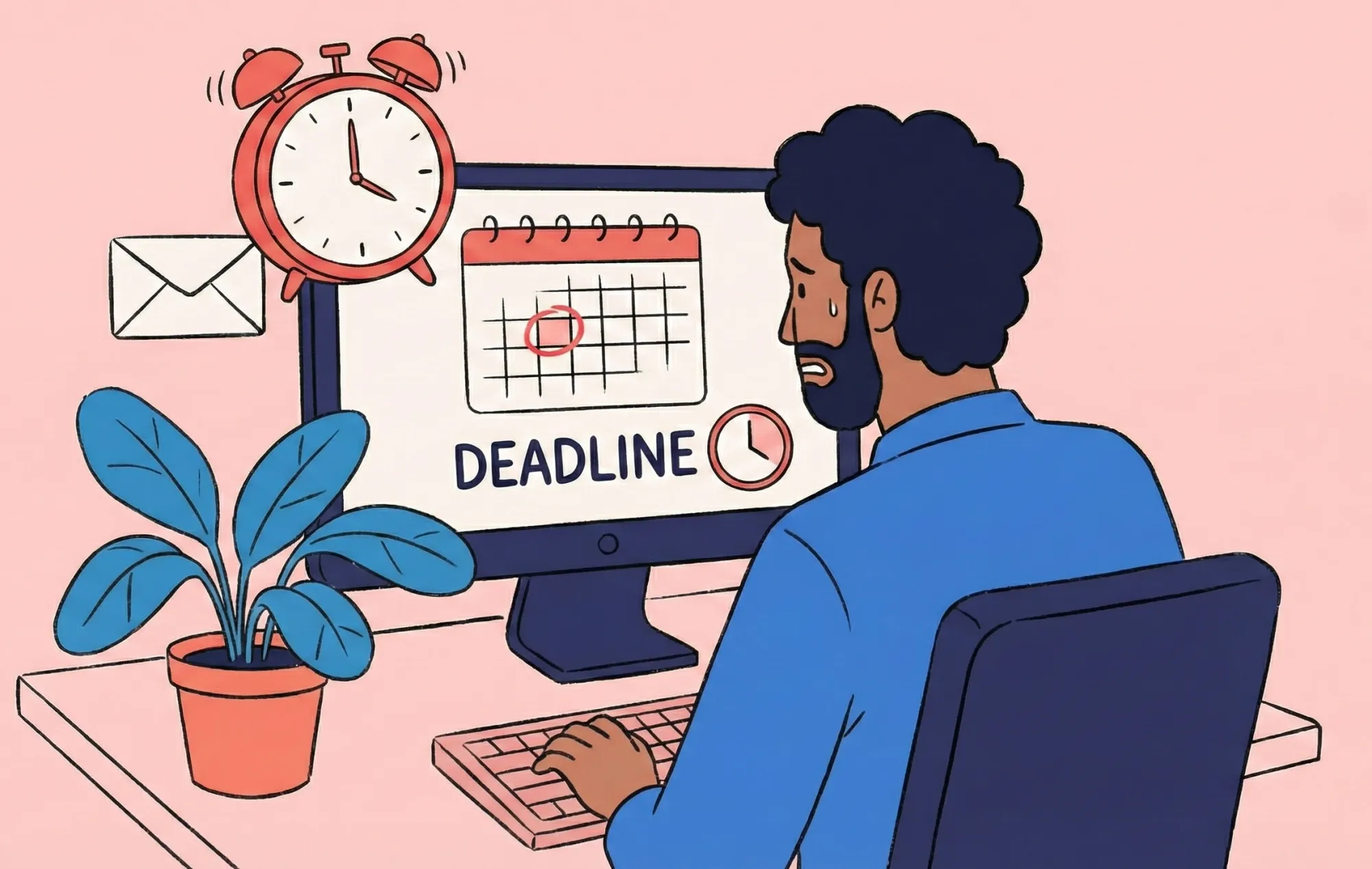
Forward planning can feel abstract and overwhelming. Reverse planning is concrete.
Ask:
- What must exist at the end?
- What had to happen right before that?
- What comes one step earlier?
Working backward reduces uncertainty and reveals missing steps you’d otherwise overlook.
4. Write “stupidly small” steps (on purpose)

If a task feels heavy, your steps are too big. Rewrite them until they feel almost ridiculous:
- Open document
- Read the first paragraph
- Write one sentence
- Save and close
The goal is to make action unavoidable.
Examples of Task Breakdown in Real Life (Work & Everyday Situations)
Breaking down tasks isn’t about being more organized. It changes how your brain experiences work, from threatening to manageable.
Below are how you can apply smart techniques in task breakdown for real-life situations.
Example 1: Overwhelmed at Work With Too Many “Small” Tasks
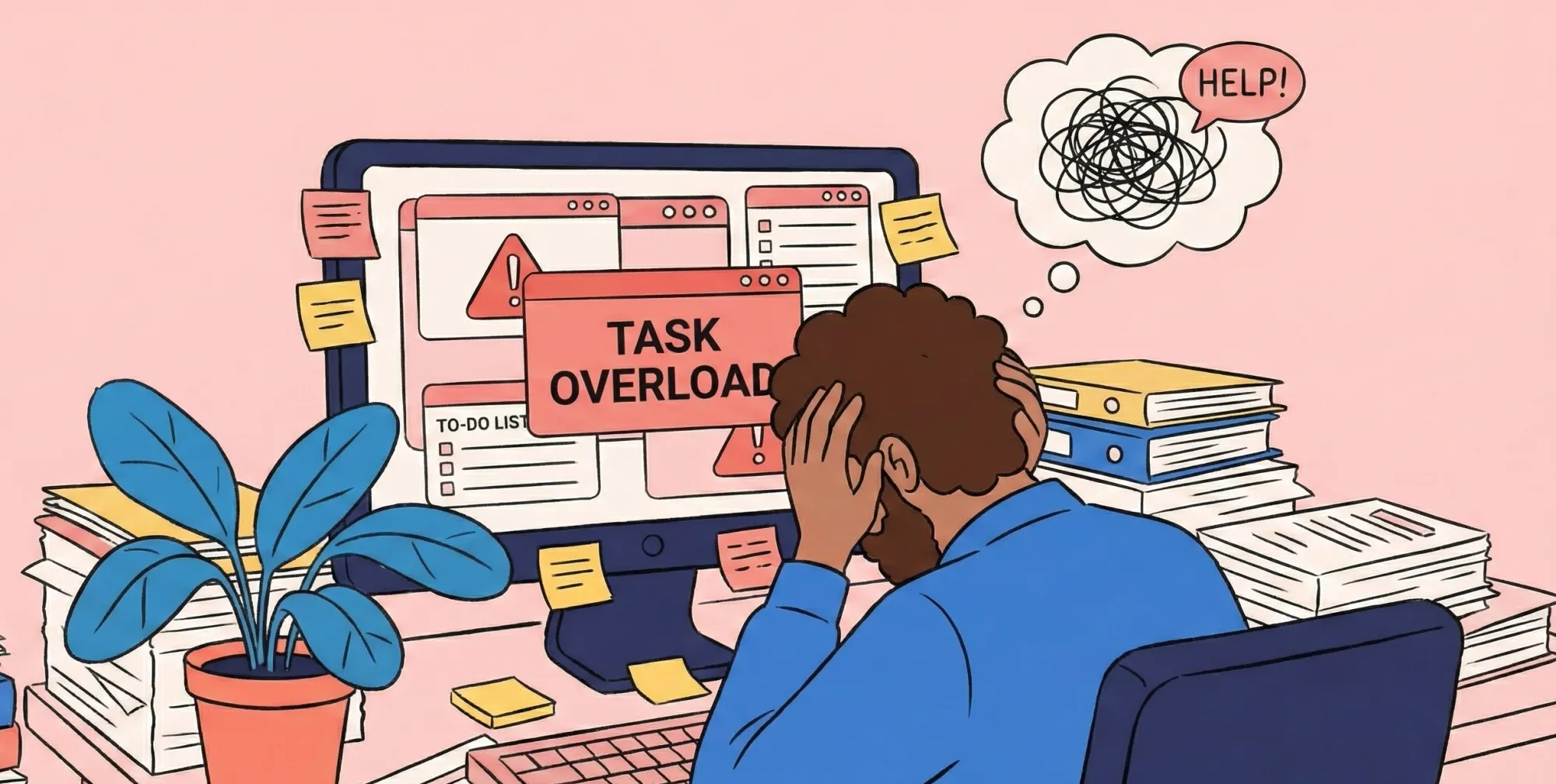
The situation
You are a project manager and you have emails, follow-ups, documents to review, and Slack messages - all individually small, but collectively overwhelming.
Why does it feel overwhelming?
Your brain treats this as one giant, undefined workload. Switching contexts repeatedly increases cognitive load and fatigue.
Task breakdown in practice
Instead of listing tasks by project, you break them down by task type:
- Reply to 3 emails
- Review 1 document
- Send 1 follow-up message
Each step is small, specific, and time-bound. You’re no longer managing “everything,” just one clear action at a time.
Example 2: Preparing for a Presentation
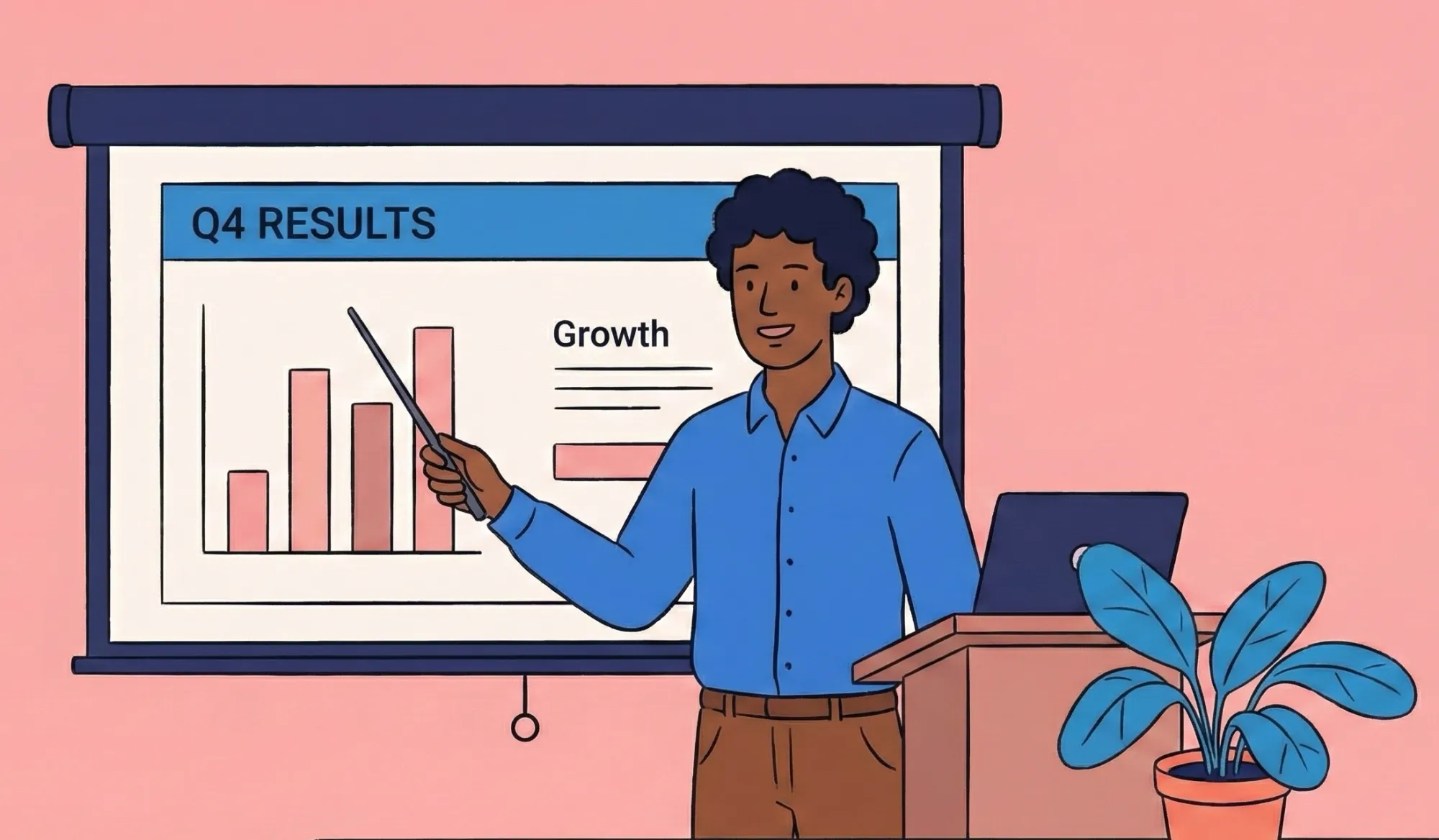
The situation
You are an executive, and you need to “prepare a presentation for next week.” It sits on your to-do list for days. Every time you think about it, you feel tense and open something else instead.
Why does it feel overwhelming??
The task is vague. Your brain doesn’t know:
- What the final output looks like
- How much work is involved
- Where to begin
Task breakdown in practice
- Open last quarter’s presentation
- Duplicate the slide deck
- Write slide titles only (no content yet)
- Add 3 bullet placeholders per slide
- Fill in one slide
Once the first visible step is done, momentum follows. The task stops feeling abstract and starts feeling executable.
Example 3: Responding to a Difficult Email

The situation
You receive a difficult email - critical, emotionally loaded, or vaguely demanding. You read it once, feel a knot in your stomach, and then avoid replying. Hours (or days) pass, even though the response itself wouldn’t take that long.
Why does it feel overwhelming
The task isn’t just “reply to an email.” Your brain is trying to:
- Regulate emotion
- Interpret tone and intent
- Decide what to say and what not to say
- Anticipate the other person’s reaction
That’s a high executive load, especially under stress.
Task breakdown in practice
- Saner.AI, when connecting to the email, will detect this email as a task and ask you to input it into your to-do lists. By integrating into daily tasks, Skai will have the context of email.
- You can ask Skai to brain-dump your unfiltered thoughts (what you’re annoyed about, worried about, or unsure of)
- Ask the system to extract:
- Key points that need a response
- What decisions are actually required
- A neutral response outline (not a polished email)
- Turn that outline into micro-steps:
- Write a calm opening line
- Answer one question at a time
- Close with a clear next step
By separating emotional processing from writing, task breakdown becomes possible. You’re no longer responding to the entire situation at once - just executing small, defined actions.
Why this works
The cognitive load shifts from your head to an external system. Once the thinking is offloaded, writing the email becomes a mechanical task rather than an emotional one.
What These Examples Have in Common
Across work and life, effective task breakdown:
- Turns abstract goals into visible actions
- Reduces emotional and cognitive load
- Makes starting easier - even when motivation is low
The task itself doesn’t change. The way the brain experiences it does.
Conclusion: Task Breakdown - The Skill That Makes Everything Else Easier
Task breakdown isn’t about working harder or planning perfectly - it’s about making work mentally doable.
- Some struggle to start.
- Some get overwhelmed by too many steps.
- Others know what to do but can’t decide where to begin.
That’s why effective task breakdown is about reducing thinking friction.
Some people prefer non-AI methods like the 2-minute rule, walking backward from deadlines, or deliberately writing “stupidly small” steps to lower friction. These techniques work well when the task is simple and the structure is already clear.
Others benefit more from AI-assisted task breakdown, where tools help externalize thinking, suggest logical steps, and reduce decision fatigue.
- Among AI approaches, Saner.AI stands out because it doesn’t force you to plan first. You can dump unstructured thoughts, half-ideas, or worries - and let the system turn them into clear, actionable steps. This makes it especially useful when task breakdown feels hard, not because of effort, but because of cognitive overload.
- Tools like Grok, ChatGPT, and Goblin.tools can also help generate steps, but they often require clearer prompts and more upfront structure.
What matters most isn’t the method - it’s the outcome:
- Can you see the next action clearly?
- Does the task feel smaller and more approachable?
- Are you spending less energy deciding what to do and more energy actually doing it?
If task breakdown helps you feel calmer, more focused, and more in control of your work, then it’s working.
👇 Where to start
If you want the most frictionless way to break down tasks - especially when your thoughts are scattered - start with Saner.AI. It’s built to support real human thinking: imperfect, nonlinear, and constantly changing.
Break down your tasks effortlessly with Saner.AI
Task Breakdown FAQ
1. How do you break down a big task without feeling overwhelmed?
Start by removing pressure to “do it right.” Write down the task exactly as it appears in your head, then focus on identifying just the first visible step. Tools like Saner.AI help by turning unstructured thoughts into smaller, actionable steps automatically.
2. What is the best way to break a task into manageable steps?
The best approach is to break tasks into steps that are obvious and doable, not perfectly planned. If a step still feels heavy, it’s not small enough. AI tools can speed this up by suggesting next actions based on context.
3. Why does task breakdown feel harder than doing the task itself?
Because task breakdown requires decision-making, clarity, and foresight - all mentally expensive. When your brain is tired or overloaded, this planning cost feels higher than execution. That’s why many people avoid it unless support or structure is present.
4. Why is task breakdown important for productivity?
Task breakdown reduces cognitive load by turning vague goals into concrete actions. When your brain sees a clear next step, resistance drops and momentum increases. This is especially helpful for complex or multi-step work.
5. What’s the difference between a task breakdown and a regular to-do list?
A to-do list captures what you want to do. Task breakdown clarifies how to do it by defining the steps in between. Without breakdown, many to-do items remain stuck and unfinished.
6. How small should a task be when breaking it down properly?
A good rule: a task should feel almost “too easy” to start. If you hesitate, shrink it further. Writing “open the document” is often more effective than “work on the report.”
7. What are the most common mistakes people make with task breakdown?
The biggest mistake is breaking tasks down by time instead of action. Others include creating steps that are still abstract or overplanning everything up front. Effective breakdown favors clarity over completeness.
8. Is task breakdown more useful for complex tasks or simple ones?
It’s most impactful for complex, ambiguous, or emotionally heavy tasks. Simple tasks usually don’t need a breakdown, but complex ones benefit immediately from being decomposed into visible steps.
9. How does task breakdown help reduce procrastination?
Procrastination often comes from not knowing where to start. Task breakdown removes that uncertainty by defining a clear entry point. Once started, motivation tends to follow action.
10. Can AI tools help with task breakdown better than manual methods?
Yes, especially when mental energy is low. AI tools can suggest steps, identify actions hidden inside notes, and reduce the effort required to plan. This lowers friction compared to manual breakdown methods.
11. How does Saner.AI help with task breakdown?
Saner.AI allows you to brain-dump tasks naturally, then extracts actionable steps without forcing a rigid structure. It connects notes, tasks, and reminders, so breakdown happens as part of working, not as a separate chore.
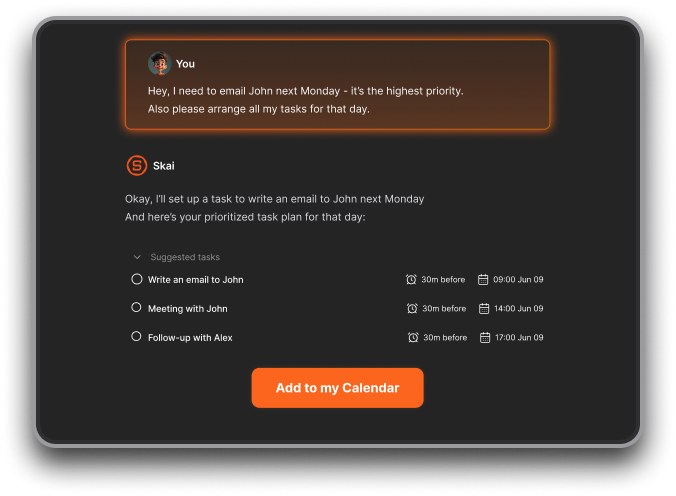
12. How is using Saner.AI different from using ChatGPT for task breakdown?
ChatGPT helps generate step-by-step plans, but it doesn’t stay connected to your actual tasks or timeline. Saner.AI keeps task breakdown tied to your notes, calendar, and follow-up - so steps don’t disappear after planning.
13. When should I use non-AI task breakdown methods instead?
Non-AI methods work well when tasks are simple or repetitive. Techniques like the 2-minute rule or “stupidly small steps” are effective when you already know what to do but need momentum.
14. How does task breakdown improve follow-through, not just planning?
Breaking tasks into concrete steps makes progress visible. This creates quick wins, reinforces motivation, and reduces the chance of tasks being forgotten or postponed indefinitely.
15. What’s the fastest way to start using task breakdown today?
Start with one stuck task. Write it down messily, then identify the smallest possible next action. If planning feels heavy, let a tool like Saner.AI handle the breakdown so you can move straight into doing.
Stay on top of your work and life