
Honest Lindy AI Reviews (2026): Is This AI Employee Worth It?


On August 10, 2026, Lindy's CEO posted: "We kill the AI agent." What replaced it is Lindy Teammate, an AI coworker that lives in your company's Slack. You add it to channels, anyone on the team hands it work, and it accumulates your organization's context from the messages and meetings happening around it.
That's the third distinct product Lindy has sold in eighteen months. It started as a no-code agent builder in 2024. It relaunched as a personal executive assistant over iMessage in February 2026. Now it's a Slack-native AI employee priced per seat.
This creates a problem for anyone researching it: What does Lindy actually do, and does it do it well?
I read all the reviews and tried the product. Here are the most up-to-date views about Lindy AI, what holds up and what doesn't.
Key Takeaways
- Lindy is now a team product, not a personal one. It lives in Slack, shares context across the workspace, and bills per seat.
- Pricing got cheaper. Plus dropped from $49.99 to $29.99/user with 3,000 published credits. Overage billing at 2x is gone. Credits pool across the workspace and Lindy pauses instead of charging you more.
- A new cost problem replaced it. Anyone who @mentions Lindy in Slack takes a billed seat. Twenty people is roughly $600 a month
- Individuals are now the awkward fit. If you want one assistant for your own notes, email, calendar, and day, Saner.AI starts at $8/month and has a free plan. Lindy now is $29.99 for a product built around team.
Lindy At a Glance
| Category | Score | Why |
|---|---|---|
| Ease of setup | 9.0 / 10 | One click from the Slack marketplace. Still best in class. |
| Feature depth | 9.0 / 10 | Skills, routines, meeting library, computer use, 1,000+ tools, MCP. |
| Integrations | 9.0 / 10 | Thousands, plus any MCP server. Slack-first by design. |
| Pricing transparency | 7.0 / 10 | Credits published again, bands documented, no overage trap. |
| Value for money | 6.0 / 10 | Good per seat. Rough once seats multiply by accident. |
| Reliability | 5.5 / 10 | Documented failures are from the old build. Unproven on the new one. |
| Customer support | 4.5 / 10 | Dedicated support still Enterprise only. |
| Fit for individuals | 3.5 / 10 | A shared Slack coworker is the wrong shape for one person. |
| Overall | 6.7 / 10 | Materially better product. Much narrower audience. |
What Is Lindy?
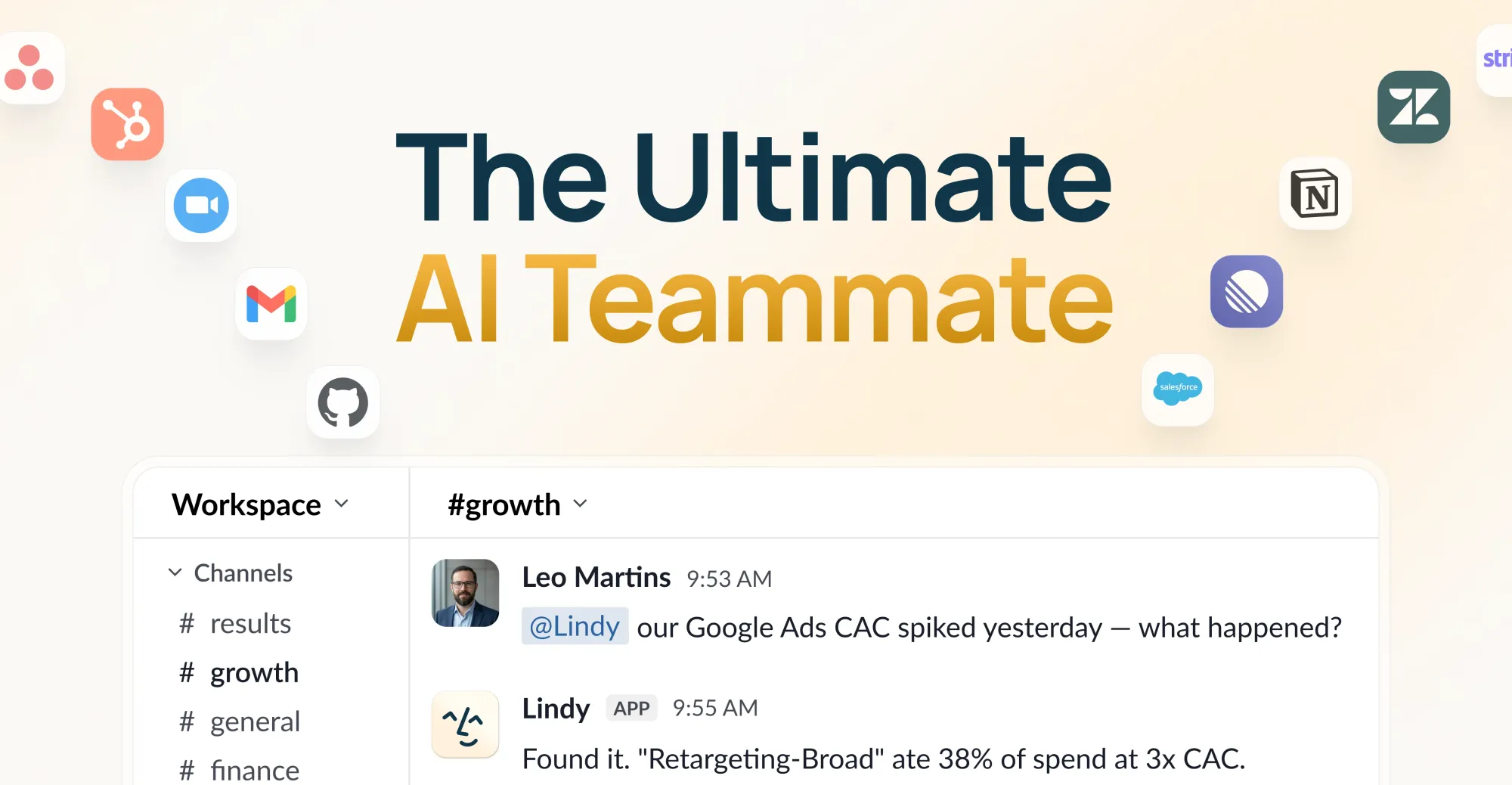
Lindy Teammate is an AI coworker that installs into Slack. Everyone on the team gets a private Lindy in their DMs. The whole team shares one in channels. You @mention it, and it works.
The point of difference Lindy is pushing is shared memory. Skills, routines, recorded meetings, and files belong to the workspace rather than to whoever configured them. One person teaching it something is supposed to leave everyone better off.
What it does:
- Answers across sources. Ask in Slack, and it pulls from meetings, tools, and channel history, with the file or decision behind the answer.
- Runs multi-step work. CRM updates, handoff docs, follow-ups, month-end chasing.
- Builds artifacts. Decks with charts and commentary, spreadsheets, dashboards, reports.
- Investigates. Asks why a number moved, and it traces across analytics, code, and tickets.
- Joins meetings. Records, transcribes, files everything into shared folders.
- Manages your inbox. Triage, labels, replies drafted in your voice, up to 5 connected inboxes.
- Uses a browser. Computer use, for tools with no API. Now on every tier.
- Waits for approval. Anything with outside impact needs a human yes. Read-only lookups run freely.
Compliance covers SOC 2, GDPR, and PIPEDA, with HIPAA and a signed BAA on Enterprise.
If you're mapping this category broadly, we covered the field in our roundup of the best AI personal assistants and separately in best AI chief of staff tools.
Lindy Features Breakdown
1. Slack-native teammate
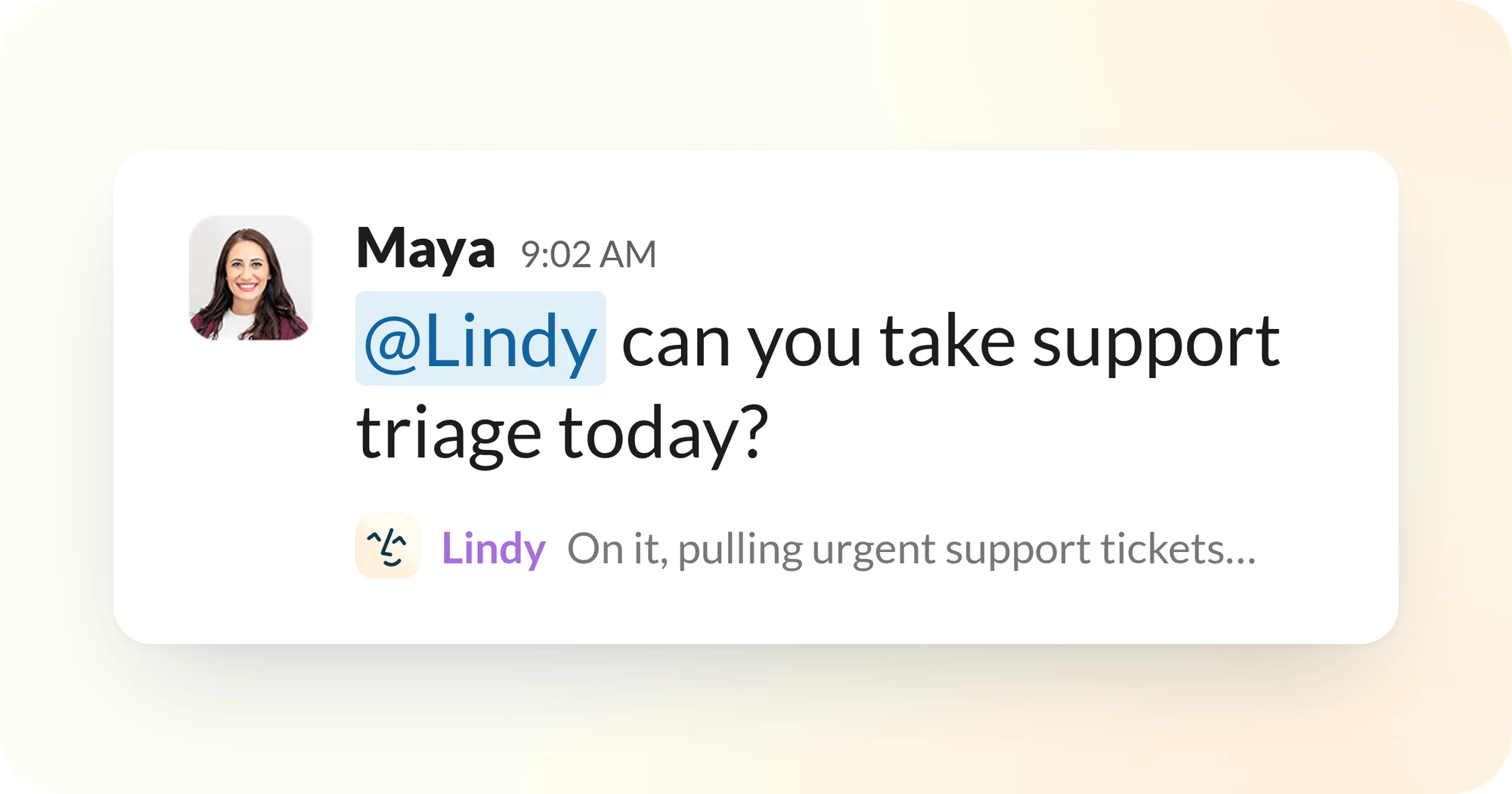
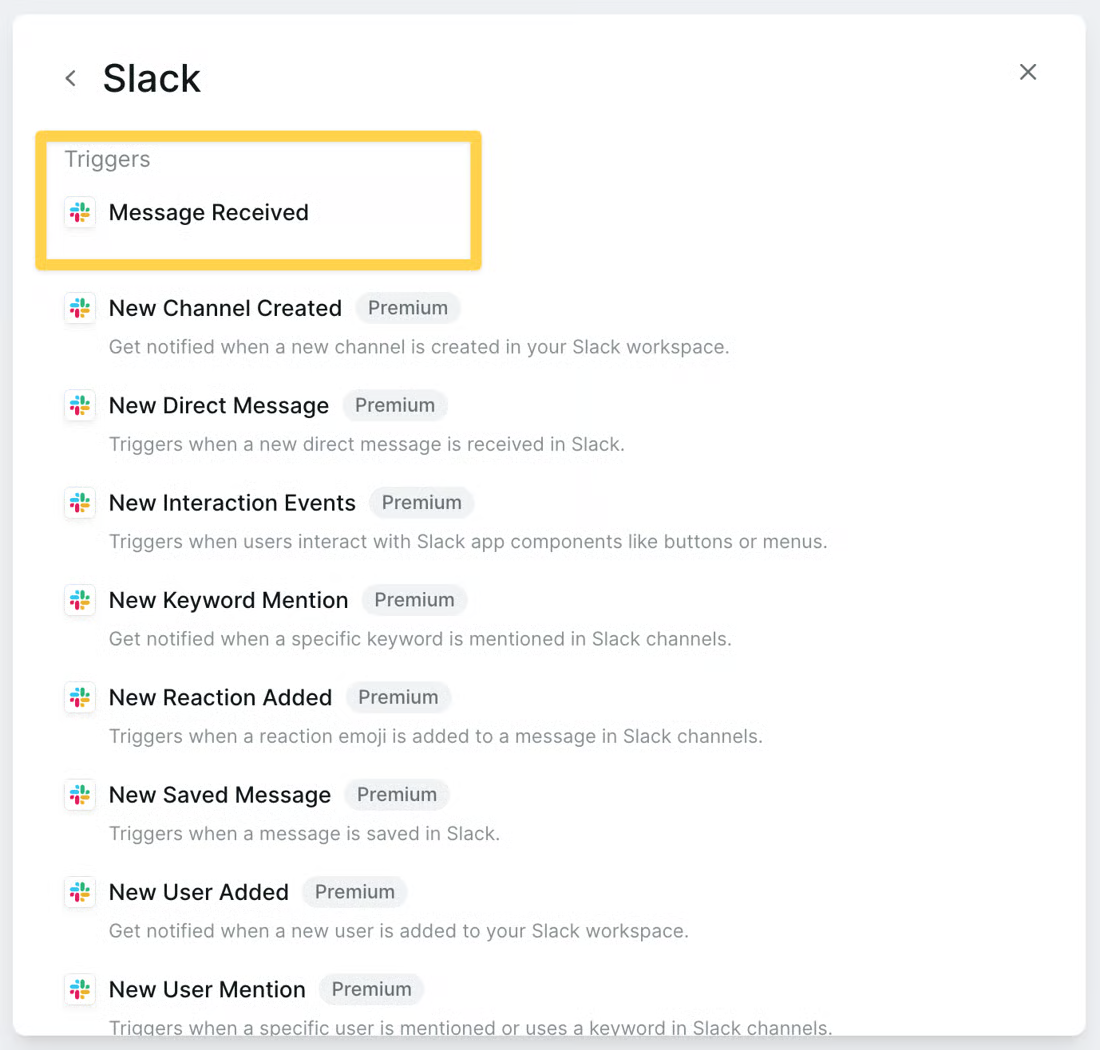
This is the whole product now. Install from the Slack marketplace, authorize your tools, tag it. No API keys, no IT ticket. Setup speed was Lindy's strongest attribute before, and it survived the rebuild.
"easy to use and astoundingly versatile" – reviews
The constraint is obvious. If your team doesn't run on Slack, the core experience isn't available to you. There's no Microsoft Teams equivalent at launch.
2. Shared workspace context
Private AI chat histories don't compound, and shared ones do. Skills, routines, files, and meetings sit at workspace level, so a new hire inherits months of context on day one.
It's a good idea.
3. Meeting library
Every call recorded, transcribed, and filed where anyone can question it. The notetaker was already one of Lindy's stronger pieces, and making the archive searchable across sessions
"Integration with Zoom is seamless" – reviews
4. Artifacts, not answers
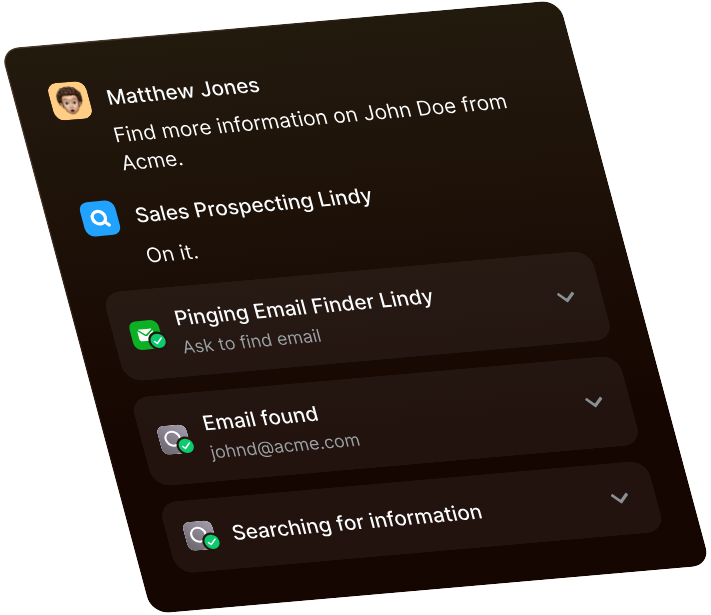
Hand it the deck, and it comes back with slides, charts, and commentary. Ask for the weekly ad report, and it pulls spend from three tools and flags what's off-target. This is the part that separates it from a chatbot with integrations.
Lindy publishes them: everyday asks run 2 to 250 credits, deep work runs 250 to 1,000, and big builds run 1,000 to 2,500. A Plus seat gets 3,000 credits a month. Two dashboards and you've spent the allocation.
5. Approvals
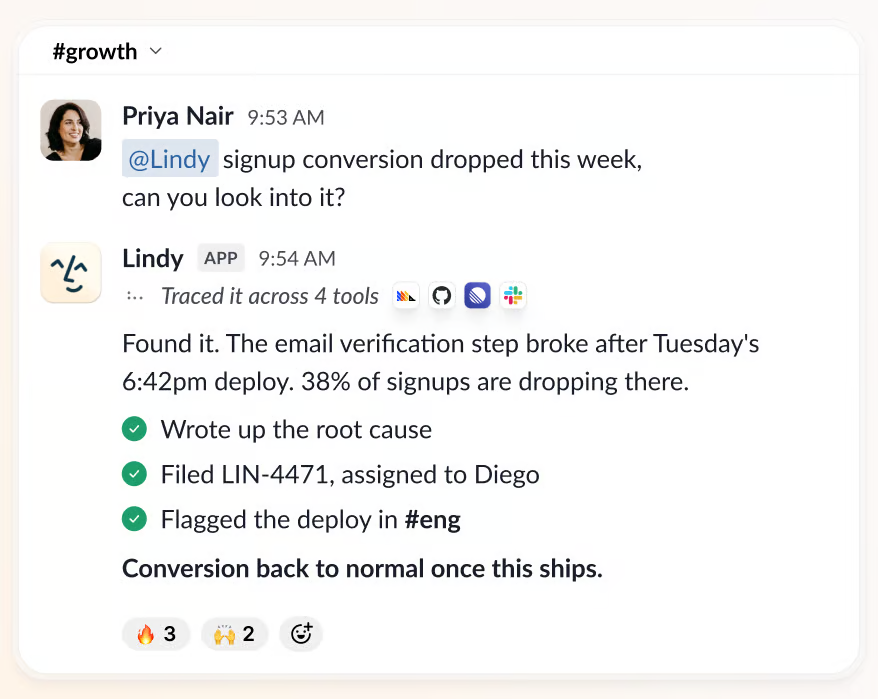
Nothing with outside impact ships without a named approver. Sending mail, updating a ticket, publishing a doc, all gated.
This is the most important change in the whole release, and I say that because of what it fixes. The ugliest review in the entire corpus documented emails going to wrong recipients three separate times.
"Emails sent to wrong recipients (multiple incidents)" – reviews
Gating write actions is the correct fix. Whether it holds under load is unknown, because nobody has published a review of the new build yet.
6. Computer use
A cloud browser that drives like a person, for the tools with no API. Previously gated to Pro. Now included on every tier, which is a real giveaway.
It's still slow relative to direct API calls, and it's still the feature most likely to burn credits while failing.
"I lost two hours of work due to a significant error" – reviews
7. Integrations and MCP
Lindy's docs say 1,000+ tools; the pricing page says thousands. Either way it's deep, and MCP support means you can connect anything with a server. Each person authenticates with their own credentials, so the analyst's warehouse and the rep's CRM stay separate.
Lindy Pricing
| Plus | Pro | Max | Enterprise | |
|---|---|---|---|---|
| Monthly price | $29.99/user | $99.99/user | $199.99/user | Custom |
| Credits per user | 3,000 | 15,000 | 35,000 | Shared + bonus |
| Relative to Plus | Base | 5x | ~12x | Negotiated |
| Annual option | None | None | None | Custom |
| Credit rollover | No | No | No | No |
| Overage charges | None. Lindy pauses | None | None | None |
| Connected inboxes | Up to 5 | Up to 5 | Up to 5 | Up to 5 |
| Computer use | Yes | Yes | Yes | Yes |
| Model selection | All models | All models | All models | All models |
| Support | Docs + community | Docs + community | Docs + community | Dedicated |
| HIPAA + BAA | No | No | No | Yes |
| SSO, SCIM, audit logs | No | No | No | Yes |
| Free trial | 7 days (Slack joiners) | 7 days | 7 days | Demo |
| Free version | None | None | None | None |
| Payment methods | Card, self-serve checkout | Card | Card | Invoice |
Credits pool across the entire workspace, so any seat can draw from the shared balance. Admins can set per-person allocations, though Lindy's docs note the cutoff isn't exact: a task that pushes someone past their limit still runs to completion.
The seat mechanic: From Lindy's own FAQ, anyone who uses Lindy takes a seat, whether they sign up, get added, or simply @mention it in Slack. Slack joiners get seven days free before billing starts. Direct signups are billed immediately.
Two contradictions on Lindy's own page worth knowing: The footer advertises a 7-day free trial with cancel anytime, while the FAQ says direct signups are billed right away. And cancellation has no mid-cycle proration, so you pay through the end of the cycle regardless.
Historically, billing is where Lindy has bled.
"the cheap price is just bait" – reviews
"The credits are black box. You have no idea how they get spent" – reviews
"$350 taken out of my account without my authorization" – reviews
The cancellation complaints are a separate story and there's no evidence yet that they're resolved.
"no cancel button available in the billing settings" – reviews
"they keep charging after cancellation" – reviews
Lindy Pros and Cons
| Pros | Cons |
|---|---|
| One-click Slack install. Running in minutes. | Slack required. No Teams support at launch. |
| Credits published again with documented cost bands. | Big builds cost up to 2,500 of a 3,000-credit Plus seat. |
| No overage billing. Lindy pauses instead. | Credits don't roll over. |
| Plus dropped from $49.99 to $29.99. | Per seat. A 20-person Slack is roughly $600/month. |
| Computer use and model choice on every tier. | An @mention creates a billed seat. |
| Write actions gated behind human approval. | No mid-cycle proration on cancellation. |
| Shared skills, routines, and meeting library compound. | Dedicated support still Enterprise-only. |
| SOC 2, GDPR, PIPEDA. HIPAA on Enterprise. | Every published review describes a discontinued product. |
| 1,000+ integrations plus any MCP server. | Third relaunch in 18 months. Roadmap stability is a real question. |
What People Say
On real time saved. Reviewers who stuck around report five to seven hours a week back, mostly from email and follow-ups.
"It handles repetitive tasks and scheduling with surprising accuracy" – reviews
On paying for the AI's own mistakes. This appeared in both camps and is the complaint most likely to persist, since correcting a bad output still consumes credits.
"when Lindy makes errors while building agents, it costs a lot of credits" – reviews
On price.
"relatively expensive platform in terms of credit/token usage" – reviews
"expensive for what it does" – reviews
On support.
"No Chat, the support email bounces" – reviews
On performance and comprehension.
"Super laggy. It can go hours without getting a response." – reviews
"Didn't properly parse/understand standard emails" – reviews
Who Lindy Is Best For
- Slack-first teams of five to fifty who want one AI that everyone can hand work to and that gets smarter from the whole team's usage.
- Ops, RevOps, and support teams drowning in CRM updates, handoff docs, escalation triage, and month-end chasing.
- Companies where knowledge lives in people's heads and the shared skills and routines layer would genuinely compound.
- Teams that already record every meeting and want the archive queryable by anyone.
- Regulated organizations on Enterprise who need HIPAA with a signed BAA.
Who Lindy Is Not Ideal For
- Individuals. You'd be paying $29.99 for a product whose entire premise is shared team context you don't have. Every advantage in the launch, the workspace memory, the channel Lindy, the inherited skills, requires colleagues.
- Teams not on Slack. There's no Teams version.
- Anyone who needs a free plan to evaluate properly. Seven days is not enough to learn a credit system, and only Slack joiners get it.
- Large Slack workspaces with casual users. Per-seat billing triggered by an @mention is a budget problem waiting to happen.
- People whose real problem is personal disorganization. Lindy does work. It doesn't help you find what you decided last Tuesday, or get you started on the thing you've been avoiding. Those are different jobs, and we wrote about the second one in ADHD task initiation.
- ADHD and executive-function users. A metered system where hesitation costs money discourages exactly the experimentation these users need. The interruption research is unforgiving here, and we collected it in our context switching statistics roundup.
- Anyone who needs roadmap stability. Three products in eighteen months. If you build a workflow on this, know what you're signing up for.
Lindy AI Alternatives Comparison
Lindy vs. Saner.AI
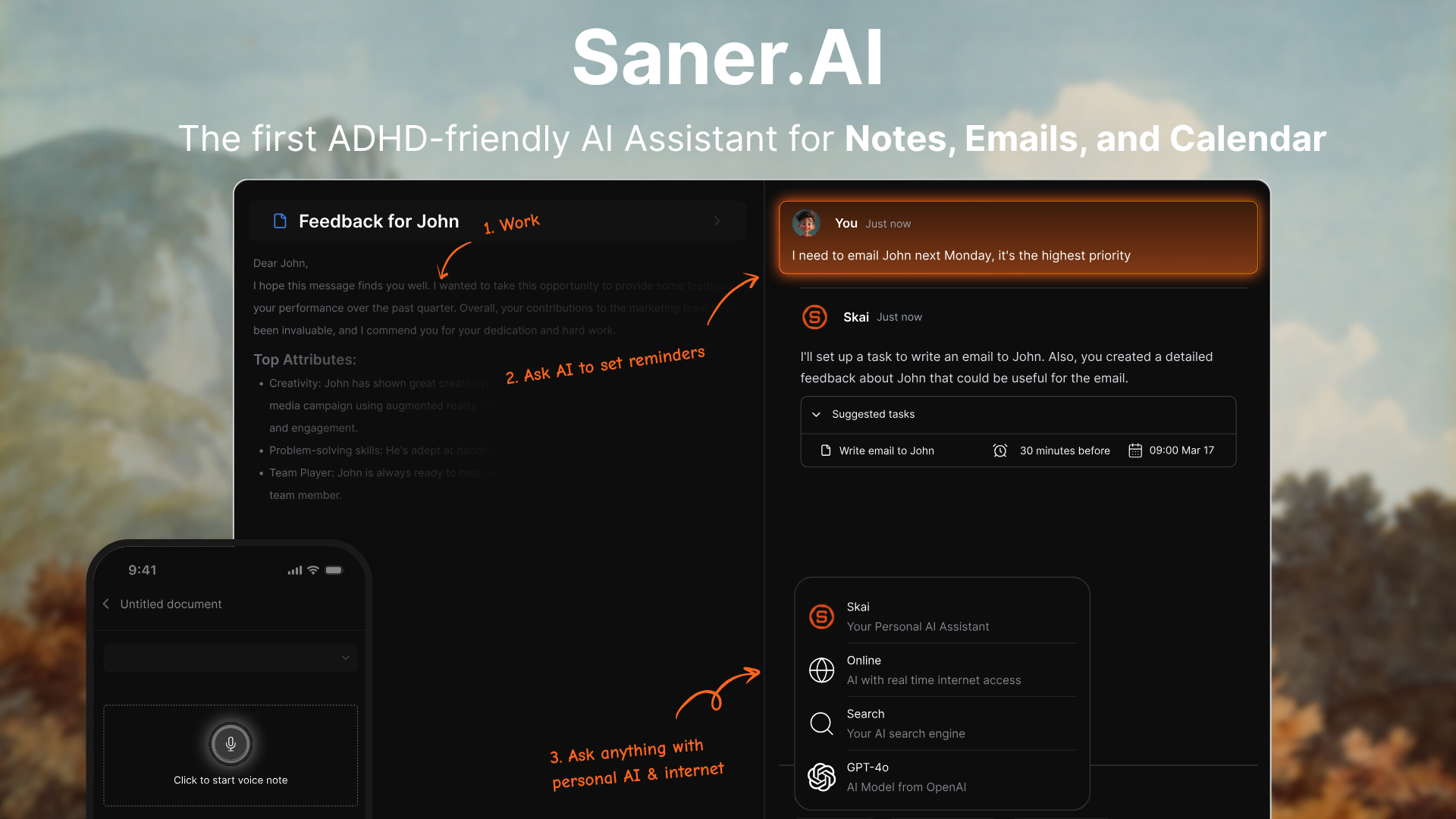
Lindy is now a shared AI employee for a company. Saner.AI is a personal assistant for one brain.
Where Saner.AI is better:
- Price for one person. $8/month billed yearly, $12 monthly. Lindy's floor is $29.99 per user. About a quarter of the cost, and no seat math.
- A real free plan. 30 AI messages, 100 notes, 100MB storage, and every connector included at $0. Lindy has no free tier at all, and its 7-day trial is limited to people who join through Slack.
- You don't need a team to get the value. Lindy's entire pitch is workspace context that compounds across colleagues. Solo, that's dead weight you're paying for.
- No Slack dependency. Saner works from web, iOS, Android, and a Chrome extension. Lindy Teammate needs a Slack workspace.
- No seats created by accident. Nobody can generate a bill in Saner by mentioning it in a channel.
- It holds your thinking, not just your tasks. Semantic search across everything you've captured, connected to Gmail, Google Calendar, Drive, Slack, and Outlook. Lindy has workspace files, but no personal knowledge base built for retrieval. If your bottleneck is scattered information, that's the difference. We wrote about it in the second brain app for easily distracted people.
- Built around executive function. Task breakdown, proactive daily planning, and check-ins through the day. One of the co-founders has ADHD, and it shows in the simple design.
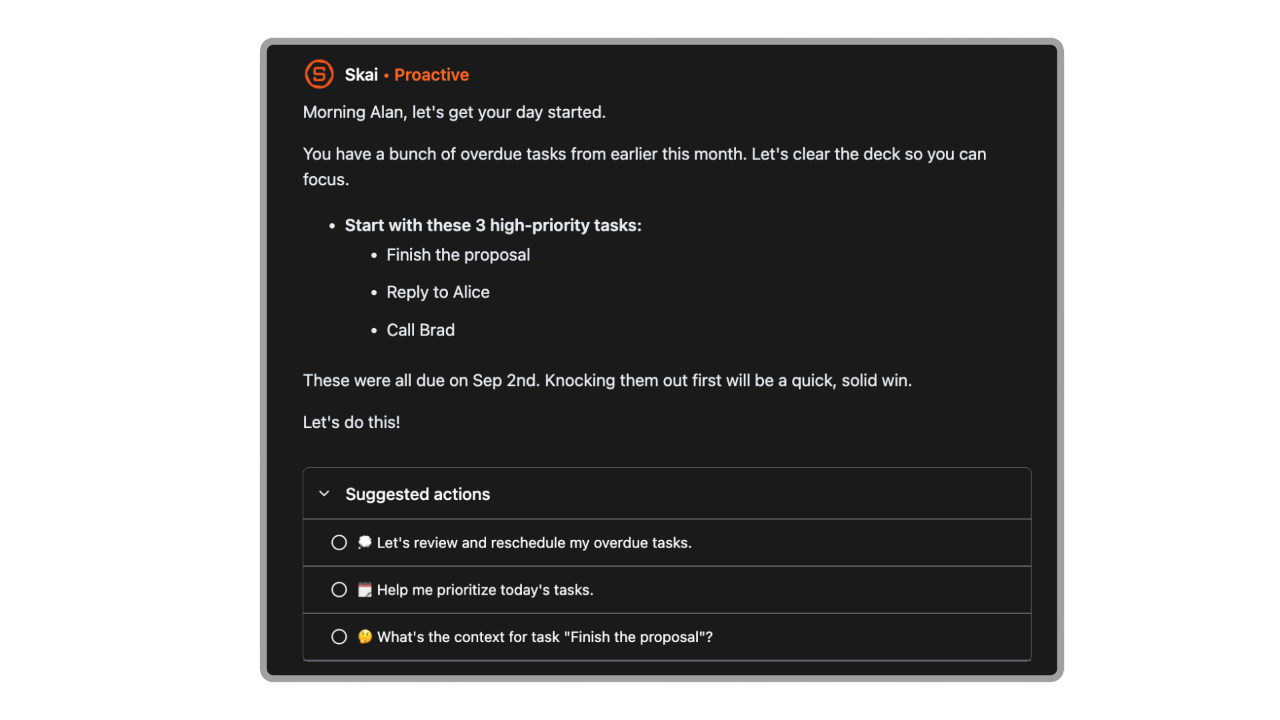
- Nothing to configure. No skills to write, no routines to set, no approvals to manage. You talk to it.
- Bring your own API key. Route heavy work through your own Claude or GPT key, and it never touches your plan quota.
- Cheaper to be wrong.
Where Lindy is better: shared team context, 1,000+ integrations against Saner's six, MCP support, computer use, artifact generation (decks, dashboards, reports), CRM automation, meeting recording, HIPAA on Enterprise, admin controls, and anything involving more than one person. Saner has no team tier, no SSO, and no admin console
Suitable for: Saner.AI fits solo founders, consultants, students, freelancers, and knowledge workers, especially ADHD adults, whose bottleneck is scattered information and a day that never gets planned. Lindy fits Slack-based teams whose bottleneck is repetitive multi-step work across business systems.
👉 The full field is in our roundup of Lindy alternatives.
Lindy vs. Zapier
Zapier moves data between 7,000+ apps deterministically, with a published per-task rate card and no seat mechanic. Lindy reasons about what to do with that data and delivers finished artifacts. Zapier is cheaper and more predictable for rule-based work. Lindy earns its premium where judgment is required.
Lindy vs. n8n
n8n is open-source, self-hostable, and gives developers full control, including code nodes. At volume, it costs a fraction of Lindy. It also assumes you can debug. Several G2 reviewers moved from n8n to Lindy for setup speed and moved back for cost.
Lindy vs. Motion
Motion auto-schedules your tasks around meetings. No chat interface, no agent layer, no Slack requirement. Narrower and cheaper. If your calendar specifically is the mess, Motion beats both. You can compare it against the other alternatives here.
Lindy AI Alternatives - Comparison Table
| Lindy Teammate | Saner.AI | Zapier | n8n | Motion | |
|---|---|---|---|---|---|
| Entry price | $29.99/user/mo | $8/mo (yearly) | $19.99/mo | Free self-hosted | $19/mo (yearly) |
| Free plan | No | Yes | Yes | Yes | No |
| Billing unit | Per seat + credits | Per account | Per task | Per execution | Per seat |
| Overage risk | None (pauses) | None (pauses) | Tier upgrade | None | None |
| Requires Slack | Yes | No | No | No | No |
| Requires a team | Effectively yes | No | No | No | No |
| Personal knowledge base | No | Yes | No | No | No |
| Artifact generation | Yes | No | No | No | No |
| Integrations | 1,000+ and MCP | 6 core | 7,000+ | 400+ | ~10 |
| ADHD / executive function focus | No | Yes | No | No | Partial |
| G2 rating | 4.9 (171) | No reviews yet | 4.5 | 4.7 | 4.1 |
| Trustpilot | 1.7 (39) | n/a | 3.2 | n/a | 3.7 |
Final Verdict
Lindy Teammate is a better product than the thing it replaced. The credit counts are published again, the cost bands are documented, the 2x overage penalty is gone, write actions wait for approval, and the entry price dropped by 40%.
It's also a much narrower product than it was in July. Lindy sells to Slack workspaces now. The shared context, the inherited skills, the channel coworker, all of it assumes colleagues. Buy it alone, and you're paying $29.99 a month for the half that doesn't apply to you.
Watch the seat mechanic. An @mention creates a billed seat, and in a busy Slack that number moves without anyone deciding it should.
And if you're one person trying to stop losing things, this isn't your tool anymore. You don't need an AI employee for a company you don't have. You need one place where your notes, email, calendar, and tasks live together, with an assistant that plans your day and doesn't charge you for asking twice.
Saner.AI is free to start, $8 a month if you want the real quota, and every connector is included even at zero.

Stay on top of your work and life effortlessly
FAQ
What is Lindy Teammate? Lindy Teammate launched on August 10, 2026 and replaced Lindy's previous personal-assistant positioning. It's an AI coworker that lives in Slack. Everyone gets a private Lindy in DMs, the team shares one in channels, and it builds workspace-level memory from meetings, tools, and Slack history.
How much does Lindy cost now? Plus is $29.99/user/month with 3,000 credits, Pro is $99.99 with 15,000, Max is $199.99 with 35,000. Enterprise is custom. Credits pool across the whole workspace, don't roll over, and there are no overage charges. Any article quoting $49.99 or a 400-credit free plan predates the August relaunch.
Do I have to use Slack? For the core Teammate experience, yes. There's also iMessage access to your personal assistant and a Chrome extension, but the workspace product is built for Slack, and there's no Microsoft Teams version at launch.
Is Lindy good for one person or for ADHD? Not really, and less so than before. The value now depends on shared team context, and a credit meter where mistakes cost money discourages the trial and error that ADHD users depend on. See our AI and ADHD statistics for what the research says about tool fit, or go straight to Saner.AI.
What's the best Lindy alternative? Depends on the bottleneck. Zapier for deterministic app-to-app work. n8n if you can code. Motion if your calendar is the problem. Saner.AI if you're one person with scattered information and want notes, email, calendar, and tasks handled in one place for a fraction of the price.
Stay on top of your work and life effortlessly