
Honest Logseq Review: Is This Privacy-First Note App Worth It?

Logseq is a free, open-source outliner that stores your notes as plain Markdown files on your own device instead of someone else's server. What it does is simple: bidirectional links, a daily journal, and a knowledge graph that grows the way your thinking actually grows, with zero subscription required.
The tension is that almost every review of Logseq lands on the same fork in the road. People who stick with it love it. People who bounce off it cite the same three things: a steep learning curve, a mobile app that lags years behind desktop, and a sync setup you have to build yourself or pay $5 a month to skip.
This review breaks down what Logseq actually does well, where it falls short, and who should look at something else entirely.
Key Takeaways
- Logseq's core product is free forever. You only pay if you want the official sync service or want to support development.
- The outliner and daily journal workflow is the main draw. Reviewers consistently call the bidirectional linking and backlinks "effortless" once you get past the initial setup.
- The learning curve is high. Multiple reviewers across Product Hunt and independent blogs mention it took months to feel natural.
- Mobile is Logseq's weakest link. App Store reviews and Reddit threads both flag the phone experience as noticeably behind desktop.
- Logseq has no built-in task manager, no AI organization, and no native email or calendar, which means most users end up running two or three apps alongside it.
Logseq At a Glance
| Category | Score (out of 5) |
|---|---|
| Ease of use | 3.0 |
| Feature depth | 4.5 |
| Privacy & data ownership | 5.0 |
| Pricing & value | 4.7 |
| Mobile experience | 2.5 |
| Integrations & AI | 2.8 |
| Community & support | 4.0 |
| Overall score | 3.6 / 5 |
What Is Logseq?
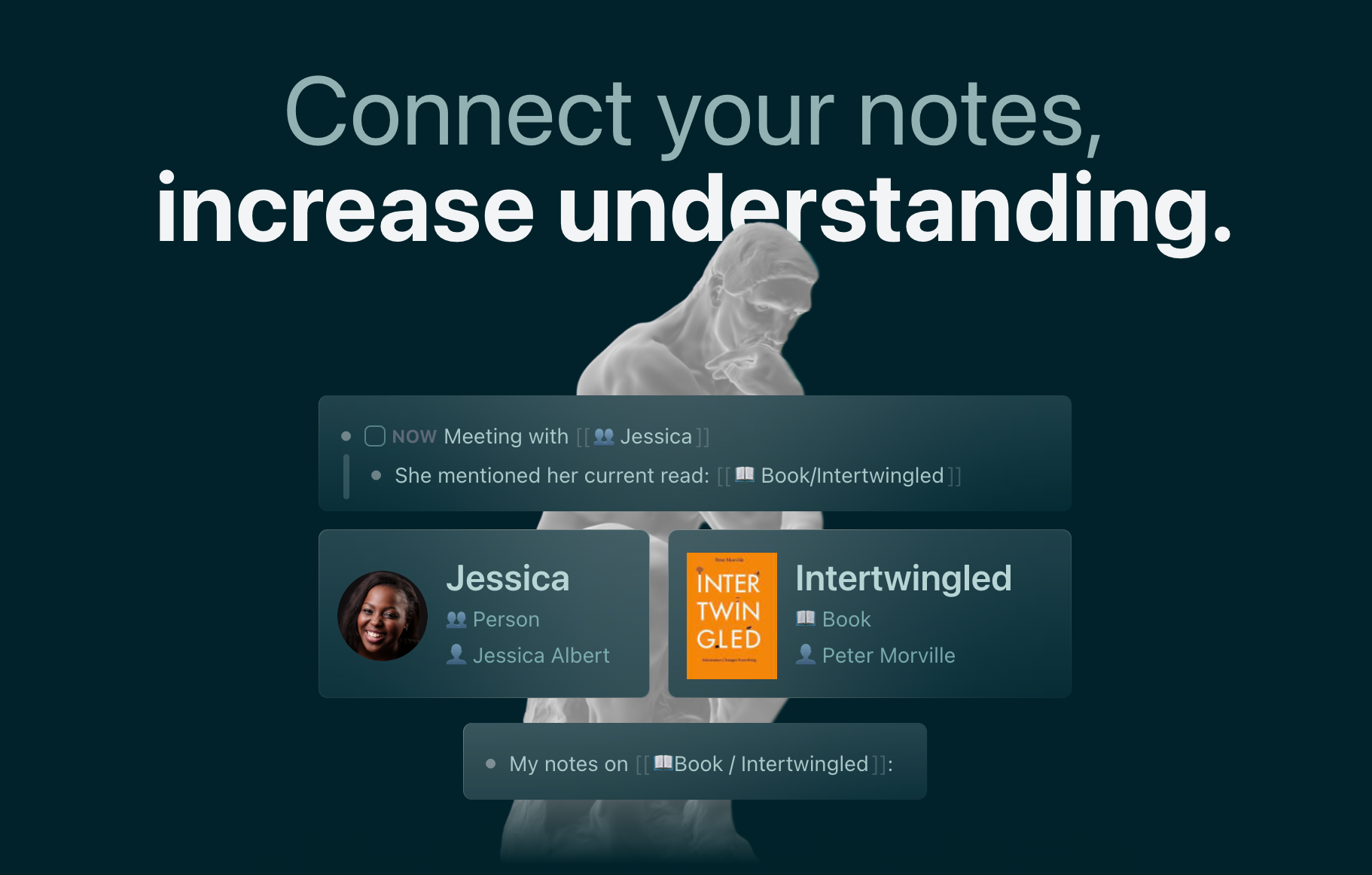
Logseq is an open-source, local-first knowledge base built around block-based outlining rather than traditional pages. Instead of writing in long documents, you write in nested bullets, and every bullet is a linkable "block" you can reference anywhere else in your graph. It launched in 2020 as a privacy-focused answer to Roam Research, and it's now maintained by Logseq Inc. out of San Francisco.
Core features include:
- Daily journal — a new page opens automatically for today's date, meant to be your default capture point
- Bidirectional linking and backlinks — link any block or page to another, and Logseq automatically shows you what links back
- Graph view — a visual map of how your notes connect
- Block references and embeds — reuse a single block of content across multiple pages without duplicating it
- Powerful queries — a built-in query language to pull filtered views of your notes
- Flashcards (spaced repetition) — turn any note into a study card
- PDF annotation — highlight and link directly inside PDFs
- Whiteboards — a spatial canvas for visual thinkers
- Plugin ecosystem — community-built extensions for kanban boards, calendars, and more
- Local storage — everything lives as Markdown or Org-mode files on your device, with an optional paid Sync service or free DIY sync through iCloud, Dropbox, or Git
Logseq Features Breakdown
Daily journal and outliner writing
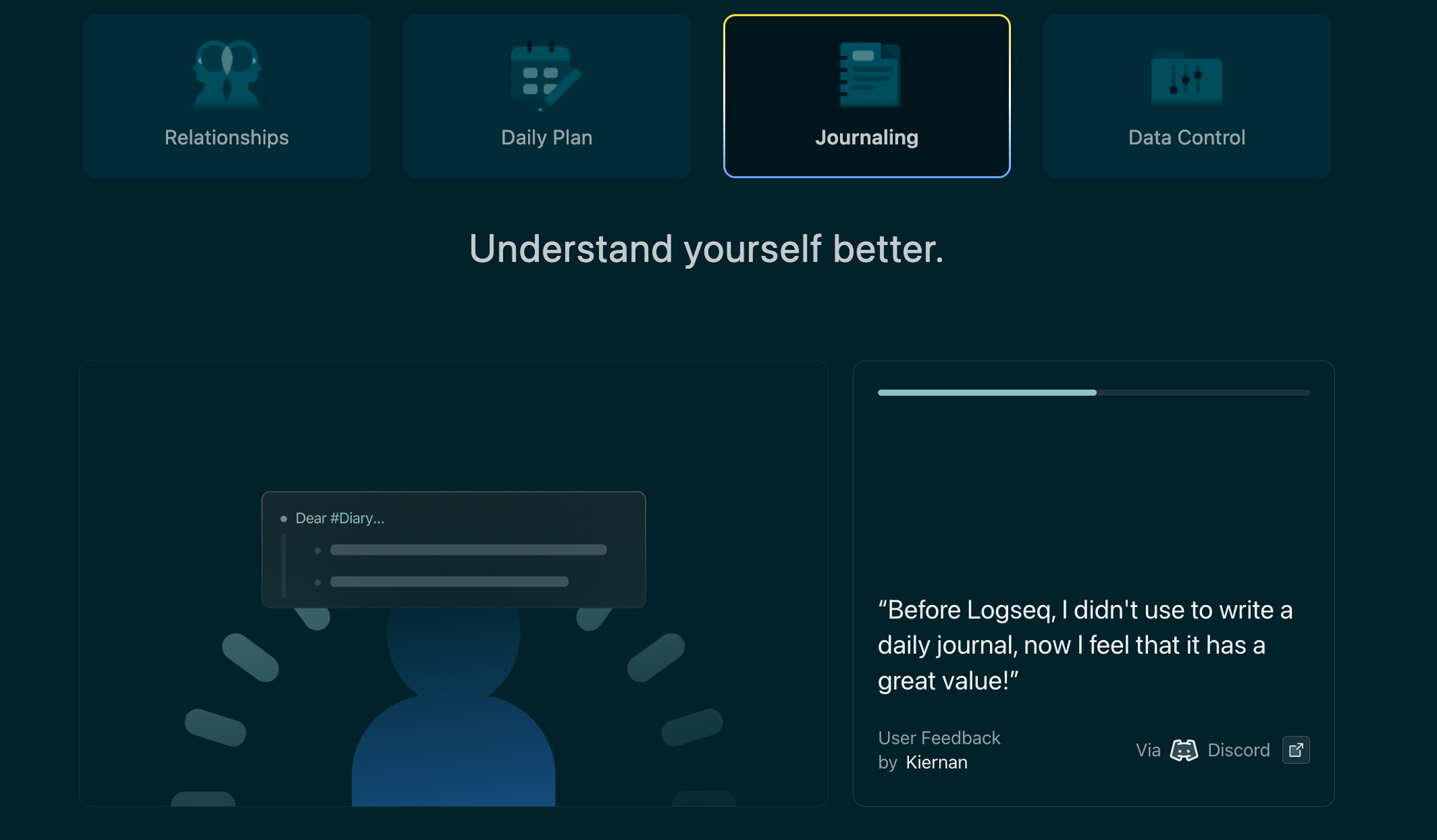
The daily journal is the feature most reviewers mention first, and it's clearly the on-ramp Logseq wants you to use. You don't decide where a thought goes. You just write it down under today's date and sort it out later through links and tags.
Bidirectional linking and backlinks

This is Logseq's actual differentiator against a flat notes app like Apple Notes or Google Keep. Every time you mention a page name in brackets, Logseq quietly builds a two-way connection, so you can see every place an idea shows up without hunting for it.
Queries
Queries are where Logseq goes from "nice outliner" to "programmable database," letting you pull custom views like "all tasks tagged #urgent from the last 7 days." The catch is that this feature sits closer to a programming interface than a GUI setting, and reviewers notice.
Flashcards and the plugin ecosystem
Logseq bakes spaced-repetition flashcards directly into the note-taking flow, which is unusual for a tool this general-purpose, and students and self-learners specifically call this out as a reason to stick around.
Beyond flashcards, the plugin marketplace adds kanban views, calendar widgets, and theme customization, though quality varies since it's entirely community-maintained.
Sync across devices
Because Logseq is local-first by design, syncing between a laptop and a phone isn't automatic unless you either pay $5/month for the official Sync service or wire up your own solution through iCloud, Dropbox, or Git. Even among people using the paid service, reliability complaints show up regularly.
Mobile apps
Mobile is the single most consistent complaint across every platform this review checked, from Product Hunt to the App Store itself.
A verified App Store review captured the gap between desktop and phone directly: "the mobile app is frustrating to use. It's slow and janky overall" (reviews).
Logseq's own team has acknowledged this by building a new mobile app from scratch as part of the in-progress DB version, currently in alpha.
Logseq Pricing Table
| Plan | Monthly Price | Free Trial | Free Version | Payment Methods |
|---|---|---|---|---|
| Free | $0 | Not applicable — full core product is free forever | Yes, unlimited notes and graphs | N/A |
| Sync (Backer) | $5/mo ($60/yr via Open Collective) | No | No | Credit card, PayPal |
| Sponsor | $15/mo | No | No | Credit card, PayPal |
Pricing was last independently verified across multiple tracking sites in mid-2026. Worth double-checking on Open Collective before publishing, since Logseq doesn't run its own dedicated pricing page.
Logseq Pros and Cons
| Pros | Cons |
|---|---|
| Completely free, open-source core product | Steep learning curve, especially for anyone new to outliner-style writing |
| Full data ownership through local Markdown/Org files | Mobile app is consistently the lowest-rated part of the experience |
| Strong bidirectional linking and graph view | Sync isn't automatic — it's either paid or self-managed |
| Built-in flashcards for spaced repetition | Query language is powerful but poorly documented |
| Active open-source community and Discord | No native task manager, calendar, or email layer |
| PDF annotation built directly into notes | No AI-driven organization — every link and tag is manual |
| Whiteboard and plugin ecosystem for customization | UI can feel dense and inconsistent compared to more polished rivals |
What People Say
Beyond the feature-specific quotes above, the wider sentiment across community platforms is fairly split between devoted fans and people who bounced off the setup cost.
On the critical side, one AlternativeTo reviewer who used Logseq for over a year didn't mince words about the app's stability: "the program is just too buggy, slow" (reviews).
Who Is Logseq Best For?
- Developers and technical writers who already think in Markdown and plain text
- Researchers and academics using Zettelkasten-style note linking
- Privacy-focused users who want zero cloud dependency by default
- People willing to spend real time learning an outliner-first workflow before it pays off
Who Logseq Is Not Ideal For
- Anyone who wants task management built into the same app as their notes
- People who work mostly from their phone
- Users who want their notes to organize themselves instead of manually tagging and linking everything
- Teams that need real-time collaboration today, not once the DB version leaves beta
Logseq Alternatives
Logseq vs Saner.AI: Where the AI-Native Approach Pulls Ahead
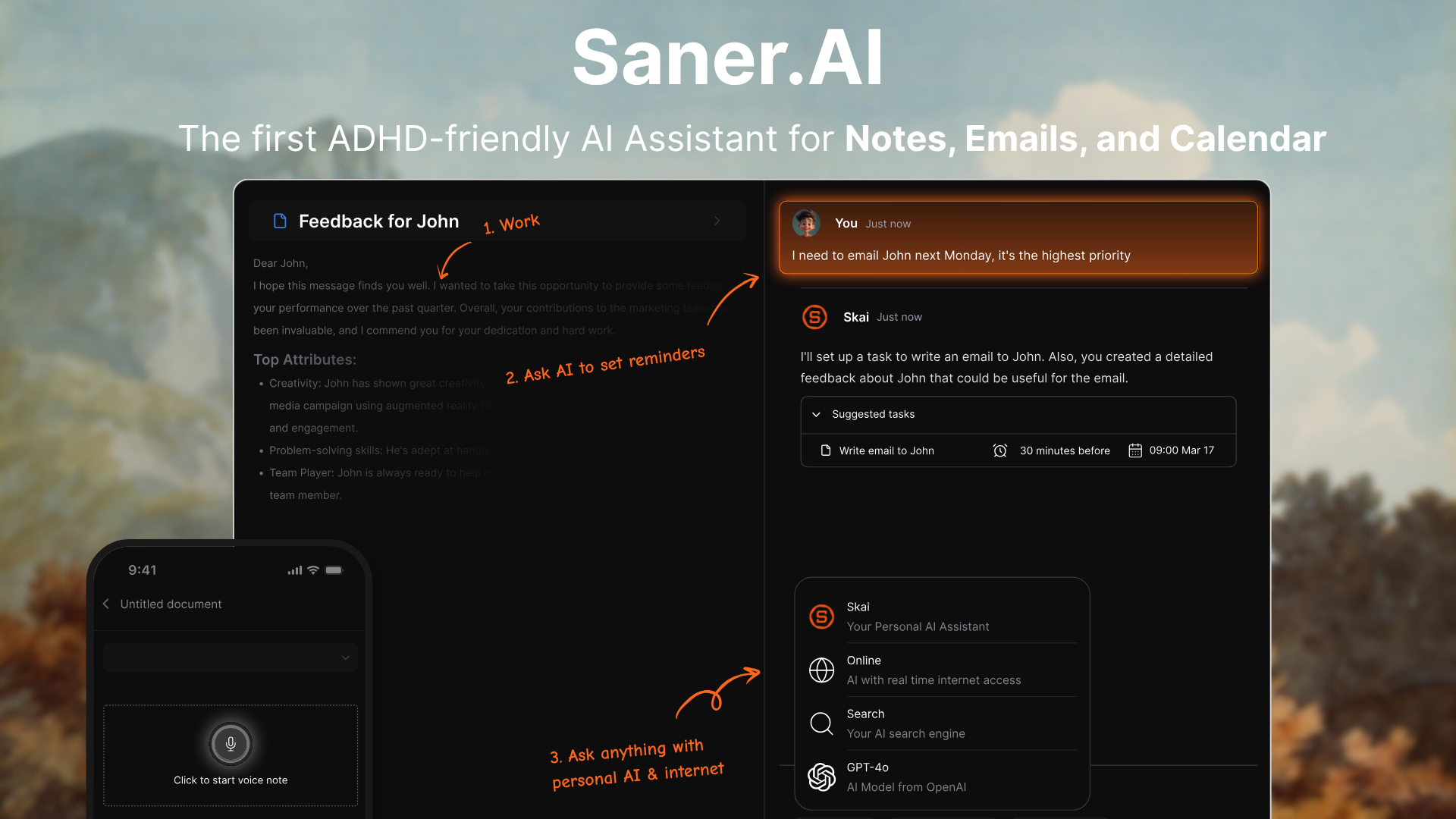
Logseq and Saner.AI solve a similar starting problem (scattered notes) from almost opposite directions. Logseq hands you a blank, fully manual outliner and trusts you to build the system. Saner.AI hands you an AI assistant, Skai, that builds the system around you. A few specific places that show up:
- Organization happens automatically, not manually. Logseq's entire value depends on you remembering to link and tag things. Saner.AI's Skai auto-tags, categorizes, and connects notes the moment you capture them, which matters most on the days you don't have the mental bandwidth to file anything yourself
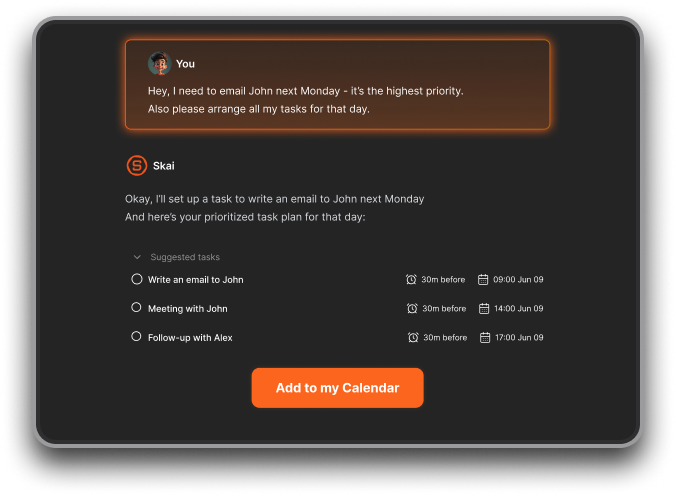
- One app instead of three. Logseq only handles notes. Most Logseq users still run a separate task manager and a separate email client alongside it. Saner.AI merges notes, tasks, and email into a single workspace, so nothing falls through the cracks between apps.
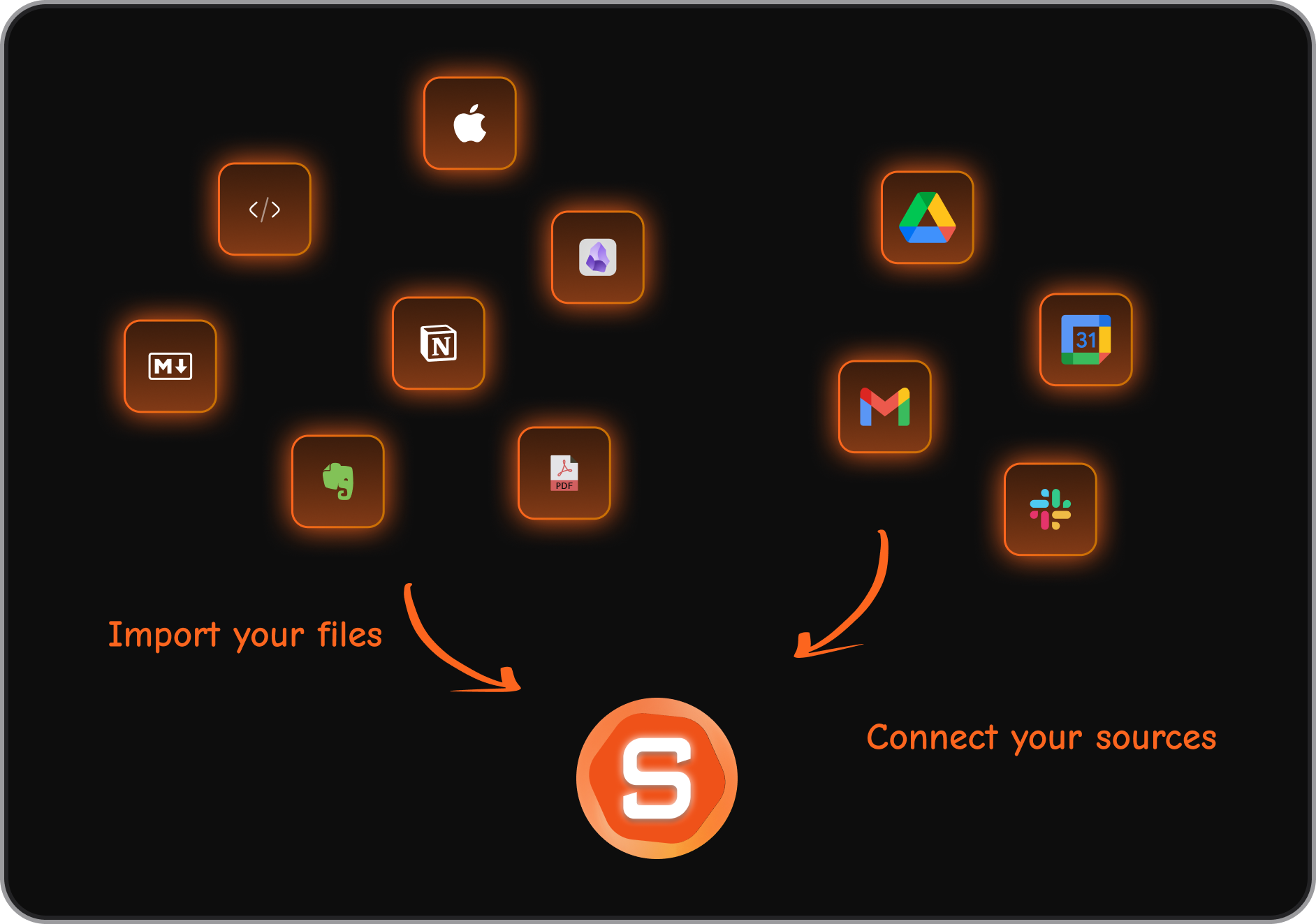
- Sync ships as standard, not an add-on. Cross-device sync is included in Saner.AI's free tier from day one. With Logseq, reliable sync means either a $5/month add-on or a DIY setup, and even paying users still report it failing to update.
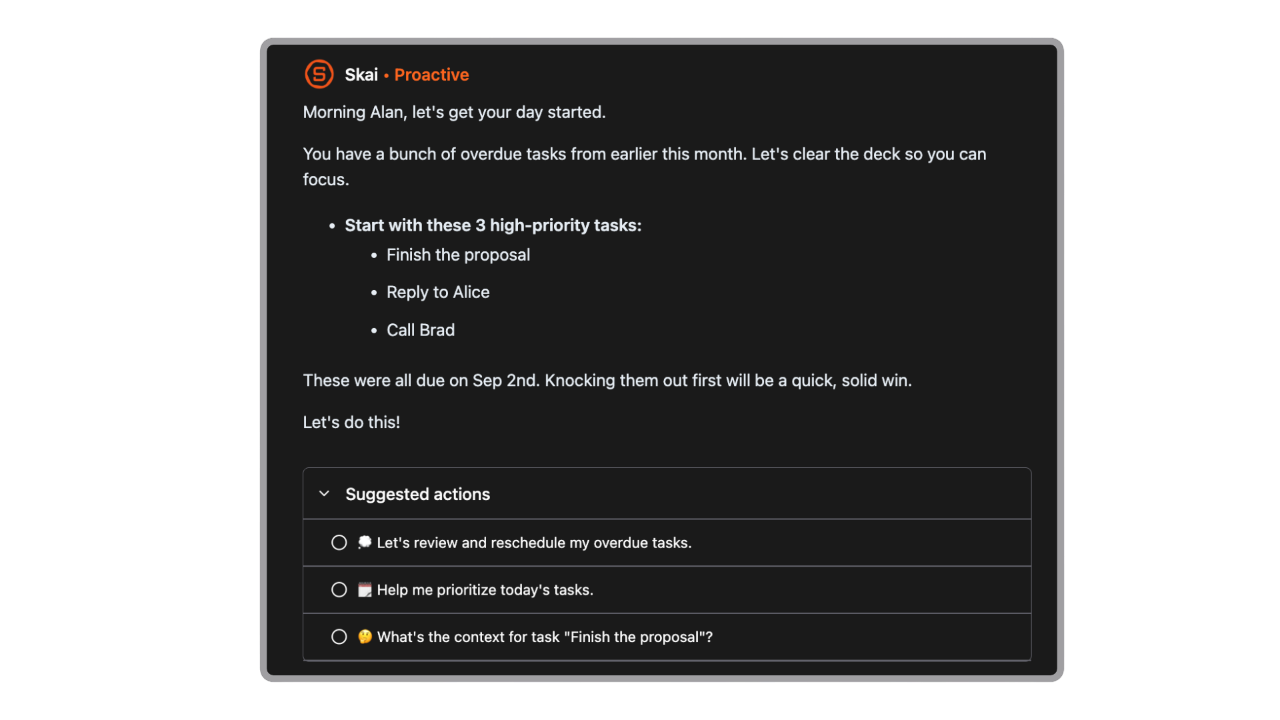
- Built specifically for attention and executive-function challenges. Saner.AI's proactive daily check-ins and task extraction were designed around ADHD and executive dysfunction from the ground up. Logseq's blank-page outliner rewards people who already have a personal system, which is exactly the group that tends to struggle most with initiation and structure.
- Mobile parity, not an afterthought. Saner.AI's mobile app carries the same functionality as desktop. Mobile is where Logseq draws the bulk of its one-star complaints.
- Time to value is immediate. Skai starts organizing your first note the same day you sign up. Logseq's knowledge graph only becomes genuinely useful after weeks of consistent manual linking
None of this makes Logseq a bad tool. It makes it a tool for a specific kind of user, one who wants full manual control and doesn't mind building their own system by hand.
Saner.AI replaces manual organization entirely with an AI assistant that handles notes, tasks, and email together, aimed specifically at people who don't want to maintain a system by hand.
| Tool | Best For | Starting Price | AI Organization | Task Management | Mobile Experience |
|---|---|---|---|---|---|
| Logseq | Developers, researchers, privacy purists | Free | None (fully manual) | Not built in | Weak, widely criticized |
| Obsidian | Markdown power users who want more polish | Free (Sync $10/mo) | None (fully manual) | Via plugins only | Better than Logseq, still paid extras |
| Notion | Teams wanting docs + databases + AI | Free ($10/mo Plus) | Built-in AI writing | Built in | Strong |
| Saner.AI | ADHD-friendly, notes + tasks + email in one | Free ($8/mo Starter) | Automatic tagging & linking (Skai) | Built in | Strong, matches desktop |
- Obsidian is Logseq's closest philosophical rival: also local-first, also Markdown-based, also plugin-heavy, but page-based instead of block-based, with a more polished (though still paid) sync and publish service.
- Notion trades local-first privacy for an all-in-one workspace with databases, docs, and now built-in AI, at the cost of a much heavier interface and a real learning curve of its own.
Final Verdict
Logseq does exactly what it promises for a specific type of person: a free, private, deeply linkable outliner that never locks your data behind a subscription. The bidirectional linking, daily journal, and query system are powerful once you've put in the time.
Where it struggles is everywhere the product asks more of you than it gives back automatically, mobile reliability, sync, and the total absence of AI-assisted organization or task management.
If you're the kind of person who enjoys building your own system from scratch, Logseq is hard to beat for the price. If you'd rather an assistant build that system for you from the first note you capture, it's worth spending ten minutes with Saner.AI before committing to months of manual setup.

Stay on top of your work and life effortlessly
FAQ
Is Logseq really free?
Yes. The complete feature set, including unlimited notes, linking, and the plugin ecosystem, is free forever. The only paid add-ons are the official Sync service ($5/mo) and an optional Sponsor tier ($15/mo).
Is Logseq good for beginners?
Not immediately. Multiple reviews across Product Hunt and independent blogs describe a real adjustment period before the outliner style starts to feel natural, often measured in weeks rather than days.
Does Logseq work well on mobile?
This is Logseq's most consistently criticized area. Both App Store reviews and independent blog reviews describe the mobile app as noticeably behind the desktop experience, though a rebuilt mobile app is in alpha as part of the new DB version.
Is my data safe and private in Logseq?
Yes, more so than most competitors. Notes are stored locally as plain Markdown or Org-mode files by default, with no cloud dependency unless you opt into Sync.
What's the real difference between Logseq and Obsidian?
Logseq is block-based and outliner-first, meaning you write in nested bullets by default. Obsidian is page-based, closer to a traditional document, with block references available but not the default structure.
Is there a better option than Logseq for ADHD or executive-function challenges?
If manual tagging and linking tend to fall apart under executive dysfunction, an AI-native tool built for that specifically, like saner.ai/blogs/best-adhd-note-taking-apps, tends to hold up better over the long run than a system that depends entirely on consistent manual upkeep.