Mem AI Reviews (2026): Is This AI Note App Worth It?

Mem AI Reviews (2026)
Mem AI has raised more than $28 million from Andreessen Horowitz and the OpenAI Startup Fund.
Its pitch is bold: stop organizing your notes manually and let AI do it for you. For knowledge workers buried under scattered ideas, meeting notes, and half-finished thoughts across five apps, that sounds like exactly what they need.
But the real question is whether Mem actually delivers - or whether the promise outpaces the product. After digging into user reviews across G2, Product Hunt, Trustpilot, and Reddit, the picture is more complicated than the marketing suggests.
Key Takeaways
- Mem's AI search is decent, especially for surfacing notes you've forgotten about
- The folderless, tag-free approach works well for some users but frustrates others who want more control
- Basic note-taking features lag behind competitors - no highlighting, limited formatting, no Android app
- Customer support is a recurring complaint, with users reporting that even co-founders don't respond to emails
- Mem Pro costs $12/month, which puts it in a more expensive bracket than alternatives like saner.ai
Mem AI At a Glance
| Category | Score |
|---|---|
| AI Features | 7.5/10 |
| Ease of Use | 7/10 |
| Note-Taking Basics | 5/10 |
| Integrations | 5.5/10 |
| Mobile Experience | 4.5/10 |
| Customer Support | 4/10 |
| Value for Money | 6/10 |
| Overall | 5.7/10 |
What Is Mem AI?
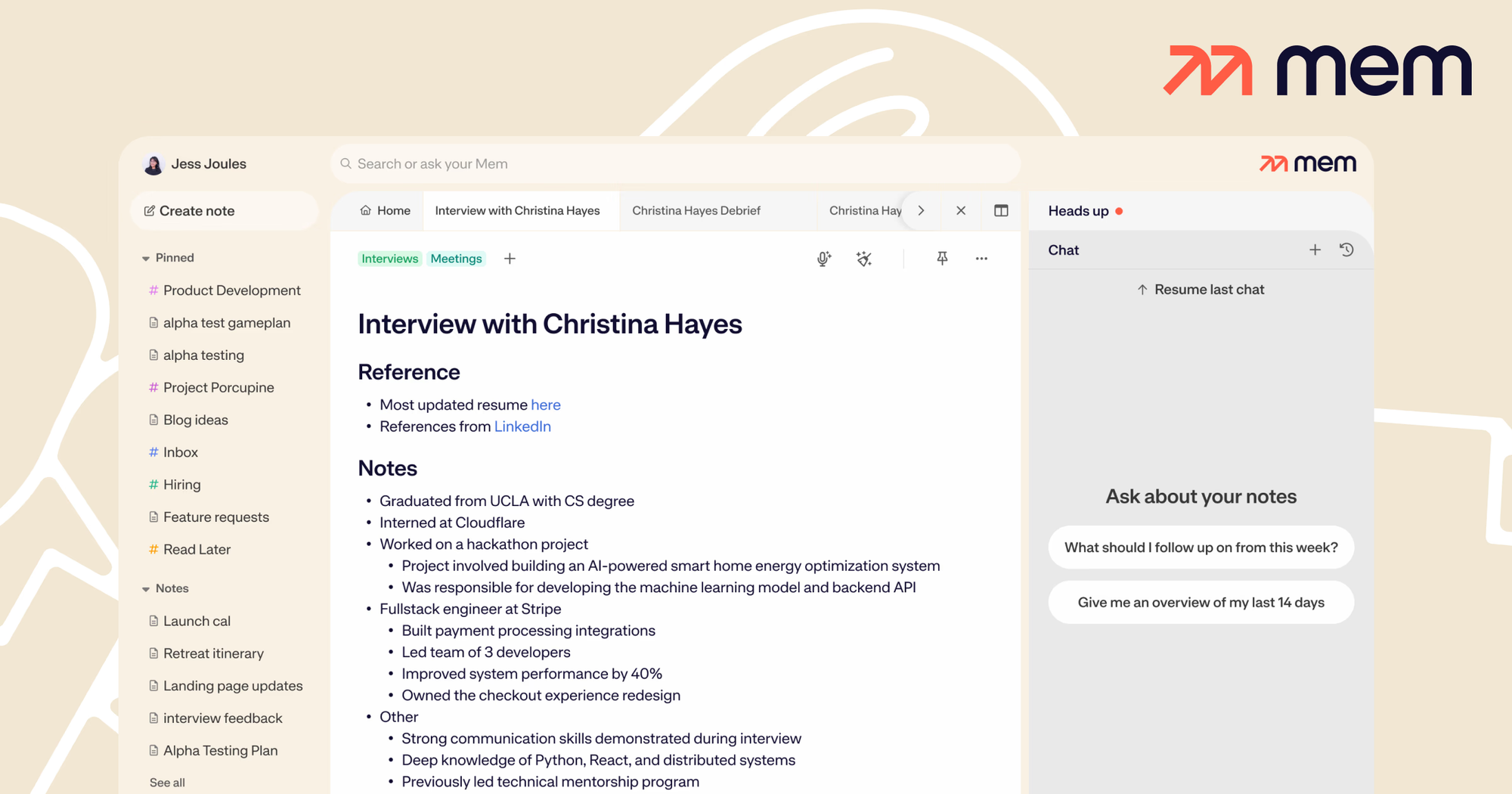
Mem AI is a note-taking and knowledge management app built around the idea that you shouldn't need folders or tags. Founded in 2019, the tool has gone through a significant overhaul with Mem 2.0, now positioning itself as an "AI Thought Partner."
The core product lets you dump ideas, meeting notes, and research into a single workspace. The AI then links related notes, surfaces relevant content through semantic search, and helps you write, summarize, or brainstorm using your own knowledge base.
Key features include:
- Smart Note Organization: Notes are auto-tagged and linked contextually — no manual filing required
- AI Search: Natural language queries surface notes even when you don't remember the exact words you used
- Smart Write: AI that references your own notes when helping you write, draft, or summarize
- Templates: Reusable structures for meetings, projects, and journals
- Collections: Group related notes without traditional folders
- Meeting Briefs: A beta feature that preps context before meetings (Pro plan only)
Now, let's dive in!
Mem AI Features Breakdown
Smart Note Organization
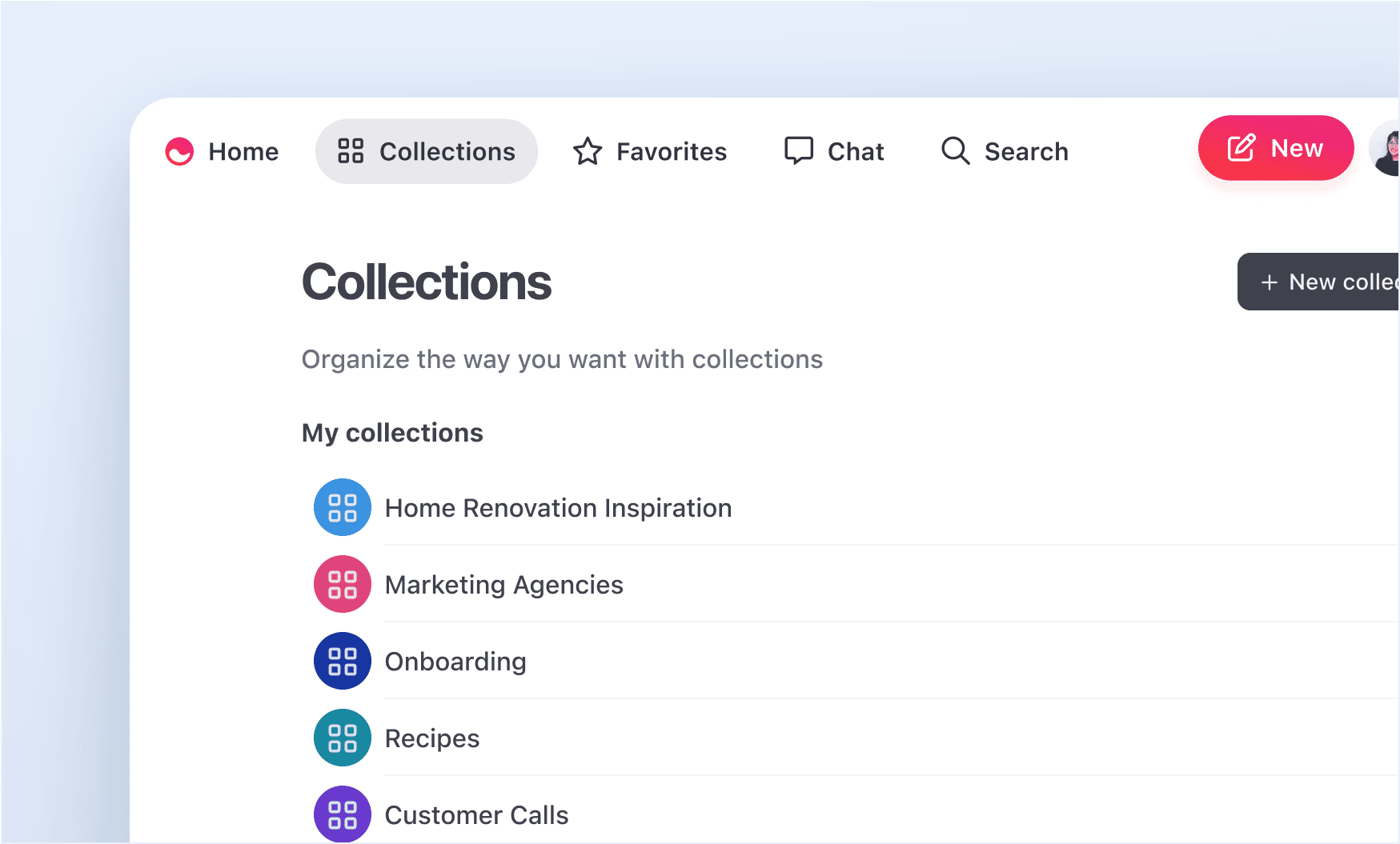
Mem's most-talked-about feature is its folderless structure. Instead of filing notes into nested folders, the AI reads what you write and links related content automatically. This means a note about a client meeting can surface alongside your notes on that client's project without you doing anything.
The system builds a knowledge graph in the background, connecting people, dates, and topics as you type. For users coming from tools like Evernote, this feels like a step forward.
For users who like granular control, it can feel unpredictable.
"Search was amazing, and the MemX capabilities were extremely impressive — MemX suggests notes in the sidebar which are similar or relevant to the note you're working on." — reviews,
AI Search and Contextual Recall
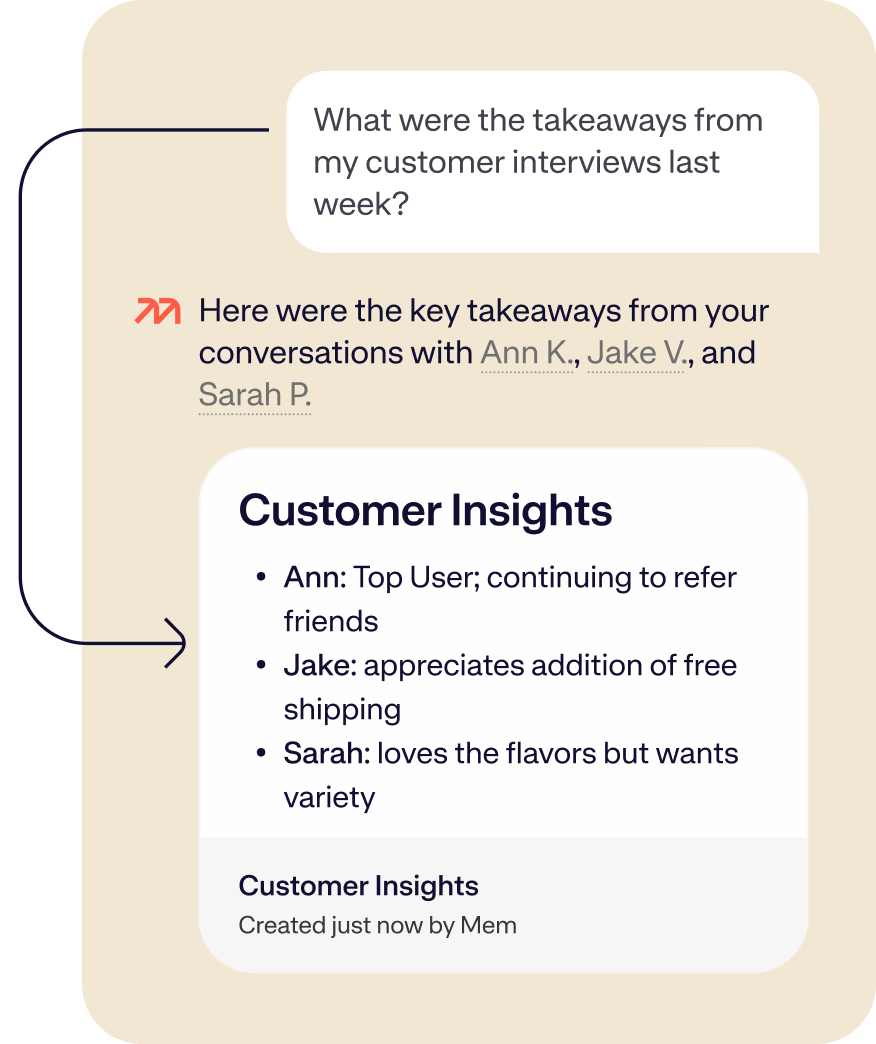
Type a plain-English question, and Mem pulls up the relevant notes, even from months ago. The search isn't just keyword-matching - it understands context. If you ask "what did we decide on the product roadmap in Q3?", Mem will surface the right meeting notes rather than returning everything that contains the word "roadmap."
Users consistently call this the standout feature, and it's the main reason people stick with the paid plan.
"The search is fast. It shows up before my eyes can even get down the screen to it." — reviews
Smart Write
Smart Write is Mem's AI writing assistant, but it works differently from generic AI tools. Instead of generating generic output, it draws on your own notes to produce context-aware drafts. If you've been tracking a client project for six months, Smart Write can reference all of that history when helping you write a summary or status update.
This is one of Mem's more useful differentiators in a market where "AI writing" usually means a ChatGPT wrapper with your company logo.
"I'm using Mem daily for organizing literature notes and summaries. The AI summaries save hours every week." — reviews
Templates
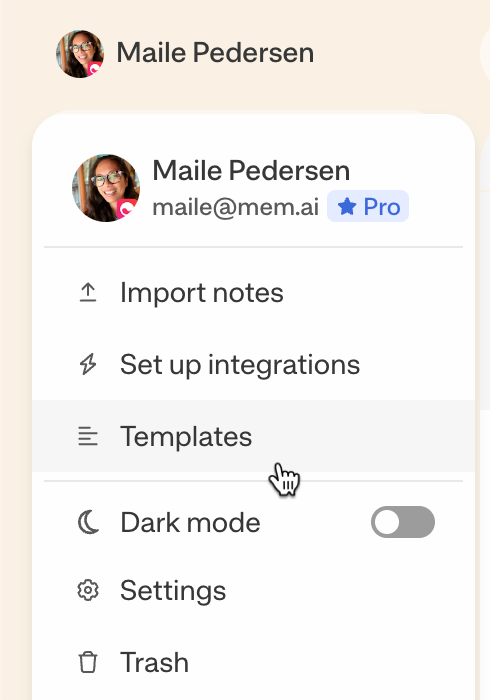
Mem supports reusable templates for recurring note types: meeting notes, weekly reviews, project briefs, and daily journals. Setting one up takes a few minutes and keeps your notes consistent over time.
It's a practical feature that works well inside Mem's system, though it doesn't offer the database-level customization you'd get from Notion.
"Loved the Daily Mem reminders and smart suggestions. But it took me some time to get used to the no-folder design." — reviews
Mem AI Pricing
| Plan | Monthly Price | Annual Price | Free Version | Free Trial |
|---|---|---|---|---|
| Free | $0 | $0 | Yes (25 notes/month, 25 chats/month) | N/A |
| Pro | $12/month | ~ | No | 14-day free trial |
| Teams | Custom | Custom | No | Contact sales |
Note: Mem 2.0 pricing took effect October 1, 2025. The free plan is quite restricted - 25 notes and 25 chat messages per month are barely enough to evaluate the product. Most users will hit the paywall within a week.
Mem AI Pros and Cons
| ✅ Pros | ❌ Cons |
|---|---|
| Genuinely fast and smart AI search | No Android app as of 2026 |
| Auto-linking between related notes saves time | Free plan is very restrictive (25 notes/month) |
| Clean, distraction-free interface | Basic note features are thin (no highlighting, no scroll bar on long notes) |
| Smart Write uses your own notes for context-aware AI | Limited third-party integrations (no Slack, Trello, or Asana) |
| Email integration keeps context in one place | Customer support is widely reported as poor or non-existent |
| Good fit for heavy note-takers and researchers | Tag search is buggy and unreliable |
| 14-day free trial on Pro | Folderless system can feel disorganized to some users |
| Supports SMS and email capture | Product development pace is criticized as slow |
What People Say About Mem AI
The positive reviews tend to cluster around the same thing: search speed and the feeling of having a second brain that actually works. The negative reviews are more scattered but hit harder - missing features, buggy behavior, and customer service that users describe as non-existent.
Users who love it tend to be freelancersa , consultants, and researchers with a heavy note volume and no need for deep project management features.
Positive reviews:
"Mem is like a second brain on steroids. I no longer forget ideas — AI helps me expand them instantly. Tagging is automatic. Truly a frictionless workspace." — reviews
"As a startup founder, Mem helps me stay organized with ideas, notes, tasks, and more. Also provides a great personal search engine where I can link my email account." — reviews
Critical reviews:
"The paid AI features do exactly what every other product does — they mimic the functionality of free-to-use ChatGPT. It seems they care less about note-taking essentials than the hot new trendy buzz features." — reviews
"Development of the app seems to have stalled. There is no highlighting functionality, no scroll bar to move up and down long notes, and tagging is imperfect. I'm thinking of cancelling." — reviews
"Extremely poor customer service, especially from the co-founders. They don't respond to any of your emails." — reviews
"Tagged items don't always appear when you search for that tag or in collections. If search isn't identifying tags correctly, that's really a problem for a PKM tool you're supposed to trust." — reviews
"They removed features without updating docs. I just found out after paying and spending over an hour to set it up and looking for promised features." — reviews
Who Is Mem AI Best For
✅ Mem works well for:
- Freelancers and consultants who capture a high volume of notes and want AI to surface connections without manual organization
- Researchers who need to link ideas across large volumes of content
- Writers and content creators who want a writing assistant trained on their own notes
- Mac and iOS users (there is no Android app)
- People who are willing to trade folder structure for AI-driven linking
❌ Mem is not ideal for:
- Android users - the mobile experience is limited to a browser or SMS capture
- Teams that need Slack, Trello, Asana, or other deep integrations
- Anyone who relies on rich text formatting — no highlighting, limited formatting options
- Users who want a reliable tag-based organization (the tag search has documented bugs)
- Budget-conscious users - the free plan's 25-note monthly limit is barely usable
- Users who need an AI assistant for tasks, calendar, and emails
Alternatives Comparison
Mem AI vs. Saner.AI
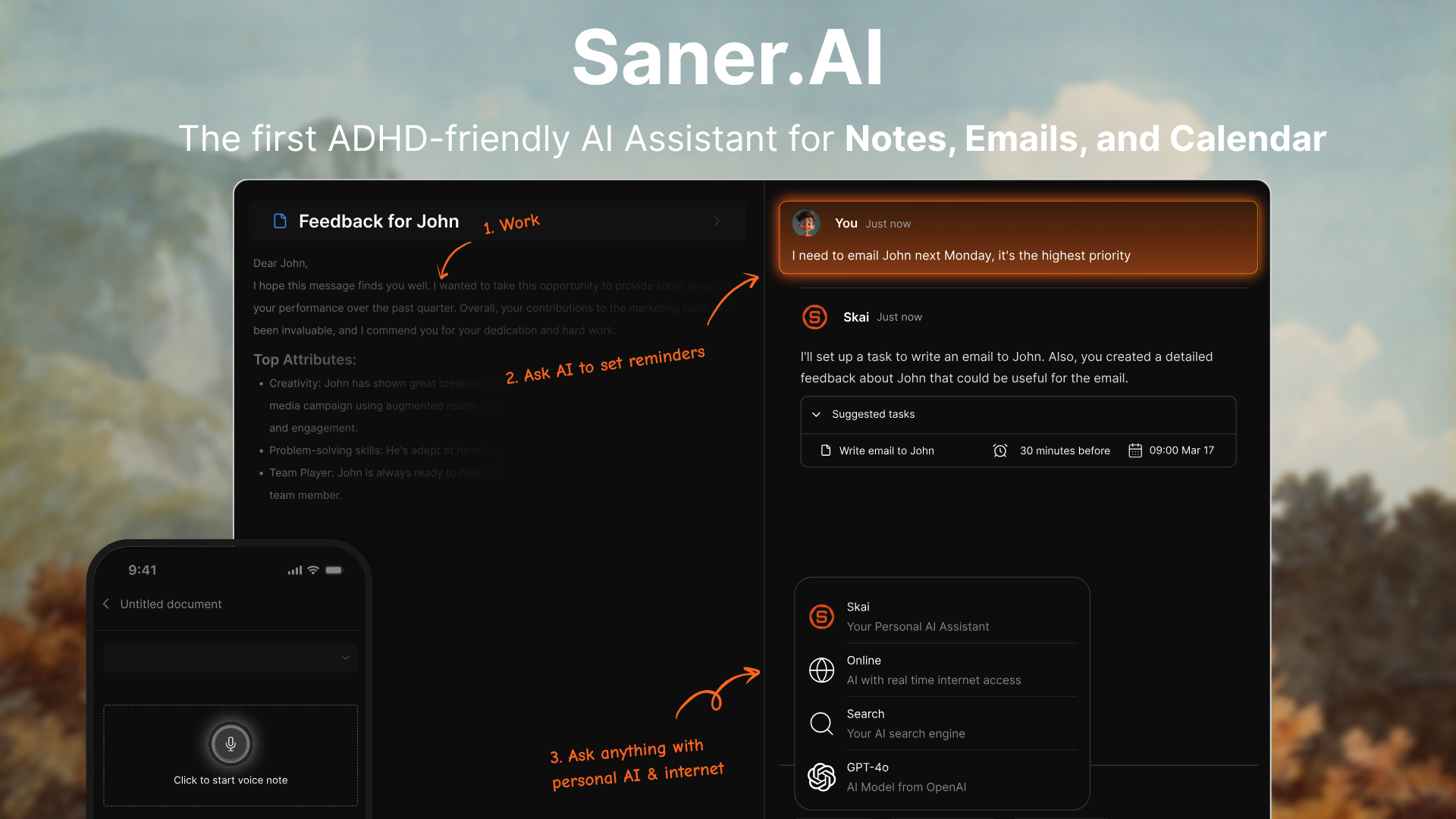
This is where it gets interesting. Mem and Saner.AI overlap on the "second brain" positioning but take meaningfully different approaches. Mem is built around a knowledge repository - it's a place to store and connect notes. Saner.AI is built around active productivity - it combines notes, tasks, emails, and calendar into one workspace with a personal AI assistant (Skai) that actually plans your day.
Where Saner.AI comes out ahead:
- Built-in task management. Mem can surface notes but doesn't have real task management. Saner.AI's Skai assistant can parse a brain dump into a clean task list, assign due dates, and pull action items directly from emails - something Mem doesn't do.
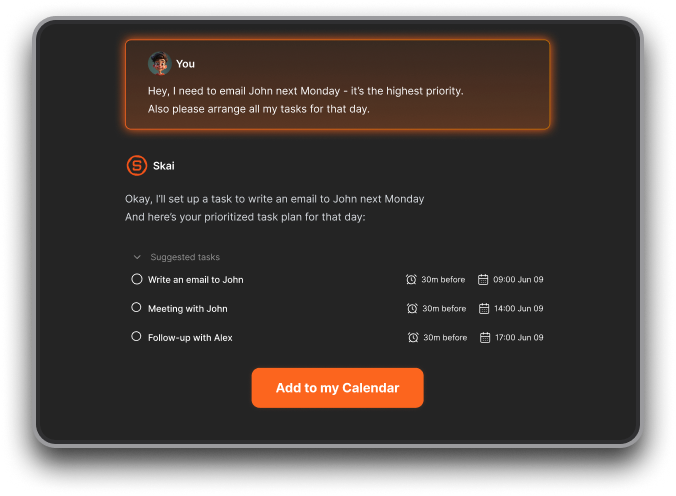
- Android support. Mem has no official Android app. saner.ai has native apps on both iOS and Android.
- ADHD-friendly design. Saner.AI was built by a team that includes people with ADHD, and the interface is designed specifically to reduce cognitive overload.
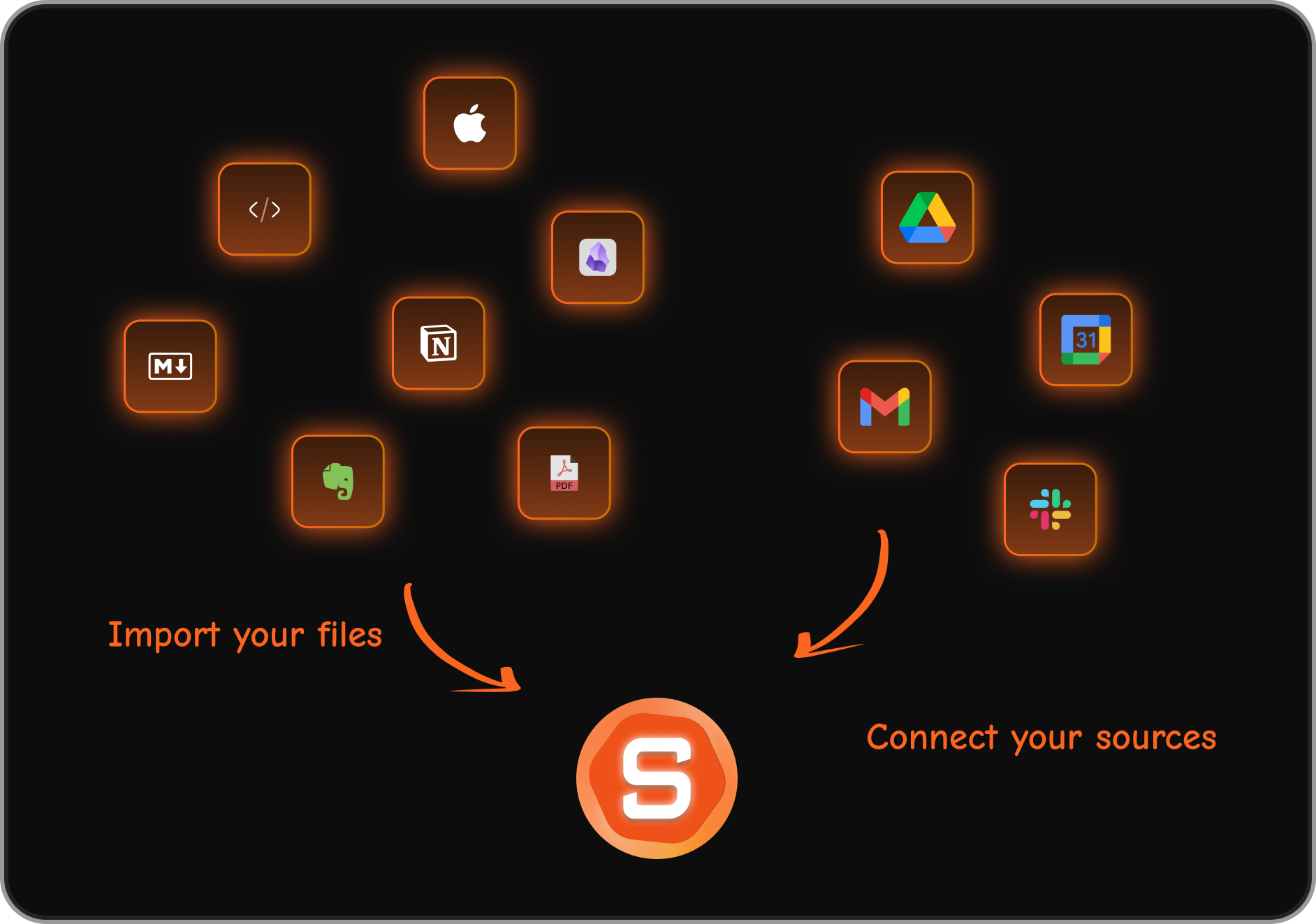
- Better integrations. Saner.AI connects with Google Drive, Gmail, Slack, and Google Calendar out of the box.
- Day planning. Saner.AI automatically scans your inbox, to-dos, and calendar each morning and gives you an optimal day plan. Mem doesn't do this.
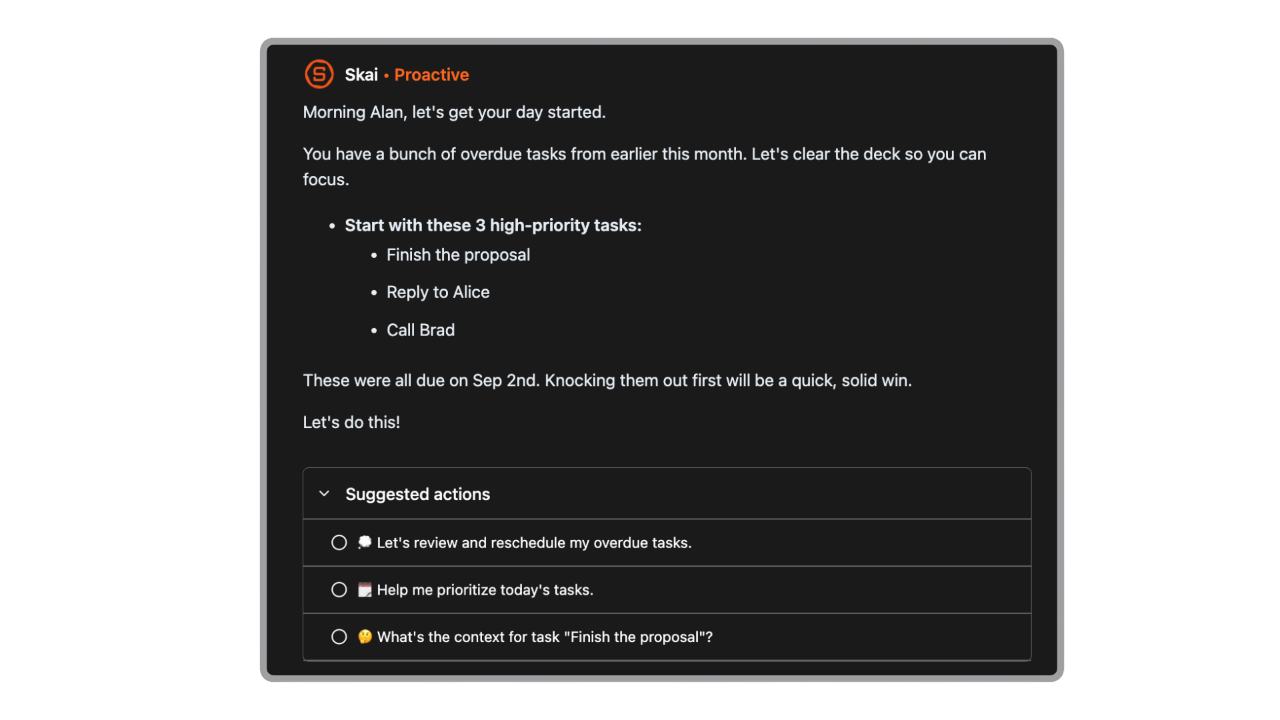
- Proactive AI. Skai pulls tasks from emails and documents automatically and sends reminders tailored to your schedule. Mem's AI is reactive - it helps you when you ask, but doesn't manage your workday.
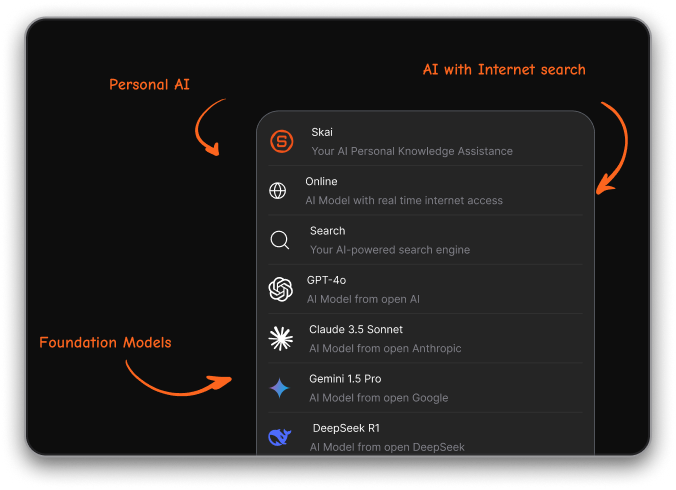
- Broader AI model access. Saner.AI gives you access to multiple AI models (GPT, Claude, Gemini Pro) alongside your personal Skai assistant. Mem's AI is a single proprietary model.
- More generous pricing. Saner.AI's free plan includes 30 AI requests per month, 100 notes, and 100MB storage. Paid plans start at $8/month, compared to Mem Pro at $12/month.
Where Mem has an edge:
- Mem has a longer product history and a more established community
| Feature | Mem AI | Saner.AI |
|---|---|---|
| AI search | Yes, strong | Yes, semantic |
| Auto note organization | Yes | Yes |
| Task management | Basic | Full (with Skai) |
| Day planning | No | Yes |
| Email integration | Gmail (read) | Gmail, full inbox management |
| Slack integration | No | Yes |
| Google Drive integration | No | Yes |
| Android app | No | Yes |
| iOS app | Yes | Yes |
| Multiple AI models | No (single model) | Yes (GPT-4, Claude, Gemini, Skai) |
| Voice capture | No | Yes |
| OCR (image to text) | No | Yes |
| ADHD-focused design | No | Yes |
| Free plan | 25 notes/month | 100 notes/month |
| Starting paid price | $12/month | $8/month |
| Customer support quality | Poor (per reviews) | Responsive (per reviews) |

Stay on top of your work and life
Mem AI vs. Notion
Notion is a better fit if you need databases, team wikis, and deep project management. It's more powerful but requires more setup. Mem wins on AI-driven recall without manual organization. If you want a tool that just stores and surfaces your thinking, Mem is less work to set up than Notion.
Mem AI vs. Obsidian
Obsidian is local-first, privacy-focused, and highly customizable through plugins. It requires more manual organization but gives you total control. Mem is cloud-based and does the organizing for you. Obsidian has an Android app and works offline. Mem does not.
Final Verdict on Mem.ai
Mem AI does one thing well: it makes your notes searchable in a way that feels genuinely intelligent. The AI recall is fast, the folderless structure clicks for a certain type of user, and Smart Write is a legitimate differentiator. If you're primarily a researcher or heavy note-taker who wants a smarter search layer over a large personal knowledge base, Mem is worth a look.
But it's harder to recommend at the current pricing when basic features are still missing. No highlighting, no Android app, buggy tags, and poor customer support are real problems for a tool at $12/month. And if you need more than passive note storage — if you want AI that actively manages your tasks, plans your day, integrates with your inbox and calendar, and adapts to how you work - Mem isn't that tool yet.
If you're evaluating Mem because you're drowning in scattered notes and want AI to bring some order to the chaos, Saner.AI is worth running as a side-by-side comparison. It covers the note-taking and knowledge-retrieval angle but adds active task management, ADHD-friendly design, native Android support, and deeper integrations at a lower starting price. For knowledge workers who need their second brain to actually help them get things done - not just store what they know - that gap matters.
Stay on top of your work and life
FAQ for Mem.AI
What is Mem AI used for?
Mem AI is a note-taking and knowledge management app that uses AI to automatically link, organize, and surface your notes without requiring you to use folders or tags. It's most popular among freelancers, researchers, and knowledge workers who deal with large amounts of information.
Does Mem AI have a free plan?
Yes. As of October 2025, Mem's free plan allows 25 notes and 25 chat messages per month. This is enough to get a basic sense of the product but will feel restrictive quickly for active users.
Is there a Mem AI Android app?
No. As of mid-2025, there is no official native Android app. Android users can access Mem through a mobile browser or by sending notes via SMS, but neither experience matches the iOS app.
How much does Mem AI cost?
Mem Pro costs $12/month (or approximately $144/year with annual billing, saving around 20%). The Teams plan requires contacting sales for custom pricing.
How is Mem AI different from Notion?
Notion is a structured workspace built around databases, wikis, and project management. It requires manual setup and organization. Mem is designed to require almost no manual organization — you capture notes and the AI handles the linking and retrieval. Notion is better for teams and complex workflows; Mem is better for individuals who want fast, AI-driven recall.
What are the main complaints about Mem AI?
The most consistent complaints across G2, Trustpilot, and Product Hunt are: missing basic note features (no highlighting, scroll issues on long notes), an unreliable tag and search system, no Android app, limited third-party integrations, and poor customer support. Several users also note that product development feels slow relative to the amount of funding the company has received.
Saner.AI is a better alternative if you can't deal with the Mem.AI's complaints above.
Stay on top of your work and life