Morgen Reviews (2026): Features, Pricing, Pros, Cons, and Whether It’s Worth $30/Month


If you've spent a large amount of time on productivity, you've probably seen Morgen come up. Clean UI, cross-platform, integrates all your calendars, and supports time blocking. On paper, it sounds like the app that finally fixes your schedule chaos.
But here's the tension nobody fully addresses: Morgen is a good calendar. Whether it's a great planning tool for you depends on how you actually work, and what gaps you're trying to close. If you're bouncing between Google Calendar, Todo list, Notion, and a Calendly tab, Morgen consolidates a lot of that. If your real problem is scattered notes, email overload, and a brain that won't sit still long enough to plan anything, Morgen starts to show its limits.
This review covers what Morgen does well, where it falls short, who it's actually built for, and who may not be a suitable fit
Key Takeaways
- Morgen is a good calendar app with strong multi-calendar integration across Google, Outlook, iCloud, and more.
- The desktop experience is polished. The mobile app is a different story — lighter on features, requires desktop setup first, and sync can be unreliable.
- AI planning in Morgen is suggestive, not automatic. You review and approve everything, which some users love, and others find tedious.
- Pricing starts at $30/month with no free tier after the 14-day trial — a sticking point for a lot of potential users.
- If you want additional capability on top of an AI planner, like note-taking, email management, and ADHD-style cognitive support, Saner.AI is the stronger pick.
Morgen At a Glance
| Category | Score |
|---|---|
| Ease of use | 8/10 |
| Calendar integration | 9/10 |
| Task management | 6/10 |
| AI features | 6/10 |
| Mobile experience | 5/10 |
| Pricing value | 6/10 |
| Overall | 7/10 |
What Is Morgen?
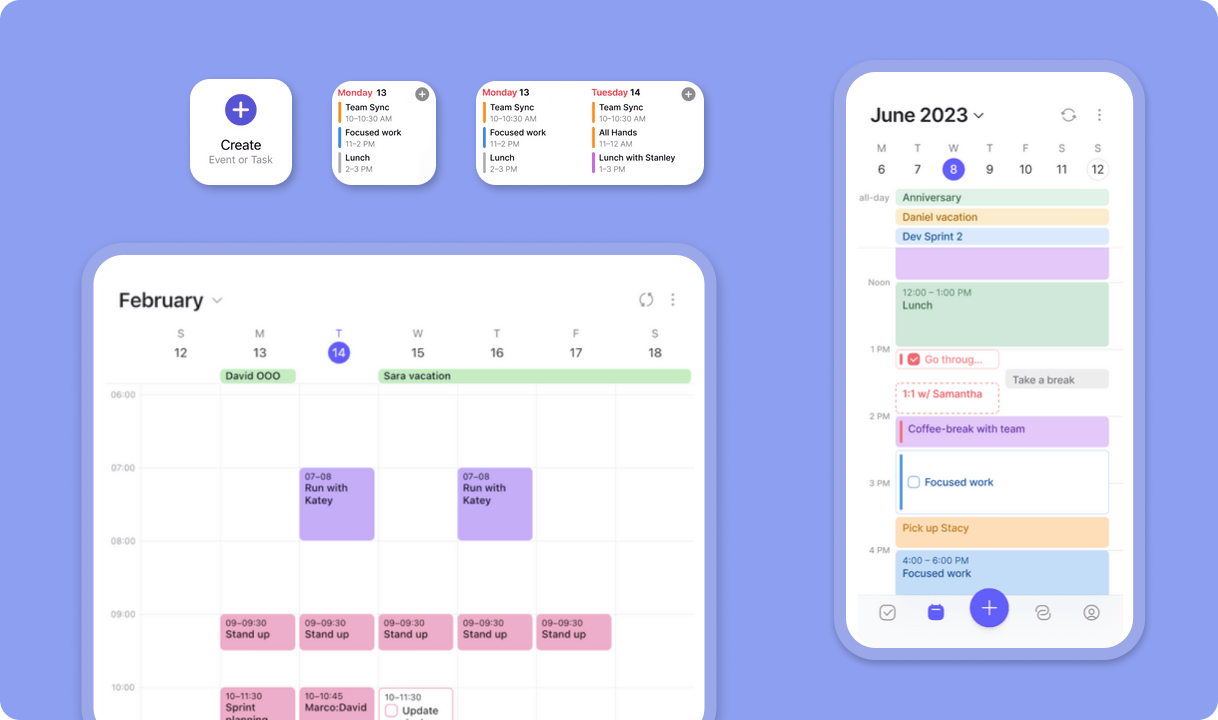
Morgen is a calendar and daily planner built by Morgen AG, a Swiss company. It pulls together multiple calendars - Google, Outlook, iCloud, Fastmail, and others - into one interface, then layers in task management, time blocking, and an AI planner on top.
The app runs on Windows, Mac, Linux, iOS, and Android. Linux support is genuinely rare for calendar apps at this level, which is a real differentiator for that crowd.
Core features include:
- Multi-calendar consolidation (Google, Outlook, iCloud, CalDAV, Fastmail)
- Task management with drag-and-drop scheduling
- Frames (templates for how your ideal week looks)
- Scheduling links and booking pages (think lightweight Calendly)
- Calendar workflows — buffer time, travel time, and calendar propagation (syncing events across calendars)
- Integrations with Todoist, Notion, ClickUp, Linear, Obsidian, Apple Reminders, and more
Morgen Features Breakdown
Multi-calendar integration
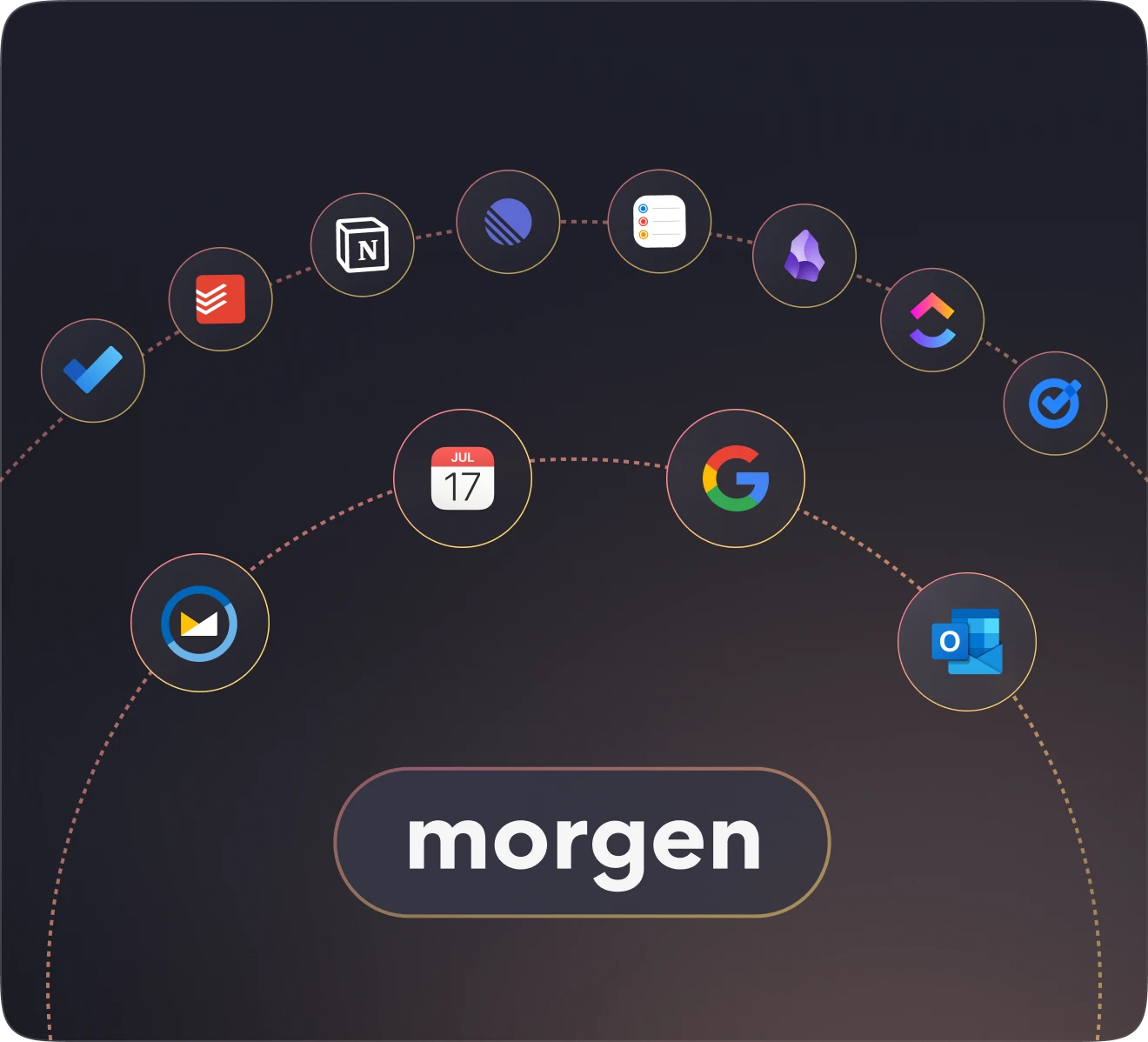
If you're juggling a work Gmail, a personal Outlook, an iCloud calendar for family stuff, and maybe a shared team calendar - Morgen shows all of it in one color-coded view. You can switch between calendar subsets using keyboard shortcuts, and syncing across accounts is fast on the desktop.
Users who manage multiple accounts for different clients or businesses consistently call this out as the reason they stay.
"I'm involved in different companies simultaneously, so having a single calendar app that links into Google and Outlook in the different businesses is tremendously useful," wrote one long-term user. – reviews
AI Planner and Frames
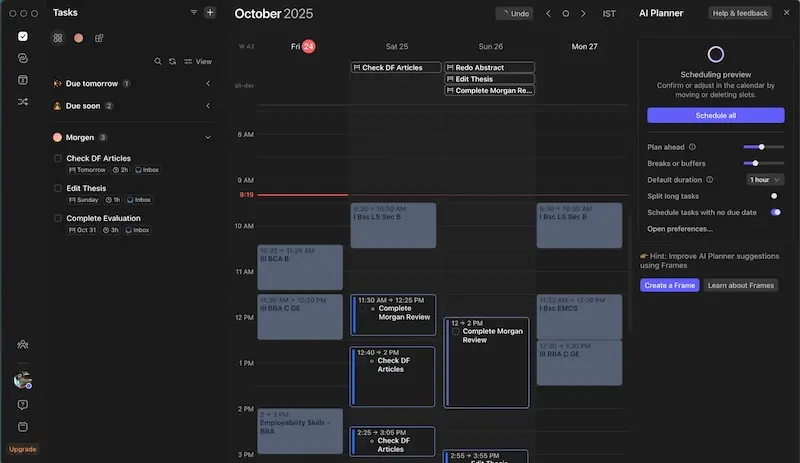
Morgen's AI Planner doesn't fully take over your day.
Some users love this model. It feels less chaotic than tools like Motion that reschedule everything automatically. Others find the approval step one too many — especially when Frames require upfront configuration to work meaningfully.
The honest limitation: the AI is still fairly basic compared to what users expect in 2026. It makes suggestions. It doesn't learn your patterns deeply over time or adapt to how your energy works across the week.
Task management
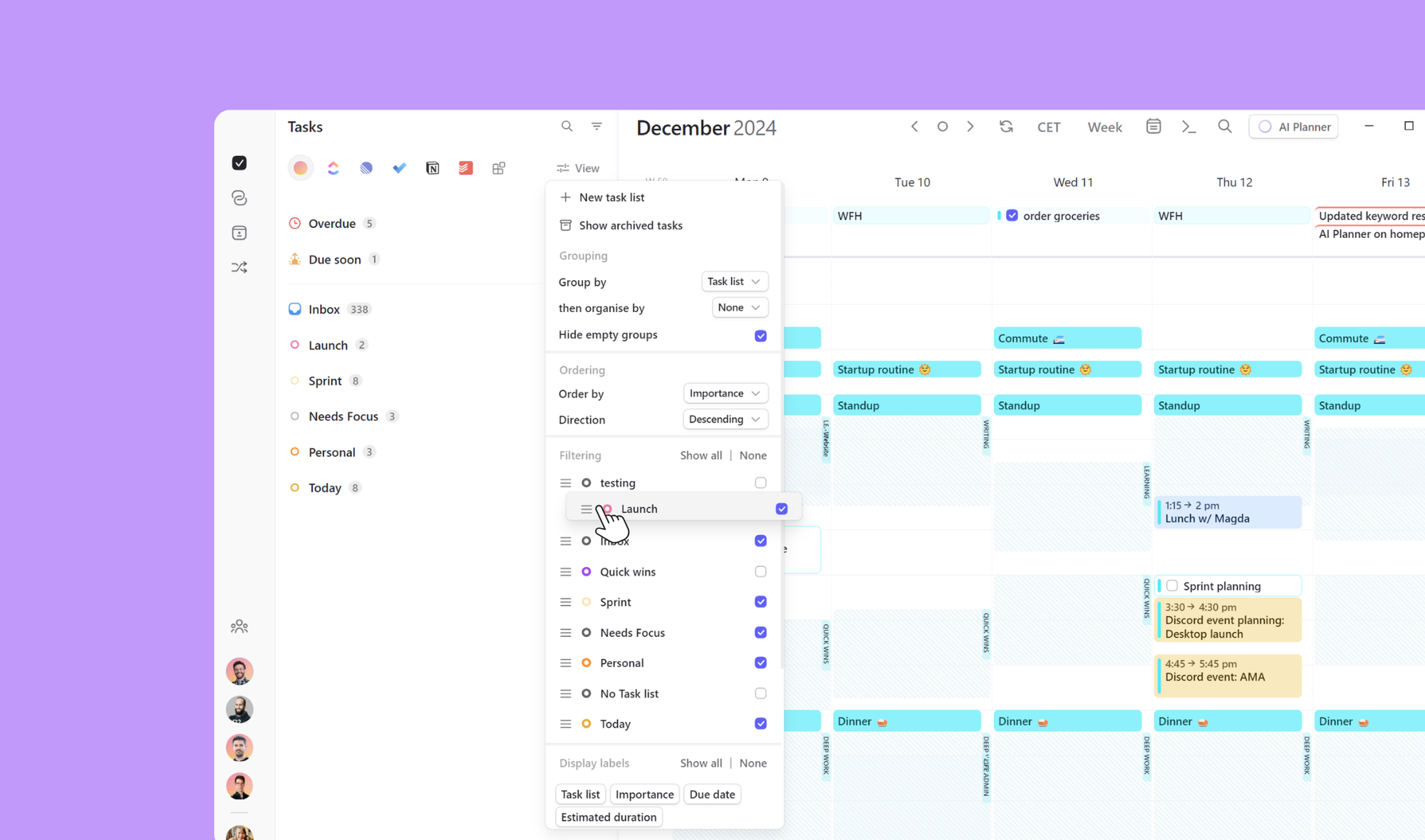
Tasks in Morgen work. You can create to-do lists, add due dates, assign priorities, attach subtasks, and drag them onto the calendar to time-block them. Integrations with Todoist, Notion, ClickUp, Linear, and several others mean you don't have to abandon your existing task system.
Where it gets limited: there's no support for task dependencies. If you're managing anything with sequential steps — task A has to finish before task B starts — Morgen can't model that. There's no kanban view either, so if you like seeing work as cards on a board, you're stuck elsewhere.
"I am able to input tasks and time block them, create and review my schedule easily, and because of this I am able to focus on projects and get things done," one user shared. – reviews
Scheduling links
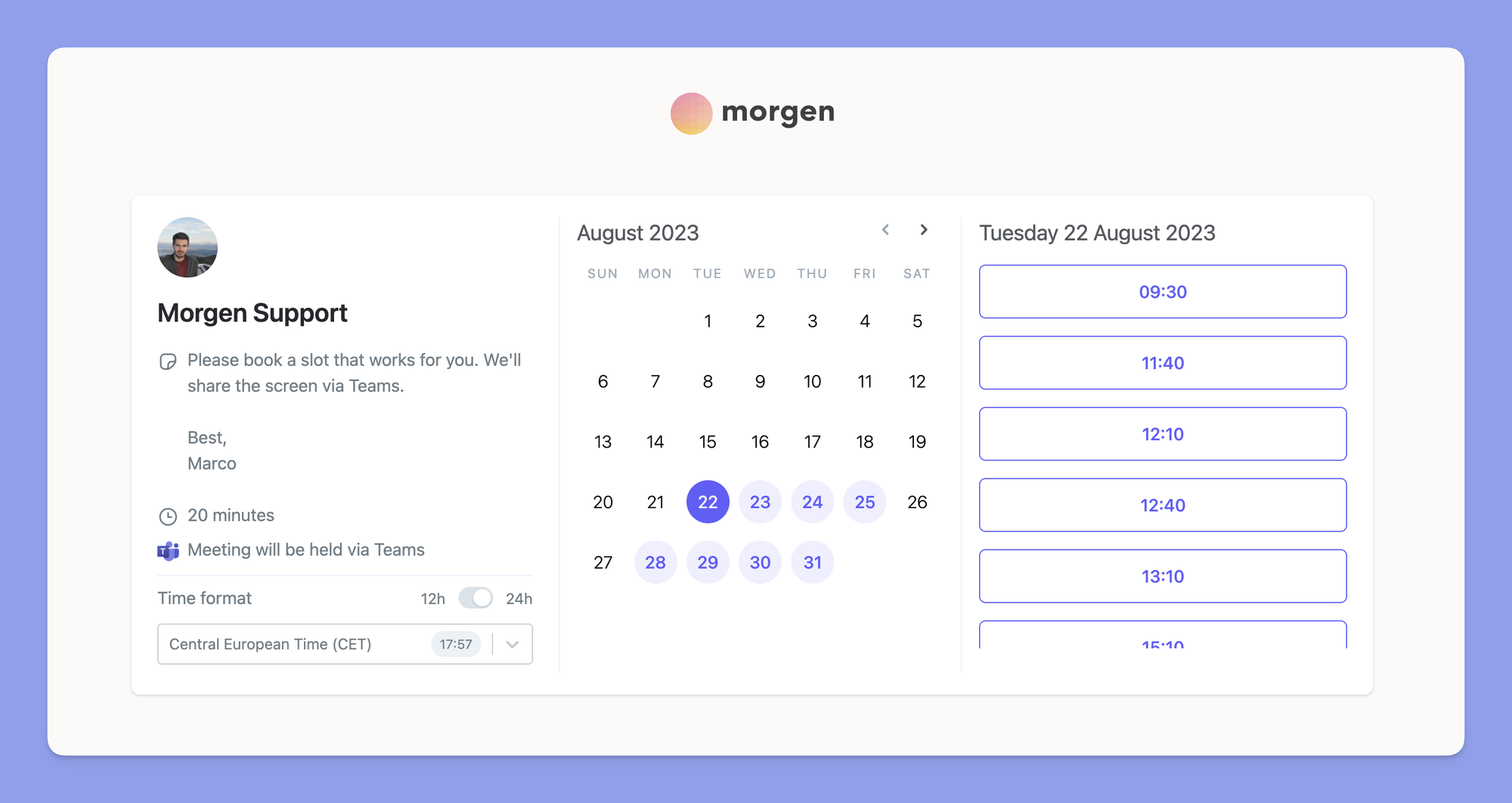
Morgen includes booking pages and scheduling links that work like a simplified Calendly. You share a link, someone picks a slot based on your real availability, and it lands in your calendar. For basic meeting scheduling, it does the job well.
Where it falls short is anything more complex. No custom intake forms, no payment collection, no smart routing. If you run a business that needs detailed booking flows, you'll probably still need Calendly or Cal.com on top.
Workflows (buffer time, travel time, calendar propagation)
These three automated workflows are some of Morgen's most useful features — and also one of its current ceilings. Buffer Time automatically blocks space before or after meetings so you can breathe between calls. Travel Time blocks commute time based on location and travel mode. Calendar Propagation syncs events across different calendars so people checking your availability see you as actually busy.
"Morgen workflows do this across ALL the platforms: Google, Fastmail, and Outlook. " one user wrote. – reviews
The catch is you can't build custom workflows yet. Three pre-built options. That's it for now.
Mobile app
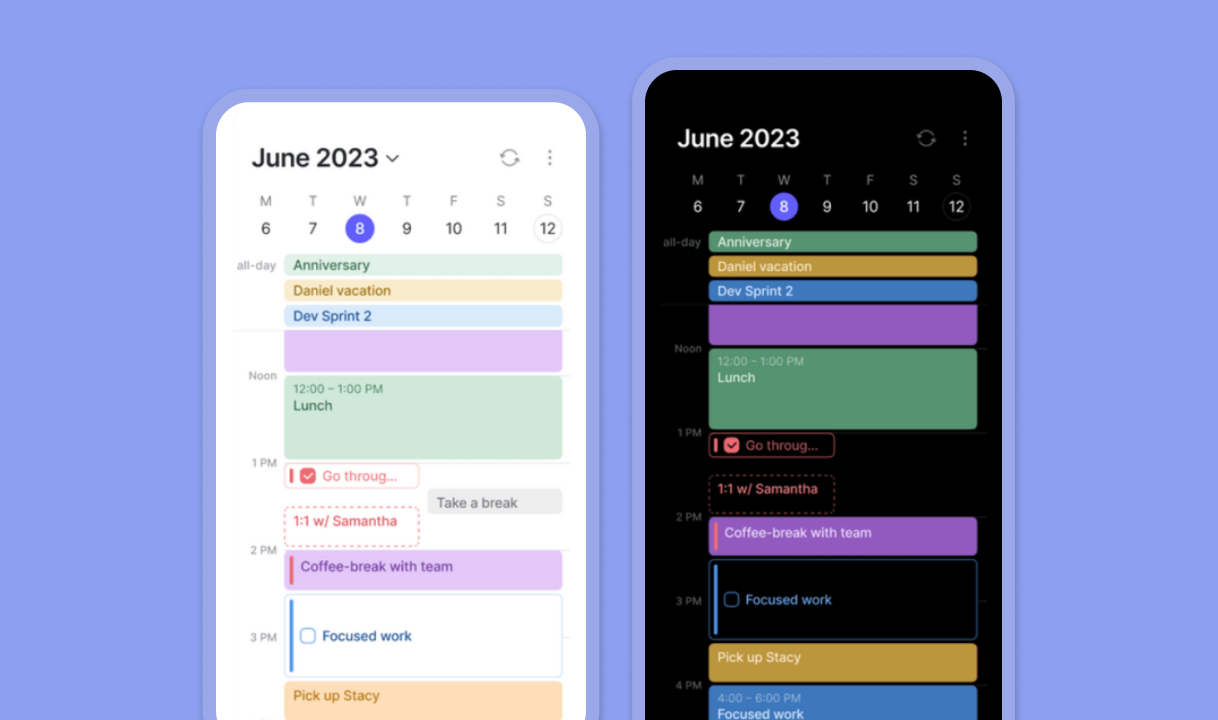
The mobile app covers the basics: viewing your calendar, adding tasks and events, setting reminders, quick-joining meetings. Sync with desktop is generally fast.
But there's a friction point that genuinely frustrates new users: you can't even log in on mobile until you've set up your account on the desktop first. If you're someone who lives on your phone, that's a poor first impression.
"Limiting what you can do on mobile devices compared to the computer version is weird to me, because sometimes things come up on the go, and it would be better for me to schedule when something comes up right away instead of having to go home, boot up my laptop," one App Store reviewer noted. – reviews
The AI Planner is desktop-only. So if your planning workflow is mobile-first, Morgen wasn't built for you.
Pricing Table
| Plan | Monthly price | Annual price | Free trial | Free version | Payment methods |
|---|---|---|---|---|---|
| Pro (Individual) | $30/month | $15/month | 14 days | No | Credit card, PayPal, Apple Pay |
| Team (per seat, min. 2) | $25/seat | $10/seat | 14 days | No | Credit card, PayPal, Apple Pay |
There's a 30-day money-back guarantee. Students, academics, and nonprofits get 25% off permanently.
One thing worth noting: the mobile app is locked behind the paid plan. The free trial unlocks most features, but once it ends, you're either paying or you're out.
Pros and Cons
| Pros | Cons |
|---|---|
| Excellent multi-calendar integration | No free tier after 14-day trial |
| Beautiful, clean desktop UI | Mobile app requires desktop setup first |
| Native Linux support | AI Planner is desktop-only |
| Active development and responsive support team | No task dependencies |
| Time blocking with drag-and-drop | Only three pre-built automation workflows |
| Lightweight scheduling links (no Calendly needed for basic use) | Mobile sync can lag |
| GDPR-compliant, data stored in Switzerland/EU | Task list UI gets cluttered at scale |
| Broad integration with Todoist, Notion, ClickUp, Linear | Team features are basic compared to full PM tools |
What People Say
Users with multiple work accounts consistently get the most out of Morgen. The calendar consolidation solves a real problem, and the team is genuinely responsive — bugs get addressed, feature requests get heard.
"I've been using Morgen since 2022, and I couldn't be happier with the product. It integrates all my calendar and my todo lists. I've submitted bug reports that were addressed quite fast, and the contact I've had with the support was always nice and friendly." – reviews
"4 stars for now as themes are minor, integrations are beta, and AI Planner could use some work on iOS." – reviews
"They removed a functionality that I relied on (on a daily basis) and did not communicate it. To say I'm disappointed is mild. I based the rest of my calendaring techstack off of Morgen so now I have to figure it all out again." – reviews
“Not consistent enough between desktop and mobile… the mobile is left a bit inferior with some sync latency.” (reviews)
“The mobile repeating tasks keep asking me if I want to tag one instance or all entries… I almost never want that.” (reviews)
“Sometimes it is overwhelming… many tasks are moved to the next day, creating difficulties.” (reviews)
“Morgen does not allow users to create dependencies among tasks… this might be a deal breaker.” (reviews)
“It could benefit from more user-friendly features and better automation for scheduling tasks automatically.” (reviews)
“Syncing on the mobile app doesn’t always happen automatically… I usually do a manual refresh.” (reviews)
“The iOS app could be improved… especially around handling repeating tasks without constant prompts.” (reviews)
“You can’t access your to-do list on mobile unless you pay… could be a deal breaker.” (reviews)
Who Is It Best For / Not Ideal For
Morgen is a good fit if you:
- Work across multiple calendar accounts (multiple Gmails, work Outlook, personal iCloud)
- Want time-blocking without fully giving up control to an AI
- Are on Linux and need something that actually works well
- Use Todoist, Notion, or ClickUp, and want to visualize those tasks on a calendar
- Need scheduling links, but don't want to pay separately for Calendly
Morgen probably isn't the right tool if you:
- Do most of your planning on mobile
- Need task dependencies or kanban views
- Want an AI that learns your habits and adapts over time
- Struggle with cognitive overload and need a tool that goes beyond calendar management (email, notes, follow-ups)
- Are price-sensitive and don't want to pay $30/month for a calendar layer
- Need deep team collaboration or project management capabilities
Alternatives Comparison
Morgen vs Saner.AI
This is the most important comparison for a certain type of user: someone who isn't just calendar-overloaded, but brain-overloaded. Morgen helps you see and schedule time. Saner.AI helps you think, capture, remember, and execute.
Saner.AI is built specifically for people who struggle with information overload - a huge overlap with ADHD users and busy knowledge workers. Instead of asking you to plan your calendar, it acts more like a proactive assistant. You connect your Gmail, Google Calendar, notes, Slack, and Saner.AI pulls from all of it to surface what matters, remind you of things you might drop, and help you plan without the friction of manual setup.
Where Morgen stops at calendar and tasks, Saner.AI keeps going: email management, AI note taking, natural language task capture ("remind me to follow up with Alex after tomorrow's call"), and a personal knowledge base that learns what you care about.
For pure calendar management, Morgen wins. For the cognitive side of staying on top of work, especially if forgetting things and context-switching are real problems, Saner.AI is in a different lane.
| Feature | Morgen | Saner.AI |
|---|---|---|
| Multi-calendar integration | Excellent | Google Calendar (via sync) |
| AI planning | Suggests, you approve | Proactive, conversational |
| Email management | No | Yes (Gmail integration) |
| Note-taking and knowledge base | No | Yes (core feature) |
| Task capture from email/Slack | No | Yes |
| ADHD-specific design | Partial | Built specifically for it |
| Mobile experience | Limited (desktop-first) | Full mobile app |
| Pricing | From $15/month | Free plan available |
| Scheduling links | Yes | No |
| Linux support | Yes | No |
Morgen vs Motion
Motion is full AI automation. It builds your entire day for you, slots in tasks, and reshuffles when priorities change. No manual approval step. If you want to hand the scheduling wheel to an AI entirely, Motion goes further than Morgen.
The tradeoff: less control, and Motion replaces your task tools rather than working alongside them. It also costs more. For someone who wants to stay in the driver's seat, Morgen's "approve before it goes on the calendar" model is actually preferable.
Morgen vs Reclaim.AI
Reclaim focuses on protecting habits and focus time - automatically blocking off deep work, personal routines, and breaks around meetings. It's Google Calendar-only. Morgen has broader calendar support and more manual control. Reclaim is better if your main need is protecting focus time automatically.
Morgen vs Sunsama
Sunsama is a guided daily planning ritual - more deliberate, more structured, but fully manual. No AI auto-scheduling. Sunsama costs $25/month, and some find the daily ritual calming; others find it slow. Morgen is faster and less opinionated about your daily process.
Quick comparison table
| Tool | Best for | AI type | Price/month | Free tier |
|---|---|---|---|---|
| Morgen | Multi-calendar users | Suggestive | From $15 | No (14-day trial) |
| Saner.AI | Note/email/ADHD overload | Proactive assistant | Free + paid plans | Yes |
| Motion | Full AI auto-scheduling | Fully automatic | ~$19 | No |
| Reclaim.AI | Focus time protection | Auto-scheduling | From $8 | Yes |
| Sunsama | Manual daily rituals | None | $20 | No (trial only) |
Final Verdict
Morgen is a genuinely good calendar app. The UI is clean, the integrations work, the Frames concept for time blocking is smart, and the team actually listens to users. If you're drowning in multiple calendar accounts and want them unified in one place with time-blocking baked in, Morgen solves that problem
The gaps are real though. Mobile-first users will find the experience frustrating. The AI is still relatively basic. There's no email management, no note-taking, no knowledge layer - if your problem goes beyond "I have too many calendar tabs open" Morgen won't solve it.
That's where Saner.AI fills the gap. If Morgen is the answer to "my calendar is a mess," Saner.AI is the answer to "my whole work day is a mess." Notes, emails, tasks, calendar - all in one place, with an AI that checks in on you and proactively surfaces what you might be forgetting. Especially if ADHD or cognitive overload is part of your experience, Saner.AI was built for exactly that.
Use Morgen if your core need is beautiful, multi-account calendar management. Try Saner.AI if the problem is deeper than your schedule.

Stay on top of your work and life
FAQ: Morgen Reviews
Does Morgen have a free plan? No. As of 2026, Morgen no longer offers a permanent free tier. There's a 14-day free trial that unlocks most Pro features, plus a 30-day money-back guarantee. After the trial, you need a paid plan.
Is Morgen available on Linux? Yes — and this is one of Morgen's genuine strengths. Native Linux support (deb, snap, rpm) is rare for calendar apps at this quality level.
How does Morgen's AI Planner work? It takes tasks from your connected apps, considers your Frames (time templates you set up), and suggests a daily plan. You review and approve it before anything gets added to your calendar. The AI doesn't reschedule automatically — you stay in control.
Can I use Morgen instead of Calendly? For basic scheduling, yes. Morgen's scheduling links and booking pages handle most "pick a time" use cases. If you need intake forms, payment collection, or advanced routing, you'll still need Calendly or Cal.com.
What's the main reason people look for Morgen alternatives? Three things come up consistently: pricing (no free tier, $15–30/month), the limited mobile experience, and the fact that Morgen doesn't touch email, notes, or the broader cognitive load problem — just the calendar layer.
How is Saner.AI different from Morgen? Morgen is calendar-first. Saner.AI is assistant-first. Saner connects your notes, email, tasks, and calendar, then proactively helps you plan, remember, and follow through - without requiring you to manually build templates or approve every suggestion. It was built specifically for people who find productivity tools overwhelming rather than helpful.