
How to Plan Your Week with AI: A Practical System That Actually Works (2026)


I used to spend Sunday nights dreading Monday. The mere thought of staring at a blank calendar filled me with a heavy, specific kind of paralysis. If your brain struggles with time, planning feels even more impossible, like trying to map out a city while blindfolded.
AI changed how I approach this. I stopped treating technology like a magic fix and started using it as a practical assistant to sort through the noise. This is the exact system I use now to clear the Sunday dread and build a week that feels manageable.
What does it mean to plan your week with AI?
Planning your week with AI means using software to build your schedule based on your actual energy and habits. You give an AI your brain dump of tasks, and it schedules them around your existing meetings.
Why traditional weekly planning fails, and what AI fixes
If you are constantly wondering why I can't stick to a weekly plan, you are likely dealing with the classic trap of manual scheduling. We overhype our future energy, write down unrealistic to-dos, forget to add time buffers, and then panic when a single delayed email derails the week.
AI can build structure and add necessary time buffers based on how long tasks actually take you. It manages prioritisation by automatically shifting tasks when things run late and sending reminders when you get distracted. Instead of forcing you to follow a rigid grid, the software creates flexibility.
You do not have to waste mental energy recalculating your day after every minor disruption. It handles the manual reorganization for you so you can just focus on getting things done.
How to plan your week with AI: a 5-step system

Step 1: Brain dump everything into AI
I usually start my week with a chaotic mind. Instead of trying to organize it myself, I type a messy, unedited wall of text into AI. I include personal errands, work deadlines, grocery lists, and random thoughts that keep me awake. I tell the AI to hold onto this mess for a moment. Doing this saves me from staring at a blank calendar, feeling paralyzed. I do not care about grammar or formatting here. The goal is to get the noise out of my head.
ADHD tip: Use voice-to-text for this part. Talking out loud prevents the mental block of having to type things perfectly.
Step 2: Let AI categorise + prioritise tasks
Once the mess is in the prompt, I ask the AI to sort it out. I tell it to group the items by project and then sort them by urgency. I also ask it to flag tasks that take less than ten minutes. The AI handles the heavy lifting of figuring out what matters first. I often find that tasks I thought were urgent can actually wait until Thursday. Seeing a clean list makes the week feel manageable before I even open my calendar.
ADHD tip: Ask the AI to identify the single most important task for each day. Too many choices cause paralysis.
Step 3: Time-block your week using AI suggestions
Next, I ask the AI to suggest a schedule. I give it my fixed meeting hours and ask it to assign realistic slots for the remaining work. I tell it to put creative tasks in the morning when I have more energy. This gives me a rough blueprint for Monday through Friday. I copy these blocks into Google Calendar. I do not always stick to it perfectly, but having a template prevents me from wasting time wondering what to do next.
ADHD tip: Schedule your hardest tasks for the hours right after your focus is naturally highest or when your environment is quietest.
Step 4: Set AI reminders + buffers
Calendar blocks fail if you do not account for human error. I ask the AI to review my schedule and add 30-minute blocks for rest or unexpected delays. I also use an AI calendar tool to automatically set reminders fifteen minutes before a task starts. If a meeting runs long, the system shifts my other blocks back. This prevents one delay from ruining my entire afternoon. It gives me some needed breathing room.
ADHD tip: Double your buffer times. If you think a task takes thirty minutes, tell the AI to block out an hour.
Step 5: Weekly review — ask AI what you missed, what to carry forward
On Friday afternoon, I paste my original plan and my actual finished work back into the AI. I ask it what I missed and what needs to move to next week. It helps me see patterns in my procrastination. I might notice I always avoid financial tasks, which tells me I need to break them down further next time. This review closes the loop so I do not carry mental weight into the weekend.
ADHD tip: Do this on Friday before you log off, not on Sunday. Sunday reviews just cause weekend anxiety.
How AI weekly planning is different for ADHD brains
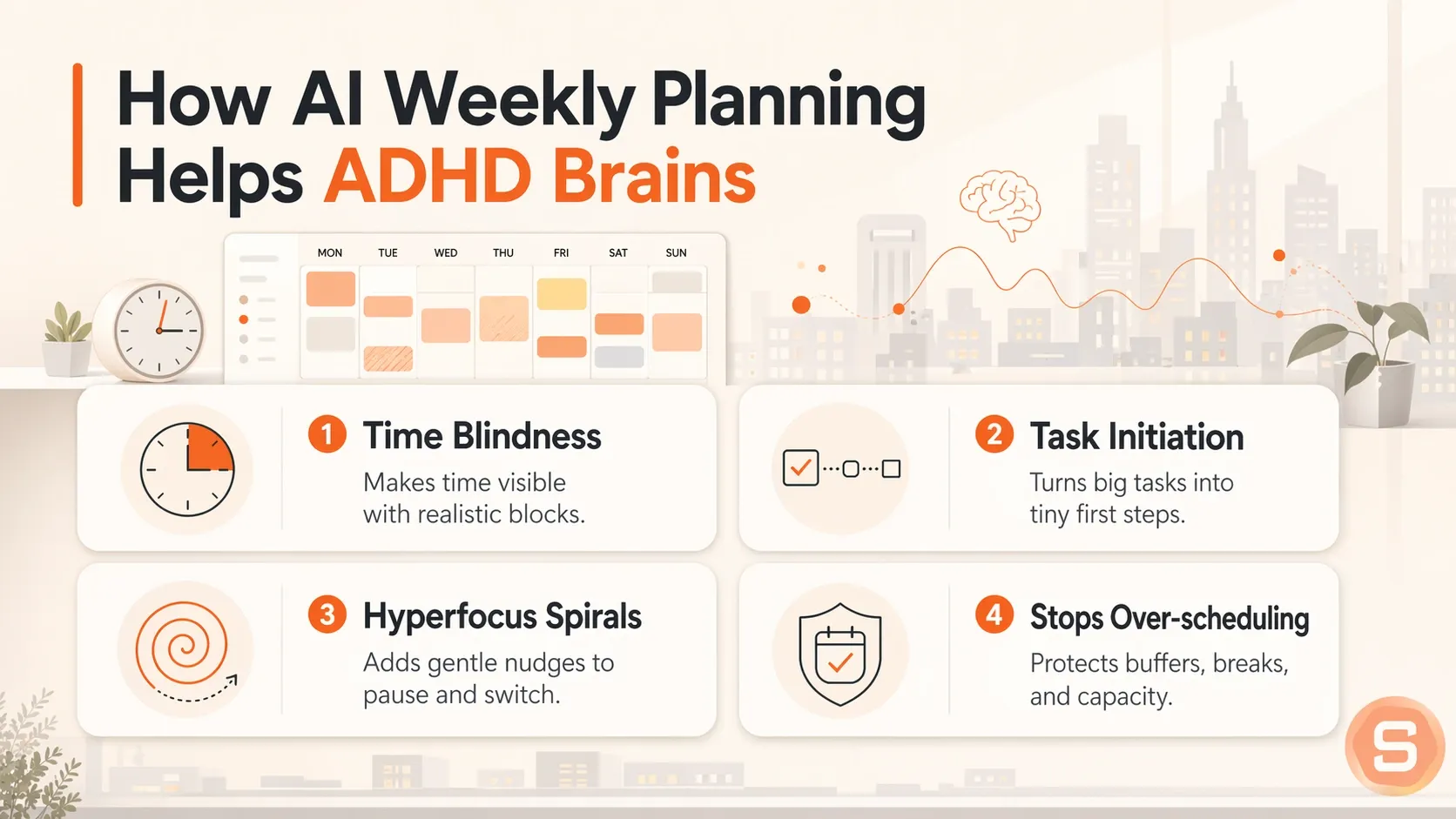
Standard calendars expect you to have a functional relationship with time. For an ADHD brain, a blank calendar is just an invitation to over-schedule or freeze entirely. Traditional planning tools assume you can look at a Tuesday afternoon and know exactly what two hours feels like. I usually can't. That is where using AI changes things, mostly because it does not rely on your internal clock or willpower to start a task.
1. Time Blindness
It is hard to plan a week when the future feels like an abstract concept. If you struggle with time blindness in ADHD, you already know that tasks take either five minutes or five hours, with no middle ground. An AI tool can look at your realistic data to tell you that a project will actually take three hours, saving you from packing ten major assignments into a single Thursday.
2. Task Initiation
Looking at a massive, vague objective like "write marketing report" causes immediate paralysis. Instead of staring at a blank screen, you can tell the AI to break that project down into tiny, micro-steps. It gives you the immediate first step so you do not waste two hours trying to figure out where to begin.
3. Hyperfocus spirals
Once you finally start, you might spend six hours perfecting a single graphic while your other tasks fall behind. You can set up an AI assistant to act as an external checkpoint, prompting you to move on when a task reaches diminishing returns.
4. AI stops you from over-scheduling.
Left to my own devices, I fill every slot because I forget that things like travel, lunch, decompression, and basic admin tasks take time. AI tools can look at your calendar and automatically insert buffers, forcing you to leave empty space so your entire week does not collapse the moment one meeting runs late.
What AI tool I can use to plan my week?
Saner.AI is the AI built to plan your week automatically.
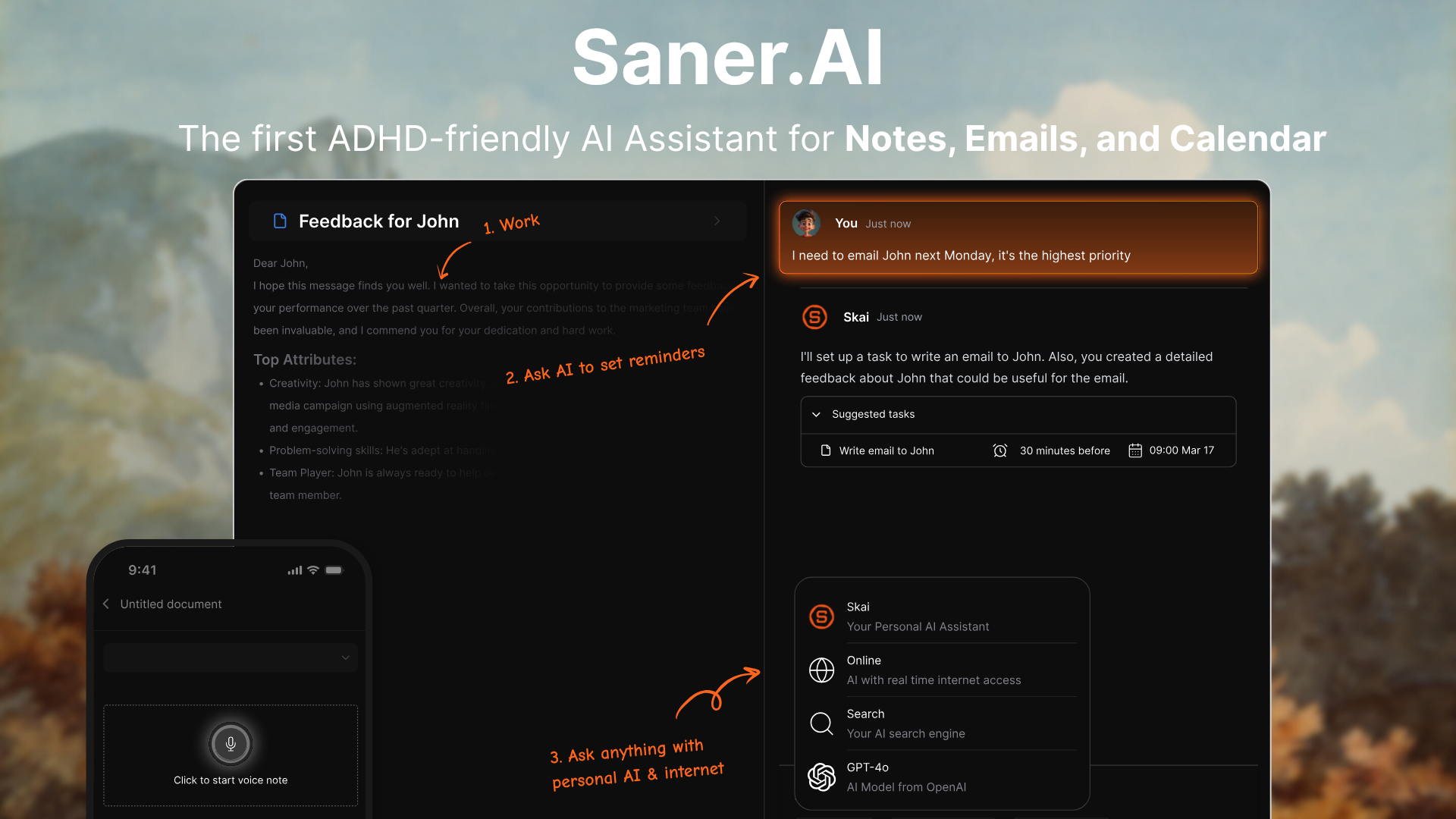
Saner.AI is an AI personal assistant built to manage your notes, tasks, calendar items, and email threads in one searchable interface. It actively manages your schedule instead of just storing static text.
Key Feature
- Brain dump everything into AI
I tried throwing random thoughts, rough voice notes, and messy text snippets into the central inbox space. The system reads all incoming text streams and links them directly to my main workspace without manual sorting.
"The best one I've used so far to make sense of my messy thoughts. It turns them to reminders, which saves so much time." — Verified Review
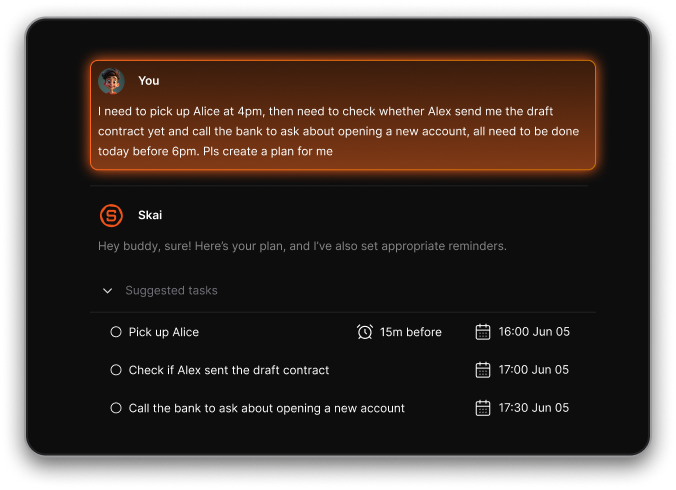
- Let AI categorise and prioritise tasks
I used the automatic extraction tool to let the assistant sort through tangled email blocks and assign priority tags immediately. It groups related tasks by relevance to reduce cognitive overload.
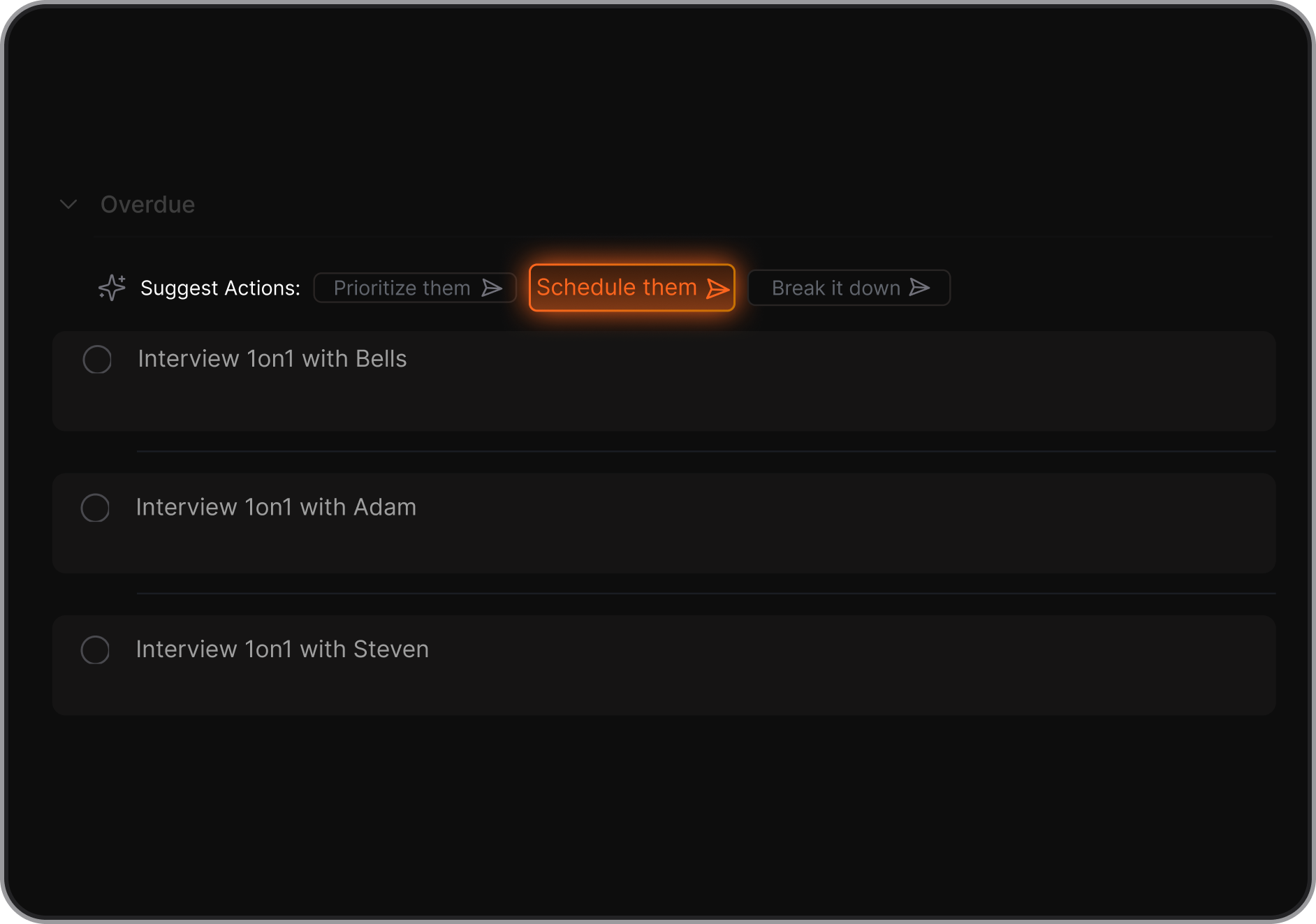
- Time-block your week using AI suggestions
I liked how the interface combines your standard Google Calendar with your text files to suggest specific blocks for heavy focused work. The assistant maps out a proposed calendar layout based on your current project deadlines.
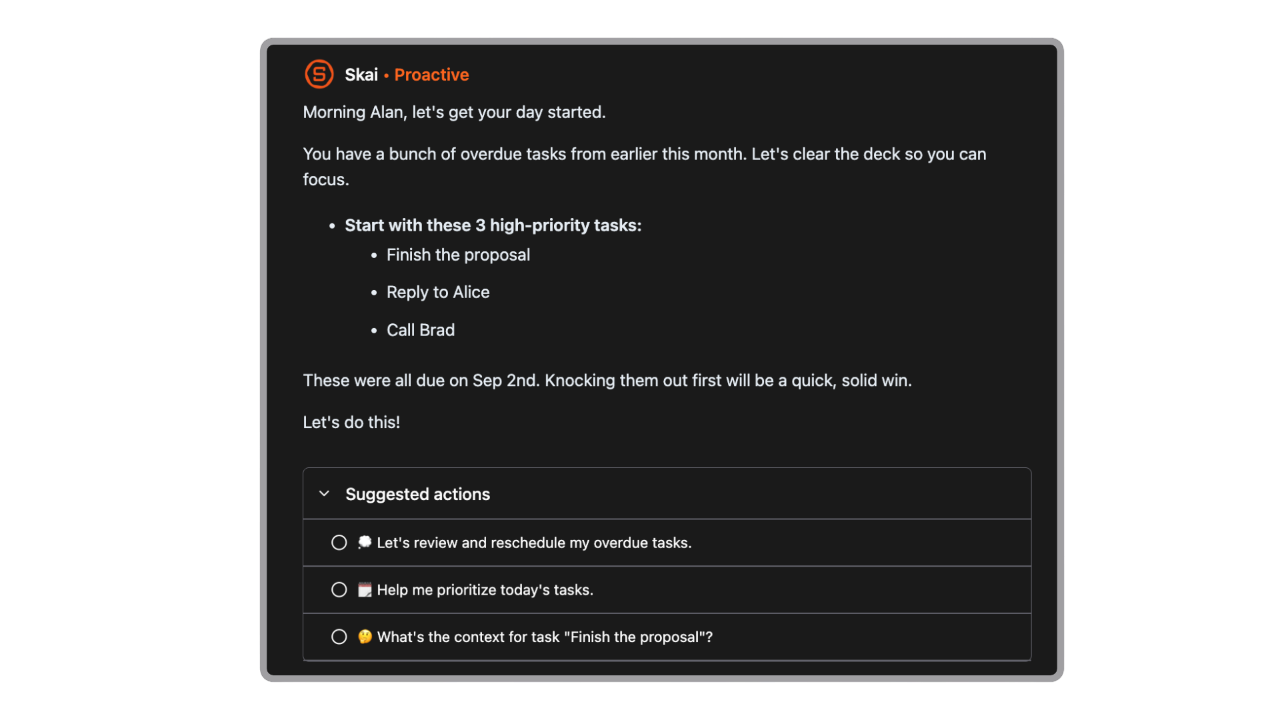
- Set AI reminders and buffers
The application monitors deadlines and automatically issues alert signals to prevent tasks from slipping off your calendar. It breaks large items down into realistic steps with dedicated spacing.
- Weekly review
I asked the Skai assistant to comb through my archived project notes from the past seven days to pinpoint missed follow-ups. It updates your active queue by carrying forgotten goals straight into the following week.
Pros
- I find it helpful that the calendar, email inbox, and scratchpad live inside a single screen.
- I like that the system handles organization automatically so I do not spend hours manually tagging my files.
- I appreciate the clean focus mode that helps me avoid getting distracted by other web apps.
Cons
- Not for large team task/project management
Who is it best for
- Saner.AI is built for professionals, students, and knowledge workers who struggle with scattered data across multiple platforms. It works well for individuals with ADHD who require a highly automated planner to track their commitments.
Pricing plan
- Free
- Paid plans start at $8/month
How to get started
- Step 1: Complete the signup process and sync your primary calendar along with your work email account.
- Step 2: Paste your unorganized notes and loose text items straight into the central inbox to allow the tool to index your week.
- Step 3: Open the calendar view to accept the time-block suggestions generated by the AI assistant.
Saner.AI reviews
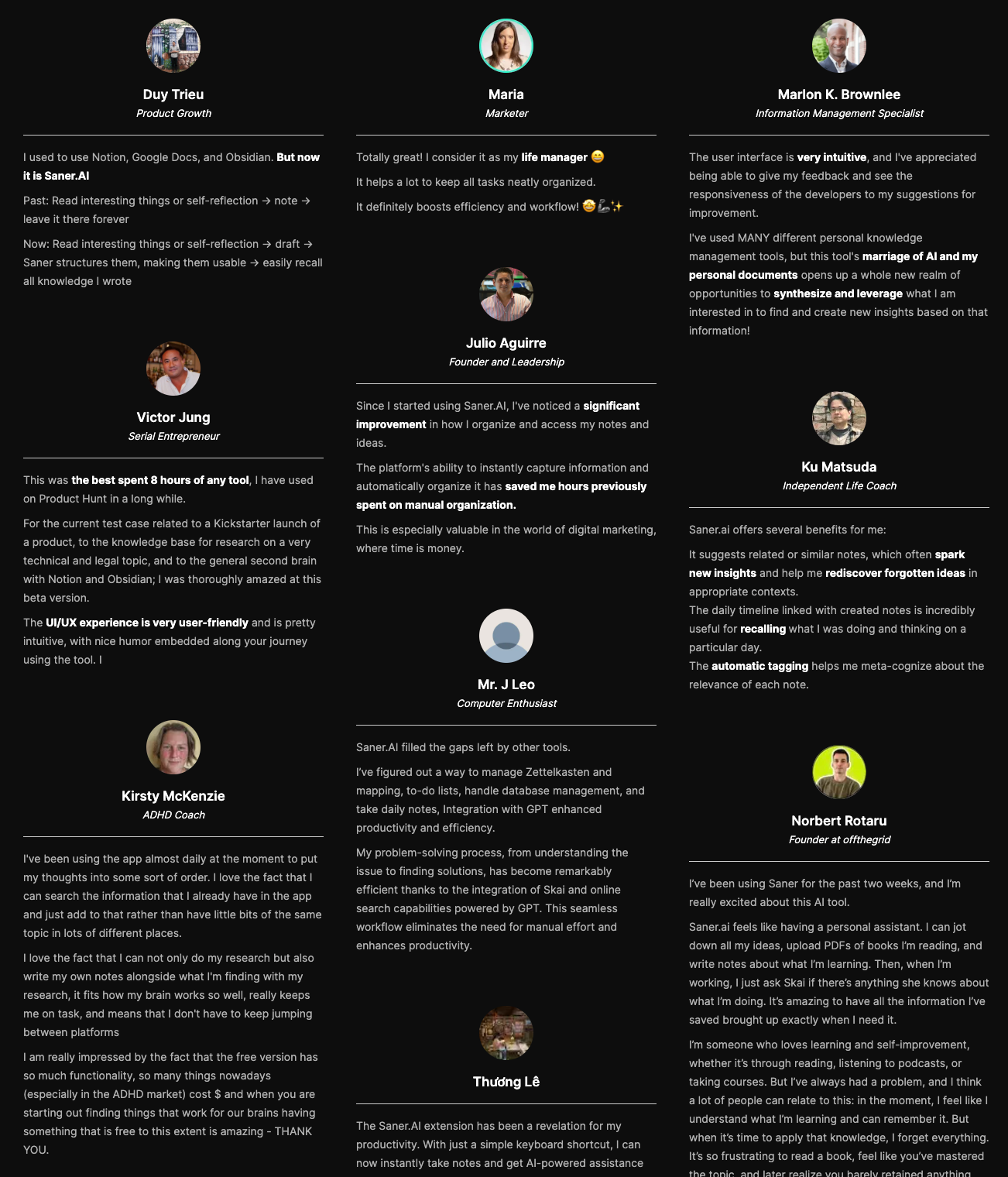
"This tool's marriage of AI and my personal documents opens up a whole new realm of opportunities to synthesize and leverage what I am interested in to find and create new insights based on that information!" — Verified Review
Conclusion - Start Planning Your Week with AI
If you want a straightforward tool to handle the mental clutter and organize your notes alongside your schedule, give Saner.AI a try. It helps you keep track of your tasks without forcing you into a rigid system you will probably abandon by Tuesday. Pick one small area to automate today, see how it feels, and build from there.
You can also look at our roundup of ADHD reminder apps or explore other options in our guide to AI productivity apps to find exactly what fits your daily rhythm.

Stay on top of your work and life
FAQ - How to plan your week with AI
1. Can AI really plan my week?
Yes, it can. You cannot just hand your life over to an app and expect it to guess your priorities, but you can use it to build a realistic schedule. AI tools look at your task list, estimate how long things take, and find open slots in your calendar. It takes away the friction of staring at a blank Monday morning overview and wondering where to start.
2. Best AI for weekly planning?
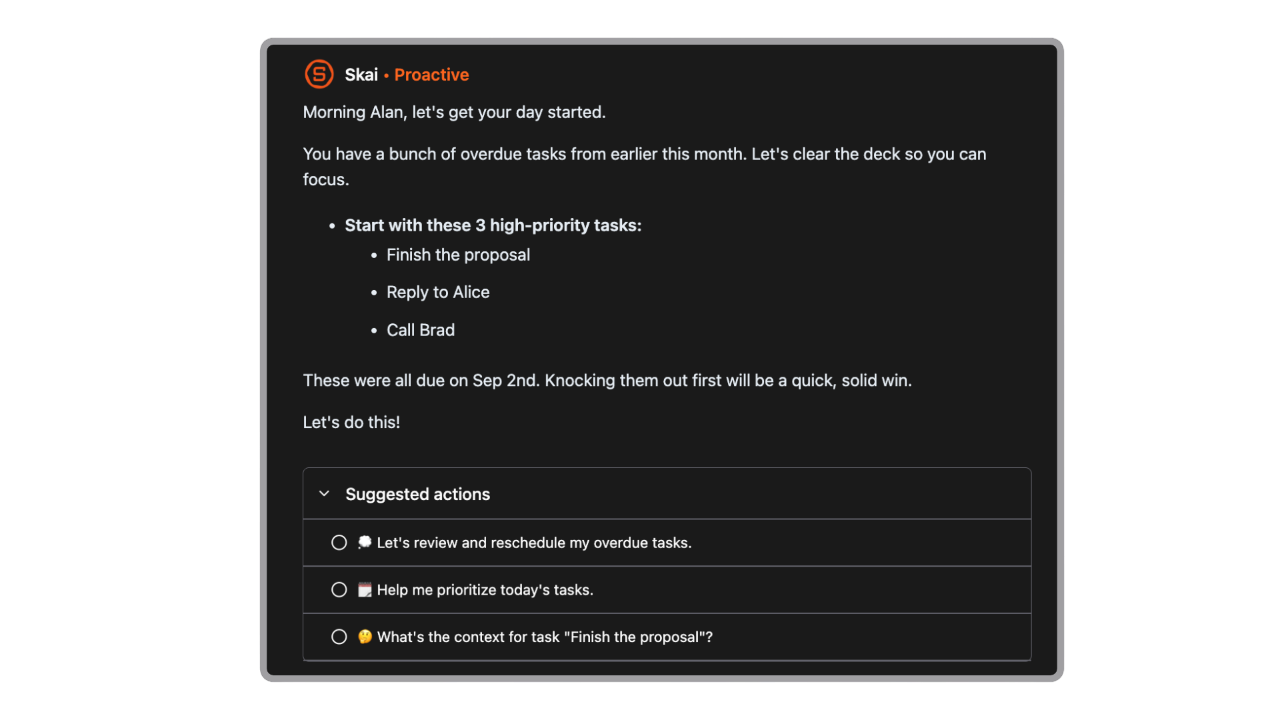
The right choice depends on how you work. Saner.AI is great if you use Google Calendar and need to protect time for routines or habits. It also works well if you want an app that automatically rewrites your schedule when a meeting runs long. For a completely custom setup, you can feed a raw list of goals into it and ask it to structure your days.
3. Does this work for ADHD?
It helps because it removes the choice paralysis that often ruins traditional planning. Many people with ADHD struggle with time blindness, or guessing how long a project takes. AI forces you to assign concrete numbers to your tasks. If a meeting runs over, the system automatically shifts your afternoon around, which stops you from feeling overwhelmed when plans derail.
4. Can AI schedule recurring tasks?
Yes, and this is where these tools save the most time. You can tell Saner.AI to schedule two hours of deep work every morning, or a gym session three times a week. The software checks your calendar, bypasses your meetings, and locks in those habits automatically. If a conflict pops up later, the system moves the habit to a new open slot.
5. How does AI handle unexpected calendar changes?
If an emergency meeting pops up or a task takes twice as long as expected, you do not have to manually rebuild your day. You click a single button to reschedule, and the system shuffles your remaining tasks into the next available gaps. It treats your calendar as a flexible, living document rather than a rigid, stressful checklist.
6. Will AI plan over my personal life?
Only if you let it. You retain control by setting firm boundaries in your preferences, like blocking out evenings, weekends, or lunch breaks. The software treats those personal blocks as completely non-negotiable. It only schedules work tasks during your designated professional hours, keeping your personal life completely separate.
7. Can I integrate my existing task manager?
Most dedicated planning apps connect directly with tools like Saner.AI. You do not need to abandon your current setup or migrate all your data to a new platform. The AI simply acts as a smart layer on top of your current list, pulling your existing tasks into your calendar based on deadlines and priority.
8. How does AI know which tasks are most important?
The system relies on the parameters you set. When you input a task, you give it a deadline and a priority tier, like high, medium, or low. The algorithm analyzes these data points alongside your meetings, scheduling urgent assignments first and pushing flexible, low-priority tasks to later in the week.
9. What happens if I fall behind on my plan?
Nothing bad happens, and you do not have to feel guilty about a ruined schedule. The software does not penalize you for missing a deadline. It notices that a task window passed without completion and automatically moves that assignment to the next open slot in your schedule. It removes the friction of falling behind.
10. Is my calendar data safe with these apps?
Security varies by platform, but reputable planning tools use encryption to protect your data. They read your calendar data to find open time slots, rather than selling your information to third parties. If you are uncomfortable sharing your full schedule, you can use standalone chat models to organize your week using anonymous task lists.
11. Can AI help me stop overcommitting?
It serves as an excellent reality check. We often think we can accomplish twenty massive projects in a single week. When you type those projects into an AI planner, the system calculates the hours required and physically shows you that they will not fit into a standard forty-hour work week. It forces you to prioritize.
12. Do I need technical skills to use AI planners?
You do not need to know how to code or write complex prompts. Most modern planning applications use clean, visual interfaces with simple buttons and dropdown menus. If you can use a basic digital calendar and type out a standard to-do list, you already have all the skills required to run an automated schedule.
13. Can AI help with team scheduling or just individuals?
It handles both, but it shines when coordinating multiple people. Tools like Reclaim can look at the calendars of an entire team simultaneously. They find the ideal time for a group meeting while protecting everyone's individual focus time, saving you from endless email chains trying to find a time that works.
Stay on top of your work and life